25 Best Applicant Tracking Systems (ATS) We've Tested in 2026
Side-by-side reviews of top applicant tracking systems covering features, trade-offs, and pricing to guide you to the best ATS.









The best ATS software is the difference between a hiring process that runs and one that your team is constantly running after — handling job postings, applications, screening, and candidate communications so your team can focus on the hire, not the admin. Cruelly, despite the overwhelming number of options marketing themselves as the best in the market, most fall short of that in ways that only become obvious once you're using them under real conditions: an urgent role, a high-volume pipeline, a candidate who needed a response three days ago.
We've evaluated 120+ ATS systems since 2018. What follows is what we actually found.
We first pre-screened ATS platforms before evaluating any in depth, cutting most on three grounds: no established U.S. presence or support, failure to pass the Rule of 40 (revenue growth rate plus profit margin below 40% signals a platform unlikely to stay well-supported), and poor UI — in our experience, a team that can't build intuitive navigation rarely makes sound decisions elsewhere in the product.
From there, we tested every remaining platform against three criteria:
- Employer Experience: Most platforms hit the 30-second job posting benchmark, but that's where consistency ended. Free and paid job board options varied significantly, and "one-click syndication" often involved more steps in practice. The sharper gap we noticed was in features newer platforms often overlooked: referral program toggles, GDPR consent forms, salary benchmarking, and JD bias-detection tools. None of which headline a demo, but all came up repeatedly in our research as what recruiters most valued.
- Candidate Experience: The platforms that scored highest in our testing weren't the ones with the most features but the ones where a candidate could apply, get a confirmation, and receive a rejection without ever feeling ignored. Kerry Ulrich, co-founder of Abbracci Group, emphasizes that recruiter ghosting is a persistent drain on employer brand equity, noting that nearly every professional has a personal story of being ignored after applying (Ulrich, 2025).
- Integration and Compatibility: We assessed the ATS system’s ability to integrate with other tools in a typical HR ecosystem. Limited integrations can be a massive drag on ROI: manually entering data or downloading CSVs just to upload them to your ATS, for example, is suboptimal at best.
For this evaluation, we have tested 120+ platforms since 2018, including 40+ in depth in the past two years. We asked product teams at vendors including Greenhouse, Workable, Lever, and BambooHR to demonstrate capabilities live rather than describe them, which consistently revealed gaps between marketing and reality. We also surveyed TA leaders, HR managers, and recruiters who've implemented these systems. The most consistent finding: many felt misled post-purchase, with promised features never materializing and support quality dropping after contracts were signed.
In keeping with SSR's editorial standards, our recommendations are made independently of our sales team. We never accept payment to be included in a guide, and we do not allow advertisers to influence our rankings or assessments (Hunter, 2023).


Greenhouse

Greenhouse earns its spot for its ability to bring structure and consistency to hiring while still supporting strong collaboration across teams. Its customizable workflows, standardized interviews, and extensive integrations make it a dependable choice for organizations that want a more data-driven recruiting process.
PROS
- Onboarding module for smooth candidate-to-new-hire transition
- 400+ third-party integrations for people ops needs
- Collaborative hiring tools to distribute workload across stakeholders
- Customizable workflows and pre-built templates for faster job posting
- Improved job notes, scheduling links and interview formatting
- Greenhouse's onboarding feature is built and executed well. New hires transition smoothly from candidate to employee.
- iOS and Android apps work well for recruiters on the go. Users can review applications, schedule interviews, view candidates' profiles, and more.
- 450+ third-party integrations.
CONS
- No transparent pricing or free trial
- Reporting feature somewhat difficult to navigate
- Cost-prohibitive for budget-conscious teams
- Lacks core HR features beyond ATS and onboarding
- Greenhouse’s pricing is undisclosed, and they do not offer a trial version.
- Some users note that reporting customization is quite limited and difficult to navigate.
- In-person/live support could be improved.
Greenhouse is an applicant tracking software system built for growing and enterprise hiring teams. We found it stands out for its structured interview approach, flexible workflow customization, and robust integration ecosystem.
It’s best suited for companies focused on improving hiring quality and team collaboration, but may not be ideal for those looking for a simple all-in-one solution.
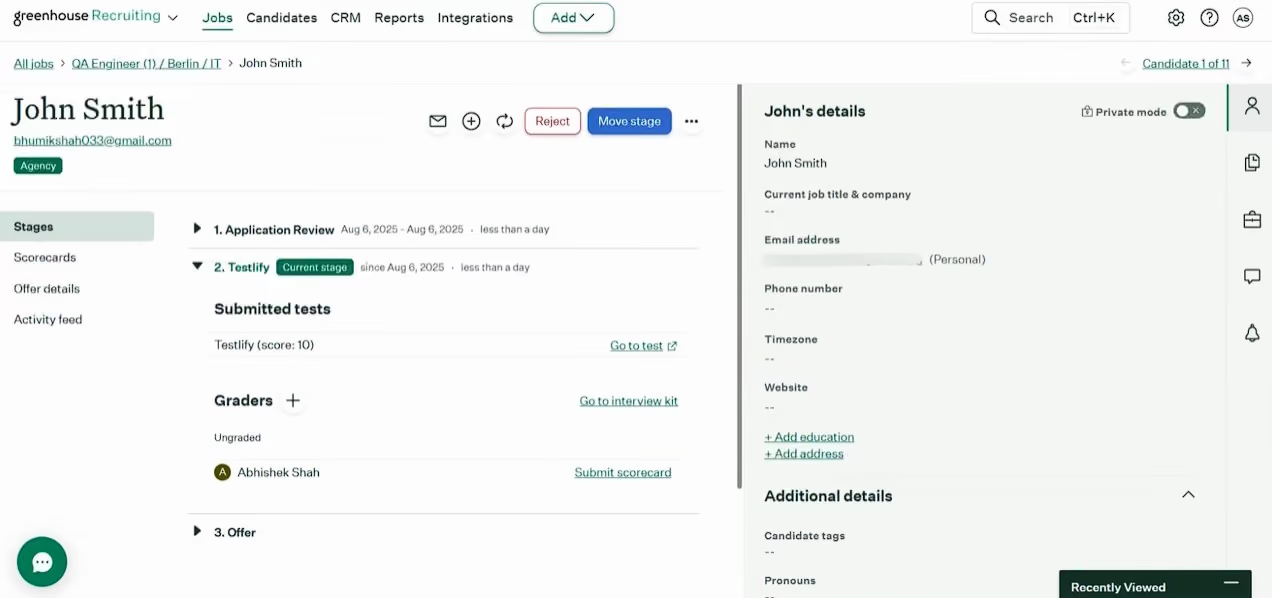
Key Features
- Structured interview kits to standardize candidate evaluation
- Customizable, drag-and-drop hiring workflows
- Extensive integration marketplace (400+ tools)
- AI-assisted talent matching and fraud prevention features
- Advanced analytics with customizable reporting dashboards
HubSpot, DoorDash, Dropbox, Wayfair.
Approximately $6,000 annually, based on information from our network. Standard contracts require a one-year prepayment, but discounted rates are available for those who prepay for two or three years.
Greenhouse's recent updates focus on fraud prevention, smarter candidate matching, and broader analytics access:
- Real Talent suite reduces spam and AI-generated resume abuse with CLEAR identity verification
- Talent Matching uses AI to prioritize candidates based on recruiter inputs, not automated decisions
- Analytics builder enables self-serve filtering, grouping and data visualization with SQL transparency
- Greenhouse Analytics expanded to all product tiers for universal reporting access


Best For
Medium to large enterprises that emphasize collaborative hiring practices.


We use Greenhouse end-to-end across our entire talent acquisition lifecycle:
- Creating requisitions with structured approval flows
- Managing all candidate pipelines in one place
- Scheduling interviews with automated reminders
- Running scorecard-based evaluations aligned to competencies
- Integrating background checks, assessments, and HRIS tools
- Automating candidate emails, compliance questions, and EOD checklists
- Using reports for capacity planning, SLAs, and DE&I tracking
Greenhouse is not just a repository, it supports a smooth, fully documented, data-driven hiring process.

- Extremely structured workflows that drive consistency across all teams
- Scorecards that improve interview quality and reduce bias
- Automations for candidate emails, reminders, and task assignments
- Powerful integrations (LinkedIn, job boards, background checks, assessments)
- Intuitive UI that even non-technical hiring managers can use
- Reporting dashboards that support forecasting and process improvement
- One of the most user-friendly enterprise ATS platforms I’ve used
We purchased Greenhouse to modernize and centralize our recruiting operations. Before Greenhouse, our process was manual, inconsistent, and heavily dependent on spreadsheets and email chains.
We needed a platform that could standardize workflows, improve hiring manager engagement, and provide real-time visibility into pipelines and reporting.
We've been using Greenhouse for over a year now, and it has become the backbone of our recruitment process.
- Reporting is powerful but has a learning curve and may require customization
- The scheduling calendar sync occasionally experiences delays during peak hours
- Some integrations (especially government contractor-specific tools) require custom setup
- Limited inline editing—you often have to open multiple screens to update details
- None of these are deal-breakers, but they could be more streamlined
Compared to other ATS platforms, Greenhouse excels in:
- Structured hiring methodology—not just a tracking system
- Scorecards and interview kits, which competitors often lack
- More mature, plug-and-play integrations
- Superior user interface
- Better onboarding for hiring managers
- Consistent workflow logic that isn’t dependent on recruiter preference
It’s built for scalability and disciplined recruiting processes.
- How structured and consistent do you want your hiring process to be?
- Do you need automation to offset limited TA bandwidth?
- Will your hiring managers actually use the system?
- How important is reporting for leadership, SLAs, and forecasting?
- Does your company need integrations with HRIS/payroll/compliance tools?
- Do you expect to scale hiring or manage government-compliance workflows?
These criteria determine whether you need a lightweight ATS or a full enterprise platform like Greenhouse.
We’ve seen Greenhouse:
- Add new automation capabilities
- Expand the integration marketplace
- Improve hiring manager task workflows
- Enhance scorecard, interview kit, and feedback capture tools
- Release more robust dashboards and pipeline analytics
- Improve mobile and remote collaboration features
They consistently update the platform and incorporate customer feedback.
Greenhouse is ideal for:
- Organizations that value structured hiring
- Teams with multiple hiring managers who need alignment
- Companies planning to scale or mature their TA function
- Firms that need auditability, compliance, and tracking
- Distributed or remote teams
- Government contracting firms that require documentation and workflow discipline
It is especially strong for TA teams focused on efficiency and quality of hire.
Greenhouse is not a good fit for very small companies that hire only a few roles per year.

Gem
Despite being relatively new to the market, Gem ATS has demonstrated impressive potential for teams seeking to unify recruiting, sourcing, and talent nurturing on a single platform. Strategic moves, such as acquiring InterviewPlanner, which now offers free, built-in interview scheduling and robust AI-led workflows, set it apart as a versatile and scalable solution.
PROS
- Offers the flexibility to use only ATS or to consolidate it with sourcing, scheduling, and CRM tools.
- Built-in database with 800+ million profiles and unlimited AI sourcing, no credit caps or candidate limits.
- Native automation for scheduling, application ranking, outreach, and talent nurturing.
- Smart calendar sync and Slack interview prep streamline recruiter workflows.
- Enterprise clients can adopt modularly, easing ATS migration concerns.
- Flexible integrations with several ATS platforms.
- Robust, yet easy-to-use analytics.
- Gem helps you discover qualified candidates across multiple channels, send personalized messages, visualize your recruitment pipeline, and stay on top of crucial hiring metrics
- Gem's integration with LinkedIn and various ATS means that all candidate data is stored in a centralized location. Users find this feature extremely useful.
- According to users, one of Gem's finest features is the ability to create automated drip campaigns to engage with both active and passive candidates
CONS
- AI-generated job descriptions and salary benchmarks are not yet available (though Metaview integration and a Pave partnership are in the works).
- Compared to long-standing platforms such as Greenhouse, Gem is a newer ATS that is not as mature in offer management, onboarding features, and integration capabilities.
- Some users have experienced slow load times and lags while using the application
- In rare cases, the contact information, such as the email address or phone number of a sourced candidate, might be wrong
- While Gem currently integrates with LinkedIn, it does not provide the option to automate messages via LinkedIn InMail
We were impressed by how far Gem has evolved from its roots in sourcing. In our demo, it became clear that Gem is no longer just a top-of-funnel tool but a fully integrated recruiting platform that now includes ATS, sourcing, interview scheduling, analytics, and CRM. What stood out was not just the breadth of features but how cohesively they worked together. Instead of feeling like disconnected add-ons, the experience felt unified and thoughtfully designed.
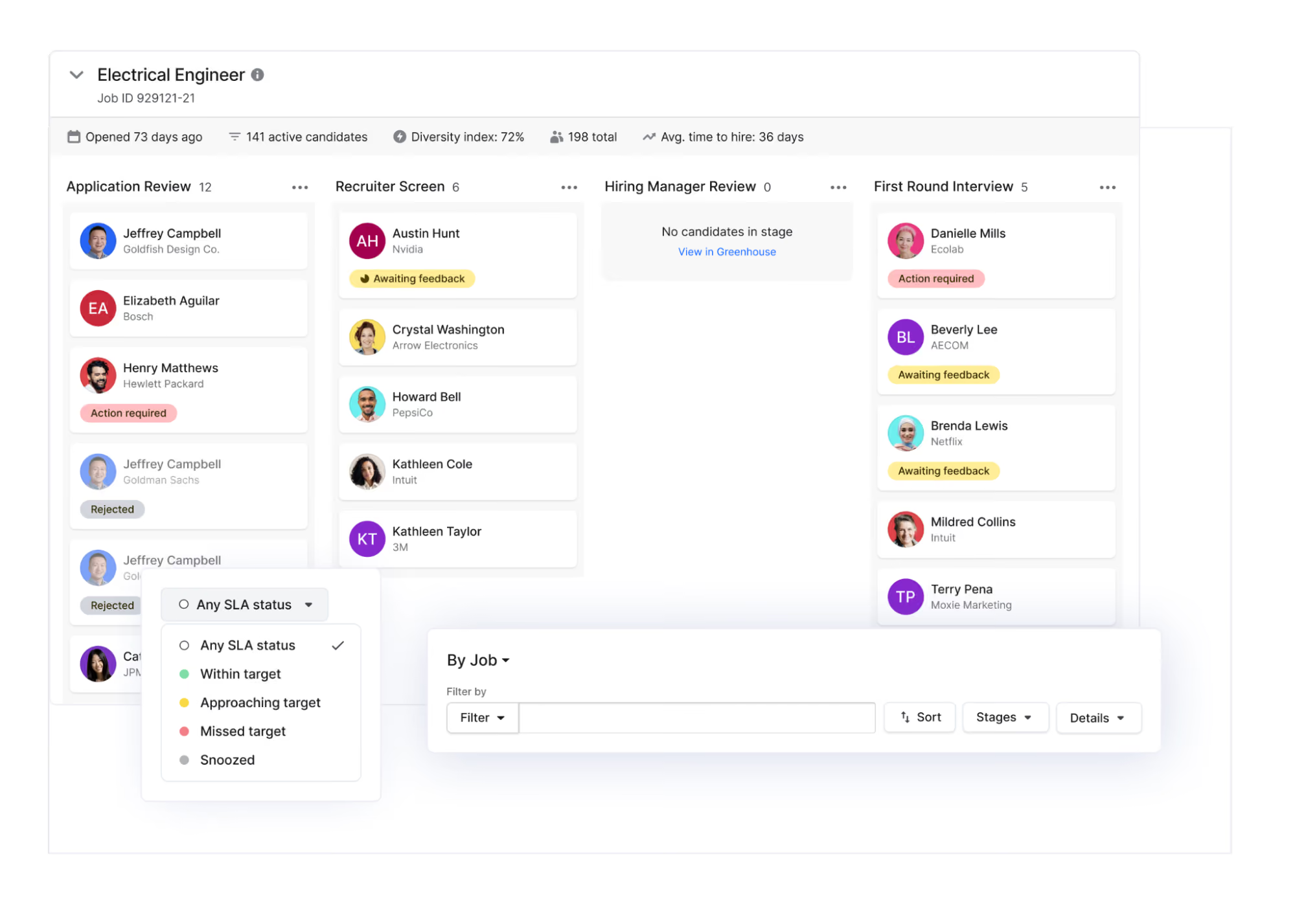
The AI application review was one of the most immediately practical features we tested. Recruiters are presented with a ranked list of candidates based on job fit, with scoring derived from auto-generated criteria within the job description. Gem shared that Zillow saw a 75% reduction in review time, which matches our impression of how this tool could streamline workflows. The real-time flagging of top candidates worked equally smoothly during our evaluation, giving the impression of an extra recruiter triaging applicants for us.
The interview scheduling feature, born out of Gem’s acquisition of InterviewPlanner, gave us more control than we expected. If you’ve ever used standalone tools like GoodTime or ModernLoop, the experience will feel familiar, but here, it comes built into the ATS at no extra cost. We liked how easily we could trigger scheduling directly from the pipeline, and how intuitive the self-scheduling links, calendar syncing, and interviewer load balancing felt during testing. For complex interview panels, the availability-request workflow also proved to give recruiters the flexibility they need.
Without a doubt, sourcing is where this platform shows its original DNA. Gem’s AI sourcing agents scan past applicants, CRM data, and a proprietary database of 800 million profiles. Fascinatingly, there are no credit or search caps. In a market where many sourcing platforms restrict usage, this freedom could make a meaningful difference for high-volume recruiting teams.
To be fair, though, Gem is still in the early stages of its journey as a full ATS, so it hasn't yet reached the same level of maturity, configurability, or track record as long-standing platforms like Greenhouse or Pinpoint. While its AI sourcing and ranking features are competitive and even ahead of many, it currently falls short in terms of built-in tools such as job description generation, salary benchmarking, and interview captions, which vendors like Workable already include. Instead, Gem is focusing on developing integrations with Metaview and Pave to bridge that gap. For now, teams that heavily rely on compensation intelligence may find this to be a noticeable shortfall.
Used by over 1,200 companies, including Groq, Tropic, and The Boring Company.
Gem ATS offers a $135/month startup program (with the first six months free for new customers with fewer than 100 employees, on a month-to-month basis). For 100+ employees, custom pricing applies, dependent on size, licenses, and products. Multi-product bundle discounts are available, anywhere from 15 to 50% depending on the number of products you purchase.
Compared to our last update, Gem’s AI Sourcing Agent now draws from over 800 million candidate profiles (up from 650 million earlier this year) and has been named an official Workday Innovation Partner. For HR tech buyers, this means broader access to global talent data and tighter integration for teams already using Workday’s ATS.
Best For
Gem ATS is well-suited for both early-stage startups and scaling enterprises. Startups can use the Startup Program for affordable access to advanced ATS and AI sourcing tools, including six months of free service. Larger organizations benefit from Gem’s unified ATS, CRM, and sourcing platform, as well as unlimited AI sourcing and built-in scheduling, which are designed to efficiently handle high applicant volumes and complex recruiting needs.

Pinpoint
Pinpoint has grown into a more powerful system than it was even a year ago. Its focus on workflow efficiency, candidate experience, and cross-team usability makes it a strong option for companies that want to streamline without losing control. It may not be ideal for every budget, but if you are running 30 or more hires a year, the time saved through automation alone could justify the investment.
PROS
- Org-wide workflow automations that scale across all roles
- Intuitive career site builder for fast candidate attraction
- Highly customizable workflows and referral tools
- Unlimited jobs and users across all pricing tiers
- Strong customer support via chat, email and phone
- Pinpoint is an agile ATS that is highly customizable and values collaborative hiring.
- It’s got a simple and transparent pricing structure.
- Pinpoint offers unlimited jobs and team members in all of its plans.
- Their customer service team is highly praised by users.
- The career site builder is very robust, allowing teams to attract and convert the right talent.
- There are over 100 HR software integrations to choose from, and Pinpoint’s team is adding 3-5 every month.
CONS
- Employee onboarding available at additional cost
- No free version or trial available
- Bespoke integrations limited to Enterprise tier
- Pricing may be steep for startups and small teams
- The employee onboarding module does cost extra.
- It isn’t the best fit if you’re looking for the cheapest ATS.
- There free trial is only available upon request.
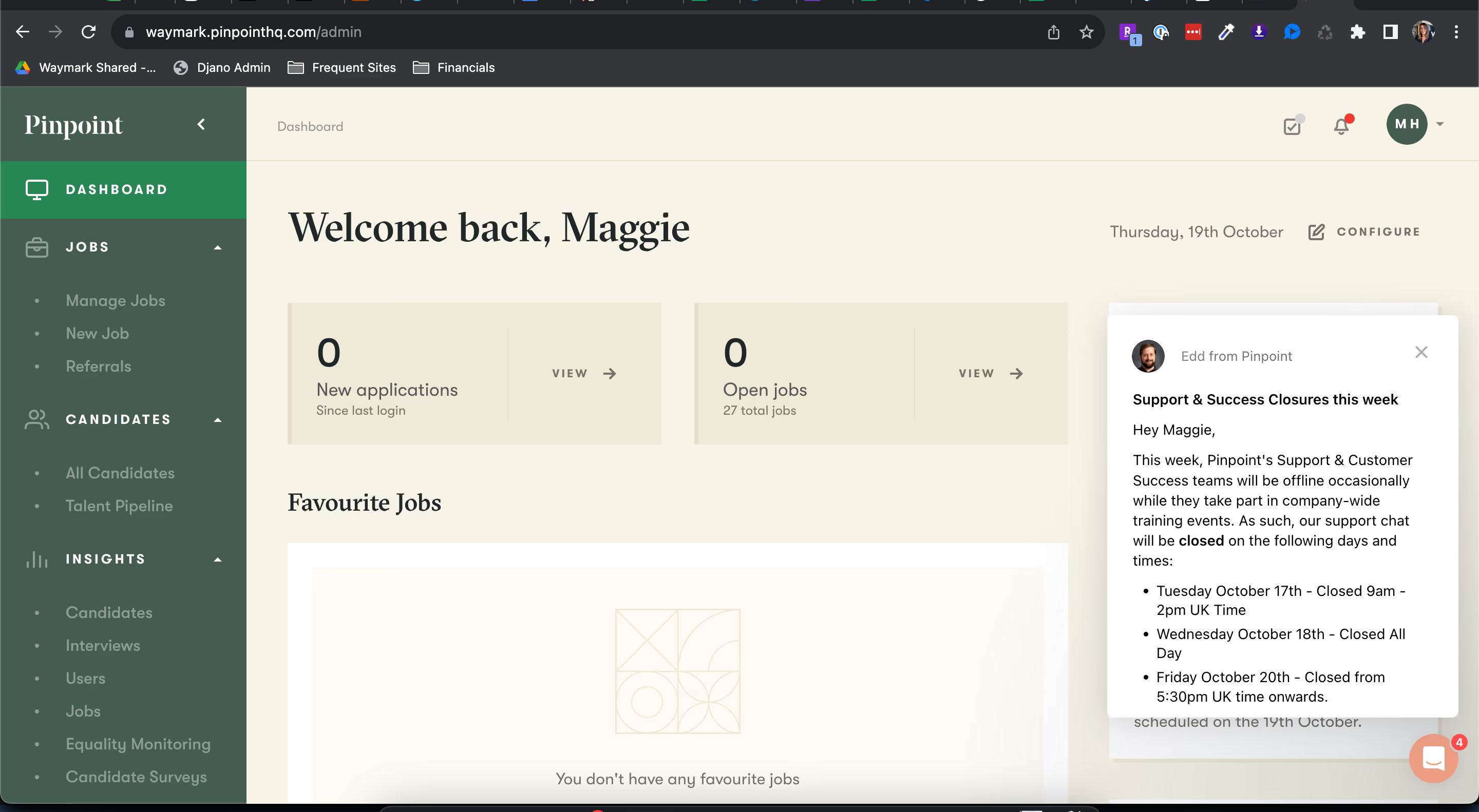
Pinpoint is one of the top ATS systems designed for in-house recruiting teams that manage consistent or high-volume hiring. We found it stands out for its advanced workflow automation, intuitive career site builder, and strong focus on scalable, repeatable hiring processes.
It’s best suited for mid-sized and growing teams that need structured, automated recruiting operations, but may not be ideal for budget-conscious teams or those looking for a free trial.

Key Features:
- Organization-wide workflow automations for consistent hiring processes
- Intuitive career site builder with no coding required
- Automated interview scheduling with time-based controls
- AI-powered candidate matching and engagement tools
- Built-in referral tracking and integrations for assessments and onboarding
CoinShares, Pathways Global, Grant Thornton, Icario, Pivot Energy
Pricing starts at $345/month (billed annually) for the Growth Plan. Plans include unlimited jobs/users, career site builder, analytics, and standard automations, with higher tiers (Enterprise, starting at $1,200/month) adding multi-page career sites, multilingual support, bespoke integrations, onboarding, and implementation support.
Startup discounts are available for companies with fewer than 50 employees.
Pinpoint's Q3/2026 updates includes:
- UK Right to Work checks: Checks can now be run for applicants who don't have a valid UK or Irish passport.
- Background checks: FCRA certifications are captured and stored automatically before a check is placed. Background check invites can now be sent in-app.
- Manual identity verification: Available for candidates who can't complete a digital ID check.
- AI Notetaker consent: Candidates confirm their recording preference before the AI Notetaker joins an interview.
- LinkedIn applications: Candidates can apply to your jobs without leaving LinkedIn.
- Scoped AI custom fields: AI custom fields can be limited to the parts of your organisation they apply to, using conditions based on location, department, division, or specific jobs.
- Quality of Hire surveys: Hiring managers receive a survey a set number of days after a new hire starts, giving you a reportable quality-of-hire measure.
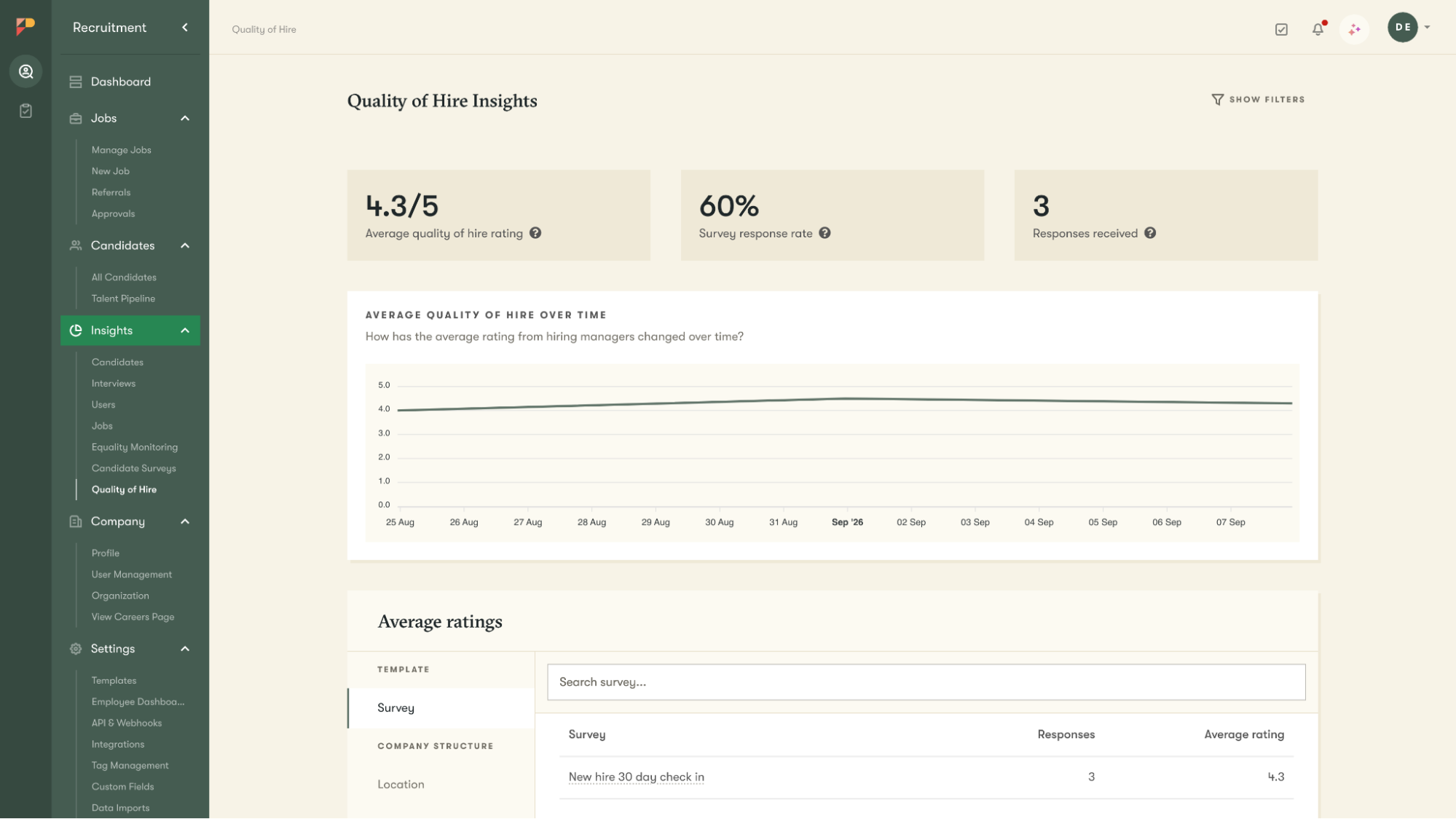
Best For
Mid-sized and scaling in-house recruiting teams, especially those hiring for 30+ roles a year and looking to streamline operations with flexible, organization-wide automations.

Job board, moving candidates through the hiring process and accepting applicants.
Excellent customer service and ease of use. We went from email organization and spreadsheets to Pinpoint and it's great for our small team. Other platforms did too much and this one just does exactly what we need.
We were looking for our first ATS and as a small startup, price and ease of use were key factors to consider. I chose Pinpoint and have been the primary user for the past 3 years.
Truly don't have any complaints. We're not power users and don't do a ton of hiring but it works for what we need it to do.
First tool we've been a customer of, but as stated lots of other tools in our research did more than we needed. They're price was also perfect for a startup.
Who is going to be using the platform and will they be comfortable with the different functions and tools.
Incredibly responsive to feedback. When we first started with Pinpoint they were pretty new as well. We've learned and worked together to make things better. Loved how they've continued to tailor services to US clients.
Excellent for small teams.
Can only speak from my own experience and everything has been positive.

Workable
If you're a fast-growing SMB with multiple roles to fill and want one platform for job distribution, candidate comms, and basic HR support, Workable brings real value. And unlike many competitors, you can test it for 15 days without a sales call.
PROS
- Native sourcing, video interviews, assessments and Core HR in one platform
- Strong recruitment automation for emails, pre-assessments, disqualifications and self-scheduling
- AI job posting assistant with tone adjustments, version control and sentence-level edits
- Multilingual candidate interface in French, German, Greek, Spanish and Portuguese
- 290+ integrations and API access for broader customization
- You can post jobs with one click to over 200 sites. You also get access to access to Workable’s talent pool with over 400 million profiles.
- Workable has built-in cognitive and personality candidate assessment. The platform also has features for offer management, which means you can create offer letters and collect e-signatures without needing to use third-party tools
- You can reduce unconscious hiring bias with Workable’s anonymized screening feature. It helps you hide identifying candidate information from the sourced and applied stages of the hiring process.
CONS
- Employer dashboard available in English only
- Higher starting price than SMB-friendly alternatives like Manatal or Wellfound
- Texting, video interviews and assessments cost extra
- No built-in candidate profile auto-merge
- Workable doesn’t provide automated reference checking and onboarding features.
- Useful features such as candidate texting, video interviews, and assessments are not offered in any of Workable’’s plans and instead, sold separately.
- Several users complained about the reporting feature not being detailed or customizable enough, and that the candidate search function could use more filters.
We’ve followed Workable for years, but our latest hands-on test revealed a platform that has matured into one of the more thoughtful ATS options for fast-growing medium-sized businesses. Our demo began with the career site builder. The no-code builder felt intuitive and quick, and in under 10 minutes, we had a page that looked sharp and felt aligned with our brand, without needing design help.
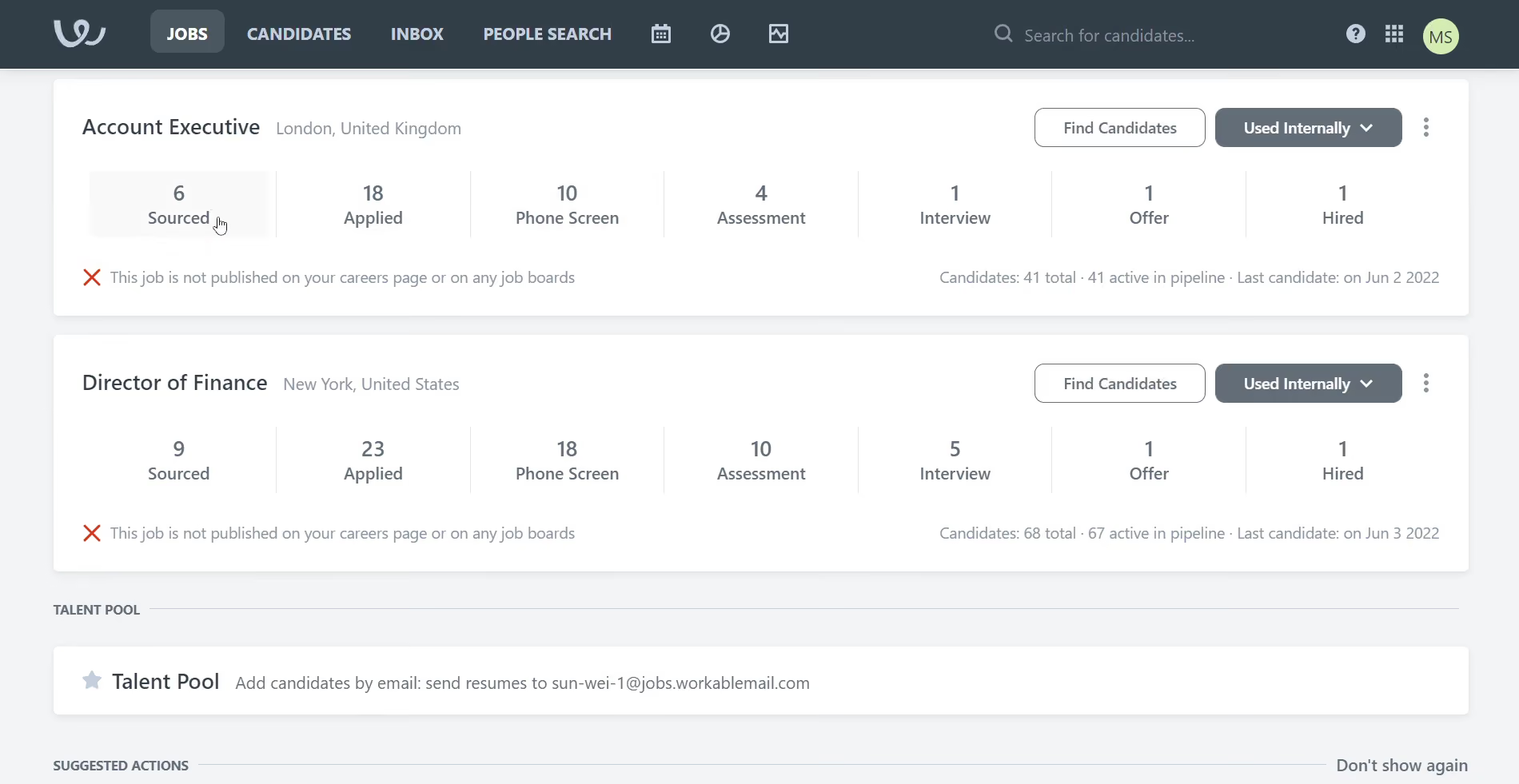
Where Workable really started to stand out was in its automation engine. We tested templates for thank-you emails, interview scheduling, and rejections. Setting up the logic took less than five minutes, and the personalization tokens (such as candidate first name or role title) were easy to insert. The real win was that we didn’t need to handhold every communication; Workable just got it done.
Another standout was the AI job description assistant. We prompted it for a Customer Support Manager job, and it returned a structured draft in seconds. But what impressed us was the control: we could shift the tone from formal to casual, revert to earlier versions, or even regenerate just one clunky sentence. It felt less like using ChatGPT and more like collaborating with a content editor.
On the inclusion front, Workable’s Language Kit was better than expected. One of our editors, who’s fluent in Spanish, reviewed the full candidate flow and found the translations to be accurate and appropriately localized. The anonymization tool also worked well, instantly scrubbing names and images from profiles. If you're serious about mitigating bias, this is a rare out-of-the-box feature that requires no IT lift.
There are trade-offs, however. One is pricing. Starting at $299 per month can be hard to justify for teams that don’t need the full range of tools. We also encountered issues with duplicate applicants. There is no auto-merge, so users may have to reconcile histories manually – an oversight that could complicate high-volume hiring.
Another mixed bag is the built-in sourcing tool. Although the ATS system surfaced a decent set of passive candidates during our trial (75 views included), it lacked the depth and granularity we’ve seen in dedicated sourcing platforms like Fetcher or Gem. So while it’s fine for occasional outbound efforts, we don’t think it can replace your sourcing stack if you hire aggressively.
Key Features
- One-click job posting to 200+ job boards with centralized listing management and performance tracking
- AI-powered sourcing, screening, and candidate qualification against job specifications
- Built-in interview scheduling and candidate evaluation tools
- Customizable workflows for recruitment processes
- Branded careers pages for candidate attraction
Workable has been used by over 30,000 organizations, including Sephora, Forbes, Bevi, Moodle, and Navarro.
Workable pricing starts at $299 per month for its recruiting module, which includes applicant tracking system software, and $349 when bundled with HRIS.
Workable's recent updates focus on stronger data control, smarter candidate filtering, and incremental AI and UX improvements:
- Expanded reporting filters for Premier users now cover candidate stages, disqualification reasons and custom dimensions
- Improved candidate search lets recruiters filter by employer history, educational institutions and custom application responses
- AI matching enhanced via SEEK partnership, using candidate progression data from SEEK, JobStreet and JobsDB to improve match relevance
- Simplified access controls separate permissions for recruiting and HRIS, making role assignment more straightforward
- Multi-location hiring consolidates multiple location postings into a single pipeline for cleaner candidate management and reporting
- UI refresh and Greek language support added, with additional languages planned
Best For
Teams scaling fast or hiring internationally.
I used Workable on a daily basis to manage our full-cycle recruitment process. It was my go-to tool for posting open positions across multiple job boards, screening incoming applications, and coordinating with hiring managers.
One of the main workflows I relied on was creating and managing customized hiring pipelines, which helped us track candidates by stage and ensure timely follow-up. I also used Workable to schedule interviews, send automated communications, and collect structured feedback from interviewers, which kept everyone aligned.
Additionally, I generated reports through Workable to monitor our time-to-fill, source effectiveness, and overall hiring activity, which supported more strategic decision-making in our talent acquisition efforts.
Workable has an intuitive interface that makes it easy to navigate and manage the entire hiring process efficiently.
Its customizable hiring pipelines and automation features helped streamline collaboration with hiring managers and improved overall workflow.
The reporting and analytics tools provided valuable insights into our recruitment metrics, supporting better strategic planning.
My prior organization implemented Workable to improve and centralize our recruiting process, which had previously been inconsistent and heavily reliant on manual tracking through emails and spreadsheets.
We needed a tool that could streamline job postings, manage candidate pipelines more effectively, and improve collaboration between hiring managers and HR. Workable provided a user-friendly interface, automated workflows, and seamless communication with candidates, which helped us reduce time-to-hire and improve the candidate experience.
It also offered valuable reporting features that gave us better insight into our recruiting metrics and helped us make data-driven decisions. I personally used Workable for about a year, and it’s become an essential part of the hiring process.
Workable’s pricing can be high for smaller teams or companies with fluctuating hiring needs.
Sometimes there were duplicate candidate profiles that Workable didn’t detect.
Integration options with some third-party tools were limited or required workarounds.
The higher-level plans did offer good features, including AI and ATS systems. Workable was also mobile-friendly, which isn't true for some competitors.
Customers should primarily consider how many job openings they currently have and how many they plan to post. It’s also essential to think about which features they actually need and whether they intend to use the system for the entire hiring process or just for posting jobs.
The integration of AI has been a more recent development.
Smaller to mid-sized companies that don't have ongoing hiring efforts can benefit from Workable.
Larger organizations and organizations that have high turnover or minimum wage jobs won’t find Workable the right fit.

VidCruiter
VidCruiter is known chiefly for video interviews, but the platform also offers a solid ATS recruitment software solution and Quick Apply, a hit feature with both TA teams and candidates.
PROS
- Can be fully customizable to meet specific recruiting needs
- Intuitive for both candidates and recruiters across all devices, no app required
- Quick Apply from Indeed and LinkedIn with automatic ATS sync
- AI-generated job descriptions, interview questions, and rating guides
- AI interview summaries, notes, and transcripts, plus optional AI scoring
- Built-in fraud and deepfake detection
- Native integrations with Dayforce, Workday, UKG, SAP, ADP, and Oracle
- Dedicated client success manager with 24/7 applicant support via phone, email and live chat
- Modular and highly configurable: buy only the products you need, add more later, or connect VidCruiter to the ATS you already use.
- Mature pre-recorded, live, and hybrid interviewing, with live calls on VidCruiter's own video room or on Zoom, Google Meet, and Microsoft Teams.
- AI features that draft job descriptions and interview questions, score candidate responses, and provide summaries, transcripts, and clear scoring breakdowns—all subject to recruiter review.
- Built-in deepfake detection and controls that stop a recording if a candidate leaves the screen.
- Runs in a browser on any device, in eight languages for recruiters and dozens for candidates, with regional servers and enterprise security certifications.
- Round-the-clock live support, a named account manager, and on-demand training.
CONS
- Implementation can still be time-consuming for complex setups, though AI now automates much of the interview build
- Advanced search and technical skills testing need improvement
- No trial version or transparent pricing
- Setup takes real effort for complex, multi-workflow rollouts, though AI now shortens interview building.
- AI scoring covers recorded interviews only; live interviews aren't scored yet.
- No free plan or trial. Pricing isn't published.
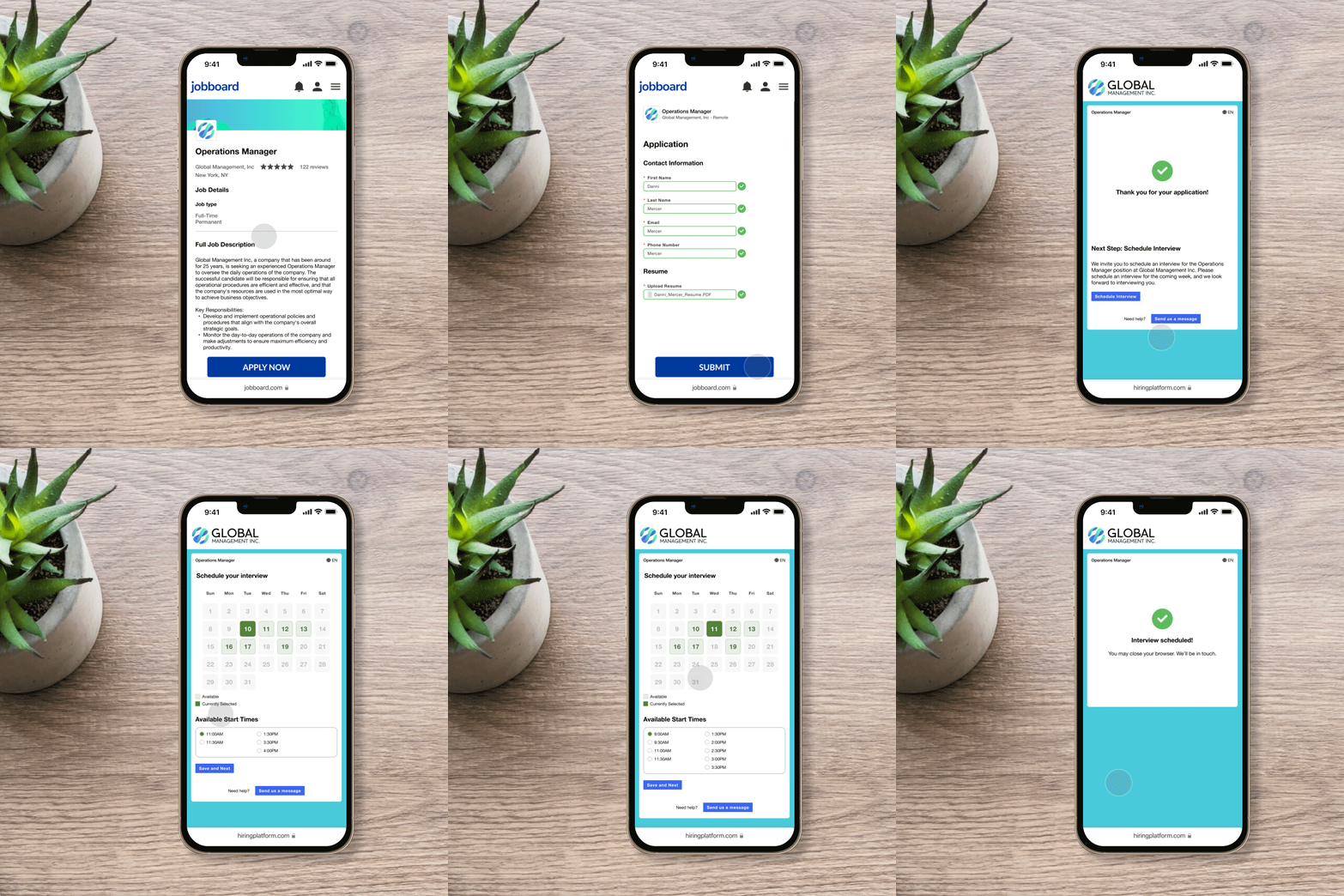
VidCruiter has been a significant player in the video interviewing software market for years, but the platform is less well-known for its ATS. However, our research shows that the ATS system is robust enough to be listed alongside other top vendors in the space.
The platform balances the needs of those on both sides of the interview pipeline. TA teams are well-equipped with highly customizable features such as job posting, pre-screening, interview scheduling, and real-time reporting, and applicants are met with a user experience clearly designed with them in mind.
To offer a glimpse of team culture, vision, and values, users can build a custom career site that delivers a branded digital experience for candidates. The site editor is simple to use, and in our testing, we managed to set everything up without help from the IT or VidCruiter support team. One particularly neat feature is that when a candidate accesses a career page supported by VidCruiter, the platform automatically generates role recommendations near them.
For recruiting teams seeking to rev up the hiring process without implementing a new ATS, Quick Apply is fast and affordable. With this feature enabled, job seekers can apply for your open roles directly through portals such as LinkedIn and Indeed.
Those who end up using both their ATS and video interviewing tools will get the most out of the platform. It supports both live and pre-recorded interviews, and the built-in AI now takes over much of the work of writing questions and rating guides. In a recent demo, we set up a job with the "AI enhanced" option. The AI suggested must-have and nice-to-have requirements based on the job title, and it generated a job description that we could make more detailed, formal, or casual (see screenshot below). A company context profile lets you feed the AI your industry, company size, regulatory context, typical roles, and brand voice, so a QA manager role at a manufacturing plant gets different questions than one at a tech company. From there, VidCruiter generates interview questions and rating guides. Recruiters can edit, swap, or approve any of them, so a human stays in the loop.
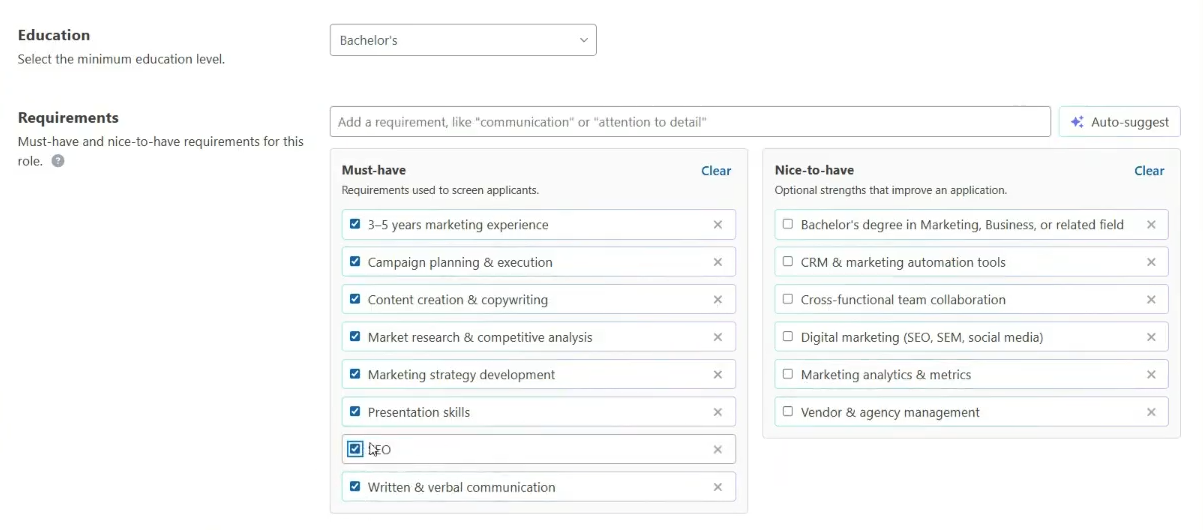
An explainable AI scoring tool is also available, but what impressed us more is that teams in regions with strict rules on automated hiring decisions can turn off the AI scoring and still use the AI-generated questions and rating guides for their own interviews.
Implementation, however, can take time. VidCruiter does provide a dedicated onboarding rep, it's not quite a plug-and-play solution if you need to launch in a matter of days. A few users we spoke with mentioned that the setup process was more time-consuming than expected, particularly for organizations building multiple workflows or complex interview steps.
Key Features:
- Customizable workflow automation with multi-level approvals and automated candidate notifications
- Centralized applicant profiles with auto-tagging, boolean search, and duplicate detection
- One-click posting to multiple job boards including LinkedIn, Glassdoor, and Indeed
- Real-time reporting with time-to-hire metrics and candidate evaluation tracking
- AI job setup: suggested requirements, generated job descriptions, and company context profiles
- AI interview questions, rating guides, and a pass/fail question checker
- AI summaries, notes, transcripts, and optional AI scoring for pre-recorded interviews
- Fraud and deepfake detection, plus leave-screen protection that can be set per question
- Native ATS/HRIS integrations with Dayforce, Workday, UKG, SAP, ADP, and Oracle
- Video conferencing integrations with Zoom, Google Meet, and Microsoft Teams
- Payroll system integration for offer letter and onboarding processing
VidCruiter is used by over 150,000 recruiters, including Lowe’s, Lionsgate, Samsung, US Foods, and the United Nations.
VidCruiter prices start at $5,000 annually, according to our sources.
Since we last checked in, VidCruiter has changed significantly. We had previously listed its integrations as a con, and they moved to the pros a while back. VidCruiter now integrates natively with Dayforce, Workday, UKG, SAP, ADP, and Oracle, and with Zoom, Google Meet, and Microsoft Teams for live interviews. The bigger story is AI. VidCruiter now uses AI to set up jobs and build interview questions and rating guides. It also summarizes, transcribes, and scores interviews, and it checks for fraud and deepfakes. Servers in multiple regions now support candidates worldwide.
Best For
Large companies and government agencies, in the U.S. and internationally, hiring 100+ people annually, especially for high-volume hiring.

We used VidCruiter daily to manage our recruitment process. The key workflows included conducting initial video interviews, which allowed us to screen a large number of candidates efficiently. We utilized its customizable interview templates to ensure consistency across different roles and departments. The platform's scheduling tools helped streamline interview coordination, reducing back-and-forth communication.

VidCruiter offered extensive customization options for interview templates, making it easy to tailor the process to specific roles. The platform included robust onboarding tools, which facilitated a smooth transition for new hires. VidCruiter's scheduling tools streamlined interview coordination, reducing the administrative burden on our team.
We initially purchased VidCruiter to streamline our recruitment process with video interviewing and onboarding tools. The platform's features for candidate management and scheduling were appealing as we needed an efficient way to handle the high volume of applications. VidCruiter helped us simplify and organize our hiring process. We used VidCruiter for about two years before transitioning to another solution that better aligned with our needs for advanced AI-powered candidate analysis and seamless HRIS integration.
The platform's AI capabilities were not as advanced as we needed for in-depth candidate analysis. We experienced some difficulties integrating VidCruiter with our existing HRIS and other systems. The user interface could be more intuitive, as some users found it challenging to navigate.
VidCruiter stands out due to its extensive customization options and robust onboarding tools, which are ideal for organizations needing tailored interview processes and seamless new hire transitions. However, its AI capabilities are less advanced compared to competitors like myInterview, which excels in AI-powered video screening and detailed candidate analysis. Integration with existing HRIS systems can also be more challenging with VidCruiter.
We prefer myInterview because of its superior AI-driven insights into candidates' soft skills and its seamless integration with our HRIS. These features significantly enhance our hiring efficiency and decision-making processes, making it a better fit for our needs.
Ensure the platform is intuitive for both recruiters and candidates to avoid slowing down the hiring process. Look for tools with robust AI capabilities that provide valuable insights into candidates' soft skills and personalities. Check if the tool integrates well with your existing HRIS and payroll systems for efficient onboarding and seamless data management.
Consider features that improve the candidate experience, such as flexible recording times and user-friendly interfaces. Ensure the tool can scale with your company's growth and offers customizable options to meet specific hiring needs.
VidCruiter has continuously evolved to better meet user needs by enhancing its video interviewing and onboarding tools. The platform has introduced more customization options, allowing companies to tailor the interview process more precisely to their needs. Improvements in user interface design have made it more intuitive for both recruiters and candidates.
VidCruiter is good for medium to large organizations that require extensive customization in their hiring processes. It is ideal for companies with a complex recruitment process that benefits from tailored interview workflows and robust onboarding tools.
Small businesses with limited budgets may not need VidCruiter due to lower recruitment needs and higher costs.
.png)
Deel
Deel ATS earns its spot for one reason most ATS platforms cannot match: hiring lives inside the same system as HR, onboarding, and payroll. For global teams, that means candidate data moves forward automatically once someone is hired rather than getting re-entered across tools.
PROS
- AI builds job descriptions, compensation ranges, and criteria from a single prompt
- Candidate scores broken down by criteria with no black-box rankings
- Flags AI-generated and mass-tailored résumés at the application stage
- Hired candidates flow into onboarding and payroll without re-entry
- Interview recordings and transcripts stored on the candidate profile
- Stage-based workflow automation requires no technical configuration
- Employees track their own referrals in real time with no HR status checks needed
- GDPR: candidate data auto-anonymized or deleted on a configurable schedule
- Excellent 24/7 customer service with fast onboarding (2-3 days) and local payroll experts in each jurisdiction.
- Seamless integration with platforms like QuickBooks, BambooHR, and Greenhouse, plus custom integration options.
- User-friendly, self-service features enable quick setup; identity verification often takes under 24 hours.
- Automated invoices simplify payments, provided they're in English.
CONS
- Requires Deel HRIS with no standalone option
- Lacks features for candidate relationship management or blind hiring
- Referral bonus payouts through payroll not yet available
- Key features like onboarding automation are add-ons, which may increase costs.
- Limited flexibility in modifying contracts or service agreements; changes often require an addendum.
- Invoices cannot be generated in languages other than English.
For teams already running HR and payroll inside Deel, the ATS is a natural extension rather than a separate tool to manage. The practical benefit shows up immediately after a hire: candidate information moves straight into onboarding and compensation workflows without anyone re-entering data or exporting files. That handoff is where a lot of hiring processes break down, and Deel sidesteps it entirely by keeping everything in one system.

The dashboard gives hiring managers a working view of what needs attention: open roles, offer acceptance rates, scheduled interviews, pending approvals, and interviewer feedback. It is not the most visually sophisticated interface on the market, but it surfaces the right information without requiring much navigation.
Job creation is one of the nice AI implementations we reviewed. Describe a role in plain language and the system generates a full posting, including compensation ranges, a job description, and specific role criteria built from your internal structures. When we tested it without specifying seniority, it produced three separate postings for junior, mid, and senior levels, each with tailored skills and education requirements. That kind of structured output typically requires meaningful time to produce from scratch.
Those criteria feed directly into candidate screening. Each applicant gets a score tied to the specific requirements defined for the role, and you can see exactly how they map to each one. That level of transparency is meaningful. It keeps human judgment in the loop and gives hiring teams something concrete to discuss rather than a number with no explanation behind it.
One area where Deel ATS is doing something different is résumé fraud detection. The platform is actively building tooling to flag applications that appear to have been generated or heavily tailored by AI. With mass applications and auto-written résumés now a widespread problem, having a filter at the intake stage addresses something most platforms have not prioritized.
Workflow automation covers the common use cases well. Emails, tasks, and notifications can be triggered automatically when a candidate moves through a stage. It does not require technical setup to configure, which matters for HR teams without engineering support nearby.
The referral system is a practical addition. Employees can submit candidates and check their status without reaching out to HR, although referral bonuses tied to payroll are not yet automated. Teams that offer financial incentives for referrals will need to handle that manually until the feature ships, which Deel has indicated should happen this year.
Another thing we think worth pointing out is that Deel ATS requires Deel HRIS as its foundation. That is not a flaw for teams already in the ecosystem, but it rules out the platform for anyone looking for a standalone hiring tool or wanting to combine it with a different HR system.
40,000+ organizations.
Deel ATS does not have standalone pricing. It is built on top of Deel HRIS, which starts at $5 per employee per month, with ATS pricing determined on a custom basis.
Best For
Global teams already on Deel that want a single system for hiring, onboarding, and payroll rather than managing those workflows across separate tools.

From an HR perspective, it's like moving from chaos to calm.
- Empowerment: The platform feels like a strategic partner, allowing us to focus on what truly matters in HR.
- Single Source of Data: Deel serves as a central hub for employee data—eliminating the need to open multiple sheets to gather information such as periods, employee records, and performance. It’s professional, organized, and aligned with leadership needs.
- Confidence: Deel provides a sense of relief and assurance. As an HR professional, I don’t need to worry about international labor laws, especially during onboarding processes.
- Deel supports faster growth by minimizing legal risk and enabling lean, efficient HR operations.
- For C-level leaders, it’s a strategic solution that supports the achievement of company goals.
- It reduces waiting time for global expansion efforts.
- Its easy access to data helps predict trends, analyze scenarios, and support timely decision-making.
Our organization was struggling with complex HR processes such as recruitment, onboarding, and paying international contractor employees while ensuring compliance with each country’s labor laws.
After implementing Deel, a key improvement has been the consolidation of our entire international workforce management into one tool.
This is a fully automated platform, which eliminates the need for manual administrative tasks.
With the full interface in place, the platform ensures compliance with labor laws in every region. Deel allows our HR teams to focus on strategic work instead of administrative activities.
- Report customization is limited. While the data exists, additional work is needed—such as pivoting—to extract certain valuable insights.
- It currently works only on PC and lacks a mobile-friendly version, unlike other apps.
- It can be expensive for smaller startups.
- Deel’s support channels are primarily AI bots, which can delay urgent responses when quick answers are needed.
- Deel offers greater flexibility in currencies and allows contractors to choose their payment methods.
- It has better infrastructure and operates in over 100 countries.
- It provides a unified dashboard for managing and viewing data.
For HR teams, focus on integration, compliance, and risk mitigation. For the IT team, consider pricing, especially if it comes from the IT budget, and whether the platform offers strong global support.
Deel has evolved from a payroll solution to an all-in-one infrastructure. It now includes robust IT equipment and can scale into an HRIS for both global and domestic teams. Recently, it has introduced AI support to assist with in-process tasks.
Deel is well-suited for tech startups and software development companies, especially those with more than 50 employees.
Deel may not be ideal for domestic small businesses with limited budgets.
AvaHR
AvaHR left a lasting impression on us with how much the ATS cares about making things easy for users and helping teams work together better. Its Pipeline Triggers take care of mundane tasks that come up during the hiring process, while the Shared Inbox keeps all the messages, questionnaires, and scorecards coming in safe and sound.
PROS
- Intuitive UI with Pipeline Triggers for stage-based automation
- Shared Inbox consolidating messages, questionnaires and scorecards
- Free data migration service
- Transparent pricing with free trial available
- Culture Profiles let you add videos, photos, and text to showcase your company's work environment.
- Pipeline Triggers automate repetitive actions based on a candidate's stage, such as sending thank-you emails or requesting hiring team feedback.
- Custom questionnaire builder for candidate pre-assessments.
- Data migration service is available at no additional cost.
- Transparent pricing, free trial available.
CONS
- Credit card required for free trial
- Resume parsing, interview scheduling and custom search currently unavailable
- eSignatures and employee referrals cost extra
- No free plan, a free trial requires a credit card.
- Pricier than competitors like Loxo and Zoho Recruit.
- Additional charges for features like eSignatures and employee referrals.
- Interview scheduling feature is unavailable (still in development).
AvaHR has a thoughtfully designed interface that from the moment we logged in, we could tell the team behind this ATS system had put serious effort into crafting a user experience that’s intuitive.
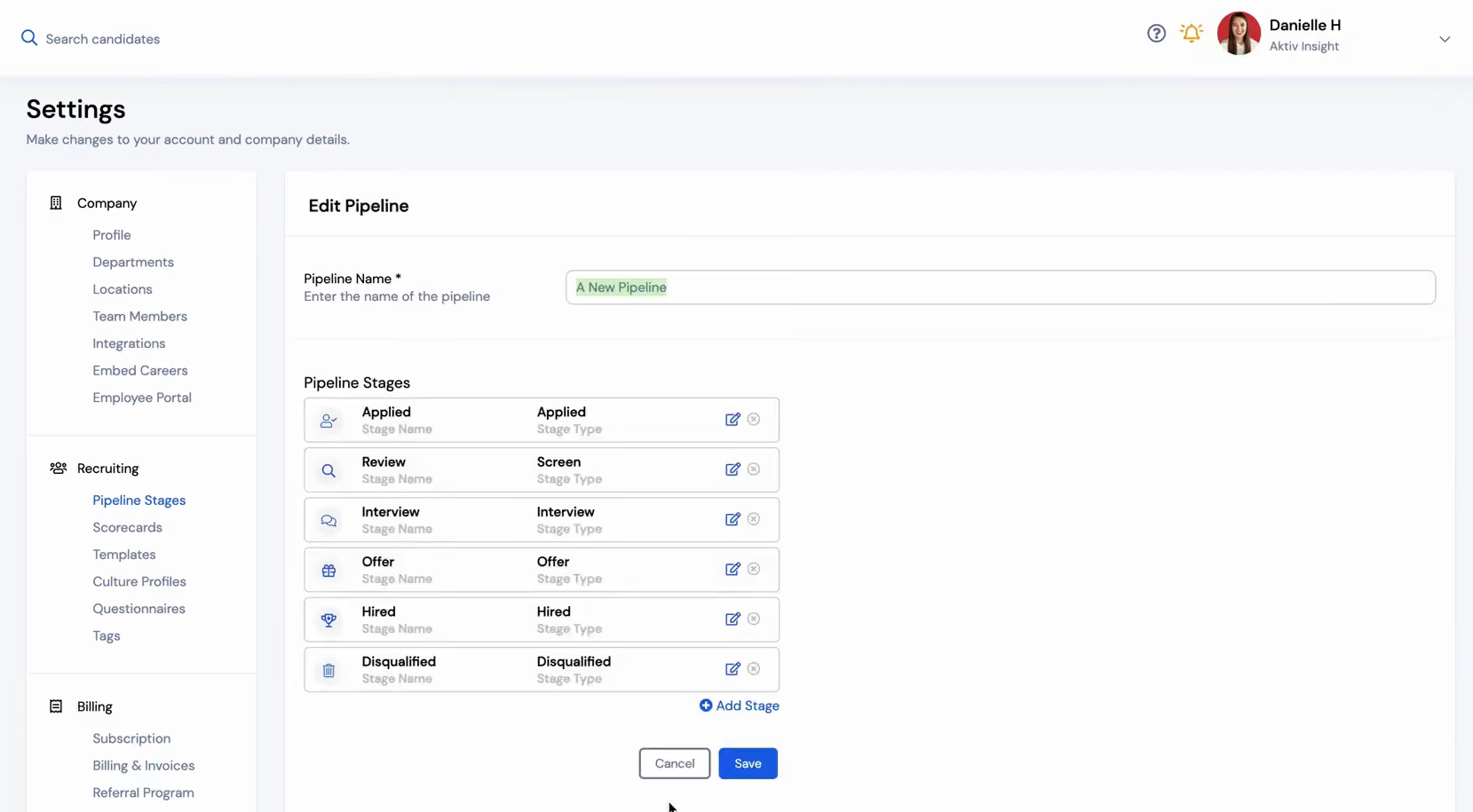
A standout feature right from the start was the Pipeline Triggers. Based on where an applicant is in the process, it can automate tasks like sending thank-you emails or requesting feedback from the team— to spare recruiters from the mundane, easy-to-miss details.
The design of the Candidates section is also really nice. It offers a bird's-eye view of all applicants' key information, including their application dates, hiring stages, and contact details. During our tests, the filter function helped narrow down candidates by job title, department, and other criteria. The minus was that we couldn’t find any advanced options like Boolean searches or more natural language prompts.
On par with other robust ATS systems, AvaHR's candidate communication features offer emails and SMS messages directly from the platform. For these workflows, you can use templates and bulk actions to make things faster. Our favorite, though, was the Shared Inbox. It kept all incoming messages, questionnaires, and scorecards, which made it much easier to manage candidate interactions and keep the team aligned.
However, we noticed that the interview scheduling feature was absent at the time of this review. The integration options are also quite modest compared to other platforms we’ve evaluated.
And while the team offers free data imports if you’re migrating from another ATS (which we love), we can’t say the pricing is as competitive as some competitors like Zoho Recruit, considering there’s no free plan and some features, such as eSignatures and employee referrals, cost extra.
Key Features
- Multi-board job posting to 100+ boards with single posting
- Drag-and-drop pipeline with candidate profiles, notes, scorecards, and stage tracking
- Pre-qualifying questionnaires with automated declines for candidates not meeting requirements
- Source tracking and reporting to identify highest-performing job boards
- Integrations with email, calendar, CRM, payroll, and HRIS systems
1,000+ companies, including Redirect Health, BuzzRX, and State Farm.
Three pricing plans available: Starter at $89 per month, Grow at $179 per month, and Pro at $279 per month (billed annually).
AvaHR hasn’t rolled out any new features since its rebrand in April 2025.
Best For
US-based companies with more than 100 employees.

We use AvaHR almost daily as part of our ongoing recruitment efforts at Impression Foot and Ankle. It serves as our central hub for posting job ads, managing open roles, and screening applicants.
One of the most valuable workflows for us is the automated candidate communication, which keeps applicants informed and engaged without requiring manual follow-up. We also rely heavily on AvaHR’s customizable hiring stages, which help us move candidates through the pipeline smoothly and consistently.
The platform’s collaboration tools allow multiple team members to leave feedback and ratings, making it easier to make quick, informed hiring decisions. It has become an indispensable part of how we attract and evaluate top clinical and administrative talent.

- AvaHR’s automated candidate communication saves us hours each week by keeping applicants informed and engaged without manual effort.
- The customizable hiring pipelines make it easy to tailor workflows to different roles across our clinics.
- The user interface is clean and intuitive, enabling our team—from admins to hiring managers—to collaborate easily without extensive training.
- Their customer support is responsive and helpful, making implementation and ongoing use smooth and efficient.
At Impression Foot and Ankle, we were experiencing major inefficiencies in our hiring process, including disorganized applicant tracking and inconsistent communication with candidates.
We needed a solution that could streamline our recruiting workflow, help us present a more professional front to applicants, and reduce the time our team spent on manual follow-ups.
We chose AvaHR because of its user-friendly interface, strong automation features, and how well it adapts to the needs of a growing practice like ours. Since implementing it over a year ago, we’ve seen significant improvements in both the speed and quality of our hiring.
I’ve personally used AvaHR for about 14 months, and it has become an essential part of how we bring new talent into our clinics—organized, efficient, and stress-free.
- There’s a slight learning curve when setting up more advanced workflows, though the support team is quick to assist.
- We would like to see deeper integrations with some of the niche medical software tools used in our practice.
- The mobile experience could be more robust for better access on the go.
We’ve used BambooHR in the past, and while it is a solid all-in-one HR platform, AvaHR stands out by focusing specifically on the hiring experience.
AvaHR is more intuitive for building custom pipelines, automating communication, and facilitating team collaboration during the hiring process. It is lighter, faster, and easier to implement—especially for small to mid-sized businesses that want to move quickly without a steep learning curve.
Unlike BambooHR, which can feel generalized, AvaHR provides a more tailored and flexible approach to recruiting. We prefer AvaHR for its simplicity, focus, and adaptability to our specific hiring needs without unnecessary features.
When buying a hiring tool like AvaHR, consider how intuitive the platform is—your team should be able to adopt it quickly without extensive training. Look for customization options in the hiring pipeline so the system can support your process instead of imposing a rigid structure.
Automation features are essential, especially for communication and scheduling, as they save time and enhance the candidate experience. Also, check whether the tool integrates with your existing systems or offers flexible data exporting options.
Test the responsiveness of customer support early on, as it's a strong indicator of long-term success with the platform.
The application is continuously updated with new features that align with hiring needs. The addition of AI-powered tools—such as a job description writer and candidate scoring—has been especially helpful and reflects their commitment to innovation.
AvaHR is well-suited for small to mid-sized businesses that are growing quickly and need a streamlined, easy-to-use hiring system without the complexity of enterprise-level HR suites. It is ideal for organizations seeking to centralize recruiting, improve candidate communication, and enable collaboration without requiring internal HR tech expertise.
Teams with multiple locations or departments, such as medical practices, retail operations, or franchises, will benefit from its customizable pipelines and unlimited user access.
AvaHR works best for companies that prioritize a smooth, professional candidate experience and want to hire efficiently without sacrificing personalization.
AvaHR may not be ideal for very large enterprises that require a comprehensive all-in-one HRIS with extensive payroll, benefits administration, and compliance management.
Organizations with highly complex or heavily regulated hiring processes might find its customization options limited compared to more robust enterprise-level solutions.
Spark Hire
Spark Hire has evolved from a strong collaborative ATS into a thoughtfully integrated AI hiring suite without sacrificing usability. The ATS product, Spark Hire ATS, is SMB-focused, easy to navigate, and appeals to hiring managers with scarce time and attention.
PROS
- Multiple practical AI-powered hiring tools are embedded directly into workflows.
- Automated interview scheduling eliminates calendar chasing.
- Clear visibility of feedback, candidate progression, and hiring stages.
- Strong analytics framework, including unified assessment reporting and a new “Qualified” metric for performance tracking.
- Collaboration features like scorecard libraries and structured evaluation summaries reduce bias and improve alignment.
- Built-in one-way video interviews and AI phone screening integration (Team Me) streamline early-stage screening.
- Data analysis dashboard and features are top-tier.
- Efficiency-focused elements, like one-way video interviews, are great for busy TA teams.
- Collaboration is enabled by features that offer pipeline transparency to multiple stakeholders.
CONS
- No monthly contract option for ATS. No free trial either.
- Recruit Pro plan price rose from $299 to $335 since last review.
- Some users require more customization than what is offered.
- Not the best bet for large enterprise users.
- No free trial version.
- Some users require more customization than what is offered.
- No caption or translation features in video limits access for some candidates

Spark Hire ATS enables collaborative hiring and has evolved significantly over the past year. What began as a video-first ATS has grown into a thoughtfully integrated platform that combines structured workflows, embedded AI tools, and clear candidate visibility for hiring manager participation. After testing it multiple times, what stands out most is how it centralizes all candidate information in an easy single view for easier hiring manager collaboration.
The interface remains one of Spark Hire’s biggest strengths. Each time we logged in, the system felt clean and manageable. Even with the addition of AI features and deeper reporting, we did not feel buried in menus or overwhelmed by options. For small Talent Acquisition teams, that clarity matters.
The “Efficiency Checkup” inside the position workflow is a good example of practical innovation. It recommends adding tools such as AI Resume Review, one-way video interviews, predictive assessments, offers, and automated reference checks directly into the hiring flow. We like that these features are surfaced where hiring managers already work instead of being hidden in settings. It gently nudges teams toward more structured, data-informed hiring.
The AI Evaluation Summary is another highlight. It compiles interview feedback, resume reviews, and reference checks into a structured overview that highlights strengths, concerns, and attribution. In our experience, this shortened debrief conversations and reduced the need to comb through scattered notes.
Spark Hire’s easy coordination features for recruiters and hiring managers remain one of its strongest differentiators. The self-service interview scheduling, calendar integrations, and approval workflows enable easy, seamless hiring for lean teams.
The upgraded assessment analytics dashboard unifies reporting across assessment types and introduces pipeline progression visibility along with a “Qualified” metric. For SMBs that want more than basic funnel tracking, this feels like a meaningful step forward. It gives hiring teams better insight into how effectively they are identifying strong candidates without requiring advanced technical expertise.
Operational improvements also show maturity. Audit logs accessible via API provide visibility into logins, role changes, and API activity, which is important for compliance-minded organizations. The reusable scorecard library, personalized notification controls with Slack delivery, improved position layouts, and a redesigned internal job board all contribute to a more cohesive and structured hiring experience.
That said, we do find the platform clearly favors structured, process-driven hiring environments. Consequently, teams seeking highly customized or unconventional workflows may find some guardrails restrictive. While the AI summaries are helpful, they may feel overly simplified for organizations that prefer deep manual evaluation of raw feedback.
There is also no free trial and no monthly subscription option, which can make it harder for cautious buyers to test the platform before committing. Although analytics are strong for the SMB market, companies seeking enterprise-grade workforce modeling will likely need to export data for deeper analysis.
Key Features
- Customizable workflows with drag-and-drop flexibility to build hiring processes specific to each role and team
- AI-assisted resume review with automatic candidate prioritization and AI-generated job descriptions
- One-way video interviews with AI transcription, summarization, and competency-based scoring
- Automated interview scheduling with candidate self-booking and calendar synchronization across hiring teams
- Structured feedback collection with interview scorecards, AI-generated questions, and automated hiring manager reminders
7,000+ organizations, including Fiverr, Monday.com, Sodastream, Vimeo, and KPMG.
Spark Hire ATS offers three main pricing tiers. When billed annually:
- Recruit Pro plan is $335/month for businesses up to 200 employees needing essential automation
- Recruit Growth plan is $499/month, targeting companies up to 500 employees with a need for advanced workflows and insights
- Recruit Enterprise plan requires contacting Sales for a custom quote and is designed for companies with more than 500 employees
Spark Hire's recent updates focus on AI screening accuracy, scheduling automation, and platform usability:
- AI Resume Review re-evaluation refreshes candidate rankings when position requirements change
- Internal-requirements-only evaluation aligns AI assessments with team-specific hiring criteria
- AI candidate feedback summaries consolidate interview, reference check and resume review data
- Efficiency Checkup surfaces recommended workflow steps including AI Review, video interviews and assessments
- Auto-send self-scheduling invites triggered at interview steps with weekly limits and auto-pausing
- Automated interview reminders sent 24 and 2 hours before scheduled interviews
- Custom one-off offer letters uploadable without saving to the template library
- Internal job board now supports search engine un-indexing, location and department filters
- Library permissions centralize ownership and access controls for templates and scorecards
- HiBob Workforce Planning sync imports approved headcount directly into Recruit
- Audit Logs API tracks logins, role changes and access updates for compliance monitoring
- Redesigned navigation with unified left-hand menu and consolidated Library section
- New job board integrations with HireMe and PTCareerTree.com
Best For
Small and medium-sized companies (5-500 employees).

We use SparkHire for one-way interviewing and sifting through first-round applicants. The scheduled interviewing function saves us time and energy. The live interviewing feature is another key aspect we use. We prefer using specialized tools like SparkHire because they fit our processes better, especially with features like recording and sharing interviews. Accessing interview questions within the system is also very helpful.
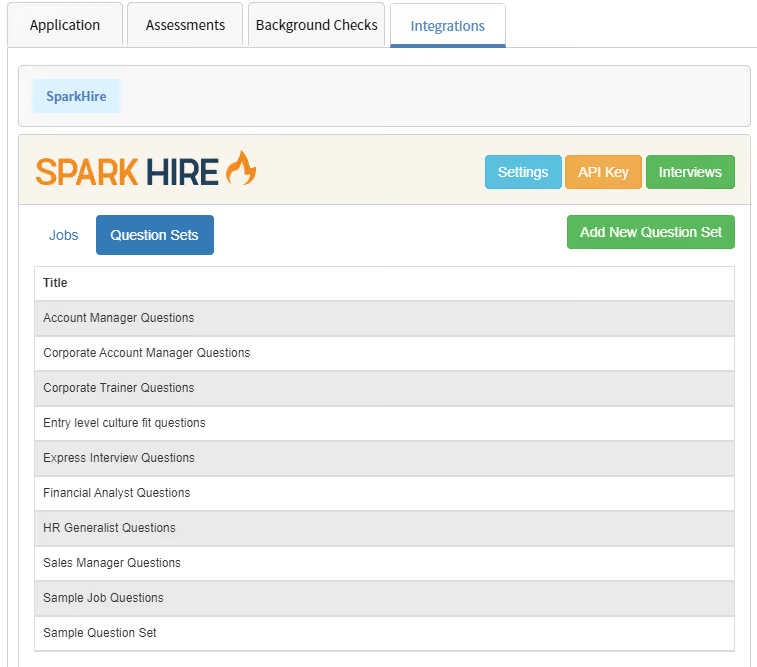
SparkHire aligns well with our brand image. It offers robust analytics and reporting modules. The limited takes and think time feature is great for streamlining one-way interviews and creating a more structured interview process.
We began using SparkHire during the pandemic to address the challenges of remote work and hiring. We needed to recruit virtually and quickly while maintaining our brand image. SparkHire solved our hiring challenges due to three main features: its dynamic and agile branding, which aligned with our image; its quick launch, as it was one of the few tools that allowed instant sign-up without a scheduled demo, which was crucial when we needed to move fast; and the one-way interviewing feature, which provided the flexibility and adaptability we needed as our organization transitioned to remote work.
We also used it more recently as we expanded internationally and increased our hiring volume. I have personally used it for about a year.
The cost can be an issue for us since we often use the app intermittently. Integrating it with our ATS was not straightforward. I think they could expand the range and originality of their interview question templates.
SparkHire has a very responsive and meticulous customer service team compared to others I’ve used. I appreciate that it offers unlimited interviews, which many other tools do not. The transparent pricing and instant sign-up process make joining faster and more enjoyable.
One-way recorded interviews are essential for creating a flexible and scalable hiring process. A good reporting and analytics function is also crucial, especially for volume interviewing.
The user experience has improved, particularly in terms of stable and reliable media connections.
SparkHire is well-suited for organizations of all sizes that operate remotely.
SparkHire may not be ideal for co-located organizations that don’t engage in volume interviewing. For organizations that do occasional low-volume remote recruiting, this tool might be overkill.

Manatal
Manatal is among the most budget-friendly ATS we’ve known, and more importantly, at that price point, the vendor still manages to offer a product that is user-friendly and AI-equipped.
PROS
- Among the most affordable ATS options with a 14-day free trial
- Intuitive drag-and-drop pipelines
- Native AI-based candidate recommendations
- Web-based and accessible across all devices
- Free data migration from existing hiring software
- Boolean and Advanced Search now combinable
- Manatal is quite affordable and offers a 15-day free trial for users to test it out before making commitments.
- Manatal is fairly easy to use. It features drag-and-drop enabled pipelines for candidate organization.
- Manatal’s AI-based recommendations feature can save hiring managers quite a bit of time. It’s able to scan job descriptions then search a users talent pool and bring up candidates most suited for the job.
CONS
- AI recommendations perform best in English only
- No free plan available
- ADP and Zapier integrations restricted to top-tier plans
- The AI recommendations feature works best with resumes that are in English, and doesn’t work as accurately with other languages according to several users’ feedback. Several users have also complained about Manatal’s interface only being available in English and that career pages cannot be published in languages other than English and Spanish.
- Manatal doesn’t offer a free plan. We mention this as a con as several SMB-geared ATSs do offer a free-forever verison, and that puts Manatal slightly behind competition.
- Manatal doesn’t offer prebuilt integration modules. They do have an open API that allows users to plug in third-party products and custom tools, but that required a bit more time and technical knowledge to accomplish. It’s also worth mentioning that only Custom plan customers can access Manatal’s API and Zapier integration. Customers on the Professional and Enterprise plan cannot.
- Users can search for candidates via Boolean Search or Advanced Search, but cannot combine the two search methods together. E.g users cannot use the Boolean search operators (AND, OR and NOT) within Manatal’s Advanced Search tab.
Anh Nguyen, one of our tech reviewers and editors for this buyer guide, has years of experience working as a recruiter in startup environments. As she noted during our testing of products for small businesses, balancing budget and usability is key, and Manatal proves to be a valuable tool in that regard.
The first on our thumbs-up list is that it’s very SMB-friendly. Pricing is affordable and transparent. A 14-day free trial is also available without any gates.
Using Manatal was straightforward owing to the drag-and-drop-enabled pipelines. We also found the AI-based candidate recommendations feature to be a time-saver. It compares job descriptions' language to skills listed by individuals in the talent pool. The ATS system has also introduced the Advanced Search to support a blend of Boolean and Semantic search, providing options for Required, Preferred, and Must Not criteria to enhance precision.
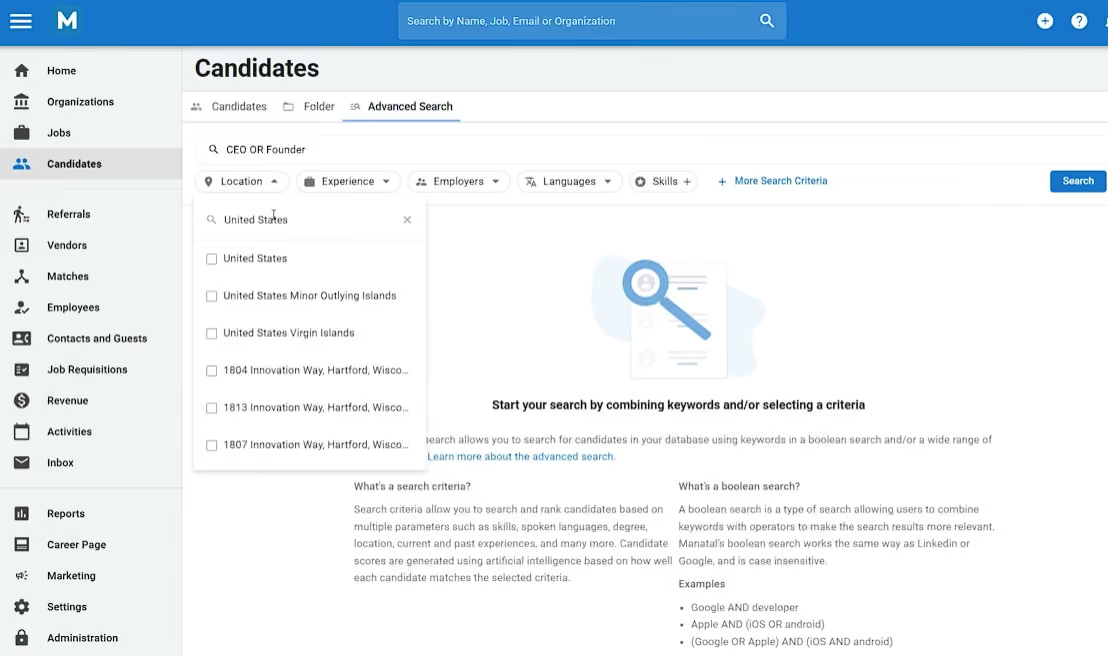
However, we found the AI recommendation feature to not operate well in languages other than English. Integration is limited, with several integration options restricted to top-tier plans.
It’s also worth clarifying that while Manatal is a low-price ATS, it doesn’t have an entirely free edition like Zoho Recruit, Dover, or Wellfound.
Key Features
- Drag-and-drop pipeline with kanban and list views for candidate tracking across customizable recruitment stages
- Candidate profiles with centralized resume data, notes, annotations, and assessment results
- Automated workflow triggers for personalized candidate communications at each pipeline stage
- Advanced search with AI semantic search, Boolean filtering, and relevance scoring
- Email and calendar integration with Outlook/Gmail, SMS messaging, and batch email campaigns
Unilever, Coca-Cola, Panasonic, Ogilvy, Toyota.
Manatal pricing starts at $15 per user per month. More specifically:
- Professional: This plan costs $15 per user per month for up to 15 jobs per account and 10,000 candidates. Customers on this plan can add unlimited guests.
- Enterprise: This plan costs $35 per user per month for unlimited jobs per account and unlimited candidates and guests.
- Enterprise Plus: This plan costs $55 per user per month and includes all Enterprise features, user groups, open API access, SSO log-in, priority support, and access to Beta features.
- Custom: Pricing upon request.
Manatal's recent updates reflect a strong push into AI-assisted sourcing, screening, and data standardization:
- AI Recommendation Engine extracts job requirements, ranks candidates across the database, and delivers explainable results with weighting controls
- AI Interviewer conducts asynchronous interviews with job-based or custom questions, multi-language support, and candidate strength and weakness summaries
- HeyMilo integration automates candidate outreach, SMS screening, and AI-powered voice and video interviews with results syncing back into Manatal
- People-Match AI enables one-click contact creation from LinkedIn, Xing, SEEK, Naukri and other platforms with duplicate detection and source tracking
- Customizable Object Creation Forms standardize data entry across candidates, jobs, organizations and contacts to reduce incomplete records
- CV-Library Group integration expands free job distribution across its UK network
Best For
Small businesses experiencing headcount growth.

I use Manatal daily for candidate and client sourcing, as well as applicant tracking. It serves as the primary ATS and CRM for my recruitment consulting company. I use it to post jobs to our career site, client websites, and job boards.
The platform also allows me to create client companies, assign client contacts, and manage candidate records. It’s a comprehensive tool that supports the full recruitment workflow.
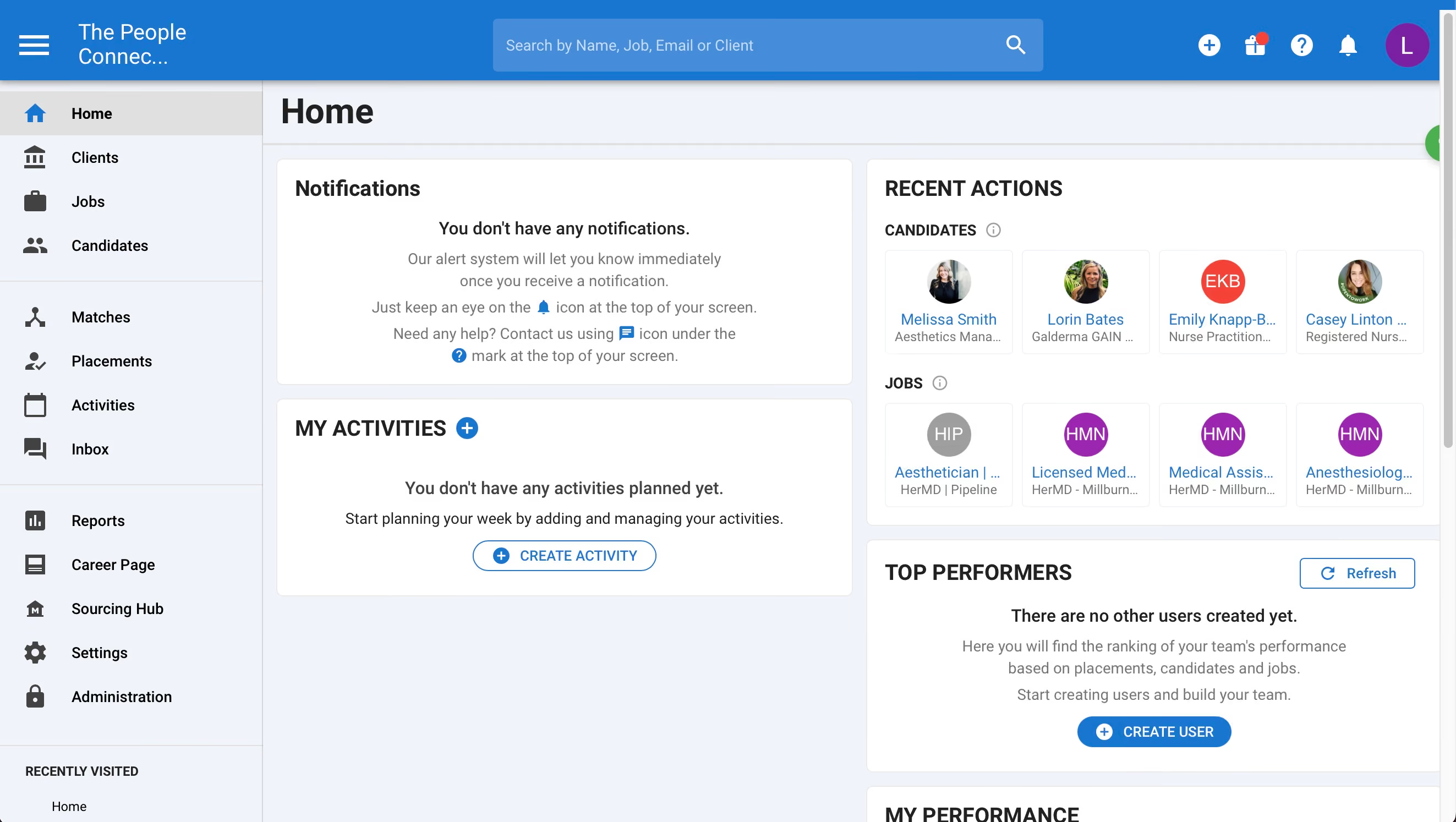
- I really like the Chrome extension for sourcing candidates via LinkedIn.
- The ability to create folders for candidates is helpful for prospecting and organization.
- I appreciate the customizable interface, especially the option to change list views.
We purchased Manatal for use as a recruitment Applicant Tracking System. We needed a well-functioning product that was also user-friendly for candidate sourcing. Our goal was to find an ATS that also includes CRM capabilities.
The integration with LinkedIn via a Chrome extension was especially helpful for sourcing purposes. I have been using this product for about two years.
- I wish there were more advanced customization options available.
- Additional job board integrations would improve the platform’s reach.
- A more robust reporting system would be useful for showcasing recruitment activity to clients.
Manatal stands out from competitors because it is a more effective sourcing tool than many other ATS platforms. It simplifies the process of searching for and uploading client or candidate information directly from LinkedIn via the Chrome extension.
You should consider what the primary use of your ATS will be. This tool is better suited for users who already have experience working with applicant tracking systems. While Manatal offers several job board integrations, other platforms may have broader options in that area.
For recruitment agencies or consulting companies, this is a strong option due to its CRM and sourcing features.
Manatal has been a reasonably advanced platform since I began using it. Over the past couple of years, a few new features have been introduced to enhance usability.
Manatal is well-suited for recruiters or talent acquisition professionals who have prior experience using an ATS. It’s especially useful for small recruiting agencies or consultancies.
This platform is not ideal for organizations without a dedicated recruiter or for hiring managers with limited recruiting experience. It requires familiarity with ATS systems to be used effectively.

Rippling
Rippling is known for its uniformly solid platform, so after test-driving their newly updated ATS module, we weren’t surprised to discover it’s intuitive to use, intelligently built, and succinctly integrated with their HRIS environment.
PROS
- Seamless candidate-to-employee transition with minimal data re-entry
- Mobile app for recruiters on the go
- Candidate-friendly with no account creation required
- Intuitive UI with intelligent workflows
- Job board integration
- All-in-one platform for employee management + PEO services offered, and even a suite of other IT products
- With 500 integrations, it’s very likely that they integrate with other key tools from your tech stack.
- Operates globally with any currency
- Workflow automation
- Analytics opportunities
- Provides a holistic view of company outflows—headcount costs included
CONS
- Not available as a standalone product
- US-centric with global updates still in progress
- Occasional mobile app issues reported
- Limited customization options reported by some users
- Total buy-in to Rippling is essential
- Very SMB-oriented, in case you’re a larger company.
- New features tend to be buggy in ways that tech teams are not accustomed to fixing
Ripplings ATS offers intelligent, intuitive workflows built into dozens of features and automation. Typically, when an HRIS adds an ATS system to their suite, it’s a half-hearted afterthought. Many are perfunctory, underpowered, and easily out-classed, even by mediocre standalone ATS platforms. But Rippling has built a reputation based on solid product choices, and this one is no exception.
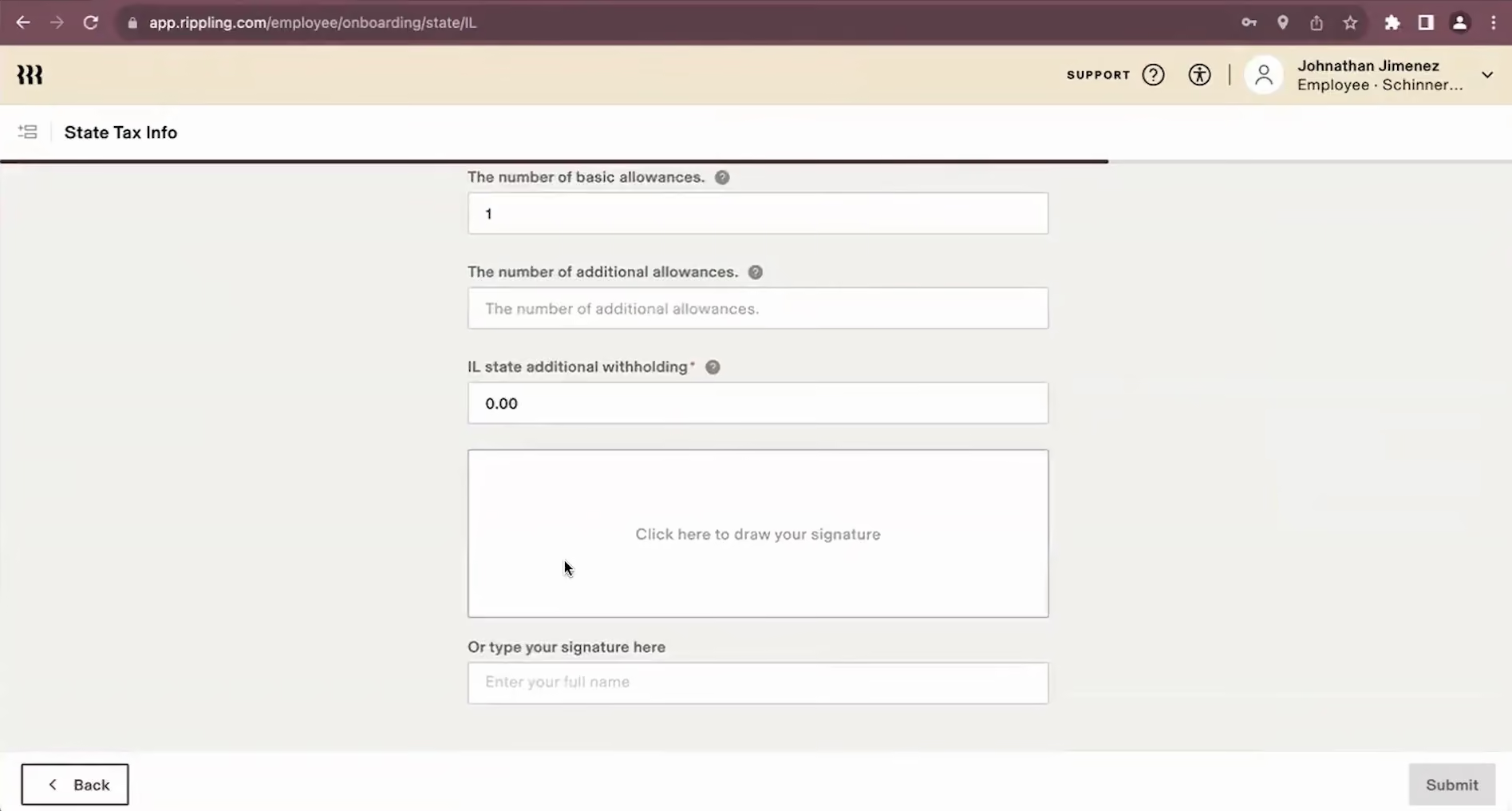
Their ATS is fully built out and offers a feature set that would be a viable standalone product if it weren’t so nicely intertwined with the rest of the Rippling platform.
Based on what’s included, it is clear that they’ve considered the candidate's experience. Little touches, like text messages to connect with candidates, show they know that personal preferences matter.
Another nod to the candidate experience (and what you can learn from it) is the abundant, customizable, anonymous surveys. Rippling recognizes the connection between their public reputation and their candidate experience.
Even with all these candidate-focused features, Rippling hasn’t lost touch with the needs of the people who will use their product most: busy TA/HR teams hiring for SMBs and startups.
Though demand generation is still on the roadmap, elements of their recruiting feature are laudable. It automatically integrates job boards like LinkedIn, Monster, and Zip Recruiter.
Finally, mobile access is a nice touch for busy recruiters, and their open API partnerships with vendors outside their platform leave little to be desired.
For years, companies have had to choose between the superior performance of standalone ATS solutions and the efficiency and security of all-in-one platforms. With Rippling’s ATS, companies who chose the all-in-one solution no longer have to rely on an external ATS.
Key Features
- AI-powered candidate matching with instant identification of best-fit applicants based on job criteria scoring
- Automated interview scheduling with substitute interviewer replacement when team members are unavailable
- Bulk candidate management to move, email, or reject multiple candidates simultaneously
- Knockout questions to automatically filter out unqualified candidates before manual review
- Integrated reporting combining recruiting and HR data
Bank of America, Motorola, Citigroup, Inc., Dwell, Superhuman, Expensify, Checkr
Rippling pricing starts at $8 per user per month for HR Unity, but the ATS is made available on a higher tier plan (HR Cloud) with undisclosed pricing.
Best For
Companies with 25 to 150 employees.

We use our Rippling account daily. It is our timekeeping tool, which our hourly employees use to clock in and clock out each day, and they generally do not have any issues with this process. Rippling is where we manage PTO and other time-off requests.
We regularly check our recruiting profiles for updates on applicants and to see where we are in the hiring process. Whenever we conduct performance reviews or issue disciplinary write-ups, Rippling is our source for that documentation. We are in the system biweekly for payroll.

- We like the competitive pricing of Rippling compared to other HCMs.
- The representatives at Rippling have always been kind and have made us feel supported in finding solutions when needed.
- Payroll through Rippling is generally a smooth process.
Rippling offered a more affordable and structured payroll solution for our mid-sized company. We needed a more advanced payroll system that could provide access to clean workflows, detailed reporting, and organized recruiting pipelines.
Rippling offers strong automation within payroll, especially when employees use timecards. Their workflows are more intuitive than those I have worked with on other HCMs. The recruiting tools have been easy to use, and we were able to integrate multiple hiring platforms into Rippling Recruiting.
The pain points we have experienced with Rippling include inconsistent customer service and frequent outages—often when we are finalizing payroll, which is a major concern. On that note, Rippling generally communicates well during these outages.
I have used Rippling for three years.
- The time it takes to receive help after submitting a ticket can be frustrating.
- Rippling’s AI chat feature is not helpful.
- There have been instances where we received two separate answers to the same question, including questions about payroll compliance, which should not occur.
- Some of the features need improvement and feel underdeveloped, such as the time-off calendar, which needs more customization options.
Rippling feels more advanced than some other HCMs we have used, such as Paycom, which only communicates via email, unlike Rippling, which offers a real-time chat feature. Rippling has easy-to-use employee profiles that allow for strong customization.
Consider which tools you actually need within an HCM. Evaluate the number of employees you have, as certain systems are better suited for larger companies. Make sure the system you choose can grow with your company, if applicable.
We have noticed an improvement in response time when submitting tickets over the past year. Recently, they updated the menu layout and refreshed the dashboard to make it more user-friendly.
Rippling is great for small to mid-sized companies with multi-state payroll and multiple employee classifications.
Rippling is a tech-forward HCM that is constantly advancing, and companies with basic needs may not benefit from the advanced technology and AI automations, which could leave them frustrated, confused, and overpaying.

Trakstar Hire
Trakstar Hire is highly customizable. The ATS recruitment software provides a single plan that includes all its features without limits, making it an excellent choice for mid-sized businesses.
PROS
- Highly customizable hiring workflows
- Unlimited job posts
- Built-in offer letters and e-signatures, no third-party tools needed
- Trakstar Hire’s recruitment workflows are highly customizable. You can edit them as needed to reflect your company’s hiring process.
- You can post as many jobs as needed with Trakstar Hire without any limitation.
- Trakstar Hire has offer management tools built-in. Users can create offer letters and collect e-signatures within Trakstar Hire without needing to integrate it with third-party tools.
CONS
- Limited HRIS and payroll integrations
- All-or-nothing plan means paying for unused features
- No free trial or transparent pricing
- Trakstar Hire has limited integration options with third-party HRIS and payroll solutions.
- Several users have complained about being unable to sort candidates and search results in an order other than displayed.
- Trakstar Hire isn’t a scalable platform; they have a single plan, all features included, which means customers may end up paying for features that they don’t need.
- Trakstar doesn’t publically list their pricing nor allows visitors to create trial accounts directly from the website, which is unusual for a software solution aimed at mid-market companies.
If you’re looking for a web-based ATS built for the midmarket, we recommend you check out Trakstar Hire (formally RecruiterBox). Our experience navigating the platform was quite positive: the platform supports unlimited job posting on multiple job boards and social media sites, with the option for users to sponsor their listings for maximum visibility and receive resumes through customizable application forms.

Customizing the workflow took just a few clicks in our tests. This ATS provider also does a great job balancing ease of navigation with numerous features and configurations available. One example is the built-in automation: once resumes are in, the platform parser automatically extracts candidates’ details and creates profiles in seconds.
The offer management feature is also well-made. The offer letter templates are in pretty good shape that you would make a few tweaks for personalization and it’d be good to go. In our test case, it took us 3 minutes to finalize a mock template. Plus, there’s also a native e-signature tool you can utilize without third-party integration.
However, when the need arises to connect to a third party, Trakstar Hire’s integration abilities are a letdown. While we acknowledge the ATS has covered some of the critical basics with the following apps such as Namely, BambooHR, Slack, Checkr, QuickBooks, PandaDoc, G Suite, and Outlook/Office 365 Calendar, it is relatively less extensive than multiple ATS vendors on this page (Greenhouse, Pinpoint, Workable, etc.)
Key Features
- Centralized applicant tracking with visibility into hiring stage and pipeline status
- Automated offer letter generation and job description population
- Multi-board job posting with source tracking and performance reporting
- Collaborative hiring with team feedback and centralized communication
- Integration with onboarding for new hire enrollment and goal setting
Makita, Couchsurfing, Lonely Planet, Untappd, Quality Ironworks.
Our sources indicate that Trakstar Hire has a starting price of $199 per month.
Unfortunately, we have not detected any product updates for the applicant tracking system since its acquisition by Mitratech in mid-2023.
Best For
Medium-sized businesses that hire regularly.

We use Trakstar for recruiting and hiring. It is not very customizable so it can be difficult to use. You can set up different stages of interviews and assign interviewers to each stage. Notifications are nice and sent via email when candidates are moved from stage to stage. The system will integrate and sync with your calendar to allow for easy scheduling of interviews. You can even connect it to zoom and schedule straight from the platform if you wished. I use Trakstar about every other day to gage candidate flow and complete hiring tasks.

Easy scheduling options. The stages are customizable. Posting is easy.
We started using Trakstar in June of 2021. We were moving away from ADP to a new payroll system. We were looking for an ATS that would give us better more customizable options for candidate flow and interview stages. I implemented the new system. We are a small company with around 350 employees. Our new payroll system had an ATS but the cost would be too much for a company our size.
Reporting is horrible, everything is lumped into one big report and you cannot write reports as needed. Searching is also horrible, they should implement boolian search capabilities. The system lacks text automations which would be helpful for interview reminders.
Trakstar is good for small companies with medium applicant flow. For a company that uses recruiting heavily it does not work as well.
Really think about what you will be using it for. Does it have the capabilities that your company needs? Can it adapt to a growing company or changing company?
It really hasn't. It still does not truly meet our needs but it is doing its job.
An organization with heavy candidate flow and few positions.
Any organization that needs specific licensure or has little candidate flow.

Ashby
Ashby offers the entire TA tech stack: ATS, CRM/Sourcing, Scheduling, and Analytics—an excellent recruiting solution for fast-growing companies.
PROS
- Comprehensive analytics dashboard across all hiring stages
- Highly customizable across almost all platform aspects
- Consolidated ATS, CRM, scheduling and analytics in one platform
- Fast data migration with no setup fees
- Your TA team can have one system that truly has best-in-class options for ATS, CRM, Scheduling, and Analytics.
- Flexibility and ability to customize across almost all aspects of the platform
- Their analytics dashboard is great to understand weaknesses in your hiring process, conducting capacity planning, or determining which teams are running suboptimal hiring processes.
CONS
- Feature depth comes with a learning curve
- No multi-language support
- Your company must use G Suite in order to make the most of Ashby
- No multi-lingual support
- This is a powerful product, and it can take a bit of time to understand all the different features
Ashby is an all-in-one TA solution that combines your recruiting CRM, ATS, sourcing, scheduling, and analytics into one platform.
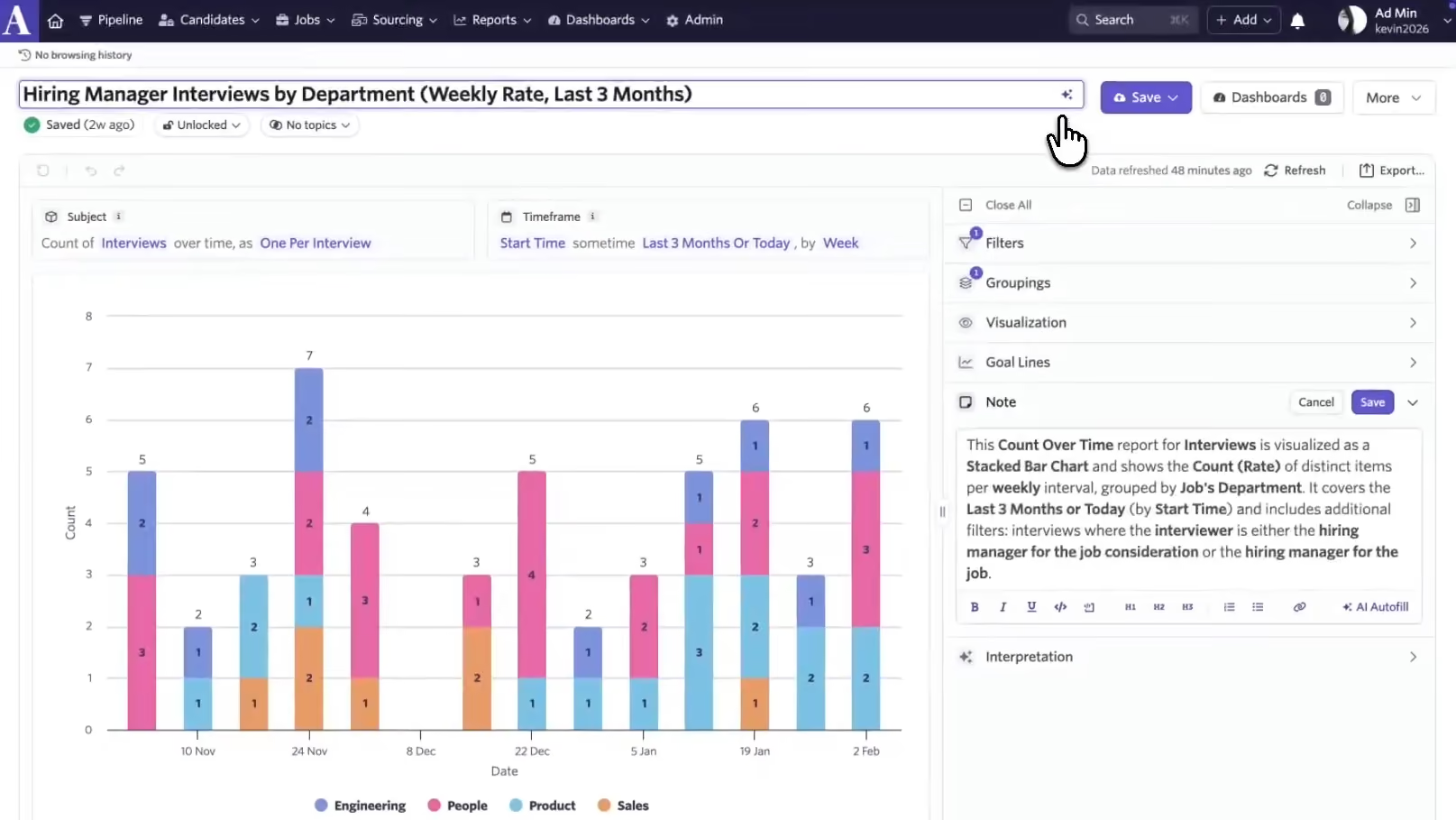
What stands out about Ashby according to our evaluation is how easy the system makes it to re-engage with former applicants. If our experience working in recruitment positions has taught us anything, it is that efficiency is essential.
These candidates are “silver medalists” or applicants who made it to the offer stage, and others may possess a unique skill or trait that your current team is lacking. Ashby can create custom attributes to filter your talent pool, so you’ll never lose touch with “good fit, bad timing” candidates.
Good news for TA teams seeking powerful reporting capabilities: Ashby’s reports are highly customizable, track all data points throughout your hiring process in real-time, and are easy on the eye.
We also noticed that Ashby has consistently worked hard to improve its product based on user feedback. Check out their blog page, and you’ll see that the ATS literally rolls out new features every month.
Regarding implementation, it often takes 6-8 weeks to get Ashby up and running. Combined with the starting price of $300 per month, the platform is definitely not a good fit for budget-minded businesses seeking plug-and-play ATS software.
And unfortunately, if your organization requires multi-lingual capabilities, this system cannot accommodate.
Key Features
- Visual pipeline with instant visibility into candidate status across all jobs and clear next steps
- Structured interview plans to drive consistency in candidate evaluation process
- AI-powered feedback summaries and candidate assistant with chat interface for context and decision-making
- Customizable job setup, custom fields, and activity automation with templated emails and scheduled interviews
- Fraud detection, feedback blinding to reduce bias, and offer approval workflows with native e-signature
1,000+ customers, including Quora, Deel, and Ramp.
Ashby costs between $300 and $900 per month for teams with no more than 100 employees.
Ashby's recent updates deepen its analytics capabilities with AI-assisted interpretation and documentation tools:
- AI-powered "Explain Report" generates one-click summaries of report configuration and highlights notable data patterns for faster decision-making
- AI-assisted report titles and notes make it easier to maintain clear documentation across growing report libraries for hiring manager and executive self-serve
- Dashboard-level interpretations apply the "Explain Report" feature directly within dashboards, reflecting active filters for accurate pre-meeting context
Best For
Companies at the hyper-growth stage.

I use it every day. I log into Ashby multiple times a day, especially when I have several open requisitions. I use automations such as templates, sending case studies when candidates move to the next stage, automated rejections, and the AI sourcing tool. There are many ways I use it to streamline my processes.
I’ve also recently started sharing the Executive Dashboard during my People CXO meetings.
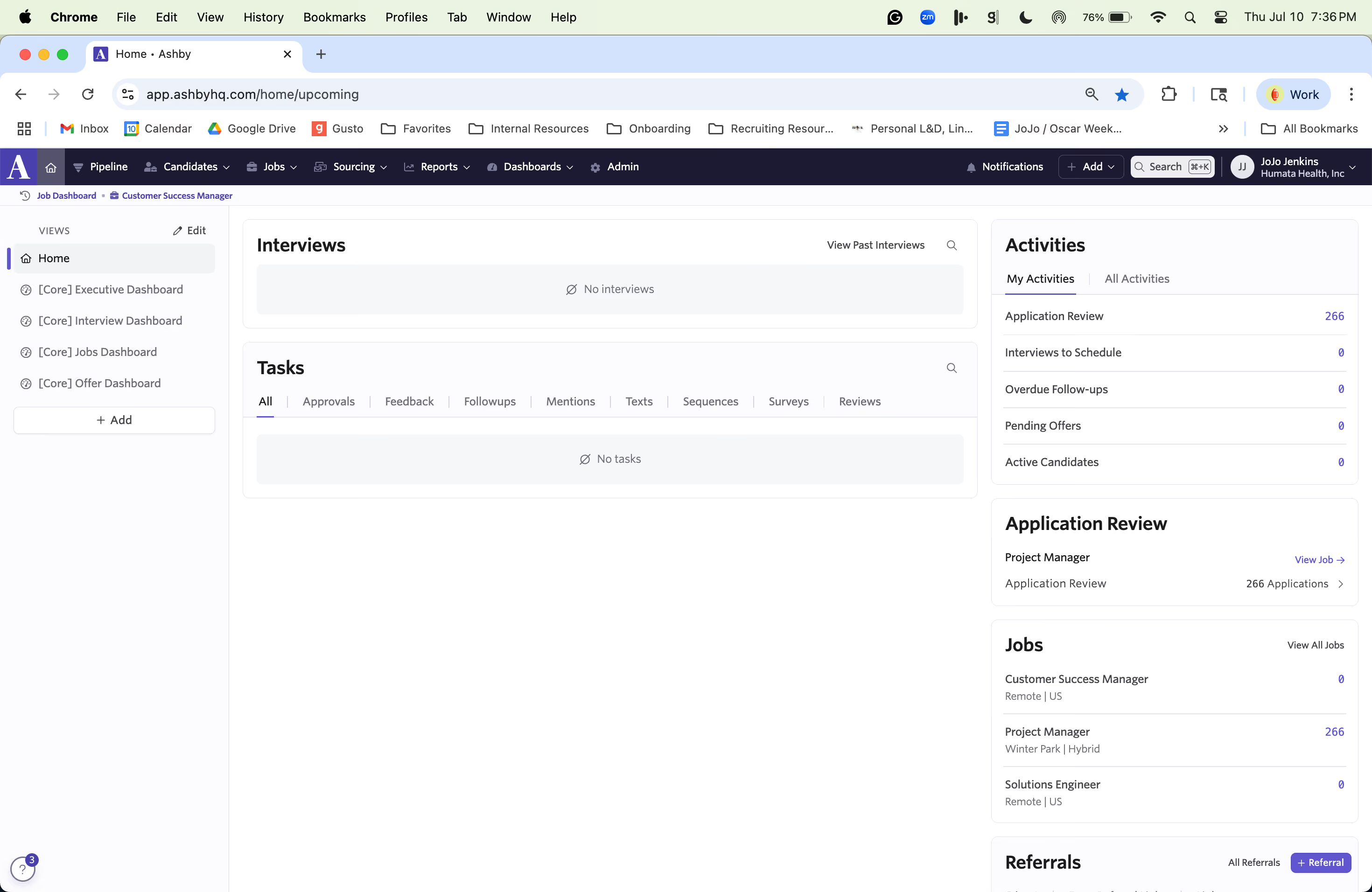
- Automations – I can set up custom actions based on stages, feedback, and more. It’s helpful to have the system act as an admin for me. Interviews are automatically scheduled, which removes the burden of managing multiple calendars and time zones.
- Customizations – I can create tailored interview plans and teams. Each role and team is different, so it's important to include relevant participants and assign proper permissions.
- Intuitive – The system is easy to navigate. Even if I’m unfamiliar with a workflow, I can quickly figure it out or use the Ashby help tool to resolve issues.
It was a priority of mine upon joining the organization to reevaluate our ATS. We were using BreezyHR and needed a better, more customizable solution. Breezy was rigid and lacked the automations I needed as an HR team of one.
I had worked with Ashby at a previous employer, so I was very familiar with the tool. I conducted an RFP with about four other vendors but ultimately chose Ashby. I’ve been using Ashby since 2023 and have been very satisfied with it.
There is nothing I dislike about Ashby. I demoed Greenhouse, Workable, Lever, and JazzHR, and chose Ashby for its capabilities and fit for my needs.
The same three reasons I listed above apply here. In addition, Ashby includes bi-directional calendar sync and e-signature, which have been invaluable features.
Who are your users? Are you delegating tasks or working with a lean team? Consider what tools you're currently paying for that an ATS could consolidate.
A key buying criterion for my team was finding a better solution than what we had and selecting something I actually wanted to use since I'm the primary owner.
It has developed various features. My favorite right now is the AI Job Criteria Sourcing tool. At one time, you could chat live with an agent. That feature has been replaced by an AI bot, but support remains very responsive and open to feedback.
Small or large teams with an adequate budget or a need to invest in a more capable solution can find Ashby a great fit.
Very small organizations or nonprofits with limited budgets or minimal hiring needs won’t need a tool like Ashby.

Homebase
At a budget-friendly price, Homebase ATS offers AI screening, auto-scheduling, one-click posting, and FCRA-compliant checks, all in a clean, unified experience. While the platform is not meant for complex workflows, it is well optimized for U.S. teams that need to hire hourly employees.
PROS
- Mobile-friendly applications and text-to-apply options help convert walk-in interest into applicants.
- AI Hiring Assistant highlights top matches and candidate fit in a clean summary format.
- Auto-scheduling lets top candidates propose times, reducing back-and-forth.
- One-click posting to Indeed, ZipRecruiter, and Google for Jobs.
- FCRA-compliant checks via AssureHire streamline vetting without third-party tools.
- At $30/month/location, Homebase offers low entry costs for single-location businesses.
- Separate dashboards for managers and employees
- Real-time communication features allow for schedule changes on the move
- Requesting and approving paid time off is easy
- Great scheduling templates help managers streamline work
CONS
- The starter plan allows only one active post per month, limiting flexibility.
- Scheduling settings are shared at the location level, not manager-specific.
- Closed job posts must be duplicated rather than reactivated.
- Lacks scorecards, DEI tracking, or enterprise-grade analytics.
- Only supports hiring for U.S.-based employees; lacks global hiring functionality.
- Limited third-party integration support
- Additional features are somewhat expensive
Homebase was kind enough to give everyone interested in their ATS a free trial they can easily access on their website. We seized that chance to get a feel for what the tool has to offer, and its appeal was quite apparent despite the limited time we spent with the system: the platform delivers a clean, intuitive hiring workflow built for small teams hiring hourly staff, and it’s accessible not just in terms of functionality but also price points.
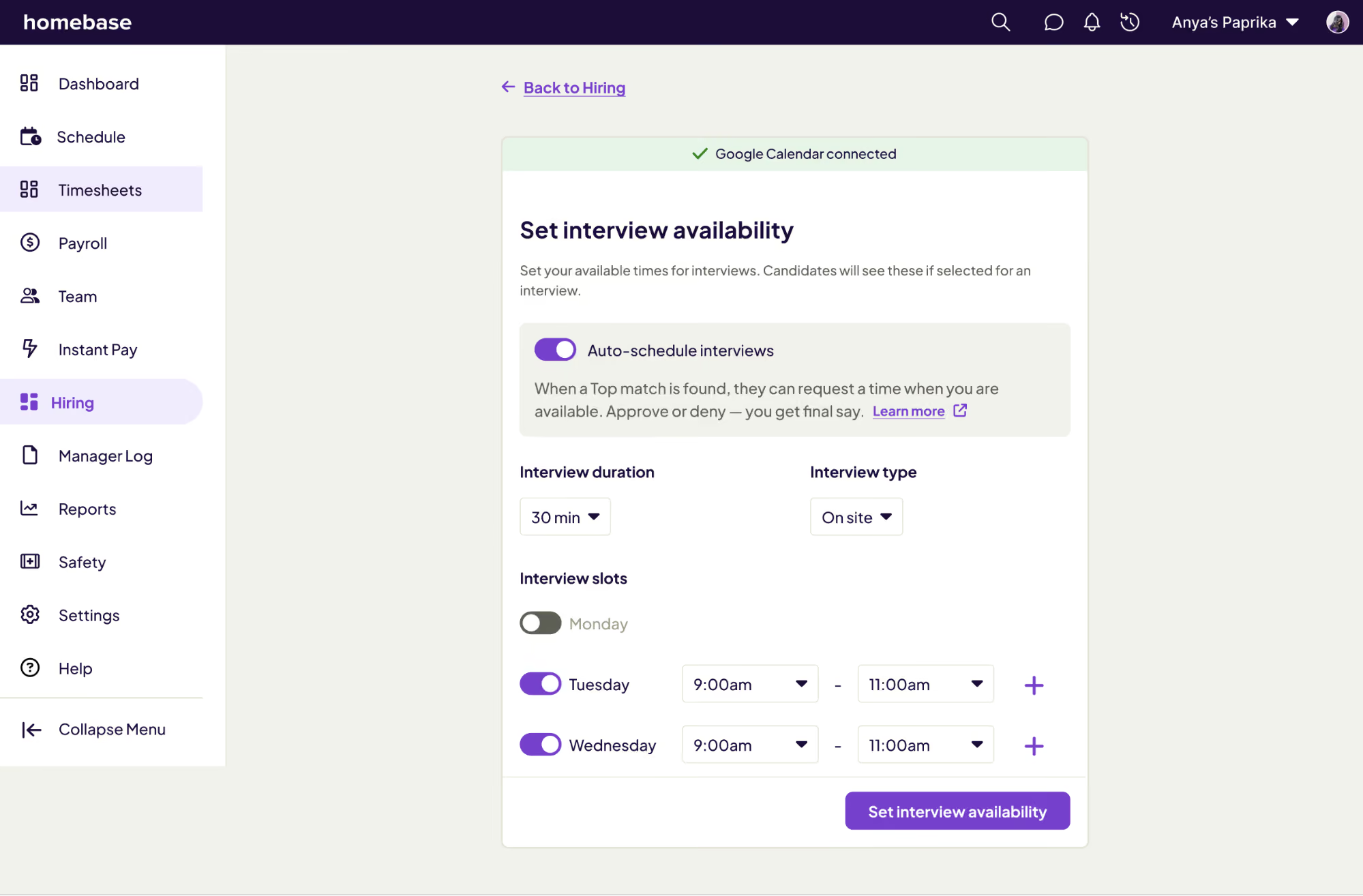
The mobile-first experience starts with text-to-apply features and mobile-optimized job applications, perfect for walk-in candidates or applicants without laptops. This feature helps employers convert more foot traffic into real applicants, which is especially valuable for restaurants, retail, and hospitality businesses. Once a candidate applies, Homebase’s AI Hiring Assistant takes over. We liked how it generates succinct, scannable summaries for each applicant, complete with experience breakdowns and match insights. Managers can instantly see which candidates are most aligned with the role, thanks to Homebase’s “Top Match” tagging.
As you might expect, Homebase’s scheduling is equally streamlined. When auto-scheduling is enabled, top candidates can suggest interview times based on preset windows. This feature isn’t unique to Homebase, but it removes a lot of hassle from the shoulders of recruiters, who are often also swamped with managing restaurants and overseeing employees' scheduling and payroll.
Homebase's ease of use is a key advantage for job distribution. The listings automatically go live on Indeed, ZipRecruiter, and Google for Jobs without needing third-party plugins. For many small businesses, this built-in reach is more than enough.
It’s reasonable to expect a basic level of compliance from such an affordable ATS, but Homebase impressed us with its thorough built-in background checks. Powered by AssureHire, they include FCRA-compliant adverse action workflows, which we think security-conscious employers will appreciate.
Sadly, the Starter Plan's single-job-post limit can be quite restrictive, as it doesn’t allow simultaneous advertising. To post another role, you must either close the currently posted job or upgrade your subscription. Also, a minor inconvenience we noted in this process is that you'll have to manually repost closed jobs rather than simply reactivating them. Additionally, scheduling availability is shared across all managers at a location, so teams with multiple hiring leads might not be fond of this.
Most importantly, Homebase isn’t built for enterprise hiring. If you're hiring internationally or need advanced features like interview scorecards, diversity tracking, and structured compliance reporting, this vendor won’t get you there.
Over 100,000 U.S. companies, including Fuzzy Goat Yarn Shop, The Blind Goat & Xin Chao, and Arthritis and Osteoporosis.
Homebase offers two pricing tiers:
- Starter: $30/month/location (1 job post, 20 AI screeners, 1-click board posting).
- Unlimited: $199/month (or $99/month billed annually) per location (unlimited posts/screeners, 5 background checks/month, full access to features).
- Promo: New customers receive 6 free months of the All-in-One plan (valid 9/15/2026 – 1/20/2027).
Best For
Homebase is best for U.S.-based small businesses that hire hourly workers and want an affordable, mobile-optimized ATS with built-in AI and onboarding.

I used the software every day. Everyone initially had to log in via a portal, but that didn't work well due to how my users had to log in and out. I switched the company to the app and utilized their geofencing, which worked beautifully.
The owner was very meticulous and spent a lot of time checking clock-in locations for all staff, including remote employees. The geofencing was extremely flexible by location. My team caught on to the app quickly and even showed me features.
It is a high-quality app for employees to use. We did have trouble with the initial setup due to labor laws in different states. Their help team walked us through the fix in no time. The issue was over employee breaks, paid or not. Our solution was to turn that feature off and have the employees take their breaks without clocking in or out.
Sending approved hours into payroll was also a simple process. Once the managers approved the hours, I logged into the payroll system and directed a download.
The app for admins and employees is so well done that they hardly needed any instruction. Scheduling can be tricky for a new user, but once it's set up, changes are simple, and deploying the schedule is a breeze. The connection to payroll was very straightforward and always correct once the hours were approved and downloaded into payroll. Employees knew exactly what was happening and could immediately get a correction in place prior to the payroll download if they made an error.
I was working for a manufacturing company. The warehouse workers were not tracking their time properly when I came on board. They needed a solid solution quickly. To solve this problem, I looked towards the payroll company. I was seeking an app that connected directly to my payroll, provided complete accuracy, and allowed employees to know exactly where they stood at any given time.
Homebase connected beautifully to Gusto, one of their partners. Homebase has a scheduling feature that is very easy to use, allowing easy distribution of new schedules, changes, updates, etc., to employees. I installed this system in a hotel, and the staff loved it. The manager was computer illiterate and struggled a lot with the scheduling feature.
Suggestion: Ensure your manager goes through the Homebase training if they are unfamiliar with timekeeping/scheduling systems. Their help is available most of the time via live chat, and both admins and employees can use it.
I used Homebase for two years. I stopped because of their growing pains, as too many issues popped up. However, when I used it for the hotel, those issues had been resolved.
When they were growing rapidly, getting help could take time. During this time, the transmission of hours into payroll wasn't always working properly, which made the software unacceptable for us. That has since been fixed, as it worked fine for the hotel I put onto the system. The scheduling portion can be cumbersome for a person who is a novice. Ensure users who are doing the scheduling receive training if they're new to timekeeping software.
It's very similar to other timekeeping applications I've experienced. I prefer Homebase over most due to its simplicity and how much the employees liked the app.
Initially, ensure this timekeeping system integrates with your payroll provider, which is the most important. Determine if your employees will use their own cell phones or if you want to have a login portal. The best system for me was biometric, but adding that piece can be expensive. Employees did not mind having the app on their phone; they actually loved the feeling of control Homebase gave them. If you're seeking software that will help with scheduling your team, this one does well.
From the time I used it, they had many growing pains, including internal staffing changes and getting them up to speed. That's been resolved as far as I can tell from the hotel. This is a really good application for employees and employers.
Homebase is very good for hourly scheduled employees in hotels, restaurants, and other service-oriented businesses.
Homebase’s limitation would be due to the size of a company; it is best for companies with fewer than 100 employees.

Breezy HR
We love Breezy for an early-stage SMB. They offer monthly plans with modest premiums, and their platform handles all the basic needs of a young SMB.
PROS
- Built-in video interviewing management capabilities help centralize the whole recruitment process in one place without any third-party tool involvement.
- An easy-to-use platform with drag-and-drop enabled pipelines and editable career sites that require zero coding knowledge.
- The free plan has pretty seasonable functionalities.
- Transparent and affordable pricing plans.
- Breezy has video interviewing and offer management capabilities built-in. Hiring managers can schedule interviews, video chat with candidates, send them offer letters and collect e-signatures within Breezy without needing to integrate it with third-party tools.
- Breezy is fairly easy to use. Their recruitment pipelines are drag and drop enabled, and you don’t need coding knowledge to create and edit your career site.
- Breezy’s solution is quite affordable and has a free plan with seasonable functionality.
CONS
- Several users have reported experiencing bugs and system crashes.
- The reporting feature lacks customizability and sometimes displays inaccurate data.
- Customer support could be more responsive. Priority support is only given to Business tier (or higher) customers.
- Several users have reported experiencing bugs and system crashes. Some have also complained that the reporting feature lacks customizability and at times, displays inaccurate data.
- Several users have complained about Breezy’s customer support being slow to respond. At this time, priority support is only given to Business tier (or higher) customers.
- Breezy doesn’t go beyond offer management by offering onboarding features, but it does integrate with many HRISs that facilitate it.
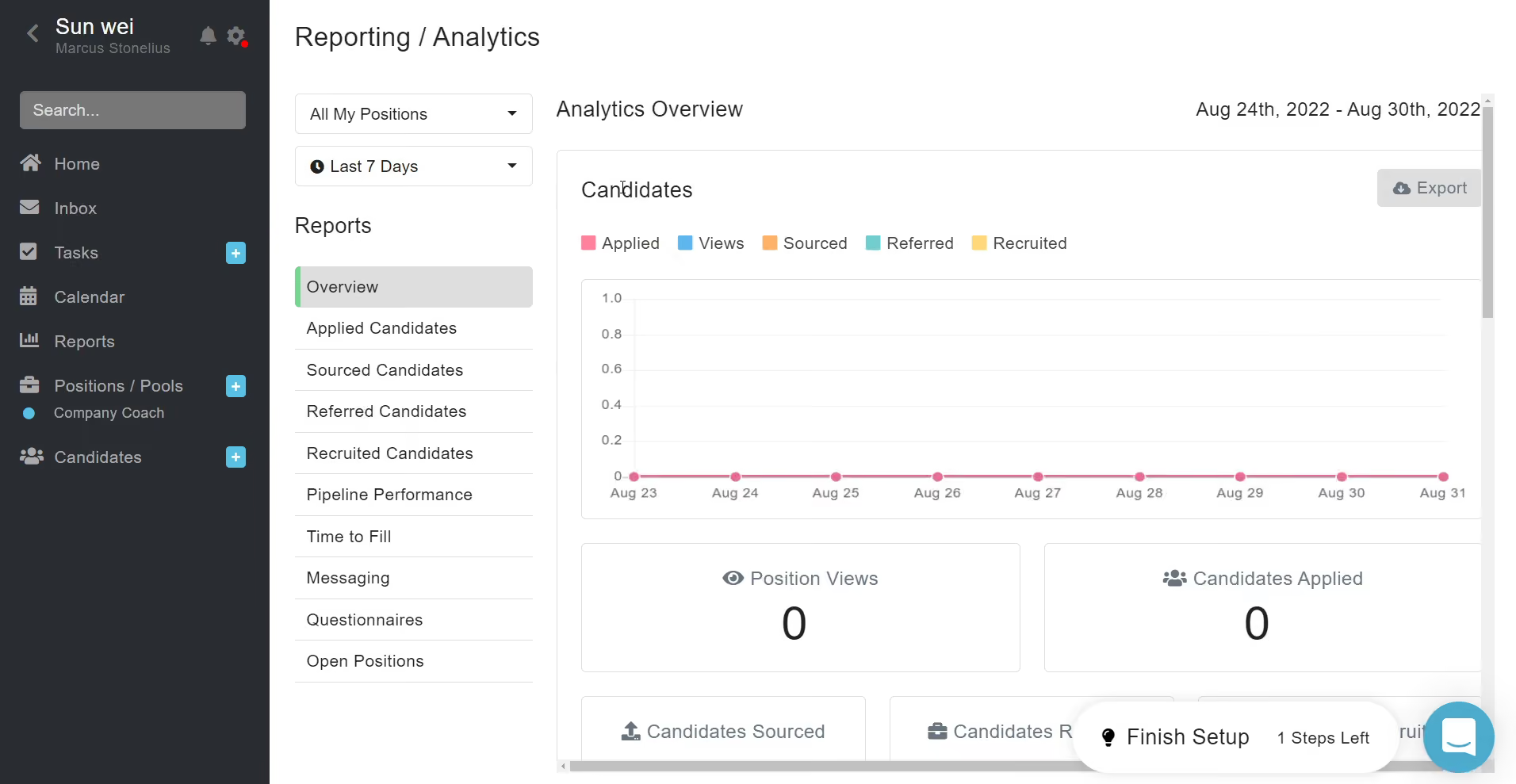
Breezy’s ATS is affordable and user-friendly. It allows you to build a no-code career site to showcase your employer brand, post jobs to over 50 job boards to reach a vast pool of candidates, and receive referrals from employees and other contacts.
Once applications are in, you can begin tracking applicants through your customizable recruitment pipeline and move them across stages via drag and drop.
Breezy also provides scheduling, video interviewing, and management features, which is impressive for an SMB-geared solution.
T-mobile, Loreal, Docebo, Shipt, Cameo Duolingo
Breezy has four fixed-pricing plans:
- Bootstrap is free
- Startup costs $157 per month
- Growth costs $273 per month
- Business costs $439 per month
- Pro has custom quotes.
- Breezy’s add-on price starts at $165 per month.
Best For
Breezy is best suited for small and medium-sized businesses.
We use BreezyHR to centralize our recruitment workflows and deliver a consistent candidate experience. It allows us to post jobs across multiple job boards efficiently. It is also useful for internal collaboration between HR and hiring teams when making hiring decisions and managing candidate pipelines.
We have been able to automate communications via emails, schedule interviews, and conduct video interviews. We also use the platform to track hiring metrics and run recruitment analytics.
- We initially opted for the free plan to evaluate the platform's features before making a purchase decision.
- The platform is highly user-friendly and enables job postings across 50+ job boards, significantly increasing exposure to a wide pool of candidates.
- Its advanced Boolean search capabilities and tailored job recommendations allow users to engage effectively with passive candidates.
- Both HR and hiring teams found the platform easy to navigate, with only a minimal learning curve.
We chose BreezyHR about four years ago. We started with a free trial to streamline and professionalize our recruitment process. Before that, we relied on spreadsheets and email threads, which became inefficient and cumbersome as we scaled.
BreezyHR offered an easy-to-use applicant tracking system (ATS) that fit our needs as a growing mid-sized company. It helped us bring structure and consistency to our hiring workflows.
- Email management could be improved, as we've encountered issues such as messages landing in spam folders, excessive notifications, and occasional bugs that impact user experience.
- Although a mobile app and responsive web version are available, the mobile experience is slower than the desktop version.
- For data-driven HR teams like ours that rely on advanced analytics and customizable dashboards, the platform falls short in reporting capabilities.
BreezyHR is a strong option because it costs less than many other hiring tools built for large enterprises. While platforms like Greenhouse or Lever offer more advanced features, BreezyHR is easier to use and still provides many valuable options.
You can post a job to over 50 job boards with one click. It also includes built-in tools for video interviews, scheduling, messaging, and background checks. One of its strengths is transparent pricing, which is clearly listed on the website.
When choosing an ATS, ease of use should be a top priority. The tool should be simple for the entire organization to adopt without a steep learning curve. It should also integrate well with your existing systems, such as your HRIS, calendars, and job boards. Automation features help reduce repetitive manual tasks and save time.
The platform should be scalable and come with strong onboarding and support resources. Candidate experience is equally important—look for a tool that helps present your company brand professionally and engagingly.
Over the years, BreezyHR has introduced improved automation, AI-driven features, and more integrations with calendars, Slack, and HRIS platforms. One useful update is its enhanced support for remote hiring, especially features for video interviews and time zone coordination.
BreezyHR is a good fit for startups, SMBs, and companies with lean HR teams that need a collaborative, cloud-based hiring tool without the cost or complexity of enterprise platforms.
For small and mid-sized businesses, Breezy simplifies the hiring process by removing repetitive tasks and offering a smooth candidate experience.
BreezyHR may not be suitable for large enterprises. These organizations often require advanced reporting, compliance tools, or highly customized workflows.
It is also less effective for companies that do high-volume hiring, such as those recruiting hourly workers at scale, as they may need more automation and industry-specific functionality.
Additionally, companies seeking deep integration between their ATS and HRIS may find BreezyHR's integration options limited.

ClearCo
ClearCo has matured from a traditional ATS provider into a broader talent intelligence platform. The core recruiting workflows remain dependable, and the addition of cross-suite analytics suggests the company is investing more heavily in long-term strategic value rather than incremental feature expansion alone.
PROS
- ATS available standalone or as part of a broader talent suite
- Intuitive UI across recruiting and onboarding workflows
- ClearInsights connects sourcing, hiring, performance and learning data in one view
- Responsible, assistive AI approach with transparent automation
- Smooth implementation and attentive customer support widely reported
- ClearCo offers a host of talent solutions that work well with one another. You can choose the solution you need or combine them all to have a comprehensive talent management platform in your stack.
- The majority of users find ClearCo’s interface to be quite intuitive and easy to navigate.
- Many users have highly rated ClearCo’s support team for speed and quality of response. Several users have also reported a smooth implementation experience.
CONS
- No transparent pricing or free trial
- Interface functional but lacks visual polish
- Historically limited reporting customization
- Candidate search requires refinement with multiple filters
- No dedicated mobile apps for recruiters or hiring managers
- ClearCo’s pricing is not readily available on their website. You also can’t create a trial account on your own from the website and have to go through the sales team for more info.
- Some users felt that the reporting feature is limited in customizations.
- According to a few users, the candidate search function doesn’t always bring up the correct candidate(s) and could use some improvement.
- ClearCo doesn’t currently have a mobile app, but the platform is well optimized for mobile use both for hiring managers and candidates.
ClearCo positions itself as more than an ATS, and in our testing, that positioning felt earned, especially when we looked at how recruiting connects to the broader suite.

Throughout our hands-on testing and demo, the ATS felt structured and intuitive. Job creation, candidate progression, and offer management followed a logical flow, moving a candidate from offer to new hire required minimal clicks, and onboarding tasks were clearly organized.
Where we’ve seen the most meaningful evolution, however, is with ClearInsights, which in our opinion has moved the platform from operational tracking into strategic analysis. Rather than limiting reporting to recruiting metrics, this feature connects hiring data with performance, learning, engagement, and compensation. This means as a user, you can explore lifecycle questions like which sourcing channels produce long-term high performers or how interview evaluations correlate with eventual performance outcomes. In enterprise environments, getting such insights to support decision-making sounds amazing, doesn’t it?
That said, we definitely are not a fan of the ATS’s candidate search. When testing against multiple filters (skills, keywords, location) we occasionally had to tweak searches more than expected to surface the right profiles. TA teams who rely heavily on boolean strings or need to sort through large volumes of applicants quickly wouldn’t like that.
Regarding reporting customization, despite the introduction of ClearInsights to broaden cross-module analytics, the level of configuration hasn’t satisfied a few of the enterprise users we surveyed.
ClearCo also lacks a mobile app for recruiters or hiring managers. The browser experience is responsive, and we didn’t encounter any major limitations using it on mobile devices. Still, dedicated apps tend to offer faster workflows, and it’s something we hope to see added down the line.
Key Features
- Unified hiring workflow with candidate tracking, stage management, and automated approvals
- Structured evaluation using interview guides, scorecards, and evaluation criteria
- Built-in offer creation and e-signature functionality
- Integration with background check providers and onboarding tools
Mitsubishi Electric, Chick-fil-A, Goodwill, Axiom Bank, Bios, FlixBrewHouse, and Halco.
Starts at $60 per user per month.
The ATS has focused on broadening talent intelligence solution, with analytics and AI now spanning the full employee lifecycle:
- ClearInsights introduces a unified analytics layer connecting recruiting, onboarding, performance, learning, engagement and compensation data
- Cross-journey analytics enables complex queries like linking sourcing channels to long-term performance or connecting interview scores to high-performer outcomes
- Interactive reporting replaces static dashboards with near-instant answers to cross-functional talent questions
Best For
Mid-sized teams that only require an ATS, as well as large organizations that can afford the entire suite.
We used ClearCo for full-cycle recruiting, including requisition setup, applicant tracking, and interview coordination. We also used ClearCo's built-in background check functionality, which was faster and more cost-effective than what we had previously.
For onboarding, we paired ClearCo with DocuSign, which gave us more flexibility and control. Day to day, the system was easier to manage and required far less troubleshooting.
- The platform is intuitive and easier for recruiters and hiring managers to use.
- Background checks were faster and less expensive than our previous provider.
- Customer support was more responsive and easier to work with compared to iCIMS.
We selected ClearCo to replace iCIMS after realizing we needed a more streamlined, integrated recruiting solution. Our main goal was to simplify recruiting workflows, improve support responsiveness, and better align recruiting with onboarding and HR processes.
I personally led or supported the transition and used ClearCo extensively after implementation. ClearCo offered the functionality we needed without the excess complexity we experienced with iCIMS. It also aligned better with our overall HR tech strategy.
- Some advanced enterprise features available in larger ATS platforms are more limited.
- Reporting customization could be improved for highly complex organizations.
- Due to organizational complexity, onboarding required pairing with DocuSign rather than being fully native.
ClearCo strikes a better balance between functionality and usability than many enterprise ATS tools. Compared to iCIMS, it felt more modern, flexible, and responsive to actual HR needs. It doesn’t try to be everything, but what it does offer works well and is easier to manage. For mid-sized organizations, that balance makes a big difference.
When evaluating an ATS like ClearCo, usability should be a top consideration—recruiters and hiring managers need a system they’ll actually use without extensive training.
Integration with background checks, onboarding tools, and HRIS systems is also important to reduce manual steps and speed up hiring. Support responsiveness matters, especially for growing teams that need quick answers and system adjustments.
Over time, ClearCo has continued to improve its interface and streamline core recruiting workflows, making the system easier to navigate for both recruiters and hiring managers. I’ve seen steady improvements in speed, usability, and support responsiveness, which made day-to-day administration much smoother.
ClearCo is an excellent fit for small to mid-sized organizations that want a reliable ATS without enterprise complexity.
Very large enterprises with highly customized, global recruiting requirements may outgrow ClearCo. Organizations that want a fully embedded, all-in-one HCM with native onboarding and performance modules may also prefer a different solution.

BambooHR
We love how this ATS recruitment software operates within Bamboo’s larger HR Suite. We found seamless workflows between the applicant tracking system and other core HR features. The simplicity makes for ease of use, and helps ensure compliance.
PROS
- Month-to-month pricing available, no annual commitment required
- Free 7-day trial with extension options
- Mobile app with built-in application review, communication and collaboration
- Industry-leading customer support response time under 2 minutes
- New Background Checks feature added with built-in compliance and a 'first check free' promotion
- Flexible packaging and custom pricing is the way they roll. You can pick out one or two packages and pick other modules as add-ons based on your needs.
- Very simple and straightforward tool, easy to use.
CONS
- Overage charges apply if support time allotment is exceeded
- Customer support limited to U.S. business hours
- Time tracking, performance management and surveys require paid add-ons
- Payroll is only available for US-based employees
- Customer support is only offered during US business hours.
- Some modules like time tracking, performance management, and surveys are only available as add-ons.
BambooHR is an applicant tracking system (ATS) built into a broader HRIS, designed for small to mid-sized teams that want hiring and employee data in one place. We found it stands out for its unified system, which reduces data silos and simplifies workflows across recruiting and HR.
It’s best suited for teams prioritizing ease of use and centralized data management, but may not be ideal for those needing advanced recruiting functionality or global support coverage.
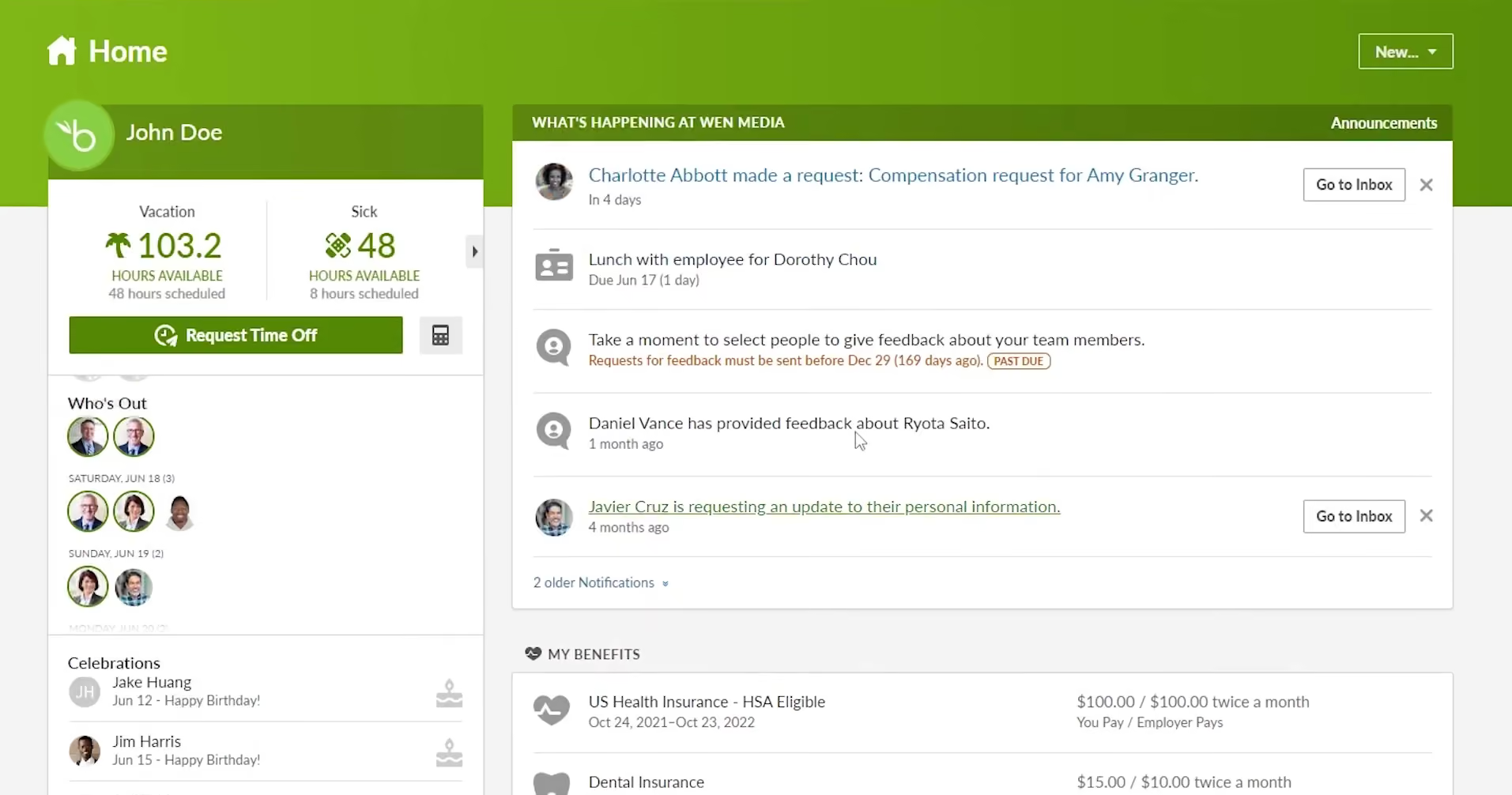
We also think international teams should proceed with caution. Given that BambooHR’s support hours are limited to standard U.S. business times, it’s not ideal for teams that require 24/7 support across multiple time zones.
And while the UI is generally intuitive, some workflows, such as customizing onboarding checklists or adjusting user permissions, did take more time to figure out than we expected.
Key Features
- Built-in ATS within a full HRIS for centralized employee data
- User-friendly mobile app for managing hiring on the go
- Customizable hiring workflows with guided setup
- Integrated job posting and applicant tracking (including SEEK)
- Improved interview scheduling with self-scheduling and buffer controls
30,000+ companies, including Quora, Universal Group, Reddit, Asana, Change.org, University of Maryland, Grammarly, Stance, Postmates, Wistia, the Jacksonville Jaguars, and ZipRecruiter.
Starts at $3,000 and is based on a per-employee per-month model. We've seen companies pay as low as $8, but typically between $12 and $14 per employee per month if they use the full HRIS with a few other modules.
BambooHR's recent updates focus on reducing scheduling friction, improving data consistency, and expanding screening capabilities:
- Remote sync now covers more employee data fields for improved cross-system consistency
- SEEK integration enables direct job posting with automatic applicant import
- Candidate self-scheduling expanded to two daily availability windows with interviewer buffer time between meetings
- Built-in background checks now available natively, with order tracking and compliance built in, eliminating the need for third-party screening tools
Best For
Businesses seeking an all-in-one ATS and HR suite that can take care of the entire employee lifecycle.

With my clients, I use BambooHR as a recommended solution by conducting demos. For my business, I use it to process payments, track time off to monitor cash flow, and make payments to consultants I 1099.
I log in regularly to manage these workflows and ensure everything is running smoothly. The system helps me stay organized and reduces the time I spend managing separate systems. It’s a central hub for several key HR tasks.
- I like the design and the flexibility of month-to-month contracts, so you're not locked into a long-term agreement like with some other HRIS systems.
- It covers the core needs I consult on, such as performance management integration, and it's customizable to fit how I run my business.
- I can set up my own benefits enrollment periods and define the performance year for my company.
- The payroll interface allows me to easily view cash flow and payments for contract work.
As an HR consultant, I’ve had experience using several HRIS platforms. One recurring problem was that systems didn’t communicate with each other, which was frustrating; I had to pull information from various sources to get a comprehensive view for analysis.
As a business owner, BambooHR provides me with a one-stop shop to manage payroll, performance management, and benefits administration under one API.
I’ve been using BambooHR for about five months as an admin/user and previously for about seven months while supporting client work.
- So far, I don't have many complaints, but I believe the user permissions (accessibility) still need improvement.
- Transferring performance management appraisals between managers is not intuitive when a transfer occurs mid-cycle.
- A more user-friendly way to manage these transitions would improve the experience.
I’ll keep the other system nameless, but I was using one that felt clunky and lacked the interface BambooHR offers. I haven’t used every tool available, but I’m convinced that BambooHR is one of the better HRIS systems for small businesses. Its user experience and features stand out compared to others I’ve tried.
The key for me and the businesses I support is finding a customizable solution that can scale and has integration features. What sold me was the ability to integrate QuickBooks Online with BambooHR, making payment tracking much easier.
For my clients, moving from Excel-based performance management to having an API-integrated dashboard improves the overall user experience.
I’ve only been using the tool for less than a year, so I don’t have a long-term perspective on its evolution.
BambooHR offers flat rates once you reach a certain threshold, and in my opinion, it's not overly expensive. It works well for small businesses, likely up to around 100 employees. The Core tier has data storage limitations, but more storage may be available in the Pro or Elite versions.
Large, more complex organizations with international operations may not find BambooHR suitable. It currently has some limitations when working with international companies.

Recruit CRM
Recruit CRM is priced at $85 per user per month for unlimited open jobs, Chrome sourcing extension, AI resume parsing, advanced search, deal pipelines, client portal, and invoicing—just about everything one would need for their staffing firm.
PROS
- Multilingual ATS and recruiting CRM built for staffing agencies
- Transparent, scalable pricing with generous free trial
- Zapier and Integrately integrations unlocking 5,000+ third-party tools
- Live chat, unlimited training and dedicated account manager on all plans
- No extra fees required for basic data migration that includes importing Excel/CSV files with candidates & clients. During the implementation process of this software, the customer service personnel will help transfer your data for free.
- Great customer service. Their average response time is under two minutes.
- Powerful Linkedin Integration & Executive/Recruitment Report PDF Generator to save time
- Tons of resources made available to users including blogs and articles that give you all the information you need to know about how the software works, job description templates to help you get acquainted with all the possible job openings you will be looking to close, and a glossary that gives you the A-Z of recruitment practices.
CONS
- Native AI candidate matching limited to 2 matches per candidate on Pro plan
- Not well suited for in-house recruiting teams
- No referral management system
- Limited native integrations. Recruit CRM only integrates natively with LinkedIn, Zapier, Logic Melon, some email apps, and Google and Outlook calendars. If you want to run background checks, for example, using Checkr or other background verification platforms, you won’t be able to do that unless you use Zapier’s API extension.
If we were seeking potential candidates within our large internal talent database, we'd turn to Recruit CRM once again. This feature lets you combine text filters, Boolean, and radius search to get the best results. You can even mark unavailable talent (e.g., those currently hired by other clients) as “off limits” so your team won’t find them and communicate with them by mistake.
One common approach we see in most ATS to keep candidate data fresh and accurate is the use of Social Enrichment—the software auto-enriches candidate profiles with their available social media accounts. Recruit CRM does not offer such a feature. Yet, it allows users to bulk or individually email candidates to update their application info. Once candidates submit the form, the data is auto-pulled into the ATS system. While this process may not be entirely automatic, it does simplify the work of maintaining talent data and, just as importantly, ensures GDPR compliance.
Recruit CRM knocked it out of the park on its recruitment agency tools. It lets you send certain candidate data to clients in a few clicks. Plus, the client portal is interactive—clients can choose between Kanban and list view, move stuff around, and give feedback on each profile—then all of which are logged into the system for tracking purposes.
Automation-wise, Recruit CRM offers GPT features for crafting job postings, emails, notes, and even call and candidate profile summaries. What particularly sticks out to us, though, is how this vendor partners with Workato to enable some real convenient 3rd-party automation for users. For example, your TAs get Slack notifications for every new candidate added to Recruit CRM. Additionally, the vendor will jump in to solve arising automation issues, so you don’t have to seek Workato’s support yourself.
Our primary issue with Recruit CRM is the limited number of in-system profiles matching the user ideal candidate it provides: 2 matches per candidate for Pro and 50 for Business and Enterprise. Lastly, designed with staffing firms in mind, this vendor doesn’t do employee referrals and is not ideal for corporate recruiters.
Key Features
- AI-powered resume parsing with automatic candidate extraction and database population
- LinkedIn messaging sync with real-time tracking and conversation management within candidate profiles
- Chrome extension for candidate sourcing with automatic profile enrichment and ATS import
- Candidate follow-up automation with reminders and tracked interactions across email and SMS
- Call recording and note-taking directly in candidate profiles with automatic documentation
Recruit CRM’s clients include global staffing firms like Cooper Coleman, Zeren, and Avizio.
Recruit CRM has three plans: Pro is $85 per user per month, Business is $125 per user per month, and Enterprise is $165 per user per month when billed annually. A free trial is also available, no credit card is required.
Recruit CRM's recent updates focus on smarter candidate matching and more structured data capture:
- AI Candidate Matching uses bimetric scoring to evaluate holistic profile elements including skills, experience, location and industry, generating up to 25 ranked matches per candidate
- Upgraded AI Resume Parsing powered by Sovren extracts detailed structured data including work history, education and social links across multiple languages
- Profile enrichment automatically updates incomplete candidate records when new resumes are uploaded, maintaining cleaner databases over time
- Zapier and Public API integration enables parsing when candidates enter through external channels
Best For
Recruiting firms and consulting agencies.

As a Manager of Talent Acquisition, I use Recruit CRM in various ways. It helps me track the number of employees in our pipeline accurately. I also create Candidate Lifecycle Reports for senior team review and decision-making. The tool assists in creating job listing pages, posting jobs, and managing online application procedures. This comprehensive functionality supports my workflow and enhances our recruitment process.

The professional user interface and advanced search features allow candidates to filter jobs by location, date, and interest. The pricing is favorable, making it accessible for smaller businesses. Integration with Google Meet and Microsoft Teams is straightforward, and the customizable email templates save time.
It has been three years since we started using Recruit CRM. Our company needed a solution to communicate with employees without relying on separate emails and to enhance our HR management capabilities. Recruit CRM has streamlined remote interviews, eliminating the need for physical offices. The integration with Google Meet and Microsoft Teams has made it easy to conduct 1:1 online meetings with candidates, interns, and employees. This tool has significantly improved my efficiency as a Human Resource professional.
Integrating with a custom email for sending emails from our job email requires knowledge of SMTP integration. The tool lacks Zoom and Webex integrations, which we often use, forcing us to switch to supported tools. Creating employee reports requires skill, as there are no templates available for this module.
Recruit CRM offers job listing, deal-making, online meeting integration, and document management at the same price, while competitors charge extra for these add-ons.
Consider the size of your HR needs and the team you will manage with this tool to ensure it remains cost-effective in the long run. Assess the tool’s features against your organization's requirements to determine its suitability.
While there haven't been many changes, new features like job listing and online interview modules have been added.
Recruit CRM is ideal for recruiting companies and Human Resource departments.
It may not be suitable for smaller businesses with few team members.

Zoho Recruit
Zoho Recruit stood out for offering a wide range of sourcing, automation, and collaboration features at a price point accessible to most businesses. Tools like AI Interview Insights and Resume Harvester are practical time-savers, and the built-in client and vendor portals make it easier to manage complex hiring workflows without relying on external systems.
PROS
- Pricing is straightforward and affordable for most businesses.
- Zia AI supports resume matching, multilingual summaries, and interview note generation.
- Resume Harvester and job board integrations reduce sourcing time.
- Built-in video interviews and automated scorecards streamline candidate evaluation.
- Vendor and client portals support collaborative hiring workflows.
- Automated emails, hiring triggers, and approval workflows save time.
- ATS + CRM in one platform
- Backed by a company like Zoho, notable for reliability and good customer service.
- 24/5 support
- Priced quite modestly after the free version
- Certain features like video interviews are available as optional add-ons.
CONS
- Some users may find the interface to be clunky.
- Without strong onboarding, teams may feel overwhelmed by the tool's breadth.
- Customer support is primarily email-based, with some delays reported.
- Free plan storage is capped at 256 MB, while customization and AI features limited in free and lower tiers.
- The free plan only allows 256MB of storage.
- Additional features, such as the client portal, mass email, workflow alerts, and API calls cost extra.
- Some users have complained about the quality of some of the integrations.
- The career site is not fully customizable until past a certain paid plan.
Zoho Recruit has evolved into a more modern, AI-enhanced applicant tracking system, with several recent upgrades that genuinely assist recruiters. A clear example is the AI Interview Insights feature. This tool helped us speed up post-interview evaluations by providing transcripts and AI-generated summaries of one-way video interviews. In our experience, it made it easier and faster to identify strong or weak answers, though we highly recommend that teams still read critically and fact-check summaries to ensure fair and defensible hiring decisions.
Zoho Recruit also brings more structure and cohesion to the often-fragmented recruiting workflows in small and mid-sized companies. The updated Resume Harvester launches sourcing directly from job openings, and features like resume parsing, email sync, and job board posting work together without requiring third-party tools. Contrary to the painfully manual work we’ve seen a recruiter would have to endure to stay up to date on sourcing, communication, and advertising spread across different apps, Zoho Recruit offered a single space where we could manage all of these.
But the best part of Zoho Recruit might be its flexibility for teams working with clients and vendors. With the vendor and client portals, which include real-time notifications and access to detailed candidate profiles, handling multi-stakeholder hiring becomes manageable. Also, we found features such as territory-based access, structured approval workflows, and multilingual profile summaries are well integrated and show maturity in the product’s design, especially for distributed teams.
Still, this ATS demands a good level of digital fluency from users. Compared to tools like Ashby and Teamtailor, Zoho Recruit’s interface feels somewhat dense and crowded. The onboarding materials are decent, but we wish there were phone support for faster responses. Also, some of the platform’s best capabilities, like mass emails or career site customization, are only available on higher-tier plans or as paid add-ons. This may limit value for smaller teams or early-stage companies.
8,000+ companies, including Bosch, Deloitte, and Allianz.
Zoho Recruit offers plans for corporate HR and staffing agencies with a 15-day free trial and a 45-day money-back guarantee (annual billing).
- Corporate HR: Free, Standard ($25/month), and Enterprise ($50/month). Paid plans can add Employee License ($10/month), Vendor Portal ($6/month), and Video Interview ($12/job opening).
- Staffing Firms: Free Forever, Standard ($25/month), Professional ($50/month), and Enterprise ($75/month). Add-ons include Video Interviews ($12/license/month) and Client Portal ($6/license/month).
Zoho Recruit has focused its recent development on expanding AI capabilities, improving vendor and sourcing workflows, and giving teams more visibility into system usage.
- New features rolled out: AI Interview Insights now delivers transcripts and AI‑generated summaries for one‑way interviews, giving hiring teams a faster way to review responses. Zoho also introduced another AI-powered feature to help recruiters generate candidate assessments with minimal setup.
- Enhanced features: Zia has been upgraded with multilingual profile summaries and AI-assisted note writing for faster documentation across global teams. Resume Harvester received usability updates, including launch from job openings, Quick View profiles, and multi-search suspension. Subscription and storage tracking now has been consolidated so admins can monitor limits in one place.
Best For
Zoho Recruit is best for small to mid-sized teams and staffing agencies looking for affordable ATS software with built-in automation, sourcing tools, and support for multi-stakeholder hiring.
I use Zoho Recruit daily to manage the full recruitment lifecycle from sourcing to placement. It helps me organize candidates, track communications, and manage job postings across multiple platforms.
I rely heavily on its automation tools, resume parsing, and customizable workflows to streamline repetitive tasks. The system keeps my client and candidate pipeline organized and makes it easy to monitor progress at every stage.
Overall, Zoho Recruit is an essential part of my recruiting operations and supports smooth, efficient hiring processes.
I appreciate the powerful automation tools and resume parsing features, which save time and streamline repetitive tasks.
We chose Zoho Recruit because it offered the best combination of features, customization, and value compared to the alternatives. Our team needed a system that could support a complete recruitment workflow without requiring multiple disconnected tools.
- There can be a learning curve when first setting up custom workflows and integrations, especially for users who are not tech-savvy.
- A few features require extra configuration to get the most out of them.
- Once it’s set up, everything runs smoothly, but the initial setup could be more beginner-friendly.
Zoho Recruit stands out for its strong automation and workflow customization. You can tailor hiring pipelines, automate routine tasks (email triggers, status updates, scheduling), and use built-in blueprints or workflows. This makes it more efficient for teams than tools that rely heavily on manual processes.
Scalability and flexibility are key. Even if your team is small now, the tool should scale as you grow—adding more users, roles, and candidates—and allow customization of pipelines, fields, and automations as your needs evolve.
When it started, Zoho Recruit was mostly a simple applicant tracking system (ATS). Over the years, it has grown into a comprehensive tool covering candidate sourcing, job board distribution, CRM-style candidate relationship management, interview scheduling, onboarding-ready pipelines, and more.
Zoho Recruit is especially good for small to mid-sized businesses, staffing agencies, and teams that need a customizable and affordable applicant tracking system.
Very large enterprises with complex global hiring needs will not get everything they need from Zoho Recruit.

ICIMS
ICIMS, is a massive, global presence serving large companies with high-volume talent managemt needs, so isurprise it operates in more than 70 languages. Still, we are impressed with the attention to user needs demonstrated by the massive toolset.
PROS
- Handles high-volume hiring of up to 50,000 candidates
- Robust and accurate reporting
- 300+ and growing integrations including Workday, SAP, ADP, Oracle and UKG
- ICIMS is a powerful recruiting solution that can handle high volume hiring of up to 50,000 candidates.
- The platform is constantly evolving through developments and acquisitions, giving users more features.
- The reporting feature is robust and retrieves data accurately.
- ICIMS has a growing marketplace of over 300 integrations with third-party products.
CONS
- Complex, dated UI compared to modern cloud-based alternatives
- Support limited to phone and ticket, no live chat
- No automated reference checking
- No transparent pricing or free trial
- High implementation and integration costs
- A significant number of users complained about the UI’s complexity and that it looks dated compared to other cloud-based recruiting products.
- Customer support is slow at times and only available through phone and by creating a support ticket online - no live chat support yet
- The platform packs an overwhelming amount of features yet still lacks some useful capabilities such as automated reference checking.
- No transparent pricing or free trials, and according to several users, the cost of implementation as well as integrations is high compared to other recruiting solutions.
ICIMS ATS is feature-rich and well-suited for large, multilingual organizations and high-volume agencies. Users can create custom-branded career sites, employee-generated testimonial videos, and personalized email or text campaigns through the platform.
In addition to externally-focused features, ICIMS facilitates users in promoting existing employees through internal mobility programs. This is especially relevant in the context of enterprise scale, as is their global support and industry versatility. This platform is used by businesses operating in healthcare, manufacturing, technology, retail, and more.
The takeaway from our demo and hands-on testing is that although this ATS system offers an astonishing number of features, it’s somewhat difficult to operate. This is reflected in user reviews, too. Remember that our writers scrutinize HR tech all day, so we tend to be sticklers for good design and intuitive UI. However, for some, no sacrifice is represented using a tool that looks and feels a little clunky.
We also wouldn’t recommend ICIMS to those tight on HR tech budget, given that the annual pricing usually starts at $14,000, not to mention the implementation cost is quite high compared to other recruiting solutions.
Key Features
- Pre-defined approval workflows for candidates, offers, and jobs with configurable routing for stakeholder sign-off
- AI-powered candidate matching and ranking to identify best-fit candidates for newly created jobs
- Interview scheduling with self-service booking based on interviewer availability and SMS/text candidate invitations
- Job posting templates with pre-approved content and multi-board distribution through integrated job advertising
- Customizable dashboards and reporting for time-to-fill, time-to-hire, EEO compliance, and recruitment ROI metrics
ICIMS has over 4,000 customers, including Ulta, Target, Microsoft, PwC, Uber, and UPS.
ICMS pricing typically starts at around $14,000 per year.
iCIMS's recent updates reflect a shift from configurable enterprise ATS toward a more automation-first talent acquisition platform:
- CXM AI sourcing agent automates candidate discovery, search optimization, matching and outreach, reducing reliance on manual Boolean search
- Behavior-based campaign conditions personalize outreach based on candidate engagement patterns
- Unified profile views consolidate Global, Job and Application context in one screen for faster candidate evaluation
- Interview feedback reporting expanded to analyze trends by job title, department and other dimensions
- Turnkey integrations added to reduce setup overhead, including LinkedIn Apply Connect and Veritone Hire
- CRM and career site updates include dynamic referral buttons, expanded reporting fields and improved data export capabilities
Best For
ICIMS is best for global enterprises and recruiting agencies with high-volume hiring needs.

I used iCIMS daily throughout my time in this role. A big part of my day-to-day work involved managing system access by onboarding new hiring managers and senior leaders into the platform, making sure the right people had visibility into the appropriate requisitions, and auditing the organizational structure as it shifted.
On the requisition side, I handled setup and configuration before recruiting could begin for new sites, which meant catching errors early so recruiters weren’t running into roadblocks mid-search.
I owned the process of building our new location records in iCIMS. Each record required entering address details, regional pay alignment, senior leadership assignments, and access permissions.
There was a significant amount of information for each site, so getting the data as accurate as possible the first time helped avoid compliance-related auditing issues later.
It became the system of record for our location infrastructure, which isn’t something every organization uses an ATS for, but at the scale we were bringing in locations, it made sense.
I liked the location record function; being able to build and maintain detailed site records within the ATS kept our data centralized in a way that supported reporting and scaled with us as we grew.
Access control management was straightforward and didn’t require unnecessary steps; updating or assigning user permissions was something I could complete quickly, which hiring managers appreciated.
More than anything, iCIMS served as a reliable source of truth for recruiting activity. When recruiters and hiring managers weren’t aligned, it was usually the first place I went to clarify details.
Compared to other HRIS platforms I’ve worked in, the navigation is intuitive enough that I could locate a requisition, make updates as needed, and respond to a stakeholder without it taking several hours out of my workday.
The company I worked for, Driven Brands, was in constant growth mode. It was acquiring locations and integrating brands like Take 5 Oil Change at a rapid pace, which put a lot of pressure on the recruiting team.
I worked in iCIMS for about two years in an admin and recruiting support capacity, so I gained a thorough understanding of the platform from both the configuration side and the user side.
When I joined, the hiring process was being managed almost entirely through email inboxes and Excel spreadsheets, which honestly wasn’t sustainable at that volume.
Requisitions were slipping through the cracks, hiring decisions weren’t being documented in a central location, and recruiters and hiring managers were often working from different versions of the same information.
iCIMS came in as the solution to that chaos, giving us one place for job postings, candidate pipelines, compliance tracking, and the other processes required to run recruiting effectively. This made a noticeable difference in how coordinated our process felt day to day.
The interface works, but it does feel somewhat outdated. Nothing prevented me from using it effectively, but it’s noticeable compared to newer platforms.
Template management gave me occasional headaches. It wasn’t always clear how to configure templates consistently, which made it harder to get hiring managers up to speed and resulted in more email traffic to the help inboxes I managed.
The candidate-facing experience was the biggest frustration. I regularly fielded questions from applicants who weren’t sure whether their application had successfully submitted, which suggests the confirmation flow could be improved.
Having worked in both iCIMS and Workday, the difference in day-to-day usability is noticeable. It’s clear that iCIMS was built with recruiting administrators in mind. Even with minor areas for improvement, that focus makes a difference in practice.
Access management is a good example; when leadership changed or someone needed updated permissions, I could handle it in the system admin area within minutes.
Workday isn’t ineffective, but comparable tasks there tend to involve more approval layers and navigation than necessary. iCIMS may not win awards for its interface, but as a dedicated ATS for a fast-moving recruiting team, it performs reliably.
Before committing to an ATS, think carefully about whether the platform can realistically handle your recruiting volume and organizational complexity, not just today but as you scale. Ease of use matters more than many expect; if recruiters and hiring managers find the system frustrating, adoption suffers and data quality declines.
Customization is worth pressure-testing during the evaluation period, particularly in areas like reporting and compliance workflows if you operate across multiple regions or brands. Don’t overlook the candidate-facing experience, since a smooth application process reflects on your employer brand.
During the time I used iCIMS, the platform appeared to keep pace with the needs of recruiting teams. Improvements to organizational structure management, reporting, and user access made a meaningful difference as our locations and acquisitions expanded.
With each update, standard operating procedure guides were provided so users could learn about changes in real time. This was helpful for me, as it was my first time using iCIMS and I regularly referred to those guides to stay current in my role. Overall, it felt like a platform being developed with operational complexity in mind, rather than adding surface-level features.
From my experience, iCIMS is a strong match for mid-sized to large organizations hiring across multiple locations or brands simultaneously, where a basic ATS would struggle. It works well for structured recruiting teams and layered organizational hierarchies that require clean user access controls, reliable reporting, and built-in compliance tracking.
Companies going through growth phases, acquisitions, or frequent site openings will benefit from it. That was our situation at Driven Brands, and having everything centralized made a significant difference in executing quickly and efficiently.
Smaller organizations with straightforward hiring needs may find it more robust than necessary, but for complex and fast-moving environments, it performs well.
If you’re a small company hiring only a handful of people per year, iCIMS is likely more than you need, since the platform is built for complexity and you would be paying for features you may never use.
Organizations that hire occasionally and don’t require structured workflows, detailed access controls, or layered reporting would be better served by a lighter system that is easier to implement quickly.
If a modern, polished interface is a priority, or if you are looking for a comprehensive all-in-one HRIS rather than a dedicated ATS, iCIMS may not be the right choice.
Lever
We like Lever’s focus on engaging passive candidates. Candidate nurturing is a critical recruiting strategy that deserves the spotlight it’s been given with this ATS platform. In addition to solid product decisions, the execution is excellent. Put more simply, Lever put together a collection of well-thought-out features, and they’ve succeeded in making them all work together.
PROS
- Simple, intuitive interface requiring minimal training
- Unified ATS and CRM in one platform
- Diverse external sourcing channels and streamlined internal referral process
- New AI Interview Companion streamlines structured interviews with automated note-taking, sentiment tracking, and bias flagging.
- Talent Fit engine provides ranked candidate lists with transparent scoring explanations.
- Intuitive UI that’s easy to learn and praised by most users.
- Combines ATS and CRM functionality, supporting both current and future hiring pipelines.
- Built-in DEI analytics (EEO surveys, dashboards) and strong integrations with third-party DEI tools.
- Role-based analytics with 20+ key TA metrics in its standard TRM package.
CONS
- No transparent pricing, free plan or trial
- Relies on third-party integrations for features that could be native
- No mobile apps
- Pricing remains undisclosed and no self-serve free trial is available.
- ROI Dashboard and AI Interview Transcripts are unavailable for EU accounts due to GDPR and data-sharing constraints (support expected later in 2025).
- AI features, while powerful, may require extra training or change management for recruiters.
- Lacks built-in background or reference checks (relies on integrations).
- Reporting, though solid, is not as customizable as some enterprise-focused ATS platforms.
- No dedicated mobile app, though the platform is mobile-optimized.
From our collective in-house experience, we know that the right approach to recruiting is full-cycle. Lever leans into the CRM mentality with functions that attend to potential candidates, current candidates, and (ideally) current employees who used to be candidates.

This may seem like an obvious strategy, but it’s genuinely (and surprisingly!) unique among ATS platforms.
Users can source candidates from multiple channels, including numerous career sites, social media, and internal referrals. Connecting with potential hires is streamlined with automated workflows that include the sophisticated nurture campaigns mentioned above. Regardless of where they end up in the hiring pipeline, these campaigns keep talent engaged with your company.
The video interview integration with Zoom stands out. In addition to synchronizing seamlessly with scheduling features, it allows for customization of interview type between live, structured, and asynchronous, or some mix of the two.
Another highlight is the range of industries and company sizes that Lever can serve. This ATS platform works for any user with consistent hiring needs, whether a tiny but rapidly growing tech start-up or an established business in a field with high turnover rates (think retail or hospitality).
However, our testers found some shortcomings in line with other reviews you might read: resume parsing, and report generation features could be improved.
Key Features
- AI-generated interview transcripts with automatic summaries and scoring against predefined criteria
- Combined ATS and CRM functionality for candidate tracking and relationship nurturing across sourced and applied pipelines
- Real-time dashboards showing open requisitions, active candidates, interview scheduling, and team performance metrics
- Integration with 300+ HR and recruitment tools including HRIS, background checks, assessment platforms, and video conferencing
- Custom progress reports for C-suite leadership with pipeline stage visibility and recruiter performance tracking
Lever is used by over 5,000 companies, including Netflix, Shopify, Eventbrite, Cirque du Soliel, and Reddit.
Lever pricing can start anywhere at $6,000, depending on specific business cases.
Lever's recent updates run on two parallel tracks: AI expansion and core ATS modernization:
- Modernized interface refreshes colors, contrast and navigation to reduce visual fatigue and improve daily usability
- Improved job posting adds drag-and-drop content sections and a better text editor for faster, more flexible formatting
- Smarter application management enables default question settings, drag-and-drop reordering and direct application sending to sourced candidates
- Automation visibility improvements allow searching, sorting and grouping of workflows with clearer links to specific application questions
- AI Interview Companion delivers automated transcripts, summaries and 17-language translation with a Visual Insights dashboard for productivity tracking
- AI Screening Companion surfaces talent-fit signals, flags at-risk top candidates and generates personalized rejection emails via Candidate Transparency tools
- Process governance enhancements include Undo Hire within Onboarding and role-based access controls for stronger data integrity
Best For
Companies with small to medium volume hiring needs.
I mainly use Lever for tracking applicants and scheduling interviews. One of the key workflows I rely on is moving candidates through different stages of the pipeline while keeping all notes and interactions in one place. A particularly useful feature is the email automation tool, which sends follow-ups and reminders automatically.
Lever also includes reporting and analytics tools, similar to other HR software, that help track hiring metrics. Another major benefit is its integration with LinkedIn, which makes sourcing applicants much easier.
- Lever’s modern and intuitive interface makes it easy to learn and use.
- The email templates and automation tools help save time and streamline communication.
- The collaborative hiring features make it simple to share feedback and coordinate across the entire team.
We chose Lever because we needed a way to track candidates across multiple positions. We also needed a solution for managing interviews, screening candidates, and organizing the hiring process. This tool allows us to efficiently hire candidates and transition them into employees.
Lever stood out due to its user-friendly interface, automation tools, and pricing. I have personally used Lever for about a year.
- Lever’s pricing can be expensive for smaller teams.
- The reporting features are not as customizable as I would prefer.
- Some of the more complex integrations are not as seamless or practical.
Lever stands out for its ease of use and strong collaboration features. Greenhouse, for example, offers more advanced customization and reporting capabilities but has a steeper learning curve. Workday Recruiting is better suited for large enterprises with complex HR needs. Lever is a great choice for mid-sized companies.
Consider your company’s employee count. Evaluate how many hires you make per month and per week. Determine which automation tools you need. Review the integrations required to ensure compatibility with your existing systems.
Over time, the automation features have expanded, along with the number of available integrations.
Lever is a great fit for mid-sized to large companies that need a collaborative hiring process.
Lever may not be the best fit for small businesses or startups with limited hiring needs. The pricing is high compared to simpler applicant tracking system (ATS) options.

Tellent Recruitee
Tellent Recruitee emphasizes user experience and collaboration, and we’ve seen firsthand how much impact these two factors can have on recruitment efficiency and effectiveness. Coupled with other solid product choices and month-to-month pricing, this platform is an excellent option for SMBs.
PROS
- Transparent month-to-month pricing with unlimited seats
- Built-in bias controls for fairer interviewing
- AI-powered job descriptions to target ideal candidates
- Tellent Recruitee is highly rated for ease of use and quick implementation.
- It offers a customizable, kanban-style recruiting pipeline with adjustable stages.
- The software also helps reduce hiring bias by allowing permission level adjustments for interviewers, preventing them from seeing each other's candidate scores.
- Quarterly product updates based on users’ feedback.
CONS
- Relies on third-party integrations for assessments, onboarding, video interviewing and e-signatures
- Reporting function has data accuracy issues
- Support team reported as difficult to reach
- Some features (skill assessments, onboarding, video interviewing, e-signatures) are only available via third-party integrations.
- Anonymous candidates’ resume screening still in development.
- No monthly contract option. Price has trended up over the last three years.
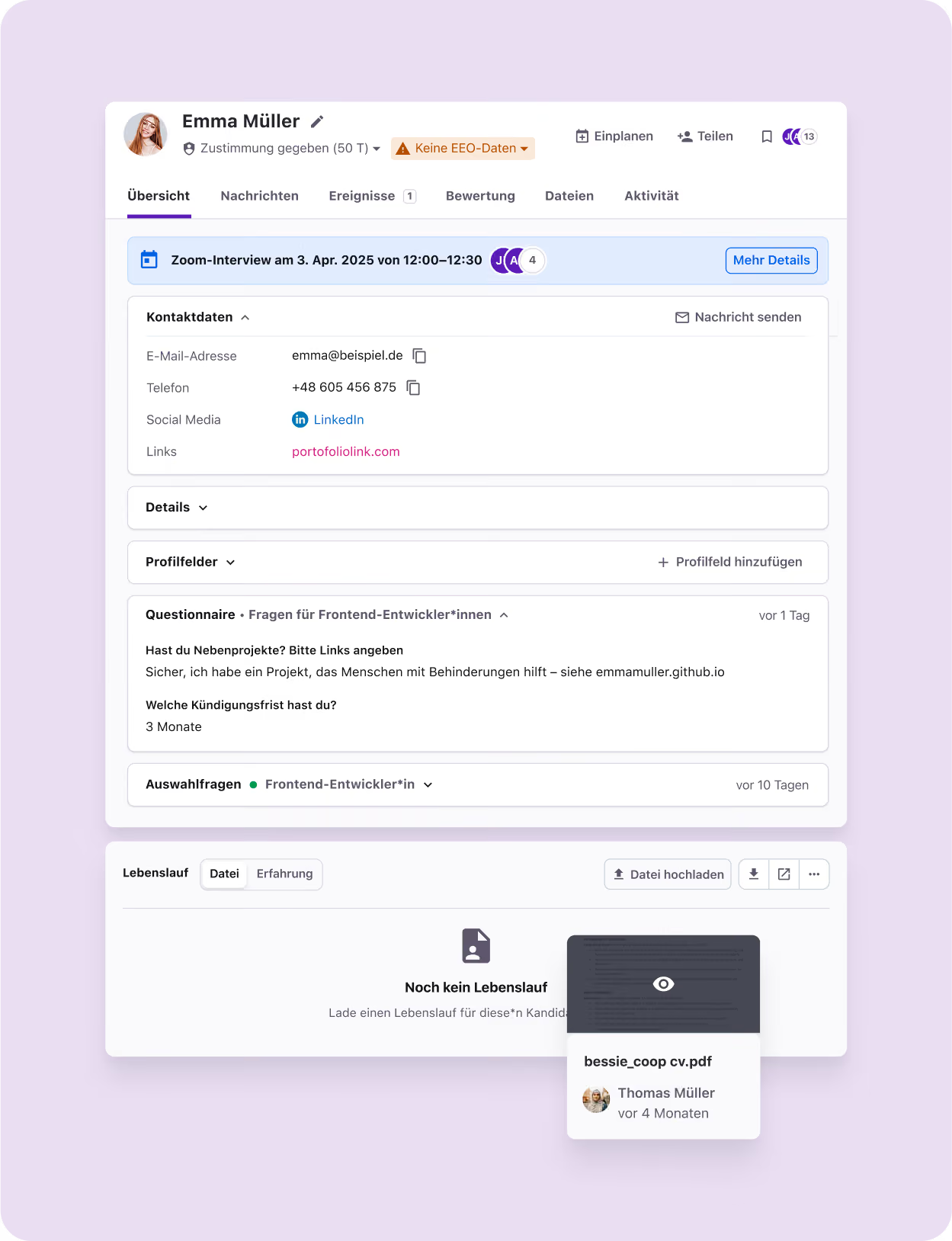
Tellent Recruitee knows SMBs and has designed a tool that speaks to their needs. The most apparent SMB-focused elements are transparent pricing. There is no mystery there: budget-conscious companies get a clear picture of what they’re paying for without surprises.
What’s less obvious, but arguably more impactful, is how much a lean talent acquisition team can accomplish with unlimited seats, a clean user experience, and collaboration-friendly workflows. Tellent Recruitee’s design makes it easy to share the hiring workload across recruiters, hiring managers, and interviewers. That accessibility translates to real efficiency gains. We’ve seen it firsthand (several of our writers have SMB recruiting backgrounds), and user feedback continues to back this up.
Feature breadth has also expanded in meaningful ways. The addition of Automated Actions lets recruiters trigger role-based tasks, send personalized candidate emails, and streamline interview logistics with minimal effort. Journeys now support pre-onboarding, giving new hires access to their setup tasks before day one. Meanwhile, the new AgencyHub centralizes collaboration with third-party recruiters, and WhatsApp Hiring provides instant, AI-assisted candidate communication right inside the platform.
When we first test-drove the platform, however, we flagged the absence of built-in video interviews, skills assessments, and onboarding as a drawback compared to other ATS systems. That critique is still valid, unfortunately, as many of those functions remain dependent on integrations. To be fair, though, the gap has narrowed thanks to features like Journeys (which now extend into pre-boarding) and tighter marketplace connections to tools that fill those needs. For teams that don’t mind an add-on approach, Tellent Recruitee’s curated marketplace makes integrations straightforward and reliable.
Key Features
- Customizable pipelines with drag-and-drop candidate management, stage time limits, and workflow automations
- CV parsing with automatic data extraction into candidate profiles and custom field support
- Interview scheduling with calendar sync, availability checking, and integration with Google Meet, Teams, or Zoom
- Bi-directional mailbox and calendar sync with shared mailbox support for centralized team communication
- AI-powered screening and matching assistants to identify qualified candidates and reduce manual evaluation efforts
Vice, Greenpeace, Autodesk, Tide, Mollie
Tellent Recruitee pricing starts at €270/month (used to be $199 in our last review update). A free trial is available.
Tellent Recruitee's recent updates reflect a maturing platform focused on automation, AI screening, and broader job distribution:
- Workflow Automations introduce configurable triggers, actions and conditions for greater operational efficiency
- AI Screening Assistant (beta) reviews applications against predefined criteria and surfaces relevant information for recruiters
- CareersHub enhancements add customizable job page layouts and a pages library for department, job type or location-specific pages
- Contract and campaign editing improvements reduce administrative friction when roles or budgets change mid-campaign
- Expanded job board integrations now include Indeed Sponsored Jobs via VONQ and platforms like Stellenanzeigen.de, Willhaben.at, Meinestadt.de and Werk.nl
Best For
Teams with at least 20 employees.

- We use Tellent Recruitee as an Application Tracking System on a daily basis.
- We have five job openings right now, and each one of them has distinct pipelines, responsibilities, and workflows.

- Email tracking. All emails are tracked within the tool, making it easy to manage and understand all communications made by our employees and applicants.
- Questionnaires. We can create custom questionnaires and send them to applicants. Their answers are collected and kept automatically on their profiles.
- Interview scheduling. It's easy to send a link to users so they can schedule their interview directly within the app.
We've been looking for an ATS (Application Tracking System) for a long time, and we've been using Tellent Recruitee for about 3 years. As a small game development studio, handling the dozens of applications we receive daily takes time. By using Tellent Recruitee, we're able to properly categorize, evaluate and keep records for every applicant.
- Pricing. It's one of the most expensive ATS in its category.
- It's not trivial to change the pipeline steps. If we could change the pipeline steps directly on the pipeline screen, it would be awesome.
- Mobile application is still far from ideal, and has some bugs.
- We've tried many other ATS systems, but Tellent Recruitee was the best I could find in this price range.
- The best parts of it are the application workflow and how easy is to keep all information we have on an applicant on his profile.
I recommend keeping an eye on how the communication between the applicants is handled within the app. When trying ATS tools, make sure to apply with another email so you can evaluate the whole pipeline.
The tool hasn't changed significantly over the last 3 years, so I can't speak a lot about this.
It fits companies that need to be more efficient in it's hiring processes, normally larger than 20 people.
Budget is an issue, so if you have a really small company with a tight budget, you might need another solution.

SmartRecruiters
Encompassing solutions beyond the standard candidate sourcing, assessment, and engagement features, SmartRecruiter is an enterprise-grade talent acquisition suite that provides native collaboration and AI-driven ATS functionality.
PROS
- Built-in candidate assessment, skill testing and offer management
- Easy multi-job board posting with social media and internal recruiting support
- Mobile-friendly platform
- SmartRecruiters has a built-in candidate assessment and skill testing module that allows you to predict cultural fit, future performance and retention, without needing to integrate third-party solutions.
- SmartRecruiters provides features for offer management. You can create offer letter templates, share them with successful applicants, and collect their e-signatures from any device using SmartRecruiters’ DocuSign integration.
- Speaking of integrations, SmartRecruiters has pre-built integrations with over 500 HR solutions and job boards. You can also ask SmartRecruiters’ team to build additional integrations for you if it doesn’t integrate with products in your tech stack.
CONS
- No transparent pricing or free trial
- Steep learning curve with a complex UI
- Limited candidate filtering, report customization and KPI tracking
- SmartRecruiters’ pricing isn’t transparent. Interested users have to go through the sales team to receive a quote. Users are also not able to create trial accounts on their own.
- Users have reported a steep learning curve and that the UI takes time to get used to. Some users have also reported that the system can be slow and glitches at times.
- The reporting feature doesn’t always retrieve data accurately. Some users have also complained that report customizations and KPI tracking capabilities are limited.
- Candidate filtering is quite limited. As it stands, only basic options such as degree, location, gender etc are provided.
SmartRecruiters ATS is built to serve mid-size and large businesses. The platform allows you to cast a wide net with customizable career pages, targeted ad campaigns, and job post distribution to multiple job boards. It also provides features for candidate assessment and offer management.

One unique fact our evaluation uncovered is that SmartRecruiters encourages customer feedback and rapidly integrates suggestions into the product. That’s an excellent reputation to have, and it’s in keeping with a key element of their business model: SmartRecruiters aims to enable their customers to attract talent. It follows that they would want direct feedback from their users on how to do that best.
The downside of this ATS system applies mostly to smaller businesses. It’s not cheap, and the scope of its feature set means that it’s complex to set up and use. These factors are less relevant to larger businesses, which are more likely to use all the features and have time and money to spare for integration and implementation.
Key Features
- Full workflow visibility with candidate status tracking, bottleneck identification, and pipeline stage monitoring
- Advanced search and filtering for fast candidate discovery across the entire applicant database
- Native recruiting analytics with real-time dashboards tracking hiring metrics, time-to-fill, and ad spending ROI
- Integrations with 300+ partners including HCM/HRIS systems, Zoom, LinkedIn, and DocuSign via API and app marketplace
- Support for 37 candidate-facing languages and 31 hiring team languages with compliance features for multiple jurisdictions
More than 5,000 companies, including Ikea, Visa, LinkedIn, Equinox, and Skechers
The annual cost for SmartRecruiters ATS begins at $10,000 and can exceed $50,000.
Best For
Medium and large-sized businesses.

We used SmartRecruiters every day. The key workflows are as follows,
1) Managing pipeline (reviewing applications, etc.)
2) Interview scheduling (self-scheduling and automatically booking recruiters’ and candidates’ calendars)
3) Candidate scorecards (create forms to put the evaluations of the interviewers more standard, however, that slows down the process and Hiring Managers are late with leaving feedback)
4) Simple data analysis, customized (for example: which sourcing platforms lead to the quickest hiring for some jobs)
5) Job posting and advertising are not really used every day and depend on the hiring needs.
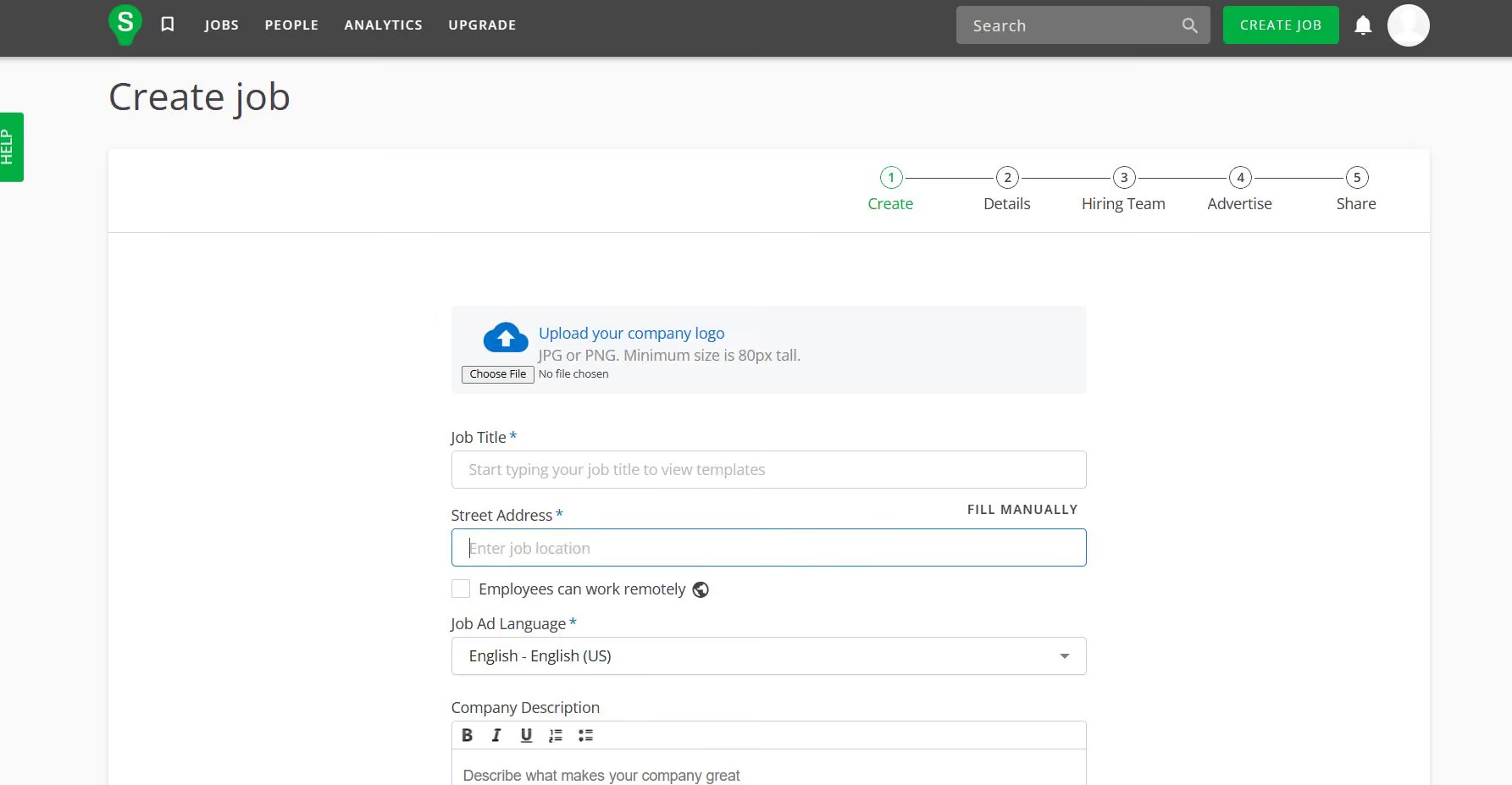
- Integration with Office 365 gives an opportunity to connect to Outlook Calendar, which is useful for quickly scheduling the interviews.
- You can see upcoming interviews on your ATS home page! Quite neat.
- It is quite easy to build the hiring team of other recruiters and hiring managers that will be involved in the recruitment.
For many years my organization has been using another ATS. However, it has been significantly increasing the price every year. The new goal was to reduce yearly subscriptions by at least 30%. The main benefit that attracted my organization was the possibility to integrate a lot of other business software with ATS. More precisely, having the option to generate a unique link that candidates can use to self-schedule interview time slots, connected with MS Teams link for that call, plus automatically booking Recruiters' Outlook calendars and making it visible on SmartRecruiters candidates' profiles.
At first glance, it seemed that SmartRecruiters offered more features for less price. Unfortunately, the data migration we performed later added a lot to the price.
The price of data migration from other ATS is tremendously high (some scripts had to be written by internal software engineers). It also might take a few months and be incomplete.
To post the job you need to fill in two separate fields: the name of the brand and the name of the company, plus it’s a must to enter the address of the workplace. This I find sometimes inconvenient, especially if a company has many brands, and the position has responsibilities for more than one brand, plus if there are multiple locations for that position.
- It is less user-friendly than Recruitee, for example.
- However, SmartRecruiters automatically generates useful data analytics and visualization.
Will you need to migrate a lot of data from previous ATS? (better not)
Will you need the package that allows many jobs to be posted at the same time (100+?) (in that case, yes)
Creating jobs was relatively slow and had many steps; it was simplified after some time.
It might be better for startups than for corporations.
If the organization doesn’t have a team of backend software engineers who will support data migration, or hires a lot, SmartRecruiters isn’t a good option.

JazzHR
This ATS platform is built with the small business in mind. When testing it, our writers were impressed at how easy it was to set up and use “out of the box,” which is a clear sign of its simplicity, attention to user experience, and understanding of the down-to-business mentality of most SMBs.
PROS
- Affordable pricing with no user limit and a 21-day free trial
- Built-in offer management with templates and DIY options
- Strong pipeline automation for improved candidate experience
- JazzHR is quite affordable and doesn’t place any limits on the number of users added. It also offers free, 21-day trials that anyone can sign up for.
- JazzHR has built-in features for offer management. You can choose from existing offer letter templates or create your own and share them with successful candidates
- You can automate triggers for candidates to be automatically notified via email when their application has moved a stage further in the hiring process. Several other email responses can be automated.
CONS
- No free version for minimal-use organizations
- Reporting lacks customization and ease of use
- No mobile apps
- Some users reported a learning curve with JazzHR's UI and that it took them some time to get used to it
- For a product geared towards SMBs, it lacks a free plan. We mention this as a con since other SMB-geared recruiting products do offer free-forever versions, which puts JazzHR slightly behind the competition.
- Several users have mentioned that the reporting feature is difficult to use with very little room for report customizations.
- JazzHR currently lacks a mobile app, and the browser version isn’t well-optimized for mobile use.
We like how simple it is to post and syndicate jobs across portals, and we love the upfront pricing on the website. Many customers start with JazzHR’s lowest-cost plan, and as their needs expand beyond basic features, they often upgrade incrementally. Being able to select features as needed keeps spending under control.
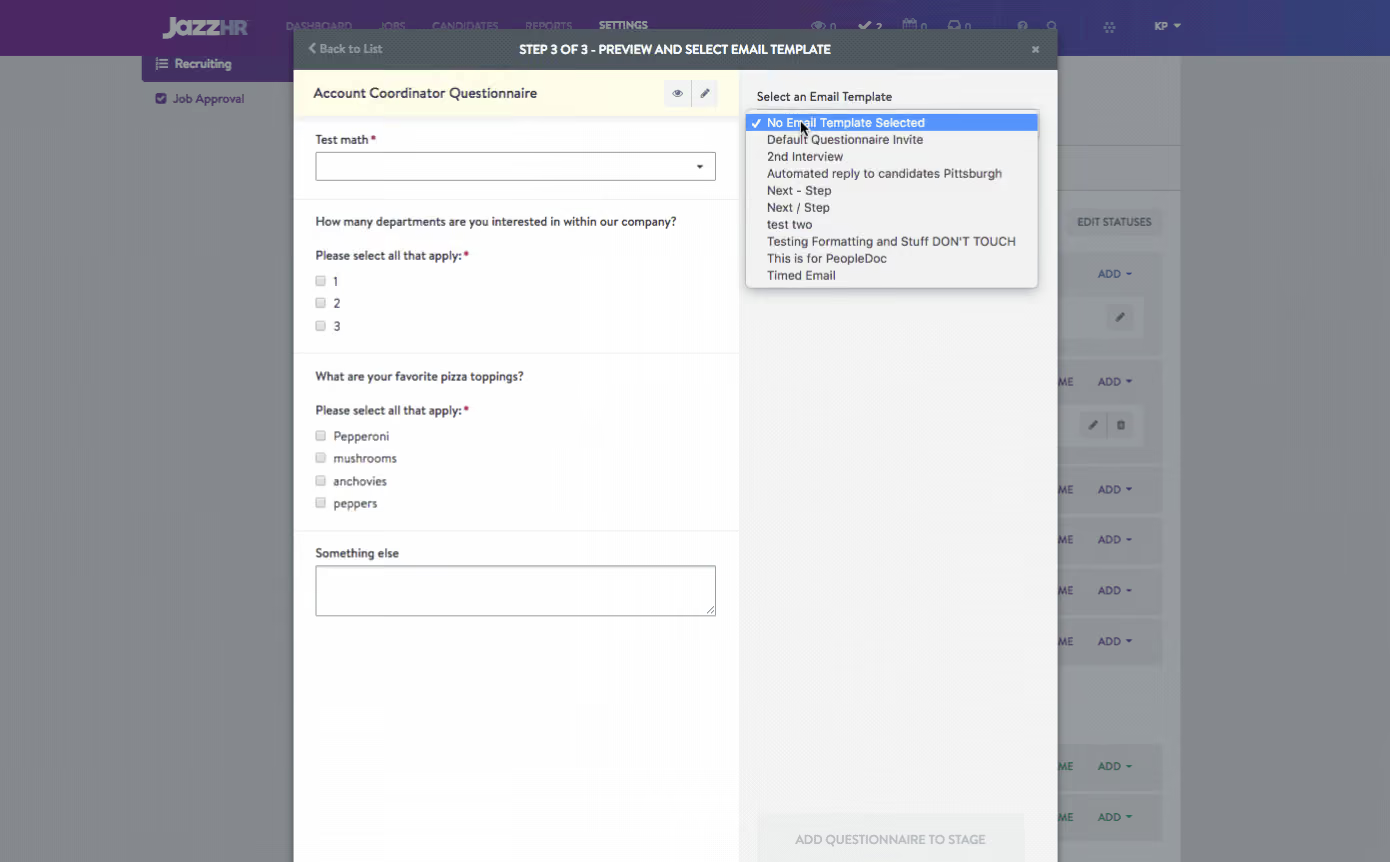
Because they do not offer mobile apps, our product testing included a considerable amount of time with our phones in hand, navigating the mobile web environment. We were impressed with how well the ATS system could manage the tasks a recruiter does on the go, like sending out a quick reply in the 15 seconds you have before your next meeting.
However, at least among our in-house recruiter veterans, the consensus was that complex tasks should be saved for the desktop version.
Feature-wise, the simplicity and consistency it brings to one’s hiring process are evident. The customizable application workflows, structured scorecards, and automations you can set up to trigger communication with candidates per where they are in the pipeline saves a lot of time compared to spreadsheets. The integration options are quite comprehensive, with dozens of partners for each category, from assessments to background checks, video interviews, HRIS and payroll solutions.
However, compared to Ashby, SmartRecruiters, and Greenhouse, JazzHR’s reporting capabilities still fall behind. Pricing-wise, starting at $75 per month is not a bad deal at all; still, that number is higher than the starting price of other SMB-oriented ATS recruitment software platforms like Manatal and Zoho Recruit.
Key Features
- Customizable pipeline stages with end-to-end candidate tracking from application through offer
- Task automation with email triggers and auto-assignment based on pipeline stage progression
- Role-based team access with custom hiring teams assigned per job opening
- Email sync with Gmail and Outlook to centralize candidate communication in the ATS
- Structured feedback and ratings system for collaborative candidate evaluation and decision-making
JazzHR is used by over 6,500 businesses, including the Seattle Seahawks, L'Occitane En Provence, TED Conferences LLC, and Chick-fil-A.
JazzHR has three plans. When paid annually:
- Hero costs $1000 per year.
- Plus costs $3,480 per year.
- Pro costs $5,508 per year.
The vendor also notes that this pricing does not apply to staffing agencies, HR service providers, franchises, multi-location businesses, and organizations with over 250 employees.
Best For
Organizations with 5 to 500 employees and works exceptionally well for TA teams with little to no experience.

We used it strictly as an ATS. We also posted jobs on platforms such as LinkedIn. For workflows, it provided candidate statuses such as applied, interviewed, offer, or rejected. It did have interview scheduling capabilities, but we did not use them.
It also had reporting, but we did not purchase the plan that included this feature. They did have a "job board" that made it easy to find the requisitions you were working on.
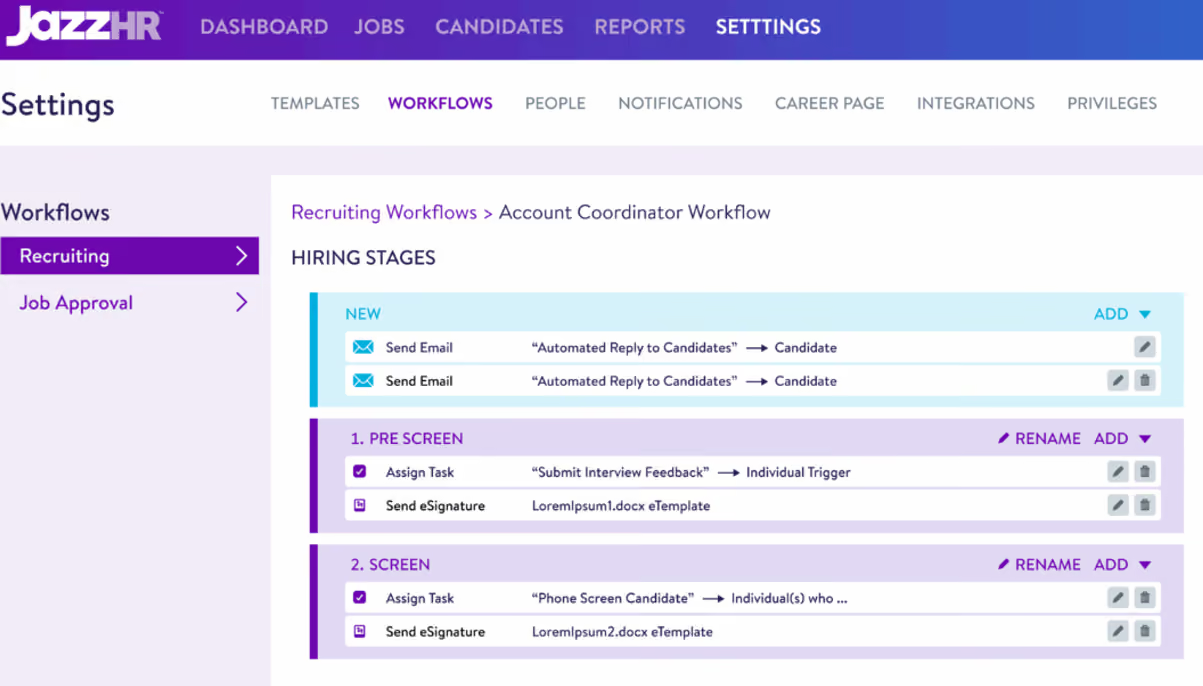
It is very user-friendly. They have a good online chat help option. They provide different price points and free demos.
This was supposed to be a cheap alternative to an ATS. It was cheap, for sure. This is fine for a small company, but it gave off scammer vibes to candidates based on the feedback we received.
I think we used it for less than six months because it was not well received. We also noticed that many job postings were duplicated, making it look even more like a scam. The key benefits were that it was easy to use and inexpensive.
It gives off scammer vibes to prospective candidates. I did not find it beneficial as an ATS. As a job posting board, it is very easy for other scam companies to duplicate your organization's job postings.
I prefer almost any other ATS. I like a more robust and reputable ATS.
The price is excellent. If you are just starting a small business, this is a great training tool to prepare you before your business grows and you need more from your ATS.
They did add some AI features, but we have not used them.
A very small company can benefit from JazzHR. In particular, someone who is not experienced with recruiting or does not expect to be posting many jobs.
Any reputable or large organization should stay away from JazzHR.

Teamtailor
Teamtailor blends ease of use with flexible branding and candidate experience features. We were especially impressed by the ATS’ quick-to-launch career pages, anonymous hiring options, and a new onboarding module that helps streamline post-offer workflows.
PROS
- Intuitive no-code drag-and-drop career site builder
- Responsive, human customer support across channels
- Onboarding module with templates, task assignments and progress tracking
- DEI support via anonymous recruitment, EEO surveys and internal referrals
- Free trial with unlimited jobs, users and candidate records
- Teamtailor’s ATS comes with a robust career site builder that’s also easy to use. It works with drag and drop - no coding knowledge necessary.
- Teamtailor backs several features that support diversity, equality and inclusion (DEI), including anonymous hiring, equal employment opportunity (EEO) surveys, etc..
- Teamtailor is highly rated for their ease-of-use. It’s quite simple to post and promote jobs through their platform.
- There is really in-depth and intuitive help documentation for this solution
CONS
- Limited analytics customization
- Onboarding and job offer approvals cost extra
- Limited customization for enterprise use cases
- Teamtailor’s analytics are good, but enterprise clients need to use BI Connectors to build the reporting they need. Right now, you can’t sport data from the system. This is particularly important for companies with 500+ employees, or those who have many different locations or franchises.
- Analytics doesn’t allow recruiters to see their cost per hire, which is a really impactful metric
- While they offer integrations with HRIS, onboarding, etc - they have focused on just being a really good ATS now.
- There are predefined user access levels, but you cannot define your own user access levels which is important, especially for the largest companies.
Teamtailor continues to impress us with its ability to make small teams feel like big brands. We’ve always loved its elegant approach to employer branding, especially the customizable career sites and nurturing tools, but the latest updates make it even more competitive as a full-funnel recruiting platform.
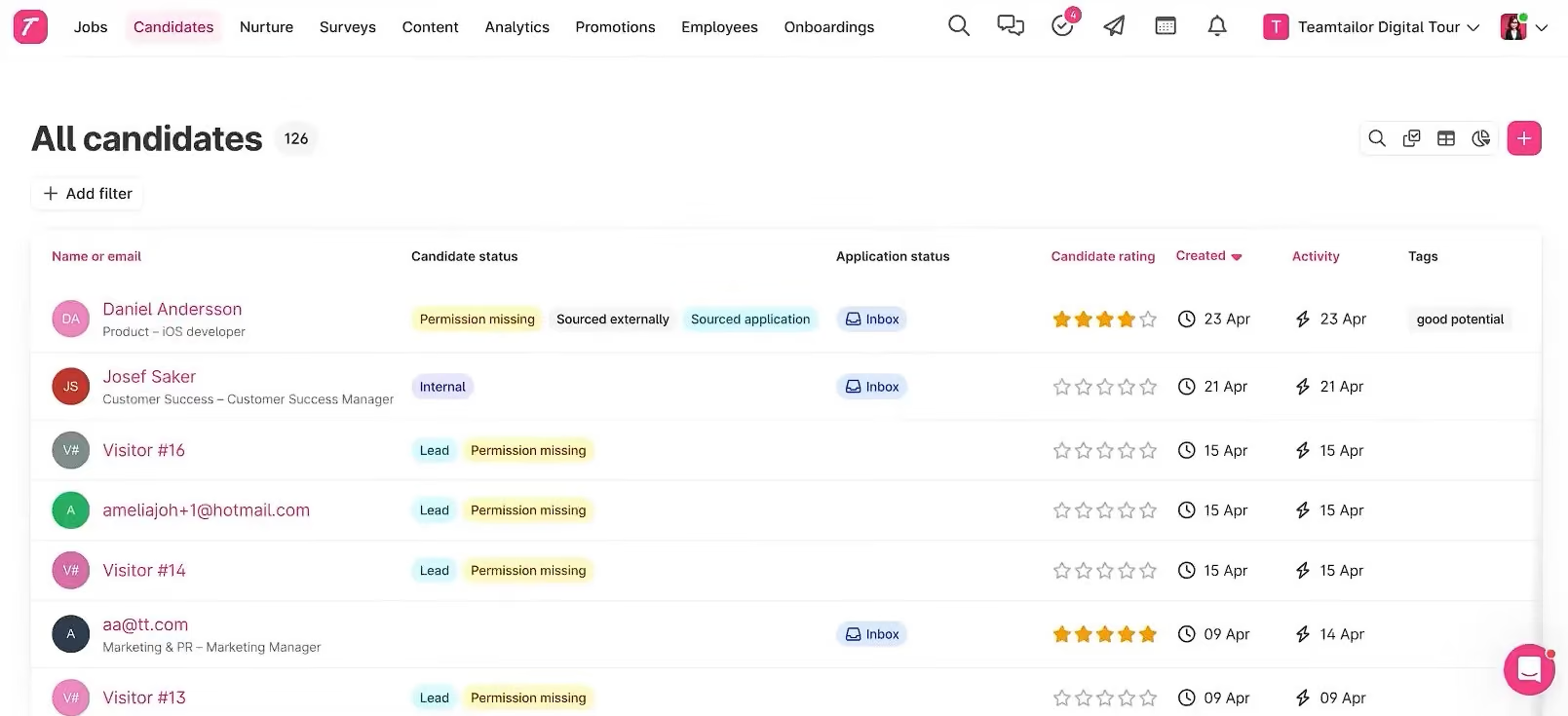
We demoed the new onboarding module and found it refreshingly straightforward. You can create pre-set templates with custom tasks, messages, forms, and documents, then apply those by department or role when a new hire accepts their offer. The onboarding dashboard widget gives your HR or hiring team a real-time view of progress, and it’s all centralized.
For hiring managers juggling multiple candidates, Teamtailor now has an improved comparison window. You can view interview notes, co-pilot screening criteria, application dates, and current stages side-by-side. It’s a small UX tweak, but one that really speeds up decision-making in high-volume pipelines.
Another useful feature we explored is Restricted Access, which allows admins to limit specific stages to specific users. For example, an IT lead could be looped in only during the hardware setup stage of onboarding. It’s a nice control layer if you involve multiple departments in hiring.
Despite these wins, Teamtailor still lacks broader HRIS tie-ins and the advanced analytics power that some talent teams might want. Plus, the new onboarding tools and offer approval features come as paid add-ons, which may push pricing above what very early-stage startups can afford.
Still, for companies who want an ATS that scales with them and makes them look good while doing it, Teamtailor remains a top pick.
Key Features
- AI-assisted interview notes, summaries, and automated follow-ups
- Career site builder with on-brand job posting templates and customizable communication flows
- Hiring manager portal with structured feedback forms
- Real-time analytics dashboards tracking hiring performance, pipeline stages, and data-driven recruitment metrics
- Integrations with 450+ tools including HRIS systems, e-signature providers, job boards, and assessment platforms
Kry, Goodbye Kansas, Vitamin Well, Ponsse, Daniel Wellington
Teamtailor’s pricing starts at $1,200 annually, according to our sources.
Best For
Startups and SMBs (50-400 employees) that need a straightforward ATS coupled with strong employer branding functions.

The main use for Teamtailor has been to add a careers website to my organization which allows me to externally advertise and manage open vacancies in the most engaging way possible.
I also use it for existing team bios, which do a good job of attracting prospective candidates, as it allows them to get an understanding of what kind of people we hire. Employees can create their own bios, and can even add gifs to make it a little more engaging!
On the backend of the system, I am able to track and monitor traffic to each job vacancy (external and internal) I have open, all in one place in a sales pipeline-like view, which allows me to drag and drop candidates along the process from application, review, interview to offer stage.
User experience is great; it's fun, modern, and engaging. It has a real Gen Z energy, which is attractive!
It's a really quick and easy way of adding a careers page and ATS, there is no need to build anything manually - which is a huge money and time saver!
It brings personality to your business by enabling you to showcase your team.
We were looking for a tool that was an ATS as well as a way of attracting candidates and maximizing our employer brand. If you're looking to add a careers page to your website, Teamtailor is a brilliant way of doing this in a quick, easy, and effective way. Teamtailor can bring personality to your organization by allowing you to showcase your existing team members to prospective candidates, with personal bios and even Instagram-esque stories. I've used Teamtailor for the last couple of years.
Overall Teamtailor is an excellent platform, but its functionality can be quite simple at times. For example, there is an interview kit tool with scorecards, but the customization here is quite minimal and limited to interview questions. It would be great to see an addition to add role-specific tasks.
Other ATS tools are quite frankly, boring. Teamtailor is engaging, modern, and attractive - it's straightforward in its set-up, meaning that anyone can use it. Whereas, other tools on the market are complicated, plain, and jargon-heavy.
As with most HR tools, I think businesses should first consider whether they have the internal resources to implement and maintain Teamtailor, that being said, it is one of the least high-maintenance ATS software on the market.
Businesses should also consider whether or not they already have a careers page, as even if they want the ATS, the careers page will come with it and could serve as a duplicate, so that's also something I would suggest checking before committing.
Teamtailor has evolved to meet users' needs, particularly in terms of enabling integrations with platforms like Bob, DocuSign, and even Snapchat.
Teamtailor is great for in-house recruitment teams and hiring managers, and would suit a small to medium business, as well as a business at enterprise level (over 1000 employees).
Teamtailor isn't a great option if the business isn't hiring.
Avature
We’re big fans of customized workflows and attention to user experience, and Avature’s platform is a blend of ATS and CRM that strikes the right balance between both.
PROS
- Full ATS with built-in video interviewing, management and onboarding
- Built-in CRM for candidate engagement and future hiring planning
- AI-powered talent matching and candidate ranking
- Recruiter mobile app with offline support
- Avature’s solution is quite comprehensive. They have a full-fledged ATS with built-in video interviewing, offer management and onboarding solutions. They also have a CRM, allowing TA teams to amp up candidate engagement and plan for future hiring.
- Avature leverages artificial intelligence with features of automatic talent matching and candidate ranking.
- Avature comes with a recruiter mobile app that allows key stakeholders to perform several recruiting tasks while on the go. The app also supports offline use, and syncs with the system the next time it’s connected to the Internet.
CONS
- No transparent pricing or free trial
- Complex UI with a notable learning curve
- Basic assessment features compared to competitors
- No built-in reference checking, requires paid third-party integration
- Avature’s pricing is not readily available on their website. They also do not offer a free trial.
- Several users noted that the UI isn’t intuitive and takes some time to get used to.
- Avature’s assessment feature is quite basic and isn’t built out enough compared to point solutions in that space. So if you want to test the skills and cultural fitness of candidates, you’d need a third-party solution.
- Avature doesn’t have an automated reference checking feature built-in. The platform does integrate with third-party solutions that facilitate reference checking, but you’ll have to purchase those solutions too separately.
The Avature platform allows users to customize dashboards, set up automated workflows, and leverage the power of an all-in-one ATS + CRM.

We got some hands-on experience with the tool, so we asked our colleagues with the most recruiting experience to test the limits of its purported customizability.
The results? This tool is easy to tailor to your company’s processes and goals. During our test run, we quickly built unique recruiting workflows for individual roles or entire departments.
The platform operates through a no-code interface that allows non-technical users to modify the system (with lots of permissions in place). While this level of detail may be overkill for smaller organizations with simple needs, this is a plus for large teams. Those that operate at a global enterprise scale will get the most out of Avature.
Key Features
- Explainable AI-powered candidate matching and ranking with scoring based on skills, experience, and education
- Semantic search with multilingual support
- Automated interview scheduling integrated with popular calendars with intelligent prioritization
- Automatic offer letter generation with template-based content for region and role, auto-populated with candidate data
- Reporting and analytics for hiring pipeline, time-to-fill, cost-per-hire, recruiter productivity, and diversity metrics
More than 6,500 companies use Avature. This includes Shell, Cisco, L'Oréal, Mondelez, Siemens, and KPMG.
Avature's pricing structure is tiered based on the number of employees and maximum recruitment users, starting at £60,500 per year for 1-2,500 employees and 20 recruitment users, and increasing up to £260,000+ per year for 20,000+ employees and 100+ recruitment users. These prices do not include implementation fees and are based on a minimum two-year contract. Educational institutions receive a 25% discount.
Avature's recent updates reflect a decisive move toward agentic AI and explainable intelligence across the full talent acquisition workflow:
- Candidate Fraud Detection analyzes and explains 8 different signals, including duplicated files, unusual IP activity, location inconsistencies and application speed, to flag profiles that may warrant closer recruiter review.
- Avature Copilot orchestrates task-specific agents for writing, insights, interviewing and operations, embedding contextual AI across sourcing, screening and onboarding workflows
- Agentic Automation enables single-prompt multi-step processes that blend human input and AI execution across the hiring lifecycle
- Semantic Matching uses NLP-powered job and candidate recommendations, Similar People and Similar Jobs features for contextual rather than keyword-based discovery
- Matching Explainability surfaces how skills, job titles and location contribute to match scores, with recruiter-adjustable weighting controls
- Skills Framework incorporates a proprietary, continuously updated ontology supporting proficiency ratings and must-have versus nice-to-have competency prioritization
- Multilingual resume parser now supports 30+ languages powered by a neural network engine
Best For
Enterprise-scale companies, especially those that operate across international borders.

I use Avature quite frequently. We use the recruiting data and connect it to Tableau to report our recruiting effectiveness. I also use it in preparation of our federal and statutory reporting requirements. As a hiring manager, my use is limited due to when I have an open position. I don't use it as a recruiter.
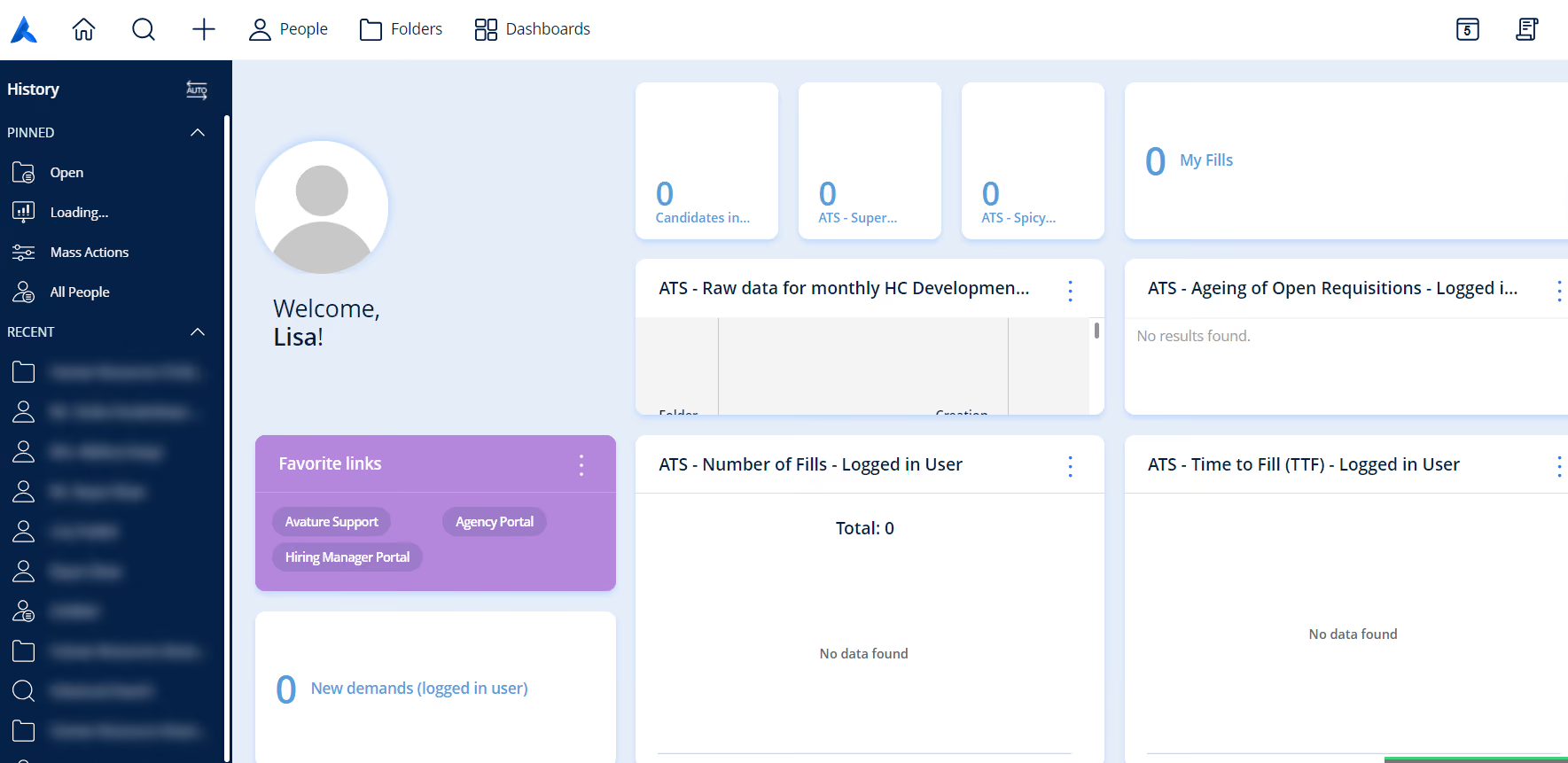
- It is user friendly, especially for the hiring manager and internal posting process.
- The standard reporting capabilities are pretty good.
- The option to keep all pre-boarding forms in one place.
My organization transitioned from Taleo to Avature about 4 years ago. The decision was made due to the reputation of the tool and the pipelining capabilities. I have used this tool for the last 2 years in my role. Taleo is user friendly and is full of options for recruiting. The tool also has some decent reporting functionality.
- Custom reporting is difficult to navigate.
- The workflow of a job req can be difficult to understand.
- The search capability is lacking. 4) The req-number is hard to find in the application.
I've used Taleo and iCIMS for talent acquisition and above all I preferred the ease of iCIMS. Avature's difficult custom reporting and navigation of job req folders is a turn off for me. iCIMS was highly customizable and worked great for my previous organization..
The size of your organization should be considered. I don't think that the cost would outweigh the benefits. Also, if you want to highly customize the tool, it's not worth it.
Somewhat, a recent release showed some improvement in reporting, but overall, it's remained the same over the time period I've used the tool.
I think if you are a full time recruiter for a large global company, it's a good fit.
I don't see Avature being that useful for a small market company.
Keka
We included Keka ATS (namely HIRO) because it’s one of the few emerging ATS platforms that balances recruiter usability, candidate experience, and active product development. Even though the product is still early-stage, its pace of updates shows a strong trajectory toward catching up with more established competitors.
PROS
- Frequent updates enhanced requisition correction, diversity reporting, and custom welcome emails.
- Various job board, assessment, and video interview integration options.
- Modern recruiter dashboard with drag-and-drop pipelines.
- Candidate portal supports applications, scheduling, and offers.
- Duplicate detection with configurable cooldowns.
- Candidate self-scheduling saves recruiter time.
- Chrome sourcing extension for LinkedIn/Naukri.
- Android app for hiring on the go.
- Federal and state tax filing is included at all tiers.
- Flexible pay schedules with direct deposit support.
- Overtime and leave policy automation to match local labor laws.
- Benefits, loans, and expense tracking in one place.
- Built-in dashboards and reports to monitor payroll trends.
- Accounting integrations for streamlined finance workflows.
CONS
- ATS is still early-stage; some features feel less mature than more established brands.
- “Free Trial” requires a sales demo first; implementation/setup fees apply.
- Key features (workflow automation, custom reporting) locked to Advanced tier.
- Customer support is based primarily outside the U.S., which may affect response times for North American buyers.
- “Free Trial” access is gated behind a sales demo and disclosed only after signup.
- Implementation fees for setup, tax configuration, and data migration.
- Advanced tools (custom reports, asset tracking, engagement surveys) only available in higher tiers.
- Multi-entity payroll and API access require add-on fees.
- Slow load times in the demo raise usability concerns about payroll deadlines.
Keka has established itself as an HRIS and payroll provider, but with HIRO, it’s now entering the ATS space. In our demo, the left-hand navigation and drag-and-drop pipelines kept jobs and candidate flows easy to manage, while scorecards and tagging added structure.

For candidates, HIRO provides a welcoming, united portal where they can apply, schedule interviews, and accept offers. We also appreciated the ability for recruiters to set cooldown periods to prevent duplicate reapplications, while interview scorecards help interviewers assess applicants consistently.
Recent product updates just show how fast HIRO is advancing. Recruiters can now source candidates directly from LinkedIn and Naukri via the Chrome extension, manage requisitions with “send back for correction,” and even move candidates or leave interview feedback directly from the Android mobile app. More minor enhancements (customizable welcome emails, open positions reports by recruiter, and diversity tracking in offer reports) improve efficiency and oversight.
That said, HIRO is still a relatively new product, and while the pace of improvement is encouraging, some features don’t yet have the depth or polish you’d find in more established platforms like Greenhouse or Workable.
As for the free trial offering, note that you’ll need to sit through a sales demo before you actually get access. On a similar note, although the pricing is not expensive, we should warn you that there are implementation fees for setup and data migration applied.
We also noticed some performance issues during our demo, with pages loading more slowly than we’d like. This could have been a one-off, but for teams handling high volumes of applicants, that kind of lag could become a real sticking point. And while Keka does provide support, most of it is routed through India and Singapore. That works fine for many global SMBs, but North American buyers should keep in mind that coverage may feel different than what they’re used to with U.S.-based teams.
Used by over 10,000 companies, including eBay, Randstad, and ONEPLUS.
Keka offers Pro ($50/recruiter/month) and Advanced ($75/recruiter/month) plans, both with free trials post-demo.
Best For
SMBs that like Keka’s HRIS and want to extend into ATS, or growing companies that want a modern, evolving recruiting tool and are comfortable with offshore support and early-stage maturity.
Benefits of Applicant Tracking Software
ATS systems are essential for growing companies because they streamline recruitment, enhance employer branding, provide detailed analytics, and facilitate smooth engagement of managers and employees beyond HR and talent acquisition teams. Statistically, 94% of recruiters found ATS recruitment software has positively impacted their hiring processes (Johnivan, 2026).
- Customized workflows: Top ATS systems can customize and automate tasks like application processing, screening, and collecting feedback, which dramatically improves hiring efficiency. If your team is hiring both truck drivers and software engineers, those workflows won't be interchangeable and a system that can't tell the difference will create more manual work than it saves.
- Improved employer branding: Candidate tracking systems will help your organization create and manage a custom career site, helping your company stand out. Showcasing your best features will make it easier to attract top talent. With integrations to networks like LinkedIn, reaching a wide audience is easy.
- Better quality talent pools: The best ATS software can save time and money by maintaining already-sourced candidates. If you maintain occasional contact with a pool of qualified candidates, your recruiting process doesn’t start from zero each time you open a new role.
- Wider internal engagement: Rather than relying exclusively on your HR or TA teams for recruiting, top ATS systems will also involve your hiring managers and employees as part of the process. Employee referrals, feedback on job candidates, and social media can all be leveraged to fill open positions.
- Streamlined hiring and onboarding: An ATS can do more than streamline recruiting; it can connect recruiting to onboarding removes the re-entry, the lost documents, and the first-week confusion that signals to a new hire they've joined a disorganized team. A good first impression sets the stage for good candidate experience (Biesmans, 2026), so it’s critical to make the onboarding process employee-focused, timely, and effective.
- More effective recruitment strategies: An effective hiring process is one that is data-driven (Rielly, 2026). Any good ATS software dashboard will put recruiter productivity, cost per hire, cost of job boards, cost of paid media, time to hire, and other key data at your fingertips.
These benefits only materialize if the system fits how your team actually hires. In our on-demand webinar, There's No Best ATS, Only Best Fit, recruiting leader Corey Moore, hiring consultant Louise Kabban, and fractional CPO Alex Seiler explain what to settle before you evaluate vendors and the mistakes buyers most often make.
Key Features of Top Applicant Tracking Software
Key ATS features include automated resume parsing, reliable data security, and great analytics (Mohamed, 2023).
- Third-party integrations: Almost without exception, ATS integration is the feature that makes or breaks an ATS (Johnivan, 2026). We've spoken with HR teams who discovered their "seamlessly integrated" stack was actually held together by manual CSV exports, meaning candidate data had to be downloaded from one system and uploaded to another by hand. And this came up in enough of our advisor conversations that we now ask vendors to demonstrate live data flow, not just describe it. Aim for native, bidirectional integrations with your HRIS, job boards, background check providers, and scheduling tools. Anything that requires a manual step in between is a liability.
- Talent sourcing: Top ATS systems include sourcing extensions that allow you to search and save candidates directly from the web. You’ll also find databases of job seekers that you can query for specific skills and outreach tools that will enable you to build sequences that engage candidates through email and texting.
- AI recruiting assistant: As AI is growingly plugged into recruitment (Dadaboyev, 2025), the more valuable question now is how the tool fosters the ethical and compliant use of AI in recruitment (Mannion, 2026). The best platforms aren't the ones adding more AI but the ones using structured screening questions and workflow-level friction to reintroduce human judgment. Beyond that, look for compliance specifics: Workable allows tone adjustments on AI-generated job descriptions, while Pinpoint automatically deletes candidate email history when a candidate removes their data — a compliance detail most platforms overlook.
- Candidate relationship management (CRM): A recruiting CRM keeps strong candidates warm between roles. In testing, the difference between a well-built CRM and a basic one showed up most clearly in silver medalist management (the candidates who made it to the final round but didn't get the offer). Without a structured nurture workflow, those candidates go cold within weeks. With one, they're often the first call when a similar role opens.
- Blind screening: While not revealing information about the candidate's gender, race, or age does not guarantee a fair process, decision-makers prevent the possibility of introducing hiring bias caused by exposing themselves to such factors, several research found (Nguyen, 2023; Rabinovitch, 2025). ATS systems with a blind screening feature obscure the candidates' personal data to prevent assessments based on non-relevant characteristics.
- Employer branding and career site: Modern applicant tracking software systems are built with the candidate experience in mind. Making a good first impression is critical, so top ATSs include no-code features that recruiters and hiring managers can use to build and maintain a professional, bespoke career site without needing to involve marketers and developers.
- Data and analytics: Any ATS worth its salt has a basic analytics dashboard. The best (and often the most expensive) ATS also incorporates a powerful analytics engine to make light work of your heaviest statistical loads.
- Interview scheduling: ATS software that is focused on recruitment automation will include scheduling for everything from phone screens to final-round interviews. Some enterprise options, such as SparkHire and VidCruiter, even have a video interview tool built in so you don’t have to rely on a third-party app for such use.
- Offer letters: Automated distribution of offer letters is a standard ATS feature. Most platforms offer templates that can be easily customized for each offer presented to a new hire.
- Onboarding: A smooth onboarding process helps ensure that the transition from candidate to colleague is as smooth as possible. It’s not surprising to see that most applicant tracking software platforms now offer some form of this capability, either natively or via integrations with third-party employee onboarding tools.
How To Choose the Best ATS
Any business choosing an ATS should aim to get the maximum functionality for its price point (while ensuring key functions for its specific business are best-in-class), focus on potential long-term benefits rather than short-term costs, and understand the software vendor's product roadmap. Beyond key features and pricing, user experience (UX) and user interface (UI), scalability, and customization are also critical factors to look for in a top ATS system (Strazzulla, 2026).
- What do you want to achieve with the ATS? Start by mapping who will actually use the system day-to-day: HR, hiring managers, interviewers, and operations staff who touch the process. Each group has different pain points, and an ATS that works beautifully for a recruiter can still fail if hiring managers won't log in to leave feedback. Critically, involve your TA team early. In our experience, the implementations that succeed are the ones where internal stakeholders were part of the selection process and felt ownership over the outcome.
- What can you afford? Feature-rich platforms can create as many problems as they solve if the complexity outpaces your team's capacity to use them. We've spoken with HR leaders who were paying for platforms they were using at 20% capacity. It’s not because the features weren't good, but because the learning curve killed adoption. Budget for the software and for the human time required to onboard and maintain it.
- Focus on individual features during your vendor research: Evaluate precisely what you need. The feature list and resource note that you have prepared in the earlier steps will help you stay focused on options that truly matter.
- Think long-term: Trying to anticipate the future is critical given how hard these tools are to replace over time (migrating tons of candidate data, different workflows for different types of jobs, etc.). Beyond the platform's capacity to scale up as you grow, pay attention to how this growth will affect product pricing and, therefore, the ATS ROI (Strazzulla, 2026).
- Understand the roadmap: A vendor with no improvement plan is a warning sign, but so is a vendor with an ambitious roadmap and a weak track record of delivery. In conversations with HR teams who felt misled post-purchase, the gap between demo promises and live functionality was the most consistent complaint. Ask for specific release timelines on features that matter to your business, and look for evidence of delivery (you can find it in changelog history, release notes, and user community discussions)
- User Experience and Interface: When looking at well-known platforms like Greenhouse, BambooHR, and Pinpoint, it’s easy to see that a well-designed interface partly contributes to higher adoption rates and, consequently, the growing popularity of these platforms. A great UX/UI enhances user satisfaction, reduces training time, and improves recruitment processes (Brinks, 2024). In contrast, a system your team avoids is worse than no system at all; it creates the illusion of process without reality.
- Customization and Scalability: An applicant tracking software system that seems ideal for your 20-person team today may become inadequate if it cannot support your international hiring needs as your team scales globally. Be sure to assess how customizable the system is (e.g., branding options, workflow customization, automation tools) to meet both your current and long-term needs. Oftentimes, seeking advice from HR tech experts results in faster and more accurate ATS shortlists, as they provide candid insights that a vendor’s sales team might not disclose.
Check out this video for insights from our experts on selecting the right applicant tracking software for your needs.
How Much Does an ATS Cost?
According to our internal data, ATS pricing tends to range between $250 and $12,000 per year for small businesses and can exceed $125,000 annually for large enterprises, depending on vendor pricing models and company size (Vázquez-Mellado, 2026).
Below is a comparison table of top recruiting ATS software prices.
Top ATS Software Trends to Watch in 2026
Key ATS trends include more reliable interview scheduling, AI creating as many problems as it's solving, growing introduction of CRM features, , candidates researching employers through AI before visiting a career site, and small UX improvements overpowering headline features.
- Scheduling Is Getting More Reliable: Coordinating interviews has always been one of recruiting's most stubborn time sinks. The best ATS platforms now handle it automatically, matching interviewers, catching conflicts, and letting candidates self-schedule without a coordinator stepping in. But not all of them manage this on their own. A panel interview or a candidate in a different country can still expose the gaps. In most cases, vendors that haven't cracked this in-house are buying or partnering with dedicated scheduling tools. So when you're evaluating a platform, ask them to demo a complex scenario. A standard two-person phone screen won't tell you much.
- AI Adds Capabilities and also New Problems: AI-supported candidate matching and analytics are more accessible and efficient. But AI has also made application volumes a major issue (Greenhouse, 2026). One TA practitioner we spoke with described a single job posting that received 37,000 applications in two days. Candidates used AI to apply at scale. The platforms handling this well aren't the ones with the most sophisticated AI. They're the ones using structured screening questions and application limits to slow the funnel down enough for a person to make a call. "We're not looking to test the candidate like a pop quiz," one consultant told us. "That lets us dive far more into compelling stories."
- ATS Platforms Are Taking On CRM Work: A few years back, candidate relationship management tools lived in separate CRM products. Now they're built into ATS platforms (e.g., Gem, Lever, Recruit CRM, Manatal), which make it easier for employers to stay connected with potential hires without starting from zero every time.
- Candidates Are Researching You on AI: 96% of candidates have used Generative AI to research potential employers before they decide where to apply (PerceptionX, 2026). This happens before anyone visits a career site. Modern ATS platforms are offering hands to improve your odds here: well-built career pages that reflect your culture, salary benchmarks that make your roles competitive, and accessible, inclusive job content all feed into how your organization comes across in AI-generated responses.
- UX Refinements Become a Competitive Edge: The changes that made the most practical difference in this year's testing weren't big new features, but the regular, minor ones like an extra pipeline stage, a cleaner screen for candidate messaging, a task handoff that took two clicks instead of five. You probably won't see these in a press release. But you will notice them on a Friday afternoon when a recruiter needs to move fast on a candidate.
Questions to Ask on ATS Software Demos
The right demo questions focus on your specific requirements. Use these as a starting point:
Understanding the core product
- Walk me through how recruiters post jobs, vet applicants, and leave feedback.
- How does this system support sourcing, pipelining, and referrals beyond capturing applicant data?
- Can candidate profiles be stored and searched for future sourcing?
- Do you support social recruiting?
- How do employees outside HR interact with the ATS?
Candidate experience
- Walk me through the full candidate experience end to end.
- How does this ATS improve the candidate experience?
- How does your platform handle automated rejection workflows? Can I personalize rejection emails by reason, delay sending, and route strong candidates into a nurture sequence?
- Can the system send candidates their interview questions before the interview? The goal of a structured interview isn't to catch people off guard but to have a real conversation. Daniel Space, HR content creator and former HR Business Partner at Spotify, Epic Games, and Electronic Arts, made this point in our recent webinar on optimizing candidate experience: sharing questions in advance lets hiring teams skip the surface-level answers and get straight to the stories and depth that actually inform a hiring decision (2025).
- When hiring slows down or a role goes on hold, how does the platform keep candidates informed automatically? Silence is the fastest way to lose a candidate's trust and your employer brand.
Integrations and compatibility
- Does the ATS offer a bi-directional API with my HRIS?
- Do you integrate with [specific tool], and if so, how?
- What is your partner strategy, and are there costs to integrate existing recruiting tools?
Performance and reporting
- What metrics prove solution effectiveness, and where are they visible in the dashboard?
Implementation and support
- What does the post-purchase onboarding process look like, step by step?
- Can I speak with my future customer service rep about implementation specifics?
Applicant Tracking Software FAQs
What is an applicant tracking system (ATS)?
An Applicant Tracking System is recruitment software that centralizes candidate data, automates hiring communications, and helps teams track and evaluate applicants from application to offer (Strazzulla, 2025).
When someone applies, the ATS extracts key details (e.g., experience, education, contact info) and stores them in a central database. Hiring teams use that to review candidates, manage communications, schedule interviews, and run assessments in one place.
The result includes faster hiring, better candidate communication, and cleaner data. Teams also report stronger collaboration between HR and hiring managers once everyone works from the same system.
How much does applicant tracking software cost?
ATS pricing varies significantly depending on the size of your team, the features you need, and the vendor's pricing model. Here's a breakdown of what to expect:
- Free / freemium: Platforms like Dover (free plan) offer no-cost entry points, though with limited features. Most vendors in this tier use a freemium model with paid upgrades.
- SMB / startup range ($25-$200/month): Tools like Manatal, Zoho Recruit, and JazzHR typically fall in this range, often priced per user or per job slot.
- Mid-market ($200-$800/month): Platforms like Workable and Greenhouse's SMB tier sit here. Pricing is usually based on employee headcount or active job postings.
- Enterprise (custom pricing): iCIMS, Lever, Avature, and Greenhouse's enterprise tier operate on annual contracts negotiated directly. Expect $10,000 - $100,000+ per year depending on scale and integrations.
The biggest cost drivers in our experience are number of users, candidate volume, integrations (HRIS, background check tools), and onboarding/implementation support. Always ask vendors for an all-in quote, as setup fees and support tiers are commonly excluded from headline pricing.
Which applicant tracking system is the most widely used?
Adoption varies significantly by company size, so "most widely used" depends on who you're asking.
Among mid-to-large enterprises, Greenhouse dominates. It's the default choice for scaling tech companies and professional services firms that need structured, collaborative hiring. Workable has the broadest overall install base across company sizes, largely because of its accessible pricing and quick setup.
In the SMB space, JazzHR and Tellent Recruitee are common picks, while Manatal and Zoho Recruit are popular with budget-conscious teams and smaller agencies.
For staffing and recruitment agencies, Recruit CRM is the most widely adopted combined ATS and CRM, particularly among boutique and mid-sized firms.
Which ATS is easiest to use and set up?
Per our tests, the options that consistently score highest on day-to-day usability and implementation are:
- Easiest to navigate: Manatal is frequently cited for its clean interface and minimal learning curve, Workable is similarly intuitive, with a pipeline view that hiring managers adopt quickly even without training, while JazzHR is straightforward for small teams running straightforward hiring workflows.
- Fastest to implement: Zoho Recruit and Manatal can typically be configured and live within a day or two for small teams, Workable advertises same-week setup for most SMB customers. Meanwhile, Greenhouse and Lever require more structured onboarding (typically a few weeks) due to their deeper configurability, which is worth it at scale but a poor fit if you need to hire immediately.
Which ATS is best for candidate experience?
If you care about how candidates feel going through your hiring process, Teamtailor’s career site builder is among the best-in-class, and automated candidate communication works out of the box without heavy configuration. Pinpoint is another platform where the candidate-facing side feels as considered as the recruiter-facing side. Greenhouse holds up well too, particularly for structured, multi-stage processes where candidates need clear visibility into where they stand.
Which ATS is best for candidate engagement and sourcing?
If your team is running Boolean searches, building talent pools, and nurturing passive candidates, nothing else we tested comes close to Gem. Ashby is the pick if you want that capability inside a single ATS+CRM platform rather than a standalone tool. For enterprises with serious volume and complex sourcing workflows, Avature is the most fully-featured option we've seen, though it comes with the implementation complexity to match.
What is the best ATS for enterprise?
- Greenhouse is the one we'd point most enterprise teams to first. It handles complex, multi-stakeholder hiring workflows without falling apart, the permissions and approval structures are robust, and the reporting gives TA leaders the visibility they need to make headcount decisions with confidence.
- Avature is the choice when you need more than an ATS. It's a full talent suite covering sourcing, CRM, onboarding and workforce planning in one platform. The tradeoff is implementation complexity and a steeper price tag, but for large enterprises running global hiring at high volume, it's hard to outgrow.
- ClearCo and Rippling are worth evaluating if your enterprise already runs on an HRIS and wants ATS functionality deeply embedded rather than bolted on. Rippling in particular is compelling if you want recruiting, HR, and IT provisioning in a single system of record.
How do I choose the best ATS for my company?
From our testing, the decisions that matter most are:
- Team size and hiring volume: SMBs and high-growth startups need fast setup and simple workflows. Enterprise teams need configurable approval chains, robust permissions, and deep reporting.
- Ease of adoption: The best ATS on paper fails if hiring managers won't use it. Prioritize platforms your whole team will actually log into, not just recruiters.
- Integration fit: Check compatibility with your HRIS, background check tools, and job boards before shortlisting. Integration gaps are the most common source of post-purchase regret.
- Implementation timeline: If you need to hire now, platforms like Workable and Manatal can be live within days. Greenhouse and Avature require structured onboarding measured in weeks.
- Budget clarity: Always ask for an all-in quote. Setup fees, support tiers, and integration costs are frequently excluded from headline pricing.
What is the difference between ATS and CRM?
ATS focuses on streamlining application logistics, while CRM (candidate relationship management system) builds relationships with potential candidates early on through engagement activities. ATS is used in the later hiring stages, and CRM is used in the early stages of candidate attraction and engagement (Neverova, 2024).
What is the best ATS for startups and SMBs?
- Workable is our top ATS pick for most small businesses. It covers the full hiring workflow, includes built-in video interviewing, and can be set up without dedicated HR tech support. JazzHR is a strong alternative for teams scaling quickly on a tighter budget. Tellent Recruitee is worth a look if collaborative, intuitive hiring is a priority.
- For teams that want modern design and a clean recruiter experience without enterprise pricing, Pinpoint and AvaHR punch above their weight class.
- If budget is the primary constraint, Manatal and Zoho Recruit both deliver solid core functionality at a price point that makes sense for lean teams. We'd also point you to our free ATS buyer guide if you're not ready to commit to paid software yet.
What is the best ATS for recruitment and staffing agencies?
Recruit CRM, Manatal, and Zoho Recruit work well for smaller agencies. Larger firms with high volume and complex workflows tend to get more from staffing agency software like Bullhorn and Avionté.
Sources
- Space, D. (2025, May 30) Optimizing Your Candidate Experience [Webinar]
- Hunter, A. (2023) How We Assess HR Tech: Sharing Our Methods & Criteria With The HR Community
- Johnivan, J.R. (2026) Applicant Tracking System Statistics
- Biesmans, L., D. Arijs, R. D. Cooman, and Y. V. Vaerenbergh (2026) “ Memorable Candidate Experiences Throughout the Recruitment and Selection Process.” International Journal of Selection and Assessment 34: 1–17
- Rielly, T. (2026) Data-Driven Recruitment: What It Is and How to Use It
- Mohamed, J. (2023) 12 Key Applicant Tracking System Features for Any Business
- Dadaboyev, S.M.U., Abdullayeva, J., Abbosova, N. et al. (2025) Role of artificial intelligence in employee recruitment: systematic review and future research directions. Discov glob soc 3, 99
- Johnivan, J.R. (2026) ATS Integrations Guide: Benefits, Examples, and Tips
- Mannion, C. (2026) A Complete Guide on How AI is Used in Recruitment - 2026
- Nguyen, A. (2023) Busting Hiring Bias: Tips & Tech for Fair Hiring Practices - SSR
- Rabinovitch, H. (2025). When ‘blind’selection works—and when it doesn’t. Current Opinion in Psychology, 102195.
- Strazzulla, P. (2026) What to Look For in an ATS (Expert Insight From a CEO)
- Strazzulla, P. (2026) How to Calculate ATS ROI & See Why Time to Fill is Key
- Brinks, R. (2024) 4 Key Areas to Improve Your Recruitment Process
- Vázquez-Mellado, R. (2026) Applicant Tracking System Pricing Guide (Updated for 2026)
- Strazzulla, P. (2025) What is an ATS? Benefits, Features, & How It Transforms Hiring
- Neverova, A. (2024) ATS vs CRM: What’s the Difference and Do You Really Need Both?
- Greenhouse (2026) 2026 AI in Hiring Report
- PerceptionX (2026) How Job Seekers Use AI to Research Employers
About the Author


About Us

- Our goal at SSR is to help HR and recruiting teams to find and buy the right software for their needs.
- Our site is free to use as some vendors will pay us for web traffic.
- SSR lists all companies we feel are top vendors - not just those who pay us - in our comprehensive directories full of the advice needed to make the right purchase decision for your HR team.