

10+ Best Recruitment Platforms (We’ve Tested Over 50)
We have options for small businesses, mid-market, as well as those at global enterprises. Enjoy!








Recruiting platforms are designed to streamline and enhance hiring processes within organizations. Whether you're an HR professional filling in-house roles or a specialized recruiter, it's a tool that can save you valuable time and resources.
Since recruitment tech is such a vast and dynamic landscape, we put together the cream of the crop in its key sub-categories, including Applicant Tracking Systems (ATS), Video Interview Platforms, Candidate Relationship Management (CRM) Software, and Talent Sourcing Tools, back in 2020 and have been updating it ever since. Below, you’ll find detailed reviews of the top picks from 59 vendors we evaluated, along with a transparent look at how we arrived at these choices. Enjoy!
Our team of experts evaluated multiple metrics and features when selecting the best talent acquisition tools, with these three factors considered most important: diversity hiring, customization, and unique capability. Here’s how we made the cut.
- Diversity Hiring: You can’t go far wrong with a recruitment tool that offers robust diversity hiring capabilities. Thus, we made sure selected solutions provide multilingual career sites, blind hiring (anonymized candidate information), structured interviews, and AI-powered features for unbiased candidate shortlisting.
- Customization: This factor holds a key role in improving your chances of securing the best talent. Features we vetted for this element include the option to make the look and feel of your career page match your company's branding, easy-to-adjust workflows, and custom fields to collect candidates’ additional information. This way, you can create a personalized experience for both candidates and your team.
- Unique Strength: We selected software that had something special, such as Turing, which specializes in tech talent recruitment, or VidCruiter, with its advanced video interviewing solution as part of the full recruitment suite. These types of software have a knack for enhancing the recruitment process and giving you a competitive edge.
Each software listed here has undergone our strict HR tech evaluation process, including full product demos, user research, feedback from experts in this space, and our first-hand experience with the software to determine which products truly stand out as the best.


Greenhouse

Greenhouse is a top pick for midsize and large companies thanks to its advanced customization and ease of use. The recruiting solution even offers a seamless connection with over 450 HR software partners you could leverage.
PROS
- Smooth transition from candidate to employee with well-executed onboarding.
- Mobile apps for iOS and Android provide flexibility for recruiters on the go.
- Sourcing automation retrieves contact information, personalized email campaigns, engagement tracking, and reporting.
- Onboarding module provides 3 access roles for process management.
- Native features for internal job boards and employee referrals.
- Multilingual support in English, German, French, Spanish, Italian, and Portuguese.
- Extensive integration options with 450+ third-party applications.
- Frequent feature updates.
- Greenhouse's onboarding feature is built and executed well. New hires transition smoothly from candidate to employee.
- iOS and Android apps work well for recruiters on the go. Users can review applications, schedule interviews, view candidates' profiles, and more.
- 450+ third-party integrations.
CONS
- No trial version available, and pricing is not the most budget-friendly.
- Limited customization and navigation challenges for reporting.
- Lacks features for nurturing and re-engaging with past candidates.
- Sourcing automation is available as an add-on.
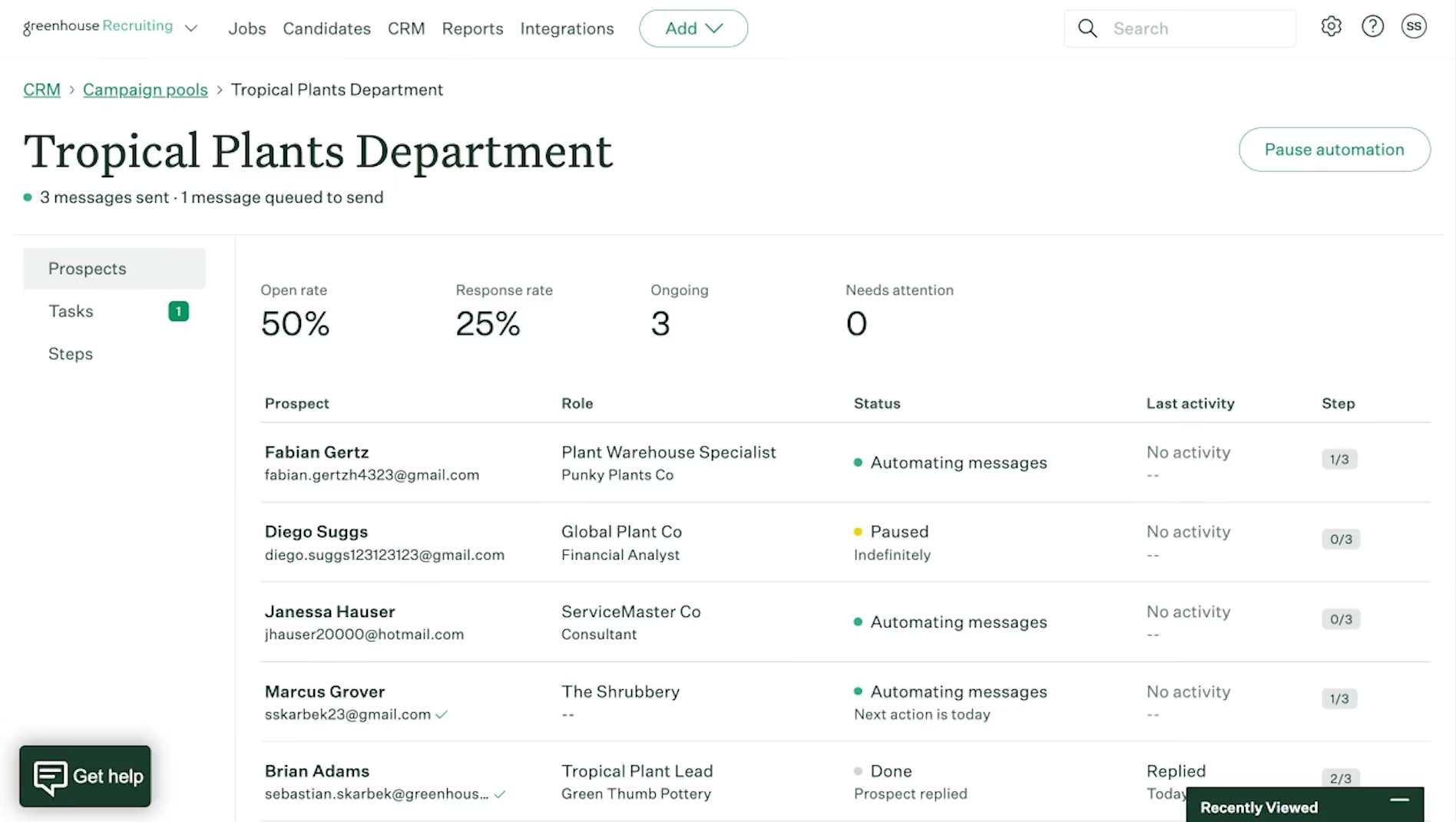
- Greenhouse’s pricing is undisclosed, and they do not offer a trial version.
- Some users note that reporting customization is quite limited and difficult to navigate.
- In-person/live support could be improved.
It’s nearly impossible when searching for the best hiring platform and not coming across Greenhouse because the recruiting tool is among the most complete solutions in the space.
Greenhouse primarily debuted as an ATS in 2012 but now also offers more solutions for structured hiring and candidate experience. Many teams find it a versatile tool that effectively serves as both a robust ATS and a basic recruiting CRM.
We've seen why thousands of companies of all stripes have stayed put with the platform for years. Once you create your first job post with Greenhouse, you won’t want to go back to the old days of either settling for a dull job look or trading your entire afternoon (and that of your front-end developer) for a better career page UI.
Greenhouse has dozens of pre-built templates that can make the whole process easy while creating everything from scratch is also comfortable enough without needing any coding knowledge, design skills, or assistance from the hiring platform’s support team.
With the native drag-and-drop workflow, users can tailor the number of stages, their names, purposes, evaluation criteria, PIC, and define roles and access levels. We think this high degree of customization truly sets Greenhouse apart from often-compared brands like Lever and Taleo.
However, it’s fair to say a platform is user-friendly only if it's loved by both employers and candidates.
We’ve tested applying through literally every ATS we have featured: iCIMS, Recruitee, Lever, and Workday—they all must have at least one of our resume copies. But none have impressed us as much as Greenhouse. A gorgeous landing page, a process that is so easy to apply, and an application form that says no to asking candidates to fill in the same information twice.
Moreover, the recruitment tool boasts extensive integration capabilities. With over 450 native integrations, it packs just about everything we could possibly think of to plug into a hiring platform. Candidate sourcing tools? Check. Video interviewing software? Check. Background check tech? Check. We've tried some common integrations like Slack, Gmail, and Calendly, and they all worked seamlessly.
However, it's not all sunshine. Greenhouse’s pricing is not very friendly towards companies where budget is a strong concern. But what disappoints us most is that despite regularly rolling out new features, there seems to be no progress with the reporting.
Hiccups happen here and there and customization options remain limited for certain reports—the pass-through report still allows only filtering by department, just like the last time we looked at it.
Also bear in mind that Greenhouse doesn’t possess any sourcing capabilities, so to use such features you need to purchase third-party tools like Gem and SeekOut and plug them into the platform.
Nearly 4,000 companies, including Casana, Momentive, and Anaplan.
Greenhouse offers three pricing plans based on team size. A one-year prepaid subscription is the standard contract, but discounts are available for longer terms.
We've been keeping tabs on Greenhouse for some time. Here are the most significant updates the Greenhouse team has made in the past three years:
Sourcing Automation: Personalize and automate email outreach campaigns at scale. The Greenhouse Recruiting Chrome extension finds contact details and syncs them to email campaigns. Users can merge data across platforms and communicate with team members regarding sourcing reports within Greenhouse.
Greenhouse Goals: Setting hiring goals and tracking progress within the platform are the two main functionalities of this add-on. Generate reports on individual and team performance over time to identify gaps and drive efficiency.
Greenhouse Job Ad Market: Job Ad Market suggests job boards specific to your needs and evaluates them based on historical and industry performance by region and job function.
Report Dashboards: Core metrics and trends associated with offers and hires, recruiting efficiency, sourcing, and pipeline health. The report can be generated for any role, department, hiring manager, etc.

Best For
Greenhouse is best for internal recruiting departments at mid-sized organizations, large enterprises, and fast-growing teams.


I used Greenhouse daily for managing job postings, assigning hiring team roles, and distributing listings across channels.
The ATS tracked each candidate’s progress through the hiring pipeline and allowed for real-time updates and collaboration. Interview feedback was recorded in the system, helping hiring managers make informed decisions.
The offer process was managed entirely through Greenhouse, including sending offers and tracking acceptances.
Once accepted, onboarding tasks like background checks and policy distribution were automatically triggered, keeping all teams aligned and prepared.
Greenhouse was easy to implement with minimal training required. Its integration with our HRIS eliminated duplicate data entry. Automated workflows reduced manual tasks and standardized the hiring process.
Our organization struggled with a fragmented hiring process, including manual candidate tracking, inconsistent interview documentation, and delays in onboarding. We needed a centralized system to streamline talent acquisition while maintaining compliance and audit readiness.
Greenhouse ATS and Onboarding improved our efficiency, provided full visibility into the hiring pipeline, and allowed for data-driven decision-making. Automated onboarding documents and streamlined communication eliminated delays. Integration with our HRIS reduced duplicate data entry.
I’ve used Greenhouse for over two years and found it critical in shifting our hiring process to a proactive, data-driven approach.
Reporting lacked depth, making it hard to generate meaningful insights. Analyzing large datasets was time-consuming. Tracking incomplete onboarding tasks required manual follow-up. Background check integration was missing, causing process delays.
Greenhouse stood out for its simplicity and ease of adoption, which made it accessible without technical expertise. It focused on core ATS functions without excess complexity. Over time, newer competitors offered stronger reporting, faster feature development, and better integration options that surpassed what Greenhouse provided.
Evaluate how complex your workflows are and whether the ATS can support them. Decide where approvals, job postings, and onboarding steps should occur—within the ATS or through integrated tools. Ensure the system connects to required job boards and your HRIS. Plan your end-to-end hiring workflow before choosing a platform.
In my experience, Greenhouse maintained its reliability but did not significantly evolve in features or usability. Competitors introduced better reporting, automation, and integration features over time. Greenhouse remained static, which became limiting as our needs grew.
Greenhouse works well for small to mid-sized companies with simple hiring workflows. It's ideal for teams without dedicated IT support who want a reliable ATS with core recruiting features and basic onboarding. Organizations with existing HRIS integrations will benefit most.
Greenhouse is not suited for large enterprises needing advanced automation, complex approval chains, or in-depth reporting. It lacks the flexibility and integration depth required for highly customized workflows or strategic workforce planning.

VidCruiter
We like how fully customizable and friendly VidCruiter's recruitment tools are for both US-based and worldwide teams, with servers in multiple regions so candidates can use the platform from anywhere. Its AI now handles much of the groundwork, from writing job descriptions to building and scoring interviews while keeping TA teams fully in control.
PROS
- VidCruiter can be fully customized to match businesses' hiring journeys.
- Advanced automation features, including AI-generated job descriptions, interview questions, and rating guides.
- Interview guides and templates built on industrial and organizational (IO) psychology, plus an AI checker that flags weak interview questions.
- AI interview summaries, notes, transcripts, and optional AI scoring.
- Built-in fraud and deepfake detection.
- End-to-end solution that consolidates hiring tools into a single product, or plugs into major ATSs like Workday, Dayforce, UKG, SAP, ADP, and Oracle.
- Eight languages supported natively, with new languages added by request.
- Dedicated account manager for setup and workflow customization, plus 24/7 live support for hiring teams and candidates via phone, email, and live chat.
- Modular and highly configurable: buy only the products you need, add more later, or connect VidCruiter to the ATS you already use.
- Mature pre-recorded, live, and hybrid interviewing, with live calls on VidCruiter's own video room or on Zoom, Google Meet, and Microsoft Teams.
- AI features that draft job descriptions and interview questions, score candidate responses, and provide summaries, transcripts, and clear scoring breakdowns—all subject to recruiter review.
- Built-in deepfake detection and controls that stop a recording if a candidate leaves the screen.
- Runs in a browser on any device, in eight languages for recruiters and dozens for candidates, with regional servers and enterprise security certifications.
- Round-the-clock live support, a named account manager, and on-demand training.
CONS
- Some complex, highly customized, and feature-rich implementations will be time-consuming.
- The skills assessment module is less comprehensive than dedicated assessment platforms.
- Undisclosed pricing. No free trial or free plan.
- Setup takes real effort for complex, multi-workflow rollouts, though AI now shortens interview building.
- AI scoring covers recorded interviews only; live interviews aren't scored yet.
- No free plan or trial. Pricing isn't published.
What makes VidCruiter unique is its exceptional level of customization and sophistication.
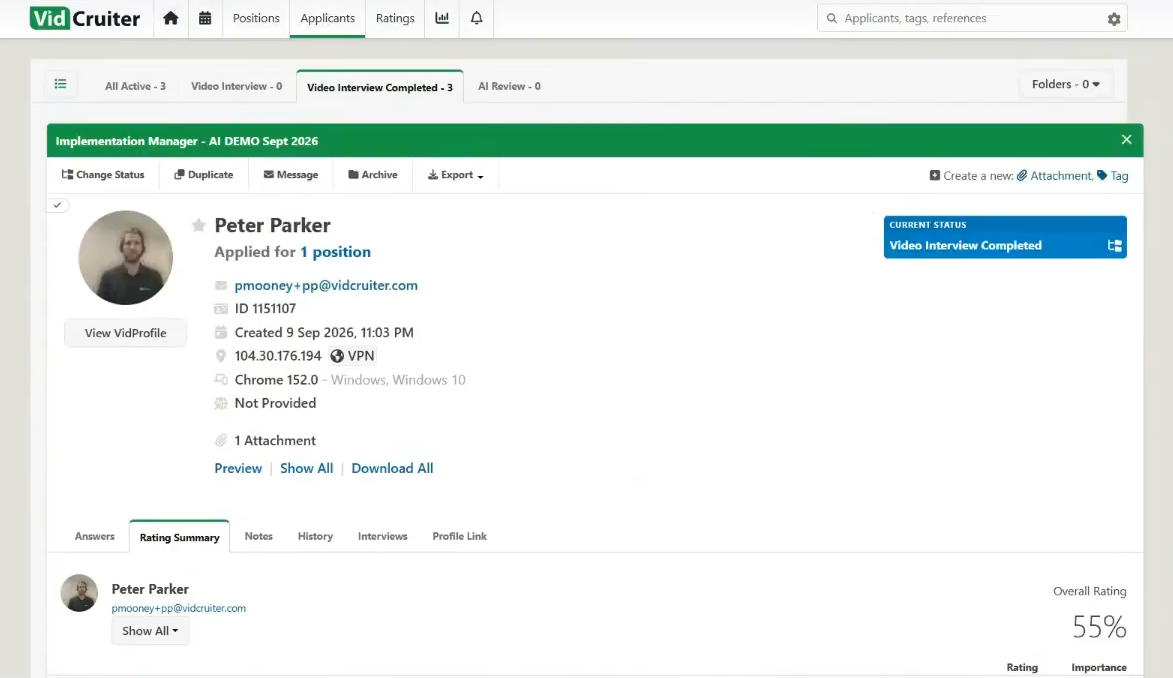
In addition to the standard ATS, custom career sites, interview scheduling, and onboarding—features we have seen in other robust recruiting solutions like Pinpoint and Trakstar Hire—VidCruiter just knocks our socks off with its powerful extras: Quick Apply (a lighter version of an ATS), native live interviewing, pre-recorded interviewing, automated reference checking, and virtual hiring events.
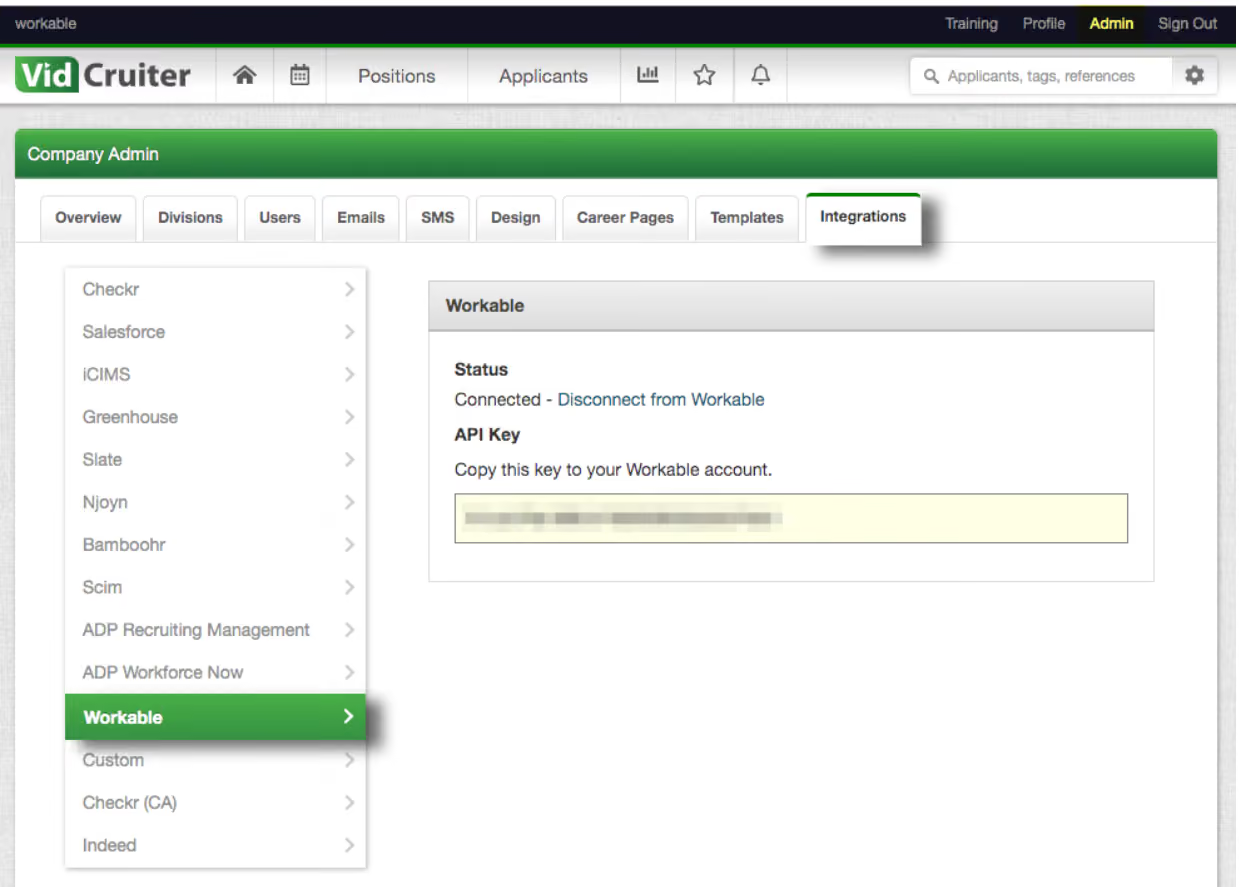
The beauty is, you don't have to buy everything at once. With VidCruiter, you have the freedom to choose modules one by one and add more as your needs evolve. The same goes for how it fits your existing stack. VidCruiter can run as a plug-in to your current ATS and import job descriptions directly from systems like Workday, SmartRecruiters, and SAP. Live interviews can also run through Zoom, Google Meet, or Microsoft Teams instead of VidCruiter's built-in video tool.
AI is now woven through the recruiting workflow. In a recent demo, we saw VidCruiter suggest must-have and nice-to-have requirements from a job title, then write a job description we could make more detailed, formal, or casual. A company context profile lets you tell the AI about your industry, company size, regulatory context, and brand voice. With that context, the platform generates interview questions and rating guides tailored to your organization. Recruiters stay in control, since they can edit, swap, or approve anything the AI suggests. Staying true to its IO psychology roots, VidCruiter also checks your own interview questions and marks them pass or fail, suggesting better alternatives when needed.
Once interviews are done, recruiters get AI summaries, bulleted notes for each answer, and downloadable transcripts. These work both for pre-recorded interviews and for live calls on Zoom, Meet, and Teams. For pre-recorded interviews, the AI also scores each answer, explains its reasoning, and gives each candidate an overall score to help recruiters decide who to review first. Scoring is optional: teams concerned about AI hiring rules in Europe or other jurisdictions can switch it off and keep using the AI-built questions and rating guides. To protect interview integrity, VidCruiter checks for deepfakes through audio, video, and lip-sync analysis. It can also end a recorded response if the candidate leaves the browser tab or screen.
Fair warning, though, VidCruiter's customization, support, and feature sets are most beneficial for organizations hiring at least a hundred employees annually. In the hands of much simpler and smaller recruitment teams, the full suite of features will likely go underused.
Over 150,000 users, including Lionsgate, Samsung, and US Foods.
The pricing of VidCruiter’s solutions is not disclosed on their website. Contact VidCruiter’s sales team for a custom price quote.
The platform now offers built-in integrations with major ATS platforms including Workday, Dayforce, UKG, SAP, ADP, and Oracle, while connecting with Zoom, Google Meet, and Microsoft Teams for live video meetings. However, the most significant advancement lies in its newly embedded AI tools across the talent acquisition pipeline:
- Automated job creation that recommends role expectations, drafts tailored job postings, and incorporates organizational profile context.
- Intelligent generation of interview questions and evaluation criteria, complete with a built-in question quality checker.
- Automated interview transcription, AI-driven candidate scoring, and concise summaries.
- Advanced integrity safeguards, including deepfake and identity fraud detection.
- Expanded global infrastructure with multi-region servers supporting international applicants seamlessly.
Best For
Medium to large organizations and government agencies that hire at least 100 people annually, especially for high-volume hiring. It is especially beneficial for organizations with a strong company culture that can be highlighted through videos.

I use this tool throughout my workday. Of course, it is used more when we are hiring multiple positions. It creates and posts job requisitions, which is a great tool for tracking candidates. I also use it to review resumes and send out automated questionnaires. This allows us to filter applicants and schedule video interviews, which has saved the company many hours between the HR team. Having the ability to interview people in different time zones with VidCruiter has given us the ability to find highly talented staff members.
The automatic screening and scheduling of candidates have allowed us to focus on finding qualified applicants. Accommodating different time zones and schedules enhanced the candidate's experience and the efficiency of the interview process as a whole. Sharing feedback and communication also helped us make well-timed hiring decisions.
VidCruiter was great in helping us solve the inefficiency and inconsistency in our hiring process. Manually reviewing each candidate's resume and application, scheduling interviews, and discussing hiring decisions led us to miss opportunities, and candidates were frustrated with the length of time. Once we started using the program, it streamlined all of those issues, allowing us to significantly improve the time spent and obtain highly valued employees. I have two years of experience using this program and feel it has been a great tool for the HR team. It allowed us to focus on finding qualified applicants rather than spending a lot of time on ones that weren’t a fit for us.
The interface is more complex and requires more time and training. Troubleshooting with our IT team was not always flawless, causing us to contact customer support. Having to call to work out bugs would sometimes be time-consuming and not conducive to the flow of the day.
Many HR programs focus only on applicant tracking/video interviewing. VidCruiter offers a program that has screening, scheduling, and interviewing all in one program. It allows us to make the hiring process smoother and quicker. I like the flexibility of video interviews, as they are convenient for both the applicant and our team. Having the capability to speed up the interview and hiring process makes it ideal for both the applicant and the HR team.
Anyone considering this program should consider its features and functionalities. Having a checklist of tools needed and wanted will allow them to decide if VidCruiter is a good fit. Reading through other users' reviews and opinions will also allow them to get a real hands-on opinion on the program and customer support.
VidCruiter has evolved over time by expanding its recruitment tools to include more than video interviewing. It has improved its user-friendliness and integration with other HR software.
VidCruiter caters to mid to large-sized companies. It is a great tool for an entire office to be able to easily communicate and streamline interviewing and hiring.
VidCruiter may not be a good fit for companies that prefer in-person interviews as it focuses more on video screening.
Workable
Workable proved especially effective in our testing with a thoroughly developed AI-driven job description tool, a multilingual candidate interface, and highly flexible candidate communication workflow templates that can automate everything from pre-assessment emails to disqualification and interview self-scheduling messages.
PROS
- Candidate profile anonymization option for automated personal detail removal.
- Language Kit fully translates the candidate-facing experience into multiple languages.
- Fully customizable pre-built workflow templates for candidate communication.
- Extensive native integration options, along with API support.
- Pricing transparency with a 15-day free trial available. Discount available bundling Recruiting and HR.
- You can post jobs with one click to over 200 sites. You also get access to access to Workable’s talent pool with over 400 million profiles.
- Workable has built-in cognitive and personality candidate assessment. The platform also has features for offer management, which means you can create offer letters and collect e-signatures without needing to use third-party tools
- You can reduce unconscious hiring bias with Workable’s anonymized screening feature. It helps you hide identifying candidate information from the sourced and applied stages of the hiring process.
CONS
- Lacks recruiting chatbot feature.
- Employer interface is only available in English.
- Higher priced than some competitors like Manatal, Wellfound, and Zoho Recruit.
- Additional fees are required for tools like texting, video interviews, transcription, and assessments.
- Workable doesn’t provide automated reference checking and onboarding features.
- Useful features such as candidate texting, video interviews, and assessments are not offered in any of Workable’’s plans and instead, sold separately.
- Several users complained about the reporting feature not being detailed or customizable enough, and that the candidate search function could use more filters.
After experiencing Workable from both employer and applicant perspectives, it’s easy to see why this hiring platform is a favorite among SMBs, especially those focused on enhancing diversity hiring and recruitment efficiency.
One feature that really caught our attention was the candidate profile anonymization tool. In our test, it casually cleared all candidates' personal details from their names to photos and social profiles, which literally left no room for unconscious bias to creep in.
The Language Kit was another gem. This tool fully translates the candidate-facing experience into multiple languages. As confirmed by one of our HR Tech editors who speaks Spanish, the translation was great. It’s unfortunate, though, that the employer interface in the backend currently supports only English. Still, having the candidate side fully localized is a huge benefit for global hiring efforts, we’d imagine.
Compared to other recruiting tools we’ve tested, like Manatal and Recruit CRM, Workable’s customization options feel more intuitive and comprehensive. The hiring platform offers a vast library of pre-built templates for candidate communications, from thank-you emails to interview scheduling links, which we can fully customize. Then, we can set up the condition(s) and when they should go out.
When it comes to AI job posting assistance, Workable has really gone the extra mile. It offers flexibility in crafting job postings, letting users adjust tone, revert to previous versions, and even regenerate specific sentences—a level of control we haven’t seen in many other platforms.
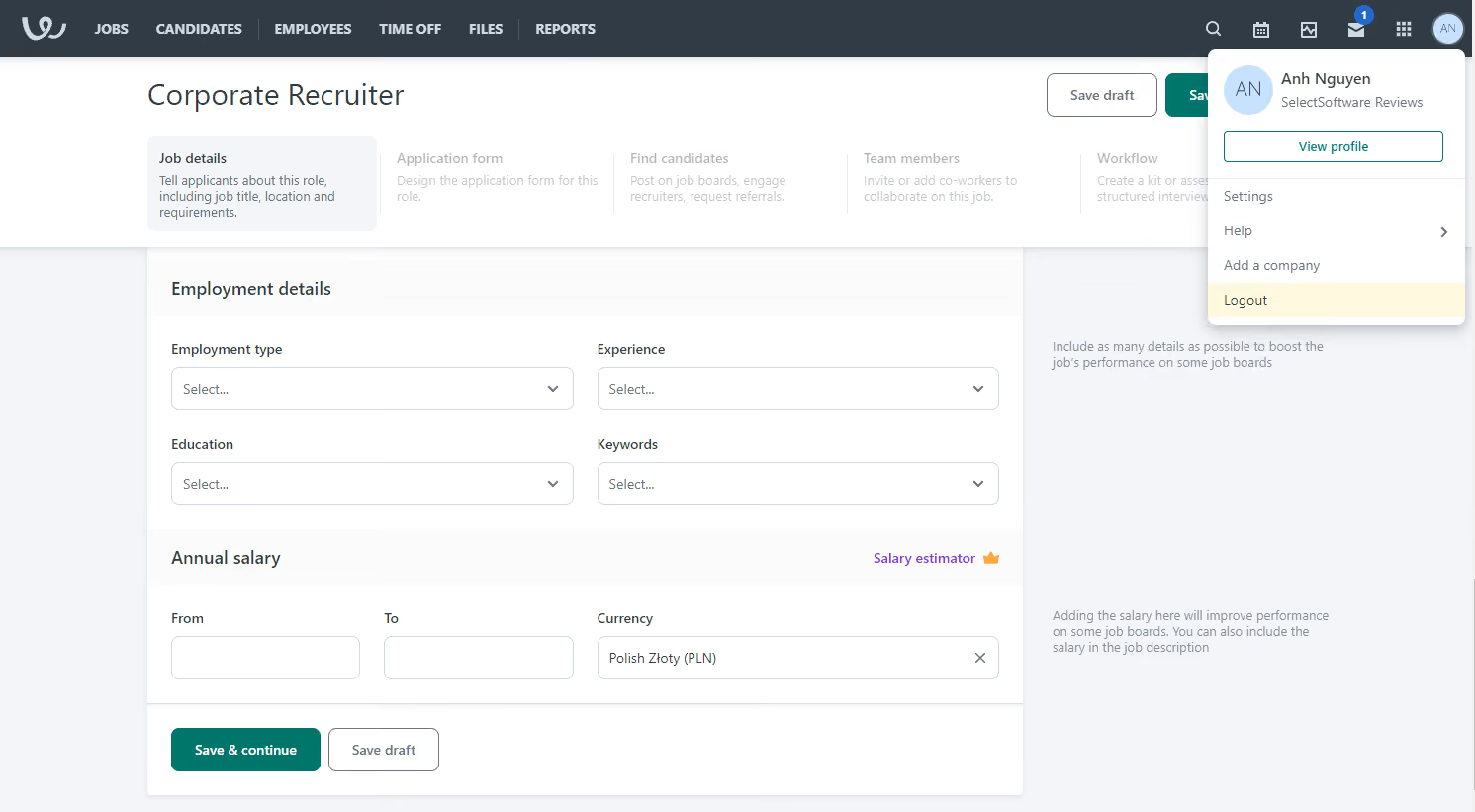
Workable is not the most budget-friendly option, however. It starts at $299 per month for unlimited jobs, considerably higher than some other SMB-centered ATS such as Manatal, Wellfound, and Zoho Recruit.
Additionally, the platform falls short compared to others like Greenhouse in terms of candidate profile merging, as there’s no auto-merge option we could find—it still requires some manual work from the user end to avoid losing key communication history.
All that said, if you can overlook that and some of the pricing and backend language limitations, we think Workable is a solid choice to assist your in-house recruiters with applicant management, screening, and some core HR workflows. In fact, more HR features have been introduced since 2025.
30,000+ companies, including Salad and Go, Karo Healthcare, and Moodle.
Workable's pricing starts at $299 per month, with additional premium features like Texting, Video Interviews, and Assessments available for $59 per month. A 15-day free trial is offered, and discounts are available for bundling Recruiting and HR products.
*Since our last review, the discount has been reduced to 20%, and the Texting/Video Interviews add-on prices have increased by $10/mo each.
Best For
Workable’s hiring platform is best for SMBs seeking a feature-rich recruiting solution that consolidates applicant tracking, sourcing, video interviewing, and HR functions in one place.

I used Workable daily. We used the Job Postings, Candidate Sourcing Suite, and Recruitment Marketing features. We also used the ATS components, including the CRM database, interview tools, one-way video interviews, interview scheduling, assessments, and candidate screening tools.
We benefited from automation throughout our pipeline and workflow. I used the basic reporting functions daily, weekly, monthly, and annually.
- Workable’s UX/UI is excellent.
- The Candidate Sourcing Suite includes AI, LinkedIn, Boolean search, and the existing database.
- The CRM database is well-organized and functional.
- The ATS workflows are customizable.
We did not have an ATS and were using Google Sheets to track our recruitment efforts. I built the recruitment team from scratch (0 to 28 recruiters).
Workable was perfect for our needs at the time we built the recruitment program. It provided a unified solution with an intuitive interface and customizable workflows that streamlined our hiring process.
The UX/UI is top-notch. Features like automated interview scheduling and real-time feedback collection enhanced team coordination, allowing us to move candidates through the pipeline more efficiently.
I implemented Workable and used the platform for almost two years.
- Workable’s reporting functionality is poor.
- I had to create my own reports in Google Sheets using the basic data exported from Workable.
- If you have a small team (fewer than 20 people) and a limited number of roles to fill, this platform works well.
- Workable now offers plans for more than 20 users and unlimited job posts, which was not the case from 2019 to 2022.
- I enjoyed using Workable because it is a highly intuitive platform where workflows can be customized, automations can be set, and the built-in candidate sourcing tools are exceptional.
- Previously, I would have recommended Workable for smaller recruitment teams with fewer than 10 job openings.
- Today, Workable offers personalized plans to support companies of any size and with unlimited job posts.
- It’s a great option across a range of team sizes.
- Warning: the reporting functionality remains very basic. If your organization relies heavily on advanced reporting, you may need to generate your own or consider another ATS focused on data analytics.
- Workable has made significant improvements to its platform.
- In the past, it was limited to smaller teams with fewer job openings.
- Now, it offers personalized plans to support companies of any size and unlimited job postings.
- Their pricing is customized based on organizational needs.
- If these options had been available between 2020 and 2022, I might not have switched to iCIMS, as we needed more job openings, more users, and more robust reporting.
Any organization of any size with any level of growth plans. Just be aware that the reporting functionality is very basic.
Organizations that require robust, customizable reporting functions may find Workable lacking. If you're comfortable exporting basic data and have the Excel or Sheets skills to analyze and build reports, Workable can still meet your needs.
AvaHR
AvaHR stood out to us for its robust automation framework and centralized candidate communication capabilities. Features like Pipeline Triggers and a Shared Inbox are rare among SMB-focused ATS platforms and made a real difference in our tests.
PROS
- Pipeline Triggers automate hiring tasks like sending emails or collecting feedback based on candidate stage.
- Shared Inbox consolidates applicant messages, scorecards, and team feedback.
- Unlimited users and customizable pipelines support distributed teams or agencies.
- Built-in job description writer speeds up requisition creation.
- Free data migration from other ATS systems.
- Culture Profiles let you add videos, photos, and text to showcase your company's work environment.
- Pipeline Triggers automate repetitive actions based on a candidate's stage, such as sending thank-you emails or requesting hiring team feedback.
- Custom questionnaire builder for candidate pre-assessments.
- Data migration service is available at no additional cost.
- Transparent pricing, free trial available.
CONS
- No resume parsing or Boolean search limits sourcing capabilities.
- Interview scheduling feature is still in development.
- Candidate referrals and eSignatures are behind a paywall.
- Free trial requires credit card to activate.
- No free plan, a free trial requires a credit card.
- Pricier than competitors like Loxo and Zoho Recruit.
- Additional charges for features like eSignatures and employee referrals.
- Interview scheduling feature is unavailable (still in development).
If your recruiting team spends too much time chasing down feedback or manually updating candidates, AvaHR may be a strong fit. In our hands-on tests, we saw clear evidence that this platform was built to eliminate repetitive admin work while keeping hiring teams in sync.
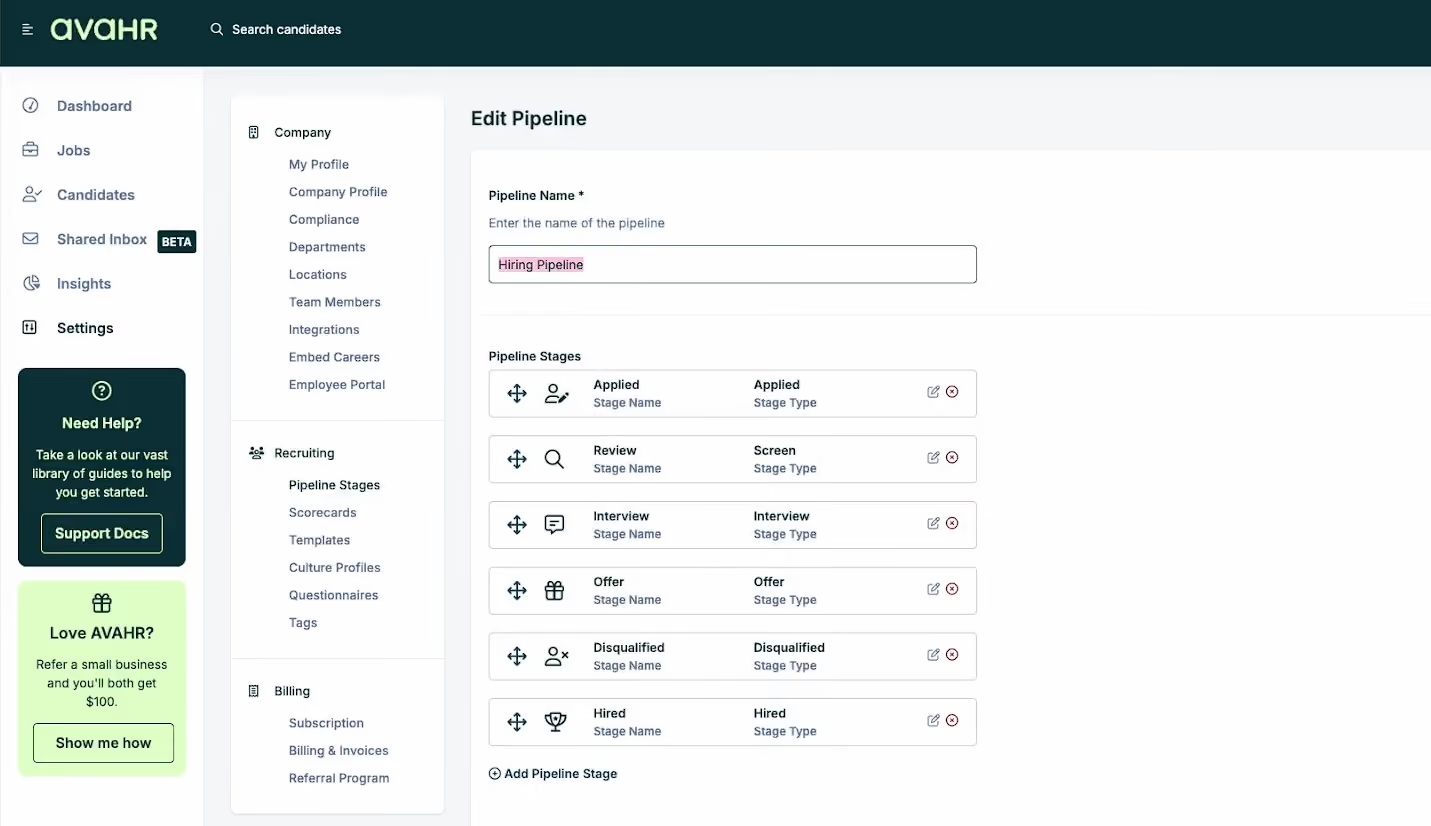
One of the most useful features was Pipeline Triggers, which let us automate routine tasks tied to specific stages in the hiring process. For example, once a candidate hit the “Phone Screen” stage, the system automatically emailed them availability options and flagged the recruiter to prep the hiring manager. These triggers can be fully customized to match your workflow preferences without requiring any code or complex logic trees.
AvaHR also impressed us with its Shared Inbox, a team-friendly feature that alternatives such as Manatal don’t support yet. This functionality aggregates all candidate interactions, including scorecards, assessments, and emails, into one view, which, in our test, made collaboration feel so straightforward.
The platform’s hiring pipelines are easy to build and edit. Each stage can have custom instructions and triggers, making it easier to maintain process consistency across departments or job types. We especially liked how easy it was to spin up new job postings, thanks to the AI-powered job description generator and drag-and-drop form builder.
Candidate views were clean and usable, but unfortunately, the search capabilities felt pretty basic, limited to standard filters with no Boolean search. While this may be fine for small to mid-sized pipelines, power users or high-volume recruiters might feel constrained.
AvaHR’s pricing is fair for what it offers, but some essential features, such as interview scheduling and referrals, are locked behind higher-tier plans or paid add-ons. Compared to Workable, AvaHR neither offers anonymized candidate profiles nor a fully translated candidate-facing experience. That said, Workable starts at $299 per month, whereas AvaHR begins at $89 per month, making AvaHR more accessible to lean teams looking to scale fast.
Used by 1,000+ companies, including BuzzRX, Redirect Health, Margaritaville, and State Farm.
AvaHR provides three annual billing options: Starter for $89 monthly, Grow for $179 monthly, and Pro for $279 monthly.
Best For
AvaHR is ideal for U.S.-based small to mid-sized companies looking for an ATS that balances hiring automation with built-in collaboration.
I use AvaHR daily to manage job postings, screen candidates, and coordinate hiring efforts across multiple dental offices. One of our most important workflows involves customizing hiring pipelines for each client, tailoring the process to meet their specific needs while keeping everything organized.
I rely heavily on AvaHR’s automated email tools to keep candidates engaged and informed, eliminating the need for manual follow-ups at every stage. The ability to easily share candidate profiles and notes with hiring managers has made collaboration much smoother.
AvaHR helps us stay efficient, professional, and responsive—qualities that are critical when supporting busy dental practices that can't afford hiring delays.
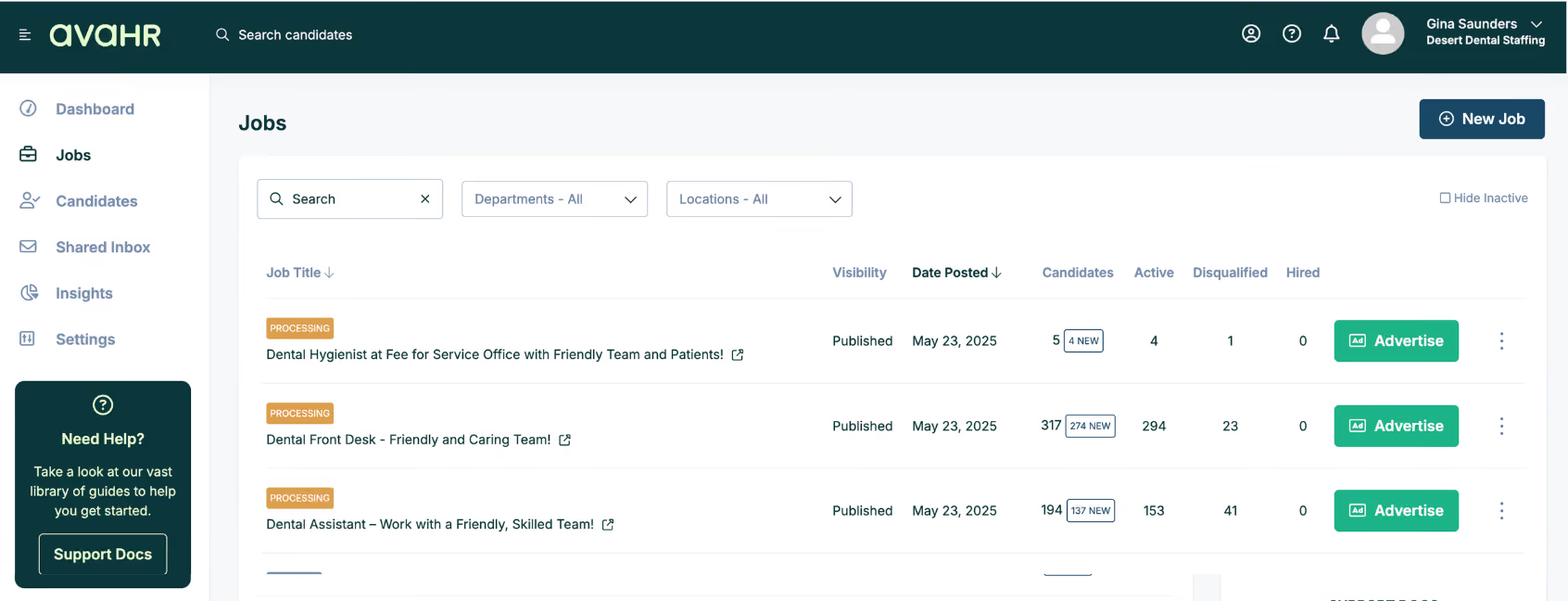
- AvaHR makes it incredibly easy to customize hiring pipelines for each dental office we support, offering flexibility without added complexity.
- The automated communication tools save us considerable time and ensure every candidate receives timely, professional responses.
- The interface is clean and intuitive, enabling both our team and clients to start using it with minimal training.
- Customer support is responsive and genuinely helpful whenever we have questions or need assistance.
At Desert Dental Staffing, we were looking for a solution that could streamline our internal hiring and support the many dental practices we partner with. Before using AvaHR, we managed too many manual processes and spent hours following up with candidates and clients.
We needed a tool that was user-friendly, scalable across multiple locations, and professional enough to reflect the high standards of the dental offices we serve. AvaHR met all those requirements. It allows us to centralize hiring, automate candidate communication, and deliver a seamless, branded experience for each client.
I’ve personally used AvaHR for over three years, and it has become a key part of how we help dental businesses fill roles more quickly, efficiently, and with less hassle.
- The mobile experience could be more streamlined to make managing tasks on the go quicker and more efficient.
- The platform does not currently include features for verifying dental-specific certifications or licenses, which would be a valuable addition during candidate screening.
- Some of our dental clients would prefer built-in scheduling tools that better align with typical dental office hours and appointment flows to simplify interview coordination.
Compared to JazzHR, which I’ve used before, AvaHR feels more modern and user-friendly, with a cleaner interface that simplifies the hiring process. While JazzHR has solid features, AvaHR’s automation tools—particularly those for candidate communication and pipeline customization—are more intuitive and flexible.
We also appreciate AvaHR’s ability to scale across multiple locations without becoming overly complex. Overall, we prefer AvaHR because it strikes a better balance between functionality and ease of use, enabling us to hire efficiently without requiring extensive training.
When selecting a hiring tool like AvaHR, prioritize ease of use so your team can adapt quickly. Look for automation features that reduce repetitive tasks, especially those involving candidate communication.
Ensure the platform allows for process customization to fit your organization’s specific needs. Integration with your current software and the quality of customer support are also critical factors. Testing the platform with your team before committing can help confirm whether it's a good fit.
AvaHR has evolved significantly to meet the changing needs of its users, especially small to mid-sized businesses seeking efficient hiring solutions. Notable enhancements include:
- Enhanced Automation with Pipeline Triggers: Customizable triggers automate tasks based on a candidate's stage in the pipeline.
- Advanced Candidate Engagement Tools: Culture Profiles allow businesses to showcase their work environments through videos, photos, and text, attracting culturally aligned candidates.
- Seamless Integrations: AvaHR has integrated with tools like Gmail and Google Sheets via Zapier, improving communication and data workflows.
- User-Friendly Interface and Onboarding: The platform delivers an intuitive interface and quick onboarding experience, allowing teams to start hiring efficiently with minimal setup.
AvaHR is ideal for small to mid-sized businesses looking to streamline their hiring process. It is particularly well-suited for medical and dental practices. Any business facing organizational challenges in recruiting or looking to save time and money will benefit from using this tool.
AvaHR may not be the best fit for large enterprises that require a comprehensive, full-scale HR management system.

Humanly
After watching Humanly for a while and fully exploring what the tool offers, it became clear to us that its strength lies in its abundant AI recruiting features, which can automate a range of time-consuming tasks for recruiters, from sourcing to pre-screening, engagement, and interview scheduling.
PROS
- Multi-lingual AI chatbot for candidate pre-screening, job interview scheduling, note-taking, and job application assistance.
- Customizable automation tools for candidate recommendations, outreach, engagement campaigns, and employee referrals.
- AI sourcing from over 600 million candidates online and within the user’s integrated ATS.
- 2-way native integration with over 40 applicant tracking systems.
- Humanly leverages a huge database of candidates to present you with talent from all corners of the globe. You can also source new ones through their Chrome extension while browsing sites like LinkedIn and GitHub.
- The Humanly tool integrates with hundreds of ATSs, providing an upgrade to your sourcing that won’t require you to switch tools.
- Generative AI is cleverly implemented for messaging candidates, automating campaigns, and ranking candidates at various stages of the hiring funnel, yet a human can step in and take over at any time.
- Their reporting module is among the cleanest and most in-depth we’ve seen for this kind of tool.
CONS
- No free trial or free plan.
- Does not have ATS functionalities such as job posting and resume parsing.
- The price is undisclosed and can be relatively high for budget-conscious teams.
- Since it’s a tool that was relaunched after a company acquisition, there might be some changes in the near future that could impact your workflows.
- The price point might be a bit steep for smaller teams, but they do offer custom prices based on the functionality you need and the number of users.
Humanly stood out throughout our tech tests as a powerful, AI-driven recruitment tool that excels in automating outreach and candidate engagement.
The ATS integrations are two-way, as it promises. When we plugged it into Greenhouse and created a new job posting from the ATS, the software automatically created a matching job profile on its platform, so we didn’t have to set it up twice.
From there, Humanly’s chatbot could manage everything from the initial candidate engagement and screening to the interview booking. In our testing, the chatbot handled real-time Q&A, including letting candidates learn more about our company culture, role expectations, and even salary requirements—all while collecting candidate information, such as availability and job interest. As a result, we received pre-vetted candidates appearing on our calendars with minimal manual effort.
Building on this, Humanly recently rolled out an AI video interviewer designed to take the initial candidate screening a step further. It engages applicants in real time with structured, branded interviews that mirror your job requirements. While the feature is new, it reflects a growing trend in HR tech toward scalable, automated early interviews. Some practitioners see this as a way to improve fairness and reduce recruiter workload, while others remain cautious about the candidate experience. We think it’s a development worth watching, especially for teams handling high-volume pipelines.
Regarding sourcing capabilities, through calibration candidates, we could guide the AI’s sourcing accuracy by pinning top matches or removing those that weren’t suitable, providing feedback on preferred or disliked candidate attributes, and even adding a LinkedIn URL of an ideal candidate. This blend of AI with hands-on guidance gave us a balance of automation and control comparable to other top sourcing tools like Fetcher and Rolebot.
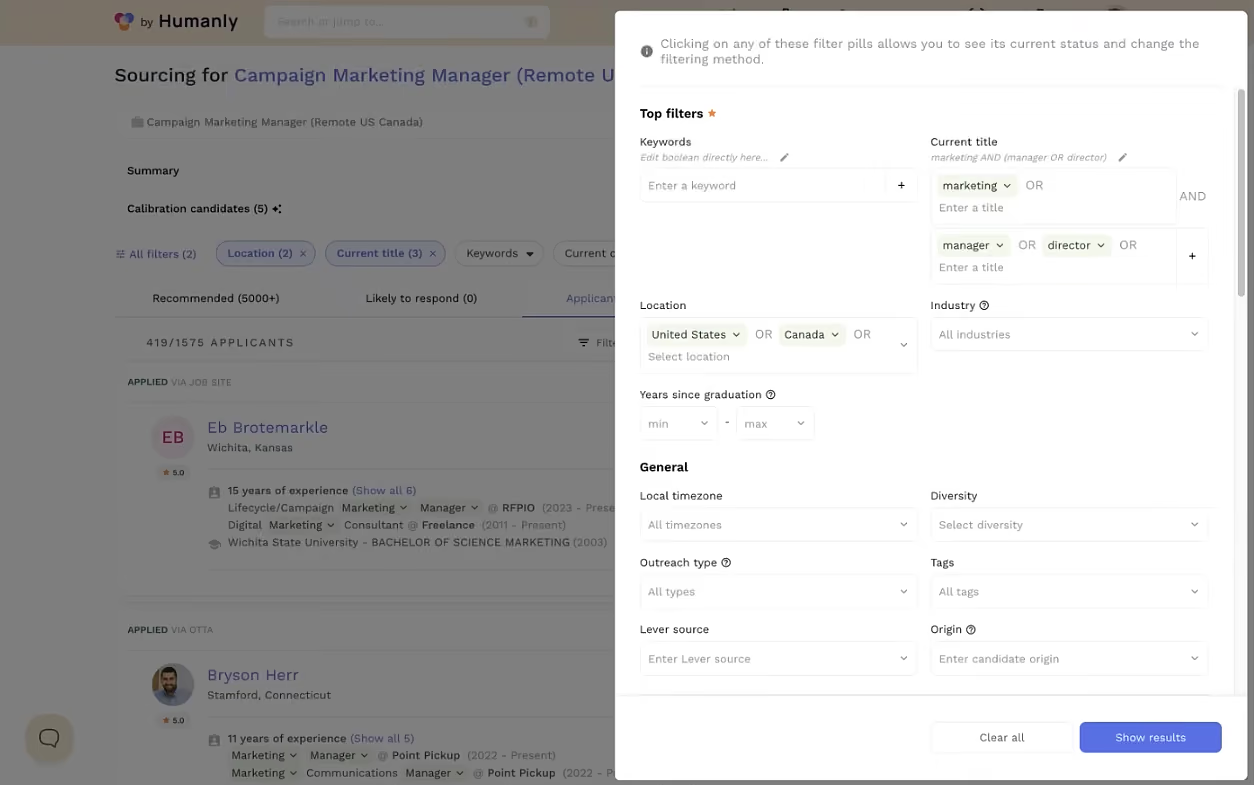
Another feature that stood out was the level of customization in Humanly’s campaign automation. It generated outreach messages tailored to the job and candidate profiles in less than a minute. Each campaign had one initial message and three follow-ups by default, but the content and schedule were fully adjustable.
In our testing, the reporting feature also checked the box, letting us track where candidates were in the hiring process, review chat transcripts, and monitor key campaign metrics like candidate engagement rates, conversion points, and time to hire.
However, if you need an all-in-one ATS, you may need to supplement Humanly with other tools, as this option lacks core ATS functions like job posting and resume parsing.
Similar to Paradox, Humanly’s pricing remains undisclosed. Though the recruiting software does offer a monthly billing option, according to our research, it’s not the most budget-friendly option for small businesses.
1,000+ companies, including TheKey, Upwork, and Udemy.
Humanly has undisclosed pricing.
Best For
Humanly is among the top hiring platforms for global teams with an existing ATS in place and looking to expand its automation and sourcing capabilities.

Manatal
Manatal offers a range of features that benefit not only in-house recruiters but also headhunters and staffing companies. It’s also one of the best-priced hiring platforms we’ve seen in the recruitment tech space.
PROS
- Strong applicant tracking and profile enrichment features.
- Tailored to both corporate and agency users.
- Pricing starts at $15, with free trial and monthly payment option available.
- User-friendly, bilingual, and mobile-optimized interface.
- Manatal is quite affordable and offers a 15-day free trial for users to test it out before making commitments.
- Manatal is fairly easy to use. It features drag-and-drop enabled pipelines for candidate organization.
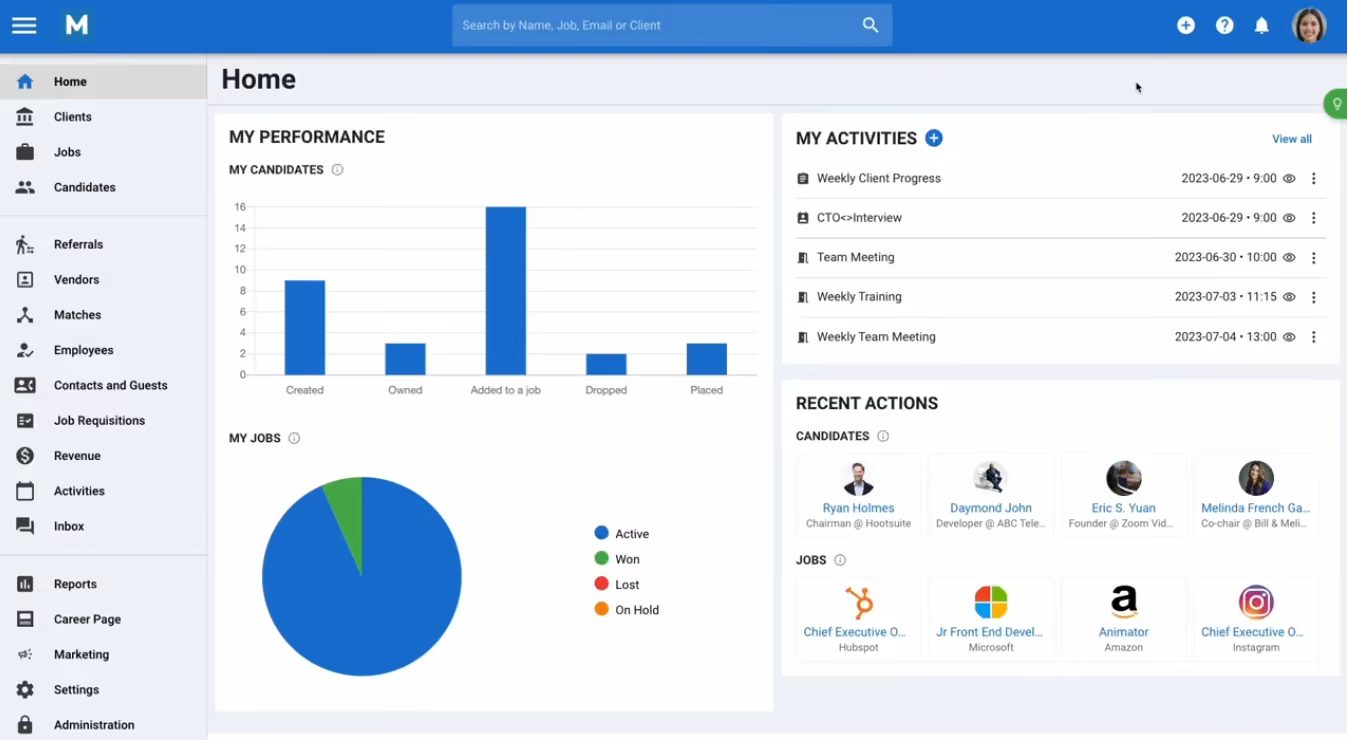
- Manatal’s AI-based recommendations feature can save hiring managers quite a bit of time. It’s able to scan job descriptions then search a users talent pool and bring up candidates most suited for the job.
CONS
- Integrations mainly depend on Zapier and API (accessible only to top-tier plan subscribers).
- Sourcing extension solely sources profiles from LinkedIn.
- AI job description (JD) generator only works for English JDs.
- Phone support only available on custom plan.
- The AI recommendations feature works best with resumes that are in English, and doesn’t work as accurately with other languages according to several users’ feedback. Several users have also complained about Manatal’s interface only being available in English and that career pages cannot be published in languages other than English and Spanish.
- Manatal doesn’t offer a free plan. We mention this as a con as several SMB-geared ATSs do offer a free-forever verison, and that puts Manatal slightly behind competition.
- Manatal doesn’t offer prebuilt integration modules. They do have an open API that allows users to plug in third-party products and custom tools, but that required a bit more time and technical knowledge to accomplish. It’s also worth mentioning that only Custom plan customers can access Manatal’s API and Zapier integration. Customers on the Professional and Enterprise plan cannot.
- Users can search for candidates via Boolean Search or Advanced Search, but cannot combine the two search methods together. E.g users cannot use the Boolean search operators (AND, OR and NOT) within Manatal’s Advanced Search tab.
Manatal’s recruitment tool is quite a bargain for most startups and small businesses. Its base plan ($15 per user per month) includes many cool features: candidate enrichment, AI recommendations, applicant tracking, LinkedIn sourcing extension, and text recruiting. The availability of three other plans with more advanced functionalities and support provides comfort for fast-growing businesses.
Feature-wise, Manatal’s applicant tracking is top-notch. This tool comes with a customizable, multilingual dashboard, drag-and-drop pipelines, Kanban and list view options, and a responsive design that functions well across devices. Plus, it features auto enrichment and duplicate detection.
Manatal allows users to have different pipeline stage automation for each job or a unified one across all, while its AI can be a great ally for increasing productivity. It can help you build JDs, enrich candidate profiles, and suggest and score profiles based on your JDs.
Agencies' needs are catered for, too. In one platform, you can oversee all client-related activities, from lead management and client portals to in-app communication, placement monitoring, and revenue tracking.
One area for improvement, though, is native integrations. Manatal has direct connections with many job boards but with very few HRMS, while its custom integrations and API are available only for the highest-priced plan.
We also wouldn’t suggest this recruiting solution if native talent sourcing and video interviewing are must-haves for you. Manatal’s extension doesn’t work on any other platforms than LinkedIn and, unlike VidCruiter, in-house video interviewing features are lacking.
10,000+ companies, including Adecco, Decathlon, Tesco, and Fujitsu.
Manatal pricing is between $15 and $55 per user per month when billed annually. Custom plans are available and there is a free trial with no credit card info required.
Best For
Manatal’s hiring platform is a good addition to both in-house and agency TAs’ tech stack, as long as ease of use and affordability are priorities.

I used Manatal for creating webpages to attract candidates, posting jobs to multiple job boards and social media platforms from one location, and tracking candidates through the screening process. It facilitated communication and scheduling for team members involved in hiring, ensuring everyone was informed and coordinated. The analytics and reports feature was instrumental in evaluating hiring timelines and identifying the most effective sources for candidates. This functionality allowed us to refine our recruitment strategy and make informed decisions on where to invest in promoting positions.
The coordination of the hiring process among team members was significantly improved, reducing miscommunications and the hassle of scheduling. Manatal's candidate tracking and database features prevented delays in the recruitment stages and helped us avoid losing good candidates to human error.
The ability to create company showcase web pages was invaluable in attracting sought-after candidates for challenging positions. Additionally, the access to detailed reports and data supported our decision-making with evidence, optimizing our recruitment budget and strategies.
We adopted Manatal to address challenges in managing a high volume of recruiting, especially for hard-to-fill positions with lengthy recruitment processes. We found it difficult to efficiently find the right candidates, and the coordination of the recruitment process was hard, resulting in missed tasks and delays. Additionally, we sought a better way to showcase our company as an attractive place to work, as traditional job postings were insufficient. We experienced loss of good candidates due to protracted processes or confusion over contact points and screening stages. Manatal offered a solution to better coordinate hiring efforts, track candidate progress, and enhance our attractiveness to potential applicants. I personally have used it for about a year.
Some team members found the interface unintuitive, with key features like email templates being hard to locate. The lack of a standalone mobile app initially was a limitation (not anymore), and certain functionalities, such as self-scheduling for candidates and enhancing the focus on candidate relationship management, needed further development for a better candidate experience.
Manatal holds its ground as a competitive tool in the recruitment software market, offering a comprehensive set of features. However, it required a steeper learning curve compared to other tools I have used, although it also provided superior customer service, which added value to our experience.
Prospective buyers should weigh the cost against their specific needs. If your organization does not engage in frequent hiring or if the existing team efficiently manages recruitment, this tool might exceed your requirements. However, for businesses with high recruitment volumes and a collaborative hiring process, Manatal could streamline operations, enhance your company's appeal to candidates, and potentially lead to more successful hires.
Manatal has made significant improvements, including the development of a mobile app and enhancements to its user interface to be more intuitive. The dashboard has been upgraded for easier navigation, reflecting the company's commitment to evolving in line with user feedback.
Manatal is ideally suited for small to medium-sized companies engaged in frequent hiring. It is particularly beneficial for organizations with collaborative hiring processes and those needing to attract high-demand candidates through compelling career pages.
For small businesses with minimal hiring needs, Manatal may not be cost-effective due to underutilization of its features. Conversely, very large companies requiring extensive customization and complex recruitment workflows might find Manatal's capabilities too basic for their needs.

Recruit CRM
Recruit CRM has improved over time by adding new features based on what users want. A clear and scalable pricing structure and a timeless free trial (with no credit card info required) is a big bonus to small and midsized agencies.
PROS
- Extensive CRM capabilities.
- AI-powered resume parsing and precise candidate matching.
- Transparent pricing model with a free trial with no time limits.
- Customizable drag-and-drop candidate pipeline.
- Dedicated account manager, unlimited training, and access to GPT-4 features in every plan.
- No extra fees required for basic data migration that includes importing Excel/CSV files with candidates & clients. During the implementation process of this software, the customer service personnel will help transfer your data for free.
- Great customer service. Their average response time is under two minutes.
- Powerful Linkedin Integration & Executive/Recruitment Report PDF Generator to save time
- Tons of resources made available to users including blogs and articles that give you all the information you need to know about how the software works, job description templates to help you get acquainted with all the possible job openings you will be looking to close, and a glossary that gives you the A-Z of recruitment practices.
CONS
- Occasional lag during peak usage times.
- Lacks native tools for video interviewing, employee referrals, and onboarding processes.
- Limited native integrations. Recruit CRM only integrates natively with LinkedIn, Zapier, Logic Melon, some email apps, and Google and Outlook calendars. If you want to run background checks, for example, using Checkr or other background verification platforms, you won’t be able to do that unless you use Zapier’s API extension.
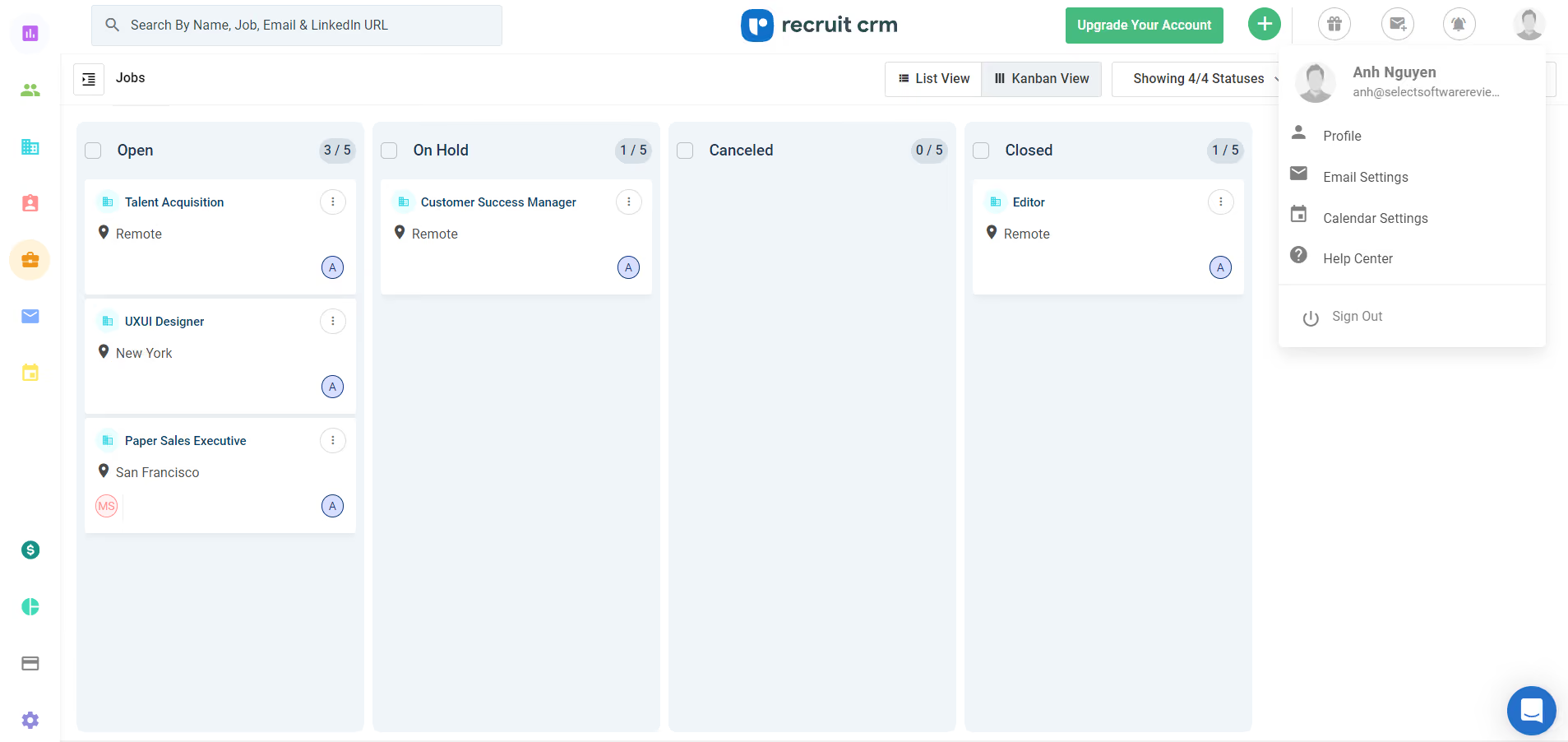
There’s a lot to love about Recruit CRM, but we are particularly impressed by how it seamlessly enables agency recruiters to organize client interactions and track sales opportunities. The platform features in-app resume formatting, client feedback, emailing, appointment scheduling and invoicing tools.
The native GPT-4 tool does a pretty decent job at generating emails, candidate summaries, and notes. It can also transcribe phone calls, so you won't have to worry about missing important details.
Juggling between candidates and clients can be a real pain in the neck for agencies, so the presence of Recruit CRM’s configurable workflow can offer these users some real comfort. This feature lets you set up automatic reminders to leave notes when a candidate moves to a different stage.
Compared to Manatal, Recruit CRM lacks a native referral management feature but does have an integrated phone call tool. Manatal is cheaper ($15 per user per month), yet priority support is only for higher-tier subscriptions. Recruit CRM starts at $85 per user per month and comes with a dedicated account manager and unlimited training, regardless of your plan.
While we appreciate the recent addition of Recruit CRM’s Kanban board, which had indeed improved user experience, there's still room for improvement, especially during peak times. Some recruiters we interviewed have reported lags that slow down their workflow.
1,200+ recruitment firms, including Zeren, Avizio, and Cooper Coleman.
Recruit CRM pricing is between $85 and $165 per user per month when billed annually. There is also a free trial with no credit card info required.
Best For
Recruit CRM is ideal for staffing firms to manage both client relations and candidate pipelines.

As a Manager of Talent Acquisition, I use Recruit CRM in various ways. It helps me track the number of employees in our pipeline accurately. I also create Candidate Lifecycle Reports for senior team review and decision-making. The tool assists in creating job listing pages, posting jobs, and managing online application procedures. This comprehensive functionality supports my workflow and enhances our recruitment process.

The professional user interface and advanced search features allow candidates to filter jobs by location, date, and interest. The pricing is favorable, making it accessible for smaller businesses. Integration with Google Meet and Microsoft Teams is straightforward, and the customizable email templates save time.
It has been three years since we started using Recruit CRM. Our company needed a solution to communicate with employees without relying on separate emails and to enhance our HR management capabilities. Recruit CRM has streamlined remote interviews, eliminating the need for physical offices. The integration with Google Meet and Microsoft Teams has made it easy to conduct 1:1 online meetings with candidates, interns, and employees. This tool has significantly improved my efficiency as a Human Resource professional.
Integrating with a custom email for sending emails from our job email requires knowledge of SMTP integration. The tool lacks Zoom and Webex integrations, which we often use, forcing us to switch to supported tools. Creating employee reports requires skill, as there are no templates available for this module.
Recruit CRM offers job listing, deal-making, online meeting integration, and document management at the same price, while competitors charge extra for these add-ons.
Consider the size of your HR needs and the team you will manage with this tool to ensure it remains cost-effective in the long run. Assess the tool’s features against your organization's requirements to determine its suitability.
While there haven't been many changes, new features like job listing and online interview modules have been added.
Recruit CRM is ideal for recruiting companies and Human Resource departments.
It may not be suitable for smaller businesses with few team members.

Zoho Recruit
Zoho Recruit’s pricing flexibility is among the best. In addition to a free-forever plan, the platform provides a money-back guarantee policy that lets you use one of its paid editions for 45 days without risk.
PROS
- Extensive customization options.
- Multilingual support for recruiters and candidates.
- Works for both corporate HR and staffing agencies.
- Transparent pricing with money-back guarantee policy. Free-forever plan and free trial available.
- ATS + CRM in one platform
- Backed by a company like Zoho, notable for reliability and good customer service.
- 24/5 support
- Priced quite modestly after the free version
- Certain features like video interviews are available as optional add-ons.
CONS
- Steep learning curve.
- Limited mobile functionality.
- Client portal, data migration, and designated support cost extra.
- The free plan only allows 256MB of storage.
- Additional features, such as the client portal, mass email, workflow alerts, and API calls cost extra.
- Some users have complained about the quality of some of the integrations.
- The career site is not fully customizable until past a certain paid plan.
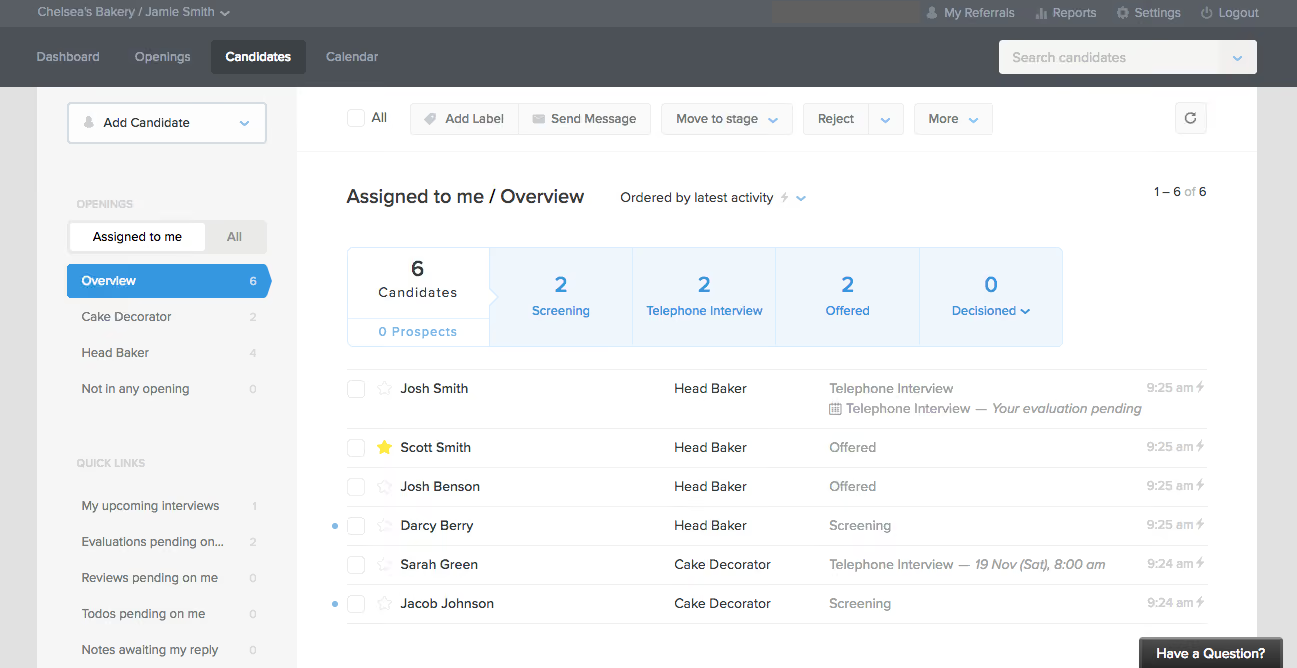
Zoho Recruit is one of the few hiring platforms that offers a dual interface for corporate recruitment and staffing agencies. The corporate interface gives you a comprehensive view of candidate information with features like resume parsing, interviews, and referrals. Meanwhile, the agency interface includes a client portal, in-app communications, and contact management for streamlined operations and customer relationship monitoring.
Multilingual teams with unique recruitment processes will be equally impressed with Zoho Recruit’s customization capability. It’s straightforward to tailor workflows, create job postings, and customize career pages in multiple languages. Plus, the recently added Smart Assist for job description and offer letter generation, as well as the platform’s workflow rules, reduce a good amount of work for recruiters.
What makes this platform so hard to beat, though, is its pricing. Zoho Recruit offers a free-forever plan, a free trial, and a refund policy that lets you get your money back if you find your paid option is not a good fit after using it for 45 days.
Unfortunately, even with Zoho Recruiter’s paid tiers, you may still have to pay extra for features like mass emails, client portal, and premium support.
Another drawback is Zoho Recruit’s mobile app. Though more features have been added, crashes and glitches still occurred during our testing.
Also, some may initially find it overwhelming to get the hang of this recruiting platform. But once you do, the experience will likely be positive, as reported by several recruiters, both in-house and agency whom we interviewed.
8,000+ companies, including CareerUp, ActualizeConsulting, and Full Stack Talent.
Zoho Recruit follows a tiered pricing structure. When billed annually:
- For corporate HRs: Free plan, Standard costs $25/recruiter/month, and Enterprise costs $50/recruiter/month.
- For staffing agencies: Free plan, Standard costs $25/user/month, Professional costs $50/user/month, and Enterprise costs $75/user/month.
- Available add-ons: The Client Portal costs $6 per license/month, and the Video Interviews cost $12 per license/month.
Best For
Zoho Recruit is ideal for SMBs and staffing agencies, particularly those already using Zoho's suite of products.
I use Zoho Recruit mostly when we’re hiring, not every single day. When roles are open, I’m in it a few times a week checking new applicants and moving people along. I add notes after calls so I don’t forget details later.
It’s also where I double-check who still needs a follow-up. We mainly use it for tracking candidates and staying organized, not for anything fancy.
- Everything is in one place instead of spread across emails and folders.
- It’s easy to see where each candidate is without digging.
- You can adjust stages so it matches how you actually hire.
- It doesn’t take long to learn.
We bought Zoho Recruit because our hiring process honestly got out of control. Resumes were coming in through email, job boards, and referrals, and there was no single place to see everything.
We were constantly asking each other if someone had already been contacted or interviewed. That got frustrating fast. We needed something simple that showed where candidates were and what still needed to be done.
Zoho Recruit gave us one place to track all of that without having to build our own system. I’ve personally been using it for a little over a year now.
- There are more features than we really need.
- Some things take extra clicks.
- A few settings are harder to find than they should be.
- Reporting feels basic.
I’ve used other recruiting tools, and some of them felt like overkill. Too many screens, too many steps, too much setup. Zoho Recruit feels more straightforward. I can log in, see candidates, and know what’s going on right away. I don’t have to think too hard to use it, which I appreciate. It just works for day-to-day hiring.
Make sure it’s something your team will actually use. If it’s too complicated, people avoid it. Look at whether it fits your current hiring process instead of trying to force changes. Pricing matters too, especially if you’re not a large team. Simple is usually better.
It’s gotten easier to customize over time. Small things like reminders and candidate tracking have improved. Updates seem focused on making hiring less manual. It feels more practical now than when we first started using it.
Zoho Recruit is good for small to mid-sized teams that need structure but not complexity. If you don’t have an HR tech expert, this works. It’s especially useful if you’re hiring regularly and just need to stay organized.
Huge companies with very complex hiring rules probably need something more advanced. If you rely heavily on deep analytics, Zoho Recruit may feel limited.

Juicebox
Juicebox earned a spot on our list for its AI-powered sourcing automation. Beyond natural-language search, the platform continuously identifies candidates through automated sourcing agents, contextual ranking models, talent rediscovery, and research-focused discovery tools, making it particularly compelling for recruiters focused on proactive talent acquisition.
PROS
- Natural-language search simplifies candidate discovery.
- Candidate ranking evaluates context beyond keyword matching.
- Talent rediscovery helps recruiters maximize ATS databases.
- Research-focused sourcing supports technical and scientific hiring.
- Built-in outreach sequences reduce the need for separate engagement tools.
- Network sourcing can uncover potential warm introductions.
- Automated sourcing agents continuously surface new prospects.
- Multiple AI-assisted ways to filter candidates, including natural language prompts, Boolean, and manual options.
- AI sourcing agents and contextual reasoning automatically rank candidates against custom hiring criteria.
- Offers advanced filters, such as career-growth signals and funding-stage targeting.
- Agents automate sourcing and messaging workflows.
- Multistep outreach sequences combine automated email with manual, nonautomated steps for phone calls and LinkedIn.
- Native Find Similar Profiles functionality helps recruiters quickly expand candidate pipelines from ideal examples.
- Talent Insights provides market and talent-pool intelligence to support smarter sourcing decisions.
- Offers hiring manager workflows and a Slack integration that facilitates collaboration.
- Frequently rolls out new features and product enhancements.
CONS
- Not designed to replace a full applicant tracking system.
- Some advanced functionality is restricted to higher-tier plans.
- Less valuable for organizations focused primarily on inbound recruiting.
- Primarily focused on sourcing and outbound recruiting rather than full-funnel recruiting workflows.
- NonBusiness plans include chat and email support, but not the guaranteed 24-hour response SLA that Business tier customers get.
- No native applicant tracking system.
During our review, we found Juicebox strongest as a sourcing automation platform. Recruiters can describe an ideal candidate, apply hard requirements such as location or title, and then allow the system to rank prospects against more nuanced criteria like leadership experience, startup exposure, technical expertise, or domain knowledge. We liked that the platform separates mandatory qualifications from evaluative criteria, as it creates more flexibility than traditional keyword-driven searches. Nevertheless, recruiters should still validate recommendations before making hiring decisions, as AI assessments can only be as reliable as the data available.
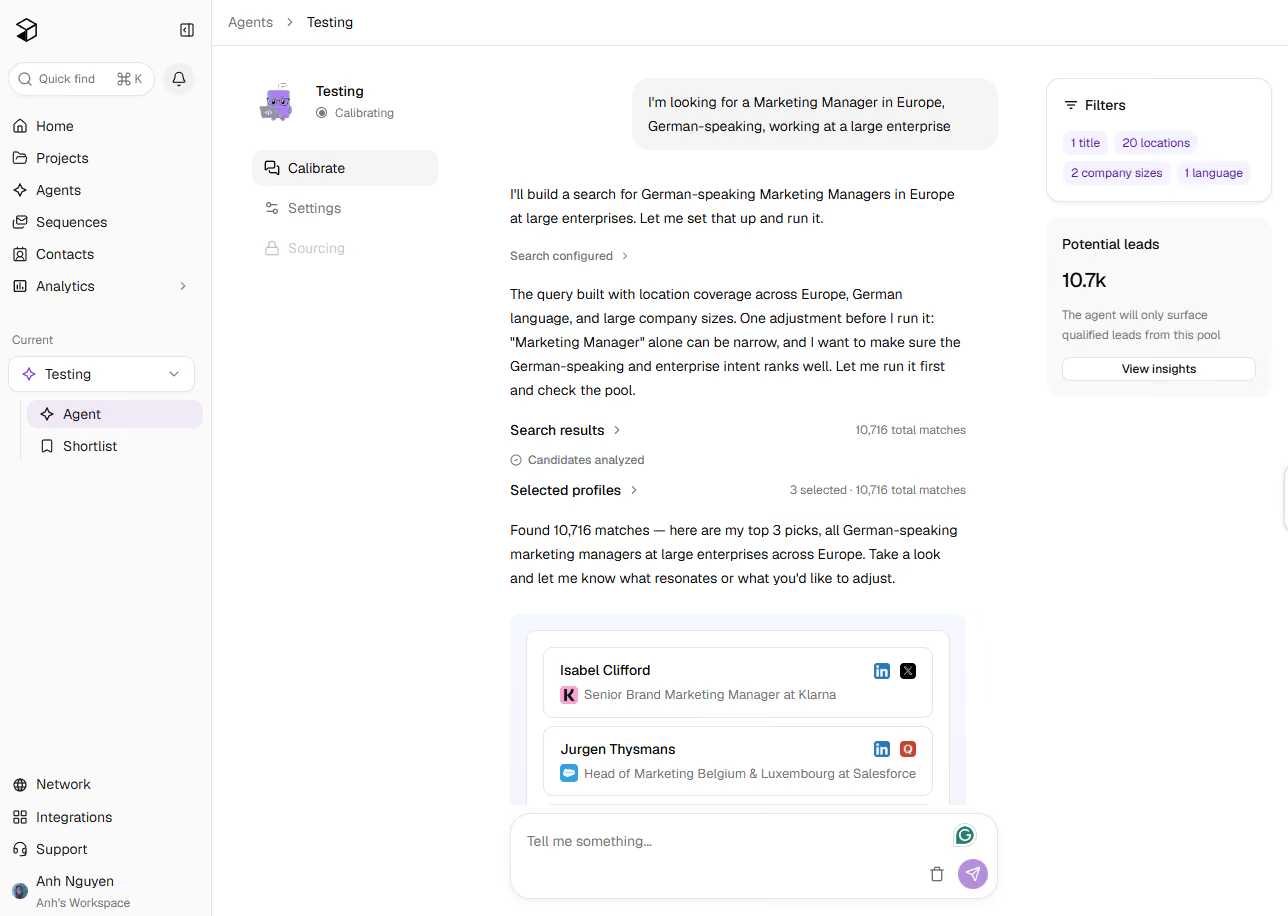
The feature that most distinguishes Juicebox from many sourcing competitors is its Sourcing Agents. Rather than requiring recruiters to repeatedly run searches, the platform can continuously identify new candidates and refine recommendations based on recruiter feedback. We see this as part of a broader shift toward autonomous sourcing, where software plays a larger role in candidate discovery while recruiters focus on relationship-building and evaluation. Whether that automation delivers meaningful time savings will depend on hiring volume and sourcing complexity, but the direction is notable.
Another area where Juicebox stands out is talent rediscovery. Many organizations have accumulated years of candidate records in their applicant tracking systems but lack efficient ways to revisit them. Juicebox applies the same AI-powered search and ranking capabilities to ATS databases, helping recruiters identify previously engaged candidates who may fit current openings. For teams with mature recruiting operations, this could provide more value than immediately launching new sourcing campaigns.
We also found the platform's research-focused sourcing capabilities interesting. In addition to professional profile data, recruiters can search using publications, patents, citations, research domains, and academic affiliations. This functionality won't matter to every organization, but teams hiring scientists, researchers, engineers, and AI specialists may find it more useful than conventional sourcing approaches that rely primarily on employment history and skills.
The software includes built-in outreach tools as well, allowing recruiters to create email sequences, personalize messages, and track engagement without moving candidates into a separate system. While these capabilities are increasingly common across sourcing software, their inclusion helps create a more unified workflow from candidate discovery through initial engagement.
The biggest limitation of Juicebox, however, is that this system remains focused on sourcing rather than end-to-end recruiting. Organizations will still need an applicant tracking system to manage interviews, hiring workflows, offer approvals, and onboarding processes. Buyers looking for a complete recruiting platform may thus find the product too specialized. However, teams that already have an ATS and want to improve sourcing efficiency are likely to find more value in Juicebox than organizations primarily focused on applicant management.
5k+ organizations, including Perplexity, Assured, and AngelList.
Juicebox offers a free trial, with paid options starting at $99 per user per month (billed annually).
Best For
Recruiting teams that rely heavily on proactive sourcing, particularly those hiring technical, executive, scientific, or difficult-to-find talent. It is most valuable when paired with an existing applicant tracking system.
.avif)
Fetcher
Fetcher has remarkable AI-powered automated outreach and sourcing capabilities, all wrapped up in a user-friendly interface. This makes the recruiting tool a go-to option for talent sourcing, engaging, and tracking purposes.
PROS
- Quality sourcing results through a combination of AI and human insights.
- Maintains an up-to-date candidate database through partnerships.
- User-friendly platform with great automation capabilities.
- Dedicated customer success manager for all plan users.
- Automated outreach for cold emails and personalized messages.
- Advanced search and filtering.
- Chrome extension available.
- Vast integration options, API integrations available at no extra cost.
- Fetcher is highly rated by customers for its clean interface, ease of use, and customer support.
- According to most users, Fetcher's sourcing tool is one of the best in the business, providing them access to the best candidates with specialized skills and backgrounds.
- Customers find Fetcher's automated outreach feature extremely useful for sending cold emails and personalized messages to potential candidates.
CONS
- Reports of occasional bugs and technical issues.
- Limited feedback impairs Fetcher's capacity to enhance candidate sourcing and result quality, as they depend on user input for refining their candidate searches.
- Primarily focused on sourcing and outreach, lacking features for other recruiting aspects.
- No longer offers a free plan and a free trial. Monthly price also increases.
- Some users report experiencing bugs and glitches while using the software.
- In rare cases, Fetcher may source either over-qualified or under-qualified candidates for a particular role. However, according to users, their team is quick to correct and refine the search criteria in such scenarios.
Out of the 50+ different options we have tested in this domain, Fetcher is among the best recruiting software for finding passive candidates and kicking off conversations.
Fetcher offers exactly the kind of personal touch you'd want as a TA/sourcer: It doesn't just throw algorithms at you but gets real people behind the scenes finessing their AI to ensure every candidate they send your way is tailor-made to fit your job specs.
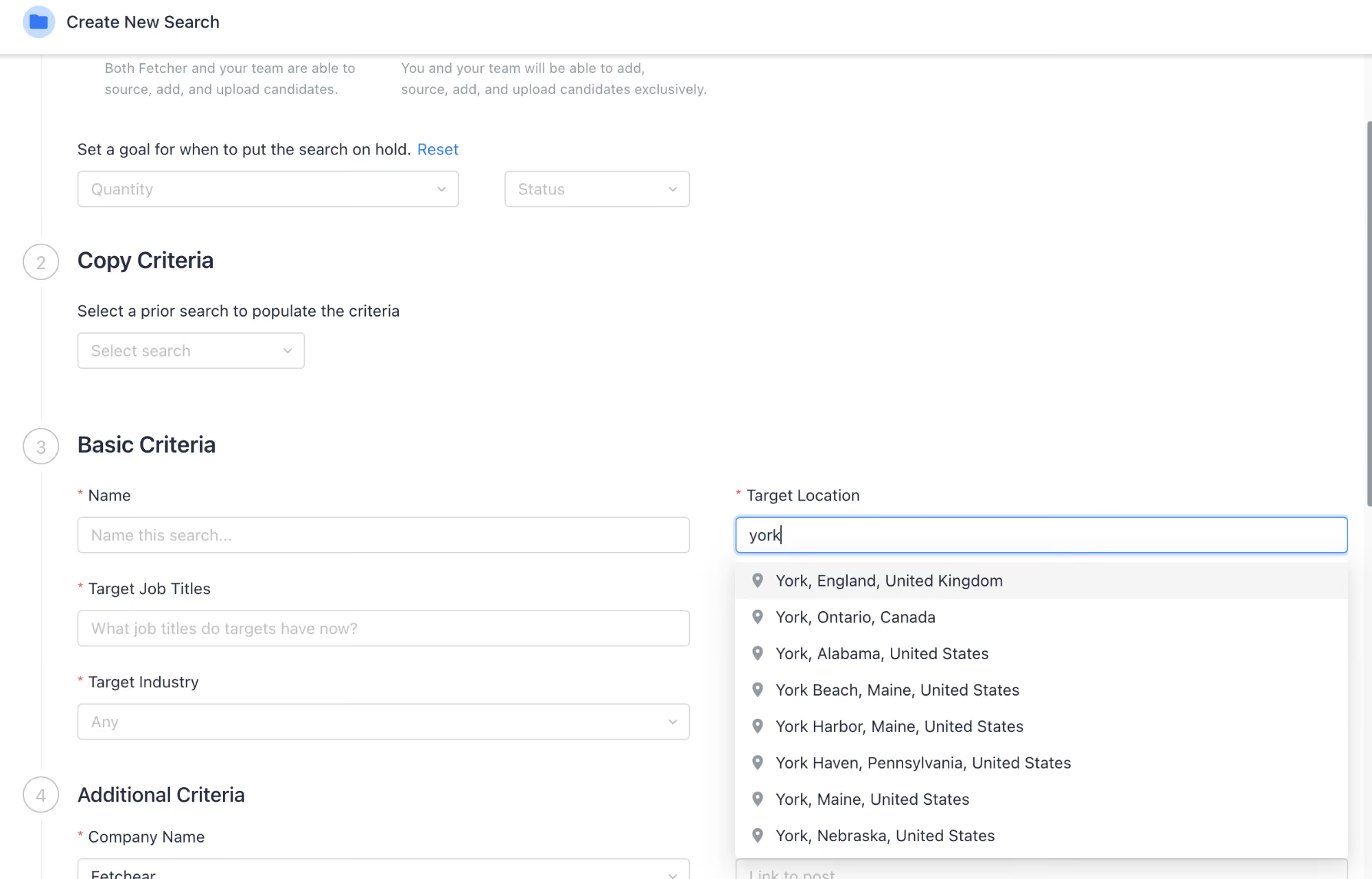
Our dive into Fetcher’s candidate sourcing started with filling in our criteria. (Alternatively, if you've got a job description handy, simply adding your job description would work too). Two days later, the first batch of candidates landed.
Though the first round didn’t hit the bullseye, with some overqualified profiles in the mix, we couldn't help but notice the improvement in the subsequent round, and the fact that it happened over two nights.
Fetcher has made that happen by using our given feedback on candidates to train their AI and validate the AI’s search results before presenting them to us. Compared to traditional corporate interactions with staffing agencies that typically charge 15-30% per placement with a 1-2 week turnaround, Fetcher’s approach feels fresh and is an equally good, if not better, alternative.
We liked the generous feature suite that this recruiting software offers to all users. Regardless of the plan you choose, you get access to their dedicated support, Chrome extension (with the capability to discover up to 10,000 additional emails), personalized email templates, unlimited outbound emails, unlimited re-engagement campaigns, and both native and API integrations.
However, Fetcher disappointed us when it comes to approaching active job seekers: no built-in job board postings, no career websites, no onboarding.
Pricing-wise, a while back, the hiring platform just introduced its new cost structure, with a free plan, a free trial, and options for monthly payments. Unfortunately, the first two offerings didn’t last long. Now, you’re only left with two plans: Amplify at over $500 per month when billed annually and a custom plan for high-volume sourcing. There are no free options to try before buying anymore.
And, truth be told, when stacked against hireEZ—a solid rival in talent sourcing software space—Fetch falls behind by lacking the capability to rediscover candidates within the user’s connected ATS.
Fetcher is used by over 500 companies, including CarGurus, Andela, and Magnite.
Fetcher no longer offers its free plan and free trial. The AI sourcing tool now has two plans: Amplify ($549/user/mo) and a custom plan for large companies and staffing agencies.
Best For
Fetcher is the kind of recruiting tool solo recruiters, in-house recruitment teams, and staffing firms should make the most of, given its strong candidate sourcing and outreach capabilities.
We used Fetcher daily for two months. For the following two months, we used it minimally—approximately once or twice a week. We stopped using Fetcher altogether at the end of month four. We used Fetcher for sourcing and emailing candidates. We also used the dashboard to review metrics and track the tool’s effectiveness.
- The demo showcased Fetcher's ability to source a minimum of 30 high-quality candidates per day.
- The demo also demonstrated how email outreach could begin with the click of a button.
- The Chrome extension allowed Fetcher to be used within LinkedIn and promised the ability to provide email addresses for any U.S.-based contact, making it a useful lead generation tool.
We reached out to Fetcher to automate candidate sourcing and outreach. There was a push from leadership to source a large number of passive candidates rather than relying on applicants.
We wanted to expedite the process by using an AI tool that could assist in sourcing and contacting candidates automatically, reducing the time needed to source hundreds of candidates as requested by leadership.
We needed to significantly increase the number of sourced candidates in a short period. As a small team of two recruiters with multiple roles to fill, we needed assistance from a tool. I personally used Fetcher for four months.
- Fetcher never worked correctly for us.
- It consistently failed to find high-quality candidates that matched our criteria—we received only about two partially qualified candidates per role over four months.
- The filters did not work properly; for example, we were unable to filter by industry for a Director of Product role requiring eight years of experience and an apparel background.
- Fetcher never provided email addresses for candidates sourced through LinkedIn.
- Most candidates sourced by Fetcher also lacked emails, forcing us to use LinkedIn and LinkedIn Recruiter for outreach.
- Despite repeated efforts by our Fetcher representative and their engineers, the tool never improved.
- We spent countless hours training the AI and reporting technical issues without results.
- Fetcher’s performance was poor, and I cannot recommend it.
- We continue to use LinkedIn Recruiter for sourcing and outreach.
- We were able to generate more qualified candidates using Boolean searches on Google in one day than we received from Fetcher over four months.
- I prefer the AI sourcing capabilities of Workable and SmartRecruiters.
- If Fetcher worked as intended, the key buying criteria would include automated sourcing of at least 30 candidates per day, automated email messaging, and lead generation through LinkedIn.
- I recommend having the Fetcher sales representative run a demo using your actual job criteria to confirm the filters function properly and the tool can identify qualified candidates.
- Ask for a trial period to verify that the tool works as promised, especially for lead generation and email sourcing.
- We were told Fetcher does not offer trial periods, but I believe a two-week trial should be standard to ensure functionality.
In our case, it never worked. We spent four months working with our Fetcher representative and their engineering team to address issues, but the tool never functioned as promised.
If it worked, it would be suitable for any industry or organization, especially start-ups or small businesses. With a small, lean recruitment team, Fetcher could act like an extended sourcing team working around the clock.
If it worked, it would be applicable to any organization.

Scout Talent
Scout Talent stood out in our tests as a hiring platform catered to midmarket businesses. Its embedded AI and recruitment marketing tools make it particularly well-suited for in-house HR and recruitment teams dealing with challenges like high application volumes, passive candidate engagement, and building employer branding.
PROS
- AI-powered screening provides detailed candidate summaries and generates tailored interview questions.
- Integrated recruitment marketing tool offers branded job portals and AI-generated social media posts.
- Workflow automation handles status changes, email replies, and interview scheduling.
- Embedded AI tools for generating job ads, screening questions, and candidate summaries.
- Branded job portals and social media post creation for enhanced employer branding.
- Flexible pricing starting at $550/month with optional modules like Engage and Onboard.
- Centralized candidate management simplifies the database for tracking candidates, statuses, and workflows.
- Support includes dedicated onboarding specialists and account managers.
CONS
- No free trial. Price can add up as candidate engagement and onboarding tools cost extra.
- Limited customization compared to enterprise solutions like Greenhouse or VidCruiter.
- Not suitable for staffing agencies, as it is designed specifically for in-house recruiters.
- No free trial offered.
- Pricing is more expensive than some competitors like Workable or Manatal.
- Less flexible for unique workflows compared to platforms like Greenhouse and Pinpoint.
- Not the best fit for external or high-volume agency use.
We took Scout Talent for a test drive, and three things about this hiring software stood out to us: the blended AI-driven candidate screening tool, nice recruitment marketing built-in, and enhanced operational efficiency through workflow automation.
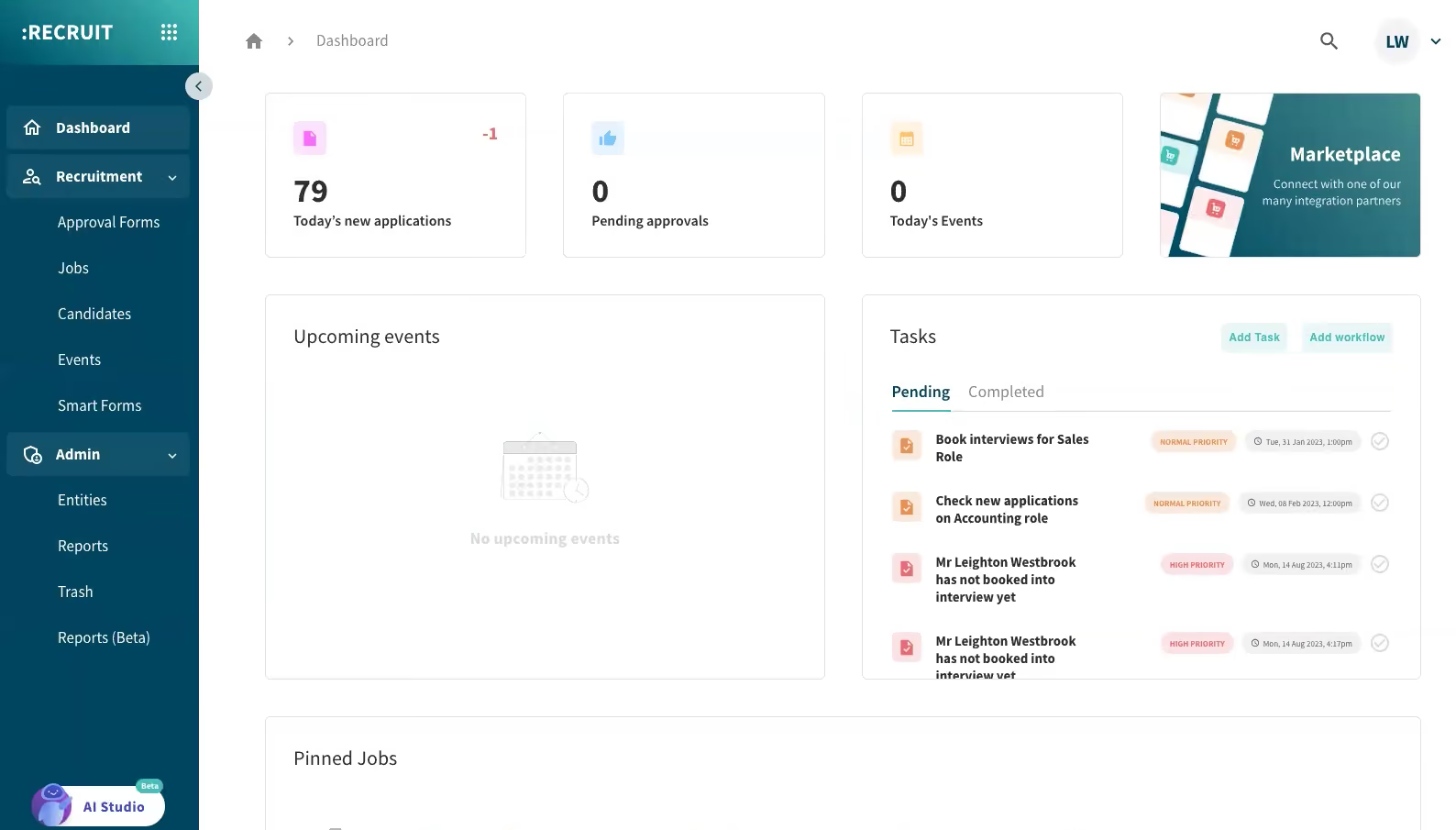
Let’s first talk about Felix, Scout Talent’s virtual assistant which aims to simplify the candidate initial screening process for recruiters, and had actually delivered in our assessments.
One of the tests we conducted involved giving the system 30 applications for a job to see how the AI performed in real life. We were pleased to find that it excelled at extracting skills, experience, and potential weaknesses. It even made sure the information was presented clearly through bullet-point summaries.
Although 30 applications might not seem like a large number, we argue this feature could be a great ally for TAs to get through hundreds of applicants efficiently. Not to mention, those aiming to make their interview processes more structured will appreciate how Felix can generate personalized interview questions based on a candidate’s application and the specific job requirements.
While it’s not uncommon to see hiring platforms integrate recruitment marketing into their core functionalities, the quality of this feature in Scout Talent deserves a mention. Creating custom-branded job portals was fairly easy. And again, the embedded AI impresses us with social media posts generated with hashtags and refined tone.
Regarding Scout Talent’s workflow automation, you’ll find more details on this in our review within the recruitment automation software buyer guide. But to give you an idea, this hiring software can, based on the recruiter’s setup, update candidate statuses, send follow-up emails, and schedule interviews.
During our tests, we could configure the system to auto-reply to ineligible candidates with a personalized email and flag standout applicants based on years of experience as screening criteria.
Despite these strengths, we wish Scout Talent could offer a free trial given some notable competitors, like Pinpoint, which has a similar starting price ($600 vs. Scout Talent at $550), do provide one.
In terms of pricing structure, Scout Talent offers a modular design which means businesses can start with the base ATS and add functionality like the Engage or Onboard modules as their needs grow. Depending on how you view it, this can mean more flexibility or more cost increases over time.
Another noteworthy aspect of this vendor we noticed is that while there is room for customization, you may not achieve the same level of control as with enterprise solutions like Greenhouse and VidCruiter.
Finally, a fair warning to recruitment and staffing firms: you might want to consider another option (our staffing agency software listing could help!), as the vendor has stated their product is built by and for in-house recruiters.
1,100+ organizations, including Newmont, Domino's, and KFC.
Scout Talent starts at $550/month for the ATS (2 admin users, unlimited hiring managers), while Engage and Onboard are option modules that are marketed at $200/month each.
Best For
Scout Talent is tailored for mid-sized companies with 50 to 3,000 employees. The hiring software works particularly well for in-house recruitment teams dealing with high application volumes and manual recruitment marketing tasks.

ClearCo
ClearCo offers a host of HR and hiring solutions that complement each other well. You can choose the solution you need or combine them all to have a comprehensive talent management platform in your stack.
PROS
- ATS, text recruiting, onboarding, employee engagement, and performance in one place.
- Intuitive and easy-to-navigate interface.
- Customizable candidate communications through texts and emails.
- Responsive and efficient support team.
- Smooth implementation experience.
- Supports multiple languages.
- ClearCo offers a host of talent solutions that work well with one another. You can choose the solution you need or combine them all to have a comprehensive talent management platform in your stack.
- The majority of users find ClearCo’s interface to be quite intuitive and easy to navigate.
- Many users have highly rated ClearCo’s support team for speed and quality of response. Several users have also reported a smooth implementation experience.
CONS
- Lacks pricing information online.
- Limited reporting features.
- The platform can be slow at times.
- Cannot search for candidates by phone number or email.
- ClearCo’s pricing is not readily available on their website. You also can’t create a trial account on your own from the website and have to go through the sales team for more info.
- Some users felt that the reporting feature is limited in customizations.
- According to a few users, the candidate search function doesn’t always bring up the correct candidate(s) and could use some improvement.
- ClearCo doesn’t currently have a mobile app, but the platform is well optimized for mobile use both for hiring managers and candidates.
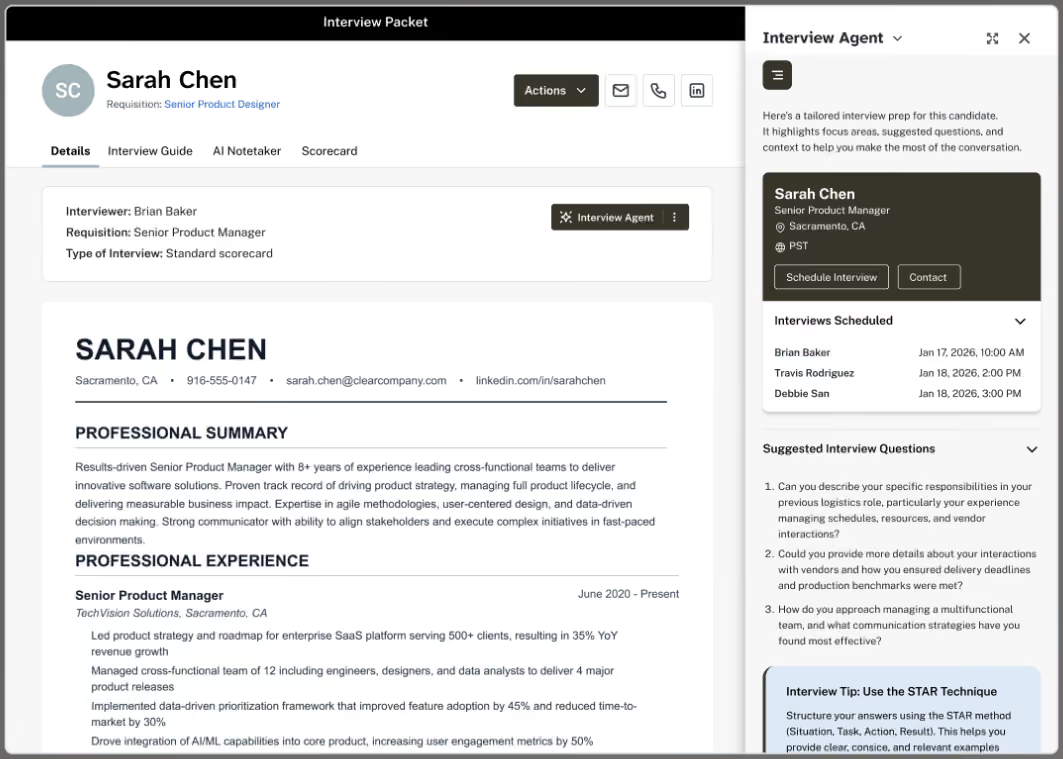
ClearCo is a seasoned player in the recruiting and talent management tech space, having been in the business since 2004 and standing. Given its wealth of experience, we had some pretty high expectations when testing out its recruitment software.
Those demanding a one-stop-shop for managing the entire employee lifecycle should definitely give ClearCo a try. The recruitment solution covers everything from applicant tracking and text recruiting to onboarding, employee engagement, and performance management. Not only can it serve you in your recruitment needs but managing and retaining your hires—you’re killing three, not two birds, with one stone here.
Another aspect we had to test out was ClearCo’s customer support—low scores here are a potential deal-breaker for enterprises when considering recruitment software. The good news: the support knew what they were doing. They had been very responsive to our questions. When we asked: “Could we purchase just your ATS and text recruiting first?”, the vendor was happy to accommodate. No doubt this flexibility has helped them maintain a solid group of loyal customers.
Regarding ClearCo’s user interface, although we don’t think it is terrible, when seeing it side by side with competing options like Greenhouse and Pinpoint, it is indeed less stylish, and slow at times.
The most disappointing part about ClearCo was its searching and reporting capabilities. As the vendor has presented itself as an end-to-end recruiting software, we had high hopes for how it handles these aspects.
However, we couldn’t use phone or email to search for candidates, and ClearCo’s reporting really only covers the basics. It hardly meets the level of customization and detail enterprises would expect from their recruiting software, unfortunately.
2,000+ organizations, including ExxonMobil, Mitsubishi Electric, Yates Construction, JC Penney, and Lake Charles Memorial Health System.
ClearCo does not disclose pricing details. Contact their sales team for more information.
Best For
ClearCo’s recruitment tool works best for large companies looking to house their hiring platform and the rest of their HR tech under one roof.

As a contractor, I manage about 10 requisitions. I primarily use the platform to publish job posts on the website, manage applicants within the ATS, advance candidates through the process based on hiring manager feedback, and extract applicant data and demographic information for analysis.
I focus on the recruiting workflow by reviewing applications, updating applicant statuses, and uploading documents such as updated resumes, portfolios, interview assessments, and hiring manager feedback.
I have also used the Prospects function to source passive and previous candidates by using Boolean string searches within the Candidates tab.
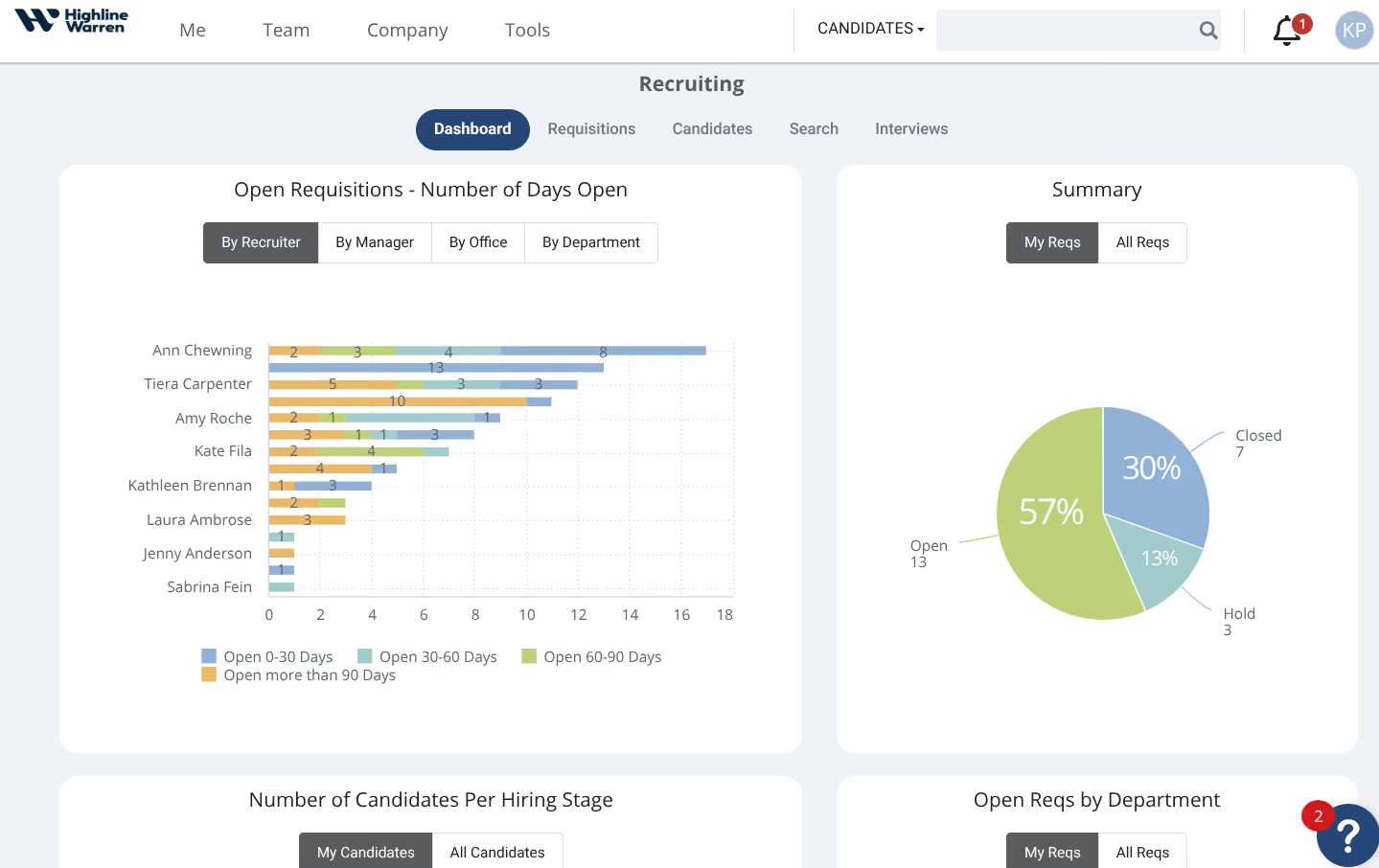
- If configured properly, the system can be customized based on an organization’s recruiting workflow, including the number of interview stages and required documents.
- Although the Prospects function may not be the most efficient sourcing method, it diversifies sourcing options and allows for candidate engagement.
- The system is intuitive. Prior to working with this client, I had never used ClearCo, but it was easy to learn and navigate.
I am currently a contractor for a company that has been using ClearCo for at least five years. They primarily use it as an ATS and have recently started using an additional function that allows for sourcing within the platform, aiming to reduce subscriptions to external sourcing platforms such as LinkedIn and Indeed.
It currently houses all active and previous requisitions, acts as a database for applicants, and is used to automate the entire recruiting lifecycle within the company.
Personally, I have used it for one year. My responsibilities include managing requisitions, ensuring that all candidate information is accurate and up to date, and sending status updates and automated emails within the system.
Most recently, I have used the "Prospects" function to reach out to previous candidates or those who submitted a general application through the company’s website.
The company mainly uses ClearCo to centralize and automate its recruiting process.
- Sourcing within the ATS and Boolean string searches are not as reliable as other sourcing platforms. While there is potential, improvements are needed.
- Since ClearCo is under ADP, switching between accounts occasionally causes glitches, though efforts have been made to improve system integration.
- Clear Insights is not very reliable for analyzing recruiting metrics. While it has potential, it requires manual programming to deliver meaningful insights, unlike more advanced systems.
Its integration with ADP helps compensate for ADP’s limited recruiting functionality. It is more intuitive than ADP’s recruiting features. However, other systems are more seamless, easier to use, and have more user-friendly interfaces.
Functionality should be the top priority. Identify the non-negotiable features and evaluate how well the tool integrates with existing systems. The client I work with already uses ADP for payroll and related services, so ClearCo was a natural choice to ensure integration with onboarding and payroll systems.
Consider features such as insights, AI integration, and sourcing capabilities. A system is only effective if you can maximize its offerings based on what matters most in your organization's process.
I haven’t used ClearCo long enough to comment on its full evolution, but recently it introduced a passive sourcing function. The company has started using this feature to help reduce expenses on external sourcing platform subscriptions.
It is suitable as a centralized applicant database and basic ATS. If it fits an organization’s current processes and system integrations, ClearCo offers a better option than other legacy systems.
It may not be ideal for newer users or younger companies. Competitors at similar price points offer more variety and features. ClearCo is more likely to appeal to organizations similar to SuccessFactors, Workday, and ADP.

Pinpoint
Pinpoint has everything in-house recruitment teams need, from applicant tracking and blind screening to interview scheduling, video interviewing, and even onboarding tools.
PROS
- Easily accessible and intuitive UI for both recruiters and candidates.
- Highly adaptable recruitment workflows.
- All plans offer unlimited jobs and team members.
- Phone, chat, and email support with a sub-2-minute response time, and unlimited training.
- Automation capabilities include job board posting, candidate communications, auto job suggestions, scorecards, reminders, and recruitment analytics.
- 100+ native integration options, open API available.
- Multilingual careers website, application forms, and candidate emails.
- Sourcing extension available on LinkedIn, Facebook, and Gmail.
- Pinpoint is an agile ATS that is highly customizable and values collaborative hiring.
- It’s got a simple and transparent pricing structure.
- Pinpoint offers unlimited jobs and team members in all of its plans.
- Their customer service team is highly praised by users.
- The career site builder is very robust, allowing teams to attract and convert the right talent.
- There are over 100 HR software integrations to choose from, and Pinpoint’s team is adding 3-5 every month.
CONS
- Additional cost for the employee onboarding module.
- Sourcing capability limited to the sourcing extension.
- Not the most budget-friendly ATS option.
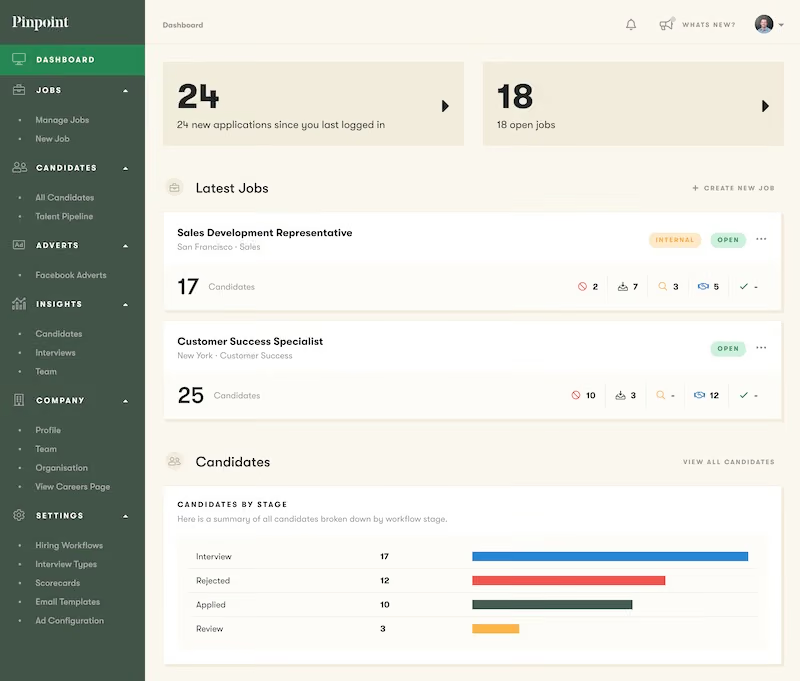
- The employee onboarding module does cost extra.
- It isn’t the best fit if you’re looking for the cheapest ATS.
- There free trial is only available upon request.
With Pinpoint, on any plan you choose, you receive unlimited job postings and team member capabilities. In other words, you get to post as many jobs as you want and have as many members access Pinpoint as you wish, but your bill won’t go up, not even one penny.
However, this alone isn’t what makes this recruiting solution so unique. In addition to that generous offering of user seats and active job postings, the hiring platform wowed us with its ability to connect with over 100 HR tools.
Who doesn’t love flexibility when it comes to designing their hiring process? From custom workflows and email templates to fields and reports, Pinpoint gave us no reasons to criticize it on this point but appreciating how simple it was to make the system work in our way.
If top-notch customer support is a must-have when selecting recruitment software, you’ll be delighted to add Pinpoint to your list of potential purchases. When we dropped the support team a morning email, expecting a reply in the afternoon at the earliest, Pinpoint took us by surprise by replying in under two minutes. It’s even serious when saying it offers customers unlimited training.
In terms of design, we asked a friend who 1) has never used Pinpoint and 2) has no IT background to navigate the platform to estimate the user-friendliness of the platform. Their eyebrows didn’t wrinkle once, and a stunning career website was born in under ten minutes.
Testing how job applicants would feel navigating this website, we opened it on both our Chrome browser and phone. Not only did it look great, but it also functioned smoothly. It even supported several languages!
Moreover, it’s just nice to see the platform roll out regular new product updates. Candidate surveys for feedback collection and notifications for employee users about new job openings for referrals signal how serious Pinpoint is when it comes to constantly improving its products.
However, it’s a real shame to realize the tool, which doesn’t charge a single penny for adding more users and job posts, does charge for its employee onboarding module. Considering Pinpoint’s pricing, which typically starts around $7,200, we would find it difficult to recommend it to a budget-minded team.
Lastly, if you require a recruitment tool with exhaustive sourcing capabilities or something built specifically for staffing agencies, there are better options than this one.
Jersey Electricity, JT Group, Coinshare, BDO Greenlight.
Pinpoint pricing is only given via demos. However, our research indicates that its price starts at $345 per month when billed annually.
Best For
Pinpoint is best for in-house recruiting teams that prioritize flexibility and user experience in their hiring process.

We use Pinpoint daily, it's an ATS, so it does the typical things an ATS does. This includes, creating career pages on our corporate website that explains some basics about Article, and allows a candidate to decide if they’d they feel they’d be aligned to working with us.
On the career site, all the open jobs are visible for potential candidates to see. They can then decide to apply, upload a resume and fill in some basic info. On our side of the ATS, we create the jobs that are posted - designing the interview flows, application questions, and scorecards, then advertising them to the selected job boards.
We use Pinpoint to evaluate the viability of applicants, referrals, and candidates we source, being a single point of truth. Once candidates are selected to proceed, we use Pinpoint to move through the interview process, giving the hiring manager visibility into the hiring process.
For candidates, we use Pinpoint to schedule and communicate with candidates, who are selected for this process, but also to reject those candidates who are not. There is a lot more of course but this is a basic walk-through, and I’d assume if you’re reading this, you have a good idea of what an ATS does.

They're an ATS that is ascending, and not coasting on reputation; they've continuing to evolve, with new useful features, and integrations quickly rolling out.
Overall, I’d argue that Pinpoint puts candidates first, with easy applications and great branded communication. Adding to this, candidate-centric design is the built-in self-scheduling for interviews, and including a candidate NPS score - this is key to letting my team and I understand the candidate experience.
The new automation feature they launched where you can create rejection emails based on application questions has saved my team a lot of time by not having to screen candidates who do not meet minimal requirements, currently, this is about 29% of applications. We have been creating custom rejection emails for each automation, this allows the candidate to know specifically why they were rejected, and if they answered the application incorrectly by mistake, allow them to reapply.
I’m also a fan of their pronoun feature, which allows candidates to share their preferred pronouns. Little touches can make a huge difference when building inclusive hiring practices.
They continue to have fantastic support and as a partner, they really care about my team and our success. Adding to this are the people they hire, who are really great and it makes interacting with them so much easier.
With less talk/hype and more substance, you can tell they focus on the product and customers, not on the hype marketing machine jumping on whatever the trendy topic is.
We have used Pinpoint for 2+ years now, with a TA team that was quickly growing (we’d have over 20 users at peak). As an organization, we had just started hyperscaling, and we end up growing over 3x in under 18 months.
As we started on this journey, I quickly found that the ATS we were using, couldn’t keep it up. It was, designed for SMBs and smaller recruitment teams. One of the biggest pain points was it lacked the ability to reject candidates through an anonymous email, instead, when candidates were rejected it came from each recruiter's email - given the volume of applicants, this solution was not feasible and would lead to a poor candidate experience.
Additionally, the previous ATS ecosystem was small and wasn’t growing quickly, and it lacked the ability to build a career site out of the box.
We also needed the ATS to be easy to use, not just for the recruiters, but also, for the number of new hiring managers who would quickly need to understand how to use the ATS. This made the case to look replace the old ATS clear, we made a scorecard and started to evaluate our ATS options, ultimately landing on Pinpoint.
- Some of the UI/UX could be improved, particularly when you're screening large volumes of candidates, minor but it would be helpful.
- Because it lacks a deep integration into LinkedIn, we need to use LinkedIn’s “job wrapping” feature.
- The newer automation feature is really powerful, however, setting them up requires too many clicks, it’s not a huge deal, but it could be made smoother.
Much easier application process than most ATSs, making it very candidate friendly. Overall, they nail the mid-market really well, with enough features, integrations, and reporting, but they’re not hard to use and overly cumbersome compared to big ‘enterprisey’ ATSs.
When selecting an ATS I’m a proponent of using the following ranking:
- Candidate experience, regardless of the market, the best talent will always have options, if the application experience and communication experience is poor, they’ll choose to work elsewhere
- Recruiter experience since they use the tool the most. If they don’t like it, or it’s overly complex they’re going to work around it, rather than through it
- Hiring manager experience, will they log in, and actually use it
- Support, if I have an issue will it get resolved?
- Ecosystem/ integrations, an ATS should not do everything, rather it’s the hub to connect point solutions with
- I'm a huge fan of how they rolled out candidate pronouns, allowing candidates to share their preferred pronouns when applying.
- Multiple new integrations have been launched.
- Much faster page loading response times from when we first rolled it out.
Mid-sized to enterprise organizations.
I'm not sure. Maybe small companies that don't have a dedicated HR team.

Trakstar Hire
Trakstar Hire bundles everything you’d want from a mid-market recruiting tool: ATS, referrals, automation, interview scheduling, and onboarding. You won’t get confused with their offering: one package for all features, unlimited users and job openings, with no setup fees or hidden costs.
PROS
- Comprehensive plan covering applicant tracking, candidate sourcing, interview scheduling, recruitment automation, and offer management.
- Highly customizable recruitment workflows.
- Unlimited job openings and users.
- Transparent pricing with no installation fees.
- Built-in offer management tools, no need for third-party solutions.
- Trakstar Hire’s recruitment workflows are highly customizable. You can edit them as needed to reflect your company’s hiring process.
- You can post as many jobs as needed with Trakstar Hire without any limitation.
- Trakstar Hire has offer management tools built-in. Users can create offer letters and collect e-signatures within Trakstar Hire without needing to integrate it with third-party tools.
CONS
- Limited integration options with third-party HRIS and payroll solutions.
- Limited flexibility in sorting candidates and search results.
- No phone or dedicated support.
- No option to purchase individual products separately: one bundled plan.
- Trakstar Hire has limited integration options with third-party HRIS and payroll solutions.
- Several users have complained about being unable to sort candidates and search results in an order other than displayed.
- Trakstar Hire isn’t a scalable platform; they have a single plan, all features included, which means customers may end up paying for features that they don’t need.
- Trakstar doesn’t publically list their pricing nor allows visitors to create trial accounts directly from the website, which is unusual for a software solution aimed at mid-market companies.
One thing we love about Trakstar Hire is that this recruiting software doesn’t neglect the classic employee referral. In fact, it has done a great job of designing this simple referral tool. Toggling it on or off turns employee referrals live or inactive for specific openings.
And, when it’s turned on, the system keeps track and informs users which sources bring in the best candidates—something one should never overlook when fine-tuning talent acquisition strategy.
Try not to yawn when you read this: You open each applicant’s email, download attached resumes and cover letters, copy their email text for context, and then upload them on your recruitment tech. Don't worry if you yawned, because we did too. This is what’s happening to many recruiters around us, even when they are armed with one of the best recruitment software vendors in the space. Thankfully, that’s not the case with Trakstar Hire.
Trakstar Hire has a killer feature for this particular job, and it’s called Email Forwarding. Each opening created on the platform is assigned a unique email address. So, as long as users forward an applicant’s email to this address, the feature automatically creates a profile in the system with the applicant’s resume, email content, and any remaining attachments included.
Unlike Greenhouse, Trackstar Hire provides an offer letter tool that covers pretty much every aspect of onboarding, from offer letter templates to approval workflows and e-signatures, at no extra cost.
However, it’s too bad we can’t buy Trakstar Hire’s offerings separately the way we can with VidCruiter and ClearCompany. Trakstar Hire is marketed as an all-inclusive package, so some may find themselves ending up paying for features they don’t use.
Undisclosed pricing, annual subscription policy, and the absence of a free trial and free plan are not unusual for products targeting mid-market and enterprise-level customers. However, the relative lack of support options is definitely not a good sign.
Trakstar Hire’s customers can only receive assistance via email, live chat, and self-help. There isn’t even phone support, let alone a dedicated account manager. It is truly disappointing when comparing this to what other solutions listed on this page are offering.
Trakstar Hire has worked with 2,000+ companies, including Makita, Couchsurfing, Lonely Planet, and Untappd.
Trakstar Hire is priced on a per-employee-per-month basis, starting at an annual minimum of $3499.
Best For
Organizations that are either medium to large in size or growing steadily will likely make the most of the all-in-one recruitment package Trakstar Hire offers.

Eightfold
If you need a robust talent sourcing tool but also love having all things recruitment in one place, Eightfold is the way to go. Alongside its smart career site, AI sourcing, and anonymous screening, the hiring platform offers a handy set of tools for interview scheduling, recruiting events, and candidate relationship management.
PROS
- Supports hiring for permanent roles, contingent workers, and project-based human resources.
- AI-driven analysis for job postings and candidate matching based on skills and potential.
- Candidate search filters for experience level and salary range.
- Encourages diversity hiring with anonymous screening.
- Tailored training and development opportunities for employees.
- Built-in CRM for talent engagement via targeted email and SMS campaigns.
- Talent Flex module offers solutions for contingent worker recruitment.
- Chrome extension available.
- Available in 15+ languages.
- Eightfold uses AI technology to analyze your job postings and find the best fitting candidates. It can also rank those candidates based on their skills, experience and potential.
- You can filter candidate searches by experience level or salary range so that you only see candidates that fit your hiring criteria.
- The platform encourages diversity hiring and enables you to eliminate hiring bias through anonymous screening, aka profile masking
- It improves overall employee experience by providing tailored training and development opportunities based on their skill sets and interests.
- It has a built-in CRM to store and manage HR data about potential candidates, current employees, and previous employees.
CONS
- The system can be slow at times.
- No pre-built talent pool; candidate database is sourced from your ATS, career sites, and event applications.
- Lack of pricing transparency and no free trial available.
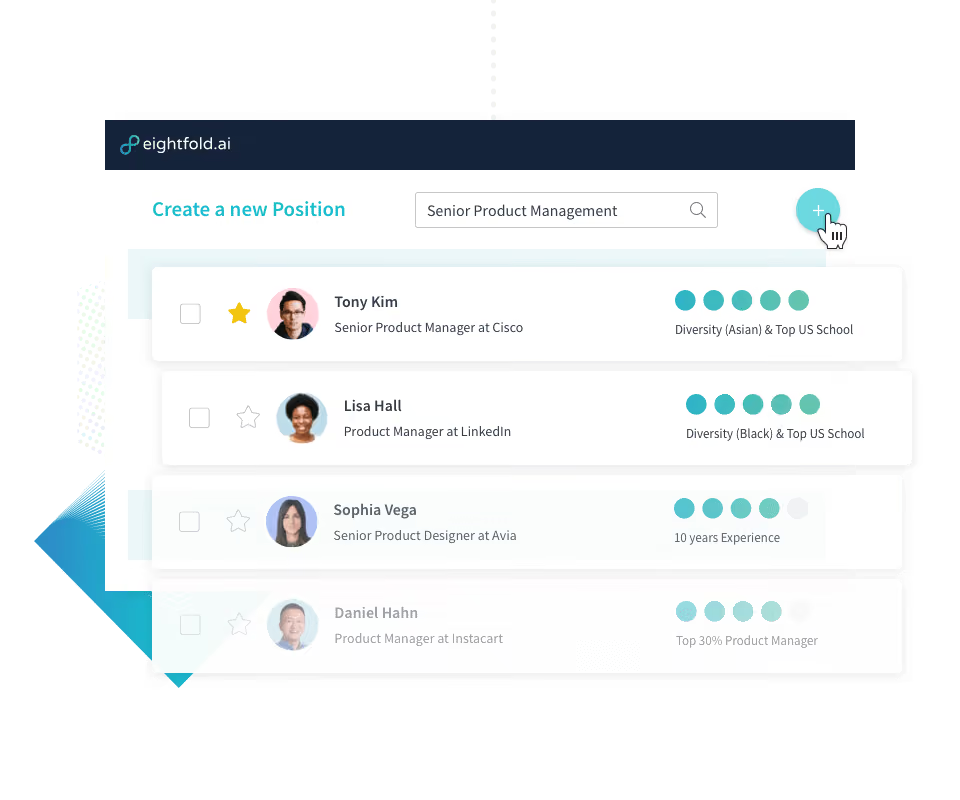
- There isn’t a way for hiring managers and recruiters to leave notes on candidates profiles within the system which is rather inconvenient.
- Eightfold has a mobile app that employees can access for skills development but doesn’t currently have one for hiring managers and recruiters to manage their pipeline and perform other actions relating to the hiring process.
- Several users reported that the tool does not search for candidates outside its database.
- The platform’s pricing isn’t transparent and there is no free trial at this time.
Eightfold captivated us with its seamless integration of talent acquisition, diversity, equity, and inclusion (DE&I), and onboarding processes, all within a consolidated platform.
The power of Eightfold becomes apparent when candidates land on its AI-driven career sites. Here, they can quickly upload their resume, and the AI responds with instant job recommendations tailored to their unique experience and potential.
What struck us even more was this hiring platform's next step—it doesn't just provide recommendations but also relevant content and introductions to current employees. For those who aren't quite ready to apply, there's an option to join a company's talent network to stay in the loop about future job opportunities.
Another thing about Eightfold that really excited us was how seamlessly one can source candidates directly from an ATS using the recruiting software’s artificial intelligence. The AI compiles candidate profile data from career sites, Eightfold's extension, and previous candidates’ information to recommend excellent fits for new roles. Anonymous screening and equal opportunity algorithms are also there to ensure recommendations are made based on candidate qualifications.
The native recruiting CRM is another valuable component of Eightfold. This tool lets you utilize Eightfold's AI to select the right audience for targeted campaigns and communicate with them via email and SMS.
As expected from an enterprise-oriented HR tech, Eightfold’s reporting didn’t disappoint us. Head to the Insights tab and you’ll gain access to diversity analytics for detailed insights into your hiring processes. Plus, this data is updated daily so you can quickly spot any potential unequal outcomes.
However, we were left frustrated by loading times between different dashboards and reports. Unlike some other tools, such as SeekOut, there's no pre-built talent pool—the candidate database is drawn from your ATS, career sites, and applications from recruiting events and current employees.
While we can’t escape the fact that Eightfold is quite pricey, we’re really impressed with the overall quality of the platform.
Trained on an extensive database—1.5 million skill sets and 1.5 billion worker profiles in 20 languages, Eightfold's AI surpasses mere keyword matching. It identifies the precise skills needed for a job in a specific industry and level—something you cannot find in cheaper yet less experienced AI recruiting software like HizeEZ and Manatal.
Eightfold serves notable enterprises such as Vodafone, TATA Bayer, and Morgan Stanley.
Reach out to Eightfold's Sales team for a personalized quote.
Best For
Eightfold’s recruitment tool is best for companies looking to attract employees, contingent workers, project-based human resources and find existing talent ready for a new opportunity with Al.

With Eightfold, we were able to see placed talent, silver medalist candidates, and current and past applications. This made it easy to revisit strong candidates who were second choices by accessing the silver medalist bucket. There was an HRIS component, but we did not use that.
The job intelligence engine provided decent data regarding talent for particular positions, though not actual candidates, more in line with skills and location. The Boolean search did a decent job of matching candidates in the database.
It is very inexpensive. The "matching candidate" capabilities are decent. They have improved with the addition of more AI capabilities.
As an organization that supports multiple clients, it is hard to find a "one-size-fits-all" ATS. We hire FTE and contingent workers, and rather than using two systems, such as Avature and Beeline, we wanted to consolidate to one ATS.
It was a decent system for holding top talent to use at a later date. It also had capabilities to run reports. The tool was not as efficient as Gartner's Talent Neuron. We used this tool for under six months.
It is not very robust. It could be more user-friendly, with better customer support and more willingness to help. I do not know this for a fact, but more system-to-system integration may make it more data-rich.
Talent Neuron is better by a mile in terms of demographics, location, and experience level matching for candidates.
If you are looking for a cheaper option with no frills, it might be suitable for you. There have been many scam conversations regarding Eightfold, so buyer beware.
Adding AI features was a significant improvement. Other than that, I’m not sure of other developments.
Very small organizations can find Eightfold helpful.
Large companies with heavy volume talent pipelines won’t be satisfied with Eightfold.

SeekOut
SeekOut is a long-standing recruiting tool with AI sourcing and candidate engagement features oriented toward the U.S. and Canada. The software has a robust candidate search engine that can source from over 800M profiles, enabling recruiters to reach a wide pool of talent.
PROS
- SeekOut’s AI lets users tap into hundreds of millions of candidates from external sources.
- Specialized pools with 127M+ profiles of developers, technical experts, cleared candidates, licensed nurses, and healthcare workers.
- Supports internal talent searches
- 300 custom filters to adjust the searches as broad or as narrow as you would like.
- AI Matching finds candidates who meet your uploaded job description and will learn from your decision (accept or reject the candidates) to return better results the next time you search.
- Sources from tons of external databases; over 780M candidate profiles and growing
- Can find talent also among your existing team.
- Truly tech-powered and search engine-like platform.
- Presents very complete candidate profiles, sometimes going through their code contributions, participation in conferences, academic papers, and more, in order to present top experts for certain skills or topics.
CONS
- Limited search results outside the U.S. and Canada.
- Limited candidates in Caribbean and Latin America markets.
- No option to view the candidates' resumes (the tool generates candidates’ profiles based on gathered data across various sources).
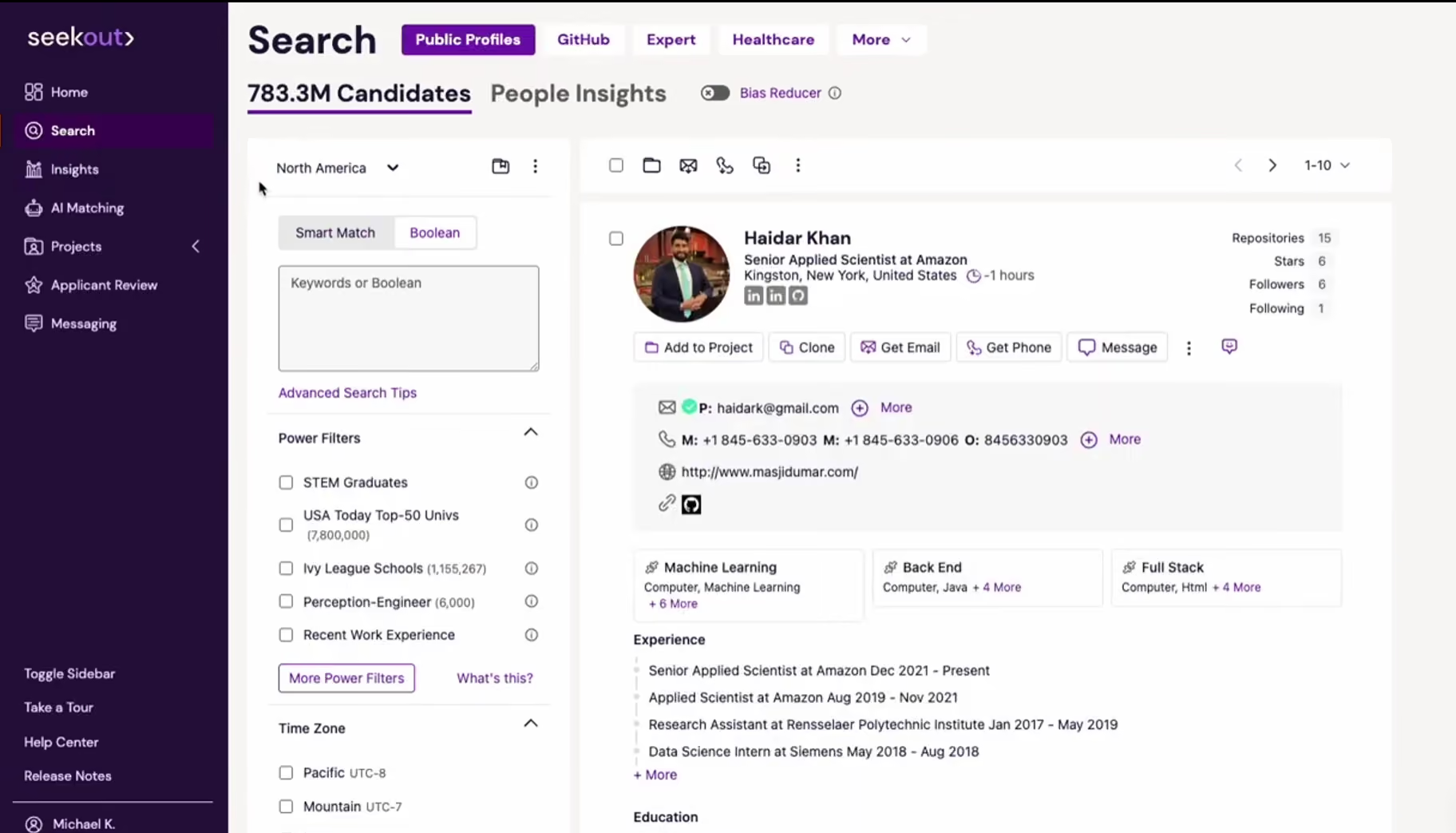
- While they're always expanding their candidate list, they have been mainly oriented towards the US and Canada for years. Hence, companies outside those geographies might find that their searches are still somewhat limited when it comes to local talent. Such is the case of some users writing from Europe, for instance.
- Several users have complained about lags or glitches between the candidate’s info from the source and how/when it appears within the platform.
SeekOut earns our trust for being particularly helpful when it comes to multi-channel sourcing, and for constantly getting better each time we revisit it. The recruiting tool’s talent pool now provides users with access to a vast database of over 800 million candidate profiles (and counting!).
The search capabilities have also become more powerful, with filter options including work history, keywords, education, skills, and locations—not only by country but specific states in the U.S.
Companies seeking talent in niche sectors like tech and healthcare will find SeekOut super handy. Besides the advanced filtering, they're equipped with a robust AI trained to source talent directly from sites like GitHub. However, speaking as someone who's worked to hunt talent worldwide, it's quite a letdown to see that the talent pool is limited to within the United States.
Not every recruiting software pays as much attention to internal talent as SeekOut does.
SeekOut Grow provides insights into existing employee profiles and identifies internal candidates suitable for open roles or new projects. If I were still working in recruitment, I wouldn’t miss the chance to onboard this product and pair it with an ATS. It’d be a powerhouse for talent mobilization for sure!
SeekOut’s custom support didn’t let us down either. There’s live chat support during the week (we tested it, they were fast!), plus email and a dedicated customer success manager for certain plans, so it’s rare to be left frustrated with their support team.
However, despite the undeniable time-saving benefits its newly introduced ChatGPT-powered SeekOut Assist offers recruiters—the AI can generate targeted searches, suggest matches, and craft personalized messages based on job descriptions and candidate profiles—we expected a more sophisticated built-in AI, like what we’ve seen on PhenomPeople and EightFold.
SeekOut’s integrations also left something to be desired. While SeekOut worked well when we connected it with Greenhouse, it wasn’t as smooth with Phenom and Gem. And heads up, there's a cap of 500 candidate contacts per month, but you can bump it up for a fee.
1000+ organizations, including VMware, Salesforce, and Merck have used SeekOut for managing and recruiting talent.
SeekOut has three different plans with pricing undisclosed:
- Premium: Access 441M+ candidates, diversity sourcing, people insights, contact info for 500 candidates/month, export 5,000 profiles/month.
- Premium Tech: All Premium features + specialized tools for sourcing tech talent.
- SeekOut Expert: For engineering and life sciences hiring.
Best For
SeekOut’s recruitment tool is best for teams usually looking for tech, engineering, and healthcare talent based in the U.S.

We used SeekOut to source candidates. Even though we were a small team that shared licenses, we were able to create proper candidate reach outs and sequences. Additionally, we used SeekOut as part of our diversity-sourcing strategy. The blind sourcing functionality helped us overcome many biases that our hiring managers had about talent.
- Blind/anonymized sourcing - This meant information that could elicit bias (like names, university) were removed
- Ease of use - It was incredibly straightforward and easy to pick up
- Clean UI/UX - Everything is exactly where you would think it would be
- Integrations
We were a tech-based startup that wanted to source software engineers and other roles. SeekOut provides an easy to use platform that made sourcing easy and it integrated nicely with our ATS (Greenhouse) and LinkedIn license. With SeekOut we were able to build excellent projects and do partner sourcing with our hiring managers.
- Latency of syncing information - On a couple of occasions it took a few hours for candidates to port into our Greenhouse instance
- User access structure - It was difficult to understand the permissions
- Sequences - It took a few training sessions to really understand the process flow of their message sequencing (but their CSM team is fantastic and once they teach you, you never forget it)
- Reporting - The analytics were slightly lackluster but they were getting much better
As a sourcing tool SeekOut is fantastic. When compared to something like Gem, it feels more natural and visually easier to use.
- How much sourcing/hiring will you be doing?
- How many people will you want to have access to SeekOut and what will you want their permissions to be?
- Will you be connecting it to LinkedIn Recruiter?
It has been a year or so since I've used it but in that time SeekOut has put out more thought leadership that their users care about. They were always good about taking product feedback.
- Recruiters
- Hiring Managers
- Sourcers
- RecOps
People not involved in the hiring process

Turing
Turing is one of the go-to hiring platforms for tech recruitment. They've got a huge database of 2 million software engineers and use AI to find the best talent worldwide across different career levels. Plus, it's low-risk with a two-week money-back guarantee if things don't work out.
PROS
- Fast talent recruitment, usually within 5 days.
- Thoroughly vetted developers with detailed proficiency stats.
- Timezone-matched developers with 4+ hours of workday overlap.
- Secure project dashboard for tracking productivity and protecting IP.
- On average, recruiting talent takes only 5 days from when you first engage with Turing’s platform, to collaborating with a software engineer.
- Turing developers undergo 5+ hours of tests and interviews to build a deep developer profile with detailed proficiency stats. Because they are so well-vetted, hiring risk and timeous skills testing are taken out of your recruitment process.
- Developers are matched to your timezone with at least 4 hours of workday overlap.
- The Turing project dashboard, which they also refer to as the Turing Virtual Machine, has built-in security to protect the IP of your code and data while allowing you to track productivity, hours worked and deadlines met.
CONS
- The support team can take around 24 hours to respond to a customer’s query.
- Limited customer service with 24-hour response time.
- Developers are not employees, which may affect control over their schedules and compliance.
- Limited choice of candidates for short-term hires due to developer preferences for long-term engagements.
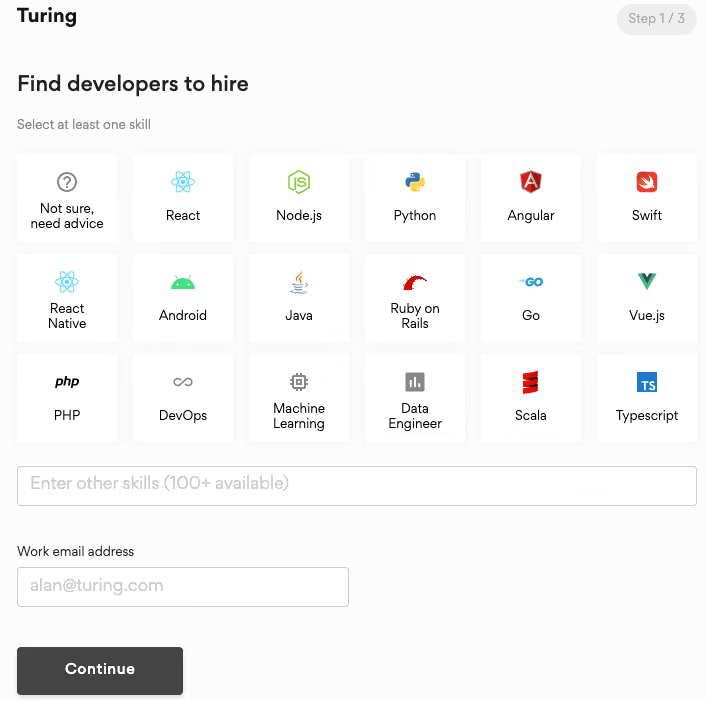
- Although reviewers are quick to compliment Turing, slow communication from their side is a common critique.
- Turing’s customer service is limited. Logging a query means you can expect an answer somewhere in the course of 24 hours which may seriously delay your project.
- Although most developers are hired through Turing for long-term projects, they are not your employees. This means that, although your software engineers are required to keep you in the loop of their schedule, you are not the party approving their time off, negotiating their rates, or handling their compliance.
- Because most of the Turing developers prefer a long-term or full-time engagement, you'll have a limited choice of candidates for short-term hires.
Turing has honed in on developer hiring and truly excels in this niche. The hiring platform stands out with its database of 2 million software engineers worldwide, at various levels of expertise, and available to work immediately.
But this vendor’s real hook is their promise of taking only five days to link their clients with a matched skilled software engineer. Having a bit of history in this space, we can’t help but doubt this claim, as the commonly acknowledged time to fill such in-demand roles is two weeks, if not longer.
However, after Sherlocking the platform further, we discovered the reason behind Turing's confidence. Turing makes its claimed delivery speed possible thanks to its rigorous pre-vetting process: All candidates aspiring to be software engineers listed on Turing have to go through 5+ hours of tests and interviews, and only the qualified ones are connected with clients.
So, technically speaking, it’s not that the whole recruitment process just got shorter. Rather, it’s just that Turing takes on the first pre-screening rounds so users can save over five hours of DIY during these rounds with each candidate.
But do Turing’s pre-vetted developers truly meet clients’ requirements? We asked the system to find us a senior front-end developer to see how this goes.
To our surprise, not only did the platform get back with really good candidates in a matter of minutes, but it also provided proficiency stats for each suggested profile to explain why it thought they were suitable.
Turing claims on its website that its talent pool is the top 1% of remote developers. Although we couldn’t verify this, the quality of candidates received and the swift delivery shown in our testing earned it a spot in this guide for developer hiring.
The way Turing takes into account timezone compatibility also deserves kudos. While some, like us, love having as wide a coverage of time zones as possible from their employees, others find it more beneficial when all their teammates have good overlaps in work time.
We love that whatever your case might be, Turing is open to tailoring its suggested profiles based on your needs. Say, if you’re after the wide timezone overlaps, the platform will ensure all the developers it matches you with are in your timezone with at least 4 hours of overlap in your workday.
We found Turing’s project dashboard to be very well-organized. It provided access to all our code and data, enabling tracking of hired developers’ productivity, worked hours, and project deadlines—tidy and clear.
However, since developers hired through Turing aren’t your employees, you lack control over aspects like their time off, rates, or compliance.
We can totally relate to those feeling uneasy about this and demanding responsive support for quick turnaround when potential problems with the hires arise. Sadly, our experience with the support team was quite grinchy—it took Turing an entire day to respond. Teams dealing with time-sensitive projects may find this to be too big a drawback.
All in all, if you're looking for long-term or full-time developers and don't mind waiting a bit for responses, Turing could be your endgame. But if you need short-term hires and require super speedy support from the recruiting tech, you might want to explore other options.
Turing has helped 3,000 companies to hire developers worldwide. A few of their customers include Coinbase, Reddit, and Dell.
Turing doesn't charge upfront for talent search or hiring remote software engineers. After a two-week trial, payment begins based on the developer's rate, which the developer, not Turing, determines.
Best For
Turing’s hiring platform specializes in catering to the software engineering requirements of tech companies, start-ups, and global teams seeking remote, full-time developers for their long-term projects.
What are Recruiting Tools?
Recruiting platforms are specialized technology tools designed to streamline and optimize various aspects of the recruitment process. Some are laser-focused on tasks like background checks, recruiting chatbots, and one-way video interviewing. Others, on the other hand, provide a broader range of services, covering everything from sourcing candidates and posting job listings to tracking applicants, assessing their skills with tests and interviews, and even creating offer letters and handling onboarding.
Key Features of Recruitment Platforms
Recruiter tools offer a variety of tools designed to streamline and enhance hiring strategies and processes. Below is an overview of key hiring software features, organized by the stages of a typical recruitment process:
1. Sourcing and Outreach
- Candidate Sourcing Tools: Use AI to scan professional networks like LinkedIn, Github, and Behance to form a curated list of passive candidates who match assigned job postings. These tools also automate outreach with personalized emails, SMS messaging, and sometimes WhatsApp to save your recruiting team time.
- Programmatic Job Advertising Capabilities: Leverage machine learning to allocate your ad spend across job listing sites like Indeed, LinkedIn, ZipRecruiter and niche job boards to attract qualified candidates.
- Recruitment Marketing Technologies: Promotes the company’s employer brand and engage job seekers early in the hiring funnel via branded career pages, attractive social media job ads, and personalized communications.
- Employee Referral Tools: Provide a user-friendly interface for employees to recommend job applicants for the company’s open positions and track rewards easily and transparently.
2. Candidate Engagement
- Recruiting and HR Chatbots: Provide instant responses to FAQs from job seekers visiting your career site, gather candidate information, schedule interviews, and even pre-screen applicants based on key qualifications.
- Virtual Career Fairs: Facilitate online events where employers can host live chats, video Q&A sessions, and webinars to interact with potential candidates in real time.
- Video Interview Software: Streamlines the candidate assessment process by enabling pre-recorded video interviews where candidates record answers to preset questions, as well as live video interviews for real-time interactions with applicants worldwide.
3. Assessment and Evaluation
- Candidate Assessment Tools: Offer numerous tests, such as cognitive ability, personality assessments, and job-specific skill evaluations, to evaluate candidates' suitability for a role and predict their job performance.
- Interview Scheduling: Automates the process of coordinating interview times, from syncing with interviewers’ calendars to allowing candidates to self-pick from available slots.
4. Candidate Profile Management
- Applicant Tracking Systems (ATS): Centralized systems for managing and tracking applications via resume parsing, candidate pipelines, native team collaboration, background checks, and new hire onboarding.
- Candidate Relationship Management or Recruiting CRMs: Build and nurture talent pools of the best candidates for future hiring needs via regular, personalized engagement campaigns.
5. Advanced Technologies
- AI Recruiting Tools (including AI ATS): Enhance recruiting processes with AI-driven hiring functionalities like job description writing assistance, advanced search and recommendations, screening, and engagement with.
- Recruiting Automation Capabilities: Automate time-consuming tasks such as delivering timely follow-ups, sending interview reminders, and generating offer letter templates to deliver user experience for applicants, recruiters, and hiring managers.
6. Reporting and Analytics
- Recruitment Reporting: Provides real-time, detailed dashboards showing how long candidates spend in each hiring stage, which job boards generate the most applications, diversity statistics, along other key recruitment metrics to help spot hiring trends, inefficiencies, and opportunities for improvement.
- Hiring Prediction: Uses algorithms to forecast future recruitment outcomes, such as hiring needs, candidate success rates, and time-to-hire based on historical data, and as a result, empowers hiring teams to allocate resources efficiently.
Recruitment Software Benefits
Adopting a recruitment platform can provide many benefits to an organization, including time savings, improved hire quality, and scalability.
- Time savings: Studies suggest that automating tasks with recruitment software can save business leaders up to 3 hours per day. That's precious time regained for strategic work.
- Cost reduction: Recruitment software, with features like job board integration, cost tracking, and recruitment spending analytics, allows organizations to reduce expenses associated with attracting and securing the right candidates.
- Improved quality of hires: Advanced algorithms in recruitment software assess candidates' skills and company culture fit to provide predictive job performance analytics, resulting in more precise and confident hiring decisions.
- Less guesswork: Recruitment software provides real-time analytics, reporting tools, and data visualization, which is critical to fostering your company’s data-driven recruitment efforts.
- Efficient talent management: Built-in features like cloud-based applicant tracking, candidate pipelines, and automated notifications keep everything in check.
- Scalability: Whether a startup prioritizes simplicity or a global recruitment agency seeks an end-to-end recruitment suite, the hiring software’s flexible plans, multi-user access, and customizable workflows enable it to fit different business operations and needs.
- Global hiring: Multinational organizations that prefer to hire directly rather than use employer of record services benefit from features like multilingual customer support, country-specific compliance features, and centralized candidate databases.
- Enhanced candidate experience: Mobile-optimized portals, intuitive interfaces, and responsive candidate support create an ease-of-use application process.
- Reduction in manual errors: Features like error-checking algorithms, data validation, integration, and automated workflows minimize human errors and ensure a smoother, more accurate hiring process.
- Competitive advantage: Early birds catch the worms. Being ahead of the curve with advanced recruiting technology can set your organization apart in attracting top talent. However, the mere presence of a recruiting solution won't guarantee a better recruitment process. In fact, choosing the wrong tool or falling into specific pitfalls can worsen the situation.
How Much Does Recruiting Software Cost?
As we mentioned at the beginning of the buyer guide, recruiting tech is so vast since it covers everything from candidate sourcing to background checks and video interviewing. Consequently, the pricing structures of this software category tend to be much trickier to measure.
In any case, though, the below should give you an overview of what a recruiting tool would cost in general. For more details on subscription types, base fees, and potential extras that may not always be disclosed upfront, check out our recruiting software pricing guide.
- Small businesses (fewer than 100 employees): Typically $50 to $200 per user per month, though some may also offer a free trial or free plan.
- Medium-sized businesses (100-500 employees): Approximately $150 to $400 per user per month.
- Large businesses (over 500 employees): Ranges from $400 to $1,000 or more per user per month.
- Enterprises (thousands of employees): Pricing is often customized and can reach thousands of dollars per user per month.
Recruiting Platform FAQs
What are the different types of talent acquisition tools?
There are eleven types of recruiting software: programmatic job advertising tools, ATS, video interview software, talent sourcing tools, AI recruiting chatbots, recruiting automation software, virtual career fair platforms, recruiting CRM tools, recruitment marketing solutions, candidate assessment tools, and employee referral platforms. Each type of recruitment platform plays a crucial role in optimizing the hiring process, from attracting candidates to finalizing hires to help organizations enhance their recruitment strategies and improve overall hiring outcomes.
What features should I prioritize in recruitment software?
There are many factors at play when it comes to shortlisting potential recruiting tools, and what matters to you may not matter to others. That said, we found vendor customer targets, financials, product demos, software use cases, and expected ROI play vital roles in our recruitment software vetting process.
Is there any free recruiting software?
Yes, there is. Some great free recruiter tools include Wellfound, which offers unlimited job posts in its free ATS, Recruit CRM with a never-expire free trial that covers core ATS and recruiting CRM software, and Breezy HR, which lets you post job openings on 50+ job boards for free. Find out more about it in our review of the best free recruitment software.
What is the best recruiting software?
Some of the best recruiting tools include VidCruiter (for video interviews), Humanly (for recruiting chatbot), Workable (for customization levels), and Fetcher (for passive talent sourcing).
What Has Been Changed Since Our Last Review Update?
Let's go over what's been changed in our latest update:
- New Additions: First off, we’ve added AvaHR and Scout Talent to our listings. AvaHR impressed us with its easy-to-use automation features and the way it keeps candidate communication organized. Plus, we found tools like Pipeline Triggers and a Shared Inbox to be quite unique for smaller business applicant tracking systems, and they really helped in our testing. On the other hand, Scout Talent is a fantastic choice for recruitment marketing and automation that we think teams will really benefit from.
- Updated Sections: We’ve also refreshed our Features and Pricing sections to make sure they reflect the latest functionality and pricing for various recruitment software. We know how important it is to have the most current info when making your choices!
- FAQs and Pitfalls: We’ve noticed a lot of questions coming in about common mistakes to avoid when picking recruitment software and the different types available. To help with that, we’ve put together our answers in the Pitfalls and FAQs sections. Be sure to check those out!
- Tech Tests and Fact-Checking: Lastly, we conducted another round of tech tests on all our listings to verify our reviews and ensure everything is up-to-date. Some major updates include changes in Fetcher’s pricing, Pinpoint’s pricing, and a fresh review for Workable.
For all the details, head over to our “Detailed Reviews of The Best Recruiting Platforms” section.
About the Author


About Us

- Our goal at SSR is to help HR and recruiting teams to find and buy the right software for their needs.
- Our site is free to use as some vendors will pay us for web traffic.
- SSR lists all companies we feel are top vendors - not just those who pay us - in our comprehensive directories full of the advice needed to make the right purchase decision for your HR team.


