

Best Global Payroll Software in 2026: Compared by Experts
The best international payroll providers of 2026 include Multiplier, Deel, Lano, Remote, PapayaGlobal, and ADP. Get pricing, feature breakdowns & comparisons, and more below.








Choosing the right global payroll provider can make or break your international expansion. With the right software, it’s easier for HR teams to pay and support employees across borders while staying aligned with local payroll rules, tax requirements, and reporting obligations.
This guide is built for HR leaders evaluating global payroll solutions for distributed or international teams. We rank the top global payroll solutions for 2026, based on hands-on testing, HR practitioner feedback, and real-world performance across different company sizes and regions.
Below, you'll find detailed reviews of each provider, including Deel, Multiplier, Rippling, ADP, Remote, and Papaya Global, with honest assessments of their strengths, limitations, and ideal use cases. We also cover pricing breakdowns, demo questions to ask vendors, and the key pitfalls HR teams encounter when switching global payroll companies.
To find the best global payroll providers, we demo dozens of products every year and stay in constant communication with our community of HR and payroll experts.
The featured global payroll companies all score consistently highly on usability, pricing, flexibility, track record, and customer support. We also prioritized providers that integrate well with existing HR tech stacks and make it easy to switch plans or migrate data.
- Usability: Intuitive workflows and dashboards that simplify multicountry payroll.
- Pricing: Options for every budget, from SMB to enterprise.
- Flexibility: Support for contractors, full-time employees, EOR, and PEO models.
- Track Record: Proven growth and positive user feedback over time.
- Customer Support: Responsive help, ideally with local expertise in key markets.
- Integrations: Native connections to HRIS, accounting, and other HR tools.
More payroll guides:



Native Teams

Native Teams impressed us with one of the most flexible and affordable global payroll lineups we’ve seen. Starting at as little as $19 per month, this platform supports payroll for all types of workers, from full-time employees to freelancers and gig workers.
PROS
- Affordable, distinct global payroll plans tailored to EOR, contractor, and gig workers.
- Payroll available in 95+ countries, with localized tax support.
- Built-in wallets and multi-currency payouts with optional employee cards.
- Automated workflows for salary updates, bonuses, absences, and expense reimbursement.
- Mobility and visa services are bundled into the payroll dashboard for EOR customers.
- Good range of EOR services with compliant contracts, payroll, benefits, and visa support.
- Pricing is half the typical EOR rate, and a free trial is offered.
- Built-in wallet and debit card for employees, with 1% cashback on balances.
- Contracts are bilingual and can be partially customized with legal team review.
- Visa and mobility support embedded in-platform for 20+ countries.
- Automated workflows for bonuses, tax allowances, and leave tracking.
CONS
- Fewer countries are supported compared to some competitors.
- Integrations with HRIS and Zapier are still on the roadmap.
- Lacks compensation benchmarking or pay analytics tools.
- The user interface and onboarding process can be more user-friendly.
- User interface lacks polish, and navigation can feel unintuitive.
- Onboarding can be slow, especially when syncing legal documentation.
- No HRIS integrations or open API (planned for 2026).
- Does not offer compensation benchmarking or planning tools.
If you're building a global team with a mix of employment types and need a simple, cost-effective payroll tool to match, Native Teams is well worth exploring.

Our first impression of this employer of record is that it is built for flexibility. Instead of bundling payroll into one monolithic product, Native Teams separates it into four clear plans based on employment type: Employer of Record, Contractor Pay, Gig Pay, and Contractor of Record. This modular approach gives companies far more control over costs and compliance.
Better yet, the pricing is fairly affordable to most teams. In particular, if you're hiring full-time employees abroad, the EOR plan starts at just $99 per month, which is the lowest we've seen in the category. For independent contractors, Contractor Pay begins at just $19 per month, while those paying gig workers or short-term freelancers at scale can opt for Gig Pay or Contractor of Record, depending on how hands-on they need to be with tax and compliance.
In our demo, we tested payroll flows for the EOR worker type. Adding bonuses, changing salaries, or submitting expenses was easy thanks to the automation. The payroll dashboard was insightful with data on country-specific tax breaks, vacation schedules, and details of what gross-to-net salary costs actually look like.
We also liked the digital wallet and Mastercard Native Teams offered to its clients’ employees and contractors, as these individuals can receive payments in multiple currencies and earn 1% cashback on balances. It’s not something we see often from competitors.
However, Native Teams’ country coverage (95+ countries) is still short of vendors like Deel, Remote, and Rippling (100+ countries). Furthermore, given that this EOR provider is working on HRIS integrations and Zapier support, finance and HR teams may have to rely on manual exports or custom workarounds for now.
Semos Cloud, Mad Head Games, Kaiko Systems, inDrive, Dolce & Gabbana beauty
Native Teams offers four payroll options:
- Employer of Record (EOR): Starts at $99/month per employee.
- Contractor Pay: Starts at $19/month per contractor.
- Gig Pay: Custom pricing.
- Contractor of Record: $99/month per contractor.

Best For
Native Teams is best for startups and lean global teams needing flexible, affordable payroll across multiple worker types.
Paycom
Paycom is a sound option for U.S.-based companies managing international payroll that want to automate and consolidate their payroll process as they expand. The platform processes payroll natively in the U.S., Canada, Ireland, Mexico, and the U.K., while offering non-native payroll options across more than 190 countries and in multiple languages.
PROS
- Supports payroll in the U.S., Canada, Ireland, Mexico, and the UK.
- Consolidates domestic and supported international payroll into one platform.
- Connects global payroll with broader HR and employee data.
- Automates HR tasks and decisions across 190+ countries through Global HCM.
- Single-database architecture helps ensure consistent employee data across systems.
- Proprietary HR, payroll, time, and learning tools run on one database.
- Strong employee self-service tools for managing personal, payroll, benefits, and time-off information.
- Single database keeps employee data consistent across HR and payroll workflows.
- Deep HR and payroll integration enables automation across the employee life cycle.
- Broad automation reduces manual work across everyday HR processes.
CONS
- Native payroll processing is limited to the U.S., Canada, Ireland, Mexico, and the UK.
- Global payroll capabilities may require working with multiple underlying providers.
- Pricing is undisclosed, with no free trial offered.
- Pricing can be high compared with more focused HRIS options.
- Reporting can be complex and cumbersome for administrators to customize.
- Requires customers to run payroll with Paycom to access the HR suite.
- Limited flexibility for organizations that rely on external integrations.
Paycom processes payroll natively in the U.S., Canada, Ireland, Mexico, and the UK, while processing payroll for countries outside of this scope requires working with a third-party partner. This architecture makes Paycom most practical for U.S.-based organizations with employees in those specific markets. Rather than adopting a separate payroll platform, existing customers can extend their Paycom environment into these countries while keeping HR data and payroll workflows connected.
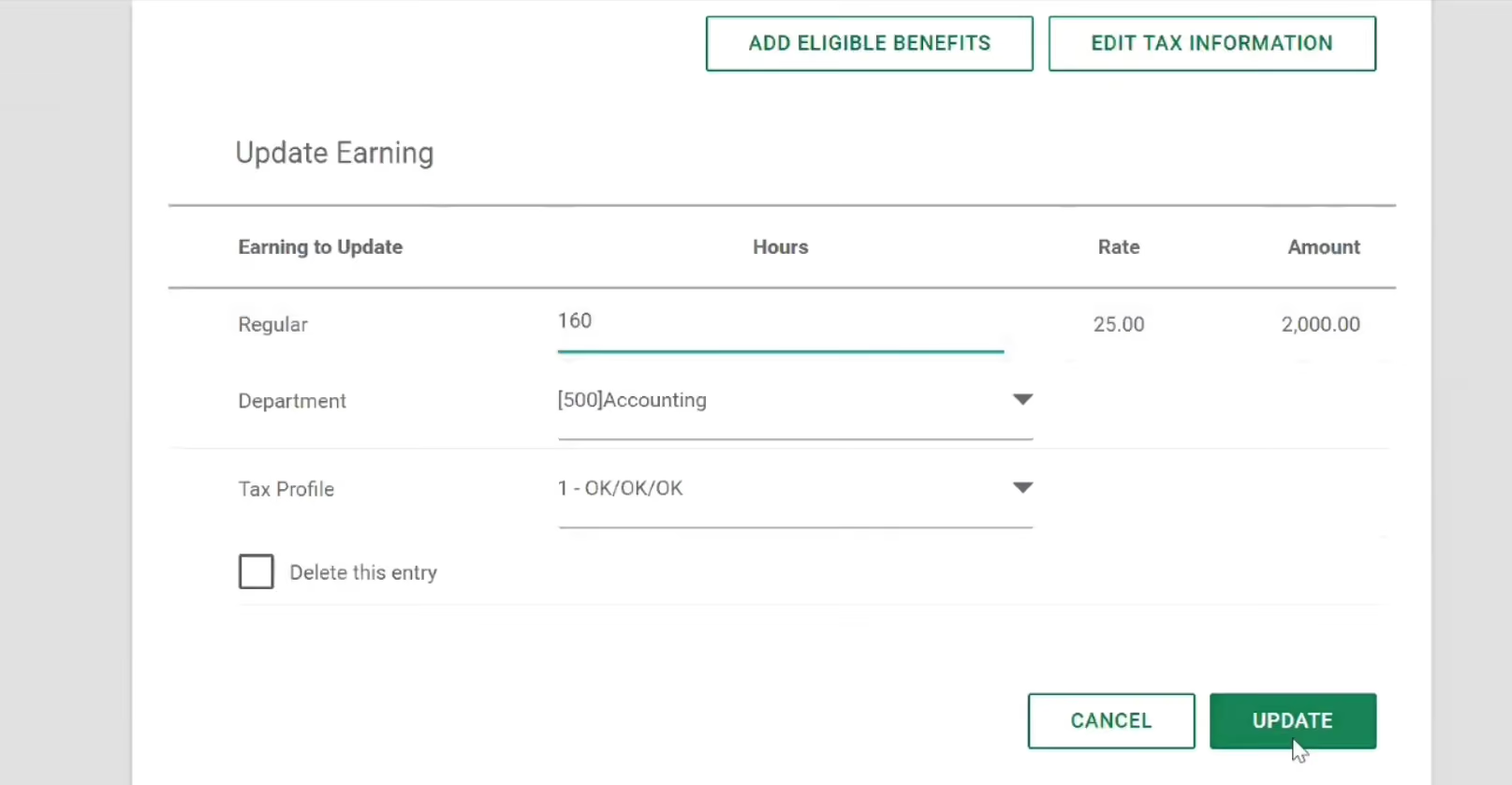
The broader Global HCM platform does provide a unified environment for managing international employees, including onboarding, talent development, workforce administration, and compliance-related processes.
However, as the vendor confirmed, customers cannot buy Global HCM without running payroll with Paycom. Based on our evaluation, this requirement makes the platform a tougher sell for companies seeking a flexible global payroll add-on or looking to preserve an existing U.S. payroll system.
Custom pricing.
Best For
U.S.-based companies with international payroll needs in specific markets, especially those prioritizing an integrated system for both HR and payroll.


I used Paycom every day. I utilized the electronic personnel files that helped ensure that I had all onboarding documents correct during this process. I also used the recruiting function. I had many hires and Paycom offers a great function to keep track of all of your recruiting needs. Including where you are at in the interview process, applications, interview questions, and many more!

I love the aspect of streamlining Paycom and Payroll. Another pro to utilizing Paycom is the electronic version of personnel files. The recruiting tool in Paycom is another great tool to help with any organization's recruiting and hiring needs!
Our organization originally did not have a HRIS system. One of the major selling points to the organization is that Paycom offers a seamless transition to make all of our HR personnel files digital along with many other HR options to help streamline all HR processes. In addition, we added a function within Paycom to ensure our payroll was efficient and easy to work through each pay period. Paycom also offered our hourly employees an app to help make it easier to clock in and out during the work shift. This was a key function as many employees were offsite and other locations other than headquarters.
There has been a few times were the dedicated account manager took longer to get back to specific questions that I would have liked.
Paycom offers a lot more functionally. The implementation process was not too difficult company-wise. And the price is a vary fair investment.
If your organization is thinking about utilizing its first HRIS system. If your company wants a user-friendly payroll system.
It has added many functions, including pieces of training, performance reviews, and tracking attendance.
Any organization that is mid-sized or a corporation.
Smaller businesses
.png)
Deel
Deel can manage payroll compliance in 150+ countries and has a notably easy-to-use interface, using one platform for all countries.
PROS
- 24/7 customer support with a rapid response time of 1.25 minutes and quick onboarding within 2-3 days.
- Deel HR is free for all company sizes.
- Integration with 100+ HR platforms natively; APIs are also available.
- User friendly with self service features and identity verification usually within 24 hours.
- Automated invoicing for payments in English.
- Excellent 24/7 customer service with fast onboarding (2-3 days) and local payroll experts in each jurisdiction.
- Seamless integration with platforms like QuickBooks, BambooHR, and Greenhouse, plus custom integration options.
- User-friendly, self-service features enable quick setup; identity verification often takes under 24 hours.
- Automated invoices simplify payments, provided they're in English.
CONS
- Key features like onboarding automation are add-ons, which may increase costs.
- Limited flexibility in modifying contracts or service agreements; changes often require an addendum.
- Invoices cannot be generated in languages other than English.
- Key features like onboarding automation are add-ons, which may increase costs.
- Limited flexibility in modifying contracts or service agreements; changes often require an addendum.
- Invoices cannot be generated in languages other than English.
With Deel, companies can hire employees in a multitude of countries without it getting messy. From the same dashboard, you can manage international payroll, benefits, taxes, and compliance in over 150 countries.

Deel was one of the first companies to offer global payroll as their primary service. Their composite of contractor and freelancer management + EOR and PEO capabilities, as well as their sleek design, made them stand out early in the category's history.
Nowadays, they’re also notable for having expanded their tool quite a bit, adding Core HR capabilities to their platform. Other newer Deel features include immigration support, background checks, and their Shield module, devised to protect you against compliance issues.
Deel has been used by over 35,000 companies worldwide. Some of them are Brex, Google, and HomeLight.
Starts at $29 per employee/month.
As a new product, Deel has changed a lot since its inception. Its newest offering, DeelHR, allows companies to complete most of their HR operations tasks in Deel.
Best For
Companies, big or small, who wish to stay compliant when hiring people in multiple countries can make good use of Deel. The vendor is also great for those who wish for an EOR / contractor management balance.

Deel was used daily by the recruiting teams across the U.S. Moving candidates through all steps—applied, screened, interviewed, offered, and onboarded—made the workflow efficient. It was integrated with LinkedIn for job postings. It may have supported other job boards as well, but I only used it with LinkedIn for professional, exempt-level postings.
The system was also accessible to other departments, such as HR, which helped maintain transparent communication.
Deel is a user-friendly ATS. It offers strong integration capabilities for job postings. Its workflow management helps keep open requisitions organized.
Deel was used solely as an ATS for recruiting purposes. I have used it for about six months. It is well-organized for moving candidates through the pipeline. It integrated easily with other HRIS and ATS platforms. While additional features are available, we only purchased it for recruiting functionality.
The price is high per employee per month. Customer service was subpar. It may be better suited for contingent workforce management than full-time employee hiring. Considering the higher cost, a more bundled service package would have been beneficial.
I have used several similar ATS tools, and I would rate Deel as mid-tier. I prefer other systems based on cost, better integration options, and more accessible customer support.
Cost should be the top consideration. It's also important to determine whether the tool will be used for contingent workforce or full-time employees. Compatibility with your existing HRIS is another key factor to evaluate.
Since I used the tool for less than a year, I did not observe any changes or improvements during that time.
Temp agencies with small recruiting teams looking to control costs can benefit from Deel as an ATS.
Organizations hiring full-time employees with large recruiting teams will not benefit from Deel as an ATS.

Multiplier
Multiplier tackles global payroll by operating its own employment entities across major markets. This means direct control over how payroll, local taxes, and compliance are processed. For organizations processing payroll in multiple currencies and jurisdictions, this architectural approach reduces execution delays and embeds compliance logic into the platform itself.
PROS
- Payroll processing across 150+ countries with automated local compliance built into the platform—no manual coordination or external intermediaries slowing down payment cycles
- Multi-currency payroll and payment processing with tax and regulatory changes encoded directly into the system logic, reducing manual intervention
- Unified payroll dashboard consolidates employee records, salary data, deductions, and benefits administration across all geographies in a single view
- Direct entity ownership means faster payroll cycle times compared to platforms that coordinate through reseller networks or third-party providers
- Employees access real-time payslip visibility, tax withholding details, and benefits information through self-service portals, reducing HR support burden for payroll inquiries
- Multi-currency payments in local currencies
- Multi-lingual contracts made instantly
- Compliance, payroll, onboarding, and timesheets, all in one platform
CONS
- Integration options are currently limited, with Multiplier only integrating with BambooHR, Workday, Personio, and HiBob for HCM-type tools. However, they are actively working on expanding their integrations.
- Customers have expressed a desire for more customization options, particularly in relation to contract clauses and leave types, to better align with their specific needs.
- Some users have reported experiencing slow response times from the customer support team.
- Limited integrations. As of Summer 2024, Multiplier only integrates with BambooHR, Personio, Workday, and HiBob for HCM-type tools, although they are working on adding more.

Multiplier's payroll engine is built around direct entity control across markets. Rather than routing payroll execution through third-party provider networks, Multiplier processes payroll directly from its own entities in each jurisdiction. This way, tax changes, currency fluctuations, and compliance updates hit the system faster because they're hardcoded into the platform's logic rather than handled asynchronously by external partners.
For payroll operations, you get a consolidated hub: employee records, salary configurations, deductions, withholdings, and benefits all live in one place across all your countries. You can run payroll in 150+ countries using multiple currencies, with local compliance automatically applied. Multiplier generates and maintains contracts adapted to each jurisdiction's requirements, which reduces back-and-forth with legal teams during setup.
For employees, the system provides transparency into what they're earning and keeping. Payslips, tax withholdings, benefits deductions, and bonus accruals are all visible in real time, reducing the volume of payroll-related support tickets for your HR team.
The downsides center on integration and customization. Integration is limited to BambooHR, Workday, Personio, and HiBob, so if you use other HRIS platforms, you may need to build API bridges or manage dual data entry. Customization options for contract structures and leave policies are also a bit constrained, which can be problematic if your payroll involves non-standard arrangements or heavily localized benefit structures. Additionally, some users have reported that support response times lag when dealing with complex compliance issues.
Amazon, Fusion, Graphisoft, ServiceNow, Linklaters, and Korn Ferry are a few of the companies that use Multiplier’s global employment solution.
Multiplier’s standalone global payroll starts at $20/employee/month. Other plans include 'Hire Employees' (from $400/month for automated contracts, multi-country payroll, and benefits) and 'Pay Freelancers' (from $40/month for contracts, multi-currency payments, and benefits). Employee insurance is priced separately from $20/employee/month.
Since 2024, Multiplier has expanded its offering to include a full HRIS module, broadening its positioning beyond standalone payroll and EOR into integrated workforce management.
Best For
Companies with distributed workforces and contractors running payroll that prioritize speed, compliance accuracy, and direct entity control.
I use Multiplier regularly to manage global payroll and ensure compliance with local tax and labor laws on a monthly basis. The platform enables me to process payroll for our remote teams across multiple countries, ensuring that all employees and contractors are paid accurately and on time.
A key workflow involves setting up new employees or contractors, which is seamless and streamlined, as the platform integrates with local labor laws to simplify the process. I also use Multiplier to monitor tax filings and ensure that all required reports are submitted on time in each region.
The automation of payroll tasks, such as calculating taxes, deductions, and benefits, has significantly reduced manual errors and saved time for the HR team.
- The platform simplifies global payroll management and ensures compliance with local tax and labor laws.
- Setting up new employees or contractors is seamless, thanks to its integration with local labor regulations.
- Payroll automation reduces manual errors and saves significant time for the HR team.
- The compliance tools help us stay updated with regulatory changes, ensuring smooth operations across regions.
As an HR professional managing global payroll, Multiplier was transformative for our operations. The platform simplified payroll processing across multiple countries, ensuring compliance with tax and regulatory requirements in each region. It also addressed complex compliance issues, making the entire process much smoother for our HR team.
The interface was clean and user-friendly, reducing the learning curve for new users. Setting up employees and contractors globally was straightforward, and the integration with local labor laws reduced administrative headaches. Payroll automation was accurate and timely, leading to fewer errors compared to our previous solutions. I have personally used it for one year.
- The platform may not be necessary for businesses without remote or international teams.
- It is not ideal for smaller companies with limited payroll needs, as it might be overly feature-rich.
- There is a lack of deeper HRIS functionalities, which could enhance its utility for broader HR management.
While Multiplier excels in international payroll and contractor management, it lacks some of the advanced HRIS functionalities offered by other platforms. It is best suited for businesses with international teams, providing time-saving features and ensuring compliance.
Compared to competitors, its focus on global payroll and streamlined contractor setup stands out, making it an excellent choice for businesses expanding globally.
Consider whether your organization has a remote or international workforce, as Multiplier is designed for global payroll and compliance. Assess the complexity of your payroll needs and the number of contractors or employees across regions. Smaller companies with basic payroll needs might find the platform too robust, while those managing international operations will benefit greatly from its compliance tools and automation features.
I’m not sure as I have not worked on the tool for long enough to see changes.
- Businesses managing international payroll and contractors.
- Organizations with remote teams across different countries requiring compliance with local tax and labor laws.
- Companies looking to automate payroll tasks and streamline global operations.
- Small companies with limited payroll needs, as the platform may be overly complex for their requirements.
- Organizations without remote or international teams, as they may not need the global compliance features.

Papaya Global
Papaya Global made our list of best global payroll software providers for enabling distributed teams to legally auto-pay contractors and employees in 160+ countries while making sure their data is protected by leading security and compliance software.
PROS
- Papaya’s full-service payroll guaranteed payouts in 72 hours in over 160 countries.
- It has a straightforward pricing system with a 60-day money-back guarantee if you are unsatisfied with the platform’s performance.
- Offers a dedicated customer success manager or global payroll expert in your time zone who assists you in the local timezone and language. You also get access to their in-house specialists on global employment in 160 countries without extra fees.
- The latest starter monthly fee for the full-service payroll plan has dropped to $12 per employee (the previous one was $20).
- Provides four individual solutions (data and insights, supplemental benefits & immigration support, payment services, and employee data management) at an affordable starter price.
- Papaya Global packs the EOR services you need to do global payroll and employment compliantly in over 160 countries.
- Automated payments in over 100 currencies, 80 of them directly to the worker's bank account through its global banking partners.
- Dedicated customer support providing locations-specific knowledge regarding employment and payroll.
- End-to-end payroll guaranteed payouts in 72 hours.
- Offers four standalone solutions: data and insights, supplemental benefits & immigration support, payment services, and employee data management, making the platform more affordable and scalable.
CONS
- Lacks local entities in the countries where it sells services. We found no information regarding its tax penalty guarantee either.
- Doesn’t offer a free trial or free plan.
- There are a few additional fees, including a set-up fee per location, an onboarding fee, a cycle fee per employee, and a year-end fee for tax filing. There’s also a required deposit (refundable).
- There aren’t many existing integrations, but you can use the platform’s pre-built APIs, SFTP, and custom API integrations for free.
- No free trial or free plan.
- Doesn’t own entities in all the countries it serves. The platform forms relationships with existing local in-country partners to handle employment in a specific region on the client’s behalf.
- BI analytics reports and global immigration services cost additional fees.
- Charges extra fees for setup, onboarding, employee cycle, and tax filing. Also requires a refundable deposit.
- Built-in integration options aren’t very robust. However, the platform does offer pre-built APIs, SFTP, and custom API integrations for free.

Papaya Global is loved by several users we have talked to and also by our editorial team. It is one of a few vendors that provide a straightforward pricing point (no one likes hidden fee surprises!), a solid set of HR tools, robust BI analytics reporting, and in-country customer support.
We appreciate how the platform has kept both employers and staff in mind when developing its HR tools. As an employer, Papaya Global gives you access to payroll, payments, and workforce analytics in one unified platform. The global payroll software provides automated payments in local currency, country-tailored benefit packages, pay slips in the languages of employees across over 160 countries, and AI-based engines to audit invoices for payment accuracy. Papaya Global backs you with in-house benefits experts who advise you on the soundest plans for specific locations without costing you extra. As an employee, there is a self-service portal you can easily access and navigate through. You can find onboarding documents there, request time off, check your docs, and review payslips. The newly launched mobile app (February 2023) will soon allow you to do these things, plus access payment calendars, bank details, and company announcements on the go.
Papaya Global’s global equity management is another thing that sets it apart from other payroll software. With this tool, you can offer equity to employees as part of their compensation, regardless of their location. As we mentioned earlier, the platform does a great job of providing advanced analytics reporting. By "advanced," we mean that you can access dynamic and visual insights into not just payroll, but also HR, billing, and admin data.
However, there are a few things you should keep in mind when considering Papaya Global as your global payroll software. First and foremost, Papaya Global does not own any local entity where it provides services. The platform relies entirely on its third-party local partners. While its pricing is transparent, there are additional costs besides the plan’s price, including a set-up fee per location, onboarding fee, cycle fee per employee, year-end fee for tax filing, and refundable deposit. It is worth getting in touch with Papaya Global’s team to get a full quote for your specific requirements to evaluate the platform further.
Microsoft, Intel, Toyota, Wix, Fiverr, Johnson & Johnson, Deezer
Papaya Global has just added four standalone services to its offerings besides the three plans:
- Full-Service Payroll service: It starts from $20 per employee per month, depending on your operation. It includes its advanced payroll platform, embedded payments, global partner network, and employee portal.
- Payroll Platform License service: Starting from $20 per employee per location, it is for businesses that need to upgrade their payroll and payments tech without replacing the current payroll partners.
- Data and Insights Platform License service: Starting from $150 per employee per month, it includes tools for real-time analytics on payroll costs and headcount.
- Payments-as-a-Service service: Starting from $3 per employee per month, it provides an embedded platform designed for workforce payment.
- Global EOR plan: This plan is between $770 and $1000 per employee per month and lets you manage all your EOR locations on one platform.
- Contractor Management & IC Compliance plan: Particular services are outsourced to a domestic or foreign contractor for periods of rapid growth and the need to reduce labor costs. This plan starts at $25 per employee per pay cycle.
- Payroll Intelligence Suite plan: This plan lets you consolidate all workforce and payroll data from all your operations into a single dashboard, priced at $250 for an annual plan or $320 quarterly per location.
Best For
Those that want to automate global payroll in countries where they have entities can benefit from Papaya Global. The platform is also a go-to payroll software for businesses whose international hires (employees, contractors) are based within Papaya Global’s country coverage.

We use Papaya Global to handle overall payroll administration, offer letters, benefits, etc. Their system provides us with a method of handling these operations without having to be fully versed in Peruvian employment laws.
Ease of use. Subject matter expert for international payroll. Takes away the liability of mishandling payroll due to lack of knowledge.
We started working with Papaya Global because we needed a way to pay our employees located in Peru. We are currently with a PEO and they do not cover international payroll. We have been using them for a year now.
I cannot think of anything the company could use to improve at this time.
Their pricing is more competitive than the competition.
Ease of use, knowledge base, global reach in case you need to expand to other areas, pricing.
Any organization could use their services if they have a need to handle payroll internationally and do not have internal resources that can facilitate the process.

Rippling
Rippling stands out from other global payroll companies because it handles every aspect of the payment process. Very few global payroll companies directly administer all of the steps needed to pay employees across the globe.
PROS
- Nested within HRIS
- Hire, pay, and manage people under a single system of record
- All-in-one platform for employee management + PEO services offered, and even a suite of other IT products
- With 500 integrations, it’s very likely that they integrate with other key tools from your tech stack.
- Operates globally with any currency
- Workflow automation
- Analytics opportunities
- Provides a holistic view of company outflows—headcount costs included
CONS
- Not advisable for very small companies with slow growth
- While you can buy a base tier and add payroll, the real “magic” of this system requires total immersion in the Rippling environment
- Total buy-in to Rippling is essential
- Very SMB-oriented, in case you’re a larger company.
- New features tend to be buggy in ways that tech teams are not accustomed to fixing

Rippling went the extra mile on their global payroll product. They solved a business problem better and before anyone else in their weight class. At this point in their growth, they are agile enough to move quickly, but have just enough mass and inertia to put thousands of hours of labor into doing a complex thing right.
As we pointed out before, Rippling’s global payroll suite stands out from other global payroll companies because it handles every aspect of the payment process; from tracking hours to calculating and filing taxes. Very few global payroll companies directly administer these kinds of steps while also offering a full HRMS to plug it with.
With the exception of payroll titans like Workday, most businesses offering global payroll services are actually “aggregators” of other businesses– they arrange connections between an array of third-party vendors who are unified under one company name. This has some serious drawbacks. Like a game of telephone, a lot can be lost in translation as data is passed from one entity to another.
Built-in is better. This feature’s proximity to the HRIS means the integration process is simple. According to Rippling, it takes “about 90 seconds” to set up an employee for global payroll if you’re already using Rippling. Being built-in also results in seamless access across all dimensions of employee information.
Best For

We used Rippling to input new hires and manage current employees. Employee information was stored on the platform. We used it to enroll employees in benefits and provide the team with an easy way to enroll in their plans or download their plan summaries. We also used it for payroll and to process yearly bonuses. Additionally, we relied on Rippling for compliance purposes. Their team would provide advice on compliance issues, HR support, and updates on new laws applicable to us.
I love the ease of use and the way it's laid out. I appreciate that there’s one place for all information. I also like that they have many useful tools, so as the company grows, they can adapt other features within their system (like performance evaluations, tracking, and learning management trainings).
Our company needed an HRIS system that would allow us to handle payroll, administer benefits, and provide compliance advice. We used Rippling for one year. The key benefit Rippling provided was a one-stop shop where everything could be tracked and kept together in one place, rather than having to visit different sites for various tasks (e.g., payroll, compliance, etc.). We were originally using an Excel file to track employee data. We switched to Rippling to store this data on their platform in a more secure and user-friendly way.
We used it as a PEO, and the health plans offered weren’t as competitively priced as if we had brought benefits in-house. Additionally, the benefit rates increased during open enrollment. I also dislike the $65 per employee, per month fee, which I find a bit steep.
Rippling is very comparable to other PEOs. What sets it apart is that they allow you to continue using their HRIS platform for HR, employee data tracking, and payroll even if your company decides to leave the PEO and bring benefits in-house. This flexibility is helpful, as it allows you to start with them as a PEO and transition to their standalone platform without searching for a new system, making the process easier.
The fees per employee per year are important to consider. If you’re in a period of rapid growth, make sure to account for expected new hires in your budget. You’ll also want to decide which features you’ll actually use. For example, we didn’t use their recruitment feature because we had a different system for that, but Rippling does offer a recruitment tool. The more features you use, the higher the cost, so be mindful of that.
I think their customer service improved from the time we started using them until we stopped. Initially, they didn’t have a designated rep for companies, so you had to go through their experts and didn’t always get the same person helping you, which could be frustrating. By the end of the year, we noticed improvements in their customer service, which was a positive development.
Rippling is great for any company with more than 10 employees. It’s ideal for small companies using a PEO, especially if employees are spread across multiple states. For larger companies that want to stop using a PEO and bring benefits in-house, Rippling is still very effective as an HRIS system for data tracking.
Rippling may not be worth the cost for companies with fewer than 10 employees. In that case, it might be better to avoid the PEO fees. If all employees are in one state, I would recommend using a broker for insurance and managing employee data and recruitment in-house instead.

ADP
ADP GlobalView is the solution for international payroll from one of the most reputable and long-standing companies in the space.
PROS
- Native, all-in-one technology suite for recruitment, payroll, and compliance.
- 17 RPO service centers in 14 countries and provide services in 42 different languages.
- Dedicated team of AIRS-certified recruiting professionals.
CONS
- Technology options outside ADP’s dedicated HR tools are limited.
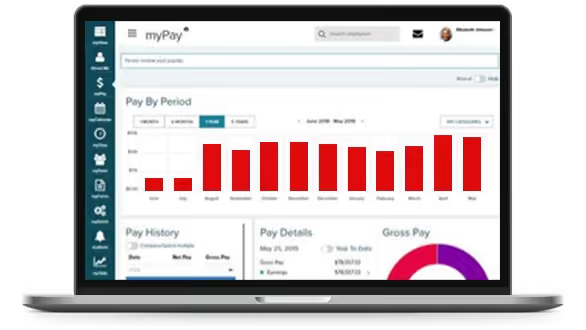
If you intend to manage global payroll for thousands of employees, ADP’s GlobalView should be on your list of vendors to consider. The payroll giant has put together a solution that’s specific to big businesses, providing them with a single system to unify all global employee payroll data while letting you stay compliant.
For this product, ADP also operates with local experts. You can process payroll yourself, or outsource most of the back office payroll functions to ADP’s team. Finally, GlobalView works only in 40 countries, but it can be combined with ADP Celergo to extend their coverage to up to 140 nations.
Among others, ADP’s global payroll solution is used by the likes of PayPal.
Like with most ADP products, pricing details aren’t available online, since they’ll likely provide a custom quote once you request and have a demo.
Best For
Large enterprises that want a single place from where to manage an international workforce.

The company used ADP for payroll. It also uses it for 401k retirement programs. Our HR department has been happy with it. ADP has provided nice incentives to move to it.
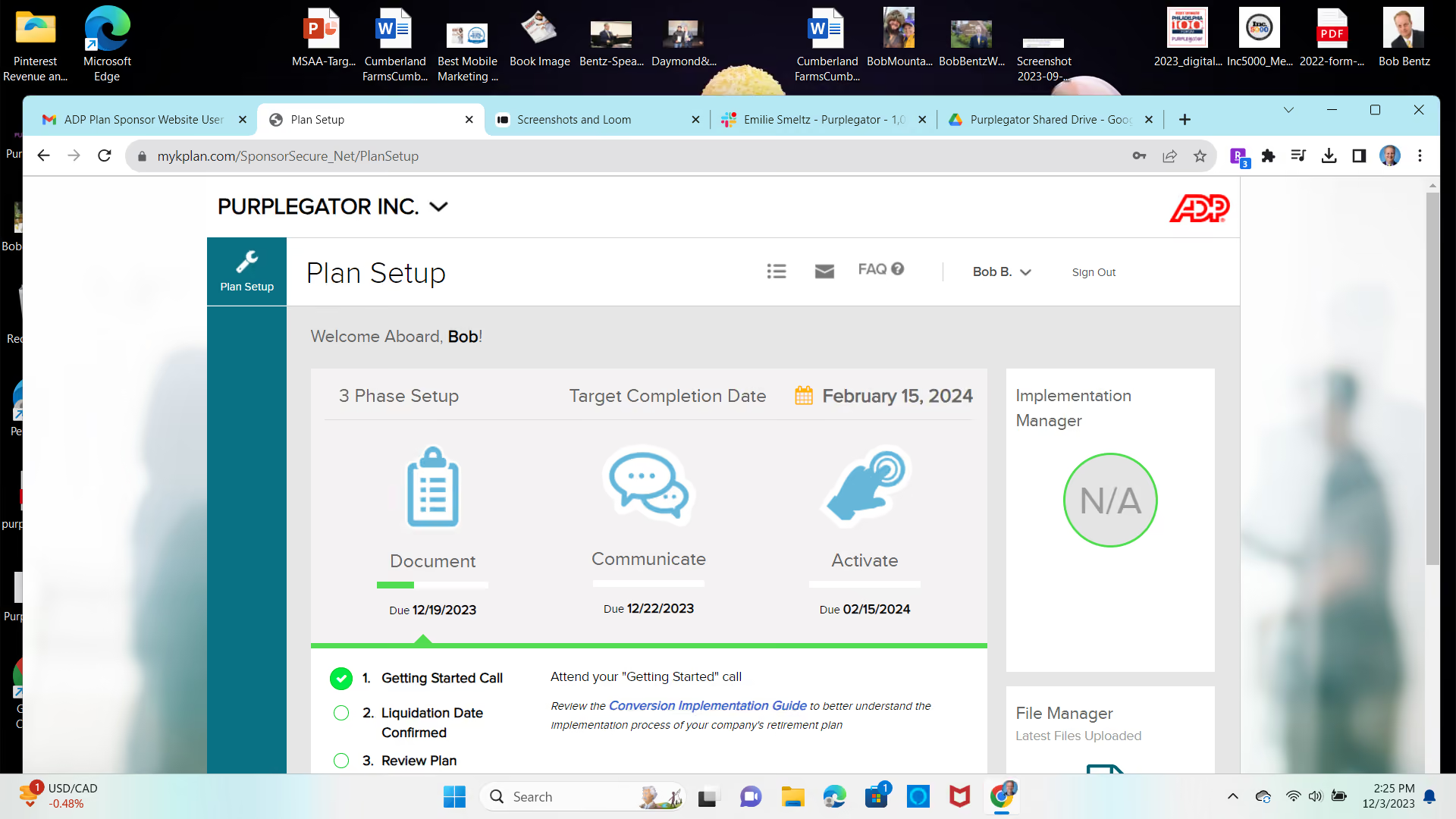
Easy to use. Provided sign up incentives. Respected brand.
Colleagues had experience with ADP in the past and were lobbying for the company to make a change. We have made that change and then continued to increase the services that we were obtaining from them. It has been a positive experience. The vendor is exceeding our expectations. We don't foresee making changes in the near future.
It is a big company so you don't always feel like an important customer. We often deal with different people at the company. It would be nice to have one consistent contact.
The breadth of products that it offers is important to us. We know it has quality products and services.
A company with a long track record. Incentives to move to it. Suggested enhancements to the products.
It is continually updating its service offerings with improvements. It contacts us for associated products and services that may assist our business.
Small to medium business.
I cannot think of any.

Dayforce
Dayforce Global Payroll stands out for bringing payroll, HR, and benefits into a single system for global enterprises. We love how it puts the processing, compliance, and local expertise all onto one platform, which makes managing payroll across many countries much less complicated.
PROS
- Payroll coverage across 200+ countries and territories supports global scale.
- Built-in compliance tools and local experts help manage regulatory complexity.
- Unified system improves visibility into global payroll data and reporting.
- Continuous calculation reduces manual work and improves payroll accuracy.
- Payroll coverage across 200+ countries and territories supports global scale.
- Built-in compliance tools and local experts help manage regulatory complexity.
- Unified system improves visibility into global payroll data and reporting.
- Continuous calculation reduces manual work and improves payroll accuracy.
CONS
- Likely too complex for smaller teams or companies with limited global footprint.
- Pricing is not transparent and may be high compared to simpler payroll tools.
- In countries where payroll is partner-delivered rather than native, reporting consistency and issue resolution may vary.
- Likely too complex for smaller teams or companies with limited global footprint.
- Pricing is not transparent and may be high compared to simpler payroll tools.
- In countries where payroll is partner-delivered rather than native, reporting consistency and issue resolution may vary.

The first thing we noticed about Dayforce Global Payroll is that it is rooted in payroll rather than expanding into it. Dayforce originally entered the market with a cloud-native payroll engine designed to address the limitations of legacy batch processing, a design that still shapes how the platform operates today. This foundation gives Dayforce a more mature and purpose-built approach to global payroll.
With coverage spanning more than 200 countries and territories, it is designed to handle the scale and complexity of multinational payroll without relying on fragmented systems. Instead, payroll processing, data, and reporting are all managed within a single platform.
What makes this especially notable is its continuous calculation engine. Unlike traditional payroll systems that rely on periodic batch runs, Dayforce calculates payroll in real time as data changes. We think many teams will find this particularly valuable, as it reduces the need for manual adjustments and provides better visibility into payroll outcomes before finalization. This approach directly addresses many of the accuracy and compliance challenges associated with older payroll models.
Compliance is also deeply embedded in the platform. Dayforce combines automated rules with support from local payroll professionals, which helps explain why it is highly regarded by users for a standardized, controlled payroll environment. Organizations can consolidate multiple payroll systems into a single system, streamline data flows between HR and payroll, and reduce manual effort. Access to global reporting further supports this by giving teams a clearer, real-time view of payroll data across regions.
However, this depth comes with tradeoffs. Dayforce is not designed for quick deployment, and implementations often require a structured, phased rollout. While this supports long-term consistency, it may not suit companies looking for a fast or lightweight solution. Furthermore, Dayforce natively processes payroll in over 20 countries, with the remaining coverage delivered through vetted in-country partners. The experience is unified through the platform, but buyers should clarify which model applies to their specific countries during evaluation.
We also found that the platform is best aligned with larger organizations. Its enterprise-level capabilities and operational model may feel like more than smaller teams need, especially if they manage payroll in only a few countries.
Spirit AeroSystems, Caleres, and Costa Coffee.
Undisclosed.
Best For
Multinational corporations seeking an end-to-end platform to manage payroll as they scale their global operations.

Dayforce is a tool we rely on every day for our hourly employees in our plants. It serves as a convenient platform for them to log their time and manage their calendars. Each employee can easily input their time, authorize it, and save the entries without any hassle. What makes Dayforce even more impressive is its self-troubleshooting capability. If any issues arise, the system promptly identifies the problem and provides instructions on how to correct it. This feature is particularly valuable to us, as it eliminates the need for us to individually assist employees over the phone when they encounter time inputting issues. The timekeeping sheet functionality is the primary aspect of Dayforce that we heavily utilize and rely on.
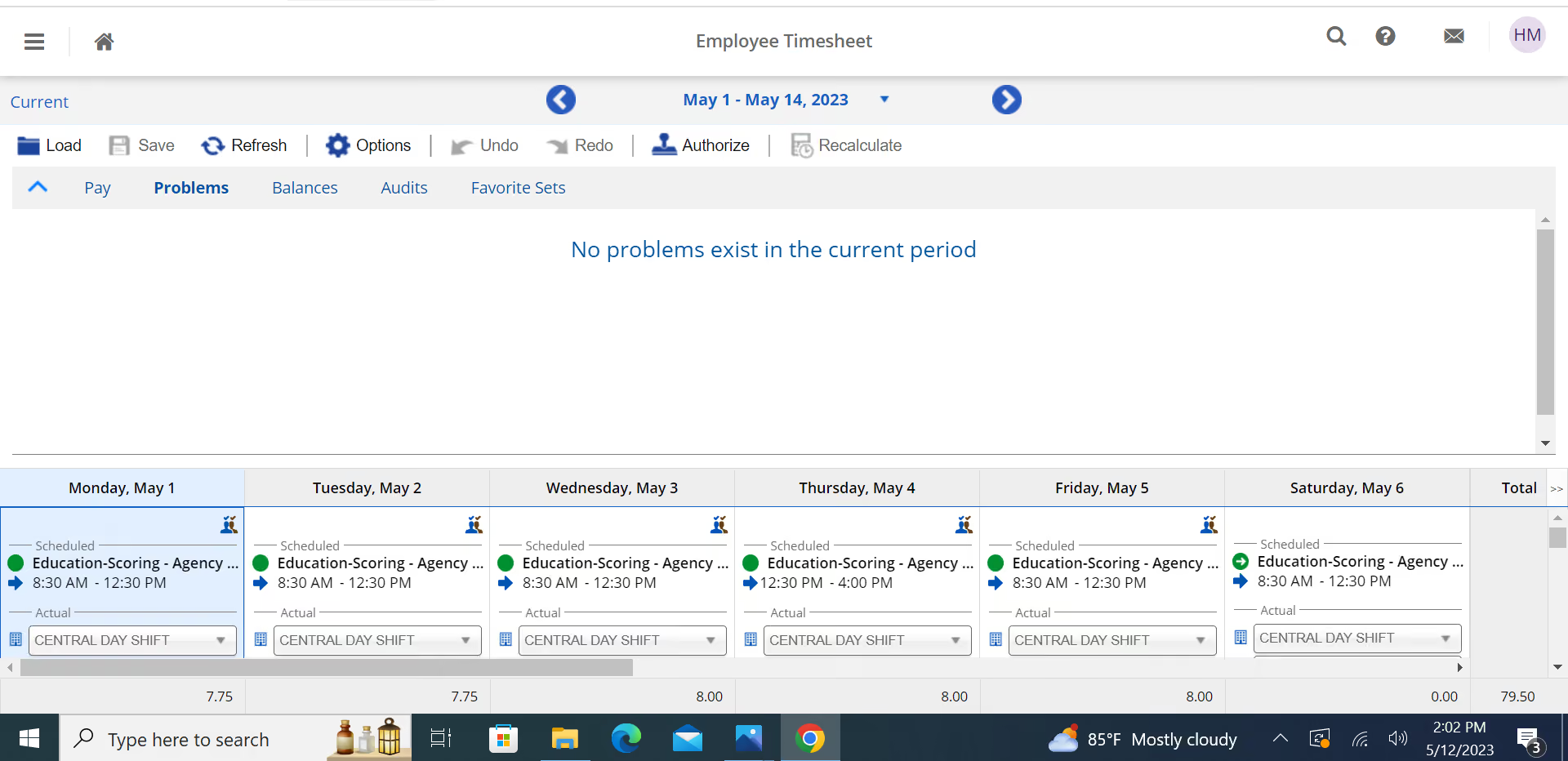
I like the features of Dayforce Dayforce. It's a very user-friendly HR tool that our hourly employees can maneuver effortlessly. The system troubleshoots itself if there's an error.
Our organization was in need of a more user-friendly timekeeping software for our hourly employees located across various plants in our US campuses. We required a consistent payroll and time management system that could be seamlessly implemented across all offices. After exploring multiple HR tools, we ultimately chose Dayforce. The impressive functionality and user-friendly features of Dayforce caught our attention, allowing us to streamline timekeeping processes for all employees nationwide without any issues. Specifically, we opted for the Dayforce version, and the transition to this HR tool has been highly satisfactory. In fact, we have enthusiastically recommended it to several partners and clients who collaborate with our individual plants.
Occasionally, the troubleshooting function of Dayforce can be somewhat perplexing when attempting to identify the root cause of an issue. In the past, we have encountered login problems where employees have had difficulties logging in correctly. Another minor inconvenience we have noticed is that when inputting time, the screen does not automatically display the current day but rather defaults to the beginning of the month.
Dayforce stands out as a highly user-friendly timekeeping software compared to many of its competitors. What sets Dayforce apart is its exceptional customer service, with its team readily available to address any inquiries or issues that may arise. Personally, I have a strong preference for Dayforce over other alternatives we have tested primarily due to its superior functionality.
The primary factors that influence our purchasing decision are the user-friendly nature of the software and its comprehensive features related to timekeeping. Additionally, the troubleshooting function performs effectively, even when dealing with a large group of hourly employees simultaneously logging in.
While I'm not entirely certain, I don't recall the HR tool having the troubleshooting function from the beginning, but I could be mistaken. It appears that Dayforce recognized the importance of addressing the timekeeping challenges faced by larger companies operating on a nationwide scale. They dedicated efforts to meet the specific requirements of such corporations and enhance their capabilities to effectively manage timekeeping across the entire country.
I think it fits larger organizations best.
Maybe smaller companies due to its high monthly cost.

Oyster
Among several global payrolls in the market, Oyster stands out for being flexible enough to manage payroll in over 120 currencies while integrating features for expense reimbursement, time-off request, and bonuses.
PROS
- Oyster’s global payroll supports salary payouts in over 120 currencies.
- You can sign up to explore the platform, help docs, and HR tools, only paying when you hire someone.
- Provides transparent flat rates for employees and contractors and a tool that can quickly calculate potential costs and risks of hiring in a new country.
- Whether your employees are in one country or 100, Oyster can accommodate them accordingly, and this is a feature few platforms can boast of.
- Helpful customer support and help center. Thorough guidance on global employment (available for only the highest-priced plan, though).
- Intuitive: The platform is easy to navigate and makes logical sense.
- competitively priced: The flat rate for employees and contractors makes cost comparisons simple, and is competitive in the market.
- Targeted for a remote workforce: Whether your employees are in one country or 100, Oyster can accommodate them accordingly, and this is a feature few platforms can boast.
CONS
- There may be some salary delays in transfers.
- Only supports bank transfers for payments.
- Monthly pricing varies by where the employees are based.
- Slight delays in processing times for payments in the local currency are somewhat common.
- Immediate communication via phone support is not an option, but they do offer live support via Zoom when necessary.
- An initial security deposit is necessary to begin the engagement and is refundable.
- The platform lacks native time-tracking functionality and provides only an in-app tool for managing time off.
- If you’re looking to co-employ your employees and partially outsource HR responsibilities, Oyster isn’t for you. They are more akin to employer of record services (EOR) than a Professional Employer Organizations (PEO).

Among several options in the space, Oyster is flexible enough to manage payroll in multiple currencies and locations globally and has integrated features for expense reimbursement for traveling employees. Running payroll on Oyster was easy. We could process both employee and contractor payroll in one platform and choose the preferred currency and payroll frequency (monthly/bimonthly), depending on country payroll regulations. We’re also happy with its simplicity in managing tax withholding and accounting. While Oyster did well in ensuring employees working under different currencies are paid correctly and compliantly, we wished to see more withdrawal options in the platform rather than just bank transfers.
Oyster is one of a few vendors that can accommodate teams hiring people in over 180 countries. The platform also provides a self-service portal where employees can request time off and reimbursements. We liked that each time one submitted a request, we instantly saw it in Oyster’s admin dashboard, highlighted under the Requiring Attention section. Related tools like the cost calculator, global recruitment guides, and invoice management were placed right in the dashboard, making it easier to access and get the needed help.
Some of Oyster's customers are Juno, Demodesk, Chili Piper, Quora, Wagestream, Impala, and Grover.
Oyster has three pricing plans:
- Contractor: It starts at $29 per contractor per month and includes hiring contractors in 180+ countries, drafting, editing, signing compliant contracts, processing invoices, and paying contractors in 120+ currencies.
- Employee: The plan starts at $499 per employee per month when billed annually and includes features for hiring full-timers in 120+ countries with compliance and liability coverage, automation, IP protection, global payroll, expenses, allowances, and bonuses in 120+ countries.
- Scale: The plan has custom pricing and includes a discounted rate, dedicated client service, and support to navigate global employment and bulk hiring.
- Local benefits plans are provided as add-ons for Employee and Scale plans.
- You can create an account, explore the platform, and access Oyster’s HR tools and resources for free. You’ll only pay once you’ve engaged a team member.
- Discounts are available for nonprofits and businesses hiring refugees.
Their country offering always tends to expand, and the same can be said for their integrations with other software. While they started out fairly limited in the latter regard, they've been working hard to make their product able to talk to other HR tools. Some of the recent integrations include Slack, Greenhouse, Personio, Workday, Expensify, HiBob, Okta, BambooHR HRIS, NetSuite, and BambooHR's ATS.
Best For
Distributed teams whose current and future contractors, employees, or both are based in countries listed on Oyster’s 120+ country coverage. Nonprofits and businesses looking to hire refugees in countries where Oyster has local entities would also benefit from the platform’s special discounts.

I have been using Oyster for over a year, and it has significantly reduced the administrative workload for our HR team, enabling us to focus on strategic initiatives. The frequency of use depends on our hiring cycles and payroll schedules, but during peak periods, I engage with the platform almost daily.
Oyster helps us manage payroll for employees across different countries, ensuring compliance with local regulations. It also streamlines the onboarding process, making it easier to bring new hires on board efficiently.
The platform provides valuable insights into labor laws and tax obligations, allowing us to remain compliant in various regions.
The interface is user-friendly and well-organized, making it easy to navigate. Oyster allows the HR team to focus more on strategic initiatives rather than administrative tasks. The platform offers comprehensive support for global payroll and compliance, ensuring accuracy and efficiency.
Our organization purchased Oyster to address the complexities of managing a global remote workforce, particularly in payroll, compliance, and benefits administration. Before implementing Oyster, we faced challenges navigating various international labor laws and ensuring timely, accurate payroll across different regions.
Oyster's intuitive platform has streamlined payroll processing, simplified onboarding, and ensured compliance with local regulations. The tool offers end-to-end support, including tax filings and benefits management, giving us confidence that we are meeting legal requirements in every market where we operate.
I have been using Oyster for over a year, and it has significantly reduced the administrative workload for our HR team, allowing us to focus on strategic initiatives. While the platform may seem complex for smaller companies, it has been invaluable in helping our organization scale efficiently and confidently.
Support response times can vary by region, with some areas experiencing slower service. The platform can feel complex for smaller companies that may not require all of its features. Some customization options for payroll reports could be improved to better fit unique business needs.
Oyster has simplified the payroll process for our global workforce and has helped us scale with confidence. Compared to other solutions, it offers a more comprehensive and reliable approach for managing remote and distributed teams. The platform’s focus on compliance and ease of use makes it stand out from competitors with more complex interfaces.
- Global Workforce: If your company employs staff across multiple countries, Oyster excels at managing payroll and compliance for international teams.
- Compliance Needs: The platform helps ensure compliance with local labor laws, tax filings, and benefits administration.
- Onboarding and Payroll Automation: Oyster simplifies the entire onboarding process for remote employees, saving time and effort.
- User-Friendliness: The intuitive design makes it accessible for HR teams of all experience levels.
- Cost Considerations: Larger organizations with significant international operations will benefit the most from Oyster's features and scalability.
Oyster has evolved significantly to meet the growing demands of remote work and global teams. Initially focused on payroll and compliance, the platform has rapidly expanded its features to include enhanced benefits administration and improved reporting tools based on user feedback.
Oyster is ideal for companies with remote or distributed workforces, fast-growing startups, mid-sized to large enterprises, and organizations expanding into new international markets. It is especially beneficial for HR teams that require streamlined payroll and compliance solutions.
Oyster is not well-suited for small, local businesses that do not require international payroll services. It may also not be ideal for organizations with limited HR resources or those that prefer simpler payroll solutions with fewer compliance requirements.

Remote
Remote global payroll software enables employers to hire and pay contractors and employees in locations around the world. They also offer IP protection, data security, 24/7 localized customer service, and ample platform customization.
PROS
- Flat fee structure. No deposit is required (conditions apply), and there is no extra charge for benefits administration.
- Mobile apps are user-friendly and frequently updated.
- 24/7 local support via email and live chat.
- Equity-based compensation available.
- Helpful HR tools and global employment guidelines are free to access via Remote’s website.
- Fast and compliant payroll in 170+ countries.
- Live chat support with local payroll experts.
- Flexible, localized benefit packages.
- Flat-rate pricing structure, no deposits or hidden fees.
- Mobile app streamlines expense reimbursement with autofill from receipt photos.
CONS
- It may be out of reach for small teams with limited budgets.
- Only supports direct deposit and wire transfers, and no off-cycle pay runs.
- No phone support is available.
- Doesn’t have a free trial.
- Redundant for organizations solely recruiting within the U.S.
- Help center documentation isn’t easiest to understand.

Remote is one of our top picks for global payroll solutions.
Remote offers localized payroll services, handling benefits administration, payroll processing, and contractor payments. Customers can run payroll on their own entities or hire through Remote’s entities in 60+ countries, with Remote as the single provider for both.
As an Employer of Record (EOR), Remote handles employment's administrative and legal aspects, like payroll processing, benefits administration, tax, and legal compliance. For those who have handled tasks like these close to home, it’s not difficult to imagine how profoundly complicated and error-prone global payroll is. With the help of Remote, companies can focus on doing their actual work, whatever that may be, rather than learning the intricacies of payroll across the planet.
Loom, GitLab, DoorDash, HelloFresh, Workato, Semrush, Teamway
Remote’s Global Payroll is priced at $50 per employee per month.
Best For
Great pick for either remote-first businesses or those with distributed workforces.

I use remote.com to hire contractors in multiple countries for our company. Once we find a candidate we want to hire, we send an offer letter and start the onboarding process in remote.com. Employees create their invoices at the end of the month and we complete payment through remote.com immediately.
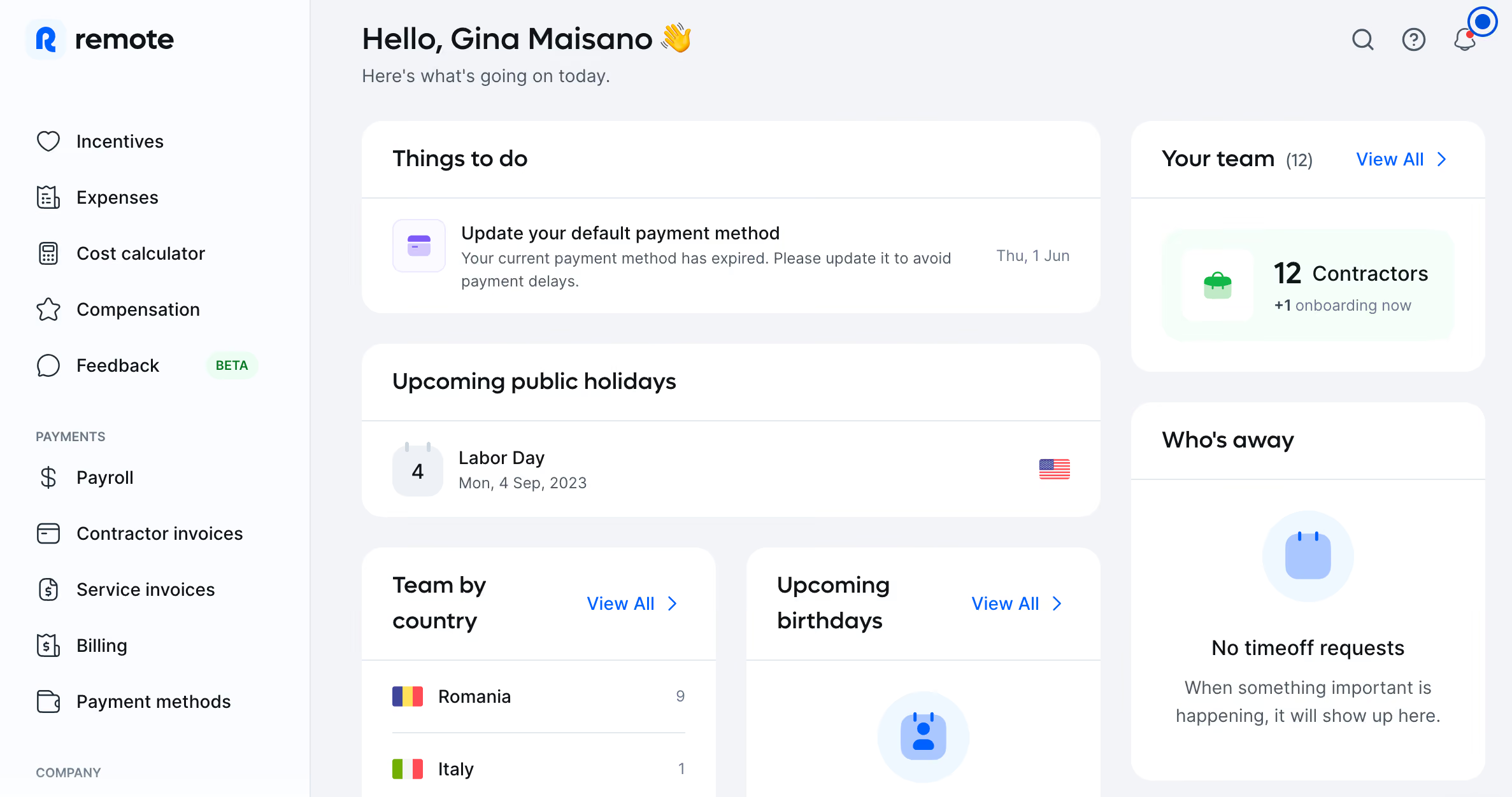
- Ease of use - ability to learn how to use the system in a day
- You are able to contract from over 100 countries in remote.com
- Reporting is clear and easy to understand
As a small organization we were looking to hire many contractors in various countries. Remote.com is extremely easy to use and makes hiring internationally simple. I have been using Remote.com since March 2023.
- Customer service was not helpful and very rude. I had to get a manager involved.
- The system is not very robust. It really is just a payment and time tracking services system, any organization would need an employee performance management system.
- The integrations are underdeveloped and could be improved.
This is the first contractor tool that I have used, and I am very impressed. Remote.com does everything we need so I do not see us needing to switch to a different product.
I think people should assess what countries they need to hire contractors in, and make sure that remote.com is able to hire in those countries. Furthermore the cost of remote.com is pretty reasonable for the price that it costs.
I have not really seen a difference since I have been using it since March 2023. I will say that the reporting is great and I am always happy to improve my process while using it.
Companies with multiple contract workers
Companies with the majority of their hires in the United States.
.avif)
Atlas HXM
Atlas is an EOR and HR services-focused global payroll provider. They work well for teams of all sizes and offer a good combination of in-house expertise and a functional tech platform.
PROS
- Hire people through direct EOR entities in 160+ countries.
- They are a services-focused company with the tech to back it. For example, with the help of a locally-versed expert to guide you through the process, you can onboard employees and process their payroll in any of the 160+ countries they cover – and it can all be done online.
- Strong focus on compliance: regulations, taxes, local labor laws, etc.
- Atlas has legal entities in over 160 countries. They’ll help you take care of employee onboarding and payroll processing in any of those countries, eliminating the need to engage any local service providers.
- The platform simplifies how you hire, manage and pay employees and contractors abroad, without needing to set up an operation where they are located.
- Atlas helps you stay compliant with local labor laws and frees you from employer liability.
CONS
- Some users noted communication with support can be tricky. An individual expert (or one representing a small team) may be involved in addressing compliance issues specific to a geographic region. Though this has been reported to slow the process, our reviews suggest ongoing improvements.
- No native integrations, but they do have API
- Atlas currently doesn’t offer global managed payroll for non-employer of record (EoR) clients; so if your company doesn't need Atlas to take on from you as EoR, but need to use Atlas' global payroll services, you can't do so at this time. Do note though that the team at Atlas is planning to offer this service next year.
- Atlas currently has limited prebuilt integration modules but they do offer API access for users to plug in third-party tools.
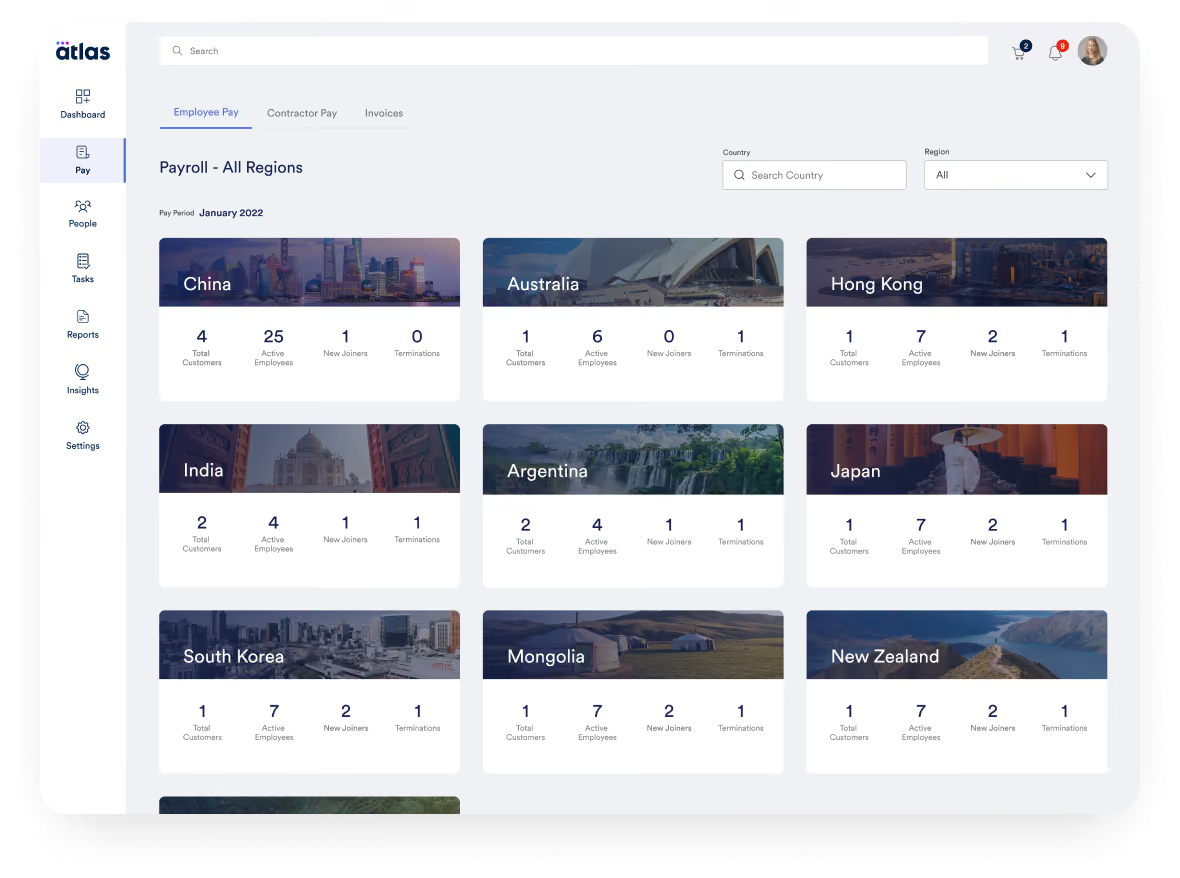
Atlas is a comprehensive global payroll and direct employer of record (EOR) solution that empowers businesses to hire and compensate talent across the globe effortlessly. We’ve seen a demo of Atlas and tried the tool, finding them a solid company to entrust with your legal employer responsibilities.
What does this mean? We found that Atlas can dependably manage most of the operations aspects of the employee life cycle, for several employees, in several countries, from a single platform.
Atlas is used by over a thousand companies, including Toyota, CACI, Bath & Body Works, Coupa, PAE, and Namely.
- Essential: For $99 per month, this plan encompasses features and services that help users navigate the labor & employment laws in over 160 countries (+50 US States), manage employee lifecycle, compliance information between countries, be compliant with their accounting for travel and business expenses, receive personalized notifications, as well as have moderate access to expert insights and HR templates (which are priced separately).
- Premium: For $149 per month, this plan packs everything in the Essentials plan, plus compliance audit interactive checks, people analytics and planning features as well as dedicated account management.
- Enterprise: The pricing of this plan varies according to the number of purchased licenses and customer needs. You can reach out to Atlas’ Sales team for a custom price quote.
Add-ons:
- Contractor Pay: Starting at $49 per contractor per month
- Employer of Record: $595 per employee per month
- Visa & Mobility Sponsorship: Starting at $2,500 per visa
Best For
Companies of all sizes would find an ally in Atlas, but it’s especially good for those looking for a service-oriented offering rather than a DIY, employee-driven, self-service platform.

Our company provided other assistance, but Atlas HXM provided the data support. We could extract employee records for specific review, such as compensation or direct personal needs. This provided enough details to understand if the company had competitive wages.
It always allowed us to use the information to understand if the Atlas HXM onboarding features were user-friendly and saved the company time. For the most part, the clients were happy with their purchase.
Clients used the system and enjoyed the self-management process and support for immigration. The client's data was easy to access, and the information was in an excellent report to isolate any outliers on the compa ratio when comparing the national averages. Immigration allowed for an easy checklist for the operations or HR departments to follow for each employee.
Two clients used Atlas HXM. Clients were in the United States and Australia. Our consulting firm performs different HR duties. Atlas HXM provided other support such as hiring, contracting, and assisting on a similar level of HR. We provided HR data analytics and other supportive measures.
The two companies used it for different reasons. The U.S. company wanted assistance with immigration and hiring. The Australian client used it for onboarding.
Other software captured more personnel data. The extraction was easy, but the formatting can be improved. The setup may not be easy for all personnel.
The layout in some sections is more accessible and complete. The immigration software is supportive of the global market compared to others. It is easier to manage without an attorney. The onboarding needs improvement as there are ways to improve the cultural connection when inputting data for global usage.
The cost is the biggest consideration. The smaller client enjoyed the Atlas HXM but could not afford to purchase more features. The larger client relied on Atlas HXM so much that I do not feel they were properly using it. It basically replaced someone’s job, but if the main admin left, then the system would need someone to relearn the systems and how to add admins, employees, and make edits.
I am not sure as each client role was temporary and did not involve a significant time working on the platform.
Atlas HXM is great for mid-size companies and large companies. It provides all the support they would need and saves money. It is an excellent add-on feature for other software.
Atlas HXM is not great for new companies or low-profit small companies.

G-P
G‑P helps companies hire, pay, and manage workers in 180+ countries without setting up entities, handling everything from EOR and contractor payments to payroll taxes and compliance. The G‑P Meridian platform and AI assistant G‑P Gia bring automation and clarity to cross-border employment, making it easier for teams to grow internationally with confidence.
PROS
- Centralized payroll, HR, and compliance in 180+ countries
- G‑P Gia automates contract creation and HR workflows
- Supports full-time employees, part-timers, and contractors
- Strong legal and regulatory coverage with in-house experts
- Scales well with mid-sized and enterprise teams
- Their G-P Meridian platform is heavily focused on the EOR space, but it’s offered in several plans that can cater to varying needs, even those that might only need to hire people as contractors.
- Using their tool also implies access to a team of HR and legal professionals with significant experience in each country they operate in.
- Their UX has evolved continuously and gotten more intuitive and modern each time we delve into the product.
CONS
- Contract editing requires the Meridian Prime plan
- Add-ons like IT support and equity management increase total cost
- No free trial; demo required to explore functionality
- Customizing a contract is only possible with the G-P Meridian Prime plan.
- Features like background checks, equity management, and IT equipment— to name a few— are only available as add-ons.
- There is no way to try out the software product unless you sign up for a demo and request a proposal.
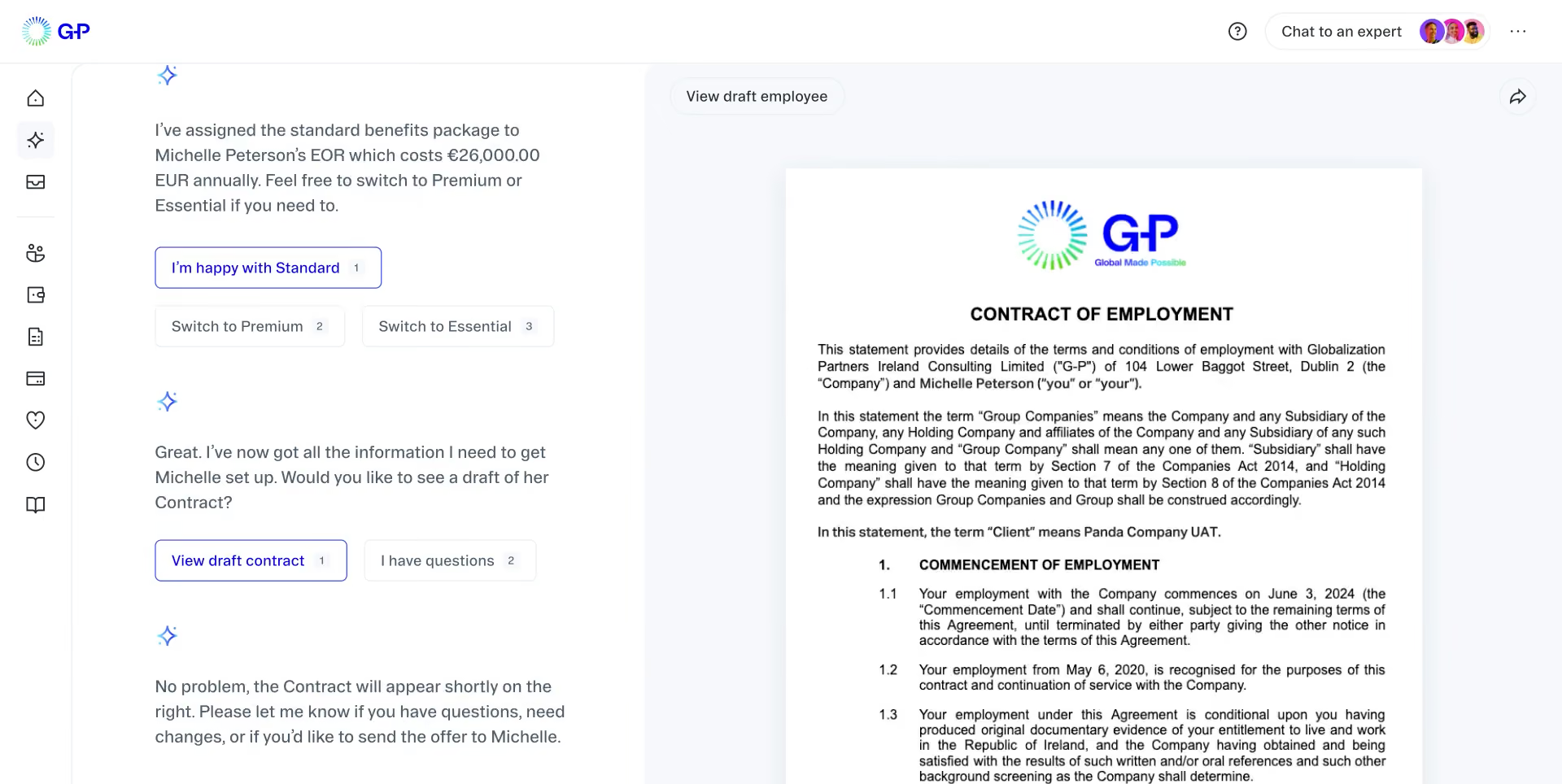
G‑P (formerly Globalization Partners) is a global payroll and employment platform that enables businesses to hire and pay contractors, freelancers, or full-time employees in over 180 countries. The company pairs software with local HR, tax, and legal infrastructure, helping users stay compliant without the need to set up foreign subsidiaries.
Their G‑P Meridian platform covers everything from localized payroll to benefits, expense reimbursements, onboarding, and offboarding. G‑P Gia, their AI assistant, simplifies contract creation, country-specific labor law guidance, and employee inquiries. This makes G‑P particularly helpful for companies entering unfamiliar regions or scaling quickly across borders.
G‑P isn’t the lowest-cost provider and doesn’t offer a free trial, but its ability to cover nearly any employment model—EOR, contractors, or freelancers—within one platform makes it a strong choice for teams that prioritize compliance and scale.
Used by thousands of global companies, including Zoom and Zeeto.
Pricing is not publicly listed and depends on country, employee type, and service tier. A custom quote is provided after a demo.
Since our last review, G‑P has launched G‑P Gia, an AI assistant that supports hiring workflows, generates compliant contracts, and answers labor law questions. The G‑P Meridian platform also added expanded contractor support, expense tracking, and better visibility across multi-country payroll and HR tasks.
Best For
Teams hiring across multiple countries that need one platform for paying contractors, full-timers, and freelancers—without the complexity of local entity setup.

The primary use for us is as the employer of record, offering payroll, benefits, and compliance for international employees. Since we don't have many international employees and aren't well-versed in international regulations, having G-P makes it much easier to onboard, ensure compliance, pay in local currency, and offer the correct benefits.
It is very easy to use and responsive; everything is mostly self-explanatory, but when I have questions, getting answers is straightforward. Additionally, the site itself is clean and operates quickly.
We bought it because during the pandemic, we allowed employees to move abroad, and some decided to stay there. Our company was only registered in the US and had no plans for international expansion, so it made sense to use a company like G-P. We started using them in 2020 and have been using them since.
I can't recall any significant dislikes about them. However, every time you add a new country, there is a new fee, which isn't ideal, but I understand why it is structured that way.
For us, it was their expertise, reputation, and the range of countries they could serve that made the difference. It's also a one-stop-shop in many ways since they can handle everything in a single simple workflow when adding a new employee.
If you are hiring just a few people internationally, then it makes sense to use G-P. However, as your international workforce grows, it might become more cost-effective to manage these processes internally.
I can't think of any specific changes, but I know I receive emails all the time with updates and news from them.
They are great for smaller to medium-sized companies that have just a few employees overseas.
A giant multinational company might already have the expertise in payroll, HR, benefits, and compliance, and be registered in the necessary countries, so they may not need G-P.
Other Global Payroll Software Worth Considering
- Lano: Lano’s international payroll services are quite flexible, since you can integrate them with existing payroll and HR systems or use them as a stand-alone solution. However, the company’s headquarters and support team working hours make it less suitable for companies outside the EMEA region. Additionally, the lack of a mobile app limits accessibility for users who need on-the-go solutions.
- Workday: A popular workforce solution that covers both HR and payroll, catering to multinational enterprise needs. It is particularly well suited for those frequently involved in M&A. The drawbacks, besides prohibitive pricing and complex setup, include the UX/UI, which has been criticized by users of both the web and mobile versions.
Why Work With a Global Payroll Provider
Global payroll software helps companies pay international employees and contractors accurately and compliantly from a single platform, covering cross-border taxes, benefits, currencies, and employment models such as EOR, contractors, and localized payroll, while reducing admin work and risk.
- Global payroll providers let you pay employees and contractors across borders while staying compliant with local tax laws, benefits requirements, and labor regulations in each country. Instead of juggling separate vendors in every market, you get a single platform to manage multicountry payroll from one dashboard.
- The best global payroll companies handle currency conversion automatically, offer localized benefits packages, and file taxes on your behalf—including mandatory contributions like social security, benefits insurance, and retirement funds. This eliminates the logistical overhead of managing multiple regional providers and reduces the compliance risk that comes with scattered data.
- For HR teams, this means less manual work and fewer errors. For employees, it means being paid in their local currency and receiving the benefits they expect.
Key Considerations & Pitfalls of Multi-Country Payroll
Before selecting a global payroll provider, make sure you've addressed these common pitfalls that derail multicountry payroll implementations:
- Understand local employment laws. Delegating to a provider doesn't mean ignoring compliance. Familiarize yourself with international HR requirements in each country where you hire—it helps with budgeting, contractor-vs-employee decisions, and risk management.
- Calculate total cost of ownership. Compare the cost of a global payroll solution against managing separate providers per country. Factor in small business payroll or enterprise payroll alternatives, potential fines for non-compliance, and churn from employees who don't receive proper benefits.
- Don't overload HR. International payroll is a cross-functional project. Involve finance and leadership early—and prioritize providers with strong payroll automation and tax filing features to free up HR bandwidth.
- Vet data protection practices. If you hire in GDPR-regulated markets, confirm your global payroll provider's data handling policies meet local requirements—and ask what safeguards go beyond legal minimums.
The Evolution of Global Payroll Technology
Global payroll technology has advanced rapidly, with AI, earned wage access, and HR integration reshaping how providers operate. Here's what's changing:
- AI-powered compliance. Leading global payroll companies now use AI to automate tax calculations, flag filing deadlines, and surface compliance risks. Some platforms, like Borderless, offer chat-based agents that answer country-specific tax questions on demand.
- Earned wage access. Earned Wage Access (EWA) lets employees access earned compensation before payday—improving financial wellness and reducing reliance on predatory lending.
- Payroll + HR convergence. With 94% of business leaders wanting payroll integrated across HR systems, providers like Deel and Remote now bundle full HRIS functionality—onboarding, time tracking, org charts, and expense management—alongside multicountry payroll.
Global Payroll Provider Pricing: What to Expect
Global payroll provider pricing typically falls into four models. Understanding which model fits your needs will help you compare vendors and forecast costs accurately. For a deeper dive, see our full guide on payroll software pricing.
Per Employee, Per Month (PEPM)
Most global payroll companies charge a flat monthly fee per worker, with separate rates for EOR employees and contractors.
- Deel: $599/month for EOR employees; $49/month for contractors (free contractor management on some plans)
- Multiplier: $400/month for EOR employees; $40/month for contractors
- Remote: $599/month for EOR employees (annual); $699/month (month-to-month); $29/month for contractors
- Native Teams: $99/month for EOR employees; $19/month for contractors
- Oyster: $599–$699/month for EOR employees; $29/month for contractors
Tiered Subscription Plans
Some providers offer tiered plans with bundled features at each level—useful if you want predictable costs as you scale.
- Atlas: $99/month (Essential), $149/month (Premium), custom pricing (Enterprise)
- Lano: €20/month for contractors; €600/month for EOR; €30/month for multi-country payroll (minimum 5 employees)
Modular / Pay-Per-Feature
A few global payroll solutions let you pay only for the modules you need, which can reduce costs if you don't require full EOR services.
- Rippling: Starts at $8/user/month; total cost depends on modules selected (payroll, HR, IT, etc.)
- Papaya Global: $20–$100/month for payroll; $770/month for EOR; $25/pay cycle for contractor management
Custom / Enterprise Quotes
Larger organizations or those with complex multicountry payroll needs typically negotiate custom pricing based on headcount, countries, and service level.
- ADP GlobalView: Custom quotes based on employee volume and country coverage
- Workday: Enterprise pricing; contact for quote
- G-P (Globalization Partners): Custom pricing based on services and regions
Key Components: What Global Payroll Solutions Include
The key components of global payroll solutions enable you to do much more than simply pay people internationally. Global employment services, contractor payment services, and localized payroll services are the core functions that leading global payroll providers offer—each covering different international hiring scenarios.
Global Employment Services (EOR)
Global employment services let you hire full-time employees in countries where you don't have a legal entity. The global payroll provider acts as the Employer of Record, handling compliance, payroll, benefits, and tax filings on your behalf. This model works well for teams hiring as few as one person or scaling across multiple markets without setting up local subsidiaries.
Contractor Payment Services
Contractor payment services handle payments to freelancers and independent workers while ensuring digital nomad compliance in each jurisdiction. The provider manages contracts, invoicing, and local tax requirements—reducing misclassification risk. Many global payroll companies also offer this alongside EOR, letting you manage both worker types from one platform.
Localized Payroll Services
Localized payroll services are for companies that already have legal entities abroad but need help running compliant payroll in those markets. The provider handles tax filings, statutory benefits, and local reporting—similar to a domestic payroll provider, but consolidated across countries. This model gives you more control while offloading the operational complexity.
Most multicountry payroll providers offer a mix of these services, letting you choose different models for different countries based on your needs. If you're unsure whether you'll stick with contractors or eventually move to EOR, prioritize providers that offer flexibility across all three.
Demo Questions: What To Ask To International Payroll Companies
As with any software purchase, once you select 2-3 options for your global payroll provider, you should try each of them, likely through a demo and maybe even by doing a free trial. With both scenarios, it’s a good idea to step into the process with a list of the critical questions you need to answer.
To put this list together, you should consult each stakeholder within your team, including remote employees and contractors overseas. This list should reflect your unique business needs when it comes to employing people in different countries, but we’ve put together a basic list to get you started:
- Which countries do we need payroll in, or do we plan on needing payroll in, and in which of those do we need the full service, such as EOR?
- What kind of benefits would I like to offer to my global workforce?
- What are the key features I want to try out and validate?
- What kind of workflows are possible and maybe automated?
- What tax regulations should we be concerned with if we hire in X or Y country?
- How will this solution fit into the rest of my tech stack and therefore what integrations do I need?
- How will others in the organization use this solution?
- How can this tool improve the experience of our workers?
- What would make me or my coworkers nervous about switching our current processes to this platform?
- How is employee data kept safe if trusted by this vendor?
- What conclusions can I draw about the quality of customer support? Is there a help center? Are the support articles clear and easy to read?
- How will this solution fit our current plans for global expansion?
Alternatives to Global Payroll Software
We’ll now expand into one of the points we touched upon above— what are your alternatives if you decide that global payroll software is not the way to go for you just yet? Mainly, these are the two following:
- Global payroll services: Most of the vendors we mentioned offer a combination of payroll services and payroll software tools to manage and keep track of them. But of course, you could also opt for partnering with a company and letting them take care of it themselves. This requires you to get more familiar with each kind of payroll service and the fees they charge. It will also require much more direct communication with those payroll professionals.
- Money transfer companies: The other option is to just solve the issue of an international money transfer. Suppose your contractors overseas are okay with handling taxes & benefits themselves. In that case, this can be a less costly and time-consuming option, particularly helpful while you figure out what to do in the long term.
Global Payroll FAQs
How do global payroll providers handle compliance?
Global payroll providers maintain compliance by tracking tax rates, labor laws, and statutory benefit requirements in each country they cover. The best providers use AI-powered systems that automatically update when regulations change—critical in 2026, when tax authorities in many jurisdictions now receive payroll data in real time. Look for providers with local legal entities (not just third-party partnerships) and documented audit trails for every calculation.
What's the difference between global payroll software and multicountry payroll solutions?
The terms are often used interchangeably, but there's a subtle distinction. "Global payroll software" typically refers to platforms that help you manage payroll across borders and are often bundled with EOR, contractor payments, and HR tools. "Multicountry payroll solutions" (as Gartner terms it) emphasizes consolidated reporting and unified data across multiple regional payroll providers. In practice, most leading global payroll providers offer both capabilities: operational payroll processing and cross-border visibility.
Native, EOR, or partner network: how do these models differ?
Native vendors run their own payroll system in each country; partner-network vendors route payroll through local bureaus or partners rather than processing it themselves; and hybrid vendors combine the two.
Although partner networks enable rapid expansion across many countries, having data move through multiple systems slows and complicates troubleshooting. In contrast, native processors manage issues end-to-end with a single point of contact, but their geographic footprint is narrower.
EOR vs. owning an entity: which costs less?
It depends on headcount.
- EOR often runs $599–$699 per employee per month, though some do offer a fundamental service option at around half of this range
- Owned-entity payroll starts at $29-$50 per employee per month, plus entity setup costs (roughly $25K-$35K to establish and $40K-$60K per year to maintain per our internal data). The crossover point is typically 8-12 employees per country, beyond which owning an entity tends to be cheaper.
Does pricing increase after signing?
Unfortunately yes. Our interviews with users indicate a 5% to 7% annual increase is expected, so it’s worth checking and capping in the contract before signing.
Can EOR and owned-entity payroll run on one platform?
On some platforms, yes. Scaling companies typically use EOR where they lack an entity and payroll where they have one, on a single system, so a country can convert from EOR to an owned entity without re-onboarding or a second vendor. Make sure you verify this before signing, since switching platforms later means a data migration.
Who is liable for filing errors?
This depends on the model.
- EOR: The EOR is the legal employer and carries liability for misclassification or filing errors.
- Owned-entity payroll: the vendor supports compliance but does not assume liability; the client company remains responsible.
We recommend not simply trusting a vendor's broad claim of "handling compliance." Securing a written statement of liability will provide far better protection.
About the Author


About Us

- Our goal at SSR is to help HR and recruiting teams to find and buy the right software for their needs.
- Our site is free to use as some vendors will pay us for web traffic.
- SSR lists all companies we feel are top vendors - not just those who pay us - in our comprehensive directories full of the advice needed to make the right purchase decision for your HR team.


