

13 Best Free Recruitment Software of 2026, Tested & Reviewed
Research-based reviews and analysis on the best free (AI) recruiting software in the market.








The best free recruiting software helps talent acquisition teams improve the hiring process without draining the budget. From candidate sourcing and job posting to resume parsing and interview scheduling, these tools show that cost-conscious teams don’t need to rely on manual processes to hire effectively.
In this guide, we’ve rounded up the best free recruiting software available today. Whether you’re a small team or a bootstrapped SMB, these options can support your hiring efforts without putting pressure on your wallet.
Out of the numerous factors we looked into, the range of functions available, support resources, user interface (UI), customization features, and long-term potential were the top priorities. We've done a bunch of recruiting software demos, personally tested the software, and gathered insights from experienced TA and recruiting experts to put together this guide. Here's a closer look at those key factors:
- Range of functions. While free recruiting software may not offer all the cutting-edge features of paid solutions, a good one covers the essentials, like candidate management, career site, resume parsing, job posting, and recruiting communication as a solid foundation for managing the recruitment process effectively and efficiently.
- No-frills interface. We understand that, as a free user, you may not have access to a dedicated support team or extensive training. Therefore, we focused on software with a clear and simple UI that was easy to work with and friendly to non-technical folks. This way, you can start using the software right away without the need for extensive training or assistance.
- Customization options. While we didn’t expect advanced customization capabilities, we made sure the chosen free software offered good basic options. These features allow you to customize job listings, job application forms, and employer branding elements to match your recruitment needs and maintain consistency with your company's image.
- Potential for future scalability. Some free options may offer paid upgrades or premium versions with additional features and capabilities. Evaluating this potential helps us ensure that as your recruitment needs grow, the software can still meet your requirements without the need for a switch.
For more details on our methodology, explore our HR software vetting methods.


Manatal

Manatal offers a 14-day free trial with no credit card required. The platform includes most of the features you would ask for in recruiting software, plus AI-powered tools like candidate filtering and recommendations to make hiring easier.
PROS
- Offers most features expected from a budget-friendly ATS, including AI-powered candidate filtering and recommendations.
- Provides a 14-day free trial with no credit card required.
- Includes pre-built job posting templates to simplify the process.
- Allows for a customizable career page.
- Navigation through the dashboard is easy and user-friendly.
- Manatal is quite affordable and offers a 15-day free trial for users to test it out before making commitments.
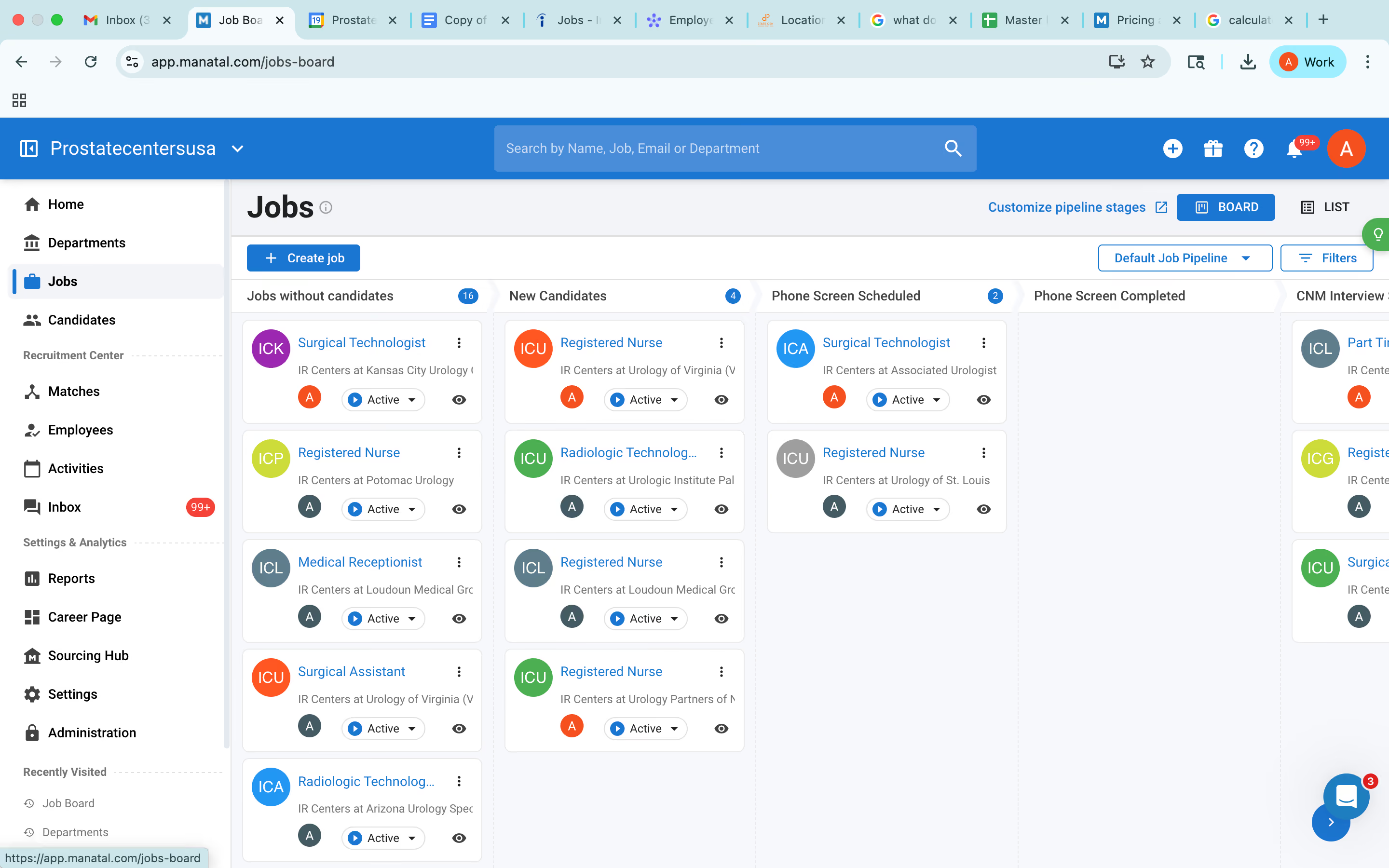
- Manatal is fairly easy to use. It features drag-and-drop enabled pipelines for candidate organization.
- Manatal’s AI-based recommendations feature can save hiring managers quite a bit of time. It’s able to scan job descriptions then search a users talent pool and bring up candidates most suited for the job.
CONS
- Supports only USD for salary currency.
- Some features, such as posting jobs to free job boards, post-application, and post-referral email workflows, are unavailable in the trial.
- Requires purchasing a paid plan to access the full platform experience.
- The AI recommendations feature works best with resumes that are in English, and doesn’t work as accurately with other languages according to several users’ feedback. Several users have also complained about Manatal’s interface only being available in English and that career pages cannot be published in languages other than English and Spanish.
- Manatal doesn’t offer a free plan. We mention this as a con as several SMB-geared ATSs do offer a free-forever verison, and that puts Manatal slightly behind competition.
- Manatal doesn’t offer prebuilt integration modules. They do have an open API that allows users to plug in third-party products and custom tools, but that required a bit more time and technical knowledge to accomplish. It’s also worth mentioning that only Custom plan customers can access Manatal’s API and Zapier integration. Customers on the Professional and Enterprise plan cannot.
- Users can search for candidates via Boolean Search or Advanced Search, but cannot combine the two search methods together. E.g users cannot use the Boolean search operators (AND, OR and NOT) within Manatal’s Advanced Search tab.

Not only does Manatal cover most of the features you’d expect from a budget-friendly ATS, but the platform also tops that off with AI-powered actions, such as candidate filtering and recommendations. You can explore Manatal’s features for free for up to 14 days, with no credit card required.
Signing up for a trial is pretty easy. We finished the sign-up form, verified our email address, and the vendor let us access its product. We started by posting a job and there were a few pre-built templates available for us to get things started. However, the salary currency just supports USD only. But other than that, everything looked good. There are several employment types and options to put the exact location, tick the remote position box, or leave it blank.
Navigating through the dashboard was straightforward. We tried making for ourselves a career page. It turned out this tool of Manatal is customizable but has some locked features like post-application and post-referral email workflows that we couldn’t use unless we upgraded to a paid plan. While we were expecting to be able to publish our first job to some free job boards, the trial didn’t let us do so, which was a bit disappointing.
To sum up, while Manatal’s capabilities are great, users won’t get much value from its free trial, as certain features like posting jobs on free job boards aren’t available for them to use. And as Manatal doesn’t offer a free plan, the only way to see how it actually works is to purchase one of its paid plans.
10,000+ companies, including Unilever, Coca-Cola, Panasonic, Ogilvy, and Toyota.
Manatal offers a free trial, which you can sign up for online; no credit card required. After the trial, you can choose one of the four plans, starting at $15 per user per month, billed annually.
Recent updates indicate a clear expansion of Manatal’s AI and automation capabilities. Over the last 6 months, the recruiting platform:
- Introduced AI Recommendation Engine (Public Beta) for extracting job requirements and ranking candidates with explainability.
- Launched Manatal AI Interviewer for asynchronous, multilingual AI-led interviews.
- Added integrations with HeyMilo and Alex for automated candidate engagement, screening, and structured interviews.
- Strengthened workflow controls and data consistency.
- Released Customizable Object Creation Forms (Public Beta) to enforce required fields and improve data quality.
- Upgraded Open API and Zapier integrations for better data synchronization.
- Expanded free job board distribution through CV-Library Group, Jobted, and Brenxor.
- “My Own Contracts” now supports posting to SEEK, JobsDB, JobStreet, and Naukri, with campaign tracking and AI Smartfill.
- Launched Advanced Career Page (Public Beta) with stronger branding customization.
- Improved multi-language support for French, German, and Spanish.

Best For
Opting for Manatal’s free trial is an excellent move for any team to try the software before committing. Its paid plans are especially good for SMBs to source English applicants at scale.


Being in talent acquisition, I use Manatal every day for recruiting for our 38 offices. The key workflows I use are receiving resumes through different job boards, which includes premium posting and free job boards, reviewing resumes, scheduling interviews, connecting with different users, getting feedback from managers, and maintaining employee databases.
Manatal is easy to use. It is budget friendly. It has good customer service.
We are a healthcare startup and we needed an ATS. We were initially using Excel but wanted something more for tracking all details like how many candidates are in play for each open role, who are in the interview stage, and who are in the offer stage.
Depending on our needs, we subscribed to Manatal as it met our budget and needs. I have used it as admin for 4 months now and trained my team on it too. It is a budget friendly tool and has a good customer support team.
Sometimes it is slow in parsing resumes, so it takes time to pull details. The job posting via Manatal to job boards takes 24 to 48 hours, which delays recruitment, as recruitment is about speed and accuracy.
When a job is filled, we tend to archive it and the candidates linked to it are also archived, so if we need those candidates to be seen for another job, we have to restore the job first, and I wish the job could be archived without the candidates.
I have used JobDiva and ADP, and I liked those interfaces better. I still prefer JobDiva because its speed is good and it has many ways to generate reports.
We must understand the business need, how many users will be using it, how much we want to spend, and why we need it. It is also important to consider whether it will be user friendly, whether it allows transition of data from a previous tool or source, and how the support system and customer care are.
Manatal constantly takes feedback to improve the product.
Manatal is good for small businesses in corporate recruitment with a small team.
Large organizations with more users, like Amazon, will not benefit from Manatal.

Breezy HR
Breezy HR offers a free plan that is easy to sign up for and can last for as long as you need. Notably, its resume parsing tool is among the best: it can parse resumes in 20+ languages and make them all searchable.
PROS
- Free plan lasts forever and easy to sign up for.
- Multilingual resume parser offers searchable parsed resumes.
- 50+ job boards for job distribution available.
- Breezy has video interviewing and offer management capabilities built-in. Hiring managers can schedule interviews, video chat with candidates, send them offer letters and collect e-signatures within Breezy without needing to integrate it with third-party tools.
- Breezy is fairly easy to use. Their recruitment pipelines are drag and drop enabled, and you don’t need coding knowledge to create and edit your career site.
- Breezy’s solution is quite affordable and has a free plan with seasonable functionality.
CONS
- Only allows access to candidates added within 30 days.
- You can only have 1 active job at a time.
- Several users have reported experiencing bugs and system crashes. Some have also complained that the reporting feature lacks customizability and at times, displays inaccurate data.
- Several users have complained about Breezy’s customer support being slow to respond. At this time, priority support is only given to Business tier (or higher) customers.
- Breezy doesn’t go beyond offer management by offering onboarding features, but it does integrate with many HRISs that facilitate it.

If you've been following the buyer guide, you might have noticed that SeekOut is no longer on our recommended free recruitment software list. They've made changes and now only offer their sourcing extension to paid users. No worries, though—we've found a great alternative in Breezy HR.
As we first checked out Breezy HR, we were struck by how straightforward their pricing is. You know exactly what you’ll pay for each plan. The free plan, Bootstrap, is super easy to sign up for. You fill in a form (no need to give your credit card info), and that's it. After confirming our email, we landed on this dashboard.

We liked the simplicity of the platform’s design. It makes it easy to figure out where to go for what. And the fact that the live chat got back to us within an hour didn’t sound bad at all for a free service.
Like most other free recruiting tools, Breezy HR’s Bootstrap lets you have one active job. Yet beyond that, it allows you to add as many users as you want, customize your career site, including a referral page, and access over 50 job boards to distribute your open positions.
When you check out this recruitment solution yourself, don’t forget to visit the resume parsing tool. It can handle more than 20 languages while making sure all your parsed resumes are searchable, which is undoubtedly the free parser par excellence we’ve tested.
However, our biggest letdown with Breezy HR’s free plan is that it only allows access to candidates added in the past 30 days. This basically means that despite having unlimited candidate pools at your fingertips, there's a good chance you won't be able to move candidates through your recruitment process within that time frame, let alone kick off any talent nurturing campaigns.
Breezy HR is used by over 17,000+ companies, including Tonal, Duolingo, and Product Hunt.
Breezy HR’s Bootstrap is free forever, as introduced above. In addition, there are three fixed-pricing paid plans: Startup, Growth, and Business, which cost $157,$273, and $439 per month billed annually, respectively. Pro plan has custom pricing. Some advanced features, such as SMS/Text Messaging and Candidate Match Score, are offered as add-ons.
Best For
Breezy HR’s free plan is a great option for those with minimal hiring needs who don't mind manually exporting candidates' data each month for storage.

We used BreezyHR for about six months before switching to another product and eventually building our own system. During that time, I would log in a few times a week when we had an open role—mainly to post job listings and review incoming applications.
It was useful for sorting candidates into basic categories like "maybe" or "interview," but the pipeline didn’t align well with our hiring process, and I spent too much time adjusting it. The built-in email tools helped send interview invites and rejections more efficiently, but sharing notes with the team felt clunky.
Toward the end, I mostly exported data to spreadsheets, as the reporting features didn’t meet our needs.
What I liked most about BreezyHR was how dead simple it was to get a job posted up and running really quickly. The candidate dashboard was nice, so applicants could see their status and next steps without me having to chase them down every time. It had some nice little touches like auto-scheduling interviews.
Before we purchased JazzHR and eventually developed a custom solution, we were looking for a recruiting tool that could function as both an ATS and a candidate management tracker.
At the time, we were relying heavily on spreadsheets and emails, which led to things getting lost in the process. BreezyHR was a fairly standard recruiting solution, offering candidate management, an ATS, and video recruiting features.
We wanted something more modern to support post-COVID hiring and were particularly looking for automation around resume screening. BreezyHR initially met some of those needs but didn't fully deliver in the long term.
It didn't sync to Google Calendar correctly, so I had people double booking me, and that got old really fast. I had to manually book all candidates to make sure it was done right.
Customization was super limited. Making the right access levels and adding in colleagues or hiring managers was also challenging.
BreezyHR stood out from competitors like JazzHR and Workable with its casual, colorful interface, which felt less formal. However, the limited customization made it difficult to adapt to our actual hiring workflows.
The calendar integration was unreliable and often resulted in scheduling issues. Access and permissions were difficult to manage. In the end, the user-friendly appearance didn’t compensate for the lack of functionality, especially when handling time-sensitive hiring needs.
Evaluate your specific hiring and recruiting needs. I prefer an all-in-one tool that syncs scheduling, communication, and candidate management, rather than relying on multiple disconnected systems. Consider which parts of the hiring process matter most to your team, who’s responsible for them, and what their technical limitations may be.
I’m not sure. We didn’t use it long enough to observe significant changes, as it ended up being harder to use than our old spreadsheet-based system.
Breezy HR can be good for very small organizations.
Breezy HR will not be robust enough for large organizations.

Recruit CRM
Recruit CRM offers quite a generous free trial that isn’t time-limited and covers a good number of features that small recruiting firms can utilize.
PROS
- Timeless free trial with no credit card information required for signing up.
- Most core ATS and recruiting CRM features available in the free version.
- Dedicated account manager and unlimited training sessions included.
- No extra fees required for basic data migration that includes importing Excel/CSV files with candidates & clients. During the implementation process of this software, the customer service personnel will help transfer your data for free.
- Great customer service. Their average response time is under two minutes.
- Powerful Linkedin Integration & Executive/Recruitment Report PDF Generator to save time
- Tons of resources made available to users including blogs and articles that give you all the information you need to know about how the software works, job description templates to help you get acquainted with all the possible job openings you will be looking to close, and a glossary that gives you the A-Z of recruitment practices.
CONS
- Free users are restricted to a single sequence and hiring pipeline.
- Features like text messaging and resume formatting are exclusive to paid plans.
- Lacks employee referral and integrated onboarding management capabilities.
- Limited native integrations. Recruit CRM only integrates natively with LinkedIn, Zapier, Logic Melon, some email apps, and Google and Outlook calendars. If you want to run background checks, for example, using Checkr or other background verification platforms, you won’t be able to do that unless you use Zapier’s API extension.

Like Manatal, Recruit CRM doesn’t ask for your credit card info to grant you access to its free trial. What sets this vendor apart, though, is that this free trial has no time limit, meaning you can use it for as long as you want.
Recruit CRM’s search function is universal across its plans. You can do Boolean, filter searches (including radius search), or a combination of the two. The only downside is that you can't search for specific words in your call logs. This is on Recruit CRM’s product roadmap and, given how responsive they are to customer requests, it’ll likely be available soon.
We were immediately impressed by the detailed instructions integrated into the dashboard. Plus, there’s a live chat box in the right corner. The humans behind it didn’t disappoint, with responses coming in a few minutes.
Recruit CRM’s resume parser is pretty awesome, too. You can parse up to 49 resumes, check for duplicates, and even get your non-English resumes parsed.
In terms of CRM features, Recruit CRM's free trial is a good starting point for small employment agencies. You get the basics like a deal pipeline, a custom dashboard, and invoicing, plus GPT integration. You even have access to Zapier to connect the platform with other apps you use.
However, you can only use one sequence and have one hiring pipeline with the free version. There’s also no call recording, no texting, and no resume formatting.
Recruit CRM is more focused on agencies than corporate companies. So, if you need things like referral management or onboarding, you'll have to look elsewhere.
1,200+ agencies such as Blue Recruiting, G4 Global Partner, and Zeren have used Recruit CRM.
Recruit CRM offers a free trial to test most of its features temporarily. Afterward, you can keep a limited free account or upgrade to paid plans starting at $85 per user per month.
Best For
Recruit CRM’s free trial can be a good start for small staffing agencies, and as they scale, they can upgrade to a paid plan.

Gem
Gem has restructured its pricing to make powerful recruiting technology accessible to early-stage companies. Through its Startup Program, qualifying startups receive the full platform, including ATS, CRM, sourcing, scheduling, analytics, and access to a database of over 800 million profiles, all for free for the first six months and half off for the first paid year. This makes it one of the most generous free offers we’ve seen in the recruiting tech market.
PROS
- Free for startups under 30 employees (6 months free, then 50% off first year).
- Startups with 31-100 employees get 50% off the first year's pricing.
- Includes ATS, CRM, sourcing, scheduling, and analytics with no feature gating.
- Unlimited AI agents for sourcing, application review, and rediscovery.
- Access to 800M+ public talent profiles with AI-powered search.
- 1-click add from LinkedIn and 20+ other sites.
- AI-powered outreach across email, SMS, phone, and LinkedIn InMail.
- Transparent pricing with support, onboarding, and integrations included.
- 1 year of free Metaview Pro (job descriptions and interview notes).
- Gem helps you discover qualified candidates across multiple channels, send personalized messages, visualize your recruitment pipeline, and stay on top of crucial hiring metrics
- Gem's integration with LinkedIn and various ATS means that all candidate data is stored in a centralized location. Users find this feature extremely useful.
- According to users, one of Gem's finest features is the ability to create automated drip campaigns to engage with both active and passive candidates
CONS
- AI sourcing credits capped at 500/month in the free Startup Program (unlimited only in paid tiers).
- Startup Program excludes staffing agencies, VC, and PE firms (a separate pricing available for these firms).
- Implementation and data migration can take a few weeks.
- Some advanced modules (e.g., talent marketing, ATS connectors) require add-ons.
- No mobile app at this time.
- Some users have experienced slow load times and lags while using the application
- In rare cases, the contact information, such as the email address or phone number of a sourced candidate, might be wrong
- While Gem currently integrates with LinkedIn, it does not provide the option to automate messages via LinkedIn InMail
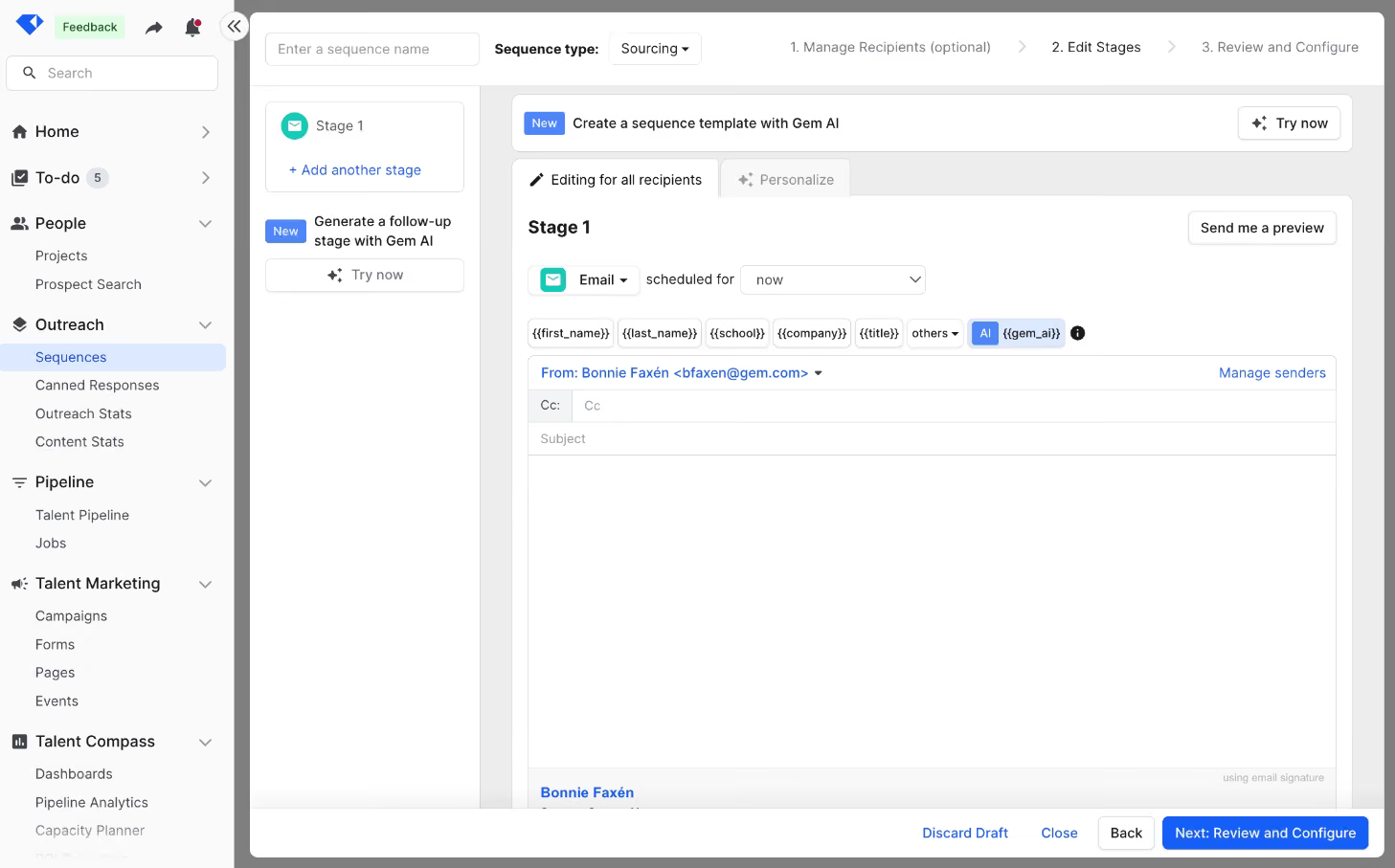
When we tested Gem’s Startup Program, what stood out immediately was how much functionality is included for free. Most vendors restrict early-stage offers to stripped-down versions of their platforms, but Gem gives startups the complete package: ATS, CRM, sourcing, scheduling, analytics, and AI-driven tools. For a lean team trying to scale quickly, this felt like getting an enterprise platform without the upfront cost.
We also appreciated the inclusion of AI capabilities. Startup users receive 500 sourcing credits per month, which, in our view, is enough for early-stage teams to run meaningful searches across Gem’s 800M+ profile database. On top of that, the program includes AI-powered rediscovery and application review. While unlimited AI agents are reserved for higher-tier paid plans, the Startup Program still delivers advanced automation at no cost.
Outreach also impressed us. Sequences let us build multi-step campaigns with personalization across email, SMS, phone, and InMail. You can also use AI to personalize sequences to each candidate based on your specific inputs, as well as the unique characteristics of each candidate’s profile. Paired with real-time analytics, it gave us clear visibility into which campaigns were resonating and which needed adjusting. Scheduling, powered by Gem’s acquisition of InterviewPlanner, also fit smoothly into the workflow, allowing us to move candidates from sourcing to interviews without extra tools.
The main drawbacks we noticed are eligibility limits (the program isn’t open to staffing or VC/PE firms), the lack of a mobile app, and the fact that setup can take time if you’re migrating from another system. Still, for startups under 100 employees, we think Gem’s offer is one of the strongest free recruitment packages available today.
1,200+ companies, including Zillow, DoorDash, Anthropic, and Asana.
Gem’s Startup Program provides 6 months free, then 50% off the first year for teams under 30 employees (under 100 employees total; excludes staffing, VC, PE). After the first year, discounted paid tiers are available.
Best For
Teams under 30 employees can use Gem free for six months, while those under 100 employees get half off for the first year, making it an excellent choice for small but growing companies consolidating their recruiting stack.

The Recruiting Team used Gem daily to source. Our RecOps team used it to observe reports and pull key data points out for presentations. This was especially important when there were board meetings or quarterly presentations to the company. It also synced really nicely with our ATS (Greenhouse) which made it a great tool.
- Sourcing functionality is top-notch and helped increase the diversity of the candidate pool
- Reporting functionality helped bridge gaps in reporting that Greenhouse couldn't provide
- Gem's CSM team was a pleasure to work with.
My previous company used Gem because it provided a combination of sourcing and analytic functionality for the recruiting funnel. This was needed in order to report on goals and metrics that the Recruiting team needed to hit as well as improve DEIB initiatives. Gem did a great job of solving for helping us make data-driven decisions. Additionally, our Customer Success Manager helped us design reports and leverage Gem to its fullest capacity.
- Originality - It seemed like Gem would release similar features to their competitors in response to what the competitors were doing. This meant that the functionality wasn't always fully baked.
- Ease of use - The analytics aspects of the platform required a longer than anticipated ramp time to fully understand.
- System integration - When the integrations broke because of updates, it could take a bit of time to get back online.
Gem definitely innovates very quickly based on what they see. Because of this, some features can feel half-baked relative to their competitors (on the analytics side TalentWall, on the sourcing side, SeekOut). Generally, it is nice that Gem consolidated the specialty of those tools into one platform but SeekOut/TalentWall are more straightforward to use while requiring a lower ramp time to use.
I would consider the following bullets:
- Ease of Use
- Integration capability
- Purpose (does sourcing or analytics carry more weight?)
- Maintenance (which team is going to own this tool so that they have a strong partnership with the CSM team)
Gem is incredibly fast to build new functionality to meet changes that the users need. That ability to listen to their customers and users is fantastic.
Users: Sourcers, Recruiters, RecOps Team, Hiring Managers
It all depends on how each team is leveraging the tool. If it is primarily for sourcing, then it is incredibly nifty for Sourcers/Recruiters/Hiring Managers to build projects together and do paired sourcing.
Users: Interviewers, Non-recruiting members
Because they are not part of the recruiting process from a hands-on perspective, it can be a waste of a user seat to give them access.

Zoho Recruit
Like all of Zoho's products, Recruit is pretty robust. We love that it’s essentially a one-stop shop for recruiting, covering everything from sourcing candidates to drafting an offer letter. It is also completely free when hiring for only one active job.
PROS
- Transparent pricing. Free-forever plan, free trial, and 45-day money-back guarantee policy available.
- Paid plans with a well-developed resume parser, extractor, chatbot, and candidate-matching features.
- Multiple language support.
- ATS + CRM in one platform
- Backed by a company like Zoho, notable for reliability and good customer service.
- 24/5 support
- Priced quite modestly after the free version
- Certain features like video interviews are available as optional add-ons.
CONS
- Can be overwhelming for initial navigation due to its many bells and whistles.
- Free plan has limited storage (256MB) and allows one job at a time with limited customer support.
- The free plan only allows 256MB of storage.
- Additional features, such as the client portal, mass email, workflow alerts, and API calls cost extra.
- Some users have complained about the quality of some of the integrations.
- The career site is not fully customizable until past a certain paid plan.

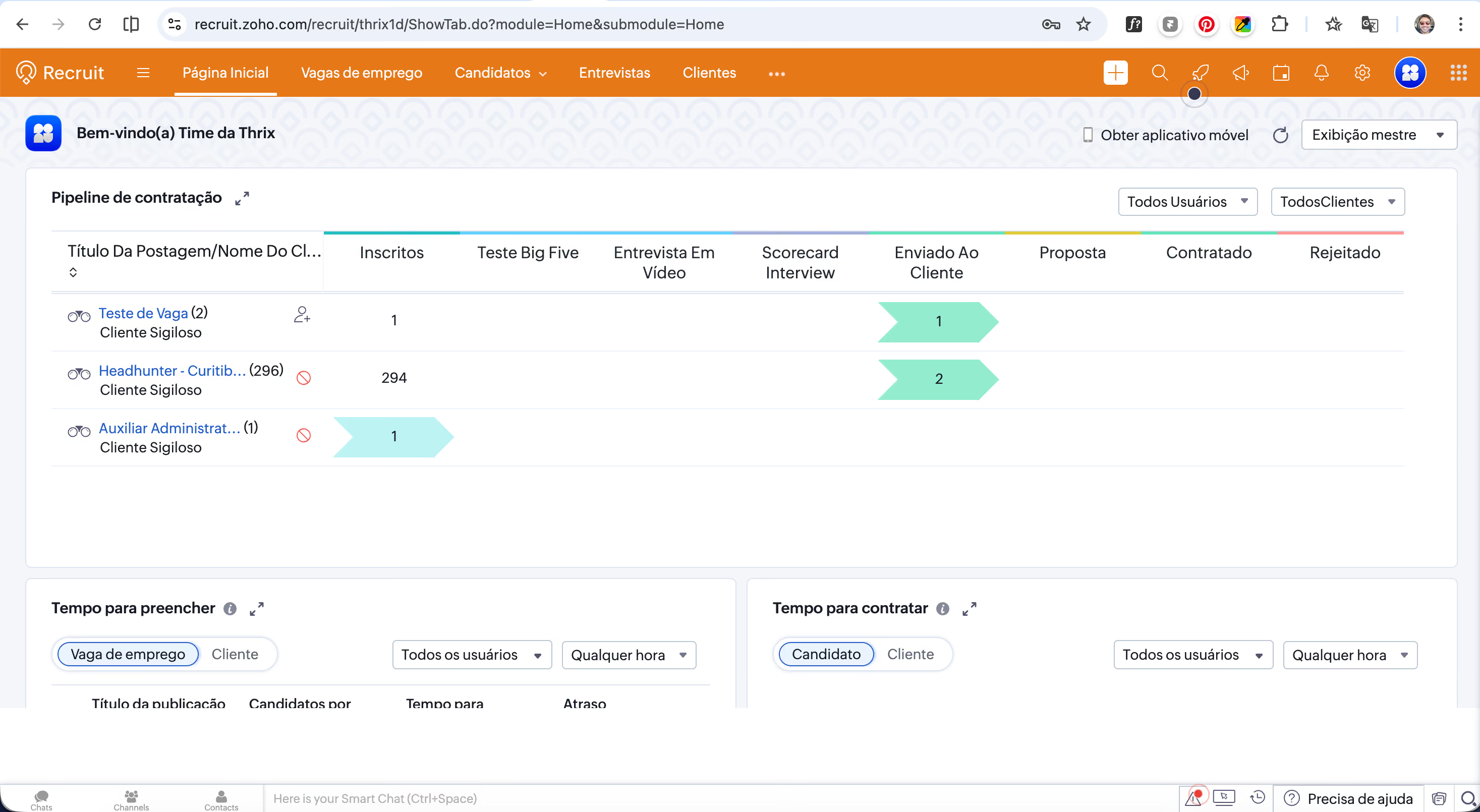
Zoho Recruit’s free plan gives users a lot more features than we thought a no-cost tool would. In addition to candidate management, you get email management, interview scheduling, and support through weekdays — all for free.
Though G-Suite, Outlook, and native HR tech integrations are only available for paid editions, Zoho Recruit does provide free users with Zapier access. This can be quite handy if you want to connect your free recruiting tool with some of your team’s day-to-day apps, like Google Calendar, Slack, and Zoom.
Zoho Recruit is also quite capable of language inclusion. As of 2024, this recruiting platform has supported 26 different languages, from English and Spanish to Arabic, Japanese, Vietnamese, and Chinese.
Not everyone likes the idea of doing things from scratch, so we’re glad the free plan comes with five customized email templates plus a user-friendly resume search feature for time-saving.
However, it's important to note that Zoho Recruit restricts its free users to having only one active job opening at a time. The storage limit isn’t ideal either — it’s capped at just 256MB.
Zoho Recruit also gave us quite an overwhelming feeling in our first encounter, mostly due to the abundance of tabs and menus.
Bosch, Deloitte, Saint-Gobain, PWC, Allianz
Zoho Recruit offers a free plan for both corporate recruiters and staffing agencies that includes core functionality for the entire recruitment lifecycle, though premium features such as a client portal, video interviews, and dedicated support are available as paid add-ons. Paid tiers start at $25 per recruiter per month.
Best For
Zoho Recruit's free plan is a great way for small in-house recruitment teams and recruitment agencies to get started with applicant tracking and hiring.

We use Zoho Recruit daily to manage and organize all active selection processes. It allows us to track applicants, manage active sourcing efforts, and maintain a structured candidate database. We organize each stage of the recruitment process within the system, from initial screening to final placement.
- The client portal makes it easy to share candidates and updates with clients.
- It integrates with a large number of job boards for advertising open positions.
- The platform offers a high level of customization to adapt workflows and fields to our needs.
We needed an applicant tracking system for our recruitment agency to centralize and organize all hiring activities. At the time of purchase, Zoho Recruit was the only global ATS with a strong presence in Brazil, which was important for local support and market alignment.
The availability of a client portal was a decisive factor, since we regularly share candidates and updates with our clients. The pricing was competitive compared to other international solutions with similar features.
- The system has a steep learning curve for new users.
- There are too many settings, which can make configuration complex.
- The interface feels outdated, with a rigid and complicated layout.
Compared to other ATS platforms we evaluated, Zoho Recruit offers a stronger cost-benefit ratio for the features provided. The inclusion of a client portal is a key advantage for recruitment agencies, as not all competitors offer this functionality at a similar price point.
- Evaluate the cost-benefit ratio in relation to the features offered.
- Assess whether the platform’s functionality aligns with your specific needs, whether you are an internal HR team or a recruitment agency.
- Review which job boards and external platforms the ATS integrates with for job postings and sourcing.
The platform has evolved gradually, with more noticeable updates in recent years. New features and improvements have been introduced over time. The interface design, though, still feels outdated. The extensive configuration options remain a core characteristic of Zoho’s approach to building applications.
Zoho Recruit is good for recruitment agencies that need to manage multiple clients and share candidates through a client portal.
Companies that run a fully internal recruitment process and prefer not to use additional tools or external-facing features beyond a basic ATS won’t need a tool like Zoho Recruit.

Wellfound
If you’re a small business seeking startup-minded talent, we highly recommend you check out Wellfound (formerly AngelList Talent). The tool is straightforward and allows you to post as many job listings as you need. Plus, its talent community is among the highest quality we’ve known, with millions of global, tech-savvy job seekers.
PROS
- A leading tech talent community with over 10 million job seekers worldwide.
- No limitations on the number of job postings.
- Native messaging enables direct employer-applicant communication.
- Well-developed self-service resources.
- Offers seamless integrations with major applicant tracking systems.
- RecruiterCloud offers AI-powered candidate sourcing from an internal pool of 10M+ startup-minded candidates and an external network of 500M+.
- Users can delegate their sourcing tasks to Wellfound (Autopilot) or handle them independently (Self-Serve).
- AI tags streamline review by highlighting key strengths in a candidate's profile.
- Free ATS included unlimited job postings, native candidate communications, team scorecards, and interview scheduling.
CONS
- Not suited for non-technical roles at large organizations.
- Lacks third-party job board integrations; the ATS solely replies on its job board.
- Free plan lacks sourcing tools and AI features.
- No mobile app is offered.
- Doesn’t have a mobile app.
- Not suitable for non-tech roles at large enterprises.
- Built-in reporting and analytics are somewhat basic compared to some competitors.
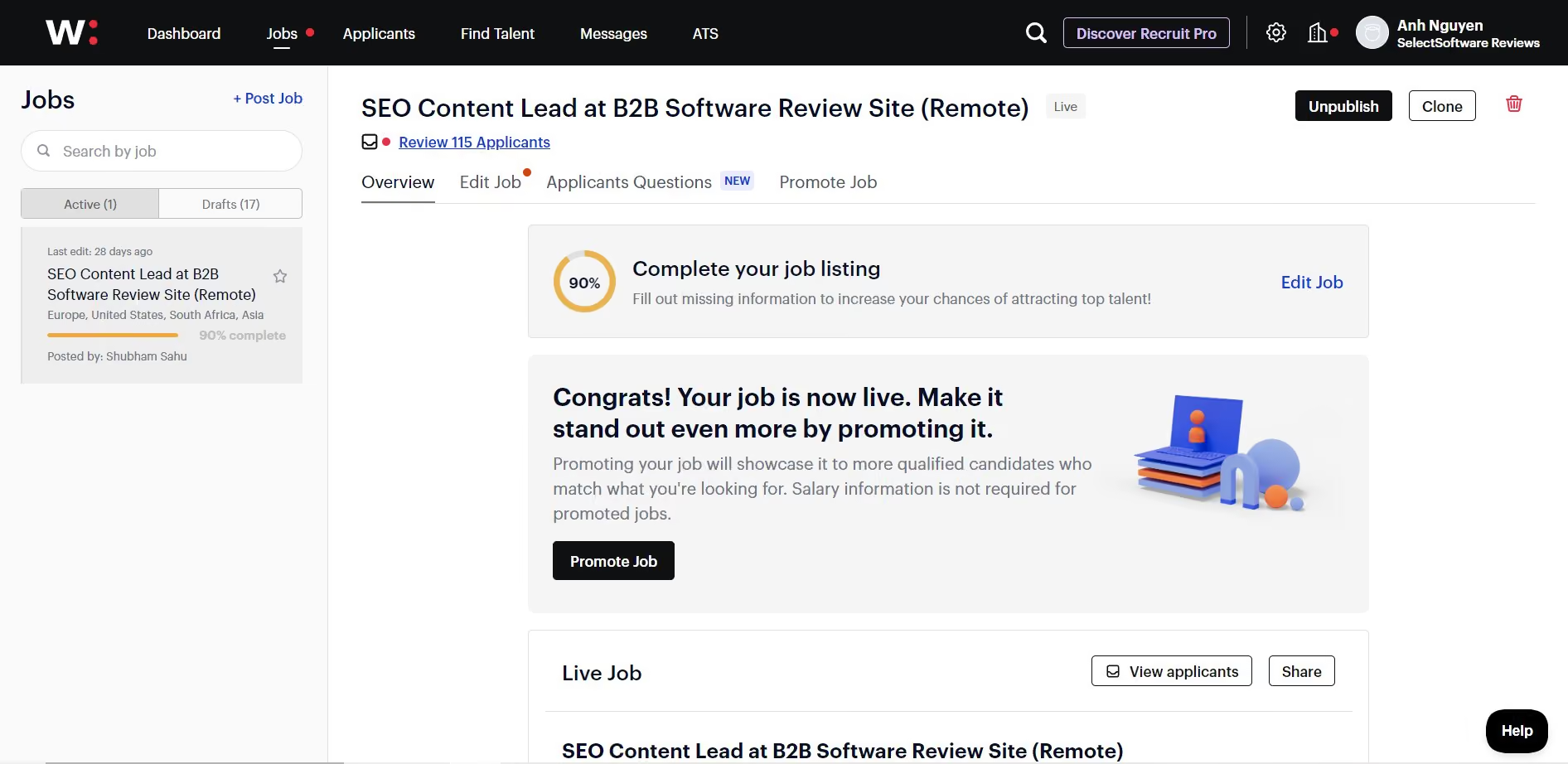
Similar to Zoho Recruit, Wellfound offers a free-forever ATS for anyone to opt for on its platform. But what truly sets Wellfound apart is that it doesn’t cap the number of job posts, unlike Zoho Recruit, which restricts you to just one. Given its strong reputation as the hotspot for startup-savvy talent, most tech startups will likely find the right fit for their teams there pretty easily without dipping into the funds.
Diving into Wellfound's Job Platform felt like it was designed with lean startups like ours in mind—no frills, no fluff. You get to post job openings (as mentioned above, it’s free), and the platform enables you to neatly organize all applications, collaborate with other members using in-app notes, manage your conversations with candidates, schedule interviews, and track everything in one centralized location.
However, one downside we noticed was its lack of third-party job board integrations. Unlike most recruitment tools that allow you to post jobs to multiple platforms at no extra charge thanks to their built-in job board network, Wellfound restricts its free users to its job board, which hosts around 12 million job seekers. For a broader talent reach, there seems to be no other way but to either pay for job promotions or upgrade to a paid plan.
And when we compare the free ATS to alternatives like Recruit CRM or Zoho Recruit, we do feel a pinch from the absence of multilingual support and some AI-driven functionalities, like automatic job description generation.
25,000+ companies, including Modern Health, Xander, and Dosu.
Wellfound provides a free ATS for applicant access and tracking. Paid plans start at $149/month, with add-ons and custom packages available.
Best For
Startups on a budget who need to scale their teams efficiently.

We do not use Wellfound very often—only when we are hiring for open roles. We typically use it every few months. We also use it exclusively for remote roles, as our office is not located in a major tech hub.
The primary workflow we use Wellfound for is posting open positions. Occasionally, we also compare our roles to those listed by other companies to see how we stack up.

I really like Wellfound.
- It is geared toward startup-focused talent.
- It can be free to use for both employers and job seekers, which expands the pool of applicants.
- The ATS is solid and also free.
We have been using Wellfound for just under two years. I was introduced to Wellfound by a colleague while we were hiring talent for our startup. The key benefit of using Wellfound is that it is specifically designed for hiring startup talent. This made it especially attractive to me as a recruiter.
It is ideal for our company to find talent on Wellfound, as we want candidates who are eager and comfortable working in a startup environment.
Overall, I like Wellfound, but there are a few cons.
- The ATS is free, but it could be improved.
- While posting is free, paying can yield better results.
- Customer support is limited, though to be fair, we haven’t invested much money in the platform, so we may not be a priority.
I have used many different tools for hiring. Wellfound is my preferred tool for remote roles. It is not my preferred tool for onsite or hybrid roles.
If you are not a startup, this is likely not the right tool for you. Also, if your roles are onsite and not located in a major city or tech hub, it may not be the best fit.
I have not used the tool long enough to comment on its evolution. I have not noticed any significant changes.
Wellfound is well suited for startups that are remote or based in large cities or tech hubs.
Wellfound is not a good fit for organizations that are onsite or hybrid in smaller towns.

Jobin.cloud
For teams just getting started or looking to keep costs low without compromising automation or visibility, Jobin.cloud is an easy recommendation. Jobin.cloud’s free plan gives solo recruiters and lean talent teams immediate and permanent access to advanced LinkedIn sourcing, candidate enrichment, bulk messaging, and a visual CRM. This makes it one of the most generous free recruiting platforms we’ve tested.
PROS
- Bulk LinkedIn sourcing with auto-enrichment—no LinkedIn Premium required.
- Up to 10,000 contacts stored and managed with filtering, tags, and pipelines.
- Built-in CRM with visual pipelines and basic activity tracking.
- Free outreach automation includes 15 daily LinkedIn messages and 100 daily emails.
- ChatGPT-powered personalization with 30 free AI prompts.
- Auto-update contact data and send bulk connection requests without spreadsheets.
- Bulk LinkedIn sourcing with auto-enrichment—no LinkedIn Premium required.
- Up to 10,000 contacts stored and managed with filtering, tags, and pipelines.
- Built-in CRM with visual pipelines and basic activity tracking.
- Free outreach automation includes 15 daily LinkedIn messages and 100 daily emails.
- ChatGPT-powered personalization with 30 free AI prompts.
- Auto-update contact data and send bulk connection requests without spreadsheets.
CONS
- Usage caps on messaging, enrichment credits, and AI queries limit free plan’s scalability.
- ATS feature is basic, with just one pipeline and limited collaboration or scheduling tools.
- Interface feels dated compared to modern recruitment platforms.
- Usage caps on messaging, enrichment credits, and AI queries limit free plan’s scalability.
- ATS feature is basic, with just one pipeline and limited collaboration or scheduling tools.
- Interface feels dated compared to modern recruitment platforms.
Jobin.cloud’s free forever plan delivers an impressive blend of sourcing, CRM, and outreach tools, particularly for recruiters working heavily on LinkedIn. During testing, we were able to import dozens of profiles directly from search results or individual LinkedIn pages, thanks to Jobin.cloud’s browser extension. The imported profiles were enriched with key data points, such as title, company, and skills, and instantly visible within a visual pipeline.
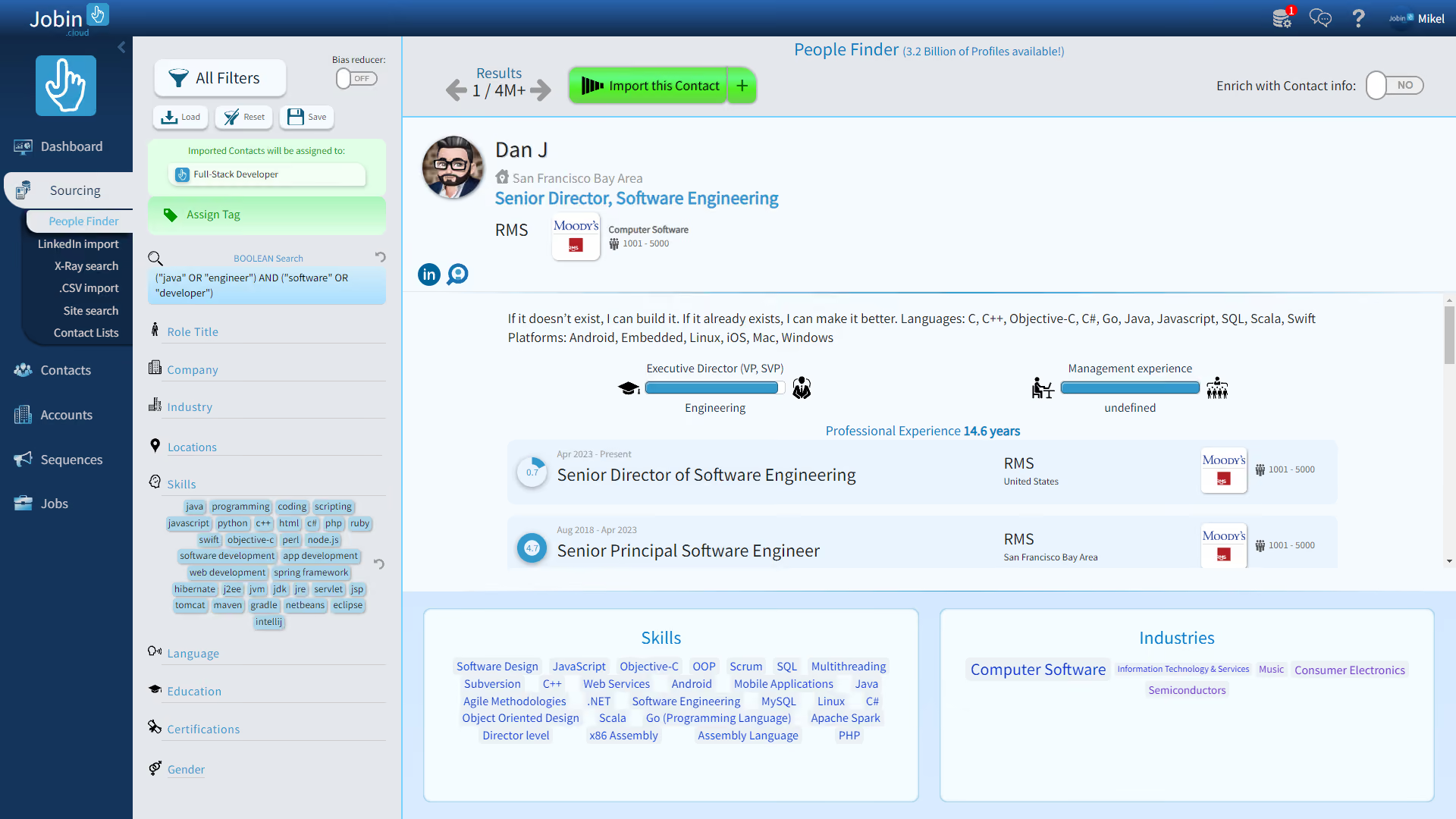
From there, the platform allowed us to filter candidates by skills, geography, or sourcing status, and take action in bulk, such as tagging, assigning jobs, or launching email/LinkedIn outreach. The outreach automation was surprisingly strong for a free plan. We built a multi-step sequence that automatically sent connection requests or fallback emails depending on candidate status, and tracked replies inside the system. For personalized messaging, the 30 free ChatGPT prompts were a nice bonus.
That said, this platform leans heavily toward sourcing and outbound messaging. The ATS side is present, but limited: you get only one pipeline, and there are no built-in job postings, career sites, interview scheduling, or onboarding features in the free version. We also noticed that the user interface, while functional, feels quite behind compared to tools like Recruitee or Teamtailor, with dense menus and visually cluttered icons.
Finally, while the free recruiting platform does offer a lot without charging, but it’s not designed for scaling outreach indefinitely. With daily message caps (15 LinkedIn, 100 emails), five enrichment credits, and capped AI usage, it’s best suited for low-volume pipelines or early-stage validation, not high-volume outbound hiring, unless you’re willing to upgrade to higher-tier plans.
Jobin.cloud is used by over 5,000 users.
Jobin.cloud’s free plan features LinkedIn profile import, 10,000 contact storage with smart search, a pipeline for tracking, 5 enrichment credits, messaging limits (15 LinkedIn messages, 15 LinkedIn connection invitations, 100 email), 30 AI prompts, and auto-updated contact data from LinkedIn.
Best For
If you're a solo recruiter, startup founder, or agency looking to consolidate sourcing, outreach, and CRM in one place—and don’t mind an older UI—Jobin.cloud’s free plan is arguably the most complete option in the market today.

GoHire
GoHire is an affordable recruiting solution that is also scalable. Its base plan offers 3 active job posts, a branded career page, easy interview scheduling, and no cap on team members—a good starting point for most SMBs, in our opinion. If you need more advanced features, there are two other options available with better automation and customization waiting.
PROS
- Free trial users can access all paid features: applicant tracking, interview scheduling, candidate screening, and offer management.
- AI assists with content for job descriptions, career pages, outreach messages, interview questions, and onboarding checklists.
- Unlimited hiring pipelines and unlimited team members to all plans.
- 700+ job description templates.
- Transparent and affordable pricing. Discounts are available for early-stage startups and charities.
There are both pros and cons to using GoHire.io. Let's take a look at some of the most important ones:
- One user appreciated the in-app messaging and email saying “Great templating for messages and emails.” They further liked the fact that they were able to control the on-boarding process as well as display jobs on the website.
- The platform is easy to use and helps businesses keep track of their hiring process by providing them with tools to manage job postings, candidate screening, interview scheduling, and offer management.
- GoHire.io makes it possible to post jobs on multiple job boards giving the user a wide variety of applicants. Therefore, hiring managers and founders can manage the applicants from numerous job boards on one platform. One user stated that they used to receive three job applications for €12.8 when using LinkedIn Jobs paid advertisements, but are now receiving 50+ applicants every month for free while using GoHire.
- The HR team appreciates that GoHire.io has a responsive customer support team. One user even appreciated that they were happy that their feedback was taken seriously and implemented on the ATS.
CONS
- It doesn’t support sending SMS text messages to candidates.
- Only supports candidate file formats in PDF.
- The career page can only be directed to one domain.
- Limited built-in third-party integrations.
- Limited features for email template customization.
- GoHire.io does not support sending SMS to the applicants.
- While GoHire.io has received a lot of positive feedback about its platform, a significant number of users who had bought lifetime deals via AppSummo felt let down when the company discontinued the plan despite stating that it was a lifetime deal.
- One user complained that they were not able to upload multiple file formats for candidates. They were only able to upload PDF files.
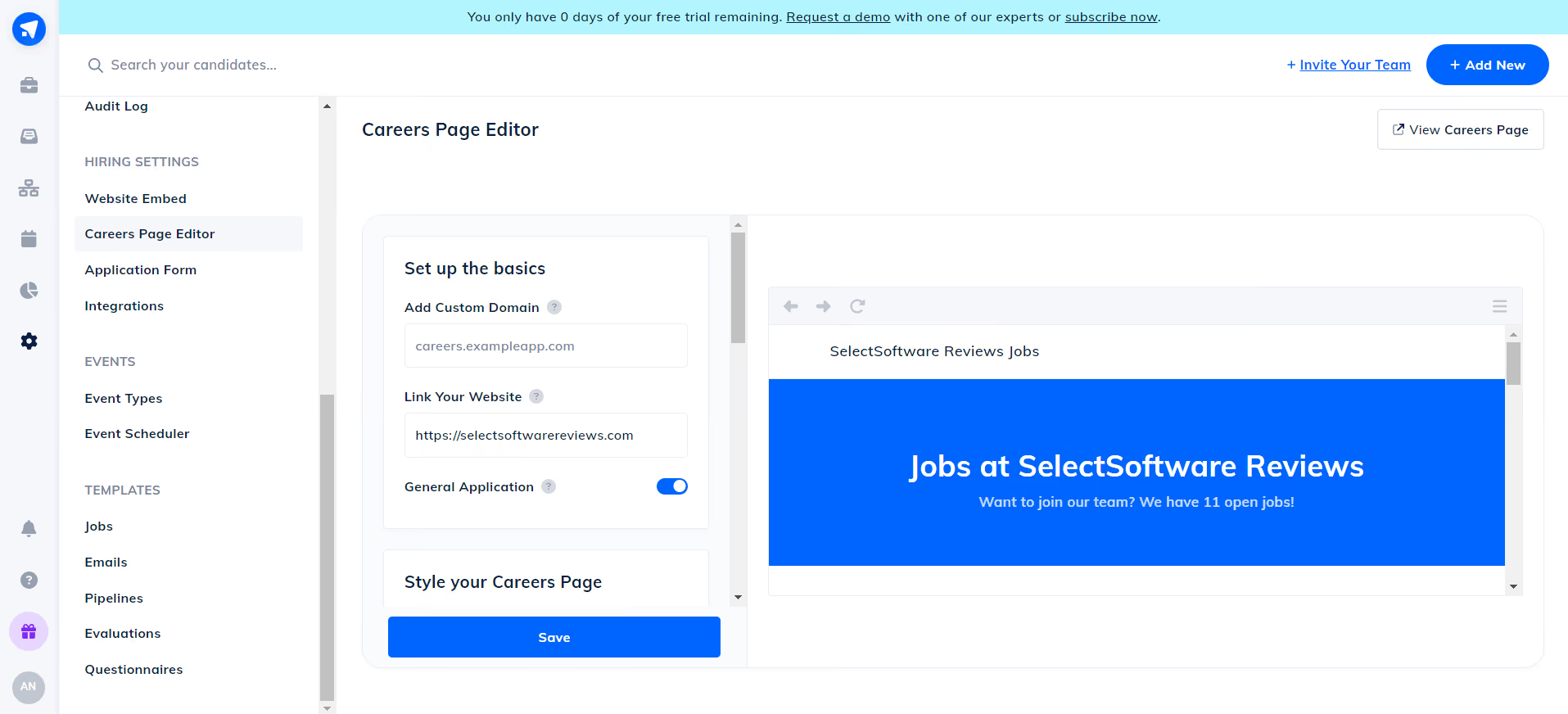
GoHire stood out in our testing as a recruiting tool that incredibly fits startups and small businesses. Its affordable price has remained unchanged for years, and you can test it out for free for two weeks. Plus, it’s packed with all the SMB ATS features we’d think of, from job boards to career pages, email engagement, onboarding, and even AI hiring tools.
Our initial impression of GoHire was its improved platform design, both visually and functionally. The latest version is much easier to navigate, unlike the previous one, which could be a bit clunky at times. We tested the platform on different browsers and mobile devices, and the experience had consistently been positive.
During the free trial signup process, we had a little trouble with email validation. But thanks to that, we experienced firsthand the responsiveness of GoHire’s support team. Jerome helped us out and resolved the problem the same day we got in touch with them.
GoHire’s dashboard provided a step-by-step guide to familiarize us with each feature. We also had a dedicated account manager for further assistance. Creating our first job post was straightforward, aided by the availability of over 700 job description samples. Custom questions for pre-screening purposes were limited to paid plans, but we could easily publish our job posts on 15+ integrated job boards and invite team members to collaborate.
Recently, the ATS provider introduced new AI hiring tools that help users generate job descriptions, career pages, outreach emails, interview questions, and onboarding checklists. We tried some, and they did deliver good enough answers in a few seconds.
3,000+ companies, including Snagajob, Promoter, Sweetberry, Swapcard, and Voucher Cart.
GoHire has a free 14-day trial you can sign up for using your email. After the free trial period, you can choose from the three plans priced at $99, $199, or $299 per month.
Best For
GoHire can work well for early-stage startups and small and mid-sized businesses looking for an affordable and easy-to-use recruiting solution.

We recently got started with Gohire, we use it to post jobs daily and recruit suppliers. Gohire provides us with the prospect information which we then use to communicate with the prospect and and assist them with getting started. We also review their credentials and experience to see if they would be a good fit from Gohire. It's also used to help coordinate which prospects should be communicated with on what days.
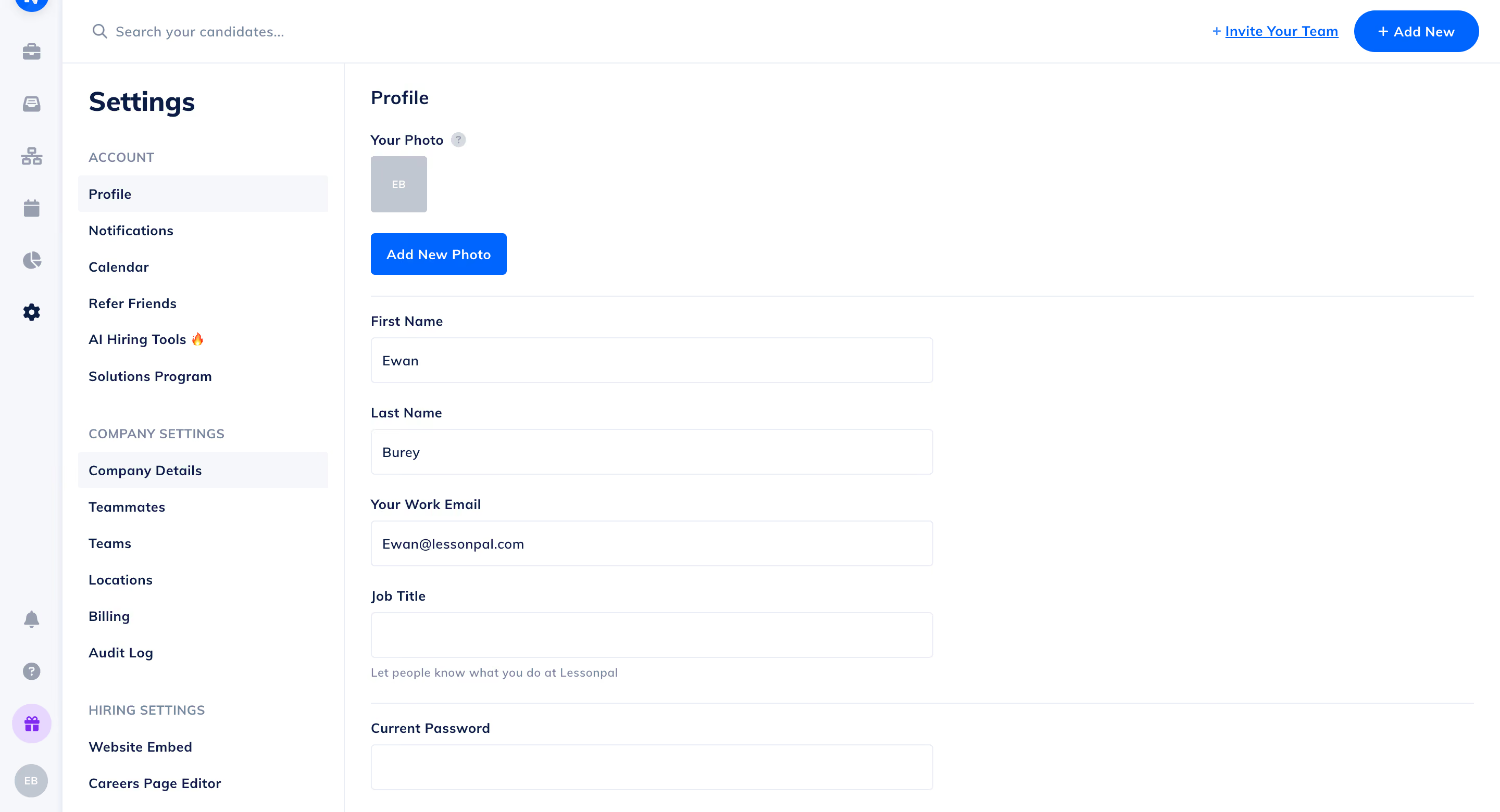
- The calendar feature assists with keeping everything organized
- The ability to post unlimited jobs allows us to have a wider reach
- The interface is super simple and clean
We needed to diversify the platforms used to recruit suppliers (Freelance tutors). It's difficult to do so since almost every job posting platform has limits on the number of active jobs that can be posted at any given time. Gohire allows unlimited job posts on their most expensive plan which allows for us to recruit more candidates in many subject areas. It also has many features which make the recruiting process a lot easier..
- We need more detailed analytics on the recruitment process
- We need more channels to connect with support
The tool integrates a lot of AI features which makes the recruitment process a lot smoother
When buying this tool think about all of the functionality that you want it to have. This tool can complete practically almost all of the first level recruitment process
This would be a good for a team that leverages technology and AI
It wouldn't be a good for a team that doesn't significantly leverage AI and tech

Recooty
Unlike many free recruiting platforms, which allow only 1 active job at a time, Recooty’s free trial lets you post up to 5 jobs. Plus, after the trial ends, your plan will be automatically replaced by the free plan.
PROS
- Competitive flat rates, with a free plan available post-free trial period.
- The free trial lets users have up to 5 active jobs vs. 1 from most competitors.
- Post job openings (screening question included) on 250+ job boards.
- AI tools for job descriptions, email template, interview questions, and employee onboarding checklist generation.
- Available in German, English, French, Hindi, Italian, Spanish, Dutch, and Vietnamese.
- One user liked the usability of the software, stating that it is 'easy and self-explanatory.'
- The ability to post a job on multiple platforms makes it efficient, as per one user who labels Recooty a 'one-click job posting solution.'
- The company offers a cheap subscription, making it affordable for small businesses.
CONS
- Phone number is required during the trial for account verification.
- LinkedIn and Slack are the only native third-party integrations offered.
- Can only access it through a web browser. No Chrome extension.
- The company does not have a mobile application.
- Recruitment features can be quite basic compared to some competitors.
- Integrations are somewhat limited.
- Not suitable for large enterprises with more job postings and locations.
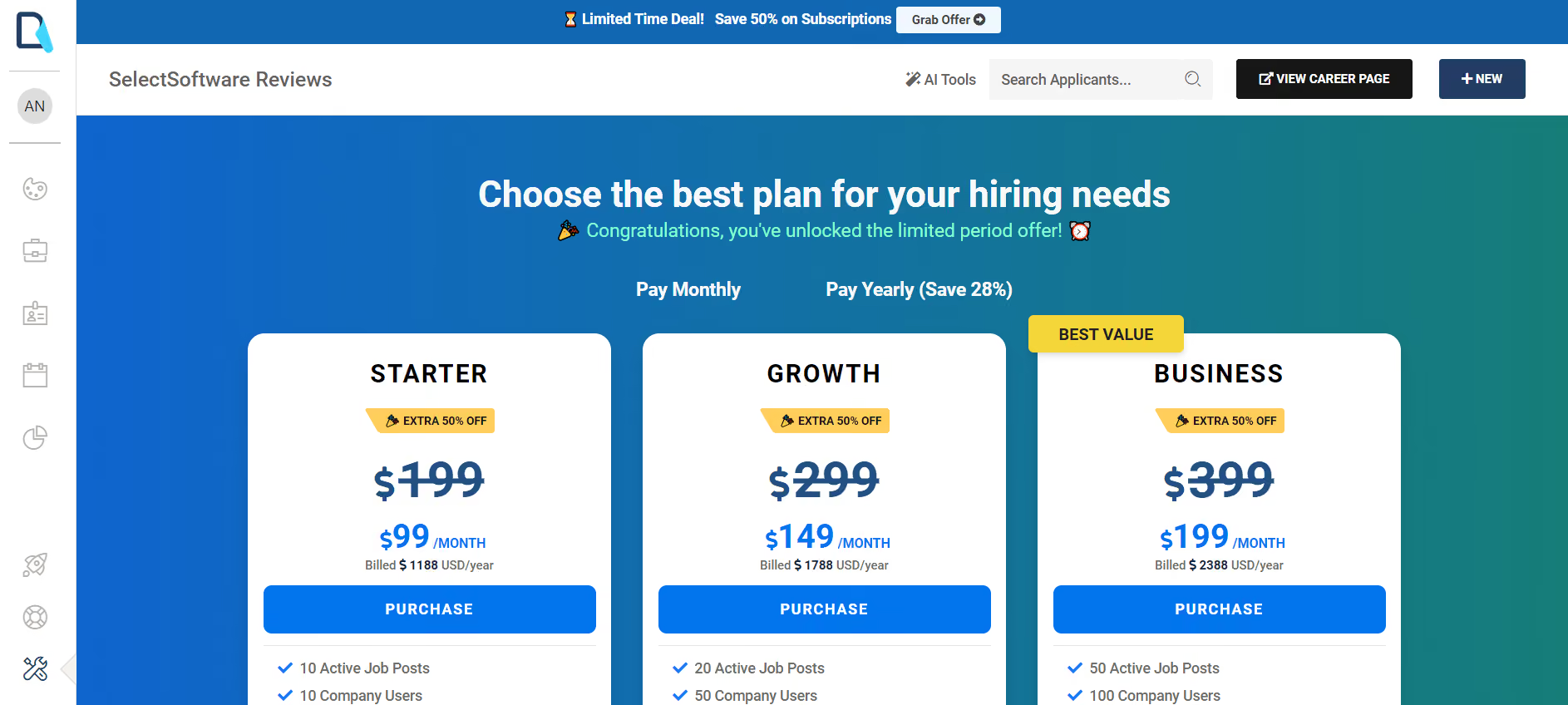
Recooty is one of the few vendors that lets you actually publish jobs to a number of job boards during your free trials. Moreover, they allow you to have up to 5 active jobs, not 1 like you often see in other free recruiting platforms.
Signing up for Recooty’s 14-day free trial doesn’t require sharing your credit card info. After your trial ends, the platform will give you access to its free ATS, which covers most of the features small businesses need.
The free plan supports one active job post at a time, integrates with a dozen free job boards, and enables users to create a branded career pages and share jobs across social media platforms. Users can also store received candidates on the system to build their own talent pool and reuse them later.
We found that Recooty’s free plan is easy to set up and use. Posting an opening takes just a couple of clicks, and now, with the help of the AI multilingual job description generator, it is even more streamlined. Tracking and managing applicants are also simple, thanks to automated email notifications, an up-to-the-minute dashboard, and application filters.
However, the biggest drawback of the free plan is that it only allows one user. This and the absence of a Chrome extension and built-in communication tools make it challenging for collaborative hiring.
As a free plan user, LinkedIn and Slack are the sole two third-party integrations you get. While API support can serve as a workaround for this shortcoming to sync data across your HR tools, it’s only available for Recooty’s paid users.
We haven’t seen this ATS roll out its mobile app, though users have requested it often in the two years we’ve been keeping an eye on the company and its product.
Sendlane, Airtable, Uber, Rack Bank, American Hospital, Trello.
Recooty’s free plan is no longer promoted on the vendor’s site, but is still available after the free trial. This plan offers one active job slot, one user, and one company location. Besides the free plan, there are four paid options starting at $99 per month, which have increased slightly over the past few years.
Best For
Recooty is an excellent choice for startups and small businesses looking for a budget-friendly, plug-and-play ATS that supports basic recruitment needs.

Indeed
We love Indeed because of its massive candidate database. Companies of any size can post jobs on it and access their talent pool—all for free.
PROS
- Free trial (credit card required) covers up to $1,000 in sponsored job spend.
- Massive talent reach, free for employers and job seekers.
- Built-in smart recommendations for more streamlined job posting.
- Modern and easy-to-navigate UI.
- Native candidate assessment tool.
- Mobile app for application reviews, interview scheduling, and more on the go.
- Indeed has a massive reach and is free for both employers and job seekers to find one another.
- The platform’s UI is modern and quite easy to navigate. New users are able to create accounts and post their first jobs within 10 minutes or less.
- There is a candidate assessment tool built in and a mobile app is available, enabling you to see candidates’ profiles, and resumes, review applications, schedule virtual interviews and more on-the-go.
CONS
- Free job posts have low visibility due to numerous daily postings.
- Upon trial expiration, your account will be billed automatically.
- It can’t replace an ATS or recruiting CRM. Zapier integration is absent.
- The free job posts lose visibility if they don’t get sponsored, as thousands of jobs are posted every day.
- Indeed’s video interviewing tool could use some improvement, as one employer said, “The video interviewing tool is frustrating, sometimes it’s not available, and it only works 50% of the time.”
- There isn’t a Zapier integration at this time, though Indeed’s marketplace is full of prebuilt integrations, coving most tech stacks.
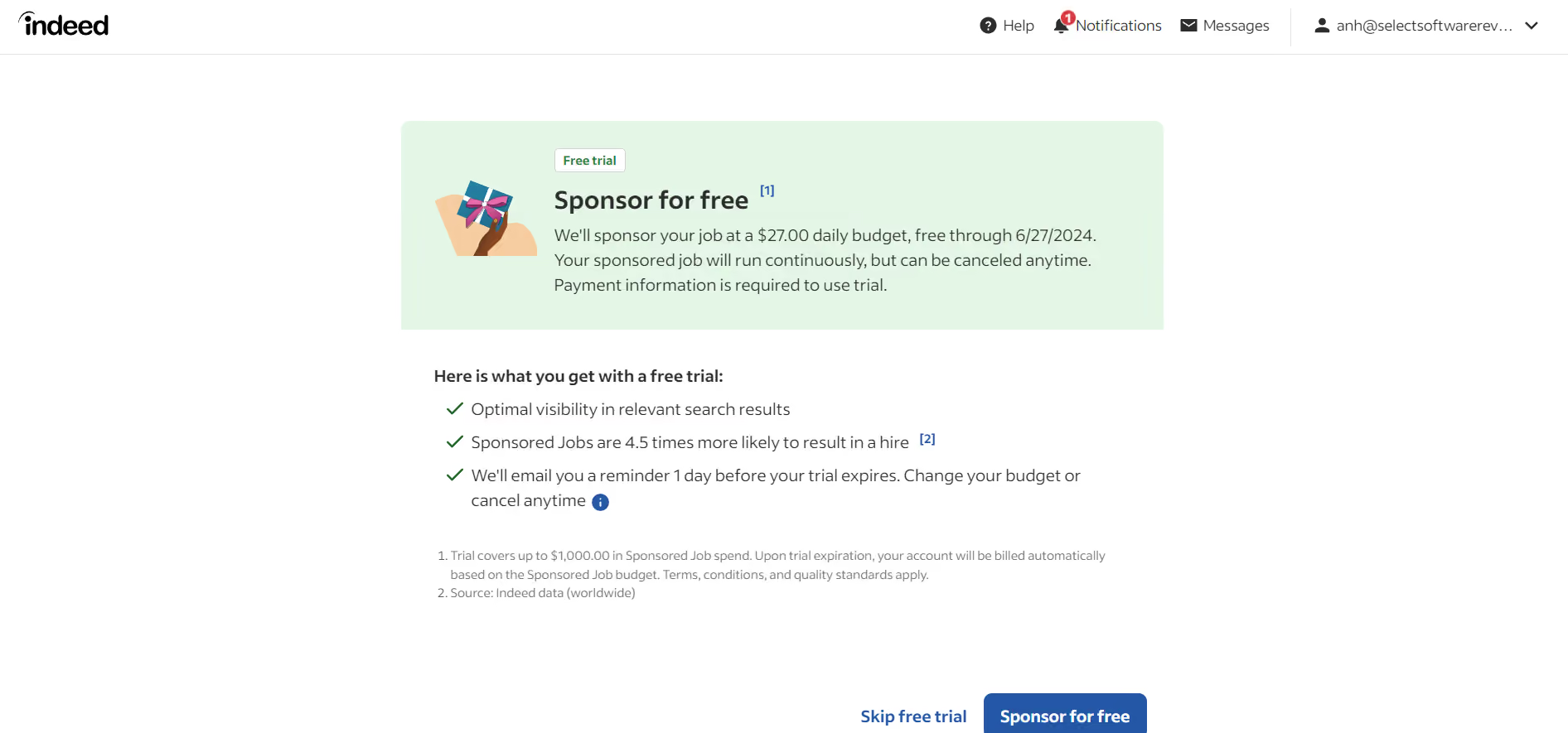
Indeed is perhaps the biggest and most popular job board available today. To date, there are over 3 million users who have posted jobs on this platform.
We love the recent additions of smart recommendations to its job posting process. These AI-powered features include a tailored job template that you can edit and a suggested pay range based on Indeed’s analysis of similar jobs posted on the platform in the last 12 months.
It’s entirely up to you to choose whether to advertise your job posts on Indeed for better visibility. The job portal platform also offers a free trial that’ll sponsor your job at a $27 daily budget for free in 3 days but under two conditions: your account must be verified, and your payment method must be added.
Being in the employment market for over two decades helps Indeed build out one of the best talent pools, which is the foundation of its great talent matching tool. Once you finish your job post, you’re prompted to rate at least 4 of 20 talent profiles the job portal gives you. Based on your answers, the system will match you with the best matches for your job.
Indeed also has built-in messaging features you can use to reach out to candidates and schedule interviews. However, our testing shows these are not as good as what you could find from ATS, such as GoHire and Manatal, and software interviewing leaders like Willo, Jobma, and SparkHire.
Furthermore, due to its popularity, your free job posts could easily get buried with numerous other postings in a matter of days.
Indeed is used by over 3,000,000 companies, including Nokia, Schwab, McDonald's, and the University of Oxford.
- Posting jobs on Indeed's general search results is free.
- The fee to sponsor your listing varies based on job title, location, and available job seekers.
- Indeed calculates the price and shows it before payment so you can decide if it fits your budget. You also have 48 hours to reject unwanted applications before being charged.
Best For
Any business can make good use of indeed regardless of size and industry, especially if they’re looking for a free method to post jobs to a worldwide talent pool.

We use Indeed regularly as a critical component of our recruitment strategy. We access the platform frequently, usually daily, to post new tutoring jobs and invite qualified candidates to apply. The job posting process on Indeed's user-friendly interface makes it easy for us to create and manage listings efficiently. We utilize the suggested candidates database extensively, searching for potential candidates who align with our company's needs and values. Indeed's screening tools are integral to our workflow, allowing us to filter and identify qualified applicants more effectively. Indeed's notification system keeps us informed about new applicants daily, as well, as a daily report on how many new applications we have received, ensuring that we stay responsive and engaged throughout the hiring process.
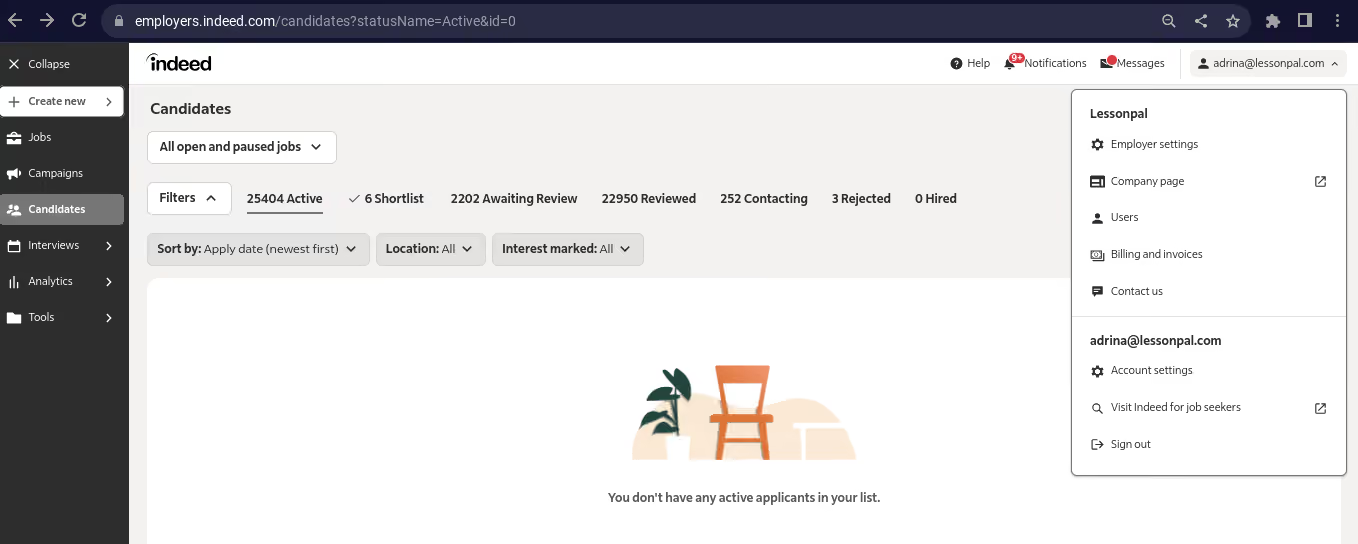
- I appreciate Indeed's vast and diverse candidate pool, providing access to a broad range of qualified individuals for our tutoring jobs, enabling us to attract and connect with qualified educators efficiently.
- Indeed's job posting interface simplifies the job posting process, allowing us to create and manage tutoring job listings seamlessly, saving time and ensuring a smooth recruitment workflow. I am now able to post jobs in under 20 minutes!
- Indeed's screening tools are valuable in helping us filter and identify qualified applicants effectively, streamlining the candidate selection process, and we use screening tests such as reliability tests and open-ended questions to ensure that we connect with the most suitable candidates for our tutoring positions.
Our organization has used Indeed for a little under a year to streamline our recruitment processes. Faced with challenges in reaching a broader pool of qualified candidates through traditional methods, Indeed became our solution by providing a vast and diverse candidate pool. The user-friendly interface has made creating and managing job postings easy, while the extensive reach ensures visibility to a broad audience.In my role as Tutor development associate, I have utilized Indeed for a little under a year. I now find it an invaluable asset in meeting our evolving recruitment needs.
1. One challenge we've encountered is the frequent system updates from Indeed, requiring us to relearn different aspects of the platform almost every month. While updates are important, a more stable interface could reduce the learning curve and provide a more consistent user experience for employers.
In highly competitive markets, our tutoring job listings might get lost among numerous postings, and it would be helpful if Indeed could provide additional visibility options or promotional features to boost the prominence of our openings.
Another concern is the cost associated with the sponsored job posting option, which ranges from $40 to $70 per candidate. While the sponsored feature can enhance visibility, the pricing structure can be prohibitive for smaller organizations with budget constraints, making it less accessible for companies seeking cost-effective recruitment solutions.
Indeed stands out from competitors such as Zip Recruiter, Handshake, and Flex Jobs due to its expansive candidate pool, offering access to a diverse range of qualified individuals for tutoring positions. The user-friendly interface sets Indeed apart, simplifying the job posting process in comparison to platforms like Zip Recruiter and Handshake. While Indeed's regular system updates contribute to innovation, the platform faces challenges such as limited customization options and a relatively higher cost per candidate with the sponsored job post feature. Despite these drawbacks, Indeed's extensive reach and robust screening tools make it the preferred choice for our organization over alternatives like FlexJobs.
When considering Indeed for your hiring needs, prioritize budget considerations, especially if utilizing sponsored job posts. Assess the platform's alignment with your hiring needs by evaluating the scale and nature of the positions you wish to fill. Additionally, examine your hiring timeline and determine if Indeed's features align with your recruitment urgency, including regular system updates. Careful evaluation of these criteria will help you make an informed decision that effectively meets your financial constraints, staffing requirements, and timeline expectations.
Over time, Indeed has demonstrated a commitment to meeting users' needs through continuous evolution and adaptation. The platform has introduced regular system updates, aiming to enhance user experience and provide new features that streamline the hiring process such as different ways to post a job, more responsiveness to users needs through different ways to support users via phone, chat and email support. Indeed's response to user feedback has been notable, with improvements in the interface and functionality addressing specific needs identified by employers.
Employers looking to hire multiple people for multiple roles.
Employers looking to hire for highly specialized roles might have difficulty finding good candidates.

Calendly
Calendly is a straightforward interview scheduling tool that can be used in many business settings, including recruiting. It’s easy to use, and most companies can get by with their free version for as long as they need.
PROS
- Time-zone-minded, self-service interview scheduling.
- Automatic confirmations and meeting links.
- Users can set their own rules for availability, meeting durations, buffer times, etc.
- Seamless integration with popular calendar and mailing tools.
- Share availability with talent directly within Gmail and LinkedIn using browser extension.
- Special discounts to qualified non-profits.
- Calendly’s simplicity is its biggest pro. It has an elegant user interface, it's very easy to navigate, it promptly gets the task done, and connects seamlessly with other applications.
- The reduction in back-and-forth emails. Your invitees can book a meeting slot, without reaching out to you multiple times. Calendly automatically sends them a confirmation and they can reschedule or cancel on their own. It’s even better for virtual meetings because once your invitees schedule a meeting with you, Calendly will automatically generate a meeting link based on your preferred video conferencing tool.
- The ability to set your own rules so that you can get complete control over your availability preferences. For example, you can decide how long a particular kind of meeting should be, buffer time between meetings, how many appointments can be booked per day, etc.
- Calendly seamlessly integrates with popular calendar and mailing tools. Meetings are automatically reflected on your personal calendar and video conferencing links with tools like Zoom or Google Meet are generated without any extra steps.
CONS
- Free version offers limited customization options, only supports 1:1 events, and allows users to have just 1 active meeting scheduling page.
- Not for those who want the tool to “blend in” when embedded in their site.
- Mobile apps can be laggy and lack certain features compared to the browser version.
- Besides branding and the ability to choose different colors, Calendly does not offer a lot of options for customizations. This could be frustrating for users who want to embed Calendly in their website without making it seem like a completely different component.
- Calendly is not very mobile-friendly. You can’t perform all the functions on the mobile version.
- The payment collecting feature is not available in all currencies. Your invitees can only pay in the United States Dollar (USD), Australian Dollar (AUD), Canadian Dollar (CAD), Pound Sterling (GBP), and Euro (EUR).
- You’ll be severely limited in terms of features if you choose the free plan or the cheaper ones. According to Craig, a Customer Success Manager at a small business, “All advanced functionality is locked behind higher subscription levels – We have the Professional level so that we can set up a team, but they locked the most obvious and useful meeting type for teams behind yet another upgrade to the sub level.”

Calendly is an appointment scheduling platform that comes with an indefinite free plan. Although not exclusively built for recruiting per se, HR managers can take advantage of this freebie at the interviewing stage of recruiting.
We think simplicity is the best word to describe how Calendly looks and works. Even if you're new to setting up interviews, navigating this tool won’t make you scratch your head. Plus, the automatic language and timezone detection is such a nice touch to make booking interviews seamless for candidates and colleagues worldwide.
Calendly natively integrates with most popular calendars and video conferencing tools. In the free version, you can create unlimited one-on-one events, send automated event notifications to your candidates, and customize your booking link.
Another thing we really like about this scheduling app is its reasonable pricing. Though it has gone up a bit since last year, it's still pretty affordable (at $10 per user per month) compared to other interview scheduling tools like Paradox and GoodTime. And the best part is, there's a free 14-day trial you can sign up for without having to give in your credit card info.
Unfortunately, Calendly's free plan only supports one-on-one events and one active booking page at a time. The customization features provided in this plan also disappoint us, with only two options available: the ability to change your event’s color and its name.
Some users may find the mobile apps less intuitive and functional compared to the browser version, as they can be slow and lack some key functionality.
eBay, Compass, Lyft, Dropbox, La-Z-Boy, Twilio, and Stack Overflow.
Calendly is always free for a single calendar per user. Regarding paid options, it has 3: Standard and Teams start at $10 and $16 per user per month when billed annually, respectively, while Enterprise requires annual billing and starts at $15,000 per year.
Best For
Solo entrepreneurs, startups, nonprofits, and small businesses will most likely find Calendly a good fit because of its free version, discount program, and cost-friendly plans.

I used Calendly daily for professional purposes to manage client meetings, company meetings, and related scheduling tasks. It allowed me to organize meetings by adding notes, ensuring I was prepared for each session, especially on days with multiple meetings.
Calendly was invaluable for scheduling interviews with potential candidates for open positions. It also served as a reminder for company meetings, helping me avoid scheduling conflicts.
Currently, I use Calendly to arrange interviews with prospective employers.
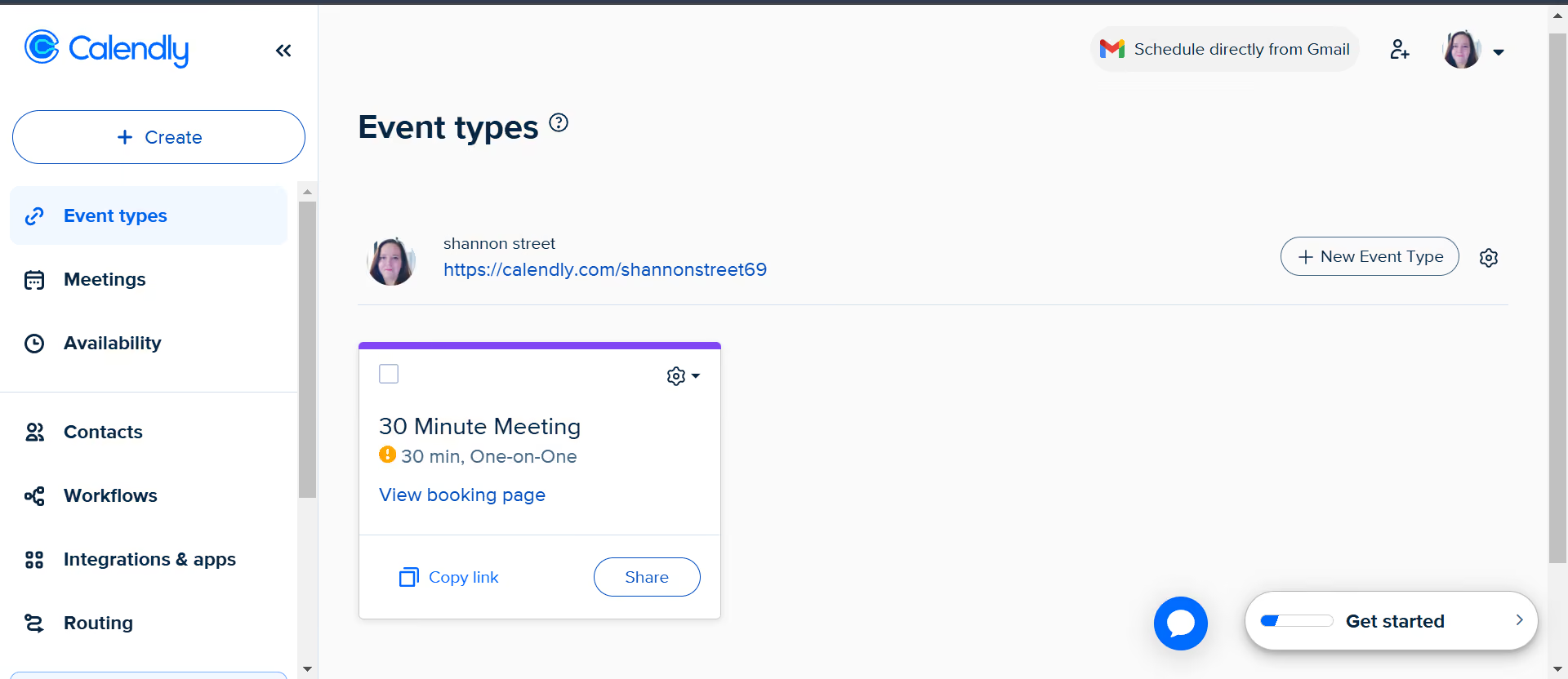
- Calendly is easy to use and understand.
- It keeps you organized by preventing double bookings and overbooking.
- The tool's automation for scheduling and notifications saves time and effort.
The organization faced challenges with coaches and instructors accidentally scheduling meetings with multiple students at the same time, which caused confusion and inefficiency. To address this, they purchased Calendly to help instructors organize their schedules better, including company meetings.
Calendly simplifies the process of scheduling meetings by preventing double bookings and overbookings. It also sends automated notifications to remind participants about upcoming meetings.
I personally used Calendly for a year in a professional capacity and now continue to use it for personal scheduling as well.
- It can be challenging to find contacts on Calendly if you don’t already have their information.
- Making the process of connecting with others who use Calendly more intuitive would be an improvement.
Calendly stands out for its simplicity and efficiency in scheduling meetings. While tools like Google Calendar offer similar capabilities, they are often more complex and less focused on straightforward scheduling. I prefer Calendly for its ease of use and quick setup, which enhances time management.
Price is a crucial factor, especially for small businesses that need affordable solutions. Time management features should also be considered, as most users prefer tools that are quick and simple to operate. Automation capabilities are another key aspect since features like automated scheduling and notifications can significantly save time.
Calendly has continuously added integrations with other software, making it more versatile and improving time management. These integrations eliminate the need to manually input meeting details, streamlining the scheduling process further.
Calendly is well-suited for organizations of any size, as well as individuals who need to manage schedules efficiently.
There isn’t an organization that wouldn’t benefit from using Calendly, as it addresses universal scheduling needs.
What Key Features Should Free Recruitment Software Have?
While we don’t expect a free tool to have every recruitment software feature known to humans, there are a few that are perfectly reasonable to expect:
- Job posting and branded careers pages. Many recruitment platforms offer these in their free trials or free plans. Do keep in mind, though, that there might be a cap on the number of active job posts and employer branding options.
- Talent pool building. You can save potential candidates for future hiring needs with most of the free recruiting software we listed on this page. However, free versions might have storage limits or fewer features for engaging with these candidates later.
- Candidate sourcing. Some solutions may offer a free Chrome extension to gather candidate details from platforms like LinkedIn and GitHub, while others have built-in search capabilities that help users use their existing talent database.
- Interview scheduling. You can schedule interviews, automate reminders, and personalize booking links. Just remember, these interview scheduling tools might support one-on-one interviews only, and panel or group interviews might not be fully supported.
- Recruiting automation and AI-powered features. You should favor vendors that at least give you a taste of advanced AI recruitment tools during trial periods.
- Customer support. Most free options provide live chat, email ticket support, and online self-help documentation.
Benefits of Free Recruiting Software
Free recruiting software is highly accessible, scalable, and offers a low-risk opportunity to evaluate tools before committing to a paid subscription.
- They’re very accessible, even for small businesses: Free recruiting software provides an accessible solution for organizations with limited HR resources. Some vendors even grant startups and non-profits full access to their paid features in one or two years, which can represent huge savings.
- They are tools that can grow with you: To be able to stay by customers’ side for a long time, these vendors tend to make their starter plans affordable, followed by higher-tiered ones with more advanced recruitment features. This pricing structure allows users to start small and gradually upgrade without the need for a high upfront cost or a complex data migration later on.
- They’re financially low-risk. One of the key privileges of using a free recruitment tool is that it offers a low-risk way to test the waters before committing to a paid subscription. This means if the tool doesn't meet your needs, you can just move on to another option without the concern of sunk costs or lengthy contract commitments.
Pitfalls of Free Recruitment Software
Free recruitment software may only be a temporary solution, potentially lacking robust data security, and often provides limited to no support, and thus, has its inherent flaws you should consider.
- A free tool may only be a temporary fix: There is always the possibility that you may outgrow a product or service. That said, using a free tool doesn’t mean that it will carry you only for a short period of time. The best scenario is to pick a vendor that has a solid enough free version and a paid one that you can easily roll into once your necessities expand, because, hopefully, your business is doing the same.
- Data security may not be as robust. While reputable recruitment software providers typically offer the same data security measures for their free tool as for their paid version, many save them for the latter. This is rarer these days, but it is still something to consider. Make sure the level of encryption, access controls, and compliance with industry standards is as comprehensive as what you need and would expect from a paid, enterprise-grade solution.
- Free software means little to no support. You probably won’t get the white-glove treatment with a free tool, but there are definitely vendors that still offer good essentials. Proper support can also be offered through a self-help portal with thorough and constantly updated documentation. Some do offer 1:1 assistance through live chat or email. Phone support is often not offered by free vendors, but if it is, it likely won’t be region-tailored or available around the clock. Like with the other common pitfalls, it’s a matter of doing some due diligence before deciding on one particular tool.
Other Free Recruiting Tools Worth Considering
- Metaview showed up on our radar because of its AI sourcing focus and the free tier is genuinely no-commitment (first 100 profiles, unlimited concurrent searches, no credit card). However, as a dedicated sourcing tool, it provides limited functionality across other areas of the recruitment process.

- Odoo's recruitment module caught our attention because it's free with unlimited users but only if it's the one and only Odoo app you're running. It's a capable, AI-powered ATS that handles everything from job postings to contract signatures. However, as soon as you integrate an additional module, pricing takes effect, which we understand might not be to everyone's liking.

Free Recruiting Tools FAQs
What is free recruiting software?
Free recruiting software is any software tool that recruiters, hiring managers, and HR/TA teams use to streamline their recruiting workflow at no (initial) cost.
What kinds of tools are considered free recruiting software?
The following are different types of free recruiting software: free applicant tracking system, free interview scheduling apps, free video interview tools, and free employee onboarding tools.
What are some free recruiting software benefits?
Some benefits your company will see from using free recruiting software include faster time-to-fill, high-quality candidates, diversity hiring, and saved money.
What is the difference between free and paid recruitment software?
Free recruiting tools have a more limited set of functionalities, fewer customization options, and basic customer support. At the same time, paid solutions generally provide more comprehensive recruitment software features, greater flexibility, more robust data security, and a more attentive customer service and success approach.
Can free recruitment software integrate with other HR tech stacks?
Yes, it can, though the options may be quite limited. The integrations allowed are typically restricted to free common job boards, calendars, email apps, and maybe some other solutions offered by the same vendor. To connect with third-party sourcing tools, applicant tracking software, or HR systems, you’ll likely have to upgrade to a paid plan or, in some cases, purchase this feature separately.
How can I ensure data security with free recruitment software?
Data security should be a top priority when using any recruitment tool, including free ones. Look for solutions that offer robust data encryption, secure data storage, and user access controls. It’s also wise to review the software's privacy policy and terms of service to understand how a vendor handles your candidate and employee data.
What are the limitations of free recruitment software?
Free recruitment software often comes with limitations on the number of users, job postings, candidate profiles (contact details), or data storage. Compared to paid options, these tools may also have fewer customization and integration options, limited reporting and analytics capabilities, and less comprehensive customer support.
When should I consider upgrading to paid recruitment software?
While the timing varies depending on each business case, our experience tells us that factors like the demand for advanced features, increased user or data requirements, and more robust customer support may be good signs that your free recruitment software needs an upgrade.
For example, we’ve known of teams who upgrade once they constantly push the limits of the number of active job posts they can have with a free ATS. Another reason to push for an upgrade is when the sourcing capabilities just don’t present enough candidates to fill a position as quickly as desired.
Once you’re ready to pull the trigger, you should also make sure every key stakeholder is on board with the software you choose.
Final Advice on Choosing Free Recruitment Tools
Starting with free recruitment software can be a great way to test-drive different options before making final calls. But often, it might not have the security features, compliance standards, or support that your team, in the long run, needs.
Considering a paid option could be a better move in these cases. Check out our page on the best recruiting software so you can develop an even deeper understanding of what’s currently offered in the market. In that guide, we also include questions to ask during vendor demos, ROI calculations, and other factors to take into account to help you narrow your options down.
Lastly, is there anything you wish we’d covered here? Let our editor know, and we’d be happy to update our list!
About the Author


About Us

- Our goal at SSR is to help HR and recruiting teams to find and buy the right software for their needs.
- Our site is free to use as some vendors will pay us for web traffic.
- SSR lists all companies we feel are top vendors - not just those who pay us - in our comprehensive directories full of the advice needed to make the right purchase decision for your HR team.


