Best Payroll and Benefits Software Solutions in 2026
An unbiased review of the best payroll and benefits software, handpicked by SSR payroll experts.








Payroll processing and employee benefits go hand in hand, but not all payroll software can nicely handle both. We've been reviewing payroll software since 2018 and have checked out hundreds of options – that's what led us to make this buyer's guide.
Read on to find out which platforms that are great at both payroll and benefits, plus expert advice on picking the right vendor, things to watch out for, major benefits, and pricing.
To select the best payroll and benefits software and to ensure we specifically list products offering this combination of functionality rather than general payroll software, we did demos, conducted user interviews, and tested dozens of tools that met the basic requirement. The ones that made the cut excel particularly in three key factors: ease of use, payroll automation, and benefits packages.
- Ease of use: The sweet spot is a tool where everything is easy to figure out; you’re not overloaded with buttons and text, yet you don’t sacrifice robustness and capabilities. These tools are all remarkable in the way they solve this challenge.
- Payroll automation: Something is not quite right if a payroll tool doesn’t let you automate a good portion of the job with confidence. We prioritized vendors who are pushing the envelope here.
- Benefits packages: To be a best-in-class payroll and benefits tool, the benefits module needs to go beyond the basics. Tools that just do 1-2 benefits on top of payroll don’t cut it. We’re looking for those that offer good variety, and even for international teams, on top of a world-class payroll product.
To learn more about our process for vetting software companies, you can read this blog on how we evaluate HR tech vendors.


Paycom

Paycom offers online payroll services and HR software solutions for both big and small businesses to manage the entire employment life cycle.
PROS
- Paycom's payroll system is easy to use and customize.
- They now have a Global HCM offering with the aim of expanding access to users in over 180 countries.
- Customers have praised the responsiveness of the support team and their willingness to help with any issues that arise.
- Paycom assigns each account a dedicated rep who can provide support and answer questions.
- Paycom is constantly updating its software with new features and improvements.
- It has a reasonably functioning mobile app.
- Proprietary HR, payroll, time, and learning tools run on one database.
- Strong employee self-service tools for managing personal, payroll, benefits, and time-off information.
- Single database keeps employee data consistent across HR and payroll workflows.
- Deep HR and payroll integration enables automation across the employee life cycle.
- Broad automation reduces manual work across everyday HR processes.
CONS
- Paycom does not integrate directly with QuickBooks, so users that use both systems must manually enter data into Paycom.
- Some customers have experienced slow access to tax reports.
- Some of the members on the customer support team are new and at times, don’t have answers to questions or solutions to issues.
- Paycom price has increased in recent years.
- No free trial.
- Integrations are limited.
- Pricing can be high compared with more focused HRIS options.
- Reporting can be complex and cumbersome for administrators to customize.
- Requires customers to run payroll with Paycom to access the HR suite.
- Limited flexibility for organizations that rely on external integrations.
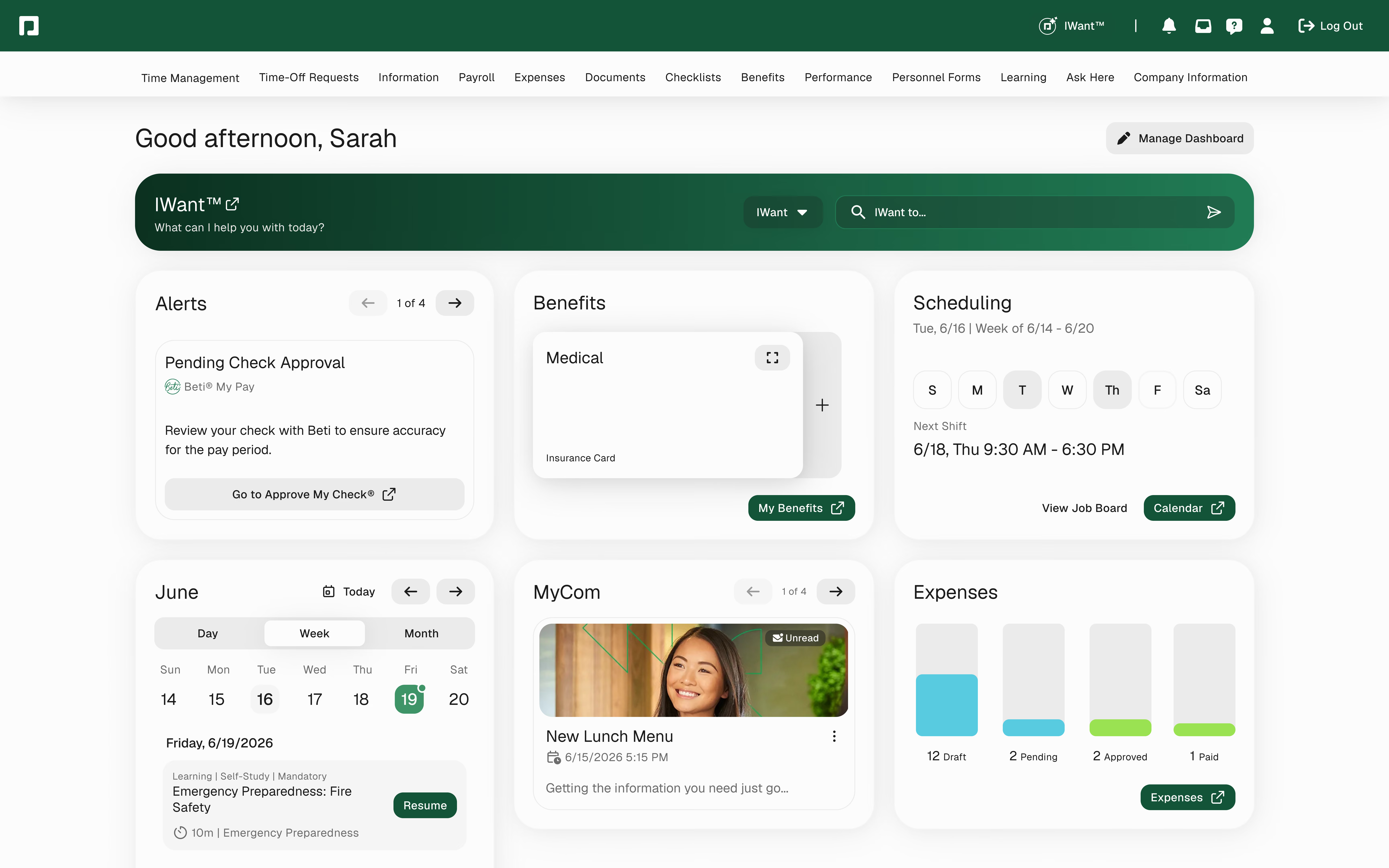
We recommend Paycom for medium to large businesses since the platform provides payroll and HR solutions, which from our experience, are comprehensive and user-friendly.
Paycom impressed us with its guided self-service technology, Beti, which is accessible on browsers and mobile devices. The Android app received positive feedback for its user-friendly interface and comprehensive employee self-service features, including time clock punching, time-off requests, accessing pay stubs and benefits, reviewing paychecks, and submitting receipts for reimbursement.
As an admin, you can customize employees’ access to these features and manage HR tasks on the go. Employees have control over their HR data, including earnings and personal details. However, Paycom currently offers only direct deposit and paper checks, with no available pay card option.
While originally focused on serving the U.S. market, Paycom has expanded its reach with the introduction of their Global HCM, enabling users in over 180 countries to access its services. This enhancement demonstrates Paycom's dedication to addressing the needs of global teams, further solidifying its value-for-money proposition.
While Paycom has its strengths, we noticed there are a few areas where it falls short. Integration options remain limited, relying solely on API integrations, which can prolong implementation and require IT involvement. The connection with third-party software, like QuickBooks, is not seamless, resulting in manual data entry. Additionally, customer support quality varies, with some representatives lacking system knowledge, leading to delayed issue resolution or multiple follow-ups.
The pricing of Paycom’s plans isn’t disclosed on the website. You do have to contact their sales team to get a custom quote.

Best For
Paycom’s full-service payroll makes it a great solution for midsize and large businesses to have a full suite of payroll and HR services.


We use Paycom on a daily basis. We use Paycom for new employee onboarding. We also use it to process weekly payroll. Paycom houses our HR information. Paycom also works in conjunction with our benefit providers.
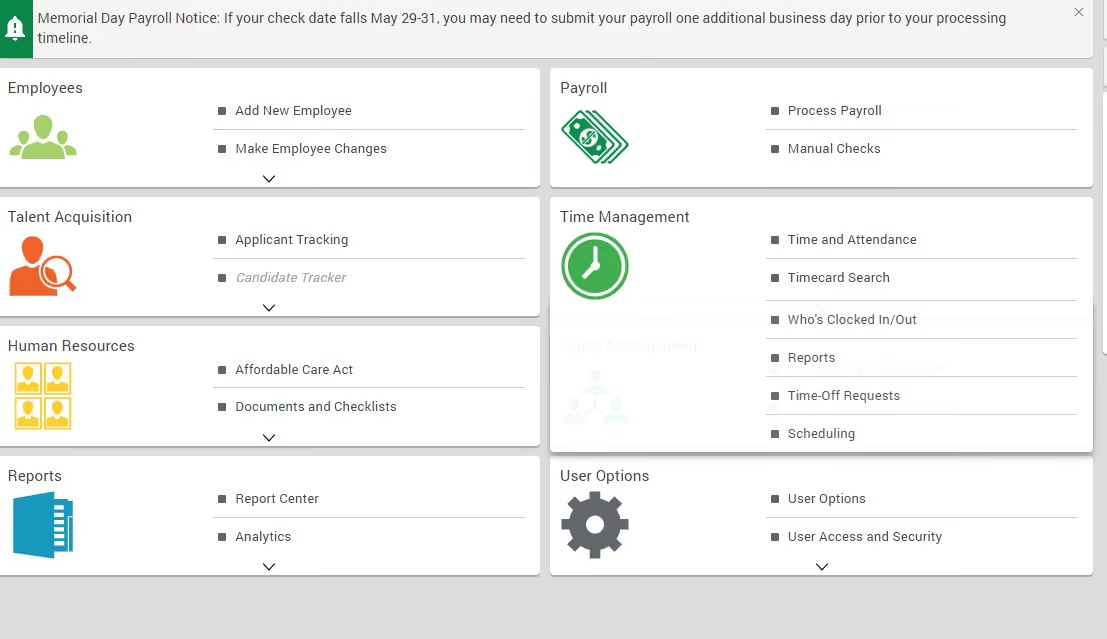
Paycom provides excellent customer support. Paycom is able to handle our complicated payroll. Paycom has simplified a lot of processes within our HR department.
We were using a different payroll service provider. We had a very complicated payroll and needed more support, especially when it came to taxation issues. Paycom assured us that they could provide the needed support and could handle our payroll efficiently. We reviewed several other providers but ultimately felt that Paycom would be the best fit for our company.
We selected Paycom and have been using it for 5 months now.
There are certain processes that require a step or two that could be eliminated. You have to click on different menus to see all employee info. We were not able to use Paycom's time and attendance platform due to our needs for geofencing.
The customer service is better. You have a dedicated support person whom you are actually able to reach on a regular basis.
You need to consider your payroll needs as well as the cost of the service. Paycom is not the most cost-effective solution but is worth the increased cost due to the complications of our payroll.
We have not been with Paycom long enough for me to know the answer.
Organizations who need a one-stop shop for payroll services.
Companies that have simplified payroll needs
.png)
Deel
Deel’s software was designed for payroll compliance in over 130 countries. It also incorporates some core HR features and has a notably easy-to-use interface.
PROS
- Deel excels in customer support, offering around-the-clock in-app help and an industry-leading 2-3 day onboarding speed. Users can also access local payroll experts across jurisdictions, which aids contractors in establishing themselves as LLCs, for instance.
- Integration with popular software like Quickbooks, Bamboo HR, and Greenhouse, along with customizable integrations, streamlines processes.
- Tech-enhanced self-service approach for quick setup. Identity verification is swift, often under 24 hours.
- Automated invoice generation for both company and contractor/employee sides.
- Excellent 24/7 customer service with fast onboarding (2-3 days) and local payroll experts in each jurisdiction.
- Seamless integration with platforms like QuickBooks, BambooHR, and Greenhouse, plus custom integration options.
- User-friendly, self-service features enable quick setup; identity verification often takes under 24 hours.
- Automated invoices simplify payments, provided they're in English.
CONS
- The benefits offered could be considered basic compared to more specialized vendors.
- Certain modules like onboarding automation are only offered as add-ons at an additional cost.
- Flexibility is limited in modifying contracts or service agreements; changes often require addenda.
- A $5 payout fee is applicable.
- Invoice generation appears to be available exclusively in English.
- Key features like onboarding automation are add-ons, which may increase costs.
- Limited flexibility in modifying contracts or service agreements; changes often require an addendum.
- Invoices cannot be generated in languages other than English.
Deel is one of the top companies for international payroll. If you have an international team of remote workers, it’s a tool that’s worth looking into. You can use it to hire people as contractors or as full-time employees through either the EOR or PEO offerings.

The tool itself is quite easy to use and ever-expanding. Since we first became familiar with the tool, Deel has grown to include basic HR features, as well as a myriad of other hiring workflows. These include background checks, equity plans, flexible workspaces, employee onboarding, visa and immigration consulting, and more.
40,000+ organizations, including Andela, HomeLight, and Makerpad.
Deel offers comprehensive payroll and benefits solutions.
Managed Payroll:
- Global ($29/employee/month): Fully managed, including tax, multi-currency, reporting, and integrations.
- US ($24/employee/month): Compliant federal/state/local tax filing (W-2, 1099) and compliance across all states, with integrations.
- Self-serve: Available in US, UK, Canada, Singapore, offering country-specific compliance and reporting, with optional expert support.
- Add-ons: Payroll Connect (reporting), Treasury services (funding), and Premium expenses (reimbursement/approvals).
Deel Benefits:
- Benefits Admin: Unified administration for EOR, PEO, and payroll, covering plan tools, enrollment/renewal reporting, QLE management, and carrier integration.
- Benefits Marketplace: Compare and purchase global statutory and optional benefits via a brokerage network.
- Managed Benefits: End-to-end administration, including employee helpdesk, QLE and renewal coordination.
As a new product, Deel has changed a lot since its inception. Its newest offering, DeelHR, allows companies to complete most of their HR operations tasks in Deel.
Best For
Businesses with a mix of full-time employees, contractors, and freelancers overseas, especially those that require multi-country payroll, will benefit from Deel's payroll and benefits services.

We use it to track our contractors, pay their invoices, collect W9s. As our EOR, it allowed us to bypass the financial and time costs with establishing a subsidiary overseas. It keeps us in compliance with international labor laws, includes global payroll, offers benefits/participates in local social welfare programs and ultimately retains key employees we would have lost as 1099 contractors.
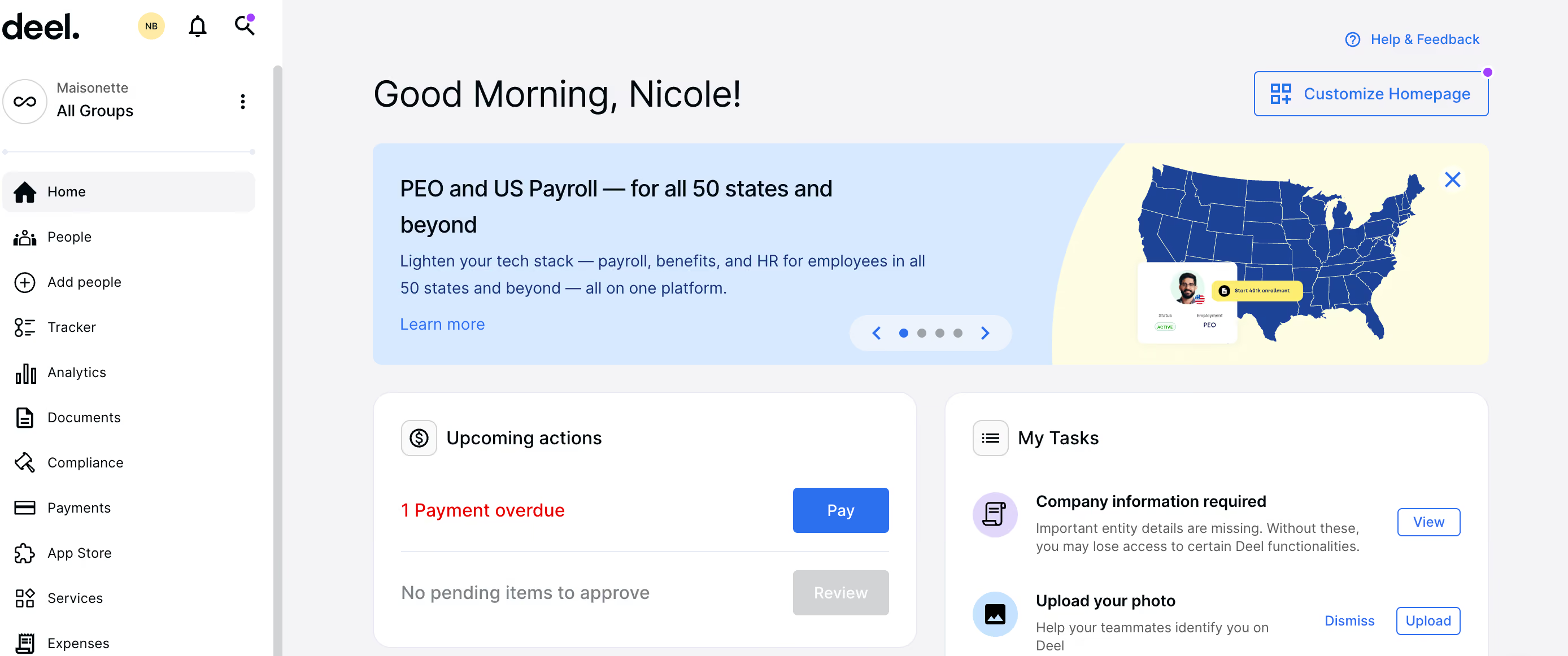
I like that the process and layout is very similar regardless of which product and service you use from them - quite intuitive. It supports employers ability to maintain compliance by listing out requirements and flagging missing items or expired items. Lastly, being able to file 1099s digitally is a luxury I hadn't had previously. A total time saver.
We implemented Deel initially as a way to pay our onshore 1099 contractors, track their contracts and contact information outside of our HRIS. After two years, we had a new problem to address and changed our Deel platform to include an EOR. We had offshore contractors that we wanted to bring on as full-time employees to retain them and ensure compliance with the IRS. The change was seamless and the EOR is intuitive, informative and our offshore employees have been satisfied with the service from their end.
I think there is room to improve the connection between employer and the EOR service representatives in that a dedicated point-of-contact that is in house with Deel and not an international partner. Another consideration for EOR is having to pay a month's salary deposit up front for payroll is not ideal for cash flow. Lastly, I would love to see more employee and contractor features that you might find on a traditional HRIS because I believe it would be a better and more enriched experience for them.
For 1099 contractor management, oftentimes you use an ERP or accounting SaaS which has limitations. Deel bridges the gap between accounting SaaS/ERPs and an HRIS. For EOR, Deel is middle of the road in value. It is a great option for smaller OPEX budgets, but there are other EOR companies who offer more desirable features and better in-house service partners.
Consider the number of contractors or employees you would need for the upfront and annual costs to be justified. Whether or not you are familiar with global payroll, consider how much compliance support you need or is desirable for you. Lastly, consider whether you are up to converting your local currency to the international currency. Deel does not currently offer this in the employee profile, they only show the employee's local currency.
There is better customer service and help tutorials. Further, I have found there is an increase in the amount of educational materials available through Deel in order to stay current on contractor and global payroll trends and compliance.
I have known it to be used by HR and Finance professionals alike. Payroll administrators, regardless of where they fall organizationally, will find this tool beneficial. I believe organizations where these contracts or payrolls are relatively straightforward can benefit. Running payroll and paying invoices takes 10 mins or less per pay period.
I believe complex and large organizations may not find Deel to be scalable to their needs. At volume, Deel is not the best for tracking or reporting. For smaller teams, these features are acceptable and function appropriately.

Paylocity
Paylocity is among the top payroll vendors in the US market thanks to its ease of use and excellent customer support. It’s also quite comprehensive, offering a range of tools from tax to global payroll management, and benefits administration.
PROS
- Paylocity’s customer support is highly rated for always being available to answer questions.
- Global payroll support for 100+ countries.
- Provides free and unlimited training modules on the website.
- Paylocity’s mobile app has a good UI and functionality
- The tool is easy to use for both employees and employers.
- Has 350+ pre-built integrations.
- Paylocity’s customer support is highly rated for always being available to answer questions.
- Global payroll support for 100+ countries.
- Provides free and unlimited training modules on the website.
- Paylocity’s mobile app has a good UI and functionality
- The tool is easy to use for both employees and employers.
- Has 350+ pre-built integrations.
CONS
- Undisclosed pricing.
- It doesn’t have a free trial or free plan.
- Support is available in English only.
- It isn’t the best solution for remote teams looking for a tool to manage payroll and benefits for their contractors.
- Undisclosed pricing.
- It doesn’t have a free trial or free plan.
- Support is available in English only.
- It isn’t the best solution for remote teams looking for a tool to manage payroll and benefits for their contractors.

Paylocity is one of the largest payroll providers in the United States but that’s not the main reason we were drawn to it. Our top deciding factors, instead, are its customer service, user-friendliness, and affordability.
We have heard a lot about Paylocity’s customer support, so we wanted to see it for ourselves. We got in touch with the Paylocity team to book a demo, and we really enjoyed the punctuality as they answered our questions and guided us through the software’s setup.
Paylocity is very user-friendly. We like that the ease of use applies not only to the web version but to the mobile app. It is particularly helpful for employees to access the self-service from anywhere to do a quick check on their payroll and benefits, make changes, and submit claims.
While not as advanced as some top enterprise-oriented payroll and benefits vendors, Paylocity’s reporting capabilities can be of benefit to mid-sized teams. There are a few reporting options to choose from or customize to track your benefits costs and see how employees are using their benefits. This information can be helpful enough in making decisions about benefit plans.
Though Paylocity doesn’t disclose its pricing on the website, businesses have praised the platform for its affordability compared to similar options in the marketplace.
Momentus, Watters, Weigel’s, ILC, Upward, HMC, Polywood.
The exact pricing of Paylocity's offering is not publicly-disclosed.
Best For
Paylocity is a great option for companies, ideally midsized, looking for an established payroll and benefits software tool that is budget-friendly, user-friendly, and has great customer service.

I used Paylocity mainly for payroll, timekeeping, and recruitment. We ran our payroll bi-monthly, and being able to process everything within Paylocity was a tremendous help to us by minimizing the extra steps done outside of the platform.
When it comes to timekeeping, being able to review every team member's timecard was seamless. Collaboration between managers and even team members made timecard adjustments smooth. When it comes to recruitment, the integration with Indeed was a plus. Job postings were done within Paylocity, and applications were funneled there as well.
Another great thing about it is the ability to communicate with the applicants within the platform.
- The timesheet view is straightforward and less confusing compared to others.
- Built-in integration with Indeed.
- The UI of Paylocity is clean, professional, and easy to navigate.
Timekeeping was the main reason our company used Paylocity. With our field technicians working irregular work schedules and being paid hourly, tracking hours was a challenge. We had over 300 employees, and verifying their hours worked each pay period was not an easy task for our HR department.
After using Paylocity, our managers were able to easily review and approve their team members' timecards. Collaboration between managers and HR became easier as well. We still had someone from our HR team who would review everyone's timecards before payroll was processed, but Paylocity allowed this to be smooth.
I used it for less than a year, until I moved to another company.
- Hard to navigate sometimes for our field technicians who are less familiar with HRIS.
- You feel overwhelmed sometimes because Paylocity has too many features.
- You have to constantly reach out to their support whenever you need to configure something.
The timesheet section looks easier and less confusing in Paylocity compared to others.
You always want to consider the price versus the value it brings. You want to consider whether its features are capable of scaling as your business grows. You don't want to be locked into a system or tool that you will be stuck with.
Implementation of a new tool takes a lot of time and resources, so you don't want to go through it many times. How easy it is to get in touch with them when you need help is crucial before, during, and even after implementation.
I used Paylocity during the pandemic, and I saw how it introduced remote workforce support features.
HR would be the best users of Paylocity. Any industry that heavily relies on timekeeping would benefit from using it.
If not used by an HR professional, individuals in the construction and skilled trades industry would not be a good fit to operate Paylocity, like plumbers, HVAC, and other similar roles.

Justworks
We picked Justworks for their strong compliance pedigree and long-standing PEO expertise. With IRS CPEO certification, ESAC accreditation, and over a decade of experience delivering HR services, the vendor offers payroll and benefits tools backed by proven compliance infrastructure.
PROS
- IRS Certified Professional Employer Organization (CPEO) and ESAC accredited, reflecting strong compliance standards.
- Transparent payroll pricing starting at $8 per employee per month plus a $50 monthly base fee.
- Integrated HR platform includes onboarding, PTO management, employee directories, and document storage.
- Automated payroll for salaried employees reduces administrative overhead.
- Guided benefits enrollment with plan explanations helps employees make informed choices.
- Strong support infrastructure with chat, phone, email, Slack, and text support options.
- IRS Certified Professional Employer Organization (CPEO) and ESAC accredited, reflecting strong compliance standards.
- Transparent payroll pricing starting at $8 per employee per month plus a $50 monthly base fee.
- Integrated HR platform includes onboarding, PTO management, employee directories, and document storage.
- Automated payroll for salaried employees reduces administrative overhead.
- Guided benefits enrollment with plan explanations helps employees make informed choices.
- Strong support infrastructure with chat, phone, email, Slack, and text support options.
CONS
- Core benefits such as medical, dental, and vision insurance are offered as add-ons.
- Pricing for benefits depends on carriers and market availability.
- Some organizations may still require third-party HR tools for deeper workforce analytics.
- Core benefits such as medical, dental, and vision insurance are offered as add-ons.
- Pricing for benefits depends on carriers and market availability.
- Some organizations may still require third-party HR tools for deeper workforce analytics.
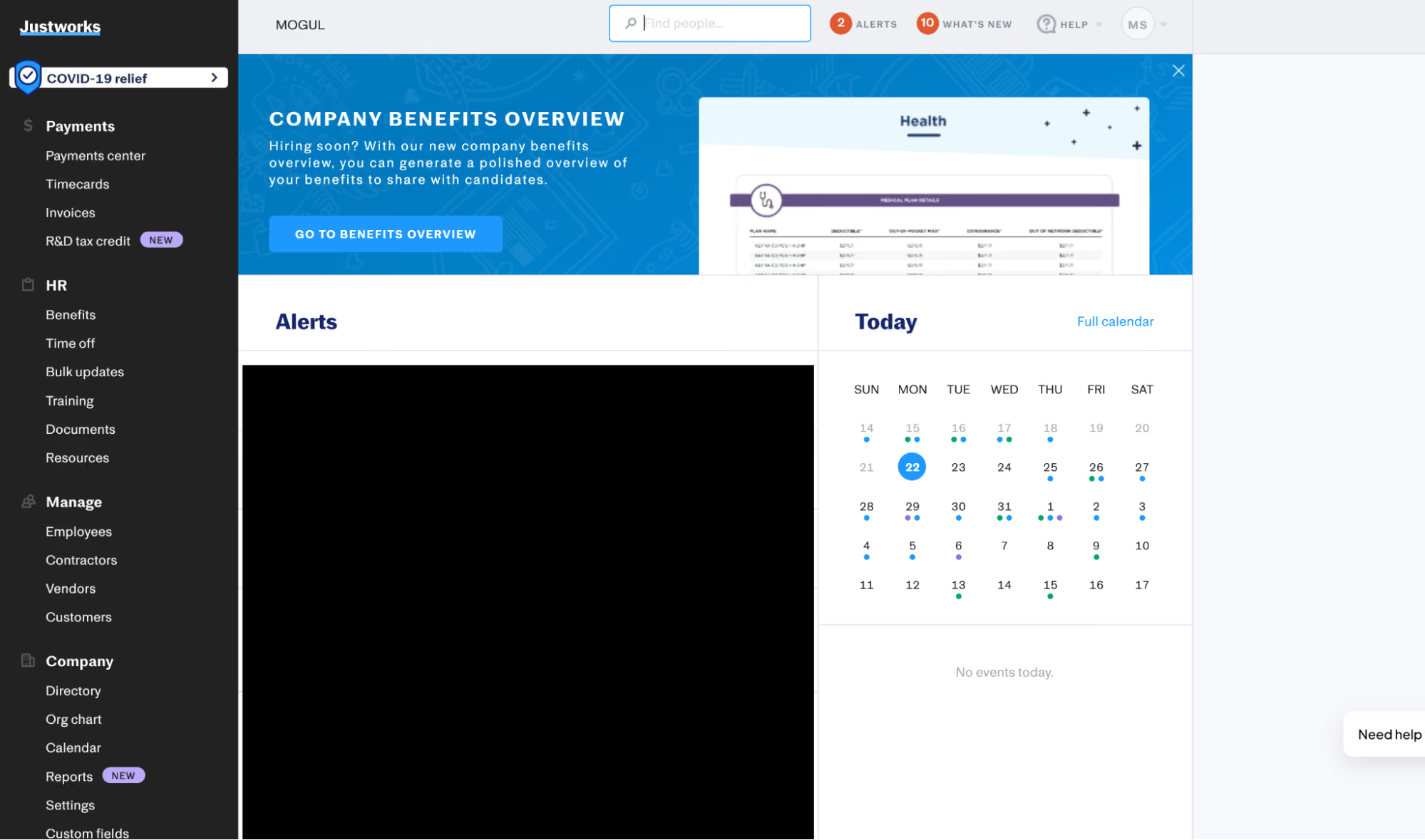
For organizations that value simplicity, responsive support, and strong compliance credentials, Justworks offers a payroll and benefits platform that appears reliable and easy to adopt. During the product walkthrough, the admin dashboard immediately surfaced upcoming payroll runs, pending PTO approvals, and onboarding alerts. Salaried payroll ran automatically, making the process feel simple. And based on the demo we reviewed, administrators can still make adjustments, such as bonuses or commissions, either individually or through bulk uploads.
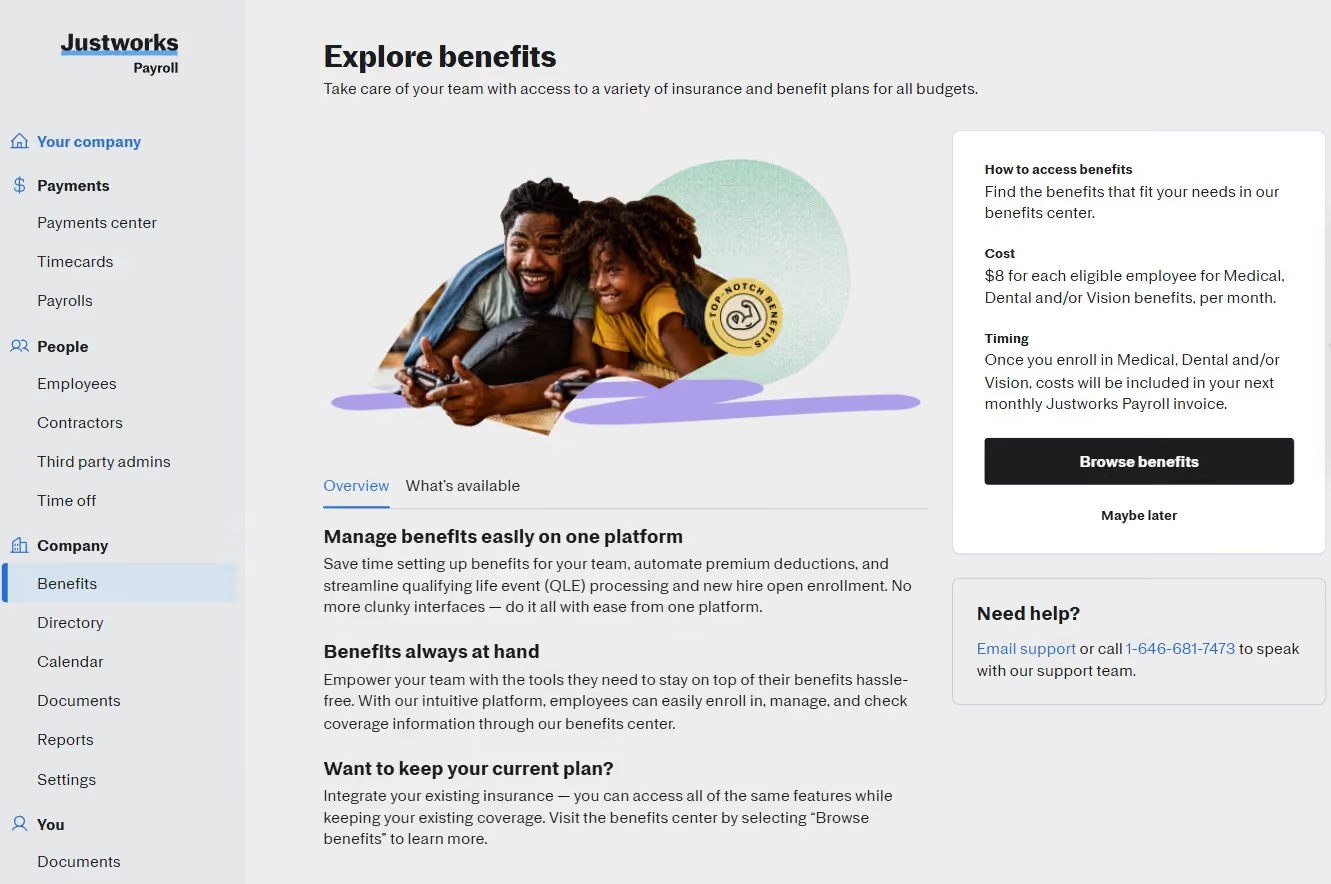
Benefits enrollment is handled through the same interface. In the employee view we tested, the platform walked through plan selection step by step, showing medical, dental, and vision options along with the employee’s monthly contribution before confirming enrollment. Each plan included explanations that appeared when hovering over plan details, which helps clarify insurance terminology.
Another benefit feature worth highlighting is Health Advocate. According to Justworks, employees can call a HIPAA-compliant hotline to speak with a healthcare professional who helps them evaluate plan options. Since we weren’t able to test that service directly, this assessment is based on the vendor’s explanation and user feedback about how the service supports employees who may be unfamiliar with employer-sponsored health coverage.
Beyond payroll and benefits, Justworks includes several HR basics that many small companies would otherwise manage through separate tools. Employees can request PTO, access company directories, review payroll information, and view documents within the same system. These workflows are also available through the mobile app.
During the demo, we also saw how employees and administrators can reach support directly from within the platform through chat. The vendor claims responses can sometimes arrive within two minutes. While we weren’t able to test response times ourselves, the speed and accessibility of support were consistently highlighted in user feedback we reviewed.
Much of Justworks’ credibility comes from its history as a Professional Employer Organization. The company has operated as a PEO since 2012 and holds IRS CPEO certification and ESAC accreditation. These credentials indicate compliance with strict financial and regulatory standards, providing additional reassurance to companies entrusting payroll tax filings and benefits administration to a third party.
That said, Justworks still seems best suited for small and mid-sized businesses rather than large enterprises. Companies that require extensive HR customization or very advanced workforce analytics may need a more complex HR suite.
1up, Acterra, Andie Swim, Artemis Ward, Aunt Flow, beehiv, Capsule
The Payroll Plan has a base fee of $50 plus $8 per employee per month, covering payroll, HR tools, expert support, and time tracking. Benefits start at $8 per eligible employee for medical, dental, and vision insurance, with additional options including COBRA, 401(k), HSA/FSA, commuter benefits, life, and disability insurance.
Best For
Small and mid-sized U.S. businesses that want easy payroll and benefits administration today and the option to move to a PEO as they grow.

We use it for our HRIS and reporting. Specifically we have onboarding through it as the I-9 is completely automated and so is the payroll/tax side specifically for the employee to set up direct deposits and tax information. Another key workflow was the signature feature for the automated upload of documents and sending out those documents for signature through the tool. We use Justworks from hire to retire and for contractors. You cannot use it for anything outside the U.S. We use this product every day, all day for anything “people” except it cannot do career tracking, job architecture, or compensation analytics unless you use the added resource: Mineral.
- The customer service is very responsive and knowledgeable.
- The PEO is also very good with keeping us up to date with deadlines and any legal developments that will affect our employees wherever they may live in the U.S.
- The open enrollment is also very automated and easy to understand.
We have used Justworks for over 5 years. The key benefits are the PEO services in which they help with managing remote employees easily. At the time when we were buying HRIS, we wanted an all-inclusive PEO and an automated payroll system with the help of a PEO that had expertise in every employment state law in the U.S. You can ask the customer service any question 24/7 and employees have their own support line as well open 24/7. They are very responsive even in quick emergency situations.
- It's not an open API so systems cannot connect to it.
- It does not have a customizable onboarding solution.
- You cannot automate the application-to-hire process and have to manually put in a new employee without seeing their interview history.
- I don't love the way that payroll is set up sometimes with options that only payroll experts know and not just anyone using the tool.
The interface is easier to use and friendly for all types of technology users.
I would ask myself the following questions: how big are you scaling your business and how much manual work are you willing to put up with?
If you are looking for complete automation of the lifecycle of the candidate to employee to employee exit or change to contractor- this will not be doable in this system. It will make your manual tasks more time consuming.
The key buying criteria for Justworks is do you want an easier payroll system? Then this is the tool for you.
They just integrated Greenhouse but that means you are completely stuck with only using Greenhouse.
Someone who is okay with manual input of data.
A large organization with global full-time employees.

ADP
Possibly the longest-standing company in the payroll market, ADP deserves a mention. Their breadth of features includes many other HR workflows which fit enterprises and SMBs alike.
PROS
- Native, all-in-one technology suite for recruitment, payroll, and compliance.
- 17 RPO service centers in 14 countries and provide services in 42 different languages.
- Dedicated team of AIRS-certified recruiting professionals.
CONS
- Technology options outside ADP’s dedicated HR tools are limited.

ADP is perhaps the best known company in the payroll space. Given their scale, they can offer just about everything your business needs when it comes to payroll and benefits.
The Boston Globe, Whole Foods, The Bancorp, BP, Douglas Ellman Real Estate, Margaritaville, LongHorn Steakhouse
Sometimes ADP has special offers, like getting 3 months free when you sign up for their small business payroll processing plan. However, they don't share the prices for their payroll packages, so you'd have to request a quote to move forward.
Best For
ADP is a good bet for companies of many sizes, but they’re certainly not the most self-service product out there. Their products are worth looking into if you’d prefer to have professionals work with you on setting up payroll.

I managed payroll, processed employee benefits, tracked time and attendance, and handled talent management functions. ADP's interface allowed me to easily navigate and input relevant data. This helped streamline day-to-day tasks.
Additionally, the reporting features helped me generate valuable insights into workforce analytics and compliance. Overall, ADP served as a comprehensive tool that supports our organization in various HR management aspects.

- I appreciate ADP's user-friendly interface to simplify complex HR processes.
- ADP's robust reporting capabilities provide valuable insights for strategic decision-making.
- The scalability of ADP allows seamless adaptation to the evolving needs of our growing organization.
One of the primary reasons ADP was selected was its reputation as a reliable HR solution provider. The platform is known for its ability to streamline payroll processes, manage employee benefits effectively, and ensure compliance with changing regulations.
Additionally, ADP's scalability was a crucial factor. It accommodated the evolving needs of our workforce and provided the flexibility to handle increased employee numbers.
- I find occasional glitches in the user interface of ADP frustrating.
- The limitations in customization options can be restrictive for our specific needs.
- There's a concern about potential increased costs as our organization grows with the continued use of ADP.
ADP user-friendly interface makes HR tasks more accessible for our team, and the reporting features provide insights into workforce analytics. Also, the customer support from ADP has been consistently responsive and helpful.
Consider the tool's functionality to ensure it aligns with your HR needs, evaluate scalability for future growth, and assess integration capabilities with existing systems. You will need to scrutinize compliance, security, and the total cost of ownership. Additionally, research the vendor's reputation, inquire about the product's upgrade plans, and take advantage of trial periods to assess real-world performance before making a final decision.
ADP has evolved to meet user needs by enhancing its user interface and expanding its features to address a broader range of HR requirements. This would include payroll processing, benefits administration, and talent management. ADP's scalability has improved, accommodating the diverse needs of both small businesses and large enterprises. The platform's increased integration capabilities enable seamless connectivity with other systems, enhancing overall workflow. Over time, ADP has embraced mobile accessibility, allowing users to manage HR tasks remotely, reflecting its adaptability to changing work dynamics.
In my experience ADP is adaptable to the specific needs of growing companies. It is an excellent choice for users seeking a comprehensive HR solution, encompassing payroll processing, benefits administration, time and attendance tracking, and talent management. The platform is beneficial for those who prioritize user-friendly interfaces that require robust compliance features and reliable customer support. ADP is a valuable and supportive HR management solution.
ADP may not be an ideal fit for very small businesses with basic HR needs. Its comprehensive features may be more robust than necessary. Additionally, companies with an existing HR software system that is deeply ingrained in their processes may face challenges transitioning to ADP. Highly specialized industries with unique HR requirements might also find ADP less tailored to their specific needs.

Rippling
Rippling is a great choice for SMBs who want payroll to be a seamless and highly accurate process they don’t have to worry about.
PROS
- All-in-one platform for payroll, employee management + PEO services offered, and even a suite of other IT products
- With 500 integrations, they likely integrate with other key tools from your tech stack.
- All-in-one platform for employee management + PEO services offered, and even a suite of other IT products
- With 500 integrations, it’s very likely that they integrate with other key tools from your tech stack.
- Operates globally with any currency
- Workflow automation
- Analytics opportunities
- Provides a holistic view of company outflows—headcount costs included
CONS
- Very SMB focused
- Decent prices for the core HR tools, yet extra features (sold as add-ons) can be too pricey for some.
- Some shortcomings are reported with benefit carriers, and users may be limited to their partner ecosystem.
- Total buy-in to Rippling is essential
- Very SMB-oriented, in case you’re a larger company.
- New features tend to be buggy in ways that tech teams are not accustomed to fixing

Rippling was started by Zenefits alumni. They focus on helping small and medium organizations extinguish HR and IT busywork with one solution. The tool is built to be used, with ease, across every department.
Their product aligns with what you’d expect from a Silicon Valley-based startup: a great UI, eye-catching design, and fast performance. Notably, they have over 500 integrations (and counting) so they are likely to be able to meet any team where they are at, technically speaking.
Proxy, Dwell, Superhuman, Expensify, Checkr
Rippling’s pricing starts at $8 per month per user and will vary depending on which modules you’d like to use.
Best For
SMBs with a strong need for automation in HR processes.
I used Rippling frequently as an HR administrator, accessing the platform daily to manage personnel data and support HR operations.
Much of my time in the system was focused on maintaining employee records, assisting staff with system access, and guiding them through self-service workflows.
Rippling was used to route employee requests to the appropriate managers or departments, ensuring approvals followed the correct reporting structure.
I also supported workflows related to employee information changes, such as address updates, tax elections, and direct deposit details, some of which required review or approval by payroll or finance.
The platform served as a centralized space for onboarding tasks and ongoing employee data management.
Rippling offers a user-friendly employee self-service experience, allowing staff to update personal information, submit requests, and complete tasks through the mobile app, which helps reduce the administrative burden on HR.
The platform was accessible for employees with varying levels of technical comfort, making it easier for a nonprofit transitioning from paper-based processes to adopt a digital system.
Rippling’s interface is clean and modern, which made it easier to navigate menus and locate basic HR information compared to more cluttered or outdated systems.
My organization selected Rippling to centralize employee data and move away from fragmented or paper-based HR processes.
As a small nonprofit, the goal was to implement a platform that was functional without being overly complex, allowing HR to manage records while offering employees access to basic self-service features.
Rippling provided a single location for core personnel information and supported common HR tasks such as requests and employee data updates. From an employee perspective, the system was accessible through both web and mobile platforms, which supported usability across varying levels of technical comfort.
I personally used Rippling as an HR administrator for approximately 30 days, during which time it aligned with the organization’s immediate needs and scale. My experience reflects use within a limited configuration rather than a fully built-out enterprise implementation.
From an administrator's perspective, certain workflows and settings were not immediately intuitive, and locating specific functions sometimes required additional exploration compared to other HRIS platforms I’ve used.
The version of Rippling used by the organization felt fairly basic, and functionality appeared limited depending on the selected package, which may not meet the needs of organizations seeking more robust or layered HR capabilities.
There was limited visibility into built-in user guides or onboarding resources, and notification effectiveness seemed highly dependent on configuration, which could impact timely approvals if not carefully set up.
Compared to other HRIS platforms I’ve used, such as Paycom, Kronos, and ADP, Rippling felt more streamlined and basic in its interface and overall functionality.
While this simplicity can work well for smaller organizations, especially those transitioning from paper-based processes, it offered fewer layers and visual tools than some competing systems.
Other platforms I’ve used provided more interactive dashboards, quick links, and real-time notifications, which can be helpful for both administrators and employees managing frequent requests.
Rippling’s effectiveness appeared highly dependent on how it was configured and which modules were selected, which may limit flexibility for organizations seeking a more robust, all-in-one solution.
I tend to prefer platforms with more intuitive, visually driven interfaces and stronger automated reminders, as these features can significantly reduce administrative workload, particularly in lean HR environments.
When selecting an HRIS like Rippling, organizations should consider their size, internal HR resources, and how much system complexity they actually need.
Smaller or nonprofit organizations may benefit from a more streamlined platform that supports core HR functions without overwhelming users or budgets.
Buyers should evaluate administrator usability, employee self-service capabilities, and how configurable workflows and notifications are based on organizational structure.
Understanding which modules are included and how easily the system can scale over time is important before making a long-term investment.
My direct experience with Rippling was relatively short, so I did not personally observe major platform changes or feature evolutions during that period.
From my perspective, the system appeared stable and already configured to meet the organization’s existing HR needs at the time of use.
Rippling is well suited for organizations looking to centralize core HR information and streamline basic administrative processes in a single platform.
It can be a strong fit for smaller or growing organizations, including nonprofits, that need reliable HR functionality without requiring a highly complex or visually intensive interface.
Rippling may be less suitable for organizations that require highly complex, deeply layered HR workflows or a more visually driven and customizable user interface out of the box.
Based on my experience, organizations with very large or highly complex workforces that rely heavily on advanced automation, extensive reporting, or robust approval hierarchies may find other platforms better aligned with those needs.

Paychex
Paychex offers three different plans that can serve the needs of various types of small businesses, all focused on payroll processing and featuring some HR tools as you go up in range.
PROS
- Pay-as-you-go plans for various business scenarios.
- Plan upgrades offer enhanced features like performance management, employee screening, and benefits services.
- 48-hour onboarding with personalized payroll guidance for Select and Pro plans.
- Experienced payroll and benefits administrator for 740,000 US companies.
- Timecard processing can be fully automated.
- Integrates well with benefits providers like Benetrac for benefits management.
- User-friendly interface for reviewing W2s and paystubs.
CONS
- Users struggled to get timely help due to frequent payroll contact changes and long wait times.
- Some reported payroll errors and tax inaccuracies which caused compliance issues.
- Separate departments in Paychex for payroll, HR, and benefits hinder integration, customization, and support for small businesses.
- Limited third-party integrations.
- Some users reported slow app login.
- Less modern looking compared to competitors.

We quickly understood why Paychex is so popular among U.S. businesses after diving into its automations.
The auto payroll tax filing, for example, is nicely done. It can handle the whole tax filing process, which is super handy for multi-state teams in minimizing errors and avoiding penalties. Additionally, the employee onboarding feature is one of the most robust we have tried, with easy-to-complete online forms and personalized messages.
We also got a good impression of Paychex’s time tracking, as this tool not only supports touchless employee clock-ins but is agile enough for both medium and large teams.
On top of that, the availability of PEO services means Paychex users can gain access to specialized support for health benefits, compliance, and onboarding without the hassle of finding a whole new tool.
Paychex might be a bit trickier to use and get support than ADP but its strong automation focus is a boon and its HR tools are high quality.
However, if top-notch design is important to you, a fair warning: Paychex’s UI isn’t very good. Perhaps due to its abundant feature set, the payroll platform’s interface gives off a rather cluttered feeling.
Cluttered interface aside, we found the customer support team to be underwhelming. It's tough to get hold of someone on the phone and, when it comes to email support, this vendor can take hours and even weeks to respond. We're also not big fans of the frequent changes in Paychex's customer success managers' contacts, either. This, according to several users we spoke to, has made it even tougher to get assistance.
740,000+ companies, including ESET, Funnelbox Inc., Smile Cafe, H.Y.P.E. Counseling Services, ASG, and Pet Partners.
Paychex pricing starts at $39 per month, plus $5 per employee per month.
Best For
Medium and large-sized U.S. businesses face the intricacies of employing and paying workers across state lines.

I primarily used the tool to support the full employee lifecycle, including hiring and terminating employees. It was also a reliable system for checking employment and benefits data, running reports, and updating employment status changes such as leave or promotions.
In addition, it helped ensure that information was shared seamlessly with Payroll for processing. The tool made it possible to manage essential HR functions in one place, reducing the need for separate systems and making daily operations more efficient.
- It is a user-friendly online tool that both employers and employees can use to access employment data.
- Employees can easily choose benefits and view details such as accrued PTO.
- It allows live reports with up-to-date information on turnover and other key data.
- The system includes training tools, such as courses and webinars, that are interesting and easy to use.
My organization purchased this tool to automate payroll and streamline the way payment, benefits, and employment data were managed across HR, Finance, and other departments.
One of the main goals was to provide employees with easy access through both the online platform and mobile app. Another benefit was the ability to allow multiple authorized users, which made it easier to share and update information as needed. We also valued the ability to run live reports, which provided up-to-date insights on employment data.
Overall, the tool was intended to improve efficiency, accuracy, and accessibility in payroll and HR processes.
- Some reports were generated with missing information, even when requested.
- Graphs could only be exported in PDF format, limiting usability.
- We did not take advantage of all the resources Paychex offered.
I don’t believe it is much different from other tools, but it is very user-friendly for both employers and employees, especially since it has its own app.
- Even though it is user-friendly, the system provides more resources than most organizations will ever need.
- It serves as a marketplace where you can add partnerships with external companies and link their resources for employees, such as financial advisors, tax services, or rewards programs.
- The training resources available online are also useful for both employees and managers.
I am not sure, as I only used the tool for a short period of time.
Organizations that do not already have their own payroll system and want to upgrade to a more sophisticated option. Paychex is especially worthwhile for companies with 50 or more employees.
Smaller companies or organizations that do not offer benefits, partnerships, or training opportunities won’t need Paychex.

Gusto
Gusto is a versatile solution: flexible pay schedule options, payroll deductions, automated tax filing, benefits, self-service, and more. SMB users particularly appreciate its compatibility for both W-2 employees and domestic and international contractors.
PROS
- Gusto payroll works for U.S.-based workers (W-2 employees and contractors) and for international contractors.
- The software supports online signatures and automated tax filing.
- Flexible payroll options accommodate different schedules and unlimited pay runs.
- Automatic deductions streamline benefits administration.
- Phone support, email, and customer service resources are available.
- Licensed benefits advisors are accessible to all plan users.
- Transparent pricing with no long-term contracts and no account setup fees.
- The dashboard feature keeps tabs on compliance tasks
- The hiring and onboarding sequence is nicely streamlined between HR and the new hire
- Post-offer, pre-start tasks are made easy with integrations like CorpNet (state tax set up) Checkr (background checks)
- Easy payroll for U.S.-based W-2 folks, domestic, and international contractors
- Person-to-person phone support, email, and other customer service resources
- The business model is responsive to customer needs
CONS
- No payroll support for international employees.
- There is no native accounting feature for tracking earnings and spending.
- Simple plan lacks native time tracking and online signatures, requiring third-party integrations.
- The analytics dashboard is basic.
- Federal/state compliance alerts and existing broker/health insurance integration require the Premium plan or add-ons.
- A free trial is not available.
- Gusto can support payments for international contractors, but not employees
- No native accounting feature to keep earning and spending under the same roof
- Analytics dashboard is simplistic
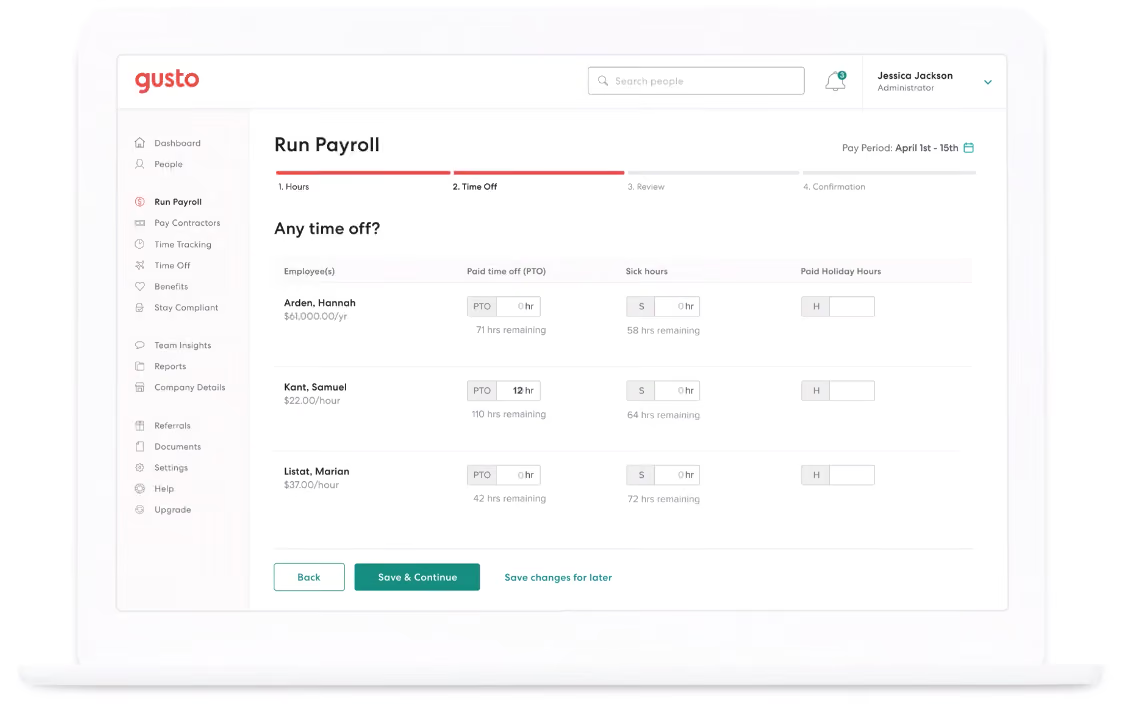
We have found Gusto to be a versatile payroll and benefits software that caters to the needs of small and medium-sized businesses.
One of the standout features of Gusto is its support for W-2 employees and domestic and international contractors. The software's capabilities extend beyond payroll, providing support for online signatures and automated tax filing, which streamline administrative tasks. We have a weak spot for flexibility, and Gusto doesn’t disappoint us by providing different pay schedules and unlimited pay runs.
Gusto has also known among HR folks for its support responsiveness. The platform provides phone support, email assistance, and licensed benefits advisors for all plan users to ensure that users can receive prompt service when needed. It also is praised for having a transparent pricing structure, eliminating long-term contracts and account setup fees.
However, it's important to note that Gusto does not currently support payroll for international employees. Additionally, the software lacks a native accounting or spend management features, so users must rely on third-party integrations.
The analytics dashboard, while functional, may be considered basic. And please be aware that federal/state compliance alerts and integration with existing brokers are exclusive to Gusto’s highest tier plan or available as add-ons.
A free trial is not an option here, limiting the opportunity for businesses to explore the tool before committing.
Gusto serves over 400,000 businesses nationwide, including many that turn to the platform specifically for its integrated payroll and benefits management capabilities.
Gusto offers four plans for its payroll and benefits software:
- Simple: At $49/month + $6 per employee per month (PEPM), this plan includes single-state payroll, employee profiles, and onboarding. Optional add-ons are HR Resources ($50 + $5 PEPM) and Priority Support ($30 + $3 PEPM).
- Plus: Priced at $80/month + $12 PEPM, this plan expands on the Simple plan with multi-state payroll, time tracking, and surveys. The same add-ons are available.
- Premium: For $180/month + $22 PEPM, this comprehensive plan provides a full payroll and benefits suite, dedicated HR support, and compliance tools.
- Contractor Only: This plan costs $35/month and is designed specifically for teams that only pay contractors.
Best For
Gusto offers an affordable basic plan, making it accessible for budget-strapped startups. Additionally, the top-tier Premium plan is an excellent choice for SMBs with available capital to invest in human resources, particularly if they have a small HR department.

Day-to-day I used Gusto to manage payroll, benefits, and tax forms.
Gusto's automated payroll is solid and I never had an issue with the main payroll functions, although we had a few issues due to confusing UI with the custom earnings and dismissal payroll workflows.
Gusto's quarterly tax filings and reminders about compliance checks/updates were incredibly useful to us. The Docs section and reporting features turned out to be a helpful resource for all kinds of administrative tasks. Around 2021 I started receiving notices that some of our state tax forms weren't being filed on time. Although Gusto did resolve them eventually without penalty, it was concerning that they didn't keep us in the loop.
Gusto's benefits department is its weakest link. I never participated in the initial setup, but I managed 4 or 5 open enrollments through Gusto, and each was an unmitigated disaster. During two separate years, I sent 4+ requests to discuss new providers and never received a response. Not a peep. I have also had to clean up multiple enrollments and COBRA errors.
I speak to Gusto's support team a few times a month. Their support used to be outstanding, but recently they seem to have shifted to a script model, and the agents' competence is hit or miss. There is often an unrealistically long response time when issues are escalated to a specialist, and it is frustrating to wait days or weeks for an answer only to receive an unhelpful form response. Since Gusto handles so many regulated processes, agents are quick to default to a "we cannot advise" answer, and they often provided bad information that caused more problems than they solved. To be fair, I have also worked with agents that helped me pull off miracles, but I wish the quality were as consistent as it used to be a few years ago.
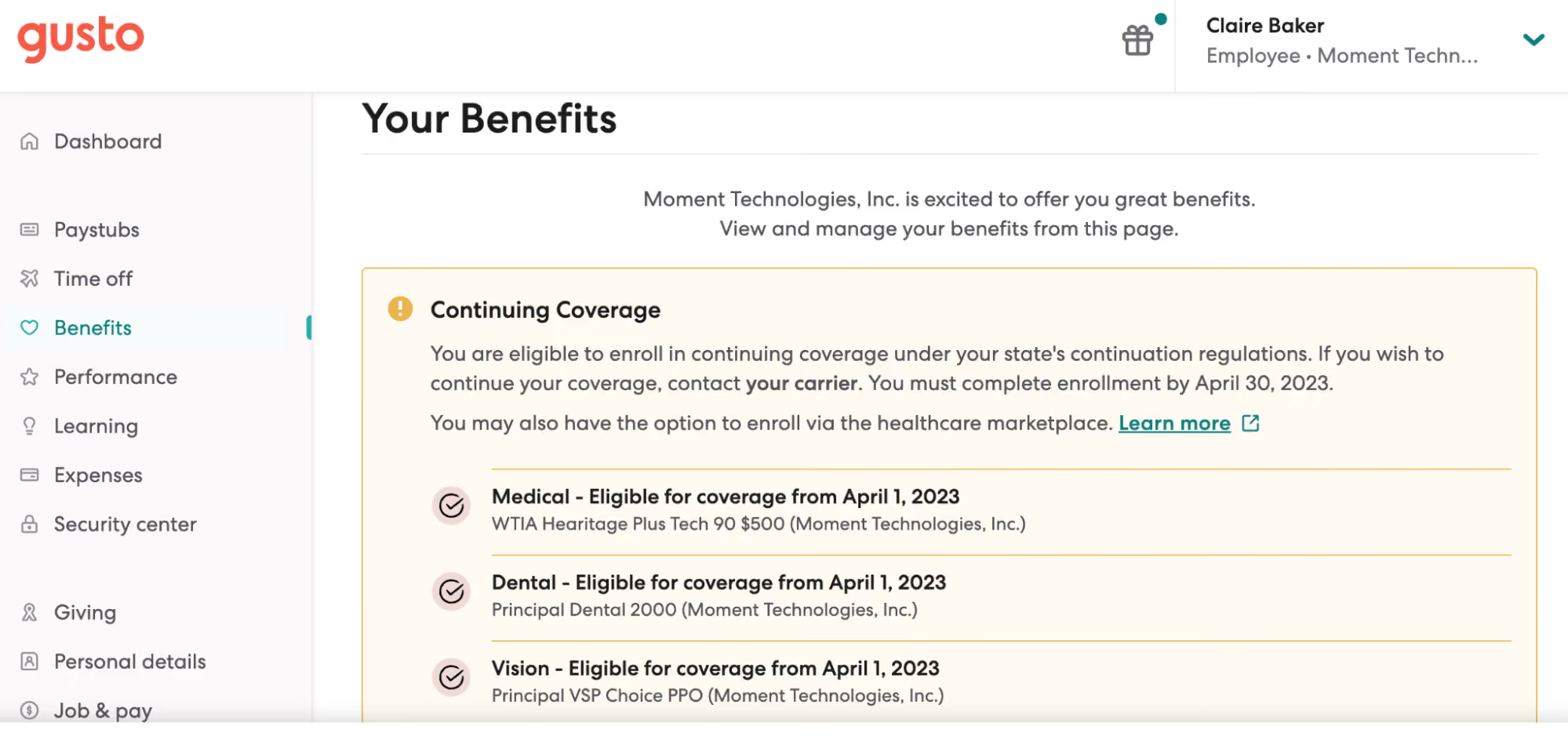
The UI is clean, intuitive, and (mostly) easy to use. I very seldom had issues with automated processes. They make onboarding new employees incredibly simple. I also really like the friendly tone of the brand's "voice." The marching pig on the loading screen that changes with the seasons never gets old; it still sparks joy each time, even after all these years!
I have used Gusto since 2018 in 3 different early-stage tech startups. Gusto has a reputation as the go-to in Silicon Valley incubators and accelerators, although I've seen Rippling gradually gaining market share in the past few years. In all 3 cases, we selected Gusto because of their breadth of services. Gusto makes it easy to set up everything our organization needed to begin hiring and paying employees. What's nice about Gusto is that it makes processes that are intimidating to many founders into a "set it and forget it" task. Automating payroll, benefits, filing government forms, and quarterly taxes helped free up time for our founding team to focus on a growing set of other responsibilities.
Gusto's benefits department is unresponsive and it's nearly impossible to get answers from support about even simple benefits questions.
I have seen quite a few concerning errors across the platform (mostly with benefits), including employees not being enrolled in benefits programs, dismissed employees not being removed from benefits programs, incomplete COBRA enrollment, and late tax filings.
The information from Support is unreliable and often inaccurate.
The dismissal payroll workflow is misleading and we've had a few serious problems as a result.
When a Gusto admin is dismissed, their admin privileges are not removed automatically, which is a serious privacy concern.
I wish Gusto made it easier to set up a business entity in new states. They partner with a company called CorpNet, but I found the level of service wasn't worth the price and went back to handling state registration myself.
I love Gusto's friendly casual-but-professional tone compared to other providers in the space.
Gusto is best for small teams, the smaller the better. It is a great option for founders and single-person People teams who have less time to dedicate to payroll, benefits, and compliance. It makes many benefits available and affordable for small groups that would not have the numbers to access plans through traditional providers.
Gusto becomes less useful as a team grows and compensation & benefits become more complex. I would definitely recommend Gusto to founders, but I recommend moving off of their benefits platform as soon as you have a full-time person to manage benefits administration. Its payroll functionality is solid, but payroll administrators should be aware that they will get limited guidance from the Gusto support team.
Gusto's functionality has grown over the time I've used the platform as they've added additional features and integrations. However, the accuracy and quality of support have suffered over time. I used to be a Gusto evangelist, but these days I recommend that growing companies move off of Gusto as soon as is practical. New features have become less useful over time, and I wish they would focus on maintaining the quality of their core product rather than trying to expand into new services.
Company founders or admins inexperienced in payroll and benefits. Very small teams with a single person managing payroll and benefits administration among many other HR responsibilities.
Larger organizations with 50+ employees. HR teams with specialists in each area. Companies with complex and highly-regulated compensation structures.

Papaya Global
Papaya Global stands out in the realm of payroll software for enabling seamless, secure payments to contractors and employees in 160+ countries, backed by robust security and compliance measures.
PROS
- Papaya ensures prompt payouts within 72 hours across 160+ countries.
- Transparent pricing with a 60-day money-back guarantee.
- Dedicated customer success managers in your time zone, providing localized assistance without extra charges.
- The starter monthly fee is reduced to $12 per employee for full-service payroll.
- Offers comprehensive solutions (data and insights, benefits, immigration, payment services, employee data management) at an accessible entry price.
- Papaya Global packs the EOR services you need to do global payroll and employment compliantly in over 160 countries.
- Automated payments in over 100 currencies, 80 of them directly to the worker's bank account through its global banking partners.
- Dedicated customer support providing locations-specific knowledge regarding employment and payroll.
- End-to-end payroll guaranteed payouts in 72 hours.
- Offers four standalone solutions: data and insights, supplemental benefits & immigration support, payment services, and employee data management, making the platform more affordable and scalable.
CONS
- Lacks local entities in service countries; no tax penalty guarantee information available.
- No free trial or plan is offered.
- Additional fees include setup, onboarding, cycle per employee, year-end fees, and a required deposit.
- Limited existing integrations, but free use of pre-built APIs and custom API integrations.
- No free trial or free plan.
- Doesn’t own entities in all the countries it serves. The platform forms relationships with existing local in-country partners to handle employment in a specific region on the client’s behalf.
- BI analytics reports and global immigration services cost additional fees.
- Charges extra fees for setup, onboarding, employee cycle, and tax filing. Also requires a refundable deposit.
- Built-in integration options aren’t very robust. However, the platform does offer pre-built APIs, SFTP, and custom API integrations for free.
Papaya Global is highly favored by both users we've engaged with and our editorial team. We’ve been familiar with the tool since early 2021, and it immediately stood out for its transparent pricing, comprehensive HR tools, robust BI analytics, and local customer support.
The platform caters to employers and staff alike, providing unified access to payroll, payments, and workforce analytics. It ensures automated payments in local currency, customized benefit packages, and multilingual pay slips across 160+ countries. Additionally, AI-powered engines scrutinize invoices for precision.
In-house benefits experts are at your service for location-specific advice at no extra cost. Employees benefit from a user-friendly self-service portal for onboarding, time off requests, document checks, and payslip reviews. The recently launched mobile app (as of February 2023) offers even greater accessibility, allowing access to payment calendars, bank details, and company announcements on the go.
They also offer a unique global equity management feature, enabling equity distribution to employees, regardless of location. The platform excels in providing dynamic visual insights for payroll and HR, billing, and administrative data.
There are critical factors to consider when evaluating Papaya Global for your company’s needs. For example, depending on the service region, Papaya may or may not have its own local entity set up, which means they will rely on third-party local partners. Additionally, though pricing transparency is a strength, additional expenses like setup fees per location, onboarding fees, cycle fees per employee, year-end tax filing fees, and a refundable deposit should be considered. We advise evaluating and outlining all the ins and outs specific to your team’s needs and then meeting with Papaya Global’s team for a comprehensive quote tailored to you.
Fiverr, Toyota, Wix, Deezer, Intel, Johnson & Johnson, Microsoft
- Full-Service Payroll service: Starts at $12 per employee per month, with flexible options based on operational needs.
- Payroll Platform License service: Begins at $3 per employee per location for tech upgrades.
- Data and Insights Platform License service: From $150 per employee per month, offering real-time analytics on payroll costs and headcount.
- Payments-as-a-Service service: Starting at $3 per employee per month, delivering a dedicated workforce payment platform.
- Global EOR plan: Ranges from $650 to $1000 per employee per month for comprehensive EOR management.
- Contractor Management & IC Compliance plan: Tailored services for outsourced contractors, starting at $2 per contractor per month.
- Global expertise services: Starting at $190 per month per employee, this lets you add the global health plan, immigration support, and global equity for employees.
Their benefits offering has grown with time, along with equity management. These tools get more robust each time we get an update from the team at Papaya. For example, their benefits offering has evolved to focus more on holistic well-being, covering mental health and featuring e-services like telehealth and self-care tracking apps.
As for their equity management tool, it can now support a vast spectrum of options, including (NQSOP; ISO; ESOP), Restricted Stock Units, Cryptocurrency, Employee Share Purchase Plans, and even Phantom Stock Plans.
Best For
Papaya Global is a good choice for streamlining global payroll and benefits operations in countries with established entities. It's particularly valuable for businesses with international hires within Papaya Global’s extensive country coverage.
We use Papaya Global to run payroll in India, manage contractor payments, and stay compliant with local Indian labor laws. It also helps with generating reports and managing employee records. We can track employee data, generate reports, and manage time off or expenses through the dashboard.
The platform integrates with our accounting, travel, and HRIS systems for smoother operations. Overall, it has simplified the management of international teams in one place.
- Handles direct employees, contractors, and Employer of Record (EOR) services all in one system.
- Ensures compliance with local tax laws, labor regulations, and data privacy in each country.
- Pricing is published and predictable, with no hidden fees or required demos to receive a quote.
- Customer support is professional and easy to work with.
We bought Papaya Global around five years ago. Our company had started hiring employees and contractors in India. We needed a better way to handle global payroll and compliance, and Papaya became our final choice.
We chose Papaya because it was straightforward and easy to use. It has helped us centralize employee records, payroll, and compliance in one platform.
- Onboarding new countries or setting up EOR entities can take longer than expected due to compliance obligations.
- Per-employee pricing may be high for small businesses or startups with limited global hiring needs.
- It has fewer native integrations than some established HR platforms like ADP or Workday.
Papaya simplifies global payroll with a fully automated system and built-in compliance checks. It supports different types of workers—such as employees, contractors, and EORs—all within one platform.
The interface is easy to use, even for teams new to global hiring. It is a strong all-in-one platform for companies hiring across multiple countries, whereas Remote and Deel sometimes require separate setups or add-ons for certain features.
ADP can be complex and costly for smaller or fast-scaling businesses, while Papaya offers broader global coverage and more flexible international hiring options.
When choosing a global payroll or workforce platform like Papaya Global, begin by confirming that it supports the countries where you plan to hire. Look for built-in compliance features that keep you aligned with local tax laws, labor regulations, and data protection requirements.
The platform should be easy for your HR and finance teams to use and integrate well with your existing tools. It should support different types of workers, including full-time employees and contractors.
Strong customer support and reliable payroll accuracy are also critical, along with secure data protection standards like GDPR and SOC 2. Choose a platform that can scale with your organization and offers clear, upfront pricing.
Papaya Global has become easier to use over time, with more integrations and improved reporting tools. It now supports larger, global teams through expanded country coverage and increased automation.
A key benefit is its built-in compliance features—such as automatic tax and labor law updates, GDPR and SOC 2 compliance, and real-time alerts. These updates help companies reduce legal risks and stay compliant worldwide.
Papaya is well-suited for mid-sized or large companies that hire internationally or have remote teams in multiple countries. Papaya acts as an EOR, allowing companies to legally hire in other countries without setting up a local entity.
Startups expanding quickly across borders benefit from the platform's scalability and compliance support without needing to build HR infrastructure in each location. Papaya Global is ideal for these organizations seeking a centralized, compliant global EOR and payroll solution.
It may not be a good fit for small businesses or companies that operate in only one country, as the platform is designed for managing complex, multi-country payroll and compliance needs.
Papaya’s primary value lies in handling cross-border payroll, taxes, and compliance. Companies that are entirely domestic may find that many of its features go unused. Small U.S.-based businesses with only local employees might find alternatives like Gusto, QuickBooks Payroll, or Patriot more cost-effective and easier to use.
Since Papaya acts as a third-party intermediary, companies that prefer to directly manage their international payroll and entities may find this limiting.
Paycor
Paycor is the go-to option for U.S.-based businesses because it goes beyond the average payroll and benefits solution by offering recruiting and employee performance in one place.
PROS
- Paycor is a very user-friendly payroll solution. The interface is simple and intuitive, and easy to navigate.
- The self-service employee portal lets employees access their HR information and benefits online.
- Offers multiple subscription options, making the tool more accessible to businesses of different sizes.
- No limit to the number of payrolls you run each month.
- Frequently runs discount offers with set-up fees waived on all plans.
- A free trial is available per request.
- Offers on-demand payment options in all plans.
- Accessible via mobile devices.
- Paycor payroll solution and mobile app are both straightforward to use.
- Intuitive self-service employee portal.
- Offers multiple modules for small businesses and custom plans for teams with 50-1000 employees.
- Unlimited payrolls.
- Offers discounts frequently. Though not listed on their site, a free trial is available to those who contact the support team directly.
- On-demand pay is available for all plans.
- With the acquisition of the people development platform Verb, it has improved its employee learning experience.
CONS
- Paycor offers various support options, including phone, email, and chat. However, they aren’t very responsive to customers’ queries.
- Undisclosed pricing.
- It provides time tracking as a paid add-on.
- The reporting functionality can be challenging to use, as data is sometimes unavailable.
- Can be challenging to customize the software if you have a unique set of requirements.
- Undisclosed pricing.
- Customer support is reported to be slow at times.
- It is not a good fit for teams with 1000+ employees or those requiring advanced customization to meet their unique requirements.
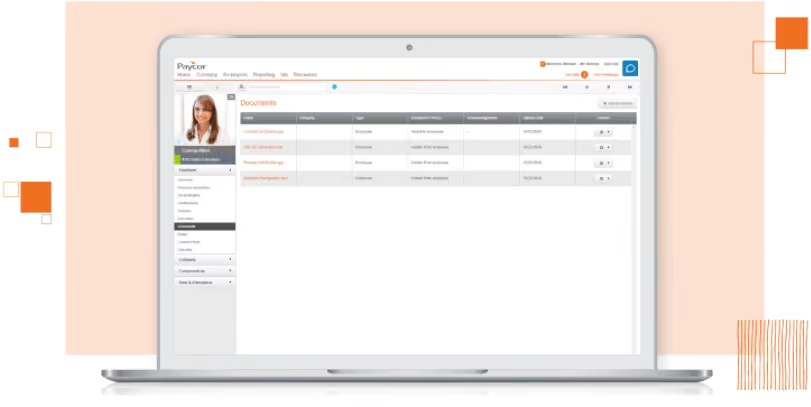
Paycor is featured here because it’s flexible and feature-rich. Users can purchase Paycor’s payroll alone and upgrade for onboarding, time-off management, and other HR functions as needed.
The first thing that caught our eye was Paycor's payroll. The solution can handle all-state and global payrolls, but please note that their global payroll services are outsourced to third-party services by location.
Available payment options are in pretty good shape. They offer on-demand pay, direct deposit, Paycor wallet, and access to Autorun, and each of these features is available on the basic plan.
Running payroll on Paycor is straightforward. The UI is simplistic, and navigation is intuitive for most users.
Employees can make benefits selections via the web or mobile apps. Both offer access to self-service payroll, onboarding, and attendance. As a security measure, changes to employee data are reported immediately to admin users.
However, rather than making this information available to any website visitor, Paycor only offers benefits guides, calculations, and other resources to their customers. Their data reporting capabilities left something to be desired, especially on the lower-tier plans.
Customer service being sometimes difficult to reach is also a disappointment, especially considering how critical prompt support is when it comes to payroll.
Wendy’s, McDonald’s, Detroit Zoo, the Cincinnati Reds, Chicago Fire FC.
Fees vary depending on the number of employees and features selected.
Best For
Paycor is particularly well-suited for organizations operating within the United States and employing up to 1,000 individuals. Its strengths shine particularly for sectors such as manufacturing, healthcare, food and beverage, nonprofits, and professional sports organizations.

I use Paycor daily when we are actively looking to fill a role. The key workflows I use it for include posting job descriptions. Paycor automatically posts job descriptions on the free versions of select job sites, such as LinkedIn and Indeed, and on our company website via a widget.
We use Paycor’s minimum qualification questions to screen candidates, track candidates through the pipeline, schedule follow-up reminders, and communicate with applicants using customized email and text templates.
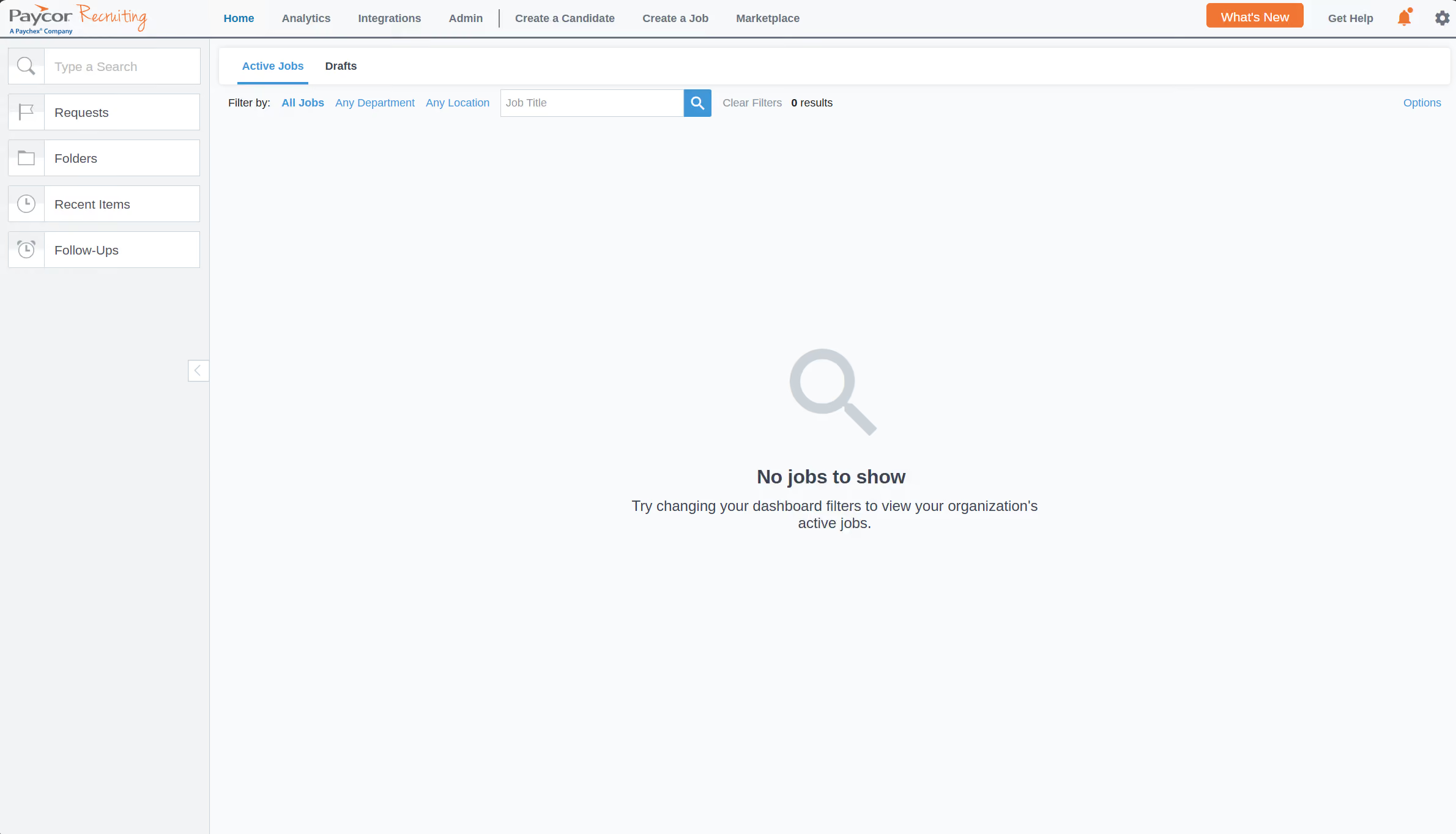
Automatic publishing and removal of job postings across multiple platforms simultaneously with one click.
Emailing and texting applicants using customized templates via Paycor, with the option to schedule sending emails and texts.
Tracking applicants through the pipeline and the ability to set reminders to monitor and follow up with applicants.
Paycor and Paycor Recruiting were subscribed to by my client prior to my being hired. The HR Manager uses Paycor's core module, and I primarily use Paycor's Recruiting module. I have been using Paycor Recruiting for over 18 months and primarily use it to post job openings, automatically filter applicants using screening questions, and track and communicate with applicants through the pipeline.
Limited ability to customize the pipeline stages to align with our workflow.
No ability to bulk download applicant resumes for offline viewing.
Limited ability to customize visualizations within the app, so we must export the data and develop visualizations using third-party tools such as Power BI.
I have limited experience with their competitors.
I would recommend thinking about your organization's workflow and how customizable the tool is, i.e., whether you can customize the tool to align with your organization's workflow (and not the other way around).
I would research the type and responsiveness of support the company offers. For example, Paycor only offers email support, and while they have been able to answer most of our questions within a few days, it would be helpful to have the option of speaking with someone on the phone.
Not to my knowledge.
I'm not sure how to best answer this question since I am not familiar with all of Paycor's services or the full range of needs across different HR teams.
An organization that needs a highly customizable solution with live, on-demand support won’t find Paycor to be the best fit.

Remote
Remote is an excellent choice for distributed teams who require a top-notch payroll and benefits service. Their customer care is outstanding: 24/7 live chat, free HR tools, local experts for employers, plus technical support for workers. They also operate as local entities in more than 60 countries.
PROS
- Benefits plans are locally curated. Health, dental, vision, life, mental health support, and disability are all covered, as is pension/401(k).
- Local entity ownership helps Remote have more control over service costs, resulting in more flexibility in its pricing and service.
- Transparent rates. No markups on benefits premiums.
- Self-service features are easy to navigate.
- 24/7 HR support from regional experts.
- Option to provide equity-based compensation to employees.
- Fast and compliant payroll in 170+ countries.
- Live chat support with local payroll experts.
- Flexible, localized benefit packages.
- Flat-rate pricing structure, no deposits or hidden fees.
- Mobile app streamlines expense reimbursement with autofill from receipt photos.
CONS
- Remote currently offers no off cycle payroll, and only wire transfers and direct deposit are available.
- Lacks phone support.
- Very few pre-built integrations (Greenhouse, BambooHR, and HiBob). Companies will likely rely on its custom API to connect their current ATS and other HR tools with Remote.
- Doesn’t have a free trial.
- Redundant for organizations solely recruiting within the U.S.
- Help center documentation isn’t easiest to understand.
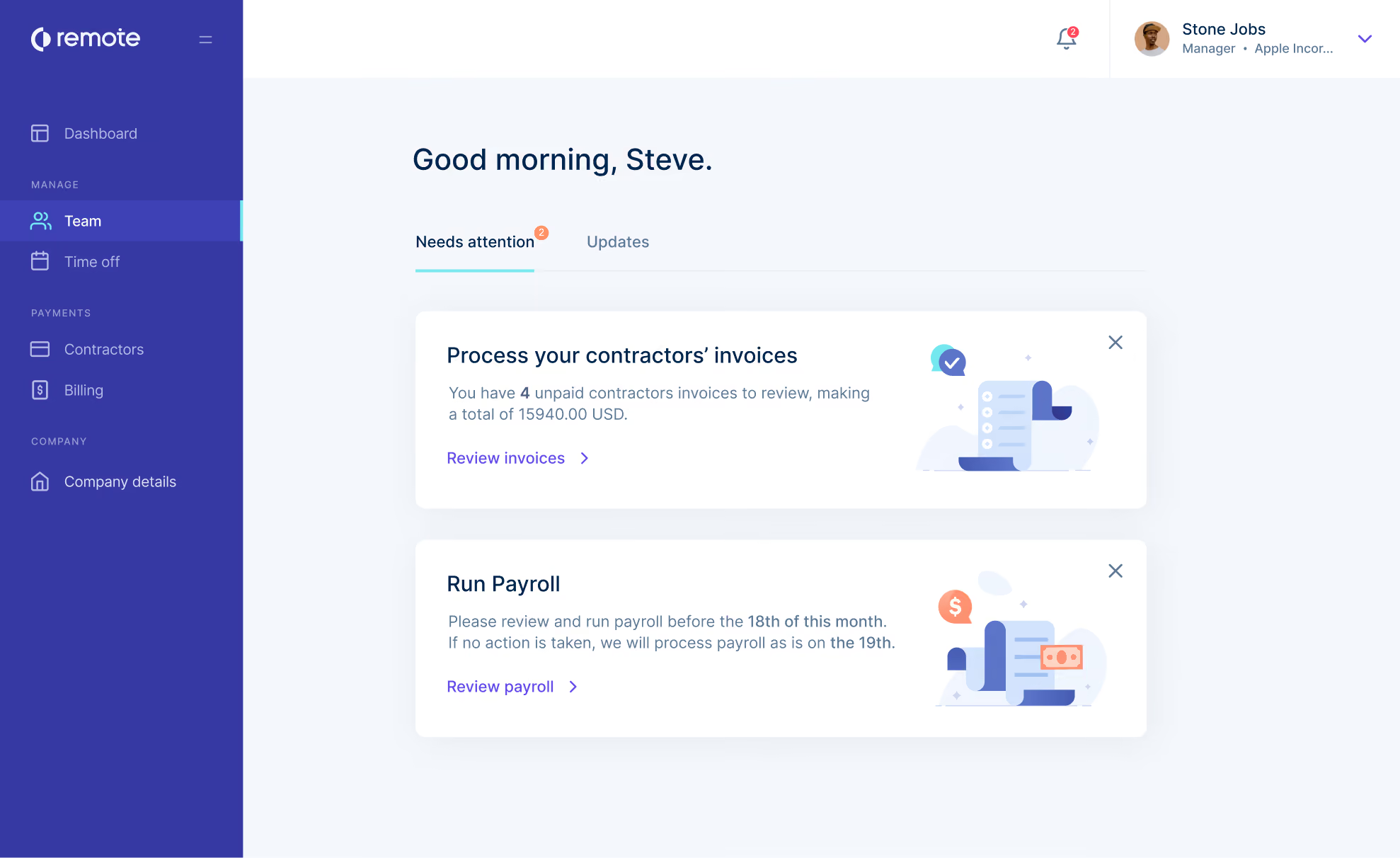
Remote helps distributed teams provide a better experience for their workers via country-custom benefit plans and easy-to-access employee self-service features. Remote is one of a few providers that owns legal entities in the regions where it offers EOR services, which gives them an advantage by greater flexibility in services and lower costs for its customers. Both of these are significant features that companies who use third-party aggregator services ll cannot offer.
Remote’s benefits are offered without premium markups, and they offer everything from paid time off to holidays, health care, and life insurance. Remote gives you access to region-specific advice and support to help you finalize your benefits plans.
Remote offers a 15% discount for eligible startups and nonprofits for up to 12 months. They also offer free service for up to ten employees for companies who hire refugees.
The apps, though well-made and frequently updated, were surprisingly hard to find online.
Both the Android and iOS apps are easy to navigate and have essential features like submitting expenses, booking time off, accessing payslips, and, according to Remote, there’s more in the pipeline.
Arduino, GitLab, Paystack, Loom, cargo.one, Secureframe, Phaidra.
- Contractor Management plan: $29/contractor/mo
- Employer of Record plan: $599/employee/mo (when paid annually)
- Global Payroll and Remote Enterprise plans: Custom prices – contact Remote.
- Startup and nonprofit discount: Eligible startups and nonprofits can get 15% off EOR and Contractor Management services for 12 months.
- Refugee discount: Up to 10 employees free when hiring refugees
Best For
Remote is best for teams with a globally distributed workforce. This tool makes it easy to hire, onboard, provide benefits for, pay, and retain top international talent.
It’s also a great option for startups, and nonprofits who can benefit from their 15% discount, and for those who hire refugees,

Remote is used by our firm to hire in locations like South Africa, Colombia and Brazil. We are able to use Remote as the Employer of Record and offer benefits just like they worked directly for our firm. You queue up the hire, Remote makes the offer in their system and makes all the employee information available via web portal. All expenses, benefits info, etc. can be accessed any time.
- Easy Onboarding - Remote does make onboarding hires in remote locations quite easy.
- Online Portal - great to have all the hires from all international locations in one place.
- Expenses - easy for employees and companies to track/pay expenses.
With a shortage of talent in the U.S., our firm needed to hire in locations where we did not have an entity. Global EORs offer a way to do that without setting up a legal entity first. Remote was an up-and-coming player in the space that made getting setup much faster, less complex than traditional partners like Velocity Global. We have used the system for approximately 2 years now.
- Billing/Invoicing - Remote has had multiple billing errors in our invoices and their system is incredibly confusing for reconciling what is outstanding vs. the errors they have made.
- Management - Remote has changed management recently and they have changed terms & conditions from our original invoices and have taken away promotions by saying they were "introductory promotions" rather than the "negotiated terms" like we originally discussed.
Remote was a leader in simplicity when we first began using their services a couple of years ago. Now, I believe certain competitors have caught up and surpassed them.
- Cash flow - these services require upfront payment for payroll so be prepared to pay month end payroll by the 17th of that month.
- Terminating employees - Employment laws vary country by country. Remote is offering a service to make it easier on your company to hire elsewhere; however, terminating employees can be quite difficult.
Remote was very startup friendly 2 years ago. Their management has changed and their culture has changed drastically. It is no longer a customer-focused culture going above and beyond to win customers.
Remote is good for an established company in search of a way to explore hiring people in other regions of the world.
Remote is not good for startups.

QuickBooks
Quickbooks is a trusted name in financial tracking, payroll, expense reports, and even time and attendance software for small businesses.
PROS
- Unlimited pay runs, auto full-service payroll, and same-day deposits included.
- Supports unscheduled payrolls and automatic year-end tax filings.
- Reminders for tax readiness provided.
- Pricing transparency. 30-day free trial available.
CONS
- No employer app.
- More expensive than some competitors like Patriot.
- Limited third-party integrations.
- No global payroll features.
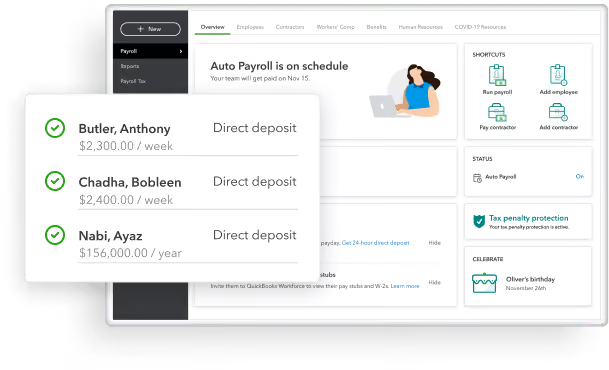
Many small businesses use Quickbooks for their accounting and financial reporting. They know that small business owners may not have enough time to be doing payroll, so their solution focuses a lot on running things automatically and freeing up your time. The same goes for taxes, as they'll calculate, file, and pay your payroll taxes for you, in some cases.
For payroll, Quickbooks has three plans:
- Core: The basics to pay your team and have payroll taxes done for you at $22.50 per month
- Premium: Manage your team's payroll with HR support and some employee services for $37.50 per month
- Elite: This plan provides access to on-demand experts in order to simplify payroll to the max. It starts at $62.50 per month.
QuickBooks often offers discounts for its plans. They currently have a 50% discount on all plans for the first three months of subscription.
Best For
SMBs with a fairly simple payroll structure but little time to handle it all themselves.

I use Quickbooks for monthly invoicing, financial statements, and to keep track of account receivables. We don't currently have it integrated with other softwares, but are thinking about integrating it with our workforce planning software in the future if that is possible. In terms of workflow, I access Quickbooks at least once a week to load new invoices, match receipts, upload receipts from my phone, and download our monthly PnL report. We have a separate system that we put the PnL report in that helps us track our cash flow in a way that accounts for projections.
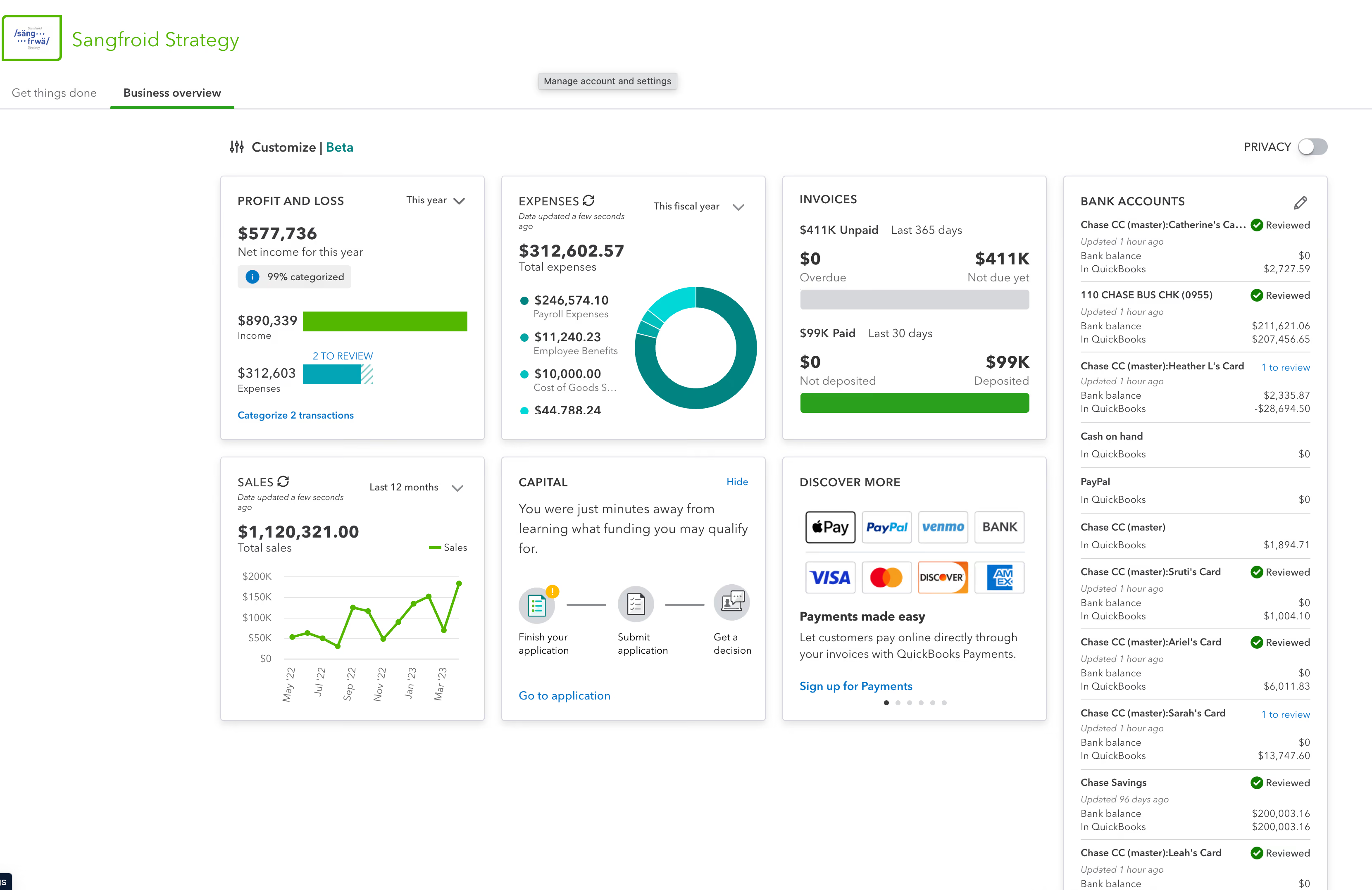
It is easy to use - the interface is intuitive. I like the app and the fact I can do receipt tracking on my phone. I like that I can easily give my employees a company card and have them forward receipts into Quickbooks.
We work with a CPA firm who helped us to integrate Quickbooks across our organization. We began using Quickbooks in 2018, when our firm had just under $60,000 in revenue a year. Today, we use Quickbooks to manage the company's $1.7M and growing annual budget. We used Quickbooks because we wanted to have accurate timely financial statements across the organization, track all of our expenses, and manage our businesses PnL easily. I've been the primary user for the past 5 years.
I wish that it had better cash flow capabilities - the current capabilities do not account for projections. I also wish that when adding users there was an option to add employees who just had employee cards who need to email receipts into Quickbooks instead of having to take up a user seat - right now we have some employees emailing receipts to a company user to forward them on because there is only five seats in our plan. I also wish Quickbooks integrated better with my bank - the bank connection is always breaking and needs to be updated.
I haven't used similar tools - before Quickbooks I did everything on a spreadsheet. I did choose Quickbooks because it came highly recommended from my CPA firm.
People should think about their needs for financial reporting. People should also think about their needs for billing, and tracking employee expenses.
It works great for my consulting firm!
I think it will work for most people, but I can see it being a challenge for people who have always tracked receipts and expenses manually to shift.

OnPay
We love OnPay because it takes less than one hour to setup and is the lowest cost option on the market.
PROS
- Free tax form handling for W-2 employees and 1099 contractors.
- Some HR services included within the plan at no additional cost.
- 30-day free trial available (starts after OnPay verification).
- Well-developed online help resources.
CONS
- Poor functioned employee mobile app.
- Requires payment four days before payday for direct deposit.
- Doesn’t support automatic payroll.
- Customer support sometimes hard to reach.
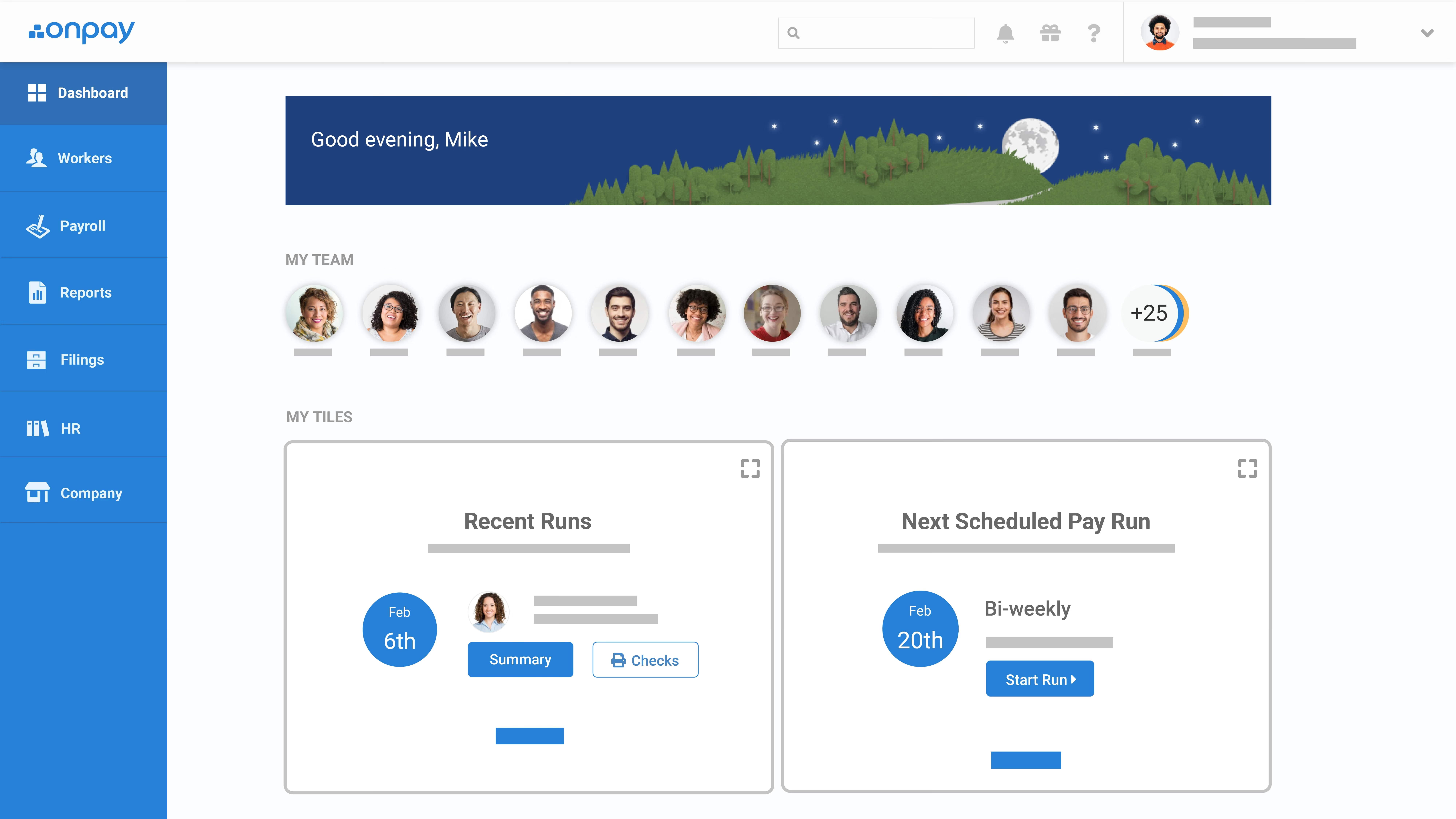
OnPay is perfect for smaller companies (500 employees or less) who want a simple and straight-forward payroll process, plus help with HR. Onpay customers love the customer service and the transparent pricing - it’s one monthly fee for everything. They offer benefits management in all 50 states including medical, dental, vision, and 401k retirement plans.
OnPay charges a base fee of $40, plus $4 per employee per month.
Best For
OnPay is a great solution for smaller, budget conscious companies that also want a basic HRIS in addition to payroll.

We use OnPay on a monthly basis to deliver payroll. We also use integration features to connect directly with payroll and accounting software. It enables us to automate or streamline data collection related to working hours and personal details. We do weekly, bi-monthly, and monthly pay runs, and OnPay allows us to establish separate and automated pay schedules for each. We also use OnPay to manage and approve PTO via the employee self-service dashboard.
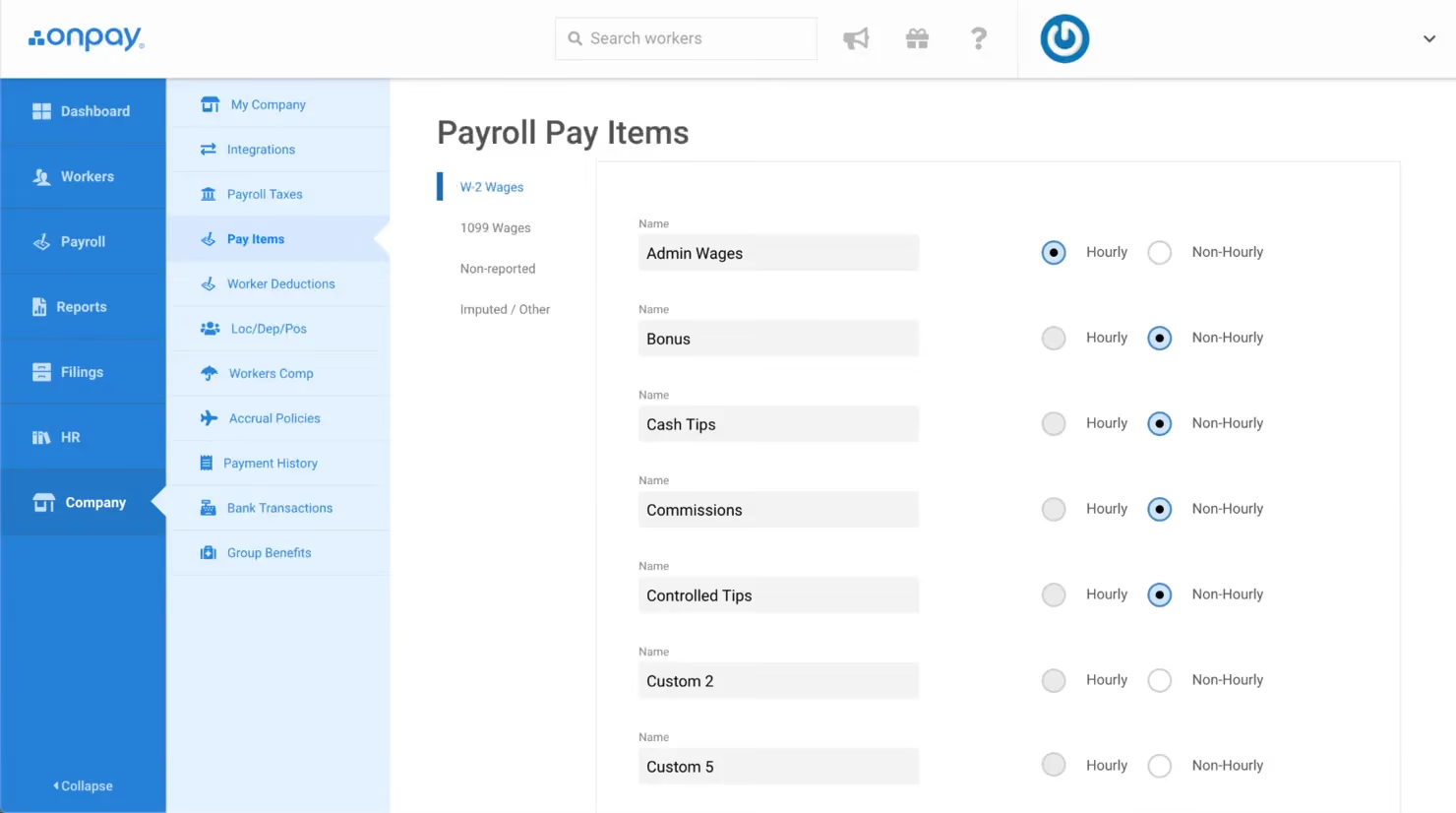
The interface is slick and easy to use. It offers flexible and expandable HR and benefits tools, meaning it can grow with the business. The streamlined and partially automated PTO with self-service is also good.
We bought OnPay to streamline our payroll process. Our HR and finance teams were too small and preoccupied with rapid growth activities to manage payroll, and as a result, mistakes were being made. The monthly payroll process was analog, without much automation, and quite inefficient and laborious. We wanted to have a more automated and online process, which OnPay provided.
OnPay is genuinely focused on small businesses. The interface is clean and simple, not overloaded with features like those found in big company payroll tools. It connects directly with our timesheets, allows staff to update their personal data, and has streamlined and mostly automated our payroll process. We have used this tool for a couple of years.
The design is a little boring and old-fashioned. The reporting section is a bit awkward to use. It doesn't have great support for international customers.
The design is a little boring and old-fashioned. The reporting section is a bit awkward to use. It doesn't have great support for international customers.
Can you also pay contractors through the system? Can you pay staff according to different pay schedules?
We haven’t used it long enough to answer this.
US-based SMEs without international offices can benefit from OnPay.
OnPay is not great for US businesses with international offices. Choose a tool that can service staff overseas as well.

Namely
Namely provides a quick and easy payroll solution with modern design and UX. Their all-in-one HR platform can be used by any company really, though they pay close attention to mid-market companies.
PROS
- Namely's user interface is highly praised by users. It is clean and quite intuitive despite the platform's comprehensive feature coverage.
- The employee onboarding module includes a user-friendly wizard that effectively guides new hires through necessary steps and tasks.
- Along with Namely’s built-in features for data management, recruiting, onboarding, time off tracking, payroll, and benefits administration, Namely offers managed payroll and benefits administration services for those needing extra assistance.
- The majority of users are able to navigate Namely without any issues. They find the UI to be intuitive and clean, despite the fact that the platform has lots of features.
- Namely’s employee onboarding module gets a alot of praise from users. It features an easy-to-follow wizard, which helps new hires get on quickly and be clear on what they need to do.
- Besides the platform’s built in features for data management, recruiting, onboarding, time off tracking, payroll and benefits administration, there are also managed payroll and benefits administration services you can opt for to reduce the burden on your internal teams.
CONS
- Namely primarily caters to U.S.-based companies, which makes it unsuitable for organizations needing to manage pay and benefits for employees in other countries.
- The implementation process of Namely can be time-consuming, typically taking a minimum of 6-8 weeks.
- Despite how big of a player Namely is in the HR space, it lacks employee development features like skill training, career pathing, and succession planning.
- Before purchasing Namely, it is essential to ensure compatibility with your current benefits provider, as there have been reported instances of Namely's team encouraging users to switch to more expensive providers.
- Namely primarily operates in the U.S., which means if you’re looking for a global payroll and benefits provider, this platform isn’t for you.
- Though many praise the platform’s ease of use, it does take long to implement it. Namely’s own team says that an average implementation takes between 6-8 weeks.
- For a platform of Namely’s size, there currently aren’t any features that focus on employee development such as skill training, career pathing, succession planning etc.
- You’ll need to check beforehand if Namely can work with your existing benefits provider, if you have one. There have been a few reports (but not few enough to ignore) about Namely’s team convincing customers to change their benefits provider to providers that charged them more.
%202.10.05.avif)
Namely’s all-in-one platform comes with a payroll module for processing salaries on time and without any errors. It can help you with a lot, including calculating wages, deductions, and taxes, and generating pay stubs for your employees. The platform is also always up-to-date with the ever-changing payroll regulations and tax laws to ensure you don’t get penalized and that everything pertaining to your employees’ payments is above board.
We like any product with employee self-service features and Namely checks that box of ours. Your staff can log in to a dedicated dashboard to access and manage their payroll information, update personal details, and view pay stubs whenever needed. Namely also packs a robust reporting module to get a holistic view of your company’s payroll and valuable statistics to make informed decisions.
Greenhouse, Bevi, and Workwave are among Namely’s 1000+ customers.
Namely has custom pricing that varies according to the extent of your need. You can contact the Sales team for an estimate.
Best For
Namely predominantly serves mid-sized companies across different verticals.

We used Namely primarily for departmental reporting, allowing each team to access the data they needed without complication. It was also our central platform for posting internal announcements, which helped keep communication streamlined across the organization.
Our non-exempt employees frequently used the timekeeping module, and they appreciated how easy it was to transfer between job roles within the system. From an HR perspective, managing payroll was straightforward, which saved us significant time during each payroll cycle.
Creating reports in Namely is straightforward, even for users with limited technical experience. The time and labor module is intuitive and easy to demonstrate to employees. The visibility and layout of the homepage make navigating the system fast and user-friendly.
I worked for a small FinTech company that used Namely. They picked Namely because it was an easy-to-use tool and was perfect for our business structure. We (the HR Team) liked how it was easy to enter new employees and update existing employees' information.
We also had a few nonexempt employees, so we used their timekeeping system, which was also simple. We also used announcements like our social media, so we didn't have to design an Intranet.
The system lacks innovation and hasn’t kept up with some newer HR platforms in terms of features and design. The interface feels a bit outdated, especially compared to more modern alternatives. Customer support was sometimes difficult to reach, which could be frustrating when time-sensitive issues arose.
Namely is a smaller and more simplified platform compared to other tools like UKG or ADP. It works well for small companies that need a streamlined system without too many bells and whistles. While I prefer UKG or ADP for their broader functionality and scalability, Namely stands out for being approachable and easy to manage for less complex HR operations.
When evaluating this kind of tool, it's important to consider the size and complexity of your organization. Namely works best for small businesses that don’t require highly advanced features or custom-coded reports. If you're expecting rapid growth or need to manage complex data, you may quickly outgrow it. Simplicity and ease of use should be top considerations if you're leaning toward Namely.
One noticeable improvement has been quicker service request response times. The company seems to have made an effort to address support speed, which enhances the overall user experience, especially during critical periods.
Namely is ideal for HR teams and general employees in small to mid-sized companies. It suits organizations that need an easy-to-use system without requiring extensive setup or ongoing technical support.
Namely is not well-suited for finance departments or organizations with complex financial and reporting needs. Larger enterprises that require deep integration and advanced functionalities may find it limiting.
Why Payroll and Benefits Software?
There are a few apparent use cases for payroll and benefits software. However, we also wanted to explain some of the benefits that may not be as self-evident. Here is the “why” behind buying new payroll and benefits software:
- Pain-free payroll: These solutions will run payroll for you in a streamlined way that reduces your time and effort. To teams using outdated systems or completing operations manually, this could mean hours or even days saved per pay period.
- Simplify health benefits: These solutions guide you through the benefits selection process, sometimes with a trusted consultant who recommends packages that fit your company well. Your employees can then choose which option is right for them during open enrollment, qualifying events, or onboarding.
- Access to experts: Managing benefits and payroll internally can be complicated, especially if this is not your day-to-day focus. You must be aware of and keep up-to-date with a wide range of regulations and requirements, as they can change frequently! To assist with this, the best benefits and payroll solutions offer day-to-day customer support and will work closely with you when making strategic decisions and regulatory updates.
- Access to better health plans: The best payroll and benefits solutions provide you with greater access to competitive employee benefits to create a package that makes the most sense for your employees. You will also be able to compare plans from different providers more easily and therefore ensure you have selected the best package for your business’s needs.
- Cost-effective: Using an external vendor for payroll and benefits will help decrease the number of employees you need for this function and help save on costs in technology, support, and training.
- Save time: On average, 19% of small businesses spend 80+ hours a year on federal taxes alone. Small and medium businesses that arm themselves with the right solution to handle payroll and efficiently manage benefits save a lot of time, resulting in their ability to allocate time to their core business and product.
- Ease of use: Software solutions today are serious about their product experience. They have built their platforms with their various end users in mind and provide them with a simple-to-use, mobile-friendly, and feature-rich experience. Your employees can now look up co-pays on mobile when at the doctor, or request time off in a given pay period.
- Increase employee retention: With greater access to a wide range of employee benefit insurance and retirement plans, you will be able to ensure that your employees feel taken care of. Naturally, this has a considerable sway towards employee retention.
- Aids in your talent strategy: The right payroll and benefits software helps you attract talent by offering the best and most comprehensive benefits packages. An AICPA survey found that 80% of those polled would choose a role with a comprehensive benefits package versus a position with a much higher salary but no benefits.
- Enhanced security benefits: Most top payroll and benefits vendors will have high levels of security that contemplate HIPPA and have varying levels of SOC compliance.
- Compliance guarantee: According to recent payroll statistics, 1 in 2 companies have been penalized for non-compliant payroll. Payroll and benefits software have access to the most up-to-date information which means that you never have to worry about missing tax notices and other regulatory notices. This is a huge benefit as you will help protect your company and reduce your risk of compliance-related expenditures.
Key Features of Payroll and Benefits Software
The majority of the top-rated benefits and payroll solutions provide feature-rich offerings that are wrapped into an intuitive user experience. While we’ve focused on payroll and benefits, there are additional add-ons that you may also be interested in, especially if you do not currently have another solution in place. Many of these also map to the demo questions we have suggested below:
- Payroll software features: Automated and unlimited multi-state and global payroll runs (Plus contractor & vendor payments, tips reporting), off-schedule payroll runs, all tax filing/payments, multiple pay-rates and schedules, reporting including year-end payroll reporting, and direct deposit.
- Employee benefits admin software features: Employee self-service (including self-service benefits enrollment and changes), benefits administration & cobra administration (health, dental, vision), and additional benefits options including 401K/retirement, life insurance & disability, FSA, HSA, commuter, and additional supplemental benefits.
- Other important features: Time tracking & paid time off, HR documentation & PTO policies, employee directory & surveys, workers’ compensation & risk mitigation, new hire onboarding, HR expertise (varied based on level), online resource center (Best practices, FAQs, and more), and mobile friendly and/or mobile app.
How to Choose a Payroll and Benefits Solution
The following is what we’ve learned over the years:
- Choose a payroll service that has a track record for serving companies of your size.
- Remember, change management requires a team effort. You may need to involve a few different teams during the buying and implementation process including your operations, HR/recruiting, information technology, and communications teams.
- Core features that you probably already have and that employees/HR are used to, like direct deposit, automated pay stub distribution, and payroll taxes need to be in any future offering you use.
- Don’t forget about integrations! It’s important that any new system can sync with the rest of the tools in your tech stack at least in some sense.
- Make sure the vendor that you choose can operate in all of your office locations (don’t forget your remote employees). Several of the vendors we’ve outlined here are among the best global payroll providers, but many do have a heavier focus on the United States.
- Documentation is paramount— get your ducks in a row in advance to help streamline implementation and prevent any delays that could have a negative impact on employees. Nobody’s going to be that excited about the new payroll and benefits system if the next checks or deposits are going to be late.
- Choose a vendor that is compliant with the most recent regulations and that takes data privacy very seriously. HIPAA and tax payment violations can be extremely costly.
- If you already have an insurance broker with whom you like to work, make sure that your new vendor allows for this— not all of them do, and those that do may charge an additional fee.
- If you are moving to benefits with a provider, remember to report any employees who are on COBRA to the new provider and make sure to ask if they assist in COBRA administration.
- Lastly, choose a vendor that you can grow with. Make sure that the vendor is confident in their ability to work with you based on your targeted employee growth rates as a company.
Payroll and Benefits Software Pricing
The cost of payroll and benefits software varies based on company size and feature requirements:
- Payroll Software for Small Businesses: Entry-level solutions can start as low as $19 per month. For example, Gusto offers a "Simple" plan at $40 per month plus $6 per employee, which includes full-service payroll and basic onboarding.
- Payroll Tools for Medium-Sized Businesses: Plans typically begin around $50 per month and can exceed $1,000, depending on the number of employees and desired features. These plans often offer advanced payroll features, HR support, and benefits administration.
- Payroll Solutions for Large Enterprises: Due to complex needs, such as managing a diverse workforce across multiple locations, comprehensive payroll solutions often start in the four-figure range monthly. These packages usually provide extensive support for multi-state taxes, advanced reporting, and dedicated customer service.
Demos Questions to Ask Vendors
Once you have chosen a few vendors to demo, it is imperative to ask pertinent questions. Here is a list of questions we think you should ask on demos.
Support:
- Who will be on my support team during the payroll software implementation, how will that change after I’m set up?
- What the the specific steps our company will have to go through to get this setup and how long does each take?
- What internal stakeholders do I need to bring into this?
- What are the support SLAs?
- How big is your biggest customer and how small is your smallest customer? What is the size of your average customer?
- What are the most common reasons that companies don’t succeed?
- How will our pricing change as we scale?
Tech & Security:
- Can you walk me through the typical workflows that HR would go through? Employees?
- What is the mobile experience for HR and employees?
- What’s on your product roadmap?
- Do you support multi-factor authentication?
- Do you support single sign-on?
- Are you SOC 2 compliant?
- What is your security audit process?
- How do you keep our data safe?
Regulatory & Compliance:
- Do you have a regulatory compliance team?
- Who handles regulatory updates for taxes, HR, or benefits?
- How will I get updated on regulatory changes relevant to my business?
- Do you handle payroll in my state (within the U.S.)?
- Do you handle international payroll services (if you operate internationally)?
- Are you GDPR compliant?
- How are tax filings handled? Is there an extra charge for this?
- Do you handle new hire onboarding reporting and forms?
- Are you ACA-compliant? What about HIPAA and ERISA?
- How will you handle benefits for my employees in different states and, if applicable, remote employees?
- How can my accountant or finance team access the relevant files?
Payroll Integrations and Process:
- Is your offering full-service payroll or a tool that I will use to run my own payroll?
- How are payroll taxes handled? How are tax forms generated?
- What standard integrations do you support? Do you integrate with my existing technologies (accounting software, HRIS, ATS)?
- How will direct deposit work with our employee bank accounts?
Payroll Software FAQs
What is payroll software?
Payroll software is a solution designed to manage, automate, record and organize payment of a company’s employees.
What is benefits software?
Benefits software is a solution designed to take over all administrative benefits tasks, including managing and organizing health insurance, retirement programs, time off and leave.
Can my company do payroll and benefits without software?
Yes, your company can process payroll and benefits without the assistance of software. However, manually taking care of payroll and benefits requires a lot of time and effort. On average, over 20% of small businesses spend 120+ hours dealing just with federal employee taxes. That’s before even considering benefits management. That time is better spent perfecting your business or product, therefore automating payroll is a worthy investment.
Do software providers offer both payroll and benefits software together?
Yes, many payroll vendors offer a benefits solution and vice versa.
Need Help Shortlisting for the Best Options for Your Business?
For those press on time and want to narrow the search to the top payroll and benefits solutions that most align with their organization’s priorities and budget, SSR Advisors provide a transparent, unbiased shortlist of 2–3 recommendations from 1,000+ vendors across HRIS, Payroll, and HCM—for free. Get in touch with one of our advisors today!
About the Author


About Us

- Our goal at SSR is to help HR and recruiting teams to find and buy the right software for their needs.
- Our site is free to use as some vendors will pay us for web traffic.
- SSR lists all companies we feel are top vendors - not just those who pay us - in our comprehensive directories full of the advice needed to make the right purchase decision for your HR team.