

15 Best Payroll Software in Canada Reviews & Pricing (2026)
The best Canadian payroll software services, with in-depth info on their features, pricing, drawbacks, and more.
-min.avif)








As a business set up in Canada, it is only wise you are critical of the payroll vendor you choose to handle one of the most important aspects of your business. According to recent payroll statistics, costing organizations up to 70% of total business costs, improper handling of your labor costs can have severe impacts on your bottom line.
Choosing one that is not built to understand Canadian legislation around payroll can be dire for your business in the long run. On the other hand, well-rounded Canadian payroll software will benefit your business in many ways. It saves time, streamlines the whole process, and keeps you posted on the latest country laws and regulations.
The good thing is, you don’t have to do all the hard work of looking for one that will best suit your business and ensure compliance with Canadian provincial laws; we have done a good part of the work for you. We put in hours of research to bring you a list of the best payroll vendors for a variety of Canadian businesses—big, small, freelance, etc.
We will also discuss what you need to look out for before committing to a particular software and some pitfalls to avoid, and we will answer some commonly asked questions about the topic, so stick around until the end.
When selecting the best Payroll Vendors for Canadian Businesses, we talked to Canada-based business owners and HR professionals in many industries to see how they were handling payroll. We also spoke to the product teams at each shortlisted software company, had demos, and got feedback from their clients.
Payroll vendors needed to excel on numerous fronts to make the final cut, and on the following three more heavily: Canadian legislation compliance, customer support, and reporting capabilities.
- Canadian Legislation Compliance: Our priority was ensuring vendors adhere to Canadian payroll legislation in an outstanding fashion. We rigorously assessed their capability to handle complex regulations, tax requirements, and statutory deductions unique to Canada.
- Customer Support: We focused on vendors providing exceptional assistance to Canadian businesses. The chosen solutions offer reliable support channels to swiftly address queries, ensuring seamless payroll operations and prompt issue resolution.
- Reporting Capabilities: Software products with comprehensive reporting features tailored for Canada were easy to earmark. Rest assured, the tools below provide diverse customizable reports, empowering businesses with insights for managing costs, compliance, and workforce optimization.
We also tried to pick tools with modern-looking UX and simple workflows that are easy and intuitive to figure out for both the payroll manager and the small business owner. For more insights into how we come up with these lists, read our general criteria for evaluating HR tech vendors.
Related HR Software Categories


.png)
Deel

Deel has a robust global payroll offering that of course covers Canada as well as 150 other countries for companies that need to pay contractors and employees internationally.
PROS
- Customer support is one of Deel’s standout qualities. With around-the-clock in-app assistance and an industry-leading onboarding speed of 2-3 days, users gain access to local payroll specialists across various jurisdictions.
- This support is especially valuable for contractors navigating the complexities of establishing themselves as LLCs.
- The platform integrates with widely used business software like Quickbooks, Bamboo HR, and Greenhouse, among others. Custom integrations are available too.
- Deel's self-service approach is empowered by tech-enabled features. Our user research underscores the ease of setup; identity verification consistently takes less than 24 hours and sometimes mere minutes.
- The platform generates invoices automatically. This works for both the company and the contractor or employee's side.
- Excellent 24/7 customer service with fast onboarding (2-3 days) and local payroll experts in each jurisdiction.
- Seamless integration with platforms like QuickBooks, BambooHR, and Greenhouse, plus custom integration options.
- User-friendly, self-service features enable quick setup; identity verification often takes under 24 hours.
- Automated invoices simplify payments, provided they're in English.
CONS
- Certain features, such as onboarding automation, are offered only as add-ons.
- The platform's flexibility in modifying contracts or service agreements is limited, often necessitating the use of addendums to accommodate changes.
- A $5 fee is charged per payout, which can accumulate over time, impacting cost-effectiveness, particularly for businesses managing frequent payouts.
- Currently, Deel's invoice generation is exclusive to English, which could pose constraints for organizations requiring multi-language invoicing capabilities.
- Key features like onboarding automation are add-ons, which may increase costs.
- Limited flexibility in modifying contracts or service agreements; changes often require an addendum.
- Invoices cannot be generated in languages other than English.
If you're looking for a Canadian payroll solution, Deel is a great option. Their offering will facilitate paying both contractors and employees in Canada. They also have a free HRIS that they recently launched in 2023. This HRIS offering includes the basic employee of record functionality, in addition to onboarding, employee engagement, and a host of other features.

If you're looking to pay employees in Canada, Deel will set up a local entity for your business, which allows you to compliantly pay employees. They will also take care of payroll taxes, necessary filings, benefits, and basically everything else you need to stay in compliance and keep your employees happy.
They also have a contractor offering in case you have non-employees that you need to pay and don't want to worry about the paperwork!
35,000+ organizations, including Brex, Google, and Duffel.
Deel offers multiple payroll solutions at various price points:
- Deel Payroll ($29/employee/month) for businesses with existing entities
- Deel U.S. Payroll ($19/employee/month) for U.S. companies needing payroll, tax calculations, and compliance
- Deel Contractor ($49/month) for compliance, payments, and contractor management in 150+ countries
- Deel EOR ($499/month) for international hiring without an entity
- Deel US PEO ($89/employee/month) for HR, payroll, and benefits administration for US companies.

Best For
Companies expanding their operations both within Canada and internationally will find Deel's payroll software an excellent fit.

Rippling
When it comes to Canadian payroll, Rippling can be an excellent choice because of their localized offering. Also, as a part of their recently-launched global payroll product, this portion of their broader HR suite could have you hiring people in Canada within minutes.
PROS
- Operates in CAD straight out of the box
- Strong workflow automation capabilities
- Wide analytics possibilities
- Holistic view of company outflows— headcount costs included
- All-in-one platform for employee management + PEO services offered, and even a suite of other IT products
- With 500 integrations, it’s very likely that they integrate with other key tools from your tech stack.
- Operates globally with any currency
- Workflow automation
- Analytics opportunities
- Provides a holistic view of company outflows—headcount costs included
CONS
Rippling’s payroll offering is not available as a stand-alone tool. Getting the core HR platform is necessary in order to access it.
- Total buy-in to Rippling is essential
- Very SMB-oriented, in case you’re a larger company.
- New features tend to be buggy in ways that tech teams are not accustomed to fixing

Started by Zenefits alumni, Rippling focuses on supporting organizations of all sizes to streamline HR and IT, and Finance busywork with one tool. Their payroll offering, while adjacent to their broader HR tool, has grown to be able to handle international scenarios of many kinds.
As a US-based startup, a Canada-focused product was always in the cards for Rippling. While you can now use Rippling to pay people in hundreds of countries, the northernmost country in North America gets a tailored offering. You can hire Canadian employees in as little as 90 seconds, pay people in Canadian Dollars, and handle all related documents in English or Canadian French.
We’ve been well acquainted with the tool since around 2018, and we’ve had the chance to demo it and even use it as HR professionals several times since. One thing that has always stood out is the sleek design, great user interface, no-stress loading times, and great customer service.
Rippling’s pricing starts at $8 per month per user and will vary depending on which modules you’d like to use (or if you want the whole platform) and for how many people.
Best For


I used Rippling daily for payroll, benefits enrollment, compliance reporting, and new hire onboarding. One of the most valuable workflows was automating onboarding. Rippling allowed us to set up payroll, benefits, and IT access in just a few clicks.
I also relied on it for compliance tracking, reporting, and employee data management. The integration across HR and IT made it unique, since we could manage things like laptops and software access alongside employee records.
- Rippling combines HR, payroll, benefits, and IT management into one platform, reducing the need for multiple systems.
- The onboarding automation saves significant time by handling payroll, benefits, and device setup all at once.
- The user interface is clean and intuitive, which made adoption easier across teams.
- Integration with third-party apps is seamless, which helps keep everything connected.
My organization purchased Rippling to streamline multiple HR and IT functions in one system, instead of juggling several disconnected platforms. The main goal was to simplify payroll, benefits, onboarding, and device management in one place.
I used Rippling for over two years in an administrative capacity, mainly for payroll, compliance, and onboarding. It provided an all-in-one solution that saved time and reduced errors across processes.
- Reporting can feel complex—adding simpler, pre-built templates could provide quicker insights.
- Customer support response times were sometimes slow; faster live chat support would improve the experience.
- Pricing can add up quickly when using multiple modules, and a more bundled package option would be helpful.
- Some of the more advanced compliance features require add-ons, which would be better if included in the base product.
Rippling stands out because it connects HR and IT functions, allowing companies to manage payroll, benefits, and even devices and apps in one system. Other HR platforms I’ve used focus only on HR functions, but Rippling saves time and money by consolidating both sides of operations.
While competitors may offer stronger stand-alone reporting or payroll, I prefer Rippling for its automation and ability to integrate everything in one place.
Organizations should consider the number of modules they need and how Rippling's all-in-one model compares to specialized tools. Integration is key, so evaluating how well it connects with existing payroll, benefits, or IT systems is important.
Companies should also look at cost scalability. Since pricing is modular, it’s worth planning ahead for which features will be needed as the business grows.
Rippling has expanded rapidly beyond just HR functions, adding payroll, benefits, device management, and compliance features into one platform. Over time, it has improved automation and integration, making it easier to manage a distributed workforce.
The system continues to evolve with new features, helping it stay competitive with more established players in HR tech.
Rippling is best for small to mid-sized companies and fast-growing startups that want to consolidate HR and IT functions into one platform. It is especially helpful for distributed teams that need efficient onboarding and offboarding across multiple states or countries.
Rippling may not be the best fit for very large enterprises that already have dedicated HR, payroll, and IT systems in place. Companies with highly complex global compliance needs or advanced, specialized reporting requirements might find it limiting compared to larger enterprise systems.

Rise People
Excellent customer support.
PROS
CONS

Rise people is also a 100% Canadian payroll software company. Though relatively young in the industry, they have made a tremendous impact and have helped many Canadian businesses manage employee engagement and payroll.
The software is easy to use and everything is laid out perfectly so you can customize your screen to suit your preferences.
- Timecode Lab
- Annex Pro
- Crohn’s and Colitis Canada
- CF Canadian Financial
You will need to contact Rise People to get a quote on their packages. For small businesses that have less than 20 employees and just want to run payroll, you can get Rise Lite for free.
Best For
Small and medium-sized businesses in Canada that want HER together with their payroll, but do not want the hefty and expensive packages Dayforce and ADP provide.

ADP
Besides payroll, ADP Workforce provides other HR add-ons and tools that are available when you need them and sync seamlessly between each other.
PROS
- Native, all-in-one technology suite for recruitment, payroll, and compliance.
- 17 RPO service centers in 14 countries and provide services in 42 different languages.
- Dedicated team of AIRS-certified recruiting professionals.
CONS
- Technology options outside ADP’s dedicated HR tools are limited.

ADP is a trusted platform for just about anything HR, with over 70 years of experience (since 1949). They provide HCM solutions in anything related to employee management, talent management, payroll, etc. Due to their global reach, they offer payroll services both locally (within Canada) and internationally.
ADP is an all-in-one, easy-to-use system for just about any business with any number of employees. This is evident in their payroll packages designed according to business size.
With ADP Workforce, you can either get the Essential package, Enhanced package, Complete package, and the HR Pro - each with varying tools and add-ons of course. And if you feel the need to upgrade, you can easily switch between these packages.
- Signature Aluminium Canada Inc.
- pt Healthcare Solutions Corps
- Intertape Polymer Group
ADP offers tailor-fitted prices for their services depending on the number of employees you have and the size of our business. They generally do not give out the prices on their packages outright, so you would have to request a quote to get an idea.
Best For
ADP is a good choice for just about any company of any size looking to get a quality payroll solution without compromising on the price.

ADP is used to process our US payroll and enroll in US benefits. It is also used for ADA compliance and generating 1095 forms for our employees. Since payroll is processed through ADP we also generate W2s for our full time employees. ADP helps to streamline benefits enrollment as we are able to have carrier connections with our carriers and ADP

I like ADP's ADA health compliance features, I like their payroll processing features, and I like their report-generating tools
West Monroe has used ADP for 10 years now. We moved to ADP to streamline benefits enrollment and to process payroll. ADP was purchased to help West Monroe grow to scale. When it was first purchased we were at 300 employees. As of today, we are at 2000 plus employees who we process payroll and benefits for
I dislike their open enrollment platform, customer service is sorely lacking, and their employee benefits profile always has problems
ADPs reporting is intuitive and one of the only features i like and would recommend
People should think about how they want to grow with ADP. For example, West Monroe is now an international company, and ADP payroll and benefits only works well for those in the US
The updates in their reporting abilities have helped with our company's needs
ADP is good for payroll and tax admins
ADP is not good from an employee perspective. The way benefits enrollment is done is confusing as are the pay statement reviews

Zoho Payroll
Zoho Payroll Canada feels like a strong starting point for small and mid-sized businesses already using Zoho tools. It’s not fully built out yet, but it already covers the core compliance, automation of T4 and RL-1 forms, and reporting needs of Canadian employers.
PROS
- Automates statutory payroll tasks for all provinces and territories.
- Offers direct deposit, bonus, off-cycle, and termination pay options.
- Native integrations with Zoho Books and Zoho Expense streamline accounting.
- Employee portal includes pay stubs, tax slips, and benefits summaries.
- Role-based access and custom approvals support internal controls.
- Supports payroll in the U.S., India, and GCC.
- Automates tax filings across all 50 U.S. states.
- Offers a highly rated mobile app for employee self-service.
- Includes regular, off-cycle, bonus, and termination payroll types.
- Integrates natively with Zoho Books and Zoho Expense.
- Provides a free 14-day trial with full feature access.
- Includes guided setup, migration help, and compliance support.
CONS
- Integrations are limited to the Zoho ecosystem.
- Advanced features such as user roles, pay run approvals, bonus pay runs, and off-cycle payroll are exclusive to higher-priced plan.
- Being newer, it has less industry experience than established competitors.
- Does not support 1099 contractor payments in the U.S.
- Currently offers no integrations beyond the Zoho ecosystem.
- Requires manual filing for some local and state taxes.
- Charges additional fees for payment failures and delayed filings.
- Launched in September 2025, so some features are still maturing.
We were among the first to test Zoho’s newly launched Canadian payroll offering, and while it’s still early, the foundation is solid. The product promises full compliance across all provinces and territories, including Québec, and our testing confirmed that it delivers on key requirements such as provincial tax calculation, RL-1 generation, and ROE support right out of the box.
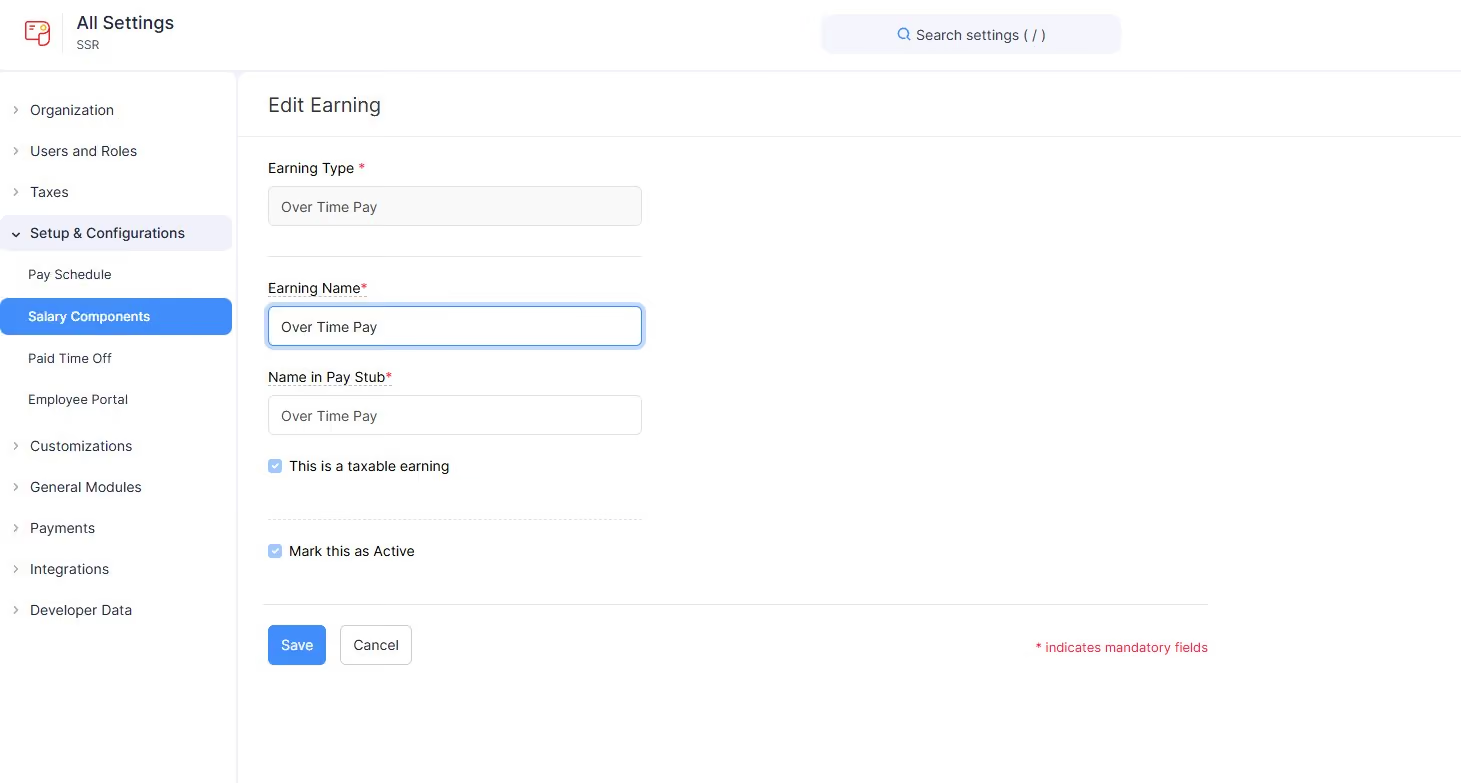
Setting up a test account was straightforward. Guided workflows walked us through adding employees, configuring tax and benefit details, and linking a bank account via Forte direct deposit. We tested both standard and off-cycle pay runs and found that the system handled bonus, overtime, and termination pay scenarios with clarity. Year-end forms like T4s and RL-1s were already built in, and the platform accurately applied both federal and provincial deductions.
What stood out most was how smoothly this payroll edition fits into the broader Zoho ecosystem. Once we connected Zoho Books and Zoho Expense, payroll data flowed automatically into journal entries and reimbursement records. For a newly launched tool, the reporting suite felt mature: we could generate summaries, deduction breakdowns, and tax filings with minimal effort.
The employee self-service portal is fully functional and localized in both English and French. Employees can access pay stubs, salary details, tax deductions, and time-off balances directly. On the admin side, features such as role-based access, custom salary components, and pay run approvals worked effectively throughout our testing.
That said, the Zoho Payroll Canada edition is clearly a v1 product. While it covers the essentials well, it’s still catching up with more established providers like Deel or Rise. At the time of testing, we also noticed the integrations were limited to Zoho’s ecosystem, with no support for third-party accounting, HR, or time-tracking tools. This won’t be an issue for teams already using Zoho, but it could be a dealbreaker for those relying on a more diverse or complex tech stack.
8,000+ organizations, including TagniFi, GoodFirms, and FieldSense.
Zoho Payroll offers two plans: when billed annually Standard Annual pricing starts at C$20/month plus C$3 per employee. The Professional plan includes advanced features and starts at C$35/month plus C$5 per employee (annually).
Best For
Zoho Payroll Canada is best for small and mid-sized Canadian businesses that already use Zoho for accounting and expense management and need automated, CRA-compliant payroll processing.

Multiplier
Multiplier excels in compliance and detailed reporting. For a long time, we’ve been impressed with their unique expertise in providing HR and payroll services in APAC, and other regions in EMEA. Recently, they’ve amassed more expertise in the Canadian market.
PROS
- Strong compliance with Canadian employment laws, including automatic tax deductions and province-specific rules.
- The new interface balances simplicity and functionality.
- Detailed reporting of payroll costs, tax filings, and benefits allocation.
- Choose between a contractor setup, EOR, and PEO services for Canadian employee hiring and management.
- Offers tools for subsidiary setup and company registration.
- Multi-currency payments in local currencies
- Multi-lingual contracts made instantly
- Compliance, payroll, onboarding, and timesheets, all in one platform
CONS
- No free plan is available.
- The payroll product’s pricing is undisclosed.
- Customer support can be inconsistent, with some users reporting delayed responses to critical inquiries.
- Limited integrations. As of Summer 2024, Multiplier only integrates with BambooHR, Personio, Workday, and HiBob for HCM-type tools, although they are working on adding more.
Multiplier’s focus on compliance with Canadian employment laws shone brightly in our tests. It’s such a relief to find a tool that removes the headache of managing work hours, employee benefits, and all those tricky compensation requirements.
During testing, we found the system’s ability to automatically apply relevant tax deductions, such as Employment Insurance and Canada Pension Plan contributions, to be particularly useful. Moreover, the system factored in province-specific requirements— like British Columbia’s vacation pay rules. There's just no guesswork involved, and that’s a huge win!
Compared to Dayforce’s Powerpay, which has strong compliance features but can feel a bit daunting for smaller businesses, we like Multiplier’s interface better for its intuitive design while still delivering all the tools needed to stay compliant, from background checks to contract generation and employee classification.
Regarding reporting, Multiplier provides quite a few tools for tracking payroll data, tax filings, and employee benefits. We liked how easy it was to generate reports on payroll costs, tax deductions, and benefits allocation. While they are not as powerful as what you get from ADP, they feel more robust and actionable compared to low-cost solutions like PaymentEvolution.
Beyond payroll, you can use this vendor’s EOR and PEO services for more comprehensive support with hiring and managing employees in Canada. And if you seek tools for subsidiary setup and company registration, this vendor has got you covered there, too.
Let’s also talk about customer support. Though our experience with the vendor’s support rep was positive (they replied to our email on the same day), that wasn’t the case for some of the users we spoke with. They mentioned it took days to sort out their questions on matters like payment setups and employee contract clarifications, which definitely isn’t ideal.
Multiple clients include Technology Aloha, SOCRadar, and Akra, but the exact number is undisclosed.
Multiplier offers global payroll management and immigration solutions with custom pricing. Its Employer of Record (EOR) services are priced at $400 per employee per month, while Contractor Management costs $40 per contractor per month.
Best For
Global and remote teams that prioritize compliance and robust payroll tools over free-tier solutions.

Folks
Folks HR is a solid, Canadian-first platform that bundles payroll, HRIS, and ATS into one package. During our hands-on testing, we were impressed by its native WSIB compliance workflows and bilingual support. With flexible service tiers ranging from self-service to fully managed, it’s a dependable workhorse for Canadian SMBs that want to skip the complexity of US-centric systems.
PROS
- Full, native Canadian compliance (CRA, T4/RL-1, ROE, CPP/QPP, EI)
- Direct sync with HRIS minimizes manual entry and discrepancies
- Strong WSIB/WCB support, including automated Form 7 generation
- Flexible service models: self-service, assisted, or fully managed payroll
- Modern, redesigned Folks 2.0 interface
- Full platform and onboarding support in both English and French
- Full, native Canadian compliance (CRA, T4/RL-1, ROE, CPP/QPP, EI)
- Direct sync with HRIS minimizes manual entry and discrepancies
- Strong WSIB/WCB support, including automated Form 7 generation
- Flexible service models: self-service, assisted, or fully managed payroll
- Modern, redesigned Folks 2.0 interface
- Full platform and onboarding support in both English and French
CONS
- Exclusive focus on Canadian payroll; unsuitable for U.S./international employees
- Limited reporting customization compared to enterprise solutions
- Benefits administration is not native to the platform
- May be outgrown by organizations with highly complex or enterprise workflows
- No free trial available for payroll testing
- Exclusive focus on Canadian payroll; unsuitable for U.S./international employees
- Limited reporting customization compared to enterprise solutions
- Benefits administration is not native to the platform
- May be outgrown by organizations with highly complex or enterprise workflows
- No free trial available for payroll testing
Following a major platform overhaul in 2025, Folks now offers a native payroll module built specifically for the Canadian market. It’s a specialized tool for SMBs that need an all-in-one ecosystem for HR and recruiting without the overhead of enterprise-grade software.

In our testing, the integration felt seamless. Employee profiles serve as a single source of truth, pulling in payroll data, vacation tracking, training records, and performance reviews. It’s intuitive and eliminates the friction of jumping between apps.
Where Folks really differentiates itself from global/US-centric competitors like BambooHR and Rippling is its deep focus on local compliance. It handles everything from CRA remittances and ROEs to multi-province tax filing. A standout feature is the workplace incident manager: when we logged an accident, the system automatically populated the WSIB Form 7, a major time-saver for lean HR teams.
The payroll experience also benefits from Folks’ broader HR automation features, such as vacation requests, absences, onboarding workflows, employee records, and e-signature documents, all of which feed into the same ecosystem. We particularly liked the “set it and forget it” approach to onboarding and document workflows, which felt intuitive during testing and should reduce administrative overhead for lean HR teams.
You also get a choice in how much control you want, with self-service, assisted, or managed models. The full bilingual support is a necessity, not an afterthought, making it a top pick for companies operating across Quebec and the rest of Canada.
The trade-off is its hyper-local focus. If you have international employees or need complex, enterprise-level data analytics, you’ll find Folks too limited. It’s a specialized tool for a specific audience, and it knows its boundaries.
Tim Hortons, Chick-fil-A, Barilla, Kisko, Familiprix, Réseau MaClinique.
Folks Payroll starts at $3.50 per employee per pay run and is available as an add-on to the Folks HRIS package (which starts at $6 per employee per month).
Best For
Folks Payroll is best suited for Canadian small and mid-sized businesses that want payroll, HR, recruiting, and compliance tools within a single bilingual platform.

Dayforce
Dayforce allows you access and audit payroll data anytime you want during the pay cycle.
PROS
- Payroll coverage across 200+ countries and territories supports global scale.
- Built-in compliance tools and local experts help manage regulatory complexity.
- Unified system improves visibility into global payroll data and reporting.
- Continuous calculation reduces manual work and improves payroll accuracy.
CONS
- Likely too complex for smaller teams or companies with limited global footprint.
- Pricing is not transparent and may be high compared to simpler payroll tools.
- In countries where payroll is partner-delivered rather than native, reporting consistency and issue resolution may vary.

Dayforce provides an innovative cloud-technology payroll and HR solution, which makes it possible for you to manage all your HR and Payroll transactions in one single database.
Most users commend the flexibility of the system as it allows you to access and audit payroll data at any time during the pay cycle, allowing more time for reviews and a more accurate payroll documentation.
- The BlueMan Group
- Harley Davidson inc.
- Air Canada Jazz
Dayforce payroll tool starts at $10.00 per employee per month.
Best For
Dayforce is a good option for small and medium-sized businesses (SMBs) looking to grow and will need the flexibility to opt for other HCM options in the future. It can also be used by large corporations.

I used Ceridian for about 2 years and was a power user, as well as part of the implementation team. The main workflows were new hire onboarding, promotions with secondary approvers, leave of absence management, scheduling, attendance and offboarding. Considering that we used to do all of these processes using a paper form, the platform helped us save a lot of time and work more efficiently.
We selected Ceridian primarily due to the level of customization that could be done. The secondary factor was value - what we received for the cost. The third advantage was that it was easy to use and train users in a decentralized workforce.
Our organization was paper-based with numerous tools and systems that didn't communicate with one another. The goal was to gain efficiency and make it easier for managers at the 200+ locations to manage workflow for the onboarding, maintenance and offboarding of over 4000 employees. Ceridian eliminated employee paperwork, consolidated payroll, HRIS, benefits, and time and attendance, not to mention the ease of approving employee changes such as promotions, transfers and terminations.
Some of the items I wish were improved with Ceridian have to do with support. During implementation, you have a high level of support but afterwards, you need to get into the ticketing system to get support and it takes a long time to resolve issues through it. The reporting feature is difficult and requires significant training, there is nothing intuitive. If you need help with a report or changing a config in your system, everything has an additional cost.
Ceridian had a skilled implementation team that was higher performing than some others I've worked with in the past. They took time to understand detailed requirements and worked with us side by side to get the customizations in. It was overall a positive experience.
I'd suggest that you consider how your current processes can be streamlined and not just design workflow with how it's done today. Look at existing tools that might be able to be eliminated for cost savings. Lastly, make sure that you have $ in your budget for an HRIS administrator to oversee and manage the system post-implementation.
I've seen many changes and expect that they will continue to evolve. The introduction of mobile access was a game changer, especially for a workforce like ours where the employees did not use the desktop application often. There is also a forum where users can make suggestions and the dev team will look there for features to build out in future releases. I expect that with the increased use of AI, that the tool will leverage that to improve the already efficient processes.
I would suggest this tool for a large organization. Cerdian is not the least expensive option out there, but if you need customization and can eliminate other tools, or benefit from the integration, you'll see some savings. It is a great solution for a high turnover workforce such as hospitality as it's easy to use and handles the volume with ease.
I'd not suggest this to a small business or company shopping on a budget. If you don't need a lot by means of customization or integrations, there are less expensive options available. I'd also not recommend this to a company that doesn't have the budget to assign a full time HRIS Manager to it. Depending on the size of the company, it may even require additional staff to support it.

QuickBooks
Quickbooks is easy to use and it integrates with just about any other accounting, financial, and HR software.
PROS
- Unlimited pay runs, auto full-service payroll, and same-day deposits included.
- Supports unscheduled payrolls and automatic year-end tax filings.
- Reminders for tax readiness provided.
- Pricing transparency. 30-day free trial available.
CONS
- No employer app.
- More expensive than some competitors like Patriot.
- Limited third-party integrations.
- No global payroll features.

Quickbooks is perhaps the most popular accounting software in the market, revered by many for its dedication to providing accounting software suites that help businesses manage clients, finance, and inventory. They also offer a comprehensive payroll solution to business organizations.
Intuit’s Quickbooks is characterized by its simplicity and friendly interface. Plus, they offer a 30-day free trial.
You pay a $20 monthly base subscription rate for Quickbooks payroll and $3 extra for each employee you add.
Best For
Small businesses that just want to get their payroll done without the bells and whistles of an HCM software suite.

We use Quickbooks for all of our invoicing needs, as well as for AR reporting when needed. We can also keep track of all of our contacts in the vendor section which makes it an easy place to go if we need information.
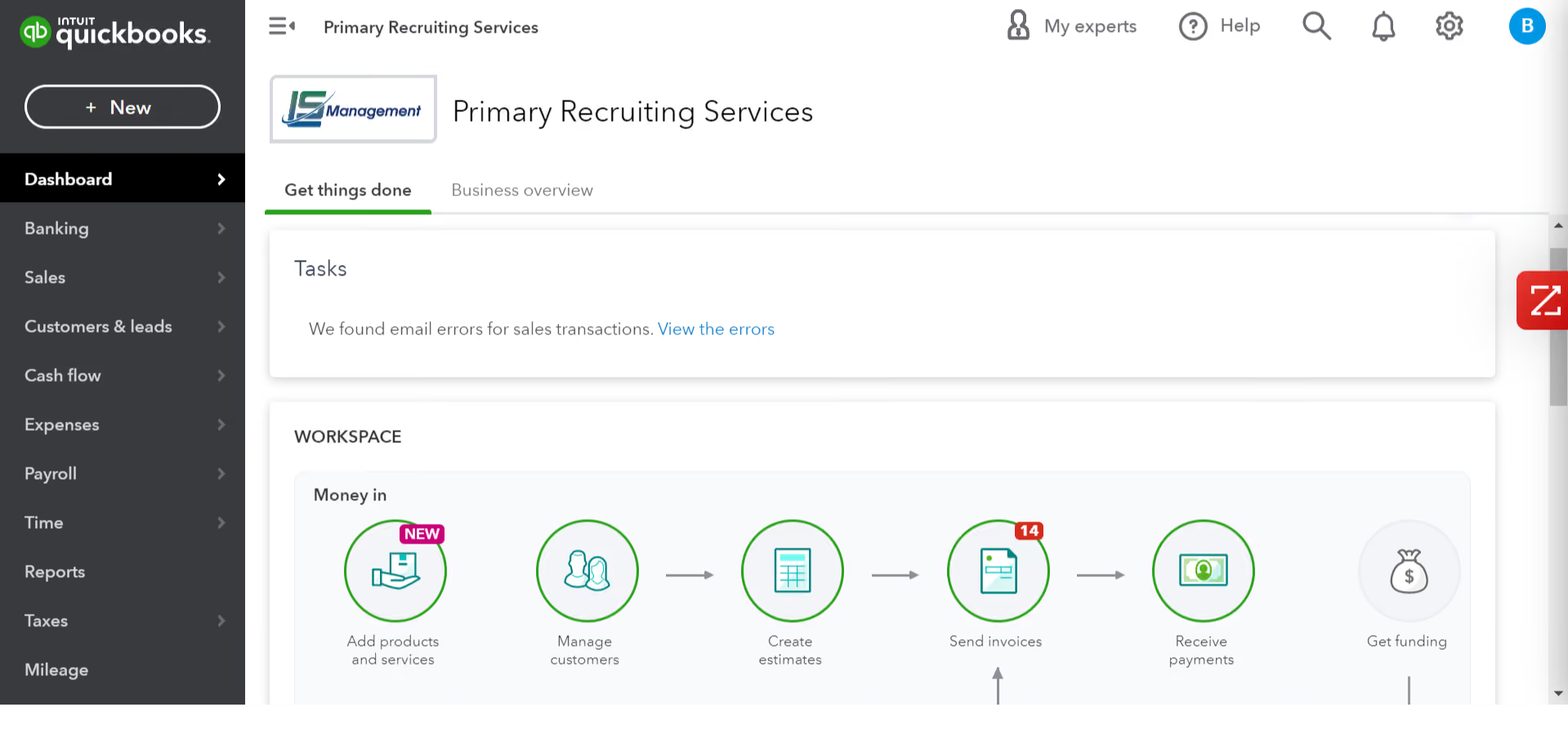
- User-friendliness is the main pro we find when using Quickbooks.
- It’s been very easy to train my HR employees how to send and receive invoices.
- It’s linked to our bank.
- It gives the option for people to pay via ACH when sending out invoices (easy for them to pay with a touch of a button).
When my organization was looking for options to help quickly get out invoices to our clients they thought Quickbooks would be the perfect solution. We have now successfully been using Quickbooks for 10 years for our invoicing needs as well as AR reporting which helps our HR team run smoothly.
- Sometimes it runs slow if more than one user are in the software at a time.
- Connectivity issues will happen at times which could make it frustrating to use when you are in a hurry.
- You have to add in other apps to be able to use all the functionality of Quickbooks and pay further pricing.
The only other software we have tried in the past was NetSuite, and we ultimately decided to go with Quickbooks due to its pricing and ease of use. NetSuite did have more functionality but overall we liked the way Quickbooks worked with our company’s needs.
They should figure out what they specifically want to use the tool for, and make sure they do their research and pick the correct type of Quickbooks so they can easily work through what they need to get done.
The website itself has changed over the years but in a good way! We feel it is super easy to navigate and works for our business needs.
Really any corporate type of business that needs to send invoices out to customers, our organization does staffing and recruiting and we rely on Quickbooks to be able to send out invoices to clients.
Maybe manufacturing companies or just very small, less than 10 person companies might not benefit from QuickBooks online.

Wagepoint
Wage point boasts a particularly intuitive design and user-friendly interface, great for the average user.
PROS
CONS

Wagepoint is a Canadian payroll software company founded in 2012. It has everything you need to pay your employees and contractors while staying compliant with payroll regulations.
This software was built with the small business owner in mind as it is evident in the simplistic design that can be operated by just about anybody.
- Quickbooks
- Xero
- Slack
The price for WagePoint’s payroll software is a monthly base fee of $20 and an additional $2 per employee.
Best For
Wagepoint works well for sole proprietors, startups, and any small business with less than 100 employees.

It is as simple as logging in to the administrator page and making a list of employees on the verge of payment. We use this software monthly to meet employees' payments
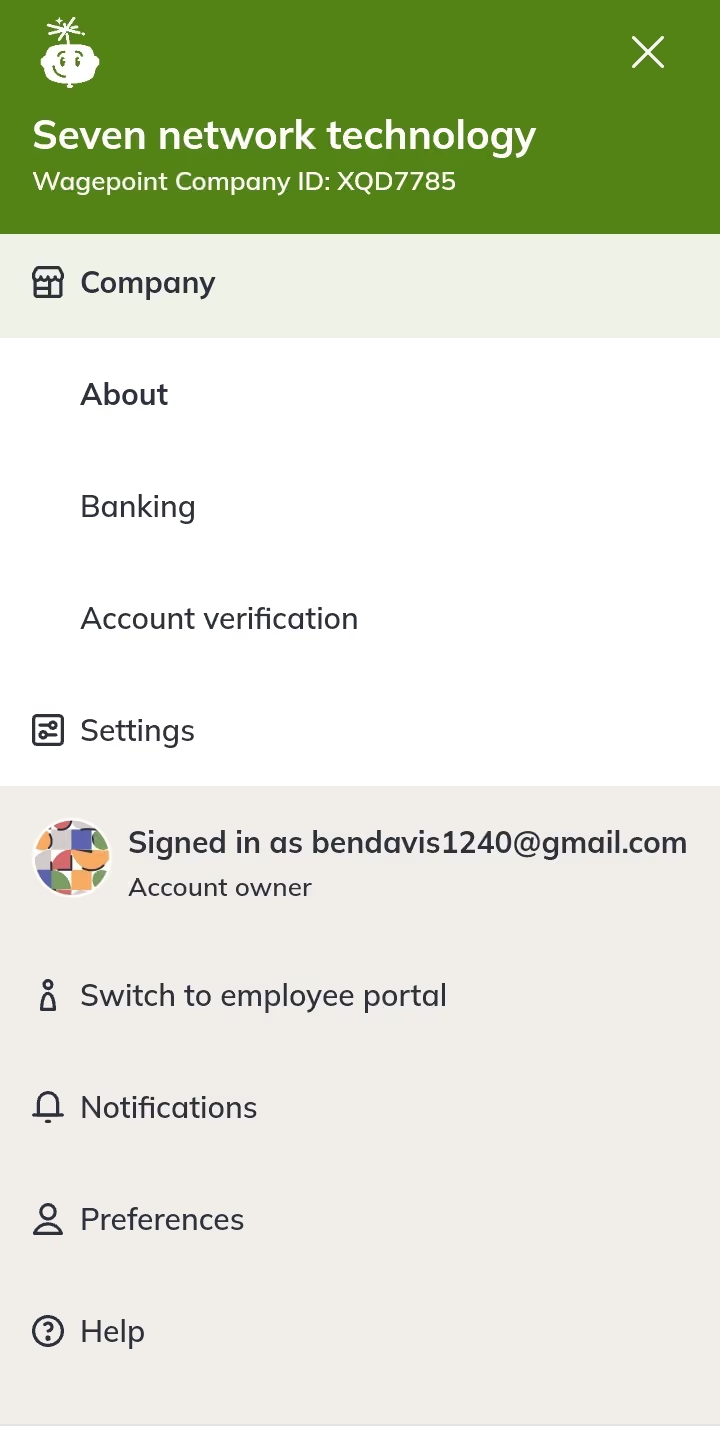
It is a quick made that is fairly charged and can be used by all businesses in the USA, we have found it more easy than the recent tools we have been using. This is not limited to the number of payments made a day
The manual payment gateway was too delayed before the discovery of this tool. I am the finance manager at the company but it was really hard for me to meet the payment of all the workers in a day one day time but now I can pay in minutes, I am a new user of this tool and I have used it for 2 years
Charges are high at times of small payments and this makes it a bit hard to meet. This tool has a slow support team. This tool loads very slowly on the network.
It’s easier to administer for our employees
It is unlimited in the number of users for the meantime and can be used by all employees because it is easy to use
It can now work in African countries than before and the support team has been improved
Financial institution
Logistics

Papaya Global
Papaya Global simplifies payroll and benefits management for Canadian employees and contractors, regardless of location. Operating in over 160 countries, their EOR model ensures seamless operations.
PROS
- Papaya ensures swift payouts within 72 hours across 160+ countries.
- Personalized health plans for employees, tailored to their location, accessible through web and mobile platforms.
- Transparent pricing with a 60-day money-back guarantee.
- Dedicated customer success managers in your time zone for localized support.
- Starter monthly fee is reduced to $12 per employee for full-service payroll.
- Papaya Global packs the EOR services you need to do global payroll and employment compliantly in over 160 countries.
- Automated payments in over 100 currencies, 80 of them directly to the worker's bank account through its global banking partners.
- Dedicated customer support providing locations-specific knowledge regarding employment and payroll.
- End-to-end payroll guaranteed payouts in 72 hours.
- Offers four standalone solutions: data and insights, supplemental benefits & immigration support, payment services, and employee data management, making the platform more affordable and scalable.
CONS
- Limited local entities in certain operational countries; no tax penalty guarantee available.
- No provision for a free trial or plan.
- Additional costs include setup, onboarding, cycle per employee, and year-end fees, along with a refundable deposit.
- Limited integration options but access to free pre-built APIs and custom API integrations.
- No free trial or free plan.
- Doesn’t own entities in all the countries it serves. The platform forms relationships with existing local in-country partners to handle employment in a specific region on the client’s behalf.
- BI analytics reports and global immigration services cost additional fees.
- Charges extra fees for setup, onboarding, employee cycle, and tax filing. Also requires a refundable deposit.
- Built-in integration options aren’t very robust. However, the platform does offer pre-built APIs, SFTP, and custom API integrations for free.
Papaya Global is a good choice for Canadian businesses looking to pay workforces comprised of local and overseas employees. You can make sure to adhere to both Canadian and international regulations when it comes to payroll, benefits, and equity.
Their platform, which we’ve been following since early 2021, is one of the pioneering tools of the global payroll software industry. They put a software face on an employer-of-record model, making it a breeze to manage employees— and Contractors— in their 160+ jurisdictions.
The pricing, of course, varies with each scenario. That said, one of the things we appreciate about Papaya is that they have a fairly flexible offering. Regardless of your mix of Canadian and international employees, they can likely propose a package that suits your needs. The same goes for managing payroll across provinces.
Johnson & Johnson, Deezer, Wix, Fiverr, Microsoft, Intel, Toyota
- Full-Service Payroll service: Starts at $12 per employee per month, with flexible options based on operational needs.
- Payroll Platform License service: Begins at $3 per employee per location for tech upgrades.
- Data and Insights Platform License service: From $150 per employee per month, offering real-time analytics on payroll costs and headcount.
- Payments-as-a-Service service: Starting at $3 per employee per month, delivering a dedicated workforce payment platform.
- Global EOR plan: Ranges from $650 to $1000 per employee per month for comprehensive EOR management.
- Contractor Management & IC Compliance plan: Tailored services for outsourced contractors, starting at $2 per contractor per month.
- Global expertise services: Starting at $190 per month per employee, this lets you add the global health plan, immigration support, and global equity for employees.
Papaya Global's benefits offering now emphasizes holistic well-being, encompassing mental health and incorporating e-services like telehealth and self-care tracking apps. Their equity management tool now supports many options, including (NQSOP; ISO; ESOP), Restricted Stock Units, Cryptocurrency, Employee Share Purchase Plans, and even Phantom Stock Plans.
Best For
Papaya Global is an excellent choice for Canadian businesses seeking to streamline global payroll and benefits operations, particularly for those with international hires within Papaya Global’s extensive country coverage.

I worked with PapayaGlobal for about two years in total, weekly. Mostly, I used the HR workflows because I am an HR consultant, and we were setting up mini HR offices globally. Employee onboarding was, of course, a big one. The integration with Workday was perfect. Uploading documents and organizing was straightforward. What I personally found invaluable were the compliance tools and local experience. This boosted my profile as well because I was learning through using the system.
Customer service is exceptional; you really feel that they are part of your team. I also loved the guarantees of local compliance, which created great trust with our in-house auditors. The ability to see the big picture of our workforce globally was also crucial, as it provided a great understanding of the workforce map and enabled strategic moves on the people side of things.
I was setting up PapayaGlobal for one of my previous clients. The reason we needed a tool like this was that we wanted to hire talent from different countries. Previously, we bypassed this by hiring on a "contractor agreement," but we really wanted employees, not contractors. While managing paperwork for EU candidates was somewhat easier, when it came to hires from outside the EU, it was a bit of a nightmare. Our HR team had to learn local employment laws, and we even contacted local lawyers to send us an empty contract so we could be fully compliant. These were the pains that the service greatly alleviated. We saved a lot of time, and audits were less stressful. We used it for about two years, but then the business took another direction.
It took a long time to learn the navigation through the platform; you really need to invest time to learn everything—you cannot just jump in with no training. Sometimes the screen would not load properly; words were overlapping, and it took some reloads for it to work, which was disappointing for a service that charges so much. We also had some issues with invoices; it was not clear how to manage them, but customer service helped with that.
Compliance support and global presence are the main reasons we chose PapayaGlobal. Another key factor is the customer service, which was consistently excellent. I also enjoyed the real-time access to analytics, which was helpful in following trends and monitoring important metrics globally.
First, consider the cost and how the pricing is structured to determine how much value a company can derive from the service at the agreed price point. Another important factor is access to real people who can guide the onboarding and integration with existing tools, which was commendable. Additionally, global access to local labor laws is perhaps the biggest consideration.
PapayaGlobal has evolved, but I believe other platforms have caught up and may be more attractive in their pricing.
PapayaGlobal is great for rapidly scaling businesses that need support in managing a multinational workforce.
PapayaGlobal is excessive for startups and scaleups with a simple payroll structure, or for those who work only with digital nomads, for example. Ensure you actually need all the services within the platform to make it worth the investment.

Payworks
Payworks makes it easy and seamless to switch from any payroll provider. Plus, it generates lots of customizable and shareable reports.
PROS
CONS

Payworks inc. is a Canadian company that provides total workforce management solutions, HR tools, and of course, cloud-based payroll for Canadian organizations. Established in 2000, they have since made a name for themselves as Canada’s trusted payroll solution provider.
Payworks especially stands out for its excellent understanding of Canadian tax laws. Unlike most small business payroll solutions, Payworks also processes Quebec payroll. Making it an excellent choice for any Canadian business.
- Meridian Farm Market
- Standard Motors
- Oxford Learning Centre
- Statoil Canada
The price for Payworks’ payroll software is a monthly base fee of $20.90 and an additional $2 per employee.
Best For
Small businesses, corporations, and franchises especially.

I primarily use Payworks to set up and manage payroll schedules, process salaries and payments, handle human resources operations, and manage tax matters. I also use this tool as a filing system for employee records, onboarding, offboarding, benefits, and other administrative tasks.
This tool provides resources and job aids for HR processes and manages employee compensation and their journey within the company. Its self-service feature makes it easy for employees to review their portal, where they can access their pay stubs, request time off, add overtime, and bank their time.
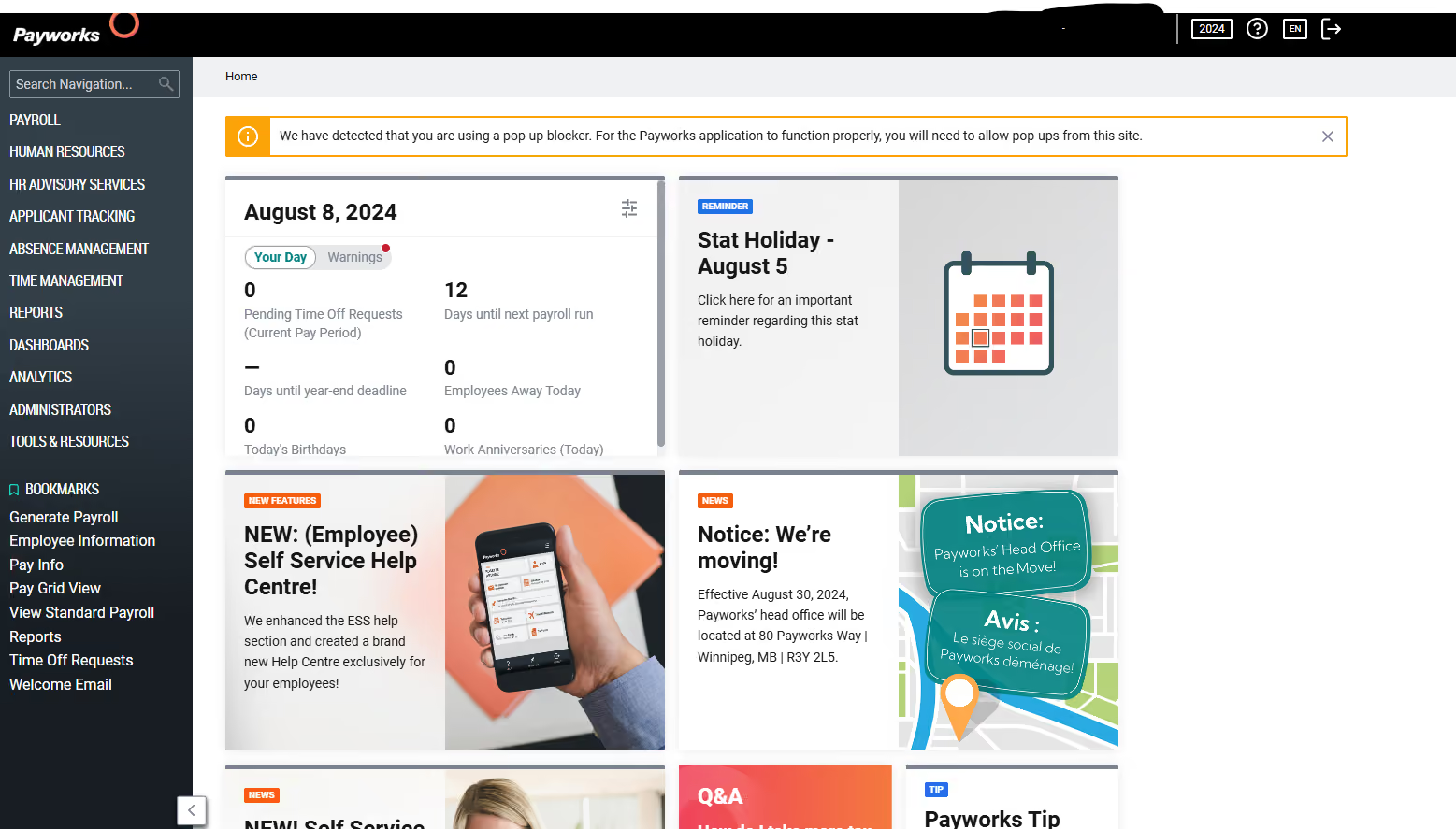
- Payworks offers a one-stop-shop for queries regarding payroll, HRM, compensation, and employee management systems and records, which makes the processes efficient and effective and reduces the need for multiple HRM tools.
- It provides real-time data for employees and the company, allowing you to customize any report related to payroll, compensation, time off, overtime, and banked time.
- It ensures compliance with labor laws and provides security measures to protect both employees' and the company’s confidential information.
- Payworks is user-friendly; you don’t need to be an HR expert to navigate through the tool.
We wanted an accurate payroll system for our company’s HRM, compensation, and employee management processes that would reduce our administrative tasks and improve efficiency and accuracy. We needed a tool that helps us comply with provincial and federal labor laws.
Prior to Payworks, we were completing all the tasks manually, which was time-consuming and often prone to human errors. This tool has provided us with a one-stop-shop platform that simplifies the process, provides accurate data, complies with labor laws, and increases the efficiency and effectiveness of our HR operations.
- Sometimes, it is challenging to integrate Payworks with other systems and software, which impacts workflow and data management.
- Some of the reporting features may not always be customizable to meet the employer’s needs, which could affect work effectiveness.
- Some features under the Human Resources tabs are underutilized, as there is an opportunity to make them more customizable to cater to clients' needs.
The biggest value-added feature is having a dedicated case manager for your company, which makes a significant difference in utilizing this tool to its fullest. The ease of use helps reduce training time and errors. Even if you don’t have an HR expert on your team, they help you understand the processes and impacts of the tool. They provide many resources and articles with step-by-step guidance to address any HR-related queries. It also offers reporting and analytics tools that provide valuable insights into workforce metrics, payroll data, and HR trends.
When buying a tool, one should always consider a user-friendly platform that can be a one-stop shop for both employees and employers. It should offer features that meet specific HR needs. Investing in a good platform that reduces data duplication and improves efficiency across the board is essential. Lastly, employee confidentiality is very important, and thorough research should be done before making a decision that may impact personal and confidential information.
Payworks continues to refine its processes and operating systems to remain a user-friendly tool for all. This tool has consistently enhanced its features to keep up with changing provincial and federal regulations and laws. Its ongoing enhancements of HR operating systems aim to reduce the amount of extra administrative tasks, allowing employers to invest more in their company’s development and growth. I highly recommend this tool for small to medium-sized businesses looking for an HR solution.
Small to medium-sized businesses can certainly benefit from Payworks.
In my opinion, Payworks may not be a good fit for large organizations with over 100 people.

Wave Payroll
It is very affordable, easy to use, and its accounting software is free to use as an add-on.
PROS
CONS

A subsidiary of Wave Financial, Wave Payroll is a management solution designed to simplify and automate payroll processes. It is primarily built for payroll but you can connect the software to the Wave accounting platform for heavy-duty accounting such as invoicing and receipt management.
Wave payroll costs a $20 base fee per month and an additional $6 per active employee or independent contractor paid. Also, you get a 30-day free trial with Wave Payroll.
Best For
Freelancers, small businesses, and sole proprietorships with very few employees (<50).

I use Wave Payroll to automate monthly payments to our employees. The tool helps me account for monthly labor spending and create financial reports for company executives. I integrate it with payment systems like Stripe and PayPal to collect payments from investors, partners, and clients. I also use it for auditing the Human Resources department and managing all banking activities.
The integration with PayPal and Stripe is seamless. The customer support team is responsive and helpful. The auto-syncing feature fetches bank statements and records in real time. The user interface is intuitive and easy to navigate.
Our company faced the challenge of automating payouts to employees in different locations. Sending manual payments to each employee was tedious, and generating financial reports and tracking labor costs was difficult.
Wave Payroll helped us solve this by ensuring timely payments to all employees, regardless of their bank. The tool has streamlined our payment processes while maintaining thorough record-keeping.
Additionally, Wave Payroll enables us to collect payments from partners and clients. I have used the software for three and a half years, managing employee payouts as an HR business partner.
I have use the software for three and half years managing employees and their payouts as an HR business partner
The balance sheet and cash flow management modules need significant improvement as they are not user-friendly. The cost of the tool increases with more users, making it less scalable. It has limited integration with banks and payment processors, complicating auto payments to employees in other countries.
Wave Payroll offers more affordable pricing and supports both employee payroll and business accounting at the same price, unlike many competitors.
Consider the location of your employees, as the tool is best suited for those in the US and Canada. Evaluate the pricing of the tool relative to the number of users you plan to onboard.
They have added more banks to the tool since we first implemented it.
Wave Payroll is ideal for Human Resources and Finance departments in bigger businesses.
Wave Payroll may not be suitable for smaller businesses or companies that only hire a few people in specific locations.

Employment Hero
Employment Hero (formerly Humi) lets HR managers improve benefits administration by centralizing information about benefits cards, health spends, employee profiles, and multi-level plans on a single platform.
PROS
- Integrated HR, payroll, and hiring reduce manual data entry and tool switching
- Easy-to-use workflows that non-specialists can manage confidently
- Strong Canadian compliance with automated tax calculations and CRA remittances
- Supports multiple pay schedules, bank accounts, and automated payslips
- Time and attendance sync helps streamline payroll processing
- T4 generation and submission handled within the platform
- Integrated HR, payroll, and hiring reduce manual data entry and tool switching
- Easy-to-use workflows that non-specialists can manage confidently
- Strong Canadian compliance with automated tax calculations and CRA remittances
- Supports multiple pay schedules, bank accounts, and automated payslips
- Time and attendance sync helps streamline payroll processing
- T4 generation and submission handled within the platform
CONS
- Works best within the full Employment Hero platform, not as a standalone payroll tool
- Some features require higher-tier HR plans, increasing overall cost
- Pricing is undisclosed with no free trial
- Works best within the full Employment Hero platform, not as a standalone payroll tool
- Some features require higher-tier HR plans, increasing overall cost
- Pricing is undisclosed with no free trial
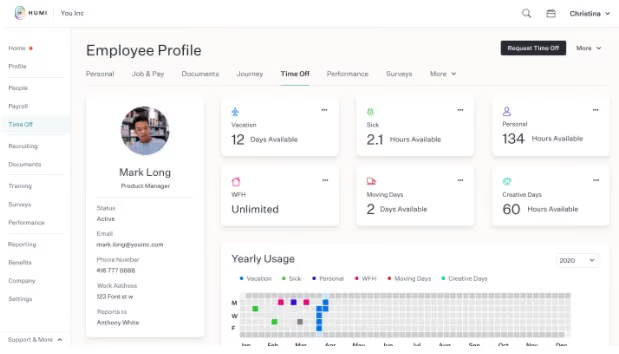
Humi is designed to help small to medium-sized businesses automate payroll and HR tasks. A peculiar feature of Humi is that you get your HR and payroll in one place, thereby eliminating dual entry.
What stood out to us is how tightly payroll connects with the rest of the platform. Time and attendance, employee records, and salary data all feed directly into pay runs. In practice, this reduces the kind of manual entry that often slows things down or introduces errors. Once everything is set up, running payroll feels more like a routine task than a monthly scramble.
The system is also built to be approachable. Employment Hero positions it as something non-specialists can handle, and that generally tracks with what we saw. The workflows are straightforward, and tasks like generating payslips, managing multiple pay schedules, or handling overtime calculations are automated. At the same time, there is enough depth for more experienced users who want to move faster or customize how payroll runs.
Compliance is a strong point. The platform is designed specifically for Canadian businesses, with a tax engine that stays current with federal and provincial requirements. It handles employer tax calculations, CRA remittances, and T4 generation and submission. For teams that do not want to keep up with changing regulations manually, this kind of built-in support can remove a lot of uncertainty.
We also liked the flexibility in how payroll is run. You can manage different pay schedules, support multiple bank accounts for employees, and sync time tracking data directly into payroll. These are not flashy features, but they are the kinds of details that make the system easier to live with over time.
That said, the value of Employment Hero’s payroll is closely tied to using the broader platform. Because payroll is part of a larger HR system, teams looking for a standalone payroll tool may find it more than they need. Some features also sit behind higher-tier HR plans, which can increase the overall cost depending on what you need.
Custom pricing.
Best For
Canadian SMBs with 5 to 500 employees

Knit People
It is 100% Canadian and you can set up the platform to run your payroll on autopilot.
PROS
CONS
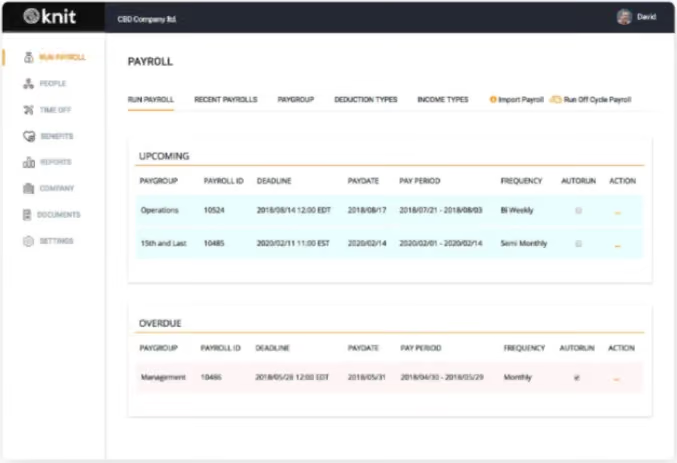
Knit people is a Canadian payroll software company that provides simplistic HR and payroll solutions for small and medium-sized businesses. Being 100% Canadian, Knit keeps up-to-date on tax and employment legislation in Canada, thereby helping you stay compliant with strict tax legislation in places like Ontario and Quebec.
Unlike other systems, this Canadian payroll software performs some complex operations that are peculiar to Canadian businesses like WSIB reporting, ROE filing, and employee health tax (EHT) remuneration for companies that are in Ontario or have employees that reside in the province.
The software is also easy to set up and it features a very simple user interface.
Knit people’s payroll software goes for a flat rate of $39.00 per feature per month.
Best For
Startups, small and medium-sized businesses, as well as accountants that manage payroll for their clients.

Push Operations
Push Operations offer an integrated solution with all your operations (payroll, time tracking, etc., in one tidy interface).
PROS
- Seamless integration with POS systems
- Proactively prevents break violations with timely alerts for enhanced compliance
- Tailored reporting options to extract precise insights for informed decision-making
- POS system integration
- Eliminate break violations through proactive alerts
- Customized reporting
CONS
- Some of the users we consulted raised concerns about the intuitiveness of the interface, prolonged loading times, and occasional unexpected logouts from the platform.
- Some users have reported issues like a confusing interface, long loading times, and the platform logging out randomly.
Push operations provide a fully integrated solution that allows you to utilize data from scheduling, time tracking, and other HR applications in your payroll activities.
They offer robust features that are ideal for Canadian businesses of any type. However, due to their integrated functionality, they are specifically good for businesses with hourly employees. Note that Push Operations only offer payroll as an add-on. They are more of an HR product that caters to the needs of small Canadian businesses.
Push Operations has three base plans - Starter, Pro, and Premium. The Starter plan costs $4 per employee per month, Pro costs $5 per employee per month, and Premium costs $8 per employee per month. To get payroll as an add-on, you have to pay an additional $6 per employee per month with any of these plans.
Best For
Businesses that have hourly employees and multi-locational businesses with 50 employees or more.
Canadian Payroll Software Use Cases
Earlier on we mentioned that it is important to pay attention to the software you choose to run your payroll, hence the review of the payroll vendors above. However, we never really mentioned the general manner in which these payroll systems can be useful. Here are some use cases for a typical Canadian payroll software:
- Recruiting support: Payroll systems can help in the recruiting process by providing support like background checks to improve your chances of making a good hire.
- Business management: Most, if not all, Canadian payroll software offer reporting and analytics which can provide insights that can be crucial in key business decision-making.
- Onboarding: Some Canadian payroll systems offer onboarding tools to help new hires acclimate with their new work environment.
- Human capital management: Payroll software makes gathering employee data (personal, banking, financial, tax, etc.) much easier and well-coordinated.
Pitfalls To Avoid When Buying Payroll Software for Canada
The main pitfall you need to be aware of in Canadian payroll software is the inability to process multi-provincial payroll. Many times, employers get into business with a payroll vendor only to find out they cannot run Quebec or Ontario payroll. The tax laws in these regions are strict, and they change a lot. Only a few established payroll vendors like Dayforce and ADP, or fully Canadian vendors like Knit and Rise People, have the resources to keep track of these changing laws in order to stay compliant. For employees based outside of Canada, employer of record companies are a convenient solution.
Benefits and ROI of Using Canada-Specific Payroll Software
Payroll is a very complicated and exhausting process. It is even more complex in Canada, where the premiums and insurances to be deducted differ from province to province. If you resort to outsourcing your payroll, you should be ready to pay up to $200 per employee per year.
Using payroll software and potentially employing the services of a professional employer organization can make a world of difference in your finances. Contrary to the $200 you have to pay per employee, a typical payroll software vendor will charge you, at most, $10 per employee per month. Totalling $120 per employee per year.
Payroll systems also save you time. Quickbooks, for example, can save you up to 40 hours per month. Calculating these man-hours, you will be saving a lot of money that can be recycled into the business. Still on Quickbook, because it saves users up to 40 hours per month, you can potentially save $3,000 in tax savings. The same goes for other payroll software that is equally efficient.
Furthermore, payroll systems are constantly up-to-date with local and international laws on payroll and taxes. This protects users from lawsuits and fines resulting from non-compliance.
Besides, as you keep expanding, you would want to conduct your payroll operations in-house and that is possible with the right payroll software. All in all, the right payroll systems can be a great investment in the short and long run.
Canadian Payroll Software Pricing Models
When it comes to Canadian payroll software, there are two major pricing models, and most times, vendors prefer to combine both models. So what are these two pricing models you ask?
- Flat rate: In this pricing model, vendors charge you a fixed price per month or annually, depending on which you prefer. If you are going to be using vendors that charge a fixed rate, it is best you choose the annual plan because it always comes with a discount. And it is worth it in the long run.
The good thing about this model is that you can run payroll for as many employees as you want without paying a dime extra. You can also bring in new hires without having to worry about incurring additional costs. This pricing model is fit for small businesses looking to grow and expand. - Per employee per month: This model is self-explanatory and just a few Canadian Payroll Software vendors offer this type of pricing model solely. Usually, this model comes with a fixed base price you need to pay per month, then an additional amount for the number of employees you choose to run their payroll. This model is fit for businesses that have a lot of contracted employees.
Key Features You Should Look Out For in Canadian Payroll Software
There are several payroll management systems in the market, each with its defining features and attributes. As an employer, human resource manager, or payroll officer, it is imperative you choose one that specifically addresses the needs of your business. In doing so, however, you must look out for these features in any Canadian payroll software you choose:
Compliance
One thing about Canada is that the law changes as you move from province to province, especially tax laws. For example, it is compulsory for employers to pay what is known as the employee health tax (EHT) in Ontario and British Columbia. This is not the case in other provinces. Whatever Canadian payroll software you choose, it must have an adept understanding of Canada’s provincial tax laws.
Tax Management
This is perhaps one of the most important features you should look out for. Your Canadian payroll software must be able to remit monthly, quarterly, or bi-monthly (depending on your preference) tax deductions to the appropriate agencies - the REVENU Quebec for the province of Quebec, and the Canadian Revenue Agency (CRA) for other provinces in Canada. The software must be able to calculate and deduct the three basic tax remittances accurately and according to recent rates. These deductions include income tax, the Canada Pension Plan (CPP) contributions, and employment insurance(EI) premiums.
Direct Deposit
The whole point of having a payroll management solution is so you can pay your employees on time and with ease while staying compliant. A direct deposit option eliminates the stress of going to cash a cheque in a bank, and you also save time and money by avoiding printing paychecks.
Reporting
Your Canadian payroll software should be able to generate important reports when you need them. Reports like pre-post payroll journal, pay run audit report, cash requirement reports, and so on, ensure your pay run is error-free. Reports and analytics also provide insight into the financial aspects of the business.
Demo Questions to ask Your Canadian Payroll Software Providers
Payroll software vendors usually provide demos so you can get acquainted with their system before you commit. We recommend you schedule demos with several payroll vendors to arrive at the one that best suits your business and preferences. We have curated some questions you can ask during this process:
- How much does your service cost for my business (number of employees)
- Does your software allow for multiple users?
- What additional service do you provide?
- How will the pricing change when I want to scale?
- Can your system generate a record of employment (ROE)?
- Can my employees view their pay statements and T4's online?
- Does your system integrate with other business management tools? If so, what are they?
- How much control do I have over the payroll process?
- Does your software automatically submit my CRA, WCB, or WSIB remittances?
- Do you handle Alberta and Quebec payroll?
- Do you handle international payroll?
- What are the measures you have put in place to ensure you stay on top of Canada’s changing tax laws?
- Does your software automatically upload the EFT file (Electronic Funds Transfer) to my company's bank?
- What are your payment options?
- What metrics have you used to prove the effectiveness of your solution, and where can I see these in my analytics dashboard?
- Does your software allow for mid-month advances or special pay runs?
- Besides Canada Pension Plan (CPP) contributions and Employee Insurance (EI) premiums, what other premiums, deductions, and contributions do you remit?
Implementation: How do You Get Started With the Best Canadian Payroll Software?
We have mentioned 10 different payroll systems in this review and all of them have their unique interface and functionality. No matter the differences, setting up and running with these Canadian payroll solutions typically follows the same procedure:
- Set up: The first thing you want to do with your payroll software is to set it up to run per your business policies. Policies around holidays (paid or not), general benefits (like accommodation, etc) should be inputted in the system so when the payroll is to be run, these policies will take effect. The setup stage also involves you inputting your business information (business name, location, business number, etc) into the system.
- Add Employees: The next thing you want to do is add employees. Most systems allow you to add employees to tabs where you can fill in all their necessary information and allocate a monthly salary. While filling the employee tabs, you will be required to collect their TD1 forms and add their tax codes.
- Run Payroll: After setting up your system and adding your employees, the next step is to pay them. Some payroll software can automate this process - all you have to do is input the pay frequency and necessary tax information, and the system will run the calculations, deduct the taxes, and pay the employee the net salary after all the deductions. We, however, advise you to manually control some aspects of this process. For example, when an employee has reached the maximum Canadian Pension Plan (CPP) annual contribution before the year runs out, you can “uncheck” this deduction to avoid inaccurate tax remittance which, in turn, affects the employee’s pay and payroll data.
- Make Remittance: Most Canadian payroll software will automatically calculate and deduct remittances from the wages you paid your employees. Some go a step further by actually filing and submitting these remittances to the CRA or REVENU Quebec, depending on your province.
- File T4s/ T4As/ Releve 1s: At the end of the year, your payroll software will file your end-of-year summaries and distribute them to your employees.
In most payroll software, customer success representatives, who are Canadian payroll experts, help with the aforementioned procedures. If you are a new business set up in Canada or perhaps you simply need help navigating the turbulent waters that are business payroll, you shouldn’t have any problems.
Others are self-service putting you solely in charge. Again, these payroll software vendors are here to serve your specific needs. Whatever your preference, there is always a solution for you.
FAQs
What is payroll software?
Payroll software is a cloud-based solution that provides automated payments to employees of a business organization. Payroll software helps with anything from filing taxes, generating reports, storing data, and so on.
Why is Quebec’s payroll different from other provinces?
Canada’s system of government allows for different provinces to enact their own statutory laws.
Unlike other provinces where you have to pay Canada Pension Plan (CPP), in Quebec, employees pay the Quebec Pension Plan (QPP) and this differs in rates.
Moreover, while you submit remittances to the Canada Revenue Service (CRA) in other provinces, you submit to REVENU Quebec in the province of Quebec.
What is the best Canadian payroll software for small businesses?
Many of the brands we mentioned, including Push Operations, Humi, Intuit, and Ceridian Dayforce, are top picks for most businesses. If you're looking for payroll solutions designed specifically for small businesses, WagePoint, Payworks, Wave Payroll, and Rise People are some of the top options.
Last Advice About Buying Canadian Payroll Software
If you’ve made it this far, you will likely choose a payroll solution that fits your business perfectly. That being said, we recommend you always follow SSAFE - Security, Support, Affordability, Features, and Ease of use. Once all those are in place, you are very likely to end up with a good deal.
As a final word, if your business involves hiring a lot of remote employees outside Canada, you will want to be compliant with international legislation in their respective regions. Choosing one of the best international payroll companies to run your payroll is your best bet. You get to pay your employees with ease without having to worry about whether or not you are breaking any laws.
About the Author


About Us

- Our goal at SSR is to help HR and recruiting teams to find and buy the right software for their needs.
- Our site is free to use as some vendors will pay us for web traffic.
- SSR lists all companies we feel are top vendors - not just those who pay us - in our comprehensive directories full of the advice needed to make the right purchase decision for your HR team.


