

Best HR and Payroll Software Systems in 2026
This guide reviews top cloud-based HR and payroll software, including pros, cons, pricing, ROI, implementation tips, and more.









Whether it's small businesses or large corporations, one thing that's a must for every company is ensuring employees are paid accurately and on time. Good payroll software takes care of this. But what's even better is that some can even handle several HR tasks, from onboarding to time tracking, benefits, and workforce planning.
We put together this guide in 2022 and have been updating it ever since to help HR leaders find the best HR and payroll software for their needs. If you need help narrowing down your options to 2-3 of the best choices, simply request personalized help from our HR experts here (it's free).
To bring you the best HR and payroll systems, we conducted extensive research and leveraged our expertise in the industry. We've been following and demoing numerous software solutions over the years. Combined with the help of our community of HR experts, who often share their experiences with each tool in various organizational settings, we were able to select the very best. Three of the most important criteria we used to evaluate these tools are workflow automation, payroll processing, and core HR features.
- Payroll Processing: We filtered for payroll and HR software that excels in this area, ensuring robust yet user-friendly payroll processing for businesses of all sizes. The chosen solutions offer comprehensive payroll software features, including tax calculations, direct deposit capabilities, payroll reporting, and integration with accounting systems.
- Core HR Features: These tools are great for payroll, but do they get HR right? We handpicked those offering the greatest range of core HRMS features to support your organization's needs. Most of these tools are fully-fledged HCM systems, enabling you to efficiently handle all aspects of employee management in one centralized platform.
- Workflow Automation: We prioritized solutions that offer robust automation capabilities, enabling HR professionals to save time on repetitive tasks. The selected software options provide intuitive workflows and can automate key tasks such as onboarding, employee data management, PTO calculations, leave requests, and more.
To learn more about our comprehensive evaluation process and discover additional insights on selecting the best HR tech, we invite you to read our piece on how we select the best HR tech.


ADP

Easy to use, 24/7 support from payroll experts, seamless integrations, – ADP is packed with interesting features that will elevate your business like nothing else.
PROS
- Native, all-in-one technology suite for recruitment, payroll, and compliance.
- 17 RPO service centers in 14 countries and provide services in 42 different languages.
- Dedicated team of AIRS-certified recruiting professionals.
CONS
- Technology options outside ADP’s dedicated HR tools are limited.
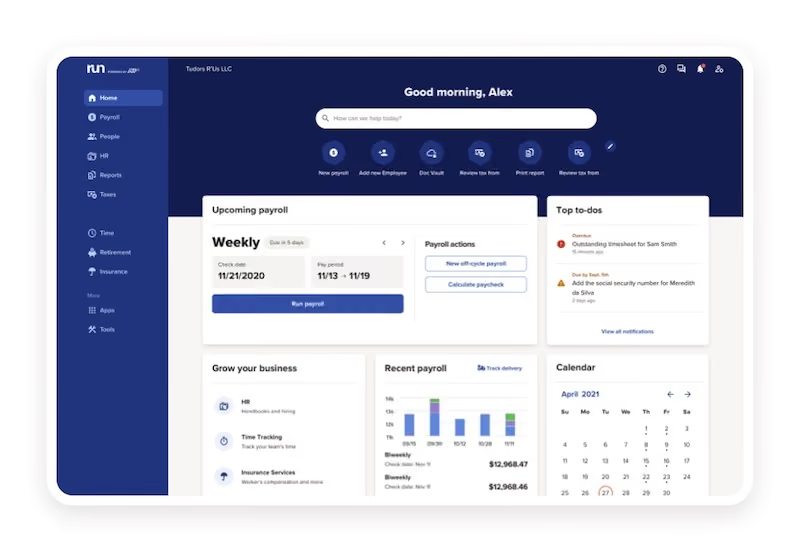
Instead of obfuscating a first-time user with unnecessary details about their HR services, ADP asks you a few simple questions and fetches you a customized HR solution that would best suit your organizational needs.
ADP’s payroll and HR software known as RUN is easy to use, has a clean user interface, and yet contains so much depth in terms of features. From personalized payroll to AI-powered error detection features for tax compliance, ADP lets you seamlessly run payroll, track time & attendance, helps you with workforce management, and much more.

Best For


I typically use it every week. I use it to check my bi-weekly pay stub and access payroll info. We also use it to post job applications and advise HR of vacancies. Previously it was used to submit performance reviews which were done quarterly or semi-annually depending on the role (now using PATI). I would also use it to review the organizational chart for contact info when needed. I also found the quick links and HR/benefit information to be very useful and would frequently login just to find links and information about other company resources.
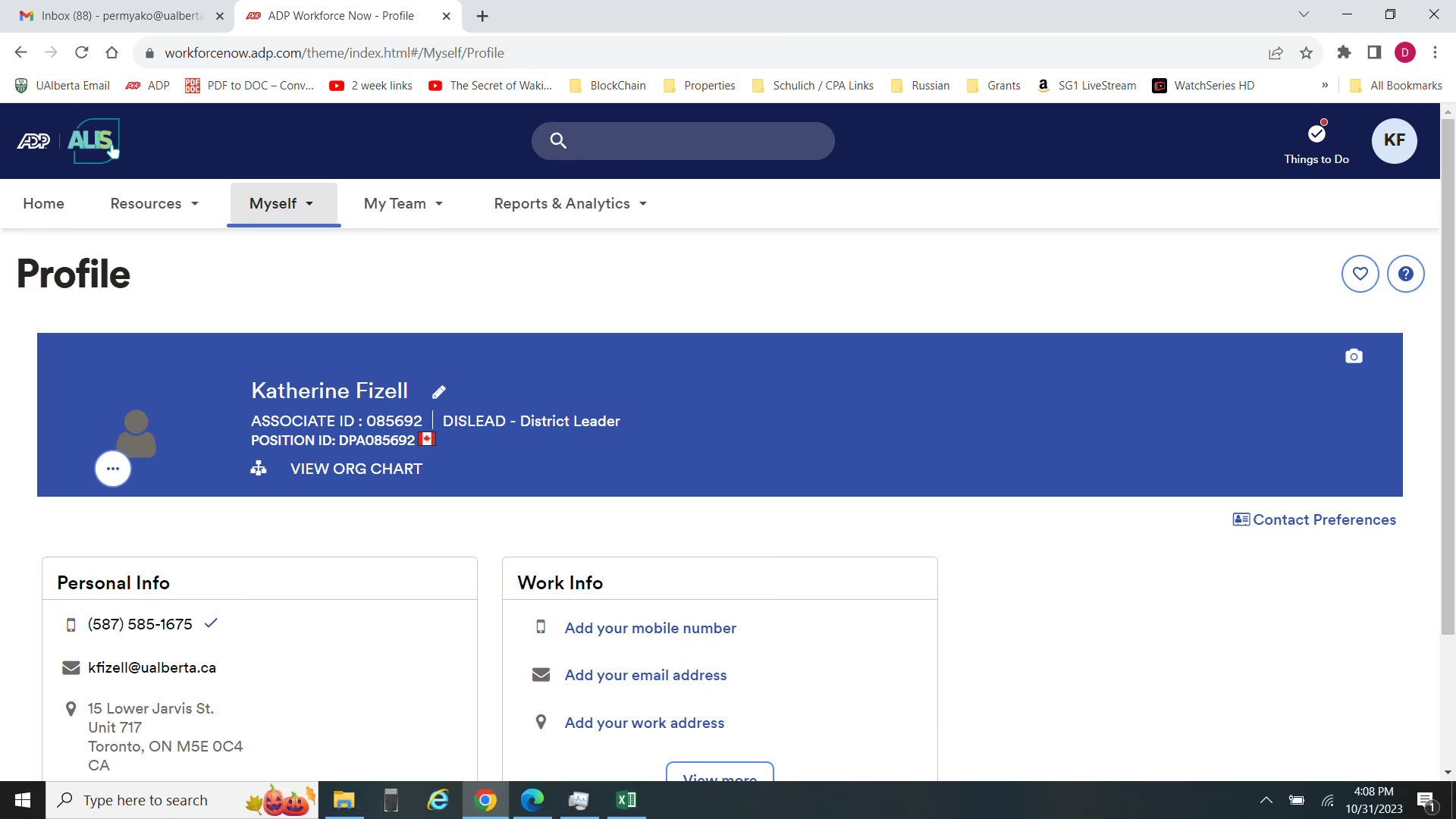
I really like that all the HR resources are essentially located in one place, especially with links embedded to external sites (eg. benefit provider). I also really like that I can access all my payroll info online in one place. The organizational chart feature is also really helpful for identifying the reporting structure for areas of the business I was less familiar with and help me connect with the appropriate team member on cross-functional projects.
We bought ADP to cut back on internal payroll costs, provide employees with online access to their payroll info, avoid manually mailing out paper T4's every year, consolidate HR information and links into 1 platform, streamline data entry requirements for the payroll team, help move employee calls and inquiries to the ADP team, free up internal payroll/HR time, and streamline HR recruiting and tracking request. I have been personally using it for around 2 years now I believe.
The login process always feels very cumbersome with the multiple authentication steps and 2FA. The performance review functionality was extremely tedious - there were a lot of different screens and it wasn't easy to locate reviews or edit them - it just seemed much more complicated than it needed to be and a lot of my managers struggled to complete their reviews even with instruction manuals. I also wish there was a way to inquire about any payroll discrepancies directly - employees would have to email me (with no visibility as a District Manager) and I would have to forward payroll and it always seemed to slow down the efficiency, especially when the answer was something simple.
More functionality and works as a total company website as opposed to just a payroll viewing platform. Much more visually appealing and easy to navigate than some other platforms (like some SAP ones I've seen)
How much functionality you want out of the platform - just access to paystubs or a fully integrated HR platform. Customization options - for example we could add custom fields like t-shirt size for team events and/or self-declaration options (eg. covid vaccination status)
We're still relatively new to the platform, so it's hard to say what is an ADP change or just an organizational learning, but I have seen the addition of new self-declaration fields in the employee profile. The benefits section and external links continue to expand as well. We struggled with the performance review section, but I believe this is now being worked on in the backend by our L&D team.
For a large organization looking to streamline HR / payroll operations, particularly if trying to move away from paper-based payroll/pay stubs.
Likely a smaller organization that just doesn't have the need for such a complex, integrated system
.png)
Deel
With its ability to process payroll in over 100 countries, Deel positions itself as an all-in-one system for managing global workforces. What’s more, their HRIS is quite affordable, starting at $5 per employee per month.
PROS
- Global payroll supporting 100+ countries, 200+ currencies and 15 payment methods.
- Deel Card allows contractors to receive payments in USD and use funds directly.
- 200+ legal and tax experts ensure compliance with local labor laws and tax regulations.
- Automated payroll and invoicing significantly reduce manual effort.
- Integrates with 100+ HR solutions.
- Excellent 24/7 customer service with fast onboarding (2-3 days) and local payroll experts in each jurisdiction.
- Seamless integration with platforms like QuickBooks, BambooHR, and Greenhouse, plus custom integration options.
- User-friendly, self-service features enable quick setup; identity verification often takes under 24 hours.
- Automated invoices simplify payments, provided they're in English.
CONS
- HR tool can be quite basic for some.
- Lacks built-in time tracking features.
- Invoice generation only available in English.
- Key features like onboarding automation are add-ons, which may increase costs.
- Limited flexibility in modifying contracts or service agreements; changes often require an addendum.
- Invoices cannot be generated in languages other than English.
One of Deel’s most impressive capabilities is its ability to run payroll in over 100 countries with just a few clicks. The platform supports payments in over 200 currencies, and with 15 different payment methods, including bank transfers, Wise, PayPal, Payoneer, and even cryptocurrency, it felt like Deel had thought of every possible way to pay employees and contractors.

As a team with global contractors, the Deel Card was a particularly useful feature. It allowed our contractors to receive payments in USD and use the funds directly for purchases, eliminating the hassle of currency conversions.
What also gave us peace of mind was Deel’s in-house compliance expertise. The payroll platform has an in-house team of over 200 legal and tax experts who ensure companies meet local labor laws and tax regulations. Plus, payroll can be fully automated: Once contracts were set up, payroll and invoices ran themselves, which significantly reduced the manual workload.
For companies already using Deel for payroll, the fact that this vendor provides a native HR module at a fair price makes it a compelling choice for managing a global workforce. The platform provides a single system of record with basic HR tools like employee profiles, performance management (1:1s and pulse surveys), and integrations with over 100 HR software solutions. So if you’re a smaller business or startup that needs a lightweight, cost-effective HR solution, this is a solid option.
But that also means Deel’s HR suite lacks the depth of more established HRIS systems like BambooHR or Bob, particularly in areas like workforce analytics and benefits administration. Companies needing a more full-fledged HR solution may find Deel’s HRIS too limited and might need to supplement it with additional software.
Pricing is another area where Deel may not be the best fit for every company. While Deel U.S. Payroll starts at $19 per employee per month, global contractor management costs $49 per month, and its EOR service is priced at $499 per employee per month, which is quite higher than some other employers of record services. Additionally, the platform lacks built-in time tracking, which could be an issue for businesses needing to monitor working hours.
35,000+ organizations, including Andela, Makerpad, and Brex.
Deel's global payroll and HRIS starts at $19 and $5 monthly, respectively.
Best For
Companies with a remote-first workforce are well-suited for Deel HR and payroll offerings.

Deel is used daily by the HR team, as it integrates all the necessary tools into a single system. The team uses the recruiting platform along with the Deel Talent Network of recruiters. The global-first platform provides visibility into the entire worker lifecycle, allowing us to monitor employee trends across departments and levels of the company.
Recently, Deel released new modules, including a workforce planning module, which has been helpful for growing teams within the organization. This module has supported growth tracking through custom approval workflows.
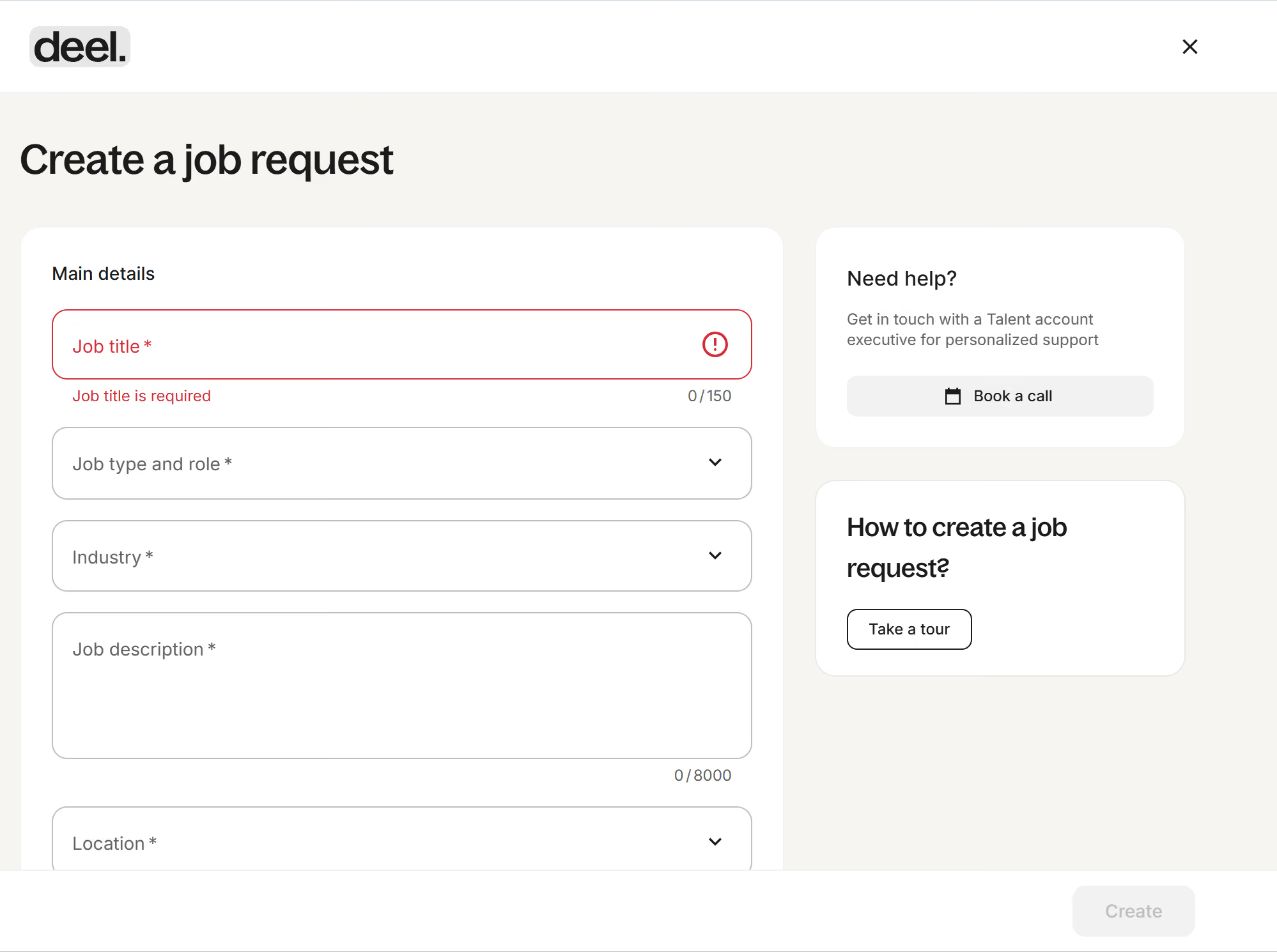
- I like their AI-led ATS, which sets them apart from many competing systems.
- The Deel Talent Network is a valuable resource for finding recruiters and recruiting firms without signing additional contracts or sourcing them independently.
- Deel continues to evolve to meet user needs, and the system regularly alerts users to compliance changes. For example, there was an alert that the state of Hawaii will increase its minimum wage in 2028, allowing users to remain compliant with state laws.
The organization I worked for chose Deel for its global compliance capabilities. The company has employees across multiple countries, so it was important to find a platform that could help the team manage compliance from one country to another.
The key features that stand out beyond the global platform include their AI-led ATS and their talent network of pre-vetted recruiters. These tools helped streamline recruiting and compliance within one system. The platform has been in use for about one year.
- Deel is not an affordable option for many companies.
- For domestic-only companies, even though Deel offers strong services, it may not provide the best value.
- With frequent updates and new features, HR teams must dedicate time to learning and keeping up with system changes.
Its global compliance capabilities are a major differentiator from competitors, along with its AI-led ATS.
Before purchasing Deel, consider where your employees are located. If your workforce spans multiple countries, this may be a strong option. If your organization is primarily domestic, evaluate whether the cost aligns with the value provided. Deel is technology-focused, including AI-driven features, so teams that prefer simpler systems may find it overwhelming.
Deel frequently releases new modules, including the recent workforce planning module.
A global organization with employees in two or more countries can benefit from Deel.
Domestic-only companies do not need Deel.

Paylocity
Paylocity streamlines payroll and HR processes with user-friendly tools, automation, compliance support, and more. Its comprehensive features, accessible platform, and expert resources make it a standout choice for managing your workforce efficiently and effectively.
PROS
- Paylocity offers a feature-rich platform that simplifies the management of payroll, HR, benefits, and other related tasks.
- It features a user-friendly interface and offers extensive online documentation to guide users through the various features and functionalities.
- There’s a mobile app that both employees and managers can access to perform several processes on-the-go.
- Paylocity’s customer support is highly rated for always being available to answer questions.
- Global payroll support for 100+ countries.
- Provides free and unlimited training modules on the website.
- Paylocity’s mobile app has a good UI and functionality
- The tool is easy to use for both employees and employers.
- Has 350+ pre-built integrations.
CONS
- Pricing information is not publicly available, and there isn’t a free trial or a free plan at this time.
- Paylocity's comprehensive feature set can create a learning curve for users.
- The report customization options in Paylocity could be enhanced.
- Undisclosed pricing.
- It doesn’t have a free trial or free plan.
- Support is available in English only.
- It isn’t the best solution for remote teams looking for a tool to manage payroll and benefits for their contractors.
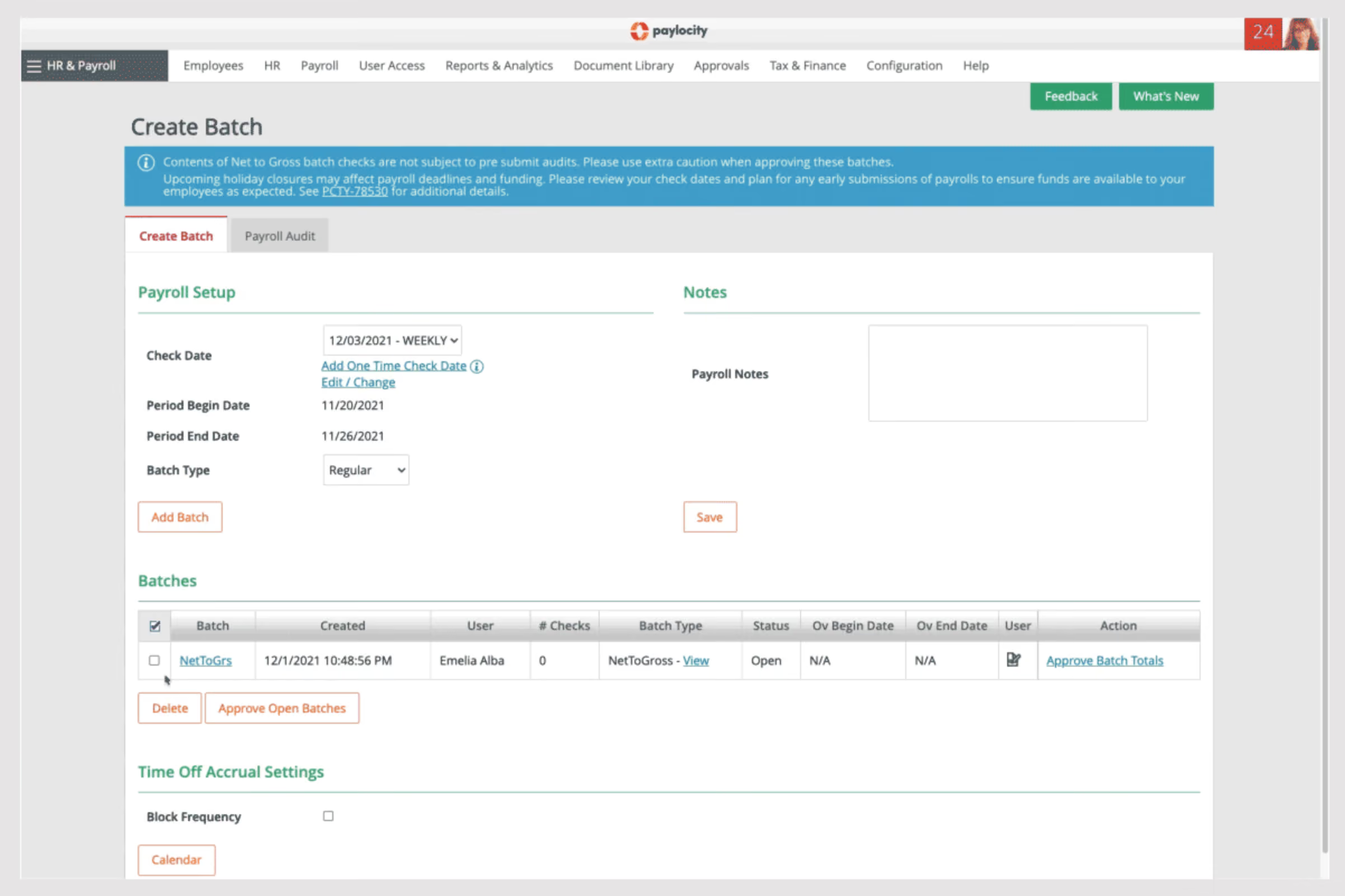
Paylocity offers a comprehensive and user-friendly platform with features for payroll, people, benefits, time off, and compliance management. We love how easy and quick it is to process payroll, thanks to Paylocity’s intuitive three-step navigation flow: you enter the necessary payroll info, review and hit Submit. Paylocity also minimizes manual data entry by automatically transferring information from Time & Labor, flagging employees who need prorated or retro pay, and showing the calculations for your review.
To ensure payroll accuracy, you can make use of Paylocity’s Payroll Readiness Dashboard, which gives you a comprehensive overview of your critical payroll tasks well ahead of your processing day. The system also features over 40 configurable pre-submit audits that flag irregular occurrences, such as an employee receiving double their typical pay.
Beyond payroll management, Paylocity provides a solid HRIS that helps you stay on top of several employee-related processes. For starters, it excels at data management and task automation across multiple users and workspaces. Whether it's confirming employee addresses, collecting certification proofs, or managing employee onboarding, Paylocity simplifies these processes through automation and centralization.
Accessibility is another strong point of Paylocity. Employees can securely access their payroll and HR data from anywhere, on any device. They can retrieve important information such as offer letters, paystubs, tax forms, benefits info, and make changes to their personal information. Managers and HR professionals have full visibility into employee data, enabling them to manage positions, assign skills and certifications, predict vacancies, and manage budget changes effectively.
Paylocity also prioritizes compliance, offering a user-friendly dashboard with swift access to work authorizations, EEO, and FLSA compliance data, as well as industry news. For additional support, Paylocity's HR Edge service provides expert resources, including an account manager, to assist in minimizing risk and implementing optimal practices. Furthermore, Paylocity's reporting and analytics capabilities provide deeper insights into the workforce through real-time, visually presented data. This data enables the monitoring of key metrics, recognition of patterns, enhancement of HR strategies, and the advancement of business goals.
Paylocity’s solutions are used by over 40k organizations including CRP Industries, Wagstaff, and Powerhouse.
Paylocity’s pricing isn’t disclosed upfront. We recommend scheduling a demo with their Sales team to get a breakdown of all associated costs.
Best For
Paylocity's solutions are designed for businesses of all sizes across diverse industries, with a primary emphasis on medium and large enterprises. These companies possess the necessary resources and infrastructure to fully utilize the platform's functionalities, allowing them to effectively maximize its benefits.

During my year as an HR Consultant, I used Paylocity regularly—several times a week and daily when updating information. I managed payroll processing, tracked time-off requests, and oversaw employee benefits to ensure accurate and timely payments.
The reporting features were essential for identifying and addressing discrepancies, helping me maintain accuracy. I also relied on the platform's built-in processes to guide onboarding and manage new hires efficiently.
It was an integral part of my workflow for maintaining data consistency and compliance.
- It made payroll processing simple and user-friendly.
- The accurate reporting features helped maintain data integrity.
- Employees could access their payroll information independently, reducing the need for me to provide printed payslips.
I was an HR Consultant contracted by various companies and used Paylocity intermittently for about a year. Although I was not involved in purchasing the tool, I saw firsthand how it streamlined compliance processes, which saved a significant amount of time.
The platform was easy to use and had great features that supported my HR role, especially as a remote user managing multiple clients. Its accessibility and functionality made it an effective tool for handling essential HR tasks.
Overall, Paylocity provided a reliable solution for managing payroll and compliance efficiently.
- Employees were occasionally locked out of their accounts, often due to forgotten login credentials, requiring me to guide them through the reset process.
- Customer service was overly automated, making it frustrating to reach a live representative when needed.
- The platform could be slow at times, especially when running reports, which delayed task completion.
I have also used ADP, which was more suited for larger companies with complex HR needs and extensive data management. Paylocity, by contrast, was a better fit for the smaller companies I worked with due to its simplicity and user-friendly design. It required less training to use effectively, making it a more practical solution for smaller-scale operations.
When considering Paylocity, it’s important to evaluate whether it suits the size of your business and aligns with your specific HR tasks. Determine if you need the tool exclusively for payroll or for additional HR functions such as benefits management and employee performance tracking.
Scalability and user access requirements should also be considered to ensure it meets your organization’s needs efficiently.
A year ago, when I used Paylocity, new features like time tracking and benefits management had been implemented, making it more user-friendly and competitive. These updates allowed it to better rival other platforms in the market by providing more comprehensive functionality.
Paylocity is well-suited for payroll specialists, managers overseeing HR processes, and administrators handling bulk updates from spreadsheets. It is a great platform for small to medium-sized businesses across various industries.
It may not be the best option for large companies requiring advanced reporting capabilities and comprehensive HR management tools.

Workforce
We selected Workforce.com for its comprehensive all-in-one scheduling, time tracking, and payroll capabilities, particularly in shift-oriented industries. Although its modularity can be more flexible, the platform offers solid features for HR operations and payroll continuity.
PROS
- Full-service, in-house payroll engine with tax filing and wage garnishment support.
- Centralized employee profiles housing HR data, documents, and compliance logs.
- Automated time-to-payroll workflows reduce manual intervention.
- Onboarding and offboarding steps are trackable, with document bundling and digital forms.
- Employee self-service tools (mobile and web) for leave requests, profile updates, and shift management.
- Full-service, in-house payroll engine with tax filing and wage garnishment support.
- Centralized employee profiles housing HR data, documents, and compliance logs.
- Automated time-to-payroll workflows reduce manual intervention.
- Onboarding and offboarding steps are trackable, with document bundling and digital forms.
- Employee self-service tools (mobile and web) for leave requests, profile updates, and shift management.
CONS
- No standalone access to payroll or HR modules.
- No free trial or sandbox access to test payroll workflows without speaking to a Workforce.com representative.
- Recruitment components are basic compared to specialized ATS systems.
- Their payroll system lacks international tax/localization support.
- No standalone access to payroll or HR modules.
- No free trial or sandbox access to test payroll workflows without speaking to a Workforce.com representative.
- Recruitment components are basic compared to specialized ATS systems.
- Their payroll system lacks international tax/localization support.
Workforce is an HR and payroll software tool designed for shift-based employers who need to tightly coordinate scheduling, time tracking, payroll, and HR from a single system.

Starting with payroll processing, the platform offers a full-service, internally developed payroll engine. It handles gross-to-net calculations, tax withholdings, garnishments, and direct deposit, all without relying on third-party systems.
During our demo, we were particularly impressed by how time data from clock-ins and schedules flows directly into payroll runs. Admins can run payroll, preview deductions, and post pay runs directly from within the platform. Since the platform is built on a single codebase, the connectivity is also extended to HR recordkeeping, where wage data is housed in the same employee file that tracks qualifications, incidents, and shift history. From an SMB’s perspective, we believe this unified experience saves a significant amount of time and reduces payroll errors.
The only con here is that payroll functionality is currently limited to the U.S. and U.K., meaning international organizations or those expanding abroad may not find the necessary tax infrastructure or localization support.
In terms of workflow automation, Workforce excels in operational contexts. Its AI-driven scheduler automatically builds labor-efficient rosters based on forecasted demand and POS data. Rules can be configured to automatically approve timesheets within specified grace periods, prompt staff with shift-related questions, or restrict scheduling based on certification status.
When it comes to core HR features, Workforce does a respectable job of covering the essentials. It includes digital onboarding with document bundling and task tracking, a built-in applicant tracking system with pipeline views and resume scoring, and a centralized employee profile with audit logs, certifications, and forms. The system also allows for storing warnings and incident reports, providing a full employment history in one location, which definitely makes it easy to keep operational and compliance data in sync.
We do believe, though, that Workforce is not a complete replacement for your existing ATS and onboarding systems, considering their basic features. Moreover, these recruiting tools are included as part of the platform, meaning you need to purchase the entire package to use them.
On a similar note, although the initial price is quite affordable at $5 per employee per month, the inability to sign up for a free trial without speaking to a Workforce.com representative makes the platform less inviting for some cautious SMBs.
Domino’s Pizza, Altitude Trampoline Parks, Louisiana State University, Pinnacle Live, Cedartown Foods, Winnipeg Jets.
Workforce pricing ranges from $5 to $24 per employee per month.
Best For
Workforce’s payroll and HR platform is best for U.S.- and U.K.-based SMBs managing hourly workers.
HiBob
We found HiBob compelling for U.S.- and UK-based SMBs that want payroll tightly embedded within a modern HRIS. While it might not be the best choice for large enterprises or businesses that need payroll coverage beyond the supported regions, for growing teams within its reach, the integrated design really helps minimize operational hassles.
PROS
- U.S. payroll is fully integrated within the HCM platform.
- Supports multiple worker types, pay types, and pay frequencies.
- Automatic federal and state tax filings in all 50 states.
- UK payroll ensures HMRC compliance with automated tax code sync.
- Strong security standards including ISO 27001 and SOC 2 Type 2.
- HR, payroll, benefits, and time data live in one unified system.
- They have tons of modules, which makes them a real one-stop shop. Beyond Core HR, they have modules for most things People Ops-related.
- Bob is a fast-growing company and their product looks the part, as it has one of the sleekest-looking platforms in the HRMS space right now.
- Their payroll hub allows you to connect all your payroll systems, which works great if you want to pay people in multiple locations without switching providers.
CONS
- Payroll currently available only in the U.S. and UK.; organizations with broader global payroll may require additional integrations.
- Custom pricing requires engagement with sales before cost comparison.
- Customer support is only offered via a chatbot and email.
- As to implementation, several users commented that they felt there could be more attention via personal walkthroughs provided at the beginning. Many had to resort to reading documentation and watching videos or just figuring things out by themselves.
- Pricing is only custom and available upon request, so you can’t just sign up, pay, and start using the tool.
We liked that HiBob’s payroll does not require a separate interface, and we did not have to batch-sync data from HR records before running a pay cycle. The unified data layer is where this system makes its strongest case. All the employee updates, compensation adjustments, time tracking, and compliance details are kept in one place, which means less hassle with the reconciliation. When we tested the compensation changes and status updates, everything flowed directly into payroll processing without any duplicate entries.
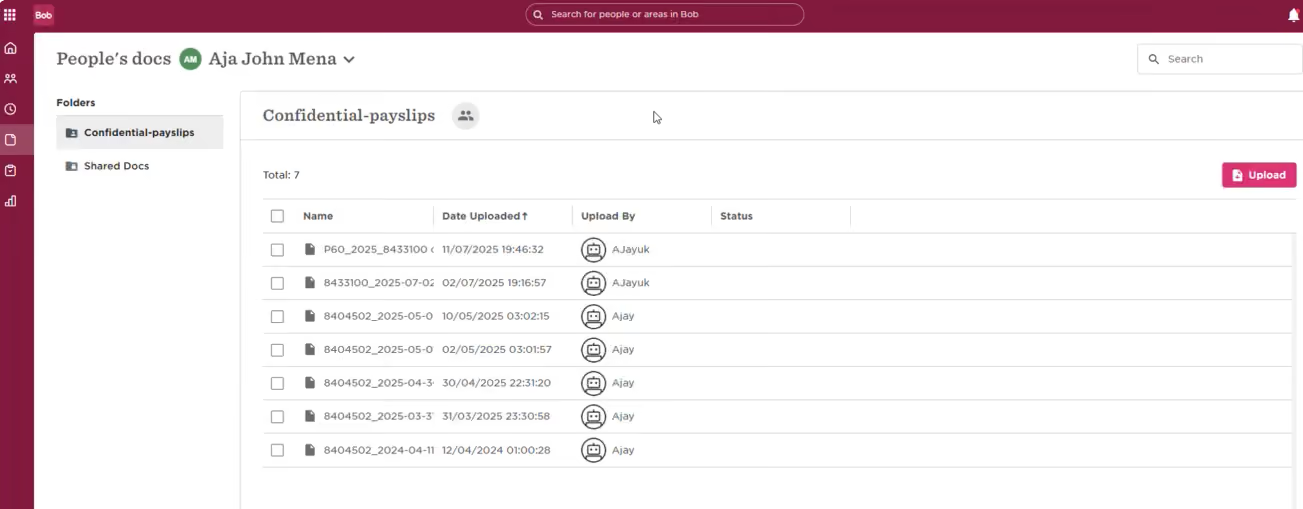
U.S. payroll is powered by an embedded payroll engine while remaining fully integrated within the Bob platform experience. As a payroll administrator, you can customize various worker types, pay types, and pay frequencies, which is quite convenient. One feature that stood out to us is the flexible payroll commitment window; it gives teams a bit of breathing room to review and make any necessary adjustments before finalizing pay runs.
Those who pay close attention to security standards will appreciate what this platform offers. HiBob checks all the boxes for SOC 2, ISO 27001, GDPR, data encryption, access controls, and takes a privacy-first approach to AI. This alignment really puts them on par with established payroll providers in terms of governance and security.
UK payroll follows a similar integrated model. It automatically syncs employee tax codes and student loan details, and also flags compliance risks, such as minimum and living wage thresholds. The tool supports multiple payroll schedules and can also accommodate different worker types, including IR-35 contractors, part-time employees, zero-hour staff, seasonal workers, and those with overtime variations. What’s really impressive, though, is that since the benefits, time, performance, and compensation records are already stored in Bob, any updates are reflected in payroll right away.
That said, HiBob’s payroll is currently only available in the U.S. and the UK, so those with employees in other regions will need to use third-party solutions to handle payroll. And while the platform itself is built for scaling mid-sized organizations, companies with highly complex global payroll footprints may need additional localized payroll solutions alongside Bob.
5,000+ organizations, including Huel, JIMDO, riseUP, and VaynerMedia.
HiBob offers custom pricing based on workforce size and selected modules.
Best For
U.S. and U.K. scaling mid-market companies seeking an integrated payroll and HCM solution without siloed systems.

I used Bob for a couple of years to support a company’s recruitment efforts. The primary modules I relied on included the recruitment module for posting job advertisements, managing candidate pipelines, and overseeing the onboarding process. It played a crucial role in organizing these workflows and ensuring a smoother hiring experience.
Bob is a very user-friendly tool for both administrators and applicants. The recruitment analytics were effective for a company of this size, which had fewer complexities in terms of organizational structure and recruitment goals. It provided a strong candidate experience for those comfortable using computers and technology.
Our medium-sized US company needed a more efficient tool to enhance the recruitment process. During peak hiring seasons, we required a more organized approach to posting job openings, managing candidate pipelines, and streamlining the onboarding experience.
Bob proved to be user-friendly, and while I have used more intuitive HRIS systems in the past, this one effectively met our needs. It was particularly useful for managing high-volume recruitment during critical times. I used this tool for a couple of years during my time with the organization.
Bob's training posed a significant learning curve for management teams who were unfamiliar with similar tools. While it worked well for employees and managers regularly using computers (e.g., in customer service, sales, and accounting), it was challenging for frontline workers in packaging and production roles due to their limited technological skills.
The tool was not ideal for smaller companies or larger, more complex organizations with global needs.
From a user-friendliness perspective, Bob ranks highly. However, in terms of functionality, other tools I have used, such as Workday, Paradox, and PeopleSoft, offer more advanced features that are better suited for larger, more complex organizational needs.
If you are looking for a system that is user-friendly and well-suited for a medium-sized company with predominantly office-based employees, Bob would be a great fit. However, for companies with a diverse workforce, including frontline employees, or those with highly complex needs, other solutions may be more suitable.
It has been a few years since I used Bob, but at the time, it effectively met the basic needs we had. That said, it lacked the advanced functionalities required by larger organizations with more complex requirements.
Bob is ideal for medium-sized organizations, especially those without highly complex or global organizational structures. It is also more suitable for companies with employees who are comfortable using technology.
Bob is not a good fit for larger corporations with more complex organizational structures or smaller companies that may find it unnecessarily costly and overly complex for their needs.

Rippling
Rippling is geared toward SMBs with its intuitive UI, automation, and 500+ integrations. Besides features like US/global payroll and self-service, the benefits administration tool lets you work with your chosen broker and select the benefits packages for your team from over 4,000 plans.
PROS
- Rippling payroll automatically updates work hours, deductions, and tax filings.
- Ability to process payroll in multiple countries and currencies.
- Can connect with 500+ apps.
- Enables users to work with their chosen broker.
- Ability to purchase modules separately or as a full suite.
- All-in-one platform for employee management + PEO services offered, and even a suite of other IT products
- With 500 integrations, it’s very likely that they integrate with other key tools from your tech stack.
- Operates globally with any currency
- Workflow automation
- Analytics opportunities
- Provides a holistic view of company outflows—headcount costs included
CONS
- Undisclosed pricing. No free trial.
- Phone support costs extra.
- Not the best option for teams with 2,000+ employees.
- The mobile app has limited features compared to the web browser version.
- Total buy-in to Rippling is essential
- Very SMB-oriented, in case you’re a larger company.
- New features tend to be buggy in ways that tech teams are not accustomed to fixing

Rippling is a competent solution for growing teams looking to handle their HR and payroll more efficiently. Though the software is quite new in the space, we appreciate how fast the platform has evolved since it debuted.
One of the standout features of Rippling is its exceptional integration capabilities. With over 500 app connections available, it surpasses most tools in the market.
Rippling offers feature-rich capabilities that simplify payroll and HR management for global teams. With its integrated platform, users can pay employees and contractors worldwide within minutes. The built-in time tracking app automatically updates work hours, deductions, and tax filings, eliminating the need for manual tasks. This allows users to focus on reviewing numbers, approving payroll, and letting the system handle the rest.
We are impressed with Rippling's benefits management tool, allowing users to collaborate with preferred brokers, select from 4,000 plans, and offer the hires a self-service portal and mobile app. However, we hope for enhancements in the mobile app's performance and features, as it can be laggy at times and lacks certain functionalities compared to the web browser version.
Rippling's pricing starts at $8 per employee per month, but obtaining an accurate quote requires a demo with a sales representative. It's important to note that the actual cost may be higher due to the software's purchase model. The Unity module is mandatory for purchasing any other modules. Additionally, if you require phone support from HR specialists, additional fees apply.
Vox, Maximum Games, Superhuman, Compass Coffee, Highnoon.
Rippling's Core HR platform starts at $8 per employee per month. Contact Sales for more details.
Best For
Rippling is most useful for SMBs, ideally with 50 to 2,000 employees. It doesn’t matter whether they are US-based, global, remote, office-based, or distributed teams.

We use Rippling daily and biweekly for payroll. I love it because it autocalculates wages and backpay, etc. In Rippling, we use the Time Off feature (video included) where we have over 5 time off policies it co-manages for us.
The workflow plan we have is only the basic workflows, as you have to purchase workflow plans if you want the fancy ones like payroll reports emailed out after payroll, or submitting email to admins once payroll is approved, but we use the free flow like birthdays.
We also use the retirement feature as well. We use a 3rd party for IRA and I key in amounts and Rippling takes it from there. We do not use their benefits.
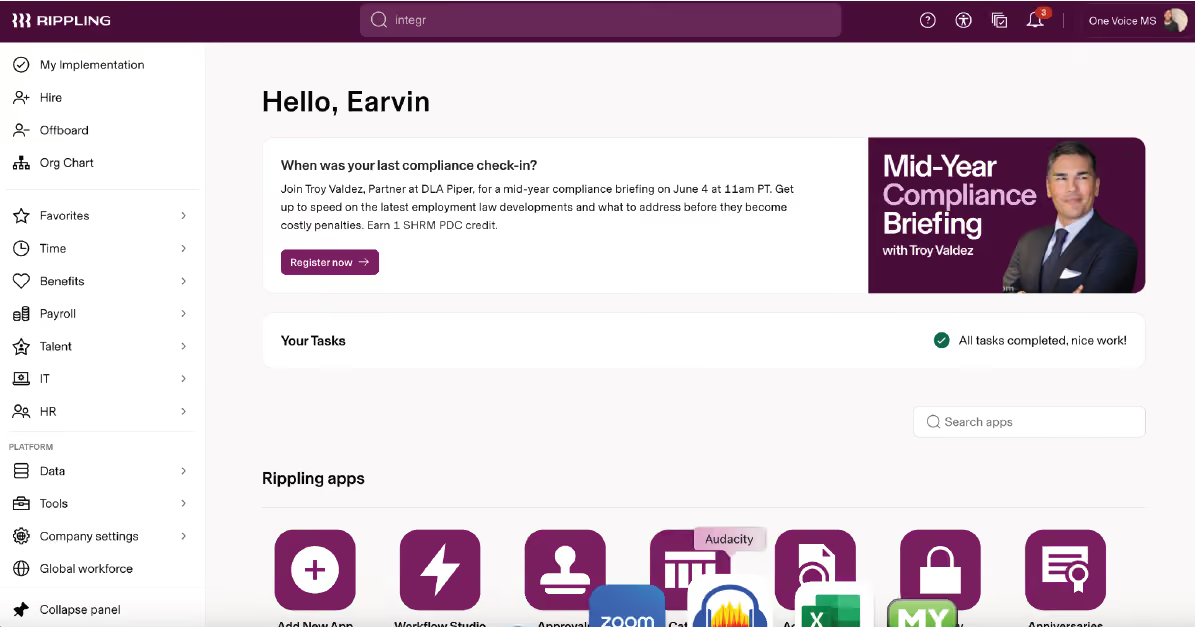
I love that the system is user friendly, despite being complex. Like, you can just go in and figure most of it out. I love that. I love the integration abilities, our Microsoft 365 is integrated. I love Rippling University that allows you to get certified in all areas of the system.
We have used Rippling since January 2026. We were looking for something new that would maximize on AI, workflows, and automation. Rippling is growing in demand and we believe it is the future of payroll. Why? Well, the future is automation and auto-formulas. Rippling offers that.
In regards to my CFO, she loves integration and so we are on the journey to integrate QuickBooks with Rippling. It can sync with a lot of products. It's impressive, so in terms of growth and longevity, this is the choice for us, as grandfather systems like Paychex might be outdated in terms of technology.
Rippling is self directed, so if you are new to payroll, you could struggle with things being self guided. The technical team is in India, and can be difficult to understand at times. The Time Off does not prorate initial balances for you, it starts when you key it in. That part could be cleaned up a bit to continue their automation. It's normal, but stands out given most everything is automated.
Rippling has certifications that you can post on LinkedIn. I find they are superior in integrations. The possibilities are endless. Not only that, again, they have made it easy to discover and use. There is no part of Rippling that is really nuanced in a bad way.
The integration we are getting now is the accounting feature that talks with our former system, QuickBooks. This will help us, as having everything housed under 1 hub is essential for control, speed, and accuracy.
They offer 3 months for free, but that makes your contract 15 months vs 12, not really a good deal to me. So be aware of that tactic.
If you are not able to follow self-directed, then your administrator might struggle a bit, as you have a person, but it's clear they do not really teach. Just ensure set up. Not a problem for me, but I can see others struggle.
If you just use it for payroll, it can be boring because it does all the work for you, but if you have time off, workflows, scale and growth, then this is the perfect system for you.
Rippling is just 5 months old to us, but what has changed is they are allowing us to free trial some items, like our IT overview. We are able to grant new hire emails when we hire new people without having to call IT to do it. Hiring also sets up their Microsoft 365 account for us.
So, I do like that they allow exposure to new products for growth and trial. That is very important as some of us want to evolve as technology evolves and Rippling allows that.
Also, your perm rep is usually non-responsive, which is okay because we had a fantastic implementation person. Service seems to be a luck-of-the-draw, as I know another person who did not enroll with Rippling because Sales could not show her what she needed in terms of system. They did not address her specific needs as they did mine.
Rippling is good for 50 - 2,000 employees. I think larger systems might need a grandfather system like Paychex and Paycor, ADP, etc.
Why? Well, it's new and their reporting features are not as robust in terms of "fields" (they call them recipes) to make reports. I am a report person so that is important to me. They do lack in reporting to me. So, a place that is terse on their reporting might want to figure all that out before switching to Rippling.
If you are new to payroll and need guidance, this is not for you as it's self directed. If you just want a basic payroll platform, then Rippling is not for you as it has bells and whistles and can do so much.
I can also see if you just need to run payroll, and nothing else, then their display and trials could get overwhelming. It is important to note, you are paying for automation, you must use it.
Also, if you don't want a newer product for whatever reason, this is not the platform for you as it's only 10 years old and has been public for 8.

Gusto
Gusto offers an affordable basic plan that is suitable for budget-conscious startups. At the same time, their premium plan is a good bet for companies that want to invest more in their employees’ skills. This is especially true in companies whose HR departments are very small.
PROS
- Gusto has an eye-catching UI and multi-device compatibility.
- Easy payroll for U.S.-based W-2 folks, domestic and international contractors.
- Supports online signatures and automated tax filing.
- Flexible payroll options for different schedules and unlimited pay runs.
- Automatic deductions streamline benefits administration.
- Streamlined hiring and onboarding process between HR and new hires.
- Integration with CorpNet and Checkr for post-offer tasks.
- Person-to-person phone support, email, and customer service resources. Licensed benefits advisors available for all plan users.
- Transparent pricing and no long-term contracts. Free account setup.
- Ability to create onboarding checklists send offer letters, and store documents online.
- The dashboard feature keeps tabs on compliance tasks
- The hiring and onboarding sequence is nicely streamlined between HR and the new hire
- Post-offer, pre-start tasks are made easy with integrations like CorpNet (state tax set up) Checkr (background checks)
- Easy payroll for U.S.-based W-2 folks, domestic, and international contractors
- Person-to-person phone support, email, and other customer service resources
- The business model is responsive to customer needs
CONS
- Limited support for international employees.
- No native accounting feature for tracking earnings and spending.
- Simple plan lacks native time tracking and online signatures, requiring third-party integrations.
- Simplistic analytics dashboard.
- Premium plan or add-ons required for federal/state compliance alerts and existing broker/health insurance integration.
- No free trial available.
- Gusto can support payments for international contractors, but not employees
- No native accounting feature to keep earning and spending under the same roof
- Analytics dashboard is simplistic
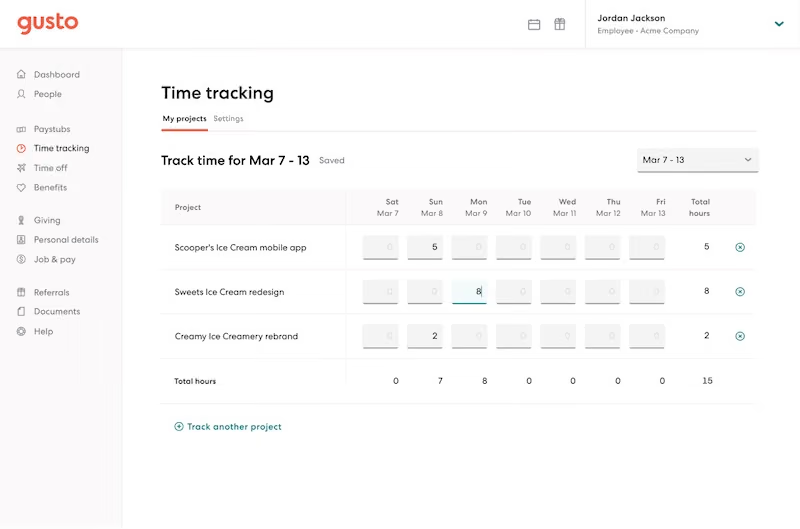
Gusto UI is both aesthetically pleasing and user-friendly. The platform doesn’t offer mobile apps (except for its Wallet app), but being browser-based means it can “play nice” on all devices.
It supports online signatures and automated tax filing, streamlining essential administrative tasks. It also offers flexible payroll options, helping businesses accommodate varied pay schedules and perform unlimited pay runs.
Another notable advantage of Gusto is that it effectively syncs payroll with deductions. This feature saves time and ensures compliance with relevant regulations. Moreover, its integration with CorpNet and Checkr enhances post-offer tasks — a plus for those seeking better employee onboarding.
Gusto strongly emphasizes customer satisfaction through responsive phone and email support, live chat, and licensed benefits advisors for users of all plans. Plus, the setup is free!
Though it can manage payments for international contractors, full support for international employees is unavailable. Additionally, the software lacks a native accounting feature for tracking earnings and spending, so users must rely on external accounting solutions.
If you’re checking out Gusto’s Simple plan, a heads up: it doesn’t have native time tracking or online signatures, so third-party integrations are needed. Advanced features like compliance alerts and integration of existing brokers are reserved for the Premium plan or offered as add-ons for the Plus plan. Simple plan users do not have the option to purchase these add-ons, which may limit their access to comprehensive compliance support and insurance integration.
Gusto powers payroll and HR for over 400,000 businesses across the U.S.
Gusto’s HR and payroll software bundles several key workflows into a single platform. Pricing starts at:
- Simple: $49 per month, plus $6 per employee. Add-ons such as HR Resources ($50 + $5 PEPM) and Priority Support ($30 + $3 PEPM) are available.
- Plus: $80 per month, plus $12 per employee. HR Resources ($50 + $5 PEPM) and Priority Support ($30 + $3 PEPM) can also be purchased separately.
- Premium: $180 per month, plus $22 per employee.
- Contractor Only: $35 per month.
Best For
Gusto offers an affordable basic plan that is suitable for budget-conscious startups. The top-tier Premium plan is highly recommended for companies willing to invest more in their human capital, particularly for those with a single-person HR department.

We use Gusto for payroll, onboarding documentation, and to provide employees and ourselves with tax documentation. We also use Gusto to track time in some instances.
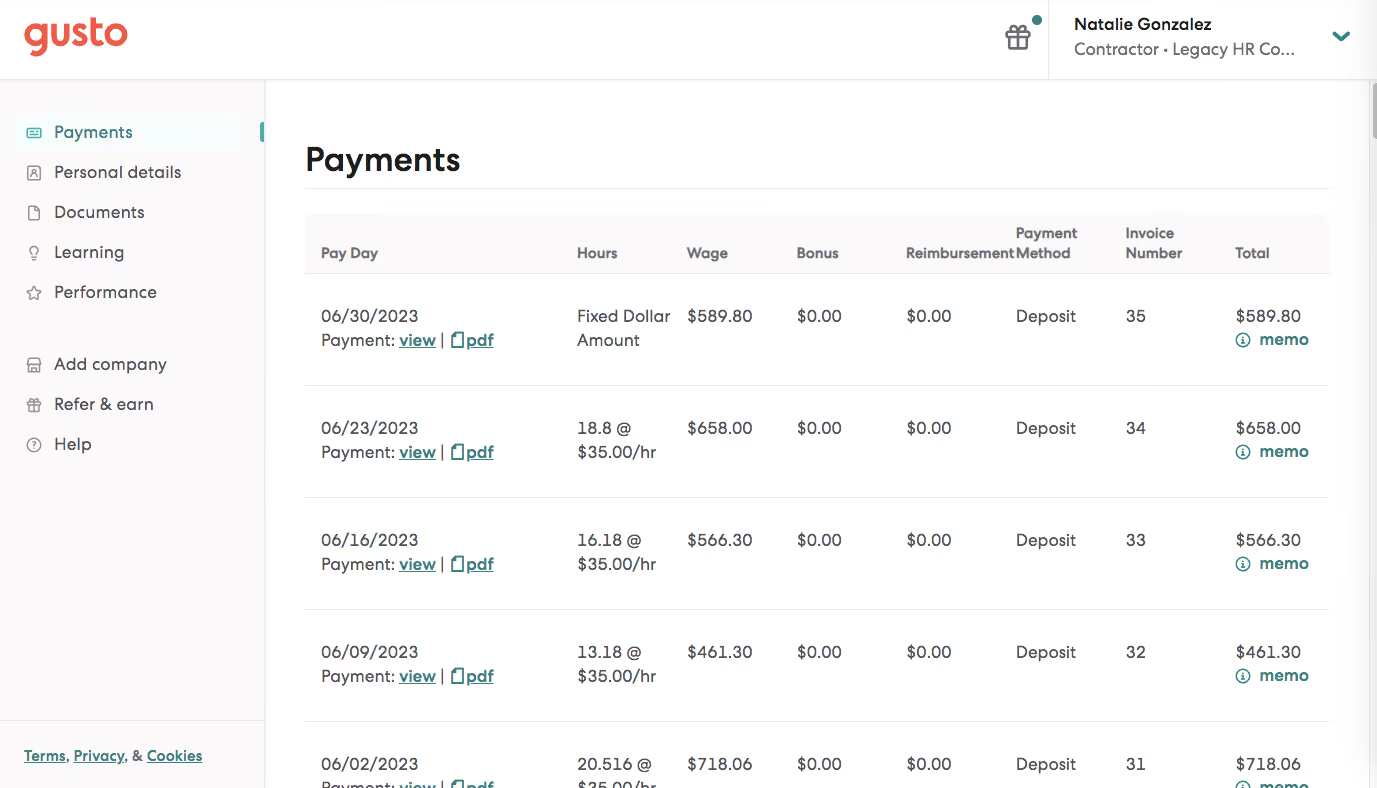
I enjoy Gusto's simple design. I like Gusto's walkthroughs for each process to help employees self-help. I also enjoy Gusto's onboarding workflows.
We use Gusto for our employee's payroll. We also help our clients implement Gusto for their teams. We were looking for a simpler and cheaper solution by having a small team. We also were attracted to the onboarding options on Gusto to help employee self-help with federally required documents.
I dislike the payroll/payslip breakdown as it's not as detailed as other systems. I also dislike that even though the design is simple(pro) it can appear childish or unprofessional. I also dislike the time-tracking feature.
Gusto is a simplistic and affordable option to larger competitors.
The size of the company. The payroll/reports needs.
Gusto has not changed much since I started using it.
A large company.
An organization/user that requires more detailed reporting or is not tech savvy/wants more 1:1 help
.avif)
Netchex
Netchex is a standout in the integrated HR and payroll category thanks to their stellar customer support and their comprehensive single-source solution. What really distinguishes them is the on-screen payroll feature that surfaces all pre-payroll decisions (time approvals, PTO requests, missed punches, forms, benefit elections) in one place, rather than scattered across multiple screens.
PROS
- On-screen payroll displays all pre-payroll tasks on one screen, removing multi-page navigation.
- Check preview lets employees validate pay before processing; one customer reduced manual checks by 90%.
- AI Coach in performance reviews provides real-time feedback on manager comments before submission, reducing review cycles by 30%.
- Natural language reporting means you get instant answers to plain-English questions without building custom reports.
- Dedicated US-based support team available via email, live chat, and phone.
- Grows with your team: With Netchex, it’s very easy to opt for a new plan and keep all your data in the same place even if you outgrow your current pricing plan. Other vendors require a switch to a new service in that kind of event.
- Dedicated support team: Netchex are note-worthy for their award-winning and often lauded customer service. It’s all US-based and provided in real-time through email, live chat, and phone calls.
- Pre-payroll reports: Allows for critical error checks before submission.
- Flexible payroll grid: Easy to make changes or correct errors on the fly.
- Versatile payment options: Includes paper checks, direct deposit, and pay cards.
CONS
- Users must use the payroll module to access other functionalities, so it wouldn’t work as stand-alone HR software.
- Potential users can't test the software without committing to a purchase.
- It lacks support for international payroll and HR requirements.
- Requirement of payroll: Users must use the payroll module to access other functionalities, so it wouldn’t work as stand-alone HR software.
- No free trial: Potential users can't test the software without committing to a purchase. The demo with a sales rep is the closest thing.
Netchex is a comprehensive HR and payroll management platform tailored for teams of 50–500 employees, particularly those with hourly, shift-based, and deskless workforces. We found the platform's key strength to be on-screen payroll, which surfaces all pre-payroll decisions that normally require bouncing between multiple pages. Administrators see outstanding time approvals, PTO requests, missed punches, new hire forms, and benefit elections in one place, eliminating the last-minute firefighting that typically occurs before payroll runs.
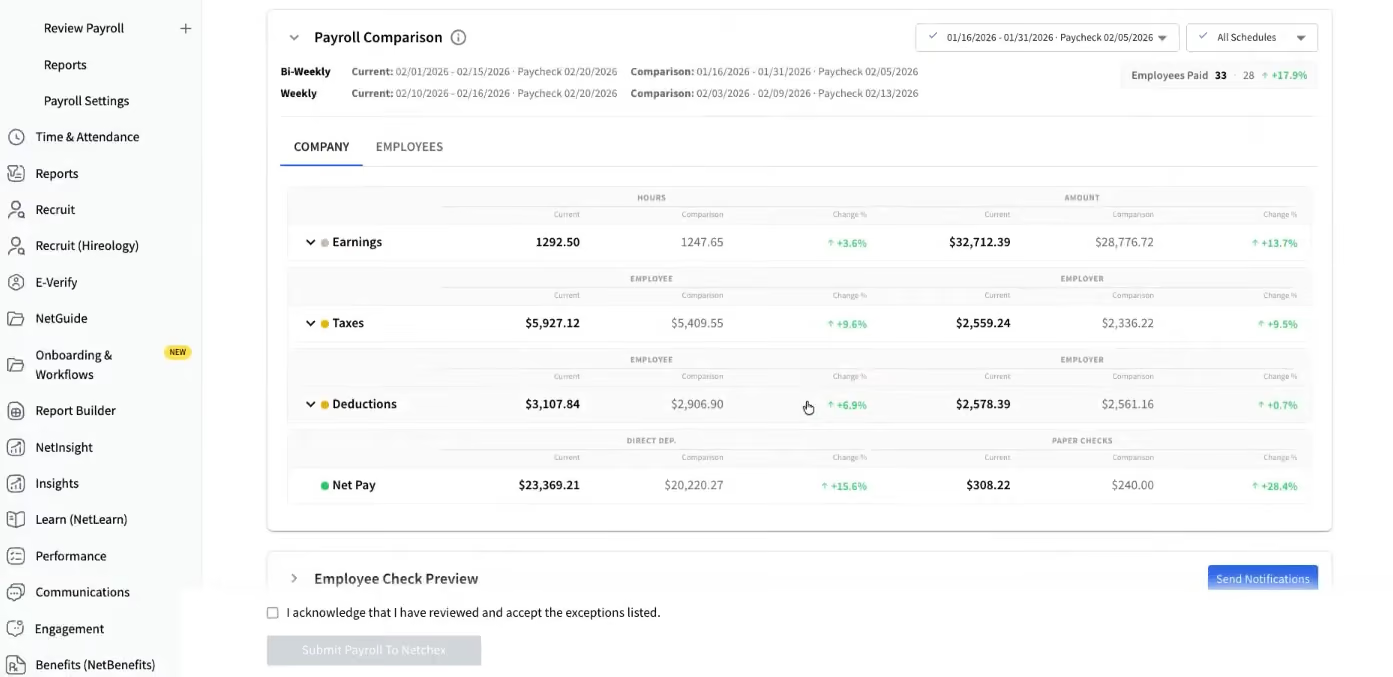
The check preview process is well praised among users for allowing employees to validate their pay before processing. We appreciated how payroll administrators can make adjustments and correct errors directly from the payroll grid. The system comes with full garnishment integration, multiple pay rate solutions, and complete federal, state, and local tax filings.
On the HR side, we found recent additions meaningfully strengthen the platform. AskHR provides immediate answers to employee questions from company documents. Performance management now includes an AI Coach that gives real-time feedback on manager review comments before submission. Natural language reporting lets users ask plain-English questions and receive immediate answers. The company also integrated HireMe (an ATS acquired last year), allowing hiring data to flow directly into onboarding. Looking ahead, Mesh Teammates—a suite of AI agents launching in early 2027—promises to automate recurring HR and payroll tasks.
That said, we found that organizations seeking a standalone HR tool without payroll won't find what they need in Netchex, as all HR features require the payroll module to function. Additionally, this software is built for US-based businesses and lacks support for international payroll and HR requirements, making it unsuitable for organizations with multi-country operations.
Netchex is used by companies like Xpressdocs, BK Corrosion, Regal Hospitality, and The Colony ER Hospital.
Netchex follows a per-Employee-per-Month pricing model. Pricing varies according to the company's size and the specific products used. Detailed pricing information can be found on their website.
Recent key product updates for Netchex include:
- On-screen payroll: A centralized dashboard for managing all pre-payday decisions.
- Check preview: A workflow allowing employees to verify earnings before processing.
- AI Coach: Provides real-time feedback for managers during performance evaluations.
- Natural language reporting: Enables users to get data insights by asking questions in plain English.
- HireMe integration: Unifies recruiting and onboarding workflows.
Best For
Netchex is best suited for small and mid-sized businesses based in the US, particularly those with shift-based or distributed workforces where consolidated payroll management and mobile-first employee experiences are critical.
UKG
Easy to navigate and customizable to your business needs, UKG’s Payroll and HR Software provides you with all the HR services under one roof. Their customer support team that’s available on a payroll hotline and chat are worth mentioning.
PROS
- Super robust product, packing years of experience with HCM and Workforce Management technology
- Since they offer UKG Pro for HRMS and UKG Ready for workforce management, you could arrive at a combination of products that suits many of your HR needs from the same set of tools.
CONS
- Compared to newer tools, UKG Pro and UKG Ready tend to miss a unique selling point or a specific focus on a certain type of business. While they work great for bigger companies in all sorts of industries, very niche operations might have a hard time adapting to the tool.
- Similarly, UKG offers many solutions under one umbrella, so it's not the best fit if you're looking for only a handful of specific use cases.

UKG has a variety of HR product suites. If you’re looking for an HR software that combines transformative HR technology with robust payroll functionality, then UKG Pro is their HCM solution you should keep an eye on.
UKG Pro takes care of four key areas and those are payroll processing, talent acquisition, learning, and employee voice. One of its most coveted aspects is its intuitive navigation. You can get all your information on the very first page, with just a single click.
It also has a mobile app that your employees can use to do a variety of things such as being able to request time off or pulling old pay stubs.
Best For

I use UKG daily for timecard approvals, running reports, and for auditing benefit invoices. Additionally, I utilize the system on a quarterly basis to initiate quarterly employee performance review check-ins, that facilitates the overreaching annual compensation review cycle.
UKG is very easy to navigate. The UKG system interfaces easily with other carriers so that benefit elections easily flow into the system. The system has a robust library that allows for self-study and learn-as-you-go training.
My company's HR Department was spending countless hours physically trying to collect sheets of paper for employees' performance reviews. Many managers were reviewing their employees on different criteria that was not aligned with our overall mission, nor using consistent department goals that aligned with our company core values.
Paperwork was messy and difficult to read due to handwriting and typos. We needed a consistent, easy to use, electronic system that would streamline not only the content of our employees' performance reviews, but the methodology of how our HR Team collected the data.
The system sometimes would be slow or stagnant. Having a dedicated account representative would have been appreciated. The system was extremely cumbersome when initially trying to set up company-wide performance reviews.
It would have been very helpful to have templates within the system, rather than be required to build out competencies by job position from scratch.
UKG is certainly a strong competitor for a small-medium sized company's HRIS, compared to larger providers such as ADP's Workforce Now. I preferred UKG because the system itself was much more intuitive to use.
Consider what you plan to use the system for and how many employees you have in your company to determine whether the system will accommodate your needs. Consider your industry as well, for example whether your employees will need remote, self-service options in the field or will be at a desk all day. What training is offered and how difficult the system is to navigate and learn is also worth evaluating carefully.
UKG constantly comes out with new versions and options. They are excellent at adapting to new laws and regulations, as well as advancing their technology alongside their competitors.
Human Resources Administrative Leaders, line managers, and payroll administrators will find UKG a great tool to use.
Someone not comfortable using SaaS and people who are not willing to take training and build out their performance reviews and set up their tailored company profiles properly won’t find UKG good to use.

Namely
What makes Namely stand out from its competitors is that it’s highly customizable, easy to implement, and has unmatched customer service. Namely is also very scalable and would smoothly grow with your team.
PROS
- Navigating Namely poses minimal challenges for most users, with an intuitive and notably clean UI despite its extensive feature set.
- Users commend Namely's employee onboarding module, which employs a user-friendly wizard to facilitate swift and clear onboarding for new hires.
- In addition to its inbuilt data management, recruiting, onboarding, time off tracking, payroll, and benefits administration features, Namely offers managed payroll and benefits administration services, relieving internal teams of heavy burdens.
- The majority of users are able to navigate Namely without any issues. They find the UI to be intuitive and clean, despite the fact that the platform has lots of features.
- Namely’s employee onboarding module gets a alot of praise from users. It features an easy-to-follow wizard, which helps new hires get on quickly and be clear on what they need to do.
- Besides the platform’s built in features for data management, recruiting, onboarding, time off tracking, payroll and benefits administration, there are also managed payroll and benefits administration services you can opt for to reduce the burden on your internal teams.
CONS
- Namely predominantly caters to the U.S. market, limiting its suitability for international businesses.
- While users applaud its user-friendliness, implementing Namely can be time-consuming, with an average implementation period of 6-8 weeks, as reported by the platform.
- Lacking features for employee development like skill training, career pathing, and succession planning, Namely falls short in this area given its scope.
- Prior to adoption, verifying compatibility with your existing benefits provider is essential, as some users have reported instances of Namely encouraging them to switch providers, sometimes resulting in increased costs.
- Namely primarily operates in the U.S., which means if you’re looking for a global payroll and benefits provider, this platform isn’t for you.
- Though many praise the platform’s ease of use, it does take long to implement it. Namely’s own team says that an average implementation takes between 6-8 weeks.
- For a platform of Namely’s size, there currently aren’t any features that focus on employee development such as skill training, career pathing, succession planning etc.
- You’ll need to check beforehand if Namely can work with your existing benefits provider, if you have one. There have been a few reports (but not few enough to ignore) about Namely’s team convincing customers to change their benefits provider to providers that charged them more.

Namely aims to help you stay on top of your job and free up your time to focus on innovative people strategies. This cloud-based HR software consists of enhanced payroll services, compliance tools, benefits insurance expertise, and tools for employee engagement.
Apart from handling your core HR needs, Namely also offers pre-built integrations with an ever-growing list of partners. But what’s even more compelling is that if you don’t find an integration you need, you could build your own integration through Namely’s secure API.
Namely also has an amazing and active client community you could reach out to if you want an insight into the best practices.
Best For

Our HRBP and operations team accessed Namely multiple times a week, while Finance and IT logged in several times a month, and managers did so quarterly. The Recruiting team used it to verify organizational structure and ensure accurate data transfer for new hires.
As someone who helped implement Namely, I used it for various tasks, such as ensuring its proper function, creating and pulling reports for HR programs, and supporting my client groups with necessary data. It served as our central repository for all employee information.
In my first six months, I adjusted workflows and reports to align with our processes, ensuring other teams had the information they needed. I also supported 40% of the company's employees, using the data for organizational planning, talent development, and performance reviews.
Namely's user interface is modern and intuitive, making it easy for managers and employees to navigate. The workflow configurations are straightforward, reducing the need for extensive support. The reporting functions are robust, allowing us to generate customized reports essential for effective planning and reporting.
Our organization was experiencing rapid growth, doubling in size each year, and we needed to upgrade our HRIS system to accommodate this expansion. We sought a solution that integrated HRIS, payroll, and IT support into a single tool.
After evaluating Namely and ADP, we chose Namely for its more cohesive system. It offered improved permission settings, enabling managers, IT, and finance to access necessary information and generate reports.
Additionally, it facilitated the creation of cross-functional workflow notifications. We used the system for 2 and a half years until our acquisition necessitated its discontinuation.
Namely's HRIS and payroll systems are connected but not fully integrated, which complicates data transfer between the two. The payroll interface is less user-friendly, creating additional workload for our payroll personnel and requiring more support from our HR implementation team. Although we were initially assured of specific reporting capabilities, we found ourselves unable to generate certain reports without delays and additional support from Namely.
Namely is particularly appealing to mid-market and small enterprise companies due to its price point and functionality, positioning it between basic SMB tools and more complex systems like Workday. However, newer entrants like Rippling and BambooHR are beginning to offer improved functionality at a competitive price, encroaching on the niche Namely once effectively filled.
When it comes to HRIS systems, none of them are perfect. It's really about finding a tool that can do 70-80% of what you need and have workarounds for the rest. My biggest factors for evaluating tools like this is to see if it'll take care of our "basic needs/high priority needs" first, whether it will be easy to use for the people who use it most, and then cost. I would start by creating a spreadsheet of what problems are you trying to solve, then label them–is this a basic need, high/medium/low priority? Make sure you include the stakeholders so you can look at the tool holistically and make better-informed decisions.
When we were using the tool, a lot of Namely's updates were more back-end functions. For example, they later implemented better reporting which helped make looking at data easier. This was great for HR teams because it reduced the friction in the product for us.
Namely is best suited for mid-market to smaller enterprise customers, typically with employee sizes ranging from 400 to 3,000.
Namely may not be suitable for companies with fewer than 400 employees. Its complexity and management requirements might be excessive for smaller organizations that prefer not to allocate significant resources to system oversight.

APS
Throughout our test, APS impressed us with a reliable, unified approach to managing the entire employee lifecycle. From the moment we began using the platform, it became clear that it’s designed with a strong emphasis on customer support and personalization—qualities that make it stand out in a crowded marketplace.
PROS
- Personalized customer service with a dedicated account team for hands-on support.
- Payroll management covers all 50 U.S. states, with specialized knowledge of state-level compliance.
- Automated benefits administration with integration to hundreds of benefits carriers.
- ACA compliance tools simplify employee tracking and IRS reporting.
- User-friendly self-service portal for both employees and managers.
- Well-suited for service-based industries like healthcare, hospitality, and non-profits.
- APS is very cost-effective. Although the pricing is custom and depends on your business size, we’ve heard current users speak of its affordability. Jackie R, who is a HR Director for a small-sized company says, “I love that APS offers all aspects of an HRIS system at an affordable price. We are a small business and can't afford the big name payroll vendors, but get everything they offer at APS for a price we can afford as a small business.”
- Their customer service is remarkable. As testified by multiple users, the customer service team at APS is prompt and there for you every step of the way, right from implementation to anytime you get stuck using the software. They’ll likely resolve your issue within the same day.
- APS is very easy to navigate and everything is updated and saved in real-time. Despite its complex features, you would likely not find it confusing. They also have how-to guides that come in very handy.
CONS
- No free trial and lack of transparent pricing.
- Payroll services must be purchased to access other products (e.g., HR, workforce planning.)
- Exclusively designed for the U.S. market, with no international payroll capabilities.
- The reporting feature is limited in functionality. Sometimes, there will be missing information that you may require.
- Although their customer support is prompt, you can’t directly reach their team via phone. Customer service answers your queries via email and if you wish to talk to someone on the phone, you’ll have to mention it.
APS offers a comprehensive and unified solution for managing payroll, HR, benefits, and workforce planning.

One of the standout aspects of APS is the dedicated account team assigned to each client. Compared to solutions like Paycor whose support often requires self-service or involves some delay, APS was consistently responsive, with most issues resolved within the same day during our tech test.
Comparable to other major payroll solutions, APS’s payroll tool provides coverage of all 50 U.S. states. Yet, what truly sets APS apart is its specialized focus on service-based industries like healthcare, hospitality, and non-profits. We got in touch with some users from these industries, and heard lots of good words about the expertise of APS’s payroll specialists, describing them as “responsive” and noting that they “clearly understood the complexities of state-level payroll requirements.”
Benefits administration became one of our favorite features during testing. The platform automates everything—from eligibility tracking to benefits enrollment—and makes all of this easily accessible through an employee self-service portal.
ACA compliance is a critical feature of workforce management technologies, and we’re glad APS’s is implemented thoughtfully. The platform includes tools that automatically track eligible employees, pre-populate forms, and even file reports directly to the IRS.
And the self-service portal didn’t disappoint, either. It allowed us to delegate tasks while maintaining accountability across teams. In manager roles, we could easily track action items, approve time-off requests, and see who was on vacation, while accessing the platform as employees gave us full control over our pay stubs, available PTO, and benefits.
Unfortunately, pricing transparency is quite a concern, as APS does not disclose its pricing, and there is no free trial available. We also found that you cannot purchase APS's HR and workforce planning modules unless you have already purchased the payroll solution, which limits flexibility and may be a barrier for businesses looking for only specific HR functionalities.
Another limitation is that APS is designed exclusively for the U.S. market, unlike platforms like Rippling and Zenefits, which offer both domestic and international capabilities.
3,500+ companies, including Wahlburgers, Rainbow Sandals, Grayson College, and Hillside Christian Church.
APS's payroll software has a minimum monthly billing of $250, while the pricing for APS's HR and workforce planning tools is undisclosed.
Best For
U.S.-based service industries seeking a comprehensive HR and payroll solution with designated support.

Workday
Trusted by the world’s leading companies, Workday runs on automation and innovation to help you save time and money. Its advanced analytics tools can benefit HR teams at even the largest companies.
PROS
- Accessible customer support from the community, live chat, and telephone.
- Compatible with 300 HR systems such as ERP/GL, CRM, HR, and PSA.
- Configurable dashboard with AI and ML-driven insights.
- Ability to maintain real-time alignment of budgets and workforce plans.
- SOC 2 Type 2 compliance.
CONS
- Undisclosed pricing.
- No free trial for its talent management software.
- Time-consuming implementation period (average 4.5 months).
- Challenge navigating for first-time users may require training.
- Issues with logging in were reported by users.
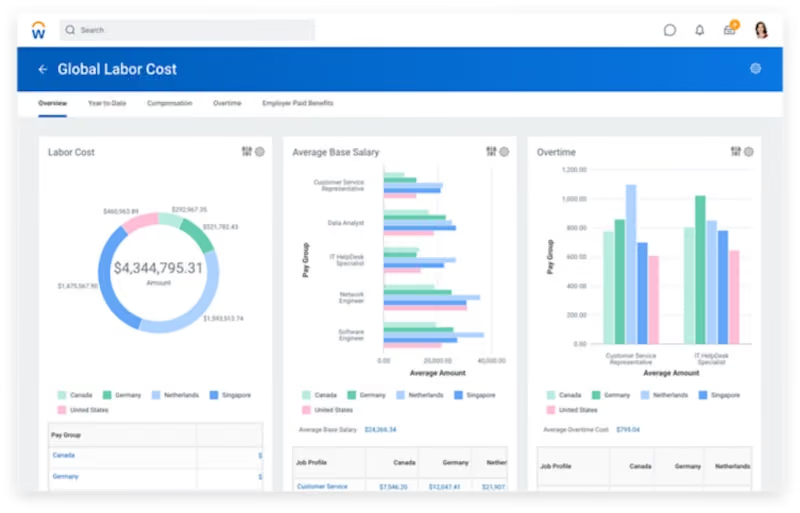
Designed to fuel your acceleration in a changing world, Workday aims to overcome the limitations of an Enterprise Resource Planning system, commonly referred to as an ERP. Workday has many products and solutions but if you’re on the lookout for a payroll and HR solution that would help you optimize the time, talent, and energy of your people, their Human Capital Management system is worth checking out. From creating customized compensation programs to augmented people analytics that give you insights from vast data sets – Workday’s HCM suite is packed with extremely powerful tools.
Best For

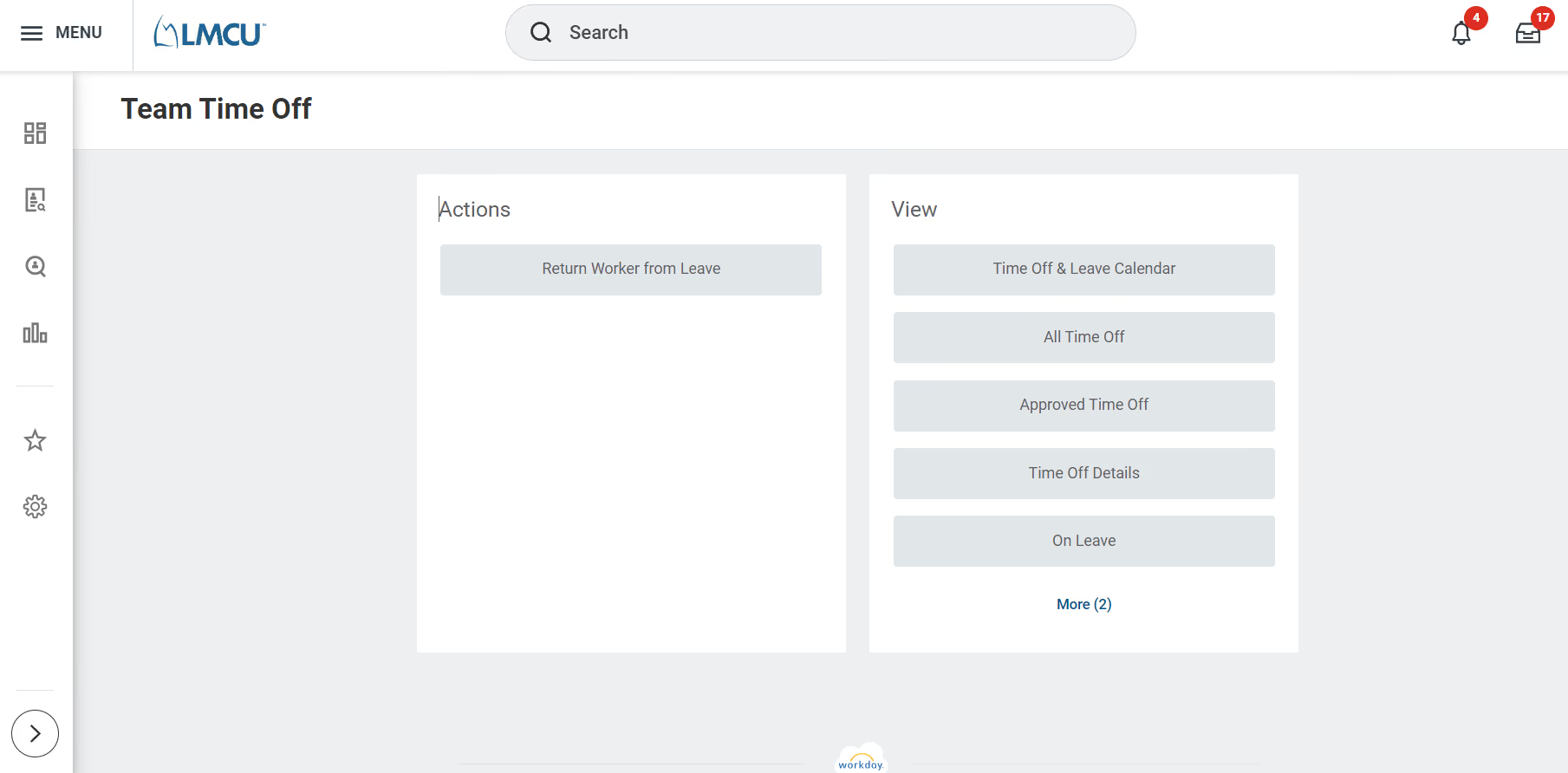
My organization uses Workday for everything within Talent Management. More specifically, we use Workday for compensation, advanced compensation, recruiting, onboarding, compliance, training, analytics, etc.
We also have custom processes built into the system for progressive discipline that we've created from scratch. Workday is used daily by most of our staff and our HR team is in Workday to support almost everything we do during the day. It truly is a one-stop shop for everything.
1. Ability to have all of our offerings under one system.
2. The user experience is easy to navigate and has a modern feel and approach.
3. The system allows for a ton of customization by the customer meaning a lot of configuration can be done without the support of Workday directly to meet your needs.
Our organization purchased Workday to bring all of our previous systems under one offering. We had four different vendors supporting our HR needs at the time and we were able to bring everything under Workday.
Our previous HRIS was lacking updates that supported our team's needs and we wanted to offer an experience to employees internally that was easy to navigate and understand. Workday is easy to use, understand, and looks and feels very modern.
Also, they allow us to have payroll, recruiting, onboarding, performance, training/compliance, etc. all under one offering. Personally, I have used Workday since the fall of 2019.
1. Everything is tied to one system meaning you are glued to the ecosystem making it hard to make a switch in the future, if needed.
2. The amount of customization available is a ton making it at times hard to understand for more complex business processes.
3. The cost. It's an amazing system, but the cost is steep if that is a concern.
Overall, it's different in that everything is able to be under one offering. It's amazing to have the ability to customize your Workday for what the organization needs and it's great that they only release two updates a year for system updates.
The updates are also pushed out to all Workday customers at the same time so everything is working off the same version, unlike other offerings we've used. The ease of use and modern feel is also much different from many of its competitors. It's a great offering!
Overall, when looking at an HRIS like Workday, it's important to consider whether you are looking for a system that can house all your offerings under one system - truly, that's the benefit of getting Workday.
If your organization does not want/need that, you could find alternative options that likely could offer a great experience at a more reasonable cost.
However, for our organization, this was something we needed, and have found great value in offering to create a better experience with more efficient processes.
Workday releases two system updates a year and they are pushed out to every customer at the same time. We have seen so many good updates since we implemented Workday and many of their updates come directly from Workday Community where Workday customers give feedback and ideas for recommended system changes.
For example, there have been significant improvements to the recruiting offerings in managing requisitions, which has really helped our team more efficiently manage requisitions. Another example is when Workday added COVID vaccine tracking very quickly to meet the needs of customers when the government was requiring employers to track vaccinations.
This was outside of the normal twice-a-year releases, which was really appreciated so we were in compliance. They care, listen, and make updates when needed to support their customers.
From my experience, Workday is great for larger organizations because it's such a robust offering. If you are a smaller organization, it may be a bit overwhelming and the expense may be hard to justify.
However, if you are looking for an offering that can be a one-stop shop for everything, offer an easy to navigate experience for staff, and the ability to customize the system for your needs, Workday is great!
If you are a smaller organization, concerned about budget, or if you are not concerned about bringing everything under one offering, Workday may not be a great choice.

BambooHR
BambooHR comes with an interface that’s remarkably calming to the senses for a workplace tool. They’re one of the top HR products of all time. Their payroll product, while acclaimed, is only available for paying US-based employees.
PROS
- BambooHR offers flexible packaging and custom pricing, allowing you to select packages and additional modules as needed.
- Renowned for its simplicity and user-friendliness, BambooHR stands out as an easy-to-use tool.
- Flexible packaging and custom pricing is the way they roll. You can pick out one or two packages and pick other modules as add-ons based on your needs.
- Very simple and straightforward tool, easy to use.
CONS
- Payroll functionality is limited to US-based employees, restricting its global reach.
- Similarly, customer support is confined to US business hours, potentially inconveniencing international users.
- Certain modules, including time tracking, performance management, and surveys, are only accessible as add-ons, which would mean an extra investment.
- Payroll is only available for US-based employees
- Customer support is only offered during US business hours.
- Some modules like time tracking, performance management, and surveys are only available as add-ons.

BambooHR refers to itself as an “HR Software with heart” and rightly so. This all-in-one HR software takes care of the entire employee lifecycle by focusing on five key areas which are compensation, culture, people & analytics, hiring, and onboarding.
By keeping customer experience at the center of everything, BambooHR lets you access all your employee records in one place and dramatically reduces your paper usage.
From a robust payroll software that lets your employees quickly access their pay stubs or direct deposit to a highly accurate applicant tracking system that lets you find people who match your company culture, BambooHR has most that you could ask for in an HRIS and more.
Best For

I was first tasked with ensuring that all employee information in the system was accurate. I used BambooHR daily for recruiting by entering open positions, posting jobs, and reviewing candidates.
We recruited for various roles, including entry-level data clerks, social workers, and a few supervisory positions. The long-term goal was to use the system for timekeeping, benefits administration, and payroll integration.
Although we didn’t reach that stage, the daily use for recruiting was consistent and critical to our hiring process.
I liked the ATS aspect of BambooHR. It was easy to view all candidates at once and assign a star rating, which made it simple to identify top applicants at a glance.
The reporting and analytics tools were strong, offering insights such as turnover rate and applicant volume per open position. There were multiple graphic options to display data clearly.
I believe the timekeeping feature would have been useful, but I didn’t get to use it before my position was eliminated.
The company did not have an HRIS at the time, so the owner purchased BambooHR despite not knowing how to use it. I used it primarily for recruiting and reporting purposes. The ATS was easy to use, and the reports were robust in displaying results.
One function we did not use was payroll processing. I used BambooHR for approximately nine months.
I had only used BambooHR briefly before this role, and the owner was unfamiliar with the system, so there was limited guidance. It takes time to learn how to use BambooHR efficiently, but once you understand it, the platform is comprehensive.
I wish there were more reporting options; while the existing ones are strong for analytics, other platforms like ADP and Paylocity offer more variety.
One advantage of BambooHR is its lower cost compared to systems like ADP.
It can manage everything from HR to payroll, benefits, performance management, and reporting.
I prefer BambooHR because it allows multiple administrative users, such as HR and payroll staff, to work in the same system.
In most of my previous roles, payroll and HR operated in separate systems that didn’t integrate, which was inefficient.
Cost is always a major factor and should be considered carefully. Companies should assess whether it's important for all administrative functions to operate within a single system.
If that's a priority, BambooHR is a strong option.
If not, and if HR and payroll are fine using separate tools, a company may find it more cost-effective to use two less expensive systems.
Other platforms offer automation in areas like recruiting and performance management, which BambooHR may not fully support—such as automatically routing applicants to hiring managers. This should be reviewed depending on the company’s specific needs.
I believe BambooHR has introduced some AI functionality. Since I am no longer using it, I can’t confirm the current features, but I would expect them to innovate to remain competitive.
I think BambooHR can work well for organizations of all sizes. When I used it, we had fewer than 100 employees. It’s especially useful for companies with remote or mobile staff due to the timekeeping functionality.
Non-profits could also benefit from its reporting capabilities, which would be helpful when presenting administrative data to a board of directors.
BambooHR can work in any size organization, but it's important that more than one person knows how to use it. If the HR professional is the primary user, there should be a trained backup.
It does take some time to learn, but once the basics are understood, it's easy to use—especially for ATS and reporting functions. Due to the learning curve, having only one trained user could be a risk.

OnPay
With best-in-class integrations and built-in HR, OnPay is extremely user-friendly and has top-notch customer support. Its USP is the way it combines simplicity with a wide range of features.
PROS
- Free tax form handling for W-2 employees and 1099 contractors.
- Some HR services included within the plan at no additional cost.
- 30-day free trial available (starts after OnPay verification).
- Well-developed online help resources.
CONS
- Poor functioned employee mobile app.
- Requires payment four days before payday for direct deposit.
- Doesn’t support automatic payroll.
- Customer support sometimes hard to reach.
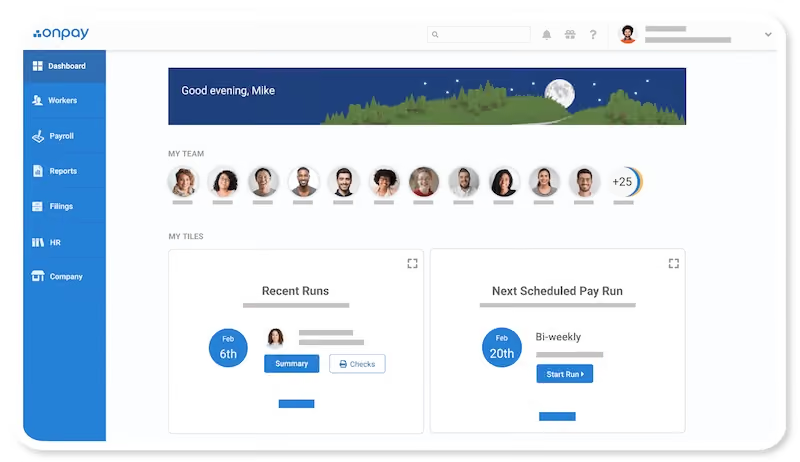
Fast, precise, and backed by payroll experts, OnPay is a payroll software with all the HR tools embedded in it. OnPay’s goal is to enhance the productivity of individuals and teams. This is reflected both in their simple yet intuitive user interface and extensive features such as multi-state payroll, single sign-on, employee-self service, or automated onboarding flows.
One of the best things about OnPay is that when you buy it, you get the help of trained experts every step of the way. They also provide one month of a free trial.
Best For

We use Onpay weekly for our payroll runs, and it's become an essential part of our routine. The key workflows we rely on include calculating and processing employee salaries, handling automated tax filings, and managing direct deposits. This is challenging for us because we have employees on several different types of contracts. Onpay’s benefits administration feature simplifies enrollment and tracking for our team. It also keeps all our employee records up-to-date and compliant, ensuring everyone gets paid accurately and on time. We've also minimized payroll complaints from staff, which is a significant improvement.
- Super Simple: Onpay is easy to use, even for someone who’s not a payroll expert.
- Tax Magic: It takes care of all our tax filings automatically, saving us a lot of time.
- Great Value: For what it offers, the price is excellent, especially for a smaller team like ours.
We bought Onpay because our previous payroll system was outdated, causing delays and errors that made payroll days difficult. We needed something reliable and easy to use, especially for our small team. Onpay met all our requirements with its straightforward interface, automated tax filings, and affordable pricing. It also integrates well with benefits and handles employee onboarding efficiently. I've been using Onpay for about a year now, and it has significantly reduced our administrative workload.
- Limited Customization: I wish there were more options to customize reports and dashboards.
- Customer Support: The support can be slow at times, which is frustrating when you need quick assistance.
- Advanced Features: It lacks some advanced features that larger businesses might need, making it feel a bit basic for more complex needs.
Onpay stands out with its straightforward, user-friendly interface and great value for money. Unlike some other tools I've tried, it's incredibly easy to navigate and doesn’t overwhelm with unnecessary features. I appreciate that it automates tax filings, which many other tools don't do as effectively. While it might lack some advanced options that larger businesses may need, for a small team, it offers the right balance of functionality and simplicity at a great price.
- Ease of Use: Choose a tool that is easy to navigate, so you’re not stuck figuring out complex menus.
- Automation: Ensure it handles tax tasks and direct deposits automatically to make payroll days stress-free.
- Support: Verify that the support team is helpful and quick to respond when needed.
- Cost: Make sure it fits your budget without sacrificing essential features.
Onpay has improved over time by keeping things simple and adding useful features. They have perfected automating tax filings and direct deposits, making payroll days easier. The interface has become increasingly user-friendly, which is a big plus.
It is ideal for small to mid-sized businesses that need a payroll system without extra complexity. It’s perfect for those who want an easy-to-use platform that handles all the payroll essentials, such as automated tax filings and direct deposits. If you’re running a business and want something straightforward and affordable without all the complicated features, Onpay is an excellent choice.
Onpay wouldn’t be a great fit for large organizations with complex payroll and HR needs. If you require advanced features, extensive customization, or robust integration with other sophisticated systems, Onpay might feel too basic.
Keka
Keka offers SMBs a single system that handles employee records, compliance, time tracking, and payroll without separate contracts or integrations. Payroll is included in every plan, from the entry-level Foundation tier to the fully loaded Growth tier, making it easy to run salaries, track benefits, and file taxes without switching tools.
PROS
- Federal and state tax filing is included at all tiers.
- Flexible pay schedules with direct deposit support.
- Overtime and leave policy automation to match local labor laws.
- Benefits, loans, and expense tracking in one place.
- Built-in dashboards and reports to monitor payroll trends.
- Accounting integrations for streamlined finance workflows.
- Federal and state tax filing is included at all tiers.
- Flexible pay schedules with direct deposit support.
- Overtime and leave policy automation to match local labor laws.
- Benefits, loans, and expense tracking in one place.
- Built-in dashboards and reports to monitor payroll trends.
- Accounting integrations for streamlined finance workflows.
CONS
- “Free Trial” access is gated behind a sales demo and disclosed only after signup.
- Implementation fees for setup, tax configuration, and data migration.
- Advanced tools (custom reports, asset tracking, engagement surveys) only available in higher tiers.
- Multi-entity payroll and API access require add-on fees.
- Slow load times in the demo raise usability concerns about payroll deadlines.
- “Free Trial” access is gated behind a sales demo and disclosed only after signup.
- Implementation fees for setup, tax configuration, and data migration.
- Advanced tools (custom reports, asset tracking, engagement surveys) only available in higher tiers.
- Multi-entity payroll and API access require add-on fees.
- Slow load times in the demo raise usability concerns about payroll deadlines.
For teams with 20 employees and way up to a few thousand, and are looking for a payroll system that’s compliant, configurable, and tied directly to HR data, Keka delivers the fundamentals well.
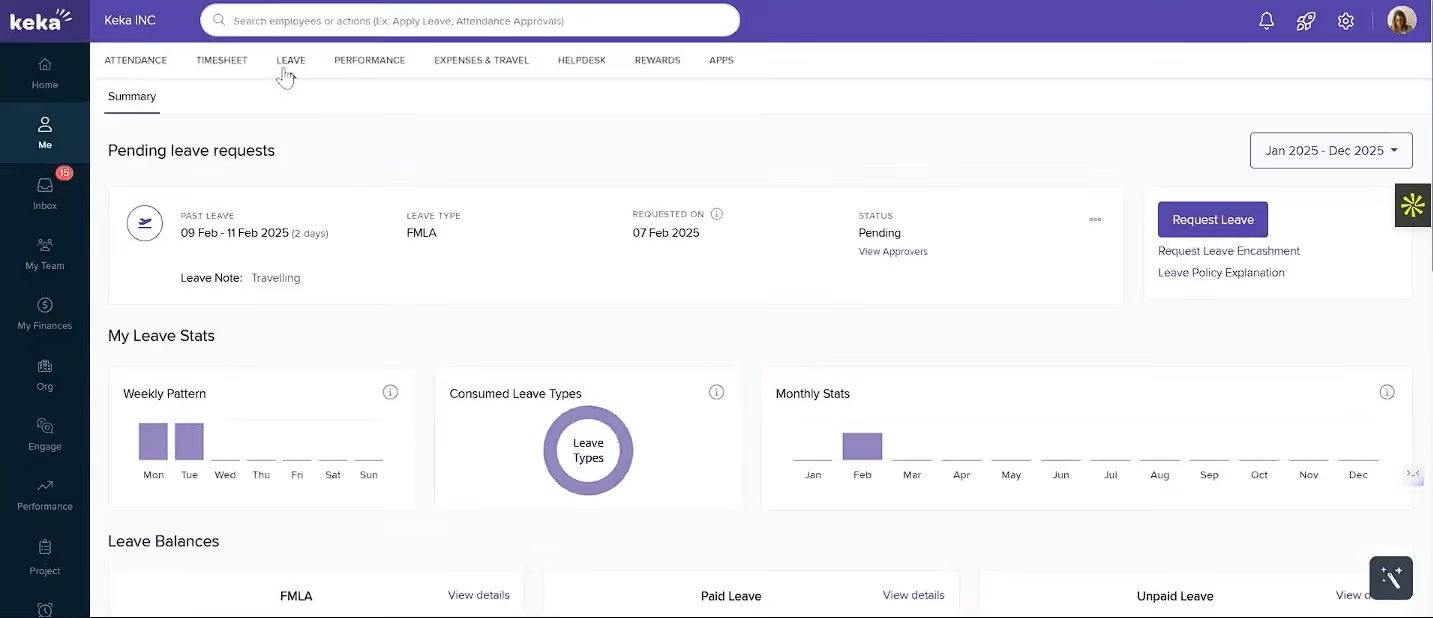
In our demo, Keka’s payroll workflow started at the very first step of HR: onboarding. Once an employee’s profile was created with personal details, role, pay structure, and tax info, the data was automatically available in the payroll module. The system pulled in attendance and leave information daily, so approved overtime or time off was reflected in pay runs without manual updates.
Keka supports multiple pay cycles (weekly, biweekly, monthly) and lets you configure rules for overtime pay, shift differentials, or compliance with regional labor laws. We also like that the benefits management is built in, covering health plans, allowances, and reimbursements, along with loan tracking for salary advances or deductions. For those wondering whether expense claims are handled in the same system, they are, and actually can be tied to payroll for quicker reimbursement.
From an HR perspective, Keka centralizes employee data with an interactive profile for each worker, storing contracts and ID proofs, and other documents. In testing, in the manager role, we could easily track lifecycle events from hiring to promotions to exit, and trigger payroll adjustments automatically. The time tracking is also well-built, with a range of supported inputs: biometric devices, GPS or selfie punches, and continuous location tracking for field teams.
We do wish, though, that the vendor were more upfront about their free trial offer. From what we saw on their platform, they advertise a “Free Trial,” but in reality, you can’t actually access the software until you’ve gone through a sales demo. It felt a bit misleading to us.
Another thing we became aware of is that there might be some additional fees you may initially overlook. For example, there are implementation fees for setting up payroll and transferring historical salary data. Plus, some features like multi-entity payroll and custom payroll reports either require upgrading to higher-tier plans or purchasing as add-ons.
During our demo, we also experienced slow page loads. While it’s not a deal-breaker for small payroll runs, it can be pretty frustrating when you're processing payroll for larger teams.
Over 10,000 organizations, including ONEPLUS, eBay, and Randstad.
Keka Foundation charges $9/month per employee for payroll, benefits, automation, and onboarding. Strength costs $16/month with advanced permissions, custom reports, GPS attendance, asset tracking, and Slack/MS Teams integration. Growth is $22/month, including analytics, reviews, OKRs, skill matrix, and engagement tools. Additional features include multi-entity payroll, shift scheduler, distance calc, API/webhooks, and helpdesk.
Best For
Small to mid-sized businesses that want payroll and HR workflows in a single system, with compliance, attendance, and benefits management handled automatically.
Paycor
Paycor not only takes care of your payroll management and HCM needs but goes over and beyond by providing predictive HR analytics to help you understand your employees’ trends and behaviors.
PROS
- Paycor payroll solution and mobile app are both straightforward to use.
- Intuitive self-service employee portal.
- Offers multiple modules for small businesses and custom plans for teams with 50-1000 employees.
- Unlimited payrolls.
- Offers discounts frequently. Though not listed on their site, a free trial is available to those who contact the support team directly.
- On-demand pay is available for all plans.
- With the acquisition of the people development platform Verb, it has improved its employee learning experience.
CONS
- Undisclosed pricing.
- Customer support is reported to be slow at times.
- It is not a good fit for teams with 1000+ employees or those requiring advanced customization to meet their unique requirements.

Trusted by more than 29,000 businesses, Paycor’s HR + Payroll Software is made up of three HR management tools: A payroll system, an HR platform, and analytics. The payroll solution is laden with many incredibly useful features such as OnDemand Pay, AutoRun functionality, employee self-service, and tax compliance to name a few.
There’s also a mobile app that helps you make real-time changes at the tip of your fingers.
Similar to its payroll processing counterpart, Paycor’s HRMS tool is driven by automation and also comes with features that let you view employee records, edit employee data, optimize performance reviews, and improve internal communication.
Best For

We used Paycor primarily for core HR tasks—not because it was exceptional, but because it was already in place. I accessed it regularly for payroll-related work, verifying employee information, and ensuring job titles, pay rates, and other details were accurate.
I also used it to pull reports and pay stubs when employees had questions or when finance needed support for audits. During onboarding or offboarding, I updated employee statuses and ensured records were accurate.
Day to day, it functioned more as a backend system I used as needed rather than a tool I looked forward to using.
It handles payroll processing reliably, with few surprises, so I could run batches and know the direct deposits would hit on time for our team. The employee self-service portal is decent—folks can grab their own pay stubs or update basic info like addresses without asking me every time.
It also keeps compliance stuff like tax filings and W-2s in one spot, which saves headaches during year-end scrambles. Reporting for basic HR was mostly decent. Overall, it's solid for the basic work.
I worked for two companies that used Paycor. Both organizations had legacy relationships with Paycor and had relied on it for several years. From what I understand, they transitioned from spreadsheets to Paycor as their first HRIS solution.
Managing compliance and payroll manually had become unsustainable, and moving to an HRIS system made those tasks easier to handle. I've used Paycor for a couple of years across both companies.
One significant frustration with Paycor was how clunky the interface felt when navigating between payroll, HR, and reports, which took way too many clicks, and it never saved your spot as it should have.
Customer service support was a nightmare; they'd take forever to respond with generic emails that didn't fix anything, leaving us hanging during critical payroll weeks when we were already stretched thin.
Billing was mishandled constantly—sometimes payroll payments would be issued in triplicate, and we'd waste hours on the phone chasing refunds and fixes that dragged on.
Reporting sucked too; it was rigid and clunky, with no real customization, so I couldn't pull the dashboards or exports we needed for board meetings without tinkering with it for an hour.
Onboarding workflows didn't integrate well or even at all with our other tools, forcing me to manually copy data back and forth every single time.
Paycor feels more outdated compared to competitors. It’s solid for payroll and compliance, similar to ADP, but lacks the speed and user-friendliness of tools like BambooHR or Gusto. It performed better than ADP WFN in my experience, but that's a low bar.
Bamboo offered smoother navigation and cleaner dashboards, making everyday tasks faster and easier.
Gusto’s layout was more intuitive, and even though its reporting wasn’t extensive, it was far easier to use than Paycor.
Overall, I preferred modern, user-friendly options like Bamboo and Gusto, which made the workday more efficient.
Choose a system that works for your team’s size, budget, and actual workflow. Invest in a platform that’s efficient and doesn’t require excessive training. A good tool should be intuitive enough that employees can use it without constant guidance. Don't compromise on usability for the sake of legacy systems.
I haven’t seen much change over the years. It feels like one of those systems that hasn’t kept up with modern expectations. While stability is important, innovation matters too—and Paycor hasn’t evolved where it should.
Paycor is likely best suited for larger, traditionally structured organizations such as financial institutions or government agencies that prioritize stability over innovation.
Paycor is not a good fit for small companies.
Payroll and HR Software Benefits
While it may not seem like a necessity early on, contemporary payroll and HR solutions offer so much more value than meets the eye. Here are some of the reasons why you should consider investing in payroll and HR software:
- Streamline your workflows: Instead of buying two separate software for your core HR tasks and payroll, you would immensely benefit from buying an all-in-one payroll and HR software in a plethora of ways. Not only would a consistent user interface give you more clarity about your work, but you would also be able to easily map out an employee’s compensation and PTO based on their attendance, performance, and other such metrics – all of which would be accessible in one single place if you choose a unified HRIS.
- Save time: The biggest advantage of using modern HR tools is that they focus on automating redundant tasks and freeing up your bandwidth for more creative and strategic thinking initiatives. A good HR and payroll system would help you save time on recurring tasks like payroll processing, time and attendance, and applicant tracking.
- Avail expert advice: Dealing with the nuances of payroll processing can get complicated pretty quickly. Although integrated payroll and HR software would have a user-friendly interface, most such software comes with a robust support team that’s not only there with you for implementation and weekday support but also for intimating you with regulations that keep changing frequently. You could also avail of the service of these payroll experts for understanding best practices and making important business decisions.
- Improve employee retention: Modern Payroll and HR solutions come with tools for employee benefits ranging from retirement benefits to health, vision, and dental insurance. This not only is an effective employee retention strategy but also helps you save money and stay compliant.
- Transparency: Makers of HR and payroll software know that they have many stakeholders. So, while HR managers have access to employee records, employees can access a portal that lets them see their own time and attendance, request time off, avail of benefits, and stay up-to-date with any changes. This kind of transparency builds trust, saves time, and helps employees improve their performance.
- Stay compliant: Payroll and HR software companies take compliance very seriously because they know that in today’s world of ever-changing regulations, no company wants the stress of lawsuits or fines looming over their heads. From unlimited access to expert HR advisors to law alerts and compliance resources, a good payroll and HR system would help you stay compliant and up-to-date with regulatory changes.
- Identify trends and patterns: Modern HR technology is equipped with analytics tools that give businesses a holistic overview of their company. From getting an insight into your diversity patterns to seeing your attrition trends in a visually digestible form, you can make use of a payroll and HR system to formulate new HR strategies and bring change.
ROI Of Payroll and HR Software
HR and payroll systems are often not free and the cost only escalates as the organization scales up. In the early stages of a company, tasks like time tracking and running payroll can be managed with the help of spreadsheets, although you have to consider that the opportunity cost is your precious time and sometimes even your peace of mind.
But when your organization grows, it’s clear as day that you’re better off outsourcing menial payroll and HR tasks to a software tool.
Consider this simple stat: The average salary of a payroll administrator in the U.S. is $50,000 per year. The average annual salary of an HR administrator is approximately the same as a payroll administrator. If you compare the amount of money you’ll spend on payroll and HR software vs. what it costs to hire a couple of administrators for such jobs, you’ll see that it’s completely worth buying a good payroll and HR system.
Besides, unquantifiable features such as accuracy, elimination of duplicate entries, or compliance risks, however easy to overlook, can make a substantial difference at the end of the day.
Payroll and HR Software Pricing
The cost of payroll and HR software varies based on the provider, company size, and features included. Most vendors use a pricing model that includes a monthly base fee plus a per-employee-per-month fee, with the per-employee cost typically around 25% of the base fee. Vendors also offer differently priced packages based on feature requirements and company size, and many require custom quotes instead of listing standard prices publicly.
Here’s what you can expect from some of the top payroll and HR software providers:
- APS: Minimum monthly billing of $250, additional HR tools cost extra.
- Paylocity: Pricing is not publicly disclosed; custom quotes are required.
- Rippling: Starts at $8 per user per month, but costs increase based on the selected modules.
- OnPay: Offers transparent pricing with free setup and data migration.
- Gusto: Base plan starts at $40 per month + $6 per employee.
- Deel: Payroll options start at $19 to $29 per employee per month.
- Patriot: "Basic" plan is $17 per month + $4 per employee; "Full Service" plan is $37 per month + $4 per employee.
- QuickBooks: "Core" plan is $45 per month + $4 per employee.
HR and Payroll Software Features
After spending countless hours in the HRMS vendor universe, we’ve found that the highest-rated payroll and HR solutions are laden with features that surpass the basic requirements of HR teams.
While some vendors go over and beyond in terms of the add-ons they provide, below is a list of features that you must look for while selecting a payroll and HR solution.
- Automated, unlimited payroll runs: It’s always good to go with software that aims to eliminate repetitive work. You’d want to choose an HRMS that not only lets you schedule when to pay different employees but also lets you run payroll as often as you’d like, as opposed to solutions that only allow you to run payroll a limited number of times in a month.
- Tax filing and payments: Managing taxes on your own can add unnecessary risk and burden on your shoulders. Top-tier HRMS vendors withhold all your taxes each pay run and file all the necessary annual and quarterly forms on your behalf.
- Multiple pay rates: Vendors are aware that a lot of companies have employees who perform multiple tasks, for which they’re remunerated differently. This adds another level of complexity to payroll processing. It’s in your best interest to go with a vendor who provides such a feature, otherwise, you’ll be wasting your time matching different pay rates to the different number of hours worked; a task that’s best left for automation.
- Employee self-service: A feature that lets employees access their own information not only fosters a culture of transparency and trust but also frees up the HR department’s bandwidth to focus on more high-level, people-centric tasks.
- Benefits administration: Vendors who have a benefits administration platform can rid you of the hassles that come with the open enrollment process in addition to enhancing your employee experience. The biggest advantage of going with a vendor that comes with a benefits tool however is that the benefit deductions automatically flow into payroll for processing, saving you potential hours of manual work.
- Attendance & time tracking: You’d want to choose an HRMS that has an attendance tool that’s fully integrated with the payroll. This would eliminate duplicate data entry and improve the overall accuracy of the payroll system.
- Automated onboarding flows: The process of onboarding usually comes with a lot of paperwork, especially if it’s done manually. Automated onboarding flows let employees onboard themselves with features that allow them to enter their own details, e-sign documents, and self-check all the tasks.
- Employee database: An HRIS with an employee database lets you view all your employee records and information in one single place, making it easy to find any employee’s performance history, salary, position, training records, and more.
Questions To Ask On Demos
Most HR tech vendors either provide a live demo or a recorded one to their potential customers. Think of this as a simulation of what it’s going to be like after you get this product onboard. Lest you get carried away by the number of features or a beautiful user interface, it’s imperative that you prepare a list of questions beforehand that will address your core HR needs.
Although not exhaustive, below are such questions that we think HR professionals should definitely ask to get the most out of a demo:
- How does this HR software integrate with other systems that we already use?
- How do you go about transferring data from our current system to your solution?
- Do you provide training after implementing this software in our organization?
- Can you tailor your software for our specific needs?
- How long does it typically take to resolve any issues we may face?
- What are your security measures like? How do you protect our sensitive data?
- Can you give a product walkthrough from the point of view of different kinds of users?
- Will your solution help me manage contractors and other people who are not full-time employees?
- How will our pricing change as we scale?
- Is your solution cloud-based and mobile-friendly?
- Do you have a team that would help me stay up-to-date with regulatory changes that are relevant to my organization?
- Do you handle international payroll?
- How do you go about handling benefits for employees in different states or remote workers in different countries?
- Is there an in-built tool that helps the HR team communicate with employees?
- What kind of HR processes will be automated?
- What are your key features? What differentiates this solution from its competitors?
HR and Payroll System Implementation
Depending on whether you’re buying payroll and HR software for the first time or switching to a new one, your implementation process would slightly differ.
There are also variables such as your organization size, training requirements, and the vendor you choose that would dictate your timeline and process. Thus, implementation of a new payroll and HR software could take as little as a day to a couple of weeks.
Most vendors start with an installation, which is followed by data migration (if you’re switching from another vendor), configuration, testing, employee training, and finally officially bringing the software on board. Later, the vendor may follow up for feedback.
In most cases, the implementation team would ask you for the following information:
- Basic company information such as your EIN (employee identification number)
- Basic employee information such as their name, SSN, address, compensation, etc.
- Payroll and information about already paid taxes, if you’re switching vendors mid-year
Do note that although this is the typical process, it’s best to ask the vendor you’re interested in about their implementation process and timeline before proceeding with them.
Payroll and HR Software FAQs
What is payroll software?
In 2022, when someone says payroll software they typically mean a SaaS solution that manages, records, organizes, and automates a company’s payments to its employees. That being said, payroll software could be cloud-based or on-premise.
What is HR software?
HR software is a suite of tools that helps a company’s human resources department carry out everyday HR tasks in an efficient manner.
What is an all-in-one HRMS software?
An all-in-one HRMS software enables a company’s HR department to carry out a wide range of core HR tasks such as payroll processing, onboarding, recruiting, benefits administration, applicant tracking, and more from one centralized location.
Do companies provide both payroll and HR software together?
Yes, many vendors in the HR space provide a combined solution that takes care of payroll and core HR needs.
What does HRIS stand for?
HRIS stands for Human Resource Information System.
What does HCM stand for?
HCM stands for Human Capital Management.
What does HRMS stand for?
HRMS stands for Human Resource Management System.
What’s the difference between HRIS, HCM, and HRMS?
These terms are often used interchangeably because, on the surface, there isn’t a huge difference between HRIS, HCM, and HRMS. The definition varies from vendor to vendor and even among HR professionals. While all three are people management tools, the differences lie in their features and use cases.
An HRIS takes care of your core HR needs and is limited in that sense. An HRMS has the same use case as an HRIS but goes beyond the core HR needs in terms of features, especially if it adds performance management and payroll. Strategic planning is the epicenter of an HCM while having most of the HRMS features all the same.
What are the benefits of using HR and payroll software?
There are many benefits of using HR and payroll software, some of which are:
- Helps you save time by automating repetitive tasks
- Improves the overall employee experience
- Increases compliance
- Better organization and everything in one place
- Analytics, reporting, and key business insights
- Workforce management.
What is the best payroll and HR software?
While we’ve spent a lot of time researching and coming up with this list of best payroll HR software, what is best for one company might not be for some other. Hopefully, our comprehensive yet brief vendor reviews help you shortlist what would be the best HE and payroll software for your particular case.
Last Advice
To wrap things up, we hope that the information on this page helped you get an overview of the best HR and payroll systems, their features, pricing, and how to go about implementing them.
Using a top payroll and HR solution will help you save a lot of time and money, but what would truly elevate your experience is partnering with a vendor that specifically caters to your company’s needs.
Our advice to you is that instead of looking for a one-size-fits-all solution, you should narrow down your specific HR requirements and base all your demos around that. Dive right into demos with 2-3 vendors and ask them to show specific functionality. If a vendor checks the majority of your boxes, you can then evaluate them on other factors like ease of use and overall user experience.
Lastly, if you're an internationally distributed team, consider coupling this guide with our roundup of the best global payroll software.
About the Author


About Us

- Our goal at SSR is to help HR and recruiting teams to find and buy the right software for their needs.
- Our site is free to use as some vendors will pay us for web traffic.
- SSR lists all companies we feel are top vendors - not just those who pay us - in our comprehensive directories full of the advice needed to make the right purchase decision for your HR team.


