
Compared to point solutions or single-market HR tools, UKG stands out for the breadth of its platform and its ability to support different levels of complexity. UKG Pro is built for organizations with advanced HR, payroll, and workforce needs, offering deep configurability and support for multi-entity or global operations, while UKG Ready delivers a simpler, all-in-one system that combines HR, payroll, time, scheduling, and talent management with a focus on automation and ease of use.
Ratings
Ease of Use
Best For
Key Differentiator
Price
Free Trial
PROS
- Super robust product, packing years of experience with HCM and Workforce Management technology
- Since they offer UKG Pro for HRMS and UKG Ready for workforce management, you could arrive at a combination of products that suits many of your HR needs from the same set of tools.
CONS
- Compared to newer tools, UKG Pro and UKG Ready tend to miss a unique selling point or a specific focus on a certain type of business. While they work great for bigger companies in all sorts of industries, very niche operations might have a hard time adapting to the tool.
- Similarly, UKG offers many solutions under one umbrella, so it's not the best fit if you're looking for only a handful of specific use cases.

Need Help? Talk to an HR Software Advisor!
Tell us more about your company & an HR Software Advisor will help you find the right software





Ultimate Software was mainly known for its core HR tech product, UltiPro. Now that they’ve merged with Kronos, UltiPro has been rebranded as UKG Pro. The new company behind it, the Ultimate Kronos Group, aims to combine HCM capabilities with robust people data and analytics. Further, thanks in part to the merger, the word is that the service delivery of the HR teams that use UKG has improved considerably.
This combination of features and tools is what makes UKG a noteworthy mention in so many HR tech categories. Arguably, UKG Pro can be an HRIS, HCM suite, and HRMS. It has a payroll tool, which also relates nicely to its workforce management offering, UKG Ready.
The UKG Ready solution, for instance, allows teams to effectively manage the entire time and attendance process. With UKG Ready, it’s easy to punch in and out, manually edit timestamps or change billing coding for different departments. This is a great solution for full comprehensive workforce management.
It’s also worth mentioning that the platform has an ACA compliance tool within the UKG Pro offering. UKG's ACA manager can help with filing compliance documents on your behalf, like 1095-C forms. This part of their tool includes features like a healthcare eligibility dashboard, automatic generation of forms, and pre-delivered reports for identifying ACA compliance.
UKG also offers payroll services for their Workforce Ready users. Aside from the software tools, you can get expert assistance with tax filing, garnishment processing, and distribution of checks and payroll documentation.
UKG’s products and expertise have been tested throughout the years and built out to the point where they have modules for just about everything you could imagine: payroll, benefits management, onboarding, time-tracking, and countless other HR functions.
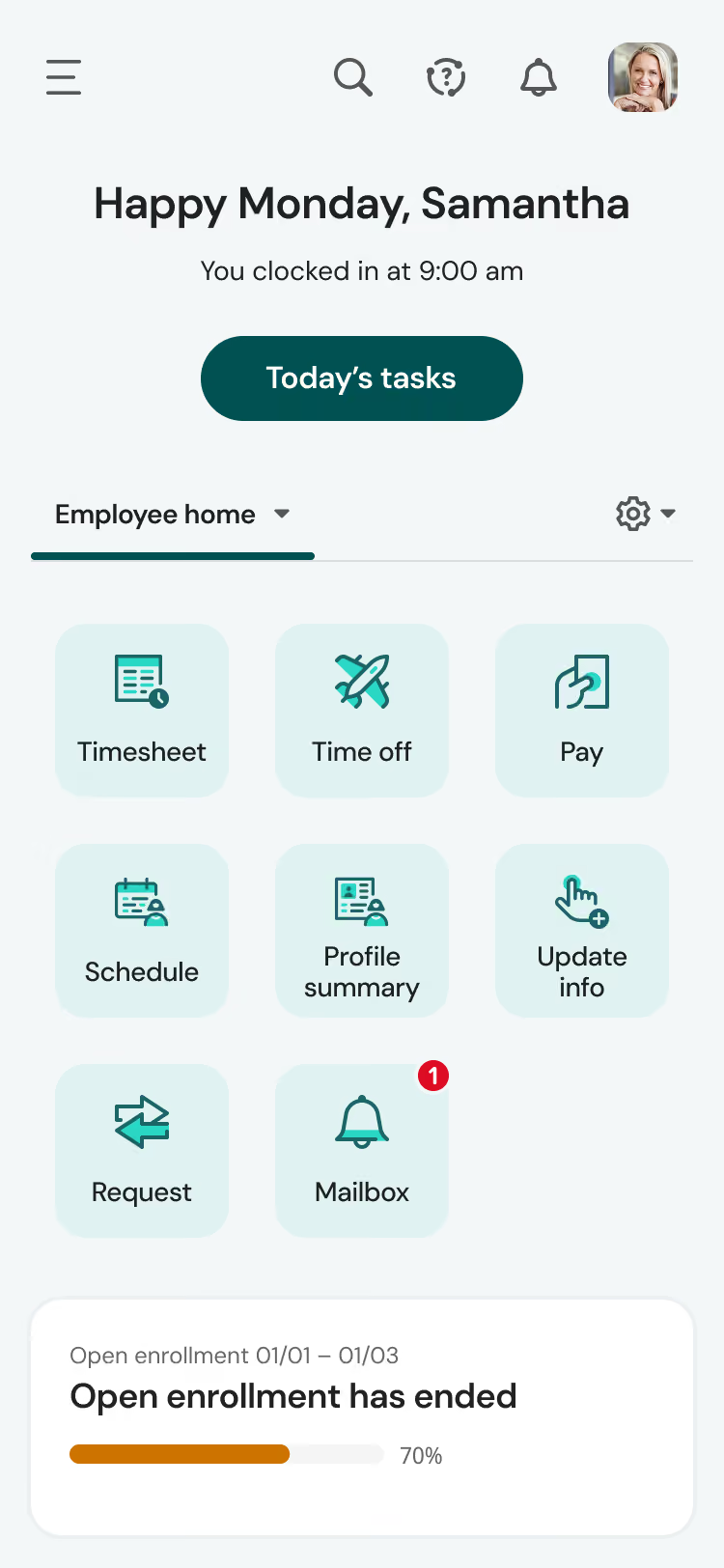


UKG was a regular part of my day, being useful and impactful managing employee basic data, employee records, and a house for HRIS data. We also used it for timekeeping when we had a lot of hourly folks. So a major part of the day is checking the timesheets and ensuring supervisors are in there doing supervisor functions.
Compliance was important and it is really great at keeping up with compliance items like the EEO-1 reporting. However, the biggest was keeping up with a strenuous performance plan we created. Overall I used UKG frequently as central HR for payroll support, reporting, performance management, and workflow approvals, and often review employee data.
- I like UKG because it helps organize training and employee development. You can see who is learning by watching track completion and/or following up with managers.
- I am a fan of the audit trail. Now most platforms have a smaller version of it, but UKG has a robust audit trail so I can look to see what's being done around training records, approvals, and employee updates.
- The employee self-service feature is something I like because it gives employees more control of their information, such as access to their information, and they can submit requests where admins do not need to get involved.
We used UKG for 2 years. We purchased the platform because a former employee worked with us and they mentioned the platform and how it would help with our greatest need at the time, performance.
The benefits are getting to be more in control of nuances in getting things done, because there are so many options to control the way you move. Since our goal was a full and robust performance center, we came for that main need. The former employee wanted us to maximize on the automation and workflow for our hyper-specific needs.
We did rather quickly leave UKG because things got too complicated and it never seemed to get easier for the organization overall.
Managers needed too much time figuring out basic navigation, and that's because I do think it's less user friendly and not really intuitive in navigation. It's almost as if you must be trained to use it (I like platforms that you can figure things out). So, employees do need extra grace, time, and training.
While I do like having control, I found it took too much work to keep control. Some workflows take too many clicks to set up properly. I do wish tasks were easier to use (I think UKG is about the final product, not the work it takes to get there). It feels too overbuilt for my needs.
I like the performance feature, but I do not like the training. For such a complex, up-to-date platform, I would really need them to update their trainings. Feels like it was contracted to whoever everyone else uses. It does not fit.
If you are a tech company, or have such specific needs that complexity is worth it, then this is for you.
This system is a strong, fully stacked system that expertly handles payroll/timekeeping, reporting, self changes, training, workflow, etc. The issue is that if your needs are not complex, then the abilities you hold in this platform can easily overwhelm you.
I would not advise this platform if you are learning HRIS, or getting your feet wet. This is for businesses that are advanced and either have specific or complex needs.
So, it's great if your need for their end products outweighs managing their complex platform. However, it can feel like an endless cloud, so beware. But, if this level of complexity is for you, then it's a total dream come true. My needs were a little simpler, which Rippling was able to handle with less complexity.
In buying this type/level of HR/payroll services, you should not only look at the fun and cool results it can give, but also pay attention to the ease of use in pursuit of those wonderful results. The tools should make things easier, and managing crucial items in a system you may not spend a lot of time in needs to fit your comfort level, and my staff has argued it brings more work.
I also think you should consider integrating your other systems into their platform if you are using it, as we faced issues syncing up other platforms with UKG (like our finance tool).
Also be okay with auditing, as there have been times we had errors in onboarding new hires, so we had to double check new hires in addition to doing the workflow. Since we had a few errors, we made it mandatory to audit with a fine-tooth comb. It just did not feel worth it after all of the aforementioned.
Well, it's more than just a payroll system. Over time, it has grown into a complete HR/Payroll platform for pay, workforce management, scheduling, compliance, talent management, training, and self-service.
The biggest improvement was the mobile access and automation. This was even before AI came out into mainstream. I don't see them making their systems easier to use though, as I do think they are intentionally about their core audience.
This is good for someone who enjoys system thinking as a nuance with a desire for specific detail. Someone who does HRIS work as an analyst would be great for it. Also, I think tech companies would be a great fit for this tool.
UKG may not be the best fit for smaller organizations that only need basic access, like timekeeping, payroll, etc. If that's all you wanted, you are overpaying because you are paying for features you are not using if you only use payroll and basic features. Better to go to Paychex, Gusto, Rippling, etc. if you just need basic workflows and access.
If you do not have a lot of employees (like 100+), it could feel like managing a spaceship for just a car ride.
It is also not good if you do not have the time or see ROI in providing extensive training to staff. The juice has to be worth the squeeze here. Again, UKG is rather complex, and it's not good if you have no desire to manage a complex HRIS.

I use UKG on a daily basis as part of my HR role. Most of the time I'm in the system reviewing or updating employee records, helping managers with job changes, and making sure everything is aligned before payroll closes. I also use it to track recruiting activity, like checking candidate status or supporting managers during the offer stage.
During performance review cycles, I spend more time in the talent management modules to review evaluations and ensure documentation is complete, since HR leads both the annual and mid-cycle review process in our organization.
Managers use it for approvals, time tracking, and accessing team information, so I often get pulled in to help with system questions or reporting needs. I also run reports for things like headcount, attrition, disciplinary action reports, and workforce trends to support leadership discussions.
Overall, UKG functions as our primary system of record, so it is part of most of my day-to-day work rather than something I log into occasionally.
One thing I like about UKG is that it brings employee records, payroll, recruiting, and talent processes into one system, so you're not constantly switching between platforms.
The reporting is also helpful, especially once it's set up properly. We've connected PowerBi to it, which has made it easier to pull HR data and build reports without starting from scratch each time.
Payroll being tied directly to core HR data has helped reduce errors, and it's been especially useful with a multi-state workforce where compliance can get complicated.
The recruiting workflow is fairly structured, which makes it easier to track where candidates are in the process and keep hiring managers aligned.
Once everything is configured properly, it works well as a system of record for managing the full employee lifecycle.
Our organization moved to UKG mainly to bring multiple HR processes into one system. Before that, we were using different tools for employee records, payroll, recruiting, and talent management, which made things harder to manage and sometimes led to inconsistencies in data.
We also just recently transitioned our timekeeping from Kronos to UKG in 2025 Q4, so part of the goal was to have everything more aligned in one place. There was a lot of manual coordination between systems before, especially between HR and payroll, so we were looking for something more centralized.
UKG helped reduce some of the back-and-forth and made it easier to access employee information without switching between platforms. Having employee data, recruiting, and performance information in one system has been helpful, especially when supporting managers or reviewing employee history.
Payroll has been more consistent since it ties directly to employee records, and reporting feels more reliable since everything is coming from the same system.
I've personally worked with UKG for more than 4 years in an HR role, using it regularly for employee records management, payroll coordination, recruiting oversight, and general support for talent-related processes.
The system can feel a bit complex at first, especially for managers who don't use it often or are new to it.
Some of the reporting works well once it's set up, but getting it exactly how you want can take extra configuration or support, which is why we ended up relying more on PowerBi for certain reports.
Implementation and initial set-up can take time, especially when you're working across multiple modules and trying to align everything.
Making updates or changes isn't always quick, since it sometimes involves working with support, which can slow things down depending on the request.
In my experience, UKG feels different from other HR systems because it brings core HR, payroll, recruiting, timekeeping, and talent into one place. In the past, we used tools that were strong in one area but required separate systems for everything else, which meant more manual work and sometimes mismatched data. With UKG, having one system of record made things more consistent and easier to manage across teams.
What I like is that once workflows are set up, things like payroll and employee record updates run more smoothly without needing to transfer data between systems. Some other tools we looked at had simpler interfaces, but they didn't offer the same level of integration across different HR functions.
When looking at tools like UKG, one of the first things to consider is whether it actually supports your core HR processes and has the modules you need without relying on too many add-ons.
Ease of use is also important, especially for managers and employees, since adoption tends to drop if the system feels hard to navigate. Reporting matters as well, because HR and leadership rely on that data for day-to-day decisions, and it should be easy to access without extra work.
It's also worth thinking about how the platform fits with your existing systems and whether it will scale as your organization grows.
Over time, I've seen UKG improve in ways that made it easier to use day to day for both HR and managers. Early on, some workflows felt a bit confusing, but over time the navigation got better and tasks like scheduling, payroll review, and updating employee records became more straightforward. Reporting also improved, and it became easier to pull information without having to export everything into spreadsheets.
I also noticed better integration between modules. For example, recruiting and onboarding data flows more smoothly into core HR and payroll than it used to, which reduced some of the manual steps we had before.
Mobile access and self-service features have also improved, making it easier for employees to check schedules, request time off, or update their personal information.
These updates came gradually, but over the time I've used the system, it has become more consistent and easier to work with overall.
UKG tends to be a good fit for medium to large organizations with more complex workforce needs, especially those managing a mix of hourly and salaried employees. It works well in environments where HR teams need one system to handle multiple functions like payroll, recruiting, and employee records rather than relying on separate tools.
From what I've seen, it's most valuable in companies that have resources to properly set up and maintain the system over time.
UKG may not be the best fit for smaller organizations with simple payroll and basic HR needs, since it offers more functionality than they may actually use.
For teams without a dedicated HR or system admin resource, the setup and ongoing management can feel a bit overwhelming. It may also not be ideal for organizations looking for a lightweight, quick-to-implement solution with minimal setup time.

As a consultant, I am involved on the front-end with the implementation of UKG products. For my most recent client, we implemented UKG Ready for time and attendance, payroll, performance management, reporting, and employee self-service. It was great to see a company go from spreadsheets, inefficient processes, and no data analytics to a solution for all.
I finished up working with the client and was able to hand off the administration without a large administrative burden on their team. Data analytics were able to identify trends and patterns where they didn't have that visibility before.
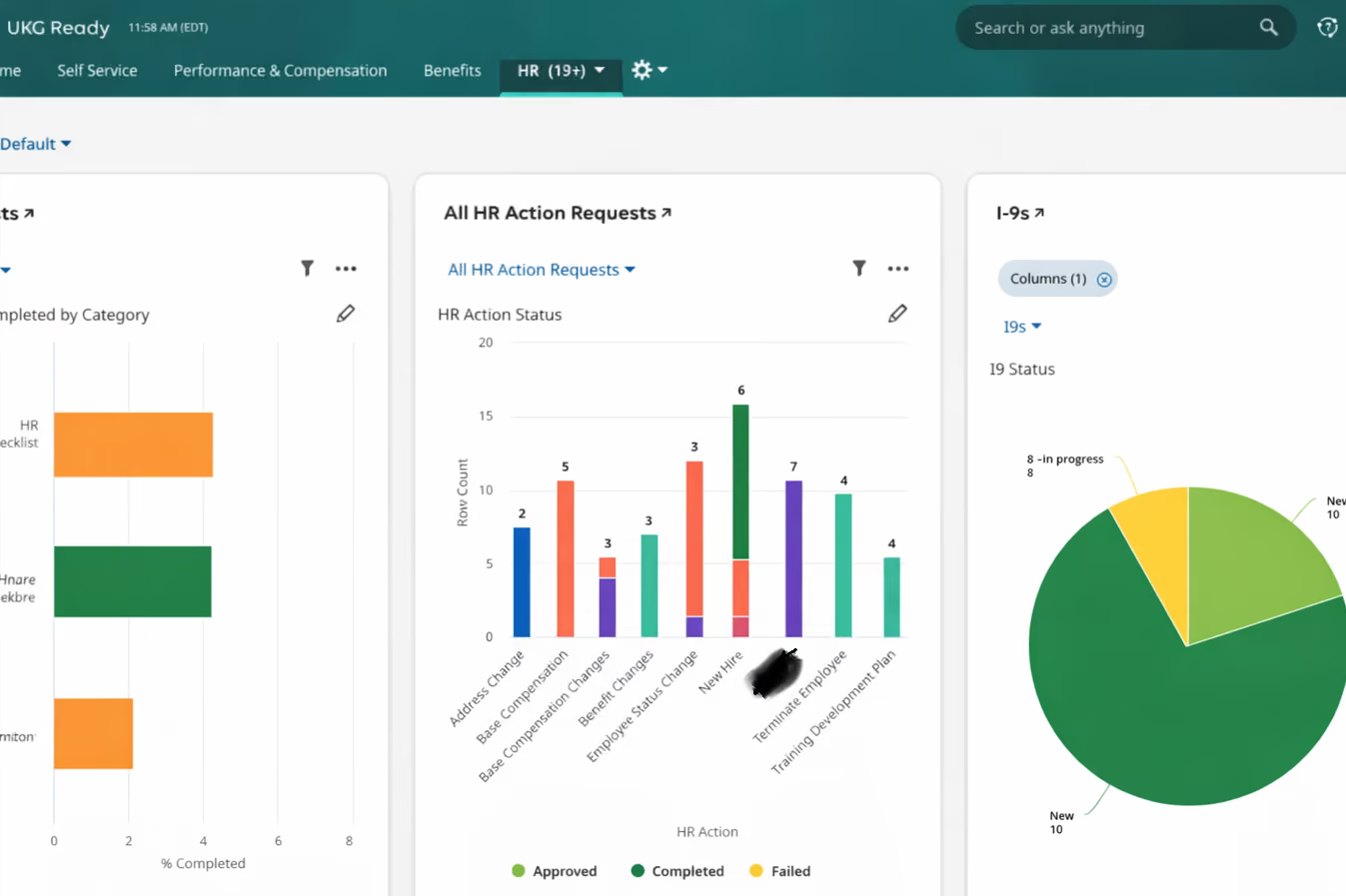
Best-in-class product that has the authority, reputation, and solution for a variety of clients. It doesn't matter how many employees you have; they have a solution to fit your budget and goals.
I also like the implementation process. It is seamless, and you are always supported by a very engaged UKG team.
I've used UKG off and on for years, even way back in 2017 when it was Kronos. As an HR Manager and now as a consultant, I've constantly recommended UKG as a product solution for companies looking to implement a quality, best-in-class HRIS.
UKG products are comprehensive solutions for payroll, time and attendance, performance management, and a very intuitive employee self-service. Many of my clients have transitioned to UKG because of the ease of use and scalability.
For my most recent client, they were not happy with all the platforms and wanted to consolidate into one. We implemented UKG Ready, which met their needs immediately.
For UKG Ready, I'd like to see more customization options when it comes to branding. Sometimes the software was a bit limited when it came to differentials, incentives, and other pay practices.
We had to do a few workarounds that took a minute to figure out how to make the system work for what we needed.
I could see how some clients were a bit sticker shocked when comparing similar vendor solutions. Though, those vendors did not have the reputation that UKG has.
UKG has been around for years. There always seems to be some startup company that tries to compete. Yes, there are cheaper solutions, but with UKG you have a brand reputation and best-in-class products.
UKG has a variety of products which can fit needs and budgets. Their customer service doesn't stop at implementation. It isn't a "hook, line, sinker" company. You are supported throughout your relationship with UKG, which I can't say the same for other newer companies.
Companies should have a list of their needs, wants, and wishes when they begin to engage with UKG. You would be surprised at how much UKG can do for your organization. Of course, you also need to have your budget set and understand that with any product implementation, there will be implementation costs.
It has gotten better since the merger. The solutions are comprehensive, and they have kept up with the times. They are always taking client feedback and implementing solutions based on that feedback.
From my experience, I have utilized UKG for a variety of healthcare organizations with multiple sites, complex schedules, and nuances. It was a great solution for this type of workforce.
I honestly can't say who wouldn't benefit from a UKG product. If anything, one without a clear idea of their budget and unrealistic expectations of what they can actually afford.
.avif)
Deel

Deel

Paylocity
Paylocity
HiBob
HiBob

BambooHR
BambooHR

Rippling
Rippling
UKG offers many solutions and modules within its platform. Hence it's not the best fit for companies in need of only a handful of specific use cases. For example, it has no standalone ACA module. Therefore, it is best for large or enterprise companies looking for an entire HR suite plus many other perks.
Through the years, UKG has been trusted by organizations like Tesla, Marriott, Yamaha, Aramark, Puma, Sony Music, Samsung, Mammoth, Temple University, MGM Grand, The YMCA, The Salvation Army, and Feeding America.
- People analytics: Gather intel on everything workforce-related and use it to make strategic, AI-supported decisions.
- Compensation management: UKG Ready can automate and streamline the entire compensation management process. This add-on supports annual, nonannual, cycle-based, and off-cycle merit and promotion-based salary increases.
- People center: With UKG Pro, you get a complete picture of your entire employee population. This instant access to business intelligence can drive decision-making.
- Benefits administration: Employees can learn about, compare, and enroll in the compensation plans of their choosing. This part of the platform also provides educational tools and personalized recommendations.
UKG has capabilities for:
- Payroll
- Benefits administration
- Open enrollment and life events
- Tax management
- Talent management
- Document manager
- Onboarding
- Compensation management
- Succession planning
- Mobile app (Android & iOS)
While their integrations are limited, UKG does have API capabilities. UKG’s products can integrate with tools like LinkedIn, Branch, Workday, Jostle, and many more. There are more integrations for other HR, payroll, ERP, patient information systems, and other back-office applications. If once you look into it you realize that they don’t integrate with a particular part of your tech stack, you should know that they sometimes provide custom solutions on a case-by-case basis.
UKG uses subscription-based pricing. Cost is determined by employee count, selected features, and additional add-ons. Specific pricing requires a quote from UKG sales.
UKG Pro is best suited for organizations with complex HR and payroll requirements, such as large enterprises, global teams, or companies with sophisticated reporting, compliance, and workforce planning needs. It’s designed for teams that need depth, configurability, and long-term scalability.
UKG Ready is typically a better fit for small to mid-sized businesses that want a unified system for HR, payroll, and workforce management without the overhead of an enterprise HCM. It works well for teams that prioritize simplicity, automation, and faster time-to-value over extensive customization.
Implementing UKG Pro or Ready can take up to a few months for large organizations. They also have numerous third-party services out there to assist with the implementation of its software.
Now, although it can vary depending on if you’re implementing UKG Ready or UKG Pro, a typical implementation process can follow these six steps:
- Planning: Webinars, learning modules, timeline creation, introduction to the project manager.
- Assess: Goal setting, provide necessary data, approve solution design, review best practices.
- Solution Build: Build the system, integrate it with other systems, and administrator training.
- Test & Clarify: Solution overview, internal training, workshops.
- Deploy & Support: "Go live" additional training, transition to support team.
- Additional Modules & Functionality: Implementation of additional solutions, for instance, the ACA module.
Aside from having customer success managers for their clients, UKG has many resources in place for their users. They’ve got a resources & insights page, for instance, where you can browse ROI tools and ebooks or guides for each of their features. They also have a support community page where customers can get their questions answered by experts as well as community members.
UKG was formed in 2020 through the merger of Ultimate Software and Kronos, two long-standing providers in the HR and workforce management space. The company is headquartered in the United States, with dual headquarters in Lowell, Massachusetts, and Weston, Florida.
Today, UKG operates as a single organization delivering HCM, payroll, and workforce management software to customers globally. The company is led by Jennifer Morgan, who serves as CEO.
While UKG’s roots stretch back to the founding of Kronos in 1977 and Ultimate Software in 1990, the modern UKG platform reflects a consolidation of those legacies into a unified product strategy focused on workforce experience, operational efficiency, and people analytics.
Company HQ
The company still keeps the headquarters from the two entities they were before the merger. That’s Lowell Massachusetts (Kronos) and Weston Florida (Ultimate Software).
Number of Employees
12,000+
Year Founded
Although the merger happened in 2020, it’s interesting to consider that Kronos Incorporated was founded in 1977 and Ultimate Software in 1990.
Amount Raised
FAQ
Is UKG Kronos?
Kronos merged with Ultimate Software in 2020, resulting in the creation of the UKG company (Ultimate Kronos Group). Kronos Workforce Ready, the company’s flagship time tracking software product, rebranded as UKG ready.
Is UKG the same as UltiPro?
Ultimate Software became the Ultimate Kronos Group as it merged with the company Kronos in 2020. UltiPro became UKG Pro, retaining much of the HCM software offering that made it so popular since the turn of the century with some added workforce management features.
Does UKG do payroll?
Whether it’s through UKG Ready or UKG Pro, their two main offerings based on the products they did before the merger, UKG is certainly able to process payroll. They offer the software tools to process it automatically, but they also provide expert assistance if needed.
About SSR

We spend hundreds of hours researching the best HR and recruiting software so you don’t have to. We never take money from vendors during our research phase and rely heavily on practitioners and experts to help us recommend the right software. However we may earn a small fee if you click on vendor links on this page.