16 Best HCM Software To Manage Your HR Needs in One Place (2026)
We've tested and demoed dozens of tools to create this guide to the best HCM software. Find pricing info, screenshots, pros & cons, and more below.








More than a software type, Human Capital Management is an economic theory; which states that companies should invest in their employees for them to generate more value. As such, the human capital theory concerns itself with optimizing the education, knowledge, skills, and experience of an employee. In that sense, HCM software manages and optimizes key related processes like training, performance, compensation, and everything essential to employee development. HCM is an organizational philosophy, but as such, what it does overlaps tremendously (as it should) with broader HR software.
HCMs, however, should provide specific competencies for workers in three categories: workforce acquisition, workforce management, and workforce optimization.
This guide will help you understand the big picture of HCM methodology and the pitfalls to avoid. Critical features like HR ops, scalability, and integration capabilities are also covered in detail for each of the vendors we’ve selected. This guide can also help you understand the difference between HCM and HRMS software.
To select the best HCM software, our experts have gathered user feedback, sought insight from HR thought leaders, and participated in product demos with vendors. In our experience, the right way to go about shopping for an HCM platform breaks down into three general questions. First, are the HR ops functionalities in line with what you need? Second, how easily does it integrate with other systems? And third, does it scale, and will it grow with you?
HR Ops
Every company’s needs differ, and no two HCM systems are alike. Specifically, we assessed products for workforce acquisition, workforce management, workforce optimization, performance reviews, learning management, succession planning, and employee onboarding.
Integration Capabilities
Because it’s so important for your new HCM software to work with your existing tech stack, we assessed each platform’s capacity for seamless integration with the standalone tools you might be using currently, such as accounting software, applicant tracking systems, performance assessment tools, and time and attendance software.
Scale
We assessed each company’s HCM software for exponentially flexible features. Take customization and permissions, for example. As companies grow, their org charts tend to get more complex. Where a simple set of customized permissions would suit a team with only managers and non-managers, a more complex team needs the ability to customize permissions for an elaborate, interwoven network.
For anyone interested in more detail on our selection process, we recommend reading more about our editorial guidelines.



BambooHR

We picked BambooHR for its flexibility, UX/UI, and reliability. It is a leading HR software suite with extensive HCM capabilities and also offers optional payroll services for US employees, effectively transforming it into a complete HRMS solution.
PROS
- Offers flexible pricing and customizable packages.
- User-friendly interface streamlines employee management for both employees and HR teams.
- Flexible packaging and custom pricing is the way they roll. You can pick out one or two packages and pick other modules as add-ons based on your needs.
- Very simple and straightforward tool, easy to use.
CONS
- Payroll limited to the U.S.-based workers.
- Support hours limited to U.S. time zones
- Some modules, including time and attendance, performance management, and surveys are available as add-ons with BambooHR.
- Payroll is only available for US-based employees
- Customer support is only offered during US business hours.
- Some modules like time tracking, performance management, and surveys are only available as add-ons.

BambooHR deserves a mention within the HCM space (in most HR tech categories, really), even though they can technically be either an HRIS or an HRMS, depending on the package and add-ons you pick.
Their HCM core features like benefit tracking, reporting, employee directory provide sufficient visibility for short and long-term decision making. Other HCM features like performance management and time tracking, however, are only offered as add-ons. This flexible packaging, however, is part of what makes BambooHR so popular among teams in all many sorts of industries. It’s a tool that can adapt to your evolving needs and there’s likely always something to discover.
Among the 20,000+ companies that use BambooHR, you’d find names like Quora, Universal Group, Reddit, Asana, Change.org, University of Maryland, Grammarly, Stance, Postmates, Wistia, the Jacksonville Jaguars, and ZipRecruiter.
Pricing is not disclosed upfront, but they do offer a free trial of their all-in-one software and then go out of their way to find a version that will suit you. Before they come up with a personalized quote that will align with your budget, however, they are also likely to extend your free trial upon request or even give you a free demo of the advanced features.

Best For
BambooHR can be an ideal choice for companies in search of a customizable HCM tool that provides pricing options that reflect their requirements. Additionally, it is well-regarded by teams that are partially or fully remote.


At a SaaS organization I worked for, I used BambooHR daily as our primary HRIS platform before transitioning to a larger system to manage core HR processes for our global workforce across multiple countries.
My daily use included processing new hire onboarding workflows, where I would set up employee profiles, manage document collection, and coordinate multi-step onboarding to ensure compliance across our India, London, and U.S. operations.
Job changes were another critical workflow I regularly managed—my team frequently updated employee records for promotions, transfers, and role modifications while ensuring proper approvals and maintaining accurate organizational charts and reporting structures.
Pay changes required careful coordination through BambooHR, where I processed salary adjustments, bonus allocations, and equity updates while ensuring proper documentation and approval workflows were followed for compliance.
Termination processes were handled through BambooHR’s offboarding workflows, where I managed benefit terminations, final pay dates, and asset recovery documentation while maintaining appropriate legal records.
The platform served as our central system of record for all employee data, and I relied on it heavily for generating reports, tracking compliance requirements, and maintaining data integrity across our rapidly scaling organization.
- The automation capabilities streamline repetitive HR processes, allowing me to focus on strategic initiatives while ensuring consistent execution of routine tasks.
- The open API enabled seamless integration with other systems in our tech stack, eliminating manual data entry and reducing errors.
- The ability to manage signatures and approvals directly through the system, while automatically storing them in employees’ digital files, created an efficient, paperless workflow that improved compliance.
Our organization purchased BambooHR prior to my joining the company. However, as the leader of the People Operations team, I know it was selected because we were a fast-growing SaaS company that needed a reliable HRIS solution to maintain compliance for our expanding global employee population.
The previous process was highly manual, lacked automation, and was inadequate for managing the complexities of multi-jurisdictional employment requirements, benefits administration, and the documentation standards necessary for a scaling organization.
BambooHR provided the foundational infrastructure to centralize employee records, automate compliance tracking, and ensure consistent HR processes across different regions and regulatory environments.
Key benefits include streamlined onboarding workflows, automated compliance reporting, and improved visibility into workforce data to support strategic decision-making.
I have been using BambooHR for over three years and have found it particularly valuable for maintaining data integrity during ongoing growth while ensuring we meet all regulatory requirements across our global operations.
- The lack of a job table to connect pay ranges to specific job codes made it difficult to maintain consistent compensation structures and ensure pay equity across similar roles.
- The limited organizational chart views prevented us from designing and modeling future organizational changes within the system, forcing us to use external tools for workforce planning.
- The absence of built-in compliance checks allowed for data inconsistencies, such as employees based in London having pay rates listed in USD instead of the appropriate local currency.
BambooHR is a solid system for small to mid-sized organizations seeking a straightforward HRIS solution that’s easy to implement and user-friendly for basic HR functions.
Compared to competitors, BambooHR performs reasonably well in supporting global operations initially, but it lacks the sophisticated configuration options and advanced analytics that larger, more complex organizations require.
As an organization grows and requires intricate approval workflows, advanced reporting, job architecture frameworks, or automated compliance capabilities, BambooHR's limitations become more evident.
What I appreciate about BambooHR is its simplicity and rapid implementation compared to enterprise-level systems. It serves as an excellent stepping stone for growing companies, but those with complex HR needs will eventually need to migrate to more robust platforms capable of supporting enterprise-level operations and strategic data analysis.
Organizations should first assess their growth trajectory and how quickly they are scaling, as rapid growth may quickly outpace BambooHR’s capabilities. They should evaluate which workflows they want managed directly within the system versus outside it, since this affects both efficiency and data integrity.
Employee self-service functionality is another important consideration, as BambooHR offers limited options compared to more robust platforms, which may affect employee experience and increase HR workload.
Compliance complexity across different jurisdictions should also be reviewed to determine if the platform offers sufficient built-in compliance checks and reporting.
Lastly, integration with existing systems should be examined in terms of current API functionality and future integration plans as the organization evolves.
Yes, BambooHR has added several features in recent months, focusing on enhancements to its previously limited Applicant Tracking System and improved benefits management for organizations handling open enrollment and ongoing benefits administration through the platform. However, these updates appear misaligned with actual user needs.
The recruiting enhancements compete with numerous robust ATS options already available, making the development investment less impactful. Similarly, most organizations using BambooHR’s core features likely rely on benefits brokers to manage open enrollment, so the added functionality does little to reduce workload or justify the subscription cost.
The platform would be better served by focusing on strengthening its core HRIS capabilities, improving compliance automation, and expanding organizational management features instead of entering crowded markets dominated by specialized vendors.
The ideal user for BambooHR is a smaller organization seeking quick implementation with minimal IT involvement and a short deployment timeline.
These organizations generally want basic automation for routine HR tasks without the need for complex workflow configurations.
BambooHR may not be suitable for larger or more complex organizations that require advanced business processes with multi-level approvals, custom workflow routing, and intricate compliance automation across multiple jurisdictions.

Paylocity
Paylocity offers a robust Human Capital Management (HCM) platform that streamlines HR processes, payroll, and talent management into a single, cohesive system. Its user-friendly interface and comprehensive features make it an excellent choice for mid-sized U.S. companies seeking to enhance operational efficiency and employee engagement.
PROS
- Integrates HR, payroll, and talent management, reducing the need for multiple systems.
- Empowers employees with 24/7 payroll and HR data access via desktop or mobile app.
- Scalable to accommodate growing companies thanks to its many modules and product offerings.
- Intuitive interface that’s easy to navigate, supported by extensive online help resources.
- Extensive reporting capabilities to track key HR metrics
- Paylocity’s customer support is highly rated for always being available to answer questions.
- Global payroll support for 100+ countries.
- Provides free and unlimited training modules on the website.
- Paylocity’s mobile app has a good UI and functionality
- The tool is easy to use for both employees and employers.
- Has 350+ pre-built integrations.
CONS
- Creating custom reports can require manual data work.
- Customer support is only available in English, limiting global access.
- Small businesses might find the features more than they need, and the pricing a bit steep for modest budgets.
- According to some user comments, customer support response times can be lengthy and inconsistent.
- Undisclosed pricing.
- It doesn’t have a free trial or free plan.
- Support is available in English only.
- It isn’t the best solution for remote teams looking for a tool to manage payroll and benefits for their contractors.
Paylocity's HCM platform is designed to simplify and automate HR tasks, making it a valuable asset for mid-sized companies aiming to enhance their human resource operations. The unified system encompasses payroll processing, talent management, and employee engagement tools, all accessible through a user-friendly interface.
One notable feature is the Employee Self-Service portal, which grants employees secure, round-the-clock access to their payroll and HR information via desktop or mobile devices. This accessibility fosters transparency and empowers employees to manage their personal information, request time off, and collaborate with colleagues seamlessly.
The platform's automated workflows are particularly beneficial in reducing administrative burdens. By automating routine tasks such as onboarding, offboarding, and compliance tracking, HR teams can redirect their focus toward strategic initiatives that drive business growth.
In terms of compliance, Paylocity offers an intuitive dashboard that provides quick access to work authorizations, EEO and FLSA compliance data, and industry news. This proactive approach helps organizations stay ahead of regulatory changes and mitigate potential risks.
However, some users have noted a learning curve associated with the platform's extensive features, which may require time and training to navigate effectively. Additionally, while the platform is scalable, its pricing structure may be a consideration for smaller businesses with limited budgets.
Overall, Paylocity stands out as a comprehensive HCM solution that integrates essential HR functions into a single platform, enhancing efficiency and employee engagement for mid-sized U.S. companies.
Paylocity’s HCM features are used by over 40,000 companies.
Pricing is customized based on the specific needs and size of the company. Interested organizations should contact Paylocity directly for a personalized quote.
Best For
Mid-sized U.S.-based companies seeking a unified HCM platform that integrates HR, payroll, and talent management to streamline operations and enhance employee engagement.

I used Paylocity as an HR Administrator. Paylocity was our core HRIS. It was used for a number of functions including onboarding and offboarding employees; recording any job changes, such as promotion, salary change, title change, etc.; distributing payroll across the US; and for employees to select and HR to administer benefits.
As the HR Admin, I used Paylocity for an employee's entire "journey," from the time of offer acceptance through their departure. We also used Paylocity for ad hoc instances when a separation package was involved, to engage with the former employee and track the progress to signature.
- It allowed for finance and HR to align prior to hiring on budget and timing.
- It reduced the amount of manual work previously done in Excel.
- Their support team was easy to reach and extremely helpful.
I used Paylocity for my healthcare technology organization during a time when we were hiring and onboarding employees across the US. We used Paylocity for payroll and onboarding.
I believe Paylocity offers an ATS but we declined to use it, in favor of one that blinded resumes and therefore reduced unconscious bias. We ceased using Paylocity after we acquired a company with non US-based employees.
At that point, it no longer met our needs, and we transitioned to ADP.
- This is not the fault of Paylocity, but it really isn't ideal for organizations with fewer than ~200 employees. In our case, we purchased it too early in our growth.
- When there were state-specific requirements for payroll (e.g. in New Hampshire, you must pay bi-weekly vs. semi-monthly), the system didn't automatically flag these and it was difficult to make one-off adjustments.
- Employees didn't enjoy the benefits onboarding UX.
At the time I used Paylocity, it didn't offer a solution for non US-based employees, which I found surprising for the cost and complexity. I liked the tool best for the line of sight offered to HR and Finance concurrently. It allowed us to consolidate greatly.
They should consider if their employee population is and will remain US-based. They should consider what employees are accustomed to for payroll administration and open enrollment. They should consider that it is a long implementation and therefore not a quick solution.
I don't believe this is a change, but when I was unable to easily pull reports I needed, their support team helped me with customized data.
Paylocity is good for large, US-based organizations who need a basic HRIS and payroll tool.
Paylocity is not good for small, nimble organizations who need to move quickly and make adjustments "on-the-fly."

Rippling
Rippling is a prominent platform for HCM. And more than that, it gives growing teams flexibility in their shopping. All Rippling modules — applicant tracking, onboarding, self-service, payroll, benefits, time tracking, training, engagement, and reporting — can be purchased according to customers’ needs.
PROS
- Rippling offers a full-feature HCM with great automation support.
- Payroll automatically updates work hours, deductions, and tax filings.
- Supports both US and global payroll.
- Strong integration capabilities (500 third-party apps).
- The Benefits module enables users to collaborate with their preferred broker.
- Provides a mobile app.
- Modules can be purchased separately or wholly as a full suite.
- All-in-one platform for employee management + PEO services offered, and even a suite of other IT products
- With 500 integrations, it’s very likely that they integrate with other key tools from your tech stack.
- Operates globally with any currency
- Workflow automation
- Analytics opportunities
- Provides a holistic view of company outflows—headcount costs included
CONS
- No payroll automation
- There’s no free trial, not a tool for tight budgets
- Telephone support is an added fee
- Not a great fit for teams greater than 2,000
- The mobile app can be slow and doesn’t perform as well as the web browser version.
- Total buy-in to Rippling is essential
- Very SMB-oriented, in case you’re a larger company.
- New features tend to be buggy in ways that tech teams are not accustomed to fixing

Rippling stands out as a strong HCM platform, providing a complete cycle of human capital management functions, encompassing acquisition, management, and optimization.
The features are rich in automation and customization, while the UI maintains a clean look that soothes the eyes. We’re surprised at how fast the solution has evolved since it started the business back in 2016.
Integration capabilities are a standout feature for Rippling, with over 500 software solutions connected across various categories. The self-service feature empowers employees to manage onboarding, benefits, compensation, and personal information through mobile accessibility.
Furthermore, Rippling has taken good care of workforce management and optimization, offering US and global payroll automation for faster payroll processing. Running payroll for employees and contractors is quick, taking only a few minutes. The synchronization between the time tracking app and payment app ensures accurate work hours, deductions, and tax filing. Additionally, the benefits administration tool offers flexibility, allowing us to select our preferred broker and choose from 4,000 plans.
However, we expected more accessible customer service, as Rippling doesn’t offer 24/7 support, and phone consultations come at an additional cost. Additionally, the requirement to purchase the Rippling Unity module to access other modules limits flexibility.
Vox, Maximum Games, Superhuman, Compass Coffee, Highnoon.
Rippling pricing starts at $8 per employee per month. Contact the Sales rep for more info.
Best For
Rippling is a powerful HCM for both US-based and international teams to manage their workforce. With its current feature set, the ideal team size is from 50 to 2,000 team members.

I used Rippling as a consultant hired by an organization to solve their HRIS (or lack of) problem. I was involved in the procurement process from the start through training the trainers.
We set up payroll, employee self-service, benefits, onboarding, and trainings. It was a system where we could use it to its fullest and meet the needs of the end user and executives.
It was easy enough to use whereas I was able to train leaders who weren't exactly tech savvy to use the program.

It is a great solution for a small business who wants the functions and features of a HRIS system, without the need to spend for an enterprise-level system. The system is intuitive and easy to use even for those not tech savvy. I enjoyed the reporting and analytics features, especially the dashboards.
From March 2025 through September 2025, I worked with a small resort property as a consultant. One of my initiatives was to source and implement an HRIS system. Leaders wanted a one-stop-shop including employee self-service, payroll, timekeeping, performance management, etc.
Previously they were working off of spreadsheets and ad-hoc programs that didn't integrate with each other. I reviewed a variety of programs and platforms. Many of the programs I reviewed were more enterprise-level and didn't fit the budget they were looking for.
Rippling was quickly identified as a solution which met their needs, budget, and scalability.
I can see how it could be limiting for larger teams and organizations. With the platform, I would have liked to see more customization options. There always seems to be a price hike or hidden add-ons which can get pricey if you don't watch it.
Our employees didn't have any IT support; rather customer service was for administrators. I was left having to figure out tech issues on behalf of the employees.
It is a user-friendly platform for small businesses, which I think are its main customers. Overall, there were more pros than cons with Rippling, and alongside the positive reviews, we felt we were in good hands.
Cost and budget are key. There is a base product and then other features are added as modules, like benefits and recruiting, which can add up. You want to have your wants and needs outlined before you start exploring programs so you can get a good picture of what solution is best for you.
Rippling sales reps have a variety of options and solutions available and were quick to engage and help. Make sure it fits your needs before jumping in.
I can't say, as I didn’t use Rippling for more than a few months.
Rippling is a good fit for small businesses.
Rippling is not a good fit for large enterprise-level organizations, and those who do not have anyone dedicated to implementing from start to finish.

Workforce
Workforce.com offers a flexible, all-in-one HCM system purpose-built for shift-based industries. Its deep integrations across scheduling, time tracking, and payroll stood out in our demo. We also liked how this platform helps streamline workforce operations while minimizing administrative overhead.
PROS
- Unified platform for scheduling, time tracking, HR, and payroll on one platform.
- AI-driven scheduling predicts labor needs from POS data and auto-builds cost-optimized schedules.
- Real-time labor tracking via live time clock feeds, wage variance reports, and shift ratings.
- Highly rated mobile app provides employees with access to schedules, pay stubs, time-off requests, and shift swaps.
- Industry-specific flexibility with tools for safety audits, certifications, and role-based compliance.
- Full-service, in-house payroll engine with tax filing and wage garnishment support.
- Centralized employee profiles housing HR data, documents, and compliance logs.
- Automated time-to-payroll workflows reduce manual intervention.
- Onboarding and offboarding steps are trackable, with document bundling and digital forms.
- Employee self-service tools (mobile and web) for leave requests, profile updates, and shift management.
CONS
- Not designed for enterprises with more than 2,500 employees.
- All-in-one positioning limits modular use, with no free trial available until speaking with a representative.
- Built primarily for shift-based environments, limited appeal for global/remote-first teams.
- No standalone access to payroll or HR modules.
- No free trial or sandbox access to test payroll workflows without speaking to a Workforce.com representative.
- Recruitment components are basic compared to specialized ATS systems.
- Their payroll system lacks international tax/localization support.
Workforce was originally a top-of-the-line workforce management tool, and that foundation is still its strongest point. We tested how the system connects scheduling with time and attendance, then flows directly into payroll without requiring data exports or third-party connectors. On par with some top names in this space, Workforce built every module in-house on a single codebase, ensuring tight data continuity.

The dashboard is command-center-like, with live shift statuses, wage variance reports, and schedule versus actual costs all surfaced immediately. There’s also a “Lightwave” live wage tracker that compares labor costs against forecasted revenue, which we know will be particularly useful if you’re in hospitality and retail environments.
A clear differentiator is the AI-based scheduling engine. Using sales or foot-traffic data from POS partners like ROLLER, Square, LightSpeed, and GoTab, the system builds labor-efficient schedules based on configurable productivity ratios (e.g., one staff member per $100 in sales).
Importantly, the payroll module is a native part of Workforce.com’s stack. In testing, once we approved a time card, the system automatically calculated wages, taxes, and deductions. It supports direct deposit and printed checks, and the system files and remits taxes on behalf of the employer. We especially liked that time card edits, certifications, and warnings are stored in a centralized employee profile for seven to ten years, so it’s safe to say it meets most retention policies.
Workforce.com also provides ATS and onboarding tools, but these are tightly integrated with the core platform. From our testing, they were not as robust as those found in Factorial and BambooHR. And since HR modules aren't offered independently, this could be a limitation for orgs seeking point solutions.
It’s a bit of a shame that Workforce doesn’t offer a self-signup free trial, which may deter certain budget-conscious teams. Further, if your SMB grows to over 2,500 employees, this platform may no longer accommodate your HR needs.
Domino’s Pizza, Altitude Trampoline Parks, Louisiana State University, Pinnacle Live, Cedartown Foods, Winnipeg Jets.
Workforce pricing ranges from $5 to $24 per employee per month.
Best For
For SMBs or mid-sized companies based in the U.S., Workforce offers a clean and focused way to manage performance cycles.

Dayforce
Dayforce is a cloud HCM platform that efficiently handles the employee lifecycle end to end, including payroll, benefits, workforce management, and talent management.
PROS
- Payroll coverage across 200+ countries and territories supports global scale.
- Built-in compliance tools and local experts help manage regulatory complexity.
- Unified system improves visibility into global payroll data and reporting.
- Continuous calculation reduces manual work and improves payroll accuracy.
CONS
- Likely too complex for smaller teams or companies with limited global footprint.
- Pricing is not transparent and may be high compared to simpler payroll tools.
- In countries where payroll is partner-delivered rather than native, reporting consistency and issue resolution may vary.

Dayforce HCM consolidates data from all employee lifecycle stages, enabling informed decisions and data-driven insights. This comprehensive platform integrates HR, payroll, benefits, workforce management, and talent management. Notably, Dayforce features a flexible rules engine that handles intricate regulatory demands, delivering real-time updates and computation.
- Guitar Center
- Danone
- Spirit Aerosystems
- El Pollo Loco
- Crescent Bank
Pricing for the Dayforce HCM suite is not provided upfront.
Best For
Dayforce HCM is best for enterprises with over 1,000 employees.

As an HR leader working in the COE, I used Dayforce as an administrator. I had access to add and remove reports, run reports for North America, Canada, and Mexico, and control benefits administration - including open enrollment, life event changes, reconciliations, etc. I used Dayforce as the main HRIS for the company I was employed in at the time.
I loved that the platform reached our global audience and that our employees could manage their own data in the system. I also liked the reporting functions and how easy it was to make benefit changes in the system from an administrative view.
We chose Dayforce because it was one of the only systems that had the global support we needed. We needed a robust system that would allow our employees to manage their data in the US, EMEA, Canada and Mexico, as well as hone into reporting functions easily for our COE. I used Dayforce for almost 4 years, managing benefits, reporting, and employee data. I trained my team how to use it, so they could emulate this training at their respective locations.
Dayforce is not the most user-friendly interface. It is not impossible to use, but for anyone who struggles with tech, it can be a challenge. Companies with large populations may also find it easy to get analysis paralysis, as all of the reports can be overwhelming and hard to sort through. Lastly, it only gets easier with practice, so if you are not on this platform often it will not get easier to navigate. One truly must familiarize themselves with it in order to understand how to navigate it.
What sets Dayforce apart is its global capability and reporting functionality. I have yet to come across another platform that can store the amount of data this can and pull it together in the same way Dayforce can.
The size and location of their organization/employees, data analytics, user interface and price.
I think they are trying to make a dashboard more user-friendly but otherwise, I think they know their strength and lean into that.
Large global organizations
Small businesses operating on a local scale.

Criterion
Criterion helps midmarket orgs gain better control over their human capital by combining the entire talent lifecycle into a single interface: applicant tracking, onboarding, compensation, benefits, performance, and learning management. The HCM also has good scalability—it can accommodate well whether you have 200 or 5,000 staff.
PROS
- Flexible and reasonable pricing: starts at $4.50 per employee per month.
- All-in-one platform combining ATS, payroll, benefits, and learning management.
- Open API for app integrations.
- Native biometric check-in feature.
- Flexible and reasonable pricing: starts at $4.50 per employee per month.
- All-in-one platform combining ATS, payroll, benefits, and learning management.
- Open API for app integrations.
- Native biometric check-in feature.
CONS
- Mobile app users reported experiencing login issues and frequent crashes.
- There’s a steep learning curve for employer users.
- The implementation process can be lengthy.
- Mobile app users reported experiencing login issues and frequent crashes.
- There’s a steep learning curve for employer users.
- The implementation process can be lengthy.
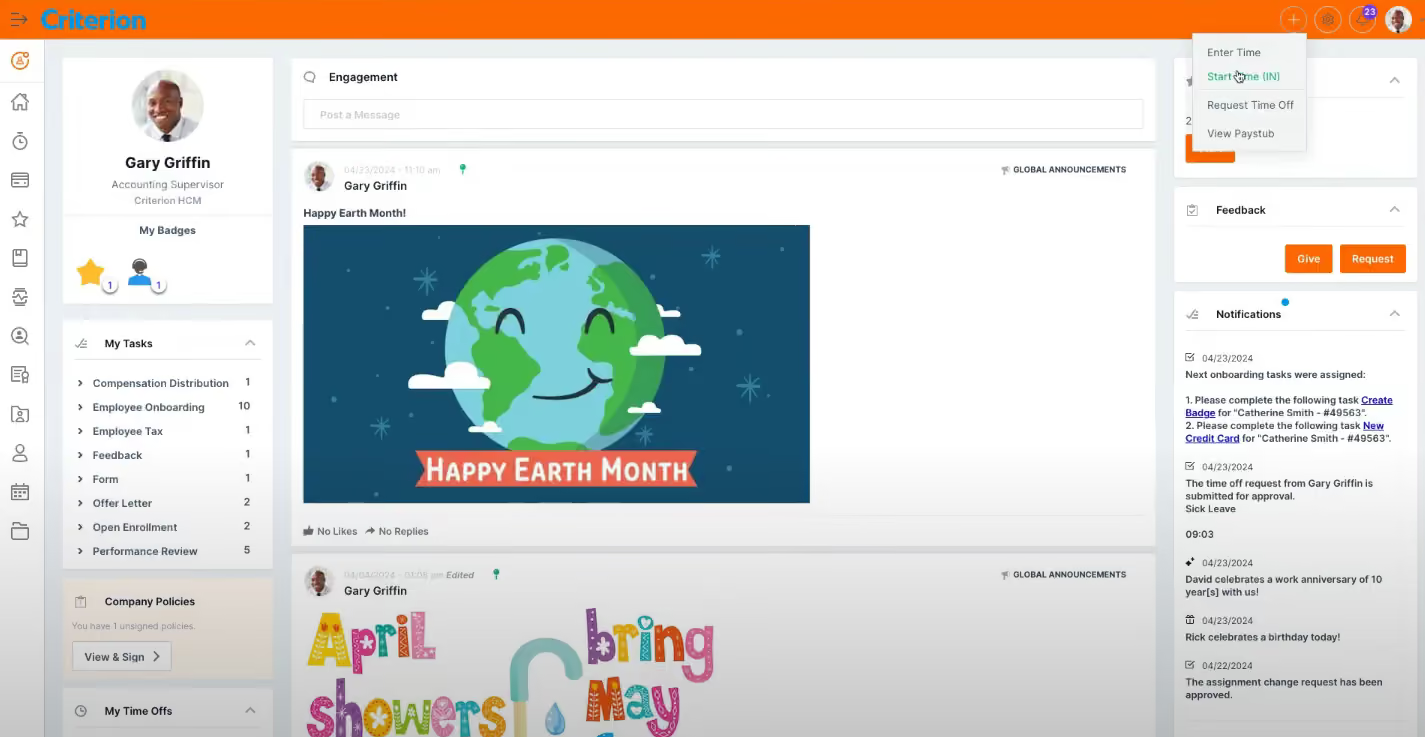
Criterion satisfies every feature note we were hoping for in an enterprise-centric HCM. It covers talent acquisition, onboarding, attendance, benefits, compliance, communications, enrollments, payroll, and other HR tasks through a single central database. Thanks to this, finding employee information is quick and easy, and its ability to eliminate double data entry is just on par with other robust HCM listed in this buyer guide.
Two standout features of Criterion that receive lots of love from admin and employee users alike are its time tracking and payroll.
The time and attendance feature includes scheduling and labor tracking that can work for both on-site and remote hires. It also supports biometric check-ins where employees can clock in with a fingerprint—a huge plus for teams in environments like factories and warehouses.
As for payroll, Criterion has one-click integration with payroll systems and can process payroll and taxes quickly with minimal user input. Plus, the employee self-service portal that centralizes all communications between managers and staff regarding time tracking, PTO, and performance reviews is such a great element in driving better team collaboration and engagement.
Criterion offers a mobile app that allows workers to track their time on the go. However, it wasn’t as good as we expected, with system crashes and login issue loops happening here and there as we tested it out.
It’s no secret that Criterion is recognizable by its feature richness but not so much in appearance. The UI looks quite dated, and teams prioritizing simplicity over comprehensiveness may find this HCM’s layout a bit too information-heavy.
Owing to its extensive feature set and, especially, formula-driven configurations, employers may encounter some learning curves to get used to all the features Criterion offers. For the same reason, the time to get the software up and running is quite long, with implementation taking 2 to 6 months to finish.
500+ companies, including Scott Steel, Inflector, and Gordon College.
Criterion has three products you can buy separately or jointly: Human Resources costs $7.50 PEPM, Payroll costs $4.50 PEPM, and Talent Engagement costs $4.50 PEPM.
Best For
Criterion HCM is of great use to mid-sized and large enterprises (200 to 5,000 employees), North America-based preferable.

We used the employee records management feature which helped us organize our HR files and create some needed structure. We also used the benefits administration where we worked with Criterion to handle open enrollment and carrier communication. We also used the hiring features including the recruiting and applicant tracking system.
We were considering using the Learning Management System but we didn't have enough manpower to help create the necessary documents and trainings to transition into that system.
We also used the payroll options for a short period of time before transitioning to QuickBooks payroll.
- Good reporting options are available on Criterion that helped us make some workforce decisions.
- We had a wonderful customer service agent who often made herself available to us whenever we had an issue. This is very rare with SaaS CX these days!
- Fast payroll processing with automated aspects to make the process quick and easy.
Our company needed to centralize and streamline the entire employee lifecycle so we researched HCM options and Criterion was the first one we tested. We ended up using it for just less than a year due to the difficulty of using the system.
Our team found it to be a steep learning curve. Before long, they were creating workarounds and alternative paths instead of using the system as intended. We were drawn to Criterion based on its full HCM platform and the fact that it was meant for mid-sized businesses.
- Criterion has a steep learning curve.
- The platform feels out of date and not modern.
- We were promised a few things throughout the sale/demo stage that didn't end up being true.
Criterion has more customizable options than things like ADP Workforce Now provides. Better customer service than most competitors.
The price is steep so consider what pieces are necessary and what could be split up amongst the team. You can buy by the bite with Criterion so think through your payroll processing options before jumping straight to them. Think about the implementation process as it's a very difficult software to transition to. Be sure you and your team have the bandwidth!
Criterion now offers some AI tools for automating tasks, finding compliance issues, and more. It also has been acquired by Sage, which is an accounting and ERP software provider.
Mid to large sized businesses with more than 200 employees. Industries like construction, education, franchise businesses, etc. do well with Criterion.
Small businesses with less than 200 employees would be paying too much for Criterion. Furthermore, businesses with more than 1,000 employees should consider solutions like Workday or others.

Factorial
We picked Factorial for its balance of core HR depth and modular flexibility. It stands out for localized onboarding, AI-powered performance insights, and built-in employee finance tools, all of which are rare in SMB-focused HCM platforms.
PROS
- Offers a comprehensive HR operations suite, including time tracking, leave management, e-signatures, and self-service.
- Includes a built-in ATS with AI-powered resume screening and automated onboarding handoff.
- Supports structured performance reviews with AI insights, OKRs, and competency tracking.
- Enables localized onboarding workflows tailored to specific countries, states, or entities.
- Modular design allows companies to adopt features at their own pace as they grow.
- Finance tools, such as expense tracking and project time allocation, are included natively.
- Flexible pricing scheme
- Complete HR Suite + ATS
- Strong SMB focus
- Good UX/UI and frequently updated design
CONS
- Does not run payroll internally and requires exports to third-party systems.
- A free trial is only available after completing a sales demo.
- U.S.-based customers don’t have access to built-in rewards integrations for recognition.
- Some users have pointed out that the tools are not very customizable.
- Because it covers such a wide range of functions, we’ve found that modules like payroll and reporting could be further developed.
If your business is growing fast, especially across regions, and you want an HCM you won’t outgrow in six months, Factorial is well worth a look. We spent time testing this platform and came away impressed with how well it balances flexibility and functionality. While many SMB-focused tools prioritize either HR ops or performance features, Factorial delivers both in one clean, navigable interface.
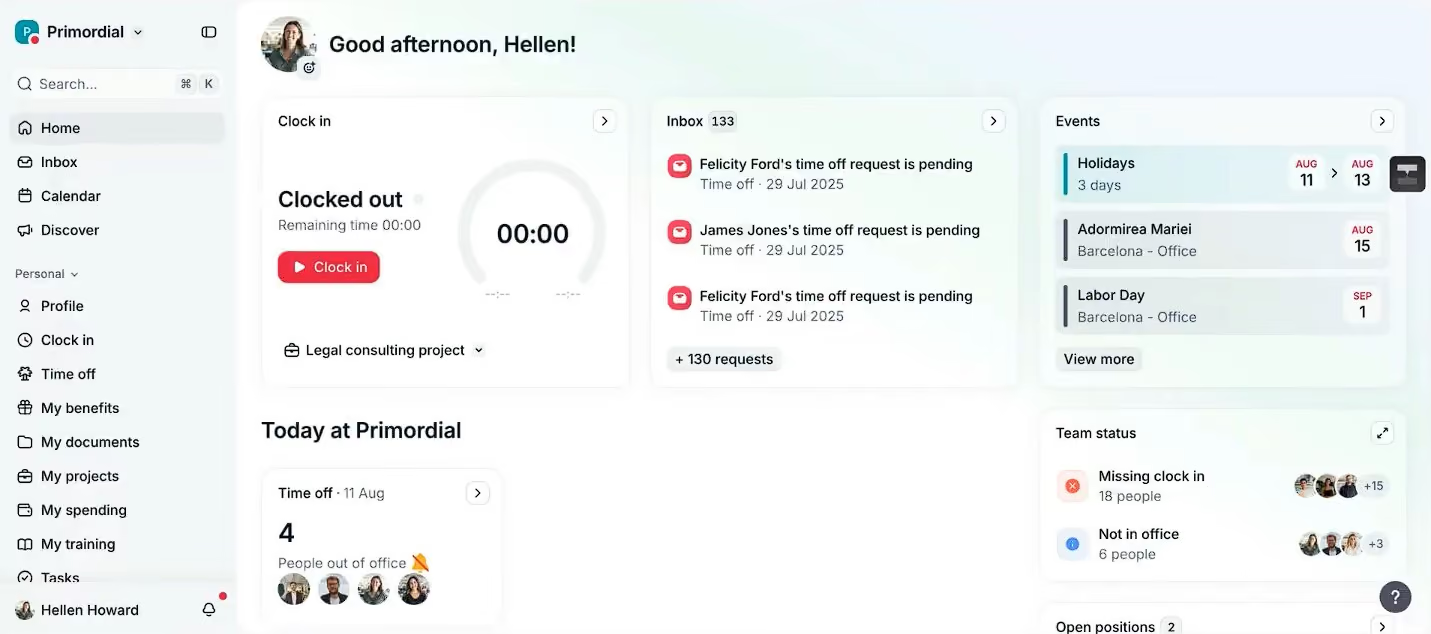
When we walked through the platform, core HR features like time tracking, PTO requests, e-signatures, and employee self-service were easy to configure and felt polished. Everything lives inside a customizable employee profile, and we liked how simple it was to add new tabs or data fields without writing a single line of code. If you want to track onboarding status, salary history, completed courses, or whatever matters to your workflow, you can.
What really stood out was how harmoniously the system connects modules. After test-hiring someone through Factorial’s built-in ATS (which utilizes AI to screen resumes), we triggered a localized onboarding sequence with forms tailored to our test location; no manual routing was required. Performance tools followed a similar logic. We created a review cycle, sent out self and manager forms, and then reviewed the system’s AI-generated summary. We appreciated that it went beyond just offering the report, but also flagged where scores misaligned and suggested next steps, such as assigning a training course or creating a learning plan. For overwhelmed or first-time managers, that’s a real time-saver.
However, unlike Paylocity and Rippling, Factorial doesn’t run payroll internally. The system can calculate time worked, apply compensation changes, and generate clean exports, but you’ll still need to plug those into another system like ADP or QuickBooks. That’s fine if you’re already outsourcing payroll, but if you’re looking for a fully unified system, you might not be a fan of this approach.
We also found integration options to be less ideal. While offering over 80 native connections, Factorial has no direct sync with employee reward and recognition systems in the U.S. Lastly, although there’s a free trial offered, you can’t access it until after a live demo, which slows down hands-on evaluation.
Factorial HCM is used by over 13,000 companies worldwide.
Factorial HCM starts at $8/user/month.
Best For
Small and mid-market orgs scaling across regions, seeking a flexible HCM suite with strong operational tools and built-in growth paths.
I use Factorial HR almost daily for tracking employee attendance, approving time-off requests, and running payroll. The document management feature is particularly useful for storing contracts and compliance-related files in one secure place. We also use it for performance reviews, assigning goals, and tracking progress over time.
Its automation capabilities for repetitive HR tasks are a huge time saver. On the employee side, many of our team members appreciate the time-off request feature because they can submit requests directly without having to ask HR every time.
- The user interface is easy to navigate and use.
- The biggest advantage for me is the automation features, as they save me a lot of time by reducing manual work.
- The reporting and analytics tools provide valuable insights.
We primarily purchased this tool to address inefficiencies in managing HR processes. We needed a solution to handle employee records, time tracking, payroll, and performance management without juggling multiple platforms.
Factorial HR worked well as an all-in-one platform and also offers automation and workflow rules for these processes. Additionally, its data analytics capabilities were a great and unexpected benefit. We have used it for roughly three years. The tool also has a user-friendly interface.
- Some of the integrations, like the payroll integration, can be tedious at times and do not always work as expected.
- The customization options for reports are limited.
- Customer support for complex issues has been difficult to manage, and response times could be improved.
Factorial HR stands out for its simplicity and ease of use compared to more complex HR systems like BambooHR or Workday. It successfully offers strong HR features without excessive complexity. The best part is that it doesn’t require a dedicated tech team to manage the software.
Consider the size of your company. This tool is great for small to medium-sized businesses. If you need software with extensive integrations, you may want to explore other options. If connecting to your payroll system via integration is a priority, another solution might be a better fit. However, if you need something simple and easy to use, this is a great choice.
Factorial HR has introduced more automation features and improved its reporting capabilities over time. One major benefit I’ve noticed is the expansion of its compliance and document management features, which better support remote and international teams. This is extremely important for my team due to the nature of our remote and hybrid workforce.
Factorial HR is ideal for small to mid-sized businesses looking for an easy-to-use, affordable solution. Startups and growing businesses will particularly benefit from its automation features and user-friendly design.
Large businesses with complex integration needs, extensive hiring requirements, and more advanced HR demands may find this tool limiting. Factorial HR is best suited for smaller companies rather than large enterprises.
.png)
Deel
Deel HR stands out for offering a flexible, globally compliant HCM system that builds on its core strength in international payroll. It’s one of the few platforms designed from the ground up to support distributed, cross-border teams while enabling growing companies to scale from an HRIS to full HCM with optional add-ons.
PROS
- Manage all types of employees, including contractors and EORs, in 150+ countries.
- Advanced compensation, employee engagement, workforce planning, and learning are available as optional modules.
- Unified payroll and HR data dashboards support strategic workforce decisions.
- Robust workflow automations reinforce Deel’s compliance and reporting capabilities.
- Offers fast, localized support and compliance guidance in 100+ countries.
- Excellent 24/7 customer service with fast onboarding (2-3 days) and local payroll experts in each jurisdiction.
- Seamless integration with platforms like QuickBooks, BambooHR, and Greenhouse, plus custom integration options.
- User-friendly, self-service features enable quick setup; identity verification often takes under 24 hours.
- Automated invoices simplify payments, provided they're in English.
CONS
- HCM capabilities like workforce planning and career management are not included in base HRIS pricing.
- Designed for global teams, Deel may offer additional features that companies operating in a single country don't need.
- Performance and succession planning features are still evolving compared to legacy HCM suites.
- No trial or freemium tier available.
- Key features like onboarding automation are add-ons, which may increase costs.
- Limited flexibility in modifying contracts or service agreements; changes often require an addendum.
- Invoices cannot be generated in languages other than English.
We included Deel in this category because of its increasingly sophisticated approach to talent and workforce management, which are key functions of a proper HCM system. While Deel HR covers onboarding, time off, and compliance, what makes this platform worth considering as an HCM is its ability to evolve with your company's complexity: you can access strategic HR offerings like Workforce Planning and Career Management, and even layer in Deel’s payroll products for clearer visibility into workforce costs and planning—only when you’re ready.
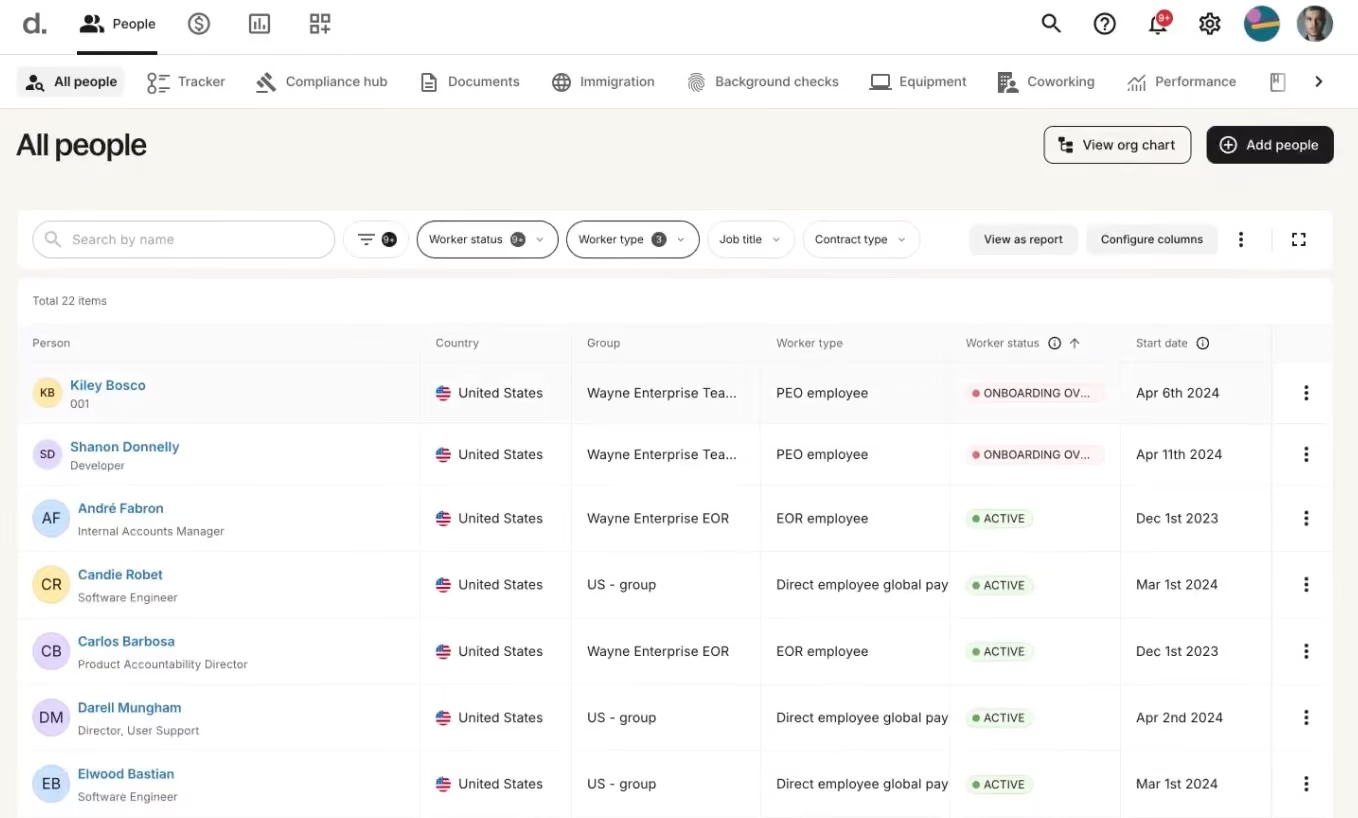
During our latest evaluation, this platform impressed us with its ability to centralize the global workforce for contractors, EOR hires, and direct employees under one compliance-first umbrella. The fact that HR and finance teams can slice data by geography, department, or role and get real-time insights into headcount and costs makes it a practical fit for companies scaling globally.
Another thing we liked was the AI labor law assistant. It gave us fast, jurisdiction-specific answers to common compliance questions without having to ping legal. In testing, we found this helpful for quickly answering onboarding and tax questions, especially in new markets. We also appreciated the intuitive layout and self-serve design, which felt welcoming for both HR and non-HR users.
That said, Deel HR is still maturing. Strategic features such as succession planning and learning management are limited compared to the legacy HCM suites we’ve featured in this guide. And while the modular pricing is flexible, it can feel quite pricey if you suddenly need multiple upgrades. Also, U.S.-based companies that don’t hire internationally will likely find Deel overbuilt for their needs.
Serving over 40,000 companies globally, including Makerpad, Andela, and Brex.
Deel HR modules are sold individually and run on a unified HR data platform, with no migration/re-implementation required.
- Core HR ($5/employee/month) includes essential HRIS foundation (profiles, time tracking/time off, document management, analytics, roles/permissions, compliance, AI help).
- Recruit ($14/employee/month) includes Core HR, ATS, interview scheduling/feedback, AI screening/offers, and integrations (LinkedIn, G Suite).
- Develop ($22/employee/month) includes Core HR plus Goals/OKRs, performance reviews, LMS, AI-assisted career frameworks, development plans, and engagement surveys.
- Recruit & Develop ($30/employee/month) bundles Core HR, Recruit, and Develop.
- Full HR Solution ($56/employee/month) includes Core HR, Recruit, Develop, plus compensation cycles/bands, headcount forecasting, and anonymous reporting.
Best For
Deel HR is best for remote-first and globally distributed companies looking for an HCM that can evolve with their needs.

MHR People First
MHR's People First is a modular HCM platform that covers the full talent lifecycle: core HR, performance management with AI-driven check-ins, a 90,000-course learning library, recruitment with candidate matching, goal tracking, and case management. Organizations start with a core HRM foundation and add modules as needed, making it a scalable alternative to enterprise HCM suites that force you into buying the full stack on day one.
PROS
- AI-powered performance check-ins suggest talking points from prior conversations and flag department-level sentiment shifts, solving the "managers don't know what to discuss" problem.
- 90,000-course learning library plus a full LXP with SCORM support, structured pathways, and CPD credit tracking for regulated professions.
- Recruitment module includes CV parsing, AI candidate-to-job matching with percentage scores, and auto-generated interview prep.
- Modular pricing: start with core HRM and layer on performance, learning, recruitment, or absence management individually.
- Modular architecture lets you start with core HRM (profiles, org chart, audit, insights) and add only the modules you need.
- AI-powered performance check-ins suggest talking points based on prior conversations and department-level sentiment analysis.
- Includes a 90,000-course learning library alongside a full LXP with SCORM support and CPD credit tracking.
- WCAG 2.2 compliant, with ongoing accessibility testing through UX teams and local charities.
- US compliance covers FMLA, ADA, COBRA, HIPAA, I-9, and E-Verify.
CONS
- No native payroll; relies on third-party partners including ADP for the US market.
- Thin review footprint on G2 and Capterra compared to established HCM vendors like Workday, Dayforce, or ADP.
- MHR has operated in the US for at least 18 months but is still expanding. State-specific support depth is worth confirming during a demo.
- The UI is functional but looks dated next to newer platforms like Rippling or HiBob.
- No native payroll; MHR relies on third-party partners including ADP for the US market.
- Review footprint on G2 and Capterra is thin compared to incumbents like BambooHR or Rippling, so peer validation is limited.
- MHR has operated fully in the US for at least 18 months, but they are still in expansion. State-specific constraints may still exist for some teams and it’s worth discussing during a demo.
- The UI is functional and powerful, but looks dated compared to newer entrants in the HRMS space.

MHR has been building HR technology since 1984, and People First is their cloud-native HCM platform targeting mid-market organizations of 100 to 2,000 employees. We recently demoed the platform with their solutions team to see how it stacks up as a full human capital management and are happy to finally include them within this guide.
Why? Where People First differentiates from enterprise HCM suites like Workday or Oracle is in its modular buy-in. Core HRM (employee profiles, org chart, audit trails, insights) is the foundation, and you add talent modules individually. During our demo, we saw how performance management, learning, recruitment, and goal tracking each operate as distinct modules that share data across the platform, similar to HiBob's approach but with a notably deeper learning offering. For instance, a 90,000-course library alongside a full LXP with SCORM and CPD support.
The newer AI capabilities span multiple modules rather than living in one silo, and also speak about the team’s ability to get with the times and compete with AI-native tools without losing their established angle. For example, performance check-ins are powered by AI now, surfacing talking points based on prior conversations and department sentiment analysis. The recruitment module parses CVs, scores candidates against job requirements, and can generate an interview prep sheet automatically. Finally, their Data Explorer feature lets managers build cross-module reports using natural language.
The engagement layer also deserves mention in an HCM context. The LinkedIn-style social feed with recognition, polls, and communities gives HR leaders a built-in tool for culture and communication that most HCM platforms treat as an afterthought.
The trade-offs: payroll is third-party only, the UI still feels a step behind competitors, and MHR's customer base leans heavily UK despite real US investment (Atlanta office, FMLA/COBRA/HIPAA compliance, preferred HCM partner of SHRM Atlanta). Still, we recommend US buyers verify state-level support during evaluation.
The Salvation Army, Revlon, LG, Skechers USA, The National Gallery, and Priory Healthcare.
MHR offers custom pricing based on organization size and module selection. Core HRM (engagement, profiles, org chart, audit, insights) is the required foundation. Modules for performance management, learning, recruitment, absence management, onboarding, case management, and goals are added individually.
Recent developments for MHR’s People First include embedded AI across performance check-ins, recruitment matching, and content filtering. They've also expanded into the US with FMLA, COBRA, HIPAA, and I-9 compliance, plus an Atlanta office.
Best For
Mid-market organizations (100 to 2,000 employees) looking for a modular HCM platform that covers the full talent lifecycle without forcing an enterprise-scale commitment.
Paycom
Paycom caught our attention for its full-solution automation through decisioning logic, which automates tasks and decisions for payroll, HR, time and labor, and talent management across the entire employee life cycle based on the rules an organization sets. Combined, Paycom’s automated workflows take significant administrative work off HR and payroll teams.
PROS
- Single database for payroll, HR, time/labor, and talent management.
- Employee-guided payroll (Beti) flags check errors before submission.
- Intuitive user interface and straightforward workflows.
- Automated workflows reduce manual administrative tasks across HR functions.
- Built-in tools for performance, learning, and succession planning.
- Proprietary HR, payroll, time, and learning tools run on one database.
- Strong employee self-service tools for managing personal, payroll, benefits, and time-off information.
- Single database keeps employee data consistent across HR and payroll workflows.
- Deep HR and payroll integration enables automation across the employee life cycle.
- Broad automation reduces manual work across everyday HR processes.
CONS
- Paycom's single-software approach may not suit companies that prefer a best-of-breed HR tech stack.
- Available integrations may be limited for organizations that rely on many external tools.
- Pricing can be high compared with more focused HRIS options.
- Reporting can be complex and cumbersome for administrators to customize.
- Requires customers to run payroll with Paycom to access the HR suite.
- Limited flexibility for organizations that rely on external integrations.
Paycom takes an automation-first approach to HCM, which is led through payroll. It uses full-solution automation through decisioning logic, which automates tasks and decisions across the entire employee life cycle, with HR, time and labor, talent management, and compliance built around the same database. What we liked about that setup is that payroll and the surrounding HR processes don't feel like separate products stitched together. You can move from employee data to time, payroll, and talent workflows within the same system.
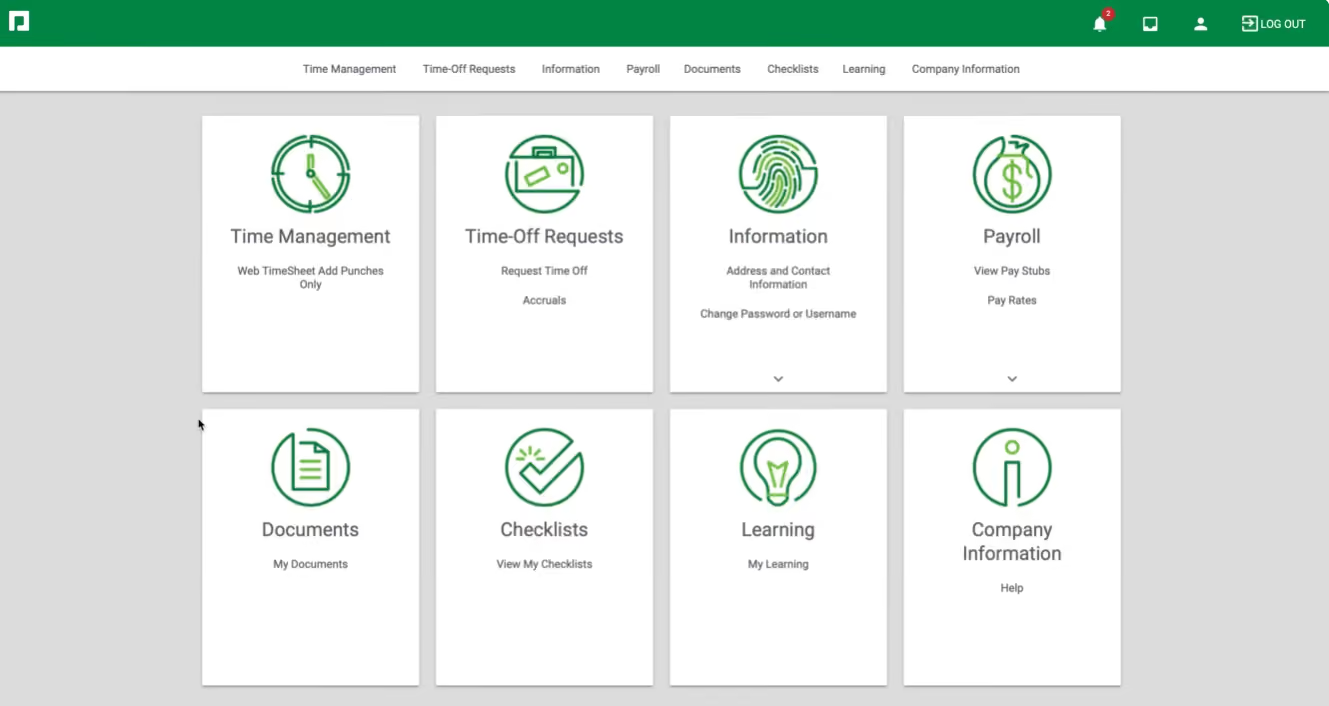
The platform covers a lot of ground, from recruiting and onboarding through time and labor, payroll, talent management, and compliance. Paycom also supports scalability, with intuitive and automated tools to support long-term employee development, performance management, training, and succession planning. But payroll is where we think Paycom makes the strongest case for itself.
Beti, Paycom's employee-guided payroll experience, is a good example. Instead of leaving payroll checks entirely with HR, Beti guides employees to review their information and automatically flags potential paycheck errors before payroll is submitted. We also heard from users who liked that employees can be prompted to approve their own timesheets, giving them a chance to catch missing hours before payday. It's a small shift in responsibility, but one that can take some of the checking work off HR and payroll teams.
We also found the platform relatively easy to get around. User feedback pointed to straightforward workflows and a strong mobile app, which lines up with our impression of the product.
Where we'd be more cautious is integrations. Paycom's single-system approach is useful if you want payroll, HR, time, and talent in one place. But if you're looking to keep an existing payroll provider and add an HCM around it, that same architecture can become a constraint.
Shamin Hotels, Prairie Knights Casino & Resort, Graeter’s Ice Cream.
Custom pricing.
Best For
U.S.-based organizations with international payroll that want payroll, HR, time, and talent workflows consolidated into one HCM platform, particularly those prioritizing payroll accuracy and usability.

Oracle
Oracle is one of the top names in IT. Their HCM is popular among enterprises with more than 1,000 employees and boasted for its implementation and CS practices.
PROS
- HMRC-recognised, with Oracle naming the specific inbound and outbound RTI message types it handles.
- They have specialized in public-sector UK payroll and ERP infrastructure for decades.
- Handles all three UK income tax regimes, including Scottish and Welsh rates and Scottish arrestments.
- Fast Formula allows calculation rules to be configured without writing custom code.
CONS
- Oracle publishes no UK pricing and no HCM rate card on the G-Cloud framework.
- UK public sector delivery runs mainly through implementation partners rather than Oracle directly.
- Fusion punishes customisation, as Birmingham City Council's programme demonstrated at length.
- A consultancy market exists purely to reduce Oracle licence counts, which indicates the complexity.
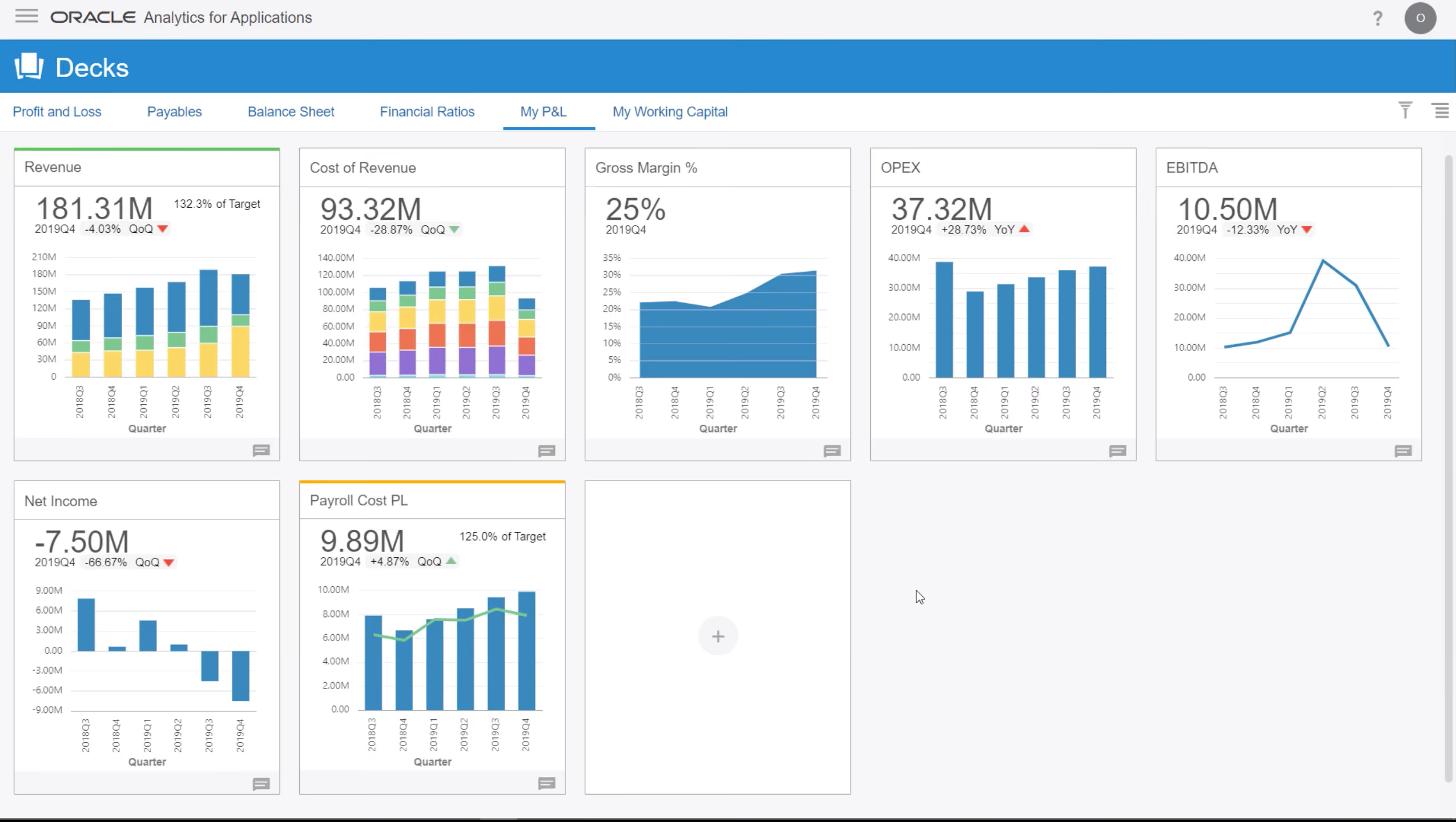
Oracle’s HCM suite is built for the cloud and made for connecting every single HR process. It’s good for teams looking to have a single source of truth for HR data in order to improve decision making. Their product includes talent management, recruiting, workforce management, payroll, and HCM analytics. The interface is not the best-looking out there and UX can be frustrating for employees and HR alike, but they're still one of the top choices for large scale implementations.
- Axa
- Blackboard
- Deutsche Bahn
- Marriott, Cisco
Oracle doesn’t provide pricing details for their HCM upfront. To get a quote, you’d have to request a demo, but they also offer interactive product tours that you can take before chatting to a sales rep.
Best For
Enterprises with over 1,000 employees in most parts of the world.

When I used Oracle with the HCM module, I found the system to be a user friendly and efficient software. The flow of the system was smooth, and the ERP functioned better overall. There was very little time spent correcting data migration errors and live reporting was accurate. The HCM module helped streamline many of our HR related tasks giving me more time to develop the workforce and work with my operational counterparts to maximize productivity and efficiency.
It was in place when I started.
When using Oracle without the HCM I found the system to be prone to glitches and errors, particularly when it came to data migration. This often results in significant delays and a great deal of time spent on transactional items that should be automated. It re
It doesn't really stand out. It's an ERP that is pretty standard.
I would recommend purchasing both Oracle and its HR module for the best experience. While Oracle can be used without it, the HCM module enhances the ERP data reporting with live labor data, which is an undeniable benefit.
It's user interface is improving but could be better.
Manufacturing
Retail and office environments

Workday
Workday is a popular HRMS solution, primarily targeting enterprises. It offers a centralized source for managing workforce administration, engagement, compensation, and benefits data across various worker types. This includes contingent workers, employees, contractors, and retirees, making it a comprehensive solution for all aspects of workforce management.
PROS
- Workday process flows are easily adjustable to conform to global and local needs.
- Self-service is available for both employees and managers.
- AI-driven assistance for detecting skills gaps.
- Mobile apps...
- Offers phone, email, community, and live chat support.
- Complies with the General Data Protection Regulation (GDPR) and includes a robust, configurable security model.
- Accessible customer support from the community, live chat, and telephone.
- Compatible with 300 HR systems such as ERP/GL, CRM, HR, and PSA.
- Configurable dashboard with AI and ML-driven insights.
- Ability to maintain real-time alignment of budgets and workforce plans.
- SOC 2 Type 2 compliance.
CONS
- Not transparent with pricing.
- No free trial is available.
- Long implementation process (4.5 months on average).
- Navigation for beginners can be confusing and may need training to understand all features.
- Mobile apps aren't very user-friendly.
- Undisclosed pricing.
- No free trial for its talent management software.
- Time-consuming implementation period (average 4.5 months).
- Challenge navigating for first-time users may require training.
- Issues with logging in were reported by users.
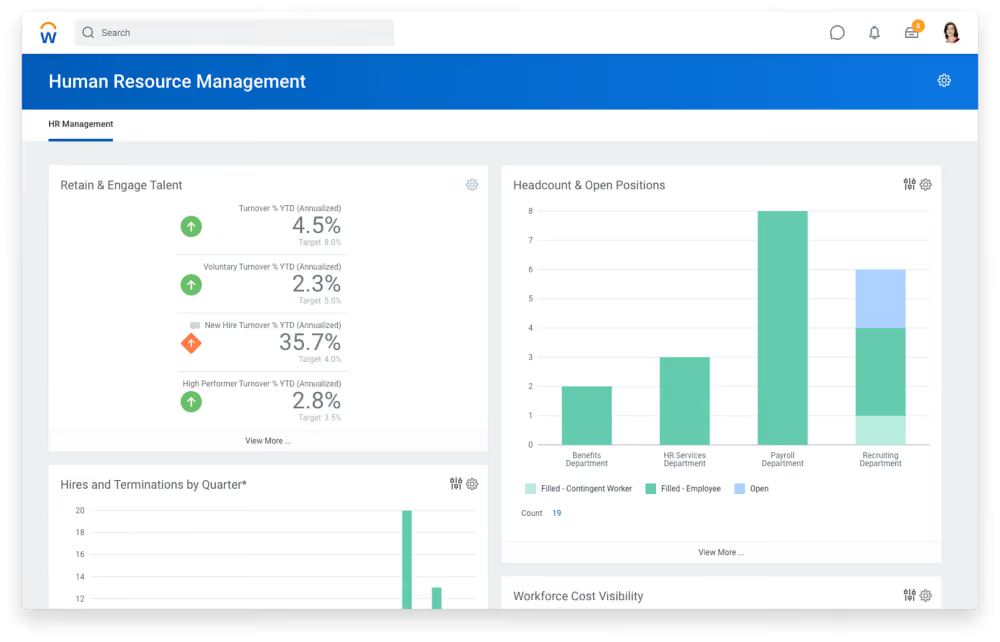
Workday excels at personalization by tailoring recommendations, tasks, and search results to individual users based on their roles.
Other aspects of the business processes functionality stand out, too, especially for multinational businesses. WorkDay helps teams achieve operational consistency while also allowing customization of workflows for specific location requirements.
The platform also offers performance assessment capabilities that provide visibility into the workforce's current capabilities. This enables swift identification of skills gaps and facilitates prompt action in sourcing and training internal talent development.
Despite its popularity with larger organizations, Workday's mobile app underperforms compared to the software itself. Users report issues with the time clock system, frequent crashing, and sign-in problems on both Android and iOS platforms.
Additionally, the implementation process for Workday's HCM can be time-consuming, averaging around 4.5 months, and involving multiple individuals and departments.
Quicken Loans, AstraZeneca, Target, Dell, Bank of America.
Workday pricing is undisclosed on the website. You need to contact Sales for a quote.
Best For
Workday is awesome for large enterprises with multiple branches that are looking for an inclusive HCM solution that is scalable and with great reporting capabilities.

There are many reasons we'd use Workday, but some key work streams include: running payroll end to end, running the hire-to-retire process end to end, pulling important reports, and analyzing internal demographic data, etc. We use Workday multiple times per day, and we're currently still configuring some key features that we did not launch on 1/1/23, so we're still spending a lot of time on the tool.
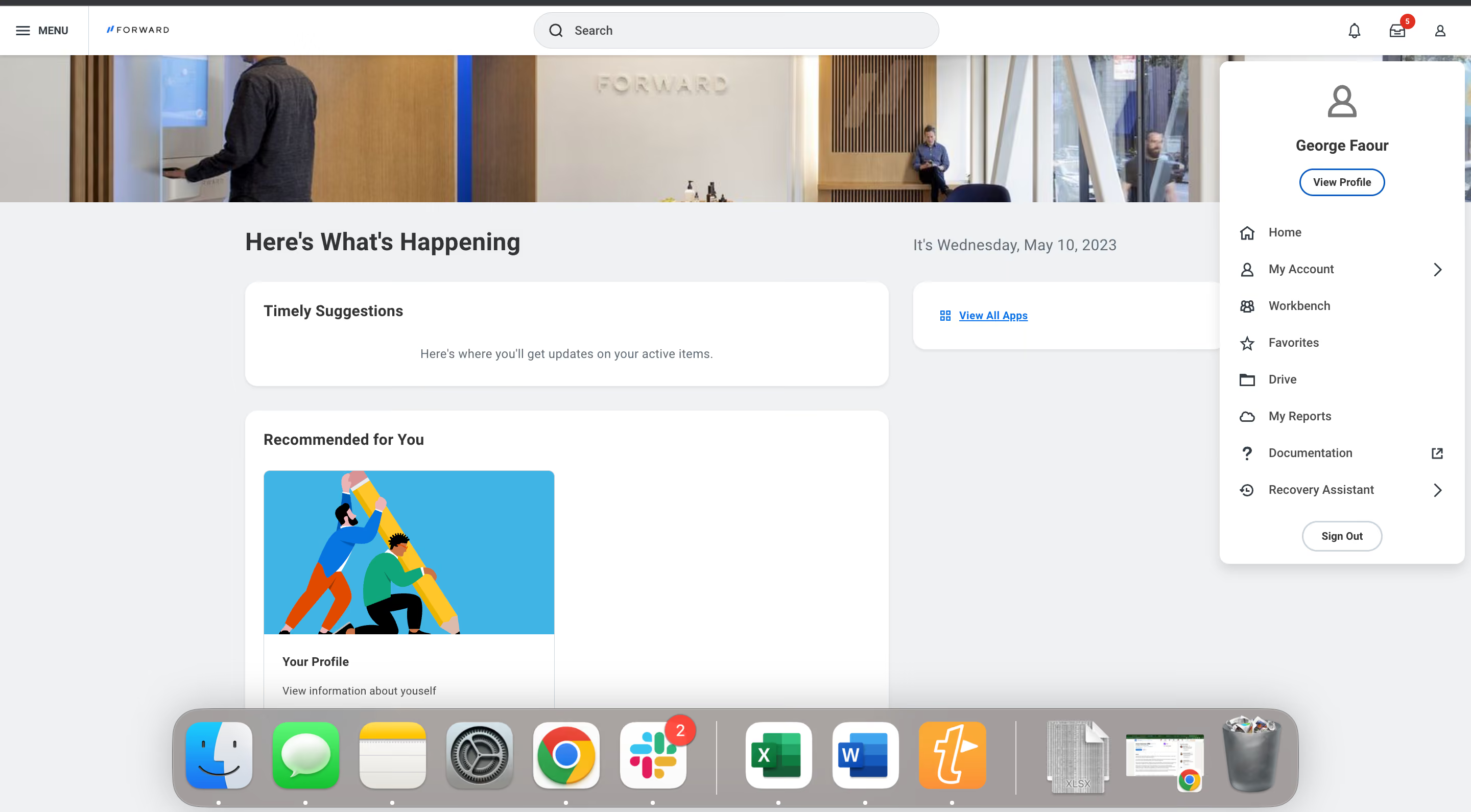
Workday is powerful, you can create almost any report and any feature that you can imagine (although, you need to know how to do it). Workday is scalable, you can do a lot in bulk. Workday is integration friendly, having an internal HRIS be able to integrate with other software is key to running smooth internal business operations.
Previously, we were using Gusto and BambooHR for our Payroll and HRIS sources of record. Gusto and BambooHR would not integrate with one another, and we were continually faced with "big company problems" using a "small company tool" like Gusto. Workday promised an all-in-one, scalable, and powerful tool we could use in order to meet our many Payroll and HR needs. We've been using it since January 1st, 2023, and I can say that it's definitely allowed the company to scale some work streams.
Workday is incredibly unintuitive, I wish it was more user-friendly. Workday doesn't have a support team and the Workday Resource Center is not super useful, I wish it had a support team we could call. Workday is very expensive since they hold a large chunk of the market and since it's difficult to move HRIS systems, they're able to get away with charging a lot of money -- I wish it was less expensive.
A lot more powerful, and a lot more scalable, but way less intuitive to use.
Don't purchase Workday if your company is small (0-500-ish employees). Don't purchase Workday if you're not struggling with scale.
Workday has allowed us to spend less time processing workflows that affect the end user, allowing for more automation, which means less risk, which means fewer errors.
Mid-size to Large companies.
Small companies, or companies where the HR or finance teams are very small.
Paycor
Paycor is an HCM system that offers a wide range of features, including payroll, time tracking, benefits administration, and employee self-service. The software is designed for small and medium-sized teams to streamline their HR processes and improve employee engagement.
PROS
- Paycor has a robust payroll solution that is easy to navigate.
- User-friendly employee self-service portal.
- Has multiple plans for small businesses and custom plans for teams with 50-1000 employees.
- Often runs discount programs.
- Works well on both Android and iOS devices.
- Is acquiring the people development platform Verb to strengthen its learning management system.
- Paycor payroll solution and mobile app are both straightforward to use.
- Intuitive self-service employee portal.
- Offers multiple modules for small businesses and custom plans for teams with 50-1000 employees.
- Unlimited payrolls.
- Offers discounts frequently. Though not listed on their site, a free trial is available to those who contact the support team directly.
- On-demand pay is available for all plans.
- With the acquisition of the people development platform Verb, it has improved its employee learning experience.
CONS
- Lacks transparent pricing.
- Customer support isn’t very responsive.
- Not the right choice for businesses with 1000+ employees or require advanced customization.
- Undisclosed pricing.
- Customer support is reported to be slow at times.
- It is not a good fit for teams with 1000+ employees or those requiring advanced customization to meet their unique requirements.
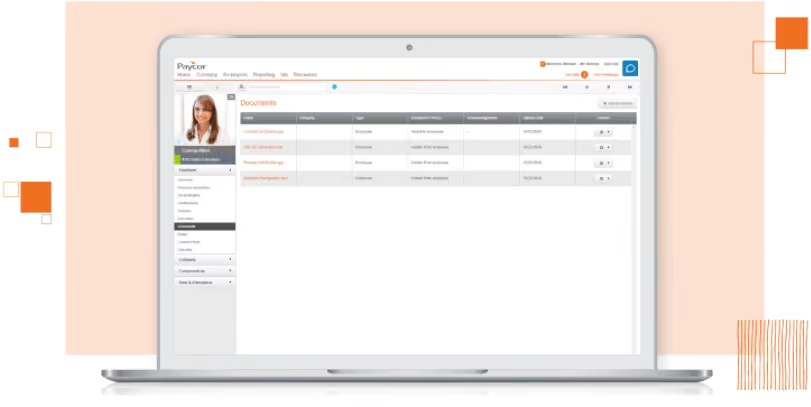
Paycor is easy to use and can be customized to meet the needs of businesses with 2 to 1,000 headcounts. The software also offers a variety of payroll and HR features, such as ledger integration, AutoRun, direct deposit, on-demand pay, tax withholding, and reporting tools.
Paycor's employee self-service portal allows employees to access their pay stubs, timesheets, and benefits. Employees can also change their contact and banking info. Through Paycor, employees can finish onboarding paperwork online, choose the benefits package and payment methods, and update their information as needed. Moreover: all of this can be done from the app.
In May 2023, the software just rolled out a new feature named PayCor Engage on its mobile application. This newly launched feature allows employees and employers to interact with each other on the app, which is a massive benefit for engagement and transparency, especially for remote employees.
Paycor has also just acquired the people development platform Verb. We hope that with this acquisition, there will be an uptick in customer service and reporting quality in addition to improving its employee learning functionality.
Regarding Paycor’s downsides, we have heard some users complaining that the support team can be hard to contact at times. As for reporting and analytics features, Paycor charges extra for some custom reports, which are, unfortunately, less intuitive than one would hope.
Wendy’s, McDonald’s, Detroit Zoo, The Cincinnati Bengals, The YMCA.
Paycor pricing varies and depends on your team size and the modules you select.
Best For
SMBs looking for an HCM with flexibility and strong payroll capability will benefit most from Paycor.

I used Paycor daily for HR operations. It allows users to create customizable workflows tailored to the company's organizational structure.
Key workflows include onboarding, which automates the new hire process from start to finish; time-off and leave requests, where employees submit PTO requests for managerial approval; and payroll and timekeeping, which enables managers to track and approve payroll entries.
The compliance and training feature allows required trainings to be assigned directly through each employee’s profile. The applicant tracking system automates the recruitment process from posting to hiring.
Paycor is user-friendly and supports numerous integrations with other tools, helping to reduce manual administrative work.
- Paycor ATS allows unlimited job postings that can be automatically published at no additional cost.
- Paycor does not charge based on the number of users and imposes no user limit.
- E-Verify can be integrated at no cost.
The company I was working for had difficulty managing payroll, onboarding, and applicant tracking across multiple platforms. As a startup, they relied heavily on Excel spreadsheets to track HR and payroll functions in an effort to reduce costs, but this became unsustainable as the company grew.
The executive team, along with HR, evaluated options to streamline these processes and determined that purchasing an HRIS system would be the most effective way to improve efficiency.
Although Paycor was relatively new at the time, its HRIS offered several benefits that aligned with the organization’s operational needs. These included centralized payroll, streamlined onboarding, and an integrated applicant tracking system.
Another valuable feature was the Learning Management System (LMS), which enabled centralized training assignments, completion tracking, and audit-ready reporting to support compliance.
We were very satisfied with Paycor and used the platform for approximately three years.
- Smart Sourcing for the ATS is not very robust in terms of Boolean search capabilities.
- Time tracking can glitch when employees use the app to clock in, requiring admin support to troubleshoot accounts.
- Free job boards integrated with the system tend to receive low applicant traffic.
Paycor’s HRIS is highly customizable, which is helpful since every company operates differently. Compared to other tools I have used, I prefer Paycor over most other platforms.
When evaluating an HRIS platform, there are a few key factors to consider. First, the tool should centralize core HR functions—such as payroll, onboarding, applicant tracking, compliance, and employee lifecycle management—within a single system.
An ATS that automates applicant data and allows unlimited job postings across multiple channels supports organizational growth without additional cost.
Finally, prioritize user-friendliness by selecting a system with intuitive workflows for HR staff, managers, and employees.
Paycor is responsive to new feature requests from current and past users. Their team continuously works to improve the platform based on user needs.
Paycor is good for small businesses, corporate environments, and staffing organizations.
Global or international organizations may not find Paycor robust enough for their needs.
HiBob
Our experience with HiBob left us with the sense that it’s designed for HR teams who want structural clarity and strategic leverage, not just administrative organization. During our testing, we were most struck by how easily people, data, automation, and analytics come together, providing HR leaders with key insights during chats with executives.
PROS
- People profile cards surface meaningful workforce context in one place.
- Automation builder reduces manual HR follow-up across lifecycle events.
- Out-of-the-box dashboards are genuinely executive-ready.
- Workforce planning tools connect org design with live headcount data.
- Performance tools integrate cleanly with employee records.
- Strong configurability without needing technical administrators.
- They have tons of modules, which makes them a real one-stop shop. Beyond Core HR, they have modules for most things People Ops-related.
- Bob is a fast-growing company and their product looks the part, as it has one of the sleekest-looking platforms in the HRMS space right now.
- Their payroll hub allows you to connect all your payroll systems, which works great if you want to pay people in multiple locations without switching providers.
CONS
- Org structure changes are permission-controlled, which may require coordination in highly dynamic environments.
- Large-scale, multi-thousand-employee enterprises with complex matrix org structures may require deeper enterprise-grade hierarchy tooling.
- Organizations running highly complex enterprise-grade calibration models may find that specialized performance platforms offer more granular configuration.
- Custom pricing requires a sales conversation before cost comparison.
- Customer support is only offered via a chatbot and email.
- As to implementation, several users commented that they felt there could be more attention via personal walkthroughs provided at the beginning. Many had to resort to reading documentation and watching videos or just figuring things out by themselves.
- Pricing is only custom and available upon request, so you can’t just sign up, pay, and start using the tool.
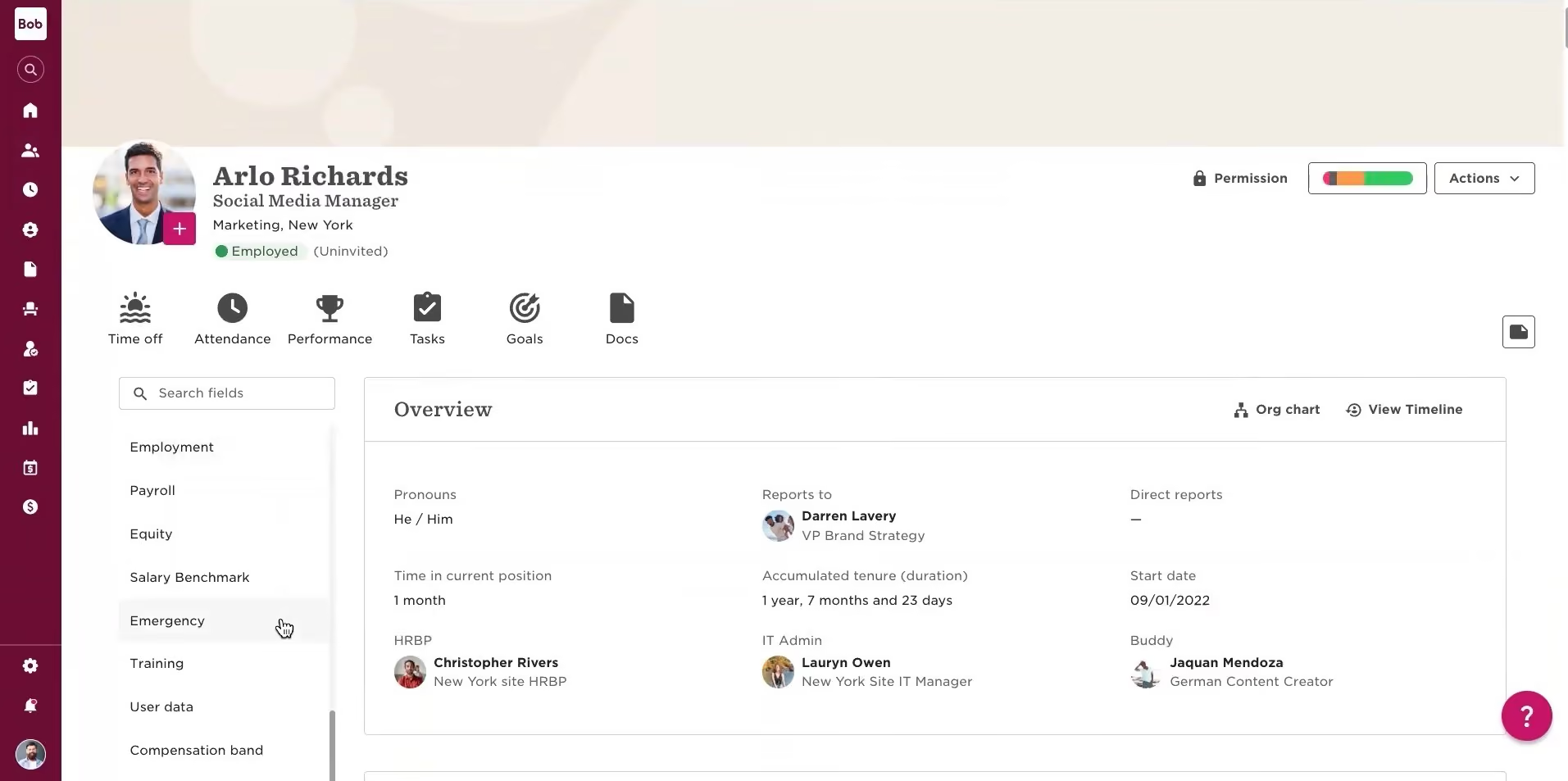
What stood out about HiBob during our testing was how organized and contextual the employee profile cards felt. Instead of being just static records, we appreciated how the HCM system combines reporting lines, compensation history, milestones, and customizable fields into a sleek, user-friendly interface. If we were managers using this daily, we’d probably ask HR fewer “quick clarification” questions.
The automation engine reinforced that efficiency. As we tested the onboarding and role-change workflows with conditional triggers based on location and employment type, the system managed them without needing technical setup. It’s nothing flashy, but it's pretty effective at cutting down on manual coordination.
Where HiBob impressed us most, though, was in its analytics. The dashboard presented headcount growth, attrition trends, span of control, compensation breakdowns, and diversity metrics in ways we could realistically imagine bringing into leadership without exporting to Excel first. The workforce planning tools extend that clarity, linking reporting structures with live headcount data so you can see how org design affects managerial load and growth paths in real time.
We also liked that HiBob’s performance management tool is integrated directly into employee records, so feedback and goals stay in context. That said, organizations using detailed calibration grids or complex OKR setups might find these features less robust compared to best-of-breed performance platforms.
Some users we talked to mentioned they wish updating the org chart didn't require so many administrative permissions, since that could slow down frequent reorganizations or quick team changes. When we looked at larger-scale updates, it also seemed that the org mapping tools might struggle in environments where restructuring happens frequently.
Finally, pricing requires a conversation. HiBob operates on a custom pricing model, which means you won’t know what it costs until you engage with sales. For those trying to compare vendors quickly, it can add an extra step.
5,000+ companies, including Huel, JIMDO, riseUP, and VaynerMedia.
Custom Pricing.
Best For
Scaling, multi-entity organizations that need unified people data, operational automation, and strategic workforce visibility within one HCM platform.

We worked with the onboarding and the core HR module. We began to attempt to use it as our HRIS, but it was unable to satisfy our company and its needs. I worked extensively in HiBob for 3-5 months creating workflows for onboarding and approvals before we terminated our agreement.
I liked HiBob for our corporate employees. I feel a strong pro of the system was that it had many modules, and it allowed for an organization to use it for multiple areas. Second, I like how it allowed employees to engage and interact with each other. Lastly, I do like how it was able to be customized in some areas.
My organization did go into final steps of buying HiBob, but later realized it was not a good fit. We worked in the Core module and found many current processes that could not be completed without extensive workarounds.
We had extensive issues regarding the employee identification and the onboarding process due to our industry being construction where not all employees received employee emails.
Overall, I felt this system was marketed as customizable, but was so customizable it would cause extra burdens on HR.
The most significant con was the employee identifier. HiBob is made for corporate companies, not companies with a significant field presence.
Secondly, I did not like how extensive the workflows were; it felt like nothing worked together without significant customization.
Lastly, we did not get much training from the HiBob team; our team was working hours to find solutions for problems because we had no support.
HiBob is a more modern system made for employees who are primarily office or corporate employees. Visually, it looks a lot like social media.
Most importantly, you should think about your employee population. Would this system work for MY organization? Secondly, I would consider how much time and resources you have available to configure the system. Because it is so customizable, all flows and tasks require significant time to put in place.
From my understanding, it is a newer system and still has much evolving to do. I feel HiBob would benefit from some AI or other function that would allow the system to look at previous SSN and compare to a new hire.
HiBob is great for an office, professional, or corporate organization with no field employees.
HiBob is not a fit for Construction, Plant, Energy, or any other industry with field employees.

SAP SuccessFactors
SAP SuccessFactors is one of the big names in HCM. They’re currently pushing the boundaries of the category itself, calling their product an HXM suite, for Human Experience Management.
PROS
- Automatic retroactive processing recalculates prior periods when data changes after a run is finalised.
- Documents UK-specific handling of the Apprenticeship Levy and CIS deduction reclaims through the EPS.
- At £79.20 per user per year on the framework, it sits far below Workday's enterprise-grade pricing standard.
- Holds SC security clearance, Cyber Essentials Plus, and customer control over data location.
CONS
- SAP's cloud payroll still runs on a 20-year-old engine whose mainstream support ends in 2027, so any 2026 buyer enter mid-migration.
- The £79.20 framework price is payroll only; like Oracle, SAP licenses the HR core separately, so the real figure for an HRMS would be higher.
- Implementation is partner-delivered and complex, with reviewers citing a steep learning curve.
- The published framework price dates from April 2024 and predates the migration plans.

SAP is trying to transform traditional human capital management into a more employee-oriented endeavor. Through their HXM, they are trying to put the worker’s experience as the main focus of the way companies engage with their people. Their product helps HR managers deliver experiences that resonate with employees while shaping their strategy.
One thing to consider is that SAP, like many of the biggest companies doing HCM products, has been criticized for having a frustrating user experience. With their shift towards being an HXM, however, it looks like they're tackling that issue and moving in the right direction.
- American Airlines
- Ernst & Young
- Hero Group
- Terex
- Watco Companies
Pricing for SAP’s HXM suite is only available upon request.
Best For
Enterprises looking to improve UX
UKG
UKG is the merger of Ultimate Software and Kronos. As such, it brings over 70 years of experience with People tech into the HCM space. Ultipro became UKG Pro, their feature-rich HRMS, packing features like performance and time & attendance management.
PROS
- UKG is a robust product with extensive experience in HCM and Workforce Management technology.
- UKG includes UKG Pro for HRMS and UKG Ready for workforce management, providing a comprehensive set of tools to address various HR needs.
- Administrators can customize user visibility within the system through configurability.
- The Ultimate Community provides valuable on-demand information and fosters networking among UKG Pro users.
- It offers an iOS app and an Android app for employees.
- Super robust product, packing years of experience with HCM and Workforce Management technology
- Since they offer UKG Pro for HRMS and UKG Ready for workforce management, you could arrive at a combination of products that suits many of your HR needs from the same set of tools.
CONS
- Lacks a unique selling point or specific focus on niche businesses compared to newer tools, making it more suitable for larger companies.
- Users report ongoing issues with logging in to the Android app.
- Can be pricey for budget-minded companies.
- Compared to newer tools, UKG Pro and UKG Ready tend to miss a unique selling point or a specific focus on a certain type of business. While they work great for bigger companies in all sorts of industries, very niche operations might have a hard time adapting to the tool.
- Similarly, UKG offers many solutions under one umbrella, so it's not the best fit if you're looking for only a handful of specific use cases.
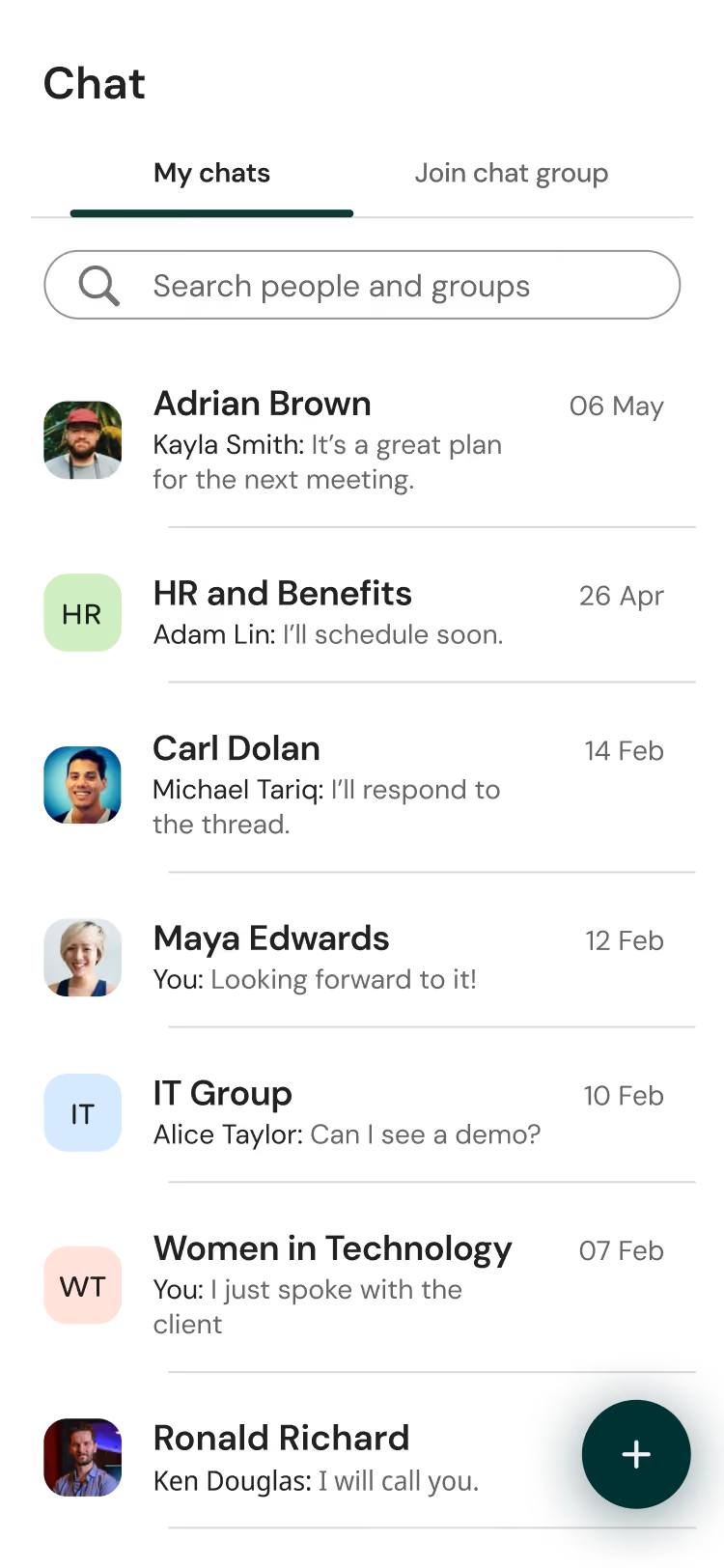
UKG, born from the merger of Ultimate Software and Kronos, delivers a wealth of features designed to meet the needs of enterprise-size teams.
One of the standout qualities of UKG is its ability to handle multiple aspects of employee management. From hiring and onboarding to performance management and succession planning, this platform provides a holistic solution for HR needs.
Drawing on over 70 years of combined experience in people tech, UKG brings a robust and extensive set of capabilities to the table. The fusion of Ultimate Software's UltiPro and Kronos' workforce management expertise has resulted in UKG Pro. This powerful HCM tool offers performance management and time and attendance tracking features.
UKG also provides UKG Ready, derived from Kronos, which enables functions like time and attendance, scheduling, and Affordable Care Act (ACA) compliance. This comprehensive approach eliminates the need for multiple tools and offers a unified experience.
While UKG has many strengths, we did notice a few drawbacks. The platform may not have a distinct selling point or a specific focus on niche businesses compared to newer, more specialized tools available in the market.
Furthermore, there have been reports of login issues with the Android app, which can be frustrating for users needing easy access to information.
Pricing is another aspect that requires careful consideration. UKG may be out of range for organizations with limited budgets. According to our research, licenses generally start at around $600.00 per year for every 5 users.
Tesla, Marriott, Yamaha, Aramark, Puma, Sony Music, Samsung.
- Pricing for UKG is not provided on their website.
- Typically, pricing is based on a per-employee-per-month model, with options for annual or monthly billing.
- To obtain an accurate quote, it is necessary to contact a sales representative. But based on our research, licenses generally start at around $600.00 per year for every 5 users.
Best For
UKG is an excellent HCM solution for companies operating in the Americas, EMEA, and Asia/Pacific regions, ideally with a minimum employee count of at least 7. UKG Pro can cater to companies with 75-500 employees, while UKG Ready is for companies with a headcount of 500 and beyond.

I use UKG at least once a week. I use it for my annual goals, time management, and business intelligence reports. This system has been extremely helpful in tracking and updating strategic goals. There are many reports I run from this system that supports my week to week workload. This system has been instrumental in creating reports for EEO compliance.

UKG is user friendly. It enables my team to self-manage the tools within the system. It also helps hiring managers with bias awareness.
My company has used UKG for over 2 years. We wanted a system that would enhance the recruitment process experience. I have used the system for almost 2 years and the key benefits I enjoy is that it has been a repository for my diversity, equity, and inclusion strategy that all managers can share with their teams.
Sometimes there are small glitches in the system that need technical support. I wish the pricing was cheaper. I have not been able to launch directly into timesheet mode.
I have not used many other tools as this, however, I do like the tools that uses inclusive language to review job descriptions. It recommends specific adjectives in job postings.
People should think about what they really want to accomplish with this tool (i.e., talent management, payroll, ease of integration, etc.). Ask yourself about the level of self-service you want this product to deliver. Does it deliver what you need?
I have only used the product for less than two years and currently cannot compare if it has changed or evolved over time.
Technology industry
Not good fit for large companies

Sage People
Sage People offers a scalableHCM cloud solution, covering the entire HR process and delivering real-time actionable HR analytics. With customizable dashboards, users can create recruitment plans and delve into metrics such as attrition and time-to-hire.
PROS
- Good range of workflows for globally-distributed teams
- Lots of local expertise from payroll and compliance consultants
- Good range of workflows for globally-distributed teams
- Lots of local expertise from payroll and compliance consultants
CONS
- Integrations offerings are somewhat limited
- Some users report the mobile app lacks core functionalities
- Not many integrations
- Some users have found the mobile app to lack core functionalities

Sage People is a customizable HR suite with HCM capabilities. It’s a great option for companies in the small to medium enterprise range (150 - 5k employees) that have a global presence. It’s a very broad product that also integrates with the rest of Sage's ERP suite, which includes tools for finance, accounting, business management, and more.
CRU, Lovehoney, Showbrook Bank, Enigma Industrial Services
While the pricing for Sage People isn't disclosed, you can take an interactive tour and see the tool for yourself. Afterwards, you can get in touch with their team to get a customized quote.
Best For
SMBs with a distributed team, especially those that use Salesforce. Also medium enterprises with a global workforce.

I use Sage People,
- to record employees and all their employment history.
- to give employees access to their own information page.
- to provide various reports for internal teams and human resources teams.
- to feed databases and generate human resources dashboards.
- for managing employee databases from various countries and integration with other internal applications like DocuSign, Bonusly, payroll, etc.
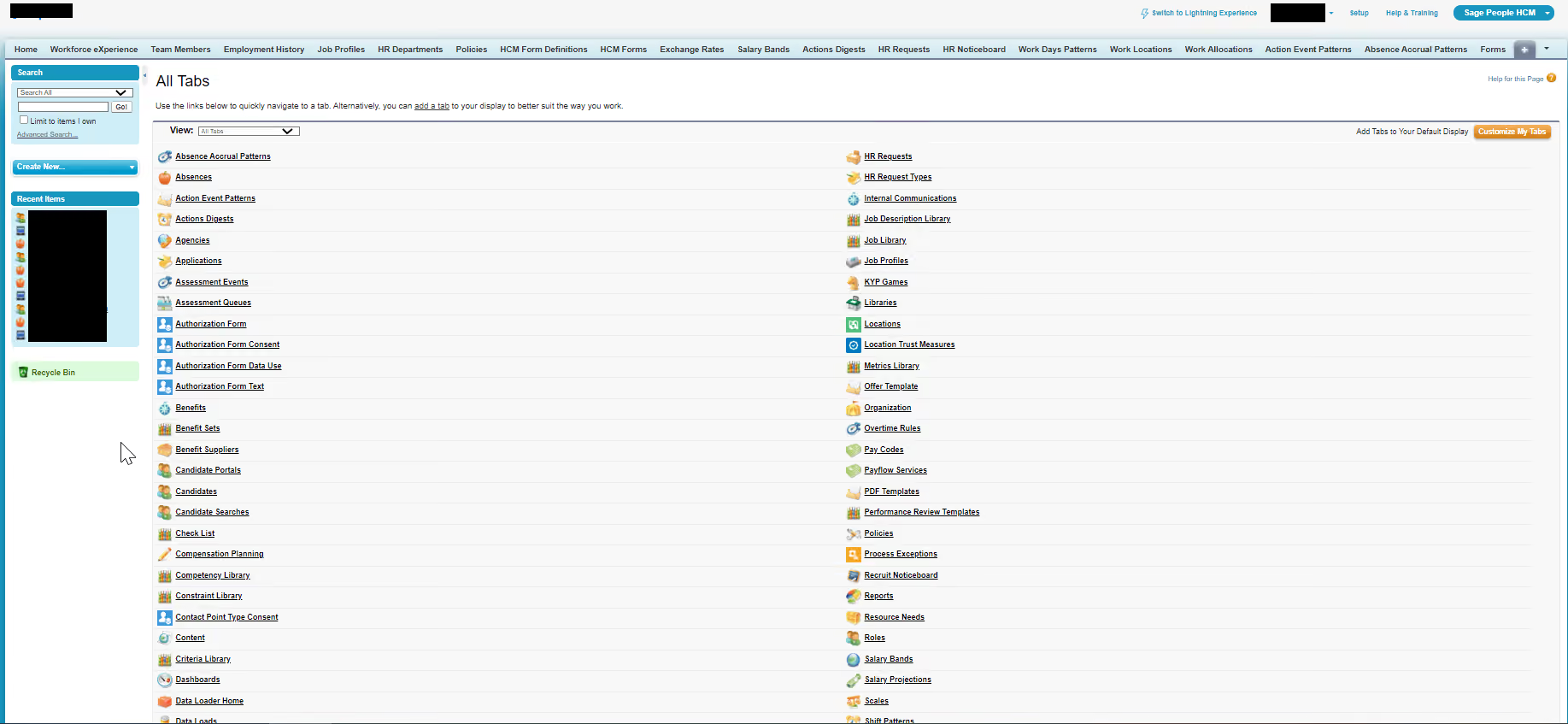
I like Sage People,
- as it has many features for example it generates extremely comprehensive and complete reports.
- as it has tools that allow me to batch-load data in a very easy and practical way.
- because it has very complete and functional support available to the user.
The tool was acquired for the registration database of employees. It was necessary to have a tool that could globally attend several countries. The tool had to be integrated with several applications like slack, DocuSign, financial force, etc. The system needs to be very complete in terms of reports and automation. I have been using the system for more than 1 year and 3 months.
Despite being complete the system has some limitations and in some countries with specific legislation is difficult to adapt to local rules. I can say that the system is quite complex and therefore some activities are quite difficult to perform and require some steps of attention.
I can say that the system has a lot of integrations with several other applications and platforms. Sage also stands out for its complete functionality in terms of reports. I also see the support offered to understand the system as a great differential, it is very complete.
Take into consideration a tool that can be globally adapted to many countries. Consider a tool that is widely possible to connect to other human resources applications and systems such as benefits, payroll, and other applications. Also, consider a tool that is easy to use and has a potential range of reports to generate.
I highlight that SAGE has released an updated version that can be used in parallel to the classic version, they call it Lightening with a more modern interface and some improved features.
In my point of view this tool is ideal for global organizations, with a human resources department that looks and takes care of your database and needs consistency and a reliable system with the ability to manage large volumes of data and generate practical reports and dashboards and requires integration with other internal systems in the company.
Small companies that do not need such a complex and complete system may not make much sense to use SAGE.
Pitfalls of Buying Human Capital Management Software
When in the market for an HCM, the main thing you want to watch out for is picking a system that actually delivers on the practices that define human capital management. Unfortunately, HCM is little more than a buzzword for some people, to the point that they’ll throw the term here and there even if they don’t really have a product that addresses those requirements.
So how do you make sure that you’ll get what you need? If we take a tip from ADP’s 10 tips for evaluating HCM systems, the best bet is to identify your future HCM requirements first. This entails defining what you want to accomplish in terms of employee management and HR functions, and understanding how this may be underserved right now by current tech stack.
In other words, narrowing down what you expect from the tool and understanding whether it’s an HCM suite you need or just a regular HR management tool. The two tend to be confused with each other, and there are times where you could get the exact functionality you need from core HR software and spend less; even if you need to get additional tools, such as an applicant tracking system or a payroll management tool.
How are Most HCM Solutions Priced?
The thing with almost every HCM solution is that they’re built for the enterprise sector. Some of them are certainly made to accommodate SMBs, or any sort of organization size, but even in those cases, pricing is rarely discussed up front.
The reason for this, like with a lot of SaaS tools, is that costs can vary widely depending on the actual size of your business (however big) and the needs you’re looking to cover. For instance, some vendors will have a Core HR product that is priced per employee per month, and separately-priced modules for more particular necessities like benefits management and employee experience.
Key HCM Software Features
In order to build a list of requirements and use it effectively to evaluate vendors, it will help to know which are the key HCM software features and how these can support your goals.
As mentioned at the beginning of this article, human capital management software is implemented in three categories; workforce acquisition, workforce management, and workforce optimization. We’ll look at the key features from each category:
- Workforce Acquisition: This part of HCM is concerned with managing applicant tracking, recruitment, onboarding, and pretty much every early stage of the employee lifecycle. For modern tools, it should also include employee self-service so you know the recruitment and onboarding process can be expedited.
- Workforce Management: Although sometimes a category of its own, for the purposes of HCM, this is the tier where we could consider all the core HR tools. These include the daily administrative work of the HR department, such as payroll, benefits administration, leave and absence management, time tracking, and an HR service center. For features in this category, you should look mainly towards automation and efficiency.
- Workforce Optimization: This is where the ‘workforce as competitive advantage’ part of HCM really finds its momentum. Optimizing the workforce to align with business goals includes performance management, workforce planning, training & learning management, employee engagement, and reporting & analytics. This category is all about generating actionable insights that let you use data in your decision making and make sure that HR is doing its part in steering the workforce in the proper direction.
Questions to Keep in Mind when Demoing HCM Software
As you start demoing various HCM software solutions, it’s important to prepare and attend these meetings with some questions already in mind. These inquiries should aim at answering whether the solution in question will indeed address the main use cases and core needs that you’re looking for.
Of course, the most concerning of these questions shouldn’t be saved for the demo at all, but rather handled prior, through an email thread for instance, so you won’t waste time on a demo if X or Y solution turns out to be incompatible with your core needs.
Further, the demo should also help check certain boxes that your internal stakeholders care about, such as integrations, security, data management, self-service portals, features, etc.
You should write down a list of those questions, share it with your team, and maybe have stakeholders add to it as well. While that list will be unique, here are some common questions when demoing an HCM that should help get you started:
- What integrations are key to us? Does it integrate with ATS/payroll system/any other systems you might have that impact workforce management?
- Does this solution have SSO capabilities?
- Are there multiple authorization levels for different types of users?
- Is there a maximum number of employees it will support across the workforce?
- What types of reporting capabilities does it have?
- Does it include features to help HR communicate with employees (i.e. mass emails, filtering messages by criteria)?
- What kind of tasks can we automate or streamline with this tool? How many man hours can we expect to save doing so?
- How much technical training will be required?
- What kinds of technical support are provided?
- What recruiting capabilities are built-in?
- Which HR processes will be automated?
- How will information be exchanged with carriers (for employee benefits)?
- Does it accommodate benefits carriers’ rules?
- How can we import employee data into this system? (API, Excel spreadsheets, employee records, other databases, and paper documents)
- What built-in security measures does it contain?
- Does your solution feature pandemic-related tools like a vaccine management system?
FAQs on buying HCM software
Moving on, here are some of the most frequently asked questions from HR professionals when it comes to human capital management software:
What is the best HCM system?
While some of the top vendors in HCM software are Workday, SAP SuccessFactors, ADP Workforce, and UKG, “the best” is really a matter of your business size and requirements. There are many HCM vendors, out of which there are likely 1-2 that will align perfectly with what you’re looking for.
What is the difference between HCM, HRMS, and HRIS?
The main difference between HRIS, HRMS, and HCM is that the former two refer to a specific type of software, systems of information, as their names imply (human resource information system and human resource management systems). HCM, on the other hand, stands for human capital management. This is a set of business practices around the acquisition, management, and optimization of a business’s workforce.
What is HCM software?
HCM software is a software tool that takes most features that you would expect out of a labor management platform, but builds it purposefully for the business practices that encompass human capital management. This software puts together widely-varying features such as workforce planning, performance reviews, and employee onboarding in a single management platform where they can all help to generate insights that drive broader business decision making.
Why do definitions of HCM, HRMS, and HRIS vary so much?
This is a good question precisely because the definition of each term varies widely from vendor to vendor, and among HR professionals as well. That being said, the differences between each software category are all about features and use cases. Most thought leadership indicates that HRIS is the most circumscribed type of solution, focusing on core HR needs. HRMS takes it up a notch in features, while still sticking to HR use cases, and HCM is about rounding up all those features with strategic planning for the business in mind, with the workforce as the main component to analyze and optimize.
Last Advice on Buying HCM software
To wrap this up, we’ll assume that you’ve read everything above and have a couple of vendors in mind to reach out to and book a demo. To send you off to this part of the buying process, there’s one last piece of advice that can help a great deal when evaluating HCM software providers.
These demos should revolve around your HCM requirements, and you should try to avoid having one-size-fits-all demonstrations whenever possible. To do this, share your list of requirements and questions beforehand, asking them to show that specific functionality. Since reporting is such a big part of human capital management, you could even give them data for them to run into the system.
This way, you and your team will get to truly see how much of a fit the tool is for you, as well as gauging for factors like intuitiveness and overall user experience. Couple this guide with resources like our very own HR & recruitment software buying organizer, and you’ll be on your way to find the perfect platform for your HCM needs.
About the Author


About Us

- Our goal at SSR is to help HR and recruiting teams to find and buy the right software for their needs.
- Our site is free to use as some vendors will pay us for web traffic.
- SSR lists all companies we feel are top vendors - not just those who pay us - in our comprehensive directories full of the advice needed to make the right purchase decision for your HR team.