

18 Best Time and Attendance Systems of 2026: Reviewed
The best time and attendance software includes Buddy Punch, TCP, Connecteam, and Paylocity..









The best time and attendance software helps companies record employee working hours, often through web-based punch-in and timesheet systems.
These solutions can accommodate all your time-tracking needs, from generating employee schedules and managing time-off requests and PTO to tracking hours for specific projects and reporting on clock-in/out locations. Plus, some cover scheduling or payroll features, or can integrate with a system that does.
We know there are way too many options out there, so we've done the hard work for you (researched, demoed, tested, and compared over 30 different vendors). Check out our list below for the best time and attendance software around.
In our relentless pursuit of the best time and attendance software, we thoroughly evaluated over 30 tools across three main criteria: time-tracking, payroll (native features or via integrations), and employee scheduling capabilities. Combined with insights driven from conversations with dozens of users and HR & payroll experts, we curated a list of the top-performing solutions.
- Time Tracking: The selected time and attendance software goes beyond the basics of time-off requests and PTO functionality. We prioritized vendors with user-friendly, advanced time-tracking features, such as GPS-enabled clock-ins and customizable timesheets.
- Payroll Functionality (or Integrations): We sought out software options that include payroll functionality, or integrate with trusted payroll providers. The chosen solutions enable the automatic syncing of online time data with payroll, at the very least.
- Scheduling Capabilities: We focused on systems that include robust employee scheduling tools. The best time and attendance tracking solutions should offer scheduling features such as shift planning, employee availability tracking, shift swapping, and scheduling templates.
To better understand our meticulous evaluation process, explore our post detailing how we curate the best HR tech.


Connecteam

Connecteam is one of the few vendors that offer robust GPS clock-ins and flexible job scheduling at such a competitive rate (or for free if your user count remains at or below 10).
PROS
- Great employee scheduling capabilities.
- Set clock-in and automatic clock-out times for shifts.
- GPS-enabled clock-ins to avoid time theft.
- Customizable automated timesheet exports.
- Job Insights for resource allocation details.
- Automated break deduction/calculation.
- One of the only fully-mobile HR tech tools for deskless workers
- Very adequately-priced for all it entails, SMB-friendly
- Quite open to feedback, having implemented user suggestions as features in the past.
CONS
- Limited payroll integration options.
- No phone support.
- In the communication hub, the app offers no confirmation that messages were sent and/or seen.
- Certain features that some teams consider essential, such as GPS-tracking, are only available in the higher-tier pricing plans.
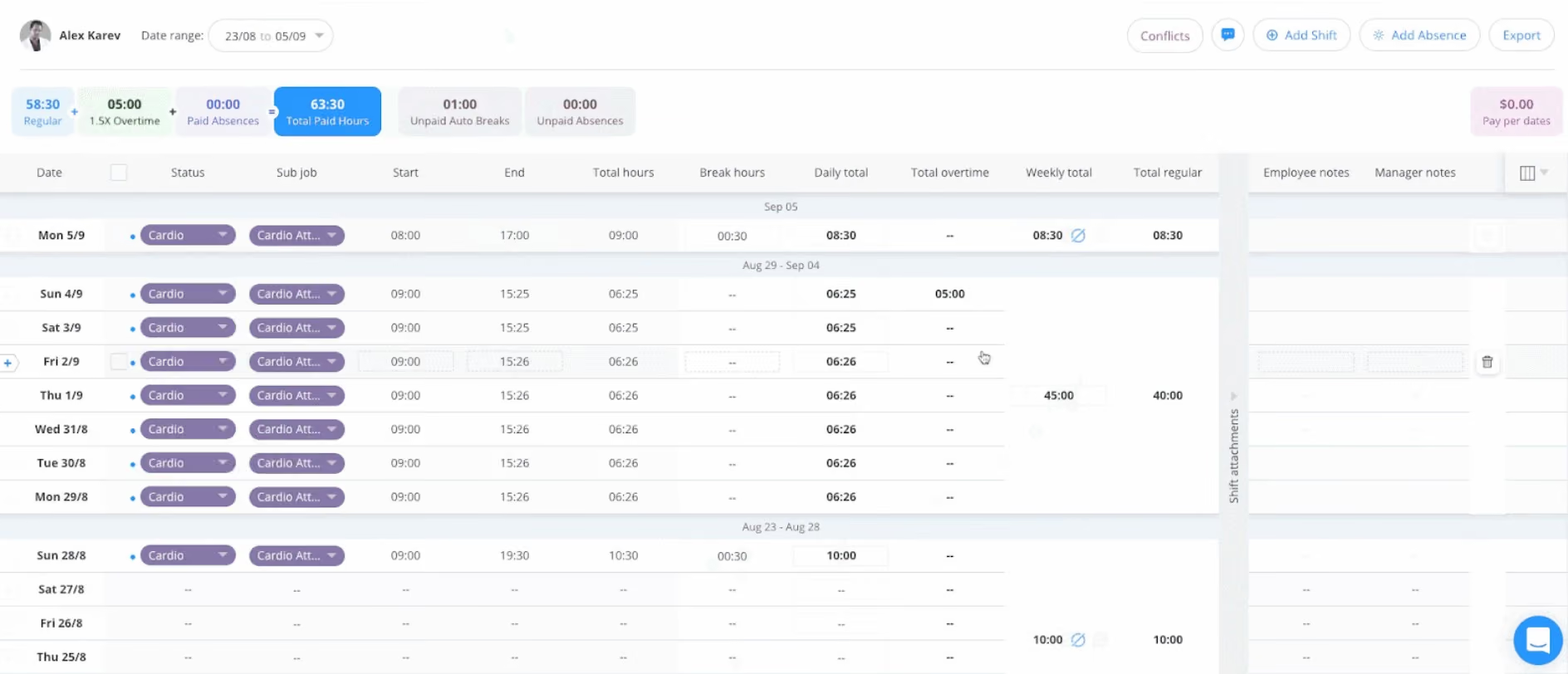
If you want a robust location tracking feature in your time and attendance software, Connecteam could be the answer. Featuring Geofence, this platform enables employers to track employees' real-time location and limit where they can clock in and out.
Job scheduling is another aspect that Connecteam handles well. This tool covers shift planning, staff availability, and shift rescheduling. Plus, depending on what you need, it can work independently or be synced with the time tracking feature.
For example, for your hourly-paid workers, you can let the sync happen to make things easier for the workers to clock in directly from their shift and for you to track hours. On the other hand, keeping these two tools un-synced would make more sense for salaried workers whose time does not need to be tracked.
Connecteam doesn’t have its own payroll function, which is fine if the vendor has good integration capabilities. Unfortunately, the integration list is rather disappointing, with only four options. Furthermore, only those paying for the priciest plan gain API access.
Connecteam’s Help Center is timely and informative. Email support and live chat are also in good shape, with an average turnaround time of about 1 hour. Note, though, that there is no phone support and the only immediate support option, dedicated CSM, is limited to the Enterprise plan.
36,000+ organizations, including Edible, Mango, and Subway.
Connecteam’s time and attendance features are part of its Operations Hub and priced by plan and employee count.
- Basic starts at $29 per month for up to 30 users and includes GPS-enabled clock-ins, job-based time tracking, payroll integrations, and basic scheduling.
- Advanced, from $49 per month, adds customizable time clocks, auto clock-outs, geofencing, and recurring shift templates.
- Expert starts at $99 per month and introduces deeper automation, including unlimited geofences, auto-assigned shifts, automated reports, and API access.
- Enterprise is available with custom pricing for larger teams, offering enhanced security, unlimited reporting, and dedicated support.
All plans include a free trial.

Best For
Great for multi-branch businesses that need to track employee time and attendance.


I use the solution to connect and collaborate with the team remotely, to develop work libraries that help our new team understand how we operate, our ethics, and our code of conduct during the orientations at our workplace, I also use the tool to share documents online for the team to work and to provide feedback on through the chat channel
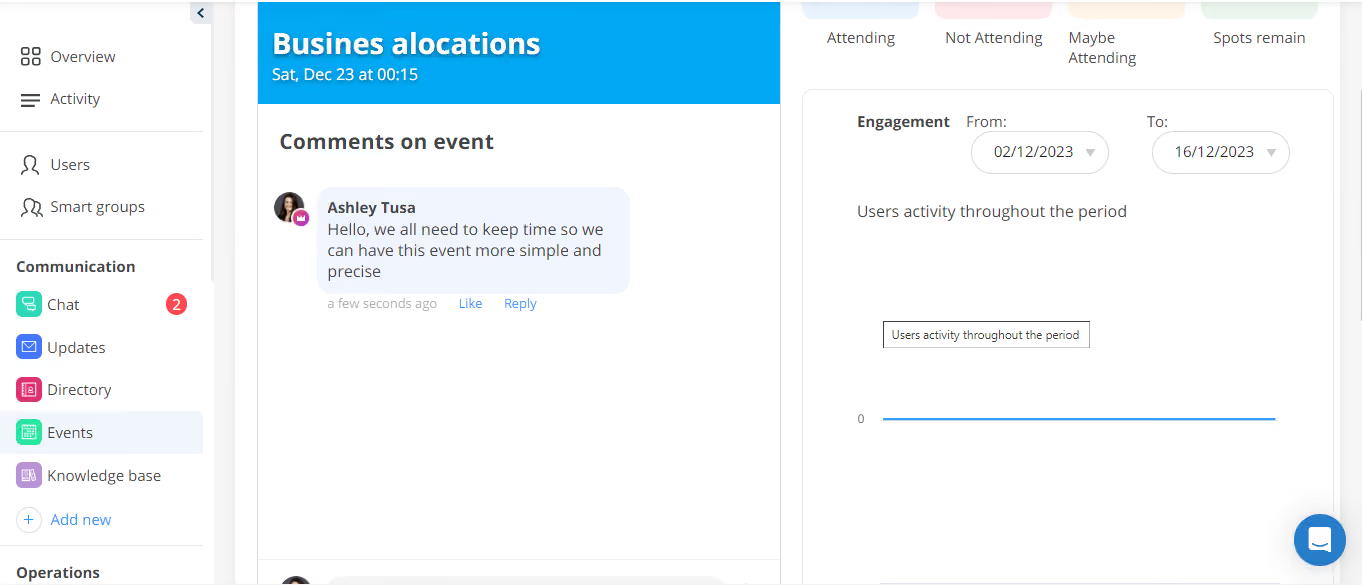
- I like the software pricing of the tool, it is cheap to use for business purposes and hence does not affect the ROI of the company.
- I like the chat feature which you can use to broadcast your messages amongst the team at no extra cost.
- Event notifications make sure that our users never miss our internal meetings and events
Connecteam is faster and easier to use, which has helped us solve the problem of team management, team collaborations, and group work, it is helping us to share documents, and work plans with the team remotely, and, also we use it as decision-making tool where we use the chat feature of the software to chat with our team remotely to make important decision makings to our tool. I have used the solution for three years and eight months as an administrator of the software
The software has a lot of video tutorials that play automatically hence creating inconvenience, one should only play the video when needed and with his or her consent.It does not have a calendar integration which makes it hard for one to integrate a calendar within the software to track personal events and business events to prevent event conflicts, the text editor in the tool is too slow when you are creating event descriptions, it is impossible to add the ALT text on images that you add in the tool.
They have kept the pricing relatively lower to help even smaller businesses use the solution, and they have a responsive customer support team through the live chat
Good for HR, team leaders, and marketing teams
May not be a good solution for support teams

Paylocity
Paylocity’s Time & Attendance software simplifies workforce management with intuitive tools for tracking employee hours, enforcing attendance policies, and managing schedules. Its seamless integration with payroll and HR modules ensures businesses avoid redundant data entry and reduce errors.
PROS
- Multiple clock-in options, including a mobile app with geofencing.
- Both employers and employees commend Paylocity’s customer support for its helpfulness and professionalism.
- Automated alerts for missed punches and overtime.
- Scheduling tools that allow employees to claim open shifts.
- Provides strong value relative to other high-end payroll and workforce management solutions.
- The app is easy to use and handles essential payroll and time-tracking functions.
- Paylocity offers step-by-step onboarding assistance, making the transition smoother for new users.
- Paylocity’s customer support is highly rated for always being available to answer questions.
- Global payroll support for 100+ countries.
- Provides free and unlimited training modules on the website.
- Paylocity’s mobile app has a good UI and functionality
- The tool is easy to use for both employees and employers.
- Has 350+ pre-built integrations.
CONS
- Larger teams may find the reporting features less comprehensive than of competitors.
- Custom reports require external data manipulation.
- Customer support is available only in English, limiting accessibility for global teams.
- Smaller businesses may find Paylocity’s feature set more than they require for their workforce size.
- Response times for customer support can be inconsistent.
- Limited international functionality.
- Undisclosed pricing.
- It doesn’t have a free trial or free plan.
- Support is available in English only.
- It isn’t the best solution for remote teams looking for a tool to manage payroll and benefits for their contractors.
Paylocity’s Time & Attendance software is offered within a broader HCM tool. We’ve been writing about this company, one of the leaders in the space, for years now. That said, the recent development of their time and attendance modules made it beckoning for us to feature them on this page.
While perhaps the main benefit is that it integrates 100% with payroll and core HR if you’re already using Paylocity for those workflows, the time tracking tool’s ease of use is also quite notable. Diving into the module, we immediately noticed how easily it is to flow from one action to the other. Employees can clock in via a web portal, mobile app, or physical time clock, and managers receive automatic alerts for late punches and overtime risks.
Praise must also be made for the variety of methods they provide for time and attendance tracking. You can configure clocks within the employee’s platform, which is accessible via browser, web app, and mobile. They also offer a Kiosk Tablet, which can be preconfigured to be used physically at a location of your choice for employees to punch in at the start of their day.
Another standout feature was the shift scheduling tool. Employees could claim open shifts, reducing administrative burden. However, while scheduling worked well, we found that reporting was more limited compared to enterprise-grade alternatives. Custom reports often required exporting data to spreadsheets for further analysis.
Despite these drawbacks, Paylocity’s time-tracking software is a strong choice for mid-sized U.S. businesses looking for an integrated and user-friendly workforce management solution.
Paylocity is used by over 40,000 companies. Some notable names include Momentus, Watters, and Weigel’s.
Pricing is custom and depends on company needs.
Best For
Paylocity is best suited for mid-sized U.S.-based companies who’d favor keeping recruiting, core HR tools, time tracking, and payroll within the same tool.

I used Paylocity as a consultant. Paylocity was chosen as the vendor of choice by my client after I presented them with a variety of solutions. We built out their payroll, HR, talent, and finally the performance management system to bring them to all electronic records.
We used their integrations so there was less administrative burden on the client who had a lean team. With the help of the benefit broker, we were able to cut down their administrative work time to manage benefits by over half!
As a consultant, I liked the implementation of Paylocity. They had a team to help along the way, coaching and advising the client on best practices. It made my job easier. I also liked the ESS feature, which was a huge improvement for the team. They were able to go from emailing their admin assistant to make changes, to now employees could do it all.
The reporting feature worked well, and we were easily able to pull customized reports for quick analysis. The dashboard also provided a line of sight for a lot of items.
I used Paylocity when I first started consulting in 2024. I was hired by a client to explore HRIS systems, specifically Payroll, HR, and ATS. They were using Gusto and had outgrown the platform.
They wanted a solution with better functionality and customization. They had grown to 150+ employees across multiple locations. They needed a solution that could handle it all.
I'd like more upfront pricing. I hate asking for quotes to get an idea of what the pricing looks like. While we did end up going with Paylocity, I shared that with all the vendors. We should be able to get a basic estimate of cost without the hoops.
Also, I was not a fan of the performance management component. It got the job done, but I was not a fan of the functionality of it.
The customer support was a bit lacking during the transition from the implementation team. The implementation team was super responsive, and the general customer support was a bit slow.
I feel like Paylocity stacked up similarly compared to competitors. Paylocity had a bit better pricing and terms. Their implementation fee was not as large as the others for similar solutions.
Cost/Budget: Paylocity is not a Gusto or Rippling price because it is way more advanced than them, so expect the pricing to be greater for the additional functionality.
Implementation Time: If you have a current HRIS system, you will need to have dedicated resources to fully implement the software well, migrate your data, back up data, and customize the features. This is not done in one day.
I can't say. I used Paylocity for a limited time.
Paylocity is good for a company that needs a bit more robust features than the basic platforms out there. Reporting, employee self-service, benefit administration, payroll, etc.
Paylocity is not required for a small business with basic needs and minimal employees.
Buddy Punch
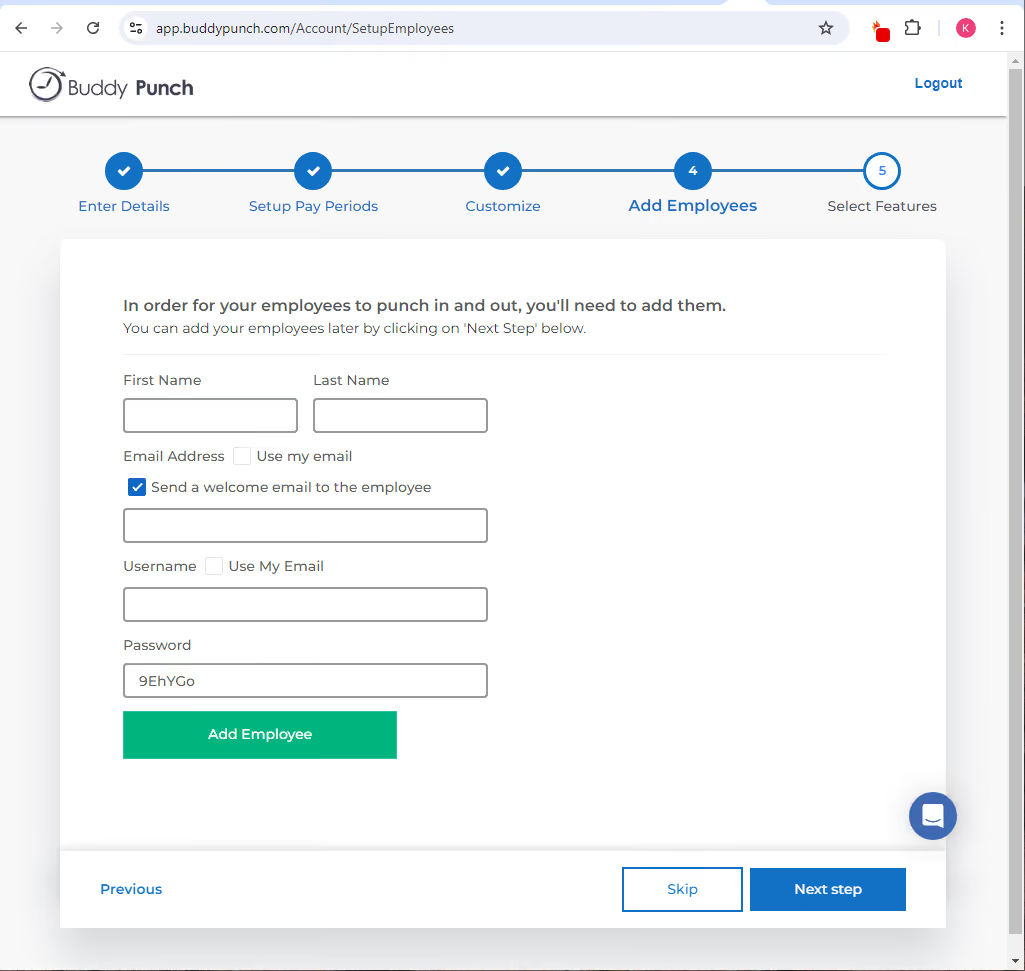
Buddy Punch stood out during our demo for the flexibility they give employees when clocking in and out. With mobile, web, and kiosk options, plus geofencing, offline punches, GPS controls, and job-code selection, the platform gives managers considerable control over how and where employees track their time.
PROS
- Employees can punch in via mobile, web, or a shared kiosk.
- Managers can restrict employees to specific punch methods or devices.
- Geofencing can limit punches to designated workplace locations.
- Offline mode lets employees record punches without internet connectivity.
- GPS tracking provides real-time employee location visibility during work hours.
- Job codes, projects, departments, and tasks can be attached to punches.
- Scheduled shifts can prepopulate job and task details for employees.
- The drag-and-drop builder makes shift creation fast and intuitive.
- Employees can view schedules, request time off, and swap shifts via self-service.
- Scheduling and time tracking are integrated into one system.
- Labor cost controls, such as auto clock-outs and early punch-in limits, are built in.
- Supports multi-location, department, and role-based scheduling.
CONS
- Geofencing does not work when employees use offline punch mode.
- GPS tracking is unavailable for kiosk-based punches.
- The mobile app has fewer scheduling tools for managers than the desktop app.
- Limited reminder options for missed punches or schedule changes.
- Some users have reported sync issues with the QuickBooks integration.
Buddy Punch stood out to us during testing for just how many ways employees can clock in and out. Employees can use the mobile app, a web browser, or a shared kiosk, which gives businesses quite a bit of flexibility depending on how their workforce operates. We could see a kiosk working particularly well in a large facility, while mobile or browser punching makes more sense for employees who move between locations.
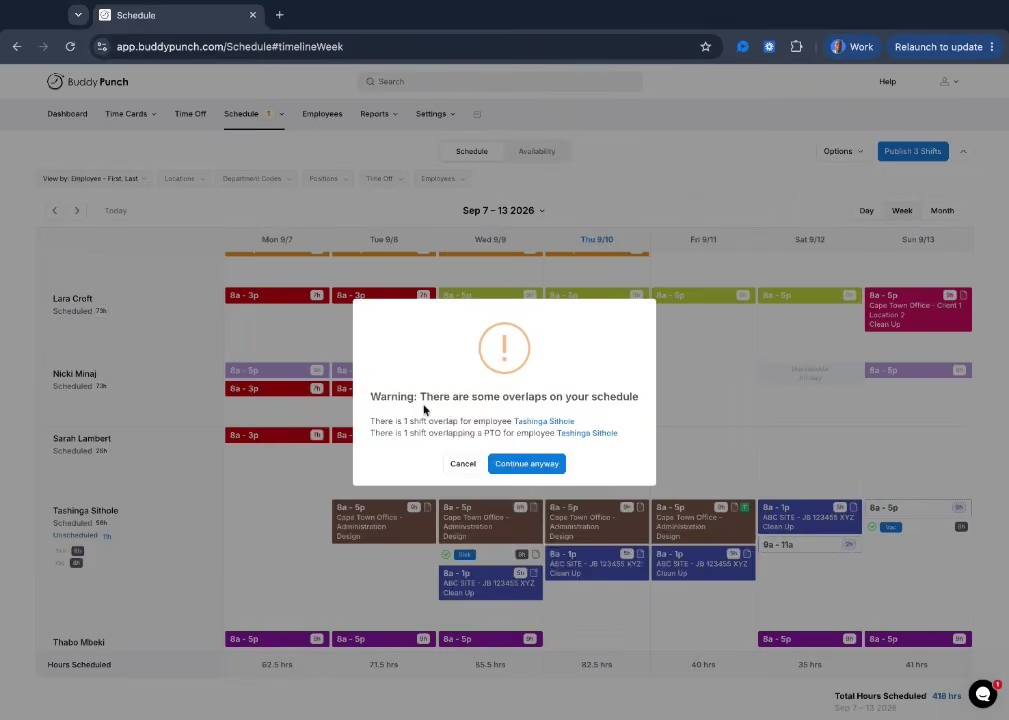
What we liked most, though, was the amount of control managers have over those punch methods. Administrators can restrict employees to specific options or even lock them to a particular device. We think that's a particularly useful touch for businesses that don't want employees punching in from their personal phones or want tighter control over where time entries originate.
Buddy Punch also puts a lot of emphasis on location controls, and we were impressed by how specific those settings can get. During our demo, we saw how a manager could create geofences around individual work locations with a radius of their choice, and also configure multiple locations at once. Employees could then punch in when they're within an approved area. We also liked that GPS visibility is limited to the employee's work period, from punch-in through punch-out, rather than continuously tracking their location outside of work hours.
Another feature we found useful was the ability to tie time entries to jobs and tasks. Employees can associate their time with departments, job numbers, clients, projects, locations, and other tasks, while managers can build those details directly into shifts. That means employees don't have to manually enter as much information every time they clock in, which should make a noticeable difference for anyone splitting their time across multiple projects or responsibilities.
There is one limitation we wouldn't overlook: offline punching is available, but GPS tracking and geofencing don't work without an internet connection. So while Buddy Punch gives managers a lot of control over where and how employees clock in, those location-based safeguards depend on having connectivity. To be fair, though, the vendor has rolled out several valuable enhancements, such as facial recognition at punch-in, photo verification, and IP address locking. On the back-office side, the system offers timesheet approval and editing workflows, overtime calculations with automated alerts, punch rounding, and a complete time-off management module featuring PTO accruals, request handling, and timesheet PTO integration. Also for those preferring to have time tracking and payroll under one roof, Buddy Punch offers a standalone payroll product at a pretty reasonable price point ($39/month base fee plus $6 per user).
The University of Michigan, The YMCA, Manpower Group, StateFarm
Buddy Punch features a 14-day free trial without a credit card. Paid plans incur a $19 monthly base fee plus per-user pricing:
- Starter plan: $4.99/user/month (annual) or $5.99/user/month (monthly). Includes free admin users, GPS on punches, mobile apps, time tracking, PTO, payroll integrations, and reporting.
- Pro plan: $6.99/user/month (annual) or $7.99/user/month (monthly). Adds offline mode, basic geofencing, QR code scanning, pin/kiosk punch, webcam punches, API/MCP access, and multiple pay periods.
- Advanced plan: $12.99/user/month (annual) or $13.99/user/month (monthly). Adds advanced reporting, SSO, higher API/MCP limits, dedicated support, and priority onboarding.
Businesses that need flexible clock-in options and strong control over where and how employees record their time.
Best For
Buddy Punch can be used by companies of all sizes.

I use Buddy Punch daily. One of the most important tools we use is the Time Clock software for tracking time efficiently. We also use the scheduling workflow and tool daily. We use the payroll integration functionality to seamlessly send pay data to the payroll team, saving us time. Additionally, we use the built-in calendar to track holidays rather than doing it externally.
- Buddy Punch has a very intuitive user interface.
- It is a complete tool with time tracking, scheduling, and leave tracking, and it has great payroll integration, allowing us to retire other inefficient, legacy, and more manual processes.
- It offers good pricing and is value for money, considering the functionality you receive in return.
We were using a timesheet system already. It was a free, open-source system, but as we grew and our needs became more complex, the system could not keep up. The reporting was not good enough, and it didn't have enough automation. It also lacked employee location-based time tracking, which was becoming essential now that our employees were going remote. Buddy Punch provided greater automation, more self-service, and location-based time tracking. I have used it for about 18 months.
- There wasn't an option for phone support. Online chat is good for simple problems but not as effective for more complicated issues. Typing takes a long time, so a phone support option would be helpful.
- If you make an error when punching in or out, it is not easy to go back and fix it.
- The software can be a little slow and glitchy at times.
It offers great value for money. You get a lot of features for the price. I found the chat and email support fast and responsive, better than others, though I would still prefer the option of phone support. The scheduling tool and geofencing apps are the best available for a time-tracking tool.
Geofencing is becoming essential if you have a remote or field team.
Feature-rich time clock and scheduling functionality is crucial, especially in this hybrid and remote working world where people work flexibly. Collaboration is key.
The geofencing functionality has become more robust and easy to use. The scheduling tool has also gradually increased its functionality.
Organizations with field and remote workers can benefit from Buddy Punch.
Buddy Punch might be overkill for an organization with under 10 staff who all work in the same office five days a week.
TCP
Apart from providing all the bare necessities of time and attendance software, we love how TCP (formerly TimeClock Plus) takes it up a notch by helping you stay ahead of labor laws and ensuring that your data is secure.
PROS
- AI-powered Demand Scheduler forecasts needs and auto-builds compliant schedules.
- Auto-fill assigns qualified staff based on availability, skills, and compliance rules (labor laws, overtime).
- Prevents compliance violations with built-in Fair Workweek, FLSA, and minor labor rule configurations.
- Labor Optimizer compares scheduled vs. actual hours to control overtime and budgets.
- Mobile app allows employees to manage shifts, time-off requests, and availability with notifications.
- Task management tools enable managers to assign and track shift-specific duties in real time.
CONS
- Higher-tier plans or add-ons required to access Labor Optimizer and Shift Tasks features.
- HRIS integrations and API access are restricted to Professional (add-on) or Enterprise tiers.
- All pricing and payments are in USD only.
TCP Software offers a reliable, flexible solution for timekeeping and compliance that we find well-suited to US-based businesses.
One of the standout features we discovered was the Default Rules and Conflicts Library. Setting up time tracking and scheduling rules was straightforward, with configurable defaults for maximum and minimum working hours, shift gaps, and consecutive workdays. TCP also allows for custom rules for teams with specific operational needs, which is good for unique schedules or specific labor requirements.
The Minor Work Rules feature deserves a mention for its practical application. During our test, we connected with a TCP customer in the food service industry to hear their experience with this feature. They loved it. “It simplified the way we tracked work schedules for minors based on age, school calendar, and legal guidelines,” they shared, “we feel reassured now that we can ensure compliance with labor laws around minor employees and avoid scheduling conflicts.”

TCP’s compliance tools don’t stop there. With state-specific break rules—like California’s strict meal break requirements—the platform automatically enforces compliant break schedules. This will be especially helpful for teams based on the state to see in action, as it eliminates the risks associated with labor violations and provides peace of mind in highly regulated environments.
TCP offers multiple options for time collection, including hardware clocks and mobile clocks with geofencing, which in our test, only allowed our tester to clock in and out when they’re in our designated work area.
While TCP’s compliance features are comprehensive, it’s hyperfocused on the US market, meaning it may not be the best fit for international companies. Also, we wouldn’t recommend this vendor if you’re looking for a plug-and-play time tracking system with in-minute deployment. TCP typically takes 30 to 60 days to implement.
Another thing worth noting is the recent price increase from $2.50 to $4 per user per month since our last review of the tool. Although TCP remains affordable for most small companies, it’s a factor for budget-conscious teams to keep in mind.
18,000+ companies, including Marriott, the University of Georgia, Texas Tech, and Kaiser Permanente.
TCP pricing starts at $4 per employee per month. A free trial is available post-demo.
Best For
US-based SMBs, especially those in healthcare, government, and education.

We used TimeClock Plus to track all timekeeping for both hourly and salaried employees, therefore, daily. TCP's geofencing was extremely important for our owner to track all remote staff, and it was used daily. The app allows the employer to map a location to an employee, and geofencing in this app is extensive. TCP setup for the entire company was very streamlined, and new hire onboarding was simplified. Tech support is very competent. Tracking employees by what they're working on can be preset, and an employee can switch tasks for accurate job costing. Employees and managers used the app daily to clock in and out, track their hours, request and approve PTO, see regular hours and overtime hours, and communicate via notifications.
TimeClock Plus is robust, with many features we do not use because our payroll company provides them, but it's nice to know the tools are there. The dashboard and exceptions filter make it simple for managers to approve their employees' hours and time-off requests. TCP has decent training videos. The PTO calendar and employee notifications are very helpful. Integration into my payroll, Gusto, was seamless.
We switched to TimeClock Plus (TCP) when we experienced unacceptable issues with Homebase. TCP integrated with my payroll company, Gusto. TCP was very cost-effective when we used the minimum features. TCP has decent geofencing and geolocation, which was a requirement by the owner. TCP also has overlapping features with my payroll that we didn't need, but it was nice to have the option as a backup.
TimeClock Plus can be overwhelming for a small business, as it has many features that might not be used. Some employees reported that their times weren't being recorded properly, but managers could easily log in and make adjustments. It can be expensive if you purchase features you do not utilize.
TimeClock Plus is a lot like Kronos to me, with many features. I like it for how customizable everything is, and their help team walked me through the process for anything I couldn't figure out.
First, determine if you need all the features offered. We narrowed everything down to the Time and Attendance Essentials. TimeClock Plus integrates with everything, but ensure it's a seamless integration with your payroll. TCP has serious scalability, so if you anticipate a lot of growth, this is a solid system.
I've only used TimeClock Plus recently.
TimeClock Plus is great for mid-sized to large organizations that need a high level of customization. TCP worked extremely well for a small manufacturing business, though we only utilized the minimum features.
TimeClock Plus isn't needed for a very small organization. There are many other timekeeping systems specifically designed for very small businesses.

Rippling
Workflow automation has long been Rippling’s signature, and it’s well showcased in the vendor’s time and attendance product.
PROS
- One platform for performance, payroll, time and attendance, and more.
- In-app policy non-compliance alerts with one-click solutions.
- Ability to set security restrictions to prevent timecard fraud.
- Excellent workflow automation features.
- Self-service capabilities included.
- All-in-one platform for employee management + PEO services offered, and even a suite of other IT products
- With 500 integrations, it’s very likely that they integrate with other key tools from your tech stack.
- Operates globally with any currency
- Workflow automation
- Analytics opportunities
- Provides a holistic view of company outflows—headcount costs included
CONS
- Requires annual subscription. No free plan (a free trial is occasionally available, though).
- The mobile app offers core functionalities, but some advanced features and administrative tasks are only doable on the web platform.
- Additional charges may apply for phone support, depending on the plan.
- Total buy-in to Rippling is essential
- Very SMB-oriented, in case you’re a larger company.
- New features tend to be buggy in ways that tech teams are not accustomed to fixing

Being a diverse, distributed team ourselves, we understand how hard it is to keep up with the ever-changing labor regulations and laws. This was why we were immediately drawn to Rippling’s automated policies upon testing them. Regardless of whether your workers are based in the U.S. or abroad, the system will automatically inform you if your policies are not in compliance with local regulations and the needed actions to resolve these issues.
As expected from a high-tech startup, Rippling’s automation capabilities extend beyond compliance. With this tool, you can create custom rules for alerts and notifications concerning meal breaks, shift endings, early clock-outs, overtime, approvals, and even cost control.
For teams with onsite, deskless workers, Rippling’s Time and Attendance tracking tool supports scheduling and allows employers to limit the geolocation where employees can clock in and out. And, if you’re considering not just the time and attendance but also the payroll product from Rippling, there's more good news: All approved hours in the time and attendance will auto-sync with payroll. Plus, you can even review time cards right inside each pay run.
A fair warning, though. Rippling is not for those on a tight budget, as the platform pricing is on the higher end, on an annual basis, and comes with no free option like Connecteam. But they do sometimes have short-term free trials which you may want to keep an eye out for.
16,000+ companies, including Dwell, Superhuman, and Expensify.
Rippling offers quote-based pricing, with a starting cost of $8 per month for each user.
Best For
Companies who prioritize automation and customization in their time and attendance software.

We use Rippling daily as our all-in-one solution for managing the entire employee journey. Our key workflows begin with job postings and automated recruiting processes that streamline candidate management and communication throughout the hiring pipeline.
Once we identify suitable candidates, we use Rippling to extend offers, conduct I-9 verifications, and transition new hires through the onboarding process. For ongoing employee management, we rely on Rippling for semi-monthly payroll processing, annual open enrollment periods, and continuous management of benefit deductions.
When employees leave the company, we use Rippling's offboarding workflows to collect necessary information, ensure documentation is complete, and maintain compliance throughout the process.
- Rippling is an all-in-one platform that manages the entire employee journey, from interviewing to offboarding.
- It has direct integrations with Carta.
- It offers a seamless payroll process through its flexible benefits platform.
We adopted Rippling in 2021 as a small tech startup with fewer than 15 people, seeking a solution to manage essential HR functions without a dedicated HR or Finance team member. We needed software that could efficiently handle payroll, onboarding, and offboarding while ensuring compliance with local and federal laws and regulations.
Over the past three years, we have expanded our use of Rippling to include its recruiting platform and ASO services, which provide enhanced support for federal and state filings and reporting. Most recently, to integrate benefit deductions seamlessly into payroll, we appointed Rippling as our Broker of Record and began using its Flexible Benefits module.
- The support process can be overly complex and too dependent on AI.
- The Recruiting Module does not allow the exclusion of specific job boards, such as Indeed, which often results in a high-volume but low-quality applicant pool.
- Rippling’s step-by-step wizard makes it difficult to view entire processes, like employee offboarding, in one comprehensive view.
Rippling is a robust all-in-one platform that has consolidated services we previously outsourced. Before using Rippling, we managed separate vendors for applicant tracking and flexible benefits administration. Rippling has enabled us to bring all these functions together in a single, integrated system.
Companies should evaluate whether they prefer an all-in-one system or specialized tools that integrate throughout the employee lifecycle. It’s important to assess the team's capacity and willingness to learn and manage the platform. While Rippling is intuitive, it requires a time investment to fully leverage its features.
During our time with Rippling, we have seen enhancements to the recruiting platform, including improved resume screening and stronger communication automation.
Rippling has introduced customizable workflows and in-platform app customization options, allowing us to tailor the platform to our needs. Its expanded support and compliance features led us to adopt its ASO service in early 2025.
Rippling is ideal for companies seeking a strong, user-friendly, all-in-one HRIS solution. It provides value even for users without payroll or HR expertise due to its intuitive interface.
It suits small to mid-sized businesses and is especially beneficial for companies with remote teams or global employees, as it includes device management and global payroll features.
Rippling may not be well-suited for large companies or those needing extensive customization and support beyond what the platform offers. It is also not ideal for users who prefer to work with specialized vendors for different HR functions and are reluctant to adopt a bundled HRIS solution.
Workable
We picked Workable for its refreshing simplicity and automation in time tracking. Setting up policies was easy, and we loved how employees could clock in and out right from their mobile app. The automated reminders and detailed reporting, especially the scheduled vs. actual hours comparison, also made a big difference in streamlining attendance management.
PROS
- Easy setup of time tracking policies with customizable rules for departments and teams.
- Employees can clock in and out via desktop or mobile app, with automated reminders to reduce missed punches.
- Reporting features make it easy to compare scheduled vs. actual hours worked and export data for payroll.
- Consistently introduces new features and enhancements to the product.
- User-friendly interface with minimal training required for HR teams and employees.
- You can post jobs with one click to over 200 sites. You also get access to access to Workable’s talent pool with over 400 million profiles.
- Workable has built-in cognitive and personality candidate assessment. The platform also has features for offer management, which means you can create offer letters and collect e-signatures without needing to use third-party tools
- You can reduce unconscious hiring bias with Workable’s anonymized screening feature. It helps you hide identifying candidate information from the sourced and applied stages of the hiring process.
CONS
- No native payroll tool and payroll integrations only available on highest-tier plan.
- Lacks GPS-enabled clock-in, making it less ideal for tracking remote or field workers.
- Designed primarily for white-collar teams, with limitations for industries requiring more complex workforce tracking.
- Workable doesn’t provide automated reference checking and onboarding features.
- Useful features such as candidate texting, video interviews, and assessments are not offered in any of Workable’’s plans and instead, sold separately.
- Several users complained about the reporting feature not being detailed or customizable enough, and that the candidate search function could use more filters.
Since Workable has primarily been known for its recruiting tools and HRIS, we were intrigued when they launched their time tracking feature in open beta for all HR customers in February 2025. Naturally, we wanted to see how well it handled time and attendance management, and we have to say, our experience wasn’t bad at all. The tool is still new but already shows a lot of promise.

Right from the start, setting up time tracking policies was straightforward. We could apply different rules for specific departments, teams, or locations without any confusion. Compared to the manual Excel and spreadsheet tracking we’ve used, this was a major upgrade. Employees could clock in and out easily using either the desktop or mobile app, and we especially appreciated the automated reminders, which helped reduce missed punches.
Perhaps the most valuable aspect of Workable’s time tracking is its reporting function. After running a test with a small team, we generated reports comparing scheduled vs. actual hours worked. The system made it easy to spot discrepancies—like employees forgetting to clock out—and allowed us to export the data for payroll processing. However, we quickly realized that Workable doesn’t offer native payroll functionality, and payroll integrations are only available on the highest-tier plan. For companies looking for a smooth payroll sync without upgrading, this could be a significant drawback.
We also tested the scheduling feature and found that while it worked well for white-collar teams, it had some limitations for more complex workforce needs. Assigning shifts and setting recurring schedules was simple, but the lack of a GPS-enabled clock-in feature makes it less ideal for tracking remote or field employees in industries like construction or manufacturing.
That said, it’s clear that Workable is focused on continuous improvement—just in the past few months, they’ve rolled out features like automatic calendar updates for booked time off and a time-off balance calculator, which we found useful for planning PTO more efficiently. Given this proactive approach, we wouldn’t be surprised if Workable secures a strong foothold in the time tracking space in the coming months.
30,000+ companies, including The Telegraph, Ogilvy, and Eurobank.
Workable includes time tracking and time-off management as part of its bundled Recruiting and HR plans. Both the Standard plan, starting at $99 per month, and the Premier plan, starting at $219 per month, provide employee time tracking, time-off management, payroll preparation, and payroll integrations, alongside core HR features such as onboarding and employee records. Pricing scales by employee count, and higher tiers add capabilities such as performance reviews, single sign-on, and priority support.
Best For
If you're a growing SMB looking to combine your recruiting technology and HRIS, Workable's time tracking software is an excellent option.

I was in Workable every single day, usually starting my morning by triaging the "new applicant" notifications to make sure nobody was sitting in the "Applied" stage for more than 24 hours.
My most frequent workflow was the mass-disqualify and "send later" email feature, which allowed me to stay on top of the hundreds of resumes we'd get for entry-level roles without making it feel like a cold, automated rejection. I also spent a lot of time in the "People Search" tool, using it as a mini-sourcing platform to find candidates on LinkedIn or GitHub and then directly importing them into our active pipelines with just a few clicks.
During the middle of the day, I'd usually be managing the interview scheduling workflow, which was a huge relief because it synced directly with my hiring managers' Google Calendars so I didn't have to play "calendar tetris" to find a free hour.
The final piece of my daily routine was the mobile app, which I'd use to quickly check interview scorecards while I was away from my desk or to ping a manager who was dragging their feet on giving feedback.
It basically acted as the "nerve center" for our entire recruiting operation, and I used the "Hiring Plan" dashboard every week to report back to leadership on how we were tracking against our headcount goals.
The interface is so clean and intuitive that I never had to spend time training my hiring managers on how to leave feedback or move candidates through the stages.
The LinkedIn integration and the "People Search" sourcing tool made it incredibly easy to find and import passive candidates directly into our active pipelines without having to manually copy-paste data.
I really appreciated the mobile app because it allowed me to review resumes and check interview scorecards on the go, which kept our hiring process moving even when I was away from my desk.
I personally used Workable for about three years at my previous firm, and we originally pulled the trigger because our hiring process was a disorganized mess of email threads and scattered Excel sheets.
We were losing top-tier candidates simply because resumes were getting buried in recruiters' inboxes, and we had no real way to track where anyone was in the pipeline without calling a 30-minute "status update" meeting every single morning.
The pain point wasn't just the lack of organization; it was the fact that our hiring managers hated using our old, clunky ATS and would just refuse to log in, which meant feedback was always late or non-existent.
The reporting side was probably my biggest frustration because the built-in dashboards are pretty basic, and if you want to customize a report for specific stakeholders without exporting everything to Excel, you're basically out of luck.
The pricing model felt increasingly "greedy" over the years, as they started moving features that were originally included into higher-paid tiers or separate add-ons, which makes the annual bill jump significantly as your company grows.
I also found the candidate search and CRM features to be a bit unorganized for managing passive talent; it's great for active applicants, but rediscovering a silver-medalist candidate from six months ago felt like digging through a messy filing cabinet.
If you've spent time in the "big three" (Greenhouse, Lever, and Workable), the difference usually comes down to whether you want a rigid process, a CRM-first approach, or pure speed. I've used all of them, and for a fast-growing team, Workable is often the "Goldilocks" choice, but it's definitely not for everyone.
Greenhouse is the heavy hitter for "structured hiring." It forces your hiring managers to use scorecards and predefined interview kits before they can even see a candidate. While this is amazing for reducing bias and getting clean data, it can feel like a massive bureaucratic chore for a smaller team. If you don't have a dedicated "Recruiting Ops" person to build all those frameworks, Greenhouse can quickly become a bottleneck.
Lever is built more like a CRM tool. It's fantastic if your strategy is 90% passive sourcing, meaning you're hunting people on LinkedIn rather than just waiting for applications to roll in. Its "nurture" campaigns and talent-fit features are superior to Workable's, but I always found the actual "tracking" part of the ATS to be a little finicky compared to the other two.
When buying an ATS like Workable, the most important thing to look at isn't the recruiter view, but the hiring manager experience. If the interface is too complex, your managers will simply refuse to use it, and you'll end up right back where you started: chasing people down for interview feedback via email.
You also need to be realistic about your sourcing strategy; if you rely heavily on finding passive candidates on LinkedIn, you want a tool with a native "one-click" import feature so your team doesn't waste hours on manual data entry. My advice is to dig deep into the reporting limitations during the demo, specifically asking how much effort it takes to pull a "time-to-hire" report by department without exporting everything to Excel.
Check the pricing tiers for a "growth cap," because some of these tools get significantly more expensive the second you cross a certain headcount, which can be a nasty surprise for a fast-growing company.
Workable is the best choice for mid-sized companies that are scaling fast and don't have time for a three-month software implementation. It's perfect for HR teams of one or two people who need the software to do the heavy lifting, like automatically posting to 200+ job boards and using built-in AI to surface candidates so you aren't starting every search from zero.
It really shines if your hiring managers are non-technical or "difficult" with software, because the interface is so simple they can actually leave feedback and move candidates along without you having to nag them. It's also great for companies that do a lot of passive sourcing, as the Chrome extension lets you pull people from LinkedIn or GitHub into your pipeline with one click, which saves hours of manual data entry.
Workable is a perfect fit for mid-sized, high-growth companies that have outgrown their messy spreadsheets but aren't quite ready for the massive, rigid complexity of an enterprise tool like Greenhouse.
Workable is a poor fit for massive enterprise corporations that need hyper-specific, custom hiring workflows for thousands of employees, as it can feel a bit too rigid and "boxed-in" once you try to move beyond their standard templates.

Paychex
An all-in-one platform, Paychex Flex integrates its time attendance software with payroll and HR, giving you access to your company and employee information in one single place.
PROS
- Timecard processing can be fully automated.
- Integrates well with benefits providers like Benetrac for benefits management.
- User-friendly interface for reviewing W2s and paystubs.
CONS
- Limited third-party integrations.
- Some users reported slow app login.
- Less modern looking compared to competitors.

Paychex Flex offers a time and attendance platform that helps businesses save time and improve accuracy with online timekeeping, time clocks, and integrated payroll. They have many flexible options based on how you track time, providing a solution that is easily integrated and mobile for users. This is a great all-in-one solution for very small businesses, who need guidance on the time and attendance side of things.
ESET, Funnelbox Inc., Smile Cafe, H.Y.P.E. Counseling Services, ASG, Pet Partners.
Paychex pricing typically begins at a base rate of approximately $39 per month, plus an additional $5 for each employee.
Best For
Companies of all sizes looking for an all-in-one solution for payroll, time and attendance, benefits, and more.

I used Paychex pretty regularly, at least weekly. Most of my time in the system was spent running payroll, verifying hours, and making sure everything processed correctly before the pay date. I also used it for time and attendance tracking, updating employee records, and pulling basic reports for headcount and payroll costs.
Onboarding new hires through the system was another workflow, though it wasn't the smoothest process. Overall it was a system I was in often, but not one that made any of those tasks feel easy.
- Payroll tax filing is handled automatically, which saves time and reduces compliance risk.
- The system has been around long enough that it's stable and rarely has major processing errors.
- Having payroll, time tracking, and basic HR functions in one place.
Our organization bought Paychex to simplify payroll processing and stay on top of tax compliance without a dedicated payroll team. I used it for about two years across a couple of roles.
It covered the basics like direct deposit and tax filings, but the platform always felt outdated and hard to navigate. Pulling reports was more complicated than it needed to be, and customer support was hit or miss. It worked, but it was never a system I looked forward to using.
- The platform felt outdated and was not intuitive, so even simple tasks took longer than they should (compared to other HRIS').
- Customer support was inconsistent and getting a real answer often required multiple calls.
- The employee self-service experience was clunky and employees frequently needed help navigating it.
I've used several HRIS' at different points in my career. Paychex is more affordable than others for smaller companies, but for example, ADP feels more polished and their support is more reliable.
Rippling is a completely different experience, much more modern and easier to navigate.
Paychex is fine for a small org that just needs basic payroll handled, but once you need more from an HR system, it starts to fall short.
I'd choose ADP or Rippling over Paychex given the option.
Make sure the system is easy to navigate before you commit. Ask about all fees upfront because the add-ons add up fast. Confirm the reporting does what you actually need. Check customer support reviews and think about whether it can grow with your company so you're not switching systems in two years.
From what I've learned, they've improved the mobile experience and added a more modern employee self-service portal over the years. The interface has been updated to look cleaner, though it still doesn't feel as intuitive as newer platforms.
Honestly, the changes were noticeable but not enough to make it a standout system compared to what else is on the market now.
Paychex is good for small businesses looking for the basics.
Paychex is not a good fit for big, global, fast-paced companies.
QuickBooks Time
QuickBooks Time comes with a plethora of features; track time, build employee schedules, use geofencing technology, connect to your favorite accounting or payroll software, and gain business insights with real-time, interactive reports.
PROS
- Quickbooks boasts frequent promotional offers, occasionally providing discounts of up to 50%.
- Personalized customer service approach, with scheduled call options that receive positive feedback for courteous and tailored issue resolutions.
- Streamlined central clock-in/clock-out system for core work locations.
- This product offers promotions and discounts (up to 50%) from time to time.
- Their customer service is personalized. You get to reach them by scheduling a call and customers have commended the courteous, tailored responses to issues they have.
- Consolidated clock in/clock out system for central work locations.
CONS
- Some users have reported occasional delays in GPS technology updating current locations, displaying prior employee locations rather than live updates.
- There are limited customer support contact options. You usually have to schedule calls for assistance.
- The GPS technology is slow to catch up on current locations at times. Instead of live updates, the software shows the employee’s previous locations.
- While their customer support is very helpful, they don’t provide many options for you to contact them. You can only schedule a call.
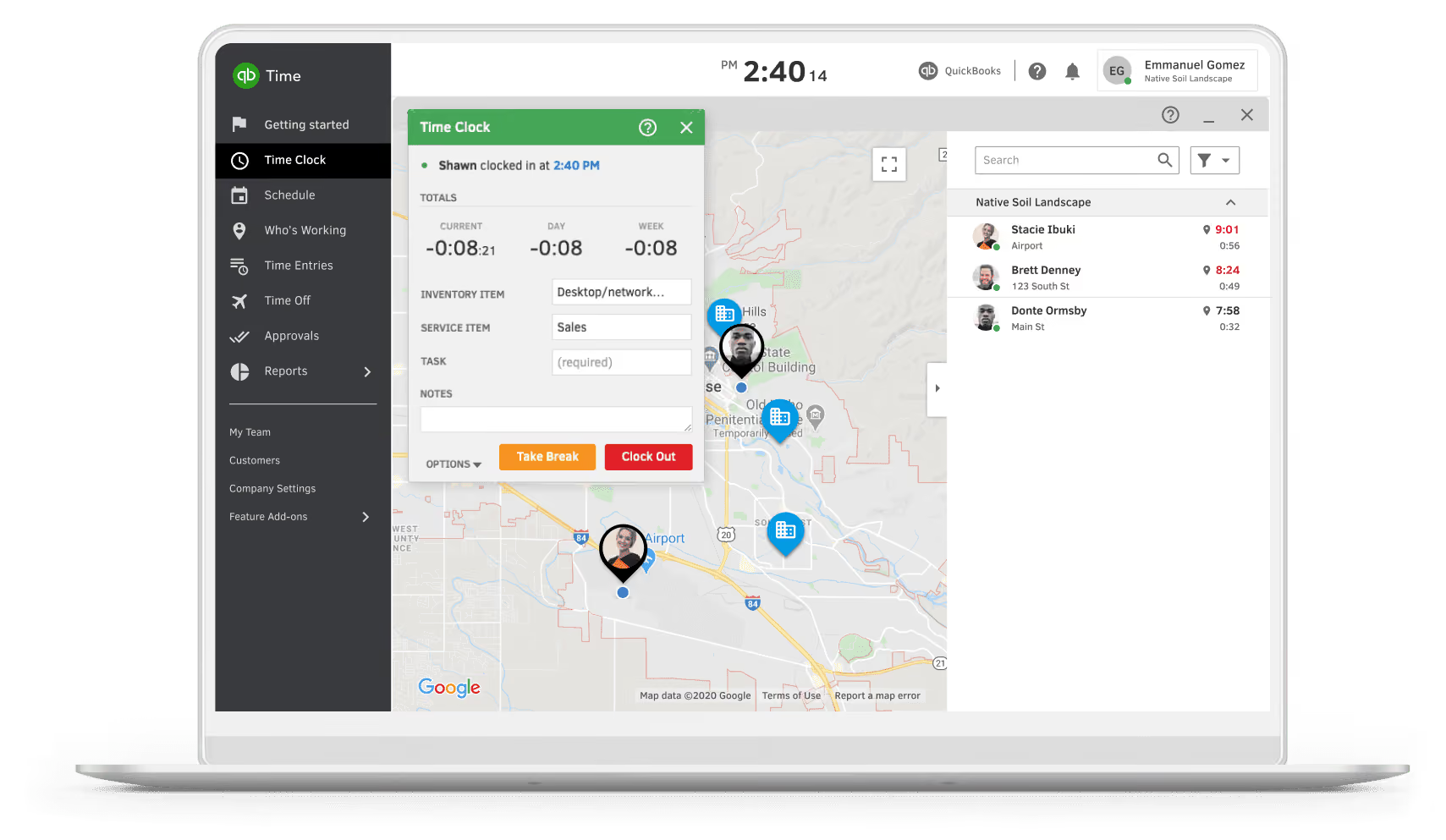
Formally known as TSheets, QuickBooks Time is a time and attendance solution. It allows users to ducky review and employee time, process payroll, or recreate invoices in an accessible way. QuickBooks Time keeps a timesheet for each employee and allows them to clock in via a mobile device, or manually add time within the platform. QuickBooks Time is great for companies that are looking for accessibility, and those that are looking for additional time tracking features such as time-tracking and geofencing.
QuickBooks Time requires a QuickBooks Online account and offers two core time and attendance plans.
- Time Premium starts at $20 per month plus $8 per user and includes mobile time tracking, scheduling, time-off management, alerts, photo attachments, a time kiosk, and customizable reports.
- Time Elite, priced from $40 per month plus $10 per user, adds advanced capabilities such as project tracking, mileage tracking, geofencing, timesheet signatures, and real-time project insights.
Businesses that want payroll can bundle either plan with QuickBooks Payroll for an additional per-employee fee, but QuickBooks Time can also be used as a standalone time and attendance solution.
Best For
Any company looking for a robust time and attendance tracking solution.

We primarily use QuickBooks Time for tracking our internal team’s time and our consultants’ time for client work and projects. By tracking our external project and client work in such a detailed way, we can capture and summarize each individual's deliverables at the end of each month.
In addition, we track our internal processes related to business development for projects and services. This helps us understand where our productivity lies. It also allows us to measure how long tasks take, so we can use the data from time tracking to help with price costing for business development projects for client usage and consultation.
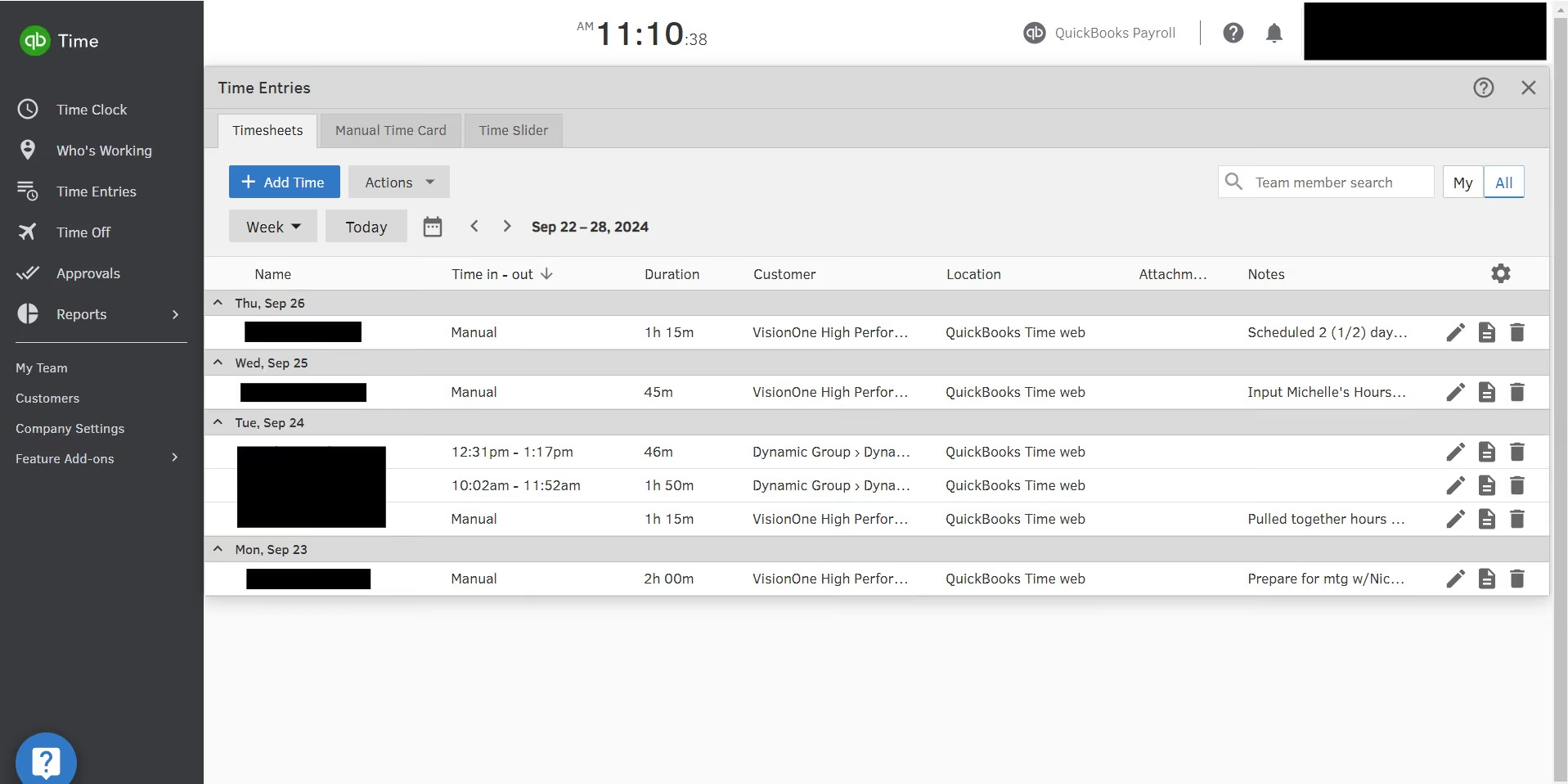
You can create custom reports to fit the needs of project and client costing. QuickBooks Time is user-friendly—our team has a wide range of technology users, and it is intuitive for everyone. It offers full customization in how you set up projects, customers, client bases, and groups to fit your billing and reporting needs.
Our organization first looked into QuickBooks Time because we needed a solution where we could house all of our project- and retainer-based time. We are a management consulting firm, and it's critical for serving our clients well that we accurately report and categorize our time.
We have clients on retainer, and we also have clients with whom we do only project-based work. It is crucial in these situations to have a system that links the time we spend working with a client and/or project, with the option of adding layers of categorization. Additionally, we needed a system that allowed us to take detailed notes.
QuickBooks Time can be set up in almost any configuration you need for this type of work. As an administrator, you can determine how it makes the most sense to set up your client categories and project-based work. You can do it differently or the same for every client or project. You may only work with internal clients, but this solution would work just as well for external clients.
QuickBooks Time allows for accurate time tracking—either to the minute clocking in and out or clocking durations of time. It has mobile accessibility for those who work in the field or remotely. One of my favorite features is the ability to integrate with payroll and accounting systems, which reduces the risk of inaccurate reporting.
Speaking of reporting, the ability to get customized reports on hours, project or client-specific data, and overtime is valuable. All these features help with job costing, invoicing, and productivity analysis. While we don't currently use this feature, the system also allows users to create and share employee schedules.
After one year of using the system, I have found it incredibly user-friendly and easy to navigate.
There are too many clicks involved when selecting categories and subcategories to align your working time. Sometimes, instead of a whole page changing when navigating, a box or separate page pops up. I would prefer a single screen for navigation. It would be helpful if employees received an alert when they forget to clock out at the end of their shift. As an administrator, I get an alert, but to my knowledge, employees do not.
QuickBooks Time is user-friendly and intuitive. In my opinion, it sits in the middle of the pack. There aren't any extraordinary features that set it apart, but there also aren't any major drawbacks.
You should have an idea of how you want to handle time costing before purchasing this type of tool. A clear understanding of how you will report on your time and use the data for reporting will help you identify the necessary features and where you can be flexible. Knowing how to break down internal and external clients is also essential, as is understanding how you want to tie time tracking to specific customers.
Yes, I feel they may be slightly behind in proactive innovation, but they're certainly not at the back of the pack.
QuickBooks Time is great for consulting firms and users who need to track time for specific projects or workflows.
Nothing comes to mind for this question.

When I Work
With its sleek user interface that enhances communication, When I Work focuses on decreasing labor costs and time spent on scheduling.
PROS
CONS

When I work is a simple to use scheduling and timekeeping platform that provides an easy way for managers to manage employee time and their staff. Time can be managed from their mobile app, or their desktop application.
Known for its robust scheduling product, users can manage and view the entire staff schedule, setup time for staff to clock in and out, and alert staff via notifications. Employees can clock in and out and view their hours, or trade shifts with coworkers. This is a great platform for shift based or hourly workers.
Ben and Jerry’s, Harvard University, CVS Pharmacy, Verizon, Taco John’s.
When I Work offers per-user pricing with a 14-day free trial.
- Single Location plan costs $2.50 per user per month and includes employee scheduling, time tracking and attendance, team messaging, time-off and availability management, labor reporting, and geofencing.
- Multiple Locations plan is $5 per user per month and adds support for unlimited locations, schedules, and job sites, plus labor sharing, custom reporting, role permissions, and time zone controls.
Best For
Companies of all sizes across different industries looking to track and manage their employee’s working hours, attendance, shifts as well as improve communication.

I utilized it for 8 months. The primary function was schedule management - utilizing the platform to keep track of work schedules and shifts available to pick up. Additionally we utilized it for timekeeping purposes, generating reports from the system to pay 10-99 employees. The chat function was used, however sparingly due to preferred other platforms for this. We had users at multiple access levels, with leaders managing the schedules and reports.
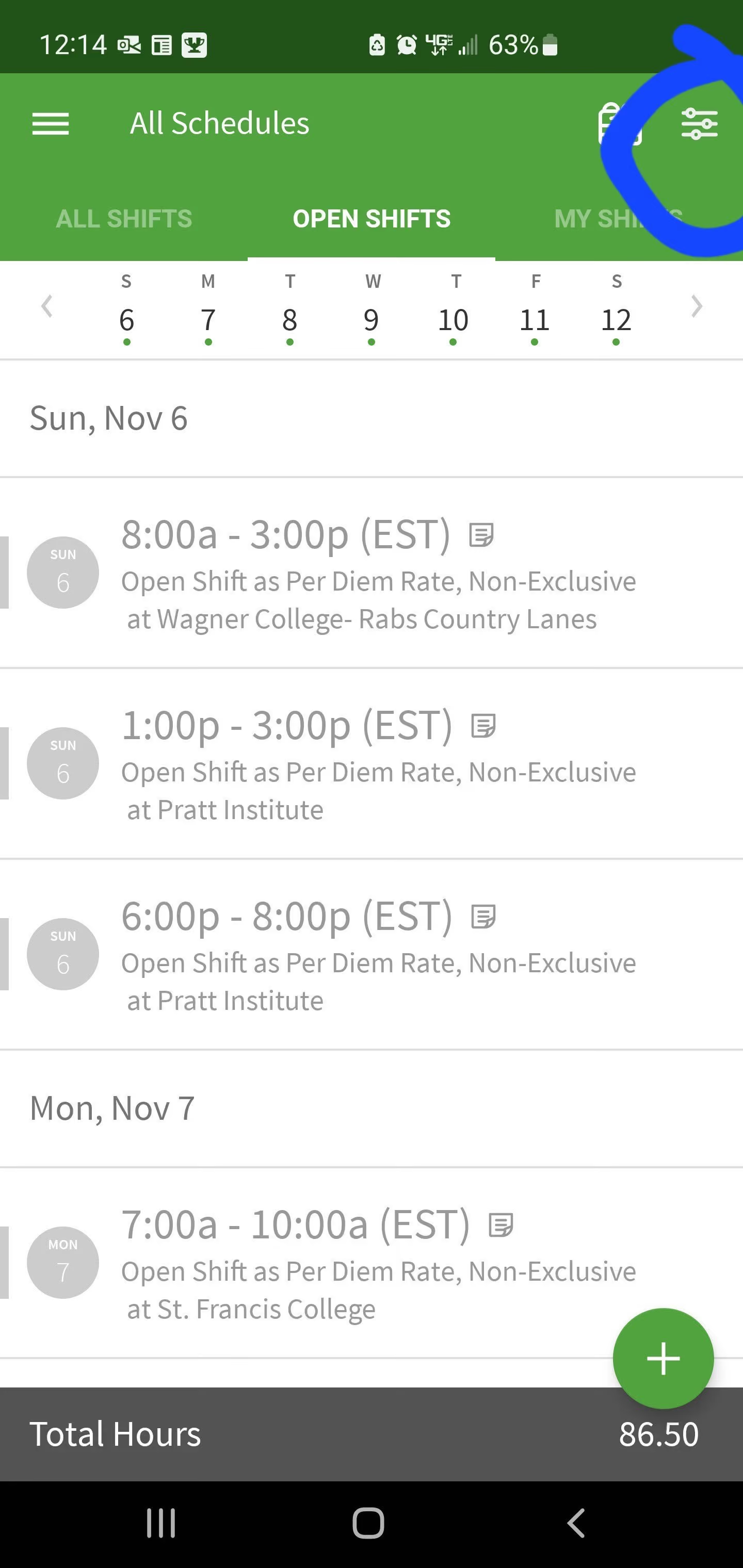
- User-friendly interface in both the app and the web-based platform
- Easy to manage a high-volume of team members
- Solved our problems of needing a centralized scheduling system for multiple locations and a reliable time-keeping app
I utilized when-i-work while employed with JAG Physical Therapy. I have 8 months' experience utilizing the system. It was purchased to be a schedule management system to schedule, track time and attendance, and communicate with our hourly employees. The pain points leading to purchase included a need for an all-access central scheduling system that can accommodate multiple site locations. The key benefits included the ability to keep track of time off, employee availability, and manage shift swaps with a few clicks.
- The chat feature is clunky. We chose to utilized WhatsApp instead for security purposes
- Difficulty with integration into ADP payroll system
- Various aspects of the clock in/clock out logistics, with GPS tracking. This led to extra work when people forgot to clock in or out and had to manually enter
I preferred When-I-Work's App vs Deputy, however preferred the web-based interface of Deputy. It was easier to find settings for changes, easier to copy and duplicate shifts in a series with customization.
- Cost - When-I-Work is an affordable choice for what you get
- Other systems in your workplace - check for the ability to integrate
- Comparison of chat features vs other options - have to find what works best for you. Would be better if when-i-work was encrypted.
It became more user-friendly over the 8 months I utilized the app. The customer service team was helpful in solving challenges that arose.
Any multi-location entity
I cannot think of a situation where it wouldn't be helpful for tracking schedules and time cards.

Calamari
We especially appreciate how intuitive Calamari is to clock in using mobile geofencing, QR codes, or via Slack and Teams. The fact that you can start or stop your shift, request leave, and check balances without leaving your team collaboration tools makes it a meaningful advantage for everyday use.
PROS
- Supports multiple clock-in options, including mobile geofencing, QR codes with photo captures, kiosks, and NFC cards.
- Works natively with multiple team collaboration and project management tools.
- Implementation is free and can be completed in as little as three days.
- Built-in global-ready time-off policies.
CONS
- No native payroll tools. Payroll and HRIS integration must rely on its API documentation.
- Standard API quotas (2 requests/second, 600/hour, 6,000/day) may be restrictive for high-volume data syncs.
We spent time demoing and actively testing Calamari’s time and attendance offerings to understand how it holds up in real-world workflows. What stood out immediately was how flexible and approachable the platform felt, especially for teams managing a combination of desk-based and frontline staff.

Calamari’s multiple desirable clock-in methods are all available in the basic plan. We could initiate shifts via Slack, geofence mobile alerts, and QR codes at a simulated kiosk, all of which functioned as expected during our testing.
The Slack and Microsoft Teams integrations, in particular, were among our stand-out features. Employees can clock in, request leave, check balances, and approve absences all from the collaboration tools they already use. That kind of convenience is spot-on for both remote teams experiencing multi-app fatigue, or deskless workers with little time and on the go.
The Time Off module also performed well in our estimation. You can build region-specific leave types, set up accrual rules (monthly, annual, prorated), and even assign visibility restrictions and attachment requirements. During our demo walkthrough of the platform, we found everything to be logically structured and agile, which we believe would be particularly beneficial for companies with employees across multiple countries or subject to different labor laws. The company is based mostly in Poland, but the customer base is all over the world, with a focus on the European Union and the United States. They’ve transformed their location into an asset, since the tool is flexible enough to fit the needs of all kinds of geographies.
On the downside, however, Calamari doesn’t offer native payroll features. As stated before, the platform relies on APIs for its integrations with payroll or HRIS rather than plug-and-play or native connections, or using a tool like Merge. While the API is a good bet and you can count on technical assistance from the Calamari team, we think the standard API limits (600 requests/hour) could be a hurdle for high-volume syncs.
And to not end on a down note, we’ll add that the customer support is lauded for its efficiency and dedication. You can reach out to them via chat or email, and expect a swift reply. If the issue is not resolved soon, they are very accommodating— for instance, jumping on a call with you to figure out the issue and offer a solution.
130,000+ users, including BRAND24, UNICEF, Sonar, and Netguru.
Calamari has a modular pricing model, billed either monthly or annually, and a 14-day free trial. The Time and Attendance module has a minimum cost of $25 per month for annual billing. You can also bundle it with other modules, including Time Off ($2 per user per month), Core HR ($2 per user per month), Performance (coming soon, $2.50 per user per month), and SAML SSO add-on ($0.80 per user per month).
Best For
Calamari is best for small to mid-sized teams with hybrid or fully distributed workforces that need flexible time and attendance tracking.

Parim
Parim is a mobile-first, location-aware time tracking platform that’s built specifically for shift-based and event-driven teams. Its geofencing capabilities, flexible clock-in methods, and real-time visibility into active shifts stood out in our testing as a smart choice for companies that need operational control without unnecessary overhead.
PROS
- Real-time clock-ins with color-coded shift statuses for quick decision-making.
- GPS geofencing supports location-specific clock-ins, breaks, and clock-outs.
- Multiple input methods: mobile app, tablet, browser, SMS, or voice call.
- Filtered attendance view to easily spot and resolve issues.
- Robust absence tracking and approval workflows directly tied to scheduling.
- Real-time clock-ins with color-coded shift statuses for quick decision-making.
- GPS geofencing supports location-specific clock-ins, breaks, and clock-outs.
- Multiple input methods: mobile app, tablet, browser, SMS, or voice call.
- Filtered attendance view to easily spot and resolve issues.
- Robust absence tracking and approval workflows directly tied to scheduling.
CONS
- No built-in payroll features.
- Pricing may be hard to interpret without a sales conversation.
- Integration options were previously limited, though they are improving.
- Mobile browser-based clock-ins have less reliable location accuracy.
- No built-in payroll features.
- Pricing may be hard to interpret without a sales conversation.
- Integration options were previously limited, though they are improving.
- Mobile browser-based clock-ins have less reliable location accuracy.
Parim’s time and attendance software brings together real-time visibility, flexible scheduling, and mobile-enabled workforce management in a single, compliance-ready interface. We were particularly impressed with Parim’s Time Clock view, which shows active shifts in real time. Managers can instantly identify who’s currently working (in green), and any clock-in issues or discrepancies (like late arrivals or off-location punches) are highlighted in red. This visual interface simplifies day-to-day oversight and accelerates timesheet approvals.
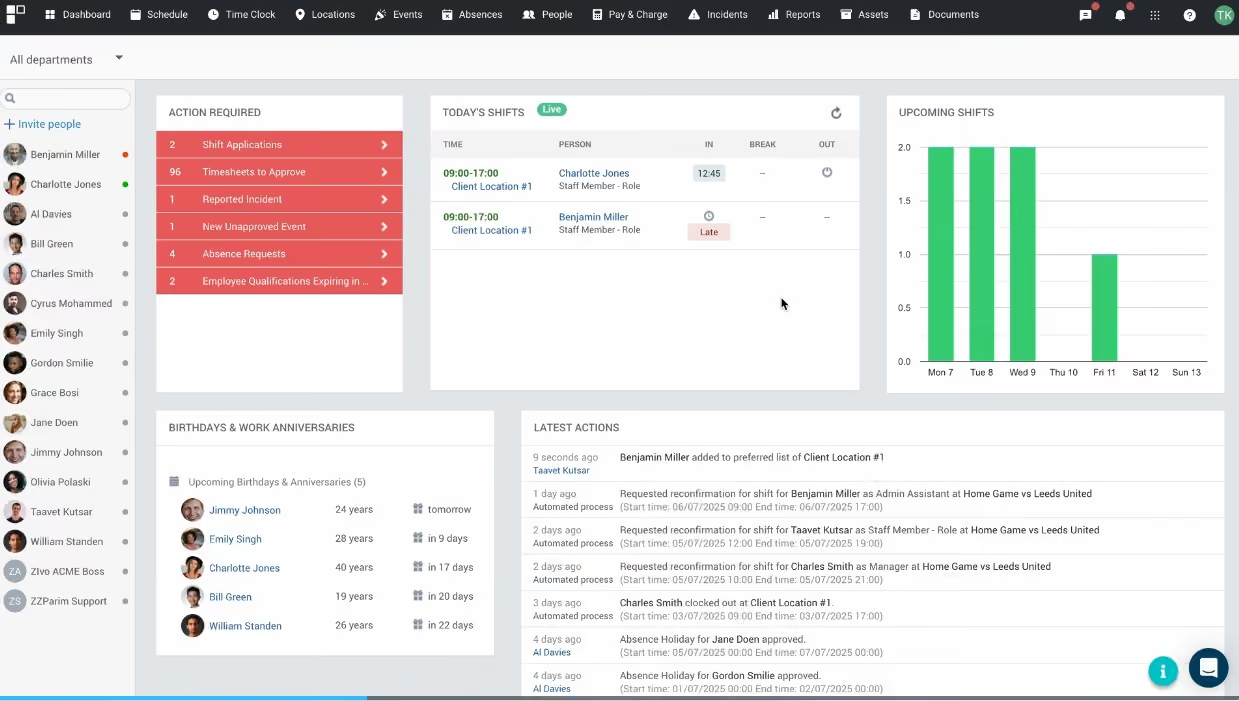
From a usability perspective, Parim supports a good range of clock-in methods. Staff can punch in via mobile app (with geofencing support), browser, shared tablet, SMS, or even voice call using a PIN. This flexibility gives businesses more control over how attendance is captured based on their operational needs, which we like. Our tests also confirmed what the vendor recommends, which is that the mobile app is the most accurate option for geolocation compared to browser-based check-ins.
Geofencing is one of Parim’s strongest compliance features, in our opinion. Available on Premium and Enterprise plans, it ensures employees are within a defined radius before they can clock in, out, or take breaks. You can configure these settings by location or event, and the ability to restrict access through the staff portal helps prevent workarounds.
Beyond clock-ins, Parim includes an absence management tab that gives managers a clear overview of holiday and sick leave. You can approve or reject requests, and even add absences directly into the calendar to ensure schedules reflect real-time availability, which makes shift planning significantly easier and reduces the risk of short-staffing.
However, unlike some other vendors, such as Paychex and Rippling, Parim doesn’t have built-in payroll, so it might not be the first choice if you want an all-in-one workforce management solution. We also noticed that Parim’s development has been a bit slow over the past 18 months, but that seems to be changing. They're working on a major upgrade and have recently rolled out new features, including Incident Reporting, Team View, and enhanced compliance tools. This shows that they are investing in its future, which should be good news for long-term users.
200+ companies, including Chelsea FC, Interim Healthcare, Glastonbury Festival, HAP Solutions, and CH&Co.
Parim offers time and attendance tools as part of its workforce management plans, priced with unlimited users starting at £47 per month. The Pro plan is where core time and attendance features begin, including configurable timesheets, attendance tracking, pay run reports, automated pay schedules, and CSV exports. The Premium plan builds on this with deeper attendance analytics, payroll exports, pay locks, and reporting that supports compliance and payroll accuracy.
Best For
Parim is best suited for fast-moving, shift-based industries such as staffing, events, healthcare, and hospitality, particularly those needing mobile-first time tracking with location control.
Jibble
Jibble stands out for offering a powerful mix of attendance tracking, facial recognition, and productivity monitoring all within a generous free plan. It’s also one of the few tools that combines strong anti-buddy punching controls with flexible policy customization and hardware-free deployment.
PROS
- Facial recognition, device lock, and geofencing provide strong protection against time fraud.
- Fully hardware-free kiosk mode using existing mobile devices.
- Highly customizable policies for different teams and work environments.
- Offline tracking with automatic sync when back online.
- Built-in productivity monitoring with screenshot capture and idle detection.
- Open API access available on all plans.
- Generous free plan with solid core functionality.
- Facial recognition, device lock, and geofencing provide strong protection against time fraud.
- Fully hardware-free kiosk mode using existing mobile devices.
- Highly customizable policies for different teams and work environments.
- Offline tracking with automatic sync when back online.
- Built-in productivity monitoring with screenshot capture and idle detection.
- Open API access available on all plans.
- Generous free plan with solid core functionality.
CONS
- Screenshot monitoring may feel intrusive for some teams.
- Currently, the software lacks idle detection functionality.
- Advanced leave and admin features locked behind paid tiers.
- Screenshot monitoring may feel intrusive for some teams.
- Currently, the software lacks idle detection functionality.
- Advanced leave and admin features locked behind paid tiers.
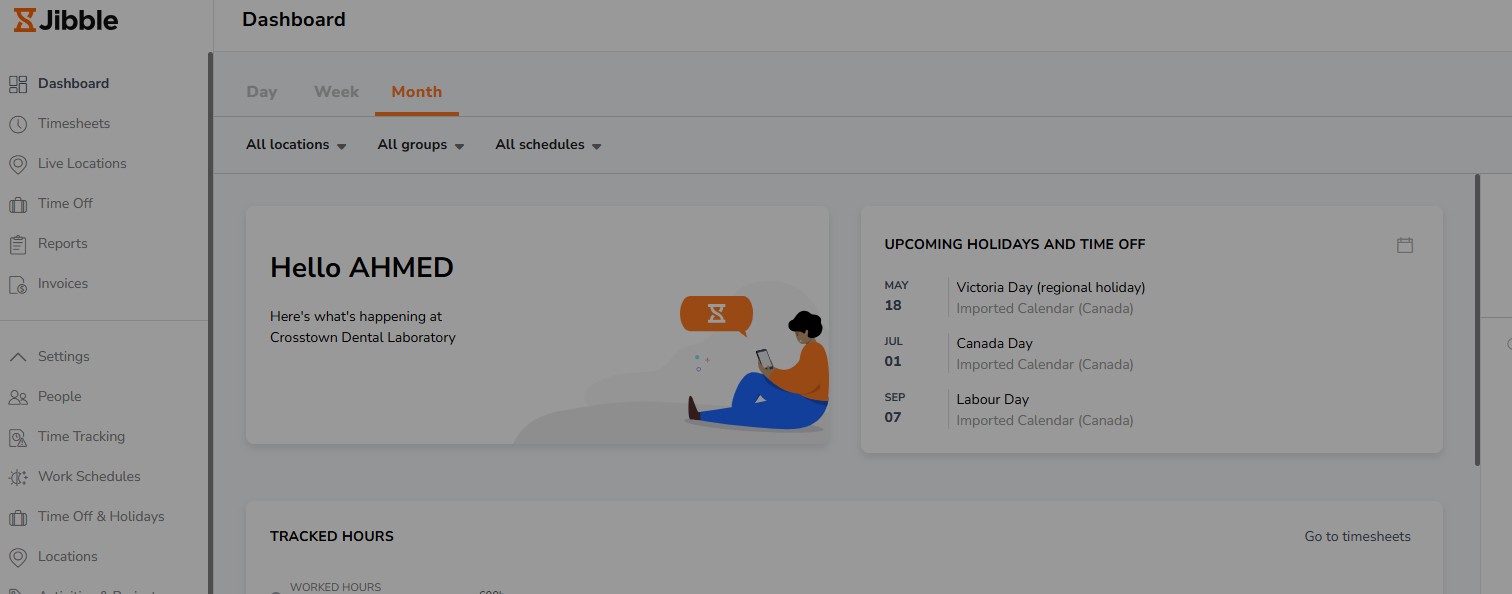
Jibble is a capable time-tracking tool that covers the basics well and then goes a bit further without asking you to pay upfront. In our testing, it handled day-to-day attendance tracking reliably, and we found it easy to set up and start using across devices. Because it runs entirely in the cloud, you can access it from a phone, computer, or browser, and the kiosk mode works on any spare tablet or smartphone.

What makes Jibble stand out is how it approaches time verification. It layers features like facial recognition, device locking, and GPS-based geofencing to reduce time fraud. In testing, these tools worked as expected: employees could only clock in within a set location, and the system added a level of accountability that simpler tools lack. The option to automate clock-ins and outs based on location is also useful, especially for teams moving between job sites.
The platform is also quite flexible. You can create different rules for different groups—for example, requiring office staff to use a kiosk while allowing field workers to clock in via mobile with location tracking. This kind of customization isn’t always available in entry-level tools, and it makes Jibble a better fit for teams with mixed work environments.
The desktop app adds optional productivity tracking such as periodic screenshots to offer employers a deeper understanding of how time is being used, helping to identify potential bottlenecks and ensure focus on work-related tasks. Reporting, on the other hand, is broadly useful. The platform’s attendance reports make it easy to spot patterns like lateness or missed hours, and exporting data for payroll or analysis is straightforward even on the free plan.
That said, it’s worth pointing out that Jibble doesn’t yet include built-in shift scheduling, meaning you’ll need a separate tool if you’re managing more complex or dynamic schedules. Compared to dedicated workforce management software, its scheduling features also seem fairly basic.
Regarding payroll capability, while the time and attendance software integrates with Xero, QuickBooks, and a handful of other payroll tools, the fact that it doesn’t offer a fully native system makes it less attractive to teams seeking advanced payroll and scheduling built directly into the platform.
Tesla, Turing, Cepco, Neom, Roni Group, Beck & Pollitzer
Jibble offers a free plan and three paid plans: Premium costs $4.49 per user when billed annually and $5.99 per user when billed monthly, Ultimate is priced at $7.99 per user for an annual subscription and $10.99 per user for a monthly subscription, and Enterprise with custom pricing.
Best For
Teams seeking flexible, fraud-resistant time tracking, especially those managing a mix of remote, field, and office-based employees.

We use Jibble to track attendance, manage timesheets, and verify work hours through the mobile app. It helps streamline payroll and keeps our records accurate.
Ease of use. Jibble's simple, fast, and dependable. The mobile app works well, and the system keeps our attendance data organized.
We chose Jibble because it offers a reliable time-tracking solution with a clean interface and accurate reporting. It fits our workflow without adding complexity, and it almost does not require training for the team. We've been using it for about 12 months.
Some of Jibble’s features could offer more customization, especially in reporting and filters.
Jibble stands out because it's simpler and more intuitive than many competitors. The setup is quick, the interface is clean, and employees adapt to it immediately without training.
Buyers should look at ease of use, reporting accuracy, mobile reliability, and how quickly the team can adopt the tool. Pricing and customer support also matter when choosing a long-term solution.
Since I'm a new user of Jibble, I haven't seen major changes or long-term updates yet. So far, the platform feels stable and consistent.
I think Jibble fits any type of organization since it meets the needs of every business.
I'm not sure, but I believe for micro (less than 5) companies Jibble is not a good fit.
.png)
Deel
Deel is a global payroll system that incorporates a basic time and attendance module into its offering. Notably, it can adjust to regional public holidays and schedules completely automatically.
PROS
- One of Deel’s key benefits is its customer support. They offer 24-hour in-app assistance, and users can access localized payroll professionals in their regions.
- Generate invoices automatically for both the company and contractor/employee.
- Incorporate employee virtual hangouts within the platform.
- Enhance engagement with pulse surveys through Slack integration.
- Organize employee responses on a segmented dashboard for improved insights.
- Excellent 24/7 customer service with fast onboarding (2-3 days) and local payroll experts in each jurisdiction.
- Seamless integration with platforms like QuickBooks, BambooHR, and Greenhouse, plus custom integration options.
- User-friendly, self-service features enable quick setup; identity verification often takes under 24 hours.
- Automated invoices simplify payments, provided they're in English.
CONS
- Currently lacks performance management functionalities.
- Lacks goal tracking and OKRs integration.
- Does not offer built-in coaching capabilities.
- Premium offerings from Deel, such as onboarding automation, are only offered as add-ons.
- Flexibility in altering contracts or service agreements is restricted; adjustments usually necessitate addendums.
- A $5 payout fee is applicable for each transaction.
- Invoice generation seems restricted to English only.
- Key features like onboarding automation are add-ons, which may increase costs.
- Limited flexibility in modifying contracts or service agreements; changes often require an addendum.
- Invoices cannot be generated in languages other than English.

Deel has embraced a global, remote-first approach that's woven throughout the product in subtle ways. Of course, this is evident in their basic time and attendance module. This part of the tool automates the tracking of public holidays, time off, and expenses for employees regardless of where they are in the world.
We’ve been familiar with Deel since late 2020 and were happy to see this addition to their tool shortly thereafter. It makes a lot of sense for international teams to count with a time and attendance tool that automatically syncs with the local calendar for each employee. This way, you can account for public holidays in each jurisdiction and respect the local employee leave regulations. From what we saw in a demo, employees can submit requests and get them approved with only a couple of clicks.
As we’ve stated in other reviews of Deel, their evolution from addressing global payroll to offering robust employee experience software is remarkable.
Deel serves over 10,000 customers, including big names like Nike, Shopify, Dropbox, Notion, Reddit, and Airtable. They also have a strong contingent of SMBs and start-ups in their client roster.
Deel time and tracking software starts at $5 per user per month.
As a new product, Deel has changed a lot since its inception. Its newest offering, DeelHR, allows companies to complete most of their HR operations tasks in Deel.
Best For
Deel’s infrastructure can support businesses at any size, from one to 10,000+ employees. They even offer some free services for companies under 200 employees. While their current focus is SMBs that are growing and want to explore different global markets and talent pools, there is also a large market for mid-market and enterprise companies.

In HR, I begin by generating an onboarding packet once I receive confirmation that an offer has been accepted. This includes creating a worker profile with the new hire’s job title, pay rate, location, and start date. We either create a new profile or contract that incorporates completed onboarding forms, including benefits enrollment and PTO information.
Once the profile is complete, we use Deel to send a team notification to welcome the new hire and provide onboarding reminders. After the employee is fully onboarded, the system validates their information to confirm that all required documentation has been received and properly stored.
- I appreciate the accessibility of functions such as payroll, onboarding, and the ability to have Deel set up our employer entity in multiple locations while remaining compliant.
- The communication features within the Deel system allow for easy updates across teams.
- The tool streamlines complex HR and payroll processes into a unified platform.
We purchased Deel to support employees across multiple states and countries. It was a significant benefit to have the Deel team set up our company’s legal entity within a state without requiring our Finance team to pause and complete the registration themselves. This was a major advantage for us.
Deel also simplified our onboarding process, enabling us to expedite onboarding efficiently while providing a seamless experience for both the employer and the new hire. Additionally, we leveraged the payroll functionalities, which added further value.
These capabilities made the system a worthwhile investment for our organization.
- The site is not particularly user-friendly for new users.
- We occasionally encounter glitches and system errors.
- There have been instances where forms were difficult to locate, causing confusion.
- Errors in invoices and contracts have also occurred, sometimes stalling operations despite our ability to work through them.
One area where Deel stands out is its combination of contract management, global payroll, HRIS, and other functions within a single platform. Its capacity to support international clients is a major advantage, allowing companies to grow globally without having to navigate the complexities of international payroll and compliance independently.
Many competitors lack this feature or the ability to register companies in multiple states or countries, which can otherwise delay business operations by weeks as finance teams handle all necessary paperwork and state-specific procedures.
Compliance and international support are key criteria to evaluate. Even if an employer doesn't have international employees at the time of implementation, the option to add this functionality later can be extremely beneficial.
Comprehensive support for onboarding, payroll, and compliance is not available in all systems, so these factors should play a critical role when selecting a new HRIS system.
It appears that Deel has enhanced its automation workflows and now includes functionality to track paid time off requests.
Deel is well-suited for mid-sized to large organizations with an international presence. It’s also a strong option for large companies with smaller HR or Finance teams. The platform’s flexibility and scalable support provide considerable benefits in these scenarios.
While smaller companies can use Deel, there may be more cost-effective solutions tailored to their specific needs.
Deel may not be ideal for small organizations without employees in multiple states or countries. It also might not serve organizations well if they don't plan to use the tool for payroll or require features like performance management.

Homebase
We liked how Homebase enables users to run the same time-tracking workflow from a browser-based time clock, a dedicated tablet app, the mobile app, or even select POS systems, then roll those punches straight into auto-calculated timesheets. Beyond convenience, the platform adds strong guardrails that help managers spot missed breaks, handle waivers, and automate the payment of missed-break penalties.
PROS
- Multiple time clock options (mobile, tablet app, web browser, and select POS), useful for mixed onsite and remote teams.
- Automated timesheets calculate hours, breaks, overtime, tips, and multiple wage rates.
- Strong guardrails for time theft and compliance: geofencing, GPS snapshots, photo capture on tablet, early clock-in controls, and auto clock-outs.
- Breaks & Compliance settings include mandatory break reminders, break waivers, and (California-only) missed break penalties.
- Separate dashboards for managers and employees
- Real-time communication features allow for schedule changes on the move
- Requesting and approving paid time off is easy
- Great scheduling templates help managers streamline work
CONS
- Several “control” features are paywalled (e.g., mobile clock-in, GPS snapshots, and geofencing require Essentials or higher; shift photos require Plus or higher).
- Some capabilities have notable constraints (one geofence per location; Amazon Fire tablets unsupported for the tablet clock).
- Doesn’t support international businesses and those without hourly employees.
- Limited third-party integration support
- Additional features are somewhat expensive
Homebase positions its time tracking as an “easy button” for hourly small businesses, and the strongest evidence is how many ways teams can clock in: a web time clock on any browser, a dedicated tablet app (Time Clock by Homebase), mobile punch in/out with location controls, and even select POS time clocks (including systems like Clover, Square, Toast, and Lightspeed). Having a wide range is really important for small businesses managing a kiosk up front, a computer in the back, and need their managers to have the flexibility to move around.

We appreciate how Homebase handles timekeeping. In our test, the software automatically generated timesheets as we clocked in and out, tallying up breaks, overtime, tips, and different pay rates without any hassle. We found the tools for managers to prevent early clock-ins and set up auto clock-outs particularly helpful to keep labor costs in line with schedules and budgets.
When it comes to break rules, Homebase puts everything in one place and can manage whether breaks are paid or unpaid. According to feedback from some of Homebase's customers, we’ve been in touch with, the system enables them to add or waive missed breaks at clock-out and supports break penalty pay for staff located in California.
We also like the “cleanup” workflows, especially Assisted Clock In. If a\ worker forgets to clock in, they can just send their actual start time along with a note. Then, managers can either accept it, make changes, or send a message for any clarifications when they're reviewing.
However, the trade-off is that some of the most valuable controls, such as GPS snapshots and geofencing to verify location, and tablet “shift pictures” (photo capture at punch-in/out), are available only in higher tiers. If you go with the free Basic plan, keep in mind that you'll be able to access your time cards only for up to 3 months. Operationally, Assisted Clock In can streamline missed punch corrections, but it’s not universal: it’s limited to Plus and All-in-One (and explicitly unavailable for Clover customers).
Over 100,000 customers, including Fuzzy Goat Yarn Shop, The Blind Goat & Xin Chao, as well as Arthritis and Osteoporosis.
Homebase offers four pricing tiers: Basic ($0/mo), Essentials ($30/mo), Plus ($70/mo), and All-in-One ($120/mo), with additional add-ons such as payroll and hiring tools. New customers can get 6 months of the All-in-One plan for free from Sept. 15, 2026, to Jan. 20, 2027.
Best For
U.S.-based small businesses with hourly staff seeking straightforward clock-ins across devices and stronger break and timekeeping controls.

I utilize Homebase as a comprehensive scheduling solution for managing cleanings for my LLC's short-term rentals. The platform allows me to create and organize cleaning shifts for each property, ensuring that our units are consistently maintained to high standards and ready for guests' arrival.
With Homebase, we start by signing in and adding "Open Shifts" on any days we have turnovers for a given property. Then, based on each cleaning team member's availability (availability is shown within the app), we assign the shifts to prospective team members.
Homebase's user-friendly interface simplifies the scheduling process, allowing us to quickly make adjustments or reschedule shifts as needed.

- It is free! The free version of the app provides everything we need to solve our scheduling challenges.
- It is user-friendly. The web app is great for monthly scheduling, and the mobile app works for our team to view their shifts, etc.
- It was great that I could begin using it right away. There was no complicated onboarding process or steep learning curve.
I stumbled upon Homebase after a Google search looking for a scheduling tool. It has proven to be invaluable for coordinating the cleanings for my LLC's short-term rentals. Prior to using Homebase, we experienced significant challenges in efficiently managing and organizing the cleaning schedule for multiple properties with multiple members of our cleaning team. It was a time-consuming and error-prone process, resulting in delays and dissatisfaction among the team. We have used it for over three months now and have thoroughly enjoyed using the tool.
- The system sends a lot of automated notifications (app alerts, emails, text messages).
- There is a lot more functionality than we use it for, which is frustrating. We don't handle payroll, etc., through the app, but get notifications about these features all the time.
- Limited customization; I don't need an alert every time there is a scheduling "conflict" because oftentimes one employee will handle the turnover for multiple properties in a given day. I wish I could customize my views, alerts, etc., to better meet our needs.
I have never used other scheduling tools so I'm unsure how it compares.
One thing to think about is how you will handle communication and collaboration. Homebase's communication tools work adequately but aren't very robust. I sometimes get better responses from our team by just texting them, so consider how the tool facilitates communication and collaboration among team members. Look for features such as real-time notifications, messaging capabilities, and the ability to easily share schedule updates and changes.
No changes that I'm aware of.
It's hard to answer this, but it's worked great for us - a small team of people managing short-term rental properties with a small team of people handling the scheduled cleanings for these properties.
It's hard to answer this, but it probably would not be a good fit for an organization that does not have scheduling demands.

BambooHR
Extremely user friendly and full of HR features, Bamboo HR can help you save considerable amounts of time spent on time tracking. Automatic reminders, fast clock-in-clock-out for employees, one-click timesheet approval for managers.
PROS
- Time tracking capabilities, though offered as a separate module, are precise and easy to use.
- BambooHR’s multiple tiers and custom pricing models are good for diverse business needs, ensuring cost-effectiveness and scalability.
- With an intuitive and user-friendly interface, BambooHR provides a straightforward tool that can be easily navigated and utilized by HR pros of all levels.
- Integrates with several payroll and accounting systems, providing a streamlined process for U.S.-based employees to ensure efficient and error-free payroll management.
- Flexible packaging and custom pricing is the way they roll. You can pick out one or two packages and pick other modules as add-ons based on your needs.
- Very simple and straightforward tool, easy to use.
CONS
- Options for non-U.S. employees are limited, which may pose challenges for multinational companies.
- Customer support availability is restricted to U.S. business hours, potentially causing delays and difficulties for businesses operating in different time zones.
- Time tracking is offered only as an add-on, and the same goes for some advanced scheduling features.
- The reporting and analytics capabilities for time tracking data are somewhat limited in BambooHR, which may hinder in-depth analysis and insights for workforce management.
- Payroll is only available for US-based employees
- Customer support is only offered during US business hours.
- Some modules like time tracking, performance management, and surveys are only available as add-ons.
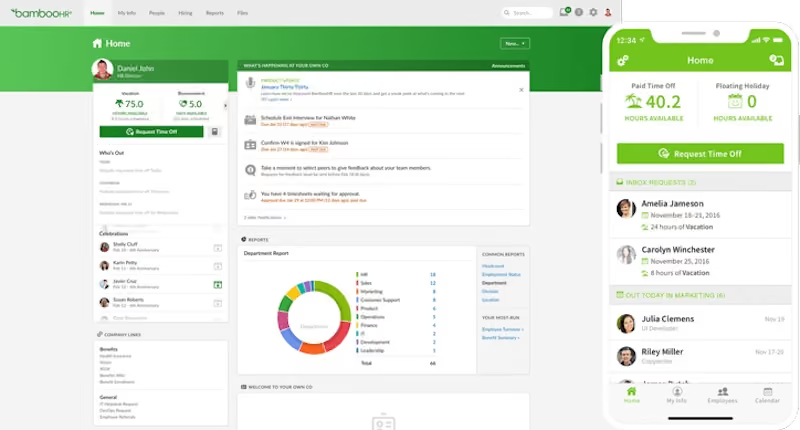
BambooHR is a cloud-based SaaS HR platform for all types of businesses. They automate many of the HR functions, and can help make HR tasks simple and fast. As an add-on, they offer a robust time and attendance platform, which includes a clock-in/clock-out functionality, timesheets and paid time off tracking. Bamboo HR’s easy to use platform is great for those that are looking to track project hours for salaried employees, or utilize a platform for hourly workers.
Among the 20,000+ companies that use BambooHR, you’d find names like Quora, Universal Group, Reddit, Asana, Change.org, University of Maryland, Grammarly, Stance, Postmates, Wistia, the Jacksonville Jaguars, and ZipRecruiter.
Pricing is not disclosed upfront, but they do offer a free trial of their all-in-one software and then go out of their way to find a version that will suit you. Before they come up with a personalized quote that will align with your budget, however, they are also likely to extend your free trial upon request or even give you a free demo of the advanced features.
Best For
BambooHR is ideal for companies seeking a highly customizable HR product with flexible pricing options. Its popularity is particularly evident among teams that operate partially or fully remotely, as BambooHR efficiently addresses the need for effective time and attendance management in such environments.
We use BambooHR as our central HR management system. It helps us manage employee records and track time off. We use it for onboarding, benefits management, and U.S. payroll. Managers use it to approve time-off requests and run reports.
Employees use the self-service portal to update personal information, request time off, and view pay and benefits information. HR teams and leadership rely on BambooHR's reporting tools for headcount, attrition, and other workforce analytics.
Overall, it supports both daily operations and strategic HR headcount forecasting and planning.

- BambooHR is intuitive and easy to navigate for both HR teams and employees.
- It streamlines onboarding and automates new hire paperwork and onboarding checklists.
- It centralizes employee data and keeps all HR information secure in one accessible system.
- Its robust time-tracking simplifies PTO requests, approvals, and accrual tracking.
Our organization implemented BambooHR to streamline and improve our HRIS processes, including time tracking, benefits management, and payroll. The platform is intuitive and user-friendly for both HR teams and employees.
We valued its ability to centralize all HR functions in one place, which significantly improved our onboarding process for both exempt and non-exempt employees. As we expanded across the U.S., Canada, Belgrade, and LATAM, BambooHR proved to be a scalable solution.
Employees also appreciate the self-service capabilities, which promote transparency and efficiency. Headcount and attrition reports are easy to access and analyze, supporting better data-driven decision-making.
We have been using BambooHR for over five years, and it has significantly improved the overall effectiveness of our HR operations.
- BambooHR payroll is only available in the U.S., which is not ideal for global teams.
- Add-ons like time tracking and performance management increase the cost and are not included in the base price.
- It is more suitable for small teams, as it lacks advanced recruitment features.
- BambooHR’s customer support can be slow to respond at times and provides limited help with more complex issues or customizations.
BambooHR is widely recognized for its clean, intuitive user interface, making it easy to use for both HR teams and employees. Unlike competitors like ADP or SAP SuccessFactors, which offer more features but can be complex to navigate, BambooHR is designed specifically for small to mid-sized businesses—typically 25–500 employees.
It is a simple and agile solution that doesn’t require a dedicated HRIS team, unlike enterprise-level tools like Workday or Oracle HCM. One of its key strengths is strong employee self-service capabilities for managing time off, pay information, documents, and updates.
While platforms like Rippling and Gusto offer broader feature bundles, including IT management and payroll, BambooHR focuses on providing a solid, affordable core HR system that works well for organizations with straightforward HR needs.
When buying an HRIS tool like BambooHR, several important criteria should be considered. First, evaluate whether the system covers your core HR needs, such as employee data management, time-off tracking, and compliance features.
Ease of use is critical—both HR staff and employees should be able to navigate the platform easily. Scalability matters if your company plans to grow or expand internationally. Make sure the tool integrates with your existing software, such as payroll, applicant tracking, or communication tools.
Payroll and benefits administration are also key if you're looking for an all-in-one solution. Reporting and analytics should allow for useful insights into workforce trends and performance. Employee self-service features save time by allowing staff to update information and request time off independently.
Understand which features are included in the base price and which require add-ons. Lastly, reliable customer support and strong security features are essential.
In late 2024, BambooHR launched the Ask BambooHR AI assistant, a smart tool that uses company data to provide employees with quick and accurate answers to common HR questions. This feature enhances employee self-service and reduces the workload on HR staff.
BambooHR also improved the paystub experience by allowing employees to download multiple paystubs at once, filter by date range, and easily access year-to-date totals. To help HR teams stay organized, the platform introduced advanced document management features such as multi-level folder organization, drag-and-drop file uploads, and enhanced search functionality.
Reporting capabilities were expanded with a “Recent” section for quick access to frequently used reports, a “Favorites” feature to bookmark key reports, and improved options for sharing and managing custom reports.
BambooHR is well-suited for small to mid-sized organizations, typically those with 25 to 500 employees, looking for a straightforward and easy-to-use HR management system.
It works best for companies that want to streamline core HR tasks like employee data management, time-off tracking, and onboarding without the complexity or cost of enterprise-level software.
It’s ideal for businesses that value employee self-service and need a platform that supports remote or distributed teams, especially across the U.S., Canada, and other growing international locations.
BambooHR may not be suitable for organizations that require complex, enterprise-level HR solutions. Large companies with over 1,000 employees often need more advanced features, deeper customization, and extensive integrations than BambooHR offers.
Businesses with global payroll and compliance needs outside the U.S. and Canada may also find its payroll and benefits support limited. Companies looking for a comprehensive platform that includes IT management or learning management systems may prefer tools that bundle these features.
Lastly, organizations with specialized or complex HR workflows requiring high levels of automation and customization might find BambooHR too limited in flexibility.
UKG
UKG Ready (formerly Kronos) enables efficiency by simplifying routine time and attendance tasks. It also helps HR professionals improve compliance and mitigate risk with automatic updates.
PROS
- Vast experience in people tech with UKG Pro HR solution.
- Comprehensive toolset with UKG Pro for HRMS and UKG Ready for workforce management.
- Administrators have the power to configure user group visibility within the system.
- The Ultimate Community provides on-demand information and fosters connections among UKG Pro users.
- Includes an iOS app and an Android app.
- Super robust product, packing years of experience with HCM and Workforce Management technology
- Since they offer UKG Pro for HRMS and UKG Ready for workforce management, you could arrive at a combination of products that suits many of your HR needs from the same set of tools.
CONS
- May lack a unique selling point or specific focus for niche businesses.
- The Android app has some bugs when logging in and accessing timecards.
- Relatively expensive, particularly for teams with limited budgets.
- Broad range of solutions may not suit those seeking a few specific use cases.
- Compared to newer tools, UKG Pro and UKG Ready tend to miss a unique selling point or a specific focus on a certain type of business. While they work great for bigger companies in all sorts of industries, very niche operations might have a hard time adapting to the tool.
- Similarly, UKG offers many solutions under one umbrella, so it's not the best fit if you're looking for only a handful of specific use cases.
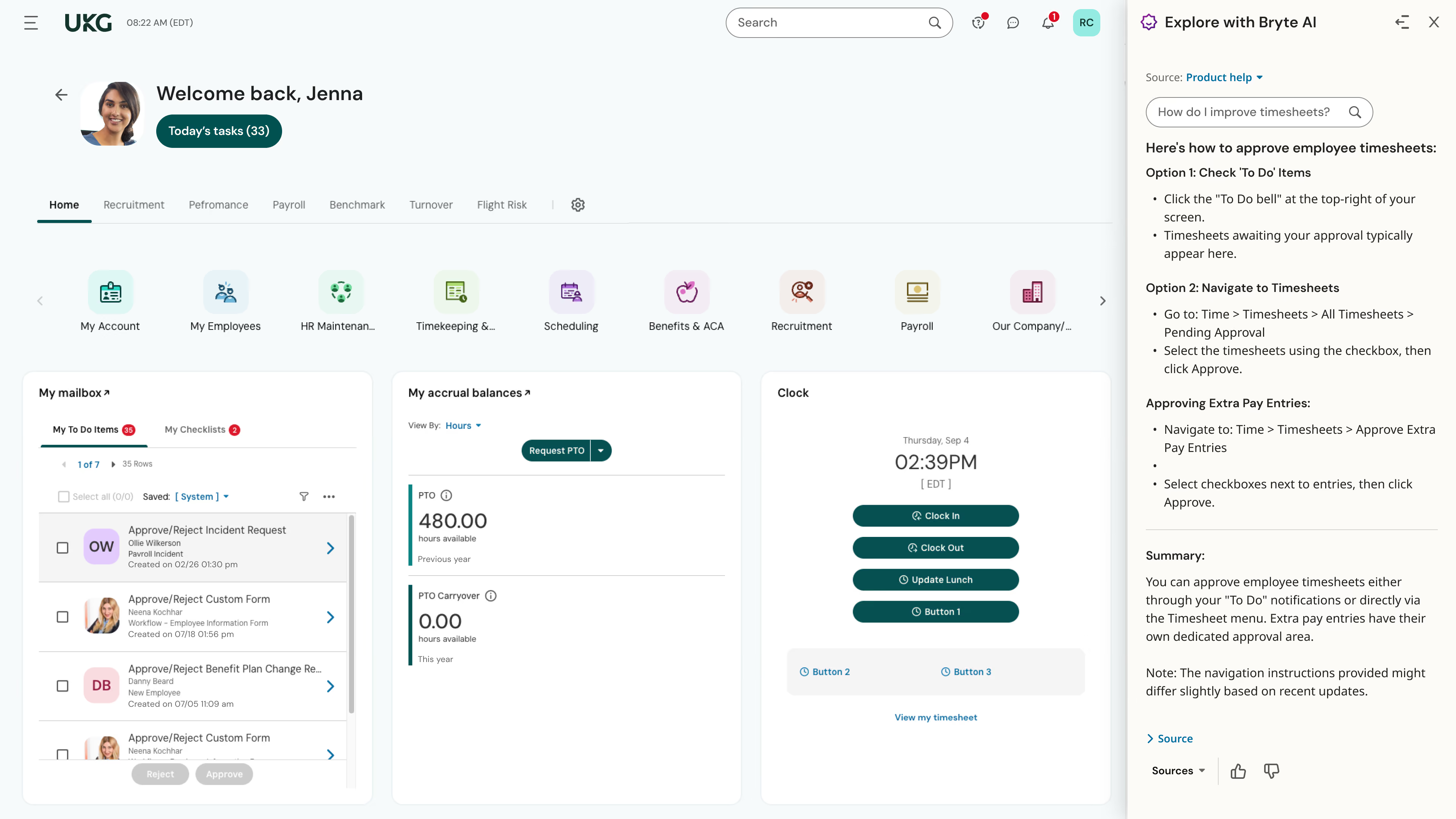
Formerly known as Kronos, UKG Ready stands out as a well-established time and attendance tool for its ability to streamline routine tasks and enhance compliance for HR professionals. It aims to drive efficiencies and mitigate risks with its automatic updates and simplified processes.
One highlight is the ease of configurability for administrators who need to assign user group visibility within the system. This level of control allows organizations to tailor permission— a big plus for teams looking to maintain solid data security.
The abundance of features can make navigation overwhelming. However, the Ultimate Community has been a valuable resource as we explored UKG. We were able to access vendor and user-made product instructions by browsing previous conversations and asking other users for their product knowledge.
We also appreciate that UKG provides an iOS and an Android app that enhances accessibility and convenience for employees, especially ones that usually work onsite. However, logging in and accessing timecards on the time clock app isn’t always easy and occasional bugs prove to be a source of frustration.
The price range for UKG Ready is out of reach for teams with limited budgets. Since the software doesn’t publish its pricing, it's crucial to get on a demo with sales to weigh the cost against your organization's specific needs.
Tesla, Marriott, Yamaha, Aramark, Puma, Sony Music, Samsung.
- Our research indicates that licenses for UKG Pro begin at around $600.00 per year for every 5 users.
Best For
UKG Pro can be a sound option for companies in many different industries looking to track the hours and attendance of both salaried and hourly employees in the Americas, EMEA, and Asia/Pacific.

I use UKG on a daily basis as part of my HR role. Most of the time I'm in the system reviewing or updating employee records, helping managers with job changes, and making sure everything is aligned before payroll closes. I also use it to track recruiting activity, like checking candidate status or supporting managers during the offer stage.
During performance review cycles, I spend more time in the talent management modules to review evaluations and ensure documentation is complete, since HR leads both the annual and mid-cycle review process in our organization.
Managers use it for approvals, time tracking, and accessing team information, so I often get pulled in to help with system questions or reporting needs. I also run reports for things like headcount, attrition, disciplinary action reports, and workforce trends to support leadership discussions.
Overall, UKG functions as our primary system of record, so it is part of most of my day-to-day work rather than something I log into occasionally.
One thing I like about UKG is that it brings employee records, payroll, recruiting, and talent processes into one system, so you're not constantly switching between platforms.
The reporting is also helpful, especially once it's set up properly. We've connected PowerBi to it, which has made it easier to pull HR data and build reports without starting from scratch each time.
Payroll being tied directly to core HR data has helped reduce errors, and it's been especially useful with a multi-state workforce where compliance can get complicated.
The recruiting workflow is fairly structured, which makes it easier to track where candidates are in the process and keep hiring managers aligned.
Once everything is configured properly, it works well as a system of record for managing the full employee lifecycle.
Our organization moved to UKG mainly to bring multiple HR processes into one system. Before that, we were using different tools for employee records, payroll, recruiting, and talent management, which made things harder to manage and sometimes led to inconsistencies in data.
We also just recently transitioned our timekeeping from Kronos to UKG in 2025 Q4, so part of the goal was to have everything more aligned in one place. There was a lot of manual coordination between systems before, especially between HR and payroll, so we were looking for something more centralized.
UKG helped reduce some of the back-and-forth and made it easier to access employee information without switching between platforms. Having employee data, recruiting, and performance information in one system has been helpful, especially when supporting managers or reviewing employee history.
Payroll has been more consistent since it ties directly to employee records, and reporting feels more reliable since everything is coming from the same system.
I've personally worked with UKG for more than 4 years in an HR role, using it regularly for employee records management, payroll coordination, recruiting oversight, and general support for talent-related processes.
The system can feel a bit complex at first, especially for managers who don't use it often or are new to it.
Some of the reporting works well once it's set up, but getting it exactly how you want can take extra configuration or support, which is why we ended up relying more on PowerBi for certain reports.
Implementation and initial set-up can take time, especially when you're working across multiple modules and trying to align everything.
Making updates or changes isn't always quick, since it sometimes involves working with support, which can slow things down depending on the request.
In my experience, UKG feels different from other HR systems because it brings core HR, payroll, recruiting, timekeeping, and talent into one place. In the past, we used tools that were strong in one area but required separate systems for everything else, which meant more manual work and sometimes mismatched data. With UKG, having one system of record made things more consistent and easier to manage across teams.
What I like is that once workflows are set up, things like payroll and employee record updates run more smoothly without needing to transfer data between systems. Some other tools we looked at had simpler interfaces, but they didn't offer the same level of integration across different HR functions.
When looking at tools like UKG, one of the first things to consider is whether it actually supports your core HR processes and has the modules you need without relying on too many add-ons.
Ease of use is also important, especially for managers and employees, since adoption tends to drop if the system feels hard to navigate. Reporting matters as well, because HR and leadership rely on that data for day-to-day decisions, and it should be easy to access without extra work.
It's also worth thinking about how the platform fits with your existing systems and whether it will scale as your organization grows.
Over time, I've seen UKG improve in ways that made it easier to use day to day for both HR and managers. Early on, some workflows felt a bit confusing, but over time the navigation got better and tasks like scheduling, payroll review, and updating employee records became more straightforward. Reporting also improved, and it became easier to pull information without having to export everything into spreadsheets.
I also noticed better integration between modules. For example, recruiting and onboarding data flows more smoothly into core HR and payroll than it used to, which reduced some of the manual steps we had before.
Mobile access and self-service features have also improved, making it easier for employees to check schedules, request time off, or update their personal information.
These updates came gradually, but over the time I've used the system, it has become more consistent and easier to work with overall.
UKG tends to be a good fit for medium to large organizations with more complex workforce needs, especially those managing a mix of hourly and salaried employees. It works well in environments where HR teams need one system to handle multiple functions like payroll, recruiting, and employee records rather than relying on separate tools.
From what I've seen, it's most valuable in companies that have resources to properly set up and maintain the system over time.
UKG may not be the best fit for smaller organizations with simple payroll and basic HR needs, since it offers more functionality than they may actually use.
For teams without a dedicated HR or system admin resource, the setup and ongoing management can feel a bit overwhelming. It may also not be ideal for organizations looking for a lightweight, quick-to-implement solution with minimal setup time.
nettime solutions
stratustime by nettime solutions integrates well with hundred of devices, payroll systems, and HR platforms. Use this simple software to scale your business in a seamless way.
PROS
CONS
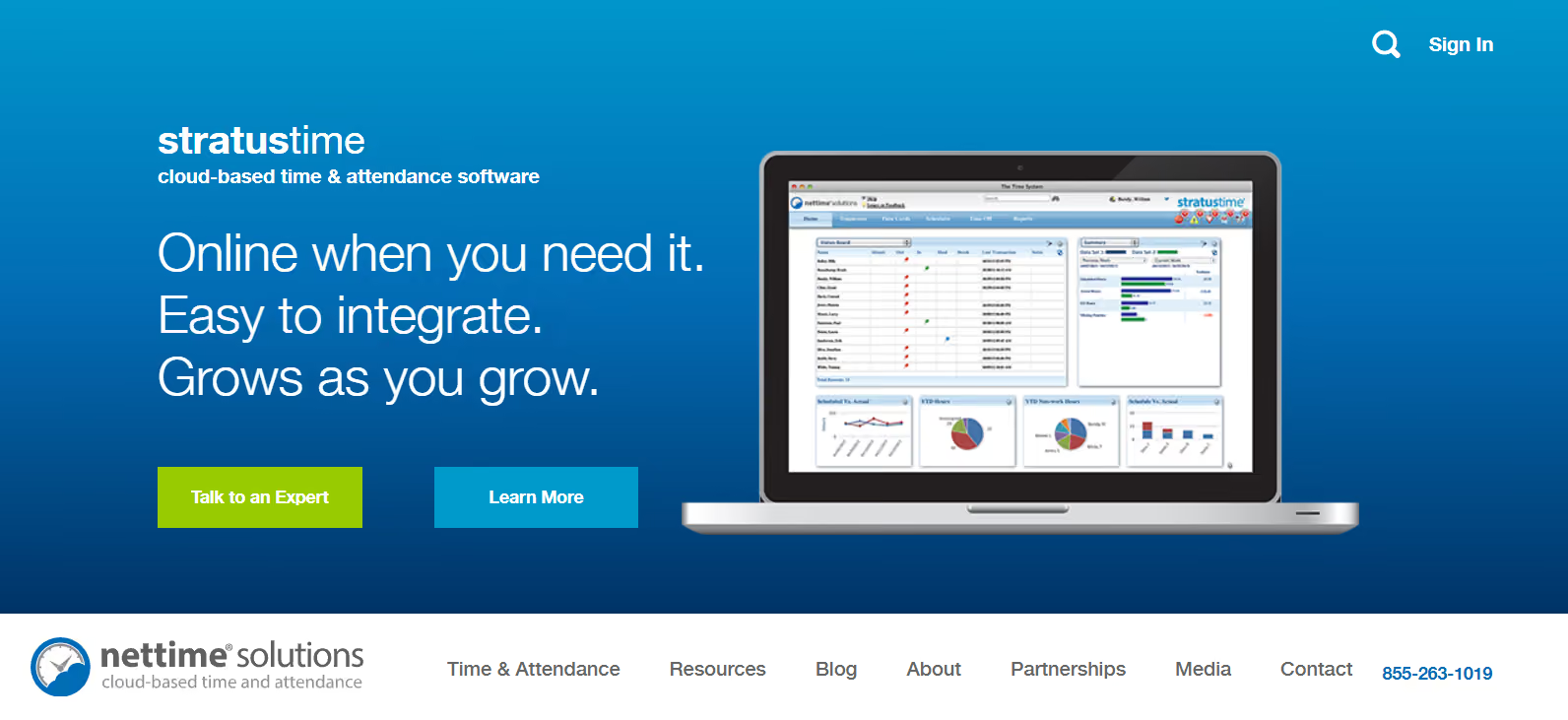
nettime solution’s stratustime is a time and attendance platform that is cloud based and helps companies increase efficiency and make informed workplace decisions. Employees can clock in and out, and request time off. Admins and managers can view dashboards that have labor cost, and wag requirement information. It can also be integrated with many various payroll platforms. This is a great solution for small businesses, at just $4 per month per employee.
University of Pennsylvania, HomeExchange.com, Bossier Parish Library.
The pricing of nettime solutions’ plans and services isn’t listed on their website. Contact their sales team for a price quote.
Best For
Companies looking for a time and attendance software with compensatory time tracking and geofencing capabilities.

Clockify
Clockify allows you to not only track hours but also apps and websites to later create time entries. Clockify's features are wide ranging – you can track time, get graphical reports, set hourly rates. And best of all, it's free.
PROS
- Clockify offers unlimited time tracking for free, for any number of projects.
- Users have praised the software’s ease of use. There really isn’t any hardcore learning required to get a hand of it.
- Open API functionality for custom solutions
- The product is available on all mobile devices (android, iPhone), desktop (windows, mac, linux), and as a web app.
CONS
- Basic project management features. You can only create assign and sort. No deep features like visualization (kanban boards, gantt chart, etc.) or scheduling to maximize team capacity.
- It can get glitchy when the internet connection times out.
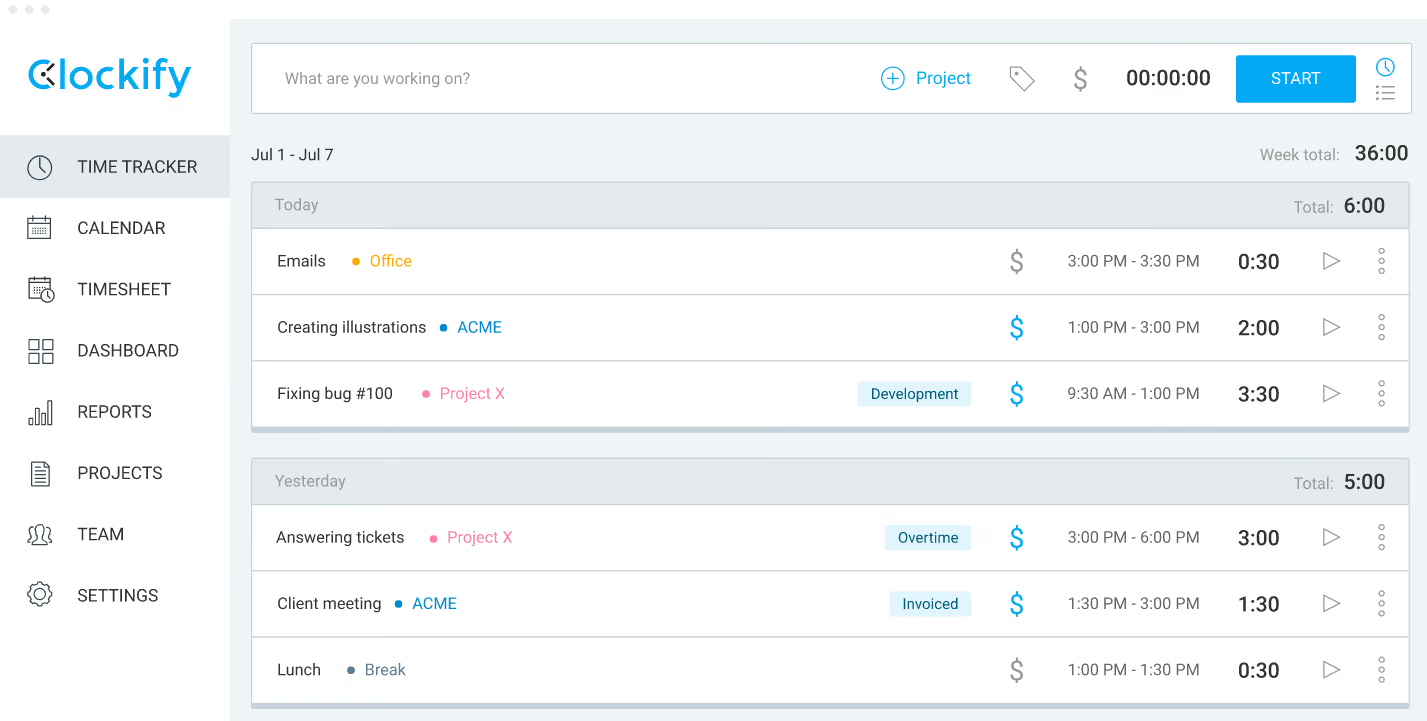
Clockify is a simplified, free time tracking timesheet application that allows companies to track team hours and projects. It allows users to keep track of employees timesheets, billable hours, and schedules, as well as generate reports. Clockify integrates with several different technology platforms, such as Jira and Asana, which is a great solution for those looking for a simple solution that is efficient and easy to use.
Atlassian, Google, Amazon, HP, Cisco, IBM, American Express.
Clockify offers a free plan with unlimited users and core features like time tracking, timesheets, kiosk mode, reports, and mobile apps. Paid plans add more control and compliance features: Basic starts at $3.99 per seat per month (billed annually) and introduces breaks, approvals, audits, and export customization, while Standard at $5.49 per seat adds attendance and overtime tracking, time-off management, invoicing, and locking time entries. Teams needing scheduling, GPS tracking, or labor cost insights can upgrade to Pro ($7.99 per seat), and Enterprise ($11.99 per seat) adds security features like SSO and audit logs.
Best For
Companies of all sizes as well as individuals looking for an easy-to-use, affordable and multi-access time tracking solution.

My team uses Clockify for daily operations, including project management, client invoicing, and time management. Previously, we were using Google Sheets to track time, and it was not very efficient.
My bookkeeper populates my employees' timesheets at the end of the week and integrates them with QuickBooks to prepare for weekly client invoicing.
My team uses Clockify daily for each client, and it allows us to add details for each project. I share those reports when invoicing clients so they know exactly what we are working on and where the time is spent.
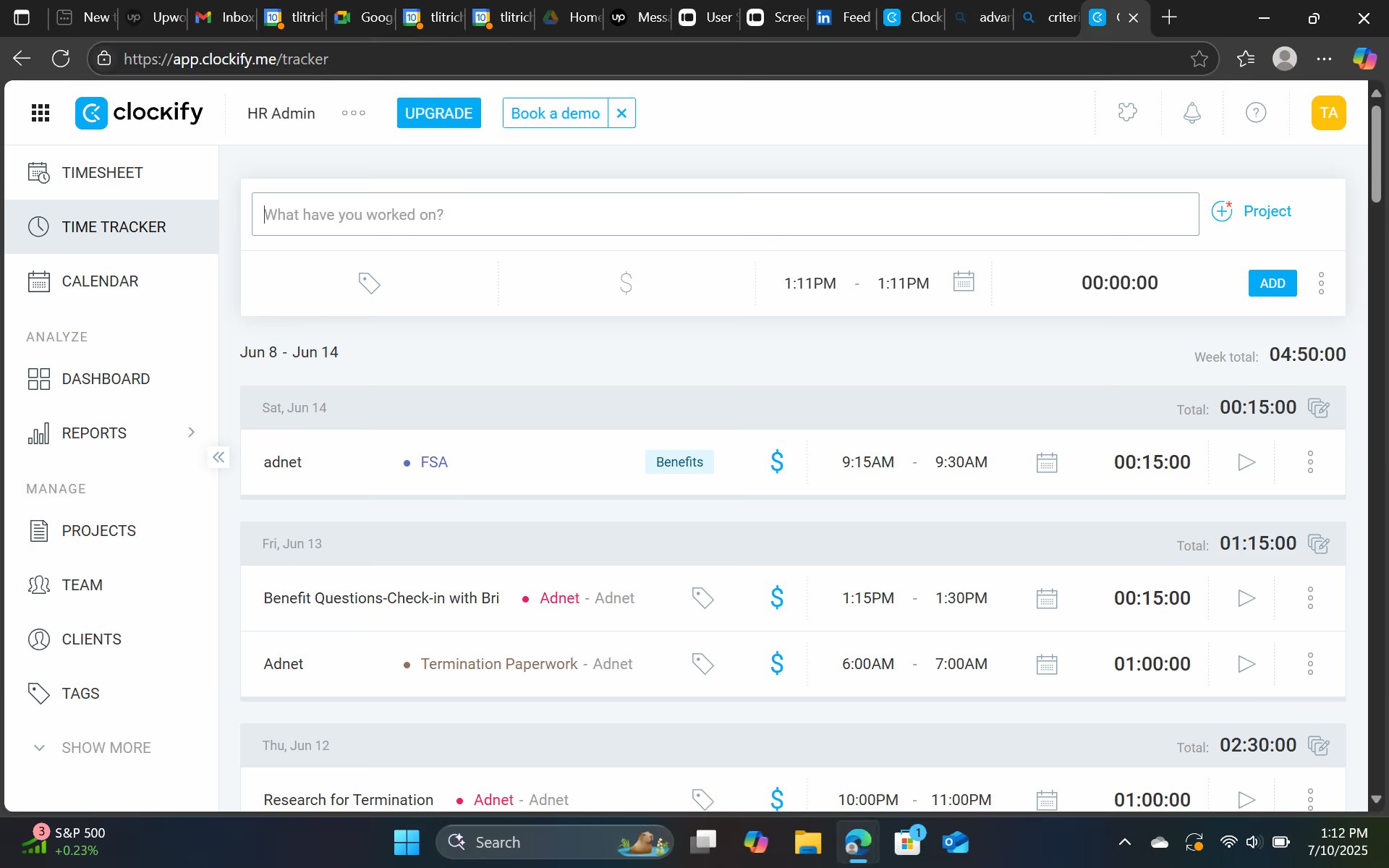
- Clockify integrates with QuickBooks for easy invoicing.
- Clockify allows you to separate projects and sub-projects for each client (for example, you can multitask and work on two projects or clients at once).
- Clockify is user-friendly and easy to start using and train staff on. We even created an SOP on best practices for my team.
I purchased Clockify because I have a team spread across multiple locations, working with different client demands and multiple projects, and I needed a one-stop solution to track time and productivity.
It allows my company to track time (minutes, hours, etc.) by team member and categorize it by project, which makes invoicing and billing to clients very seamless. Clockify is user-friendly and allows the admin to create different projects with detailed information for each client.
There are several paid options for advanced features, as well as a free version with limited access and features. I was previously using Time Doctor, which didn’t integrate with QuickBooks.
I have been using Clockify for six months and am really impressed with its features and functions.
- The free version is very limited in features and only allows manual time entry.
- The QuickBooks integration is sometimes slow to load, although it always works and is efficient once connected.
- The integrations with other software programs have bugs and still need improvement.
I have used Time Doctor and the Upwork time tracker. Clockify is user-friendly, cost-effective, and integrates with QuickBooks, which creates a streamlined process.
Time Doctor is easy to use; however, it often experiences glitches and bugs and occasionally shuts down, requiring the software to be re-downloaded to the desktop at least once a week. I have also used the Upwork tracker, which is helpful because it tracks screenshots and offers a manual time feature, allowing clients to choose how to track contractor/project time.
I prefer Clockify over Time Doctor due to its ease of use and additional paid features, including integration with various software.
Look for a tool that includes shift scheduling, team absence management, workload setting, and resource planning to avoid overtime costs. It's also important that the tool integrates with QuickBooks for client invoicing and allows for separation of projects. These features make it easier to manage time, resources, and billing across multiple teams and clients.
Over the last few months, Clockify has added new paid features that integrate with QuickBooks, support time tracking across multiple projects and clients, and offer streamlined reporting that can be downloaded quickly.
Clockify is good for startups, small businesses, and large businesses looking to keep track of time efficiently.
Clockify is not good for large enterprise organizations with 1,000 or more employees.

ZoomShift
Designed for hourly employees, ZoomShift has helped 20,000+ small businesses in saving time and money. ZoomShift is incredibly user friendly; It lets you easily make schedule, add staff, and view the summary of each hour.
PROS
- Manage staff scheduling on the move
- Color-coded schedules
- Forecast labor costs and hours with ease
CONS
- Updates too often for an employee scheduling software, which some customers may find confusing
- Some reports indicates that the tool tends to crashes and disconnects from the server
- Accidentally deleted shifts cannot be retrieved
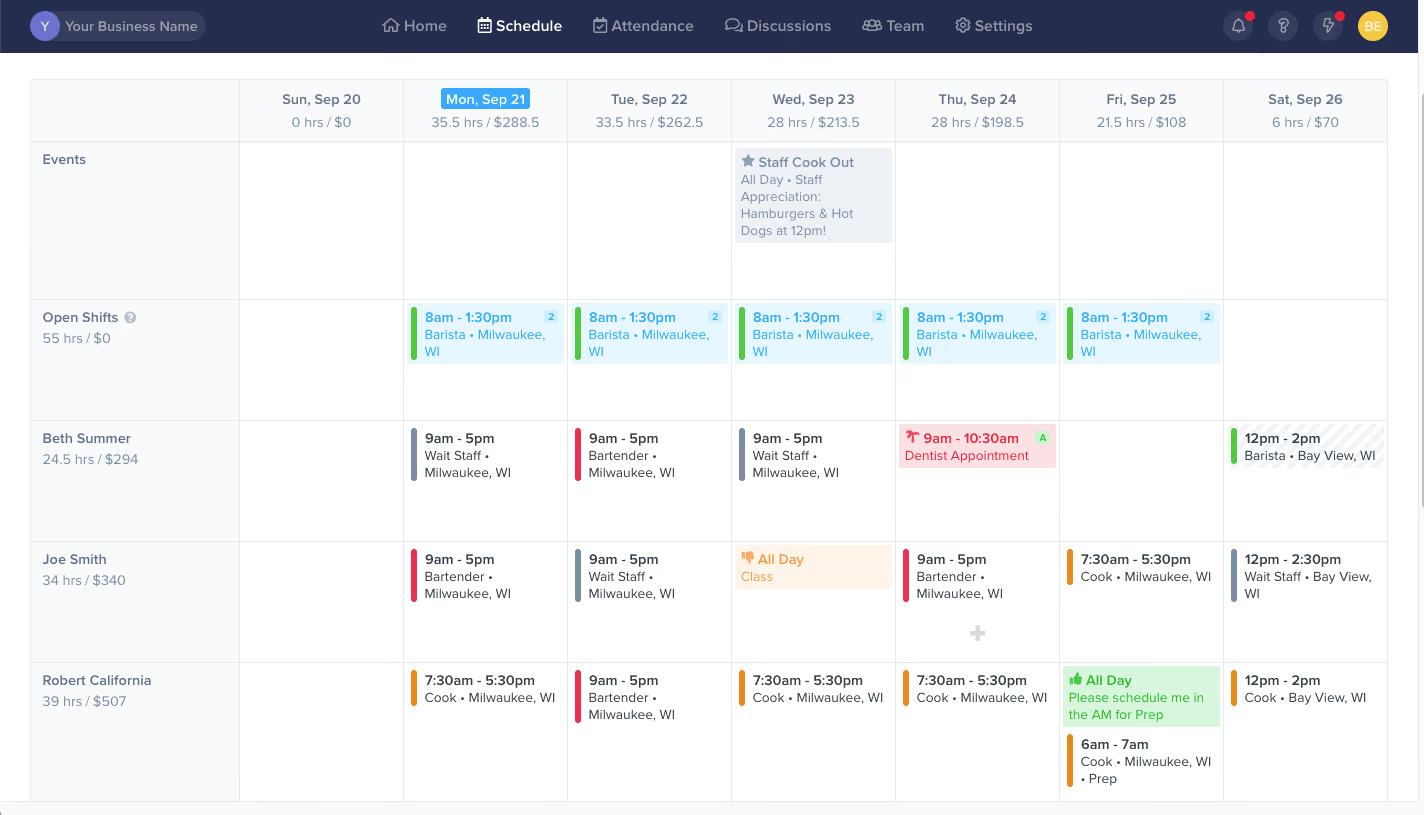
ZoomShift is an employee scheduling software designed for hourly employees. It allows for better time management so that milestones can be easily viewed and you schedule work in minutes. Employees can clock-in for assigned shifts using the web time clock or mobile time clock and management can edit timesheets on the fly from the free iOS and Android apps.
ZoomShift will help you to keep your team on the same page, you can invite your team to check their schedule and manage their availability. The drag and drop schedule builder makes it extremely easy for you to create your schedule. You also have the option to share the schedule via text, email to remind your team and keep them updated.
Plus, the app communication features allows for real-time discussion between team members to increase productivity, and improve the quality of work.
Ace Hardware, Amazon, Holiday Inn, Walgreens, ClearWater Outdoor.
ZoomShift offers a 14-day free trial and 3 paid plans:
- Essentials is free for up to 20 users and covers basic scheduling and team communication but does not include time tracking.
- Starter costs $2 per active user per month and introduces core time and attendance features such as timesheets, a time clock, payroll reports, PTO and break tracking, and calendar sync, making it suitable for growing hourly teams.
- Premium priced at $4 per active user per month, adds advanced attendance controls including geofenced clock-ins, overtime warnings, clock-in restrictions, schedule-versus-timesheet comparisons, and audit history, along with priority support and onboarding assistance.
Best For
Companies across different industries looking to track and manage their employee’s working hours, attendance, as well as shifts.

I use it regularly to manage employee scheduling and time tracking. One of the workflows I use it for is creating employee schedules. I can easily view employee availability, drag and drop shifts to assign them, and reduce errors in the scheduling process.
Another key workflow I use Zoomshift for is time tracking. the tool's time clock integration allows us to track employee hours automatically, which has been a huge time server for our organization.
.avif)
There are several things that I like about this tool. Here are three main reasons:
- The first thing I like about Zoomshift is its ease of use. the drag-and-drop interface makes it very easy to create and modify schedules, and the tool's automated shift reminders help ensure that employees are aware of their upcoming shifts. This has made the scheduling process much smoother and more efficient.
- Another thing I like about ZoomShift is its time-tracking capabilities. The tool's time clock integration has helped us save a significant amount of time and reduce errors in our payroll process. I can easily view and approve employees' time cards, as well as generate reports for payroll and other purposes.
- Finally, I appreciate the ability to communicate with employees through Zoomshift. The tool's messaging feature allows us to send real-time updates to employees about their shifts and any changes to the schedule. This has helped us improve communication with our employees and ensure that everyone is on the same page.
Overall. I have found Zoomshift to be a very useful and user-friendly tool for managing employees scheduling and time tracking. It has helped us save time, reduce errors, and improve communication with our employees.
Our organization decided to purchase ZoomShift to help streamline our employee scheduling and time-tracking processes. Prior to using this tool, we were manually creating schedules and tracking hours, which was time-consuming and prone to errors. We wanted a solution that could help us save time and reduce errors, while also giving employees more control over their schedules. were actually using this for a couple of months and were happy using it.
Here are some weaknesses of Zoomshift that I think need to improve:
- Mobile app limitation: The mobile app for ZoomShift is not as feature-rich as the web version, limiting the ability to manage and update on the go.
- Limited customization options: While the solutions are flexible, there are some limitations in terms of how much you can customize certain features such as scheduling templates. I wish there were more options for customizations to tailor it to our organization's needs.
- Pricing: Zoomshift’s pricing can be relatively high for businesses with a large number of employees, making it less accessible for small businesses and start-ups with limited budgets.
ZoomShift is different than its competitors in several ways. First, ZoomShift is very user-friendly and easy to navigate, which is not always the case with other scheduling tools. Secondly, ZoomShift offers a wide range of features and customization options, allowing businesses to tailor their scheduling need to fit their specific requirements. This includes features such as time clock tracking, shift swapping, and automatic scheduling.
When buying a scheduling tool like Zoomshift, there are several criteria to consider. Firstly, the tools should be easy to use and navigate, with a clear interface and simple features. Next, it should be flexible and customizable, allowing businesses to tailor the scheduling process to their specific needs. It should have features like time clock tracking and shift swapping, which can help streamline the scheduling process. Also, it should be affordable and offer good value for money. Finally, it should have strong customer support, with a knowledgeable and responsive team available to assist with any issues that may arise. My advice would be to research different options and read reviews from other users to find a tool that meets these criteria and is well-suited to your business needs.
Based on my experience, ZoomShift is very good for small to medium-sized businesses that need a user-friendly and customizable scheduling tool. It's also a great option for organizations that require shift schedules for their employees, such as restaurants, retail stores, and healthcare facilities. the tool is well-suited for businesses with employees who work in shifts and require an easy and efficient way to manage their schedules.
For me, one example is those small businesses or independent contractors who do not have a large workforce or who do not require advanced scheduling and time-tracking features. In addition, organizations that do not have reliable internet access or that have limited access to technology may not be able to fully utilize ZoomShift's features, as it is an online-based software. Similarly, businesses that operate primarily on paper-based systems may not find the transition to online-based scheduling and time-tracking software feasible.
Benefits of Time and Attendance Software
There are many benefits to using a time and attendance platform. We’ve listed some of these below.
- Increased accuracy and efficiency: Time and Attendance software can help improve overall efficiency and productivity. Within a single database, you’ll only have to enter employee information once, which will flow through various stages of your employee lifecycle, which can reduce the need for importing and exporting data.
- Access to a wider pool of talent: Implementing consistent time tracking best practices will make it easier to hire outside of your usual talent pool as remote workers can now be managed more efficiently. When used in combination with services like EOR companies, time and attendance software can help you build a global presence with relatively little effort.
- Automate your processes: Many systems have alerts and notifications that can proactively give employees reminders when employees are nearing overtime. This can notify managers for those in hourly shifts or positions that they need to better address overtime, or better manage their schedule. There can also be alerts that show when an employee has clocked in or out for the day.
- Improved bottom line: when you are using a modem platform, work hours are recorded in real time, which decreases opportunity for manual error. They can also cut down on time theft and things like buddy punching, which help improve your bottom line.
- Avoid tax, payroll and compliance issues: having a time and attendance platform that can help ensure that employees are being paid properly, and decrease any potential issues from a tax or compliance standpoint. Many benefits, such as vacation and overtime are tied to hours worked helps also ensure HR efficiency and compliance.
- Track projects and tasks: some platforms let users track hours for specific tasks or projects, which can be helpful for those that are looking to bill clients for specific tasks, specifically those in the corporate world - such as consultants and lawyers.
- Improve employee engagement and visibility: with time and attendance platforms, you can give your employees access to their schedules through an online profile or sometimes even a mobile time clock app. Your staff should be able to check their own schedule, view the schedule of coworkers or view available PTO time. Many platforms also allow employees to submit time off requests, which will then route directly to a manager. This can empower employees to have control over their own schedule, and increase engagement with any platform.
- Better scheduling: managers can view, build and access employees schedules to ensure there is coverage across the board. With a time and attendance platform you can start to enforce your attendance policy, and log the hours that your staff works (whether they are hourly or salaried). With robust analytics and reporting, this also makes it easy to assign shifts and cut down on employee issues of absenteeism.
- Reporting and analytics are your fingertips: real-time reporting helps you review and monitor your staff attendance. You can have easy access to schedules, see who is in your office or on the floor, and know who is off. This is beneficial for those that are managing shift based schedules or creating future schedules.
How to Choose Time and Attendance Software
To choose the best time and attendance software for your business comes down to fit: how your team tracks time today, the level of compliance and control you need, how well the system integrates with payroll or HR tools, and whether it can scale as your workforce grows.
- Do we need a standalone tool or an all-in-one platform? First, decide whether your team needs a standalone time and attendance tool that integrates with payroll or HR software, or an all-in-one platform that bundles time tracking with scheduling, payroll, or HRIS features. Standalone tools are often simpler and easier to replace, while all-in-one systems reduce tool sprawl but are harder to switch later.
- How does your team track time today? Map your current process before comparing vendors. Understand how employees clock in, who approves time, how edits are handled, and where data flows for payroll. Teams with simple workflows may need only basic tracking, while multi-location or shift-based teams often benefit from controls like geofencing, overtime alerts, and approval rules.
- What compliance risks do you need to manage? Compliance should factor heavily into your decision. Features such as break tracking, audit trails, edit histories, and overtime warnings help reduce wage-and-hour risk, particularly for hourly and frontline teams.
- How many employees and locations do you need to support? Practical constraints matter. Consider how many employees and locations you need to track, whether worksites have reliable internet access, and whether you’ll rely on mobile apps, kiosks, or physical clocks. Pricing usually scales with headcount and locations, so growth plans like seasonal hiring or expansion should be considered upfront.
- Will employees and managers actually use this tool? Ease of use is critical. Even capable systems fail if employees struggle to clock in or managers avoid approving time. Free trials are especially useful here, since they reveal friction that feature lists don’t.
- What level of support will you need long-term? Finally, look beyond features to ongoing support. If you don’t have in-house IT resources, vendor support quality, documentation, and integration reliability can matter as much as the software itself.
How Much Does Time and Attendance Software Cost?
Here are the different pricing models you can expect to see from various Time and Attendance Systems. Many companies have different pricing structures depending on what the product offers. We’ve broken out some of the various options below:
- Employees/User: Many companies charge on a monthly basis per user. For example, if you have 20 employees, you may pay a fee X per employee per month.
- By Month: Many platforms use a monthly pricing model that includes a base fee plus a per-employee cost. Some companies may also offer a flat fee.
- Annually: Some companies bill annually for a subscription.
Pro Tip: Know which companies charge for integrations and those that don’t. For example, some companies may charge for a direct integration or an API with a payroll platform.
Pro Tip 2: Many Time and Attendance companies offer discounts as part of their pricing model.
Pro Tip 3: Most software companies will require at least a one-year contract, although some may offer month-to-month. Ask this up front, so you know what you are committing to.
Overall Cost
Time and Attendance systems can cost anywhere between $240 – $1,600 for a monthly subscription, depending on the number of employees and the product suite. This also varies with the time tracking services, integrations, and any hardware associated.
A time and Attendance system can be very affordable with some of the basics.
What to budget:
Small companies can opt into a basic time tracking system for a small investment of $1000 or less. For companies with less than 25 employees, basic time clocks or a timekeeping platform can be implemented for around $500 to $750 (with implementation fees included). For more complex software and additional hardware, this could run from $2000 - $4000 for companies with around 25 to 150 employees.
Mid market - enterprise: For larger companies, they can expect to pay anywhere from $10,000 - $100,000 depending on the customization and need. This depends on employee count and total location count. Implementation fees can cost anywhere from $300 - $500, with hardware costing an additional $500 to $1,000 that can be purchased or rented for a monthly fee.
Features to Look for in Time and Attendance Software
The best time and attendance software platforms should offer clock-in and clock-out, timesheets, leave management, time accruals, reporting, and employee scheduling.
- Clocking in and out: This is a must-have for time and attendance - employees must be able to track time, clock in, record breaks, and clock out when the workday is done. This can be done using either card readers, pins, or personalized employee numbers. Devices for clocking in and clocking out can be at a punch station (tablet), on a computer, or a mobile device.
- Timesheets: Any basic timekeeping software should have an electronic timesheets within the software that includes all time entries for the corresponding pay period. These can be found on a dashboard, or on an individual’s profile.
- Leave management: Leave or time off management is a key aspect of time and attendance. There should be some standard level of time off tracking, such as having employees taking a half day, tracking sick time, or being able to add this onto timesheets.
- Time accruals: Some time and attendance platforms automatically record time off and accrue work hours on employee profiles based on rules set up on the back end. This is important for employees to view how much time they have available and can take off for any associated vacation or sick time.
- Reporting: Supporting the creation and maintenance of accurate record keeping and reporting is key for any time and attendance platform, and key for any HR activities within an organization. There should be basic reports, such as a total number of hours, overtime, and time off for employees, as well as data exports to CSV and Excel.
- Mobile/cloud-based: A cloud-based solution is key because it allows you and your staff to access your timekeeping platform anywhere. This often includes a browser integration, which means a device can be used to punch in without an app. Mobile and cloud support can help those who are remote time tracking and clocking hours, making it especially helpful for businesses with onsite and remote employees.
- Employee profiles: employees should be able to log in via their browser or the application to view time, clock in and out, view attendance records, and view schedules. This also encourages employees to take ownership of their own schedules.
- Manager dashboard: Most platforms offer a dashboard accessible to managers to approve time or time recorded for the week or pay period. The dashboard may include employees who report to them or those who are in their location. This often includes search functionality that lets managers view profiles and check hours for those who report to them.
- Scheduling: Having the option to schedule employee shifts is key to an efficient time-and-attendance tracking solution. This may include assigning employees shifts or creating an electronic schedule that employees can view.
Nice-to-haves:
- Biometric attendance: This is great for large workforces and for those with clock-in and clock-out functionality. This helps reduce the risk of fraud by using employee fingerprints or a personal identification number to authenticate clock-in and clock-out.
- Alerts: Most platforms will have automated alerts that notify recipients of missed punches or of approaching overtime.
- Integrations w/ calendars: many platforms that offer scheduling functionality also integrate with Google, Outlook, and more.
- Overtime tracking: Many systems have overtime settings, which are crucial for tracking hourly employees. These settings allow you to set a work week for the corresponding overtime requirements, such as overtime for a 40-hour work week or daily overtime.
- Payroll integration: Some time and attendance platforms offer payroll within the platform, or allow integration with an external payroll solution. There should be some level of integration that will pull through directly into your payroll processing dashboard. This may cost extra, but it will save lots of time and effort.
- Timeclock devices: Some platforms offer tablets and other devices for punching in and out. For those looking for a punch station, these devices can often be installed on-site by the company.
Questions To Ask Time and Attendance Vendors On Demos
Here are several questions we think every HR/Management team should be asking vendors while on demos:
- Can you clock in and out on a tablet or mobile device?
- Do you need an installer to add?
- What types of internet browsers does this run on?
- Can you export data to payroll/HRIS?
- Can you export data and run reports?
- How does clocking and clocking out work? What data do employees need to have when clocking in and out (i.e. employee number)?
- Is payroll included?
- Do you have an open API?
- What types of reporting functionality do you have?
- Do you have different types of security permissions based on roles?
- How do you approve time?
- Can employees access via an App? Is there mobile functionality?
- Are there any workflows or alerts?
- What types of security do you have in your system?
- Are there additional costs and setup fees per location?
- Does your platform require that we install anything?
- Can any custom PTO policies be tracked or set up?
- Are PTO accruals automated?
- Can you track tips?
- Is there a timesheet dashboard to view hours?
- Does the system include daily, weekly, and seventh day overtime?
- Can the system handle hourly and salaried employees?
- Does the system include the reports you require?
- Does the system include public holidays?
- Can the system handle sick and vacation accruals?
- Can the Administrator add, edit, and delete employee time punches?
- Can employees view their own timecard?
- Can employees request time off from within the system?
- Can the system round employee time punches?
There are many different types of customization within various platforms. It’s important that you ask questions up front based on your needs. Make sure you find a software that meets your needs efficiently, whether you need something focused on time and attendance solely, or need a platform that includes this functionality, and additional HR tools.
Common Terms to Know:
Here are some common terms to know when looking for a Time and Attendance platform.
- Overtime Tracking: Overtime tracking is a must for all time and attendance platforms; it typically allows you to track hours outside of the standard overtime rules and regulations by state.
- Flexible Pay Periods: This allows you to customize the start and end time (i.e., Monday - Sunday).
- 24 Hour Shift: For employees who are able to work time periods of longer than 24 hours without being required to clock in or out.
- Shift Swap Features: Employees can switch shifts through a timekeeping platform (great for hourly employees).
- Badge Terminal Systems: When a system uses badges or cards for access in order to clock in and out.
- Alerts and notifications: This refers to notifications or alerts around policies, or reminders on when schedules have changed or it’s time to clock in and out (these may vary across each software platform).
- Managing permissions: This allows you to restrict access to various platform areas based on role.
- Timecard: Displays each employee's attendance, including the time clocked in and clocked out.
- Geofencing: Tracking employees’ location via GPS and only allowing them to clock in from a specific area
- Group clock-ins: The ability for multiple employees to punch in using one device
- Time clock kiosk or tablet: This is a designated tablet that acts as a time clock device for punching in and out.
- Hardware: The electronic equipment you may need to get your time-tracking system up and running, including clock-in devices such as barcode or biometric scanners. This is not always necessary if you aren’t tracking hours of employees on-site.
- Software: This includes all of the cloud-based functionality for time and attendance, such as the ability to record, organize, and store employee hours.
Time and Attendance Software FAQs
What is time and attendance software?
Time and attendance software is designed to be a virtual punch card for your employees, where both the employer and employees can keep track of hours worked.
Why should you use time and attendance software?
You should use a time and attendance software because it increases accuracy and efficiency, improves your bottom line, automates processes, avoids compliance issues, tracks projects and tasks, improves engagement, and provides reporting and analytics.
What features does time and attendance software provide?
Key features of time and attendance software include clocking in and out, timesheet creation, leave management, time accruals, reporting, mobile apps, employee profiles, manager dashboards and scheduling, alerts, and integration with calendars.
Time and Attendance Software Trends
There are many trends on the horizon that are worth noting when evaluating time clock software. Some significant trends are:
- Mobile devices: Most companies have a mobile app that allows employees to clock in and out on their devices.
- Cloud-based systems: These are becoming increasingly commonplace for software companies. The benefit is that it allows employees to record and monitor time through devices they are already familiar with. It also allows for accurate time and attendance data to be captured and recorded in real time, with both managers and employees being able to make adjustments as needed.
About the Author


About Us

- Our goal at SSR is to help HR and recruiting teams to find and buy the right software for their needs.
- Our site is free to use as some vendors will pay us for web traffic.
- SSR lists all companies we feel are top vendors - not just those who pay us - in our comprehensive directories full of the advice needed to make the right purchase decision for your HR team.


