

20 Best Recruitment Website Builders in 2026
The top website builders for creating a recruitment site, reviewed and compared by an editor with a recruitment and marketing background.








The best recruitment website builder allows you to create professional websites for your corporate hiring or agency needs without any coding knowledge.
Our team has tested and reviewed over 50 different providers to compile a list of the best platforms for creating a recruitment website, with options suited to various recruitment needs, from independent recruiters to large staffing agencies.
Our selection methodology is predicated on a multi-faceted evaluation framework, ensuring that each recommended platform meets stringent criteria essential for a high-performing recruitment website. We focused on objective metrics and practical functionalities relevant to the recruitment industry.
Our key criteria included:
- Ease of Use: Assessment of the intuitive nature of the platform's interface, drag-and-drop functionality, and overall learning curve. A user-friendly experience is paramount for efficient website management.
- Customization Options: Evaluation of template variety, design flexibility, and the ability to modify layouts, colors, fonts, and integrate custom branding elements. Recruitment websites require distinct branding.
- Job Board Functionality: Examination of native or easily integrated features for listing job vacancies, including job descriptions, application forms, and search filters. This is a core requirement for any recruitment platform.
- Applicant Tracking System (ATS) Integration: Assessment of the platform's compatibility with the best ATS software, facilitating seamless candidate management. Efficient ATS integration is non-negotiable.
- SEO Capabilities: Analysis of built-in SEO tools, including meta tag editing, sitemap generation, mobile responsiveness, and clean URL structures, to ensure discoverability. High search engine visibility is crucial for candidate reach.
- Scalability: Consideration of the platform's ability to grow with your recruitment business, accommodating increased traffic, more job listings, and expanded functionalities.
- Pricing Structure: Detailed review of different pricing tiers, evaluating value for money, feature sets included at each level, and transparency of costs.
- Support and Resources: Assessment of customer support channels (live chat, email, phone), documentation, tutorials, and community forums.
- Security Features: Evaluation of SSL certificates, data encryption, backup options, and protection against common cyber threats. Candidate data security is paramount.
- Third-Party Integrations: Review of the platform's ecosystem for integrating with essential tools such as email marketing, analytics, CRM, and social media platforms.
- Mobile Responsiveness: Confirmation that all websites built on the platform adapt seamlessly to various devices, including smartphones and tablets, for an optimal user experience.
Each platform was meticulously assessed against these criteria, ensuring our recommendations are robust, practical, and directly applicable to your recruitment website needs.


Wix

Wix is a flexible website builder that works well for recruiters who need more than a landing page. It supports everything from simple careers pages to multi role job boards and full recruitment agency websites. With its visual editor and large app ecosystem, Wix gives recruiters control over both candidate experience and inbound lead generation without requiring technical resources.
PROS
- Drag and drop editor that is easy for non technical recruiting teams
- Large template library including layouts suitable for careers pages and agencies
- App Market with job board, form, scheduling, and CRM extensions
- Built in SEO tools to support long term candidate and client acquisition
- Scales well for small and mid sized recruitment operations
- Wix Ascend adds email marketing, CRM, and automation in one platform
- Drag and drop editor that is easy for non technical recruiting teams
- Large template library including layouts suitable for careers pages and agencies
- App Market with job board, form, scheduling, and CRM extensions
- Built in SEO tools to support long term candidate and client acquisition
- Scales well for small and mid sized recruitment operations
- Wix Ascend adds email marketing, CRM, and automation in one platform
CONS
- Switching templates after launch can be time consuming
- Larger sites may experience slower load times if overbuilt
- Storage and bandwidth limits on lower tier plans
- Requires ongoing optimization to avoid cluttered site structures
- Switching templates after launch can be time consuming
- Larger sites may experience slower load times if overbuilt
- Storage and bandwidth limits on lower tier plans
- Requires ongoing optimization to avoid cluttered site structures
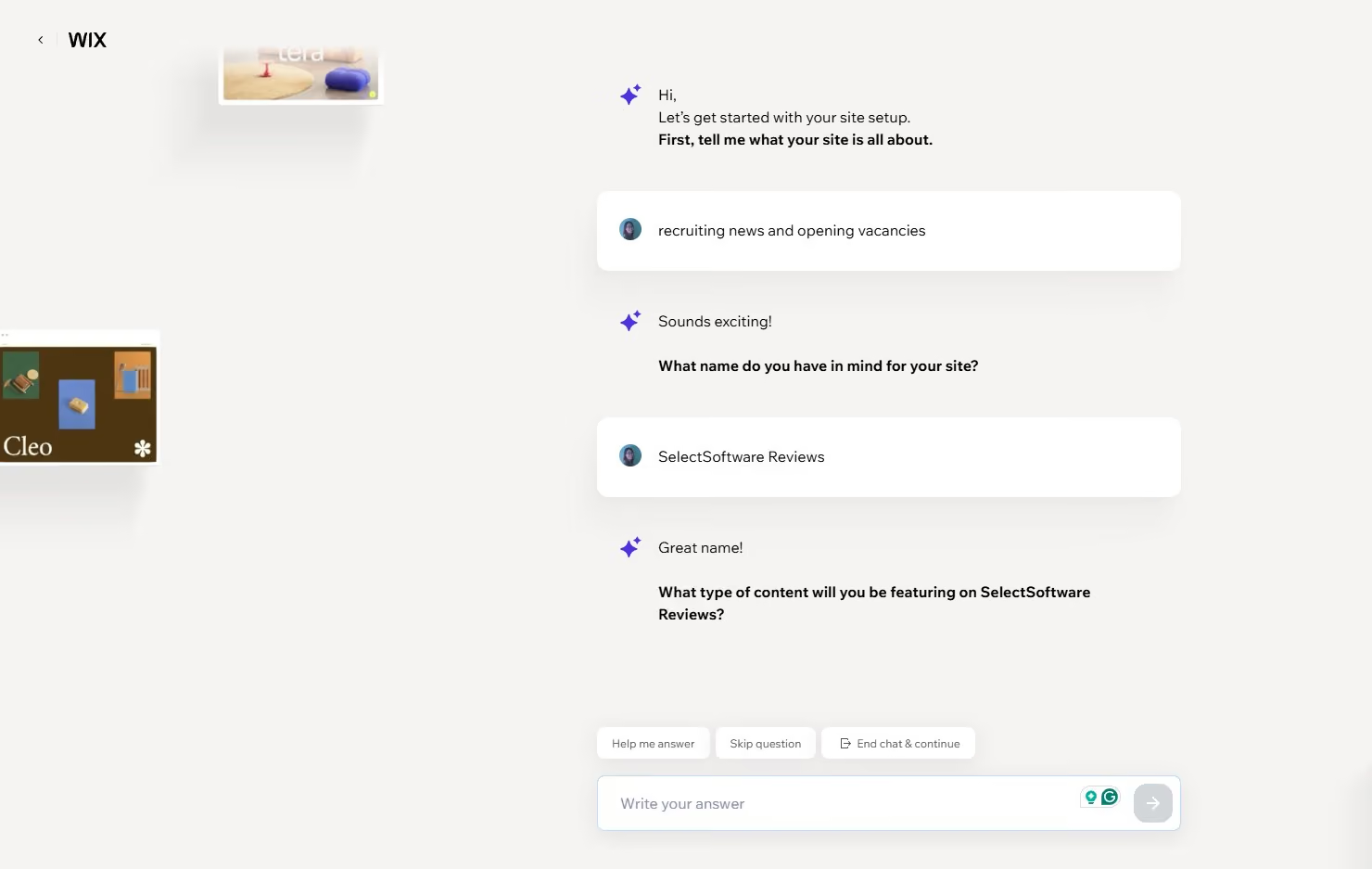
In recruiting environments, Wix is often used as the foundation for a complete recruitment website rather than a single campaign page. Recruiters use it to host multiple job listings, explain hiring processes, and present employer branding content in one place. This makes Wix well suited for agencies or internal teams that want candidates to browse roles, learn about the company, and apply without leaving the site.
Wix supports basic job board functionality through native features and third party apps. Recruiters can publish multiple open roles, organize them by department or location, and link applications to forms or ATS workflows. While it does not replace a full ATS, Wix works well as a front end layer that feeds candidate data into existing hiring systems or spreadsheets.
For agency recruiters, Wix is commonly used to balance candidate acquisition with client lead generation. Pages can be structured to clearly separate candidate facing content from employer services, allowing agencies to attract both audiences without confusion. Integrated contact forms, scheduling tools, and chat features make it easier to convert website visitors into active conversations.
Wix also stands out for inbound recruiting and long term talent attraction. Its built in SEO tools allow recruiters to optimize job pages, career content, and location specific roles for search. Over time, this supports organic candidate flow rather than relying entirely on job boards or paid ads.
With Wix Ascend, recruiters can add light CRM and marketing automation on top of the website. This is often used to follow up with applicants, nurture passive candidates, or manage employer inquiries without adding another standalone tool. For teams that want fewer systems to manage, this integrated approach can be appealing.
Overall, Wix offers recruiters flexibility and control, but it rewards thoughtful setup. Teams that invest time in site structure, performance optimization, and clear candidate flows tend to get the most value from it.
Wix plans start at $17 per month and scale to $159 per month.

Best For
Small to medium sized recruitment agencies and in house recruiting teams that want a customizable careers site, basic job board functionality, and integrated marketing tools in a single platform.

Durable
Durable is designed for speed. Instead of building a recruitment website page by page, the platform generates a complete site from a short prompt about your business. For recruiters who need a credible online presence quickly, this approach can dramatically shorten setup time.
PROS
- AI-generated recruiting website created in minutes
- Very fast setup for new recruiters or agencies
- Built-in CRM for managing candidate and client inquiries
- Includes SEO tools and hosting without extra configuration
- Custom domain available on paid plans
- AI generated websites including layout, copy, and images
- Extremely fast setup with a live site created in minutes
- Simple editor for quick text and section updates
- Built in CRM and basic analytics
- Low effort way to establish an online recruiting presence
CONS
- Very limited recruitment-specific templates
- Limited customization compared to builders like Wix or WordPress
- Basic SEO and integration capabilities
- Not ideal for large agencies needing complex hiring workflows
- Limited design flexibility compared to advanced builders
- AI generated content often needs heavy editing for recruiting accuracy
- Fewer integrations and advanced features
- Not suited for complex or highly branded recruiting sites
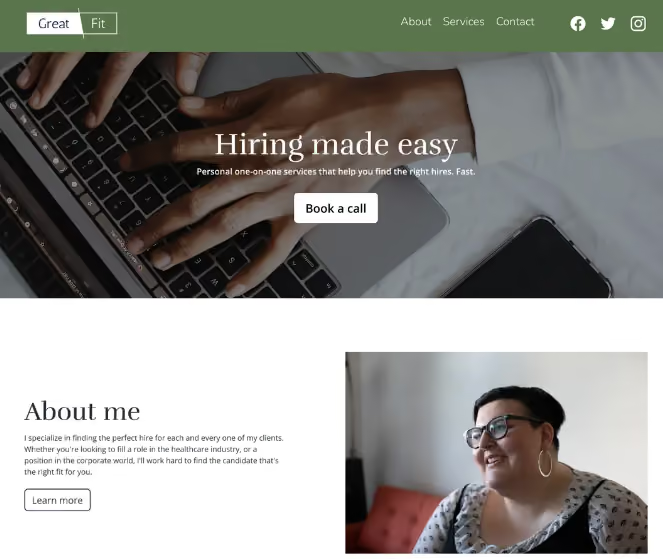
In practice, Durable works best when a recruiter needs a quick but professional recruiting presence without spending days building a website. During testing, the platform generates a full website including service pages, candidate lead forms, and branding elements after answering a few prompts about the business.
For independent recruiters or newly launched agencies, this can remove the usual barrier to launching a website. Instead of starting from a blank template, Durable produces a site that already includes sections for recruiting services, client outreach, and candidate engagement. Recruiters can quickly adapt these pages to explain the industries they specialize in, the types of roles they fill, and how candidates can apply.
Durable also includes a built-in CRM and contact capture system, which can act as a lightweight candidate intake tool. Recruiters can use this to collect candidate inquiries, resumes, or employer requests without setting up a full ATS. For early-stage agencies, this creates a simple pipeline for managing incoming leads from the website.
Another practical use case is recruiting campaign pages. Because sites can be generated quickly, recruiters can launch temporary pages promoting specific hiring initiatives, talent communities, or new service offerings. These pages can then be shared in outreach emails, LinkedIn messages, or paid job campaigns.
Where Durable becomes more limited is in advanced recruiting infrastructure. The platform currently offers very few recruitment-specific templates and minimal support for structured job boards or complex hiring workflows. Recruiters who need large job databases, deep ATS integrations, or custom application pipelines may quickly run into limitations.
Overall, Durable is best understood as a fast launch tool rather than a long-term recruiting platform. It works particularly well for independent recruiters, boutique agencies, and early-stage hiring teams that want to establish credibility online without technical setup.
Durable offers a free plan, with paid plans starting at $22 per month.
Best For
Independent recruiters and small agencies that want to launch a recruiting website quickly using AI-generated pages and simple candidate lead capture.

Carrd
Carrd is a strong option for recruiters who need a fast, focused way to present opportunities and capture candidate interest. Rather than functioning as a full recruitment website or job board, Carrd is best used as a lightweight recruiting layer that supports specific hiring goals with minimal setup.
PROS
- Extremely easy to use with a short learning curve
- Very affordable pricing with a free tier for basic use
- Mobile optimized templates that work well for candidate traffic
- Fast setup for time sensitive hiring campaigns
- Clean design that keeps candidates focused on the role
- Extremely easy to use with a short learning curve
- Very affordable pricing with a free tier for basic use
- Mobile optimized templates that work well for candidate traffic
- Fast setup for time sensitive hiring campaigns
- Clean design that keeps candidates focused on the role
CONS
- Limited to single page sites
- Not suitable for multi role job boards or complex hiring funnels
- Minimal SEO controls compared to full website builders
- No native ATS or hiring automation features
- Limited to single page sites
- Not suitable for multi role job boards or complex hiring funnels
- Minimal SEO controls compared to full website builders
- No native ATS or hiring automation features
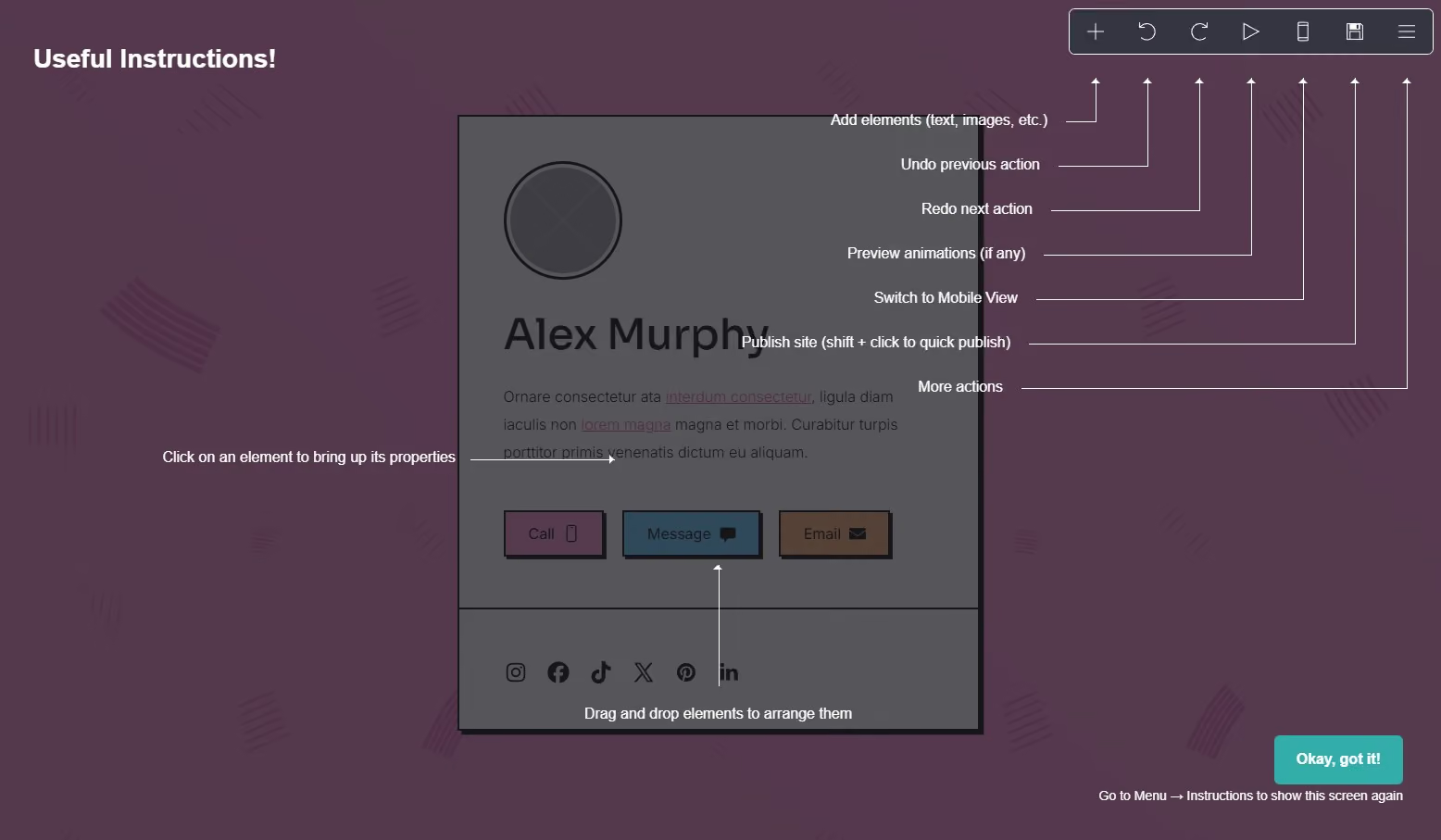
In real recruiting scenarios, Carrd is commonly used to build role specific landing pages for high priority or hard to fill positions. Recruiters can highlight why a role exists, what success looks like, and what kind of candidate they want to speak with. Because everything lives on a single page, candidates can quickly understand the opportunity without navigating multiple sections or filtering through unrelated roles. This approach works especially well for executive searches, confidential hiring, and early stage talent outreach.
Carrd is also effective for engaging passive candidates. Instead of pushing prospects directly into an ATS application, recruiters can use Carrd to introduce the role in a more conversational way. Embedded forms from tools like Typeform, Google Forms, or Airtable allow candidates to register interest, upload a resume, or simply share contact details. This creates a softer entry point into the hiring process and often results in higher response rates from passive talent.
For outbound recruiting and advertising, Carrd serves as a clean and conversion focused destination. Recruiters frequently link Carrd pages in LinkedIn messages, email outreach, and paid job ads. The page reinforces employer value, clarifies expectations, and guides candidates toward a clear next step. Because pages can be duplicated and edited quickly, recruiters can easily tailor messaging for different roles, locations, or campaigns without rebuilding an entire website.
Carrd is also used by independent recruiters and small agencies as a simple employer branding presence. A single page can communicate niche expertise, types of roles recruited for, and contact information in a professional format. This helps establish credibility with candidates and clients without the overhead of maintaining a complex site.
Overall, Carrd works best when recruiters need speed and clarity. It is not designed to replace an ATS or manage large volumes of applicants, but as a tool for targeted hiring campaigns, talent capture, and outbound recruiting support, it fits naturally into modern recruiting workflows.
Carrd plans start at $9 per year and scale to $49 per year.
Best For
Independent recruiters, boutique agencies, and lean talent teams that need role specific landing pages, passive candidate capture, and quick recruiting microsites without engineering support.

WooCommerce
WooCommerce is not a website builder on its own, but when paired with WordPress.org it becomes a powerful layer for recruiters who monetize their services online. It is most relevant for recruitment businesses that sell access, packages, or products rather than relying solely on one to one outreach.
PROS
- Full ecommerce functionality for selling recruitment services and products
- Deep integration with WordPress for full design and content control
- Large extension marketplace for payments, subscriptions, and marketing
- Scales well for high volumes of listings, users, and transactions
- Full ownership of customer, employer, and transaction data
- Full ecommerce functionality for selling recruitment services and products
- Deep integration with WordPress for full design and content control
- Large extension marketplace for payments, subscriptions, and marketing
- Scales well for high volumes of listings, users, and transactions
- Full ownership of customer, employer, and transaction data
CONS
- Requires an existing WordPress.org setup
- Adds complexity to website management and maintenance
- Ongoing updates needed for WordPress, WooCommerce, and extensions
- Setup can be time intensive without technical support
- Requires an existing WordPress.org setup
- Adds complexity to website management and maintenance
- Ongoing updates needed for WordPress, WooCommerce, and extensions
- Setup can be time intensive without technical support
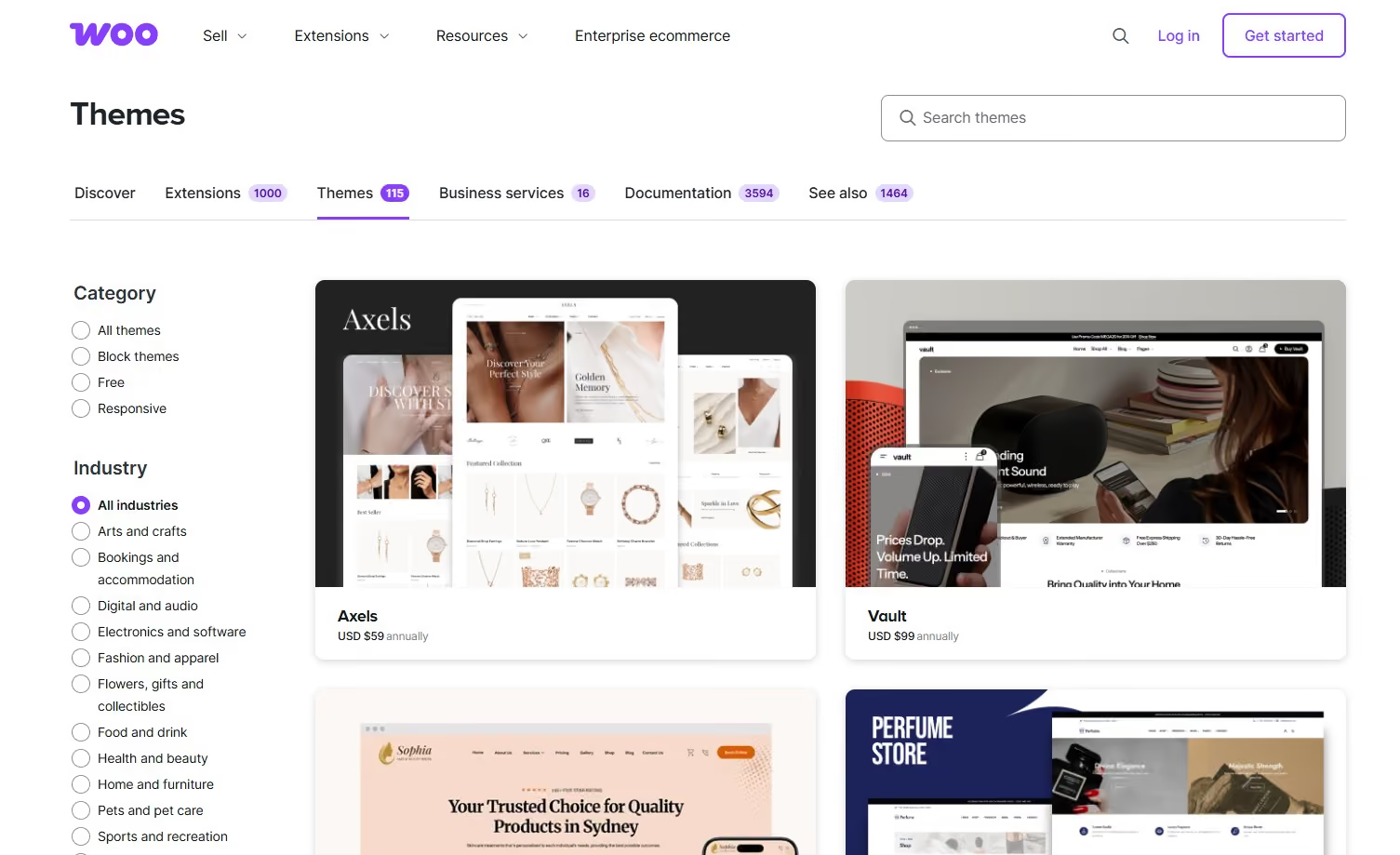
In recruiting contexts, WooCommerce is most often used when hiring becomes a paid transaction rather than a free application flow. Recruitment agencies and job board operators use it to sell employer facing products such as job posting credits, featured listings, or bundled hiring packages. This allows recruiters to productize their services instead of relying entirely on custom proposals or invoicing.
WooCommerce also supports subscription based recruiting models. Recruiters can offer monthly access to candidate databases, ongoing job posting plans, or retained search style packages with recurring billing. This is especially useful for agencies and platforms that want predictable revenue tied directly to hiring activity.
For recruiters who offer education or enablement, WooCommerce is frequently used to sell hiring courses, interview training, or certification programs. When combined with learning plugins, recruiters can host paid training alongside job content, turning their website into both a hiring and learning hub.
WooCommerce works well with job board plugins and custom workflows. Employers can purchase job listings directly through the site, submit role details after checkout, and manage their listings through WordPress dashboards. This creates a self serve experience that reduces manual admin work for recruiting teams.
From a data and control perspective, WooCommerce appeals to recruiters who want ownership. All employer data, transactions, and hiring products live within the WordPress ecosystem, giving teams flexibility to customize pricing, access rules, and reporting without relying on third party marketplaces.
Overall, WooCommerce is best viewed as a monetization engine rather than a recruiting interface. When layered onto a well structured WordPress recruitment site, it enables recruiters to scale paid offerings while maintaining full control over branding and workflows.
WooCommerce’s paid themes start at $49 per year.
Best For
Recruitment agencies, staffing firms, and job board operators that sell job postings, hiring packages, subscriptions, or training products and want to manage those transactions directly within a WordPress based recruiting platform.

WordPress.com
WordPress.com is the hosted counterpart to WordPress.org and is designed for recruiters who want the power of WordPress without managing hosting, security, or updates. With the addition of its AI website builder, it has become especially appealing for recruiters who want to launch a professional recruiting site quickly while retaining room to grow.
PROS
- AI assisted website creation for fast initial setup
- Fully managed hosting with security and updates handled
- Familiar WordPress editor and content structure
- Built in CMS for managing job listings and recruiting content
- Strong SEO foundations compared to most hosted builders
- Scales from simple sites to more content heavy recruiting hubs
- AI assisted website creation for fast initial setup
- Fully managed hosting with security and updates handled
- Familiar WordPress editor and content structure
- Built in CMS for managing job listings and recruiting content
- Strong SEO foundations compared to most hosted builders
- Scales from simple sites to more content heavy recruiting hubs
CONS
- Less flexibility than self hosted WordPress.org
- Advanced customization requires higher tier plans
- Plugin access is limited compared to WordPress.org
- Ecommerce and advanced features increase cost quickly
- Less flexibility than self hosted WordPress.org
- Advanced customization requires higher tier plans
- Plugin access is limited compared to WordPress.org
- Ecommerce and advanced features increase cost quickly
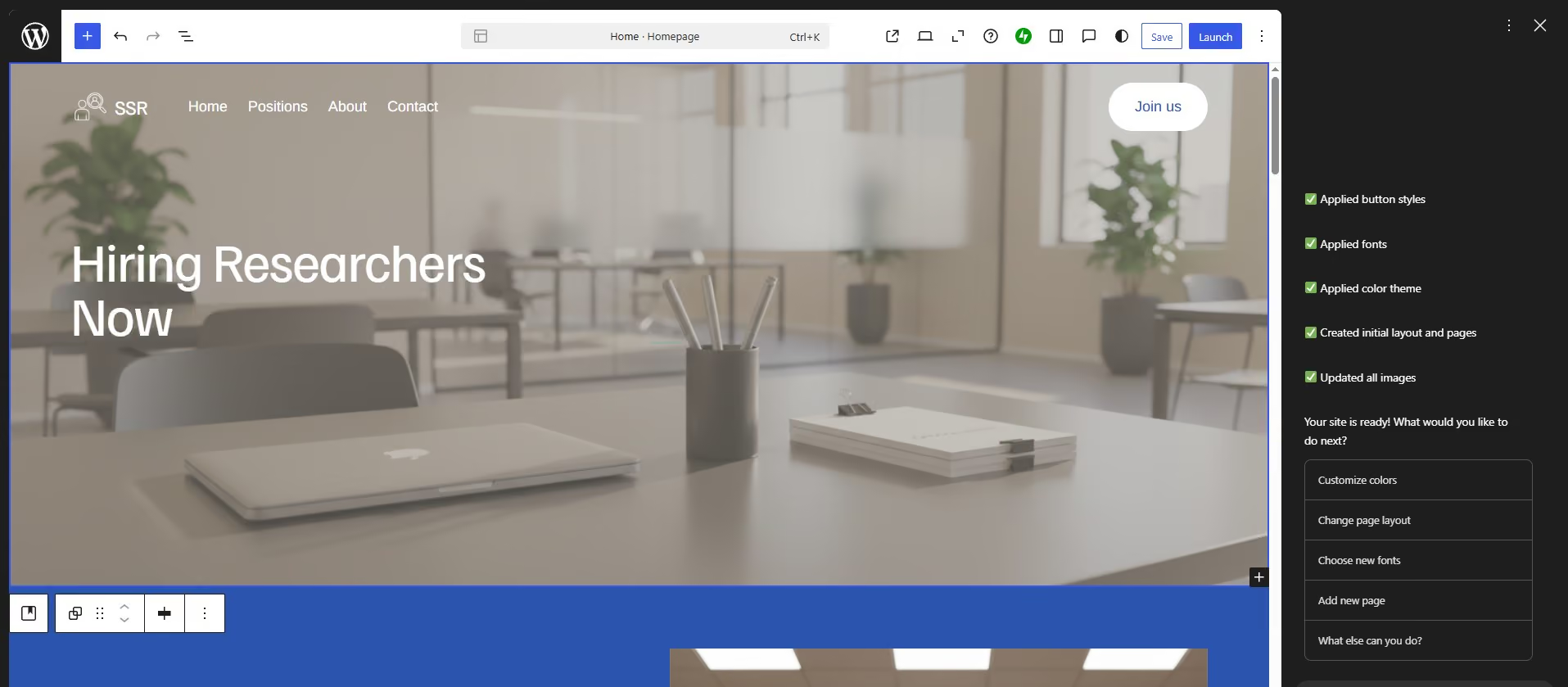
In recruiting workflows, WordPress.com is most often used by teams that want a stable, long term recruiting website without the operational overhead of self hosting. The AI website builder allows recruiters to generate a starting site by describing their business, hiring focus, or audience. This helps teams move past blank page paralysis and get a functional site live quickly.
Recruiters use WordPress.com to publish careers pages, role descriptions, hiring guides, and employer branding content. The CMS makes it easy to update job listings and recruiting content over time, supporting ongoing hiring rather than one off campaigns.
WordPress.com works well as a front end layer for ATS driven recruiting. Recruiters often link job listings to external application flows while keeping content and branding on their own site. This preserves a professional candidate experience without requiring custom development.
For inbound recruiting, WordPress.com offers stronger SEO foundations than many all in one builders. Recruiters can create evergreen hiring content, role explainers, and location specific pages that attract candidates through search over time. While not as flexible as WordPress.org, it offers enough control for most small and mid sized teams.
The main tradeoff is control. Recruiters who want deep customization, advanced plugins, or complex integrations may find the hosted environment limiting. However, for teams that value reliability, speed, and simplicity, those constraints are often acceptable.
Overall, WordPress.com is best viewed as a managed recruiting CMS. It balances ease of use with content depth, making it a practical option for recruiters who want WordPress benefits without technical responsibility.
WordPress.com plans start at $4 per month when billed annually.
Best For
Recruitment agencies and in house talent teams that want a managed WordPress experience with AI assisted setup, solid SEO, and CMS driven recruiting content, without handling hosting, security, or maintenance themselves.

Framer
Framer is a high end website builder that appeals to recruitment teams who treat their website as a brand experience rather than just a functional careers page. It is especially well suited for teams that want full visual control, smooth interactions, and a polished candidate experience that stands out in competitive talent markets.
PROS
- Precise design control with advanced animations and interactions
- Strong performance with fast load times and responsive layouts
- Built in CMS suitable for managing job listings and hiring content
- Real time collaboration features for teams working together on design
- Clean code output that supports long term site performance
- Precise design control with advanced animations and interactions
- Strong performance with fast load times and responsive layouts
- Built in CMS suitable for managing job listings and hiring content
- Real time collaboration features for teams working together on design
- Clean code output that supports long term site performance
CONS
- Steeper learning curve for non designers and non technical recruiters
- Higher pricing compared to general purpose website builders
- Smaller ecosystem of third party integrations
- Less suited for quick setup or templated recruiting sites
- Steeper learning curve for non designers and non technical recruiters
- Higher pricing compared to general purpose website builders
- Smaller ecosystem of third party integrations
- Less suited for quick setup or templated recruiting sites
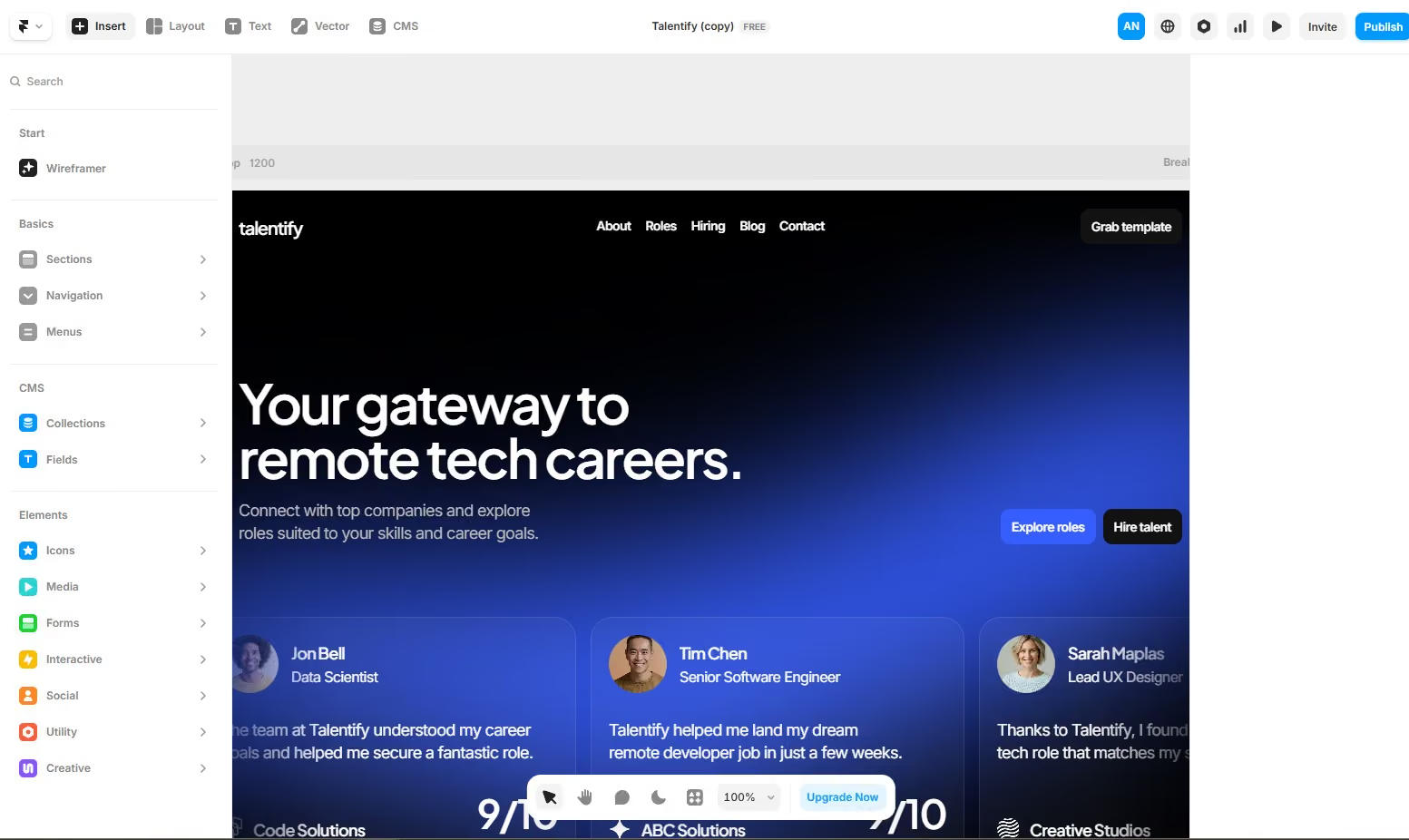
In recruiting use cases, Framer is most often chosen when employer branding is a top priority. Recruitment teams use it to craft visually rich careers pages that communicate culture, mission, and role impact through motion, layout, and interaction rather than static content. This is especially valuable for startups, tech companies, and creative organizations competing for top talent.
Framer’s CMS allows recruiters to manage job listings and hiring content without sacrificing design quality. Roles can be structured as CMS entries and rendered dynamically across the site, making it possible to update openings without rebuilding pages. While this does not replace an ATS, it works well as a front end layer that presents jobs in a visually compelling way and then routes candidates to application flows elsewhere.
Recruiters also use Framer to create immersive storytelling experiences around hiring. Instead of listing responsibilities and requirements in a standard format, teams can guide candidates through what the role looks like in practice, how teams collaborate, and what growth paths exist. Subtle animations and transitions help keep candidates engaged while reinforcing brand identity.
For teams with in house designers, Framer fits naturally into existing workflows. Designers can prototype, iterate, and publish directly without handing work off to developers. This shortens feedback loops between recruiting, design, and leadership while keeping the hiring site aligned with brand standards.
Where Framer is less effective is operational recruiting at scale. Teams that rely heavily on ATS integrations, complex application logic, or large job boards may find the ecosystem limiting. Framer rewards teams that value presentation and experience over automation and breadth of integrations.
Overall, Framer is best viewed as a branding and experience platform for recruiting. When visual differentiation is a competitive advantage in hiring, it gives recruiters a way to stand out without compromising performance.
Framer offers a free design plan, with paid plans starting at $10 per month.
Best For
Recruitment teams and agencies with strong design capabilities that want to create visually distinctive careers pages, brand led hiring experiences, and interactive recruitment websites that go beyond standard templates.

Chariot
Chariot is a newer website builder that focuses on speed, performance, and AI driven site creation. For recruiters, it is most relevant when the goal is to launch a clean, modern recruiting site quickly without spending time on layout decisions or complex configuration.
PROS
- AI powered site generation that creates initial layouts from prompts
- Fast load times and performance focused output
- Modern design styles that align with current web trends
- Guided setup process that reduces decision fatigue
- Minimal setup required to get a site live
- AI powered site generation that creates initial layouts from prompts
- Fast load times and performance focused output
- Modern design styles that align with current web trends
- Guided setup process that reduces decision fatigue
- Minimal setup required to get a site live
CONS
- Limited feature depth compared to mature website builders
- Few recruitment specific tools or integrations
- Smaller ecosystem with limited community support
- Not well suited for large scale or complex recruiting operations
- Limited feature depth compared to mature website builders
- Few recruitment specific tools or integrations
- Smaller ecosystem with limited community support
- Not well suited for large scale or complex recruiting operations
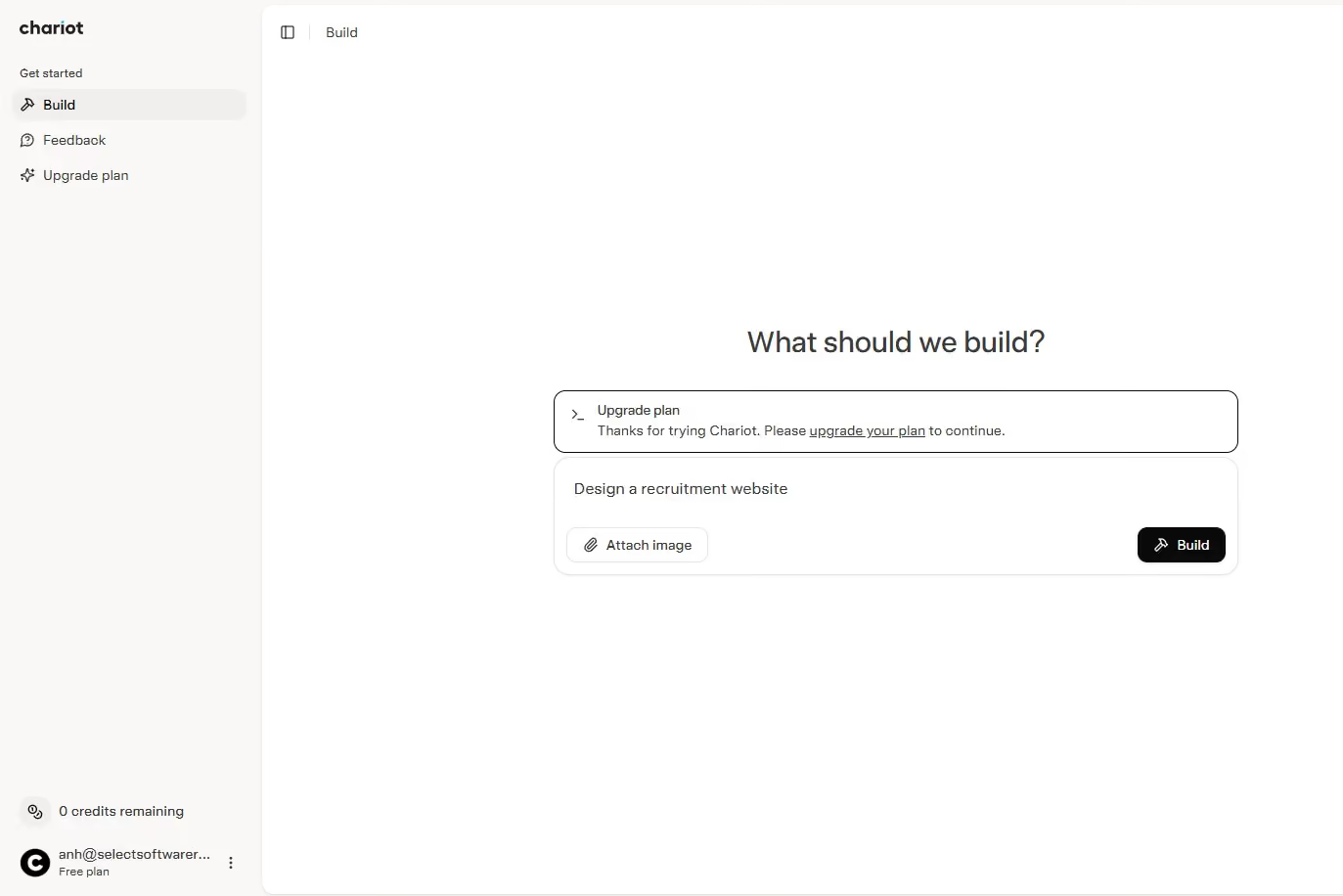
In recruiting use cases, Chariot is typically used when speed is the top priority. Recruiters can describe their business or hiring goals in plain language and generate a functional website draft within minutes. This makes it useful for launching a basic recruiting presence, agency site, or early stage careers page without starting from a blank canvas.
Chariot works best for presenting information rather than managing hiring workflows. Recruiters use it to explain who they hire for, what roles they specialize in, and how candidates or clients should get in touch. Its clean layouts and modern visual style help establish credibility quickly, especially for independent recruiters or new agencies building an online presence for the first time.
Because the platform is optimized for performance, Chariot sites tend to load quickly and work well on mobile devices. This benefits candidate experience, particularly when traffic comes from social media, outbound messages, or referrals where attention spans are short.
Where Chariot falls short is deeper recruiting functionality. It does not currently support native job boards, ATS style application flows, or advanced integrations. Recruiters typically pair it with simple contact forms or external application links rather than managing candidates directly on the site.
As a newer platform, Chariot is still evolving. Recruiters who need customization, integrations, or long term scalability may find it limiting. However, for teams that want to move fast and are comfortable iterating as the product matures, it offers a low friction way to get started.
Overall, Chariot is best viewed as a quick launch tool rather than a long term recruiting platform. It fills a gap for recruiters who value speed, simplicity, and modern design over feature depth.
Chariot plans start at $17 per month, with pay-as-you-go credits available.
Best For
Recruiters and small agencies that want to launch a clean, modern recruiting website quickly, especially those who are open to using an ChatGPT-like chatbot to generate an initial site and refine it over time.

Webflow
Webflow sits between visual website builders and fully custom development, making it a strong choice for recruiters who want precise control over design and structure without maintaining a traditional codebase. It is especially well suited for recruitment teams that treat their website as a core hiring and branding asset rather than a simple publishing tool.
PROS
- High level of design control without writing code
- Robust CMS for managing job listings, hiring content, and career resources
- Clean code output that supports long term maintainability
- Strong built in SEO capabilities
- Fast and reliable site performance
- Large library of tutorials and an active professional community
- High level of design control without writing code
- Robust CMS for managing job listings, hiring content, and career resources
- Clean code output that supports long term maintainability
- Strong built in SEO capabilities
- Fast and reliable site performance
- Large library of tutorials and an active professional community
CONS
- Steeper learning curve for recruiters without design experience
- Higher cost compared to basic website builders
- Many integrations require third party tools or custom setup
- Not ideal for teams that want a quick template based solution
- Steeper learning curve for recruiters without design experience
- Higher cost compared to basic website builders
- Many integrations require third party tools or custom setup
- Not ideal for teams that want a quick template based solution
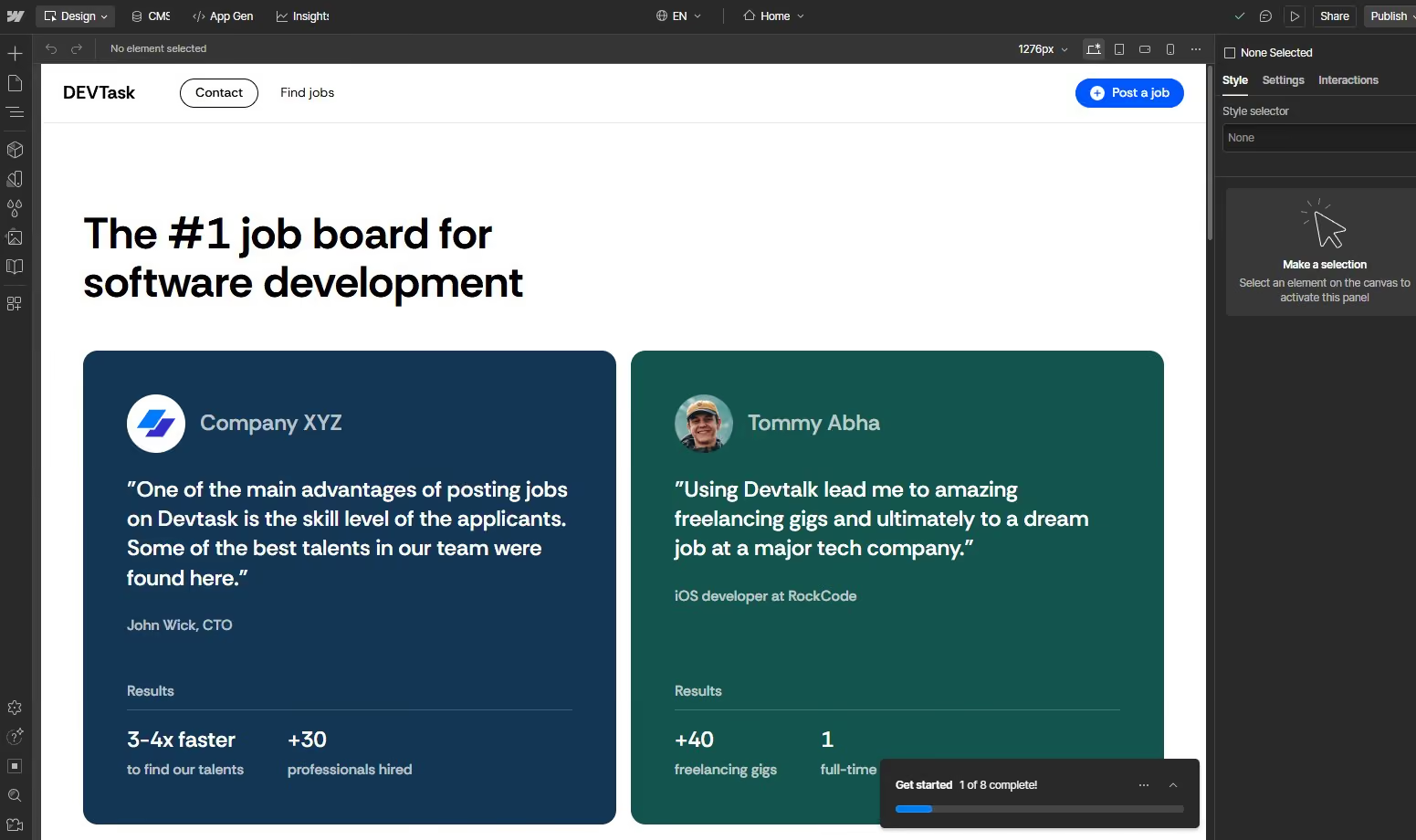
In recruiting workflows, Webflow is most often used to build fully customized careers sites and agency websites that reflect a specific hiring brand. Recruiters and designers use it to control layout, typography, and interactions at a granular level, ensuring the candidate experience aligns closely with employer branding and messaging.
Webflow’s CMS is a major advantage for recruiting teams managing multiple roles or ongoing hiring content. Job listings can be structured as CMS items and dynamically displayed across the site by role type, location, or team. This allows recruiters to update openings quickly without rebuilding pages, while maintaining consistent formatting and design standards.
Webflow is frequently used as the front end layer for ATS driven hiring. Recruiters present roles in a branded, SEO friendly format and then link candidates out to application flows hosted in tools like Greenhouse, Lever, or Ashby. This approach avoids the design limitations of ATS hosted career pages while preserving operational hiring workflows behind the scenes.
For inbound recruiting, Webflow supports long term talent attraction through content. Recruiting teams often publish hiring guides, role explainers, and location specific pages that attract candidates through search. Clean code and built in SEO controls give recruiters confidence that their hiring content can perform well organically over time.
Where Webflow requires more investment is setup and maintenance. Recruiters typically need design support to fully leverage the platform, and integrations often require tools like Zapier or custom configuration. Teams that are comfortable with this tradeoff tend to benefit from the level of control Webflow provides.
Overall, Webflow is best suited for recruiters who want custom design and structured content without fully custom development. It rewards teams that value precision, performance, and long term scalability in their recruiting websites.
Webflow offers a free Starter plan, with paid plans starting at $14 per month when billed yearly.
Best For
Recruitment agencies and in house talent teams that want a highly customized careers site, CMS driven job management, and strong SEO performance, and are comfortable working within a designer centric website workflow.
HubSpot CMS Hub
HubSpot CMS Hub is designed for recruitment teams that view their website as part of a larger growth system rather than a standalone asset. It combines website building with CRM, marketing automation, and analytics, making it especially relevant for agencies that manage long candidate and client journeys.
PROS
- Native integration with HubSpot CRM for candidates and clients
- Strong marketing automation for email, workflows, and nurturing
- Personalization tools based on CRM data and visitor behavior
- Built in SEO tools and detailed analytics
- Secure, managed hosting with enterprise grade reliability
- Scales well as recruiting teams and databases grow
- Native integration with HubSpot CRM for candidates and clients
- Strong marketing automation for email, workflows, and nurturing
- Personalization tools based on CRM data and visitor behavior
- Built in SEO tools and detailed analytics
- Secure, managed hosting with enterprise grade reliability
- Scales well as recruiting teams and databases grow
CONS
- Higher cost compared to standalone website builders
- Broad feature set creates a steeper onboarding curve
- Deep platform dependency can make future migrations difficult
- Less design flexibility than design first builders like Webflow
- Higher cost compared to standalone website builders
- Broad feature set creates a steeper onboarding curve
- Deep platform dependency can make future migrations difficult
- Less design flexibility than design first builders like Webflow
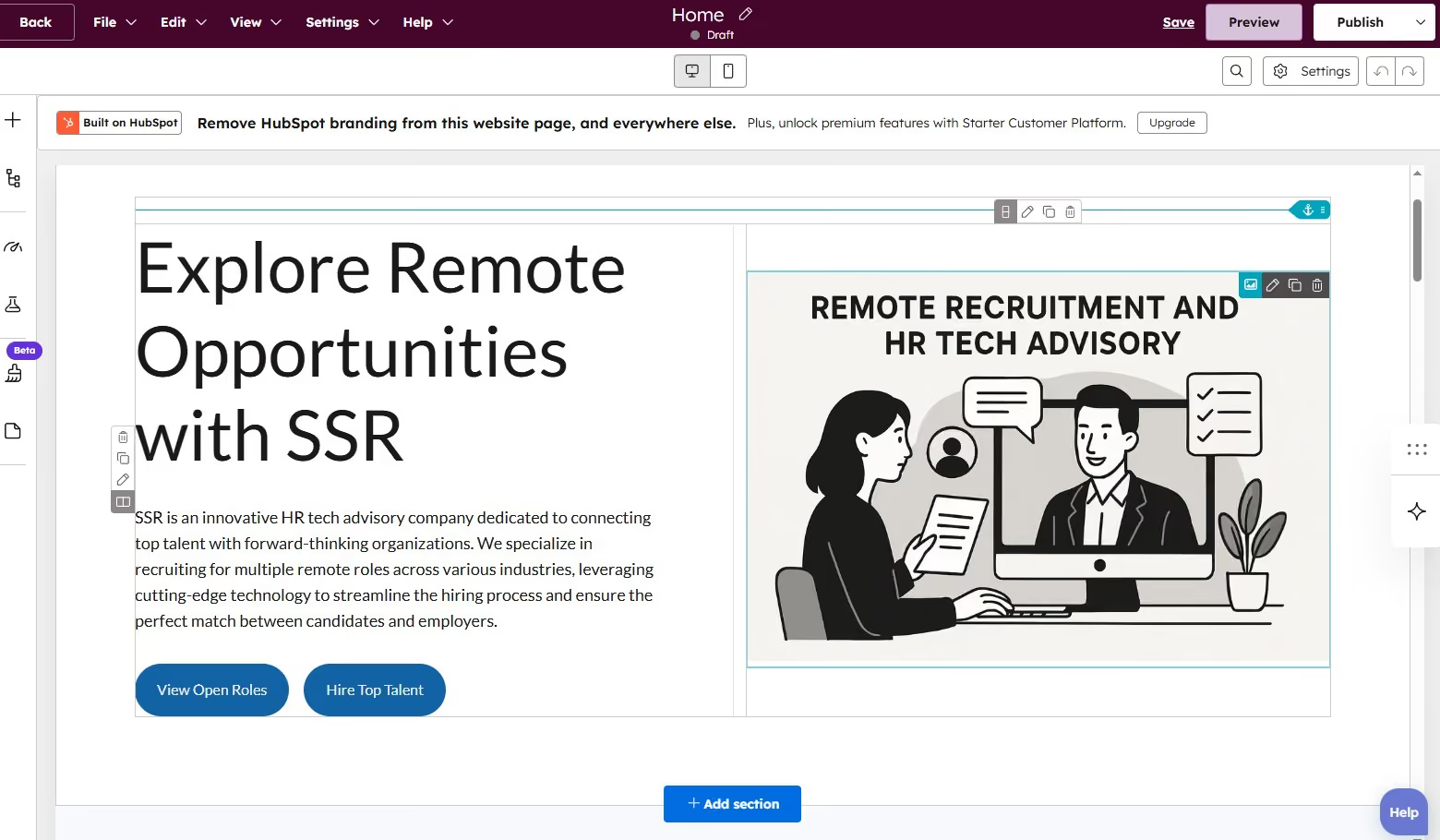
In recruiting workflows, HubSpot CMS is most often used by agencies that want tight alignment between their website, CRM, and outreach efforts. Recruiters use the CMS to publish job pages, service pages, and employer content while automatically capturing candidate and client activity inside the CRM.
One of the biggest advantages for recruiters is visibility. When candidates submit interest forms, download content, or revisit job pages, those actions are logged directly in HubSpot. This allows recruiting and business development teams to see intent signals and follow up with more context than a simple form submission provides.
HubSpot CMS is also widely used for inbound recruiting and employer lead generation. Recruiters can build landing pages for hiring campaigns, talent communities, or employer services and connect them to automated email workflows. Passive candidates can be nurtured over time with role updates or content, while employers can be guided through service offerings without manual follow up.
Personalization is another area where HubSpot stands out. Recruitment agencies can tailor website content based on whether a visitor is a candidate, an employer, or a returning contact. This helps agencies serve multiple audiences from a single site without creating confusion or duplicating pages.
From an operational standpoint, HubSpot CMS reduces tool sprawl. Website management, email marketing, analytics, and CRM all live in one system. For recruiting teams that already rely on HubSpot for sales or marketing, this creates a smoother workflow and fewer handoffs between tools.
The tradeoff is cost and complexity. HubSpot CMS is not built for quick experimentation or lightweight recruiting sites. Teams need to commit to learning the platform and structuring their processes around it to fully benefit from its capabilities.
Overall, HubSpot CMS works best when recruiting websites are treated as revenue and pipeline drivers. It excels at connecting hiring content to long term relationship management rather than just publishing job listings.
HubSpot CMS Hub plans start at $9 per user per month, with higher tiers for scale.
Best For
Medium to large recruitment agencies and staffing firms that want a unified platform for their website, CRM, marketing automation, and analytics, and are willing to invest in an integrated recruiting and growth stack.

Square
Square is best known as an ecommerce tool, but it also functions as a simple website builder that can support basic recruiting and consulting use cases. For recruiters who want a low cost online presence with built in scheduling or payments, it offers a straightforward way to get started without technical setup.
PROS
- Free plan available for basic recruiting websites
- Built in payment processing through Square
- Simple and intuitive setup experience
- Native appointment booking for calls or consultations
- Mobile friendly layouts by default
- Integrates with Square POS and other Square tools. Strong third-party integrations.
- Free seasonal inactivity provided.
- Reasonable, flat pricing. Free trial available.
- Free federal and state tax filing and payments.
- U.S.-based phone support for all plans.
CONS
- Limited design customization and layout flexibility
- Basic SEO tools compared to dedicated website platforms
- Features are oriented more toward services and payments than hiring workflows
- Not suitable for multi role job boards or complex recruiting sites
- Does not support employers in household and agricultural sectors.
- Automated payroll, PTO, sick leave tracking, time tracking, shift scheduling, and overtime calculations can only be accessed on higher-priced plans.
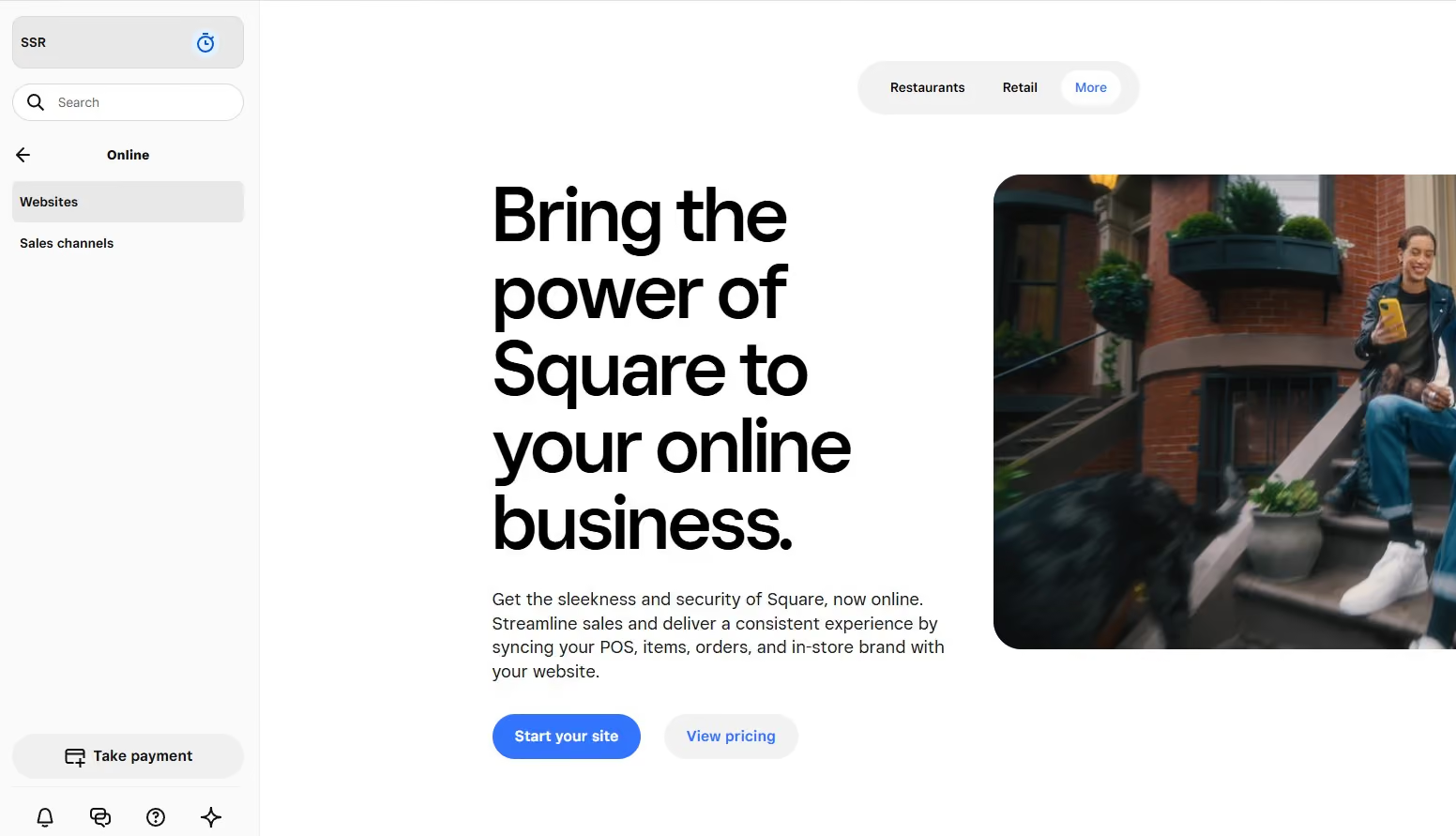
In recruiting workflows, Square is most often used by independent recruiters or consultants who offer services alongside hiring support. Recruiters use it to publish a simple site that explains their niche, services, and process, with clear calls to action for booking time or getting in touch.
One of Square’s strongest recruiting use cases is scheduling. Recruiters can allow candidates, clients, or coaching customers to book consultations directly through the site. This works well for resume reviews, career coaching sessions, intake calls, or paid advisory services where speed and simplicity matter more than customization.
Square also supports basic service monetization. Recruiters can accept payments for sessions, packages, or one off services without integrating third party payment tools. This is especially useful for solo recruiters or advisors who want to offer paid recruiting adjacent services without managing invoices manually.
From a candidate experience perspective, Square performs well on mobile and loads quickly. This makes it suitable for traffic coming from social media, referrals, or outbound messages. However, the platform is not designed to manage applications or support hiring at scale. Recruiters typically link out to email, external forms, or ATS tools for anything beyond initial contact.
Customization is where Square shows its limits. Layouts and branding options are restricted, and SEO controls are minimal. For recruiters who rely on inbound traffic or employer branding differentiation, this can be a constraint. For those who simply need a functional and credible online presence, it may be enough.
Overall, Square is best viewed as a utility tool rather than a recruiting platform. It works well for recruiters who want to combine scheduling, payments, and a basic website in one place with minimal cost and setup.
Square offers a free plan, with paid plans starting at $49 per month.
Best For
Independent recruiters, career coaches, and small agencies that need a free or low cost website with built in scheduling and payment processing for consultations or recruiting related services.


Initially, we used Square to process credit cards and provide receipts to customers. Square offers much more now. We can offer our customers financing, which is especially helpful in today's economy. We can schedule appointments through Square, helping us stay on track. We can also send and receive text messages. Square allows us to do marketing, driving customers to our online shop where they can shop and pay with one click.
I like the ease of use in the field for me and the customer. I can offer financing to my clients if they need extra time to pay. I can text my customers from this app, which makes it easier for me, as all their information is at my fingertips when I am in Square.
We needed a way to accept credit card payments at the point of sale, which moved regularly. We had no stationary retail location and needed to process credit cards on the spot. The alternative was writing the information down and processing it later, which created a lot of problems - incorrectly written card numbers, expiration dates, or cards that didn't process. Square took care of all of those issues, allowing us to provide a receipt to the customer and giving us peace of mind. This really streamlined our business.
Some of the transaction fees make it expensive to do business. I'd like to see more options for POS hardware. The integrations need to be more robust; there are some good platforms, but there need to be more to select from.
Square offers a robust array of services that complement basic credit card processing. They have taken it to the next level and expanded to include anything a small to large business may need. Square integrates with payroll, bookkeeping, staff management, payments, operations, and reporting. It can handle client management, scheduling, texting, and marketing.
Look at all the tasks this app can do and compare that to what you currently do within your organization. Do a cost comparison and see which one is more customer-focused. Consider which one uses fewer vendors and requires less manpower to manage.
Square has constantly evolved to become indispensable. It does everything from processing credit cards, invoicing, payroll, and banking to managing vendors, creating purchase orders, managing inventory, bookkeeping, reporting, client management, and marketing. If you can imagine something you want done, Square can probably customize a package with that in it for you.
Square is suitable for small to large businesses looking for a comprehensive solution for their payment processing and business management needs.
Square might not be suitable for an enterprise-sized organization due to its scalability limits.

Shopify
Shopify is not built for recruiting websites by default, but it becomes relevant when recruitment is packaged and sold like a product. For recruiters who monetize services, content, or access rather than applications, Shopify provides a mature and scalable commerce foundation.
PROS
- Powerful ecommerce engine for selling services, subscriptions, and digital products
- Large app ecosystem for bookings, memberships, and marketing
- Secure and reliable payment processing
- Handles high transaction volumes with consistent performance
- Fully managed hosting with strong uptime
- Powerful ecommerce engine for selling services, subscriptions, and digital products
- Large app ecosystem for bookings, memberships, and marketing
- Secure and reliable payment processing
- Handles high transaction volumes with consistent performance
- Fully managed hosting with strong uptime
CONS
- No native job board or applicant management features
- Recruiting workflows require customization or third party apps
- Pricing is optimized for product sales rather than service led recruiting
- Can feel complex if ecommerce is not the primary business model
- No native job board or applicant management features
- Recruiting workflows require customization or third party apps
- Pricing is optimized for product sales rather than service led recruiting
- Can feel complex if ecommerce is not the primary business model
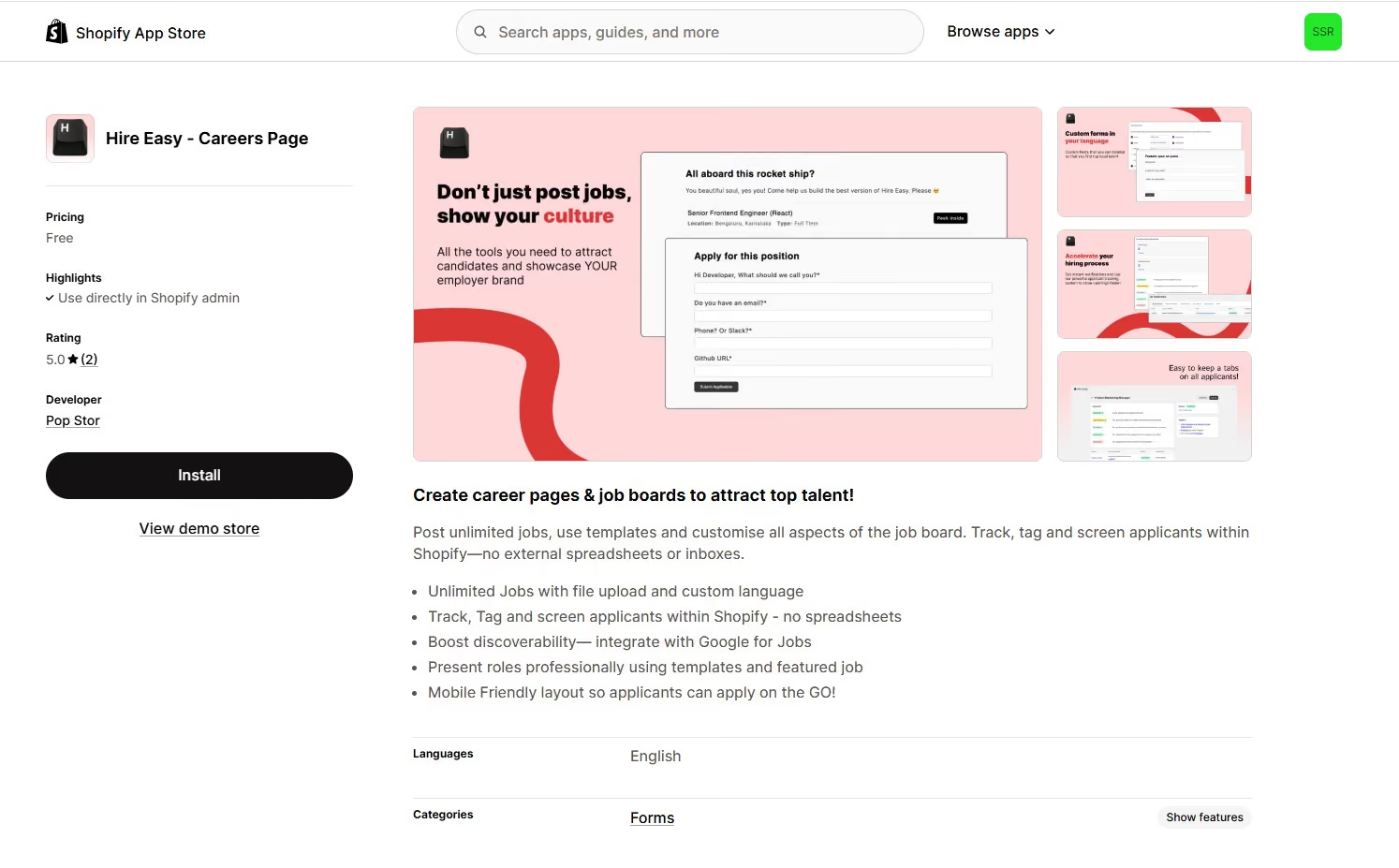
In recruiting contexts, Shopify is most often used when hiring related offerings are sold directly online. Recruiters use it to sell career coaching packages, interview prep services, resume reviews, or recruiting education products. These offerings fit naturally into Shopify’s product and checkout model, allowing recruiters to automate payment and fulfillment without custom development.
Shopify also supports subscription based recruiting adjacent services. Recruiters can offer monthly access to premium content, job alerts, private communities, or ongoing advisory services. With the right apps, recurring billing and access control can be managed without manual invoicing or follow up.
Some recruiters adapt Shopify for gated job access or premium listings. Employers or candidates can purchase access to exclusive roles or niche job boards, with content unlocked after checkout. While this requires apps and careful configuration, Shopify’s commerce infrastructure makes monetization straightforward once set up.
From an operational standpoint, Shopify excels at reliability. Payments, taxes, and hosting are handled by the platform, allowing recruiters to focus on content and services rather than technical maintenance. For teams that already think in terms of offers, pricing tiers, and funnels, this can be a strong advantage.
Where Shopify struggles is traditional recruiting. Managing job listings, applications, and candidate data is not its core strength. Recruiters typically pair Shopify with external forms, ATS tools, or content gating rather than using it as a hiring system. As a result, it works best when recruitment is treated as a digital business rather than a process heavy hiring operation.
Overall, Shopify is best viewed as a commerce layer for recruitment. It enables recruiters to scale paid offerings efficiently, but it is not designed to replace careers sites or applicant tracking systems.
Shopify plans start at $19 per month when billed yearly, with a free trial.
Best For
Recruitment businesses that sell courses, subscriptions, coaching, premium content, or paid access to hiring resources and want a reliable ecommerce platform to support those offerings at scale.

Squarespace
Squarespace is a strong choice for recruiters who want a visually polished website without heavy technical setup. It works best when employer branding, credibility, and presentation matter as much as functionality, making it well suited for agencies and independent recruiters who want a refined online presence.
PROS
- High quality templates with modern and professional design
- Intuitive editor that is easy to manage without technical skills
- Built in blogging, basic ecommerce, and scheduling features
- Solid SEO tools for optimizing recruiting and content pages
- Strong mobile responsiveness across all templates
- Reliable customer support available around the clock
- High quality templates with modern and professional design
- Intuitive editor that is easy to manage without technical skills
- Built in blogging, basic ecommerce, and scheduling features
- Solid SEO tools for optimizing recruiting and content pages
- Strong mobile responsiveness across all templates
- Reliable customer support available around the clock
CONS
- Less structural flexibility compared to WordPress or Webflow
- Smaller ecosystem of third party integrations
- Higher pricing than some entry level website builders
- Limited customization for complex recruiting workflows
- Less structural flexibility compared to WordPress or Webflow
- Smaller ecosystem of third party integrations
- Higher pricing than some entry level website builders
- Limited customization for complex recruiting workflows
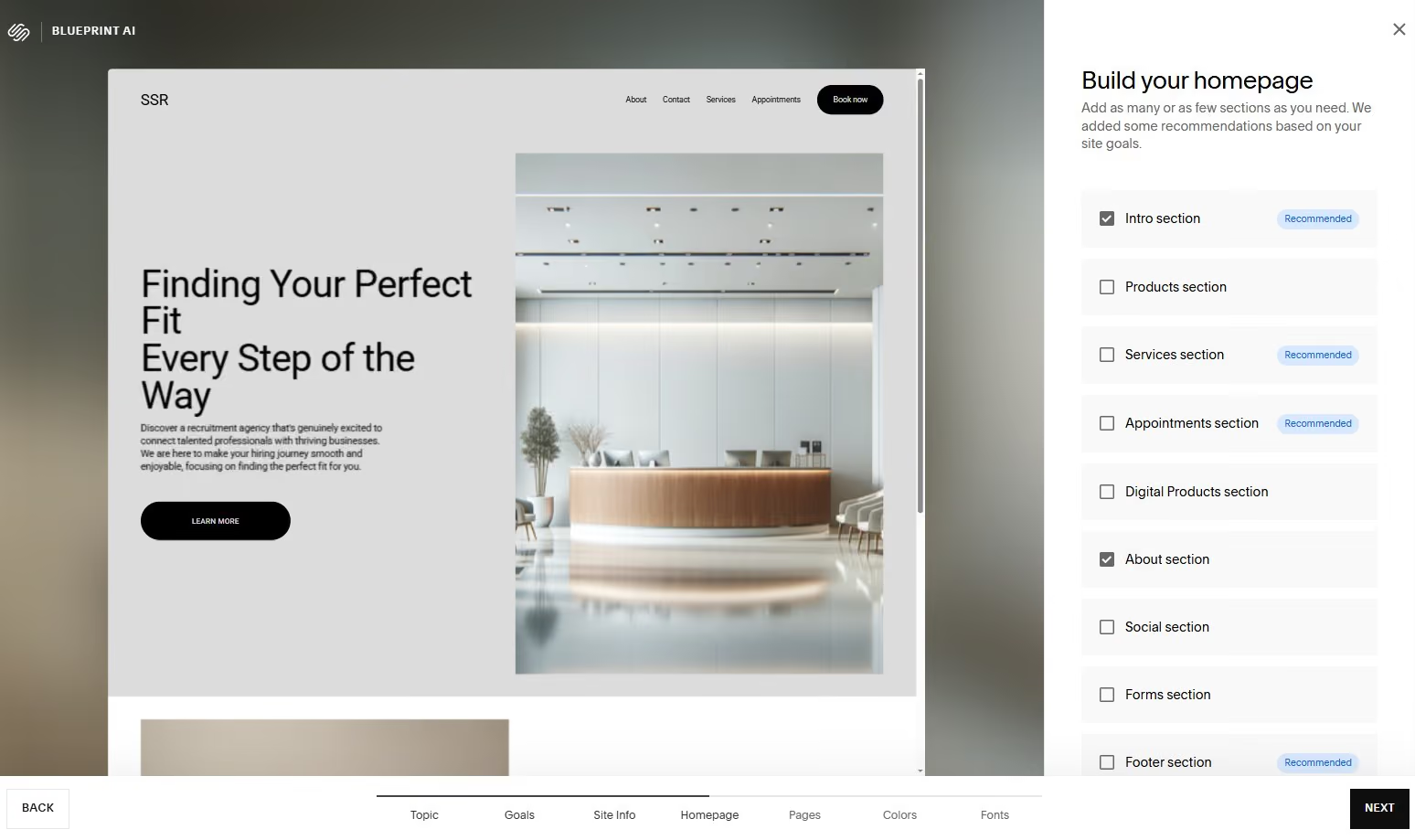
In recruiting workflows, Squarespace is most often used as a brand forward recruitment website rather than a hiring engine. Recruiters use it to present who they hire for, what industries they specialize in, and how candidates or clients can engage with them. The platform excels at communicating professionalism, which is especially important for agencies competing on reputation and niche expertise.
Squarespace works well for hosting curated job listings or careers content, but it is not designed to function as a full job board. Recruiters typically publish selected roles with clear calls to action and link out to application forms, email, or ATS tools. This keeps the site clean and focused while still supporting active hiring.
Content plays a central role in how recruiters use Squarespace. Many agencies rely on blogs, hiring insights, and thought leadership content to attract both candidates and employers. Squarespace makes it easy to publish and maintain this content without managing plugins or updates, which appeals to recruiters who want simplicity.
For recruiters offering services such as career coaching, resume reviews, or advisory calls, Squarespace’s built in scheduling and ecommerce features add flexibility. Recruiters can accept bookings and payments directly through the site, making it easier to productize services alongside recruiting work.
Where Squarespace becomes limiting is advanced customization. Recruiters who need complex filtering, deep ATS integrations, or highly tailored workflows may find the platform restrictive. It rewards teams that want consistency and ease of use rather than full control.
Overall, Squarespace is best viewed as a branding and content platform for recruiting. It supports strong presentation, credibility, and inbound engagement, but it is not intended to replace operational recruiting systems.
Squarespace plans start at $10 per month when billed annually.
Best For
Staffing agencies and independent recruiters who prioritize visual branding, recruitment marketing, and a polished candidate experience, and want an all in one platform that is easy to manage without technical overhead.
We use Square for mobile sales. It allows us to avoid a hodgepodge of Venmo and PayPal transactions going through multiple workers. We use it a few times a month when we run large events and sell concessions. It's made the sales transactions much easier for customers. And it's also allowed us better control over our budget.
It's very convenient to use on the go. We don't have to pay a monthly fee - we just pay a percentage of transactions. Customers like having this option instead of using cash.
My organization bought Square for mobile sales transactions. It's a small operation, and we had been operating cash only, but a lot of customers didn't have cash. We tried using other online payment services, but they were going through organization volunteers instead of directly to the organization. This made it difficult to manage the budget and track down payments.
We are a very small non-profit operation so the transaction charges can add up. I don't like that we have to pay more if we have to manually enter a payment card number.
I can only compare this to using Venmo, PayPal, and Zelle and Square is much easier for us to use. Customers don't need to have a pre-existing account - they can just use their credit or debit card. It makes things much easier.
Consider whether this would be easier to use than cash or cash apps. Also consider the transaction fees. They can add up when you are a small business and/or nonprofit.
I think they are always trying to be more user-friendly and accessible. It's nice to have a pricing model where we don't have to pay a monthly or annual fee.
It could be good for a range of organizations from large to small. Mine is very small and the pricing flexibility is good for us and allows us much easier transactions with our customers.
I think most organizations would benefit from Square. Again, I would just caution you to consider the transaction fees and make sure they are within an acceptable range for your organization.

Ecwid
Ecwid is not a website builder on its own, but it becomes highly relevant for recruiters who already have a website and want to layer in ecommerce without rebuilding everything. It works as a flexible commerce add on that allows recruitment businesses to sell products or services directly from their existing site.
PROS
- Can be embedded into most website platforms including WordPress, Wix, and Squarespace
- Full ecommerce functionality with cart, checkout, and payment processing
- Affordable pricing with a free tier for small stores
- Supports selling across websites, social platforms, and marketplaces
- No code setup for products, pricing, and checkout
- Can be embedded into most website platforms including WordPress, Wix, and Squarespace
- Full ecommerce functionality with cart, checkout, and payment processing
- Affordable pricing with a free tier for small stores
- Supports selling across websites, social platforms, and marketplaces
- No code setup for products, pricing, and checkout
CONS
- Requires an existing website or CMS
- Free trial requires credit card info
- Limited control over the design of ecommerce components
- Performance and SEO depend heavily on the host site
- Not suitable for complex hiring or application workflows
- Requires an existing website or CMS
- Free trial requires credit card info
- Limited control over the design of ecommerce components
- Performance and SEO depend heavily on the host site
- Not suitable for complex hiring or application workflows
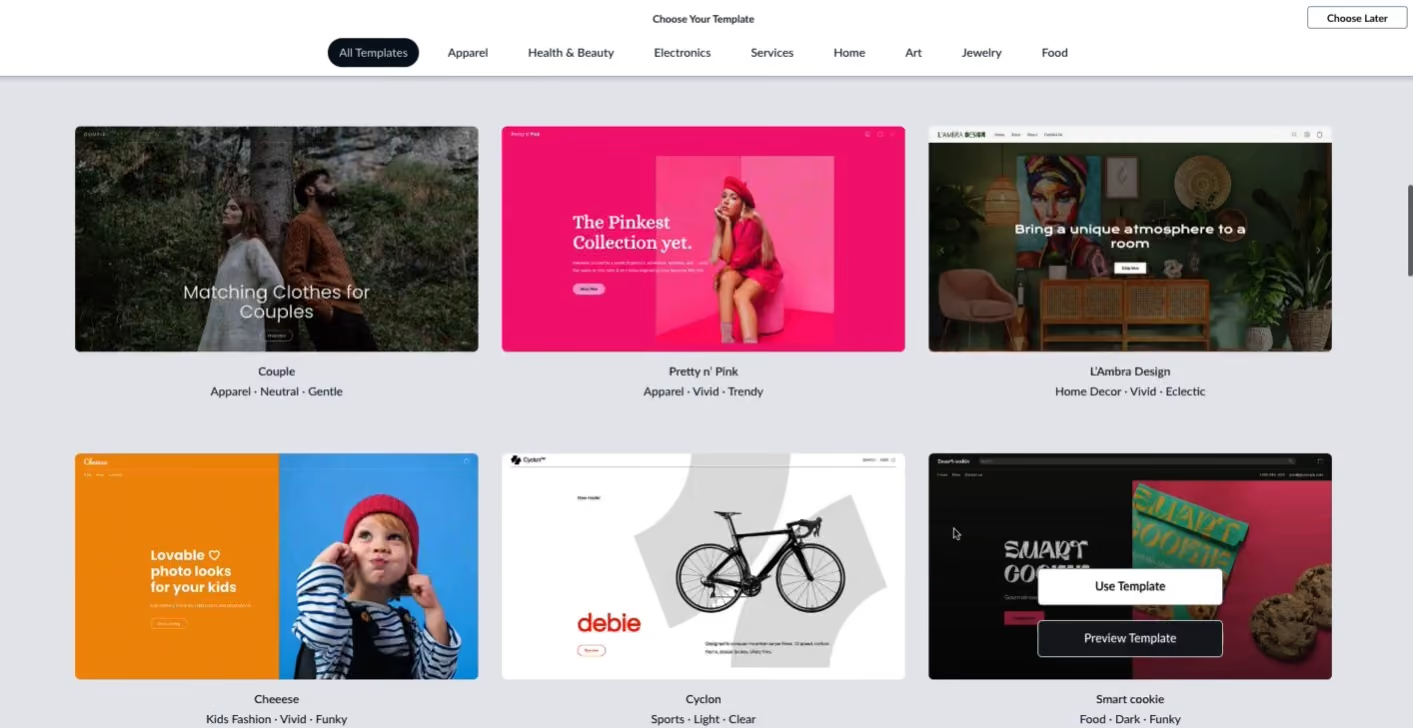
In recruiting workflows, Ecwid is most often used to monetize existing traffic rather than to support hiring operations directly. Recruiters add it to agency sites, content hubs, or personal websites to sell career related products or services without changing their underlying platform.
Common use cases include selling resume templates, interview guides, hiring playbooks, or access to premium content. Recruiters can also use Ecwid to sell job posting credits, featured listing upgrades, or bundled hiring packages to employers. Because Ecwid handles checkout and payments, recruiters avoid building custom ecommerce logic themselves.
Ecwid is especially appealing to recruiters who already use platforms like WordPress, Squarespace, or Wix and want to avoid migrating. The ecommerce widget can be embedded into existing pages, allowing recruiters to keep their design, SEO structure, and content intact while adding a transactional layer.
For service based recruiting businesses, Ecwid can support one off purchases or simple product catalogs. Recruiters selling advisory sessions or downloadable resources can create products quickly and manage orders through a centralized dashboard.
Where Ecwid shows limitations is customization and workflow depth. Checkout styling and user experience are largely controlled by the platform, and it does not manage candidates, applications, or hiring pipelines. Recruiters typically pair it with forms, scheduling tools, or external ATS platforms.
Overall, Ecwid works best as an ecommerce extension rather than a core recruiting tool. It gives recruiters a fast way to monetize their site without committing to a full ecommerce platform.
Ecwid plans start at $5 per month and scale to $105 per month.
Best For
Recruitment businesses with an existing website that want to add ecommerce quickly to sell career resources, training products, or paid job posting options without rebuilding their site or changing platforms.

Jimdo
Jimdo is a simple website builder that leans heavily on AI guided creation and ease of use. For recruiters, it is most useful when the goal is to get a clean, professional recruiting website live quickly without making design or technical decisions.
PROS
- AI driven website creation that generates layouts and copy automatically
- Very easy setup with minimal configuration required
- Clean and modern templates that work well for simple recruiting sites
- Built in mobile optimization
- Affordable pricing with a free plan available
- AI driven website creation that generates layouts and copy automatically
- Very easy setup with minimal configuration required
- Clean and modern templates that work well for simple recruiting sites
- Built in mobile optimization
- Affordable pricing with a free plan available
CONS
- Limited design customization compared to advanced builders
- Fewer integrations and extensions for recruiting workflows
- Not suited for job boards or complex hiring funnels
- SEO and content controls are more basic than WordPress or Webflow
- Limited design customization compared to advanced builders
- Fewer integrations and extensions for recruiting workflows
- Not suited for job boards or complex hiring funnels
- SEO and content controls are more basic than WordPress or Webflow
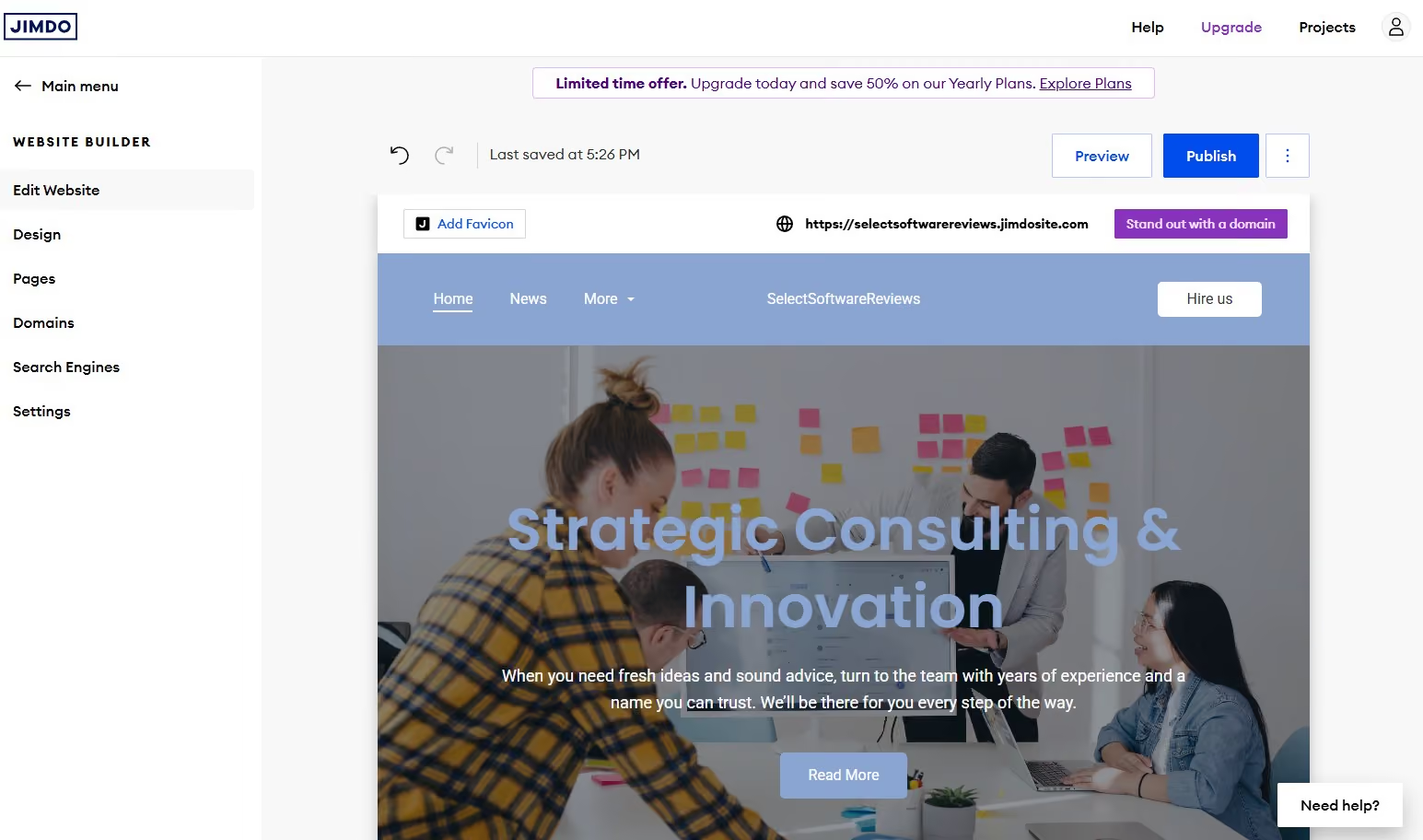
In recruiting workflows, Jimdo is most often used by independent recruiters or small agencies that want to establish an online presence quickly. Recruiters answer a short series of questions about their business, hiring focus, and audience, and Jimdo generates a ready to publish site that can be edited lightly before launch.
Jimdo works well for communicating essential recruiting information such as services offered, industries covered, and how candidates or employers can get in touch. Recruiters typically use it as a credibility layer that supports LinkedIn outreach, referrals, and email communication rather than as a destination for active job applications.
The platform’s simplicity is its main advantage. Recruiters do not need to manage plugins, hosting, or updates, and the editor avoids complexity. This makes Jimdo appealing for users who want a functional site without investing time in learning a more powerful platform.
Jimdo can support basic pages such as About, Services, and Contact, and it includes light ecommerce functionality for simple offerings. Recruiters offering resume reviews, career coaching, or advisory sessions can use Jimdo to present and sell these services at a basic level.
Where Jimdo becomes limiting is scale and flexibility. Recruiters who want stronger branding control, content heavy recruiting hubs, or integrations with ATS and CRM tools will likely outgrow the platform. Jimdo is designed to keep things simple, not to support advanced recruiting operations.
Overall, Jimdo is best viewed as a fast launch tool for recruiting websites. It prioritizes speed and ease over customization and depth, which suits recruiters with straightforward needs.
Jimdo plans start at $11 per month, with a free plan available.
Best For
Independent recruiters and very small agencies that want a simple, AI guided recruiting website online quickly and do not require advanced customization, integrations, or hiring workflows.

WordPress.org
WordPress.org is the most powerful option on this list for recruiters who need complete control over how their recruitment website functions and scales. As a self hosted platform, it is less about speed and convenience and more about building a fully customized recruiting system that can grow with complex hiring needs.
PROS
- Full control over web design, functionality, and hosting
- Massive plugin ecosystem for job boards, ATS connections, SEO, and analytics
- Scales from small recruiting sites to large multi brand job portals
- Strong SEO foundations with advanced optimization plugins available
- Complete ownership of candidate data and site content
- Large global community with extensive documentation and developer support
- Full control over web design, functionality, and hosting
- Massive plugin ecosystem for job boards, ATS connections, SEO, and analytics
- Scales from small recruiting sites to large multi brand job portals
- Strong SEO foundations with advanced optimization plugins available
- Complete ownership of candidate data and site content
- Large global community with extensive documentation and developer support
CONS
- Requires more technical setup and ongoing maintenance
- Hosting, security, and updates are the user’s responsibility
- Costs can increase as premium plugins and custom development are added
- Not ideal for recruiters who want a quick plug and play solution
- Requires more technical setup and ongoing maintenance
- Hosting, security, and updates are the user’s responsibility
- Costs can increase as premium plugins and custom development are added
- Not ideal for recruiters who want a quick plug and play solution
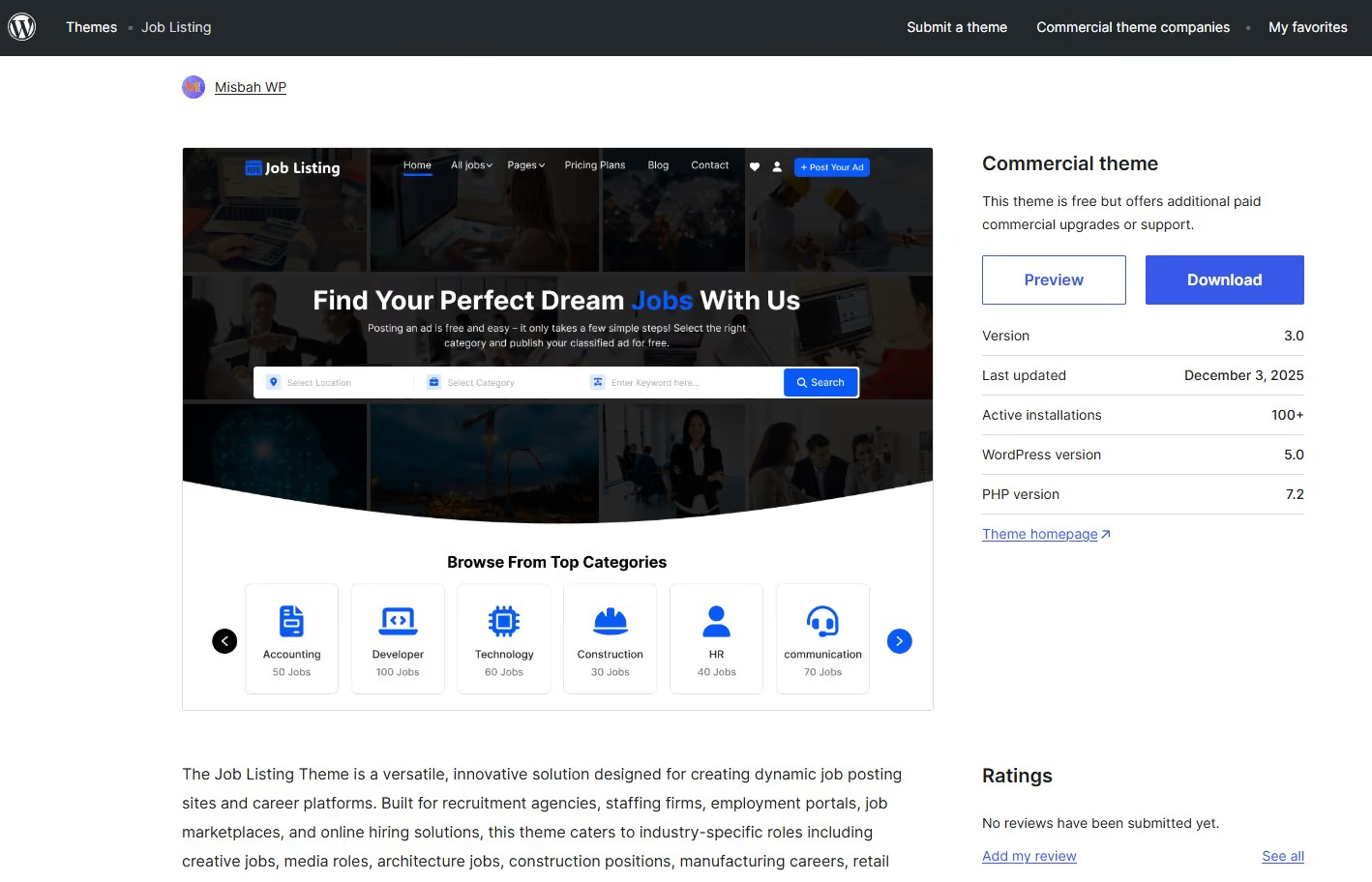
In recruiting environments, WordPress.org is most often used when standard website builders start to feel limiting. Recruiters turn to WordPress when they need custom job boards, advanced filtering, integrations with external ATS platforms, or unique candidate experiences that off the shelf tools cannot support.
One of the biggest advantages for recruiters is the job board ecosystem. Plugins such as WP Job Manager or JobBoardWP allow teams to publish and manage large volumes of roles, organize listings by department or location, and control application flows in detail. These setups can range from simple job listing pages to complex multi employer portals used by staffing firms or niche job boards.
WordPress.org is also commonly used as the front end layer for ATS driven hiring. Recruiters can design branded career pages while routing applications into tools like Greenhouse, Lever, or custom databases. This separation allows teams to maintain a strong employer brand and SEO presence without being constrained by ATS page templates.
For inbound recruiting and long term talent acquisition, WordPress excels. Recruiters can build content rich career hubs with role guides, location specific pages, and evergreen hiring content that attracts candidates through search over time. With SEO plugins like Yoast, teams have granular control over metadata, internal linking, and page structure in ways that drag and drop builders cannot match.
Agencies and large staffing firms often use WordPress.org to support multiple audiences at once. Candidate facing job portals, client service pages, thought leadership content, and lead capture workflows can all coexist within one system. This level of customization makes WordPress especially valuable for firms that view their website as a core recruiting asset rather than a static presence.
Overall, WordPress.org rewards recruiters who are willing to take a hands on approach. It offers unmatched flexibility and scalability, but it requires planning, technical oversight, and ongoing maintenance to reach its full potential.
WordPress.org software is free, with costs coming from hosting and add-ons.
Best For
Recruitment agencies, staffing firms, and talent platforms that need custom job boards, advanced integrations, strong SEO control, and full ownership of their recruiting infrastructure.
Webnode
Webnode is a straightforward website builder that prioritizes ease of use and multilingual support. For recruiters working across regions or serving international talent markets, it provides a simple way to publish and manage content in multiple languages without complex setup.
PROS
- Easy to use editor that works well for non technical recruiters
- Strong multilingual capabilities for global recruiting audiences
- Affordable pricing with a free plan available
- Mobile friendly templates by default
- Basic ecommerce features for simple service offerings
- Easy to use editor that works well for non technical recruiters
- Strong multilingual capabilities for global recruiting audiences
- Affordable pricing with a free plan available
- Mobile friendly templates by default
- Basic ecommerce features for simple service offerings
CONS
- Limited design flexibility compared to advanced builders
- Fewer integrations and advanced recruiting features
- Not well suited for large or complex recruiting websites
- Customization options can feel restrictive over time
- Limited design flexibility compared to advanced builders
- Fewer integrations and advanced recruiting features
- Not well suited for large or complex recruiting websites
- Customization options can feel restrictive over time
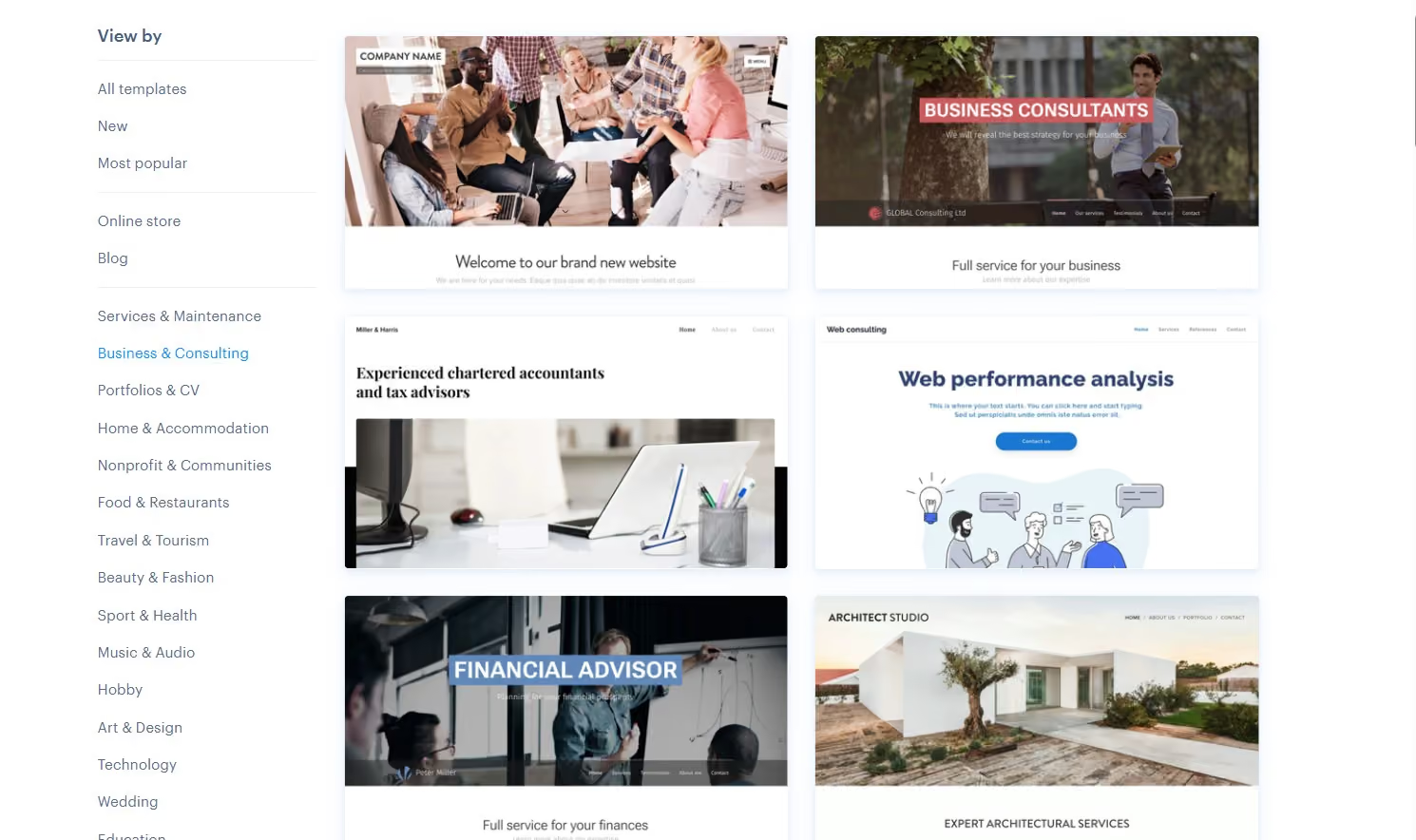
In recruiting workflows, Webnode is most often used by independent recruiters or small agencies that operate across multiple countries or language markets. Recruiters can create parallel versions of their site in different languages, making it easier to communicate with candidates and clients in their preferred language without managing separate websites.
Webnode works well for publishing core recruiting information such as services offered, industries covered, and how candidates or employers can get in touch. Recruiters often use it as a digital hub that supports outreach, referrals, and inbound interest rather than as a full hiring platform.
The platform also supports basic job posting or role highlights. Recruiters can publish selected opportunities or example roles and direct candidates to email, forms, or external application systems. While this does not replace a job board or ATS, it supports initial engagement and discovery.
For recruiters offering paid services like career coaching or consulting, Webnode’s basic ecommerce tools can be used to accept simple payments. This is typically limited to low complexity offerings rather than full catalogs or subscriptions.
Where Webnode falls short is scalability and customization. Recruiters who need advanced SEO control, deep integrations, or complex hiring workflows may outgrow the platform as their business expands. However, for teams that value simplicity and international accessibility, it provides a practical solution.
Overall, Webnode is best viewed as an accessible entry level platform for global recruiting. It supports multilingual communication and quick setup without requiring technical expertise.
Webnode plans start at $4 per month and scale to $26 per month.
Best For
Independent recruiters and small agencies that need a simple, multilingual website to support international recruiting efforts and communicate clearly with candidates and clients across regions.

Instapage
Instapage is not a general website builder. It is a specialized landing page platform built for conversion. For recruiters, it is most valuable when hiring depends on campaigns, ads, and targeted outreach rather than a traditional careers site.
PROS
- Built specifically for high converting landing pages
- Flexible drag and drop editor for precise page layouts
- Native A and B testing for optimizing candidate conversion
- Advanced analytics and heatmaps to track candidate behavior
- Integrates easily with CRMs, ATS tools, and ad platforms
- Very fast page load times
- Built specifically for high converting landing pages
- Flexible drag and drop editor for precise page layouts
- Native A and B testing for optimizing candidate conversion
- Advanced analytics and heatmaps to track candidate behavior
- Integrates easily with CRMs, ATS tools, and ad platforms
- Very fast page load times
CONS
- Not suitable for multi page recruitment websites
- No native job board or content management system
- Higher pricing compared to general website builders
- Requires a clear campaign strategy to justify cost
- Not suitable for multi page recruitment websites
- No native job board or content management system
- Higher pricing compared to general website builders
- Requires a clear campaign strategy to justify cost
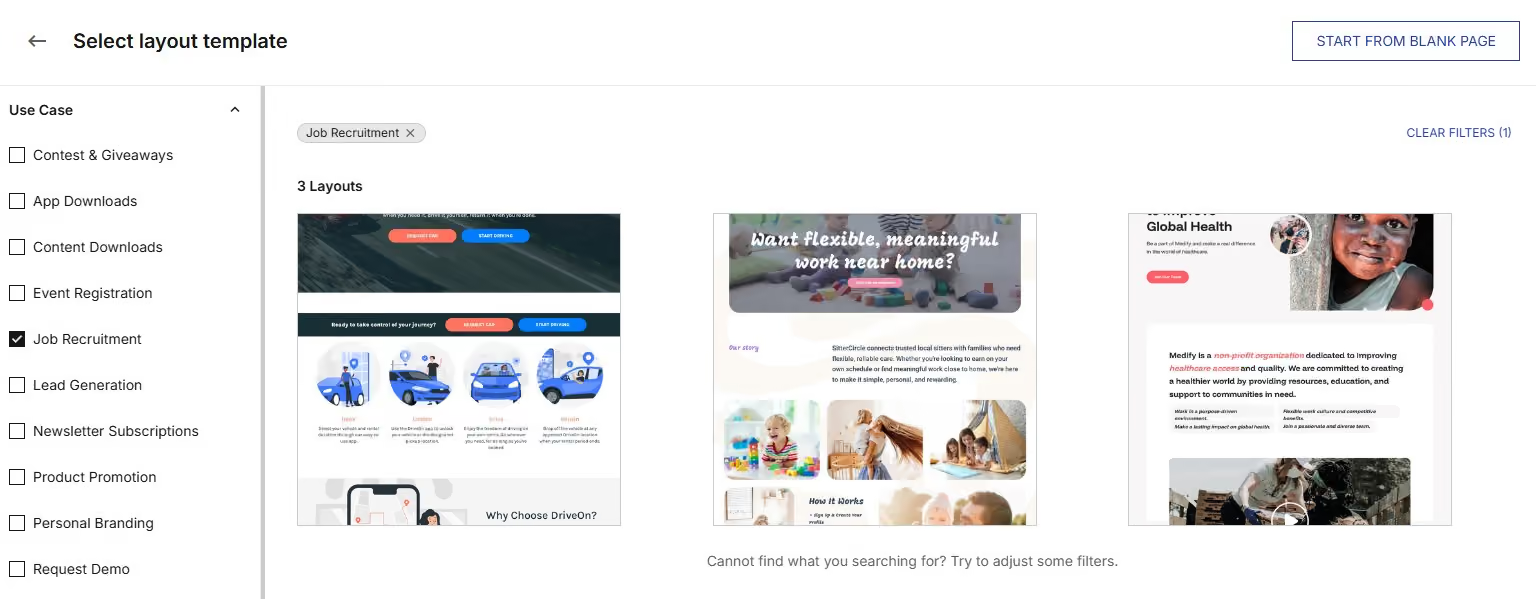
In recruiting workflows, Instapage is most often used for campaign driven hiring. Recruiters build single purpose pages focused on one role, hiring event, or talent segment. These pages remove distractions and guide candidates toward a single action such as applying, registering interest, or booking a screening call.
Instapage pairs especially well with paid recruiting channels. Recruiters running LinkedIn ads, Google job campaigns, or outbound sourcing links use Instapage as a dedicated destination rather than sending traffic to a generic careers page. This improves relevance and typically increases conversion rates.
One of Instapage’s strongest advantages is optimization. Recruiters can test different headlines, role descriptions, value propositions, or calls to action using built in A and B testing. Heatmaps and analytics reveal where candidates drop off or hesitate, allowing recruiters to refine messaging based on real behavior rather than assumptions.
Instapage also integrates cleanly with recruiting and marketing systems. Candidate submissions can flow directly into CRMs, ATS tools, or email workflows. This makes it easier to track campaign performance and respond quickly to high intent applicants.
Where Instapage is limited is scope. It is not meant to host multiple roles, long term content, or employer branding pages. Recruiters typically use it alongside another platform such as Webflow, WordPress, or HubSpot CMS, treating Instapage as a conversion layer rather than a full site.
Overall, Instapage is best viewed as a recruiting performance tool. It excels when hiring success depends on speed, clarity, and conversion optimization rather than breadth of content.
Instapage plans start at $79 per month and scale based on traffic needs.
Best For
Recruitment agencies and talent teams running targeted hiring campaigns who need dedicated landing pages to convert ad traffic or outbound leads into qualified applicants quickly and efficiently.
Yola
Yola is a lightweight website builder designed for simplicity. For recruiters, it is most relevant when the goal is to establish a basic online presence quickly, without needing advanced features, integrations, or ongoing maintenance.
PROS
- Very easy to use with a simple drag and drop editor
- Affordable plans suitable for solo recruiters
- Mobile friendly templates by default
- Basic ecommerce support for a small number of services
- Fast setup with minimal configuration
- Very easy to use with a simple drag and drop editor
- Affordable plans suitable for solo recruiters
- Mobile friendly templates by default
- Basic ecommerce support for a small number of services
- Fast setup with minimal configuration
CONS
- Limited design customization and branding control
- Few integrations or recruiting specific features
- Not built to scale with growing recruiting operations
- Editor and templates feel dated compared to modern platforms
- Limited design customization and branding control
- Few integrations or recruiting specific features
- Not built to scale with growing recruiting operations
- Editor and templates feel dated compared to modern platforms
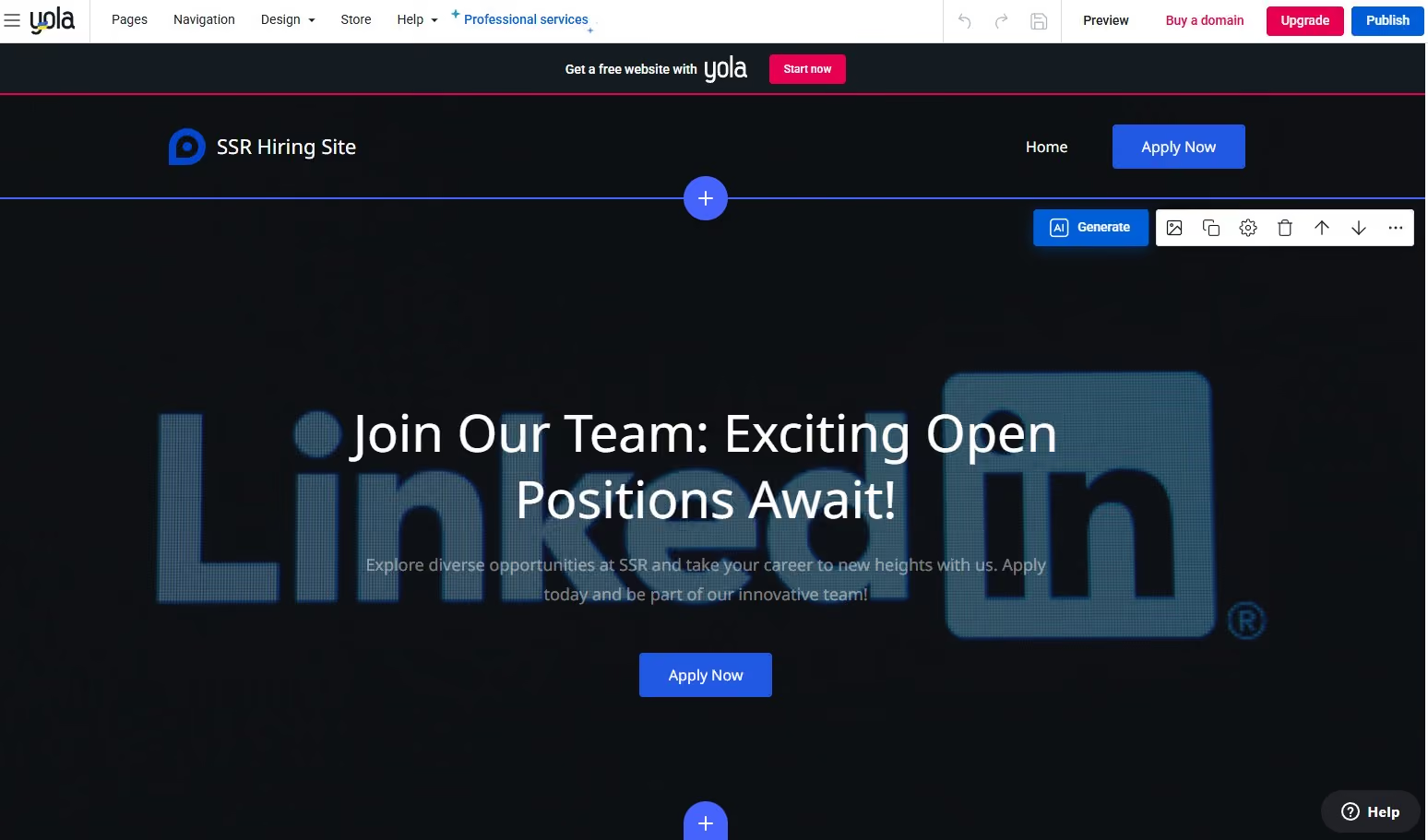
In recruiting workflows, Yola is most often used by individual recruiters or very small agencies that need a simple online footprint. Recruiters use it to publish essential information such as who they recruit for, how candidates or clients can contact them, and what services they offer.
Yola works best as a digital business card rather than a recruiting engine. Recruiters typically rely on email, LinkedIn, or external forms for candidate engagement, using the website as a credibility layer that supports outreach and referrals.
Basic pages such as About, Services, and Contact are easy to create and maintain. For recruiters who do not want to manage plugins, updates, or complex editors, this simplicity can be appealing. The platform removes most technical decisions and focuses on getting content live quickly.
Yola includes basic ecommerce functionality, which can support simple service offerings like resume reviews or consultation bookings. However, this is limited in scope and not suited for complex pricing, subscriptions, or hiring workflows.
Where Yola becomes limiting is growth. Recruiters who later want stronger branding, SEO control, job listings, or integrations with ATS and CRM tools will likely need to migrate to a more capable platform. Yola is best used when expectations are intentionally modest.
Overall, Yola is a practical choice for recruiters who want the fastest and simplest path to a basic website. It supports visibility and credibility, but it is not designed to power modern recruiting operations.
Yola plans start at $9.95 per month, with a free plan available.
Best For
Individual recruiters and micro agencies that need a no frills website to establish an online presence, share contact information, and support basic recruiting or advisory services without technical overhead.

Canva
Canva is best known as a design platform, but its website feature makes it a practical option for recruiters who prioritize visual presentation over functionality. It works well when the goal is to publish a clean, attractive recruiting page quickly using existing design assets and templates.
PROS
- Design first approach with access to Canva’s large library of templates, fonts, and visuals
- Extremely easy to use, especially for teams already familiar with Canva
- Free website templates available with optional Canva Pro upgrades
- Professional looking pages with minimal setup
- Very fast design and publishing workflow
- Design first approach with access to Canva’s large library of templates, fonts, and visuals
- Extremely easy to use, especially for teams already familiar with Canva
- Free website templates available with optional Canva Pro upgrades
- Professional looking pages with minimal setup
- Very fast design and publishing workflow
CONS
- Very limited functionality for recruiting workflows
- No native job listings, ATS integrations, or databases
- Minimal SEO controls
- Not designed to scale beyond simple sites
- No built in ecommerce or scheduling tools
- Very limited functionality for recruiting workflows
- No native job listings, ATS integrations, or databases
- Minimal SEO controls
- Not designed to scale beyond simple sites
- No built in ecommerce or scheduling tools
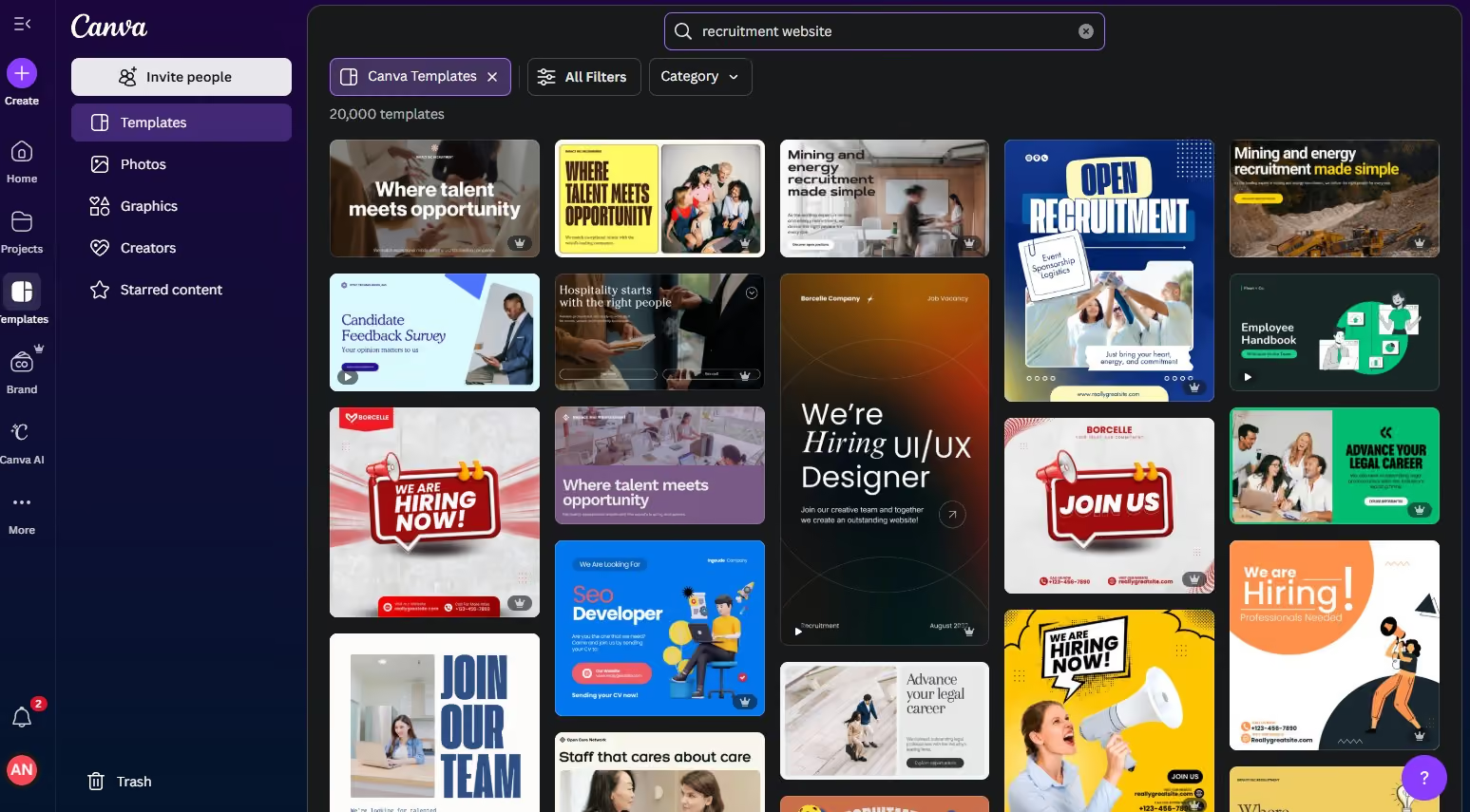
In recruiting workflows, Canva is most often used to create simple, visually appealing pages rather than functional hiring systems. Recruiters use it to publish one page sites that showcase who they recruit for, what roles they specialize in, or how candidates and clients can get in touch.
Canva works particularly well for recruiters who already create content and branding assets inside the platform. Colors, fonts, logos, and visuals can be reused directly in website layouts, making it easy to maintain a consistent brand without involving designers or developers.
Recruiters also use Canva websites as supporting assets for outreach. A single page site can act as a destination link in LinkedIn messages, email signatures, or social posts. This is effective for building credibility and context without sending candidates to a complex careers site or external job board.
Because Canva websites are lightweight and static, they are not suited for managing job listings or applications. Recruiters typically link out to Google Forms, email, or ATS hosted application pages for any next steps. Canva functions more as a presentation layer than a recruiting tool.
SEO and scalability are where Canva shows its limits. Pages are not built for long term organic traffic or complex navigation. As hiring needs grow or workflows become more structured, most recruiters eventually move to a more robust platform.
Overall, Canva is best viewed as a design driven shortcut. It helps recruiters publish polished recruiting pages quickly, but it is not intended to support ongoing or high volume hiring operations.
Canva offers a free plan, with paid plans starting at $7.50 per month.
Best For
Independent recruiters and small agencies that want a visually polished one page recruiting site or portfolio using Canva assets, and need something fast, simple, and design led rather than feature rich.
What is a Recruitment Website Builder?
A recruitment website builder is a specialized platform designed to facilitate the creation and management of a professional online presence for recruiters, staffing agencies, and human resources departments. These tools streamline the process of publishing job listings, collecting applications, showcasing company culture, and establishing a reputable brand identity. They offer a range of features, from drag-and-drop interfaces to advanced integration capabilities, allowing users to construct functional and aesthetically pleasing websites without extensive coding knowledge. The primary objective is to empower recruitment professionals to effectively engage with potential clients and candidates in a competitive digital landscape.
How to Choose a Recruitment Website Builder
The best website builder for recruitment depends less on having the most features and more on how well it fits the way you recruit today. While many platforms can technically host job listings or careers pages, the differences become clear in day-to-day use, how easy the site is to maintain, and how well it adapts as your hiring needs evolve.
- Start by defining what you actually need: Before comparing platforms, clarify the role your website plays in your recruiting process. A freelance recruiter running outbound outreach may only need a focused landing page and contact form, while an agency managing multiple clients may need job listings, candidate intake, and employer-facing pages. Being specific about your use case helps rule out tools that are either too complex or too limited.
- Be honest about your technical comfort level: Some builders offer deep flexibility but require ongoing setup and maintenance. Others are intentionally simpler, trading control for ease of use. Neither is inherently better, but choosing a platform that matches how hands-on you want to be will save time and frustration. If updating a job post feels like a chore, it often does not get done consistently.
- Evaluate core recruiting features first: Focus on how each platform handles the fundamentals of hiring. You should be able to add and update job listings easily, collect applications without awkward workarounds, and understand where candidate data ends up. Agencies may also need client-facing workflows, while in-house teams often do not. When these features feel bolted on, friction tends to increase as hiring volume grows.
- Consider how candidates will actually use the site: From a candidate’s perspective, clarity matters more than polish. Job listings should be easy to find, application steps should be straightforward, and pages should load well on mobile. If candidates have to hunt for information or struggle with forms, drop-off rates usually rise.
- Assess design flexibility and long-term usability: A recruitment website does not need to be flashy, but it should reflect your brand and be easy to maintain. Look for templates that work well for careers content, and make sure you can adjust fonts, colors, and layouts without breaking pages. The best builders are often the ones you stop thinking about once they are set up.
- Think ahead about integrations, even if you do not need them yet: Many teams outgrow their website builder because it does not connect well with the rest of their tools. Even if you are not using an ATS or CRM today, understand how applications, email, and analytics could connect later. You do not need to activate every integration on day one, but you should know your options before committing.
- Review pricing and support with a long view: Look beyond the entry price and understand what is included, what is capped, and what costs extra. Hosting, premium features, and support tiers can change the real cost over time. Reliable support and clear documentation often matter more than one extra feature when something breaks or needs updating.
Recruitment Website Builder Benefits
When set up well, a dedicated builder supports credibility, efficiency, and consistency across your recruiting efforts.
- Professional online presence: A dedicated recruitment website establishes credibility with both candidates and clients. A clear, well-structured site signals that your operation is legitimate and organized, which can influence whether candidates trust your roles and whether employers feel confident engaging your services.
- Centralized job listings: A recruitment website gives you a single, controlled place to publish open roles. This makes it easier for candidates to browse opportunities, understand what you are hiring for, and apply without bouncing between platforms or outdated listings.
- Streamlined application process: Many builders support custom forms and integrations that reduce friction during applications. A straightforward submission process improves completion rates and helps candidates understand what is expected from the start.
- Improved candidate experience: Clear navigation, readable job pages, and mobile-friendly layouts reduce frustration and drop-off. When candidates can quickly find information and apply without friction, they are more likely to engage seriously with your roles.
- Better search visibility: Built-in SEO controls help job listings surface in search results. While SEO alone will not solve hiring challenges, better visibility can expand your candidate pool without relying entirely on paid job boards.
- Lower operational costs: Website builders eliminate the need for custom development and ongoing technical maintenance for basic updates. This keeps costs predictable and allows recruiting teams to manage their own sites without specialized expertise.
- Time savings for recruiters: Drag-and-drop editors and reusable templates make it faster to publish new roles and update existing ones. Over time, these small efficiencies free up meaningful hours for sourcing, screening, and candidate communication.
- Stronger employer branding: A recruitment website lets you present culture, values, testimonials, and case studies in context. This helps potential candidates self-select and improves alignment before they ever apply.
- Scalability as hiring grows: Many builders are designed to support increased traffic, more job listings, and additional features over time. Choosing a platform that can scale reduces the likelihood of needing a rebuild as your business expands.
- Actionable analytics and insights: Built-in analytics show how candidates find and interact with your site. Understanding which pages perform well and where candidates drop off can guide small changes that improve results.
- Integration with recruiting tools: Most builders connect with ATS, CRM, and email platforms. These integrations reduce manual work and help ensure candidate data flows smoothly through your hiring process.
- Mobile accessibility: With many candidates browsing and applying on phones, mobile responsiveness is essential. Recruitment website builders ensure your site works across devices without requiring extra design effort.
Recruitment Website Builder Drawbacks
Recruitment website builders are designed to be flexible and easy to use, not to replace dedicated recruiting systems. As a result, their limitations tend to surface when hiring workflows become more complex or when expectations extend beyond basic website functionality.
- Not purpose-built for recruitment: Most website builders are general platforms, not recruitment software. While they can display jobs and collect applications, they rarely cover advanced needs like candidate scoring, pipeline stages, interview scheduling, or compliance tracking in the way a dedicated ATS does.
- Limited hiring workflow support: Builders typically stop at form submissions. Managing candidates after they apply often requires manual processes or external tools, which can introduce friction and increase the risk of dropped follow-ups as hiring volume grows.
- Scalability constraints for active hiring: Simpler builders work well for a handful of open roles, but managing dozens or hundreds of listings, locations, or teams can become unwieldy. Search, filtering, and content management may feel strained as job volume increases.
- Integration gaps with recruiting tech: While many platforms offer basic integrations, connections to ATS, HRIS, or recruiting analytics tools are often shallow or indirect. This can limit automation and force teams to rely on workarounds or third-party connectors.
- Customization limits for complex needs: Templates and visual editors make setup easy, but they can restrict deeper customization. Highly specific application flows, conditional logic, or bespoke candidate experiences may be difficult or impossible to implement cleanly.
- Vendor lock-in over time: Migrating away from a website builder is rarely simple. Content, layouts, and embedded workflows often do not transfer cleanly, which can make switching platforms disruptive once your site is deeply embedded in your hiring process.
Key Features of Recruitment Website Builders
Recruitment website builders vary widely, but the most effective ones tend to share a core set of features that support how recruiters attract candidates, manage applications, and present their brand.
- Job board functionality: A strong builder makes it easy to create, edit, categorize, and archive job listings. Job search and filtering options help candidates quickly find relevant roles by location, role type, or skill set, while job alerts allow interested candidates to stay engaged without repeatedly checking the site.
- Candidate application management: Most recruitment builders support custom application forms and resume uploads. While these tools are usually lightweight compared to a full ATS, they should still make it easy to collect consistent candidate information and track submissions at a basic level.
- ATS integration: Because website builders are not applicant tracking systems, integration matters. The best platforms allow candidate data to flow cleanly into an ATS through native connectors, APIs, or third-party tools, reducing manual work and duplicate data entry.
- Client management features for agencies: For staffing firms and agencies, some builders offer client-facing portals or reporting dashboards. These features allow clients to submit roles, review candidate shortlists, or monitor progress without relying entirely on email updates.
- Search engine optimization tools: Built-in SEO controls help job pages surface in search results. Features like editable meta tags, clean URLs, XML sitemaps, and mobile optimization support visibility, especially for roles meant to attract inbound candidates.
- Design and customization options: Professional templates, drag-and-drop editors, and branding controls allow recruiters to maintain a polished, consistent look. While customization depth varies, the ability to adjust layout, fonts, and colors without breaking pages is essential.
- Communication tools: Contact forms, email integrations, and optional live chat features make it easier for candidates and clients to reach out. Automated responses and alerts help set expectations and reduce manual follow-up for routine interactions.
- Analytics and reporting: Analytics tools provide visibility into how candidates find and use the site. Tracking traffic, application conversion rates, and candidate sources helps recruiters understand what is working in their recruitment strategy and where improvements may be needed.
- Security and access controls: SSL certificates, regular backups, and user permissions help protect candidate data and manage internal access. While often handled behind the scenes, these features are essential for trust and compliance.
Recruitment Website Builder Pricing
Recruitment website builder pricing typically ranges from free or under $10 per month for simple sites to $50–$150+ per month for scalable, business-critical recruiting websites, with enterprise platforms costing significantly more.
- Free to low-cost plans (free to ~$10/year or ~$5/month): Some builders offer genuinely low-cost entry points, especially for simple use cases. Tools like Carrd start as low as $9 per year, while platforms such as Wix, Jimdo, Webnode, Square, and Canva offer free plans with branding and feature limits. These options are best for testing messaging, running short-term campaigns, or maintaining a basic credibility page rather than supporting active hiring.
- Entry-level professional plans (~$10 to $20/month): This is the most common starting range for independent recruiters and small agencies. Builders like Wix, Squarespace, Jimdo, Webnode, Durable, and Shopify’s Basic plan fall here. At this level, you typically unlock custom domains, remove platform branding, gain basic SEO controls, and get enough bandwidth for moderate traffic. These plans work well when the website supports recruiting but is not the primary hiring system.
- Business and growth plans (~$20 to $50/month): Mid-tier plans are where recruitment websites begin to support real workflows. Platforms such as Webflow CMS, WordPress.com Business, Wix Business, Squarespace Business, Ecwid Business, and Shopify Grow sit in this range. These plans usually add stronger SEO tools, analytics, integrations, scheduling, ecommerce, or CMS features that make it easier to manage multiple roles and campaigns.
- Advanced and enterprise plans (~$50 to $150+/month): Higher tiers are designed for scale, higher traffic, and more complex needs. Webflow Business, Squarespace Advanced Commerce, Durable Scale, Shopify Advanced, and Square Premium fall into this range. These plans are most relevant when the website is central to lead generation, paid services, or high-volume hiring, and when performance and support matter more than cost.
- Enterprise platforms ($450/month to $25,000+/year): At the top end are platforms like HubSpot CMS Hub and WordPress.com Enterprise. Pricing here reflects bundled CRM, marketing automation, enterprise security, and dedicated support. These options are typically chosen by large recruitment firms or internal HR teams that want the website tightly integrated into a broader revenue or hiring engine.
- Additional costs to plan for: Beyond the headline plan price, most teams should expect extra costs for domains ($10 to $20 per year), premium themes or templates, recruiting-specific plugins or apps, and in some cases third-party integrations. Self-hosted platforms like WordPress.org also require separate hosting, which typically ranges from $3 to $50+ per month depending on scale.
Recruitment Website Builders: Key Trends
Recruitment website builders are moving toward faster setup, tighter integration with recruitment platforms, and more candidate-centric experiences, with AI, personalization, and mobile performance shaping how modern recruiting sites are built.
- AI-powered website generation: More builders now use AI to generate layouts, copy, and visuals from a short prompt. Tools like Durable and Jimdo focus on reducing setup time, helping recruiters launch functional sites quickly, even if refinement is still needed afterward.
- Greater personalization for candidates: Recruitment websites are becoming more dynamic, showing content and job recommendations based on location, browsing behavior, or prior interactions. This trend aims to make job discovery feel more relevant and reduce candidate drop-off.
- Deeper ATS and CRM integration: Builders are increasingly positioned as part of a broader hiring stack. Platforms like HubSpot CMS reflect a shift toward tighter connections between websites, applicant tracking, and CRM data, reducing manual handoffs and duplicated work.
- Stronger focus on candidate experience: Speed, clarity, and ease of application continue to drive product decisions. Builders are prioritizing faster load times, simpler navigation, and cleaner application flows to reduce friction and abandonment.
- Mobile-first design as a default: With many candidates browsing and applying on phones, responsive design is no longer a differentiator. Modern builders are optimizing layouts, forms, and job listings specifically for mobile use from the start.
- Growing importance of video content: Video is increasingly used to showcase organizational culture, explain roles, and share employee perspectives. Website builders are improving native video support to make embedding and hosting easier without hurting performance.
- More advanced analytics and insights: Recruitment websites are offering better visibility into candidate behavior, such as where applicants drop off or which roles attract the most interest. These insights help recruiters refine messaging and improve conversion rates over time.
- Richer interactive elements: Some platforms are experimenting with interactive content such as quizzes, dynamic role matching, or virtual office tours. While still emerging, these features aim to create more engaging and memorable candidate experiences.
- Expanded employer branding tools: Builders are placing more emphasis on storytelling through culture pages, testimonials, and diversity content. This reflects the growing role of employer branding in attracting candidates who align with a company’s values.
- Heightened attention to security and privacy: As data protection requirements increase, builders are strengthening security features and compliance tools. Managing candidate data responsibly is becoming a core expectation rather than an optional add-on.
Recruitment Website Builder FAQs
Do I need coding knowledge to use a recruitment website builder?
No, most recruitment website builders use drag-and-drop interfaces that do not require coding knowledge.
Can I integrate my ATS with a recruitment website builder?
Yes, many recruitment website builders offer direct integrations or support for third-party tools that connect to popular ATS platforms.
How much does a recruitment website builder cost?
Pricing varies significantly. Free plans are available for basic sites. Entry-level paid plans typically range from $5-$20 per month. More robust business or professional plans cost $20-$100+ per month, and enterprise solutions can be significantly more. Remember to factor in potential costs for custom domains, premium themes, and third-party plugins.
Are recruitment websites built with these platforms mobile-friendly?
Yes, nearly all reputable recruitment website builders ensure their templates are mobile-responsive, automatically adapting the website for optimal display on smartphones and tablets.
Can I sell services or products on my recruitment website?
Absolutely. Builders like Wix, Squarespace, Shopify, and WooCommerce (with WordPress.org) offer robust e-commerce functionalities. You can use these to sell career coaching packages, premium job posting slots, digital guides, or online courses related to career development.
What about SEO for my recruitment website?
Most website builders include built-in SEO tools for meta titles, descriptions, and custom URLs. Platforms like WordPress.org (with Yoast SEO) and Webflow offer advanced control. Ensure your chosen builder lets you optimize job listings and your agency profile.
How long does it take to build a recruitment website?
The time frame varies widely: minutes/hours for simple sites (Carrd, Durable), a few days to a week for comprehensive sites (Wix, Squarespace), or several weeks for highly customized sites (WordPress.org, Webflow).
Can I transfer my website to another builder later?
Yes, but the structure, design, and specific functionalities usually are not, making direct transfer difficult, especially with some builders like Wix. Platforms like WordPress.org offer more flexibility.
Do these builders offer domain name services?
Yes, most website builders offer domain registration services directly or allow you to connect a purchased domain. A free custom domain is often included for the first year with paid plans.
What Else We’re Keeping an Eye On
We’re also monitoring a small set of tools that recruiters increasingly use for lightweight career sites and hiring pages. These include Tilda, which is popular for design-led career pages, and no-code builders like Typedream and Softr, which can support simple job listings and structured content. We’re also keeping an eye on Notion-based career pages built with tools like Super or Potion, which are common among early-stage teams that prioritize speed over complexity. We’ll revisit these options as their recruiting use cases become clearer.
About the Author


About Us

- Our goal at SSR is to help HR and recruiting teams to find and buy the right software for their needs.
- Our site is free to use as some vendors will pay us for web traffic.
- SSR lists all companies we feel are top vendors - not just those who pay us - in our comprehensive directories full of the advice needed to make the right purchase decision for your HR team.


