

10 Best Healthcare HR Software Solutions in 2026
Expert reviews and in-depth comparisons of the best HR software for hospitals, clinics, and other health practices, including pricing info, benefits, pitfalls, FAQs, and more.











It doesn’t matter whether you work in a large hospital or a small dental clinic, as someone working in the healthcare industry, quality patient care can literally be a matter of life and death for you. Sometimes, this can lead to a high-stress work atmosphere.
In fact, in LinkedIn’s recent Workforce Confidence Index 75% healthcare professionals reported work-related stress. This necessitates a robust employee experience, so that there’s no compromise on healthcare facilities. A good human resources management system can help mitigate the above problem.
If you try searching the web for an all-in-one HR software to streamline your workflows, employee engagement, onboarding new hires, payroll processing, and performance management, you’ll find plenty of HR solutions. However, as an HR manager in the healthcare industry, your priorities would be quite different from those HR professionals who are working in an industry that’s less demanding and time-sensitive.
For example, you would be more concerned with ensuring an adequate staffing level or getting support with laws and regulations compliance than with getting rewards and recognition tools. What you need is healthcare HR software that’s made with care for the needs of a health organization instead of a generic HR solution.
Through hours of research, testing out vendors, and sifting through expert opinions of top HR professionals, we’ve come up with a list of the best HR software for healthcare organizations.
Our HR tech experts chose the 10 best HR software platforms for healthcare based on product research and demonstrations, user testing, and input from healthcare workers and our community of HR thought leaders.
In addition to several other factors, we focused on how well the software performed with employee management, training and compliance management, and recruitment.
- Employee Management: Our experts focused on features that address multiple pay rates, time tracking, attendance, and variable scheduling. To evaluate, we logged into the software as “employees” and tested a variety of common scenarios.
- Training and Compliance Management: Healthcare software should manage industry regulations and privacy safeguards, so our team evaluated each platform’s built-in compliance features, including features that address employee license tracking and credentialing.
- Recruiting: Due to persistent staffing challenges, HR software for healthcare should include a built-in recruitment tool. We assessed each platform for sourcing quality, applicant scheduling and tracking, and onboarding. We specifically focused on the critical workflow between onboarding and payroll.
We create each of our buyer guides using custom criteria and design evaluations based on our extensive, applied knowledge of human resources' daily operations. If you’d like to learn more, this article on how we assess HR tech vendors provides an in-depth look at our methodology.


Paylocity

Paylocity recently made our top list for healthcare HR software because of its industry-specific support for compliance tracking, employee scheduling, and integrated learning. From shift differentials to automated credential monitoring, it’s purpose-built for the demanding needs of healthcare employers.
PROS
- Specialized compliance dashboard supports healthcare-specific regulations like OSHA.
- Shift scheduling includes swap approvals, differential pay, and open shift claiming—ideal for 24/7 teams.
- Built-in LMS enables deployment and tracking of clinical and compliance training.
- Native integration between HR, payroll, time tracking, and benefits administration.
- Employee mobile app streamlines clock-ins, pay access, and schedule management.
- Paylocity’s customer support is highly rated for always being available to answer questions.
- Global payroll support for 100+ countries.
- Provides free and unlimited training modules on the website.
- Paylocity’s mobile app has a good UI and functionality
- The tool is easy to use for both employees and employers.
- Has 350+ pre-built integrations.
CONS
- Reporting flexibility is limited—custom reports often require exporting and manual work.
- It may be too feature-rich for smaller or single-facility providers with tight budgets.
- No free trial; a demo is required for a full feature evaluation.
- Undisclosed pricing.
- It doesn’t have a free trial or free plan.
- Support is available in English only.
- It isn’t the best solution for remote teams looking for a tool to manage payroll and benefits for their contractors.
We’ve long recognized Paylocity as a top-tier HCM solution, but its tailored offering for healthcare employers deserves special mention. When we explored their healthcare package, three features stood out immediately: shift scheduling, healthcare-specific compliance tracking, and the built-in learning management system (LMS).
We’ll start with scheduling. Healthcare HR teams often juggle rotating shifts, on-call staff, and last-minute changes. In our view, like any decent HR tool for healthcare, Paylocity makes that manageable. Hospital staff can use it to claim open shifts, request swaps, and track shift differentials directly from the mobile app. Managers, meanwhile, gain automated tools to monitor overtime, fill last-minute gaps, and reduce no-shows.
We were also impressed by the compliance dashboard. It centralizes critical documentation around licensing, credential expirations, and regulatory training. HR admins can easily audit compliance with EEO, FLSA, and other standards while staying up to date on legal changes through curated news feeds.
Then there’s the LMS. Whether you need to deliver compliance modules, onboarding content, or continuing education, Paylocity lets you assign, track, and report on learning progress—all from the same platform that manages employee records.
Where the platform occasionally falls short is in reporting. Advanced analysis usually requires external manipulation in Excel or Power BI. Additionally, while healthcare providers operating in multilingual environments may face challenges with English-only support, we found Paylocity’s in-platform help center and implementation team particularly helpful in navigating these limitations.
Bottom line: if you’re in healthcare and need an HCM solution that handles regulatory complexity, variable schedules, and ongoing learning, Paylocity is a compelling option—especially for mid-sized and multi-site organizations.
Paylocity serves over 40,000 companies, although not all of them within the HR industry.
Paylocity offers custom pricing based on organization size and feature needs. HR teams should request a demo to receive a tailored quote and a feature overview.

Best For
Mid-sized healthcare organizations—like hospitals, clinics, and senior care facilities— seeking all-in-one HR, payroll, scheduling, and compliance tools.


I used Paylocity mainly for payroll, timekeeping, and recruitment. We ran our payroll bi-monthly, and being able to process everything within Paylocity was a tremendous help to us by minimizing the extra steps done outside of the platform.
When it comes to timekeeping, being able to review every team member's timecard was seamless. Collaboration between managers and even team members made timecard adjustments smooth. When it comes to recruitment, the integration with Indeed was a plus. Job postings were done within Paylocity, and applications were funneled there as well.
Another great thing about it is the ability to communicate with the applicants within the platform.
- The timesheet view is straightforward and less confusing compared to others.
- Built-in integration with Indeed.
- The UI of Paylocity is clean, professional, and easy to navigate.
Timekeeping was the main reason our company used Paylocity. With our field technicians working irregular work schedules and being paid hourly, tracking hours was a challenge. We had over 300 employees, and verifying their hours worked each pay period was not an easy task for our HR department.
After using Paylocity, our managers were able to easily review and approve their team members' timecards. Collaboration between managers and HR became easier as well. We still had someone from our HR team who would review everyone's timecards before payroll was processed, but Paylocity allowed this to be smooth.
I used it for less than a year, until I moved to another company.
- Hard to navigate sometimes for our field technicians who are less familiar with HRIS.
- You feel overwhelmed sometimes because Paylocity has too many features.
- You have to constantly reach out to their support whenever you need to configure something.
The timesheet section looks easier and less confusing in Paylocity compared to others.
You always want to consider the price versus the value it brings. You want to consider whether its features are capable of scaling as your business grows. You don't want to be locked into a system or tool that you will be stuck with.
Implementation of a new tool takes a lot of time and resources, so you don't want to go through it many times. How easy it is to get in touch with them when you need help is crucial before, during, and even after implementation.
I used Paylocity during the pandemic, and I saw how it introduced remote workforce support features.
HR would be the best users of Paylocity. Any industry that heavily relies on timekeeping would benefit from using it.
If not used by an HR professional, individuals in the construction and skilled trades industry would not be a good fit to operate Paylocity, like plumbers, HVAC, and other similar roles.

BambooHR
With the aim of reducing paperwork and increasing people's productivity, BambooHR helps you save time with its all-in-one HRIS, which is revered for its calming user interface.
PROS
- Automates routine administrative tasks to reduce manual workload.
- Tracks license renewals and certifications with automated reminders.
- Provides staff 24/7 mobile access to HR information.
- Includes a native applicant tracking system for hiring and onboarding.
- Maintains a central database for secure employee record-keeping.
- Generates over 40 pre-built report templates.
- Integrates with over 100 third-party applications.
- Supports digital document processing via e-signatures.
- Flexible packaging and custom pricing is the way they roll. You can pick out one or two packages and pick other modules as add-ons based on your needs.
- Very simple and straightforward tool, easy to use.
CONS
- Payroll is only available for US-based employees.
- Customer support is only offered during US business hours.
- Some modules, such as time tracking, performance management, and surveys, are only available as add-ons.
- Payroll is only available for US-based employees
- Customer support is only offered during US business hours.
- Some modules like time tracking, performance management, and surveys are only available as add-ons.
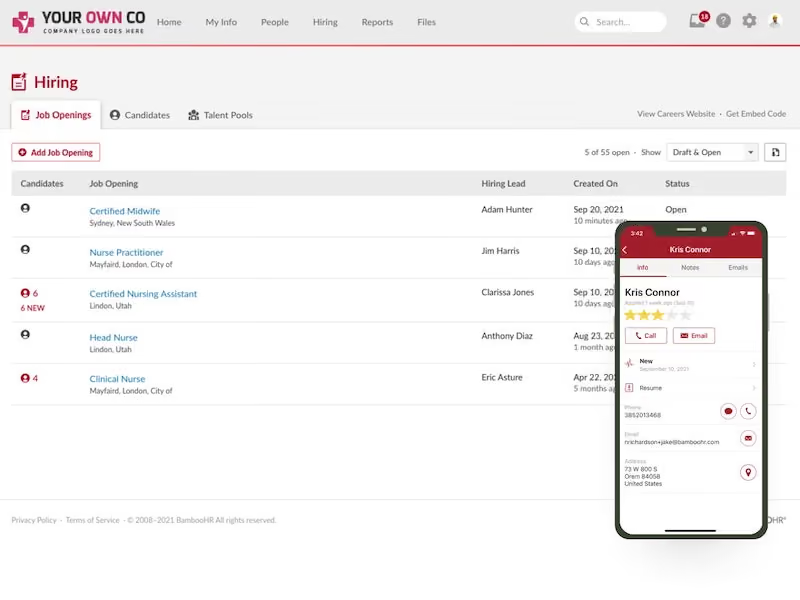
BambooHR knows just how busy healthcare workers' schedules can be. That’s why it focuses on automation and providing a one-stop solution for all your HR needs. BambooHR gives you powerful tools to drive job satisfaction and retention. With features such as a central place for employee data, instant reports, third-party integrations, and performance evaluations, you’re sure to reduce stress at your healthcare organization and streamline your workflows. The best part about BambooHR is its mobile app, which lets the HR department and staff members access time-off requests, announcements, and e-signatures at their fingertips.
SoundCloud, Clinica Colorado, Matthew 25 AIDS Services, Jacksonville Jaguars, Unbounce
BambooHR offers three tiers: Core ($10/employee/month), Pro ($17), and Elite ($25). Optional add-ons for healthcare companies include Time Tracking, Payroll, Benefits Administration (US only), and global Employer of Record via Remote. A 15% discount applies to the US Payroll and Benefits Administration bundle.
Best For
Small and medium-sized clinics, hospitals, and other healthcare organizations who want to focus on developing their culture and reducing paperwork.

At a SaaS organization I worked for, I used BambooHR daily as our primary HRIS platform before transitioning to a larger system to manage core HR processes for our global workforce across multiple countries.
My daily use included processing new hire onboarding workflows, where I would set up employee profiles, manage document collection, and coordinate multi-step onboarding to ensure compliance across our India, London, and U.S. operations.
Job changes were another critical workflow I regularly managed—my team frequently updated employee records for promotions, transfers, and role modifications while ensuring proper approvals and maintaining accurate organizational charts and reporting structures.
Pay changes required careful coordination through BambooHR, where I processed salary adjustments, bonus allocations, and equity updates while ensuring proper documentation and approval workflows were followed for compliance.
Termination processes were handled through BambooHR’s offboarding workflows, where I managed benefit terminations, final pay dates, and asset recovery documentation while maintaining appropriate legal records.
The platform served as our central system of record for all employee data, and I relied on it heavily for generating reports, tracking compliance requirements, and maintaining data integrity across our rapidly scaling organization.
- The automation capabilities streamline repetitive HR processes, allowing me to focus on strategic initiatives while ensuring consistent execution of routine tasks.
- The open API enabled seamless integration with other systems in our tech stack, eliminating manual data entry and reducing errors.
- The ability to manage signatures and approvals directly through the system, while automatically storing them in employees’ digital files, created an efficient, paperless workflow that improved compliance.
Our organization purchased BambooHR prior to my joining the company. However, as the leader of the People Operations team, I know it was selected because we were a fast-growing SaaS company that needed a reliable HRIS solution to maintain compliance for our expanding global employee population.
The previous process was highly manual, lacked automation, and was inadequate for managing the complexities of multi-jurisdictional employment requirements, benefits administration, and the documentation standards necessary for a scaling organization.
BambooHR provided the foundational infrastructure to centralize employee records, automate compliance tracking, and ensure consistent HR processes across different regions and regulatory environments.
Key benefits include streamlined onboarding workflows, automated compliance reporting, and improved visibility into workforce data to support strategic decision-making.
I have been using BambooHR for over three years and have found it particularly valuable for maintaining data integrity during ongoing growth while ensuring we meet all regulatory requirements across our global operations.
- The lack of a job table to connect pay ranges to specific job codes made it difficult to maintain consistent compensation structures and ensure pay equity across similar roles.
- The limited organizational chart views prevented us from designing and modeling future organizational changes within the system, forcing us to use external tools for workforce planning.
- The absence of built-in compliance checks allowed for data inconsistencies, such as employees based in London having pay rates listed in USD instead of the appropriate local currency.
BambooHR is a solid system for small to mid-sized organizations seeking a straightforward HRIS solution that’s easy to implement and user-friendly for basic HR functions.
Compared to competitors, BambooHR performs reasonably well in supporting global operations initially, but it lacks the sophisticated configuration options and advanced analytics that larger, more complex organizations require.
As an organization grows and requires intricate approval workflows, advanced reporting, job architecture frameworks, or automated compliance capabilities, BambooHR's limitations become more evident.
What I appreciate about BambooHR is its simplicity and rapid implementation compared to enterprise-level systems. It serves as an excellent stepping stone for growing companies, but those with complex HR needs will eventually need to migrate to more robust platforms capable of supporting enterprise-level operations and strategic data analysis.
Organizations should first assess their growth trajectory and how quickly they are scaling, as rapid growth may quickly outpace BambooHR’s capabilities. They should evaluate which workflows they want managed directly within the system versus outside it, since this affects both efficiency and data integrity.
Employee self-service functionality is another important consideration, as BambooHR offers limited options compared to more robust platforms, which may affect employee experience and increase HR workload.
Compliance complexity across different jurisdictions should also be reviewed to determine if the platform offers sufficient built-in compliance checks and reporting.
Lastly, integration with existing systems should be examined in terms of current API functionality and future integration plans as the organization evolves.
Yes, BambooHR has added several features in recent months, focusing on enhancements to its previously limited Applicant Tracking System and improved benefits management for organizations handling open enrollment and ongoing benefits administration through the platform. However, these updates appear misaligned with actual user needs.
The recruiting enhancements compete with numerous robust ATS options already available, making the development investment less impactful. Similarly, most organizations using BambooHR’s core features likely rely on benefits brokers to manage open enrollment, so the added functionality does little to reduce workload or justify the subscription cost.
The platform would be better served by focusing on strengthening its core HRIS capabilities, improving compliance automation, and expanding organizational management features instead of entering crowded markets dominated by specialized vendors.
The ideal user for BambooHR is a smaller organization seeking quick implementation with minimal IT involvement and a short deployment timeline.
These organizations generally want basic automation for routine HR tasks without the need for complex workflow configurations.
BambooHR may not be suitable for larger or more complex organizations that require advanced business processes with multi-level approvals, custom workflow routing, and intricate compliance automation across multiple jurisdictions.

Connecteam
Connecteam offers a good range of mobile-friendly features: shift scheduling, GPS time tracking, communications, and the option to obtain HIPAA compliance at a fairly good price.
PROS
- Provides location-verified time tracking and automated timesheet generation for payroll.
- Includes shift scheduling tools with automated matching, coverage oversight, and efficient call-out management.
- Offers a HIPAA-compliant internal communication platform with team chat, status updates, and read confirmations.
- Supports digital documentation, including proof-of-care capture (photos, notes, signatures), standardized protocols, and audit-ready record keeping.
- Acts as a centralized mobile hub for staff information, task assignments, and workforce management across multiple locations.
- One of the only fully-mobile HR tech tools for deskless workers
- Very adequately-priced for all it entails, SMB-friendly
- Quite open to feedback, having implemented user suggestions as features in the past.
CONS
- No phone support.
- No built-in recruitment or payroll features.
- Limited integration options.
- In the communication hub, the app offers no confirmation that messages were sent and/or seen.
- Certain features that some teams consider essential, such as GPS-tracking, are only available in the higher-tier pricing plans.
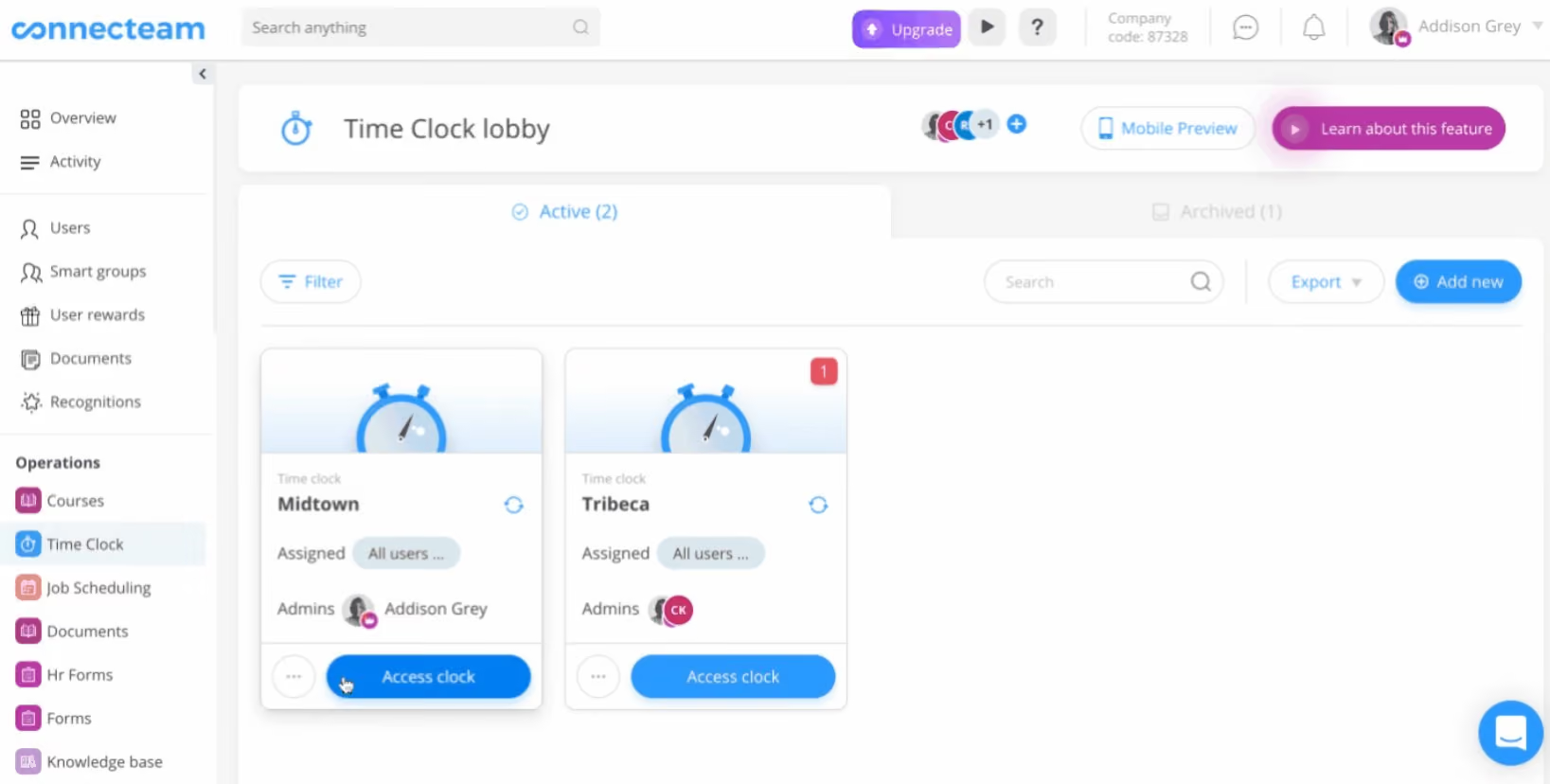
Connecteam’s scheduling app is one of the best we’ve tested. It’s user-friendly, compatible with multiple devices, and covers plenty of features for healthcare workforce management, ranging from shift planning to time tracking, engagement, and compliance.
One of our favorite features is Advanced Filters, which lets you sort through specific user groups, be it only your direct employees’ schedules, or just the ones qualified for a specific job and branch. Plus, the option for workers to set their preferred working hours makes shift planning work a lot easier.
Knowing worker certifications or seniority is equally important to ensure a correct allocation for your scheduling. Thankfully, with Connecteam, you can request workers submit and renew specific licenses. These documents will then be kept safe within the platform.
The geofencing time tracking app is also a handy tool. It lets your medical staff clock in and out from their phones, and as an admin, you get instant notifications detailing when and where employees clock in. Plus, the option to upgrade to a HIPAA-compliant account is something we trust healthcare organizations in the U.S. will love.
However, the lack of recruitment and payroll features is disappointing. And, frustratingly, you’re left with few native integration options, while API access for custom integrations is also only available on the Enterprise plan.
36,000+ companies, including Siteline, Copernicus, and EnviroCon.
Connecteam has 5 plans:
- The Small Business Plan: Free for up to 10 users.
- Basic: $29 per month billed annually for the first 30 users, $0.5 per month for each additional user.
- Advanced: $49 per month billed annually for the first 30 users, $1.5 per month for each additional user.
- Expert: $99 per month billed annually for the first 30 users, $3 per month for each additional user.
- Enterprise: custom pricing and includes personal account manager, SSO, 2FA and biometric lock, and API access.
Best For
Healthcare teams seeking a mobile-friendly workforce management solution with robust time tracking and shift scheduling features.
.avif)
Netchex
If your clinicians, technicians, and administrative staff work across multiple sites, Netchex is a good choice. The platform bundles time and attendance, payroll, HR administration, and employee engagement into a unified system, with deliberate safeguards designed to catch errors before they become compliance issues or cause employee dissatisfaction. The mobile-first design further makes it a compelling choice for healthcare organizations with highly mobile workforces.
PROS
- Single pre-payroll dashboard means missed punches, pending approvals, and time discrepancies in one view
- Check preview cuts manual payroll work by 90%
- Mobile-first design works for shift workers across multiple sites
- AI coach in performance reviews improves feedback quality
- ATS to HRIS handoff eliminates re-entry of applicant data
- Earned wage access and 401(k) integration address employee financial wellness
- Payroll integrations handle most time-and-attendance platforms via API
- Highly responsive customer service (90% of calls answered under a minute)
- Grows with your team: With Netchex, it’s very easy to opt for a new plan and keep all your data in the same place even if you outgrow your current pricing plan. Other vendors require a switch to a new service in that kind of event.
- Dedicated support team: Netchex are note-worthy for their award-winning and often lauded customer service. It’s all US-based and provided in real-time through email, live chat, and phone calls.
- Pre-payroll reports: Allows for critical error checks before submission.
- Flexible payroll grid: Easy to make changes or correct errors on the fly.
- Versatile payment options: Includes paper checks, direct deposit, and pay cards.
CONS
- No public tiers make budget forecasting hard
- Netchex requires running payroll through its platform, making it unviable for organizations seeking separate HR or benefits systems
- It is not ideal for multinational firms employing more than 5,000 workers
- Limited native HRIS and payroll integrations; API-dependent for most platforms
- Requirement of payroll: Users must use the payroll module to access other functionalities, so it wouldn’t work as stand-alone HR software.
- No free trial: Potential users can't test the software without committing to a purchase. The demo with a sales rep is the closest thing.
Netchex works best if your healthcare org often deals with shift workers scattered across multiple sites, as it solves a real problem: the chaos of getting time, approvals, and benefits data ready before payroll runs.
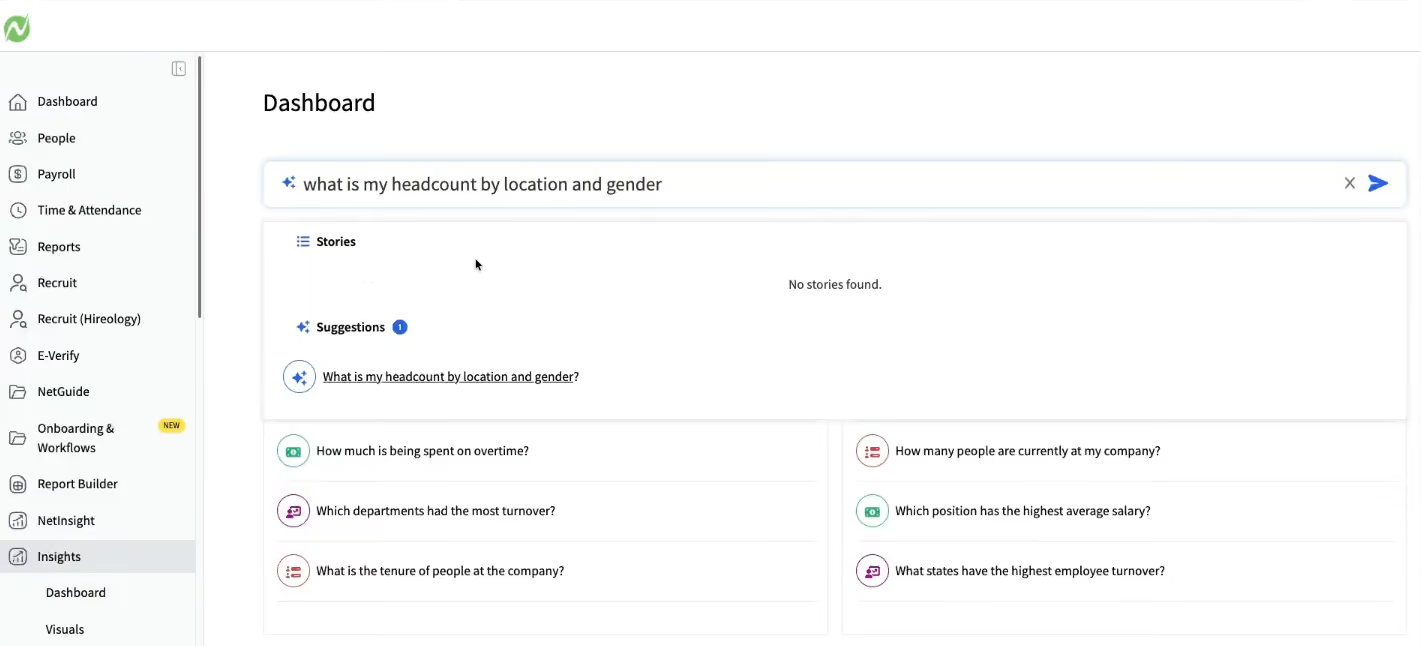
The single pre-payroll dashboard is the core value. Administrators see missed punches, pending manager approvals, PTO requests, and address changes in one place instead of hopping between systems. One customer cut manual checks by 90% using the employee check preview feature, in which staff validate paychecks before processing. For a 1,500-person health system running payroll twice monthly across 10 sites, this consolidation saves real hours and catches errors before they become compliance problems.
The ATS-to-HRIS handoff also works well. Applicants hired through the recruiting flow are routed directly to onboarding, with name, address, and emergency contacts pre-filled.
In a highly attrition-prone field like healthcare, the platform excels at elevating employee experience. The mobile app is built for healthcare staff who don't sit at a desk. When a clinician misses a punch, they open the app and answer three simple prompts: when they were supposed to leave, why they're making the correction, and who needs to approve it. The system automatically sends a text to their manager. If the manager approves from their phone, the correction flows back immediately. If not, the administrator sees it flagged on the pre-payroll dashboard.
Punch corrections, PTO requests, and shift pickups all work intuitively on phones without requiring staff to navigate desktop workflows. When an employee's check is ready for preview, they get a push notification and can validate their paycheck from anywhere. If they flag an issue, the response goes directly to payroll. Employees can also request earned wage advances (up to 50% of accrued pay), view their 401(k) balance directly in the app with a single tap, and get push notifications when benefits require action. Everything builds on the assumption that your workforce is mobile and needs frictionless access without a computer.
Netchex integrates with most time-and-attendance systems via API, including Toast POS and Wellsky, so time data flows into the platform without manual upload. However, its native HRIS and payroll integrations are not as extensive as competitors like BambooHR and ADP. Given its US-only focus, Netchex is also not suited for multinational firms or health systems with more than 5,000 employees.
Sonic, Ivy Hospitality, Odyssey House, B&G Food Enterprises, Century Holdings, Baywood Hotels, BL Auto, JM Test Systems, and Access Health.
Custom pricing.
In the last two years, Netchex added AskHR and Netchex AI for support, the Insights reporting tool, and the Community platform for communications and surveys. It also integrated performance, compensation, and recruiting modules. More recently, the platform launched Mesh, a collection of AI-based agents for payroll (Penny), operations (Atlas), analytics (Nova), anomaly detection (Sentinel), employee self-service (Milo), and service support (Nettie).
Best For
Midsized health systems (50 to 5K employees) with multi-site operations and shift-heavy workforces.
UKG
UKG has a variety of product suites to choose from that are all easy to navigate and easily customizable to the needs of your healthcare organization. Its customer support service is top-notch.
PROS
- Uses AI to automate shift scheduling, managing on-call rotations and staff availability.
- Facilitates equitable patient-to-staff workload distribution based on clinical intensity.
- Includes self-service features for employees to view schedules and manage shift preferences.
- Provides tools to optimize labor costs and staffing coverage.
- Super robust product, packing years of experience with HCM and Workforce Management technology
- Since they offer UKG Pro for HRMS and UKG Ready for workforce management, you could arrive at a combination of products that suits many of your HR needs from the same set of tools.
CONS
- Compared to newer tools, UKG Pro and UKG Ready tend to miss a unique selling point or a specific focus on a certain type of business. While they work great for bigger companies in all sorts of industries, very niche operations might have a hard time adapting to the tool.
- Similarly, UKG offers many solutions under one umbrella, so it's not the best fit if you're looking for only a handful of specific use cases.
- Compared to newer tools, UKG Pro and UKG Ready tend to miss a unique selling point or a specific focus on a certain type of business. While they work great for bigger companies in all sorts of industries, very niche operations might have a hard time adapting to the tool.
- Similarly, UKG offers many solutions under one umbrella, so it's not the best fit if you're looking for only a handful of specific use cases.
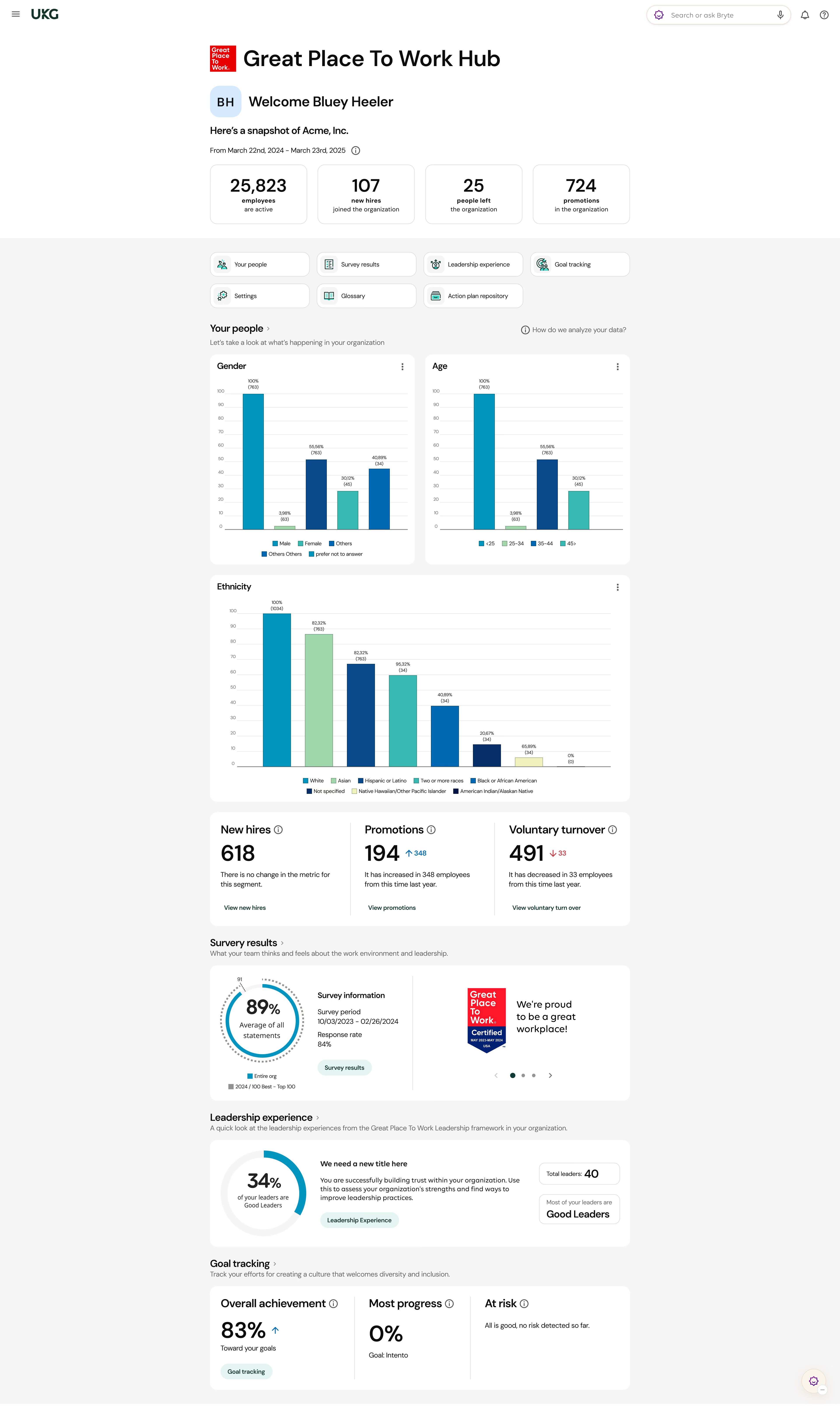
If your organization is finding it hard to manage the problems of tight labor budgets, fewer resources, and increasing patient demands then UKG’s HR products will be right up your alley. Having successfully served many healthcare organizations like John Hopkins Medicine and the Winthrop University Hospital, UKG helps you make the most of your workforce by providing you relevant tools.
Their tools can help you track and manage physician schedules, get advanced reports on staffing patterns, get real-time data to make informed decisions, minimize compliance risk, and provide a personalized experience for your nurses to fill open shifts fast. Whether you’re running HR for a large hospital or a smaller clinic, you can do a lot with UKG and confidently count on it to deliver quality patient care.
Winthrop University Hospital, Geisinger, Northwell Health, John Hopkins Medicine, Intermountain Healthcare
UKG does not reveal the price of UKG Pro on its website, although research has shown that licenses tend to start at $600 per year for every 5 users.
Best For
UKG serves various kinds of healthcare systems like acute care hospitals and clinician providers. However, it’s best for mid-sized and large organizations with nuanced needs.

I use UKG daily. It serves as our ATS, onboarding, full HRIS, and payroll system. Our applicants apply on our career page, and we can process the applications, complete the offer letters, and conduct initial onboarding all within UKG. The system also functions as our timekeeping and payroll system, allowing our staff to use the mobile app to clock in and out. Their timesheets are approved in UKG and submitted to payroll for processing.
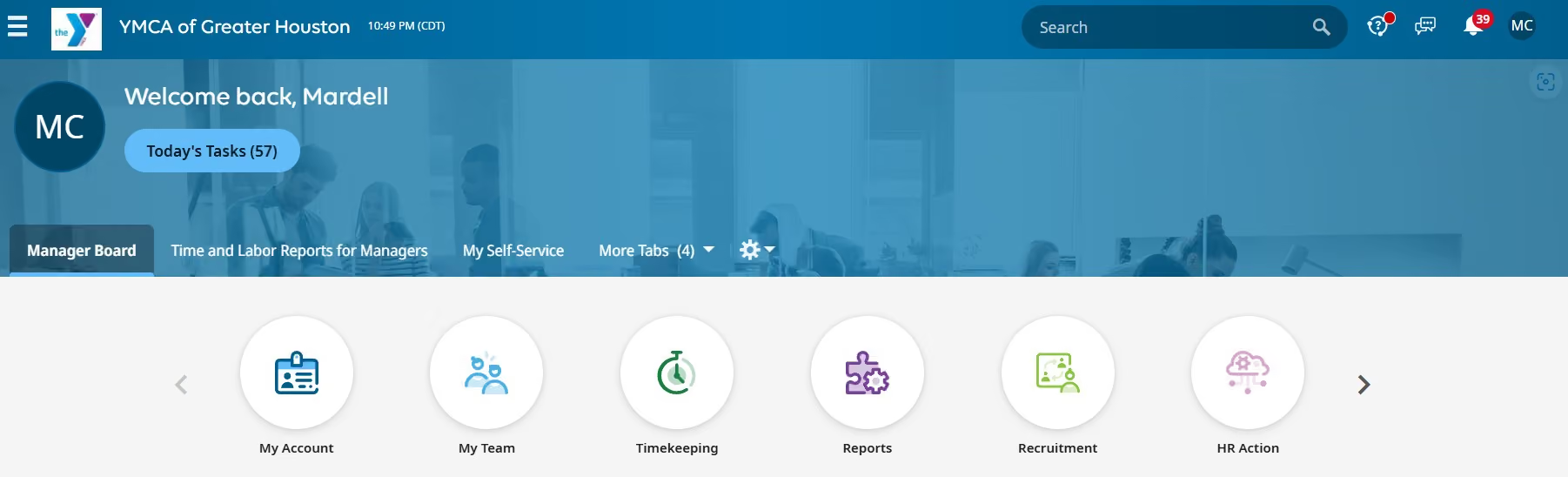
Some of the pros of UKG are that we can easily transfer information from the applicant profile to create the employee profile with no additional steps. Another pro is the ability for our employees to clock in and out easily from their mobile devices. Lastly, our benefits and payroll are also processed within UKG, making it a more convenient process for our organization.
We purchased UKG in 2019 to help streamline our hiring process, onboarding, and payroll system. Some of the benefits of UKG include being an all-in-one hiring, onboarding, and payroll system. I am one of the administrators of our UKG system, so I use it extensively. I am very proficient in what the system can offer, along with its downsides. The tool has significantly improved our operational efficiency since its implementation.
Some cons we have found with UKG include not being fully HR compliant; for a couple of years, we have not been able to properly run our EEO-1 reports. We use UKG to complete our I-9s and E-Verify, but that is not without constant issues. Some reporting capabilities hinder us from gathering information conveniently, often requiring us to manually maneuver the reports. Lastly, the system undergoes quarterly updates; however, each update often causes another issue in UKG, which we are not notified about until we submit a ticket. This causes many problems and makes us lose faith in new updates.
Many of their competitors are now all-in-one systems, so there isn't much difference in that aspect. Some improvements are needed to make it a perfect system, but the mobile ability for employees makes it very convenient for our staff to clock in and out from various work locations, differentiating it from its competitors.
The criteria that people should think about when buying this tool include the price; it is not an inexpensive tool, especially if purchasing all of the extended platform options such as the advanced scheduler and the leave or training modules. If a full HR compliance system is needed without manipulating the data, this system may be problematic.
UKG consistently updates its system to make improvements. They try to listen to their customers and work on ensuring they meet our needs.
UKG is best for an organization that needs a basic HRIS system.
UKG would not be suitable for an organization that needs to do extensive HR reporting or extensive compliance procedures.

APS
APS is very easy to use but what makes it a class apart is its first-rate customer service. When you sign up, you get a dedicated account team that is just one phone call or email away.
PROS
- Centralized tracking for licenses, certifications, CEUs, training, and regulatory requirements, with automated alerts to prevent lapses.
- Support for complex scheduling needs, such as shift differentials, PRN roles, and multiple pay codes.
- Automated workflows, custom checklists, and mobile-friendly applications to manage the hiring process.
- Mobile clock-ins with location tracking to support payroll accuracy.
- Capabilities to import, export, and sync data with several accounting software and healthcare management systems.
- APS is very cost-effective. Although the pricing is custom and depends on your business size, we’ve heard current users speak of its affordability. Jackie R, who is a HR Director for a small-sized company says, “I love that APS offers all aspects of an HRIS system at an affordable price. We are a small business and can't afford the big name payroll vendors, but get everything they offer at APS for a price we can afford as a small business.”
- Their customer service is remarkable. As testified by multiple users, the customer service team at APS is prompt and there for you every step of the way, right from implementation to anytime you get stuck using the software. They’ll likely resolve your issue within the same day.
- APS is very easy to navigate and everything is updated and saved in real-time. Despite its complex features, you would likely not find it confusing. They also have how-to guides that come in very handy.
CONS
- The reporting feature is limited in functionality. Sometimes, there will be missing information that you may require.
- Although their customer support is prompt, you can’t directly reach their team via phone. Customer service answers your queries via email and if you wish to talk to someone on the phone, you’ll have to mention it.
- The reporting feature is limited in functionality. Sometimes, there will be missing information that you may require.
- Although their customer support is prompt, you can’t directly reach their team via phone. Customer service answers your queries via email and if you wish to talk to someone on the phone, you’ll have to mention it.
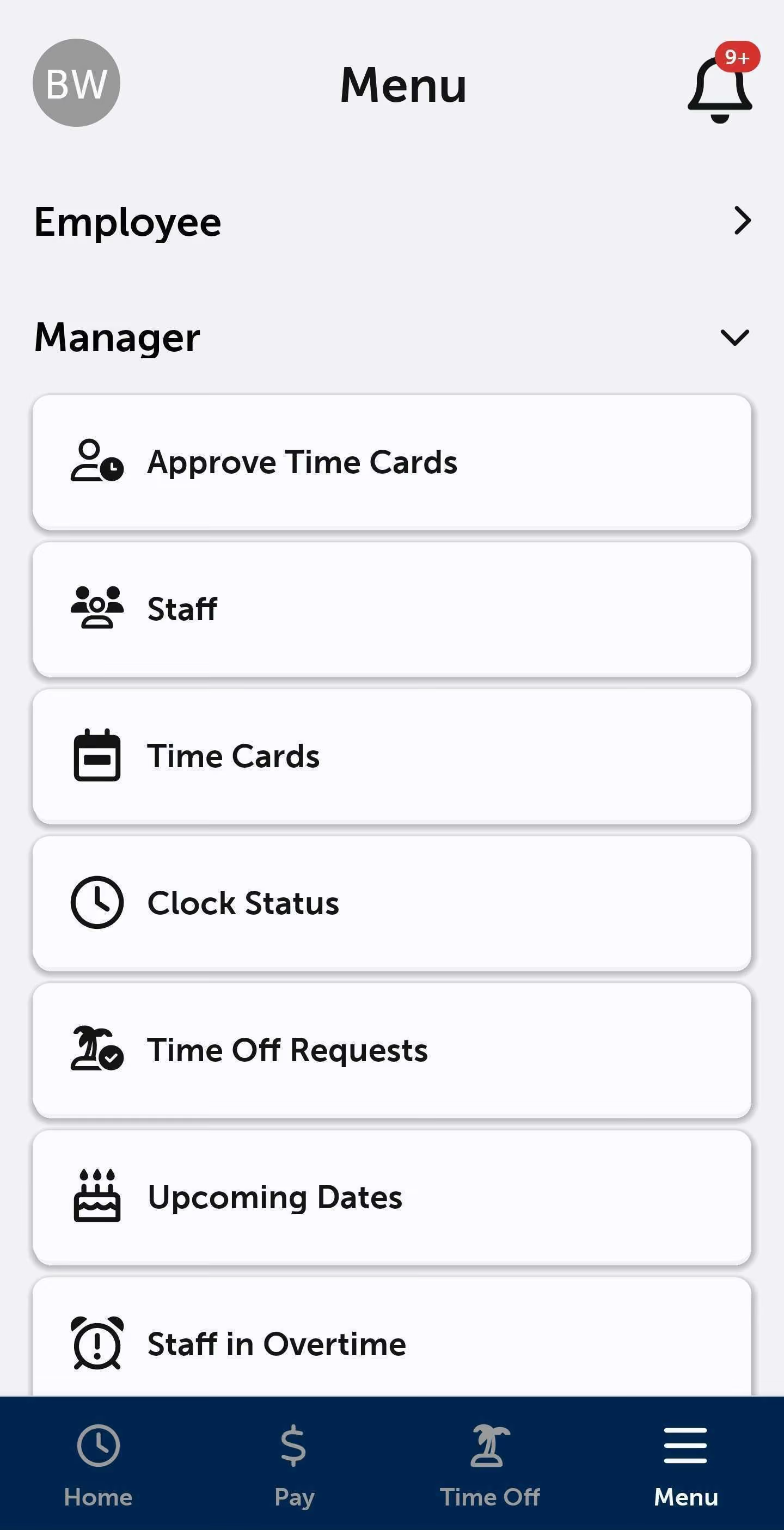
APS places customers at the heart of their solutions and this reflects in their product in a myriad of ways. Their cloud-based HR and payroll platform is a unified HR solution and has everything from payroll and attendance to recruiting and compliance management tools.
APS has many integration options and you can connect your existing business systems with it. It’s equipped with employee self-service so that you can delegate low-level HR tasks to your healthcare staff and focus on high-bandwidth activities like strategy and planning.
Once you purchase APS, you would receive lots of training and the help of an instructor to get you acquainted with the nuances of a new HRIS.
Atlas Chiropractic and Wellness, Circle Logistics, Columbia Southern University, Eagle Distributing, Linden Management
APS offers custom pricing that you can get after entering a few details about your company. You can also request a personalized demo.
Best For
Mid-market organizations

CEDR HR Solutions
Since it’s made solely for healthcare companies, CEDR HR Solutions exactly know the pain points of this industry. They will personally guide you through your unique problems and help you stay compliant like no one else.
PROS
- Access to HR experts via phone, email, or tickets for guidance on discipline, leave, termination, hiring, and employee management.
- Customized employee handbooks tailored to company policies and relevant laws, with self-service options.
- Centralized software to track time, PTO, onboarding, and employee records.
- Access to a library of practical forms, guides, and job descriptions.
- Optional payroll add-on that integrates with timekeeping to reduce manual data entry and errors.
- Since their software is solely made for the healthcare industry, you wouldn’t have to worry about compliance should you choose to buy their solution. Be it their employee handbook or a year-long free HIPAA training, they have many tools to help with compliance.
- Their customer support is excellent. They have an HR Solution Center backed by seasoned HR experts who are there to give you 1-to-1 personalized training.
- They have a lot of free resources like blogs, guides, and one year of free HIPAA training. Their HR software also has a free version.
CONS
- CEDR HR Solutions is geared towards compliance and has a modest offering when it comes to HR software. The features are very basic and somewhat limited.
- Third-party integrations are very sparse. You’ll have to contact them to confirm whether they have an integration for all the applications that your organization uses or intends to use.
- CEDR HR Solutions is geared towards compliance and has a modest offering when it comes to HR software. The features are very basic and somewhat limited.
- Third-party integrations are very sparse. You’ll have to contact them to confirm whether they have an integration for all the applications that your organization uses or intends to use.
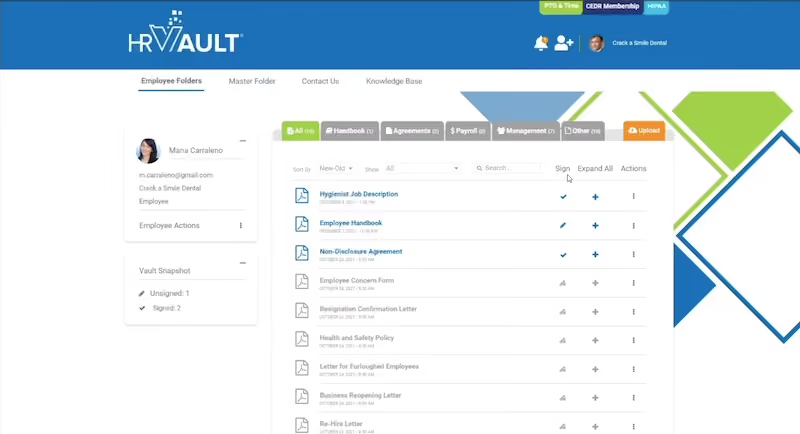
Built specifically for dental, wellness, and medical companies in the U.S., CEDR HR Solutions is a comprehensive HR tool for managers and employees alike. Their HR software comes with many handy features, including employee self-service, PTO and time tracking, free HIPAA training, and centralized employee information.
However, what makes CEDR HR Solutions stand out is the support they provide to their clients with compliance. Be it their compliant employee handbooks or unlimited access to CEDR’s solution center or perhaps the legal guidance they impart to their clients – CEDR HR Solutions has many tools to guide you.
Beckett Ridge Family Medicine, Jade Star Acupuncture, Vista Pacific Dental Care, Mission Hills Family Dental, Wisconsin Endodontic Group
There are three available software tiers: Opening Act, starting at $99 per month; Center Stage, at $189; and Premier Advisor, at $230.
Best For
Most of their customers are small businesses. But mid-sized enterprises in the healthcare industry may also benefit.
HR for Health
A one-stop-shop for everything HR compliance and management, what makes HR for Health unique is that their software solutions are backed by attorneys and HR experts who solely focus on healthcare.
PROS
- Comprehensive recruiting and onboarding tools, including automated offer letters and self-guided workflows for new hires.
- Integrated, compliant employee handbook builder that updates automatically to reflect local, state, and federal labor laws.
- Full-suite talent management, covering time and attendance tracking, performance reviews, and offboarding.
- Cloud-based document storage with e-signature capabilities.
- Access to on-demand HR support via a hotline, email, and knowledge base.
- They will help you stay on top of things, when it comes to compliance. They will provide you a custom compliant employee handbook and deconstruct all the legal jargon so that you could make sense of different regulations.
- They only serve the medical industry so all the features would be relevant for your healthcare company. This ensures that you’re not paying for something you wouldn’t even need.
CONS
- Not a general HRIS you can use for another industry.
- Sold exclusively to US businesses.
- HR for Health doesn’t have advanced HR features like scheduling, staffing, and multiple integrations. So, if you’re seeking a robust HR software, HR for Health would not be the best choice.
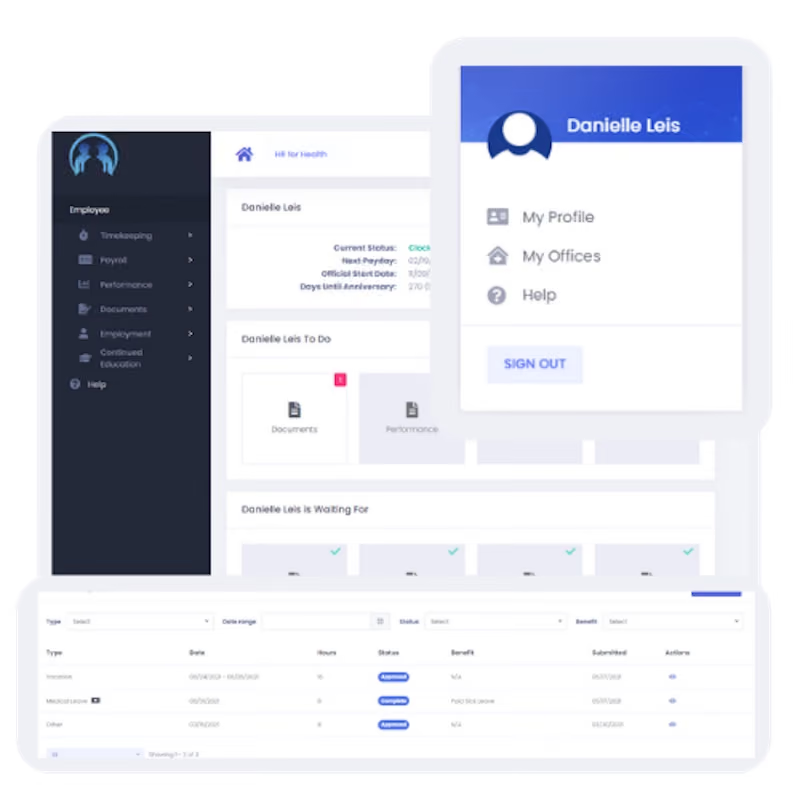
As the name suggests, HR for Health is all-in-one HR software designed specifically for U.S.-based healthcare practices. It aims to save you time, reduce costs, and help you avoid lawsuits. This translates into a suite of tools within a single software platform, ranging from payroll and time tracking to employee performance and onboarding.
In addition to supporting core HR processes, HR for Health provides its clients with a free, customized employee handbook that accurately reflects their organizational culture. This employee handbook is approved by employment attorneys and ensures that your healthcare practice stays informed and abides by the latest legal updates.
Werner Optometry, Main Street Optometry, Lamorinda Dental Care, American Association Of Orthodontists, Futuredontics
HR for Health pricing is tiered as follows:
- Basic: $179/month (or $149/month with a promo code).
- Essentials: Starts at $249/month plus a $1,200 setup fee.
- Plus: Starts at $348/month plus a $1,600 setup fee.
- Premium: Starts at $374/month plus a $2,000 setup fee.
Additional costs apply for payroll, employee count, number of locations, and tax IDs, particularly for the Plus and Premium plans.
Best For
Small to medium sized medical and dental practices that are mainly based in the U.S. and are looking for an all-in-one HR solution that supports compliance.
Workday
Designed with direct input from healthcare organizations, Workday stands out from the crowd due to its unique ability of letting you change your business process framework on a day to day basis.
PROS
- Scenario-based staffing optimization and AI-driven workforce planning to address talent gaps and staffing needs.
- Full-lifecycle support, including mobile-first recruiting, onboarding, and tenure tracking for clinical and academic staff.
- Real-time engagement insights and sentiment analysis to monitor burnout and improve retention.
- Centralized management of HR, compensation, benefits, payroll, accounting, and financial operations.
- Comprehensive tools for financial and operational planning, reporting, and performance analytics.
- Accessible customer support from the community, live chat, and telephone.
- Compatible with 300 HR systems such as ERP/GL, CRM, HR, and PSA.
- Configurable dashboard with AI and ML-driven insights.
- Ability to maintain real-time alignment of budgets and workforce plans.
- SOC 2 Type 2 compliance.
CONS
- Undisclosed pricing.
- No free trial for its talent management software.
- Time-consuming implementation period (average 4.5 months).
- Challenge navigating for first-time users may require training.
- Issues with logging in were reported by users.
- Undisclosed pricing.
- No free trial for its talent management software.
- Time-consuming implementation period (average 4.5 months).
- Challenge navigating for first-time users may require training.
- Issues with logging in were reported by users.
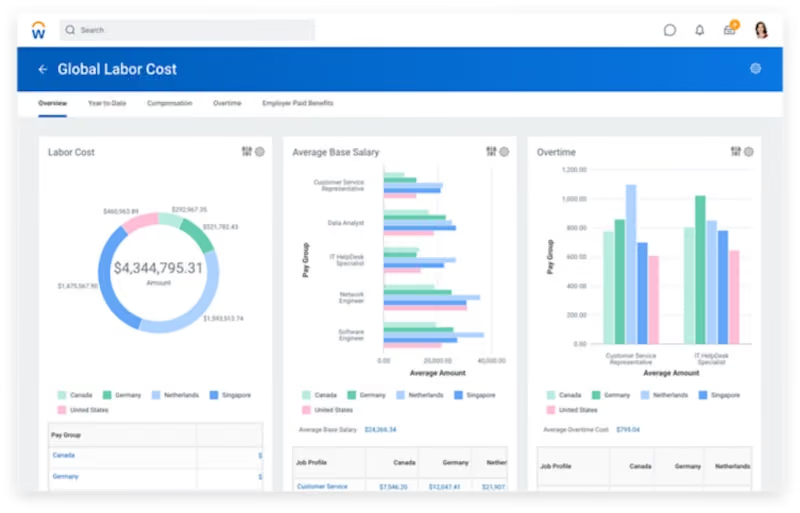
With its wide range of HR products, Workday seeks to address issues the healthcare sector faces, such as clinician burnout and staffing shortages. If you’re looking for a consolidated system to streamline sourcing, onboarding, background checks, payroll, time tracking, or any other HR function under the sun, Workday will have a solution for you.
Trinity Health, ChristianaCare, Dayton Children’s Hospitals, Rochester Regional Health System, CityMD, Ochsner Medical Center
The exact pricing details for Workday aren’t provided by the vendor, as they’ll likely tailor their offer to your business's size and needs. They also don’t offer a free trial, but you can see the tool for yourself in their online demo videos.
Best For
Large enterprises

I use Workday everyday. The key workflows I use Workday for are to manage all my open requisitions. I post jobs on Workday, disposition candidates and run daily reports on recruiting metrics per requisition. Workday does a good job with your dashboard. This screen will show all your open requisitions and any projects or timelines you choose to add. It is also very easy to add templates to Workday per requisition to help save time when you take action on a particular candidate. I initiate background checks, reference checks and offer letter proposals and submittals through Workday as well.
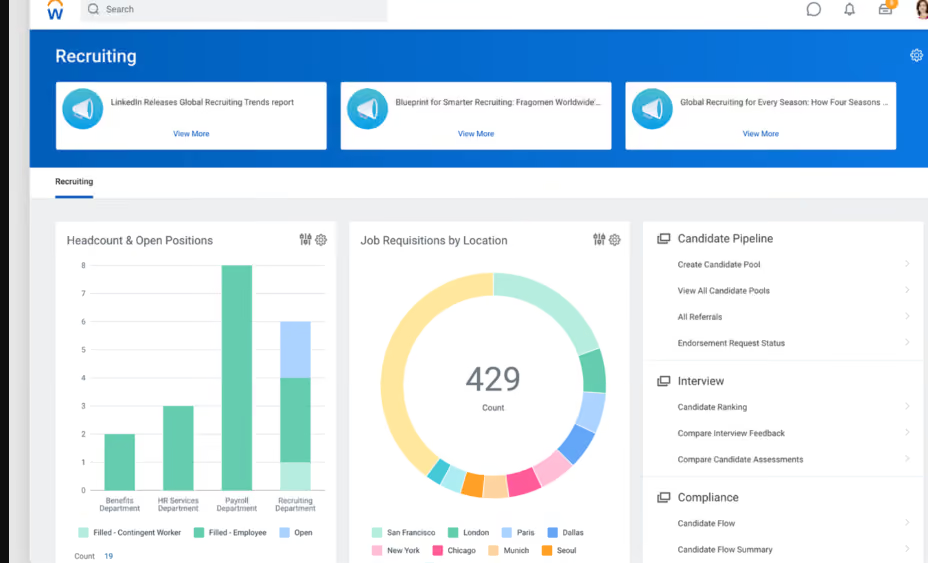
I like that Workday can be your one stop shop for all HR and recruiting needs. It is easily customizable to your organizations preferences. I love the reporting capabilities that Workday can provide. I also like the main screen user interface. I think it is very user friendly and easy to learn.
My organization implemented Workday for the reporting and metrics functionalities. Workday is so robust and can do so much, especially for a big organization like the one I am in. The key benefits are that you can personalize Workday to your company's needs. There are no shortages of capabilities and functions Workday can serve. If you want recruitment metrics and reports, Workday is your tool. I have used Workday personally for 5 years in 2 different organizations. Both companies needed better reporting metrics around hiring and Workday solved these needs.
Workday can be a lot! It offers so many functions that it can get overwhelming. I have had candidates who have not liked the Workday experience when applying for a position. Workday's customer service has been weak at times and has not been the easiest to deal with.
WorkDay has a great brand name. Some of the largest and most profitable companies in the world use Workday which I think speaks for the brand itself. Workday’s functionalities can do so much more than a lot of their competitors. I have used similar tools and Workday by far has the largest arsenal of functionalities. You can utilize anything you decide you want to utilize and can offer almost everything from an HR, Recruiting, and Benefits standpoint.
Workday can be expensive. You get what you are paying for. If you want a complex product as a one stop shop then I would recommend Workday. I would figure out what you want your Workday to function as within your organization.
Workday has continuously made adjustments to the user interface to make it more user friendly. More training is always offered to new capabilities that are added monthly.
Very big organizations who want a system that can do a lot of different things. If you are an organization who has a high requisition load, a need for high level reporting, Workday would be a great fit.
I think Workday would not be beneficial to smaller companies and startups. I think a lot of the key functionalities would not be used and it would be a waste of money for your organization.

Zoho People
Zoho has a soothing user interface and top-notch automation. You can create approval bots, plan events, send event reminders, and so much more to reduce your routine tasks and increase productivity.
PROS
- Facilitates team communication through targeted announcements, departmental groups, and a searchable employee database via mobile app.
- Automates repetitive HR tasks such as approvals and document workflows to streamline operations.
- Manages organizational or individual shifts and schedules with a customizable leave system.
- Supports 360-degree performance appraisals and feedback systems for tracking goals and skill development.
- All core HR features in a single dashboard
- Wide array of integrations
- User-friendly UI, constantly updated
- Available in multiple languages
CONS
- Since they offer so many modules, some may be not as robust as other products that have been more specific about covering certain needs. For instance, some teams have found their payroll offering to be quite basic.
- Not all that’s available in the web platform is available in the app
- Some users reported that the platform can be slow to load every now and then.
- Since they offer so many modules, some may be not as robust as other products that have been more specific about covering certain needs. For instance, some teams have found their payroll offering to be quite basic.
- Not all that’s available in the web platform is available in the app
- Some users reported that the platform can be slow to load every now and then.
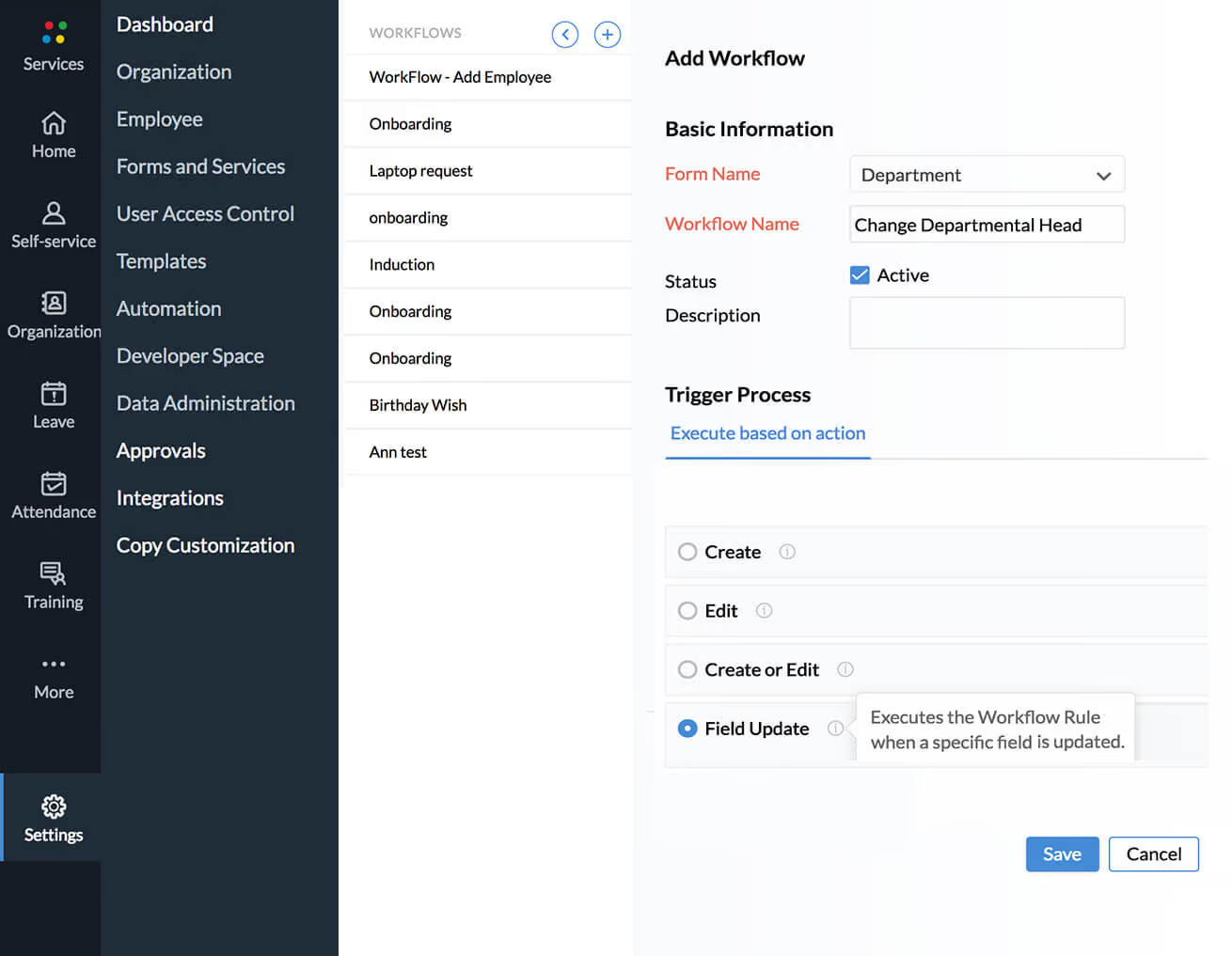
Zoho offers a wide range of products and features. Zoho’s unified HR platform, People Plus lets you manage the entire employee life cycle from a single integrated platform. It focuses on four key HR areas: talent acquisition, talent management, core HR & payroll, and employee engagement. There’s also employee self-service for things like travel requests, time and absence updates, and internal collaboration.
Highly customizable, Zoho scales with your team. The tool also has a powerful analytics module that lets you identify trends across everything from hiring to employee performance. The cherry on top, however, is its artificial intelligence feature, which lets you automate hundreds of manual processes.
Max Life Insurance, Recover Health, Bernard Health, Church Pharmacy, Briotix
Zoho People offers the following pricing plans (billed annually):
- Free: Forever free for up to 5 users.
- Essential HR: $1.25 per user/month.
- Professional: $2.00 per user/month.
- Premium: $3.00 per user/month.
- Enterprise: $4.50 per user/month.
Custom pricing is available for organizations with more than 500 users. Note that local taxes may be charged in addition to these rates.
Best For
Zoho People offers plans for many types of organizations, including custom pricing for those with more than 500 employees.
From an HR perspective, Zoho People functions similarly to other HRIS platforms. It allows you to add new employees and input their personal information, compensation, documents, PTO, training, and performance tracking.
From the user side, the interface wasn’t the most intuitive when we used it last in 2024, which was a common piece of feedback. I still have access to Zoho People now, and it has changed drastically in terms of design since then.
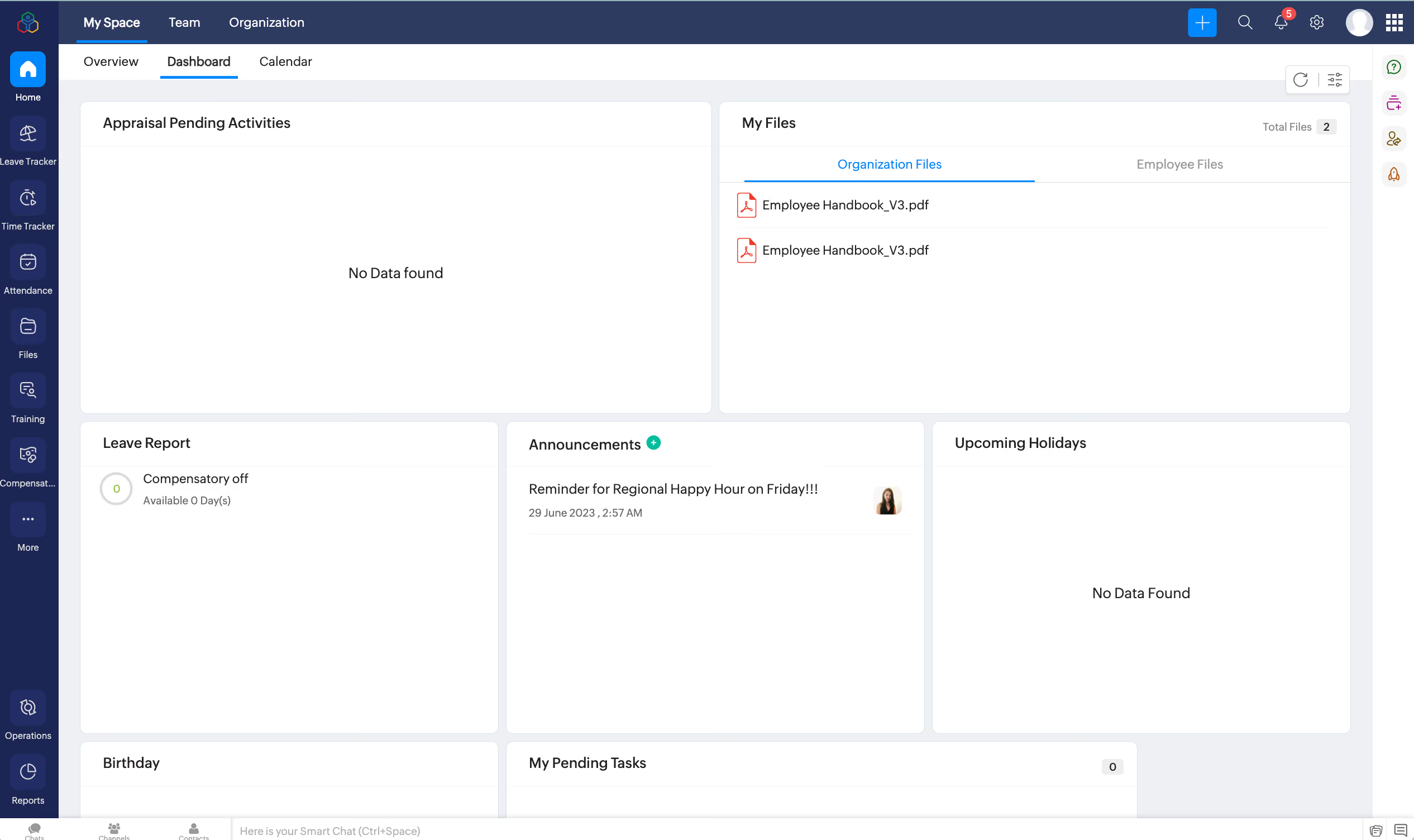
Our use of Zoho People was part of a larger bundle that included multiple Zoho systems like CRM, Sign, and Learn. We paid just over $2K monthly for access to these tools, with CRM being heavily utilized by the team.
The main advantage was the cost-effectiveness of the bundled package. If not for that, Zoho People wouldn’t have been our first choice. A user-friendly interface is important to us since our demographic is predominantly millennials, followed by Gen Z.
Ease of use and modern design were key factors in our selection process, which ultimately led us to transition away from Zoho People.
The company I worked for used Zoho People for three years since it aligned with Zoho CRM, a tool the sales team already used. It was the logical choice to stay within the same ecosystem. It also offered many free features that met our initial needs as a startup. As the company grew, we required more advanced functionalities, which eventually led us to transition to a different HRIS system.
The user interface was not as intuitive as other systems I've used as an HR leader. Navigation often felt outdated and clunky. Customization options were limited compared to competitors.
It’s not on my list of preferred HRIS platforms. It does the job and works well for companies just starting out that need a basic system for storing personnel files, providing easy employee access, and offering competitive pricing. From both a backend and user perspective, it’s not ideal. I would still choose other HRIS options like BambooHR or HiBob.
Usability should be the top priority. I’ve launched several HRIS platforms, and at the end of the day, employees need to actually use the system. No matter how great the backend is for HR or how competitive the pricing may be, if the user interface is too complicated, adoption will be a challenge. The system’s overall aesthetic should align with the company’s demographic to support engagement and success.
It improved over the time we used it, but the challenge was that competitors remained ahead of the curve. This made it a tough business decision to stick with Zoho People while waiting for it to catch up. Since we migrated out in December, I’ve noticed significant interface changes, but not enough to make me regret leaving the platform.
Zoho People is a good fit for teams already using Zoho CRM, as it makes sense to keep everything within the same ecosystem. It’s a practical choice for companies looking for a cost-effective, all-in-one solution. I personally think the interface seems to cater more to older generations. It sometimes feels like an elevated version of what AOL Instant Messenger would look like.
Anyone in the creative industry or millennial users and younger.

Rippling
Rippling can be a game-changing HR software for medium-sized healthcare businesses. The platform can easily handle payroll in the US and internationally with terrific automation and built-in integrations. It also lets companies work with their picked broker within the app and choose benefits packages from over 4,000 plans.
PROS
- Consolidates HR, payroll, scheduling, and onboarding into a single platform.
- Automates administrative tasks, including employee onboarding, offboarding, and recurring reporting.
- Syncs staff scheduling with credential and license tracking to manage coverage and compliance.
- Manages payroll and scheduling across multiple locations and roles, automatically updating records when changes occur.
- Provides workforce analytics and reporting capabilities across regions and departments.
- Integrates with external benefits brokers to manage insurance packages.
- All-in-one platform for employee management + PEO services offered, and even a suite of other IT products
- With 500 integrations, it’s very likely that they integrate with other key tools from your tech stack.
- Operates globally with any currency
- Workflow automation
- Analytics opportunities
- Provides a holistic view of company outflows—headcount costs included
CONS
- Lacks the option to automate payroll completely.
- Doesn’t have a free trial.
- HR Help Desk service provides phone support but costs extra.
- Not the best choice for large companies (2,000+ employees).
- The mobile app lacks some features compared to the web browser version.
- Total buy-in to Rippling is essential
- Very SMB-oriented, in case you’re a larger company.
- New features tend to be buggy in ways that tech teams are not accustomed to fixing

Rippling is one of the few providers with a wide range of integration options among the HR software vendors we’ve reviewed over the years. One key factor that makes us choose Rippling to recommend for growing healthcare businesses is its automation capabilities.
Although the solution is relatively young compared to other options, its features are just as good as the more experienced ones. We can onboard employees worldwide online, let them choose their benefits package, automate our time-tracking workflows, run payroll, and keep our employee data in one place.
We even found some features to be unique to the platform. For example, the benefits module enables us to work with our existing broker. It can also help with compliance and tax filing, automating parts of the process, even when our employees move locations or change their marital status.
While covering a range of features, Rippling doesn't mess up its sleek and intuitive interface. We also tried Rippling via the mobile app, and it was a cohesive experience. However, some users occasionally report the app lagging.
Vox, Maximum Games, Superhuman, Compass Coffee, Highnoon.
The foundational platform begins at approximately $35/month flat plus $8/employee/month. When factoring in add-on modules, companies typically pay an all-inclusive rate of $20 to $35 per employee monthly.
Best For
Rippling is best for healthcare businesses with 50 to 2,000 employees. It can work for both US-based, global, remote, office-based, and distributed teams.

I used Rippling daily for payroll, benefits enrollment, compliance reporting, and new hire onboarding. One of the most valuable workflows was automating onboarding. Rippling allowed us to set up payroll, benefits, and IT access in just a few clicks.
I also relied on it for compliance tracking, reporting, and employee data management. The integration across HR and IT made it unique, since we could manage things like laptops and software access alongside employee records.
- Rippling combines HR, payroll, benefits, and IT management into one platform, reducing the need for multiple systems.
- The onboarding automation saves significant time by handling payroll, benefits, and device setup all at once.
- The user interface is clean and intuitive, which made adoption easier across teams.
- Integration with third-party apps is seamless, which helps keep everything connected.
My organization purchased Rippling to streamline multiple HR and IT functions in one system, instead of juggling several disconnected platforms. The main goal was to simplify payroll, benefits, onboarding, and device management in one place.
I used Rippling for over two years in an administrative capacity, mainly for payroll, compliance, and onboarding. It provided an all-in-one solution that saved time and reduced errors across processes.
- Reporting can feel complex—adding simpler, pre-built templates could provide quicker insights.
- Customer support response times were sometimes slow; faster live chat support would improve the experience.
- Pricing can add up quickly when using multiple modules, and a more bundled package option would be helpful.
- Some of the more advanced compliance features require add-ons, which would be better if included in the base product.
Rippling stands out because it connects HR and IT functions, allowing companies to manage payroll, benefits, and even devices and apps in one system. Other HR platforms I’ve used focus only on HR functions, but Rippling saves time and money by consolidating both sides of operations.
While competitors may offer stronger stand-alone reporting or payroll, I prefer Rippling for its automation and ability to integrate everything in one place.
Organizations should consider the number of modules they need and how Rippling's all-in-one model compares to specialized tools. Integration is key, so evaluating how well it connects with existing payroll, benefits, or IT systems is important.
Companies should also look at cost scalability. Since pricing is modular, it’s worth planning ahead for which features will be needed as the business grows.
Rippling has expanded rapidly beyond just HR functions, adding payroll, benefits, device management, and compliance features into one platform. Over time, it has improved automation and integration, making it easier to manage a distributed workforce.
The system continues to evolve with new features, helping it stay competitive with more established players in HR tech.
Rippling is best for small to mid-sized companies and fast-growing startups that want to consolidate HR and IT functions into one platform. It is especially helpful for distributed teams that need efficient onboarding and offboarding across multiple states or countries.
Rippling may not be the best fit for very large enterprises that already have dedicated HR, payroll, and IT systems in place. Companies with highly complex global compliance needs or advanced, specialized reporting requirements might find it limiting compared to larger enterprise systems.

Kallidus
Sapling’s workflows are straightforward and easy to use. Its biggest strength is that it lets you manage as well as automate your unique workflows and processes.
PROS
- Maintains a record of all changes which is useful for compliance and audits
- Leverages gamification for learning and development
- Adjusts to the needs of a small but growing team
- Built to accommodate remote-first teams
- The platform keeps track of all changes done to HR processes; useful in case of audits and to ensure data compliance.
- Includes talent-development features through the e-learning module, such as gamification of certain courses.
- Good bet for small and scaling teams given the flexibility of the platform.
- The tool also has remote team-focused features process auto-assigning.
CONS
- Customer support reported to be slow occasionally
- Some issues reported with ADP integrations
- Overall, integrations require tech savvy and require more API and webhooks knowledge than others in this space
- Several users have reported that the support team can be slow to respond to requests for assistance.
- Although it might not be completely on Sapling's hands, other users during are research reported troubles with the integrations to software like ADP.
- Additionally, the integrations are somewhat limited and you need to work with either an API or webhooks with some of the most trusted HR tools out there.
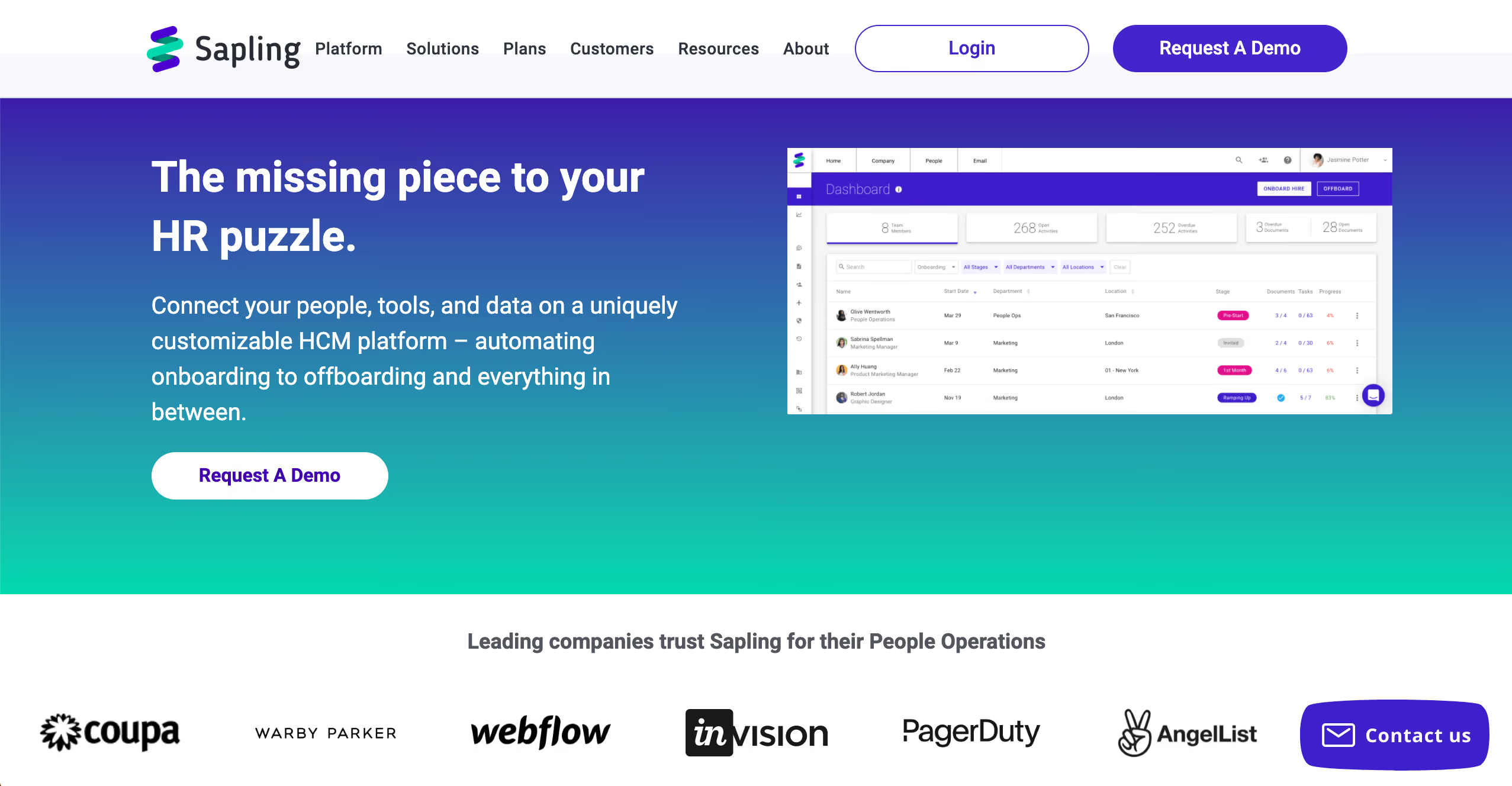
Whether you run a small care facility or a competitive hospital, Sapling has powerful tools designed with an eye towards the problems healthcare organizations face on a daily basis.
Sapling lets you automate repeatable processes, execute e-signatures with ease, manage complex time-off policies, and helps you reduce non-compliance risk among a variety of other things that help save you time.
With its analytics tool, you can also get actionable insights and create custom reports for all your data. Sapling works seamlessly with other leading HR, IT, and productivity systems that your team might already be using.
Oura Health, Navia Benefits, Sequoia Benefits, Webflow, Digital Ocean
Sapling's pricing varies depending on which modules you'd get. You can start with the People Operations Platform, and then add the Essential and/or Premium modules. The final price will depend on the applicable platform fee, plus a per-user-per-month fee. To give you an idea, the minimum annual fee is $4,000 USD.
Best For
Sapling is aimed primarily at mid-sized organizations (50-2000 employees) distributed internationally.

Sapling is especially important when we bring in a new employee, and it is used regularly in the first 90 days to build the whole onboarding experience. We use it to make sure every important communication and event happens from the point of the offer to the first few days, and that those who are responsible for that are involved. So, offer letters, welcome packages and gifts, welcome emails and outreach calls, training agendas, and team assignments are all handled through Sapling.
Also, all the initial paperwork and signatures are centralized and handled through Sapling, so that part is very smooth for everyone involved. Throughout the introductory period, we use it to be sure surveys are sent at the appropriate intervals (30/60/90 days) to get feedback and ensure the employee feels heard and valued and to address any areas they need help.
We also found that Sapling was very helpful in providing content to build initial connections between co-workers, connecting them on a one-to-one basis, and including new hires in events.
It was easy to learn and navigate so everyone enjoyed using it.
It is customizable which is particularly helpful in creating individualized onboarding plans.
Information is easy to access, and data is readily available for managers, such as upcoming tasks and events, employee information, and employee feedback.
We chose Sapling to improve our onboarding. We had gotten feedback from staff that onboarding was not well coordinated. We also had more recent hire turnover than we felt was acceptable, and that it was likely connected to onboarding. We had problems establishing not just the critical first few days but also the introductory 90-day experience in which relationships are formed, the tone is set and the groundwork for long-term employment is established. We used it for a year.
It would be nicer to see some data within the platform, rather than having it generated as a report you open outside the system.
The org chart was a bit cumbersome to use.
More resources for employee experience after onboarding available would improve it.
The guidance Sapling provides to managers regarding onboarding seems unique and much more in-depth than other products. For onboarding, I would choose Sapling over other onboarding products and features, as it is very thorough and instructive regarding what onboarding should be.
If you don't hire often, the best part about this product may not be worth the investment. However, if you do have a growing or often changing team, Sapling could be the difference between losing a good new hire in the first 3 months or retaining them for years. So, if turnover is a problem, and if your onboarding has no structure, this is something to seriously consider.
Like any tool, it requires that people buy in and use it for it to accomplish what it sets out to accomplish, so you need to prepare your people for change if introducing a new way to handle onboarding via Sapling.
I believe the product has expanded and now features more performance management options as well.
This is a very good product for growing companies, startups that have a lot of hiring, and companies that need to address turnover issues.
Companies with little or infrequent hiring or turnover may not benefit.
Why Use HR Software For Your Healthcare Company?
Before buying any new software, it’s worth asking what are its use cases. Generally, companies use HR software for streamlining their workflows, hiring new talent, processing payroll, and other common HR functions. But when you’re running a healthcare organization, you might be motivated to buy an HR software for slightly different reasons. Here are some of those:
- Save time: For workers in the healthcare industry, even a minute of delay can deteriorate the health of their ailing patients. Time is therefore the most precious resource for healthcare professionals and using an HRMS can monumentally help in this regard. Contemporary HR systems use automation to eliminate repetitive HR tasks like payroll processing, sourcing, onboarding, and attendance so you could focus on delivering quality patient care.
- Stay Compliant: In an industry such as healthcare, where the slightest of negligence can cost a patient their life, being compliant with laws and regulations is extremely important. HR systems designed for healthcare organizations ensure that you’re not only following all the necessary rules and regulations but also being up-to-date with any statutory changes.
- Reduce employee turnover: Employee turnover is one of the biggest challenges that the healthcare industry is facing right now. According to a report by NSI Nursing Solutions, the national hospital turnover rate stands at 25.9% for the year 2021. In 2017, this figure was 18.2%. Given the kind of stressful work environment that healthcare workers find themselves in everyday coupled with the stress of COVID-19 pandemic, this increase in the employee turnover is warranted. A good HRIS can help increase employee retention by enhancing the employee experience in multiple ways. It can accelerate the pace of otherwise frustrating HR tasks, help you compensate your employees on time, give employees the access to manage their benefits, and improve internal communication.
- Training and development: Healthcare professionals need to keep up-skilling themselves so that they can accurately use new medical instruments or techniques and deliver quality patient care. HR systems designed for healthcare organizations are usually equipped with a learning management system or LMS. Such HR software allows employees to take self-assessments, track their progress, and check their certifications.
- Improve employee experience: HR software is not just built for human resources professionals but for employees too. Instead of depending on HR managers all the time, employees can perform some of the HR tasks on their own like requesting time-off, marking absence, availing benefits, picking up open shifts. Giving employees some control leads to transparency, builds trust, saves time, and reduces their stress— all of which ultimately leads to better performance and overall productivity.
- Get reports and trends: Modern HR tools have analytics and advanced reporting features. You can get insights about everything ranging from employee turnover and the number of incidents to attendance and employee engagement. You can then use this data to make decisions and strategies for improvement.
- Streamline your workflows: One of the biggest advantages of using an HRMS is that it acts as a centralized solution for all your HR tasks. You can hire, onboard, compensate employees, do background checks, and performance evaluations all from one place, instead of using different applications for each task. Moreover, you could also map out an employee’s compensation and PTO based on their attendance, performance, and other such metrics.
- Manage shifts and schedules: Healthcare professionals usually have constantly-changing schedules. HR software made specifically for healthcare companies is cognizant of this fact and incorporates features that let employees fill open shifts quickly and give managers insights on scheduling needs.
Some Pitfalls To Avoid While Buying A New HR Software For Your Healthcare Practice
- Lack of employee self-service: Modern HRMS are equipped with employee self-service which means that your employees can access, edit, and update some of their information on their own; a task that was previously reserved for the HR team. In an industry as demanding as healthcare where employees always need to be on their toes to fill an emergency shift, it’s absolutely vital to steer clear of HR systems that don’t have employee self-service.
- Low data security: The Health Insurance Portability and Accountability Act of 1996, commonly referred to as the HIPAA, necessitates organizations to protect patients’ sensitive information. Make sure the vendor you’re purchasing your HR software with keeps your sensitive information secure and is able to comply with these regulations.
- Interface that’s not user-friendly: Working in the healthcare industry can certainly entail working in a high stress environment. You don’t want to take on more stress by trying to decode an incomprehensible HR software. Besides, HR managers are not the only people who have to deal with the HRIS but also the nurses, doctors, and other staff workers who have to directly deal with the patients.
- No mobile app: Since the majority of workers have to be in direct contact with patients, healthcare professionals don’t have a lot to do with computers. Besides, it’s always less time-consuming to carry out routine tasks from a smartphone. If there’s no mobile app for the HR software you’re intending to buy, it could cause logistic issues later.
- Inability to integrate with other applications: Most HR technologies integrate with myriads of third-party applications. While the HRIS you’re interested in buying might have the ability to integrate with popular applications, it may not integrate with the system that your company uses regularly. If you fall prey to this common pitfall, you’ll be spending your days manually entering data from one software to another, causing an unnecessary roadblock for your core HR responsibilities.
- Bad customer support: Due to the time-bound and compliant nature of work that healthcare professionals do, it’s imperative to look for an HRIS that delivers speedy and robust customer support service. You don’t want your employees to be wound up in a situation where they fail to deliver quality patient care due to an unresolved technical glitch.
ROI Of The Right Healthcare HR Software
On the surface, an HR software product may not seem like a necessity in an industry that has little to do with computers and software. But, on a closer look, it becomes apparent that no other industry needs a people management software as much as healthcare. This is because the way employees in a healthcare practice are managed has a direct impact on the quality of care delivered to patients. Therefore, the right HR software for your healthcare company is worth every penny and could help your organization cut down stress, time, and money.
If you’re still not convinced and need some numbers to change your mind, consider this simple stat: The average salary of an HR administrator in the US is $50,000 per year. If you compare the amount of money you’ll spend on an HR software vs the cost of hiring a few administrators, you’ll see that it’s completely worth buying good HR software for your healthcare organization. Besides, unquantifiable benefits such as accuracy, quick scheduling, elimination of duplicate entries, or avoiding compliance risks should not be overlooked.
Healthcare HR Software Pricing
Pricing for HR software varies from vendor to vendor as well as on the features that your organization requires. Some vendors can cost you as little as $4 monthly for each user, while others can cost you upwards of $99. For most vendors, the pricing model is per-employee per-month. Some vendors will also charge you a monthly fee in addition to the per employee charge.
Many vendors don’t disclose their pricing upfront and you can only get a custom quote after getting a demo of their HR software. Sometimes HR tech vendors also charge you for setup, implementation, customer support, or consultation. Make sure to ask about these charges from your potential vendor.
Although pricing will vary according to your organization’s needs, below is a chart of estimated price ranges:
Key Healthcare HR Software Features
There are hundreds of HR tech vendors out there, rich with features to make your work as an HR manager easy. But when it comes to healthcare HR software, there are certain core features that you must not compromise on. Here are some of those:
- Employee self-service: In a fast-paced environment such as a healthcare company, the option to let your employees carry out recurring HR tasks like marking absence or benefits enrollment is a must-have. Not only would it help you save a lot of time as an HR manager, it would also bring clarity to the work of your employees.
- Multiple pay rates: In hospitals, workers may have to take on emergency shifts at night. Such shifts take place at odd hours and usually compensate employees more than their regular shifts. This is why a single individual can have different pay rates depending on the job and the hours it is performed at. Look for an HRMS whose payroll tool comes with a multiple pay rates feature.
- Training and development: Staying up-to-date with the methodologies and brushing up on old knowledge is absolutely critical in a field like healthcare. Make sure that the HR software you end up buying has a training and development tool where employees and managers alike can track their progress and access learning resources.
- Attendance & time tracking: Modern HRIS have an attendance tool that’s linked with the payroll. In healthcare practices, where there can be fluctuating working hours, a time tracking tool will help you avoid duplicity errors and pay your employees accurately.
- Scheduling: In healthcare practices, employees need to be on their toes to fill an emergency shift. A good HR software would make it very easy to schedule and fill open shifts fast.
- Employee database: Think of an employee database as your one-stop solution for quickly storing data and pulling up information about your employees ranging from their contact details and age to their salary and performance history. In healthcare practices, this feature can come in handy when responsibilities need to be delegated under a time crunch.
- Legal guidance and HR advising: In an industry that’s as highly-regulated as healthcare, compliance can be the most critical component of healthcare companies. HR systems designed for healthcare practices usually have a full-fledged compliance tool that helps companies stay abreast of legal changes and take actionable steps to avoid hefty costs.
- Reporting: It’s extremely important to report incidents in healthcare organizations to improve safety and patient care. A healthcare HR software would not only let you log incidents but also other data like employee satisfaction, retention, and growth.
- Recruitment and staffing: The healthcare industry is rife with staffing problems and HRMS built for healthcare companies usually come with solutions to tackle this problem. Some would argue that HR software for healthcare should be equipped with a recruitment tool. This would involve features such as sourcing, applicant tracking, and automated onboarding; among others.
Questions To Ask On Demos
We hope that the information on this page has acquainted you well with the various HR vendors out there and that you have shortlisted a couple of them. Your next step should be to get first-hand experience of the HR software you’re interested in buying. You could do this with the help of a demo, which most of the HR tech vendors provide.
Depending on the vendor, you could expect to get a live demo or a recorded one. In either case, what’s going to set you up for success is coming up with a list of questions to ask during your demo session, so that you could find the HR software that most meets your needs.
To help you get started, below is a list of questions that we think every healthcare company should ask from a potential vendor. Feel free to use this list to ideate more questions:
- If my team is already using an HRMS, what is the process and timeline of transferring data from our previous HR software?
- Do you provide legal guidance to help us stay updated with new laws?
- How secure is our patient data and other sensitive information?
- Do you help with HIPAA training and certifications?
- Does this HR tool integrate with the applications that we’re currently using for our healthcare practice?
- Do you have a mobile app for this HR software product?
- How do you help us stay legally compliant?
- Do you provide HR advising?
- How robust is your reporting tool?
- How quickly does your customer support team respond and resolve issues?
- Is training required for using this HRIS? If so, is it free?
- Can you show us what your software looks like, from the point of view of someone outside the HR department?
- How extensive is employee self-service?
- Can you customize this HR software according to our organization’s needs?
- Do you have a tool for internal communication?
Healthcare HR Software Implementation
Depending on whether you’re buying HR software for the first time or switching to a new one, your implementation process would slightly differ. There are also variables such as your organization size, training requirements, and the vendor you choose that would dictate your timeline and process. Thus, implementation of a new HR software could take as little as a day to a couple of weeks.
Most vendors start with an installation, which is followed by data migration (if you’re switching from another vendor), configuration, testing, employee training, and finally officially bringing the software onboard. Later, the vendor may follow up for feedback.
In most cases, the implementation team would ask you the following information:
- Basic company information such as your EIN (employee identification number)
- Basic employee information such as their name, SSN, address, compensation etc.
- Payroll and information about already paid taxes, if you’re switching vendors mid-year.
Do note that although this is the typical process, it’s best to ask the vendor you’re interested in about their implementation process and timeline before proceeding with them.
Healthcare HR Software FAQs
What is HR software?
An HR software is a suite of tools that helps a company’s human resources department perform everyday HR tasks.
What software is used in healthcare?
There are many HR vendors that cater to healthcare companies and our list mentions some of the top healthcare HRMS such as Zoho, Workday, Rippling, and BambooHR.
What is included in HR software?
Modern HRMS act as an all-in-one HR solution and can help your company with all your basic HR needs ranging from payroll and recruiting to benefits and talent management.
What are the three main types of HR software solutions?
The three main types of HR software solutions are HRIS, HCM, and HRMS.
What does HRIS stand for?
HRIS stands for Human Resource Information System.
What does HCM stand for?
HCM stands for Human Capital Management.
What does HRMS stand for?
HRMS stands for Human Resource Management System.
What’s the difference between HRIS, HCM, and HRMS?
These terms are often used interchangeably because on the surface, there isn’t a huge difference between HRIS, HCM, and HRMS. The definition varies from vendor to vendor and even among HR professionals. While all three are all people management tools, the differences lie in their features and use cases. An HRIS takes care of your core HR needs and is limited in that sense. An HRMS has the same use case as an HRIS but goes beyond the core HR needs in terms of features. Strategic planning is the epicenter of an HCM while having most of the HRMS features.
What are the advantages of using HR software in healthcare companies?
There are many benefits of using an HR software in a healthcare company, some of which are:
- Helps you save time by automating repetitive tasks
- Reduces stress and Improves the overall employee experience
- Guides you with legal changes and Increases compliance
- Helps you overcome staffing problems
- Incident reporting, analytics, and key business insights
- Workforce management
What is the difference between an HRIS and ERP?
An ERP or Enterprise Resource Planning is a centralized software solution that helps organizations integrate the operations of different departments like sales, IT, marketing etc. An HRIS on the other hand, helps organizations integrate different HR processes and perform core HR tasks from one place.
What is the relationship between HR and healthcare?
The role of HR in healthcare is paramount. In order to deliver quality patient care, healthcare employees need a management system that lowers their work stress and improves their overall performance. HR software made for healthcare companies solves this.
What is the best HR software for healthcare?
While we’ve spent a lot of time researching and coming up with this list of the top HR software for healthcare, what is best for one organization might not be for some other. Hopefully, our comprehensive yet brief vendor reviews helps you shortlist what would be the ideal HR software for your healthcare practice.
Final Advice
If you’ve made it this far, we really hope we’ve covered all the gaps in your knowledge about HR software for healthcare companies. Your next step should be to shortlist 2-4 vendors and book demos with them.
As a last piece of advice, we’d suggest that you factor in the various constraints and edge cases that by default come when you work in an environment as dynamic as a healthcare organization.
Many HR software vendors provide a one-size-fits-all solution for all industries and lure prospective buyers in by simply marketing the relevant features. Take ample time to list down everything that your organization needs by talking to your doctors, nurses, and other healthcare staff who will be using the HR software. It’s always good to have clear objectives before setting up a demo. All the best!
If your healthcare practice is specifically focusing on staffing, our best recruiting software guide may help you.
About the Author


About Us

- Our goal at SSR is to help HR and recruiting teams to find and buy the right software for their needs.
- Our site is free to use as some vendors will pay us for web traffic.
- SSR lists all companies we feel are top vendors - not just those who pay us - in our comprehensive directories full of the advice needed to make the right purchase decision for your HR team.


