

9 Best Payroll Software UK: Reviews & Pricing (2026)
Compare features, pricing, and HMRC compliance to find the best UK payroll software for your business.











Selecting the best UK payroll software lets businesses file accurate Real Time Information (RTI) submissions to His Majesty's Revenue and Customs (HMRC), calculate PAYE and National Insurance correctly, meet pension auto-enrolment duties, and pay statutory entitlements such as SSP and SMP without manual effort. It also removes the main sources of risk: HMRC late-filing and inaccuracy penalties, incorrect deductions, and the auto-enrolment breaches that manual or poorly matched systems tend to produce. This guide breaks down the best UK payroll platforms we assessed across small businesses, mid-market employers, and enterprise teams, and walks you through what to check before you buy.
UK payroll also carries a wrinkle most single-country markets don't: the UK is four nations under one tax authority. RTI, National Insurance, auto-enrolment, and statutory pay run UK-wide, but income tax has diverged since devolution. Scotland has set its own rates and bands since 2017 (six, against the rest of the UK's three), so an employee on a Scottish S-prefix code takes home a different amount from an identical colleague in England, while Wales (devolved in 2019) has so far matched English rates and Northern Ireland stays aligned. Good software applies the correct rates by where each person lives, not where the business is based.
Note: All figures are in GBP unless otherwise stated.
We evaluate UK payroll software through hands-on testing, live demos, vendor interviews, and verified user feedback. We've assessed 20+ payroll platforms for this guide, and because UK payroll shifts with every tax year and mid-year HMRC changes, we re-check our shortlist against each new tax year and any major legislative update (RTI, auto-enrolment thresholds, statutory pay rates).
To complement this process, we also engage regularly with people-operations experts who work with fast-scaling teams. For example, we recently spoke to Sam Eaton, Business Coach at MindAbility Consultancy Ltd, a UK-based advisor to People and Talent teams at growing companies. Her lens informs how we score in this category: the trigger for investing in payroll infrastructure is complexity over just headcount, and the true test is whether a tool fits your compliance reality today and where you are headed in 12 to 24 months. (See the full conversation here.)
Our pre-screening benchmarks reflect that posture:
- HMRC RTI accuracy: Does the platform file FPS and EPS submissions correctly on every pay run? RTI is where HMRC penalties begin, so this is non-negotiable.
- Auto-enrolment and pensions: Does it assess, enrol, re-enrol, and file with your pension provider automatically, or hand that back to you? Manual workarounds are where auto-enrolment breaches creep in.
- Statutory pay: Does it calculate SSP, SMP, SPP, and the rest to the penny, or approximate and leave you to reconcile the difference?
- Four-nations handling: Does it apply Scottish (S) and Welsh (C) tax codes by employee residence, and cope when someone relocates across a border mid-year? A tool that treats the UK as one tax regime will quietly get Scottish employees' take-home wrong.
For more on our process, see how we evaluate HR tech vendors.



Rippling

Rippling was already one of the top names in US payroll when they launched across the pond in 2024. Now, it runs natively and is HMRC-recognised, but the real draw is scope: HR, payroll, IT device management, and company spend on one platform, with a unified source of data, and onboarding that can provision all of it at once.
PROS
- HMRC-recognised for UK payroll, with PAYE, National Insurance, and pension auto-enrolment in one module.
- Onboarding provisions payroll, benefits, app access, and devices in a single workflow.
- More than 600 integrations, plus public API documentation for custom builds.
- Free unlimited off-cycle pay runs in countries where Rippling runs native payroll, including the UK.
- All-in-one platform for employee management + PEO services offered, and even a suite of other IT products
- With 500 integrations, it’s very likely that they integrate with other key tools from your tech stack.
- Operates globally with any currency
- Workflow automation
- Analytics opportunities
- Provides a holistic view of company outflows—headcount costs included
CONS
- No published UK-specific pricing, and a mandatory platform subscription sits under every module.
- The UK pricing page still seems to describe US payroll, including federal and state tax filing.
- Contracts run a minimum of one year, and phone support from HR specialists costs extra.
- Since UK payroll launched in March 2024, there is currently (as of Summer 26’) little UK user feedback to check against.
- Total buy-in to Rippling is essential
- Very SMB-oriented, in case you’re a larger company.
- New features tend to be buggy in ways that tech teams are not accustomed to fixing
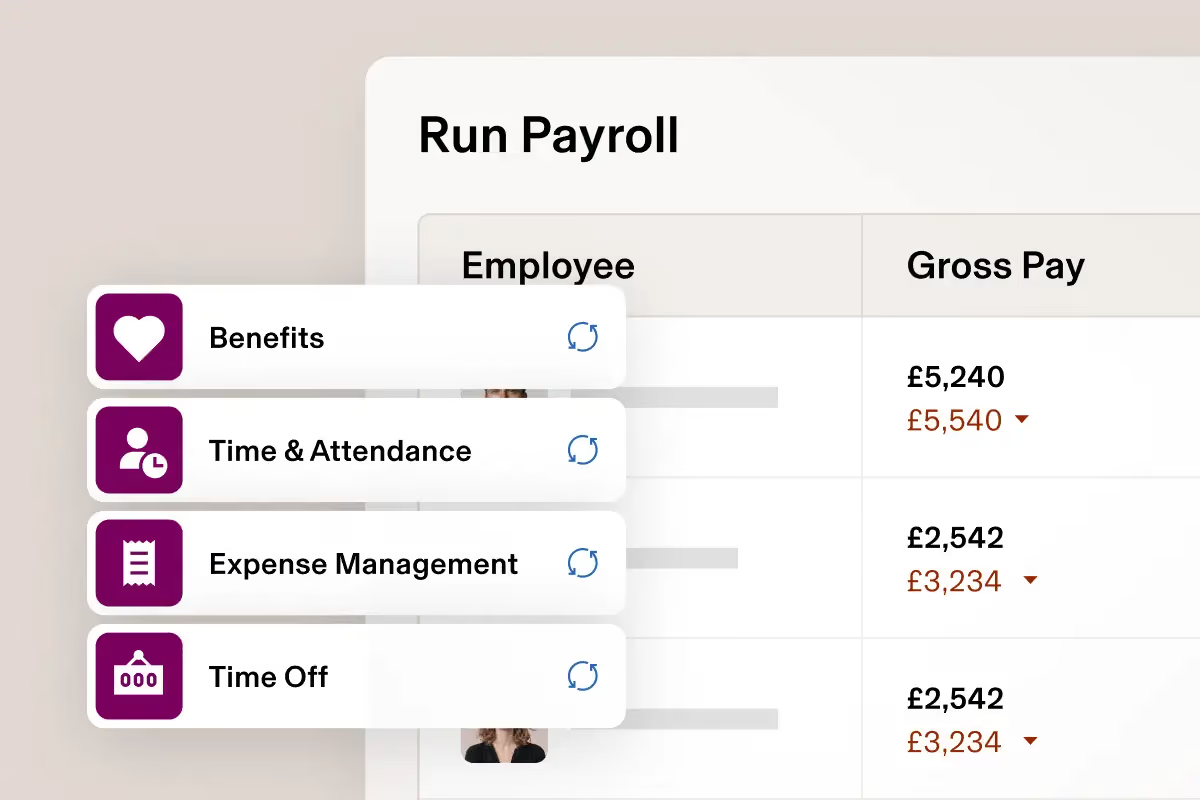
Rippling is not really a payroll company, which is the first thing to understand about it. Parker Conrad founded it in 2016, months after being forced out of Zenefits, the HR startup he had grown to a $4.5 billion valuation before compliance investigations brought it down. Rippling passed that peak by 2021 and was valued at $16.8 billion by May 2025. We have covered the company almost as long as this site has existed. UK payroll, though, only arrived in March 2024, making Rippling the newest entrant in this guide by some margin.
Our testing across several guides has been positive on the product and consistent about its limits. The interface has always been modern, intuitive, and with a solid execution of automated workflows: onboarding a new starter can provision payroll, benefits, app access, and a laptop by running one single process. The ‘single source of data’ has always been one of the key differentiators. The idea is: if you update something (say, a candidate data point within the HRMS) it shows in any module you’re using, or may use in the future: payroll, IT, finance, you name it.
That said, the UK caveats are specific. From when we last checked, Rippling's own UK pricing page still seems to describe American payroll: federal and state tax filing, W-2s, workers' compensation. UK payroll is separately evidenced and HMRC-recognised, and Rippling says it covers RTI, PAYE, National Insurance, and auto-enrolment. While we know it’s got some adopters on the islands, we found no meaningful body of UK user feedback.
As to price, every buyer sits on a mandatory platform subscription before adding payroll, contracts run a year minimum, and phone support from HR specialists costs extra.
Rippling does not publish a UK customer count, and its named customer logos are largely US businesses.
Rippling publishes no UK pricing. The pricing page is a quote request with headcount bands running from 1-10 up to 1,001 plus.
- Rippling Platform: mandatory subscription sitting under every product, priced on quote.
- Payroll: bought as a module on top of the platform, priced per employee monthly.
- HR, IT, and Spend products: each priced separately, some carrying their own base fee.
There is no free tier and no self-serve trial, and contracts run a year minimum.

Best For
UK companies of roughly 50 to 2,000 staff wanting HR, payroll, IT provisioning, and spend in one system rather than best-of-breed tools.


Our organization uses Rippling to manage various HR processes, including payroll, time-off, benefits administration, employee data management, reporting, and leave management. We are also considering the performance management and survey modules but have not yet decided to implement them. As we grow, Rippling has been proactive in suggesting further process automation. We appreciate the flexibility to activate modules as needed, which prevents us from being overwhelmed by unnecessary complexity.
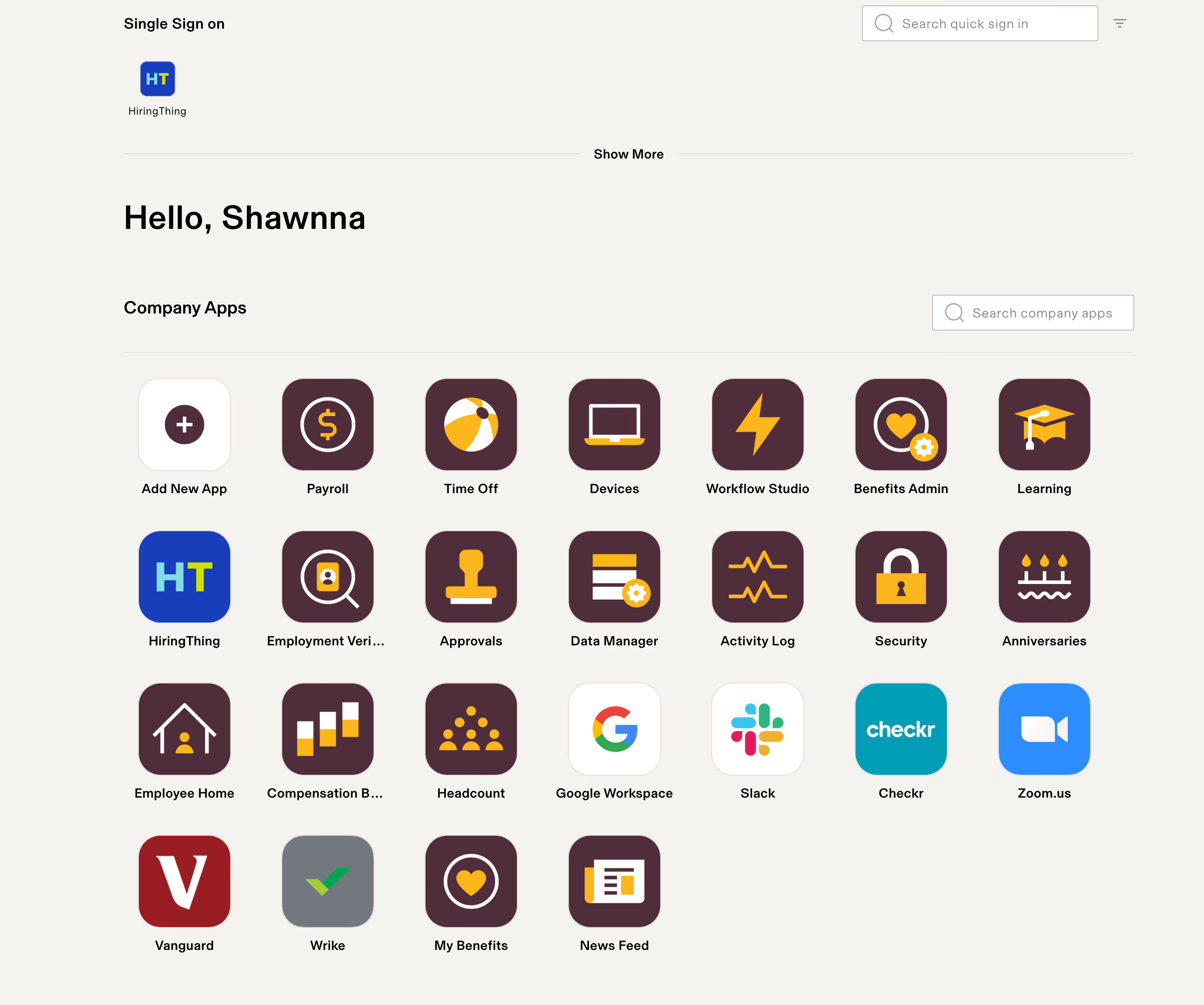
Rippling's user interface is exceptionally user-friendly, with appealing graphics and straightforward instructions, which differentiates it from other more complex HRIS systems. Our employees find it easy to navigate and locate what they need. The modular approach of Rippling, allowing us to activate features as needed, is highly beneficial. Additionally, Rippling's customer service has proven to be responsive and thorough.
Our organization was grappling with highly manual HR processes such as payroll, benefits administration, timekeeping, and time-off requests, which were prone to errors due to being handled via Excel spreadsheets. As our organization continued to grow rapidly, we required a tool that could automate these processes in a user-friendly manner with minimal implementation time. We have been using Rippling for almost two years now.
We find ourselves renegotiating the cost of our contract annually, with sales representatives often pushing for us to add new features instead of facing a price increase. While custom workflows are beneficial, they can be challenging to set up without a clear understanding of the functionality. The payroll function's inability to handle retroactive pay is a significant drawback, requiring manual calculations on our part.
Rippling stands out due to its ease of use and engaging user interface, which makes it more appealing to employees compared to other HRIS systems I've encountered, which often appear sterile and are not intuitive.
When choosing an HRIS, consider both your current needs and future growth. Be wary of systems that might become obsolete as your business evolves or require additional purchases to meet new needs. It’s also crucial to consider the system's cost structure, especially if your organization experiences high turnover or expects significant growth. Lastly, evaluate how user-friendly and engaging the system is for your employees, as a difficult or dull interface might deter them from using it effectively.
Rippling actively responds to customer feedback, making regular recommendations for system upgrades or new modules based on our specific needs. They have significantly improved their Applicant Tracking System (ATS) by incorporating suggestions from users like us during their annual updates.
Rippling is particularly well-suited for small to medium-sized organizations looking to automate their HR processes comprehensively. It's easy to implement, requiring only a small team, and manageable even by a modest HR department.
Rippling may not be the best fit for government contractors, as it lacks certain functionalities required to ensure compliance with specific contract requirements. Organizations in this sector might find other HRIS systems more tailored to their needs.

Sage Payroll
Sage offers two HMRC-recognised UK payroll products: cloud Sage Payroll for up to 150 employees, and desktop Sage 50 Payroll for larger needs. The cloud tiers include auto-enrolment and core HR at every level.
PROS
- Both Sage Payroll and Sage 50 Payroll are HMRC-recognised for online PAYE and RTI reporting.
- Cloud Sage Payroll includes pension auto-enrolment across all three tiers.
- Core HR is bundled into every cloud tier rather than sold as an add-on.
- Cloud pricing is published per tier and per additional employee, excluding VAT.
- Sage 50 Payroll adds departments, cost centres, batch input, and individual rollback.
- Both Sage Payroll and Sage 50 Payroll are HMRC-recognised for online PAYE and RTI reporting.
- Cloud Sage Payroll includes pension auto-enrolment across all three tiers.
- Core HR is bundled into every cloud tier rather than sold as an add-on.
- Cloud pricing is published per tier and per additional employee, excluding VAT.
- Sage 50 Payroll adds departments, cost centres, batch input, and individual rollback.
CONS
- Cloud Sage Payroll has a hard 150-employee ceiling; larger firms must move to Sage 50 Payroll.
- On Sage 50 Payroll, auto-enrolment requires a paid pension module, whereas the cloud tiers include it.
- Overlapping names (Sage Payroll versus the HMRC-listed Sage Business Cloud Payroll) complicate comparison.
- The product Sage markets above 200 employees is unnamed on its payroll page.
- Cloud Sage Payroll has a hard 150-employee ceiling; larger firms must move to Sage 50 Payroll.
- On Sage 50 Payroll, auto-enrolment requires a paid pension module, whereas the cloud tiers include it.
- Overlapping names (Sage Payroll versus the HMRC-listed Sage Business Cloud Payroll) complicate comparison.
- The product Sage markets above 200 employees is unnamed on its payroll page.
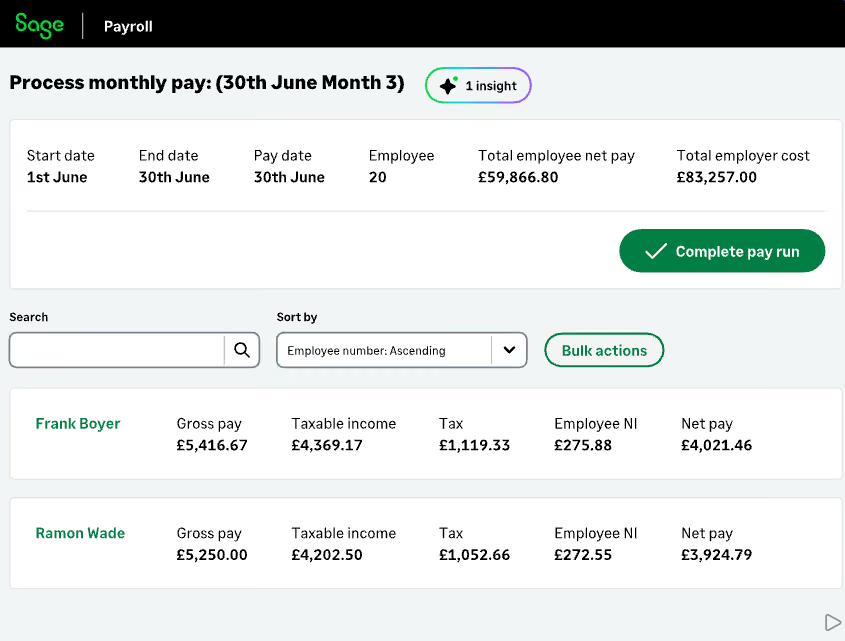
Sage sells UK payroll as two distinct products, and choosing the right one matters more than any single feature. Sage Payroll is cloud software for up to 150 employees. Sage 50 Payroll is desktop software with cloud connectivity, licensed in bands from 15 employees to unlimited. HMRC recognises both for online PAYE and RTI reporting, though recognition signals technical capability rather than quality.
The clearest split is auto-enrolment. On the cloud tiers, pension assessment, enrolment, and contributions are included at every level. On Sage 50 Payroll, the same capability requires the additional pension module, so we’d recommend budgeting for it separately. Sage Payroll follows a similar pattern: the cloud product bundles core HR, self-service, and onboarding into all three tiers, while Sage 50 Payroll centres on payroll depth such as departments, cost centres, batch input, and individual rollback.
Cloud pricing is published rather than quoted, which is unusual in this category. Essentials starts at £12 per month excluding VAT for five employees, with per-employee rates that fall as headcount rises. Sage says the cloud product automatically retrieves and applies P6, P9, and student loan notices with a per-employee audit trail, and that RTI submissions cover FPS and EPS on each pay run.
Two limits shape the decision. The cloud product stops at 150 employees, and the option Sage markets above 200 is unnamed on its payroll page. For most small UK employers, the cloud tiers are the straightforward starting point.
Sage does not publish a customer count specific to its UK payroll products.
Sage Payroll (cloud), monthly ex-VAT, 5 employees per tier, 150 maximum:
- Essentials: £12, plus per-employee rates that fall with headcount (£2.40 for 6-10, £1.70 for 11-25, £1.40 for 26-150).
- Standard: £23 base, then tiered per-employee rates.
- Premium: £34 base, then tiered per-employee rates.
- Sage 50 Payroll (desktop): from £41/mo (to 15 employees) up to £160.50 (unlimited); auto-enrolment needs the paid pension module.
Cloud plans offer one month free or 90% off for three months; Sage 50 Payroll has a 30-day trial.
Best For
Cloud Sage Payroll suits UK small businesses up to 150 staff wanting bundled auto-enrolment and HR; larger or more complex payrolls fit Sage 50 Payroll.

Employment Hero
Employment Hero gives away HMRC-recognised payroll for unlimited employees, including auto-enrolment and statutory payments, then sells HR, recruitment, and learning as separately priced modules. The free tier is genuinely complete, with no employee cap and no time limit.
PROS
- Free payroll covers RTI, PAYE and NI, auto-enrolment, and statutory payments with no employee limit.
- Listed by HMRC as recognised payroll software on both the free and paid-for lists.
- Full module pricing is published, including per-employee rates and monthly minimums.
- Payroll bureaus can take unlimited clients and employees for a flat £1,000 annual fee.
- Integrated HR, payroll, and hiring reduce manual data entry and tool switching
- Easy-to-use workflows that non-specialists can manage confidently
- Strong Canadian compliance with automated tax calculations and CRA remittances
- Supports multiple pay schedules, bank accounts, and automated payslips
- Time and attendance sync helps streamline payroll processing
- T4 generation and submission handled within the platform
CONS
- Each module carries its own monthly minimum charge, so small teams may pay above the expected per-employee rate for their size.
- Subscriptions bill on the headcount in your agreement, so reducing staff does not automatically reduce the bill.
- HR and payroll are reached through separate logins, with some functions available in only one.
- User feedback tends to describe their support responses as slow and limited in payroll knowledge depth.
- The employee Work App draws recurring complaints about clock-in reliability and navigation.
- Works best within the full Employment Hero platform, not as a standalone payroll tool
- Some features require higher-tier HR plans, increasing overall cost
- Pricing is undisclosed with no free trial
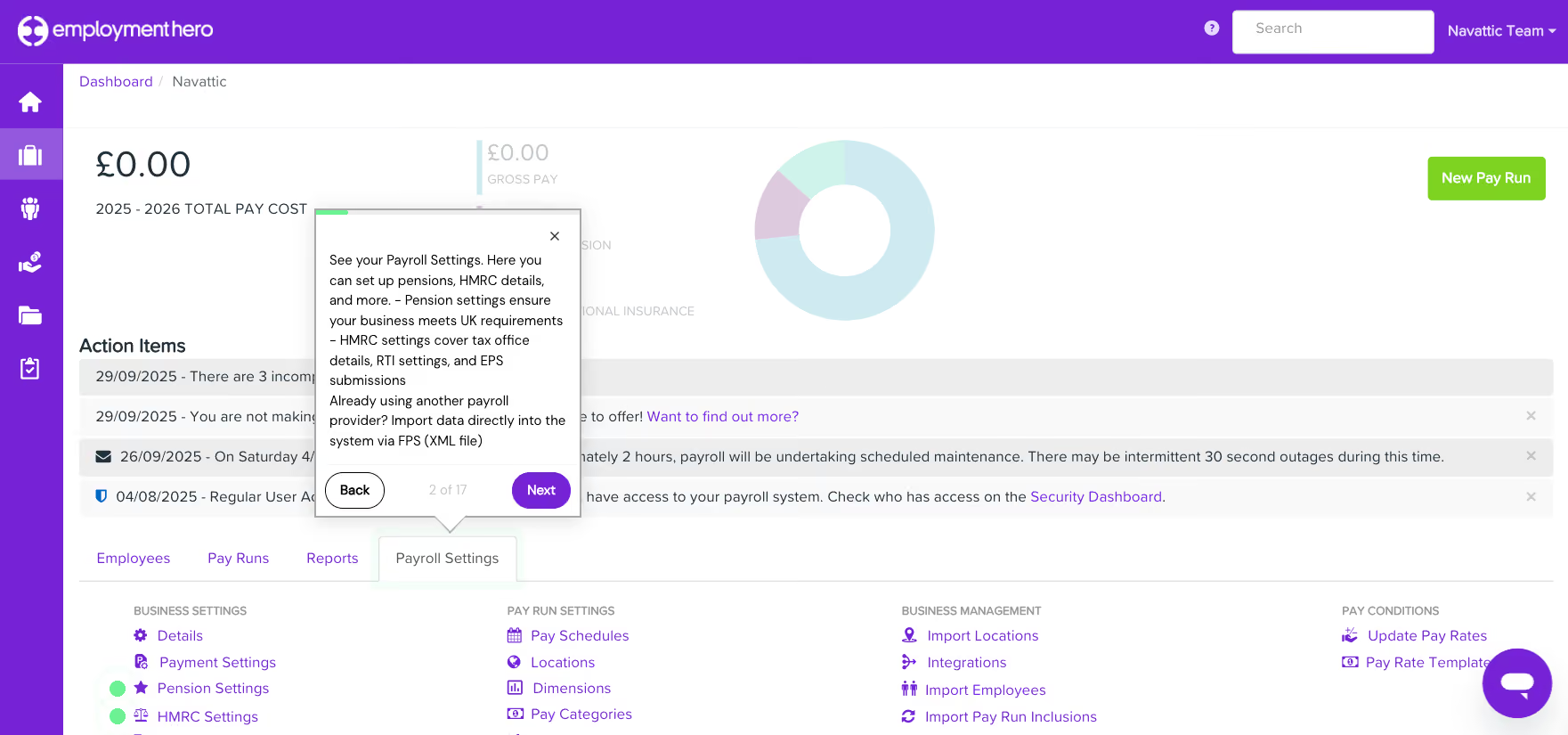
Employment Hero is Australian, founded in 2014, and describes itself as an employment operating system rather than a payroll product. The UK payroll engine came from KeyPay, a 2010 Australian payroll business with an established UK footprint that Employment Hero seed-funded in 2012 and acquired outright in 2022.
Free payroll is the entry point, and it is unusually complete. They publish RTI submissions, PAYE and NI calculations, auto-enrolment and pension contributions, statutory payments, year-end P60s, National Minimum Wage checks, and unlimited employees at no cost, with no trial period and no card required. Support on the free tier is AI-assisted self-serve backed by a help centre.
HR and payroll are reached through separate logins, and users report some functions sitting in one but not the other. Support draws consistent criticism after implementation, and the employee Work App attracts recurring complaints about clock-in reliability and navigation. For a small UK employer wanting free compliant payroll, this is the strongest offer in the category, but if looking for a wider suite with more budget, that’s a separate decision.
Employment Hero says 25,000 UK SMEs use the platform, and lists The Body Shop, Gumtree, and Hyundai Motors UK.
Employment Hero publishes full pricing, per employee per month, excluding VAT.
- Free Payroll: £0, unlimited employees, no monthly minimum.
- Core Payroll: £3 PEPM with a £20 minimum, adding multi-PAYE and live webchat.
- Managed Payroll: £12 PEPM with a £120 minimum, adding end-to-end managed pay runs.
- HR: from £4 PEPM on Essentials with a ten-user minimum, plus nine separately priced add-ons.
Billing uses the greater of the contracted minimum or actual billable employees each month.
Best For
UK small businesses that want free compliant payroll, and growing SMEs willing to buy HR, recruitment, and time tracking as separately priced modules.

Oracle
For an American company, Oracle has a remarkable level of UK payroll capability. They name individual HMRC message types rather than promising vague tax code automation, and they support public sector schemes most vendors ignore entirely, such as LGPS, Teachers' Pensions, and the School Workforce Census.
PROS
- HMRC-recognised, with Oracle naming the specific inbound and outbound RTI message types it handles.
- They have specialized in public-sector UK payroll and ERP infrastructure for decades.
- Handles all three UK income tax regimes, including Scottish and Welsh rates and Scottish arrestments.
- Fast Formula allows calculation rules to be configured without writing custom code.
- HMRC-recognised, with Oracle naming the specific inbound and outbound RTI message types it handles.
- They have specialized in public-sector UK payroll and ERP infrastructure for decades.
- Handles all three UK income tax regimes, including Scottish and Welsh rates and Scottish arrestments.
- Fast Formula allows calculation rules to be configured without writing custom code.
CONS
- Oracle publishes no UK pricing and no HCM rate card on the G-Cloud framework.
- UK public sector delivery runs mainly through implementation partners rather than Oracle directly.
- Fusion punishes customisation, as Birmingham City Council's programme demonstrated at length.
- A consultancy market exists purely to reduce Oracle licence counts, which indicates the complexity.
- Oracle publishes no UK pricing and no HCM rate card on the G-Cloud framework.
- UK public sector delivery runs mainly through implementation partners rather than Oracle directly.
- Fusion punishes customisation, as Birmingham City Council's programme demonstrated at length.
- A consultancy market exists purely to reduce Oracle licence counts, which indicates the complexity.
Oracle is a database company that moved into applications later, largely by buying them, and Fusion Cloud HCM is the cloud rewrite of that estate. Payroll is one workload on an infrastructure stack, which makes its UK localisation history genuinely surprising.
Oracle names the individual HMRC message types it handles, P6, P9, SL1 and the rest, where most vendors promise tax code automation and stop. It also supports Civil Service Pensions, LGPS, Teachers' Pensions reconciliation and the School Workforce Census. Workday builds UK payroll natively too, and SAP delivers it through partners, but on public sector schemes Oracle is alone here.
Then there is Birmingham. The council put Fusion in during April 2022, watched a £19m estimate become a £144.4m forecast, and spent eighteen months unable to produce auditable accounts. Grant Thornton called the failure contributory rather than fundamental; Sheffield's Audit Reform Lab put it closer to the centre. Both agree on the cause: the council customised Fusion to fit existing processes, against its own design principle, and left staff unprepared. Another major UK infrastructure programme took Fusion close to standard with a partner who knew it, and went live on time and on budget.
The rule follows from that. Below a thousand or so employees you are not an Oracle buyer, and BrightPay or Rippling will serve you better. Above it, with public sector schemes in play, Oracle is hard to beat, so long as you take it standard and choose your implementation partner as carefully as your software.
Oracle does not publish UK customer counts; Birmingham City Council is the best-documented UK Fusion payroll deployment.
Oracle publishes no list pricing for Fusion Cloud HCM. Everything runs through Oracle sales as a quote.
- Core HCM platform and Payroll are licensed as separate modules.
- Implementation is delivered mainly through partners and priced separately.
- Test environments are typically charged in addition.
Third-party licensing consultancies quote widely differing figures and disclose no methodology, so get a written quote rather than trusting any published rate.
Best For
UK enterprises and public sector bodies above roughly 1,000 employees that will adopt Oracle standard functionality rather than customise it to fit existing processes.

Oracle is being used to manage each employee's onboarding, personal information, payroll, attendance & leaves management, rewards and performance management, cost management, workflows, and training development.
- It helps us manage and analyze each employee's performance.
- Employees' attendance records are efficiently managed, and their payroll is being auto processed.
- The mobile application version is being used by employees to update their details, professional qualifications etc, efficiently.
My organization has been using Oracle’s Human Capital Management solution for the last 4 years, and it is being used to manage employees from the recruitment process to the performance management. Oracle HCM is being used to analyze and report on employee performance
- Since Oracle is not a user-friendly software, some training is needed in order to use this software.
- Legacy data is not easily uploaded with this software.
- The Oracle system is expensive for small organizations.
Oracle is a cloud-based solution and far better than other competitor software. Oracle HCM provides all aspects of human resource functions, and its robust features and analytical reports make this software a good option.
If an organization is looking to manage all employee data, including their personal and professional information, and use the same system to track and evaluate their performance, then this software provides all solutions in one platform.
All organizations that have over 1000 employees and they want to manage each employee's details and performance with analytics in one place.
I believe that all organizations who are having 1000 below employees and are considered as small organizations should not be a good fit for Oracle as its annual cost is relatively high.

Workday
Workday builds UK and Ireland payroll natively rather than through a partner, and runs it inside the same system as HR and finance. Support commitments are the strongest in this guide, at 24/7 phone and 99.9% monthly availability.
PROS
- Round-the-clock phone support, one-hour Severity 1 response, and 99.9% monthly availability.
- RTI test submissions can be sent into live service before running payroll for real.
- Handles England and Wales, Scotland, and Northern Ireland court orders as distinct regimes.
- Accessible customer support from the community, live chat, and telephone.
- Compatible with 300 HR systems such as ERP/GL, CRM, HR, and PSA.
- Configurable dashboard with AI and ML-driven insights.
- Ability to maintain real-time alignment of budgets and workforce plans.
- SOC 2 Type 2 compliance.
CONS
- Framework bundle pricing runs several times the UK specialists on a per-employee basis.
- UK payroll bundles generally start at 750 employees, ruling out smaller employers.
- Data is stored across the UK, EEA and other locations with no customer control.
- The three-year commitment is priced on the whole current headcount for the full term.
- Undisclosed pricing.
- No free trial for its talent management software.
- Time-consuming implementation period (average 4.5 months).
- Challenge navigating for first-time users may require training.
- Issues with logging in were reported by users.
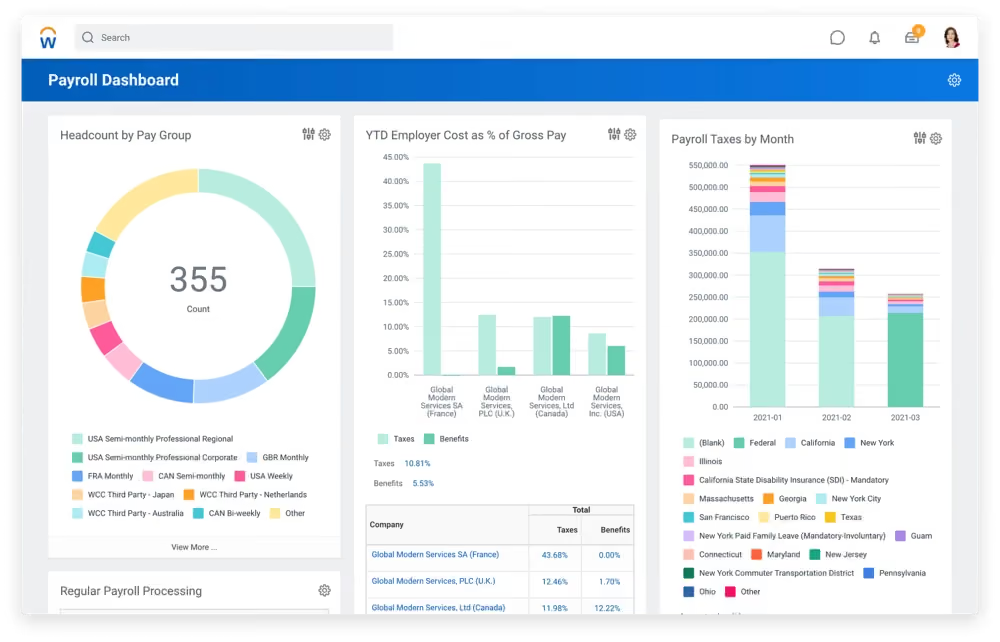
A lot of American HR suites reach UK payroll through a partner. This is not the case with Workday. They built UK and Ireland payroll themselves, and it ships as their own product with its own line on the government framework. Their partner programme covers everywhere else.
Workday is among the most enterprise-ready tools in this guide (along with Oracle and SAP), so they are also one of the priciest ones. They published their UK rate card on GOV.UK, as do Zellis, which allows a rare enterprise vs. boutique comparison. Core HCM with UK Payroll, Time Tracking, and Expenses costs £298.70 per employee per year at 750 to 1,500 staff, against £42.48 for Zellis at a similar headcount. Workday's bundle carries far more, but the spread across this guide runs from free at Employment Hero to £12 a month at Sage. Of course, you don't buy Workday to save money.
You buy them to have one system for nearly all of your HR needs. They also tout the some of the strongest service commitments in the UK payroll space. Workday claim to answer the phone 24/7, promise a 1-hour response on Severity 1, and guarantee 99.9% monthly uptime. The trade is where your data sits: Workday spread it across the UK, EEA, and unnamed locations with no customer control, where UK specialists like Zellis keep everything local.
On the ground, the complaint is always the interface. Users routinely call it clunky and slow, and the payslip is a frequent target: where a plain summary would do, Workday shows every underlying table. Some of that reputation is unfair, since much of the "clunky" feeling comes from bouncing between badly joined-up systems rather than from Workday itself, but the ageing design has long been a frequent area for improvement, and for now, employees feel it daily. Lastly, one line in their framework entry matters more than any feature: Customisation is not available. Customising against vendor advice is exactly what the Birmingham audit blamed for Oracle's failure there, so the rigidity is arguably protection.
Workday does not publish many UK customer names, but the University of Hull and University of York are named adopters.
Workday publishes bundle rates on the GOV.UK G-Cloud framework, per employee per year excluding VAT. Figures below have held across successive filings since October 2025.
- Core HCM plus third-party payroll connector: £158.31 at 1,000 to 1,500 employees, falling to £57.57 above 50,000. This route excludes Workday payroll.
- Core HCM, UK Payroll, Time Tracking and Expenses: £298.70 at 750 to 1,500 employees, falling to £108.63 above 50,000.
- Full suite including Financials and Learning: £775.50 at 750 to 1,500 employees.
Deployment, training and extra tenants are quoted separately, and pricing assumes a three-year term.
Best For
UK enterprises above roughly 750 employees that want HR, finance and payroll in one system and can accept data storage outside the UK.

I use Workday everyday. The key workflows I use Workday for are to manage all my open requisitions. I post jobs on Workday, disposition candidates and run daily reports on recruiting metrics per requisition. Workday does a good job with your dashboard. This screen will show all your open requisitions and any projects or timelines you choose to add. It is also very easy to add templates to Workday per requisition to help save time when you take action on a particular candidate. I initiate background checks, reference checks and offer letter proposals and submittals through Workday as well.
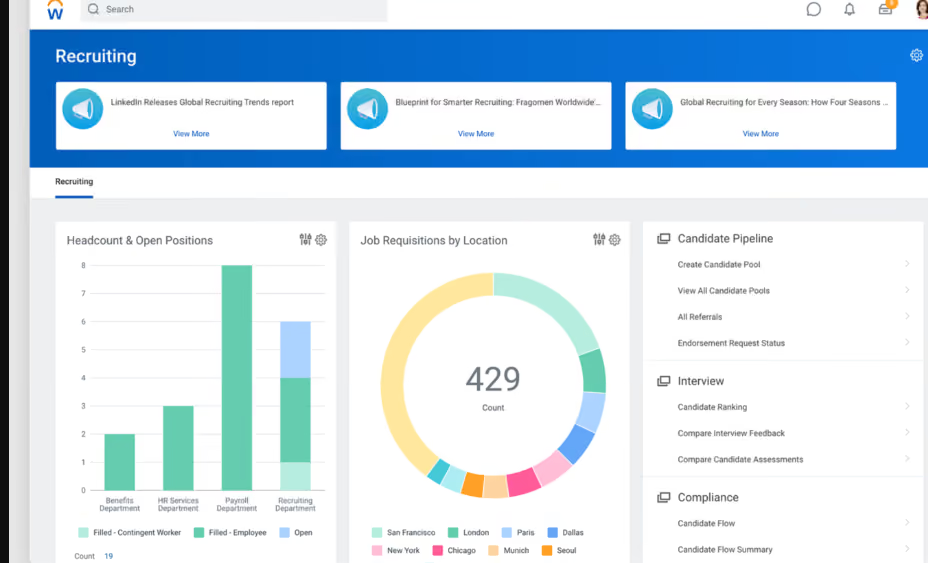
I like that Workday can be your one stop shop for all HR and recruiting needs. It is easily customizable to your organizations preferences. I love the reporting capabilities that Workday can provide. I also like the main screen user interface. I think it is very user friendly and easy to learn.
My organization implemented Workday for the reporting and metrics functionalities. Workday is so robust and can do so much, especially for a big organization like the one I am in. The key benefits are that you can personalize Workday to your company's needs. There are no shortages of capabilities and functions Workday can serve. If you want recruitment metrics and reports, Workday is your tool. I have used Workday personally for 5 years in 2 different organizations. Both companies needed better reporting metrics around hiring and Workday solved these needs.
Workday can be a lot! It offers so many functions that it can get overwhelming. I have had candidates who have not liked the Workday experience when applying for a position. Workday's customer service has been weak at times and has not been the easiest to deal with.
WorkDay has a great brand name. Some of the largest and most profitable companies in the world use Workday which I think speaks for the brand itself. Workday’s functionalities can do so much more than a lot of their competitors. I have used similar tools and Workday by far has the largest arsenal of functionalities. You can utilize anything you decide you want to utilize and can offer almost everything from an HR, Recruiting, and Benefits standpoint.
Workday can be expensive. You get what you are paying for. If you want a complex product as a one stop shop then I would recommend Workday. I would figure out what you want your Workday to function as within your organization.
Workday has continuously made adjustments to the user interface to make it more user friendly. More training is always offered to new capabilities that are added monthly.
Very big organizations who want a system that can do a lot of different things. If you are an organization who has a high requisition load, a need for high level reporting, Workday would be a great fit.
I think Workday would not be beneficial to smaller companies and startups. I think a lot of the key functionalities would not be used and it would be a waste of money for your organization.

SAP SuccessFactors
SAP's standout capability is retroactive payroll processing, which automatically recalculates tax, pension, and leave when data changes after a pay run is finalised. With payroll posting straight into Financial Accounting and cost centres, it reaches a level of automation that most mid-market tools we demoed cannot match.
PROS
- Automatic retroactive processing recalculates prior periods when data changes after a run is finalised.
- Documents UK-specific handling of the Apprenticeship Levy and CIS deduction reclaims through the EPS.
- At £79.20 per user per year on the framework, it sits far below Workday's enterprise-grade pricing standard.
- Holds SC security clearance, Cyber Essentials Plus, and customer control over data location.
- Automatic retroactive processing recalculates prior periods when data changes after a run is finalised.
- Documents UK-specific handling of the Apprenticeship Levy and CIS deduction reclaims through the EPS.
- At £79.20 per user per year on the framework, it sits far below Workday's enterprise-grade pricing standard.
- Holds SC security clearance, Cyber Essentials Plus, and customer control over data location.
CONS
- SAP's cloud payroll still runs on a 20-year-old engine whose mainstream support ends in 2027, so any 2026 buyer enter mid-migration.
- The £79.20 framework price is payroll only; like Oracle, SAP licenses the HR core separately, so the real figure for an HRMS would be higher.
- Implementation is partner-delivered and complex, with reviewers citing a steep learning curve.
- The published framework price dates from April 2024 and predates the migration plans.
- SAP's cloud payroll still runs on a 20-year-old engine whose mainstream support ends in 2027, so any 2026 buyer enter mid-migration.
- The £79.20 framework price is payroll only; like Oracle, SAP licenses the HR core separately, so the real figure for an HRMS would be higher.
- Implementation is partner-delivered and complex, with reviewers citing a steep learning curve.
- The published framework price dates from April 2024 and predates the migration plans.
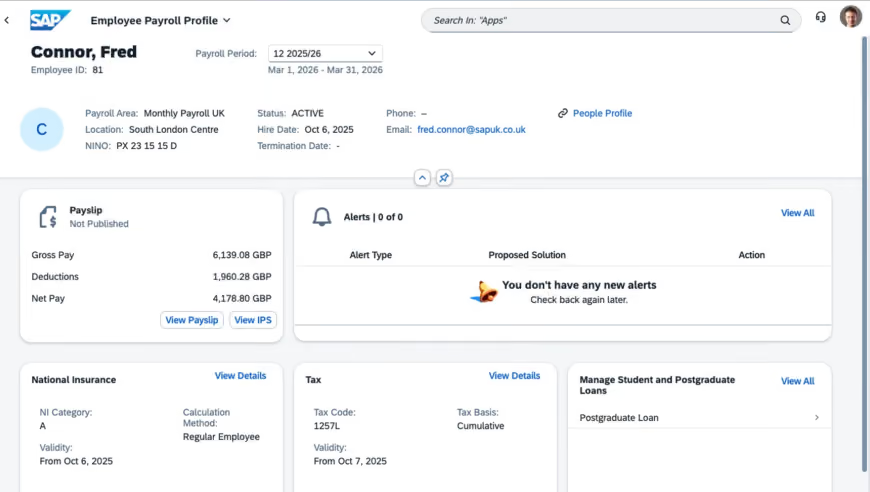
SAP is the incumbent everyone with a large enough headcount eventually reckons with. Their engine has run large UK payrolls for decades. They bring enterprise-level experience only a few others may deliver, but there are various caveats to consider.
As briefly stated above, SAP's cloud payroll, Employee Central Payroll, runs on the same 20-year-old engine as their on-premise product, and mainstream support for that platform ends in 2027, with paid cover to 2030. SAP are migrating it onto newer infrastructure and handle most of the conversion themselves, but any purchase today is essentially anchoring your payroll into an active migration. That may be manageable, but good to understand before anything is signed.
What you get for the trouble is arguably hard to find elsewhere. SAP's engine recalculates prior periods automatically when data changes after a finalised run, work most platforms leave to manual reconciliation. It documents Apprenticeship Levy and CIS reclaims few rivals name, holds SC clearance, and controls where data sits. On the framework the payroll licence is £79.20 per user a year, far below Workday's bundle, though that excludes the HR system it needs.
The catch has always shadowed SAP: it is powerful and heavy. Reviewers describe a steep learning curve and setup that runs long without seasoned consultants, and every UK deployment is partner-led. But if you already run SAP, payroll posts straight into Financial Accounting and cost centres, and that connected workflow is hard to argue against.
SAP does not publish UK payroll customer counts; but Birmingham City Council ran SAP payroll from the late 1990s until 2022.
SAP publishes a single figure on the GOV.UK framework, dated April 2024, excluding VAT.
- Employee Central Payroll: £79.20 per user per year, payroll only.
- Employee Central, the HR system payroll depends on, is licensed separately.
- A free trial is available on request, subject to evaluation.
Implementation is partner-delivered and quoted separately, and the framework figure predates the platform migration.
Best For
Large UK employers already standardised on SAP, or those with payroll complex enough to justify the implementation weight and the migration ahead.

Zellis
Zellis handles UK and Ireland payroll for large employers, with real-time processing, anomaly detection, and support for multiple pay spines and union agreements. Some organisations have used the tool for decades.
PROS
- Handles multiple pay spines, union agreements, and TUPE transfers common in public sector payroll.
- Security documentation covers ISO 27001, Cyber Essentials Plus, and UK-only data residency.
- Software and fully managed payroll are sold as separately priced options.
- Handles multiple pay spines, union agreements, and TUPE transfers common in public sector payroll.
- Security documentation covers ISO 27001, Cyber Essentials Plus, and UK-only data residency.
- Software and fully managed payroll are sold as separately priced options.
CONS
- Minimum term is three years, and licensing bills on authorised capacity including inactive records.
- Availability and support commitments run to UK working hours rather than around the clock.
- Implementation, support tiers, and hosting are charged on top of the per-employee rate.
- Minimum term is three years, and licensing bills on authorised capacity including inactive records.
- Availability and support commitments run to UK working hours rather than around the clock.
- Implementation, support tiers, and hosting are charged on top of the per-employee rate.
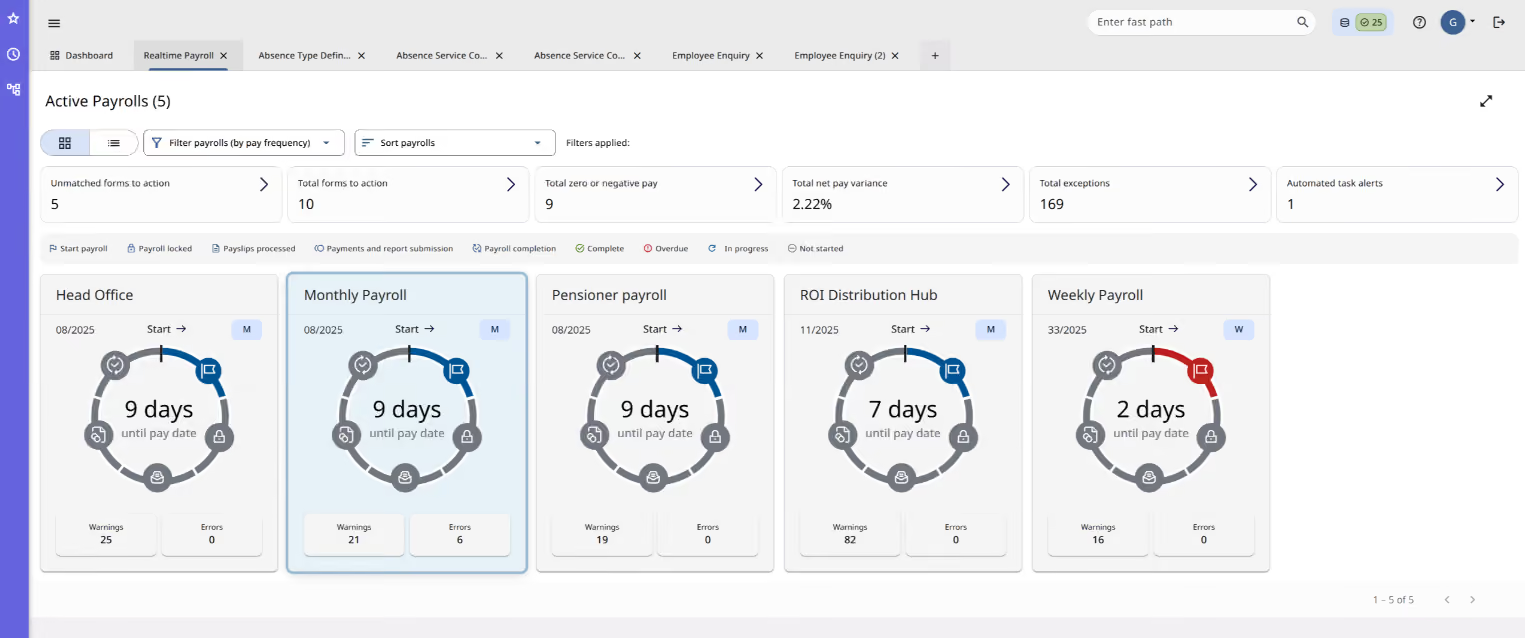
Zellis is the payroll engine running underneath a good deal of British public life. ResourceLink, its core product, has been paying council and NHS staff since the 1990s, and the company has been renamed around it twice: NorthgateArinso, then NGA, then Zellis in 2020. Apax funds have owned the group since April 2024, and Moorepay is the sister company for employers under 1,000.
Council committee papers tell you more here than any review site. Wirral has run ResourceLink since 1999, considered a move to Oracle in 2022, and kept Zellis after concluding it would cost more and reduce functionality for council and school users. Telford and Wrekin reviewed the framework and found only one supplier could meet its needs. Belfast City Council's 2025 tender notice states plainly that Zellis is the only company able to maintain its system.
Read that as strength or as lock-in. Argyll and Bute went the other way, its 2025 business case judging ResourceLink no longer fit for purpose. Highland Council has just signed through 2033.
What you get is depth in a narrow lane: multiple pay spines, union agreements, TUPE, school SLAs. What you do not get is anything outside the UK, Ireland, and the Crown Dependencies. Pricing sits on the G-Cloud framework, with a three-year minimum and licensing that counts inactive records, so read the terms as carefully as the rate.
Zellis says its payroll pays more than 5 million UK and Ireland employees; public records name Wirral Council.
Zellis publishes rates on the GOV.UK G-Cloud framework, not its own site. These are public sector framework rates dated April 2026, per employee monthly excluding VAT.
- HCM AIR, payroll and HR: £4.25 at 1,000 to 2,000 employees, falling to £1.43 above 10,000.
- HCM Cloud, payroll only: £2.71 at 1,000 to 2,000 employees, falling to £0.92 above 10,000.
- Fully managed payroll: £3.15 to £1.79 PEPM, charged on top of the software.
- Modules, implementation at £900 daily, support, and hosting are priced separately.
Private sector quotes may differ, and the minimum term is three years.
Best For
UK and Ireland organisations above 1,000 employees with complex statutory payroll, particularly public sector bodies handling multiple pay spines, school SLAs, and TUPE transfers.

BrightPay
BrightPay is a cloud-only UK payroll product, HMRC-recognised and built in two configurations: one for accountancy bureaus running many clients, and one for individual employers. BrightPay is cloud-only from the 2026/27 tax year, after they discontinued the Windows desktop version.
PROS
- BrightPay is HMRC-recognised for online PAYE and RTI reporting on the 2026/27 cloud product.
- A dedicated bureau configuration supports multi-client payroll as a first-class workflow.
- Pension integrations cover NEST, The People's Pension, and Smart Pension.
- Every cloud customer gets free phone and email support.
- BrightPay is HMRC-recognised for online PAYE and RTI reporting on the 2026/27 cloud product.
- A dedicated bureau configuration supports multi-client payroll as a first-class workflow.
- Pension integrations cover NEST, The People's Pension, and Smart Pension.
- Every cloud customer gets free phone and email support.
CONS
- BrightPay publishes no cloud price list; figures come only from a calculator or a sales quote.
- The desktop version was discontinued after April 2026, so former desktop users must migrate to cloud.
- CIS is handled by a separate BrightCIS module rather than inside core payroll.
- BrightPay publishes no cloud price list; figures come only from a calculator or a sales quote.
- The desktop version was discontinued after April 2026, so former desktop users must migrate to cloud.
- CIS is handled by a separate BrightCIS module rather than inside core payroll.
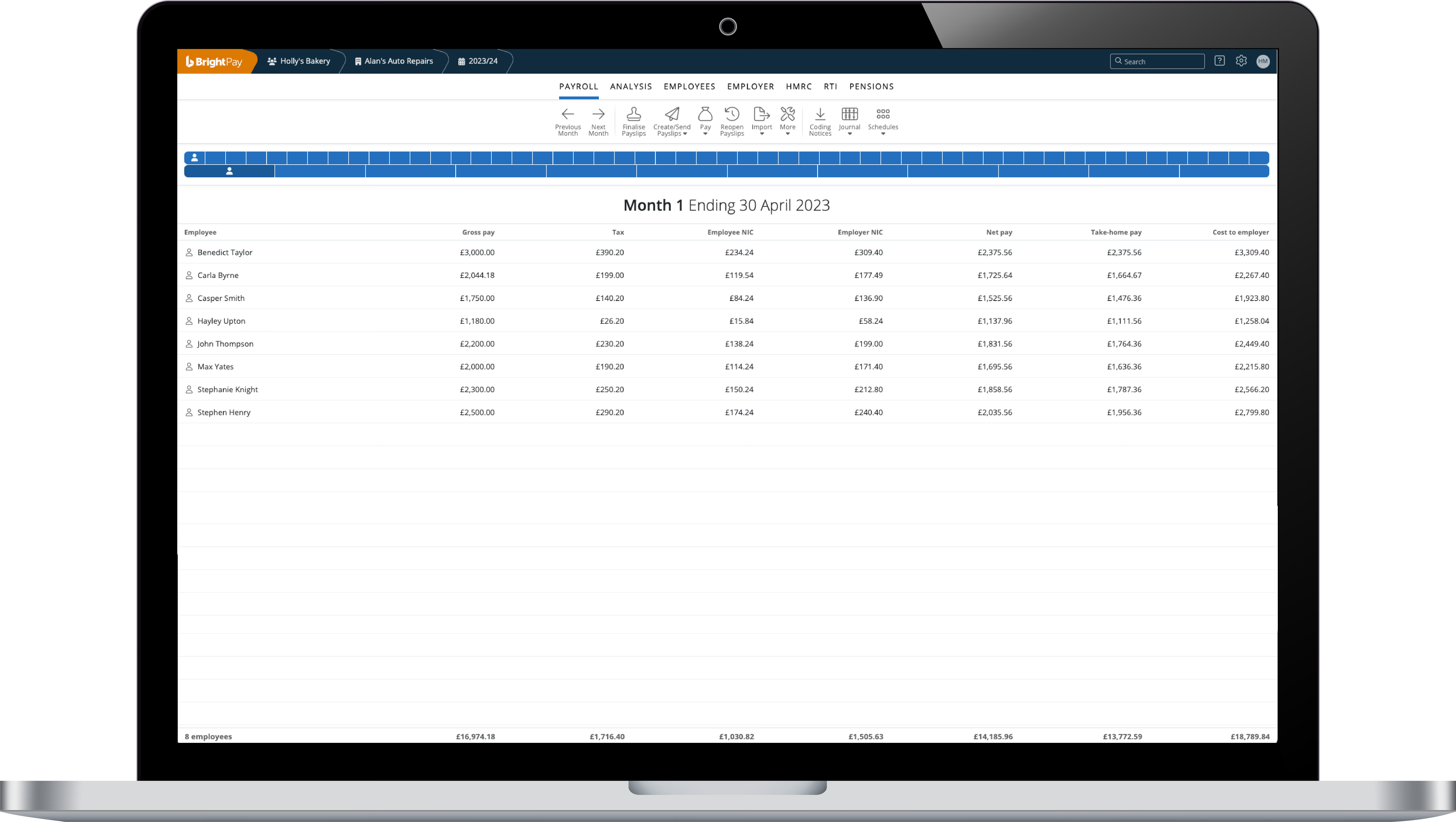
BrightPay comes from Bright, an Irish software group headquartered in Duleek, County Meath, with a UK office in Hammersmith. Thesaurus Software has written payroll software since 1992 and introduced BrightPay in 2012, adopting the Bright name in 2021 after merging with Relate Software. Payroll is the whole product here: HR, expenses, and time tracking sit in separate Bright applications.
Bureau work is what separates BrightPay from generalist payroll software. Bright ships the cloud product in two configurations, one for practices running many client payrolls and one for single employers, and its 2026 release notes cover batch payroll entry and approval, batch payslip distribution, and bureau statistics reporting. Pension APIs cover NEST, The People's Pension, and Smart Pension. Support is free on phone and email, staffed from Bright's Irish office by UK payroll specialists.
CIS deserves attention if you pay construction subcontractors. Bright told AccountingWEB in March 2025 that cloud users were then filing CIS on a complimentary desktop licence until a cloud version arrived. BrightCIS shipped that September as a separate module. Bright also said bureaus migrating early would keep desktop at no charge so they could move clients across in tranches.
Bright publishes no cloud price list, charging single employers per employee and bureaus on their combined active employers and employees, and routes anyone above 250 employees to sales.
Bright does not publish a customer count for BrightPay's UK cloud product.
BrightPay does not publish cloud pricing publicly.
Best For
BrightPay Cloud suits UK accountancy bureaus and practices running payroll across many clients, and small employers comfortable with a quote-based subscription rather than published pricing.

Moorepay
Moorepay covers UK payroll three ways: software you run in-house, fully managed outsourcing, and bureau software for practices. They hold CIPP Payroll Assurance accreditation and publish their ISO certificates, which we know matters for compliance-anxious buyers.
PROS
- Unlike software-only rivals, Moorepay bundles 24/7 employment law advice from specialists regulated by the Solicitors Regulation Authority.
- One of the first payroll providers accredited under the CIPP Payroll Assurance Scheme, in 2013, and re-accredited in 2025.
- Published ISO 27001 and ISO 9001 certificates, plus Cyber Essentials and CHAS accreditation.
- Reviewers repeatedly name individual payroll advisers as highly responsive and knowledgeable.
- Unlike software-only rivals, Moorepay bundles 24/7 employment law advice from specialists regulated by the Solicitors Regulation Authority.
- One of the first payroll providers accredited under the CIPP Payroll Assurance Scheme, in 2013, and re-accredited in 2025.
- Published ISO 27001 and ISO 9001 certificates, plus Cyber Essentials and CHAS accreditation.
- Reviewers repeatedly name individual payroll advisers as highly responsive and knowledgeable.
CONS
- Moorepay publishes no pricing, and a quote request is the only route to a figure.
- Eight add-on modules sit outside core payroll, so a headline quote may exclude your expected scope.
- Reviewers report HMRC reporting errors, slow resolution, and being passed between contacts.
- Moorepay publishes no pricing, and a quote request is the only route to a figure.
- Eight add-on modules sit outside core payroll, so a headline quote may exclude your expected scope.
- Reviewers report HMRC reporting errors, slow resolution, and being passed between contacts.
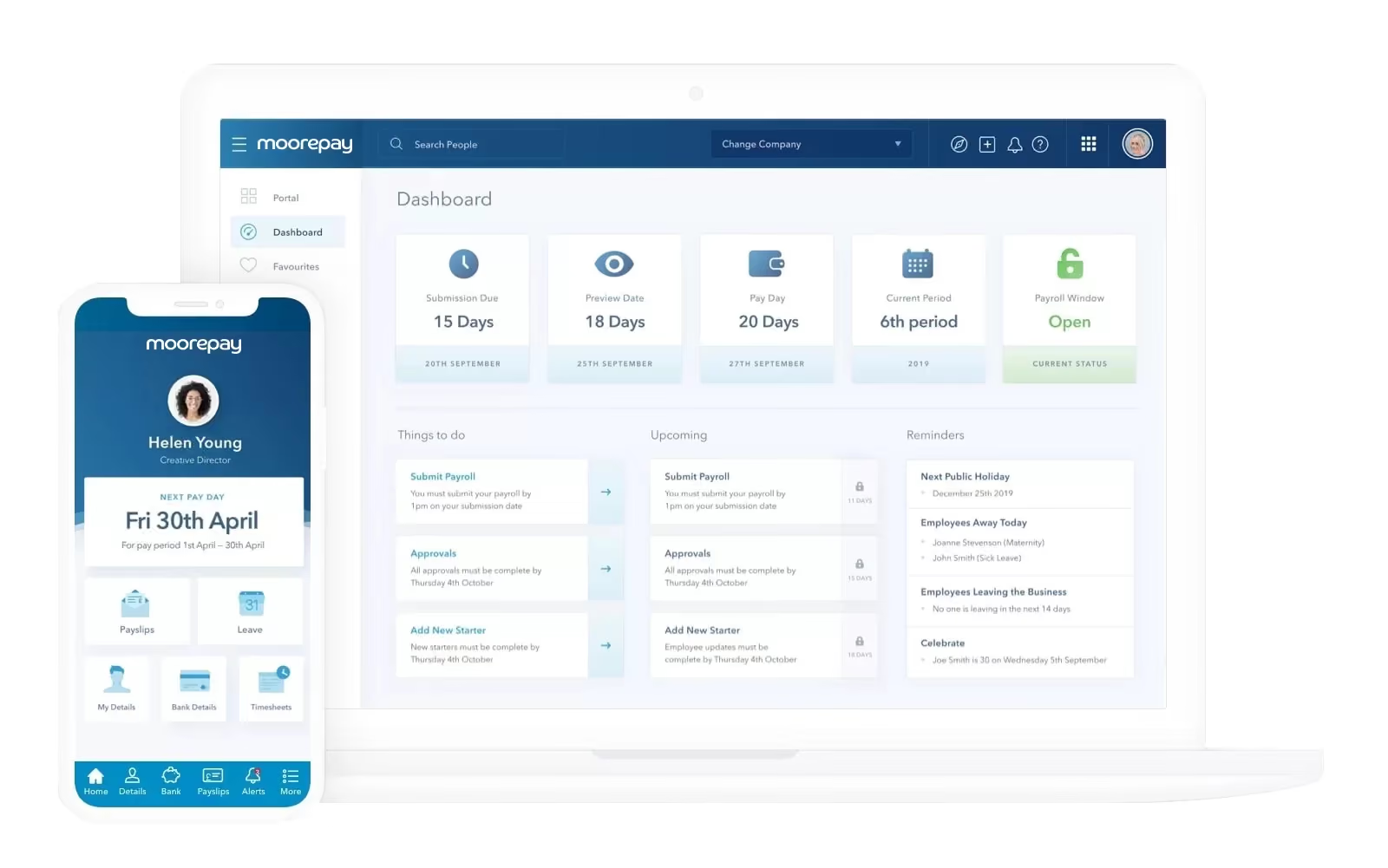
Founded in 1966 as Douglas Moore Ltd, Moorepay now runs UK payroll from Lowry Mill in Swinton, Manchester. Buyers should know they belong to Zellis Group, which positions Moorepay for employers of 50 to 1,000 people and sister brand Zellis above that.
Three delivery models separate Moorepay from software-only rivals: payroll software you run, fully managed outsourcing where Moorepay runs the payroll, and bureau software for practices. Accreditation is the other differentiator. Moorepay was one of the first payroll companies awarded the CIPP Payroll Assurance Scheme in 2013, was re-accredited in 2025, and holds ISO 27001 and ISO 9001 certificates.
From our view, user feedback tells a consistent story. Across roughly hundreds of reviews Moorepay averages about four stars, and praise lands overwhelmingly on named payroll advisers rather than the software. HR professionals who have used it report HMRC reporting errors left uncorrected, no single point of contact, and account manager turnover.
Moorepay allegedly serves over 10,000 UK customers, and names Pall Mall Medical, Landal GreenParks, and Recticel.
Moorepay publishes no rate card, and pricing comes only from a quote request.
- Payroll Software: in-house processing, priced on quote.
- Payroll Outsourcing: fully managed service, priced on quote.
- Payroll Bureau Software: multi-client licensing for practices, priced on quote.
- Add-on modules: eight, including time and attendance, expenses, and analytics, charged separately.
Moorepay's pricing page markets no hidden costs while publishing no figures, so confirm what the base includes and what each module adds.
Best For
UK employers between 50 and 1,000 staff who want managed payroll backed by audited processes, and who accept quote-only pricing across a modular product set.
Small Business vs Enterprise UK Payroll Software: How the Union’s Market Splits
UK payroll software splits into two tiers: self-serve tools built for small and mid-sized businesses, and enterprise platforms built for large, complex organisations. We sort the nine vendors in this guide the same way. Your operating complexity decides which tier you belong in, more than your employee count does. A 300-person company running one entity in England has simpler payroll than an 80-person group spread across three countries, several employment types, and multiple pension schemes. This echoes what Sam told us: the trigger for change is rarely a headcount milestone, it's the intricacies of what’s going on underneath, and whether what you run today still fits 12 to 24 months out.
If you’re keen to explore further, three verifiable lines separate the tiers:
- Who publishes a price. Sage and Employment Hero show payroll pricing on their own sites. BrightPay, Moorepay, and Rippling are quote-only. Of the enterprise vendors here, none publishes on their own site: Zellis, Workday, and SAP list rates only on the GOV.UK G-Cloud framework, and Oracle publishes none at all. If you can't get a number without a sales call, that vendor is most likely in the enterprise tier.
- Who runs the payroll. Sage, BrightPay, and Rippling are software you operate. Moorepay, Employment Hero, and Zellis sell fully managed outsourcing, where their team runs the pay run for you. Oracle, Workday, and SAP are software delivered through an intricate implementation project.
- How the top tier is delivered. Oracle, Workday, and SAP all build UK payroll natively, so none is a bolt-on localisation. Workday implements directly and states it is not a reseller; Oracle and SAP go through partners, and that partner often determines how the rollout goes.
One disclosure, since both appear above: Moorepay (Tier 1) and Zellis (Tier 2) share a parent in Zellis Group, so they're one group's SMB and enterprise lines, not independent alternatives to weigh against each other.
The short version: single entity, one country, salaried staff, and a Tier 1 vendor serves you while showing a price today. Add entities, nations, employment types, or public-sector schemes, and the enterprise tier's diligence starts to earn its cost.
Do You Really Need Workday, SAP, or Oracle for UK Payroll?
Researching for this piece, I was told early that Workday, SAP, and Oracle dominate enterprise and public-sector payroll shortlists in the UK, so coming at this from an outside perspective, I wanted to understand why. I had several conversations with experts, and one of the things they all agreed on is that the reasons have little to do with which product runs payroll best. It’s more about how these three names seem to meet the exact specifications procurement writes, and the fact that they have the scale to credibly take the whole problem off your hands. As the saying goes, on both sides of the pond “nobody ever gets fired for implementing Workday”.
So there’s a safe-bet dynamic. For the individual signing off, picking a global giant is a very defensible decision. If a Workday or SAP rollout struggles, you were unlucky and in good company. If a smaller UK-native tool struggles, the question becomes why you didn't just pick a household name. The trouble is that, if you dig deep enough, the safe pick is not automatically safe on the merits.
The HS2 programme, documented in an ERP Today case study, started on Sage, moved to SAP, then struggled with poor user adoption, functionality gaps, and 2 SAP systems running in parallel, before removing SAP entirely and moving to Oracle through IBM as managed-services partner. The customer's own stated value was that having a trusted partner handle Oracle freed them to concentrate on other work, which is "get it off your hands" in print.
Birmingham City Council's Oracle project is the harder lesson. Its replacement of the council's finance, HR and payroll systems became one of the most expensive failures in UK local-government IT, and audit reviews (Grant Thornton, the Audit Reform Lab) traced the cause to heavy customisation against vendor advice. The point is not to avoid the giants. At enterprise scale the outcome is decided more by the implementation and the partner than by the logo. Customisation freedom is double-edged: Workday's relative rigidity can be protection, while a more configurable platform hands you room to build your own problems.
Cost is the other thing the sticker hides. "Off your hands" still needs someone to run it, a support tier, and hosting, all priced separately. And several enterprise contracts here bill on committed or authorised headcount rather than the staff you actually pay, so your bill does not fall when your headcount does.
So do you need them? If genuine complexity, multi-entity structure, or procurement rules demand their scale, yes, and they earn the diligence. If they do not, a Sage, BrightPay, or Moorepay will very likely serve you with less risk, less cost, and a price you can see today. I’d humbly suggest, shortlist the giants when the scale and the breadth of the challenge beckon it, not because the logo feels safe.
How UK Payroll Differs Across England, Scotland, Wales, and Northern Ireland
UK payroll runs on one shared set of rules in almost every respect, with one major exception: income tax, which has diverged since devolution. PAYE and Real Time Information (RTI), National Insurance, auto-enrolment, statutory pay, the personal allowance, and the National Minimum Wage all apply UK-wide, set by Westminster and administered by HMRC. So for most of what payroll software actually does, the four nations are identical.
Income tax is where they separate:
- Scotland has set its own income tax rates and bands since 2017. Scottish taxpayers have 6 bands against the 3 that apply elsewhere, so an employee on a Scottish tax code (an "S" prefix, such as S1257L) can take home a different amount from an identical colleague in England. The code follows where the employee lives, not where the employer is based.
- Wales gained the same power in 2019, and Welsh taxpayers carry a "C" prefix code (for Cymru), but the Welsh government has so far matched England's rates. In practice there's no divergence yet, only the mechanism for one.
- Northern Ireland has not had income tax devolved, so it stays aligned with England on rates and bands.
There's a lot of political story here, ripe for a small detour, in case you’re curious. The UK is of course one state made of four nations, and Scotland and Wales are countries in their own right: old kingdoms folded into the union centuries apart (Wales into England in the 1530s, Scotland via the Acts of Union in 1707), each keeping a distinct identity. There is perhaps no better representation of this than the fact that both nations, famously, still field their own teams at the World Cup rather than turning out as "Britain." Devolution, from the late 1990s onward, handed powers back to Edinburgh and Cardiff, income tax among the later additions. Scotland pulled that lever and set its own rates and bands; Wales holds the identical power but has kept its rates matched to England's. So for Wales the distinction still lives on the football pitch, not the payslip, while for Scotland it now shows up in their take-home pay.
For choosing software, the takeaway is simple: you don't need separate payroll software for Scotland or Wales, but you do need software that applies S and C codes correctly by residence and copes when an employee relocates across a border partway through a tax year. Any HMRC-recognised product in this guide handles the codes themselves; the cross-border, mid-year move is where weaker tools may not cut it, which is part of why you won’t find them in this guide.
That said, it gets more interesting. The Crown Dependencies, the Isle of Man, Jersey, and Guernsey, are not part of the UK for payroll. They run their own tax and social-security systems outside HMRC and RTI, so a standard UK payroll product generally won't run payroll for staff based there; even Sage, the UK's incumbent, leaves island payroll to separate, island-specific software. If you employ people on the islands, treat that as a separate requirement rather than a setting to switch on.
How Much Does UK Payroll Software Cost?
UK payroll software costs anywhere from nothing (but time to implement) to roughly £300 per employee per year across the published figures, depending on tier and what's bundled in. At the self-serve end, Employment Hero offers a free, HMRC-recognised payroll tier for unlimited employees, and Sage starts at £12 per month plus VAT on cloud (or £41 on desktop Sage 50 Payroll). BrightPay, Moorepay, and Rippling don't publish pricing at all, it’s all custom.
Among the enterprise vendors here, the only public figures sit on the GOV.UK G-Cloud framework, rarely on the vendors' own sites:
The ninth vendor, Rippling, sits closest to Tier 1 on delivery (software you run yourself), but it launched UK payroll only in 2024, so we treat it as a mid-market option with a still-thin UK track record rather than slotting it into either tier.
The bundles aren't equivalent: SAP's figure is payroll only, while Workday's includes the HR core, so never rank them flat. These are public-sector framework rates, not the private quote you'll actually be given. And enterprise cost is licence plus implementation plus support tier plus hosting, each priced separately.
Common Pitfalls When Buying UK Payroll Software
The most common pitfalls in buying UK payroll software have little to do with the brand you pick and everything to do with process, timing, and reading the fine print. The tool you pick matters less than whether you've understood your own organisational complexity, prepared your people, and checked what you're actually being sold. According to the experts we consulted, these four traps come up again and again:
1. Staying on spreadsheets past the point they're safe. Manual payroll feels fine until you’re paying loads of people, in multiple entities, nations, or employment types, turns it into risk you can't see. As Sam put it when we spoke:
2. Confusing training with adoption. Rolling out software and training people on it is not the same as getting them to use it. Sam's rule is that adoption starts before launch: if managers don't understand why the change is happening, and can't challenge it, you get compliance on paper and workarounds in practice. Explain the problem you're solving before you switch anything on.
3. Treating "HMRC-recognised" as a seal of approval. Every vendor in this guide sits on HMRC's recognised-software list, but that's a technical listing confirming a product can file correctly, not an endorsement of quality. Use it as a baseline filter, not a shortlist.
4. Comparing bundles that aren't like-for-like. Two quoted figures can describe very different scopes, especially at the enterprise end, where SAP's published rate is payroll only and Workday's includes the HR core. Always confirm what's in the number before you compare, as covered in the cost section above.
Frequently Asked Questions on UK Payroll Software
Is there free UK payroll software?
Yes, there is free UK payroll software. Employment Hero offers a free, HMRC-recognised payroll tier covering RTI, PAYE, National Insurance, and auto-enrolment for unlimited employees, with its revenue coming from paid HR and other modules. A free tier suits a straightforward payroll; once you need managed support or more complex handling, you can move to a paid plan or another vendor. Employment Hero is the clearest example, but there are more.
What's the best UK payroll software for small businesses?
The best UK payroll software for a small business depends on who runs it. Sage and Employment Hero publish their pricing and suit in-house teams that want to run payroll themselves, with Employment Hero's free tier a strong entry point. Accountants and bureaus processing multiple client payrolls tend to favour BrightPay. All 3 are HMRC-recognised.
Do I need separate payroll software for Scotland, Wales, or Northern Ireland?
No, you don't need separate payroll software for Scotland, Wales, or Northern Ireland. UK payroll runs on one system, and any HMRC-recognised product applies Scottish (S) and Welsh (C) tax codes automatically by employee residence. What you do need is a tool that copes when someone relocates across a UK border mid-tax-year, so if at all a possibility, it’s worth understanding the scope of your tool on that scenario.
Can I run Isle of Man or Channel Islands payroll with these tools?
No. The Isle of Man, Jersey, and Guernsey sit outside the UK for payroll, each with its own tax and social-security system separate from HMRC and RTI. None of the tools in this guide runs island payroll as a standard product, and even Sage's local partners use separate, island-specific software. If you employ staff there, budget for a dedicated island specialist alongside your UK tool, such as TT Software for island-specific payroll software, or a managed provider like PwC in the Channel Islands or Grant Thornton in the Isle of Man.
Why aren't ADP, PayFit, or MHR in this guide?
Each was left out for a specific reason. ADP ranks on global brand more than UK payroll focus. PayFit is far larger in France than in the UK, where its footprint is comparatively small. MHR is a better fit for our HCM coverage, where we already feature it. We include the tools that best serve UK payroll buyers specifically, not every vendor with UK visibility.
Final Words: How to Pick UK Payroll Software
What ‘the best UK payroll software’ is for you isn’t an answer that we could just provide one brand name to. It depends on your particular challenge, future plans, budget, and company culture. Most UK businesses are well served by our Tier 1 picks, and only genuine scale, multiple entities, or procurement rules should push you toward the enterprise tier. Here are some additional thoughts on each:
For small and mid-sized businesses running payroll in-house, Sage is the incumbent all-rounder, with published pricing and a cloud tier up to 150 employees. Employment Hero is the strongest entry point on cost, thanks to a free, HMRC-recognised payroll tier. Accountants and bureaus handling multiple client payrolls tend to do best with BrightPay. And if you'd rather hand the pay run over entirely, Moorepay offers fully managed outsourcing.
The enterprise names, Zellis, Workday, SAP, and Oracle, are worthy of diligence when your headcount and intricacies very much demand their scale. We’d suggest resisting just going with them because a familiar logo feels like the safe choice. As we covered, the enterprise shortlist tends to repeat itself for reasons of defensibility rather than proven superiority, and at that level the implementation and the partner decide the outcome more than the platform does. If you go enterprise, scrutinise the total cost beyond the licence, and check exactly what each published rate does and doesn't include.
Whichever tier fits, the same tests separate a tool that works from one that quietly exposes you: accurate RTI filing, proper auto-enrolment, correct statutory pay, and the right tax code for every employee wherever in the UK they live. Start there, match the tool to your complexity, and you'll make a defensible choice for the right reasons.
Sam Eaton contributed expert perspective to this guide through a Select SoftwareReviews webinar. Her insights informed our editorial analysis; she has no commercial relationship with the vendors featured.
About the Author


About Us

- Our goal at SSR is to help HR and recruiting teams to find and buy the right software for their needs.
- Our site is free to use as some vendors will pay us for web traffic.
- SSR lists all companies we feel are top vendors - not just those who pay us - in our comprehensive directories full of the advice needed to make the right purchase decision for your HR team.


