

10 Best Employers of Record (UK) of 2026
Hire in the United Kingdom with full compliance using these top UK EOR services.








The best Employer of Record services help companies hire UK talent without setting up a local entity. These solutions handle compliance, payroll, benefits, taxes, and other local employment laws, so you don’t need to.
Having written about EOR services since 2020, we’ve researched over 60 providers. Here are the top choices for hiring UK top talent, not only for their local expertise in ensuring full compliance, but also because they bring together most of the HR workflows you’d need under a single roof.
We identify the best EOR services for UK hiring through a structured, multi-phase evaluation. We start with hands-on demos and trials to assess service quality directly. Vendors are then pre-screened based on end-user experience, HR/payroll coverage, and UK-specific support. Finally, we score shortlisters using in-depth feature analysis and verified user feedback.
Quarterly Hands-On Evaluations
We’ve conducted live demos and free trials to gain firsthand experience with dozens of UK EOR platforms. Our team meticulously records their observations of key workflows from both employers' and employees' perspectives. This method allows us to evaluate the actual capabilities of the UK EOR service providers and assess their improvements (or lack thereof) over time, ensuring our guide remains current and valuable.
Pre-Screening Based on Core Criteria
Given the crowded market and the many providers with suitable offerings, we set up a pre-screening process to select the top options using three benchmarks:
- End-User Experience: How intuitive and accessible is the platform for both employers and UK-based employees?
- HR and Payroll Coverage: Does it support local compliance, multi-currency payroll, tax compliance, benefits administration, employment contract management, and other legal requirements robustly? Can they hire with the same ease in any UK jurisdiction?
- Local Expertise: Does the provider offer knowledgeable UK-based support and have a physical presence in the country? Do they operate their own entity in the United Kingdom, or use a third-party provider?
Additionally, we gave priority to vendors with direct operations in the UK, as our experience has shown that this often correlates with stronger compliance alignment and service accessibility. This stage narrows the field from over 60 companies to a more focused list of 24 high-potential options.
In-Depth Feature Evaluation and Scoring
The final evaluation phase involves detailed ratings on core product features, verified user feedback, and popularity.
Our process is transparent and rooted in domain expertise. We disclose these ratings and detailed assessments in each EOR review. All content is either written or vetted by professionals with expertise in international HR and global payroll compliance. For deeper insight into our methodology and who’s behind the research, see our article on how we evaluate HR tech vendors.



Pebl

Pebl makes it easy for U.S.-based and international companies to hire employees in the UK without setting up a local entity. With a London-based legal presence and over 10 years of compliance expertise, Pebl is a great choice for businesses seeking fast, compliant hiring in one of the world’s most regulated labor markets.
PROS
- Own legal entity in London to streamline UK onboarding and payroll.
- AI-powered compliance tools reduce risk and speed up hiring timelines.
- UK benefits management and pension compliance handled natively.
- Supports Tier 2 visa sponsorship and work permit processing.
- Fast setup means you can onboard employees in days, not weeks.
- Competitive flat-rate pricing at $399/month.
- Strong service and support during relocation or contractor conversion.
- Handles payroll, benefits, and compliance locally.
- Includes visa and work permit assistance.
CONS
- No bundled HRIS as Pebl focuses solely on EOR, not full-stack HR.
- The website's loading speed is sometimes slow, according to some users.
- No trial or sandbox access for pre-sale testing.
- Limited integration options compared to some other EOR platforms.
- Occasional bugs in the user dashboard.
- Some redundant steps in the onboarding process.
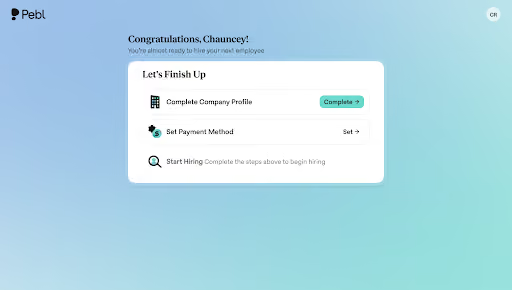
Pebl is gaining traction in the UK market, and in our testing it was clear why. Many EOR providers rely on third-party partners to handle employment and payroll in the region, but Pebl operates its own legal entity in London. That structure gives the company a much better control over contracts, payroll, and benefits. Consequently, this setup helps mitigate unpleasant administrative surprises coming your way.
Service quality was consistently strong during our evaluation. Pebl’s support team responded quickly to our questions, and the interface loaded tasks at a pace that made day-to-day use feel manageable. Most workflows, such as onboarding and document collection, were easy to complete without needing to dig through menus or reference guides.
Alfie, Pebl’s AI assistant, was one of the more useful compliance features we tested. It surfaced UK-specific requirements in context and flagged changes in employment law as we moved through the setup steps. For companies without deep UK expertise, this kind of in-workflow guidance reduced the amount of manual cross-checking typically needed in international hiring.
However, we should warn you that Pebl is not a full HRIS, and it is not intended to replace one. As a result, if you’re looking for a solution that, in addition to EOR services, offers performance reviews, time tracking, or broader people-ops functionality, you either need to resort to Pebl integrations or look for alternatives. We also noticed occasional lag when loading detailed employee files or switching between modules. It was not significant enough to disrupt testing, but it may slow teams that are onboarding several employees at once.
Honeywell, AB InBev, Linksys, Crunchbase, Betterment, Anaplan, Consensys
Starts at $399 per employee per month

Best For
Pebl is best for North American ational companies hiring or relocating UK-based talent wa ho need fast setup and local compliance without forming a UK entity.

Native Teams
Native Teams stands out as the most affordable EOR provider on this list, with pricing starting at just $99 per employee per month. Despite its low cost, it includes a full legal employment setup, a local GBP payroll, and compliance with UK tax and labor regulations, making it especially attractive for cost-conscious startups entering the market for the first time.
PROS
- Extremely low-cost EOR pricing ($99/employee/month), with a free employer account included.
- Compliant UK employment setup with contracts, payroll, and statutory leave tracking.
- Multi-currency wallet + Mastercard for employees, with 1% cashback on balances.
- Built-in workflows for expenses, bonuses, and sick leave.
- Supports PAYE, National Insurance, and GBP-based payroll.
- Visa/mobility assistance available for relocating talent to the UK.
- Good range of EOR services with compliant contracts, payroll, benefits, and visa support.
- Pricing is half the typical EOR rate, and a free trial is offered.
- Built-in wallet and debit card for employees, with 1% cashback on balances.
- Contracts are bilingual and can be partially customized with legal team review.
- Visa and mobility support embedded in-platform for 20+ countries.
- Automated workflows for bonuses, tax allowances, and leave tracking.
CONS
- Some users report delayed payments and inconsistent support.
- User interface lacks polish and may require onboarding assistance.
- No HRIS or accounting software integrations (on roadmap for 2026).
- No compensation benchmarking or salary guidance tools.
- User interface lacks polish, and navigation can feel unintuitive.
- Onboarding can be slow, especially when syncing legal documentation.
- No HRIS integrations or open API (planned for 2026).
- Does not offer compensation benchmarking or planning tools.
Native Teams stands out as one of the most affordable EOR providers with operations in the UK. At just $99 per employee per month, it is well below the typical $499 to $599 price range competitors charge. That price point alone makes it a compelling option for startups and budget-conscious businesses expanding into the UK for the first time.
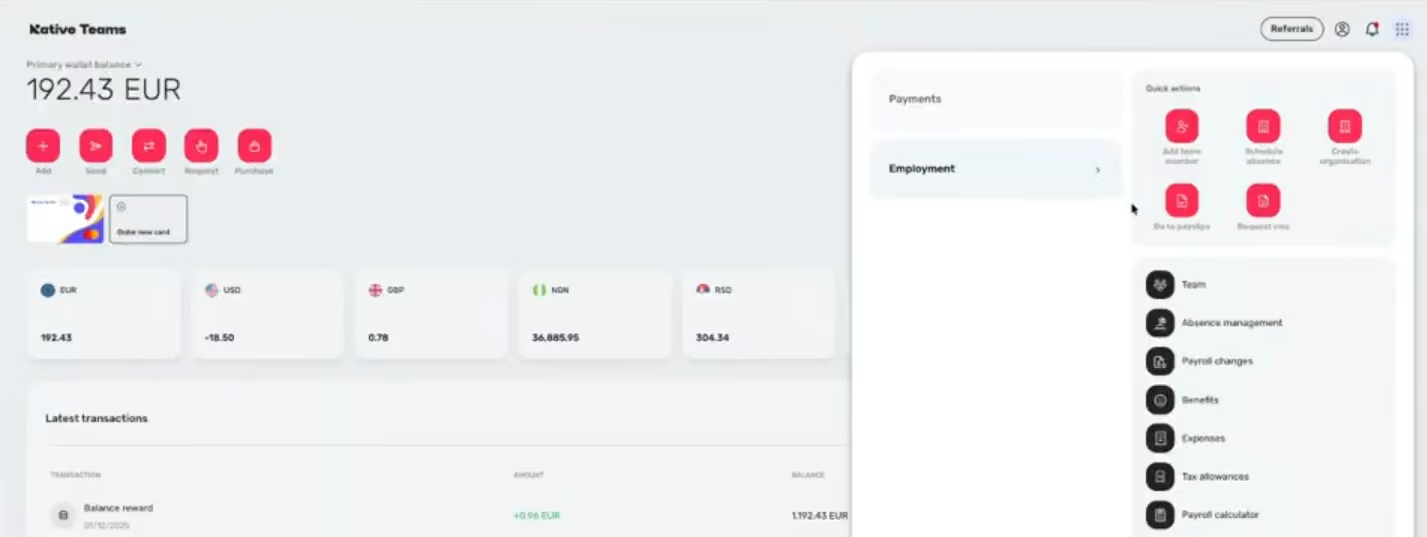
Despite the low price, Native Teams doesn’t skip the fundamentals. Its UK EOR package includes legally compliant employment contracts, British pound (GBP) payroll, and automated handling of required deductions, such as PAYE tax and National Insurance contributions. Leave tracking is built in and reflects UK statutory requirements, covering vacation, sick leave, and parental leave. All employment contracts are reviewed by Native Teams’ legal team and issued in English, with optional support for additional languages when needed.
On a day-to-day basis, we found the workflows for bonuses, time off, and expenses easy to follow. They’re not particularly deep or customizable, and that’s fair given the price point, but they do what they need to do. You can log a bonus, mark sick leave, or reimburse a purchase with just a few clicks, and everything is sent to their payroll team for processing, which provides peace of mind.
One thing we liked a lot was the digital wallet, which Mastercard issued to employees. UK workers can be paid in GBP or other currencies, spend with the card, or transfer funds to their own bank account. And the 1% cashback on wallet balances might seem small, but in practice, it’s a helpful incentive, especially for remote-first roles where perks and flexibility can tip the scales for a candidate.
That said, scalability is a key limitation. Native Teams is clearly built for SMBs, so once you outgrow that stage, you may need to either switch providers or set up your own UK entity. We’ve also seen reports of delayed payments and slower support responses, which are worth monitoring. Right now, Native Teams doesn’t offer integrations with HRIS or accounting tools, though we’ve been told they're planned for release later this year.
Native Teams serves over 3,000 companies, including Semos Cloud, Mad Head Games, Dolce & Gabbana beauty, and Kaiko Systems.
Starts at $99/employee/month.
Best For
Native Teams is best suited for cost-sensitive companies hiring employees in the UK for the first time, particularly those with lean teams or early-stage growth plans.

RemotePeople
RemotePeople (formerly Horizons) provides its EOR services in the UK at a fraction of the typical cost while maintaining the advantage of an owned local entity rather than relying on in-country partners. Plus, we appreciate the company’s essential operational services and the free HR toolkit and hiring guidance, which appear among the richest.
PROS
- Operates through a local UK entity for compliant hiring with multiple additional HR services (IT equipment procurement and background checks).
- Competitive starting price compared with many UK EOR providers.
- Detailed payroll invoices provide clear employer cost visibility.
- Extensive library of free country hiring guides and HR and payroll tools for global hiring.
- Strong country hiring guides that go beyond basics and explain real compliance and payroll nuances.
- Affordable pricing (~$199/employee/month) compared to many EOR competitors.
- Covers 150+ countries, making it viable for broad international hiring.
- Clear payroll breakdowns with line-by-line visibility into costs and adjustments.
- Operational support services like IT equipment procurement and background checks.
- Free HR tools (salary calculators, offer generators, cost estimators) useful for planning hires.
CONS
- No phone support available.
- Response times for complex compliance questions can vary.
- Integration ecosystem is smaller than many modern HR platforms.
- Limited integrations compared to platforms like Deel or Remote.
- No phone support, and response times can vary for complex issues.
- Some services (e.g., visas, global payroll) only available in select countries.
While RemotePeople may not offer the most extensive set of features among UK EOR service providers, we see its strength lying in its compelling focus on simplifying and clarifying the process of global hiring.
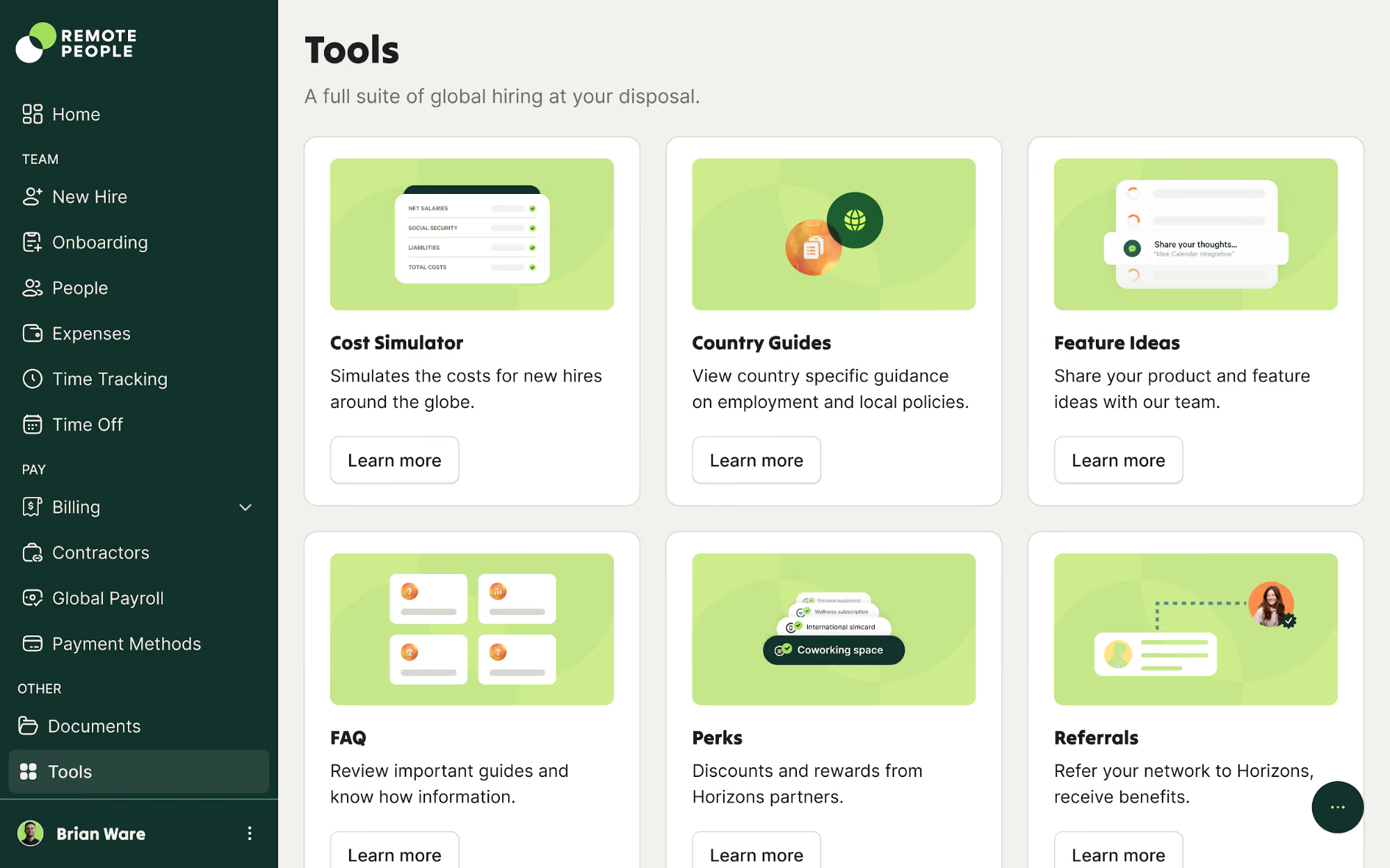
At the core of the service is the ability to hire employees in the UK through RemotePeople’s local legal entity, which allows companies to avoid setting up their own subsidiary. One particular area where the employer of record impressed us is the depth of its hiring resources. The platform includes detailed country hiring guides that explain everything from labor law basics to termination practices and payroll requirements, and it keeps them up to date, too.
Beyond documentation, RemotePeople also offers an extensive collection of free HR and payroll tools. These include job description generators, offer letter builders, payroll and salary calculators, severance pay estimators, onboarding cost calculators, and employee misclassification risk assessments. While these tools aren’t necessary for using the EOR service itself, they can be quite handy for HR teams planning international hiring strategies or estimating employment costs before making a decision.
From a financial standpoint, the platform provides clear payroll visibility. Invoices include line-by-line breakdowns of employer expenses, covering base salary, statutory contributions, reimbursements, and payroll adjustments. This transparency can help finance teams understand the true cost of employing workers in the UK.
The EOR provider also offers operational support services, including IT equipment procurement, background verification checks, and other logistical tasks associated with onboarding distributed teams. While these can be found at most larger EOR vendors, such as Deel, Remote, and Papaya Global, RemotePeople stands out for offering them at a relatively accessible starting price.
To maintain that lower cost structure, however, the platform does make a few trade-offs. One is that there’s no phone support option, and response times can vary depending on the complexity of the request. The integration ecosystem is also much smaller than some EOR platforms.
Starts at $199 per EOR hire per month.
Best For
Small companies seeking affordable, practical UK EOR compliance.
.png)
Deel
We chose Deel for its ability to make hiring in the UK fast, compliant, and predictable. Deel owns its UK entity, and the EOR clearly shows every statutory cost upfront. Combined with coverage in over 150 countries, Deel gives companies the confidence to hire in the UK today while knowing they can scale across borders tomorrow.
PROS
- Onboards UK employees in 2-5 days through a wholly-owned UK entity.
- Transparent pricing shows all statutory costs up front.
- Strong compliance coverage including PAYE, pensions, GDPR, and Employer NI.
- Scales easily with operations in 150+ countries.
- Intuitive dashboard with clear onboarding and payroll tracking.
- Excellent 24/7 customer service with fast onboarding (2-3 days) and local payroll experts in each jurisdiction.
- Seamless integration with platforms like QuickBooks, BambooHR, and Greenhouse, plus custom integration options.
- User-friendly, self-service features enable quick setup; identity verification often takes under 24 hours.
- Automated invoices simplify payments, provided they're in English.
CONS
- Pricing at $599 per employee per month is higher than some competitors.
- Benefits packages are standardized and less customizable than white-glove providers.
- Digital-first, self-service approach may not suit companies seeking more hand-holding.
- Key features like onboarding automation are add-ons, which may increase costs.
- Limited flexibility in modifying contracts or service agreements; changes often require an addendum.
- Invoices cannot be generated in languages other than English.
When we tested Deel’s UK EOR, the speed was the first thing that stood out. We were able to generate compliant contracts, register PAYE, and preview payroll in just a few days. That is a stark contrast to the three to six months that companies typically wait to establish a UK entity.
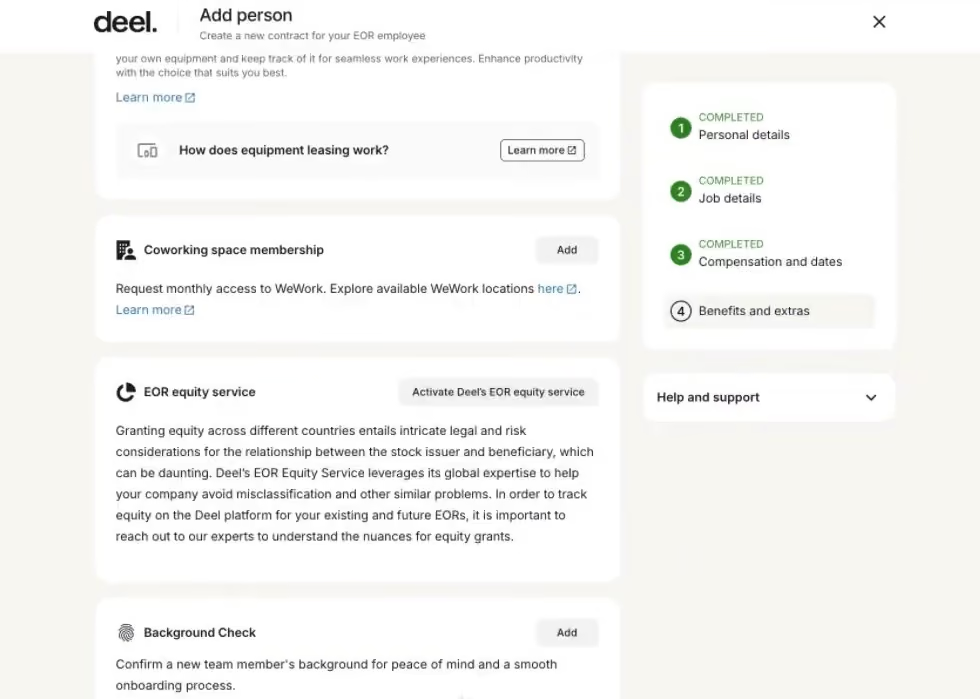
We also found the platform to be easy to navigate. From the dashboard, we could track onboarding progress, see upcoming holidays, and check payment status at a glance. That visibility made it easy to monitor the progress of each hire without having to chase updates via email. We also put Deel’s cost calculator through its paces. It provided a clear breakdown of statutory contributions and the total cost of employment before we onboarded, which we trust will likely be appreciated by finance teams for budgeting purposes.
Payroll cost transparency was pretty useful. Before approving payroll, we liked that every statutory charge, including Employer NI at 13.8 percent, pension contributions, and other deductions, was laid out clearly. That upfront visibility is such a welcome contrast to providers who only reconcile costs after the fact!
Other parts of the experience are harder to test in a short review cycle, so we consulted some verified users. A few pointed out that while Deel is fast and reliable, its benefits packages are fairly standardized and not as flexible as they would like. Others flagged that the premium price of $599 per employee per month can add up quickly for larger headcounts. This aligns with our own view that Deel is best suited for companies that value speed and compliance certainty over customization or cost efficiency.
We also heard mixed perspectives on support. Some users praised Deel’s responsiveness, while others felt the digital-first, self-service model left them wanting more guidance in complex cases (like mid-cycle corrections or unusual deductions).
Nike, Shopify, Dropbox, Notion, Reddit
Deel Hire offers EOR services at two pricing levels: the Standard plan, which starts at $599 per employee per month, and the Enterprise plan, which starts at $899 per employee per month.
Best For
Global businesses that prioritize speed, compliance, and scalability over customization or cost, Deel delivers a UK EOR experience that feels efficient and dependable.

Multiplier
Multiplier’s UK EOR stands out for one simple reason: pricing. At $400 per employee per month, it’s the most affordable of the providers we tested, which is well below Deel ($599) or Remote ($699). Yet it doesn’t feel stripped down. Onboarding was quick, contracts aligned with UK standards generated in minutes, and payroll previewed within days.
PROS
- Most affordable of the major UK EORs at $400 per employee/month.
- Onboarding workflows are quick and easy to follow, with hires set up in days.
- Compliance dashboard actively monitors UK labour law changes.
- Integrated ESOP management streamlines issuing equity across jurisdictions.
- Multi-currency payments in local currencies
- Multi-lingual contracts made instantly
- Compliance, payroll, onboarding, and timesheets, all in one platform
CONS
- Billing and reconciliation can be confusing, especially with credits, VAT, and FX adjustments.
- Users have reported delays in customer support and receiving inconsistent information.
- Reporting tools feel clunky compared to larger rivals like Deel or Rippling.
- Limited integrations. As of Summer 2024, Multiplier only integrates with BambooHR, Personio, Workday, and HiBob for HCM-type tools, although they are working on adding more.
Where Multiplier really stands apart, in our experience, is the price tag. At $400 per employee per month, it comes in lower than every other UK EOR we put through testing. For comparison, Deel runs at $599, Remote and Oyster are closer to $699, and Rippling sits around $500. If you’re only hiring one or two people, that gap may not feel too much of a difference. But once you start building a team of, say, ten or more? We’d say the savings become hard to ignore.
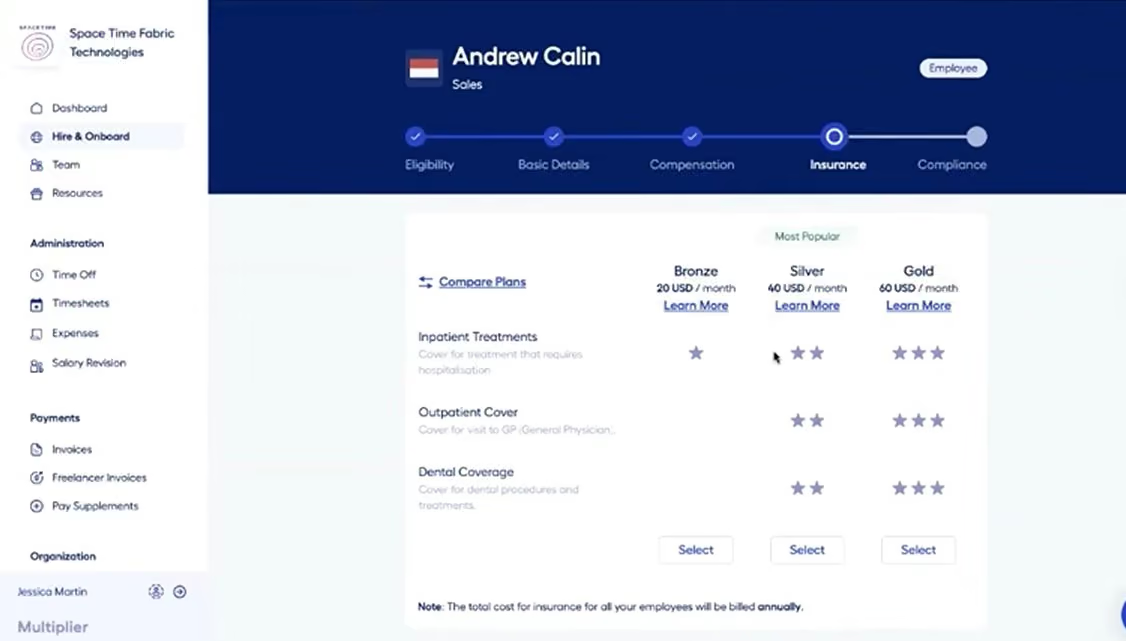
We were able to validate Multiplier’s onboarding speed and dashboard usability during our tech tests. Particularly, generating compliant UK contracts and previewing payroll took only a few days, and the dashboard gave us straightforward visibility into progress, payroll status, and compliance checks. While it doesn’t have the advanced reporting or bells and whistles of Rippling, the essentials worked smoothly in testing.
The equity management (ESOP) tool is where Multiplier breaks new ground. Stock option compliance for UK hires is notoriously messy, and here, documentation, tax handling, and compliance are centralized. This was not something we could fully test end-to-end, but verified customers, most from tech startups, consistently pointed to this as a differentiator.
On the other hand, there are weak spots we couldn’t replicate directly but surfaced often in user feedback. The most common complaints were around billing and reconciliation: confusing deposits, unexpected VAT adjustments, and reports that required manual effort to tie out payroll. Some customers also highlighted conflicting information, long handoffs between CSM teams, and slower resolution times than they expected.
Multiplier UK EOR costs $400 per employee per month.
Best For
Multiplier works best for companies seeking an affordable employer of record to hire in the UK.


We use Multiplier’s EOR solution for everything from sending offer letters to employment agreements. We also found that the deal they have with benefit providers is quite decent. We now use Multiplier to manage employee benefits as well. It is nice that employees have a place to log in to check their employment records. They can request time off directly on the platform.
I love how quickly we can set up a contract in a completely new country. The interface is intuitive, and setting up a contract takes less than five minutes. It is also no longer necessary for us to double-check the local labor laws against the contract, as they have local lawyers ensuring compliance. For example, the system does not allow you to input a number of holidays lower than the country's legal requirement, which is pretty nifty.
It has become increasingly difficult to employ people in other countries, especially China. Due to local employment laws, we were spending a lot of resources and time putting together job offers. We also needed to ensure local people that our obligations to local law were done by the book. We are still using Multiplier several months later. With the expansion of the business, we will likely use it even more.
I would like there to be a better overall HR manager system, where we can manage everything with different levels of management access. Also, I wish there were more personalized configurations that could specifically tailor to the business. A more custom onboarding would be superb and a slightly less robust package. Additionally, the price is a bit high for a startup trying to hire in countries with lower salary rates, which kind of defeats the purpose.
Multiplier is user-friendly, and onboarding is super quick. I didn't expect the platform to provide access to a benefit management program, which was a pleasant surprise. Overall, it combines contracting, benefits, and PTO management all in one place. It literally cut my working hours in half. It is excellent.
Definitely consider the price. The pricing makes sense if you are employing people with high salaries, but if you are hiring administrators from a low-income country, the platform may not be cost-effective. You can get a discount if you bulk purchase for more than five people. The price is per person per month. Another thing to consider is its simplicity; the platform is very easy to use, practically immediately. Finally, consider the effort you would need to figure out employment laws in countries where laws are constantly changing; this tool will save you from some headaches.
Not much, although they have promised the HR section is developing and will be rolled out in full capacity soon.
Startups and scaleups. Multiplier is great for companies that are global and starting out, but not for big ones that already have entities in different countries. It is also suitable for scaling companies that do not yet have in-house HR and legal teams.
Big corporations that already have legal entities in different countries or continents do not need a tool like Multiplier.

Papaya Global
Papaya isn’t the cheapest way to employ in the UK, but it’s one of the more data-driven. The BI reporting tools go beyond payroll basics, with insightful data for tracking EOR costs, headcount trends, and compliance. Plus, Papaya’s connectors worked smoothly in our tests and continue to grow.
PROS
- BI reporting provides visibility into UK payroll costs, compliance, and workforce trends.
- Consistently reliable and expanding list of integrations with prominent HRIS/ERPs.
- Vetted in-country experts ensure compliance with PAYE, pensions, Employer NI, and statutory leave.
- Papaya Global packs the EOR services you need to do global payroll and employment compliantly in over 160 countries.
- Automated payments in over 100 currencies, 80 of them directly to the worker's bank account through its global banking partners.
- Dedicated customer support providing locations-specific knowledge regarding employment and payroll.
- End-to-end payroll guaranteed payouts in 72 hours.
- Offers four standalone solutions: data and insights, supplemental benefits & immigration support, payment services, and employee data management, making the platform more affordable and scalable.
CONS
- Operates on a partner model rather than owning UK entities limiting control over service quality.
- Users report occasional invoice errors, and slower support turnaround.
- Feature breadth and BI depth can create a learning curve for first-time users.
- No free trial or free plan.
- Doesn’t own entities in all the countries it serves. The platform forms relationships with existing local in-country partners to handle employment in a specific region on the client’s behalf.
- BI analytics reports and global immigration services cost additional fees.
- Charges extra fees for setup, onboarding, employee cycle, and tax filing. Also requires a refundable deposit.
- Built-in integration options aren’t very robust. However, the platform does offer pre-built APIs, SFTP, and custom API integrations for free.
What we liked most about Papaya’s UK EOR was its reporting feature. Instead of just spitting out payslips, the BI dashboard breaks down Employer NI, pension contributions, and holiday accruals in a digestable way to make UK workforce costs easier to understand.
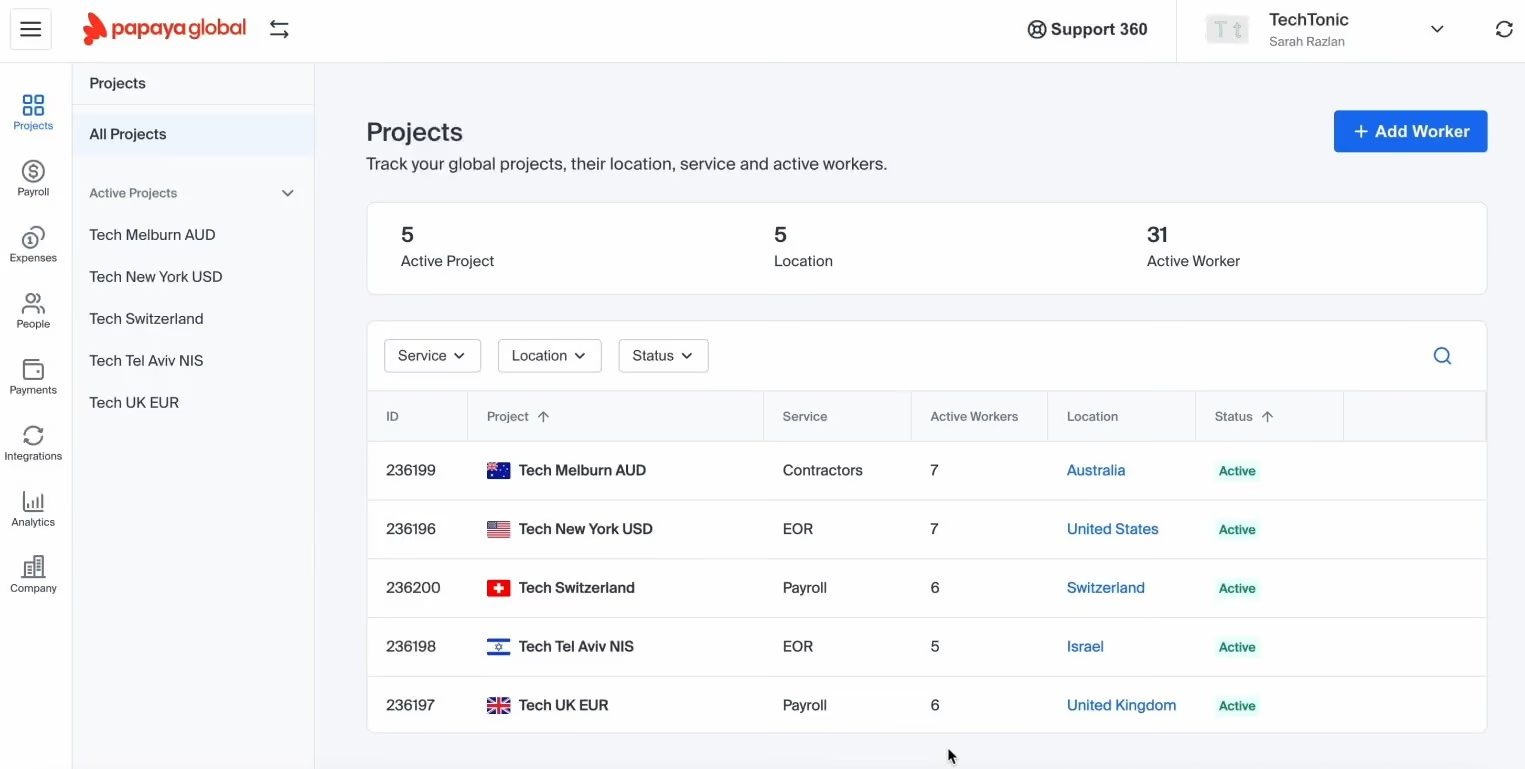
Integrations were another bright spot. Compared to other vendors, Papaya’s list isn’t massive, with around 30 connectors, but the quality stood out. Workday and BambooHR synced cleanly in our tests, and the newer SAP SuccessFactors integration shows they’re paying attention to enterprise users. It’s not the sprawling catalog you’ll see with Rippling, but nothing felt half-baked.
Onboarding was straightforward. We could generate a UK-compliant contract, run a cost projection, and see PAYE and pensions auto-enrolled without extra input.
The cracks, however, showed more in service. Some users told us their dedicated account managers were proactive and even available on WhatsApp, which gave them confidence that payroll would get sorted on time. Meanwhile, others flagged occasional duplicate charges and invoice errors, which had to be resolved through back-and-forth with support.
That inconsistency reflects the fact that Papaya runs on an aggregator model. Instead of owning its UK entity, it relies on vetted local partners, usually CPA firms and in-country experts. On one hand, this ensures UK-specific compliance on Employer NI, pensions, and leave entitlements. On the other hand, it means service quality depends on those partners. Compliance held up well in our testing, but it does introduce another layer where miscommunication can creep in.
Papaya charges $599 per employee/month for UK EOR services.
Best For
Companies that value BI reporting, enterprise integrations, and having a named support contact will find Papaya UK EOR a strong contender.

We used it on a continuous basis. We had some weekly and monthly payroll, so it was used throughout the month. We mainly used the Global Payroll Plus service and the Employer of Record service. We also used the contractor payment service for contractors in specific locations when we needed a more flexible resource. Additionally, we used the Global Payments solution for paying expenses and suppliers.
Pricing flexibility was great and affordable for smaller enterprises. The representatives and customer service staff were very knowledgeable and experienced, offering excellent guidance and a can-do attitude, which was very welcome as we had become bogged down in red tape. We liked that there were very relevant add-on services that could be used on an ad-hoc basis.
We bought Papaya Global because we were expanding internationally. Our business meant that we had small offices and remote workers in many countries. It was time-consuming and error-prone to individually pay staff in so many countries. We needed a tool that could centralize global payroll and pay multiple international staff seamlessly and effortlessly, and Papaya Global did this. I used it for about a year.
It would have been good if they had a solution for 50 to 100 employees. We had to take the minimum 100-employee tariff even though we initially had fewer than 100 employees. Reporting could be improved; I found that the invoices were a little low on detail. It is a bit more expensive than the competition.
I have used other similar tools, and while a little more expensive, I found that this one has better global coverage and a more comprehensive service offering.
Consider global coverage, e.g., what countries they serve and if they have a depth of knowledge and expertise. Ensure it has a good and efficient global payroll service at its core, but also has the appropriate add-on services (like EOR, global payments, contractor payments) so you can quickly adapt to changing business circumstances.
I think the library and knowledge base have grown substantially, providing more on-demand information and advice about global payments.
Papaya Global is good for any international organization with employees in multiple countries.
Papaya Global is not a good fit for an organization with 50 or fewer employees in just one country. This product might be overkill.

Rippling
Rippling’s UK EOR simplifies compliance, centralizes HR, and automates the parts of workforce management that usually create the most headaches. It’s not the cheapest, and it’s not the simplest, but if you value automation, visibility, and the chance to unify HR, IT, and payroll in one place, we’re confident this option will be a significant step forward.
PROS
- UK employment is embedded into the same platform used for global HR, payroll, and IT.
- Salary adjustments, pension contributions, leave entitlements, and compliance checks appear instantly across the system without manual re-entry.
- Payroll feels like a quick review process, rather than a manual project.
- The system prevents drafting contracts below minimum wage and automatically adjusts policies (sick leave, holiday) to align with local labor law.
- All-in-one platform for employee management + PEO services offered, and even a suite of other IT products
- With 500 integrations, it’s very likely that they integrate with other key tools from your tech stack.
- Operates globally with any currency
- Workflow automation
- Analytics opportunities
- Provides a holistic view of company outflows—headcount costs included
CONS
- The network of local benefits and pension partners is not as mature as more established players like Papaya or Remote.
- The software-first approach can be initially daunting for teams used to outsourcing payroll, requiring a shift in mindset and having a learning curve.
- EOR coverage is narrower (80 countries) than Remote (90) or Oyster (180).
- Total buy-in to Rippling is essential
- Very SMB-oriented, in case you’re a larger company.
- New features tend to be buggy in ways that tech teams are not accustomed to fixing
Instead of operating as a stand-alone provider that simply hires employees on your behalf, Rippling embeds UK employment into the same platform you already use to manage HR, payroll, and IT across your global team. When we tested it, that integration was the first thing that stood out.
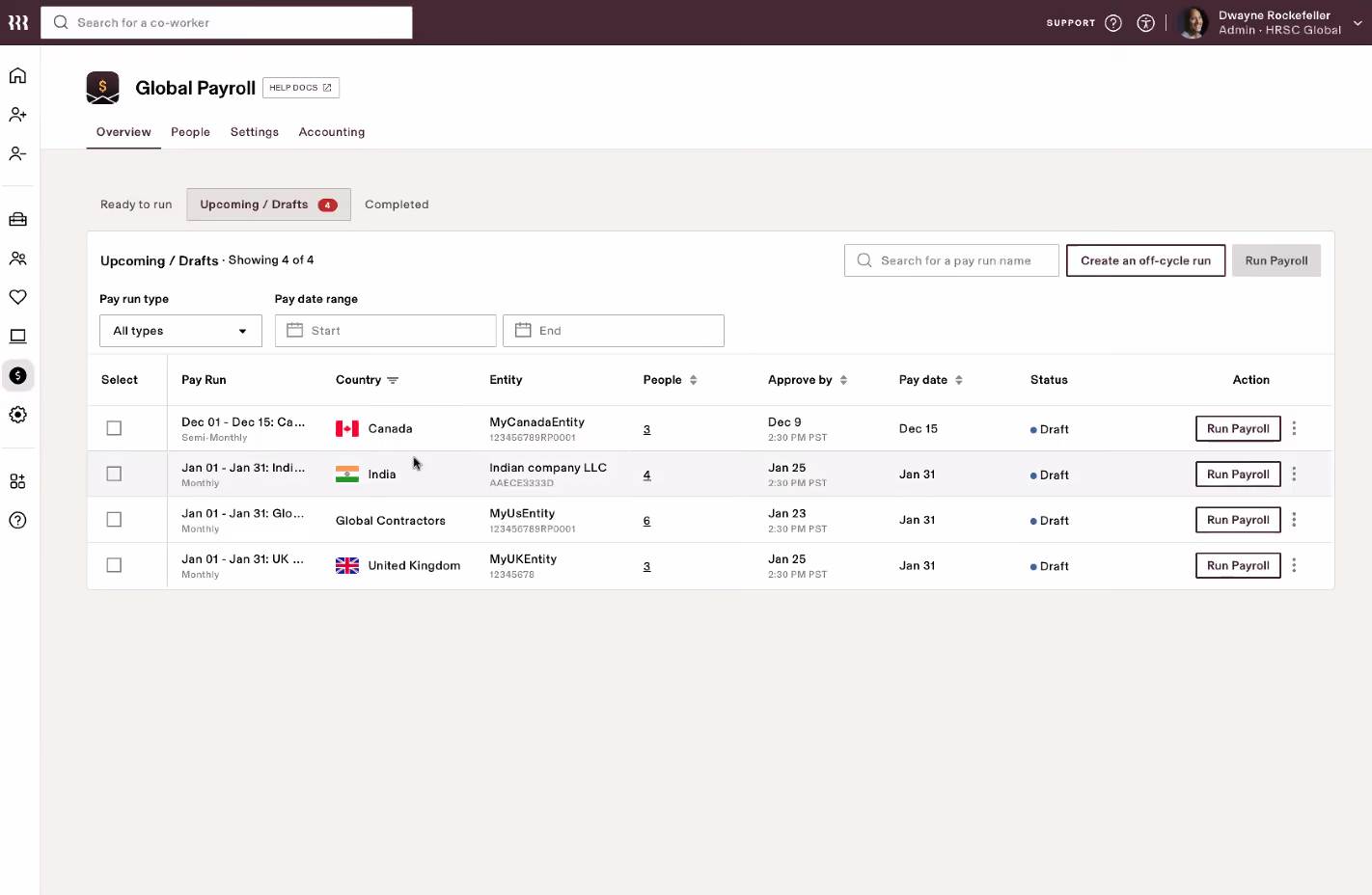
Salary adjustments, pension contributions, leave entitlements, and compliance checks didn’t need to be keyed in twice or pushed through an email chain. They appeared instantly across the system. The payroll tool felt more like a quick review before clicking “approve,” which was a noticeable improvement over the 10-15 day turnaround we’ve seen from traditional UK bureaus. And Rippling’s average five-day payroll processing in major markets is a big part of that.
There are also thoughtful compliance guardrails built in. Rippling’s UK EOR won’t let you draft a contract that pays below the UK minimum wage, and it automatically adjusts policies like sick leave or holiday so they line up with local labor laws. These little nudges should be just what companies entering the UK market without in-house expertise need to avoid legal troubles.
On top of that, Rippling’s reporting, apart from payroll and HR, can pull data on expenses, equity, and software usage across the workforce, giving you excellent visibility that’s rare in an EOR platform.
If you’re eyeing an EOR that can help you hire international employees from countries beyond just the UK, Rippling’s footprint spans 80 countries. While this is a solid offering, it’s not as extensive as some competitors, such as Remote (90 countries) or Oyster (180 countries).
Rippling’s pricing reflects its all-in-one positioning. At around $500 per employee per month for full EOR, it comes in higher than specialist providers. It makes sense if you’ll use the broader HR + IT features, but feels expensive if you only need the basics.
From our experience, automation also demands a shift in mindset. Teams used to outsourcing payroll may find the software-first approach initially daunting, because Rippling hands more visibility and control back to you. It’s undoubtedly powerful once you get used to it, but there is a learning curve to overcome.
Even so, the potential is hard to ignore. Rippling has managed to reframe UK EOR from being a compliance checkbox into a truly integrated part of a global workforce platform. For companies that want to hire and manage UK employees without building a local entity, it delivers efficiency and visibility that the old service-based models just don’t match.
Proxy, Dwell, Superhuman, Expensify, Checkr
Rippling UK EOR starts at $500 per employee per month for full services, according to our source.
Best For
If you're aiming to build a UK arm without launching a legal entity and you value automation, compliance safeguards, and unified HR operations, Rippling UK EOR is among the most compelling options available today.

We use Rippling for single sign on, benefits admin, FSA/HSA, time and attendance tracking, PTO requests and more. We also use Rippling for payroll, onboarding/offboarding, compliance and tax, IT device management and more.
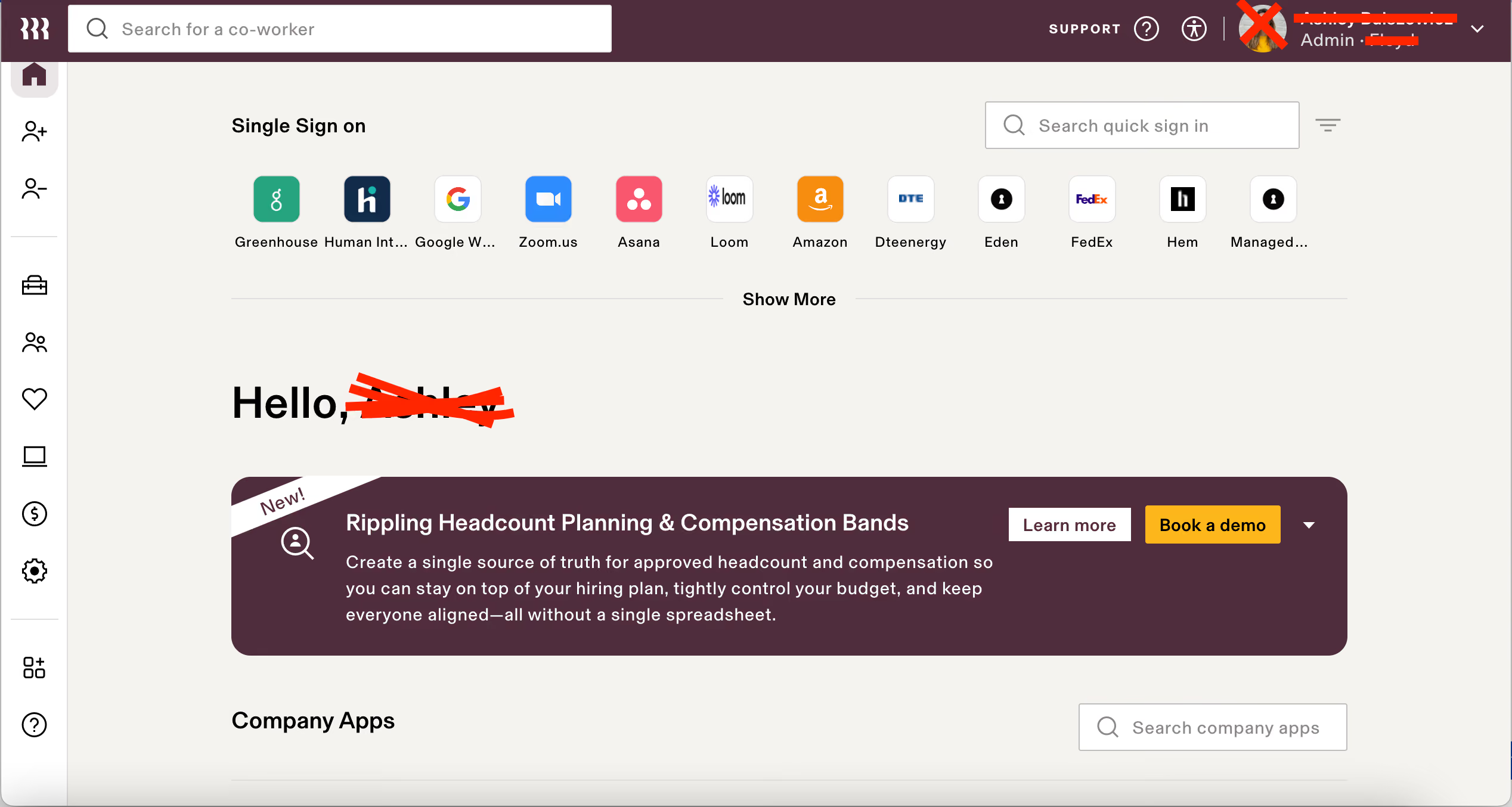
Rippling is a one stop shop for our employees. We enjoy the ease and flexibility of the tool. It is also highly customizable to our needs. Payroll processing is straightforward. It takes care of all the compliance, reporting and tax matters we have. The customer support is exceptional and I always get to speak with a real agent when I have a question.
To bring a single source of truth and information hub to the company, we implemented Rippling. We've had Rippling in place since January of 2022. We wanted a tool that supports single sign on, benefits admin, time and attendance tracking, PTO requests and more. We also use Rippling for payroll, onboarding/offboarding, compliance and tax, IT device management and more.
Paying for workflows was a surprise. In order to create custom workflows or approvals you have to upgrade your package.
Rippling truly offers everything you might need. You can pick and choose the features and services you'd like to have, which I appreciate. As a smaller business, we don't need every feature, but we use quite a few and we are very satisfied with what they offer. They also integrate with several other tools which makes it easy to keep all of your platforms connected and speaking to one another.
What are you trying to solve for your company? Make a list of ways an HRIS could simplify your life, for employees, managers and HR. Look at what tools you currently use and see if Rippling could replace those. Or if those tools could integrate with Rippling.
They add new capabilities all the time. They now have a global payroll feature so you could pay all of your contractors and employees from one place. They have headcount planning features now. They also offer compensation banding.
Rippling is good for companies of all sizes and stages. It could be used to manage a team of 15 or a team of 50,000. It is flexible and customizable. I can't think of a company Rippling wouldn't be good for.

Playroll
Playroll caught our attention for two reasons: it uses its own entities for EOR delivery in the UK, rather than a hybrid model, and every employer gets a dedicated Customer Success Manager at no extra cost. For companies that care about who actually employs their people, that owned-entity model is a meaningful distinction.
PROS
- Uses a Playroll-owned entity to deliver EOR services in the U.K.
- Provides a single employer dashboard for payroll, leave, expenses, benefits, and employee documents.
- The payroll dashboard shows estimated company costs, payroll fees, benefits, and taxes before the payroll run.
- Employees can access payslips, leave balances, benefits, expenses, banking details, and employment agreements.
- A dedicated Customer Success Manager is included for every employer at no additional cost.
- Uses a Playroll-owned entity to deliver EOR services in the U.K.
- Provides a single employer dashboard for payroll, leave, expenses, benefits, and employee documents.
- The payroll dashboard shows estimated company costs, payroll fees, benefits, and taxes before the payroll run.
- Employees can access payslips, leave balances, benefits, expenses, banking details, and employment agreements.
- A dedicated Customer Success Manager is included for every employer at no additional cost.
CONS
- Lacks dedicated equity workflows and offers fewer local perks and private health options than platforms like Remote or Deel.
- Requires a refundable security deposit equal to 1 month's salary per hire.
- Has fewer native integrations (BambooHR, HiBob, Payoneer, Workpay, Airwallex, open API) than major competitors (80-100+).
- The platform's strongest value is straightforward EOR administration and global payroll rather than a highly expansive HR technology ecosystem.
- Lacks dedicated equity workflows and offers fewer local perks and private health options than platforms like Remote or Deel.
- Requires a refundable security deposit equal to 1 month's salary per hire.
- Has fewer native integrations (BambooHR, HiBob, Payoneer, Workpay, Airwallex, open API) than major competitors (80-100+).
- The platform's strongest value is straightforward EOR administration and global payroll rather than a highly expansive HR technology ecosystem.
When we demoed Playroll the first thing we noticed is how their employer dashboard provides everything day-to-day UK EOR management actually involves. We could view employee status, payroll estimates, salary and tax information, leave and expense requests, benefits, and employment documents all in one place.
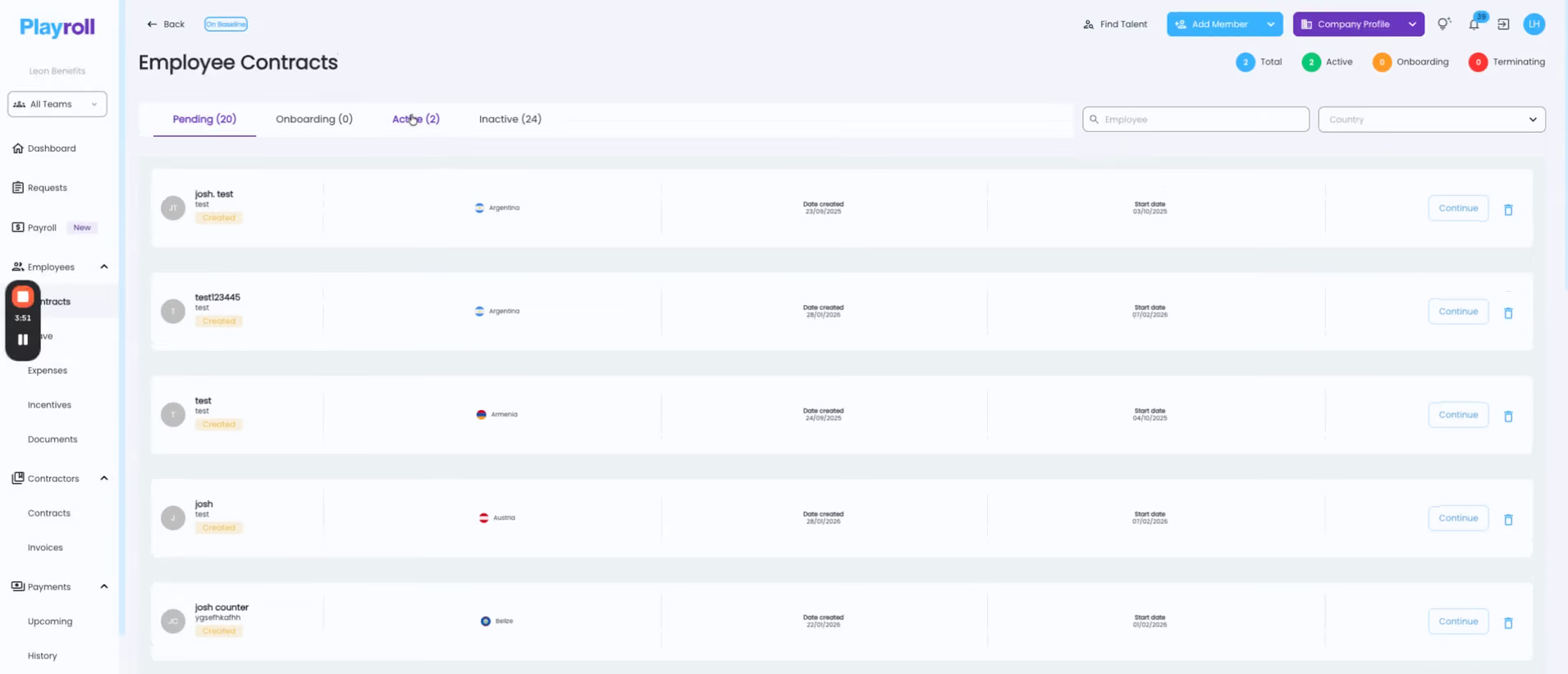
The payroll view was one of the nice parts of the demo. It breaks down the estimated company cost, payroll fees, benefits, and taxes for the upcoming payroll run. There's also a cost calculator where we could enter a salary and see the estimated cost to the company. That's a handy feature when you're working out the real budget for a UK hire rather than looking at salary in isolation.
The onboarding flow also adapts to the employee's country. Once we selected the territory, compensation and employment requirements, including salary and sick leave, reflected that selection before the employment agreement was generated. Playroll advertises a 2-5-day onboarding period, depending on the country and how quickly the required documents are provided.
On the employee side, we found the essentials in the same platform: payslips, leave balances and requests, expenses with receipt uploads, benefits, banking details, and the signed employment agreement.
The limitation, however, comes down to ecosystem scope. Playroll offers native integrations only for BambooHR, HiBob, Payoneer, Workpay, Airwallex, plus an open API, which is far fewer than the 80-100+ native connections available on platforms like Deel or Remote. Its benefits catalog is similarly thin, lacking dedicated equity management workflows and offering fewer localized perks or private healthcare options.
13,000 clients, including UK-based companies like Twinings and Milford Blake.
- Employer of Record: $399 per employee per month.
- Contractor Management: $35 per contractor per month.
- Global Payroll Services: From $10 per employee per month, with a 10-employee minimum.
- Payroll Analytics: From $2.07 per employee per month.
- Entity Setup Services: Custom pricing.
- Platform access: Free until the first hire is made.
Best For
Growth-stage startups and SMBs seeking to expand to the U.K. through a provider-owned EOR entity and prefer a predictable monthly fee over a hybrid EOR arrangement.

Oyster
Among the UK EOR services we tested, Oyster is the one leaning hardest into mission-driven and socially conscious hiring. It offers solid HR and payroll automation, along with discounts for nonprofits and B Corps, and special programs to support organizations that work with refugees.
PROS
- Compliant UK contracts can be generated in minutes.
- Dashboard is simple and clear for HR use.
- Discounts for nonprofits, B Corps, and scaling beyond five hires.
- Benefits packages in the UK are competitive and well-regarded.
- Intuitive: The platform is easy to navigate and makes logical sense.
- competitively priced: The flat rate for employees and contractors makes cost comparisons simple, and is competitive in the market.
- Targeted for a remote workforce: Whether your employees are in one country or 100, Oyster can accommodate them accordingly, and this is a feature few platforms can boast.
CONS
- No phone support, only ticket-based service.
- Employees often need to log into multiple systems for documents.
- Premium pricing at $699 per employee per month.
- Slight delays in processing times for payments in the local currency are somewhat common.
- Immediate communication via phone support is not an option, but they do offer live support via Zoom when necessary.
- An initial security deposit is necessary to begin the engagement and is refundable.
- The platform lacks native time-tracking functionality and provides only an in-app tool for managing time off.
- If you’re looking to co-employ your employees and partially outsource HR responsibilities, Oyster isn’t for you. They are more akin to employer of record services (EOR) than a Professional Employer Organizations (PEO).
Oyster’s UK EOR is unique in how it combines fast compliance automation with a mission-driven angle. While Deel wins on speed and Rippling on integration, Oyster is the only provider we reviewed that offers nonprofit and B Corp discounts, plus a program dedicated to hiring refugees compliantly at no or reduced cost. For organizations with social impact goals, that’s a clear USP.
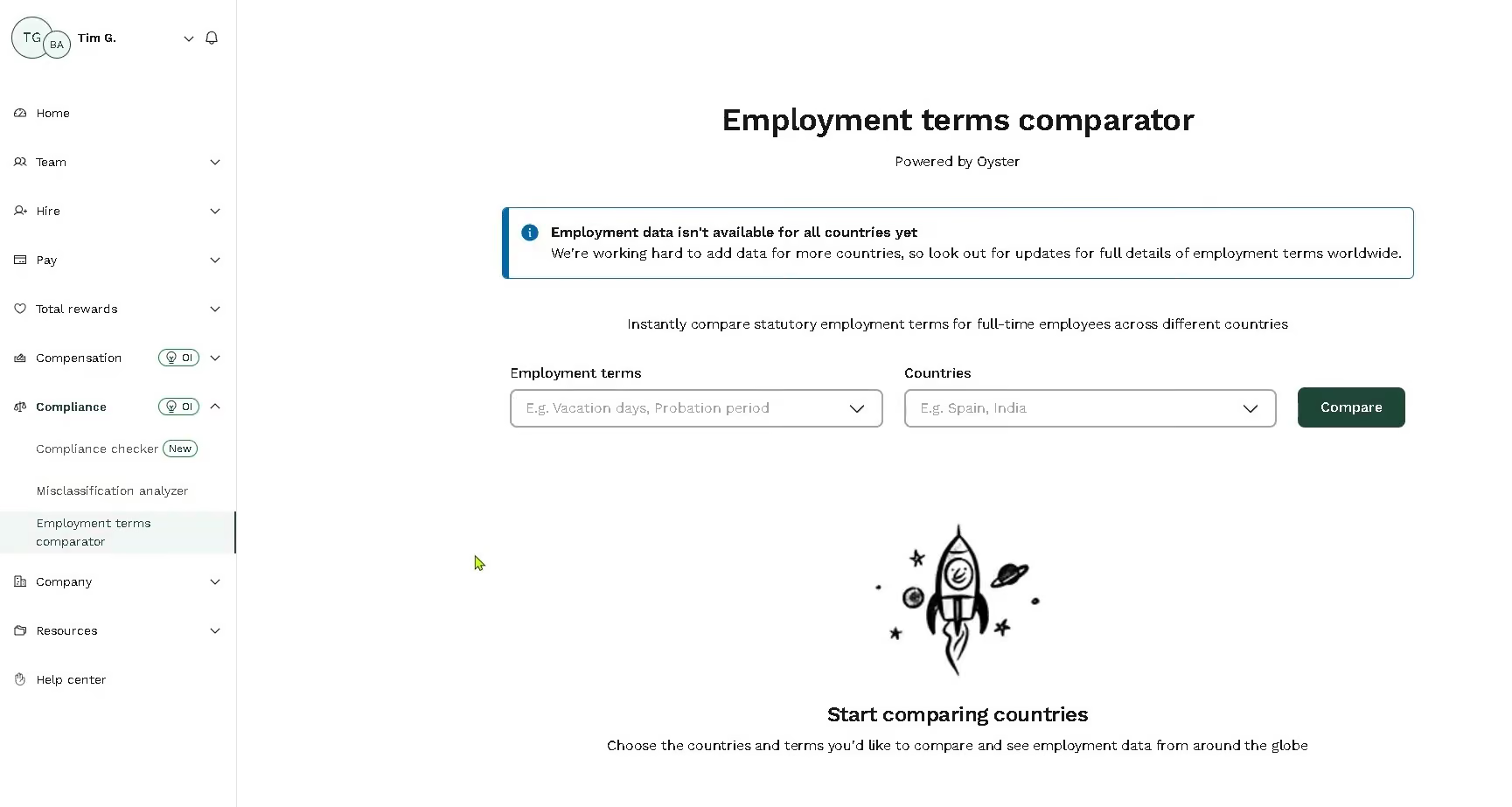
We also thought the platform was well-designed, and particularly, the automation was our favorite feature. Generating a compliant UK contract took less than 10 minutes in our test, and the UK EOR walked us through PAYE registration, pension setup, and agreement e-signature without needing email chains or manual edits. That workflow felt pretty smooth, which we trust many HR admins will find time-saving.
For those trying to make their offers more competitive in such a tight talent market like the UK’s, we think Oyster will lend a great helping hand via its benefit packages. Standing shoulder to shoulder with the top providers in this field, Oyster allows users to easily track payroll, benefits, and onboarding all in one convenient place. And more importantly, the health and pension options extend beyond the basics, offering an attractive range of locally aligned packages in various tiers.
Pricing-wise, Oyster sits at the premium end of the market. At $699 per employee per month, it’s more expensive than Rippling ($500) and Multiplier ($400). While our tests showed payroll processing to be accurate, some employer users mentioned that it occasionally doesn’t process on the same day each cycle. Additionally, a few EOR hire users have shared that the current platform interface can be a bit frustrating, as they often need to log in multiple times to access payslips, expenses, and HR tasks.
Oyster UK EOR offers a pricing structure of $699 per employee per month.
Best For
If your company wants a provider that combines solid UK compliance with a social impact angle, Oyster is the one that stands apart.

Oyster is regularly used as part of our global HR operations, particularly when hiring and managing international team members. The platform plays a central role in our onboarding process by allowing us to issue compliant employment contracts and set up payroll across multiple countries.
We rely on Oyster to manage benefits, track time-off policies, and handle region-specific employment compliance requirements. It also provides valuable resources on global compliance laws, supporting a streamlined and compliant HR workflow. This has helped maintain a smooth experience for our international employees.

- I like Oyster because it simplifies global compliance by managing local employment laws, taxes, and benefits.
- The platform is intuitive for onboarding and managing international employees.
- Their support team is responsive and provides helpful resources for global hiring best practices.
Oyster was considered to streamline international hiring and manage global employment compliance efficiently. It enabled us to confidently hire talent in new markets without the need to set up local entities, saving significant time and reducing legal risk.
The platform makes it easy to onboard international team members, manage their contracts, and comply with local regulations. These benefits addressed our need for a scalable and compliant global hiring solution.
- The cost can be relatively high.
- The system is complex, requiring dedicated time with the onboarding specialist to ensure each feature is utilized effectively.
- Some features may take time to fully understand without hands-on guidance.
Oyster stands out from competitors like Rippling due to its strong focus on global compliance and user experience. Compared to other EOR platforms we’ve used, Oyster offers more transparent pricing and better country-specific insights.
Their support team is more responsive and knowledgeable about international employment regulations. I also value the localized benefits recommendations, which help us remain competitive in global hiring. Overall, Oyster acts more like a strategic partner than a standard service provider.
When buying a global employment tool like Oyster, it's important to assess its compliance capabilities—make sure the provider has expertise in local labor laws and tax requirements in your target countries. Customer support quality is also crucial; verify that the team is responsive and knowledgeable.
Look for pricing transparency to avoid unexpected costs. Finally, evaluate how quickly the provider can onboard employees in new regions, especially if your organization is scaling rapidly.
Oyster has evolved significantly to support the growing demands of a global workforce. They have expanded their country coverage and improved onboarding speed, making it easier to hire talent in more regions with reduced delays.
Oyster is well-suited for large organizations that frequently hire internationally.
Oyster may not be a good fit for small organizations that do minimal or no international hiring.

Borderless AI
Borderless AI offers an efficient way to hire full-time employees in the United Kingdom without opening a local entity. With its own UK-based legal infrastructure, semi-automated onboarding, and AI-powered compliance support, the employer of record provider has helped hundreds of organizations simplify everything from right-to-work checks to HMRC documentation.
PROS
- Direct UK legal entity allows for consistent local hiring and tax handling.
- HRGPT generates compliant UK contracts and answers employment law questions.
- Step-by-step onboarding process tailored for UK documents and tax codes.
- Fast, reliable payroll with no pre-funding requirement.
- User-friendly interface and self-serve setup for employees and employers.
- HRGPT agent delivers quick, reliable, and personalized answers on contracts, policies, and compliance.
- Payroll processes are among the fastest in the industry, with no requirement to pre-fund salary deposits.
- Questions and technical issues are handled by in-country Borderless account and success managers.
- They have partnered with local experts from the Big Four accounting firms for accounting and tax compliance.
- Both the web platform and the mobile app are intuitive, quick to figure out, and easy on the eye.
CONS
- Fewer third-party integrations than some larger EOR vendors.
- Founded in 2022, the company is relatively new and may lack the proven experience of older competitors.
- No dedicated benefits marketplace or pension scheme customizations yet.
- No direct integrations with major HRIS platforms, which could limit larger teams seeking ecosystem compatibility.
- Reporting and analytics features remain basic, offering limited drill-down capabilities for detailed audits or trend analysis.
Hiring in the United Kingdom presents specific compliance challenges, including verifying National Insurance Numbers, managing PAYE registrations, and submitting the correct tax codes. Borderless AI addresses these through a combination of process clarity, automation, and local infrastructure. Unlike some vendors that outsource UK operations to third parties, Borderless AI owns and operates its UK entity, giving customers greater control over service and legal consistency.
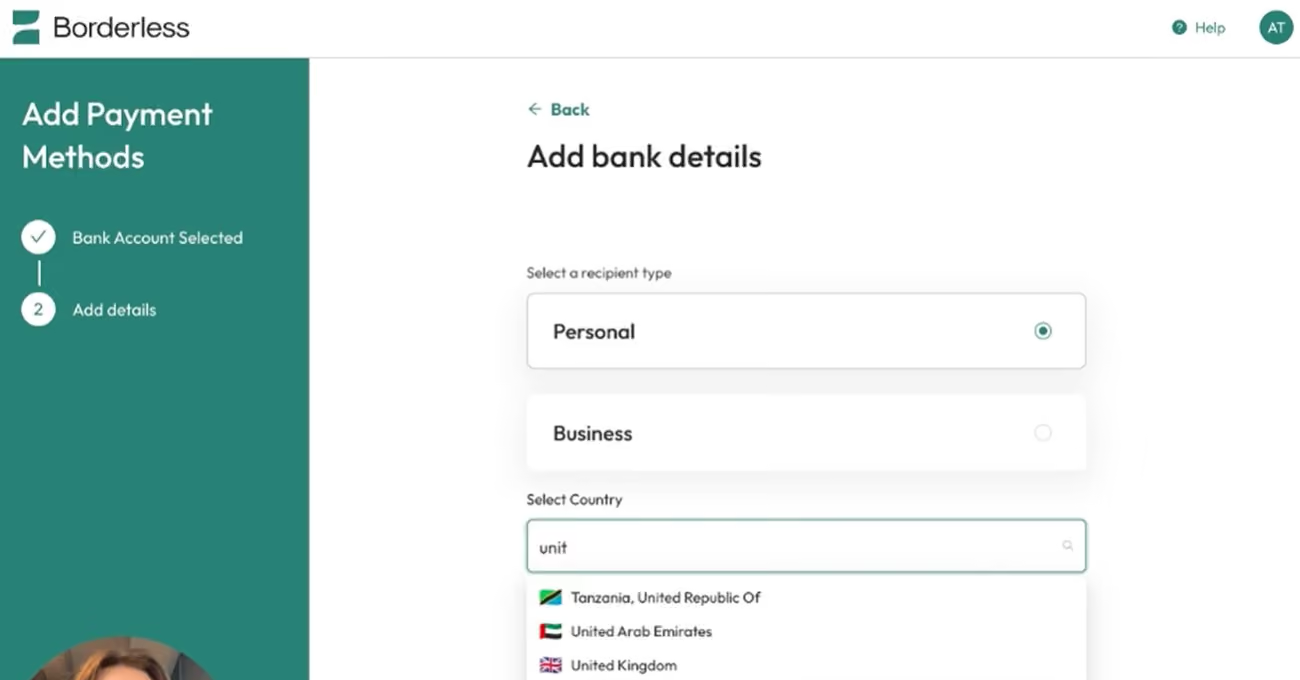
The onboarding flow for UK employees is one of the most structured we’ve tested. New hires go through five clear steps: profile creation, bank account setup, ID verification, submission of HMRC documents like the P45 or New Hire Checklist, and a final employee details form. Employees are walked through uploading proof of residency and their NI number, with prompt email reminders and in-platform progress tracking. Once completed, a locally compliant employment contract is automatically generated for signature.
Another thing we appreciated was the built-in support for UK-specific needs, such as tax code submission and integration with UK payroll conventions. Payroll is processed without requiring the employer to deposit funds in advance, and funds are paid directly into the employee’s personal bank account, eliminating intermediary wallets and payment delays.
And, as its name suggests, this employer of record provider offers strong AI-driven compliance support via HRGPT. During testing, it accurately answered questions like “What is the statutory notice period in England?” and “Do bank holidays apply to part-time employees?” While we wouldn’t treat the output as legal advice, it’s a great starting point for understanding UK employment structures and double-checking compliance questions without waiting on support.
There are a few gaps, of course. One is that Borderless currently offers only statutory benefits in the UK, meaning there’s no bundled health or pension plan selection built into the platform. In addition, while the vendor has started rolling out native integrations, the number available today is rather small. For teams using systems like Sage, Xero, or local HR tools, high chances are they will have to rely on either custom API connections or manual workarounds.
Pricing for this service starts at $579 monthly for each employee.
Since 2025, Borderless AI has expanded its local onboarding features in the UK, added native integrations, and upgraded HRGPT to GPT‑5. The platform now handles UK-specific compliance documents, processes payroll without pre-funding, and supports faster contract generation through AI. Continued backend upgrades have improved platform reliability and speed across onboarding and HR workflows.
Best For
Small-to-mid-sized companies seeking UK expansion that want built-in AI support, and zero-deposit payroll without relying on third-party entities.

Remote
Remote is one of the few UK EORs that not only owns its own entity in the country but also has some of the strongest compliance and IP protection directly in the product. Another factor contributing to this EOR provider’s success is its deep integration with other HR systems. You can manage a UK hire directly from Gusto, Personio, or BambooHR, while Remote quietly handles the legal, payroll, and compliance work behind the scenes.
PROS
- Integrates natively with Gusto, Personio, and BambooHR, allowing teams to manage EOR hires within their core HR systems.
- Owns its UK entity and uses IP Guard to protect intellectual property across borders.
- Structured onboarding with an implementation manager and long-term CSM.
- Offers localized benefits, mental health support, and equity management features.
- Fast and compliant payroll in 170+ countries.
- Live chat support with local payroll experts.
- Flexible, localized benefit packages.
- Flat-rate pricing structure, no deposits or hidden fees.
- Mobile app streamlines expense reimbursement with autofill from receipt photos.
CONS
- Priced at $699 per employee per month, higher than some competitors.
- UK EOR employees can’t receive Enterprise Management Incentive (EMI) stock options.
- Verified user feedback cites billing errors and slower response times.
- Doesn’t have a free trial.
- Redundant for organizations solely recruiting within the U.S.
- Help center documentation isn’t easiest to understand.
Remote has become one of the most dependable global employment partners available today. It’s a single platform that manages international hiring, payroll, benefits, and compliance end-to-end, including for UK EOR employees.
What’s especially impressive, though, is how that same infrastructure now powers other HR systems. If you’re using Gusto, Personio, or the newer BambooHR integration, there’s a good chance Remote is the system running their EOR features in the background. In practice, this means you can onboard a UK employee directly through the HR platform you already use, while Remote manages the legal, payroll, and compliance side behind the scenes.
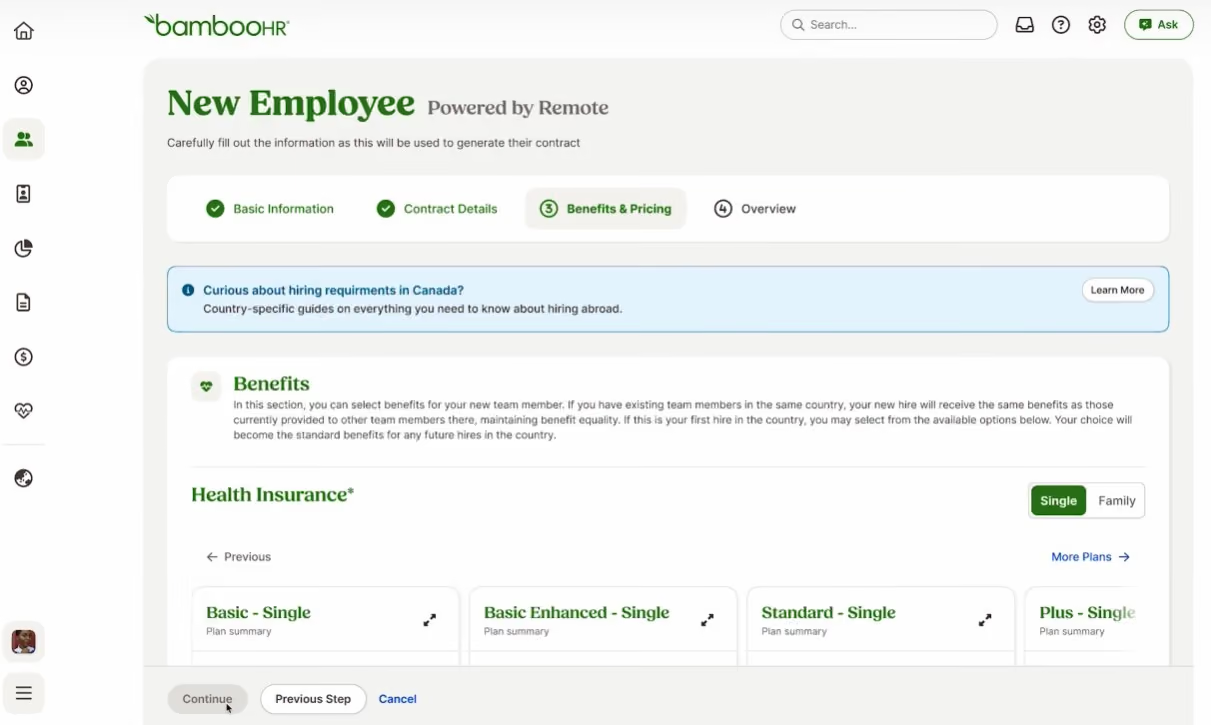
Another interesting feature is the IP Guard system, which safeguards companies' code, data, or patents, thereby giving you confidence that sensitive information isn’t being shared among multiple vendors.
Support starts strong. New customers, from the UK EOR service provider’s language, are walked through the first hire by a dedicated implementation manager, and then handed to a named Customer Success Manager. In our trial, that setup did deliver in a structured and deliberate manner, which is reassuring if you’re hiring overseas for the first time. Employees also gain access to localized benefits and mental health resources, which suggests that Remote is striving to go a step beyond compliance checklists.
At $599 per employee per month annually, or $699 if you want monthly flexibility, Remote is definitely in the premium bracket. That might be justifiable for enterprises, but smaller companies will likely find it pricey. Some UK startups may also not be happy to know that Remote EOR doesn’t support enterprise management incentive stock options, which are the gold standard for tax-advantaged schemes.
While our experience was overall great, some user feedback points to a shift in service quality. One reported accounting error, and a few others also noted that the tickets weren’t always resolved quickly.
Remote UK EOR costs $599 per employee per month when billed annually, or $699 per month.
Best For
Companies that prioritize IP protection and compliance certainty, especially those already using Gusto, Personio, or BambooHR, and want to manage UK hires directly within their existing HR stack.

I use Remote as a tool for our international hiring process, and we require international candidates at least once per month. Remote allows me to control the entire recruitment process from the job position posting until the onboarding process. It also helps me source candidates that match our job description and manage and organize the applicants through their integration with our ATS system.
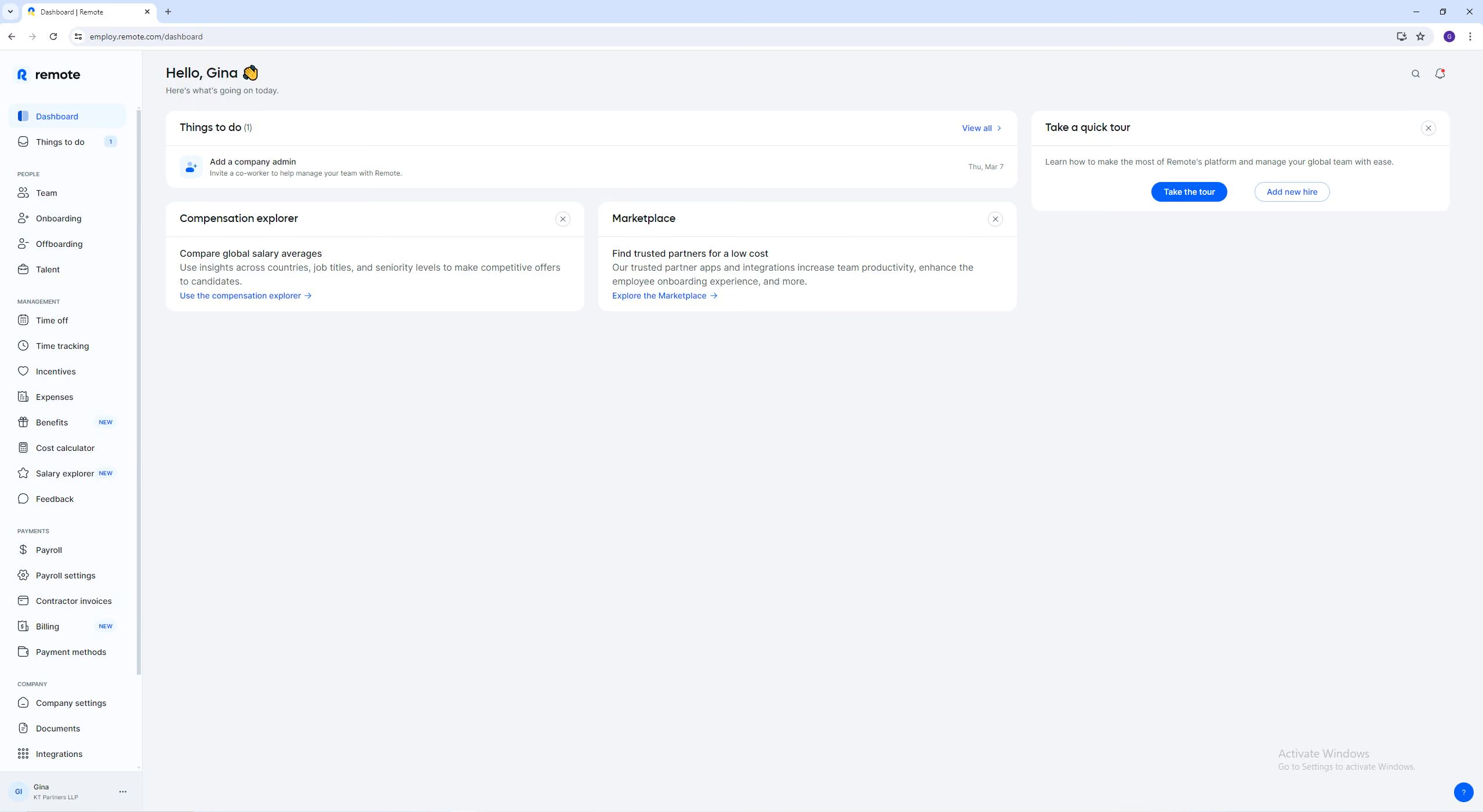
I love Remote because I can post job openings in different countries, which helps me attract more candidates and create a talent pool. I like that it is user-friendly, and the features are easy to use and understand; you do not need to watch YouTube videos to learn how the platform works. Finally, it helps me create job postings that are more attractive to candidates using AI.
Our Customer Service department requires bilingual and, in some cases, trilingual profiles. This skill can be challenging to find in the market if you focus your search on just one country. I have been using Remote for the past four years, and it has helped us find seasoned candidates on different continents, opening the possibility of hiring international employees and meeting our recruitment goals.
It can increase the number of ATS systems that they can integrate with the platform. Remote has amazing additional services, but they offer them as an enterprise plan (extra cost); I believe some of them, such as global payroll, could be included in the talent acquisition plan. Although customer support is available 24/7, sometimes it takes a few days to get back to you with a solution.
I have used different platforms to hire international employees. Remote.com allows me to contract directly with the employee for my organization, while other platforms only allow me to hire the candidates as freelancers or contractors, and we require full-time employees.
If you want to increase your talent pool and hire remote workers, Remote.com is a good option. In addition, if you need help processing payroll according to the employment laws in each country, Remote.com takes care of it with global payroll.
Remote.com has changed the way of remote work. Before, there was just one option: hiring someone as a freelancer or contractor. However, their platform is available in different countries and has opened the possibility of hiring full-time employees. Companies can now count on team members to be 100% focused on their needs.
Remote.com is for any type of organization, whether an international or multinational company or a business startup, because their platform adjusts to the organization's needs.
I believe it would not be a good fit for an organization that is looking to hire from a specific country where Remote.com does not have a presence.
Other UK Employer of Record Services Worth Considering
- G-P (formerly Globalization Partners) is a pretty good choice if you want an experienced, compliance-focused EOR with global reach. It’s especially useful for global businesses that need precise legal alignment and smooth multi-currency payments. We’re not fans of its undisclosed pricing, and its integrations and reporting tools are more limited than newer platforms, but for organizations that value stability and regulatory confidence over price transparency, G-P delivers dependable performance.
- AgilityEOR is great for organizations with up to 1,000 staff members that value deep UK and European expertise. Unlike software-centric EOR models, this provider prioritizes human-led service, ensuring you consult with a local expert rather than navigate chatbots or support tickets. Although pricing is tailored to your specific needs, users frequently highlight their transparent fees and the absence of unexpected surcharges.
- Our testers are also evaluating EOR UK, Leap29, Eorservices, and Boundless. We’ll keep you posted if anyone is qualified!
Why Trust Us?
This guide was created by Anh Nguyen, an HR tech researcher with over five years of experience in global talent acquisition. Her background includes agency and in-house roles, providing her with practical insights into international hiring challenges. As an EOR hire, she also gains firsthand experience from an EOR employee’s perspective. She’s found that just as applicant tracking systems are helpful for candidate management, so are employers of record for cost-effective, compliant global hiring.
How To Choose an EOR Provider in the UK
To choose the right EOR partner for hiring in the UK, look for their legal expertise, payroll accuracy, employee benefit management, data protection, support quality, and pricing transparency.
- UK Compliance Expertise: A solid EOR solution should be well-versed in local regulations like the Employment Rights Act, IR35, and pension auto-enrollment, as they directly affect contracts, pay, and how long you can engage new hires legally.
- Payroll Accuracy: Look for providers that consistently handle tax filings, PAYE, National Insurance contributions, and real-time submissions to HMRC. If they can’t walk you through this process with confidence, it’s likely a red flag.
- Statutory Benefits Management: In the UK, employers are required to provide health insurance and statutory benefits, including sick pay, maternity and paternity leave, holiday entitlement, and pensions. Your EOR should handle these by default.
- GDPR Compliance: The EOR software tool must have clear data security policies and full compliance with UK GDPR. They should be able to explain where your full-time employees’ data is stored and who has access to it.
- Client and Employee Support: Look for fast response times, structured offboarding and onboarding processes, and reliable support throughout the employee lifecycle. You should ask what typical response times look like, what the time zone coverage is like, and who handles employee queries. More importantly, verify what you’ve heard by seeking experiences shared by current or former clients.
- Clear, Inclusive Pricing: A good UK EOR will give you an itemized quote that includes everything from employer taxes to pensions and admin fees. Conversely, a bad one often can’t break down costs in writing or uses vague language around “UK surcharges” or “fees”.
How Much Does an EOR Service in the UK Cost?
Using an Employer of Record in the UK costs between $400 and $700 per employee per month in provider fees, plus 15 to 20% of the gross salary in mandatory employer contributions, such as NICs and pensions. Here’s the breakdown of current market starter pricing for the top UK EOR service providers:
- Rippling: $500
- Deel: $599
- Remote: $699
- Omnipresent: £499
- Papaya: $599
- Pebl (formerly Velocity Global): $399
- Oyster: $699
- Multiplier: $400
Read More: How Much Does an Employer of Record Cost in 2026? to get a more detailed look at the total cost of this service, including hidden fees to be aware of.
Key Features: What a Good UK EOR Can Do
The best UK EORs balance compliance, smooth execution, and the ability to scale without forcing you to open a UK entity.
- Legal and Regulatory Compliance: At its core, the UK EOR takes on the role of legal employer. That means it handles the unglamorous but critical details, from drafting compliant contracts to avoid misclassification to ensuring statutory entitlements like holiday, sick, and parental leave are respected. According to recent EOR stats, 65% of organizations use employer of record services to mitigate legal risks. If your goal is also peace of mind, we recommend you look closely at how providers manage obligations under the Employment Rights Act, IR35, PAYE, National Insurance, and pension auto-enrolment.
- Payroll Accuracy and HR Administration: Payroll services are where the day-to-day trust gets built (or lost). A solid UK EOR runs payroll end-to-end: calculating wages, submitting real-time reports to HMRC, and ensuring employees actually get paid on time. Top platforms also make employee onboarding less of a hassle, keep records GDPR-compliant, and fold in both mandatory benefits like pensions and optional ones like private health coverage. In testing, we paid attention to whether the payroll process felt invisible, in a good way.
- Scalability and Operational Efficiency: Where UK EOR services really earn their keep is in how fast they can get you started. Instead of waiting months to incorporate, the right provider lets you bring on a UK employee in days, which can mean the difference between landing a key hire and losing them. Further, several providers offer work permits and visa sponsorship services to your non-UK-based hires. Many also support not just the UK but global expansion to help you widen your talent pools.
What are the Restrictions on EOR in the UK?
You have limited flexibility over employment terms since UK Employer of Record services and EORs in general use standardized, locally compliant contracts. Over time, such services can be more costly than establishing your own local entity in the UK, especially if you're hiring multiple employees or planning long-term operations. Additionally, service quality and legal compliance can vary between providers, which may impact employee experience and risk exposure.
Read more: 6 Major Employer of Record Risks You Can't Afford to Overlook
FAQs
Are employers or record legal in the UK?
Yes, EORs are permitted in the UK.
Why use UK employer of record services?
UK EOR services enable companies to hire employees in the UK without a local legal entity of their own. Instead, the EOR provider is the official employer in the country, handling payroll, taxes, compliance, and benefits on behalf of the client company.
What size of business benefits the most from a UK EOR?
Small to mid-sized businesses expanding into the UK often benefit the most, but large companies also use EORs to quickly test the UK as a new market before establishing their own entities.
How does UK EOR differ from UK PEO?
A UK PEO co-employs staff with your company (you share legal responsibility). A UK EOR is the sole legal employer, taking on full employment liability and compliance.
Is a UK EOR suitable for remote teams?
Absolutely. UK EORs are a perfect fit for both remote and hybrid companies, provided these teams already have, or are planning to hire, remote employees in the United Kingdom. Many of the companies here would let you hire UK employees as independent contractors via their contractor management service, so you can test the waters at first and later transition to full-time employees without switching providers or software tools.
About the Author


About Us

- Our goal at SSR is to help HR and recruiting teams to find and buy the right software for their needs.
- Our site is free to use as some vendors will pay us for web traffic.
- SSR lists all companies we feel are top vendors - not just those who pay us - in our comprehensive directories full of the advice needed to make the right purchase decision for your HR team.


