

10+ Best Freelance Management Systems (2026)
The best freelance management systems handpicked and reviewed by our HR experts. Get info on key features, pricing, benefits, recommendations, and more below.









A Freelance Management System (FMS) serves as a centralized, cloud-based platform designed to oversee independent talent. Rather than simply serving as productivity software, an FMS functions as a strategic risk-mitigation asset. It integrates the key stages of working with external talent—including sourcing, progress tracking, legal and regulatory compliance, payment processing, and internal messaging—thereby removing operational blind spots before complications arise. Organizations overseeing as few as 10 active external contractors will find that this return on investment alone justifies adopting the system.
That said, not all FMS platforms solve the same problem the same way. Some optimize for speed, others for compliance, and still others for quality control. This guide will help you choose based on your specific risk profile and scale.
Finding the best Freelance Management Systems (FMS) was an extensive undertaking, led by our seasoned editorial team and guided by insights from industry leaders. To curate this SSR shortlist, we evaluated numerous tools on critical criteria including— freelancer sourcing features, onboarding features, work management features, and payment processing capabilities.
- Freelancer Sourcing: We prioritized platforms that excel in their sourcing capabilities. The selected systems offer, at the very least, robust talent pools, advanced search filters, and smart matching algorithms that connect businesses with the most suitable freelancers for their projects.
- Onboarding: We sought out FMS options that provide comprehensive onboarding processes. For us, a top platform must offer features such as contract management, NDA agreements, and project briefings.
- Work Management Features: To be a top choice, an FMS needs features that assist with project management. Our chosen platforms provide tools like task tracking, progress reports, and real-time collaboration.
- Payment Processing: We evaluated platforms that offer various payment methods, such as direct bank transfers or integration with reliable payment gateways. The selected solutions prioritize prompt and accurate payments, ensuring freelancers receive their earnings in a timely manner.
To gain deeper insights into our meticulous evaluation process and explore our handpicked selection of the finest HR tech solutions, check out our post on how we curate the best HR tech.


TalentDesk

TalentDesk makes it easy for companies to grow and manage their external workforce compliantly in over 190 countries across 55+ currencies. The platform also offers a vendor management service, which is particularly useful for organizations that hire specialized talent through agencies and want clear visibility into how contractors are linked to each vendor.
PROS
- Vendor management with contractor-vendor linking
- Consolidated freelancer payments
- Built-in tax and legal tools
- Real-time dashboard for tracking
- Open API and Zapier integrations (8,000+)
- The Freelancer Management System (FMS) plan is free for freelancers and independent contractors to use.
- With TalentDesk, all your team’s financial data will be stored in your accounting system automatically so you don’t have to do extra manual work to update your books.
- Users get free access to the top 3000 freelancers from their 4-million marketplace of pre-vetted and rated candidates.
- TalentDesk’s built-in legal, tax, and privacy support ensure you are hiring, managing, and paying your workforce compliantly.
- Freelancer payments can be automated with TalentDesk, which saves a great deal of time. The system will send each of your freelancers their invoices while you get your own synthesized invoice to pay them all at once.
- The software’s centralized dashboard can help you save time and effort in keeping track of and monitoring your projects’ deadlines, expenses, and budgets.
CONS
- Talent marketplace smaller than competitors (3,000 vs. 100,000+)
- Occasional bugs during peak usage
- Requires custom quote for pricing
- TalentDesk does not have a free version for employers, but they do have a 15-day free trial that you can sign up for to test their offering.
- A few users reported experiencing bugs and crashes, but have noted that TalentDesk’s support team is quick in providing assistance.
TalentDesk has evolved from a freelancer management platform into a broader external workforce solution. During our demo, we noticed TalentDesk’s UI has become more intuitive over the years. More importantly, though, is the addition of vendor management. This service provides clear visibility into contractor-vendor relationships, positioning it as one of the most obvious choices for companies working with multiple staffing agencies or vendor partners.
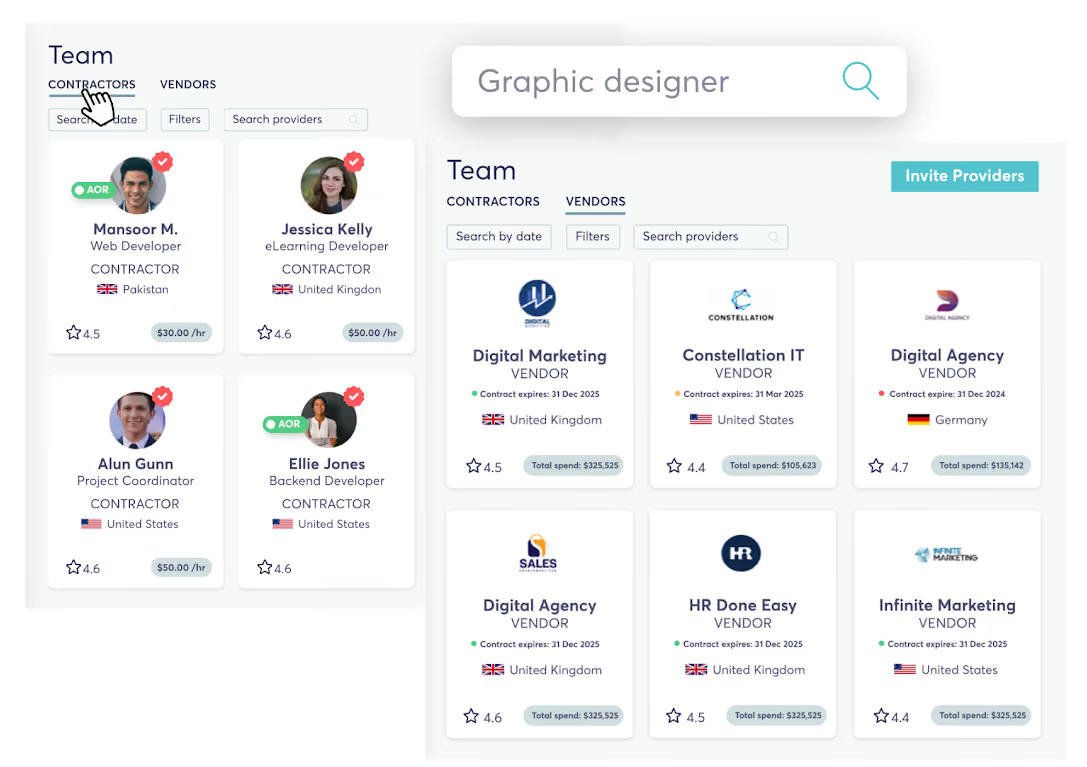
We were not let down by the project tracking and payments. From our testing, it is easy to break projects into tasks, assign them instantly, and view progress via a real-time dashboard. The automation of freelancer invoicing is a big time-saver: freelancers submit their invoices, while employers receive one consolidated invoice to pay them all at once.
TalentDesk also facilitates communication between internal teams and freelancers with built-in 1:1 and group chat. From a compliance standpoint, their Agent of Record (AOR) and Employer of Record (EOR) services continue to ensure companies stay on top of legal and tax obligations when engaging global talent.
Although we didn’t experience this ourselves, some users have mentioned minor bugs and system crashes. While their support team is quick to respond, these issues could pose challenges for larger organizations managing high transaction volumes.
Despite offering great strengths in managing all aspects of the freelance workforce, compared to YunoJuno, TalentDesk.io doesn't have as extensive a talent marketplace (3,000 vs. 100,000 vetted freelancers). Consequently, the FMS is less ideal for discovering and sourcing freelancers.
Veeva Systems, WWT (World Wide Technology), Berlitz, Mindvalley, Outside Inc, Apartment Therapy.
- Freelancer Management: From $100 per admin seat / per month
- AOR: From $100 per contractor / per month
- EOR: Custom pricing.
- Centralized freelancer and vendor management for external teams, including agencies, in one platform.
- Open API and 8,000+ no-code Zapier integrations for syncing TalentDesk workflows with external tools.
- (In production) Model Context Protocol integration for connecting to external tools.

Best For
Companies managing a mix of individual freelancers and vendor relationships at scale. Especially valuable for agencies and enterprises working with multiple staffing partners and needing clear visibility into who's hired through which channel.

Worksuite
If you view external workers as customers, Worksuite is a CRM for your external workforce. The platform automates workflows that break at scale—bulk payments, compliance tracking, and task management in one system.
PROS
- Bulk payments and spend visibility
- Customizable onboarding workflows
- 24/7 support (chatbot, help center, 1:1 sessions)
- 14-day free trial with account manager
- Regular feature updates
- Worksuite allows users to send bulk payments to their freelancers while having clear visibility into their freelancer spend at each step. Plus, the product’s built-in conditional formatting for payments and taxes setup helps ensure freelancers automatically get the correct tax paperwork, no matter where they are.
- You can customize tasks and projects on the platform. There are also different customizable fields on profiles, which can be quite helpful for businesses that with to personalize the onboarding process and enhance the experience of their candidates.
- The tool’s customer support is quite comprehensive. In addition to 24/7 live chatbot, the platform also equips users with a help center and 1:1 sessions with their team to ensure they get the needed help in a timely manner.
- A 14-day free trial is available for you to try before buying. During your first-week trial, you’ll also be assigned an account manager to assist you further.
- New features are released frequently, and the platform will notify you of those promptly in your dashboard.
CONS
- Pricing not publicly available
- Limited recruitment tech integrations
- Some bulk options for editing tasks on Worksuite are not available on the platform’s current version.
- Reporting and project-tracking features aren’t at their full capacities, and neither does the platform’s search bar. As of now, you’re not able to search specific keywords in some places on candidate profiles, such as the resume, description, or internal notes.
- There’s no option to preview a document on the website unless you download it.
- Worksuite doesn’t have a mobile app at this time yet.
- A few users of Worksuite reported that the website at times takes longer to load or respond.
- The timesheet and payment processing cycles are weekly by default, so it may not be friendly to users that use monthly invoice schedule.
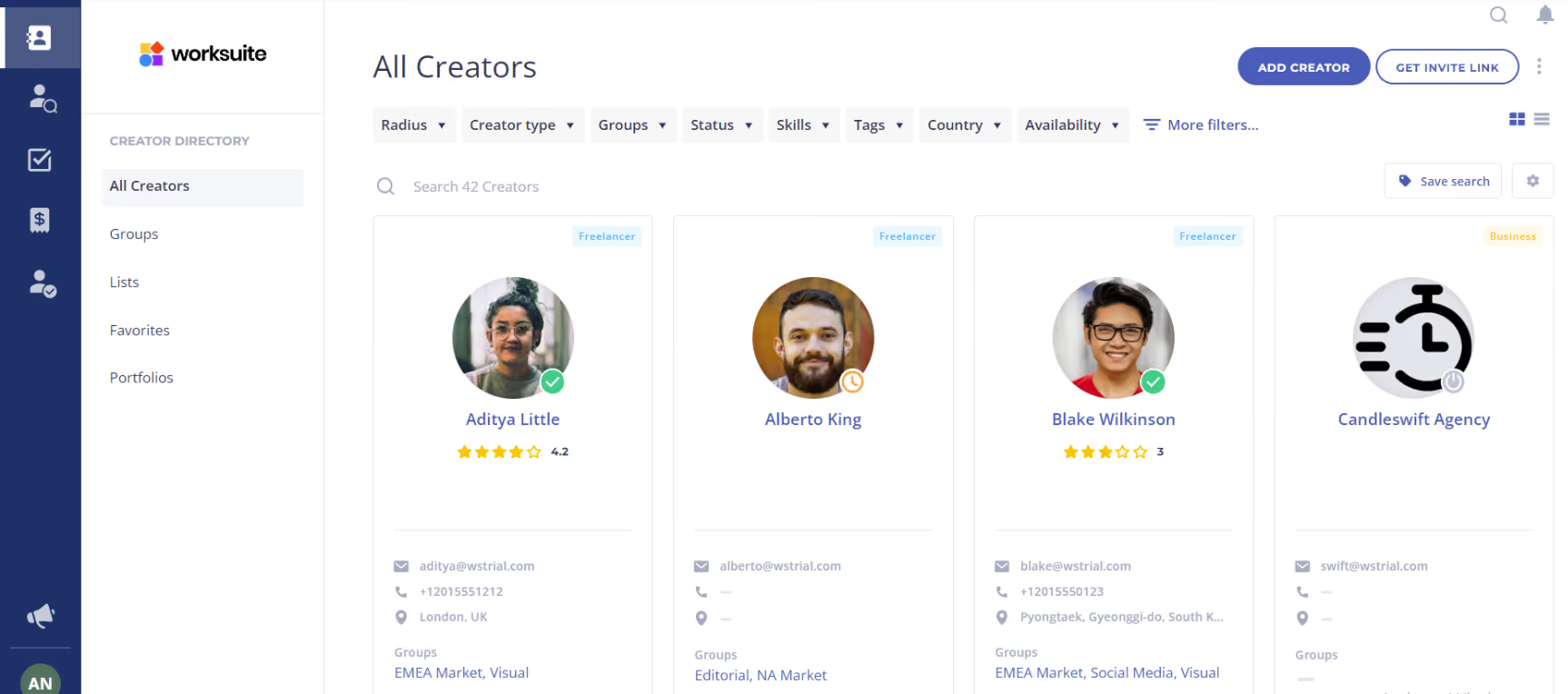
What Worksuite really does well is solve the problem that breaks at scale. When we walked through their platform with a customer scenario—a SaaS company with 240 contractors spread across 15 countries—the pain points were immediately clear. Finance teams drowning in 240 manual invoices a month. Chasing down missing tax forms. Reconciling payments across 8 different payment methods. Endless "Where's my payment?" emails. Worksuite automates most of this away. Invoices trigger when tasks complete. Tax compliance alerts go to non-compliant freelancers in real time, not after you've already processed a bad payment. You can bulk-approve 500 invoices at once. The dashboard transparency alone reportedly reduces freelancer support requests by about 70%. What impressed us most: the real-time alerts when contractors update their payout methods or tax info. This catches problems before money moves.
The ROI math works out fast for teams at scale. Finance saves roughly 40 hours per month on invoice reconciliation. At $50 an hour, that's $24,000 in productivity gains per year. That said, the $500-$1,000 monthly subscription starts to feel expensive when you're not drowning in invoice overhead. Implementation also takes 6 to 8 weeks, and you need someone managing that process. It's not the "instant cloud setup" that gets marketed.
Disney, Netflix, Microsoft, The Home Depot, BetterUp
Worksuite offers three flexible pricing plans:
- Essentials: $500 per month or $5,400 per year for five users, plus a $2,000 implementation fee. Additional users (up to 14 total) cost $75 per user per month.
- Vision: $1,000 per month or $10,800 per year for 15 users, plus a $4,000 implementation fee. Additional users cost $100 per user per month.
- Enterprise: Pricing is unlisted and requires a demo for a custom quote.
Worksuite’s recent updates show a clear focus on tightening financial workflows and scaling contractor operations, with most improvements aimed at reducing manual admin across invoicing, compliance, and workforce management.
- Invoice workflows are now more automated and visible: Invoice creation can now be triggered automatically when a task is completed, with safeguards to prevent duplicates and quick access to related billing data. In parallel, custom invoice fields can now be surfaced directly in invoice tables for easier reconciliation.
- Bulk processing expanded significantly: Teams can now take actions on up to 500 invoices at once (approve, schedule payments, mark as paid, download), and reject timesheets in bulk, removing a major bottleneck for companies managing large freelancer pools.
- Stronger controls around payments and compliance data: Worksuite introduced real-time alerts when freelancers update tax information or payout methods, notifying both managers and freelancers. This adds a layer of auditability and reduces the risk of missed changes before payroll runs.
- More flexible access control with custom roles: The platform replaced basic permission tiers with a fully customizable roles and permissions system, allowing organizations to define granular access across contracts, payments, compliance, and projects.
Best For
Teams managing 75+ contractors needing to automate invoice/payment workflows and reduce finance admin overhead. Medium to large companies that can justify a 6-8 week implementation timeline.

YunoJuno
The best thing we noticed when testing YunoJuno was how it handles global worker classification and compliance. Knowing that the platform automatically ensures we're in line with ever-changing international laws did give us great peace of mind. We also appreciated the ability to get human sourcing support from the vendor at no extra cost.
PROS
- Global worker classification in all plans
- 100,000+ verified freelancers
- Free human sourcing support
- No upfront fees (pay only when you book)
- New search algorithm
- Built-in global worker classification and compliance in all plans at no extra costs.
- 100,000+ experienced and verified workers available for on-site, hybrid, or remote work.
- On-demand talent sourcing support is available at no extra cost.
- Adding a brief to YunoJuno is free. Payments only begin after booking and approving a freelancer's timesheet.
- Discounts for VC-backed startups with less than $10M funding.
- Recent product updates include a search algorithm and an open API for custom integrations.
CONS
- Talent pool focused on creative/tech/marketing
- Briefs default to day-rate (project-based requires adjustment)
- Email/chat support only (no phone)
- Vendor support is only available via live chat and email. No phone support.
- The talent pool might be smaller when seeking freelancers outside the creative, tech, and marketing sectors.
- Briefs are posted on a day-rate basis by default. A per-project basis requires manual addition (on-demand setup support is available, though).
There are several reasons why YunoJuno has made it to our list of the best freelancer management systems. But if we had to narrow down what we liked about it most, it’d be its human-supported sourcing, contract management, and compliance features.
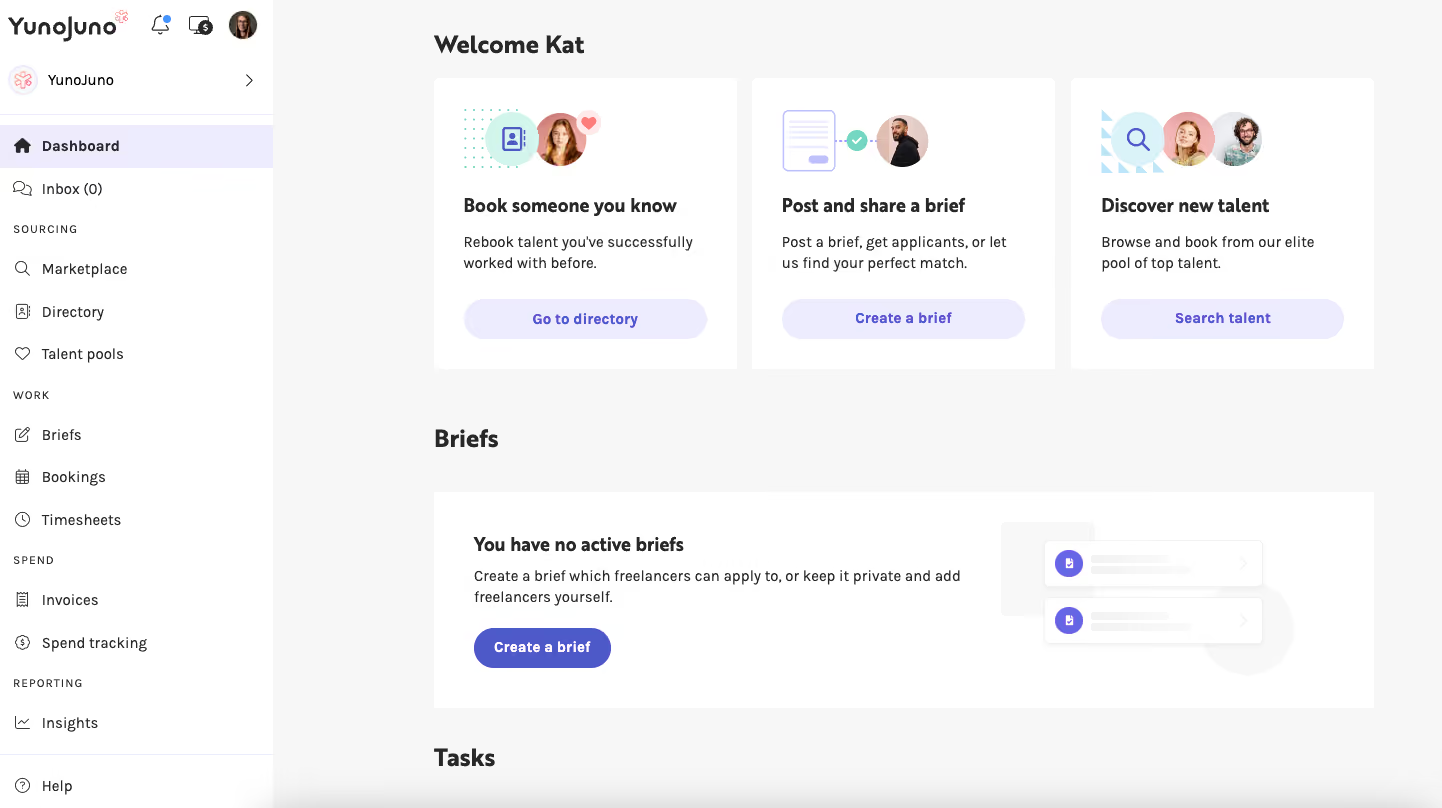
We found the platform’s design intuitive (see our above screenshot). However, given that things don’t always turn out as they seem, we decided to create a brief on the FMS to confirm our suspicions. And the system didn’t let us down (also, sorry, YunoJuno, for doubting you).
On top of an eye-catching UI, the workflows are straightforward. Not to mention, there are online documents available if you need a bit of instruction there. We particularly appreciated the ability to post briefs either openly or unlisted— something we trust teams with various needs, including those handling sensitive projects like NDAs, would value, as they can control the visibility of their postings.
We didn’t expect human sourcing support in an FMS, so it was a pleasant surprise to find out that YunoJuno is the first one we’ve encountered that provides such a service— without charging a penny extra. Plus, with their new search algorithm, it’s a great combo that makes finding the right freelancer quick and easy.
We should also mention the built-in global compliance aspect. Unlike some competitors like Worksome, whose worker classification is an add-on, YunoJuno includes it, plus automated contracts and real-time updates on global legal requirements in all plans, which we love.
You’ll find more details on this FMS’s pricing structure down below, but to give you an idea, it costs nothing to add briefs to the platform. You only pay once you've booked and approved a freelancer's timesheet.
That said, YunoJuno primarily caters to freelancers in the creative, tech, and marketing industries, so it’s not as versatile for other sectors. While live chat and email support were responsive during our testing, we missed having phone assistance for more immediate concerns.
Also, one minor drawback for teams preferring project-based contracts: YunoJuno’s briefs are, by default, posted using day rates. This means you'll have to put in some extra effort to clarify the job description and the payment arrangement; otherwise, some confusion might creep in.
Although the exact number of companies that use YunoJuno remains undisclosed, some of these companies include Canon, Havas, PepsiCo, Pernod Ricard, Depop, and Deliveroo.
The YunoJuno FMS is free to set up and use. Depending on the plan you choose, YunoJuno may charge between 4-11% or a custom percentage of freelancer payments managed through the platform.
Best For
Global enterprises and large organizations seeking specialized independent talent across technology, consulting, and strategic business functions.

WorkMarket
Owned by ADP, WorkMarket offers a comprehensive and robust FMS that brings structure to many processes, from hiring, vetting, onboarding and customizing talent pools, to assigning tasks to and paying freelancers.
PROS
- ADP integration (seamless payroll sync)
- Searchable custom profile fields
- Intuitive UI
- Video guides and help documentation
- Mobile app available
- WorkMarket is fairly easy to navigate even if you’re new to FMSs. Plus, their help center is well-stocked with resources on every feature the platform offers, along with screenshots and videos for better vidualization of how to use the platform.
- Searchable profile custom fields is an interesting feature we liked about the platform. You can add a new field to a profile and it will be searchable within the platform’s Find Talent page. Furthermore, the field is visible to your company only so it comes in handy when you want to add private notes on your candidates, such as the names of projects you’d like them to join, your ratings of their services, etc.
- If you have a range of similar assignments line up, the Save As Template function on WorkMarket’s Add Assignment tab would come in handy as it allows you to save and reuse your submitted assignments.
- A Mobile app is available for you to track deliverables and communicate with your contractors in real-time.
- Through the platform, freelancers are able to keep track of their work, HR information and payments.
CONS
- Talent pool US-focused
- Can't switch between labor clouds without recreating
- Two-factor auth required every login
- Pricing not publicly available
- The majority of WorkMarket’s registered freelancers are based within the US, which means if you’re looking for international talent, your options are limited.
- WorkMarket supports their customers in organizing their network of freelancers by providing two types of labor clouds: public labor cloud and private labor cloud. However, the platform does not currently offer a way to switch between these two, which means if you want make the switch, you will need to recreate a new labor cloud.
- Some of WorkMarket’s users state don’t prefer using the solution’s mobile app due quite limited features compared to the web app.
- There currently isn’t a ‘remember me’ box to tick and you are required to do two-factor authentication every single time you log in using your trusted devices.
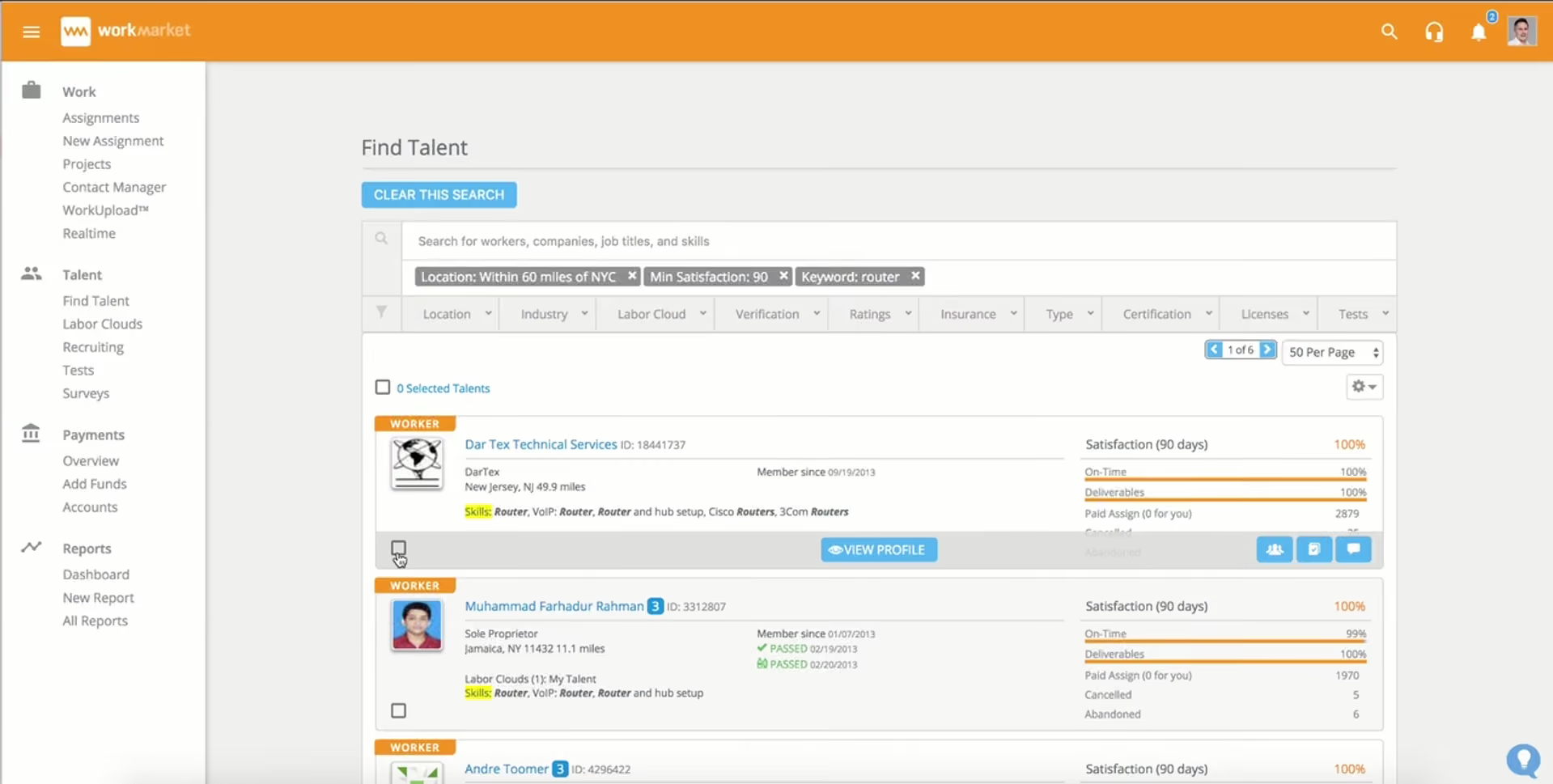
With WorkMarket, you can pick out freelancers that work best for the project at hand, manage them during the project, and pay them upon completion. The platform also allows you to store your existing talent to centralize workforce management efforts. There are considerable automations available to help along the way, such as ensuring all compliance requirements are met before you engage further workers, sending bulk invitations to freelancers, and automating the payment process.
What's interesting about WorkMarket is that it's backed by ADP—the payroll giant. When ADP builds an FMS, they're not guessing about compliance and payment workflows. They're taking decades of payroll infrastructure expertise and applying it to freelancer management. We focused on what that actually means in practice. First, the onboarding is tight. Compliance checks before you hire anyone. Custom profile fields that are searchable within the platform—so when you're hiring your 50th contractor, you can actually search for "contractors rated 4.8+ on reliability" or "people who worked on Project X."
If your company uses ADP for payroll, this gets even better. WorkMarket contractor data flows straight into ADP Workforce Now. No manual reconciliation. No duplicate entry. If you're already paying ADP for your HRIS, this integration is worth significant time savings. The help resources are genuinely well done too-step-by-step guides with screenshots, video walkthroughs, clear explanations. The mobile app is functional, allowing you to track deliverables and approve work on your phone.
However, as WorkMarket's talent pool is heavily US-based, if you're hiring internationally, your options narrow significantly. They also have two labor cloud options (public and private talent pools), but you can't easily switch between them.
Quantum Installations Group, Source Support Services, ClearVision AV, NewCo Shift
WorkMarket currently offers two subscription plans: SMB self-service platform and WorkMarket platform and neither of their pricings are disclosed upfront. You may connect with their team for more information.
Best For
Medium to large US-focused companies with existing ADP payroll systems. Teams that value structured onboarding and compliance over sourcing. Organizations that benefit from well-documented platforms with strong support resources.


I use Workmarket frequently to publish available jobs and recruit workers for casual positions. It helps us gather recruitment and payment information from competitors, aiding in compensation decision-making. I also use it to track employee work assignments and estimate completion times. Additionally, I rate and review employee performance to improve productivity.
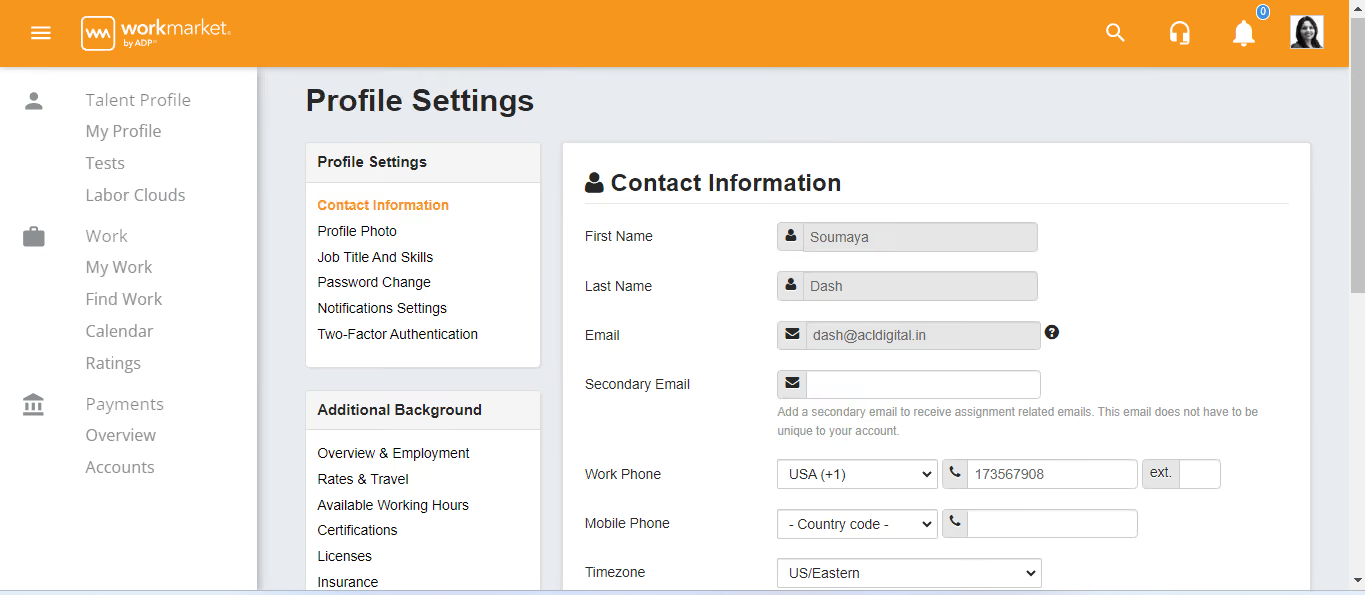
The user interface of Workmarket is easy to navigate and clean compared to other tools. The integration with banks simplifies the payment process and adding tax information is straightforward. The pricing of the software is favorable for businesses of all sizes.
Our company needed a way to list minor jobs that did not require long-term contracts, as our previous tools were better suited for professional, long-term positions. This made it hard and inconvenient to list one-time or short-term jobs. We purchased this tool to manage and present these job listings systematically. It has helped us organize and control all simple job listings from one platform. I have used this solution for three years and five months.
It has very limited bank integrations, excluding many banks our employees use. The customer care team is limited and often delays responding to inquiries. The user interface could be improved by adding a dark mode setting, which is currently missing.
They have enhanced the dashboard experience and user interface for accessing posted jobs, providing a more user-friendly experience.
Consider the size of your company, as the tool is more beneficial for companies with a larger number of employees.
They have improved the security by implementing OTP (one-time password) for login.
Workmarket is good for human resource departments in medium to large enterprises.
Workmarket may not be suitable for smaller businesses with fewer contracts.

Worksome
Worksome excels in freelance talent management. Designed to cater to the needs of both multinational employers and the freelancers who contract for them, this platform simplifies the entire process of freelance management while assuring all compliance requirements are in order.
PROS
- Worker classification in all plans
- Misclassification indemnification (legal insurance)
- Open API for integrations
- Good freelancer experience/UI
- Real-time compliance monitoring
- Finely tuned focus on some of the most challenging aspects of operating a global workforce
- Risk mitigation with indemnification
- Open API
- Utilizes vetted IC base for talent acquisition and direct-hire recruiting
CONS
- Expensive (custom pricing only)
- Indemnification not needed for small teams
- EU's AI Act potential future impact
- Built for scale, so not a great fit for small companies
- Some ICs report the UI is cluttered and can be challenging to use
- Possible incompatibilities with EU’s Artificial Intelligence Act

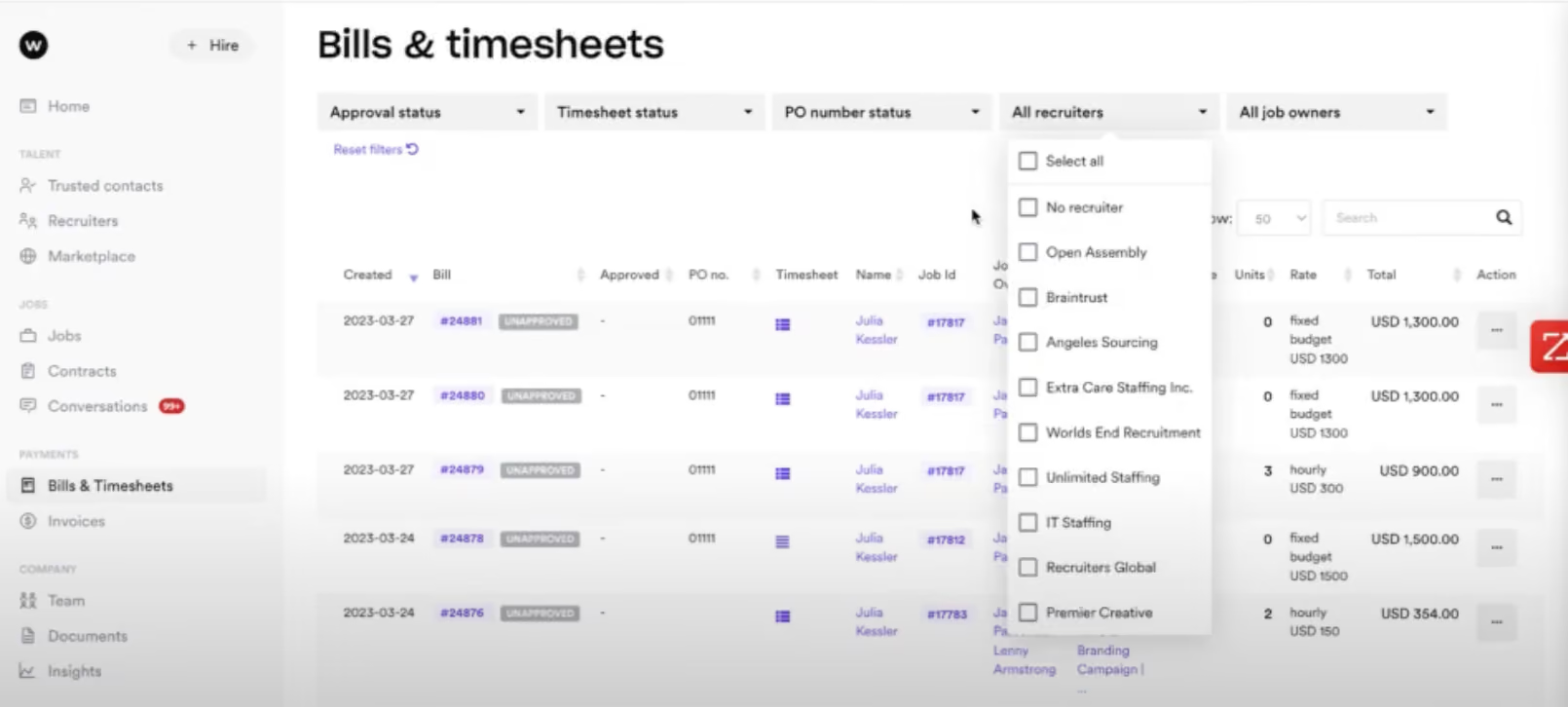
This platform is nothing short of a compliance engine. You classify a contractor correctly using Worksome's tools. An audit happens. Tax authorities say the person should have been classified differently. You owe back taxes and penalties (potentially $5K to $50K+). With Worksome's indemnification, they pay. They're betting their own money that their classification process is sound. This means the vendor transfers the risk to themselves. For companies managing 1,000+ contractors across multiple countries, that peace of mind is worth substantial money.
Their open API connects to HRIS systems, accounting software, project management tools, and custom integrations. Because compliance isn't just about classifying someone in Worksome—it's about flowing that data through your whole tech stack. They've thought through the plumbing. We were also impressed by their approach to the contractor experience. While most FMS platforms treat freelancers as data entry tasks, Worksome treats them like customers. Clean interface for submitting time and invoices. Clear payment history. Automatic contracts generated in-app, not as PDFs. Better contractor experience means better retention.
One customer managing 10,000 contractors across 30 countries told us: "Compliance is my biggest worry. Worksome's indemnification lets me sleep at night. If something goes wrong, they cover it. Worth the premium for that alone."
The main limitation is cost. Pricing isn't published (you get custom quotes), and the basic plan hits limits fast. You're in custom pricing territory pretty quickly. Also worth monitoring: EU's AI Act implications for algorithmic classification. They're tracking it, but it's a potential headwind down the road.
Unilever, Ted Baker, Pepsi, Carlsberg, The Oliver Agency, and Petrol Advertising, among others.
Basic Plan is free, with no time limit and no setup fee. Worksome collects a percentage of each contract fee.
Enterprise Plan is customized. Contact their sales team for more info.
Best For
Enterprise teams managing 1,000+ contractors globally where compliance risk is a genuine business concern. Companies in regulated industries (healthcare, finance, legal) where worker misclassification has serious legal consequences.

Upwork
Upwork has a large database of freelancers. It's also relatively affordable and easy to use; anyone can easily create an account and start using it.
PROS
- 50M+ freelancers
- Transparent freelancer ratings and reviews
- Low cost (3-5% transaction fee)
- Mobile and desktop apps
- Time-tracking screenshots (optional)
- Their freelancer rating and review system lets you get an idea of a candidate's abilities before making a commitment.
- You can leave your own reviews to let others know the strengths and weaknesses of specific freelancers.
- Periodic screenshots make it easy to verify that your freelancer is spending the appropriate amount of time on your project.
- Integrated messaging lets users stay in touch via desktop, or mobile devices.
CONS
- High vetting burden on you
- No compliance or international tax support
- Account suspension/login issues reported
- Platform fees add up on high volume
- Freelancers aren’t always vetted for credentials, qualifications, and experience.
- Many user reviews mention frequent account issues.
- Extensive and confusing guidelines are difficult to follow for some users.
- Customer service could use improvement, especially when it comes to dispute resolution.
- Some technical bugs and glitches are still present in the platform.
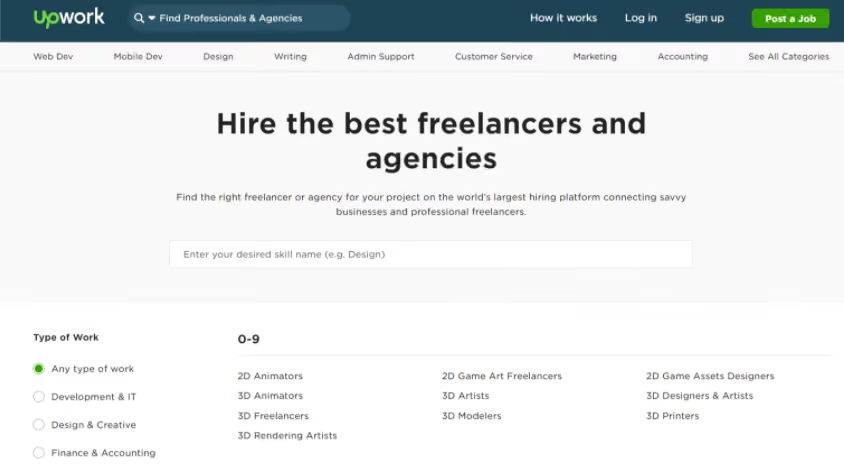
Upwork is more of a marketplace than an FMS. It prioritizes speed and scale over compliance, automation, or quality control. If you're starting from zero and need someone fast, Upwork is the fastest path. Create an account in 5 minutes. Post a job in 10. Get applications in 30 minutes. Hire someone in 24-48 hours. Try that with TalentDesk (1-2 weeks) or Worksuite (6-8 weeks).
The vetting tools are practical. Freelancer ratings are based on real work and real clients, so you can see portfolio samples of actual work they've done. Time-tracking with optional screenshots helps verify they're actually working. Client reviews from other employers give you honest signals about reliability. We screened 5 candidates for a copywriting project. The ratings and reviews helped us quickly identify the more experienced candidates, spot red flags (for example, someone who quit a project early), and see who was newer and potentially cheaper.
Integration with your workflow is straightforward: built-in messaging, basic project tracking, and secure invoicing, with Upwork holding payment until you approve the work. Nothing fancy but functional. Desktop and mobile apps let you manage projects on the go. The review system actually creates good incentives—bad actors get low ratings fast, shaping the marketplace toward quality.
The biggest downside is the 3-5% platform fees per transaction add up ($40K annual spend = $1,600-2,000 in fees). You also need to be a good interviewer. With 50M+ freelancers, you're seeing everyone—quality and mediocre and bad. The vetting burden is entirely on you. And Upwork doesn't handle compliance, worker classification, or international employment law—if you need that, you're on your own.
Some of Upwork’s customers include Microsoft, General Electric, Airbnb, Coty, and Bissell.
Upwork has four pricing plans:
- Marketplace: Upwork’s basic pricing model is free on a month-to-month basis, but it does charge a fee of 3% - 5% per transaction on their client marketplace.
- Enterprise: This is a custom-tailored pricing plan that is determined according to the size and scope of your operation.
- Any Hire: This service lets you bring your own outsourced freelancers into the Upwork system for management and processing. It’s available at a rate of $49 per month plus 3% transaction fees for contractors and $49 to $799 per employee per month plus 3% transaction fees and payroll fees ranging from 5% to 70%.
- Payroll: Available as an add-on to the Enterprise plan, this service charges a total fee of 23% per contract.
Best For
Startups and SMBs with quick hiring needs and small budgets. Teams comfortable doing their own candidate screening. Companies in non-regulated industries where classification isn't legally complex. Especially good for hiring junior and mid-level work where cost matters more than deep expertise.

I have posted several short-term projects over the years that needed to be completed. Contractors bid on these projects and submit proposals. I also reach out to potential contractors to invite them to apply. Over time, I have learned to be clear in my messaging and job postings to attract the right contractors. This has helped me find the best professionals for my projects.
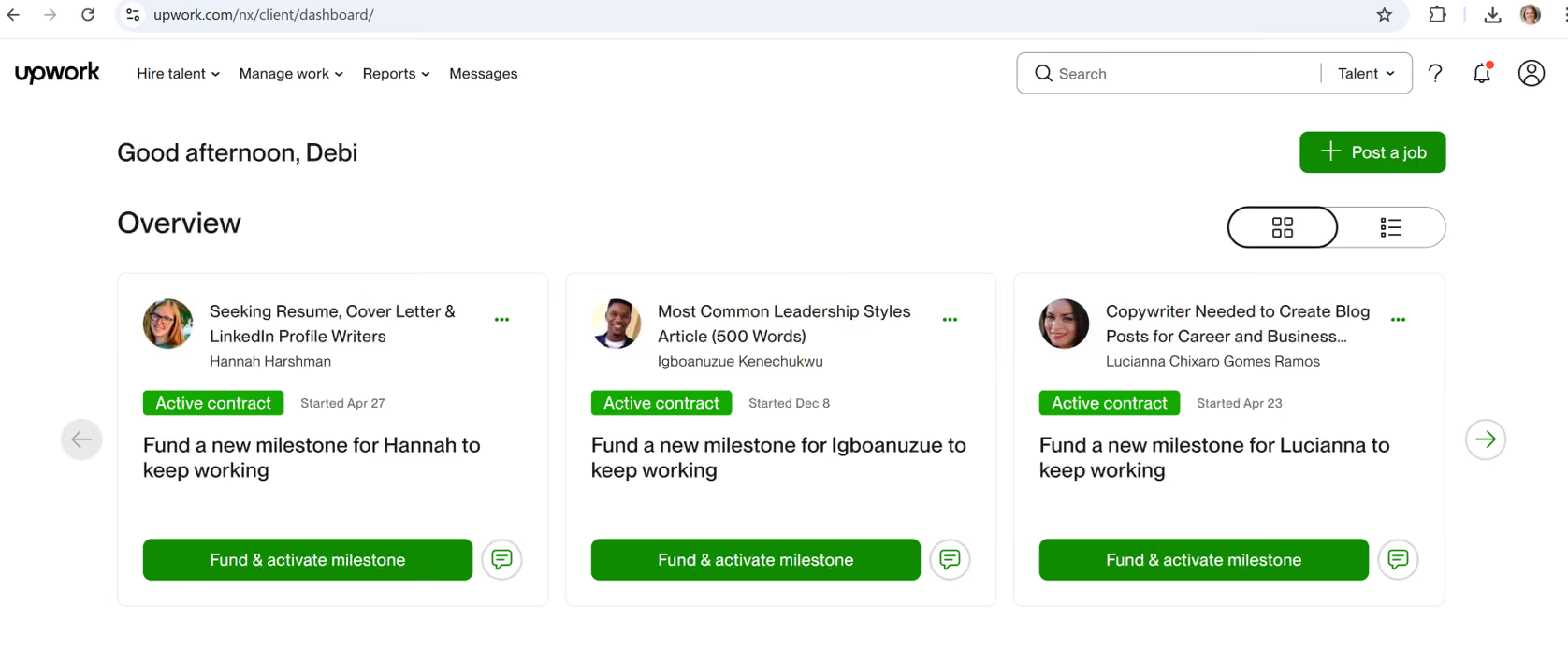
I like that I can connect with experts in various fields whom I might not have found otherwise. Posting jobs and connecting with contractors is easy. It is also a cost-effective solution compared to hiring a full-time employee.
I run a small business and needed experts to work on projects. However, I was not large enough to hire someone full-time and wanted a solution that allowed me to bring in professionals on a short-term basis.
Upwork provides options to connect with potential contractors and also allows me to post an ad to advertise the project that needs to be completed. I have used it for over eight years and have found many skilled experts through the platform.
Depending on the job, the platform fees can be high. There is a wide range of experience among contractors, so it takes time to review profiles carefully to find the right match. In some cases, I have hired the wrong contractor and had to pay someone else to redo the work.
I think Upwork offers a large pool of contractors with expertise in various fields. It also makes it easy to connect with professionals, simplifying the hiring process.
One important factor is to be clear about the project requirements and the level of expertise needed from the contractor. It is also helpful to determine how long you will need to engage with the contractor. A well-written job description is essential, so take the time to craft it carefully to attract the right candidates.
Upwork has responded to customer feedback regarding fees, transactions, and platform design. These improvements have made the system easier to use.
Upwork is ideal for small businesses or companies that need short-term project work. It is also a great option for businesses that can work with remote contractors and have flexible timelines.
Upwork is not the best option for businesses looking for long-term commitments from contractors. Larger companies may find it more efficient to hire a full-time employee for ongoing needs.

Toptal
Toptal helps your recruitment pick up speed without trading off it for candidates’ qualities. By only offering the top 3% talent handpicked by the platform’s experts, businesses can focus on evaluating test project results to decide on the right hires.
PROS
- Curated talent pool introducing top 3% pre-vetted talent only
- Free trial project before committing
- 90% client satisfaction on first candidate
- Account manager handles sourcing
- As Toptal pre-vets every profile on their website and only introduce the top 3% best performing freelancers to clients, this helps companies to save time on finding and assessing candidates.
- Trial period are offered every time you work with a new Toptal freelancer as their quality guarantee to clients. You won’t be billed useless you’re satisfied with your hires.
- As the platform claims on their website, 90% of clients are good with the first candidate Toptal introduces, which means the failure rate is 10% - comparatively low.
- Toptal equips their customers with a FAQs. Most critical questions regarding their solution can be answered there, including their screening process, intellectual property, and payment, and more.
- In addition to FAQs, the platform publishes research and insights into setting up and managing distributed teams, which we’ve found quite helpful and up-to-date that businesses may benefit from.
CONS
- Premium pricing ($80-$170+/hour)
- 2-5 week sourcing timeline
- No direct access to talent pool
- Niche skills hard to find
- You won’t have the access to Toptal’s talent pool yourself. After getting on a call with you, their executives will handpick most suitable candidates and let you decide whom to hire. While this may save you time spent on candidate vetting process, on the other hand, even though you know exactly what you’re looking for, and have provided the job details on the platform, you still have to rely on Toptal team to move things forward.
- The average hourly rate for Toptal talent typically starts from $80, which is quite high compared to other freelance marketplaces.
- As far as we know, there isn’t an option available as of now for you to have access to the candidate's performance results of the platform’s candidate shortlisting rounds. However, it’s worth mentioning that Toptal lets their clients evaluate themselves whether suggested freelancers can truly “walk the walk” via an actual test project and after that, decide the hires.
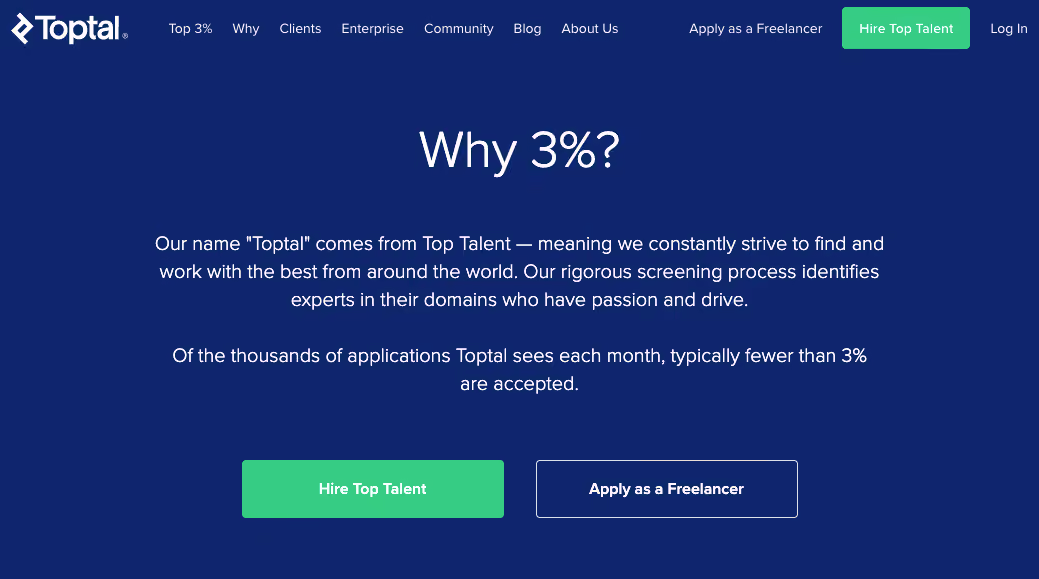
Toptal has pretty standard after-hire functionalities built in, but their competency in delivering high-end candidates within days, compared with other freelance marketplaces, is quite impressive. Toptal's freelancers are tested on their subject matter expertise, professionalism, and communication skills. Through the platform, companies having on-demand JDs can get introduced with matched candidates in 2-5 weeks, and are offered a real experience working with the suggested candidate before deciding the hire without having a hand in every part of the hiring process. While Toptal talent usually work remotely, the platform is flexible to have them on-site if requested.
We tested hiring a Toptal product manager for a 1-week trial ($2,500). She delivered a detailed requirements document and roadmap on day one. Impressed enough to hire her full-time. The trial structure matters—you're not betting $120 an hour on a stranger. You're paying a small amount to see if they actually deliver. If they don't, Toptal replaces them. Risk is contained. They also assign you an account manager who handles candidate sourcing, negotiates terms, and manages logistics. That's valuable if hiring coordination isn't your favorite task.
We compared work quality from a Toptal senior developer ($120/hour) to an Upwork junior developer ($35/hour). The gap wasn't subtle. The Toptal hire shipped working code with questions and delivered early. The Upwork hire submitted buggy code requiring three rounds of fixes and was late. But that's also the question: Is 3-4x the price worth 10x the quality? For specialized, high-leverage work (architecting a payment system, hiring your first CTO)—absolutely. For simple tasks—no.
The main limitations are cost and timeline. Developers start at $80/hour, with good ones at $120+. That adds up on longer projects ($120/hour × 160 hours/month × 3 months = $57,600 versus $35/hour on Upwork = $16,800). And you don't hire someone tomorrow; it takes 2-5 weeks to be introduced to matched candidates. Toptal also attracts a specific type of freelancer: ambitious people willing to invest in vetting. If you need something niche, the curated pool can be limiting.
Priceline, Motorola, Duolingo, Shopify, CraftHeinz, HP, Udemy, Zendesk, and Gucci are some of the biggest names on Toptal’s client list.
Toptal doesn’t have a fixed price as it depends on the clients’ specific requirements as well as what the candidate expectations are.
In any case, as you setup your account, the platform will require an initial deposit of $500 that will be applies as a credit to your first invoice once you decide on the hire. This deposit, however, will be fully refunded if you choose to not move forward and you can use it for the next candidate. After the first recruit, Toptal won’t require you to make a deposit for the following jobs.
The cost per hire varies mostly by location and is incorporated into hourly rates. Below are the average rates for commonly hired skills on Toptal:
- Developers: $90 - $170+
- Designers: $80 - $150+
- Finance experts: $90 - $230+
- Project managers: $90 - $150+
- Product managers: $90 - $150+
Toptal currently accepts credit cards, ACH (Automated Clearing House), bank wires, and PayPal. The platform is flexible in terms of the payment schedule, though typically their invoices are sent out bi-monthly. Invoices are generated with Net 10 terms to enable businesses to review the charges before processing.
Best For
Companies with high-stakes hires where quality is non-negotiable. Startups that can't afford hiring mistakes or long sourcing timelines. Teams without strong vetting skills. Generally best for hiring 1-3 key roles, not high-volume hiring.

SkillValue
SkillValue makes it easier for businesses to assess developers. With built-in tests varying in difficulty and skill types, you can pick the ones you need, invite candidates to take the tests, and review their performance within the platform.
PROS
- 40,000+ pre-vetted freelancers
- Built-in skill assessments
- Top 5% candidate matching in 48 hours
- Tests updated quarterly for new tech
- Free replacement if unsatisfied
- It takes a few minutes to create an account on Skillvalue platform, and you’ll be provided with 8 tests and up to 10 jobs per year without needing to pay for anything.
- SkillValue’s database includes 40,000 pre-vetted freelancers covering most popular programming languages with demonstrated technical and soft skills.
- We should mention the platform’s built-in IT recruitment services here as they equip employer users with quite a handful of testing templates and tools, from criteria that help you source candidates within the platform’s developer community, to internal interviews to evaluate English, certain soft skills as well as technical skills of the candidates.
- As an employer customer, you’ll be given the access to the top 5% of SkillValue freelancer community. The platform has a criteria that requires the freelancers to meet to be proposed to you. Beyond that, you will be given the option to require their top 3%, or even the top 1%.
- You may also notice that new tests are frequently added on the SkillValue’s website, which enables companies to design their selection process based on up-to-date and on-demand technologies and roles.
CONS
- Test library focused on tech (thin for other roles)
- Credit-based pricing (not cost-effective for occasional hires)
- You handle recruitment logistics
- Even though you are already in SkillValue platform’s dashboard, the website still requires you to log in again (and verify your email if any) every time you visit its other tools, such as freelancers or outsourcing. This seems to be not so convenient for users if they’d like to switch around the platform’s functionalities.
- There are quite an array of tests provided on the platform to evaluate candidates’ tech skills. However, when it comes to some other areas, such as content marketing, business intelligence, or design, the number of test samples is quite limited for customers to choose from.
- You will be expected to get instant guidance messages from a dedicated person in each step you make on SkillValue, from creating your first project and publishing it on the platform’s job ads, to shortlisting freelancers and finalizing the contract with your chosen ones. Frankly, despite the quantity of assigned support executives the website gives you, the promptness isn’t so impressive. So if you need the answers fast, the better way is booking a call with the support team.
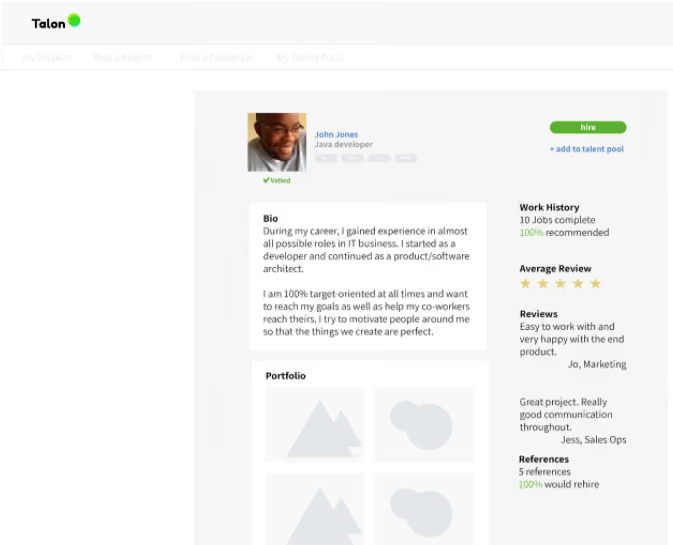
SkillValue is an assessment solution powering the hiring process of businesses. Most popular technologies can be found in their test bank and are ready for you to use with a few clicks. SkillValue also offers customers the top 5% profiles of their talent community. The hub includes 40,000 freelancers covering quite a range of skills such as web, mobile, software development, and security. The top 5% matching your requirements will be given to you within 48 hours, as SkillValue claims. Additionally, SkillValue won't charge for replacements if you're unsatisfied with the suggested candidates.
The test library is strongly weighted toward tech. If you're hiring designers, writers, project managers, or business roles, the library is thin. You'll also hit credit limits if you're hiring occasionally—the pricing is credit-based ($299-2,868/month depending on volume). For occasional hires, it's overkill. SkillValue is assessment, not full recruitment. You still do screening calls, extend offers, negotiate terms. So if you want someone else handling all the hiring logistics, this isn't it.
Etoffe.com, Paragon ID, Strat’Lab, INFOTEM, Agilitech, CouldMargin, MADE, MISSGUIDED, Rakuten, StraighterLine, TripAdvisor, SumUp.
SkillValue gives their customers the option to choose either a subscription plan or to pay for credits.
There are three subscription plans available, including a free plan for startups, named SkillValue Starter, which allows you to create up to 20 tests per month and 10 jobs per year.
The two other subscription plans are designed for growing companies and enterprises respectively. For those plans, you have the option to pay per month at $299 or per year at $2,868 for one user. These two plans both give you full access to the platform’s quiz and smart quiz test bank, and the more users you purchase, the cheaper the prices you’ll get. The only difference is the number of tests you can create during your subscription period. The 1-month subscription plan provides 50 tests per user per month while the 1-year plan does 500. Also, we notice that prices in EUR are slightly lower than in USD.
For businesses who have occasional recruitments only, SkillValue offers credit premium plans instead. There are four options for you: 30, 50, 100 and 200 credits, all with no expiration date. One credit allows you to send one test to one candidate. Prices vary and start from $417 up to $1580. Similar to the subscription plan, you have access to all SkillValue quizzes and smart quizzes tests, and the more credits you pay, the better prices you’ll receive.
Best For
Tech companies and startups that hire developers regularly and want verified skills upfront. Teams that want assessment data informing hiring decisions (removes some bias). Companies in France or Europe (they support French).

Field Nation
Unlike other FMSs, Field Nation’s focus is on connecting field technicians with clients in the US. Businesses can search Field Nation’s network of contract IT pros to get on-site work done.
PROS
- Local technician matching by zip code
- Real-time coverage maps
- GPS tracking and photo proof
- On-site signature capture
- Mobile app for field updates
- Field Nation's search function and rating system make it easier for companies to find suitable technicians throughout the US.
- The platform lets you create jobs and screen candidates for their skills and experience to find technicians in the area in a timely manner.
- Customers like their ability to leave notes about technicians, assign them tasks and review and approve their work automatically or with a few clicks.
- Another feature we enjoy is being able to get real-time field service coverage and pricing data. The platform is able to scan hundreds of zip codes to let you know what your options are.
- Field Nation has a mobile app that allows technicians to promptly share updates with clients, upload photos, scan packages, collect signatures, track payments, and much more.
CONS
- US/Canada only
- Requires upfront job deposit
- Penalties for job cancellation
- Slow page loads reported during peak times
- Pricing not publicly available
- Several users have noted that the software sometimes can take a while to load a page or to route work orders to multiple technicians.
- Creating a job request is simple, yet you need to put money into it before it has been completed. Also, bear in mind that if you cancel the work order, a penalty may be applied.
- Field Nation is exclusively available in North America at this time, so it isn’t a great fit for companies looking to engage technicians in different countries.
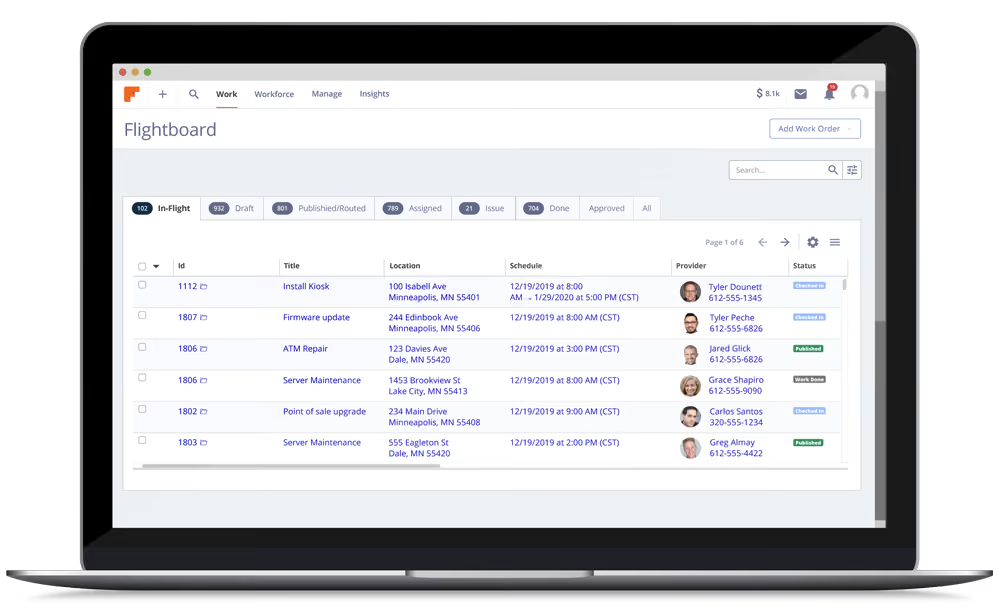
Field Nation is a niche platform dedicated to helping companies find field technicians in their area. For each job request created, the system provides users several options to find technicians with relevant skills, experience, and ratings. If you have more specialized requests, the platform is also open to helping you find solutions. The in-app messaging feature allows you to communicate with your technicians, thus promptly and directly solving issues without dealing with a middle person. You can review work deliverables on the app to ensure their quality. Field Nation will monitor your contractors and risk while covering admin and payment work for you.
The mobile workflow is designed specifically for field work: GPS tracking, photo uploads, signature capture on-site, package scanning, real-time chat, payment transparency. You approve work right there instead of invoices sitting in a queue. The platform handles contractor insurance verification, work quality monitoring, and dispute resolution if work isn't completed.
However, Field Nation operates only in the US and Canada. If you're international, you can't use it. They require upfront job deposits and impose cancellation penalties—which prevent frivolous posting but also mean you're committed. Some users report slow page loads and occasional routing issues during peak times (month-end rushes). Pricing isn't publicly available (you get custom quotes).
Fujitsu, BLM Technologies, Worldlink Integration Group, Tech Data
Field Nation's exact cost is not publicly available, but our research suggests its three tiers, Plus, Premier, and Enterprise, are priced at $9M, $49M, and over $500M, respectively.
Best For
Field service companies needing on-site technician hiring across North America. Retailers, manufacturers, or enterprises needing installation, repair, or maintenance work by location. Companies where work is location-tied, not remote.

Freelancer
62M+ users have used Freelancer to simplify how they get help on both online and offline projects. You can access thousands of independent contractors with specific skills without the need to provide workspace, pay for insurance, vacation leave, or training.
PROS
- 53M+ users, 2,000+ service types
- Lowest cost (3% fee, no subscription)
- Unique contest format (design work)
- 34-language support
- Desktop and mobile apps
- With Freelancer, you can access 53 million service providers on demand to get your work done onsite or offsite, whichever you prefer.
- There are 2,000+ types of services offered on Freelancer, which makes it easy for you to complete your projects.
- The platform has no access fees, compulsory subscriptions, or recurring fees. Posting a project or setting up a user account is free.
- Freelancer allows you to hire service providers directly via its filter functionality, but if you're unsure how to find the right hires, you can hire their agents and get help from them.
- The cloud-based platform, and Android and iOS apps are available in 34 languages. Users can choose what language they wish to browse Freelancer in.
- One of the unique features of Freelancer is that companies can post jobs in a contest format, enabling employers to get multiple project solutions to choose from and only have to pay the winner.
CONS
- High signal-to-noise ratio (must vet thoroughly)
- Email/chat support only (slow response)
- Lots of fake profiles despite verification
- No compliance or tax support
- Not an FMS (payment + project management only)
- Freelancer doesn't offer phone support. Customers can get help via their online customer service or via email.
- Though Freelancer verifies the identity of users with information such as a driver's license or passport number, like any other freelance website, fake profiles still manage to get through the cracks.
- There is no screening process available on the platform, making it challenging to ascertain freelancers' quality and experience level.

Freelancer is a marketplace platform for businesses to recruit, manage, and pay freelancers across hundreds of different service types. You simply post a job you need to be completed, receive competitive bids from freelancers, then choose the freelancer that best suits your needs. Freelancer's desktop app allows companies to track progress, monitor hours, communicate, share, and more. The platform also features a mobile app with messaging functionality to stay in touch with freelancers on the go.
The fee structure keeps costs down. Basic service is free (post job, review bids, negotiate). Winning bid costs 3% fee. No monthly subscription. For teams doing small, frequent hires, this beats Upwork. On $2,000/month in freelance spend, you're paying roughly $60/month in fees versus Upwork at $80/month or Worksuite at $500/month.
The vetting features are practical: ratings based on real work, client reviews, portfolio samples, identity verification. We screened 10 writing candidates. Ratings helped quickly identify "4.8 stars on 50 projects" (high confidence), "2 stars on 30 projects" (avoid), and "new with no track record" (risky but cheap). Apps let you track progress, communicate, and manage time-tracking if you need verification. Nothing fancy but functional.
The main limitation is the lack of phone support (email and chat only; response times can be slow). Freelancer also doesn't pre-screen for quality like some competitors. You get a massive talent pool with lots of fake profiles still getting through. And Freelancer is payment plus project management—not an FMS. No compliance support, worker classification, tax help, or international employment law. If you need any of that, you're on your own.
Amazon, Facebook, Deloitte, NASA, IBM, Airbus
Freelancer is free to sign up, post a project, receive bids from freelancers, review the freelancer's portfolio and discuss the project requirements. If you choose to award the project, the platform charges you a project fee relative to the value of the selected bid as an introduction fee. The cost and how this fee is charged depend on the type of project.
For fixed-price projects, a fee of 3% or USD 3.00 (whichever is greater) is levied when you have awarded a project. If you subsequently pay the freelancer more than the original bid amount, they will charge the project fee on any overage payments.
For hourly projects, a fee of 3% is levied on each payment you make to the freelancer. Some other fees are charged if you opt for additional project upgrades.
Best For
SMBs and startups with small, distributed hiring needs and tight budgets. Teams comfortable doing their own vetting. Companies hiring junior and mid-level work where cost matters more than expertise. High-volume hiring across many different roles.

While working for recruitment agencies, using Freelancer in parallel with other freelance platforms can crystallize the available talent pool in depth. For example, I had quite a positive experience when I was using it to hire an HR professional for specific consultations.
It is quite easy to post the project - the right navigations are being provided to simplify the process. Since it offers a generated job description based on the tags you chose, that makes job posting quicker and easier. I also used it to test the freelance market for a personal project of promoting my craft work on the internet.
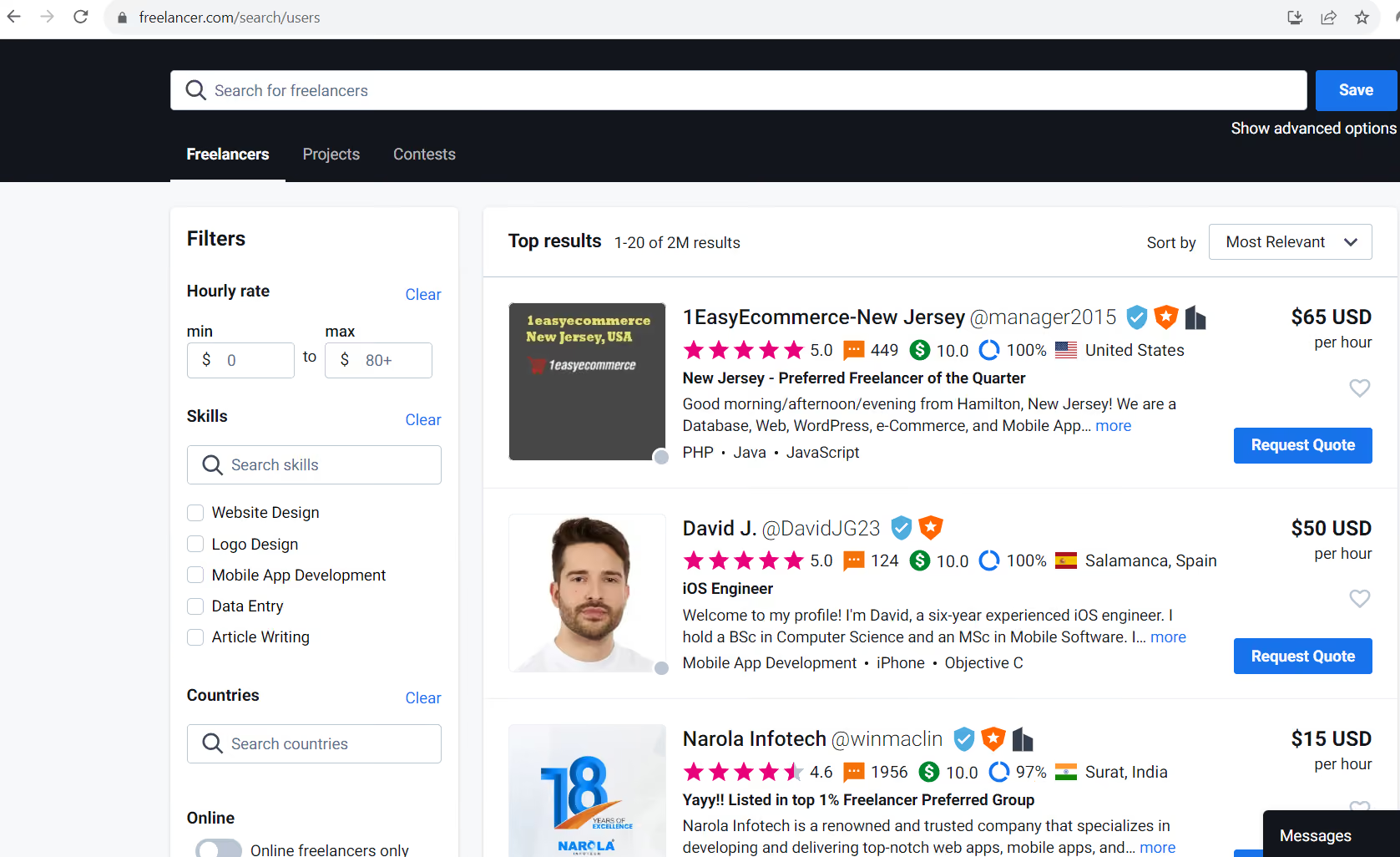
- You can use the same platform both as a client or as a freelancer.
- It is possible to request a Quote from many freelancers which can help a selection even before devoting the time you read their profiles and references.
- One of the best things is that for free a client can use it to check the market and predict expenses before actually hiring somebody.
We’ve used Freelancer on and off for around 4 years. From time to time, some of my clients were assigning to me a responsibility of recruiting freelancers. The Freelancer platform is good to start with since at first it is free.
It was also chosen because the cost of managing payment for freelancers is not very high - at least for the short simple projects (10% per payment).
I also used it to explore and to better define our expectations and job descriptions - by reading the job ads of competitor companies which were posted on Freelancer.
- I must admit that the interface is less user friendly than the competitor freelance platforms.
- It's a bit confusing that the same web page contains subfolders to the both types of projects; no matter being a client or a freelancer, mixed features are on the same page. For example, do you wish to pass some Exams to show your skills to the future clients, or do you want to search for Freelancers - you’ll have to browse the same page for 15+ options.
It has been the biggest freelance workforce platform for a long time (50+ million users), so there's a big choice of both jobs and talent.
When you are looking for a freelancer with a very niche skill set or specific experience, you are looking to do the job - it is pretty probable you'll find it on Freelancer.
Also there is no need to pay anything before the work has started.
For any use purpose, it is an amazing free upgrade that Freelancer generates a pretty accurate project description from the short answers you provided - in a minute or two you can receive a detailed job description for your job.
Freelancer is a better fit for smaller companies and if you have short and smaller-scale projects in plan.
I don’t think it would be so good for companies who are looking to hire for long term projects or maybe even full time contractors without a time limit.

Guru
You can create job posts and get quotes to choose from at no cost on Guru. The platform’s feature also lets you decide on how and when payments will be made while collaborating, communicating and tracking work at one place.
PROS
- Lowest transaction fees (2.9%)
- 100% fee cashback for wire transfers
- Free membership to test before buying
- Customizable contracts
- Lower minimum commitment
- What we like about Guru is its free membership option, which means you can try before you buy. The platform doesn’t cost you a penny to post jobs, get quotes, and search for freelancers on the platform.
- You’re allowed to release payment for an invoice only after reviewing work.
- Its seller fees (2.9% handling fee) are fairly low compared to other freelancer platforms. Plus, you’ll receive 100% cashback by paying an invoice using eCheck or wire transfer.
- There are no fees or hidden costs for creating and executing your customized Guru’s enterprise solution.
- Through the platform, you’re able to communicate with freelancers directly before hiring.
CONS
- Smaller freelancer pool than competitors
- Limited phone support (9am-6pm EST weekdays)
- No mobile app (browser only)
- Flexible terms can cause invoicing confusion
- No compliance support
- Guru has limited phone support hours (from Monday – Friday, 9am – 6pm EST). However, if you’d like a speedy service, live chat isn’t available for you to use just yet.
- The platform doesn’t provide the mobile app option yet.
- While Guru’s flexibility can be convenient when working with freelancers, it can also cause issues. Especially, new users may find the costs quite confusing as when quoting for a job, freelancers can opt to request that the buyer pay part of that commission fee for them.
- A few users have complained about its billing and arbitration processes.
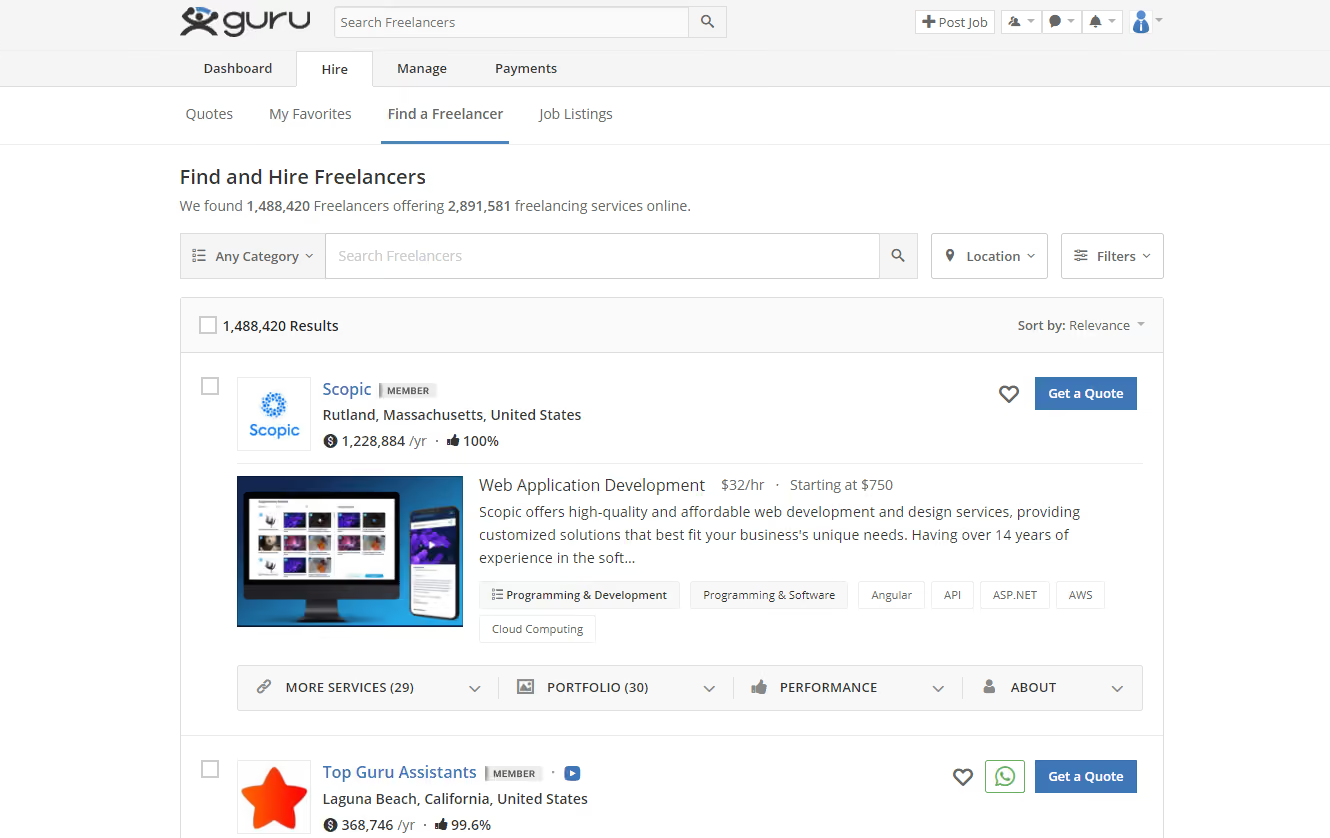
On Guru, you can find and hire freelancers using built-in secure payment and flexible fee structures. Plus, the platform's fee is quite affordable compared with other freelancing sites. Guru's solutions focus on providing freelancer verification, selection guidance and customizable onboarding process. You can check whether a candidate is verified right on their profiles. Also, Guru's freelancer profile features play a role in helping employers vet candidates based on skills, experience and performance on the site. Once you decide the recruits, you can customize contracts, the onboarding process, and assign team members to help manage and execute the job with a few clicks.
Guru has fewer freelancers than Upwork or Freelancer (smaller marketplace), but interestingly, the quality signal is better. Freelancers self-select for platforms with lower fees. Many are experienced and don't want to compete on Upwork's volume-heavy marketplace. As with our Freelancer test, we also screened writers for a project. Average quality felt higher, despite a smaller pool. You can design custom contracts rather than accept boilerplate, which is especially valuable if you have specific requirements. Enterprise teams especially appreciate this flexibility.
Limited phone support (Monday-Friday, 9am-6pm EST only) and no mobile app (browser access only) are drawbacks. The flexibility that's valuable also requires discipline—freelancers can request odd payment arrangements (commission-splitting), and you need to keep invoicing clean. Like Upwork and Freelancer, Guru doesn't provide compliance support, worker classification, or international employment help.
O.C. Tanner, TaxConnections
You can find, hire, and manage freelancers at no cost on Guru. The platform charges you a nominal handling fee of 2.9% for each invoice you pay. However, if you use eCheck or wire transfer you will get 100% cashback on the handling fee.
Best For
Startups and SMBs with tight budgets and modest hiring needs. Teams comfortable managing freelancers without full FMS features. Companies that prefer flexible, low-commitment approaches. Budget-conscious teams using wire transfer (100% fee cashback).
I use it to post jobs and to analyze potential costs and ROI before proposing the way of recruiting to a Hiring Manager.
After posting a job, I can search for suitable freelancers, and not only send them invitations but ask them for a quote of approximative cost for a project to deliver.
I like the possibility to add more team members with different scope of responsibilities.
For example, only the owner of the account has access to everything (like payment).
Sometimes when a large-scale project is planned, it’s also possible to add different kinds of help as manager, administrator or coordinator for ad-hoc assistance on projects (no payment methods access).
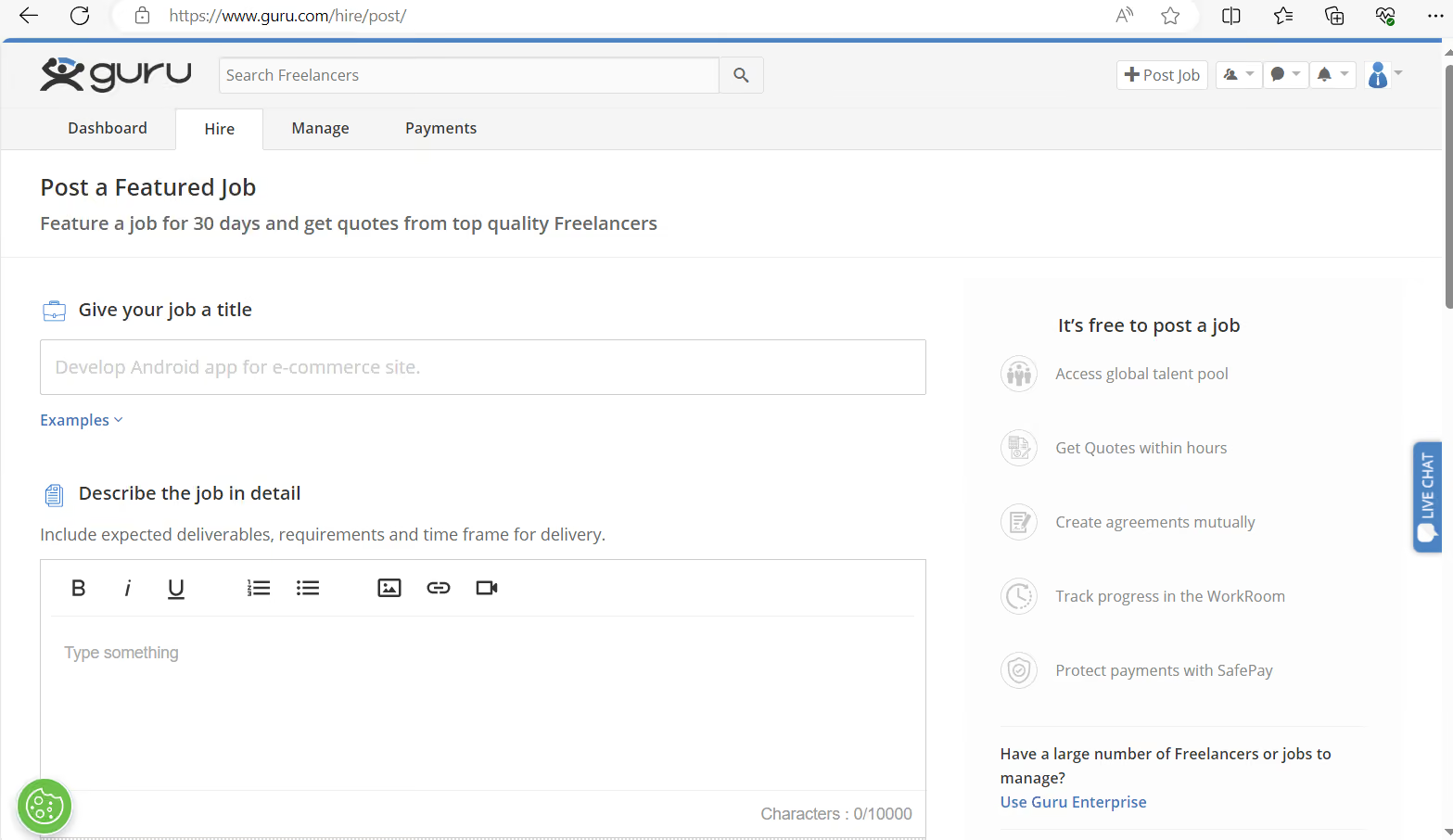
I’d say that Guru is user-friendly, and surprisingly very simple to handle.
Customer support is usually doing fine with proposing customized solutions.
Compared to other platforms where using any other app in communication with freelancers is forbidden, on Guru it is encouraged to use Whatsapp for swift communication.
Guru can be useful for posting an unlimited number of jobs - for free.
In that way it is easy to evaluate freelancers and their quota’s rates.
Compared to some other freelance platforms, on Guru without even opening an account everybody can see the number of available freelancers per industry.
Sometimes the number of all freelance profiles is 2000 higher than the number of jobs posted, which makes it quite competitive and worthwhile when exploring the talent market.
No matter what kind of project I’m recruiting for, I can suggest to an employer different ways of saying: hourly, fixed price, task-by-task based or weekly/monthly.
Being used several times during 2 years.
It requires a significant time to set an account properly by moving forward with all security options, code verifications and verifying the identity.
Despite the expected (due to high volume of profiles), often there are not many of the top freelancers applying themselves to some jobs posted.
I’m not completely confident about Guru’s search results when I’m using boolean searches.
When posting the same job on other freelance platforms at the same time - it is possible to get lower quotes on Guru.
It can be useful to try Guru to explore the talent market. When you are not sure about the predicted approximation of hiring expenses, it's useful to advise clients before the start of the recruitment process.
User interface became simpler and less sections were divided (less buttons to move around the website).
For recruitment agencies and fresh startups.
For high volume long-term hiring needs.
Benefits of Using a Freelance Management System
- Hire talented freelancers faster: With an FMS, you’re able to fill talent gaps around your company quicker as you’ll have access to a searchable database of talented freelancers, complete with all the information you need to choose suitable candidates; this includes freelancer rates, work history, performance history, availability, contact details and more.
- Ensure Compliance: Without an FMS, freelancers are engaged through different channels and information related to their potential employment is scattered across emails, docs, and spreadsheets etc. In such cases, it is difficult to guarantee that everyone is on the same page with all the terms of employment before contracts are signed. Because an FMS takes care of the onboarding process from A-Z, it leaves no room for confusion that could lead to legal issues later on.
- Increase productivity: Using an FMS helps you automate many processes that are otherwise quite tedious and take up a great deal of your team’s time. When different departments across your company aren’t manually dealing with freelancer sourcing, onboarding, payment, and management, they’re able to focus on other important tasks that contribute to your bottom line.
- Maintain good relationships with freelancers: When freelancers are managed through outdated channels and processes, it easy for them to get frustrated and dissatisfied with your company which in turn, will have a negative impact on your projects’ development and brand reputation. An FMS eliminates this dissatisfaction by ensuring your freelancers are able to access information related to their employment, easily reach out to you for any queries, receive their payments on time, and more.
Common Mistakes Made When Buying a Freelance Management System
It’s very easy to make mistakes when choosing a freelance management system if you don’t thoroughly research what's available on the market and carefully consider the needs and budget of your business. Here are some of the most common mistakes businesses make:
- Choosing an FMS with a recurring monthly fee when you’re not hiring freelancers often.
- Choosing an FMS with transaction-based pricing when you’re hiring a large group of freelancers.
- Not aligning internally with all departments that could benefit from an FMS to determine your product selection criteria.
Pricing Models
The pricing models of freelance management systems vary from one vendor to another. Some vendors charge a monthly subscription fee, ranging from $49 to $499 per month while others charge a percentage per transaction, which can be cost-efficient for businesses that don’t engage freelancers very frequently. Some vendors may also offer free memberships with limited access to features. Do keep in mind that in all cases, additional fees may apply for on-demand services such as customizations, contract management, compliance services, and dedicated account management.
Key Features of a Freelance Management System
Freelance management systems are not created equal; they vary in terms of overall offerings and price points. While that may be the case, the following are some of the most essential features you can expect from most freelance management systems available today:
- Talent vetting: An FMS provides you with access to a large database of registered freelancers who are ready to work. All you have to do is filter the database with your job requirements to find the most relevant candidates, then check their profiles to see if their experience and skill set is the right fit for your available role.
- Hiring and on-boarding: Once you’ve identified a suitable candidate, you can communicate with them regarding both of your expectations, extend them an offer and get the paperwork started - all through your FMS. Your FMS will make this process easy with a structured onboarding procedure that’s easy-to-follow both for you and your freelancer to immediately get to work.
- Contract management: An important feature of an FMS is the ability to design the terms of employment for all the freelancers you’re recruiting and have it all in writing for them to sign on; this includes the start and end date of their contract, the agreed-upon compensation, work product ownership, etc.
- Project management: After hiring freelancers, you start assigning them projects to work on. Your FMS will help you define a clear timeline - along with milestones - for the completion of your projects so everyone is on track. All completed projects are stored in your FMS for your reference.
- Team communication: Communicating with freelancers can be challenging when they’re not physically working at your office. Between emails, chats, and calls, it’s easy for details to fall through the cracks and be missed. An FMS helps you keep all communication related to your project in one place. You can contact your freelancers through it to check on their progress and similarly, they can get in touch with you if they have any questions/updates.
- Invoicing and payments: The more freelancers you hire, the more it gets difficult for your finance department to handle invoice and payment processing, especially if the terms and methods of payment vary from one invoice to another. An FMS makes this process easy both for your freelancers and for your team as invoice creation is automated and all invoices are neatly categorized and summarized for you to just click “approve” (or equivalent) for payments to be processed right away.
- Analytics: An FMS provides you with a holistic view of how your freelancers are performing in real-time so you can identify areas of improvement and make decisions accordingly. It lets you know how many hours your freelancers are logging, how many projects/milestones they have completed, which of them are performing more consistently and more - all through a single analytics dashboard with downloadable reports.
- 3rd party integrations: The best freelance management systems integrate with a great number of business solutions to further enhance your team’s operations and minimize duplicated effort. These solutions include human resources management systems (HRMS), enterprise resource planning (ERP) systems, vendor management systems (VMS), accounting software, applicant tracking systems (ATS), E-signature and contract management software, project management software, team collaboration software, and more. You can usually find out if an FMS integrates with a product you use by checking the FMS’s pre-built integration modules, usually listed on their website.
Questions to Ask During Demo Sessions
When shopping for a freelance management system (or any solution for that matter), we always recommend that you schedule as many demos as possible with different vendors to make sure their solution is compatible with the needs of your business. Here are a few questions you can ask during your demos:
- How many freelancers are registered on your platform?
- How many countries can I hire freelancers from?
- Can you show me the filtering criteria to search your database for specific freelancers?
- Can you show me how I can reach out to freelancers through your platform?
- Can you walk me through the freelancer onboarding process?
- Is there any job bidding or do freelancers just apply as they would for a regular job?
- What processes can I automate through your software?
- How easy is it to implement your solution, and would I be able to do it myself?
- What business solutions does your software integrate with?
- What metrics have you used to prove the effectiveness of your solution, and where can I see these in my analytics dashboard?
- How much does the software cost for my team size?
- What fees do freelancers incur (if any) if I hire them through your platform?
Implementing a Freelance Management System
Implementing a freelance management system is relatively easy, especially since the majority of them are cloud-based, delivered through a software-as-a-service (SaaS) infrastructure. Getting started with a cloud-based solution is very quick; once you’ve purchased a subscription that meets your needs, you can create an account and start configuring it right away. This includes designing a profile for your business, defining your onboarding requirements, employment types, payments schedule, etc.
Final Thoughts
If you are thinking of assembling a workforce of freelancers and independent contractors, then it is time for you to ditch that messy spreadsheet and invest in a freelance management system to achieve your vision quickly and effectively. All of the solutions we’ve listed in this guide would make a great addition to your tech stack. All you have to do is:
- Align with your HR, Finance, and Operations managers regarding their needs and expectations before selecting a product;
- Carefully consider those needs as well as your budget and choose an FMS that meets them;
- Request a trial account to test the platform’s features first-hand and see if they cover all of your needs;
- Schedule demo sessions with different vendors to get all of your questions answered.
About the Author


About Us

- Our goal at SSR is to help HR and recruiting teams to find and buy the right software for their needs.
- Our site is free to use as some vendors will pay us for web traffic.
- SSR lists all companies we feel are top vendors - not just those who pay us - in our comprehensive directories full of the advice needed to make the right purchase decision for your HR team.


