7 Best Free Learning Management Systems (LMS) for business in 2026
Our HR tech experts reveal the best free LMS software based on extensive research and testing. Find top vendors, pricing, features and more below.








Making an effort to keep your team at the forefront of their game through in-house training programs doesn’t have to be super expensive. Several of the best learning management systems have free versions that are good and scalable bets for small businesses that want to enhance their talent.
The LMS options we list below are cost-effective because they at either have a free and unlimited version, or at least a lengthy free trial and then a moderately-priced basic plan.
Through hours of research and interviews with HR professionals in small and medium-sized companies, we’ve narrowed down the best options in the market when it comes to free LMS systems. These are some cost-friendly alternatives to software like Docebo, SAP Litmos, Absorb LMS, and Canvas. You can also checkout our article on the best learning management systems.
To identify the top free learning management systems (LMS), our team evaluated numerous options by signing up for free trials, exploring the platforms' features, and gathering user feedback. We also consulted experienced LMS admins and instructional designers and the free LMS we thought were best were simple and easy to use, had the core LMS features covered, and came with generous free tiers.
- Simplicity and ease of use: With free LMS, you often compromise on advanced features, but the platform should still be intuitive and easy for admins, instructors, and learners. We favored options with clean, uncluttered interfaces, drag-and-drop course builders with ready-ade learning materials, and straightforward workflows.
- Core LMS features: At a minimum, a free LMS should have tools for course authoring, grading, testing, recording completion, and basic reporting. Bonus points for gamification, mobile compatibility, and integration with other apps. The LMS on our list deliver baseline functionality without being overly complex.
- Free tier limitations: All free platforms have some limitations, but the best ones still enable meaningful usage within those constraints. We looked for free tiers with generous limits on storage, courses, users, and features. While capped, these LMS provide enough value for most small businesses and teams.
Our criteria ensure we cover the top free tools suitable for most use cases, balancing core functionality with simplicity. For more on our methodology, see our editorial guidelines.


Connecteam

Connecteam LMS tool is mobile-friendly and gives users the freedom to create as many courses as they want, group them into different categories, and track employee progress.
PROS
- Unlimited courses, course categories, and sections within a course.
- Supports various content types in courses: text, images, PDF, audio, YouTube embed, links, knowledge base, and quizzes.
- Real-time, searchable, and filterable insights into course completion status.
- Free for up to 10 users.
- Intuitive mobile apps.
- One of the only fully-mobile HR tech tools for deskless workers
- Very adequately-priced for all it entails, SMB-friendly
- Quite open to feedback, having implemented user suggestions as features in the past.
CONS
- Works as a self-hosted LMS, not for those seeking eLearning marketplaces.
- Limited native integrations.
- In the communication hub, the app offers no confirmation that messages were sent and/or seen.
- Certain features that some teams consider essential, such as GPS-tracking, are only available in the higher-tier pricing plans.

We love how easy it is to obtain Connecteam's free LMS. You don’t need to input your credit card information—just your email address and phone number will do.
After finishing the signup, you'll be taken to a dashboard that we trust you’ll like. It’s intuitive and clear. More importantly, it gives you access to Course and many other handy tools for your day-to-day operations, from time off to recognition and rewards, job scheduling, communications, and surveys—all free.
We tested Connecteam as a course creator and learner and found it easy to use on both ends. You can make as many courses as you need as an admin and organize them however you want. The variety of course materials is also awesome. You can add links, YouTube videos, PDFs, audio, and even quizzes to make sure your team fully gets what they’ve learned.
Plus, you can break the courses into sections to make them easier to digest. One of our favorite features is the short survey at the end of the course—it truly is a good help for feedback gathering and training content evaluations.
From learner perspectives, the free LMS platform impressed us with a UI that works well regardless of the device.
To be clear, though, Connecteam doesn’t have an extensive ready-made course library like Coggno or LinkedIn. Instead, it gives you the freedom to create your own training content, and its free version is only for those with ten users at max.
Integration-wise, unlike SafetyCulture (EdApp), Connecteam doesn’t offer its API access for free, while its native integrations are limited to very few payroll apps.
36,000+ companies, including Mango, Edible, and Subway.
Connecteam has five plans. When billed annually:
- Small Business: free forever for up to 10 users
- Basic: $29/month for the first 30 users, $0.5/month for each additional user
- Advanced: $49/month for the first 30 users, $1.5/month for each additional user
- Expert: $99/month for the first 30 users, $3/month for each additional user
- Enterprise: Custom pricing.

Best For
Connecteam's free plan can work out just fine as both an LMS and an onboarding tool as long as you have no more than ten employees.

iSpring
iSpring Learn is a very complete LMS platform for a great price, with very personal and efficient tech support.
PROS
- Intuitive admin interface with a low learning curve
- Easy course assembly from uploaded SCORM, video, and document content
- Structured learning paths (courses, tracks, development plans)
- Strong reporting with filters and templates
- Frequent updates with AI and content improvements
- Built-in knowledge base and certificate tracking for compliance
CONS
- Limited built-in course library compared to larger LMS platforms
- No built-in authoring tools; content creation requires iSpring Suite (sold separately)
- Reporting customization options are more limited than enterprise-tier competitors
- Basic workflow automation and conditional logic for learning paths

iSpring comes in the form of an eLearning authoring toolkit that lets you create and distribute video courses with ease, or as a full-fledged LMS for all sorts of internal training. The latter, iSpring Learn, offers a 14-day free trial. After that, it’s not precisely free but the value is so good that we just had to include it here.
Villa St. Vincent, Central One, Acer Service, and L’Oréal.
The smallest plan is for up to 100 users, with up to 50 courses, and 1 authoring tool for $3.66 USD per user per month. For larger companies, it can go to as little as $2.82 per user for less than 500 employees.
Best For
Small and medium-sized businesses looking for a feature-rich LMS with great design, who are also willing to spend a bit but are looking for great value.


The frequency of my use of iSpring varies depending on the project. Currently, my team and I use it weekly as we work on recreating our health and safety training materials. The next project we plan to tackle is developing the complete onboarding process in iSpring, creating role-specific onboarding courses for all positions in our organization.
The primary workflows involve ensuring compliance with governance and providing a seamless onboarding experience for new employees. In the future, we aim to expand our use of iSpring for leadership training and general soft skills training for all employees. iSpring will play a significant role in achieving these goals.
The biggest advantage is that iSpring integrates seamlessly with PowerPoint as an add-on, allowing us to build on existing presentations rather than starting from scratch. Another plus is the variety of features, including options for quizzes, roleplay, and voiceovers.
Finally, their support toolbox is excellent, with numerous instructional videos that make it easy to learn as you go.
We wanted to create our own courses and upload them to our systems. To achieve this, we needed a tool capable of creating .SCORM files, which was the primary reason we looked into iSpring. Additionally, we were drawn to its voiceover and translation features, as our organization operates in multiple countries with employees who speak various languages.
Purchasing iSpring made it possible to create onboarding courses for all roles and provide governance-related training in every necessary language. We have been using iSpring for one year.
The initial learning curve can be challenging due to the wide range of features available. More customization options in quizzes would be helpful, as the current format is quite rigid. Additionally, saving progress can take some time, meaning you have to wait before closing the presentation.
I haven’t used similar tools, so I can’t provide a comparison.
iSpring is highly beneficial for organizations looking to create a lot of content in multiple languages. It does require a certain level of technical aptitude to get up to speed quickly. Once installed, it integrates seamlessly with PowerPoint, making it easier to use.
I haven’t used iSpring long enough to observe any significant changes or evolution.
iSpring is suitable for all types of organizations, though it may be a bit expensive for smaller organizations that don’t use it frequently.
This tool might not be ideal for individuals or teams who are hesitant to explore and learn new technologies.
SafetyCulture (EdApp)
SafetyCulture’s platform covers a host of employee training tools. It includes custom course building, microlearning modules, tests, analytics, and mobile access to make training easy and effective. There’s a free version to their platform, and all of the features of their platform can be trialed for free for up to 30 days.
PROS
- The platform supports an unlimited amount of content creation and deployment. There’s a free plan and paid upgrades are fairly affordable.
- The onboarding for admins, coaches, and learners is easy and can be done in only 5 minutes.
- The open API allows you to connect several third-party tools and plug-ins.
- There’s an abundance of support resources and tips on how to use the platform.
- It is completely free to use for unlimited content creation and deployment. Their paid version is also one of the most affordable for learning management systems.
- Easy onboarding. It takes only about five minutes to get started on EdApp. Inviting trainees and coaches is just as easy.
- The software allows you to connect to your proprietary company tools with its open API functionality.
- EdApp provides a great deal of resources that gives you all the information you need about how the system works. There are also some tips made available to make your learning management process easier.
CONS
- The platform frequently rolls out updates, which is a good thing but you do have to frequently learn how to use features.
- You have to compress large videos because of the platform’s 10 MB video size limit.
- The analytics is slow at times, especially when exporting data to CSV.
- You always have to learn new ways to use the app as they release updates frequently.
- EdApp’s video limit is only 10 MB. This means you will have to shrink high-sized videos which, subsequently, reduces the quality of your videos.
- Some users complain about the analytics feature. It is usually slow and it sometimes takes a long time to pull out data into a CSV file.
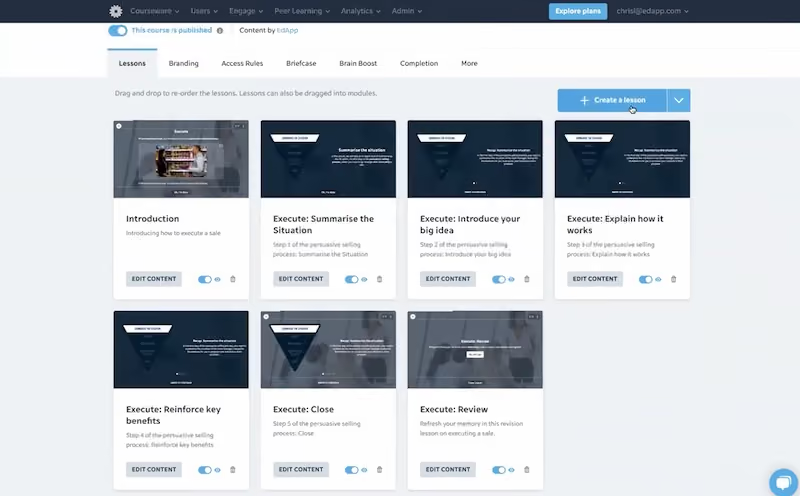
SafetyCulture’s inspection platform packs a full-featured employee training solution that’s got everything you need to train your team on how to be safe and compliant. The system is designed to make training intuitive and engaging for hourly and shift-based teams through bite-sized microlearning lessons accessible on any device.
A key advantage of SafetyCulture is its entirely free tier which supports up to 10 users. The platform is also scalable and can support your team as it grows. Creating courses is easy with customizable templates, drag-and-drop interactions, image and video uploads, quizzes, and options to push lessons to employees. Legacy content can be transitioned into interactive modules through SafetyCulture's complimentary content creation service.
The platform simplifies scheduling and tracking training tasks, while providing administrator oversight through notifications and reports. Learners can view assigned lessons on desktop or mobile and mark progress. Managers can track compliance and training KPIs.
With deskless workers in mind, SafetyCulture opts for a user-friendly interface and makes training accessible offline via mobile. Content is designed for microlearning - short, focused, engaging lessons. This modern approach suits frontline teams who learn on the go.
For organizations with hourly, distributed workforces that require an affordable training system, SafetyCulture hits the mark with its specialized deskless focus, generous free tier, and tools to simplify the creation and delivery of interactive lessons to staff on-site or on the move.
SafetyCulture has been used to deliver over 77k lessons at companies like Marriott, DHL and AECOM.
SafetyCulture has three plans:
- Free: This plan is free of charge and is designed for individuals and small businesses of up to 10 users who want to digitize inspections and share resources with their team.
- Premium: Designed for larger growing teams needing more advanced features, this plan costs $24 per user/month when billed annually.
- Enterprise: This plan has custom pricing and is made for large corporations needing high customization and dedicated support. Contact SafetyCulture’s Sales team for a quote.
Best For
SafetyCulture's mobile-first training platform is most ideal for small and medium-sized blue-collar companies.

We create training modules in it. We send links to the users, and they complete the training. At the end they get a certificate and we get a notification of completion for their training files.
-Discrimination%20%26%20Harassment-Prevention.avif)
- I like that users can complete the training on their own schedule (with deadlines of course).
- I like the mobile and PC-based learning options for office and field staff.
- I like being able to create training on any topic, make it interactive, and integrate quizzes.
- I like that I get a report of completion so that I know it has been done.
- I like that the employees get a certificate as proof they completed the training.
I bought it to provide training to client employees out of state or working remotely. We needed a way to ensure everyone was getting their required harassment, discrimination, and/or diversity training based on where they live. We started by downloading the standards and requirements for each state and realized a powerpoint was not going to suffice. Then we tried hosting large conference calls but had trouble getting the attendance we needed.
I cannot think of anything right away. It has worked perfectly to our needs thus far. The only thing I can think of is that I cannot share a course with an admin outside my company. My friend wanted to copy it (with my approval) for her business, but we couldn't.
I have not been an administrator for other training tools, so I really can't speak from that point. I have taken training in other programs and say that it is very similar and equally as robust.
Do you have someone to create the training for you (or do you have a PowerPoint to start with)? If not, you may not care for it. They have some templates, but it is a manual process to set up what you need. Time is a factor here, but I think it is worth it.
They have added new interactive pieces, quizzes, and assessments to keep it looking fresh.
Businesses that need to train people that are not on-site or work very different schedules.
Small businesses where a PowerPoint in a team meeting would suffice.

TalentLMS
TalentLMS is one of the most well-known, affordable, and versatile Learning Management Systems ever.
PROS
CONS
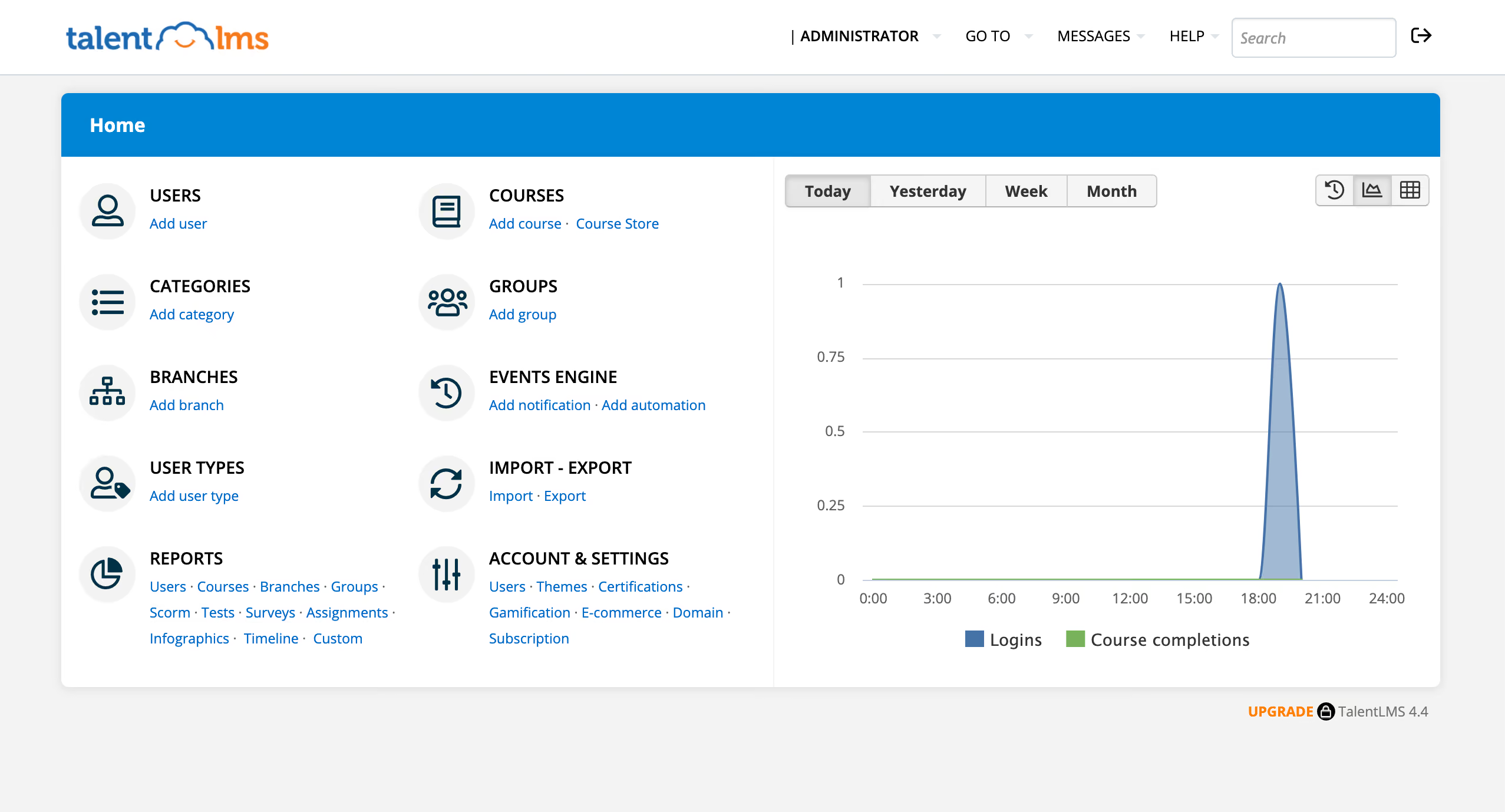
This highly-popular LMS is designed for organizations that want online learning for their employees, partners, and even customers. They strive to get rid of the complexity that comes with creating and distributing learning programs and help you launch courses in record time. Their claim is that people are able to share courses two times as fast as with similar software because of how easy they make it for you to reuse content from other sources.
HarperCollins Publishers, Rosetta Stone, and DeLonghi.
TalentLMS is free for up to 5 users as long as you don’t create more than 10 courses. Afterwards, the pricing is as follows:
| Starter: $59 / month | Basic: $129 / month | Plus: $249 / month | Premium: $429 / month |
| Up to 40 users | Up to 100 users | Up to 500 users | Up to 1000 users |