


From Intuit, the makers of one of the most popular accounting software tools of ever, comes Quickbooks Time. It provides a centralized clock-in/clock-out platform for businesses with employees that report for work in the same location.
Ratings
Ease of Use
Best For
Key Differentiator
Price
Free Trial
PROS
- This product offers promotions and discounts (up to 50%) from time to time.
- Their customer service is personalized. You get to reach them by scheduling a call and customers have commended the courteous, tailored responses to issues they have.
- Consolidated clock in/clock out system for central work locations.
CONS
- The GPS technology is slow to catch up on current locations at times. Instead of live updates, the software shows the employee’s previous locations.
- While their customer support is very helpful, they don’t provide many options for you to contact them. You can only schedule a call.

Need Help? Talk to an HR Software Advisor!
Tell us more about your company & an HR Software Advisor will help you find the right software





Intuit is best known for its accounting suite and payroll solution for small businesses, Quickbooks. In 2018, they acquired Tsheets to include time tracking to the list of services they offer. In addition to time tracking, Quickbooks Time also functions as a scheduling software which helps you manage tasks and employees to get productivity at its best possible level.
Quickbooks excels in scheduling and team management. Administrators can schedule work for their staffers from the schedule section on the dashboard. To schedule shifts, all you need to do is choose the time and day, team member you want to assign it to, and share it when you’re ready. Your team members will be immediately notified of these changes.
Quickbooks ‘Who is Working’
Another interesting feature that can help managers with their scheduling process is the “who is working” window. This lets you see who is working and who is available, which is useful for quickly assigning tasks to those ready to work. Quickbooks Time also syncs with third-party calendar applications such as iCal, Google calendar, and so on. This feature can be used to import events from your calendars and register them as entries on our timesheets.
With Quickbooks TIme, employers and managers do not have to handle every single task or project. They can simply set permissions and add members as workers, managers, admins, or anything in-between. This feature is useful for designation work and creating a structured hierarchy within your organization.
Quickbooks Time Kiosk & Geofencing Features
Perhaps the most standout Quickbooks Time feature is what they call the Time Kiosk. This functions as a traditional time clock where everyone has to clock in and out from. Quickbooks has digitized this concept for businesses that still require something of the sort.
Examples of businesses that would benefit from the implementation of this feature include restaurant businesses, construction businesses, hospitals, and any organization that has a central work location, really.
This time kiosk can be set up on a tablet and mounted at the entrance of your business organization. The manager would have registered the employees of the organization using their biometric information (facial recognition). So a worker would be immediately clocked in when they go to use the central device. Employees are also allowed to set up a four-digit pin as added log in security.
Quickbook’s geofencing feature allows you to build a virtual fence around your job sites. If you are a home services business for example, you will appreciate this feature as Quickbooks Time will automatically clock your employees in when they reach a set job site. Using GPS technology, you can also monitor mobile employees as they are on the go.
Quickbooks Reports & Leave Management
Quickbooks offers three top reports - payroll reports, projects reports, and approval reports. They also provide other reports to give you an overview of how your team tracks time. The payroll report gives you a breakdown of how much time your employees tracked with respect to their hourly rates. This report can be filtered by date ranges and/or team members and exported as CSV and PDF files.
The project reports employs more visualization to display tracked data as pie charts. This report contains information on how much time was spent on each task, how much time your employees dedicated to the project, and so on.
The approval report makes it possible to view detailed information on timesheets that are approved and those that are yet to be approved. Within this report, you can decide to approve the timesheet or send it back to the employee for correction.
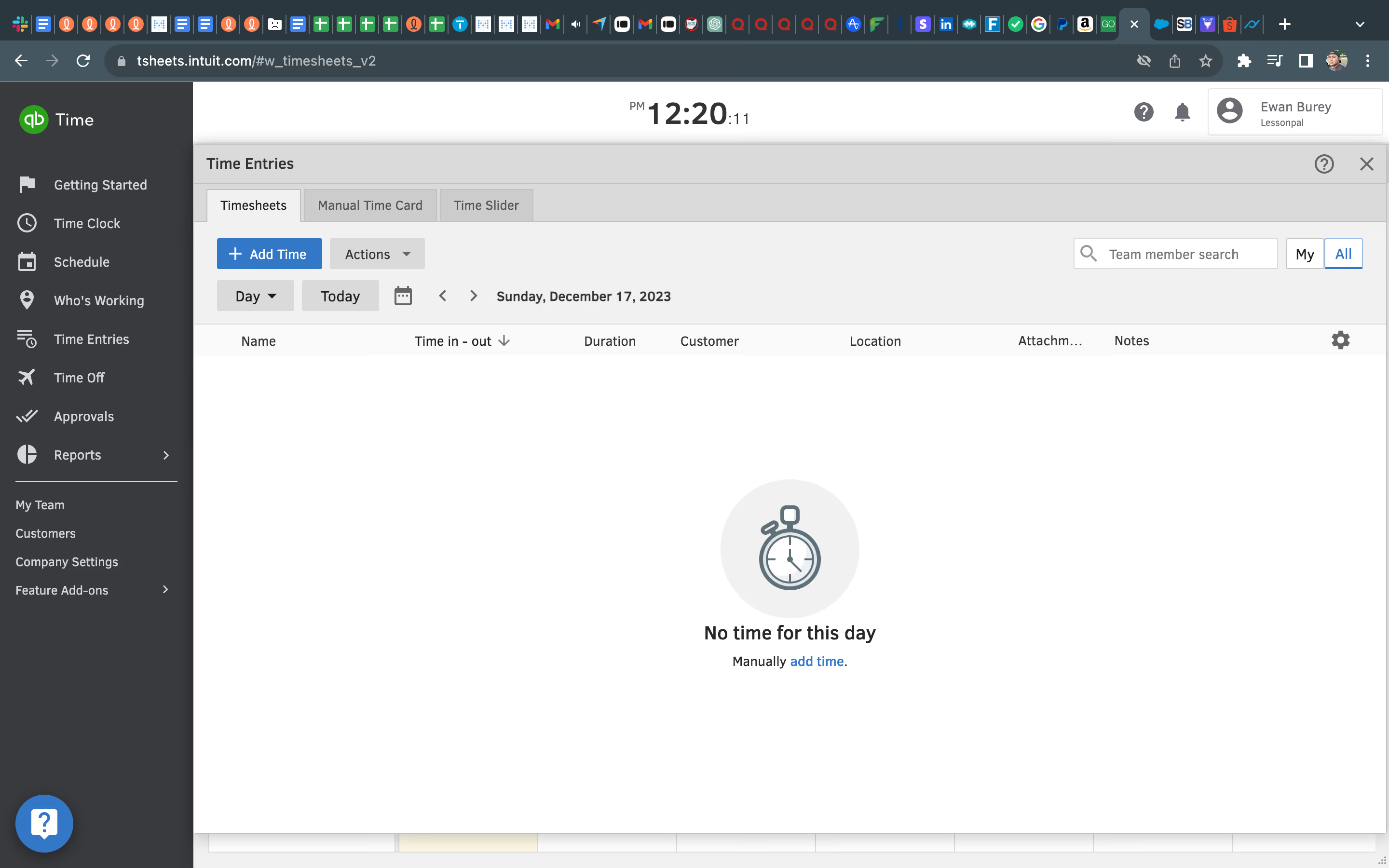
Quickbooks Time also allows you to set up and customize your paid and unpaid time-off policies. Employees can request for paid time off from their devices and the admin personnel can approve from their end.
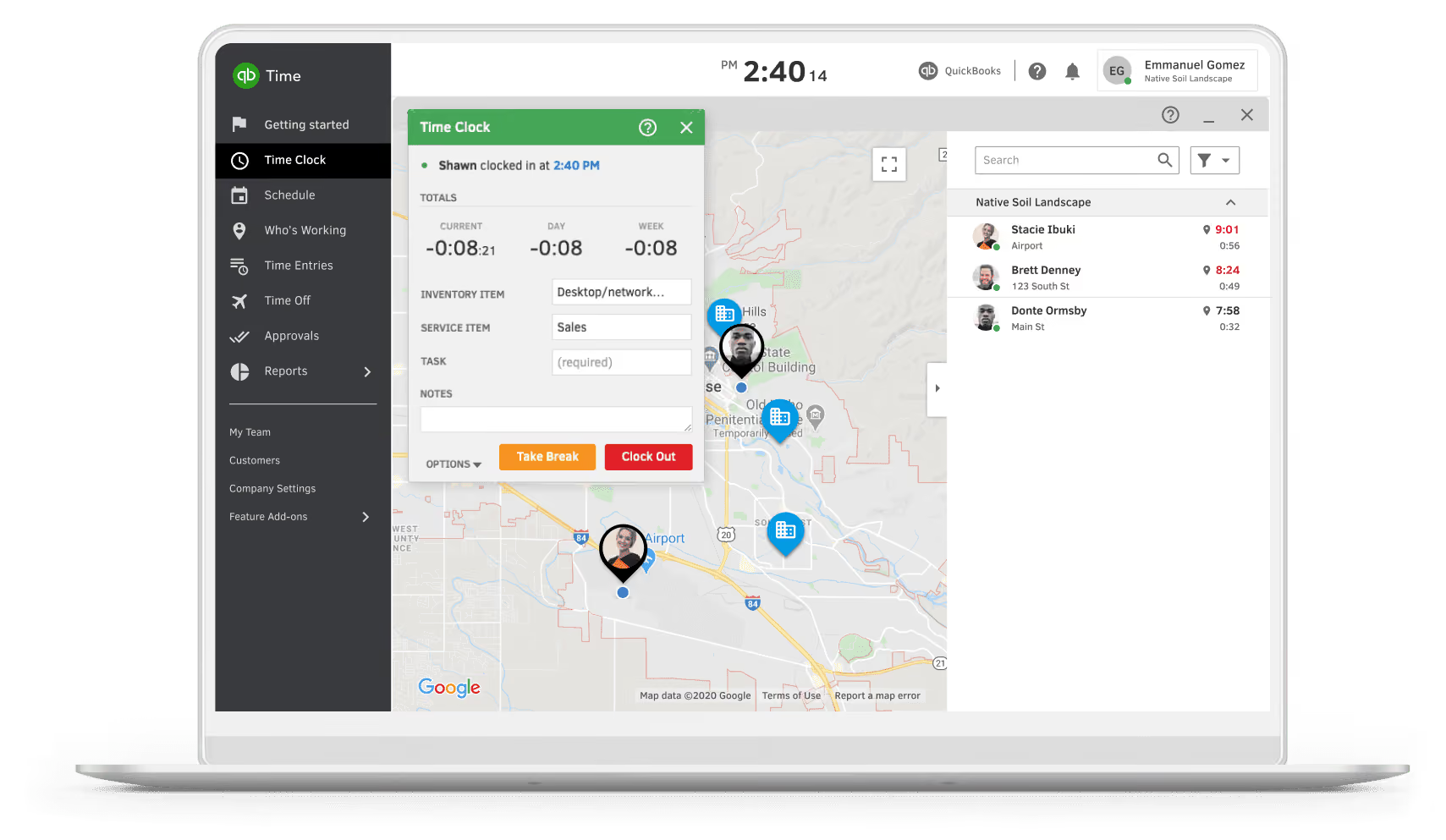



Employees log all paid hours in the system, including work hours by project and any paid leave offerings. Employees also utilize the "who's working" feature to see who on the team is working and available at a given time. Managers review and approve time entries. Managers, HR, Finance, and Operations leaders use the reporting features to understand productivity, profitability, and overall staff activity. The data from QuickBooks Time is pushed to QuickBooks Online for invoicing to clients and pushed to ADP for payroll processing.
The ability to set up different projects for clients allows us to track specific types of work employees are doing for each client and invoice accordingly. Integration with other QuickBooks products allows for easy invoicing. Reporting features give managers real-time data about employee time and productivity.
We purchased QuickBooks Time because we were already using QuickBooks for accounting and needed a system for time tracking as our team grew. I have used this system for three years and currently still use it. Prior to QuickBooks, we had a timekeeping system that frequently had errors and glitches, so this transition helped to solve that pain point and allowed us to work within a single, integrated product for time reporting and accounting.
The project design is limited in its ability to be customized, so we have had to adjust our business to fit within the confines of the system. The leave time features do not provide the robust view and data that employees expect to have at their fingertips, which generates questions and unnecessary extra work. The paid leave settings are fairly simplistic and don't allow us to automate accruals based on our company policies, so manual accruals must be set and adjusted annually on an individual basis.
In terms of timekeeping, QuickBooks is on par with competitors in that it is fairly simple and intuitive for employees to log in and clock in and out. QuickBooks does offer some advantageous features in terms of project tracking, but its customization limits put it behind competitors and really make it suited for only specific types of organizations or work. In terms of approvals, customizable workflows, different access and view levels, etc., QuickBooks is also limited and falls behind competitors. The leave tracking, in particular, is far behind what I've seen in any other time tracking system I've used.
Strongly consider the larger picture for how the data in the system will be used beyond individual time entries. Consider downstream needs such as invoicing, reporting, and payroll to determine if the limitations in the system will meet all of your needs.
In the years I've used this system, I have seen no meaningful changes. I have been encouraged to submit feedback for consideration for system updates but have not seen any updates that have affected me or my team.
QuickBooks Time is suited for an organization that has very defined, distinguished projects. For example, possibly a company with various separate construction sites and projects. QuickBooks Time is also likely suited for a small-scale organization of limited complexity.
QuickBooks Time would not be suited for a large, complex organization. QuickBooks Time would also not be suited for a highly matrixed organization due to the limitations around access and user views. QuickBooks Time would also not likely be valuable for an organization that does not bill time or record hours based on client work. While the system would still allow clocking in and out, most features would not be valuable, and there are other more customizable and user-friendly timekeeping options available for an organization such as that.

We use quickbooks time to track the productivity of our internal team members. We are no longer using it, since we are currently testing out another time management software. We use it to determine the amount of time our support team members are spending on shifts since there are constant changes in the schedule and a need for last minute coverage.
- It provides many features that are helpful for managing a team
- It synchronizes well with other QuickBooks applications
- The reports are actionable
We needed a more effective way of tracking team members' time than using a regular spreadsheet. We have tried other QuickBooks services in the past and thought that QuickBooks time could be a good solution. We have been using it since October, and it has been pretty effective so far. It allows us to keep a comprehensive overview of the productivity of our internal team members. I have personally used the software for about 4 years now with different companies.
- The interface is not intuitive
- Windows and sub-windows have a strange scroll/ view
- The time off notifications can be confusing
Quickbooks-time is a well built product that rarely has failures. It's my recommendation for a reliable product however it's best if you are used to the Intuit ecosystem.
People should think about the number of team members that would be using the tool and how easy they could adapt to the software to use it effectively. If the team does not easily adopt software then it may not be the best for you.
It has had adjustments in it's performance and it also provided more features that provide advanced tracking capabilities and the reporting capabilities have significantly improved.
It would be very good for an organization that has users that are already used to the Intuit ecosystem since it functions similar to other QuickBook products.
It would not be good for a team that has a hard time adopting new technology since they wouldn't properly utilize it and then the management would get incomplete or inaccurate data.

Over 4 years, I have used the system with smaller companies who prefer simple accounting and time tracking. Quickbooks Time is easy to use with any Quickbooks system. The system is user-friendly and allows for multiple administrative controls. Quickbooks Time's mobile app is a popular feature for employees to update their hours and request time off. The system also offers a variety of reports that are useful in measuring employee action.
- Quickbooks Time is user-friendly.
- I enjoy the simplicity of the app.
- Quickbooks Time is easy to set up.
Quickbooks Time was purchased to streamline employee timekeeping information. I have used Quickbooks Time with different clients over the past 4 years. Quickbooks Time has primarily been used by my clients to manage time off requests. It is easy to combine with your payroll system. Quickbooks Time also has manual hour entry.
- Customer service is difficult to reach.
- If the system has a glitch, time off may be approved or denied automatically.
- The app has bugs often.
Quickbooks Time is very similar to its competitors if you are looking for a simple/cost-effective tool. Unfortunately, users complain of login/service issues that make them less likely to be recommended to others.
Do you need data past time off/time in? Can you spend time manually inputting data because system bugs will transpose user information?
Quickbooks Time has been consistent in its delivery of the latest features and updates.
Small businesses, companies that hire per diem workers.
Large companies that want their data to tell a story.

Connecteam

Connecteam

Paylocity
Paylocity

Buddy Punch
Buddy Punch

TCP
TCP

Rippling
Rippling
CA technologies, KICK ventures, Apex IT, Vantage Credit Union, and thousands of small businesses.
- Time clock kiosk: Quickbooks Time stands out as the only software offering this feature. Quickbooks Time clock kiosk works as a traditional punch clock, providing a digital central clock-in-and-out solution.
- Geofencing and GPS tracking: Quickbooks Time uses GPS technology to track your employees' location while they are on the job, and uses geofencing to remind them to clock in when they get to the job site.
- DCAA compliance: If your business frequently handles government contracts, this feature ensures your timekeeping stays compliant with Department of Labor and Defense Contract Audit Agency laws.
Quickbooks Time also offers:
- Project management
- Scheduling
- Reporting
- Time off management
Naturally, Quickbooks Time integrates well with Quickbooks' proprietary accounting, payroll, point of sale, and bookkeeping softwares. Giving you the flexibility to have a well-rounded setup that addresses all the necessary facets of typical business administration.
However, you can also use Quickbooks Time with other accounting and payroll software. It integrates with tools like ADP, Square, Gusto, Salesforce, OnPay, PowerBI, and more.
Quickbooks Time offers two pricing plans. The good thing about Quickbooks pricing is they almost always give some form of discount at any given time. Usually, you will get a 50% discount for 3 months when you buy any of Quickbooks Time plans. You also get a 30-day free trial. The plans are as follows:
- Premium: This plan costs $20 base fee per month plus an additional $8 per user, monthly.
- Elite: For this plan, you pay a base fee of $40 per month plus an additional $10 per user, monthly.
Quickbooks Time is best for businesses that are already using any of Quickbooks' services. If you also have a central location where your employees do business, this software will come in handy to help cut costs.
QuickBooks Time has a support portal with numerous resources for customers to self-serve. Customers in need of assistance can also contact the QuickBooks Time support team via phone or live chat.
Quickbooks Time used to be TSheets, which was founded in 2006 by Matt Rissell and Brandon Zehm. Matt was a businessman selling ink and printer cartridges from his franchised Cartridge World stores.
The idea of creating a time tracking application came to him when he was looking for a way to accurately track the time his employees were clocking in and out but couldn’t find any suitable solutions online. He placed a call to his then friend and software architect, Brandon Zehm, and the two worked together to create a cloud-based time tracking solution for his store.
On the very first payroll after he implemented this solution, his bookkeeper saved up to $2,000 – which they would have lost as a result of time theft. It was then that Matt realized that there could be a way to market the product and get more out of it. Two years later in 2007, Matt sold his store and devoted his time solely to TSheets.
Tsheets grew rapidly due, in part, to their relatively affordable price at the time plus the enormous burden they took off the shoulders of bookkeepers.
They were acquired by Intuit in 2018 for a sum of $340 million and rebranded to Quickbooks Time. Now, Quickbooks Time is the most used time tracking application in the market. As a matter of fact, it is estimated that every 0.5 seconds an employee tracks time with Quickbooks Time somewhere in the world.
Company HQ
Eagle, Idaho, United States
Number of Employees
> 250
Year Founded
Amount Raised
FAQ
Is Quickbooks Time free if you use Quickbooks?
Unfortunately no. They used to offer free basic time tracking if you were subscribed to Quickbooks online (QBO) but they discontinued that feature in 2021. Now you need to subscribe for both QBO and Quickbooks time to be able to use both platforms. Good news is, Quickbooks time natively syncs with QBO.
Can you use Quickbooks time as a standalone app?
Definitely. Quickbooks time is a standalone tool with standalone pricing.
About SSR

We spend hundreds of hours researching the best HR and recruiting software so you don’t have to. We never take money from vendors during our research phase and rely heavily on practitioners and experts to help us recommend the right software. However we may earn a small fee if you click on vendor links on this page.