


Gusto debuted in 2011 and became a well-known, well-liked, simple, and affordable payroll software. As the company continues to mature, it has expanded its offerings to include benefits, workers comp, talent management, and more.
Ratings
Ease of Use
Best For
Key Differentiator
Price
Free Trial
PROS
- The dashboard feature keeps tabs on compliance tasks
- The hiring and onboarding sequence is nicely streamlined between HR and the new hire
- Post-offer, pre-start tasks are made easy with integrations like CorpNet (state tax set up) Checkr (background checks)
- Easy payroll for U.S.-based W-2 folks, domestic, and international contractors
- Person-to-person phone support, email, and other customer service resources
- The business model is responsive to customer needs
CONS
- Gusto can support payments for international contractors, but not employees
- No native accounting feature to keep earning and spending under the same roof
- Analytics dashboard is simplistic

Need Help? Talk to an HR Software Advisor!
Tell us more about your company & an HR Software Advisor will help you find the right software





Gusto’s software is robust: it’s not adored with fragile bells and whistles that are prone to malfunction, and it’s mostly idiot-proof in that it’s intuitive. It is constitutionally user-friendly so it’ll intervene if you're on the way to doing something ill-advised (like canceling payroll, for example). Gusto has done well in responding to the needs of HR teams since 2011, but that’s not the end of the story.
HR folks are not the primary users of this tool. When a company uses Gusto for payroll and benfits, the whole company uses Gusto, and this means that non-HR workers represent the majority of people interacting with the software. Among these users, many enter the platform via the mobile app (Gusto Wallet), which is available for iOS and Android.
The takeaway is that Gusto is ready to meet you wherever you are, Gusto has a lot of users, and they have considered them all.

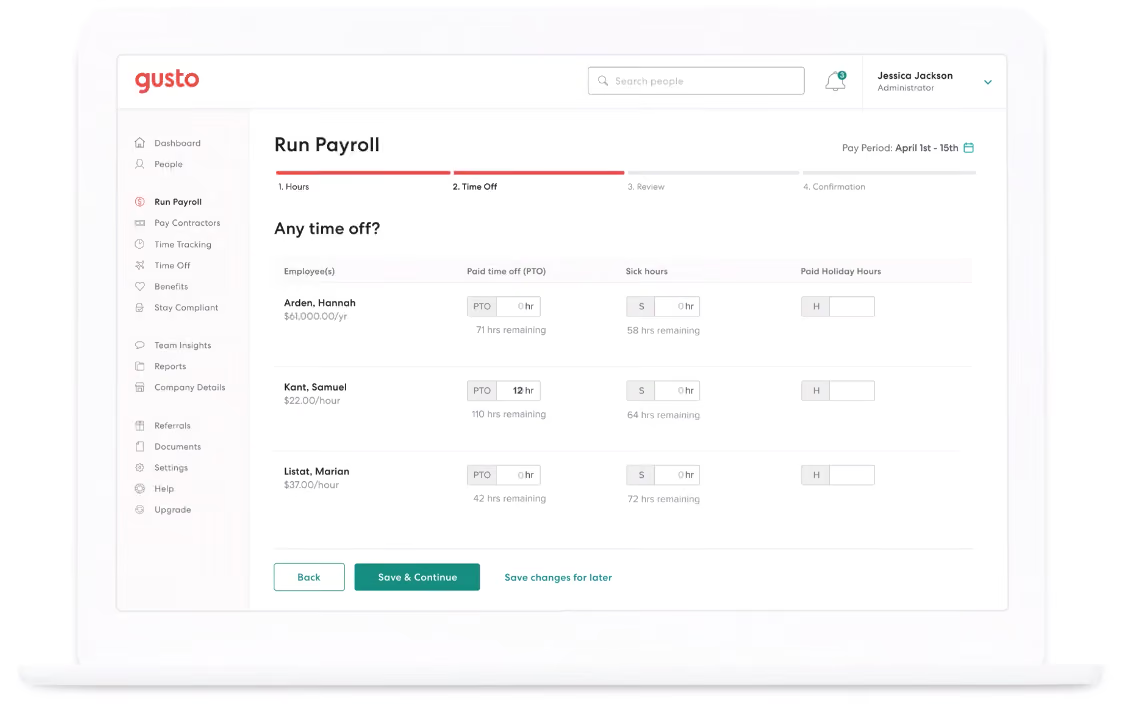


We used Gusto to manage payroll, streamline benefits administration, and centralize HR tasks. The platform simplifies payroll processing, ensures compliance with tax regulations, and automates various HR functions. Additionally, Gusto facilitates employee self-service, allowing individuals to access their pay stubs, tax forms, and benefit information conveniently. Its reporting tools provide valuable insights for strategic decision-making. Overall, Gusto plays a pivotal role in enhancing our HR efficiency and employee experience.

Gusto offers an intuitive interface that makes it easy to navigate various tasks. Their system consolidates our processes and reduces the need for multiple platforms. Additionally, they provide excellent customer support, offering timely assistance whenever needed.
We chose Gusto due to its comprehensive payroll, benefits, and HR solutions, streamlining our administrative processes. The user-friendly interface and automation features enhance efficiency. Overall, Gusto has been a valuable asset to our HR team.
- While Gusto is comprehensive, we have encountered some challenges with integrating it with other existing HR tools. Also, there are instances where we wished for more customization options within Gusto.
- Periodic updates to the platform have previously disrupted our workflow.
Gusto is a bit more user-friendly. Also, their comprehensive approach distinguishes them from competitors that may offer specialized services but not the same breadth of integrated solutions.
Ensure it aligns with your organization's specific needs and growth objectives. Also, look for a platform that is intuitive and requires minimal training for your team to navigate and operate effectively.
Given the dynamic nature of tax regulations and HR compliance, Gusto has demonstrated platform update agility. Over time, they have refined the platform's interface, making it more intuitive and user-friendly.
It seems to be best fit for smaller organizations.
A small team that is looking to grow and provide more impact for their organizations.

We use Gusto for payroll, onboarding documentation, and to provide employees and ourselves with tax documentation. We also use Gusto to track time in some instances.
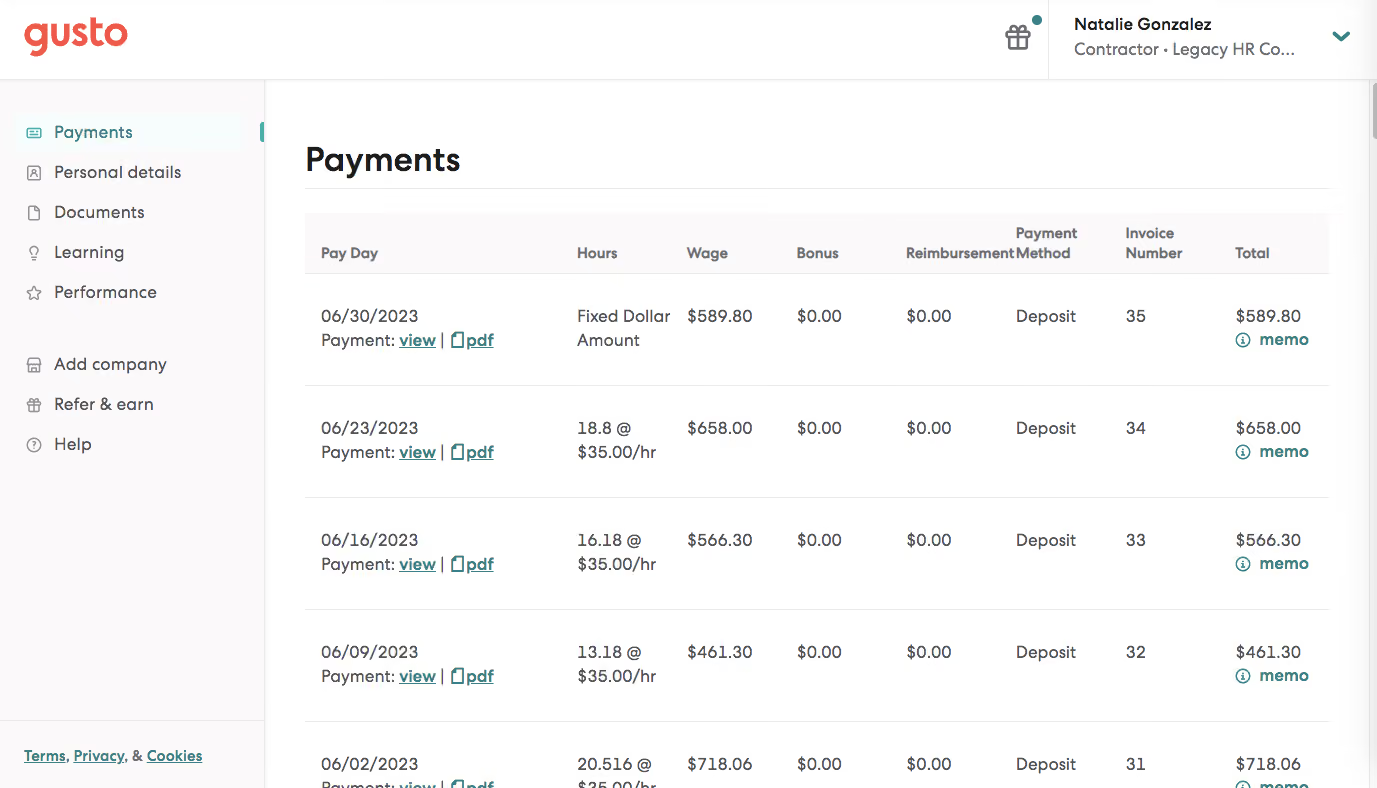
I enjoy Gusto's simple design. I like Gusto's walkthroughs for each process to help employees self-help. I also enjoy Gusto's onboarding workflows.
We use Gusto for our employee's payroll. We also help our clients implement Gusto for their teams. We were looking for a simpler and cheaper solution by having a small team. We also were attracted to the onboarding options on Gusto to help employee self-help with federally required documents.
I dislike the payroll/payslip breakdown as it's not as detailed as other systems. I also dislike that even though the design is simple(pro) it can appear childish or unprofessional. I also dislike the time-tracking feature.
Gusto is a simplistic and affordable option to larger competitors.
The size of the company. The payroll/reports needs.
Gusto has not changed much since I started using it.
A large company.
An organization/user that requires more detailed reporting or is not tech savvy/wants more 1:1 help

I use Gusto approximately every day. Some key workflows are onboarding users (employees) and storing important demographic information and compensation information, paying users (we used to pay employees on the platform, now it's just contractors), and staying in payroll compliance - Gusto gives you a to-do section that shows you all of the things you need to do to stay in compliance.

It's very intuitive, the UX/UI and design features are really amazing. It's also very well liked by our employees because of its ease of use. It's built to keep small companies in compliance -- Gusto really takes it a step further than most other Payroll platforms and gives you a bunch of compliance features and help. Gusto also has "next-day pay" features on some of the more premium tiers of membership; this is a really solid SLA and turnaround for payroll platforms, as this process (sending money to folks) isn't the easiest thing to do at scale.
We onboarded onto Gusto when the company first started back in 2016/2017. We didn't have a way to pay people, and Gusto offered an intuitive, small-business solution to pay employees, help us stay in compliance, and do all the heavy lifting for us in the Payroll and HR world. We've used Gusto for approximately 6 years and we still use it today to pay contractors, which is another benefit it provides.
Gusto is built for small companies so if your company grows quickly, it could easily outpace the features that Gusto provides. It doesn't integrate well/if at all with other softwares it doesn't already have a partnership with. It also has pretty limited reporting capabilities; the reports you can pull are nice, but there are limited types that you can choose from and building reports doesn't include all fields you might need.
It’s more intuitive, but not as scalable for large companies. I'd prefer the more intuitive tools to start with, and then once I wrap my head around how payroll works then I think switching to a larger, more scalable tool helps with understanding the big picture.
If you have a small finance/payroll/HR team, and want a tool to do a lot of the work for you, get Gusto. If you're a large team with a large company, I wouldn't recommend it.
For the most part, it's really improved its contractor payment system and also its compliance features. It still needs to work on allowing for more integrations with third-party tools.
Small organizations (1-100)
Midsize to large companies (100 - 1000+)
Paycom

Paycom
.avif)
Deel
Deel

Paylocity
Paylocity

Justworks
Justworks

ADP
ADP
Gusto is not designed for enterprise use, and rapidly growing companies should be aware of the drawbacks of settling into software that isn’t (yet) intended for massive teams. If your goal is exponential growth and your luck leads you there, congrats! But be sure to talk to Gusto early on about the functional limits of their platform.
In 2025, Gusto surpassed the 400,000 customer mark; getting closer to serving half a million businesses across the US.
- ATS to create job posts, publish to job boards, and manage candidates
- Admin dashboard: stay compliant with reminders of state and federal requirements, like anti-harassment training and workers' compensation
- Easy state tax registration for new hires in all U.S. states
- The Gusto Wallet app offers employees easy access to pay history, breakdowns and other useful stats
- Gusto accounts are for life: your employees can dig up old tax records or time cards as needed.
To imagine the momentum of Gusto’s integrations, picture a snowball rolling slowly down a gentle slope. Do not imagine a comet-sized orb crashing into an Alpine village. Gusto is thoughtful about integrations, and with more than a decade of company wisdom guiding their decisions, there are no signs of short-sighted choices.
A prime example of thoughtful integrations can be found with Guideline and Human Interest. These are the two major players trying to win the hearts and minds of small and medium-sized businesses across the United States (especially in California, where the retirement mandate is shaking things up). Gusto wisely integrates with both.
- Simple: $49/month +$6/month/person
- Plus: $80/month +$12 / month/person
- Premium: $180/month +$22/month/person
- Contractor only (no W-2 employees): $35/month/person
Even budget-strapped startups can afford Gusto’s basic plan, and for companies who have some bank capital to invest in human capital, the top-tier Premium plan is a great choice, especially if they have an HR department of one person.
- 5 new add-ons for Simple plans (Time tracking, next-day direct deposit, performance, priority support, and HR resources).
- Personalized health insurance suggestions during shopping.
- Vestwell, Guideline, Betterment at Work, and Human Interest as new 401(k) integration partners.
- New feature Smart Import automates payroll data import from spreadsheets or time-tracking software.
It is evident that Gusto knows their customer base when it comes to the ease with which you can set up this platform. It’s not quite “do it on your phone while you’re commuting to work” easy, but it’s a project you can probably complete before you break for lunch.
The concierge service offered with the higher priced plans is an absolute luxury for that Team of One, Department of Everything HR person (many of us have been there).
While not inclined or qualified to offer legal or tax advice, the SHRM-certified people on the other end of the concierge phone line can help any HR novice through the bureaucratic eccentricity for which HR is known. Upper-tier plans also include a massive resource library so packed with knowledge, even an HR master scholar will be impressed.
For basic users (and end users) the customer service staff is reliably available and knowledgeable. The long hold times and the occasional agent who woke up on the wrong side of the bed are inevitable features of any customer success department, but Gusto’s is better than most.
2011 was a big year in tech, but I can’t recall a single year since tech became the center of the universe that wasn’t a big year in tech. Gusto’s history and their sometimes quiet presence in the space is relevant though. Gusto has grown gracefully despite having lived through some major shifts in the HR tech landscape. Unicorn status: achieved.
Company HQ
San Francisco, California
Number of Employees
1000-5000
Year Founded
2011
Amount Raised
Series E, ~10 billion
FAQ
About SSR

We spend hundreds of hours researching the best HR and recruiting software so you don’t have to. We never take money from vendors during our research phase and rely heavily on practitioners and experts to help us recommend the right software. However we may earn a small fee if you click on vendor links on this page.