


Gusto debuted in 2011 and became a well-known, well-liked, simple, and affordable payroll software. As the company continues to mature, it has expanded its offerings to include benefits, workers comp, talent management, and more.
Ratings
Ease of Use
Best For
Key Differentiator
Price
Free Trial
PROS
- The dashboard feature keeps tabs on compliance tasks
- The hiring and onboarding sequence is nicely streamlined between HR and the new hire
- Post-offer, pre-start tasks are made easy with integrations like CorpNet (state tax set up) Checkr (background checks)
- Easy payroll for U.S.-based W-2 folks, domestic, and international contractors
- Person-to-person phone support, email, and other customer service resources
- The business model is responsive to customer needs
CONS
- Gusto can support payments for international contractors, but not employees
- No native accounting feature to keep earning and spending under the same roof
- Analytics dashboard is simplistic

Need Help? Talk to an HR Software Advisor!
Tell us more about your company & an HR Software Advisor will help you find the right software





Gusto’s software is robust: it’s not adored with fragile bells and whistles that are prone to malfunction, and it’s mostly idiot-proof in that it’s intuitive. It is constitutionally user-friendly so it’ll intervene if you're on the way to doing something ill-advised (like canceling payroll, for example). Gusto has done well in responding to the needs of HR teams since 2011, but that’s not the end of the story.
HR folks are not the primary users of this tool. When a company uses Gusto for payroll and benfits, the whole company uses Gusto, and this means that non-HR workers represent the majority of people interacting with the software. Among these users, many enter the platform via the mobile app (Gusto Wallet), which is available for iOS and Android.
The takeaway is that Gusto is ready to meet you wherever you are, Gusto has a lot of users, and they have considered them all.

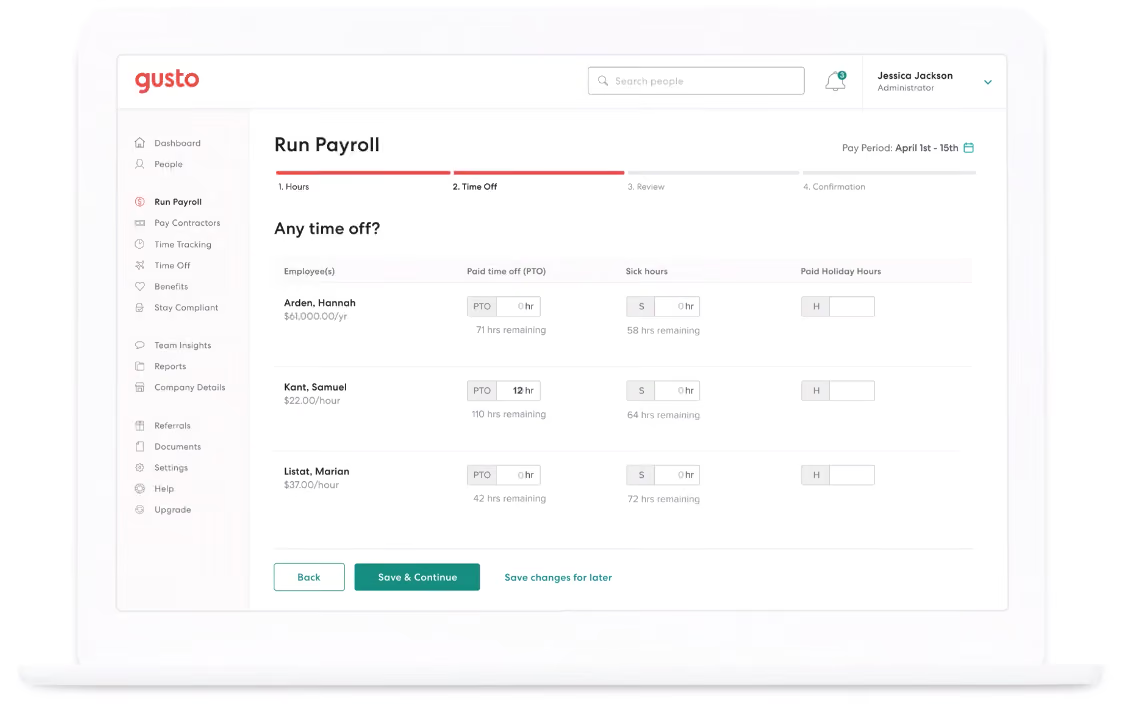



Day-to-day I used Gusto to manage payroll, benefits, and tax forms.
Gusto's automated payroll is solid and I never had an issue with the main payroll functions, although we had a few issues due to confusing UI with the custom earnings and dismissal payroll workflows.
Gusto's quarterly tax filings and reminders about compliance checks/updates were incredibly useful to us. The Docs section and reporting features turned out to be a helpful resource for all kinds of administrative tasks. Around 2021 I started receiving notices that some of our state tax forms weren't being filed on time. Although Gusto did resolve them eventually without penalty, it was concerning that they didn't keep us in the loop.
Gusto's benefits department is its weakest link. I never participated in the initial setup, but I managed 4 or 5 open enrollments through Gusto, and each was an unmitigated disaster. During two separate years, I sent 4+ requests to discuss new providers and never received a response. Not a peep. I have also had to clean up multiple enrollments and COBRA errors.
I speak to Gusto's support team a few times a month. Their support used to be outstanding, but recently they seem to have shifted to a script model, and the agents' competence is hit or miss. There is often an unrealistically long response time when issues are escalated to a specialist, and it is frustrating to wait days or weeks for an answer only to receive an unhelpful form response. Since Gusto handles so many regulated processes, agents are quick to default to a "we cannot advise" answer, and they often provided bad information that caused more problems than they solved. To be fair, I have also worked with agents that helped me pull off miracles, but I wish the quality were as consistent as it used to be a few years ago.
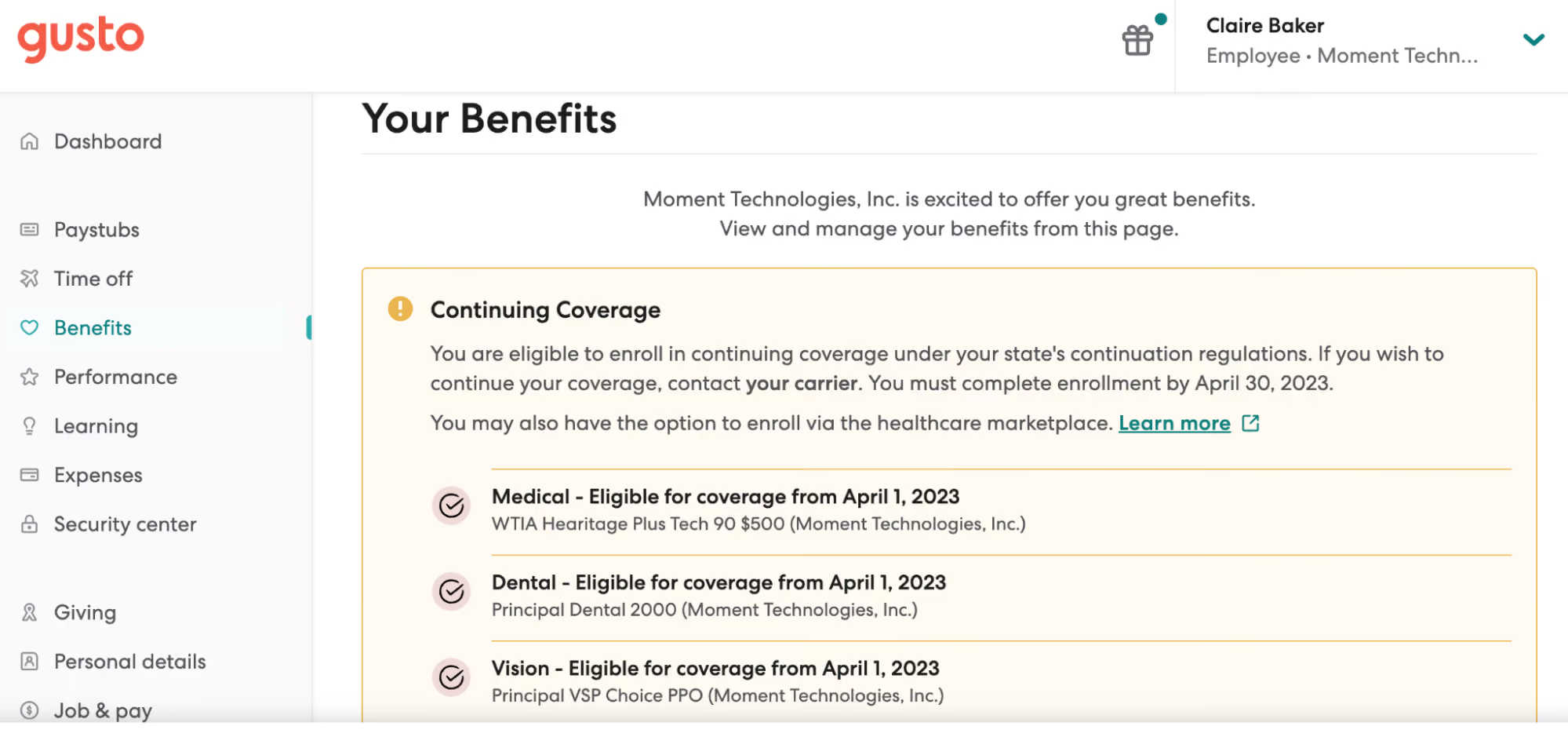
The UI is clean, intuitive, and (mostly) easy to use. I very seldom had issues with automated processes. They make onboarding new employees incredibly simple. I also really like the friendly tone of the brand's "voice." The marching pig on the loading screen that changes with the seasons never gets old; it still sparks joy each time, even after all these years!
I have used Gusto since 2018 in 3 different early-stage tech startups. Gusto has a reputation as the go-to in Silicon Valley incubators and accelerators, although I've seen Rippling gradually gaining market share in the past few years. In all 3 cases, we selected Gusto because of their breadth of services. Gusto makes it easy to set up everything our organization needed to begin hiring and paying employees. What's nice about Gusto is that it makes processes that are intimidating to many founders into a "set it and forget it" task. Automating payroll, benefits, filing government forms, and quarterly taxes helped free up time for our founding team to focus on a growing set of other responsibilities.
Gusto's benefits department is unresponsive and it's nearly impossible to get answers from support about even simple benefits questions.
I have seen quite a few concerning errors across the platform (mostly with benefits), including employees not being enrolled in benefits programs, dismissed employees not being removed from benefits programs, incomplete COBRA enrollment, and late tax filings.
The information from Support is unreliable and often inaccurate.
The dismissal payroll workflow is misleading and we've had a few serious problems as a result.
When a Gusto admin is dismissed, their admin privileges are not removed automatically, which is a serious privacy concern.
I wish Gusto made it easier to set up a business entity in new states. They partner with a company called CorpNet, but I found the level of service wasn't worth the price and went back to handling state registration myself.
I love Gusto's friendly casual-but-professional tone compared to other providers in the space.
Gusto is best for small teams, the smaller the better. It is a great option for founders and single-person People teams who have less time to dedicate to payroll, benefits, and compliance. It makes many benefits available and affordable for small groups that would not have the numbers to access plans through traditional providers.
Gusto becomes less useful as a team grows and compensation & benefits become more complex. I would definitely recommend Gusto to founders, but I recommend moving off of their benefits platform as soon as you have a full-time person to manage benefits administration. Its payroll functionality is solid, but payroll administrators should be aware that they will get limited guidance from the Gusto support team.
Gusto's functionality has grown over the time I've used the platform as they've added additional features and integrations. However, the accuracy and quality of support have suffered over time. I used to be a Gusto evangelist, but these days I recommend that growing companies move off of Gusto as soon as is practical. New features have become less useful over time, and I wish they would focus on maintaining the quality of their core product rather than trying to expand into new services.
Company founders or admins inexperienced in payroll and benefits. Very small teams with a single person managing payroll and benefits administration among many other HR responsibilities.
Larger organizations with 50+ employees. HR teams with specialists in each area. Companies with complex and highly-regulated compensation structures.

With my current consulting client, we use Gusto for a few different workflows. We use it for payroll, sending offer letters, managing our 401K program as well as new employee onboarding. In previous companies I worked at, we used it for payroll. In my opinion, the greatest strength of this tool is running payroll. It’s super simple to use.
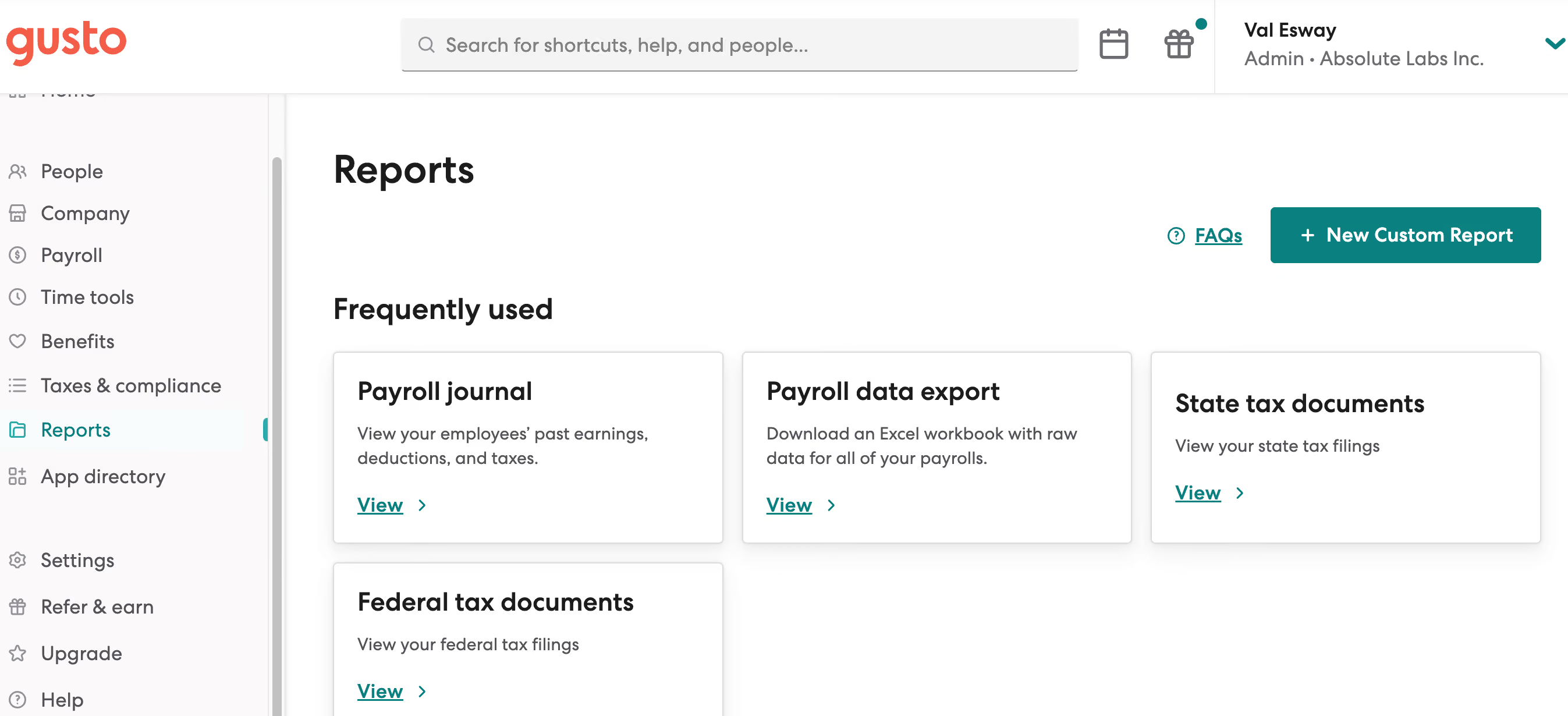
The ease of payroll and ability to have payroll run on auto-pilot is AWESOME. The customer service is friendly and for the most part quite efficient. The UI is pretty good compared to a lot of other platforms I've used.
We initially chose Gusto when the company was first established. We needed a simple payroll solution that would work for a company of our size, which at the time was just one W-2 employee on the payroll. We used the solution for about eight months before transitioning to a different solution that would allow us to manage payroll and offer benefits under one platform. Prior to that, I personally used the solution at another company for almost a year.
Since I also do freelance HR consulting, I am now working with a client who also uses Gusto. In this company, we use it for payroll, benefits management, and 401K.
Paying international contractors has been challenging in my experience. I'm not a huge fan of having the employees separated out by whether or not they are onboarded yet. I would rather see all employees with a status showing whether or not they have completed onboarding.
Payroll is a breeze! It's really one of the best tools I've used for payroll for a small company. The customer service is stellar.
Think about your long-term growth plans. I think Gusto is best for smaller companies. Think about whether or not you'll be paying contractors and especially international contractors because that can get complicated. And when you are first implementing the tool, do your best to have someone who understands the platform and how to best optimize it for your team do the set up.
I'm not sure but I do often see that they are rolling out beta features, which leads me to believe that they are always evolving to meet customer needs.
I think Gusto is best for small businesses, especially for small businesses that may not have a dedicated HR personnel. It's easy enough to use that the average business owner should be able to navigate it without too much trouble.
I think it may not be the best platform for larger orgs, especially for orgs with complicated pay needs, i.e. international contractors.

I'm an HR Generalist, so I mainly use Gusto to add new hires, update salaries, and ensure that payroll is correct. I also use Gusto to disperse employee documents for signature/acknowledgment (Employee Handbook) and to store employment documentation (offer paperwork, background checks, etc.). Others on my team use it to run payroll and enroll in state tax registration.

I love their customer service, they always have an answer for you and make my job so much easier. The interface is fantastic, and the design is very appealing, which is a huge factor for someone that uses it quite often. I also really like the admin dashboard, Gusto will list outstanding tasks with their deadlines and will prompt you with helpful information to finish the task.
My company is a portfolio company for High Alpha Innovation. Gusto is the go-to HRIS for all portfolio companies. We have been using it since we started in 2020 and have even used it for one of our own portfolio companies. Gusto is a very easy-to-use tool that has fantastic customer support. When you're working for a start-up, you don't want to spend a long time on payroll and Gusto really helps with that. It's also very easy to set up a new instance of Gusto for a company - it took like two hours and was a painless experience due to Gusto's interface.
Sometimes the outstanding tasks aren't accurate, we recently had tasks pop up for an employee that has been gone for two years. This is very specific, but I wish that you could make some employee documents private to employees, all the documents you upload are automatically public and don't give you an option. I dislike their benefits -- we ran a quote before and it took a few weeks to get back the quote and it was incredibly expensive.
The only similar tool I've used is a PEO called Justworks. I'm not sure if it's a fair comparison, since PEOs pretty much do everything for you. I will say, it was nice that you could set up Gusto in a day and run payroll the next day if needed. For Justworks, you have to wait until the system start date, which can be weeks later.
I think that customer service is a huge buying criteria, especially if you have an inexperienced team. It's invaluable to have experts that you can call or chat with at any time. Cost is definitely a big factor that differs from organization to organization. It's sometimes worth it to pay a little bit more to make your life easier and that's what we've found with Gusto. Lastly, I think that it's important to have an easy-to-use system for both HR and employees. Payroll is VERY important which makes it vital to have a system that is easy to comprehend.
Gusto has become more well-rounded over the years. Last year, they added performance reviews into the mix. It's definitely not perfect and not very customizable, but it's a free add-on, which can be a huge value to organizations that don't have performance management built out.
Small to mid-sized organizations. I think it could work for a small start-up, but would be better for slightly more mature organizations.
Gusto would not be good for a small startup that doesn't have someone with HR experience on its team. Definitely would recommend a PEO over Gusto.

Paycom

Paycom
.avif)
Deel
Deel

Paylocity
Paylocity

Justworks
Justworks

ADP
ADP
Gusto is not designed for enterprise use, and rapidly growing companies should be aware of the drawbacks of settling into software that isn’t (yet) intended for massive teams. If your goal is exponential growth and your luck leads you there, congrats! But be sure to talk to Gusto early on about the functional limits of their platform.
In 2025, Gusto surpassed the 400,000 customer mark; getting closer to serving half a million businesses across the US.
- ATS to create job posts, publish to job boards, and manage candidates
- Admin dashboard: stay compliant with reminders of state and federal requirements, like anti-harassment training and workers' compensation
- Easy state tax registration for new hires in all U.S. states
- The Gusto Wallet app offers employees easy access to pay history, breakdowns and other useful stats
- Gusto accounts are for life: your employees can dig up old tax records or time cards as needed.
To imagine the momentum of Gusto’s integrations, picture a snowball rolling slowly down a gentle slope. Do not imagine a comet-sized orb crashing into an Alpine village. Gusto is thoughtful about integrations, and with more than a decade of company wisdom guiding their decisions, there are no signs of short-sighted choices.
A prime example of thoughtful integrations can be found with Guideline and Human Interest. These are the two major players trying to win the hearts and minds of small and medium-sized businesses across the United States (especially in California, where the retirement mandate is shaking things up). Gusto wisely integrates with both.
- Simple: $49/month +$6/month/person
- Plus: $80/month +$12 / month/person
- Premium: $180/month +$22/month/person
- Contractor only (no W-2 employees): $35/month/person
Even budget-strapped startups can afford Gusto’s basic plan, and for companies who have some bank capital to invest in human capital, the top-tier Premium plan is a great choice, especially if they have an HR department of one person.
- 5 new add-ons for Simple plans (Time tracking, next-day direct deposit, performance, priority support, and HR resources).
- Personalized health insurance suggestions during shopping.
- Vestwell, Guideline, Betterment at Work, and Human Interest as new 401(k) integration partners.
- New feature Smart Import automates payroll data import from spreadsheets or time-tracking software.
It is evident that Gusto knows their customer base when it comes to the ease with which you can set up this platform. It’s not quite “do it on your phone while you’re commuting to work” easy, but it’s a project you can probably complete before you break for lunch.
The concierge service offered with the higher priced plans is an absolute luxury for that Team of One, Department of Everything HR person (many of us have been there).
While not inclined or qualified to offer legal or tax advice, the SHRM-certified people on the other end of the concierge phone line can help any HR novice through the bureaucratic eccentricity for which HR is known. Upper-tier plans also include a massive resource library so packed with knowledge, even an HR master scholar will be impressed.
For basic users (and end users) the customer service staff is reliably available and knowledgeable. The long hold times and the occasional agent who woke up on the wrong side of the bed are inevitable features of any customer success department, but Gusto’s is better than most.
2011 was a big year in tech, but I can’t recall a single year since tech became the center of the universe that wasn’t a big year in tech. Gusto’s history and their sometimes quiet presence in the space is relevant though. Gusto has grown gracefully despite having lived through some major shifts in the HR tech landscape. Unicorn status: achieved.
Company HQ
San Francisco, California
Number of Employees
1000-5000
Year Founded
2011
Amount Raised
Series E, ~10 billion
FAQ
About SSR

We spend hundreds of hours researching the best HR and recruiting software so you don’t have to. We never take money from vendors during our research phase and rely heavily on practitioners and experts to help us recommend the right software. However we may earn a small fee if you click on vendor links on this page.