
Jibble stands out for offering a powerful mix of attendance tracking, facial recognition, and productivity monitoring all within a generous free plan. It’s also one of the few tools that combines strong anti-buddy punching controls with flexible policy customization and hardware-free deployment.
Ratings
Ease of Use
Best For
Key Differentiator
Price
Free Trial
PROS
- Facial recognition, device lock, and geofencing provide strong protection against time fraud.
- Fully hardware-free kiosk mode using existing mobile devices.
- Highly customizable policies for different teams and work environments.
- Offline tracking with automatic sync when back online.
- Built-in productivity monitoring with screenshot capture and idle detection.
- Open API access available on all plans.
- Generous free plan with solid core functionality.
CONS
- Screenshot monitoring may feel intrusive for some teams.
- Currently, the software lacks idle detection functionality.
- Advanced leave and admin features locked behind paid tiers.

Need Help? Talk to an HR Software Advisor!
Tell us more about your company & an HR Software Advisor will help you find the right software





Jibble is a capable time-tracking tool that covers the basics well and then goes a bit further without asking you to pay upfront. In our testing, it handled day-to-day attendance tracking reliably, and we found it easy to set up and start using across devices. Because it runs entirely in the cloud, you can access it from a phone, computer, or browser, and the kiosk mode works on any spare tablet or smartphone.
What makes Jibble stand out is how it approaches time verification. It layers features like facial recognition, device locking, and GPS-based geofencing to reduce time fraud. In testing, these tools worked as expected: employees could only clock in within a set location, and the system added a level of accountability that simpler tools lack. The option to automate clock-ins and outs based on location is also useful, especially for teams moving between job sites.
The platform is also quite flexible. You can create different rules for different groups—for example, requiring office staff to use a kiosk while allowing field workers to clock in via mobile with location tracking. This kind of customization isn’t always available in entry-level tools, and it makes Jibble a better fit for teams with mixed work environments.
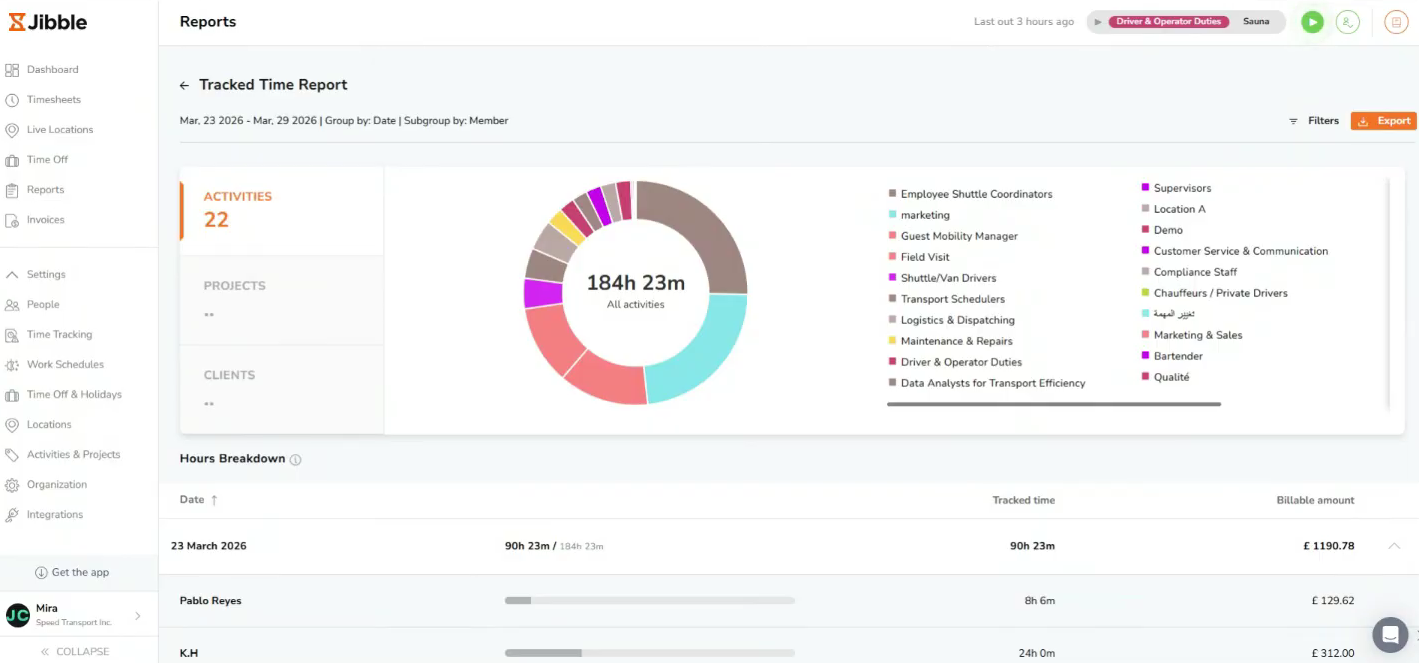
The desktop app adds optional productivity tracking such as periodic screenshots to offer employers a deeper understanding of how time is being used, helping to identify potential bottlenecks and ensure focus on work-related tasks. Reporting, on the other hand, is broadly useful. The platform’s attendance reports make it easy to spot patterns like lateness or missed hours, and exporting data for payroll or analysis is straightforward even on the free plan.
That said, it’s worth pointing out that Jibble doesn’t yet include built-in shift scheduling, meaning you’ll need a separate tool if you’re managing more complex or dynamic schedules. Compared to dedicated workforce management software, its scheduling features also seem fairly basic.
Regarding payroll capability, while the time and attendance software integrates with Xero, QuickBooks, and a handful of other payroll tools, the fact that it doesn’t offer a fully native system makes it less attractive to teams seeking advanced payroll and scheduling built directly into the platform.


We use Jibble to track attendance, manage timesheets, and verify work hours through the mobile app. It helps streamline payroll and keeps our records accurate.
Ease of use. Jibble's simple, fast, and dependable. The mobile app works well, and the system keeps our attendance data organized.
We chose Jibble because it offers a reliable time-tracking solution with a clean interface and accurate reporting. It fits our workflow without adding complexity, and it almost does not require training for the team. We've been using it for about 12 months.
Some of Jibble’s features could offer more customization, especially in reporting and filters.
Jibble stands out because it's simpler and more intuitive than many competitors. The setup is quick, the interface is clean, and employees adapt to it immediately without training.
Buyers should look at ease of use, reporting accuracy, mobile reliability, and how quickly the team can adopt the tool. Pricing and customer support also matter when choosing a long-term solution.
Since I'm a new user of Jibble, I haven't seen major changes or long-term updates yet. So far, the platform feels stable and consistent.
I think Jibble fits any type of organization since it meets the needs of every business.
I'm not sure, but I believe for micro (less than 5) companies Jibble is not a good fit.

Connecteam

Connecteam

Paylocity
Paylocity
Buddy Punch
Buddy Punch
TCP
TCP

Rippling
Rippling
Tesla, Turing, Cepco, Neom, Roni Group, Beck & Pollitzer
Jibble offers a free plan and three paid plans: Premium costs $4.49 per user when billed annually and $5.99 per user when billed monthly, Ultimate is priced at $7.99 per user for an annual subscription and $10.99 per user for a monthly subscription, and Enterprise with custom pricing.
Teams seeking flexible, fraud-resistant time tracking, especially those managing a mix of remote, field, and office-based employees.
Company HQ
Number of Employees
Year Founded
Amount Raised
FAQ
About SSR

We spend hundreds of hours researching the best HR and recruiting software so you don’t have to. We never take money from vendors during our research phase and rely heavily on practitioners and experts to help us recommend the right software. However we may earn a small fee if you click on vendor links on this page.