




Calendly stands out from its competitors for its ease of use, slick design, and the amount of time it saves. It’s also one of the few scheduling tools with an indefinite free plan.
Ratings
Ease of Use
Best For
Key Differentiator
Price
Free Trial
PROS
- Calendly’s simplicity is its biggest pro. It has an elegant user interface, it's very easy to navigate, it promptly gets the task done, and connects seamlessly with other applications.
- The reduction in back-and-forth emails. Your invitees can book a meeting slot, without reaching out to you multiple times. Calendly automatically sends them a confirmation and they can reschedule or cancel on their own. It’s even better for virtual meetings because once your invitees schedule a meeting with you, Calendly will automatically generate a meeting link based on your preferred video conferencing tool.
- The ability to set your own rules so that you can get complete control over your availability preferences. For example, you can decide how long a particular kind of meeting should be, buffer time between meetings, how many appointments can be booked per day, etc.
- Calendly seamlessly integrates with popular calendar and mailing tools. Meetings are automatically reflected on your personal calendar and video conferencing links with tools like Zoom or Google Meet are generated without any extra steps.
CONS
- Besides branding and the ability to choose different colors, Calendly does not offer a lot of options for customizations. This could be frustrating for users who want to embed Calendly in their website without making it seem like a completely different component.
- Calendly is not very mobile-friendly. You can’t perform all the functions on the mobile version.
- The payment collecting feature is not available in all currencies. Your invitees can only pay in the United States Dollar (USD), Australian Dollar (AUD), Canadian Dollar (CAD), Pound Sterling (GBP), and Euro (EUR).
- You’ll be severely limited in terms of features if you choose the free plan or the cheaper ones. According to Craig, a Customer Success Manager at a small business, “All advanced functionality is locked behind higher subscription levels – We have the Professional level so that we can set up a team, but they locked the most obvious and useful meeting type for teams behind yet another upgrade to the sub level.”

Need Help? Talk to an HR Software Advisor!
Tell us more about your company & an HR Software Advisor will help you find the right software





Calendly is a cloud-based meeting scheduler that aims to eliminate back-and-forth emails. One of the first things you’ll notice about Calendly is its slick design and a user experience that conveys simplicity. While gathering feedback from active users, we found that Calendly’s ease of use came up almost every time. Michael, a Digital Marketing Consultant at a small-sized business says, “Calendly is so easy to use. I haven't needed to contact support or refer to any help documentation, because the UX is just so intuitive and simple. I love how clean and simple the layout is. All my bookings are booked without anyone getting confused.”
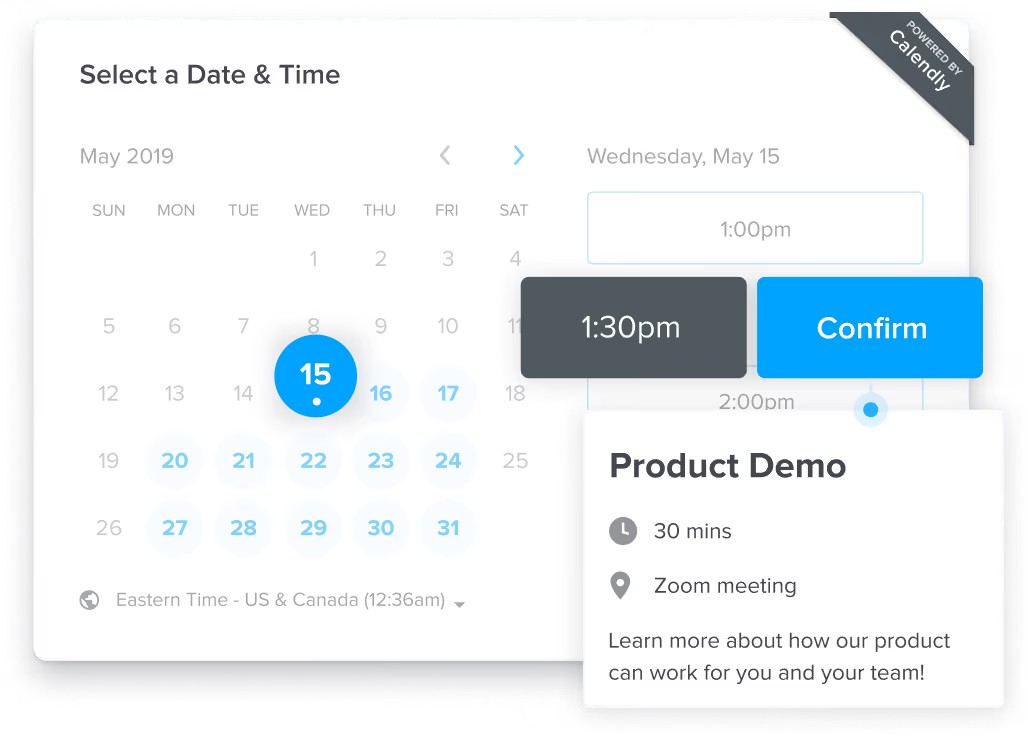
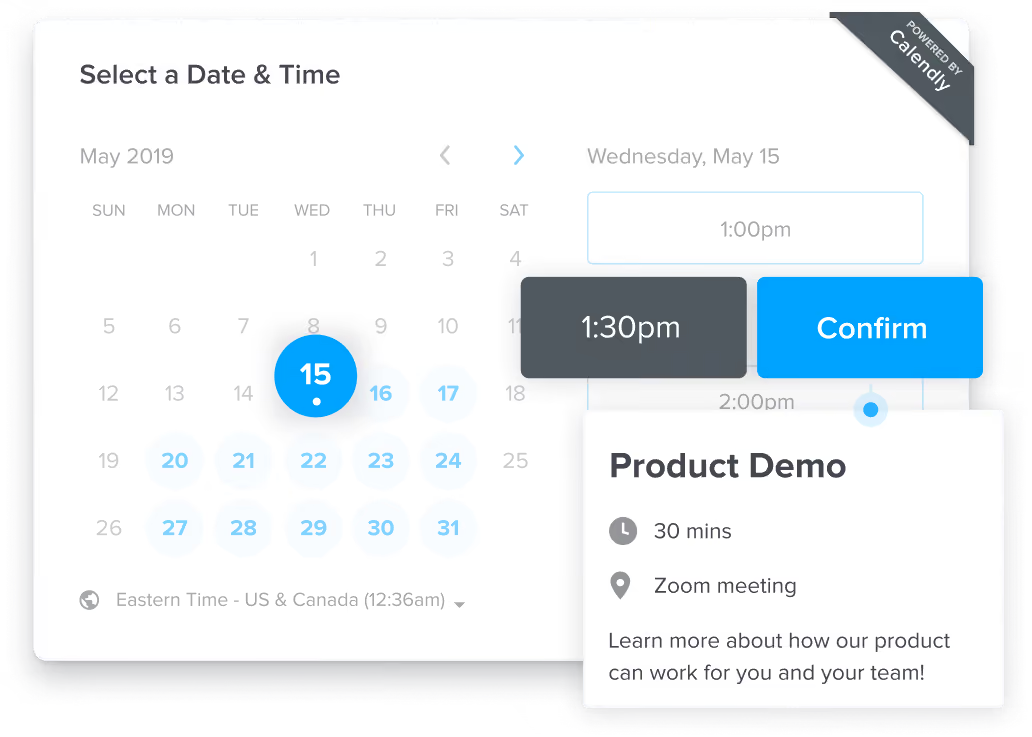
How Calendly works is that you create a set of rules for your availability, integrate video conferencing tools, create your schedule, and share your calendar with your guests. You can either send your Calendly link or embed it on your website. Your meeting attendees can then pick a time from your available dates and you wouldn’t have to confirm their meeting slot, Calendly would automatically send them a confirmation mail with details.
Your invitees can reschedule or cancel a meeting, without your interference and needless back-and-forth emails. You can create personalized reminders and thank you notes that Calendly would automatically send to all attendees. One great thing about Calendly is the automatic timezone conversion it comes with, which makes it very easy for both the attendee and the meeting host to fix a meeting in their local time.

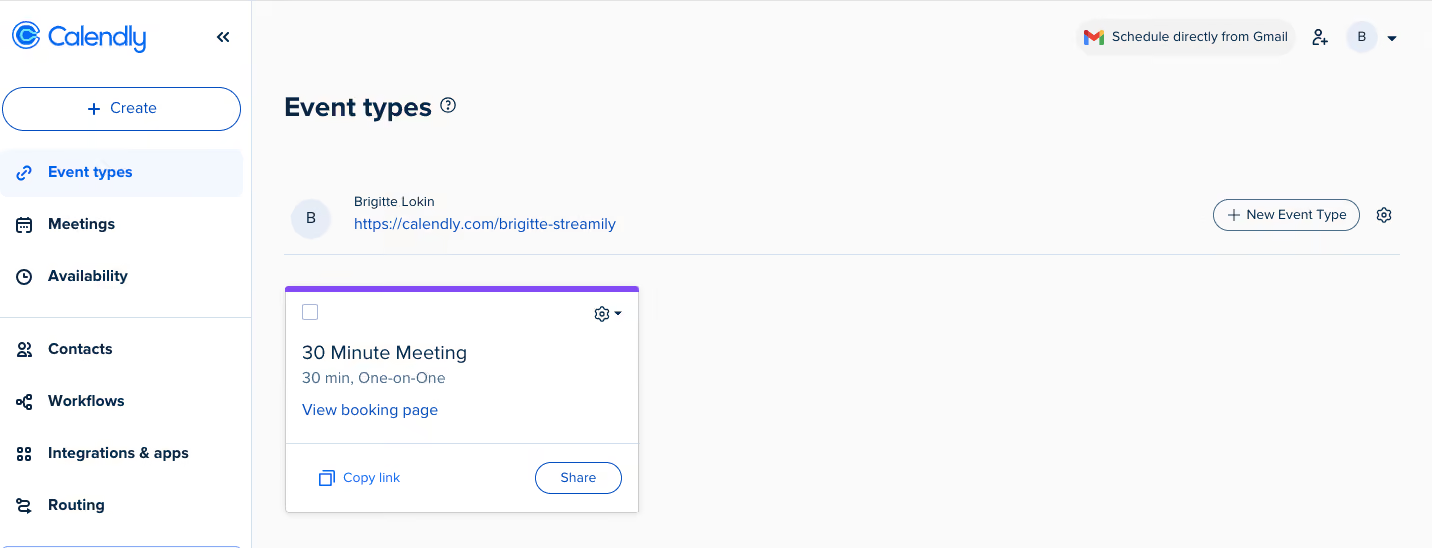
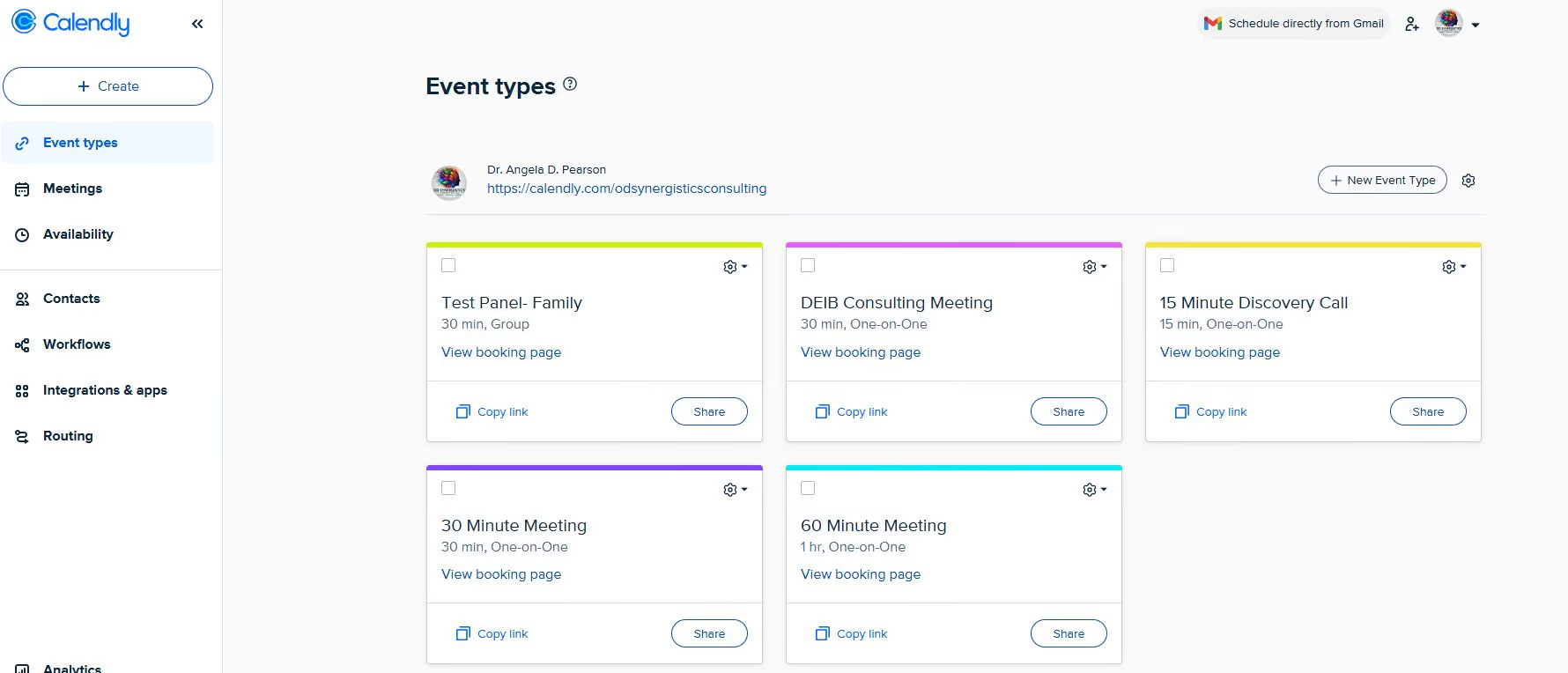
Calendly has a lot of useful features but one that stands out from the crowd is the team scheduling feature. What that means is that not only can you schedule one-to-one meetings but also create different types of group events. You can book events for multiple attendees or co-host the meeting with other people or even share the hosting responsibilities with other members of your team. The last one is referred to as a round robin event and can be particularly useful for HR teams that like to equally distribute their work. You can also create different calendars for different types of meetings, lengths of meetings, etc. so that certain kinds of meetings are scheduled for 30 minutes only and others for 60.
Be aware though, a lot of the features that make Calendly great, such as the ones listed above are only available in the paid plans. Another problem you might run into with Calendly is that syncing it with your personal calendar is not always accurate. For example, you book into a webinar that by default adds the meeting to the ‘Home’ calendar instead of ‘Work’. That can cause conflict with new Calendly bookings.



I only use it to schedule job interviews with potential candidates. I schedule interviews for myself and also use our CEO and CRO’s Calendly accounts to schedule interviews for them with candidates who progress to the next round.
We do not use Calendly to schedule internal meetings. I don’t meet with clients often enough to add Calendly to my email signature, and all our internal meetings are scheduled via Slack or Google Calendar.
- Calendly eliminates the back-and-forth emails needed to find a mutually available time.
- It’s a clear solution to a common scheduling problem.
- I like that you can block off all unavailable time slots.
- It’s easy to compare multiple Calendly links when scheduling interviews with more than one person.
- I know our sales team appreciates the HubSpot integration.
Before Calendly, it was especially challenging for our C-suite team to have their assistants schedule meetings with clients. The assistant would suggest several time slots via email, the other person would respond with different time slots, and they would go back and forth.
With Calendly, assistants can share the executive’s Calendly link, making scheduling much easier and eliminating the risk of double-booking. I’ve had my personal Calendly account for about a year and use it only when we’re hiring to schedule interviews with candidates.
I update my calendar and send them the link so they can select a time. It’s helpful for both the company and the applicant, as the applicant can choose a time that works for them rather than having to agree to a predetermined time.
I haven’t encountered any issues. I don’t use all of Calendly’s features, as I only use it to schedule 1:1 meetings.
I haven’t used similar tools. I know Upwork has its own version of a scheduling tool now, which I don’t like as much, but I haven’t used any others. All of our internal meetings are scheduled using Google Meet and Google Calendar.
- Calendly is most beneficial for meetings with people outside your organization.
- Consider how many of those meetings you schedule each month to determine if it’s worth the cost.
- That said, the monthly fee is relatively low—between $10 and $16.
The core scheduling function hasn’t changed much, as far as I know. The platform integrations have likely evolved, but I don’t use Calendly with any other platforms.
- A busy, organized person.
- Calendly makes scheduling easier for someone with a packed calendar.
- As long as you keep your availability up to date, you can share your Calendly link with anyone, or include it in your email signature, and you’ll be notified when a meeting is booked.
If you rarely have external meetings or meetings with clients, it might not be worth the subscription fee.

I use Calendly multiple times each week to manage my schedule and streamline meeting coordination with clients, colleagues, and potential partners. The tool is integrated into my daily workflow, primarily for scheduling client consultations, coaching sessions, team meetings, and discovery calls.
By embedding my Calendly link into emails, my website, and social media channels, I make it easy for others to book meetings without back-and-forth communication. I rely on Calendly’s automatic confirmation and reminder emails to reduce no-shows and keep all parties informed and prepared.
Calendly improves my productivity by simplifying scheduling tasks and letting me focus on more meaningful client engagements.
I appreciate Calendly’s simple and intuitive design, which makes it easy for clients and colleagues to schedule meetings without confusion. The automatic calendar synchronization eliminates scheduling conflicts and ensures my availability is always accurate.
The automated reminders and follow-up notifications reduce missed appointments and keep everyone prepared. I can also sync this application with both Google and Microsoft calendars.
Our organization invested in Calendly to resolve ongoing challenges related to efficiently scheduling meetings and managing appointments across diverse time zones and busy calendars. Before using Calendly, coordinating meetings was time-consuming, often involving numerous back-and-forth emails and scheduling conflicts.
Calendly has simplified this process by allowing clients and colleagues to view my availability and self-schedule appointments, significantly reducing administrative workload and minimizing errors. The platform’s automated reminders and integration with popular calendars support seamless communication and reduce missed meetings.
I have personally used Calendly for over five years, and it has consistently improved productivity by allowing me to focus more on delivering services to my clients.
One drawback I’ve noticed is the limited customization options for the scheduling page, which restricts branding opportunities.
Another issue is the lack of flexibility in adjusting availability for specific meeting types or client scenarios without affecting overall calendar settings.
Integrating advanced scheduling rules, such as conditional logic or precise buffer time control, can sometimes feel restrictive or insufficient.
Calendly stands out from competitors due to its pricing, user-friendliness, and intuitive interface, which make it quick to set up and easy to use. Compared to other scheduling tools, its seamless integration with popular calendar applications like Google, Outlook, and iCal ensures reliable synchronization without added complexity.
While I have briefly explored alternatives, Calendly remains my preferred choice due to its streamlined client booking experience and reliable automated reminders that minimize scheduling conflicts and missed meetings. It effectively balances simplicity with functionality, making it suitable for professionals needing efficient, hassle-free scheduling.
When selecting a scheduling tool like Calendly, prioritize ease of use and intuitive design, as this affects adoption by both you and your clients. Evaluate integration capabilities with your existing calendar systems and productivity apps to support a seamless workflow.
Consider customization options to tailor availability and meeting settings to fit different client needs. Review features such as automated reminders, notifications, and analytics to reduce administrative work and improve client engagement.
Calendly has evolved by improving its user interface, making scheduling more intuitive and user-friendly. It has expanded integrations with tools like Zoom, Teams, and Salesforce, helping streamline workflows across industries.
The platform has added customization options, giving users more control over availability settings, meeting buffers, and event types. In response to user feedback, it now includes advanced analytics and reporting to help professionals track scheduling patterns and client interactions.
These updates reflect Calendly’s focus on adapting to users’ diverse scheduling needs.
Calendly is well-suited for consultants, coaches, entrepreneurs, and small-to-medium-sized businesses that prioritize efficient scheduling and smooth client interactions. It’s ideal for professionals coordinating meetings across time zones or managing multiple appointment types.
Organizations focused on operational efficiency and client experience benefit from Calendly’s usability, automation, and integrations, which reduce administrative workload and improve productivity.
Calendly may not be ideal for large enterprises or organizations with complex scheduling needs involving multiple approval layers or extensive internal coordination. It might fall short for businesses that require advanced branding options beyond basic customization.
Organizations in highly regulated industries with strict data handling and security standards may need more specialized or internally controlled scheduling solutions.

I use Calendly almost every day for client meetings, networking, and work-related scheduling. The key features I rely on include different calendar links for paid and unpaid meetings, as well as scheduling specific activities. I also find the polling feature useful for coordinating meetings across multiple people from different companies.
Another great aspect of the tool is the ability to create different availability settings for various types of meetings and limit how many of those meetings appear on my calendar in a given day.
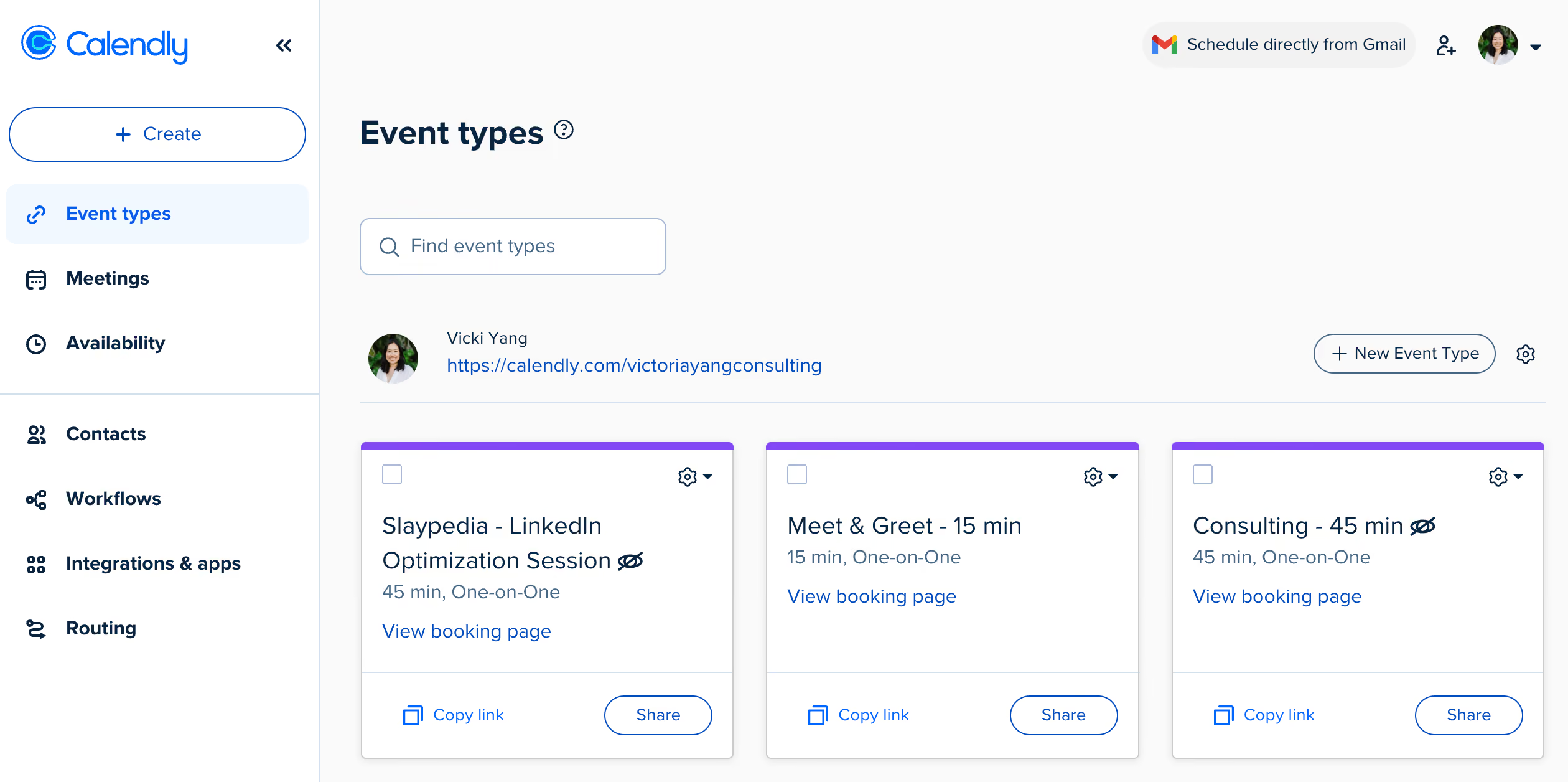
It is very easy to set up and start using immediately. There are extensive customization options for different types of meetings. The interface is clean and user-friendly.
I bought Calendly to simplify managing multiple calendars and have been using it for over a year. I needed a tool that would make it easier for people to schedule time with me. I also wanted a solution that allowed me to charge for certain meetings while keeping others free.
Ideally, I wanted a tool that could be customized based on the type of meeting. Additionally, I needed a way to easily block out time and adjust my availability to account for vacations and other commitments.
I wish I could create separate pages for different sets of meetings. It would also be helpful to edit the same settings for multiple meetings at once. While the public-facing page is simple, I would like more branding customization options at my current pricing tier.
Additionally, I wish there were an option to toggle between a daily and weekly view for people scheduling appointments.
It is one of the more widely used scheduling tools, making it easy for others to understand and use. It is also relatively affordable.
Identify the specific scheduling challenges you want to solve. While it’s easy to choose a tool based on familiarity, make sure it aligns with your actual needs. Consider factors like scheduling volume, whether meetings need to be routed to different places, and if multiple team members will use the tool. Creating a comparison table to track must-have features can also be helpful.
I’m not sure if it has changed significantly in the past year, but I continue to discover new ways to use it. The onboarding process could be improved to help users explore more features.
It is highly adaptable and works well for individuals as well as large organizations. While I’m unsure how well it functions for sales teams, it is an excellent option for professionals who frequently schedule external meetings.
Depending on budget constraints, Calendly may become expensive for organizations with a large number of users.

GoodTime

GoodTime

VidCruiter
VidCruiter

candidate.fyi
candidate.fyi

Humanly
Humanly

myInterview
myInterview
Calendly is simplistic and straightforward when it comes to scheduling. It may not be right for organizations who have complicated scheduling needs.
Quite a few users have qualms with Calendly’s functionality on the mobile app. So if you’re somebody who relies on a mobile phone for work, you might face some limitations.
Calendly has many big names in their customer base, such as eBay, Compass, Lyft, Dropbox, La-Z-Boy, Twilio, and Stack Overflow.
- Availability preferences: You can pre-define your availability preferences based on the type of meeting. For example, you can add caps on the meeting, add some buffer time before or after the meeting, or restrict invitees from scheduling at certain times.
- Time zone conversion: Calendly detects invitee time zones automatically, so when your guests book a slot from your available time, they book it in their own time zone. This reduces error, manual work, and multiple emails confirming the time.
- Team scheduling: Apart from one-to-one meetings, Calendly also lets you host different kinds of group events. This could be co-hosting a meeting with other members of your team or hosting a meeting for multiple attendees, or by letting Calendly round robin the meeting i.e. letting your invitee pick a time that works best for them and Calendly would automatically assign it to the host who is available during that time.
- Routing forms: With Calendly, you can build a form for screening your invitees and let only those invitees book an appointment who match your requirements. Those invitees who fit your criteria would be able to book a meeting and those who don’t would be routed to another resource such as a referral page.
- Meeting polls: You can create polls for your invitees to vote on the meeting times that they prefer. This feature is particularly useful in group meetings and meetings with attendees who are located in different time zones.
- Workflow automation: You can automate your workflows to boost attendance and communication. Calendly lets you schedule event reminders, meeting confirmation, and personalized messages that your attendees automatically receive after or before a meeting. You can also set your meeting location to Zoom or Google Meet, and Calendly would automatically create a meeting link and send it to your invitee.
- Calendar integration: Calendly integrates with popular calendars such as Google, Outlook, Microsoft Office, and iCal, so you don’t have to worry about double bookings. Scheduled meetings are also automatically added to the host and invitee calendars.
- Syncs across devices: You can access Calendly via browser as well as the mobile app. There’s also a Chrome extension for it, that lets you share your availability with invitees directly in an email. Whatever option you choose, Calendly syncs across devices so you don’t have to worry about updating your availability in multiple places.
- Payment integration: If you’re hosting a paid event, you can collect payments from your invitees when they schedule an event with you. For this, you would need to embed Stripe or Paypal.
Calendly integrates with a variety of calendars, video conferencing software, recruiting solutions, and other third-party tools. You can also get custom integrations with Calendly’s API or other connectors like Zapier, Make, Outfunnel, etc.
Some of the popular integrations include Zoom, Typeform, Slack, Salesforce, Microsoft Teams, Webex, and Hubspot.
Calendly has five pricing plans that can be billed either monthly or annually. If you choose the latter, you’ll save 20%. Below are the prices you’ll pay per month per user, if you choose to get billed annually.
- Basic Plan: This is completely free of cost. However, as the name suggests, you’ll only have limited features to use.
- Essentials Plan: This plan costs $8 and is suitable when you need scheduling automation.
- Professional Plan: This plan costs $12 and is their most popular plan. Use it if you need customizations, integrations, and basic team features.
- Teams Plan: This plan costs $16 and is useful for teams that rely on collaboration and need to align on a scheduling process.
- Enterprise Plan: This plan has custom pricing and is suitable for teams with 30+ members and advanced needs. You’ll have to contact their sales team to get pricing.
All the paid plans come with a 14-day trial, at the end of which, you’ll automatically be downgraded to the free plan. They also offer special pricing for non-profit organizations. You’ll have to reach out to their customer support specialists for details.
Companies of all sizes looking for an affordable and user-friendly scheduling solution. Sole business owners and small businesses might find Calendly particularly helpful since there’s a free plan as well.
Setting up Calendly is very easy and you don’t even need to be tech-savvy to figure it out. Calendly guides you every step of the way without overwhelming you with too much information. The implementation process won’t take you more than 30 minutes.
Calendly has a help center with articles for customers to self-serve. Customers may also reach out to Calendly's customer support team via email or live chat if further help is needed.
Calendly was founded by Tope Awotona in 2013, out of his personal need for a scheduling product that came without the frustration of exchanging needless emails. When he realized that he could not find something on the market that worked as seamlessly as he wanted it to, he took matters into his own hands.
Seeking inspiration from Dropbox and its cloud-based approach, Awontona hired a couple of engineers in Kiev with the aim of building a simple scheduling product that could be used for multiple reasons by different kinds of users.
It’s worth mentioning that the same company that started with Awontona’s personal savings accounts is now valued at $3 billion, as of May 2021. Awontona has had to face a lot of hardships in life; seeing his father get murdered when he was only 12, immigrating to the U.S. from Nigeria, and later losing his mother. He attributes his success to sheer grit and perseverance.
Company HQ
Atlanta, Georgia
Number of Employees
400-500. They’re also trying to double their employee base.
Year Founded
2013
Amount Raised
$350 million in the latest round of funding by OpenView Venture Partners and Iconiq that took place on January 26, 2021. Calendly’s valuation is over $3 billion.
FAQ
Is Calendly a video conferencing tool?
Calendly is a booking software that natively integrates with Zoom, Google Meet, and other video conferencing tools. You can use it to schedule video calls and also physical appointments.
Is Calendly free?
Yes, Calendly has a free plan. If you want more features, you can also switch to the paid plans that have a 14-day free trial.
Is Calendly HIPAA compliant?
No, Calendly is not HIPAA compliant, which makes it unsuitable for patient scheduling. Healthcare organizations can, however, use Calendly for scheduling internal meetings.
About SSR

We spend hundreds of hours researching the best HR and recruiting software so you don’t have to. We never take money from vendors during our research phase and rely heavily on practitioners and experts to help us recommend the right software. However we may earn a small fee if you click on vendor links on this page.

