
Compared to point solutions or single-market HR tools, UKG stands out for the breadth of its platform and its ability to support different levels of complexity. UKG Pro is built for organizations with advanced HR, payroll, and workforce needs, offering deep configurability and support for multi-entity or global operations, while UKG Ready delivers a simpler, all-in-one system that combines HR, payroll, time, scheduling, and talent management with a focus on automation and ease of use.
Ratings
Ease of Use
Best For
Key Differentiator
Price
Free Trial
PROS
- Super robust product, packing years of experience with HCM and Workforce Management technology
- Since they offer UKG Pro for HRMS and UKG Ready for workforce management, you could arrive at a combination of products that suits many of your HR needs from the same set of tools.
CONS
- Compared to newer tools, UKG Pro and UKG Ready tend to miss a unique selling point or a specific focus on a certain type of business. While they work great for bigger companies in all sorts of industries, very niche operations might have a hard time adapting to the tool.
- Similarly, UKG offers many solutions under one umbrella, so it's not the best fit if you're looking for only a handful of specific use cases.

Need Help? Talk to an HR Software Advisor!
Tell us more about your company & an HR Software Advisor will help you find the right software





Ultimate Software was mainly known for its core HR tech product, UltiPro. Now that they’ve merged with Kronos, UltiPro has been rebranded as UKG Pro. The new company behind it, the Ultimate Kronos Group, aims to combine HCM capabilities with robust people data and analytics. Further, thanks in part to the merger, the word is that the service delivery of the HR teams that use UKG has improved considerably.
This combination of features and tools is what makes UKG a noteworthy mention in so many HR tech categories. Arguably, UKG Pro can be an HRIS, HCM suite, and HRMS. It has a payroll tool, which also relates nicely to its workforce management offering, UKG Ready.
The UKG Ready solution, for instance, allows teams to effectively manage the entire time and attendance process. With UKG Ready, it’s easy to punch in and out, manually edit timestamps or change billing coding for different departments. This is a great solution for full comprehensive workforce management.
It’s also worth mentioning that the platform has an ACA compliance tool within the UKG Pro offering. UKG's ACA manager can help with filing compliance documents on your behalf, like 1095-C forms. This part of their tool includes features like a healthcare eligibility dashboard, automatic generation of forms, and pre-delivered reports for identifying ACA compliance.
UKG also offers payroll services for their Workforce Ready users. Aside from the software tools, you can get expert assistance with tax filing, garnishment processing, and distribution of checks and payroll documentation.
UKG’s products and expertise have been tested throughout the years and built out to the point where they have modules for just about everything you could imagine: payroll, benefits management, onboarding, time-tracking, and countless other HR functions.
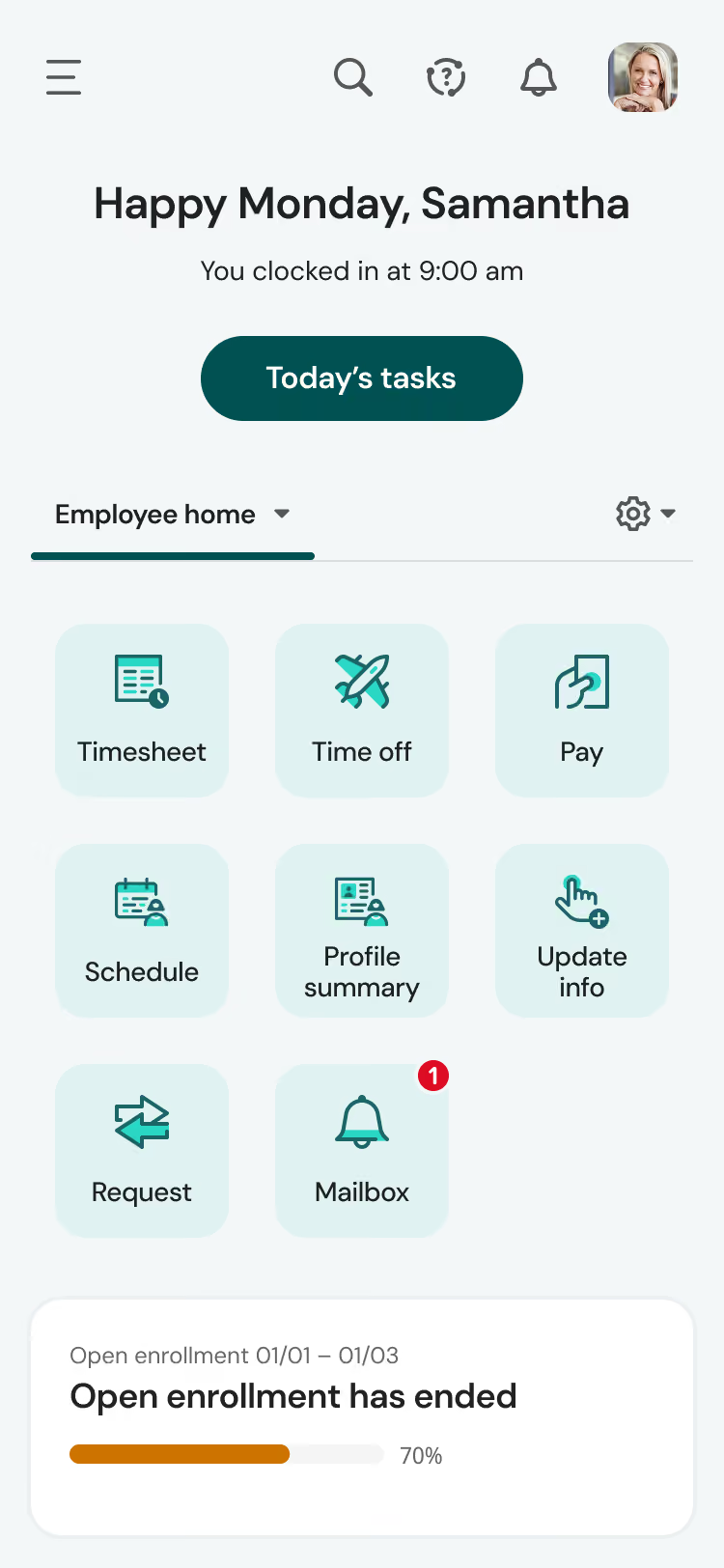



We used UKG as our HRIS primary system of record to feed all other systems that relied on employee data. It was used for payroll, performance management, and compensation management. Again, a selling point of this tool for the transportation company was the multi-state tax calculations it was able to deliver.
UKG is a comprehensive solution when looking for an HRIS. It also has favorable integration capabilities with other systems. I also appreciate that UKG is a scalable system that allows your business to expand as needed.
I used UKG with a past employer in the transportation industry. We implemented it and used it for several years. We selected UKG due to the fact that the transportation company I worked for had a few separate subsidiaries in different states under the primary corporate umbrella. UKG was able to handle the complexity that came with managing a distributed workforce under multiple EINs. The taxation functionality was particularly helpful for their mobile and transient 1099 workforce.
UKG would benefit from expanding its reporting and data analytics capabilities. Other competitors have more robust tools and functionality In this area. The cost for this platform has also been an obstacle for smaller organizations.
No HRIS is perfect and has the solution for all employer pain points and needs. That said, UKG is very versatile and flexible to customize and modify to the needs of different types and sizes of businesses.
People should consider scalability, integration, cost, and ease of use. These will be critical, especially for companies planning on growing and expanding their workforce. Also important not to “over buy” modules that the business may not be ready to utilize yet. Scale its functionality as the business grows and matures.
UKG has moved to a cloud-based platform and developed a mobile app
UKG would be a great HRIS platform for companies of all sizes but especially for those looking for flexibility and to scale.
Companies not looking to grow and scale would not maximize the use of a tool like UKG.
Firstly, UKG helps us manage our payroll and benefits administration, to ensure employees are paid accurately and on time. Secondly, it streamlines recruiting and onboarding processes, making it easier to find and hire new talent. Thirdly, it provides a performance management tool, allowing us to set goals, evaluate employee progress, and provide feedback. Fourthly, it offers learning and career development modules, for our employees to upskill and advance in their careers. Lastly, it helps us remain compliant with HR regulations and mitigate risks related to workforce management. I used the system a few times a week.
UKG Pro offers a platform for employee recruiting, compliance, and file management, which can help businesses save time and streamline their HR processes. Additionally, its robust reporting and analytics capabilities enable data-driven decision-making, while its focus on diversity and inclusion can promote a positive workplace culture.
Our HR team was facing an administrative burden and we aimed to streamline our HR processes. For this, we needed a tool with HR features that could be customized for a large company. Our goal was to enhance the employee experience. We also wanted to ensure compliance with HR regulations, which is where UKG came in handy. With its customizable HR features and compliance tools, UKG helped us achieve our goals. In summary, we chose UKG to reduce administrative burden, optimize the employee experience, and maintain compliance with HR regulations. I have personally used UKG for 1 year.
UGK's customer service could be improved. Currently, making even simple changes within their systems requires submitting a ticket to the helpdesk. However, there are times when it can feel like too many tickets are being submitted. It would be helpful if they streamlined the process for updating passwords so that users/admins don't have to go through so many tedious steps.
UKG is not the best but it isn't the worst - more flexible than Workday but less flexible than Peoplesoft when it comes to reporting. I have a preference for UKG over its competitors. This is largely due to the convenience and efficiency of its payroll dashboard, open enrollment, and employee self-service features.
When looking to buy a tool like UKG, it is important to consider criteria such as integration, installation, security, support, and features that can bring ease to the admin users and employees. These factors can play a crucial role in the overall effectiveness and usability of the software. By evaluating these aspects carefully it will ensure you’re selecting the right tool to meet your needs.
In regards to maintaining the system, the type of user UKG would be good for is someone who is tech savvy. It could benefit a mid-size to large organization.
Someone who is not tech savvy and a smaller organization. There are too many configurations that could be time consuming.

I’ll use UKG Pro every working day. Our primary use for it is payroll and timekeeping. Even still, we use a myriad of the other features. This includes employee benefits administration, hiring and onboarding, compensation management, talent management, and a few others. This program also provides a lot of flexibility and freedom in its application.
UKG Pro’s greatest strength lies in its full-suite of payroll and HR tools. It’s all blended together in a “sandbox” environment so users can freely explore the system. In addition to these, it also includes extensive reporting tools which makes work much easier and quicker.
My company transitioned to UKG Pro after frustrations with our former HRIS. One of UKG’s greatest strengths is the program’s ease of use. Not only is it easy for our HR representatives to use, but for our employees as well. We’ve been using UKG Pro for a little over a year now and already it’s proven to be leaps and bounds above some other systems I’ve used. With UKG Pro, you’re getting an excellent value for your money.
UKG Pro is on the expensive side and, to boot, they’re not transparent about their pricing. I also did not appreciate the lack of a free or “trial” mode to try out the product before spending so much for it. Also, scaling up (or down) can be cumbersome as a custom set up is required.
UKG Pro is far more intuitive than other HRI Systems I’ve used in the past. It’s among my favorites for its ease of use and customizability.
When buying this type of tool you want to pay close attention to what is important for your company. You’ll always want to take into consideration pricing. But beyond this, look at the features provided. Does it include a full-suite? Does it integrate well with other systems you’re currently using? You’ll want to really do your research.
I can’t speak too heavily to its evolution. I can acknowledge that they have implemented a few smaller quality of life changes to make the experience run smoother.
This is a good software for larger, very typically structured, organizations. If you’ve got more than 200 employees, this software will make your life easier.
Smaller organizations, namely those with less than 150 employees, should consider other options. UKG Pro is among the most expensive HRIS I’ve used.
.avif)
Deel

Deel

Paylocity
Paylocity
HiBob
HiBob

BambooHR
BambooHR

Rippling
Rippling
UKG offers many solutions and modules within its platform. Hence it's not the best fit for companies in need of only a handful of specific use cases. For example, it has no standalone ACA module. Therefore, it is best for large or enterprise companies looking for an entire HR suite plus many other perks.
Through the years, UKG has been trusted by organizations like Tesla, Marriott, Yamaha, Aramark, Puma, Sony Music, Samsung, Mammoth, Temple University, MGM Grand, The YMCA, The Salvation Army, and Feeding America.
- People analytics: Gather intel on everything workforce-related and use it to make strategic, AI-supported decisions.
- Compensation management: UKG Ready can automate and streamline the entire compensation management process. This add-on supports annual, nonannual, cycle-based, and off-cycle merit and promotion-based salary increases.
- People center: With UKG Pro, you get a complete picture of your entire employee population. This instant access to business intelligence can drive decision-making.
- Benefits administration: Employees can learn about, compare, and enroll in the compensation plans of their choosing. This part of the platform also provides educational tools and personalized recommendations.
UKG has capabilities for:
- Payroll
- Benefits administration
- Open enrollment and life events
- Tax management
- Talent management
- Document manager
- Onboarding
- Compensation management
- Succession planning
- Mobile app (Android & iOS)
While their integrations are limited, UKG does have API capabilities. UKG’s products can integrate with tools like LinkedIn, Branch, Workday, Jostle, and many more. There are more integrations for other HR, payroll, ERP, patient information systems, and other back-office applications. If once you look into it you realize that they don’t integrate with a particular part of your tech stack, you should know that they sometimes provide custom solutions on a case-by-case basis.
UKG uses subscription-based pricing. Cost is determined by employee count, selected features, and additional add-ons. Specific pricing requires a quote from UKG sales.
UKG Pro is best suited for organizations with complex HR and payroll requirements, such as large enterprises, global teams, or companies with sophisticated reporting, compliance, and workforce planning needs. It’s designed for teams that need depth, configurability, and long-term scalability.
UKG Ready is typically a better fit for small to mid-sized businesses that want a unified system for HR, payroll, and workforce management without the overhead of an enterprise HCM. It works well for teams that prioritize simplicity, automation, and faster time-to-value over extensive customization.
Implementing UKG Pro or Ready can take up to a few months for large organizations. They also have numerous third-party services out there to assist with the implementation of its software.
Now, although it can vary depending on if you’re implementing UKG Ready or UKG Pro, a typical implementation process can follow these six steps:
- Planning: Webinars, learning modules, timeline creation, introduction to the project manager.
- Assess: Goal setting, provide necessary data, approve solution design, review best practices.
- Solution Build: Build the system, integrate it with other systems, and administrator training.
- Test & Clarify: Solution overview, internal training, workshops.
- Deploy & Support: "Go live" additional training, transition to support team.
- Additional Modules & Functionality: Implementation of additional solutions, for instance, the ACA module.
Aside from having customer success managers for their clients, UKG has many resources in place for their users. They’ve got a resources & insights page, for instance, where you can browse ROI tools and ebooks or guides for each of their features. They also have a support community page where customers can get their questions answered by experts as well as community members.
UKG was formed in 2020 through the merger of Ultimate Software and Kronos, two long-standing providers in the HR and workforce management space. The company is headquartered in the United States, with dual headquarters in Lowell, Massachusetts, and Weston, Florida.
Today, UKG operates as a single organization delivering HCM, payroll, and workforce management software to customers globally. The company is led by Jennifer Morgan, who serves as CEO.
While UKG’s roots stretch back to the founding of Kronos in 1977 and Ultimate Software in 1990, the modern UKG platform reflects a consolidation of those legacies into a unified product strategy focused on workforce experience, operational efficiency, and people analytics.
Company HQ
The company still keeps the headquarters from the two entities they were before the merger. That’s Lowell Massachusetts (Kronos) and Weston Florida (Ultimate Software).
Number of Employees
12,000+
Year Founded
Although the merger happened in 2020, it’s interesting to consider that Kronos Incorporated was founded in 1977 and Ultimate Software in 1990.
Amount Raised
FAQ
Is UKG Kronos?
Kronos merged with Ultimate Software in 2020, resulting in the creation of the UKG company (Ultimate Kronos Group). Kronos Workforce Ready, the company’s flagship time tracking software product, rebranded as UKG ready.
Is UKG the same as UltiPro?
Ultimate Software became the Ultimate Kronos Group as it merged with the company Kronos in 2020. UltiPro became UKG Pro, retaining much of the HCM software offering that made it so popular since the turn of the century with some added workforce management features.
Does UKG do payroll?
Whether it’s through UKG Ready or UKG Pro, their two main offerings based on the products they did before the merger, UKG is certainly able to process payroll. They offer the software tools to process it automatically, but they also provide expert assistance if needed.
About SSR

We spend hundreds of hours researching the best HR and recruiting software so you don’t have to. We never take money from vendors during our research phase and rely heavily on practitioners and experts to help us recommend the right software. However we may earn a small fee if you click on vendor links on this page.